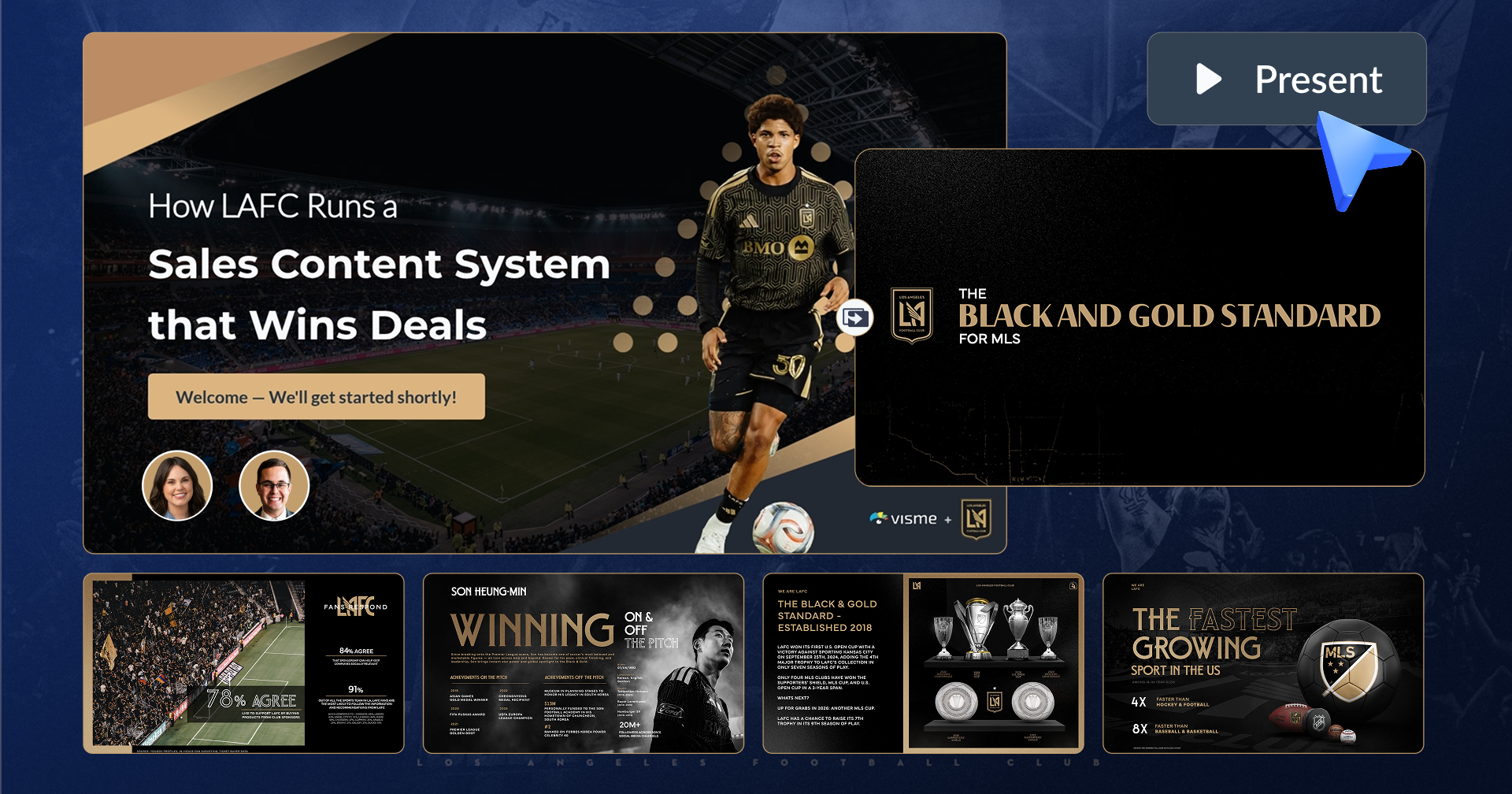


Why LAFC Builds a Personalized Sports Sponsorship Pitch Deck for Every Conversation


Presentation software from 10-15 years ago looks nothing like what we use today.
Async communication, remote collaboration and, most importantly, AI have fundamentally changed how we create, deliver and consume presentations.
I’ve tested dozens of presentation tools over the last 18 months, and in this article, I’ll break down 11 of the best presentation software options available right now.
I’ll dissect their features, who they’re best for and whether they’re worth investing in 2026.
Let’s get started.
| Software | Key Differentiator | Best For | Pricing | G2/Capterra Rating |
|---|---|---|---|---|
| Visme | Comprehensive AI suite, advanced animation and interactivity, branded content hub, extensive design assets | Solopreneurs, marketing teams, agencies, small businesses and enterprises | Free; paid starts at $12.25/month | 4.5/5 (500+ reviews) |
| Prezi | Zoomable canvas, non-linear storytelling, motion-rich presentations | Sales teams, educators and storytellers | Free; paid starts at $7/month | 4.2/5 (5,700+ reviews) |
| Google Slides | Real-time collaboration, cloud-native, seamless Google Workspace integration | Distributed teams and startups | Free; paid starts at $4.90/month | 4.6/5 (6,500+ reviews) |
| Keynote | Cinematic animations, free for Apple users, seamless ecosystem integration | Apple users | Free (with Apple devices) | 4.5/5 (530+ reviews) |
| Gamma | AI-first presentation builder, instant deck generation from prompts | Knowledge workers, consultants and teams | Free; paid starts at $9/month | 3.9/5 (35+ reviews) |
| Slidebean | Pitch deck focus, investor analytics, AI-assisted financial modeling | Startup founders and entrepreneurs | Free; paid starts at $7/month | 4.4/5 (25+ reviews) |
| Microsoft PowerPoint | Industry standard, Agent Mode AI, advanced animations, offline editing | Students, educators and enterprise users | Free on web; paid starts at $5.40/month (Microsoft 365) | 4.6/5 (4,350+ reviews) |
| Zoho Show | Completely free for individuals, Zoho ecosystem integration, Zia AI assistant | Small businesses and teams | Free; paid starts at $2.50/month | 4.4/5 (60+ reviews) |
| Beautiful.ai | Smart Slides auto-adjust layouts, 300+ Smart Slide layouts | Business teams | Free trial; paid starts at $14.50/month | 4.6/5 (190+ reviews) |
| Canva | Extensive templates, 25+ AI tools | Designers, marketers, social media managers and non-designers | Free; paid starts at $18/month | 4.7/5 (7,700+ reviews) |
| Pitch | Real-time co-editing, Pitch Agent AI, shared pitch rooms, viewer analytics | Startups, sales teams and agencies | Free; paid starts at $13/month | 4.3/5 (60+ reviews) |
| SlidesAI | Standalone web app plus Google Slides and PowerPoint add-ons, guided text-to-deck generation, editable diagrams and charts | Non-designers needing fast slide generation | Free; paid starts at $10/month | 4.4/5 (8 reviews) |
Then I judged each tool on these six criteria:
| Criterion | What I Checked |
|---|---|
| Ease of Use | How fast I could build a finished deck without a tutorial |
| AI Usefulness | How much editing the AI output needed before I could use it |
| Design and Customization | Template quality, asset library, brand controls and animation options |
| Collaboration | Real-time co-editing, comments, user roles and approval workflows |
| Sharing and Export | Export formats, live links, embeds, privacy controls and analytics |
| Value for Money | What the free plan includes and what each paid tier adds |
This is an article written and edited by humans for humans; no robots were harmed in the making of this article.
Now, let’s look at how the best presentation software in this list stack up.
G2 Rating: 4.5/5 (500+ reviews)
Visme is an all-in-one content creation platform that offers 10,000+ professionally-made templates, a packed visual asset library and a complete suite of AI tools.
All of these (and more) make it an incredibly powerful presentation software.
Let’s break down Visme features.
Visme’s presentation template library is outstanding. You get traditional-looking options, but also modern, trendy designs.
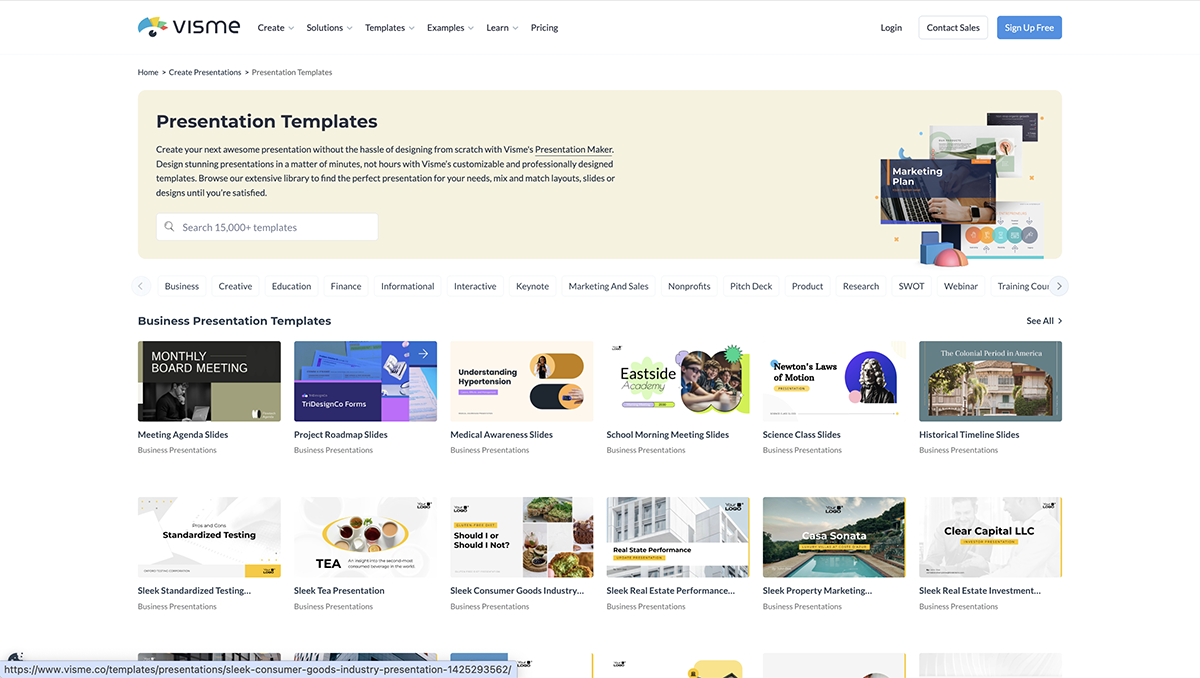
You’ll find templates for most use cases, from executive presentations and pitch decks to educational materials.
I’m a fan of how well-structured these templates are. They essentially give me a head start on my projects, so I can just plug in my branding, edit the text, replace the visuals and make it my own in minutes.
This is where Visme leaves every other presentation tool behind.
You get a packed icon library with both static and animated options (millions of them, in fact). Every icon is fully customizable, so you can resize, recolor and adjust them to fit your brand perfectly.
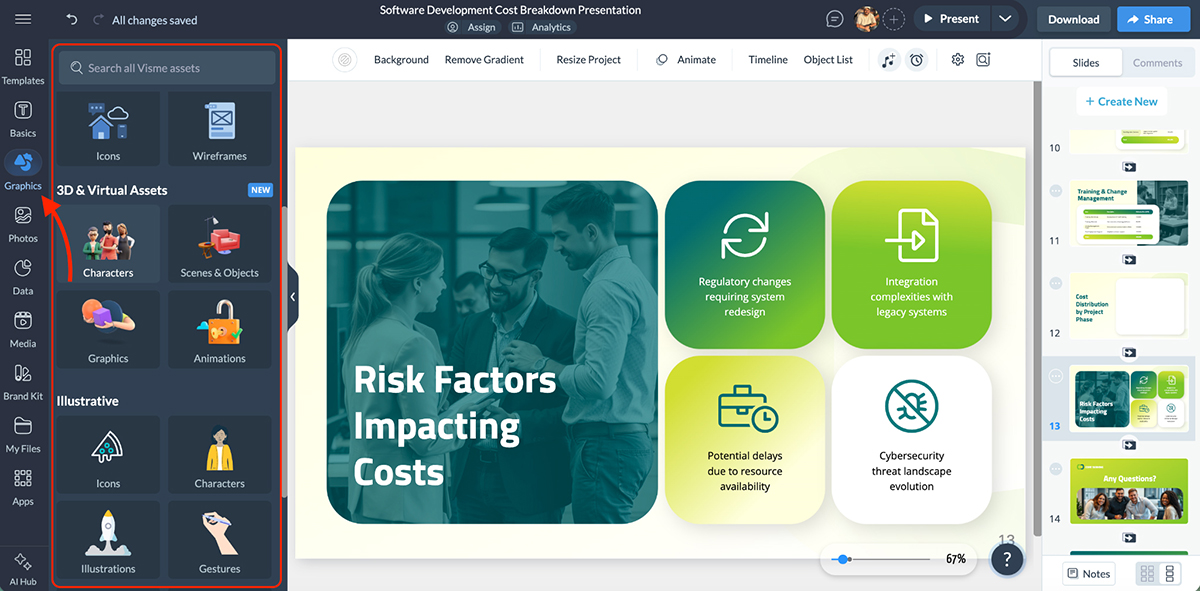
You can also find 3D assets to add depth and personality to your presentations.
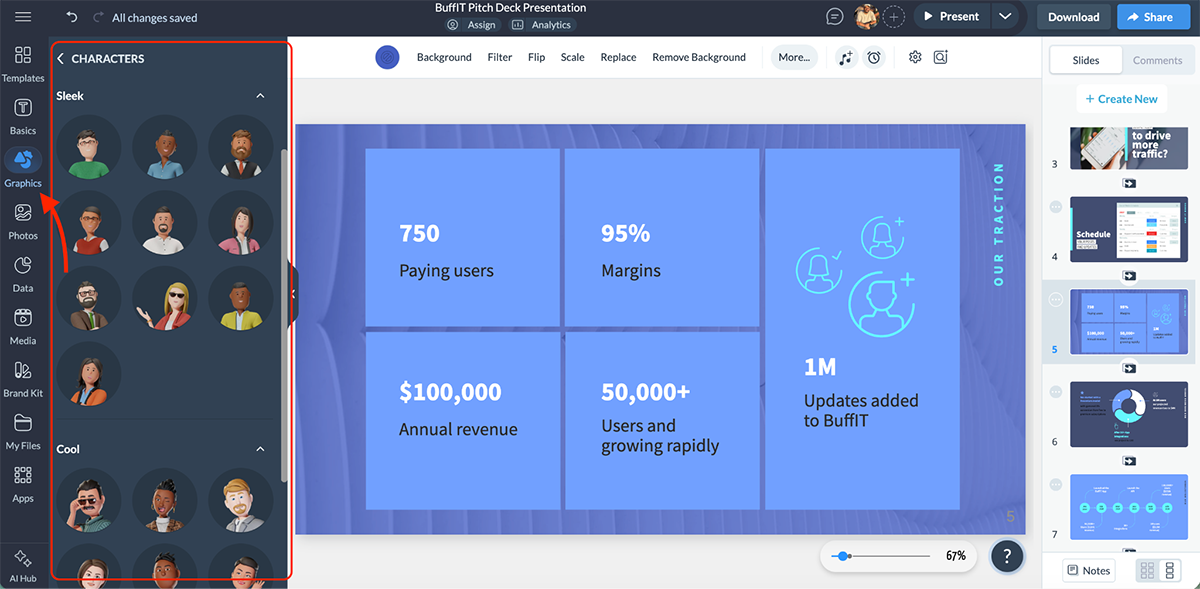
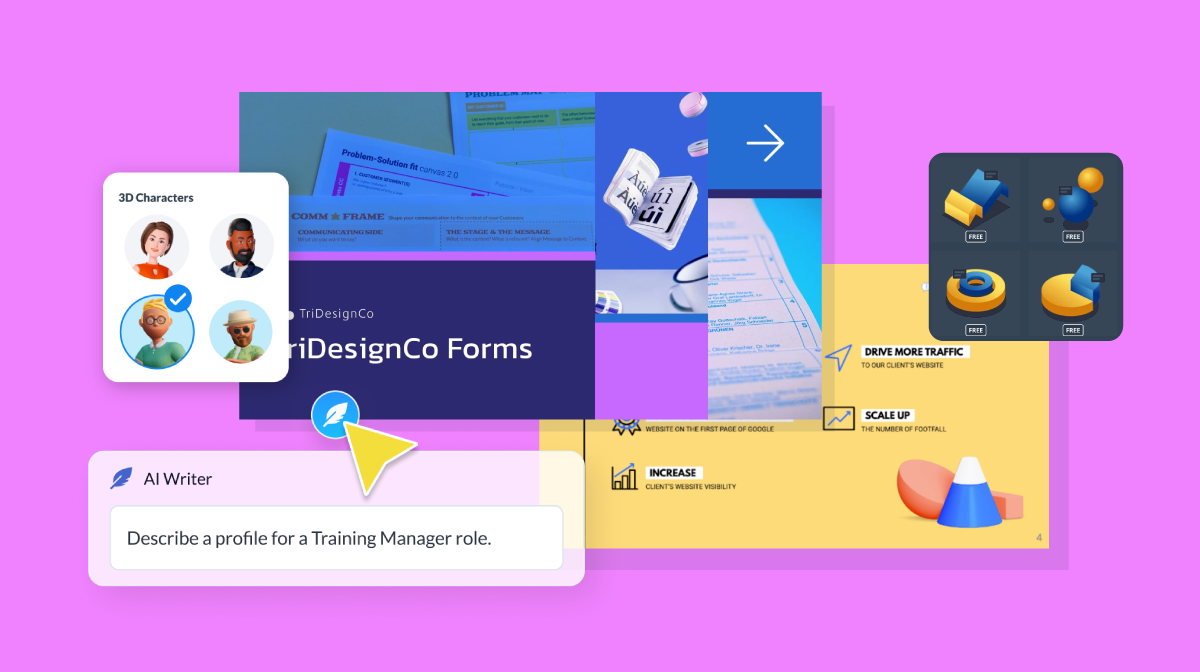
There’s even a 3D Character Creator that lets you build your own custom characters from scratch. Perfect for storytelling, training materials or making your brand come to life.
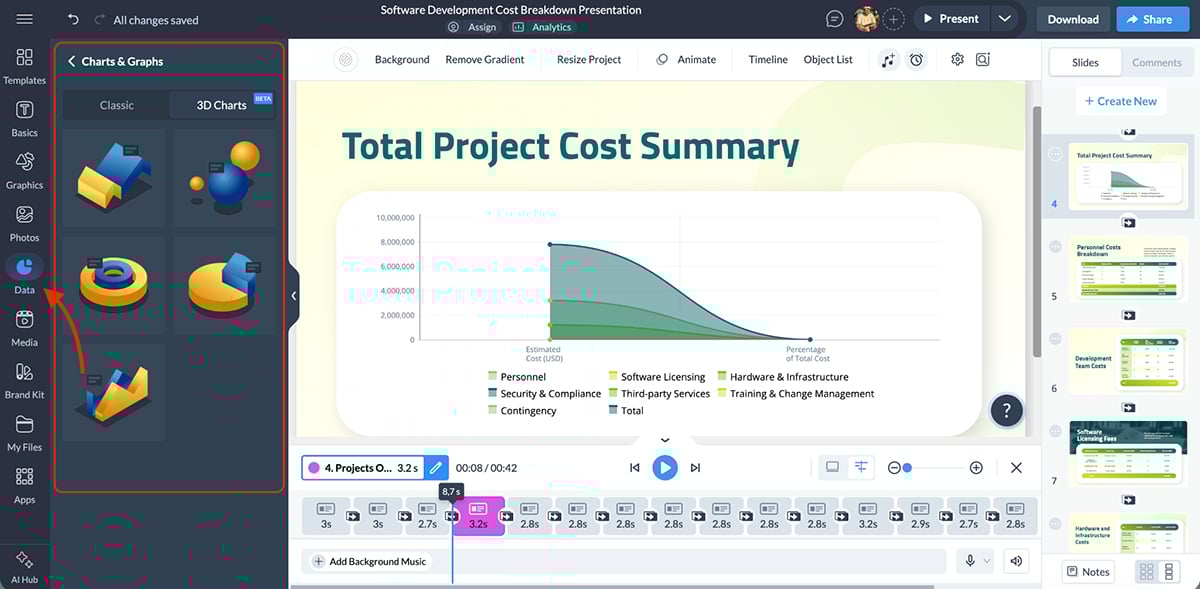
For data visualization, Visme offers 40+ chart and graph types.
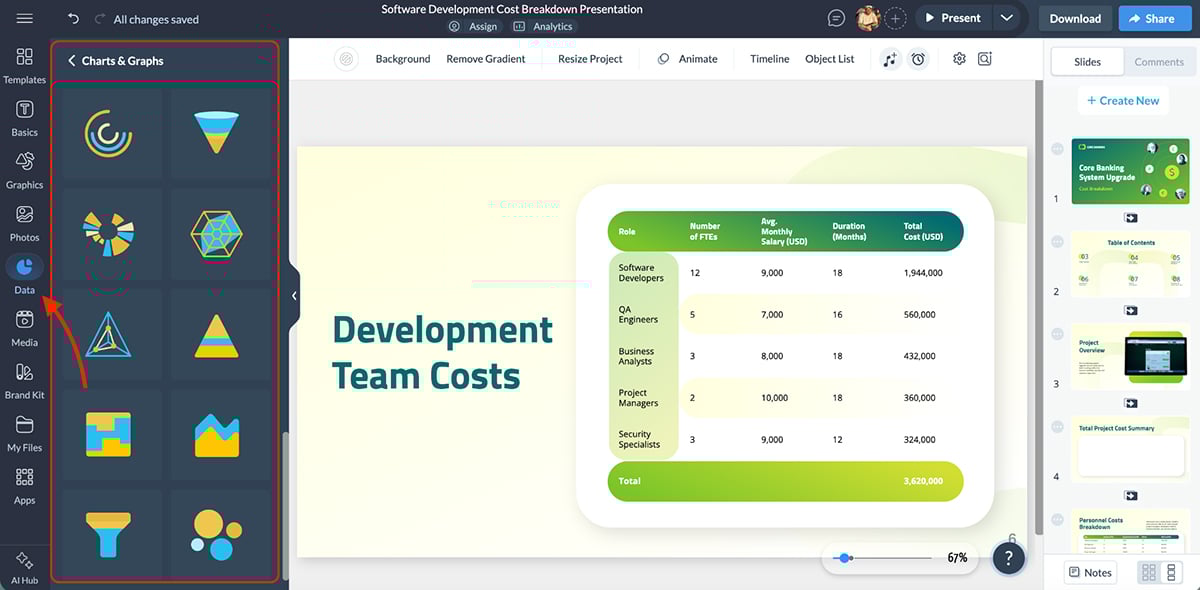
You also use the 3D chart maker to present complex data in a more compelling way.
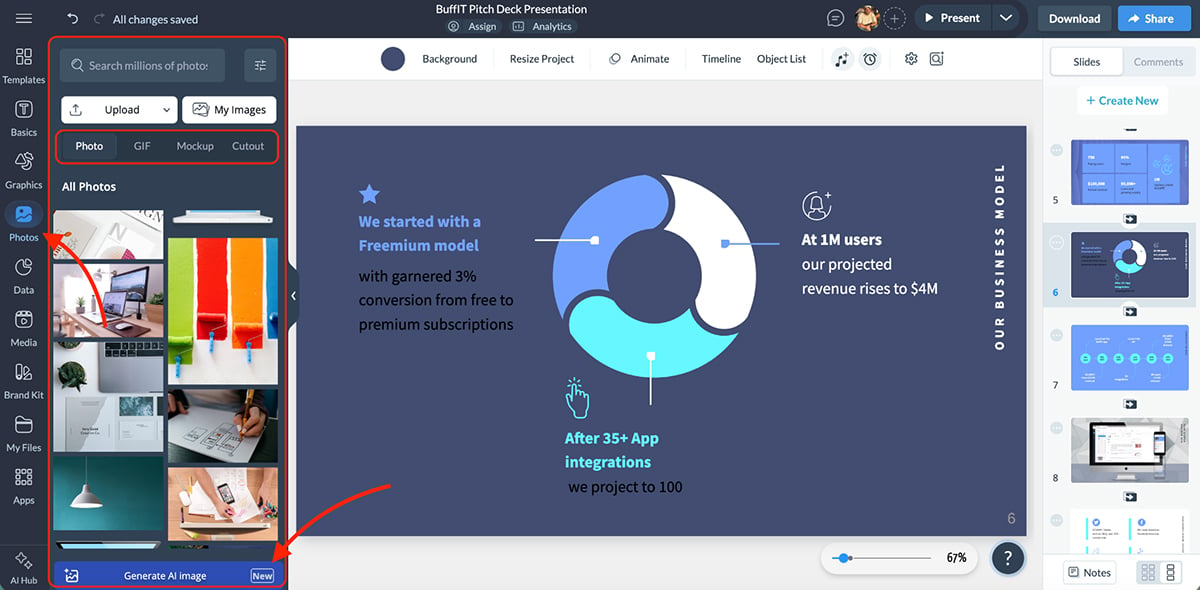
Apart from icons and charts, there’s also a stock photo and video library with millions of options.
You can add GIFs directly from the Giphy integration, giving you quick access to animated content that grabs attention. Or use the built-in GIF maker.
There’s even an audio library where you can upload your own files or record voiceovers directly within the platform using the Presenter Studio. This is particularly useful for creating narrated presentations or asynchronous content.
Visme’s Brand Kit lets you store all your brand assets in one centralized location. Upload your logos, brand colors, fonts, icons and images and easily apply them to any project you’re working on.
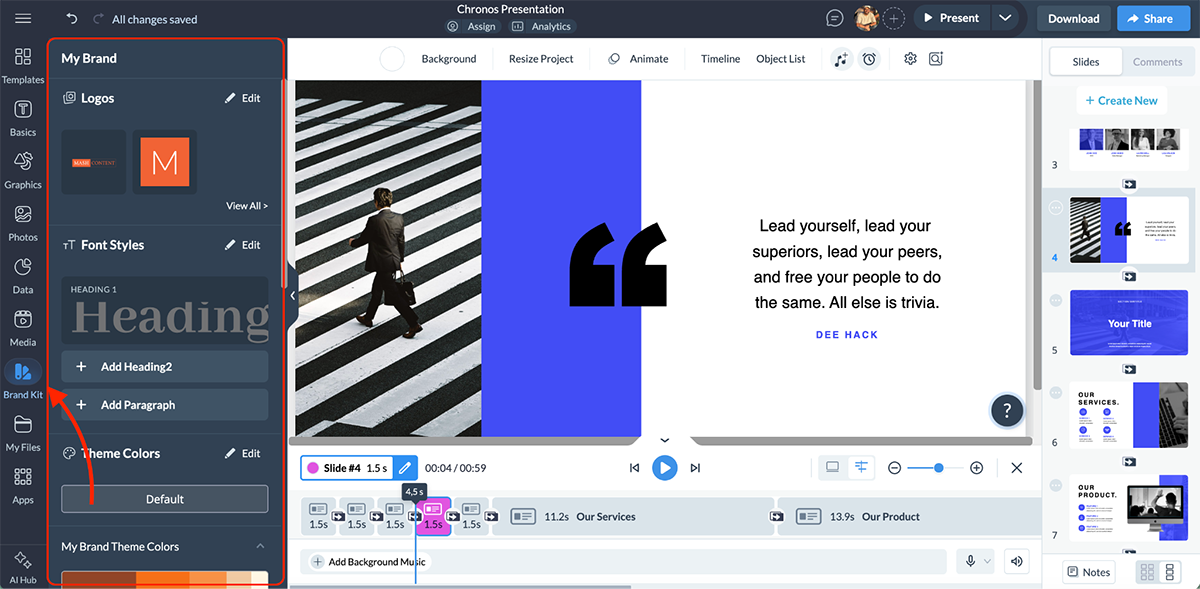
This is especially valuable for teams. Just share your assets with team members so everyone stays on-brand across all projects. This eliminates inconsistencies and you save hours of unnecessary back and forth.
This is another area where Visme excels.
When comparing Visme vs Canva, this level of interactivity is one of the biggest differentiators. Sure, you get dozens of slide transitions, but that’s literally skimming the surface.
With Visme’s animation controls, you can:
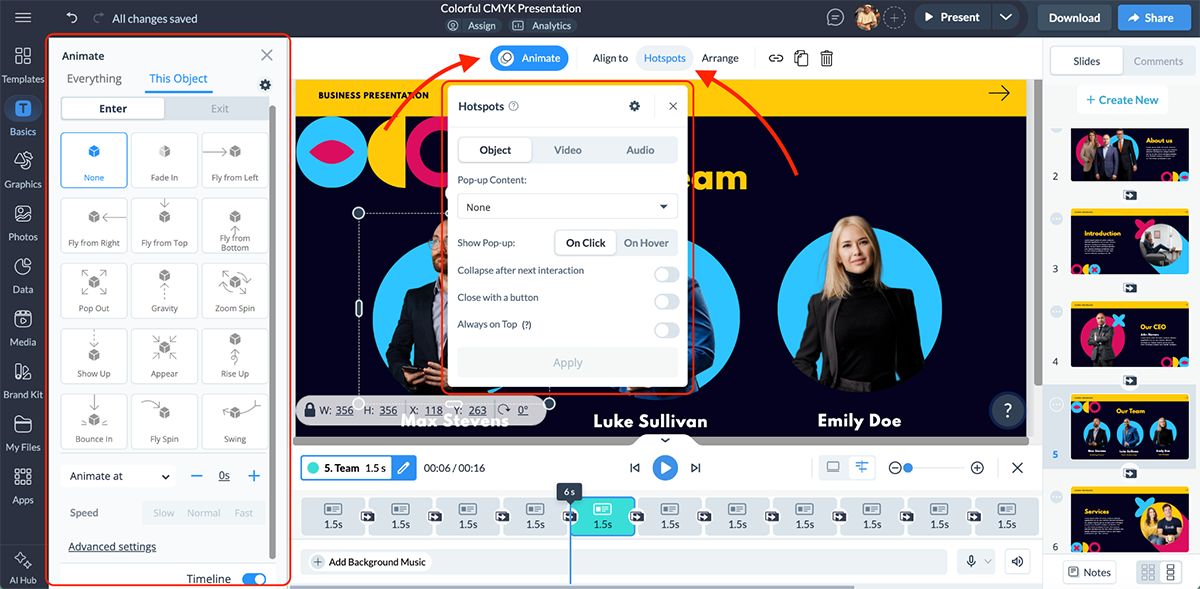
You can essentially create immersive, interactive experiences using Visme’s animation and interactivity features. This goes beyond standard presentations and lets you build content that your audience can actually engage with.
Visme comes packed with a comprehensive suite of AI tools that speed up the content creation process significantly. With the updated dashboard, you can start a project with AI as soon as you log in.
Other 2026 updates include SmartBlocks for grid-based layouts, a no-code microsite builder and an updated Brand Kit with advanced color picking.
The AI Presentation Maker is another one of Visme’s standout features. You can generate complete presentations from a simple text prompt in under two minutes.
Check out this presentation I made using a prompt:
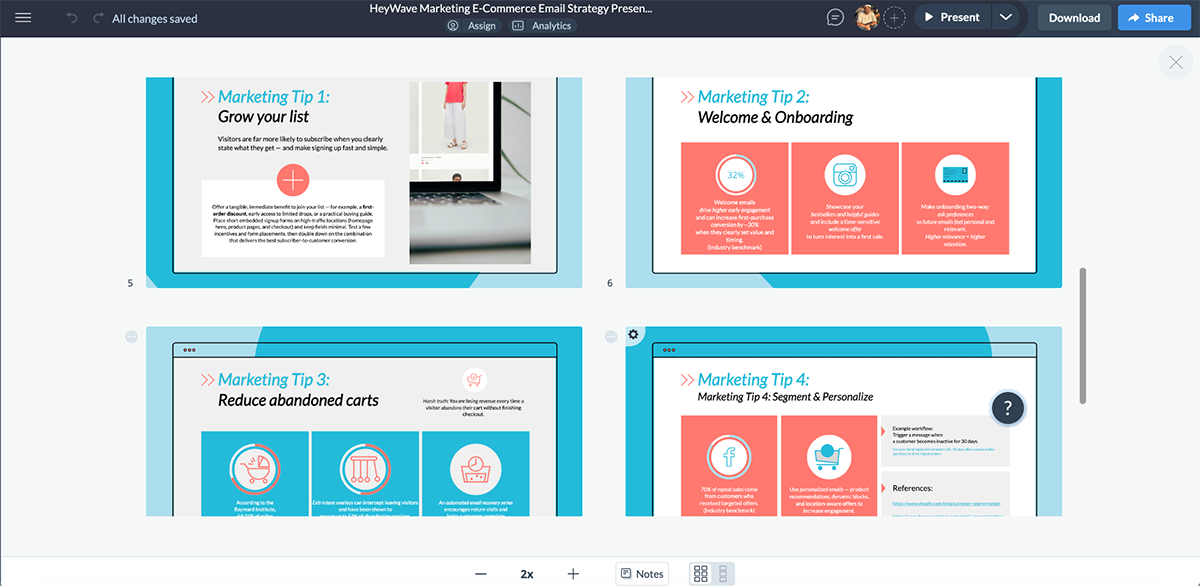
Here's how it works: describe what you need in detail and answer a few follow-up questions. The AI then suggests a visual style for you to choose and creates a first draft.
Each generation uses 2 AI credits, and generated decks run up to 10 slides. To make a longer deck, duplicate a slide and edit the content. The layout stays consistent.
The more specific your AI presentation prompt, the better the results. You can even upload documents or insert URLs to pull content directly into your AI-generated presentation.
Recommended for you: 15 Best AI Presentation Makers in 2026 [Free & Paid].
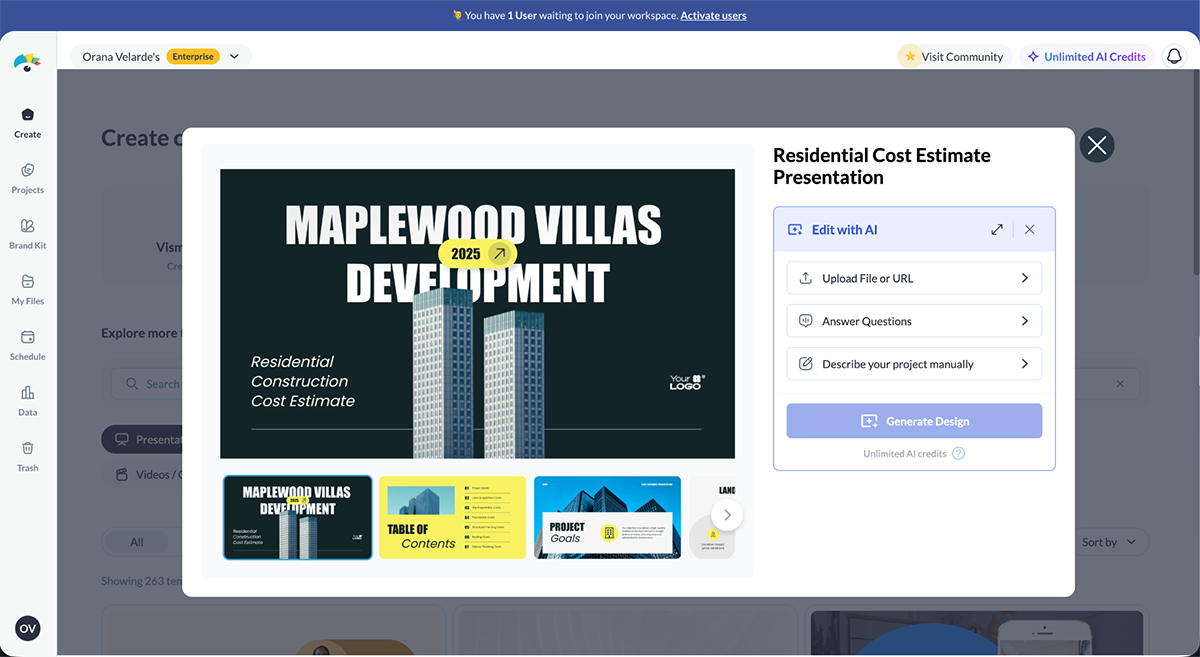
With the Edit with AI feature, you can customize any Visme template by chatting about your content and objectives. Upload a file or URL, answer a few questions and describe your project manually.
Visme’s AI Image Generator lets you create custom visuals right inside the editor. Write a text prompt, select an output style (photography, line illustration, 3D and more) and the AI generates unique graphics for your presentations.
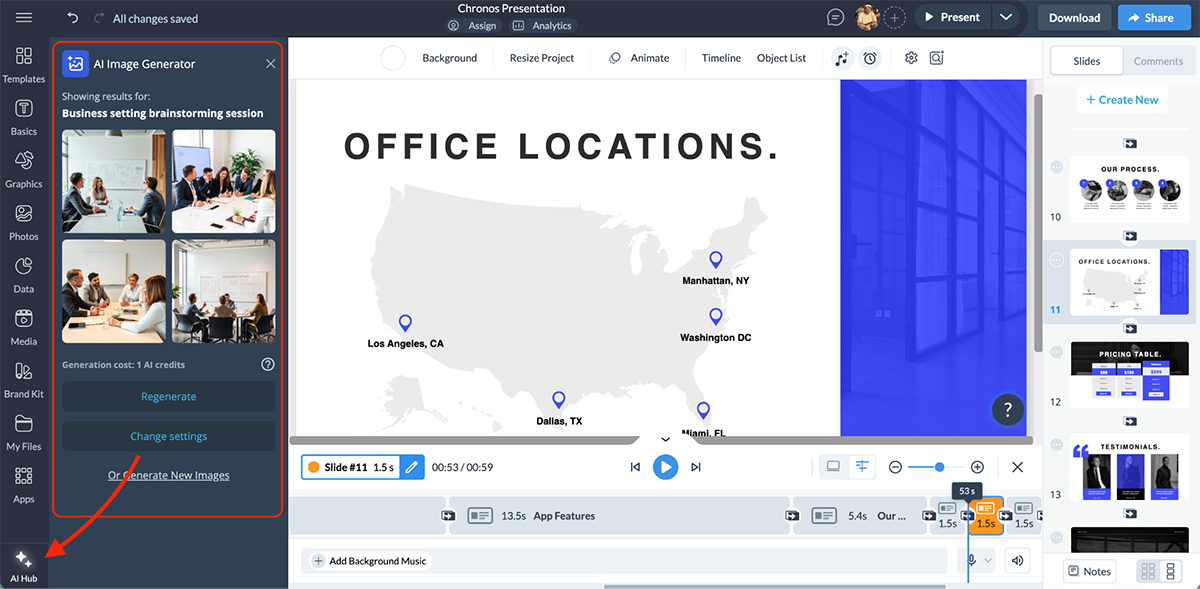
All AI-generated images are saved in your “My Files” folder for easy access and reuse across projects.
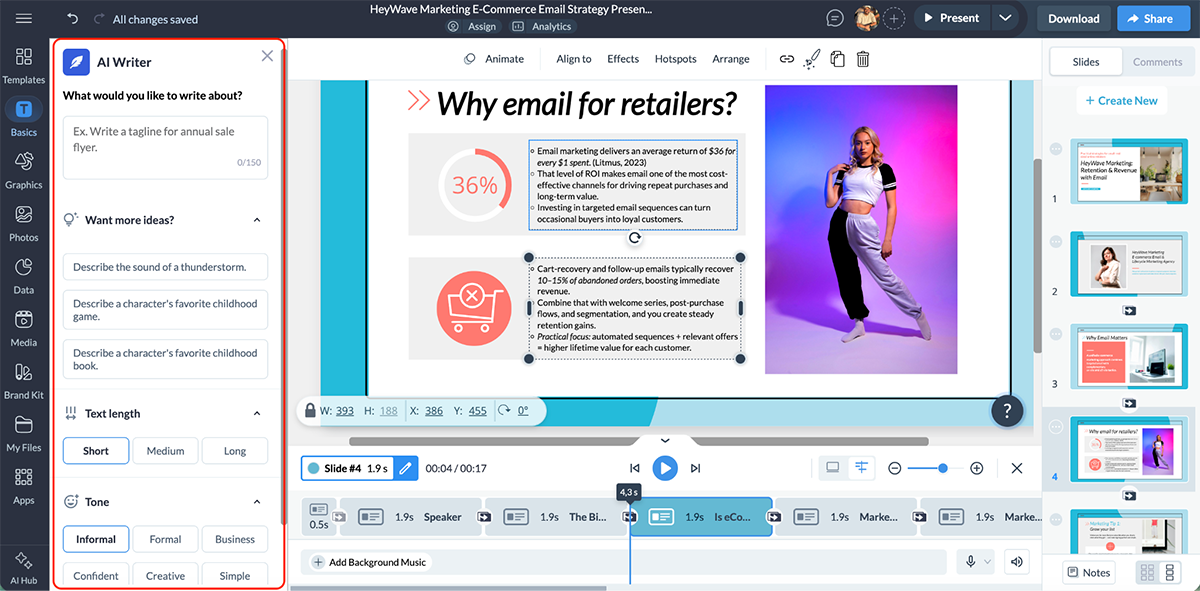
The AI Writer handles all your text needs. It can generate content from scratch, proofread existing text, summarize long-form content, switch tones and suggest editing improvements. If you’re stuck on what to write, the AI Writer can help you get unstuck fast.
Recommended for you:The Top AI Writing Tools for 2026: Tested & Reviewed.
Convert your text into life-like audio with Visme’s AI Text-to-Speech generator. Choose from six different voices, and the tool automatically detects language and generates audio. This is perfect for creating narrated presentations or accessibility-friendly content.
Recommended for you:10 Best AI Voice Generators for 2026: Tested & Ranked.
Other AI tools include:
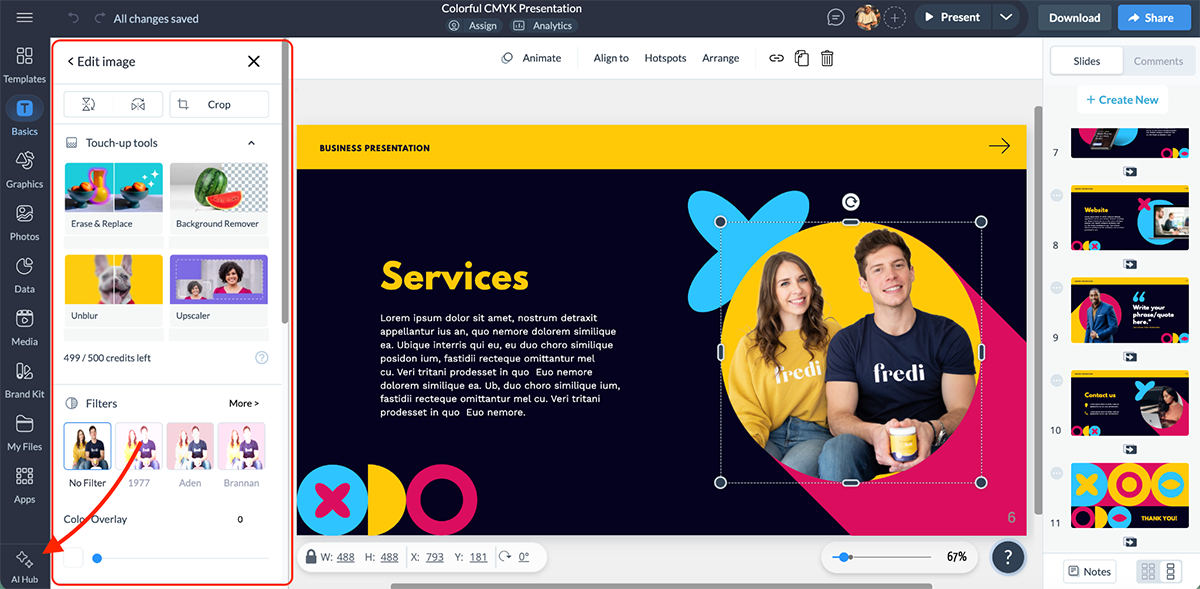
What I love most about Visme’s AI features is that it doesn’t just tackle one part of the design process, but covers almost everything you need to create a presentation. Generate initial layouts, write the content, pull original branding kit, auto-adjust to fit different use-cases and so on.
Visme gives you multiple ways to share and publish your presentations, depending on how and where you want to use them.
You can publish your presentation online and share it via a live link, embed it on your website or post it on social media. For offline use, Visme offers several download formats:
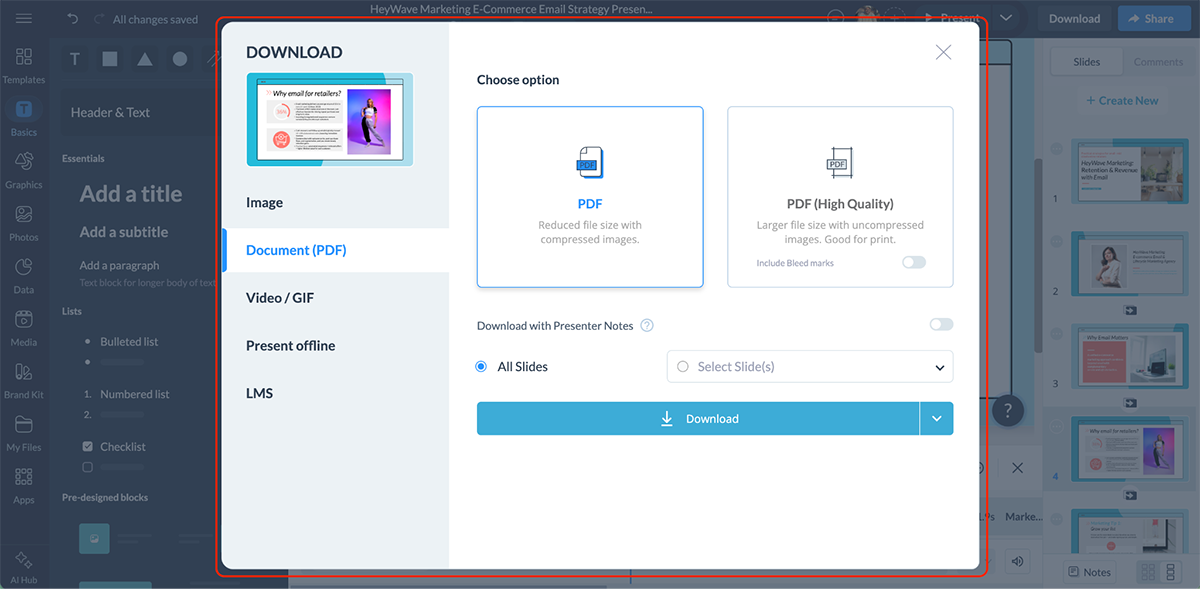
For eLearning purposes, Visme also supports SCORM and xAPI export, so it’s easy to upload corporate training materials into the Learning Management System (LMS) of your choice.
When you share a presentation via a live link, Visme tracks detailed analytics that help you understand how your audience engages with your content.
You can see:
Enterprise users get even deeper analytics, including the ability to add registration forms to track exactly who viewed your presentation and cross-reference that data with engagement metrics.
Visme lets you control who can access your presentations. You can:
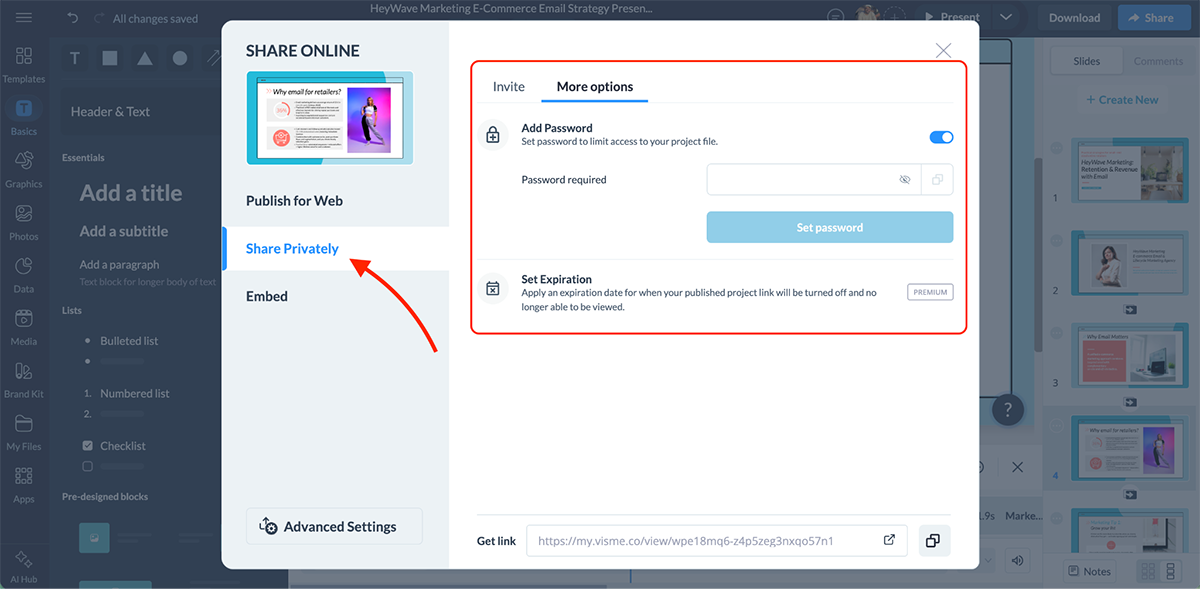
Note: All Visme presentations are private by default, and you control the access level for each project.
Visme offers advanced collaboration tools that make teamwork an enjoyable, seamless experience for all. You can invite team members to projects with role-based permissions (viewer, editor or admin), so everyone has the right level of access.
The commenting feature is particularly useful. Team members can leave feedback directly on slides or individual elements using different annotation styles.
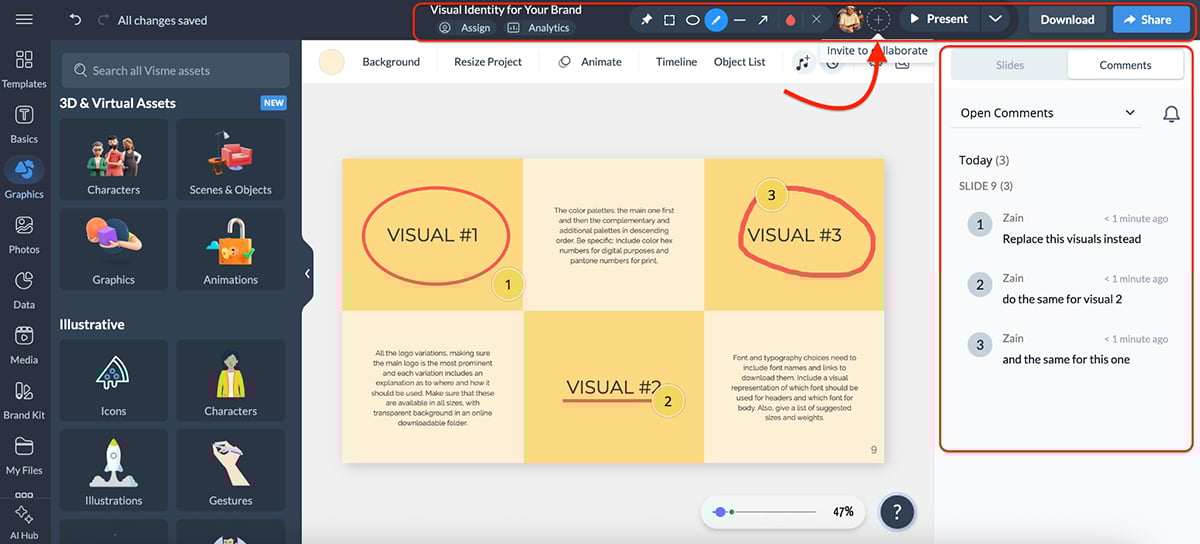
You can also tag collaborators in comments to notify them, reply in threaded conversations and mark comments as resolved once changes are made.
And for teams managing multiple projects, Visme’s workflow management features let you:
Visme is the perfect pick for solopreneurs, marketing teams, agencies, small businesses, enterprises and training and development teams.
Visme covered more of my workflow in one place than any other tool I tested. Templates gave me a head start; the Brand Kit kept every deck on-brand, and interactive elements, slide-level analytics and SCORM/xAPI export were all built in.
Training teams specifically can build a course deck, upload it to their LMS and track completion without switching tools.
WOW!'s Learning & Development team builds its course content in Visme. Tammy Stewart, who leads the team, shared one way she uses it in the WOW! case study:
"I have found a way to use Visme forms for knowledge checkpoints within a course, which is super cool!" Since switching, the team builds complex content 85% faster than with its previous tools.
You can get started with Visme for free. Paid plans are as follows:
If you're a nonprofit organization, you may qualify for a discount. Visme also offers separate Education plans for students and teachers.
G2 Rating: 4.2/5 (5,700+ reviews)
Prezi offers a unique alternative to traditional slide-based presentations with its dynamic, non-linear format. Instead of moving slide by slide, Prezi presentations unfold on a single zoomable canvas where you pan, zoom and connect ideas through motion.
Let’s look at Prezi’s features in detail.
Prezi offers a good selection of professionally designed templates across different categories. The templates are built specifically for Prezi’s zoomable canvas, so they work with the platform’s unique navigation style.
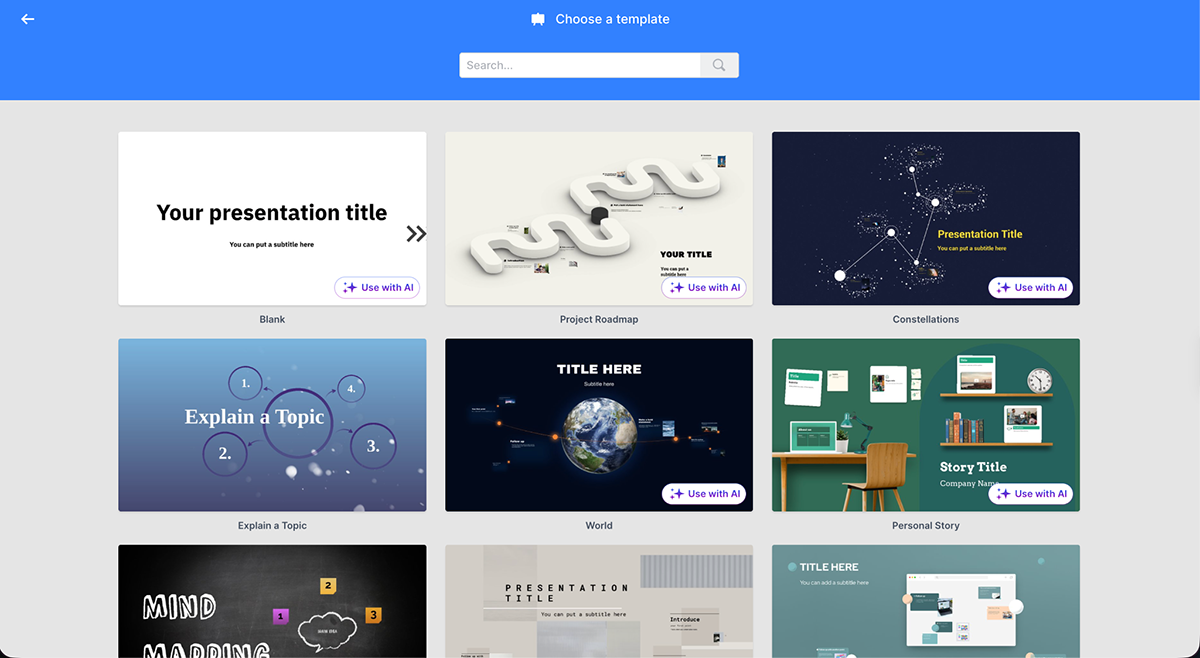
You can start with a template or build presentations from scratch. Or use AI to customize the templates.
Prezi’s asset library includes hundreds of icons, stickers, GIFS and thousands of images to enhance your presentations. You can also upload your own media files.
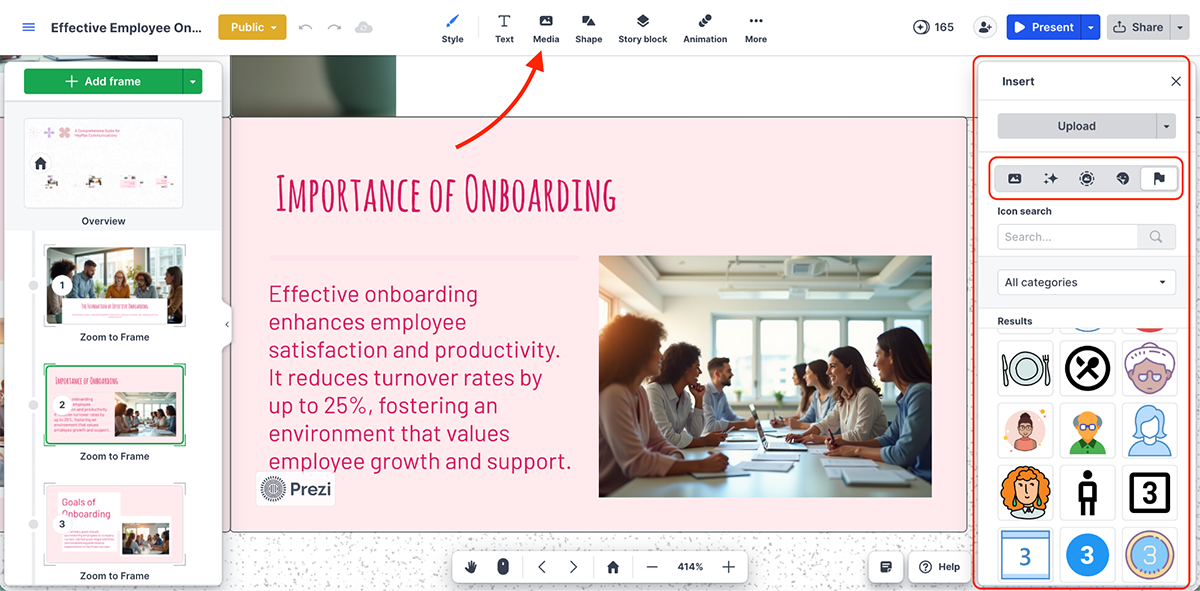
It also comes with Story Blocks (my favorite Prezi feature), which can help you visualize content quickly. These are ready-to-use templates for timelines, maps, tables, lists and whiteboards. You can add text, images, shapes and icons to placeholder areas and customize by resizing or rotating.
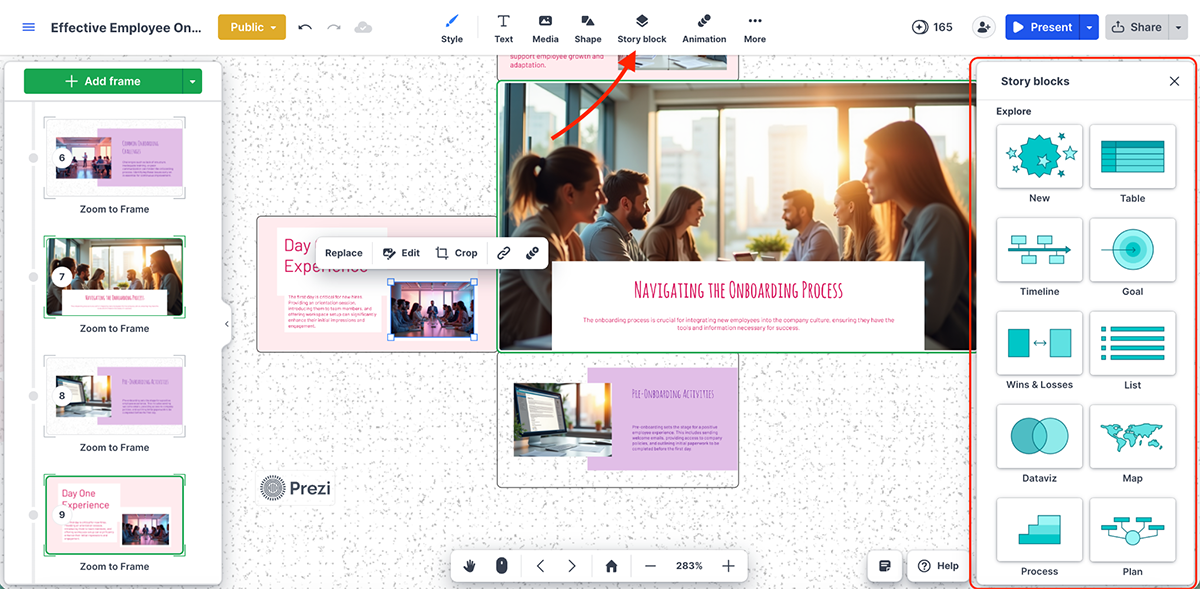
Prezi also offers data visualization features. You get a variety of charts and graph types, including area, scatter, Gantt and Sankey.
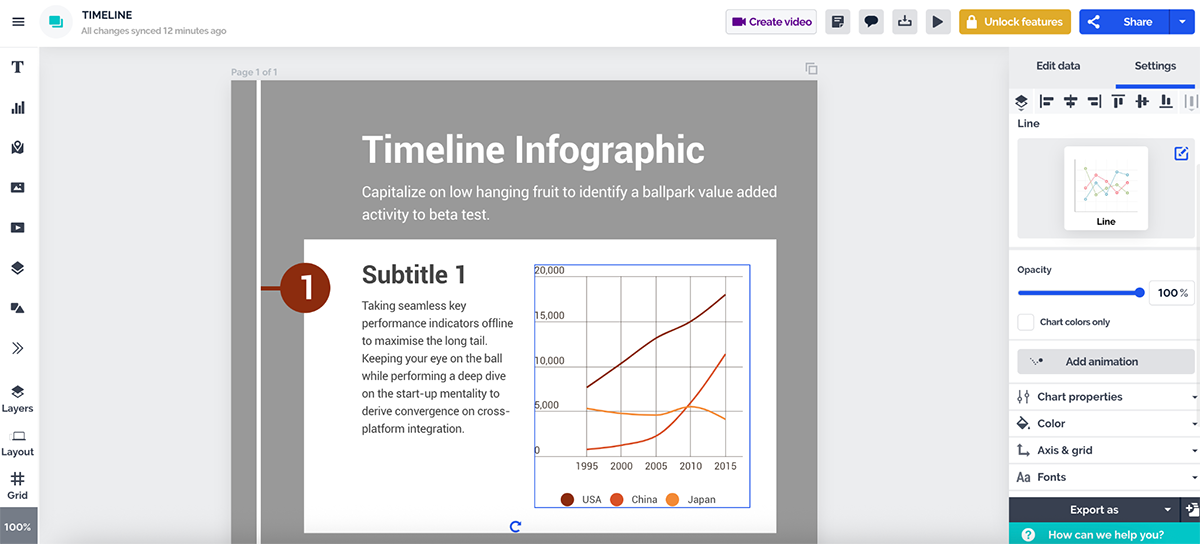
You’ll also find a few data widgets like word clouds and gauges to add some visual flair.
There’s also audio support. Upload MP3 or M4A files as background audio or individual clips for specific presentation steps.
Brand Kits in Prezi are available on Plus, Premium and Team plans. You can upload your logo, set team fonts and create your brand color palette.
Once published, your team can use these brand elements across all Prezi projects, videos and designs. You can edit or update the brand kit anytime as your branding evolves.
Check out this video to learn how to set up your brand kit in Prezi:
Prezi’s signature feature is its zoom-based movement. I have been using it for years and I am a fan.
Instead of animating elements on a slide, you animate between frames by zooming in, zooming out and panning across a canvas.
When done well, it creates a cinematic presentation experience that makes a strong impression.
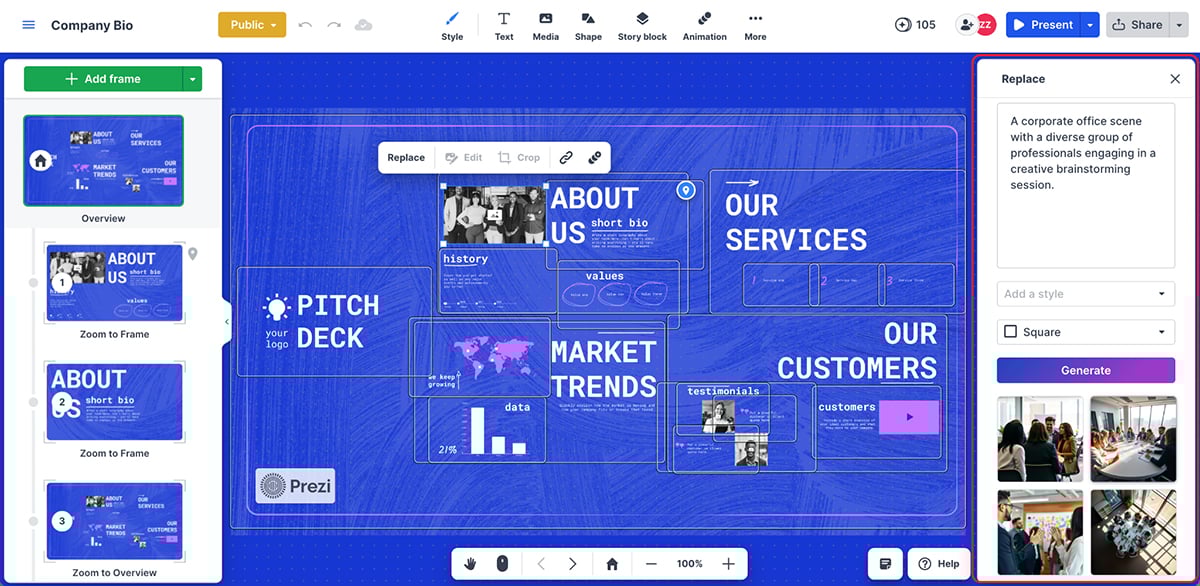
Beyond frame-to-frame transitions, you can animate individual objects with basic effects like fade in, fade out, zoom to and zoom out.
Having said that, the animation system isn't timeline-based. You don't get click-to-reveal or hover effects, and you can't set precise timing for individual objects.
Where Prezi has pulled ahead is audience interaction. Present in a themed room and you can add live polls, quizzes, word clouds and Q&A from the Apps panel, so you don't need a separate tool like Mentimeter or Slido. For more ways to get your audience involved, see our roundup of interactive presentation tools.
In the Visme vs Prezi matchup, AI tools are where the gap is noticeable, but Prezi still offers some solid features to speed up presentation creation.
Type a prompt or upload a PowerPoint, PDF or Word file in the "Create a presentation about..." box and select Prezi AI 3.0. Select a preferred design style or choose your brand kit if you have one. Once your prompt is in, the AI suggests specific elements to add to the presentation and provides options for a target audience.
Click Generate and it returns a draft, which you can refine by chatting with the AI. Ask it to add images, reorder slides, rewrite content or change the visual style. Unfortunately, there’s no way to open an AI-generated presentation in the classic Prezi editor.
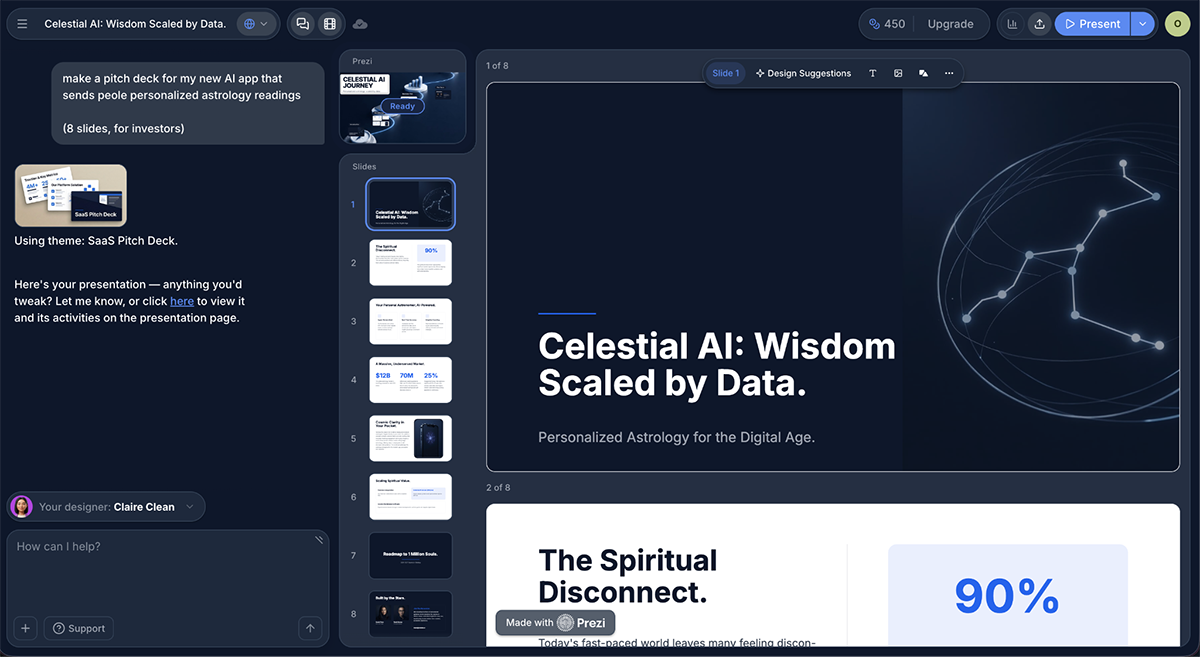
You can also upload PPT, PDF or DOCX files and let AI extract the content to create your presentation.
If you don’t want to use a stock photo or don’t have a visual to go with a specific section, then AI images can come in really handy.
Here’s a quick AI image I made to test out this feature:
You also get personalized, AI-powered design suggestions throughout the creation process to improve your presentation. As per my testing, the AI tools worked well.
Prezi offers several ways to share and export your presentations. You can generate a shareable link, broadcast live or export as a PDF (where each frame becomes its own slide).
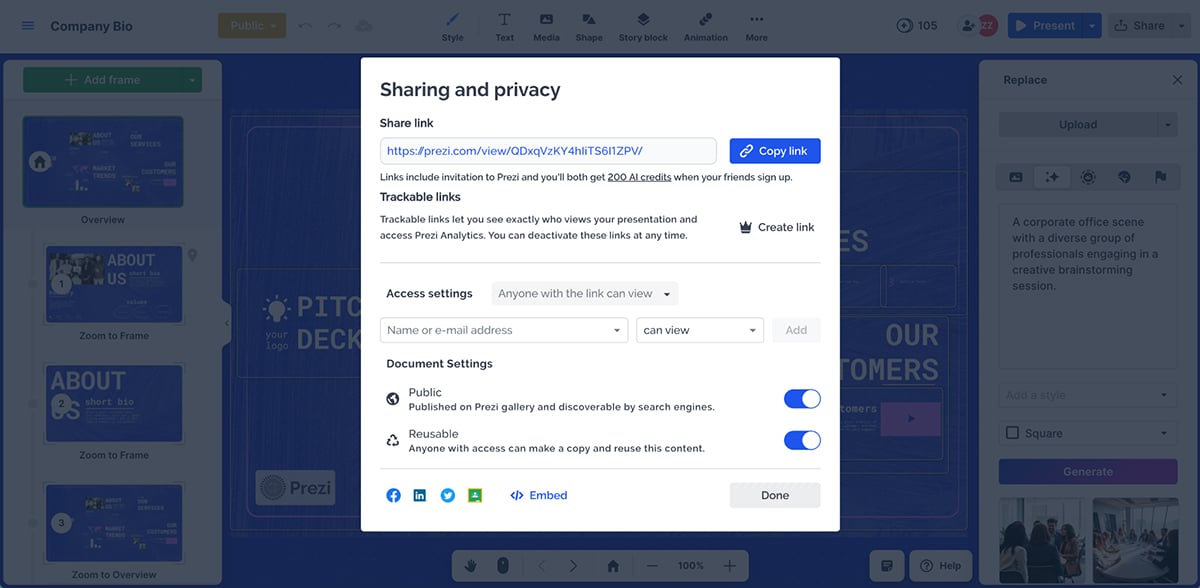
You can also embed specific frames on websites and export as MP4 video or GIF for social posts or asynchronous presentations.
Prezi’s built-in analytics dashboard (available on Premium plans and above) tracks views, total view time, average time per view and viewer location data. You can see whether someone is actively watching your presentation and monitor interaction rates like hovers and clicks on visual elements. For general engagement metrics, Prezi does a good job.
Privacy settings depend on your account type. Free accounts create public presentations by default. Paid plans offer private sharing and password protection options.
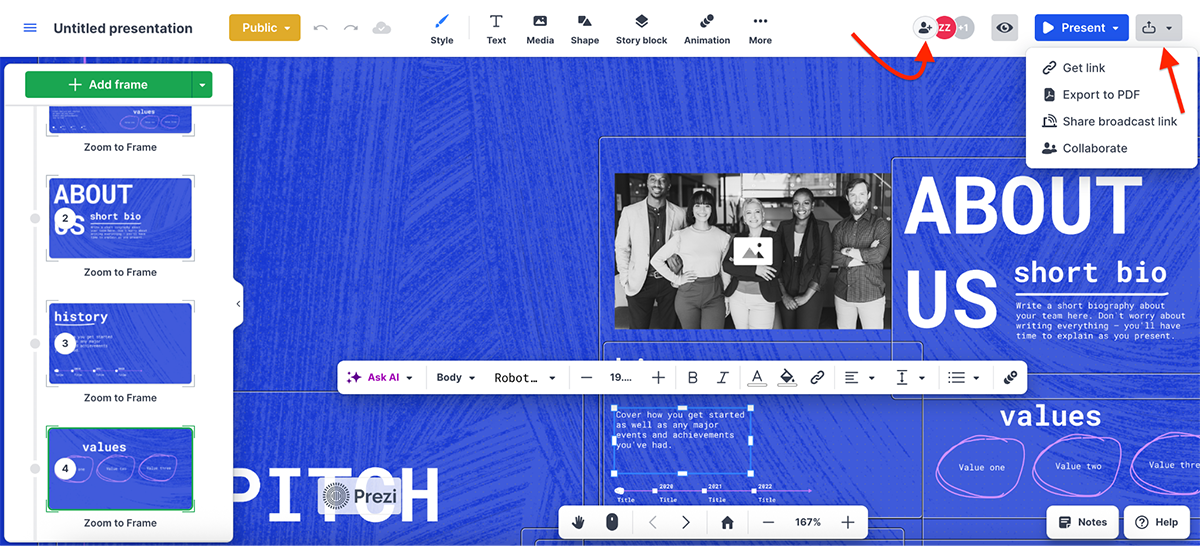
For collaboration, you can invite team members with editing or comment access. Multiple users can work on the same presentation, and you can leave comments on specific frames for feedback.
Prezi works well for educators, trainers, storytellers and business professionals who need engaging, narrative-driven presentations that stand out from traditional slide decks.
Prezi offers a free plan and several paid options:
There are also discounted plans for students & educators that start at $4/month.
Capterra Rating: 4.6/5 (6,500+ reviews)
Next up is Google Slides is an easy-to-use presentation software available via your Google account. Probably the most straightforward presentation tool on our list.
Similar to how you can create documents and spreadsheets with Google Docs and Sheets, you can create presentations with Google Slides.
Google Slides works directly in your web browser with no software to download, and automatically saves your work to Google Drive.
Let’s put Google Slides’ features to the test.
Google Slides offers a selection of pre-designed templates covering common presentation types like business proposals, pitch decks, education and portfolios. The templates are clean and professional but limited compared to dedicated presentation tools.
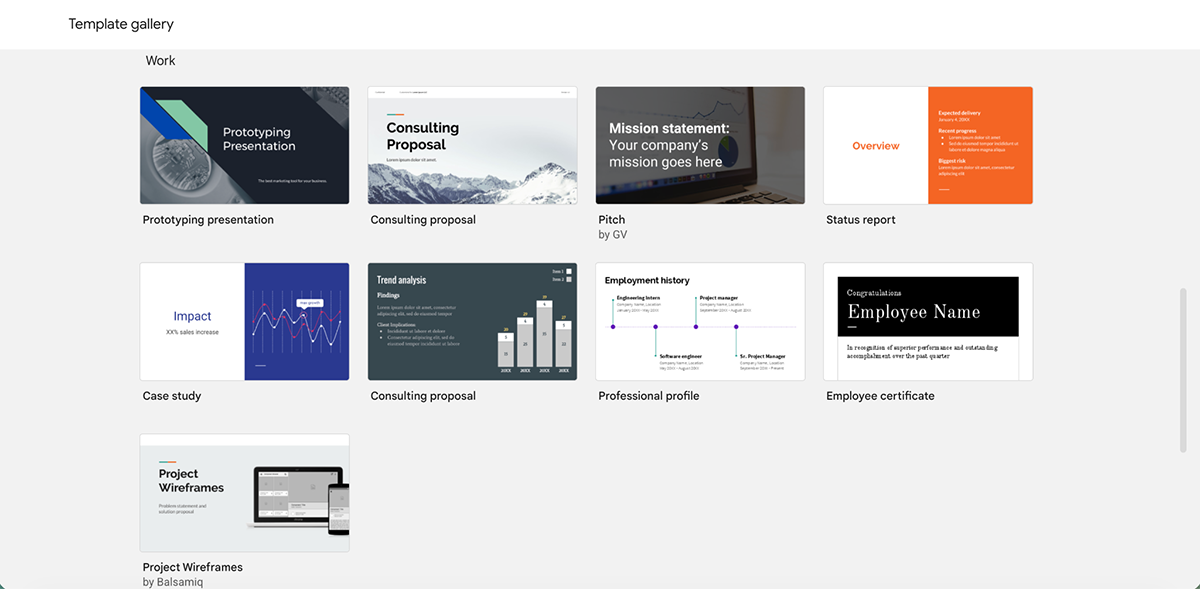
The edge Google Slides has over other tools is that you can easily import templates from third-party sources. So, essentially, you have hundreds and thousands of options to choose from (some paid, some unpaid).
The asset library includes basic shapes, lines, arrows and text boxes.
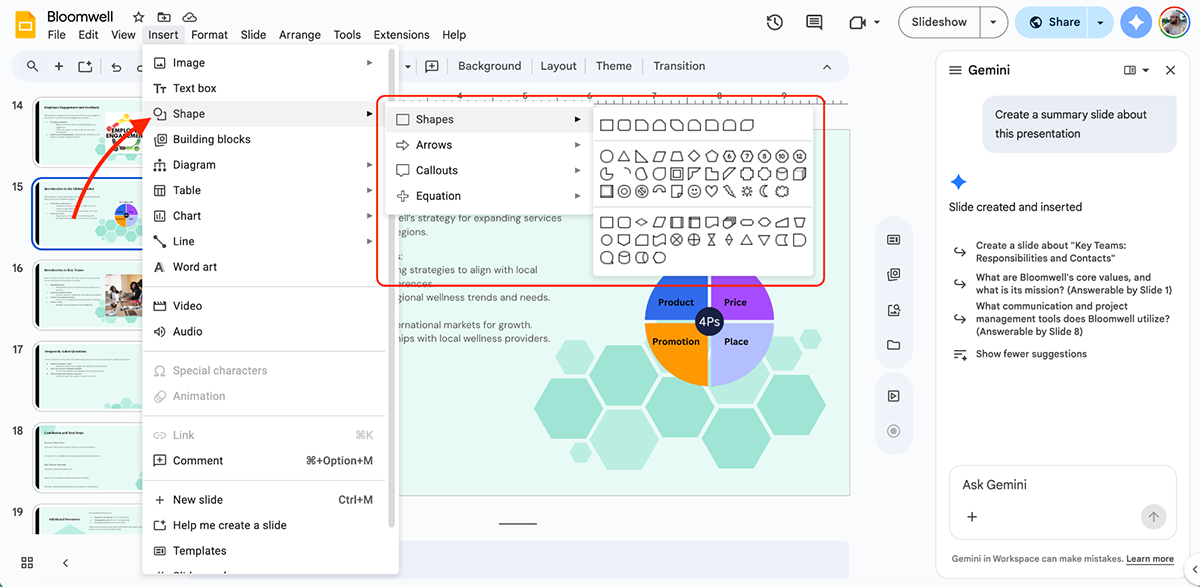
You can insert images from Google Drive, by URL, from your camera or by searching Google’s image library directly within Slides.
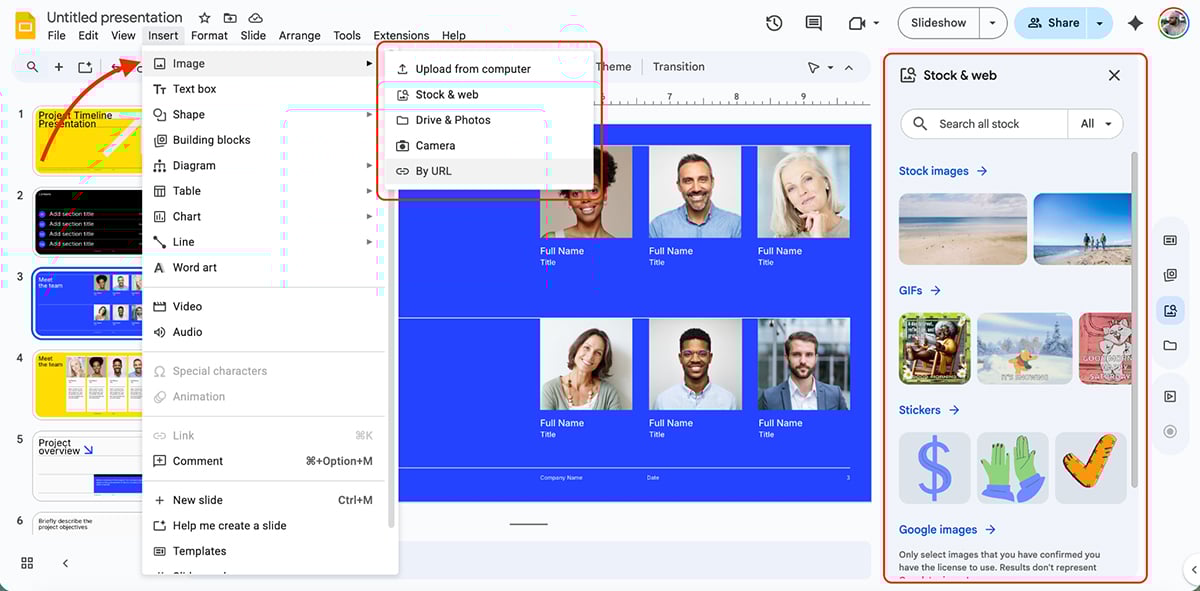
For more visual elements, you can access GIFs and stickers directly in Slides. YouTube embeds work seamlessly, and you can upload audio files from Google Drive.
You also get Building Blocks, which are pre-formatted, editable components similar to the feature in Google Docs. These include ready-made layouts for agendas, lists, key statistics, etc.
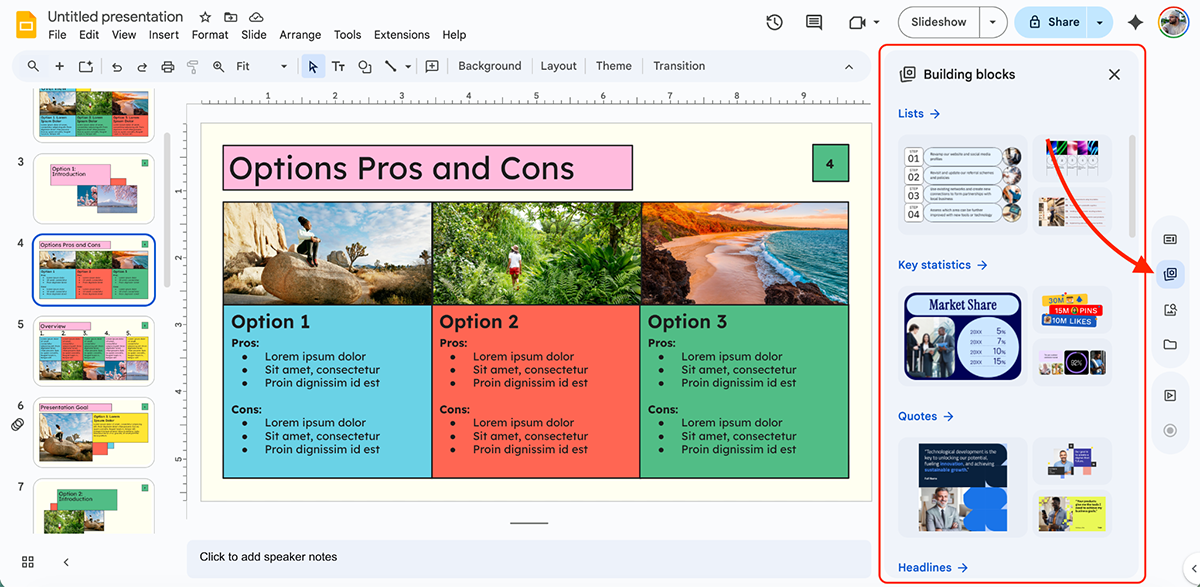
You can insert them with one click from the sidebar, then customize colors, fonts and content to match your presentation. I love the fact that it completely eliminates formatting friction.
Next, there are charts and diagrams.
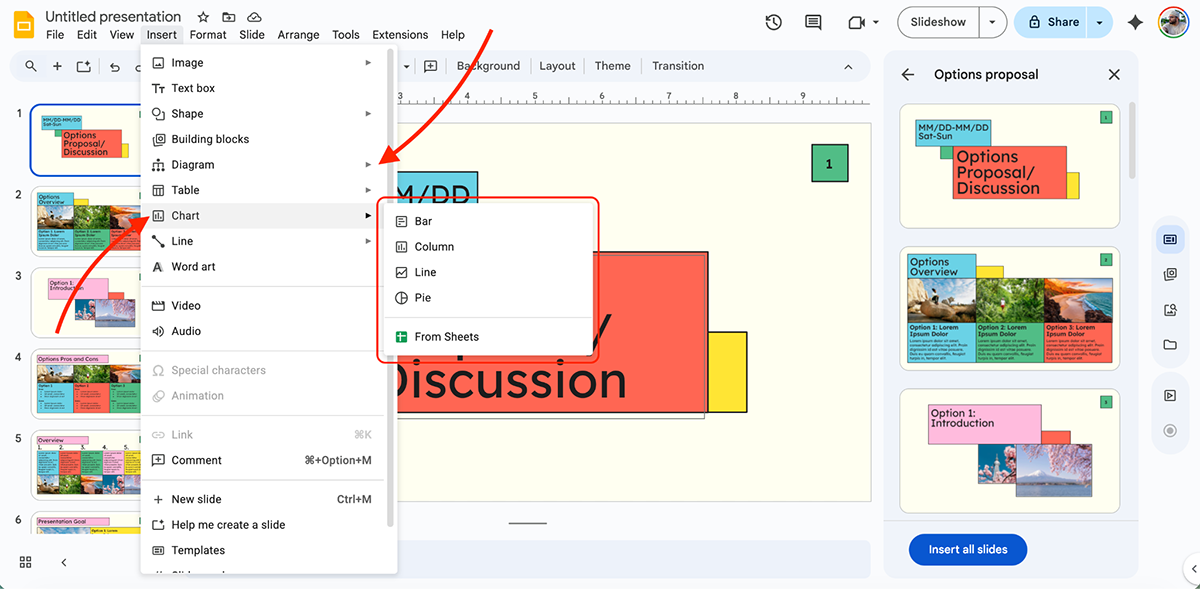
Google Slides doesn't have a native chart builder. When you insert a chart, it's created and edited in Google Sheets, then linked to your slide.
Google Slides doesn’t have a dedicated Brand Kit feature. However, on Google Workspace Business and Enterprise plans, you can create domain templates with your organization’s branding (logos, colors, fonts) that can be applied across your team.
For personal users, you’ll need to manually set up and save your brand elements in each presentation.
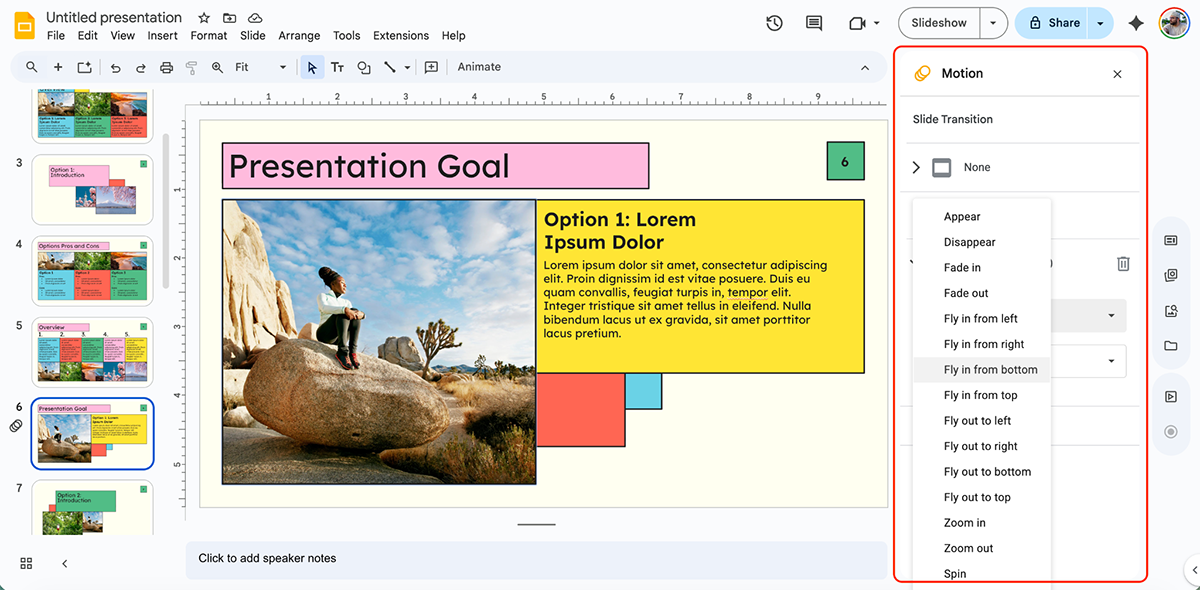
Google Slides offers basic animations and transitions. You can animate objects to appear, disappear or move, and apply slide transitions like fade, slide or flip.
Google Slides comes with its own AI assistant called Gemini. With Gemini in Slides, you can:
You can create new slides from prompts or by referencing files in your Google Drive. For example, you can ask Gemini questions or enter prompts like “Create a 6-slide overview on Q2 sales performance,” and it’ll generate the slides with relevant content and structure.
It can also pull content from existing documents and emails to build slides automatically.
I had it create a summary slide on a presentation I made earlier. Here’s what it generated:
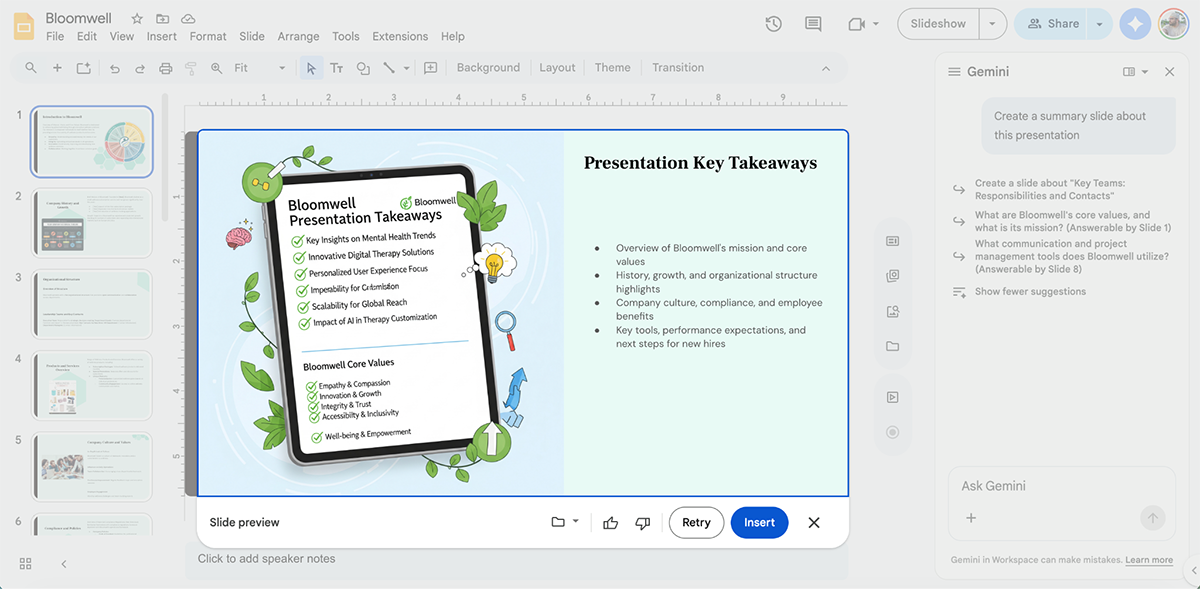
Solid design. Accurate content. No issues with this, really.
Note that full deck generation is only on Workspace Business Standard and Plus, and on Google AI Pro and Ultra for personal accounts.
Next, you can generate custom images using AI based on your prompts. Simply describe the image you want and Gemini will create it for you.
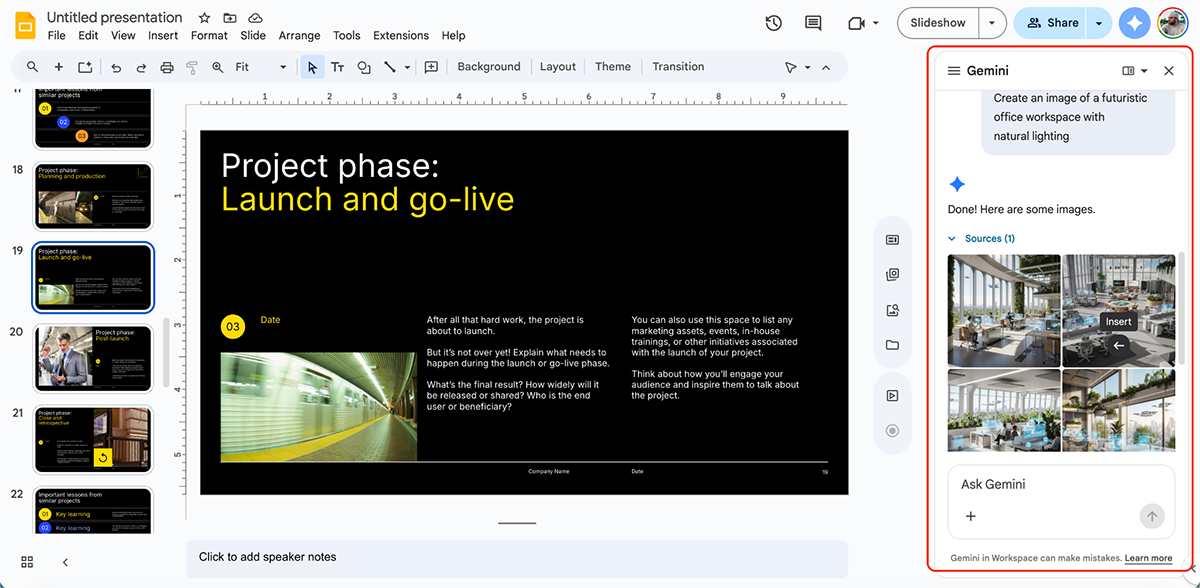
Other Gemini features in Slides include:
Google Slides presentations can be shared via link, embedded on websites or downloaded in multiple formats, including PDF, PowerPoint (PPTX), JPG, PNG and SVG.
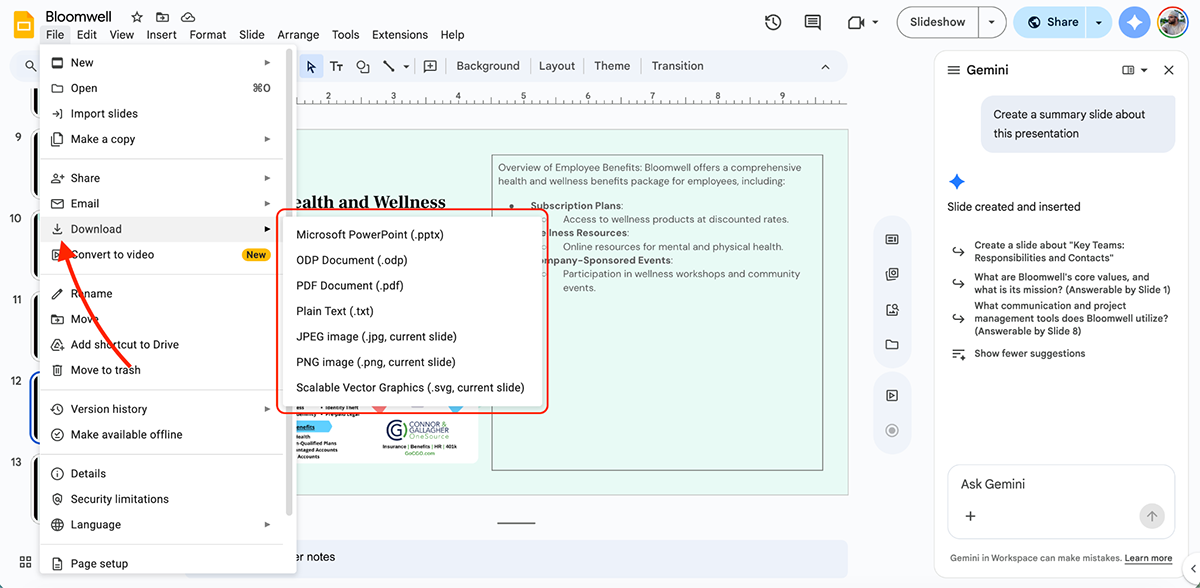
You can also publish presentations to the web with a unique URL that updates automatically when you edit the source file.
Multiple people can edit the same presentation simultaneously, with changes appearing in real time. You can see who’s viewing or editing and what changes they’re making as they work.
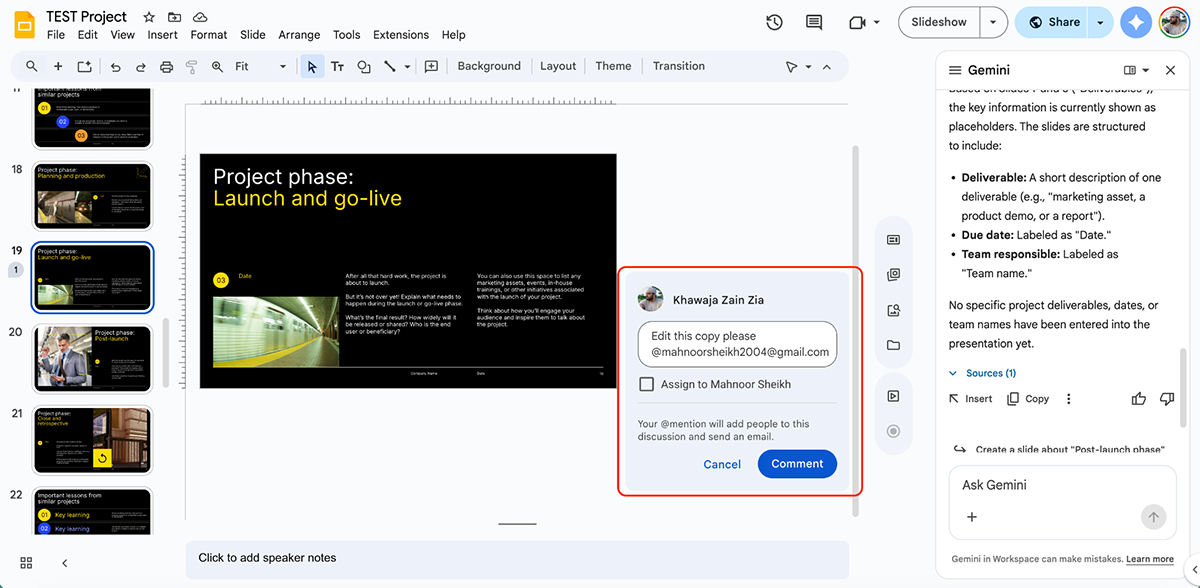
Comments and suggestions work just like Google Docs. You can tag collaborators, resolve threads and accept or reject suggested edits.
You have granular control over who can access your presentations. Share options include:
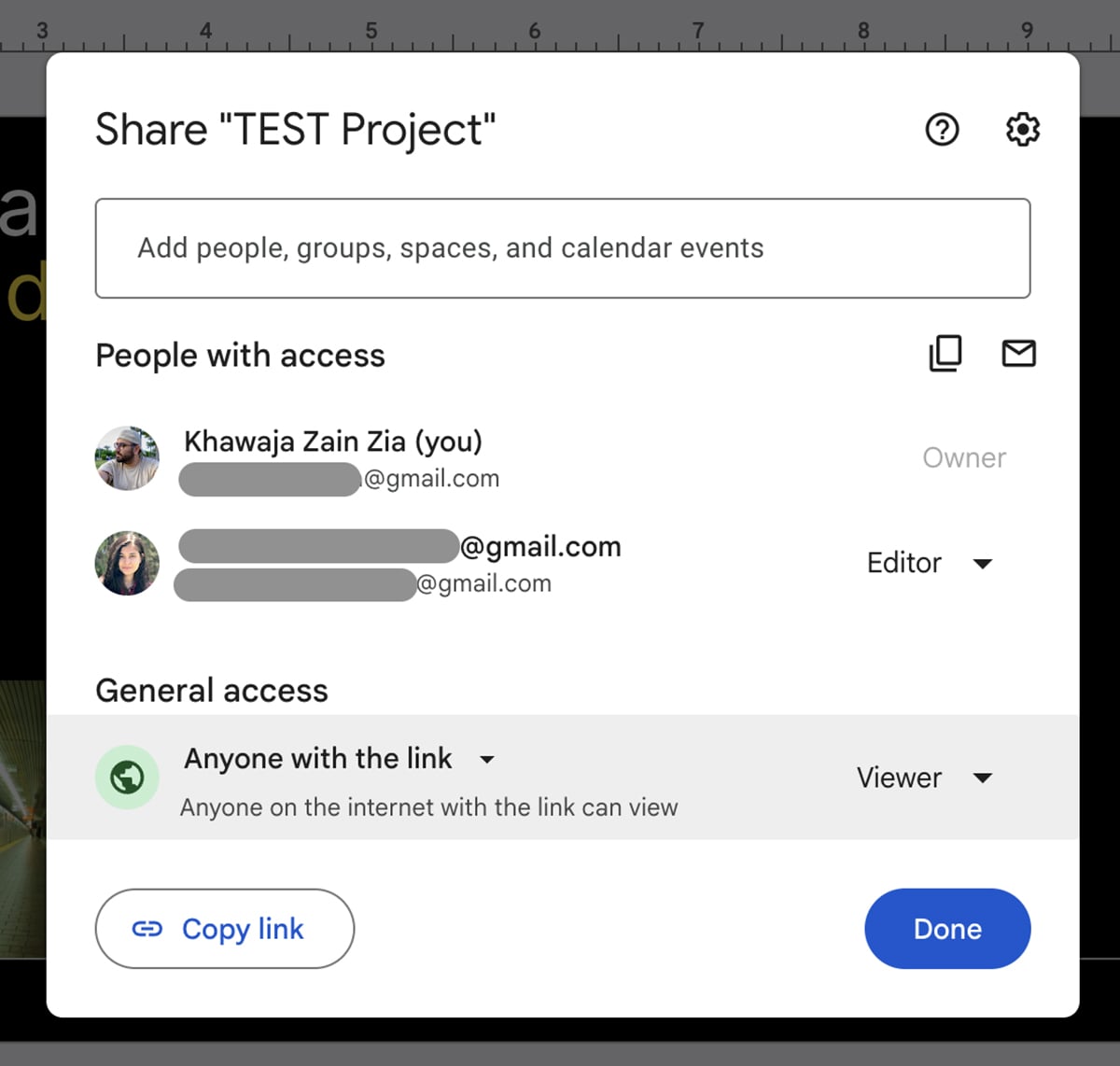
You can share with specific people via email, create shareable links or make presentations public. Password protection isn’t available, but you can prevent editors from changing access permissions or downloading, printing and copying files.
Google Slides automatically saves every change and maintains a complete version history. You can view previous versions, see who made specific changes and restore earlier versions at any time.
Google Slides works best for students, educators, budget-conscious users and teams already using Google Workspace.
Google Slides is free to use for anyone with a Google account. Gemini AI features need a paid plan. Business plans are per user, per month, billed annually:
Read either PowerPoint vs Google, or Google Slides vs Visme to get a detailed overview of each tool and find the perfect presentation software for your needs.
G2 Rating: 4.4/5 (525+ reviews)
Keynote is to Apple as Slides is to Google. This presentation software comes free with every Apple device, and with the new Apple Creator Studio subscription, it’s probably the most underrated tool on this list.
I signed up for the free trial, and you get a subscription to Final Cut Pro, Logic Pro, Pixelmator Pro, Motion, Compressor and MainStage along with premium Keynote features. So you’re essentially getting a lot from a single subscription.
Let’s take a deep dive into Apple Keynote, one of the original PowerPoint alternatives.
Keynote comes with dozens of professional themes right out of the box. Each theme is consistent across fonts, colors, transitions and layouts.
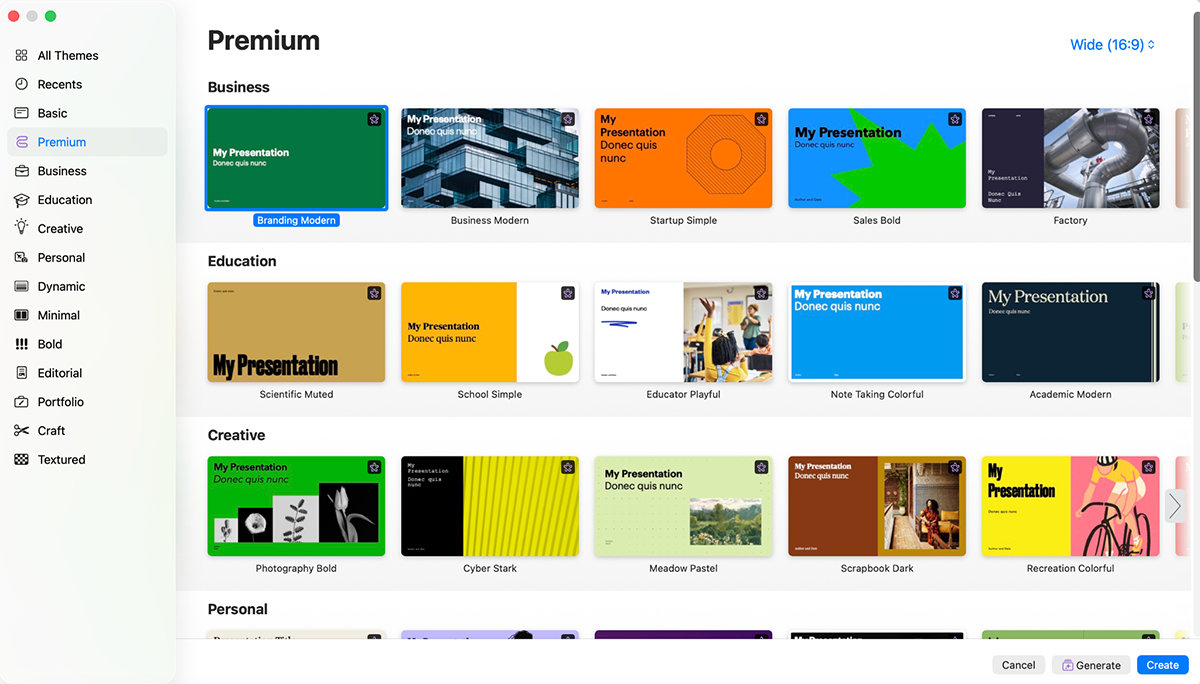
The number of templates may not be as extensive as Visme or Canva, but similar to how you get Google Slides templates from third-party sellers, you can also get Apple Keynote templates from external sources.
Keynote comes with an extensive media library with high-res stock photos that you can insert directly into your presentations.
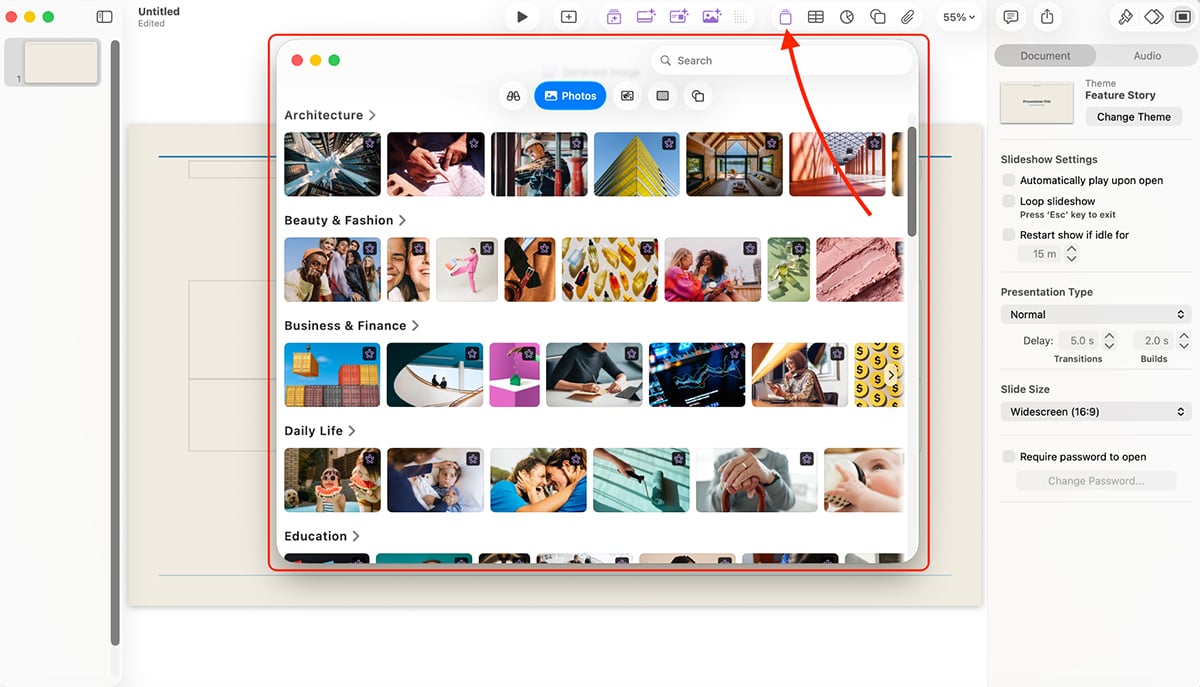
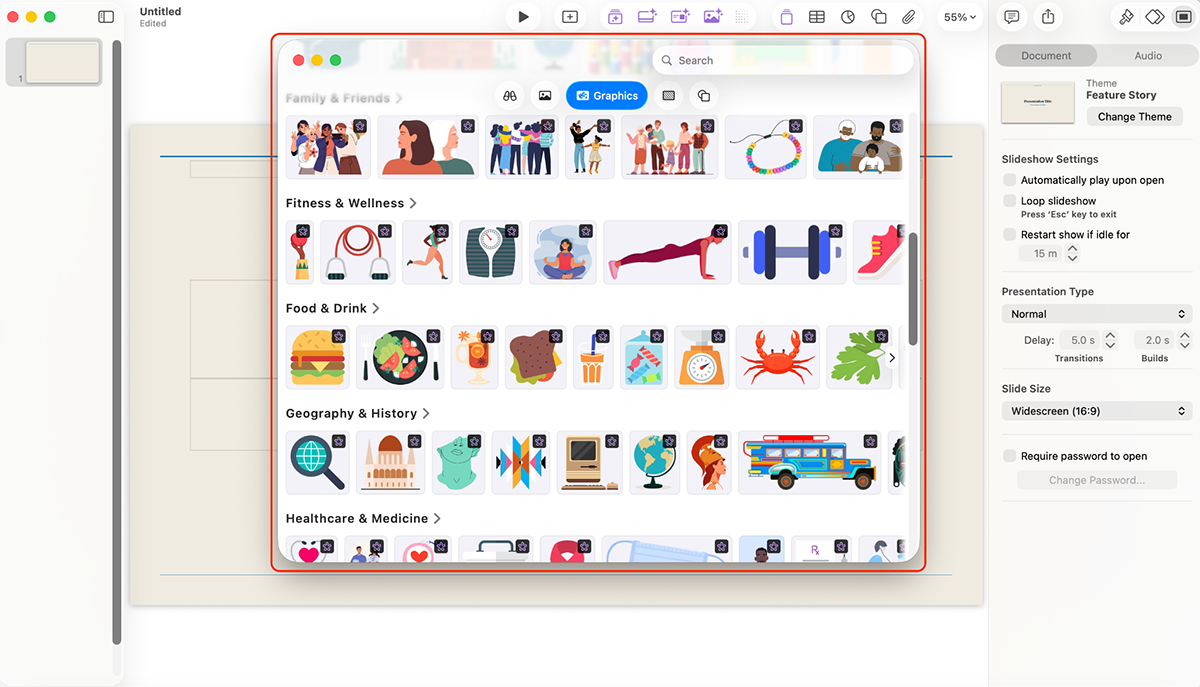
For graphics and shapes, Keynote offers a solid collection of vector elements that you can customize to fit your design needs.
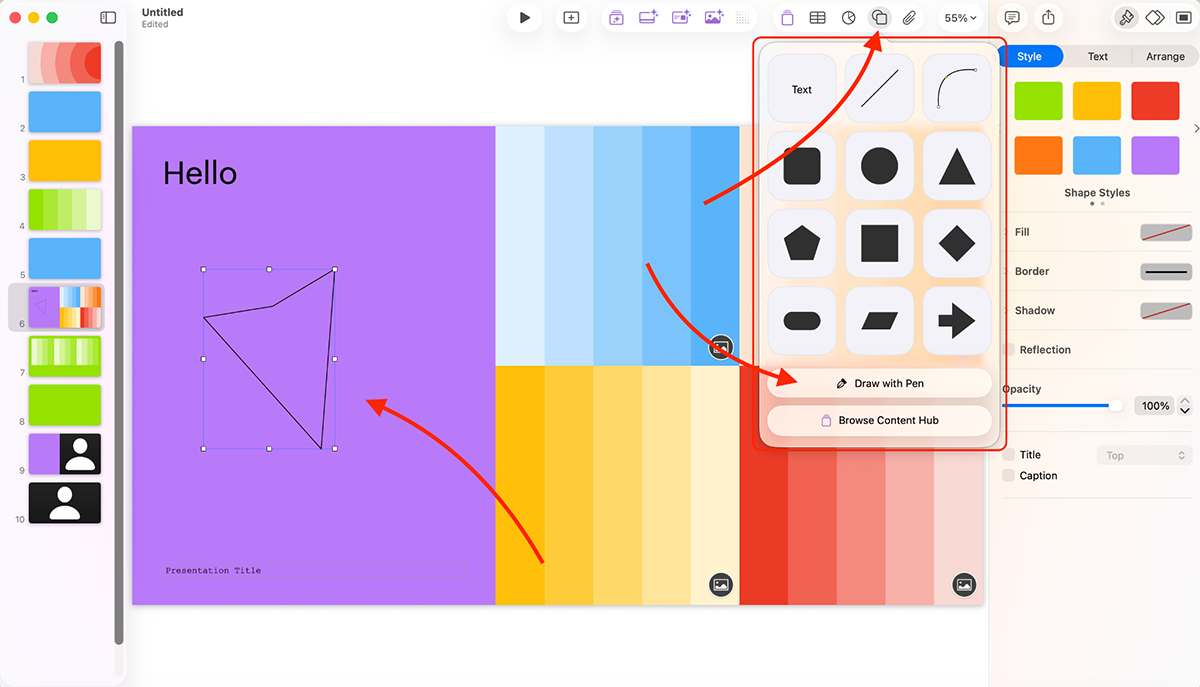
You can also draw shapes with the pen tool, which unlocks a lot of creative possibilities, especially on iPad with Apple Pencil support.
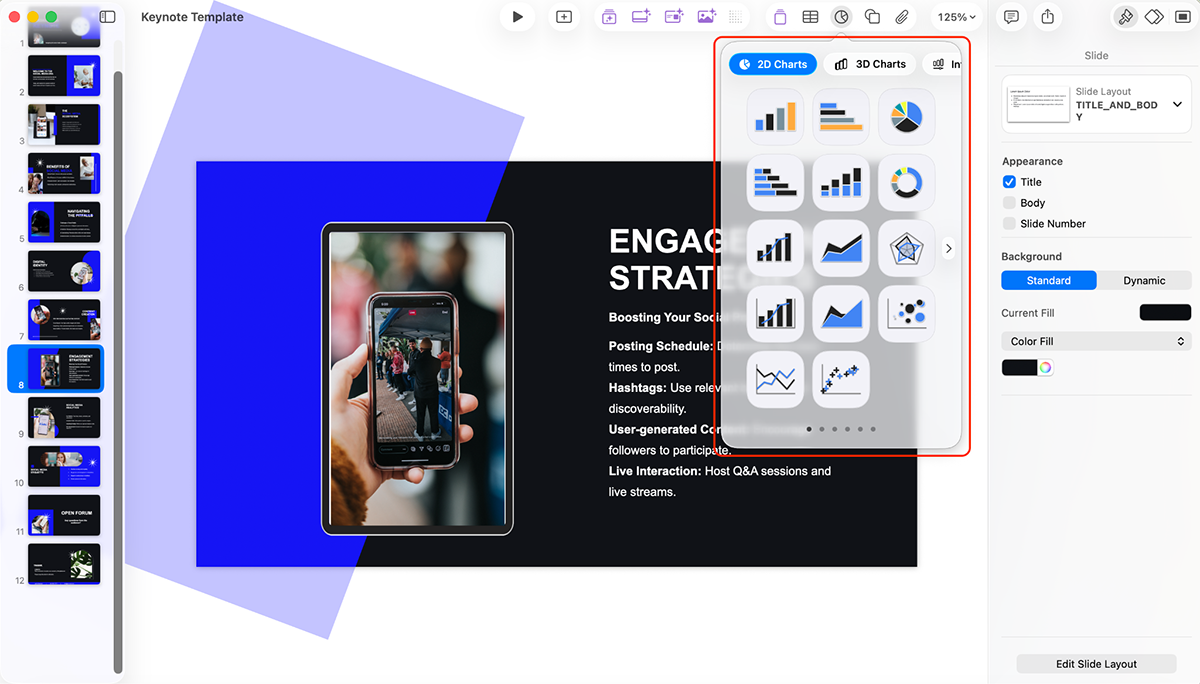
For data visualization, Keynote supports 2D, 3D and interactive charts. I was pleasantly surprised that they have interactive charts, which, apart from Visme, not many tools offer.
Keynote integrates well with other Apple services like Photos and can pull content from external sources too. And Apple Creator Studio subscribers also get access to the Content Hub with Apple-curated high-quality photos, graphics and illustrations.
Keynote doesn’t have a traditional brand kit feature like Canva or Visme, but you can save custom themes with your brand colors, fonts and layouts.
Keynote also lets you add cinematic transitions and high-quality motion effects. You can add smooth animations to text, images and objects with precise control over timing and effects.
You can even set Build In (how objects appear), Action (how objects move or change on the slide) and Build Out (how objects exit) animations.
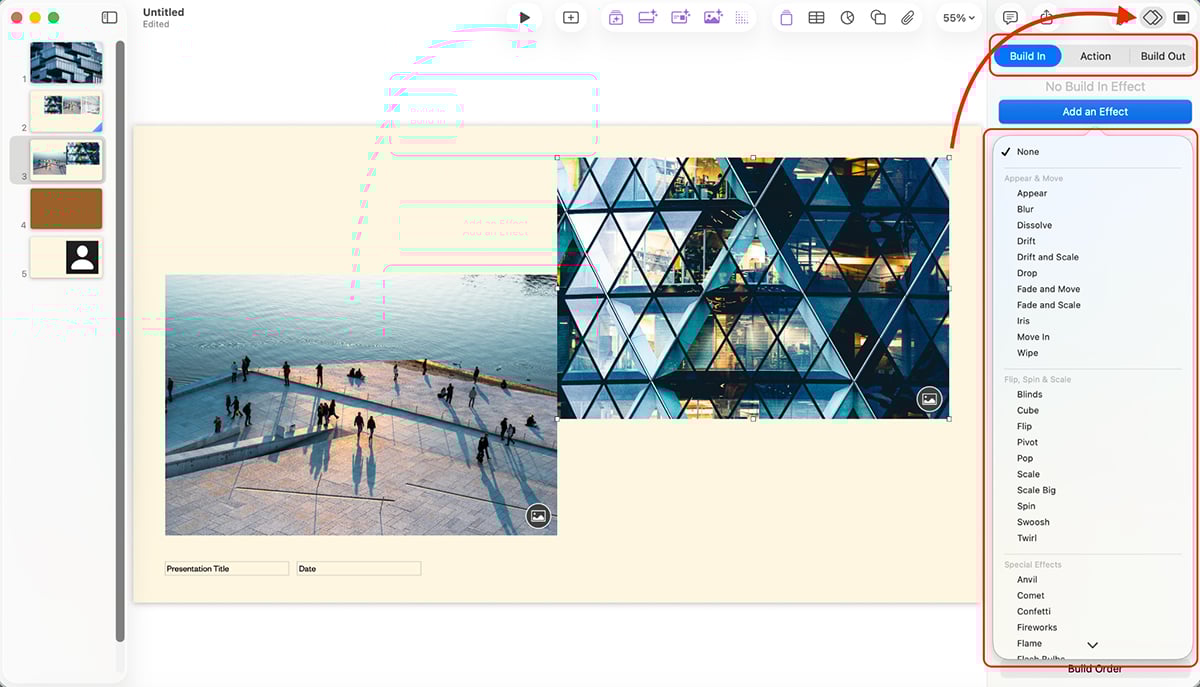
The Build Order feature lets you control the exact sequence of animations, making it easy to create complex, layered effects.
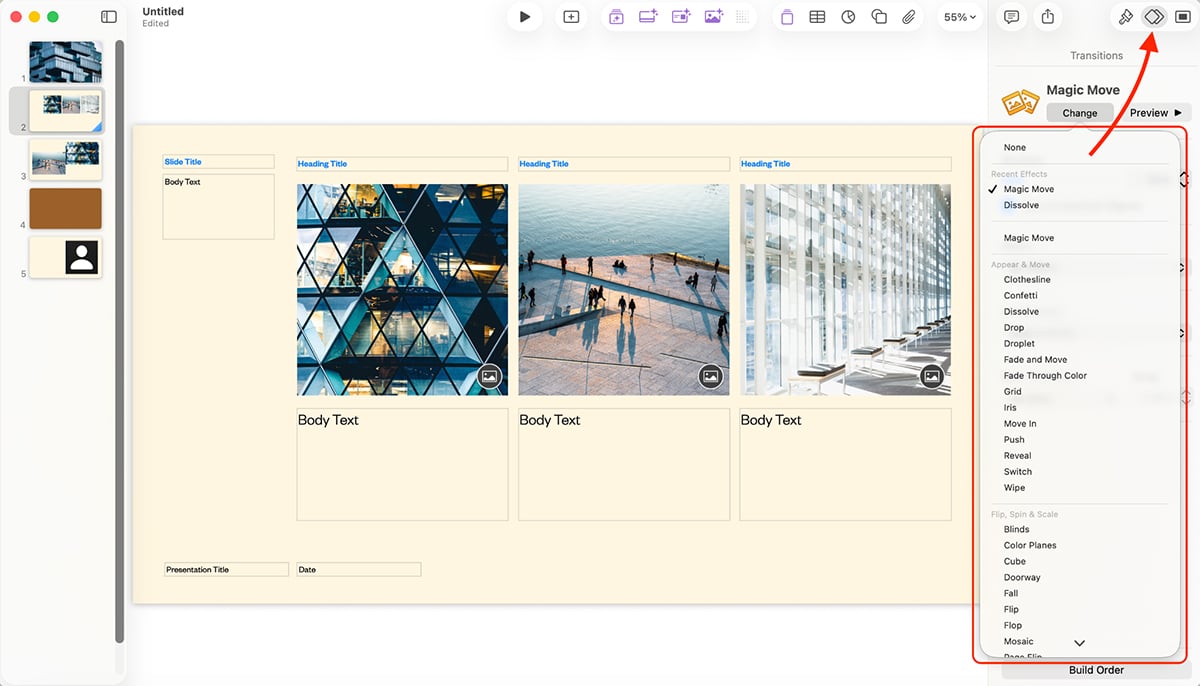
But the best thing here is Magic Move, which creates stunning effects by automatically animating objects between slides.
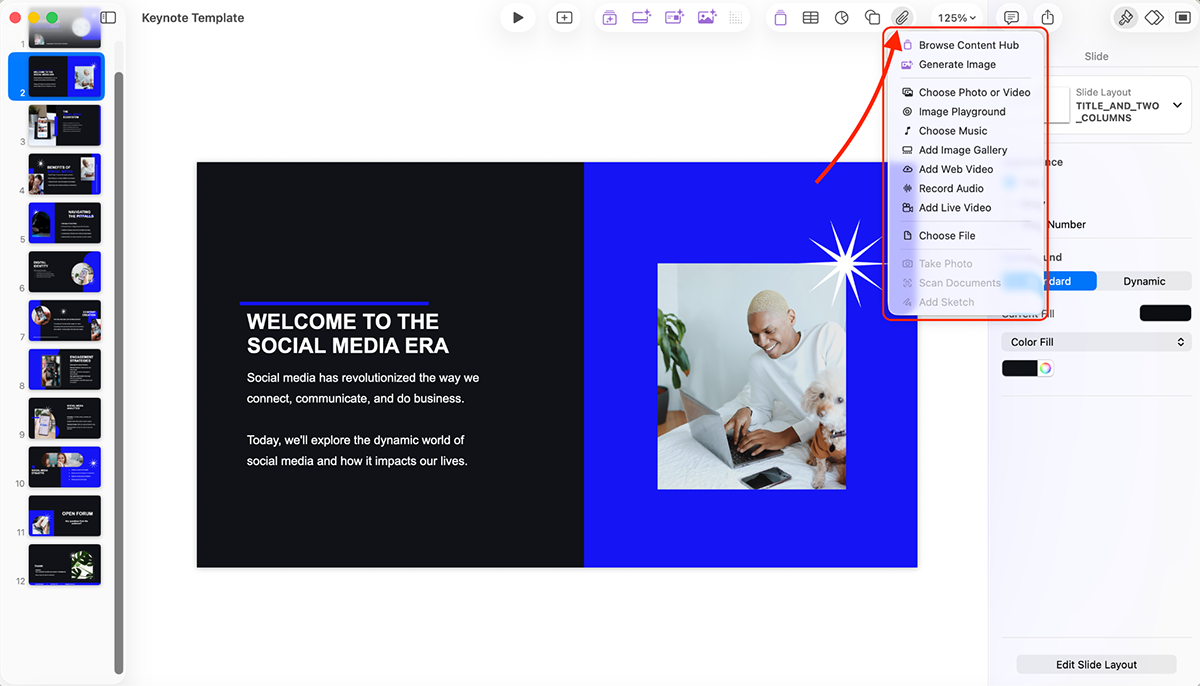
You can also embed animated objects, live video feeds and even play embedded animations within USDZ files (3D objects).
Plus, the Rehearse Mode displays notes and slides in one view so you can practice your presentation timing. You can also use your iPhone or Apple Watch as a remote control. Brilliant.
If you build and present mostly from your phone or tablet, check out our list of the best presentation apps.
You don’t get any AI functionality in the normal version of Keynote, but if you’ve subscribed to the Creator Studio, then you unlock a ton of AI features, premium themes and a Content Hub.
This is powered by OpenAI and works essentially the same way all other AI presentation makers do.
So I put it to the test, and here’s what Keynote generated:
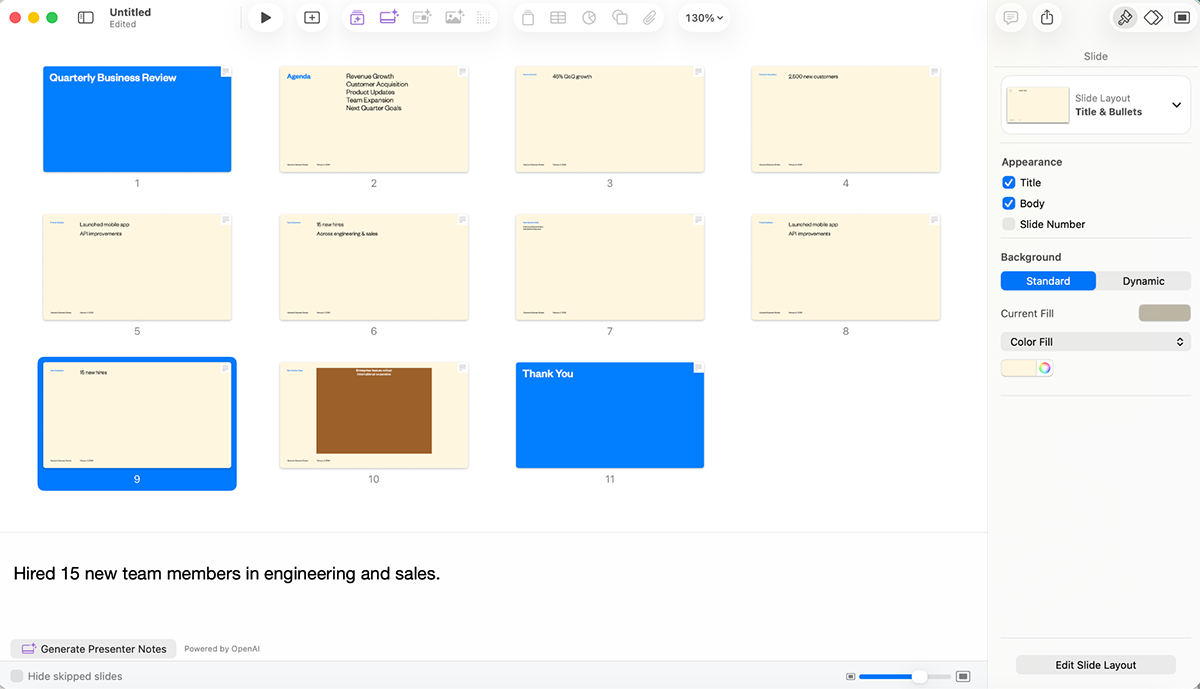
This is probably the worst I’ve seen AI do. No visuals (icons, images, data visualizations), no explanations on points (even though I entered enough data) and no variety of slide layouts either.
If an AI presentation generator is a must-have for your workflow, check out this roundup of 15 of the best AI presentation makers.
Image generation in Keynote lets you create custom visuals right inside your presentation. Here’s a sample image I made:
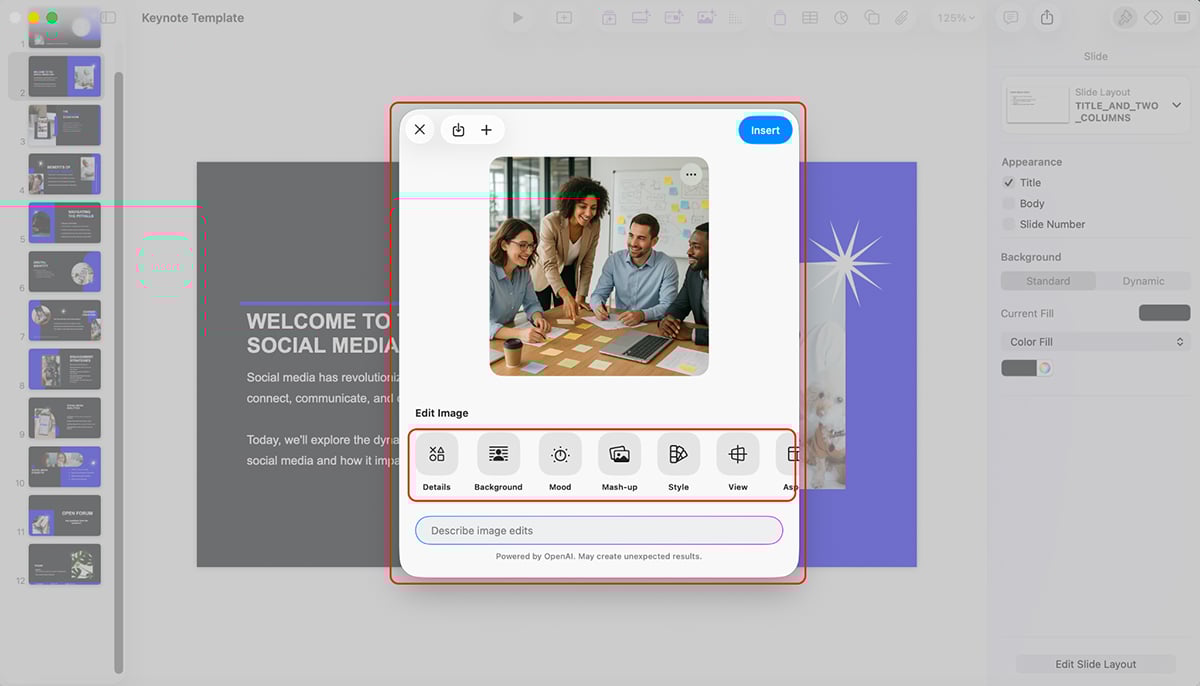
Have to say, of all the AI image generators I’ve tested, the results are probably the most decent. You can also edit AI images.
Other AI features include:
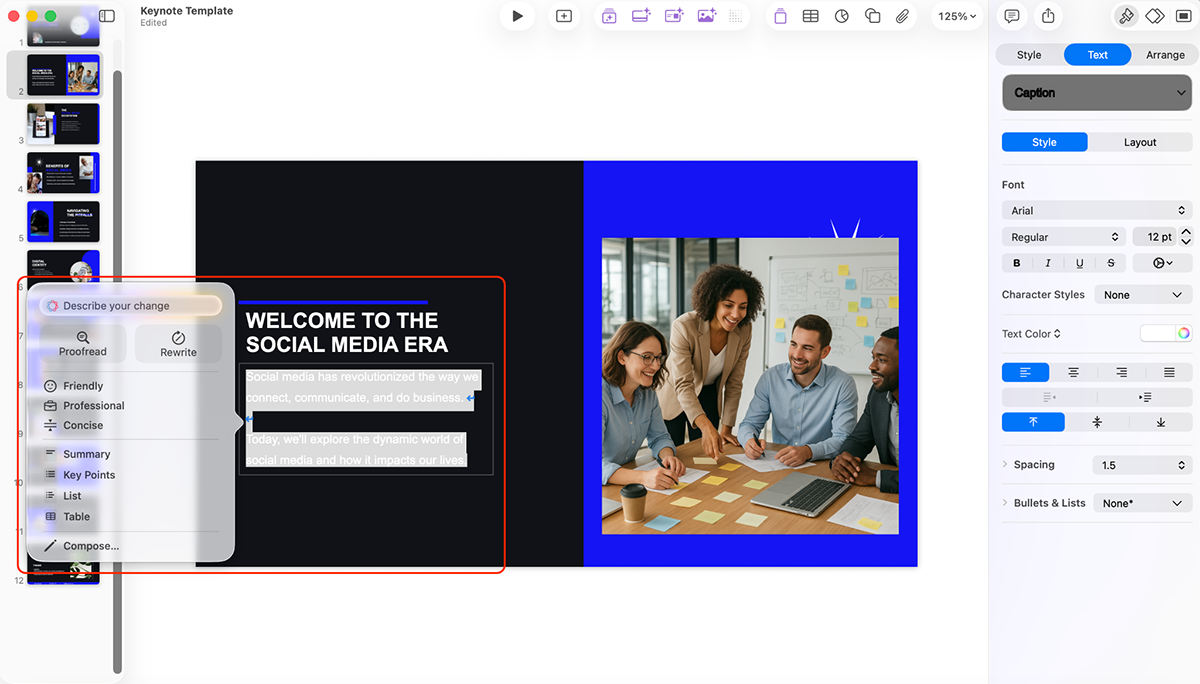
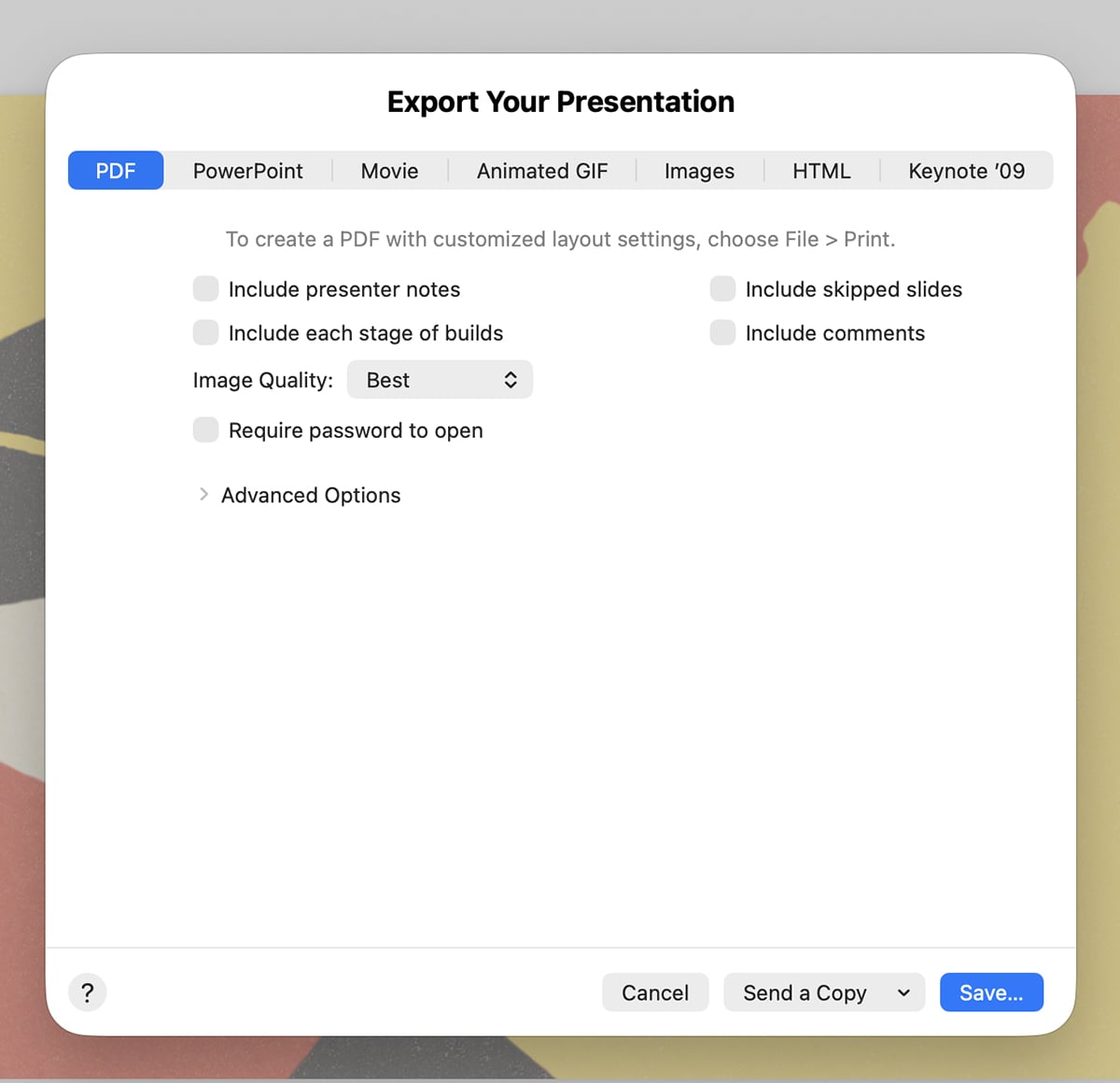
You can export presentations in multiple formats, including PowerPoint (PPTX), PDF, movies (MOV or M4V), images and HTML. You can also share via iCloud link or present directly from your device.
Keynote doesn’t offer built-in viewer analytics for tracking presentation engagement.
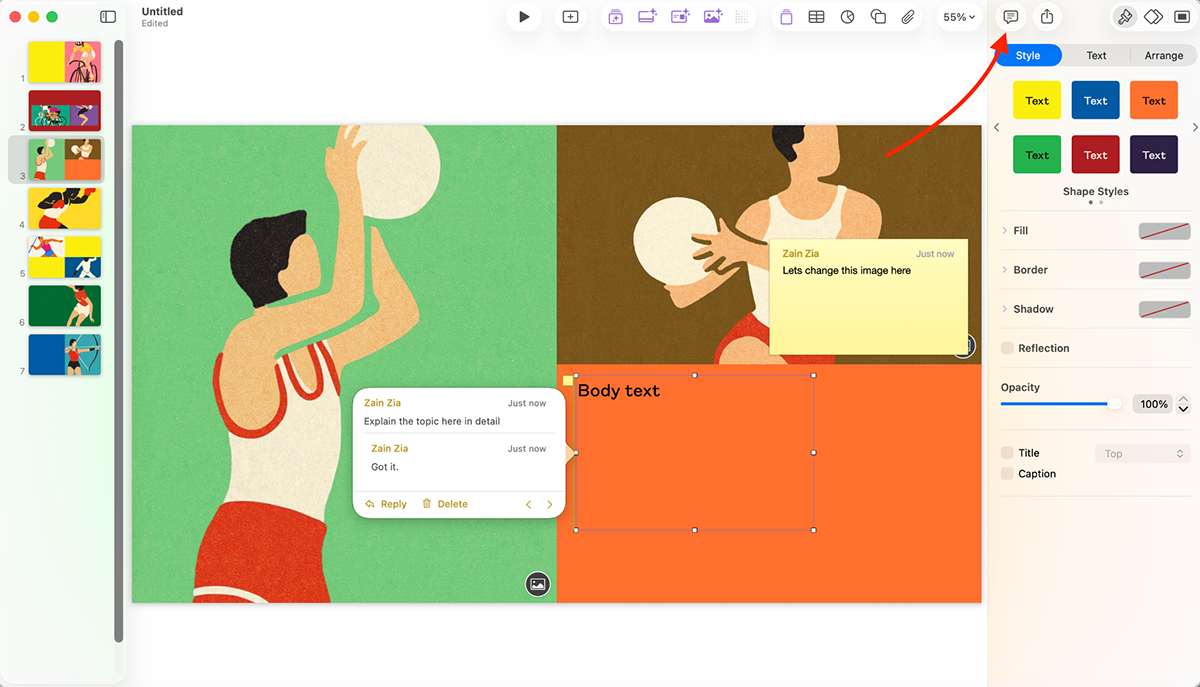
Keynote supports real-time collaboration where multiple people can work on a presentation simultaneously across Mac, iPad, iPhone or even a browser (via iCloud.com). You can invite others to edit or comment, and any changes on the project are synced automatically through iCloud.
You can also password-protect your presentations.
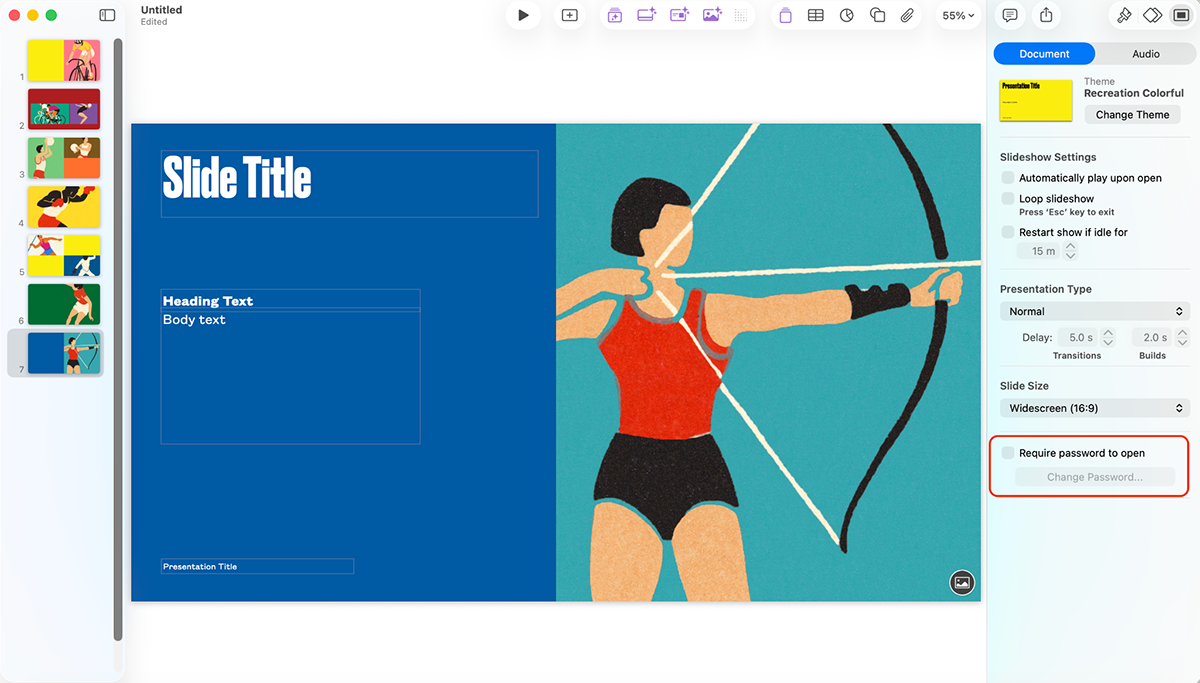
Keynote works best for Apple users who value sleek design, smooth animations and a free, intuitive presentation tool. Professional users with advanced requirements are better suited to look elsewhere.
The basic version of Apple Keynote is completely free. To unlock AI functionality and premium templates, you’ll need to subscribe to Creator Studio at $12.99/month or $129/year.
Students and educators pay $2.99/month or $29.99/year. New subscribers get a one-month free trial.
Note: Apple Creator Studio also includes Final Cut Pro, Logic Pro, Pixelmator Pro, Motion, Compressor, Pages, Numbers and MainStage.
G2 Rating: 3.9/5 (35+ reviews)
Gamma is an AI-powered presentation tool that creates good-looking slide decks, documents and webpages from simple text prompts.
It uses a card-based, scrollable format that feels more like a modern webpage than a PowerPoint deck.
Let’s take a closer look at Gamma’s features:
Gamma offers templates for common use cases like pitch decks, marketing proposals, user onboarding etc. Designs look basic but work well as a starting point.
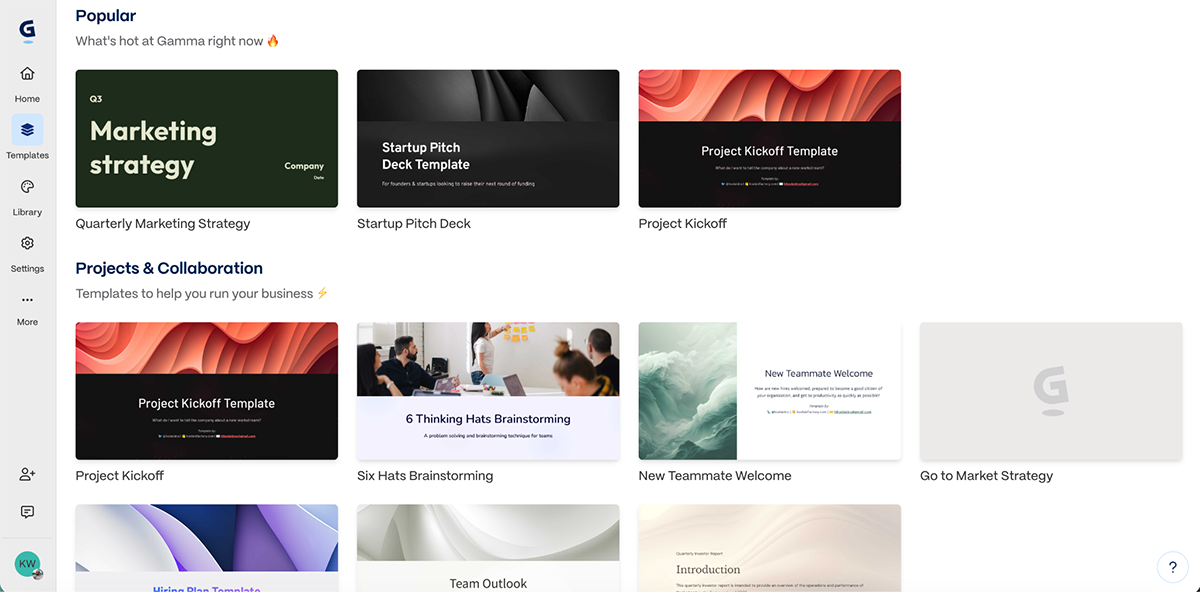
Gamma now offers 100+ templates, which is still fewer than Visme or Canva. So, you’re working with less variety than other tools.
Gamma provides a library of icons and illustrations you can search and insert directly into your slides. But, again, the selection is not as extensive as other design tools on the list.
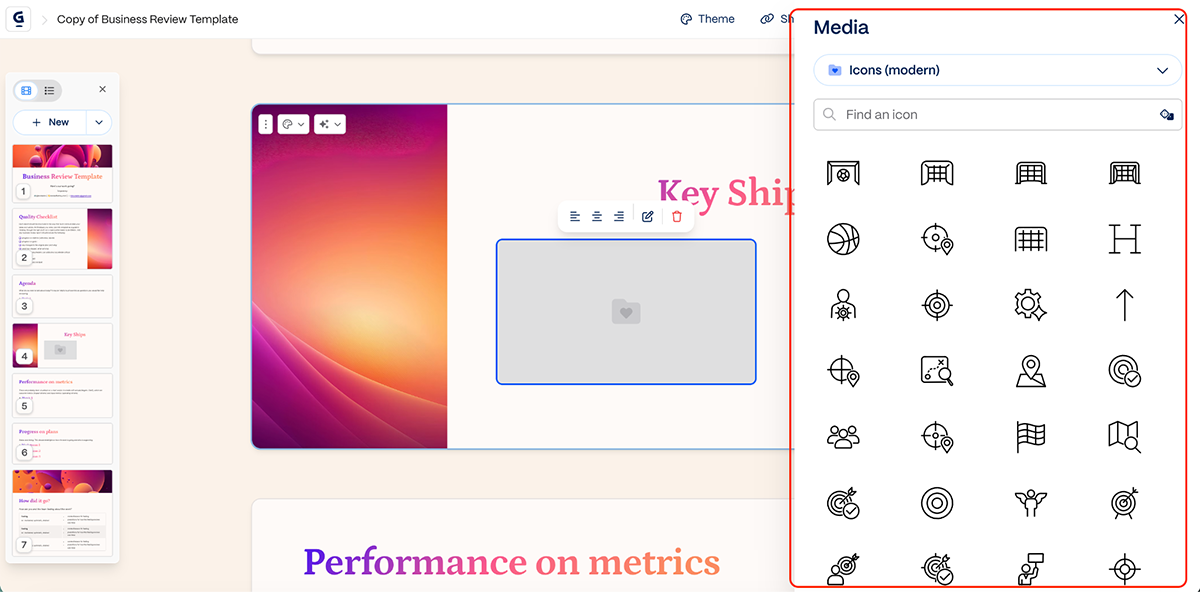
Gamma integrates with Unsplash for stock photos and GIPHY for GIFs, so you always have access to visual elements.
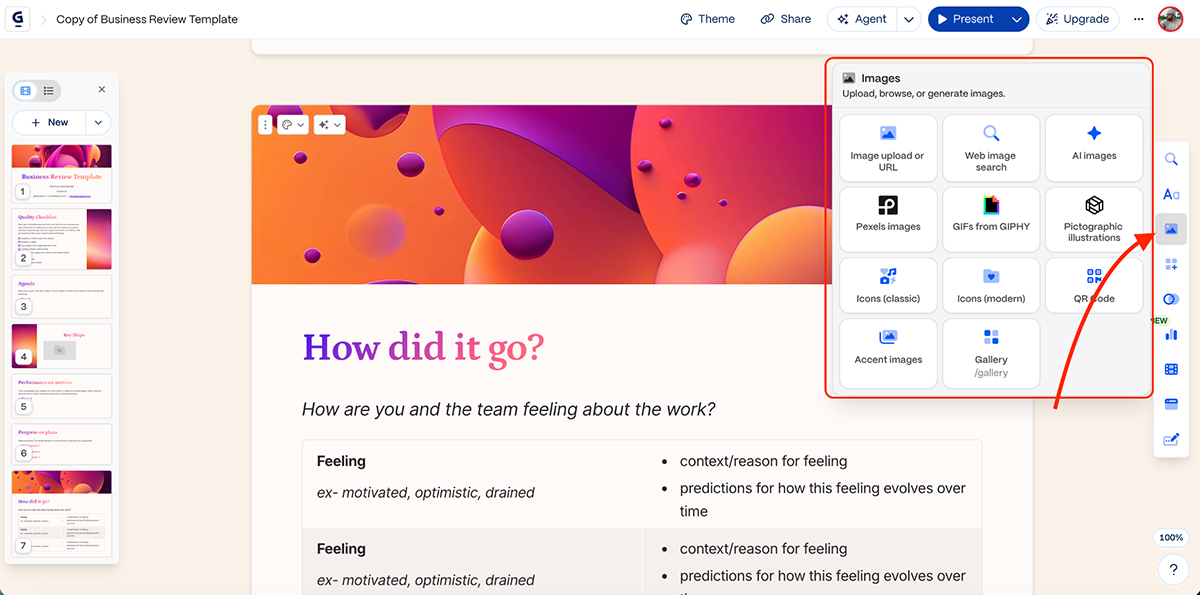
Gamma’s standout feature is its smart layouts that automatically adjust and reformat as you add or remove content. The AI suggests layout options based on your content type.
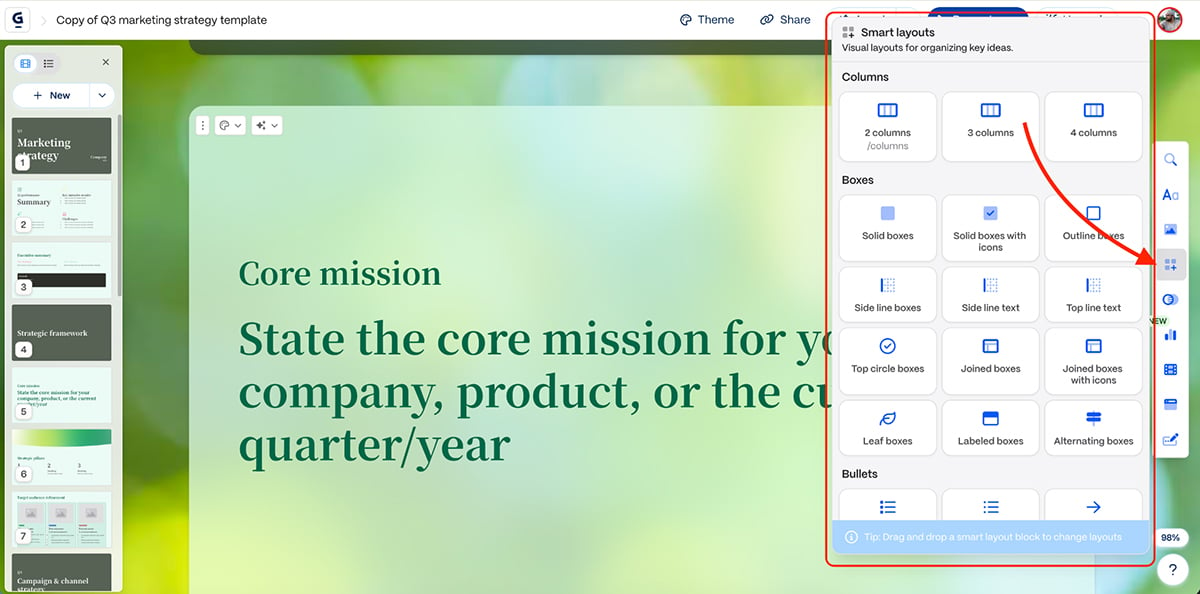
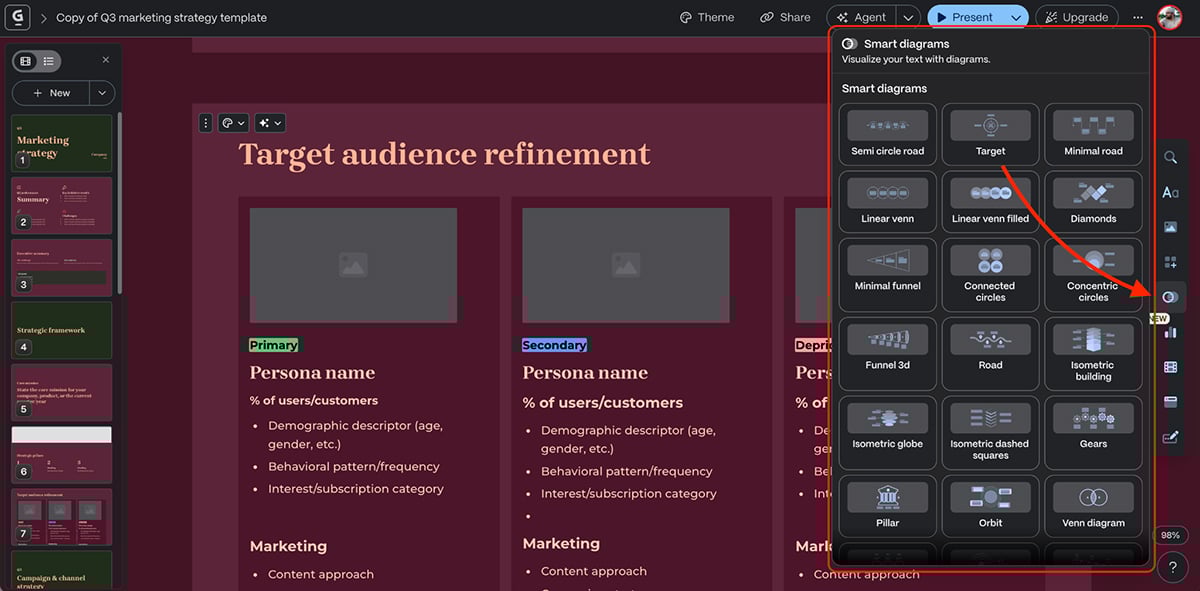
You can create diagrams like flowcharts, process maps and organizational charts. Gamma’s AI helps structure these automatically, though customization options are limited.
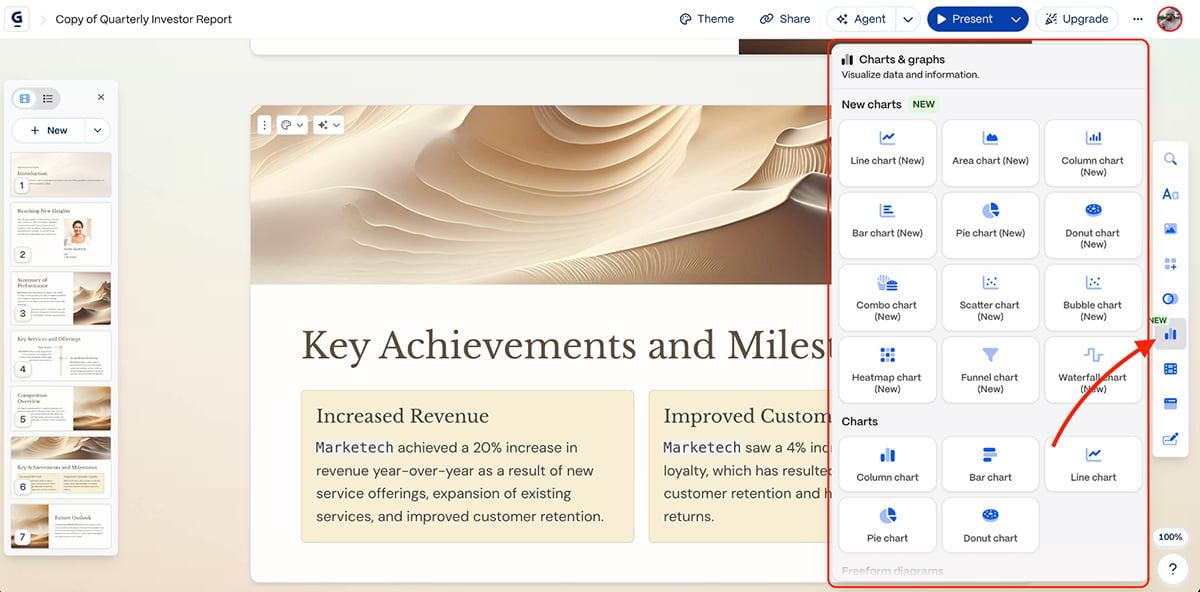
Gamma also includes basic chart types for visualizing data. You can create bar charts, line graphs, pie charts and other standard visualizations. The charts are good, but you don’t get the variety, interactivity or the granular control you get with Visme.
Gamma also supports embedding media from YouTube, TikTok, Spotify and Vimeo, connecting with apps like Airtable and Figma, and adding interactive elements like web pages, forms and buttons to make your presentations more engaging. This also makes Gamma a worthy Genially alternative.
Gamma doesn’t have a traditional Brand Kit feature. However, on the Pro plan and above, you can upload your logo and set custom fonts and brand colors. The team plans add a shared company theme so everyone's decks match.
Gamma’s card-based format is inherently more interactive than traditional slides, with smooth scrolling between sections. But, it lacks advanced animation controls, timeline editors or custom motion paths. The focus is more on layouts rather than complex visual effects.
If you want animation and interactivity in your presentations, you’re better suited going with Visme or even Prezi if you prefer the zoomable canvas approach.
Gamma offers some solid AI features to speed up presentation creation.
Gamma’s AI presentation maker can generate complete decks from simple prompts, pasted text or uploaded files (PPT, PDF, DOCX, URLs).
You can specify the number of slides, topic and key points, and Gamma builds the structure, writes the content and adds visuals automatically.
Here’s a presentation I made in minutes using a simple prompt:
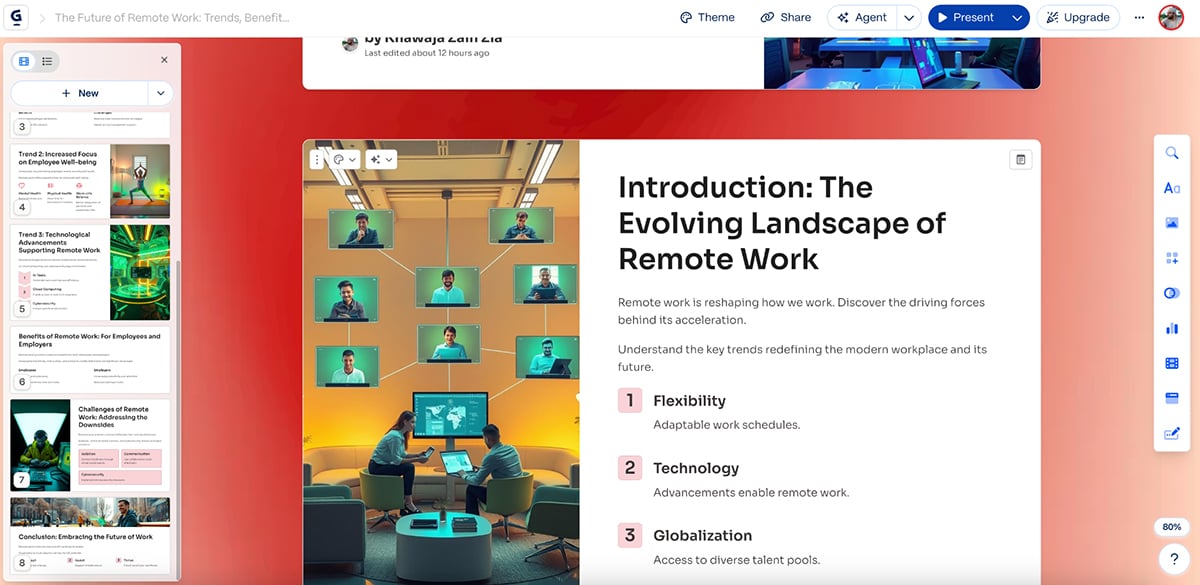
The results are solid. Clean layouts, good color choices and modern visuals. The copy could be stronger, but that’s true for most AI presentation tools on this list.
Gamma can generate custom images using AI based on your prompts. Here’s an AI image I generated:
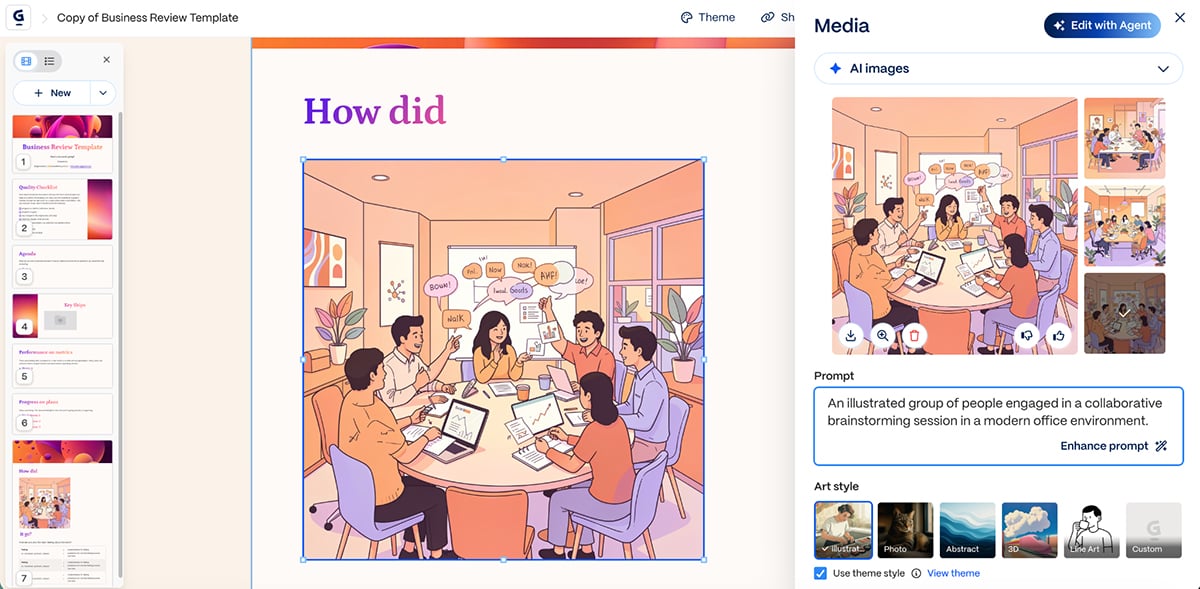
You can also edit existing images with AI-powered tools to adjust style, crop or enhance visuals to match your presentation theme.
Watch this video to learn everything you need to know about Gamma AI:
Gamma includes an AI agent that helps you refine and improve your presentations:
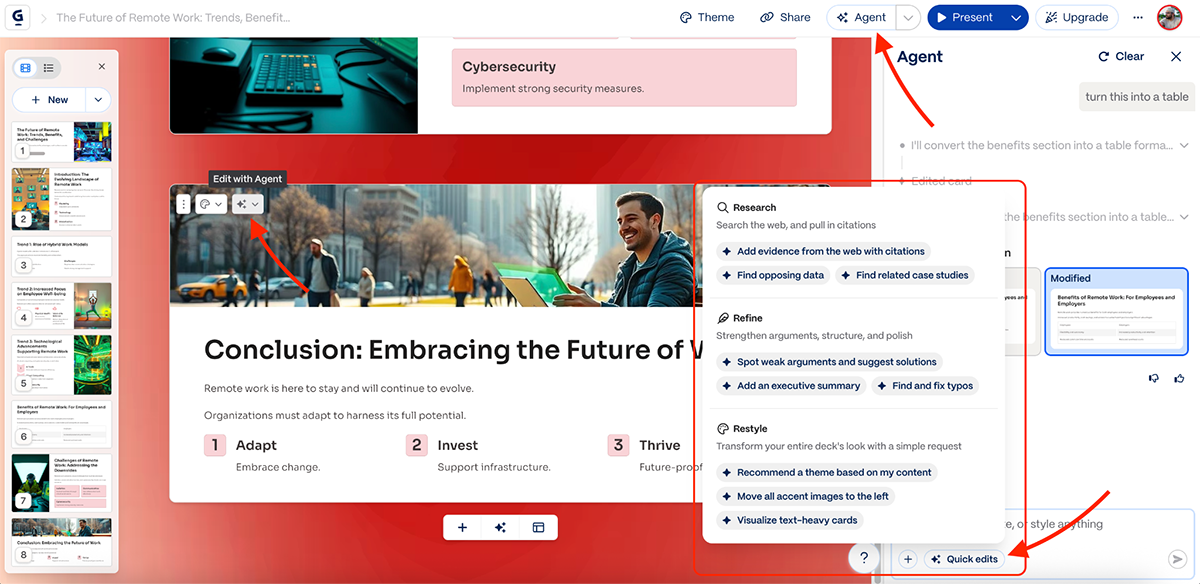
All in all, Gamma’s AI capabilities are great, and you’ll find no shortage of ways to use AI to speed up your workflow.
Gamma presentations can be published as standalone websites, shared via link and exported as PDF, PPTX and PNG images.
Paid plans include real-time collaboration features where team members can edit presentations together. You can invite teammates, grant editing access and work simultaneously on the same deck.
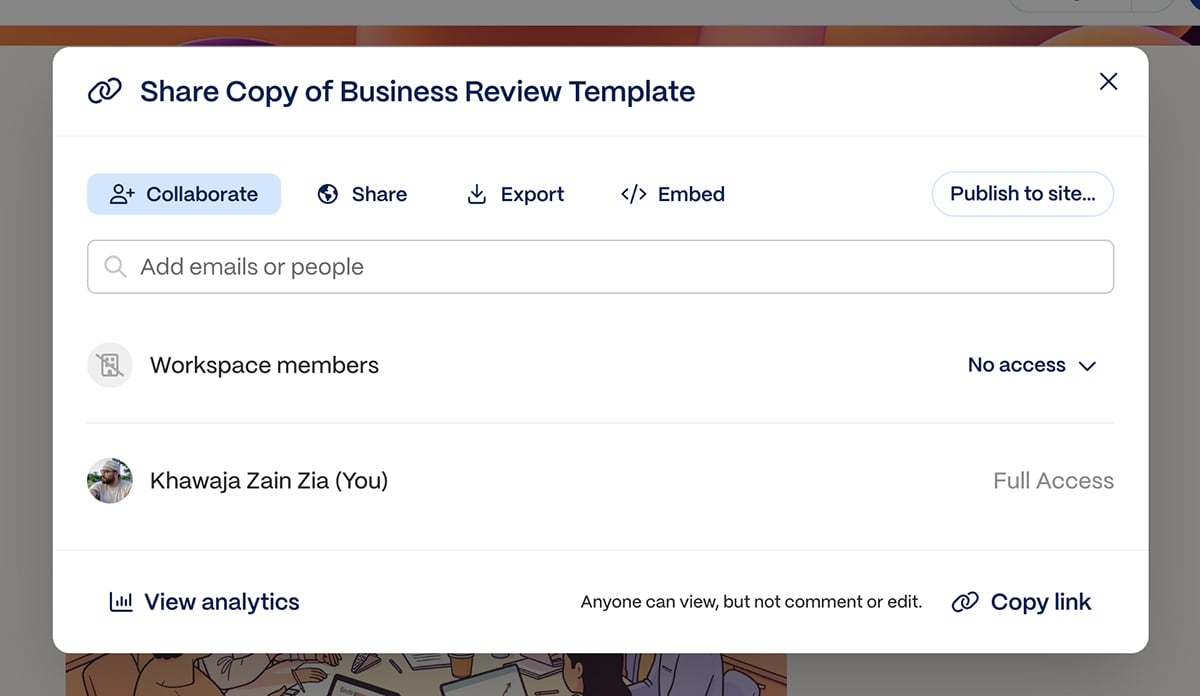
Gamma provides engagement analytics showing who viewed your presentation and for how long. This is particularly useful for sales decks and proposals where you want to track client engagement.
Gamma works best for students, startups and teams who need to create quick internal presentations or pitch decks without spending hours on design.
You can get started with Gamma for free. The individual paid plans are as follows:
The paid team plans are as follows:
G2 Rating: 4.4/5 (25+ reviews)
Next on our list of the best presentation software is Slidebean. It’s also an AI-powered pitch deck software, just like most other tools on the list, and comes with cool built-in templates and customizable content blocks.
One thing that separates Slidebean apart from its competitors is their team of experts who can both write and design pitch decks for you (if you don’t want to take the DIY route).
Let’s look at the features:
Slidebean offers pitch deck templates based on successful funded startups (YC, 500 Startups). Templates are organized by industry and use case, with particular focus on investor-ready presentations. You get 100+ startup pitch deck templates on paid plans.
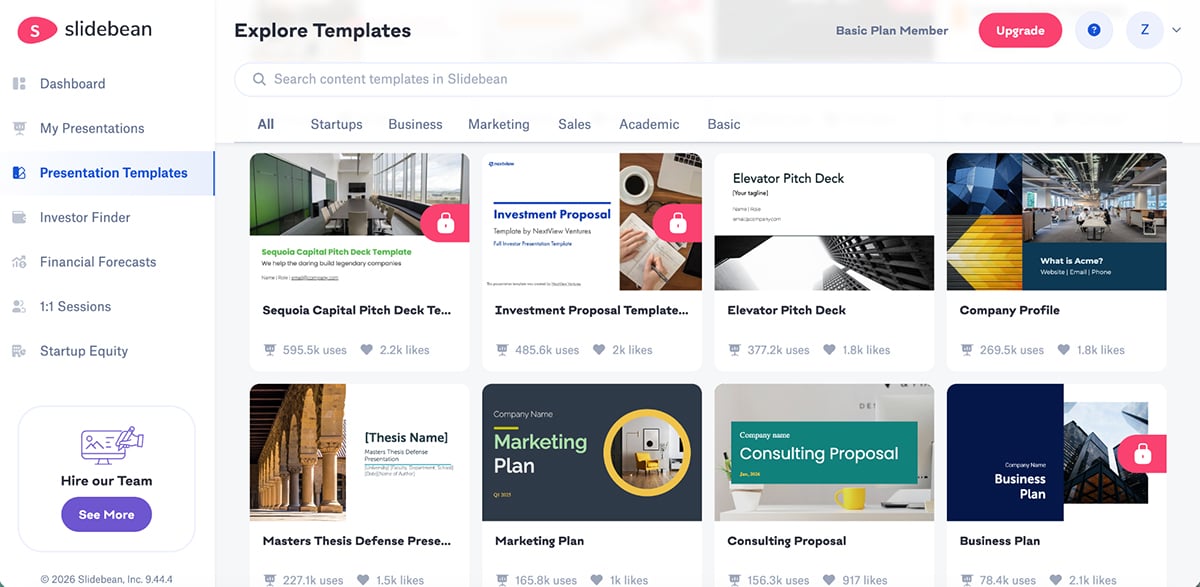
The built-in media library has an extensive collection of stock photos, GIFs and icons.
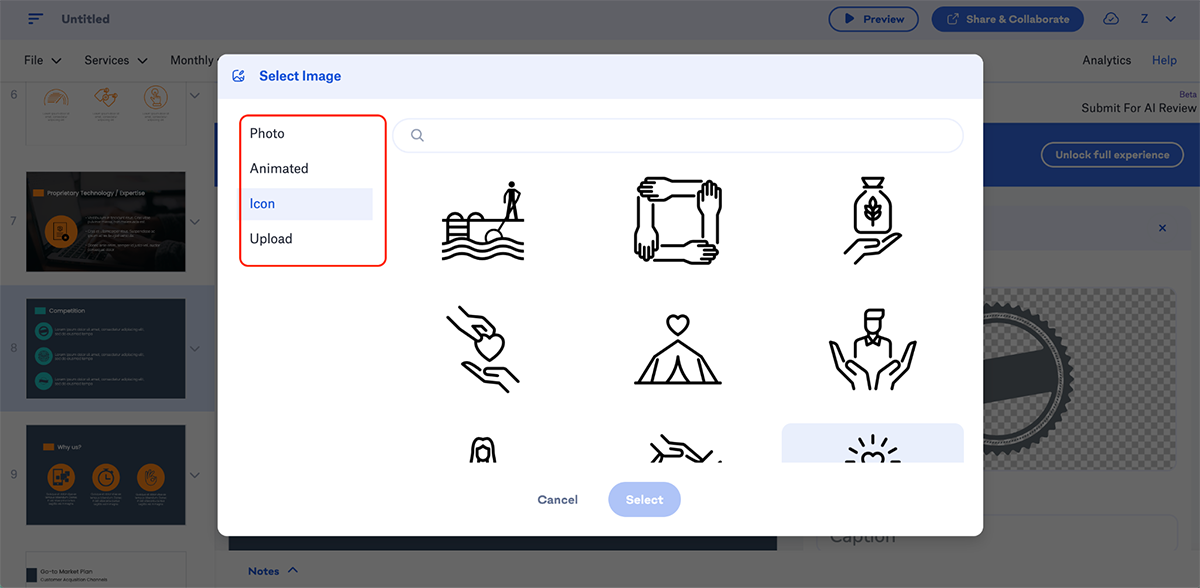
The only thing to note here is that the process of adding icons is a bit different. You have to Insert → Image → Icon to access the library (the same goes for other assets too).
You also get some basic data visualization options.
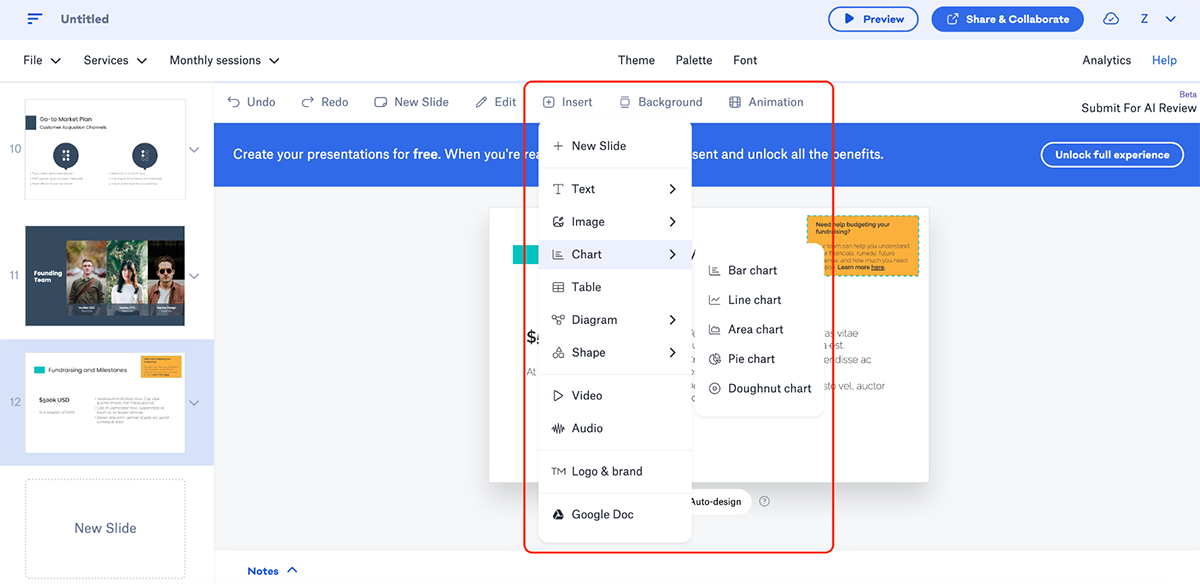
If data is essential to your presentations, then you’re better off looking at the other tools on the list.
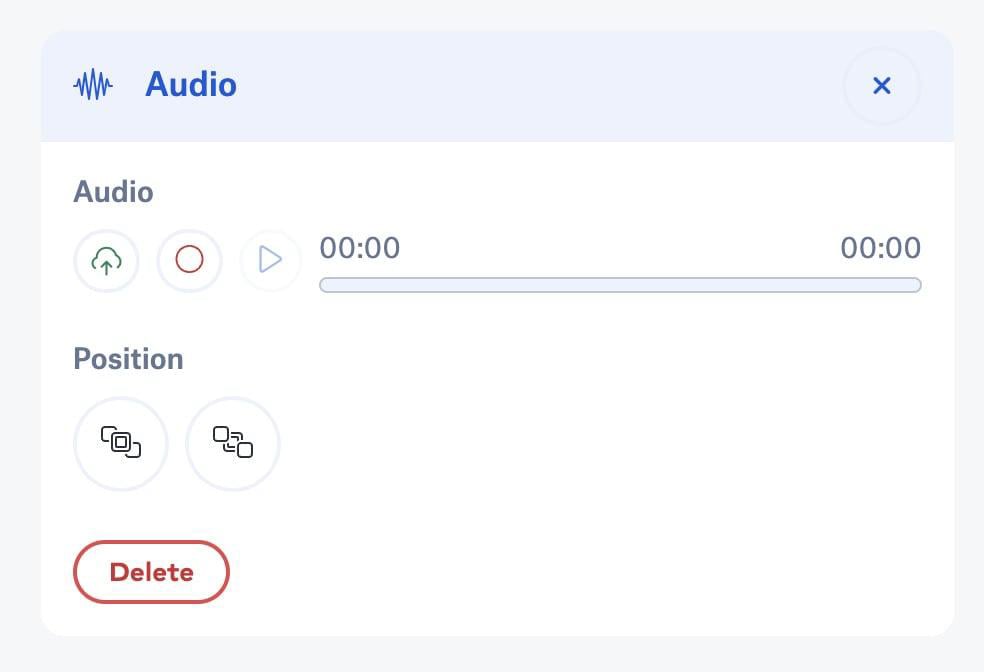
You can also add voice-over narrations and background music to your slides.
Slidebean offers customizable branding options, so you can add brand colors, fonts and logos.
Similar to Visme’s brand wizard, you can also simply enter your website URL to let AI pull colors and fonts from your website.
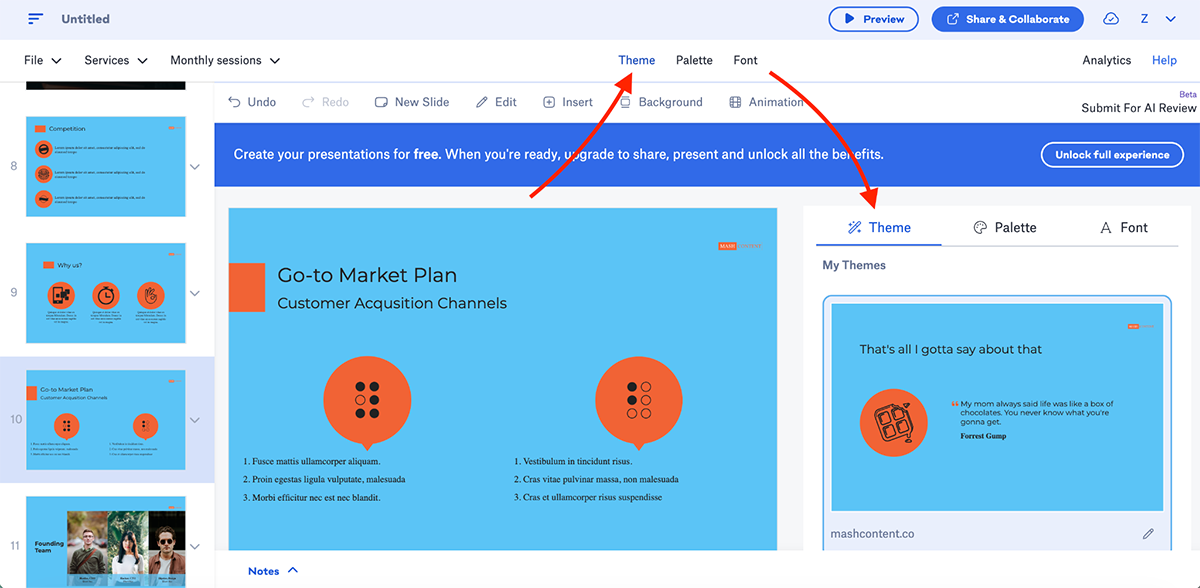
Animations work a bit differently here too. You don’t get granular control, but you can choose from the built-in slide transitions and animations.
If you’re after basic animations, you’ll appreciate the drag-and-drop functionality Slidebean has incorporated into the animations.
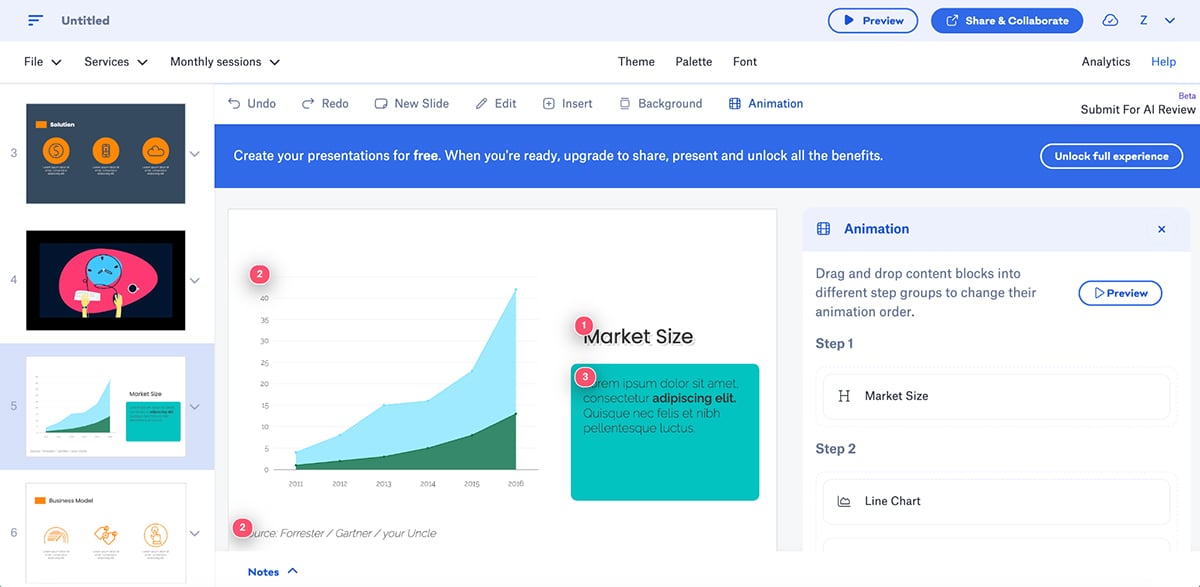
While not as extensive as some of the other tools on the list, Slidebean also features some handy AI functionality:
Once you’re done with your project, you can export your presentations as HTML, PPT and PDF.
You can also present directly from the web browser or share via link (no software required on recipient's end).
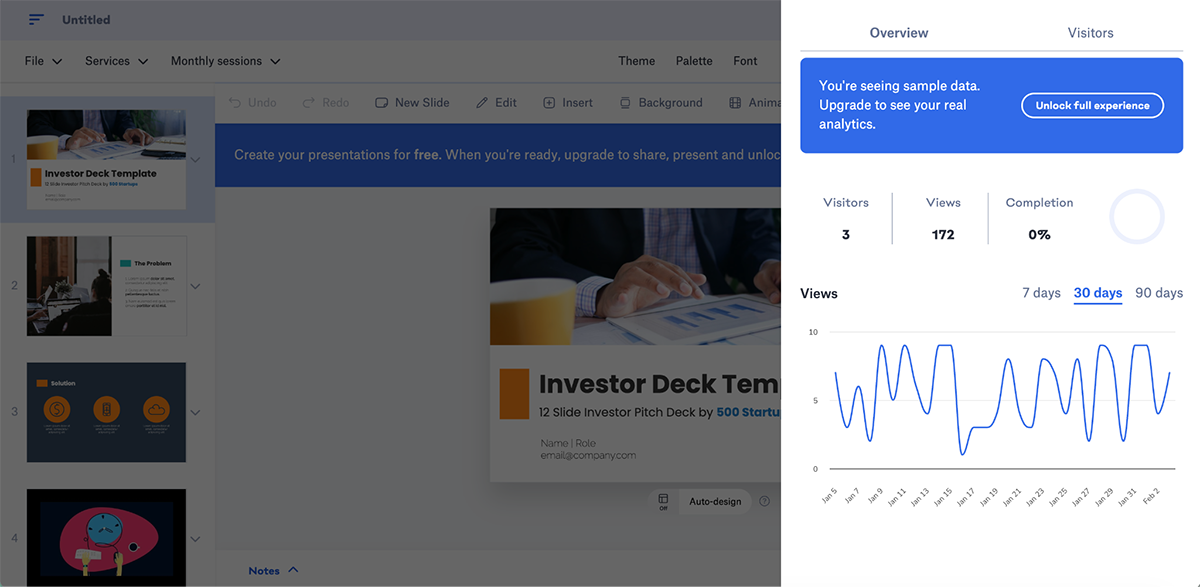
Pitch analytics track how long viewers spent on your presentation, which slides they viewed, and how many slides they completed. This is invaluable for understanding investor engagement.
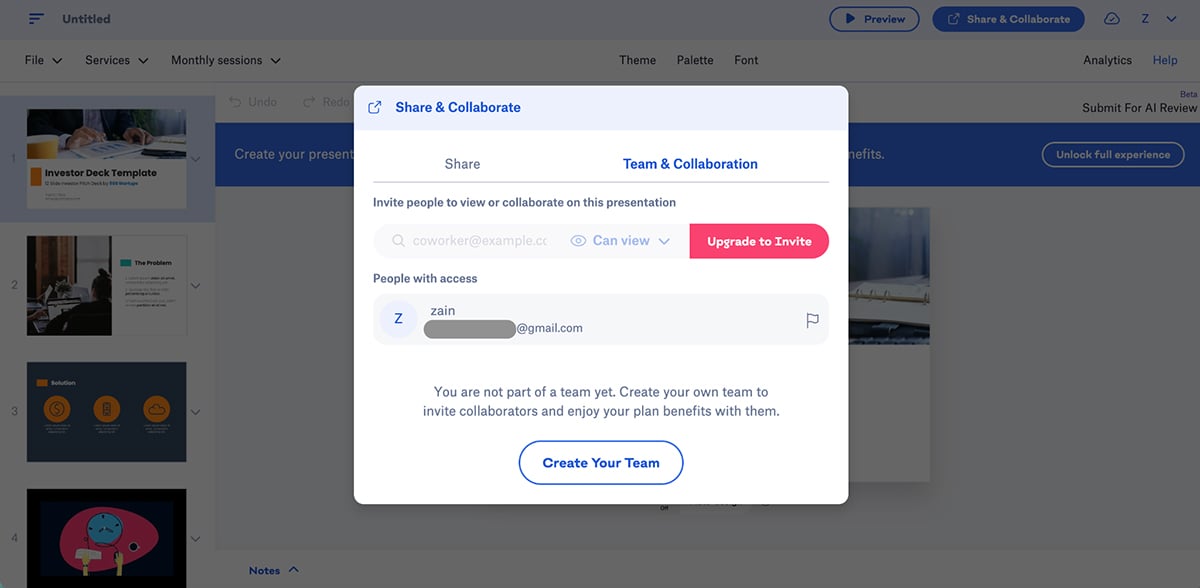
Slidebean also lets you collaborate on projects in real time. Online collaboration keeps presentations synced automatically.
Slidebean works best for startup founders, entrepreneurs and small businesses creating pitch decks for investors.
You can get started with Slidebean for free, but the free plan doesn't let you export or share decks. The paid plans are as follows:
G2 Rating: 4.6/5 (4,275+ reviews)
Microsoft PowerPoint is the world’s most widely used presentation software and for a long time, it was considered the ultimate standard for slide-based presentations.
It has gone through several changes over the years (especially with AI), so let’s break it down:
PowerPoint comes with dozens of built-in professional themes and templates right out of the box. While not as extensive as Visme or Canva, the templates are good enough to get you started.
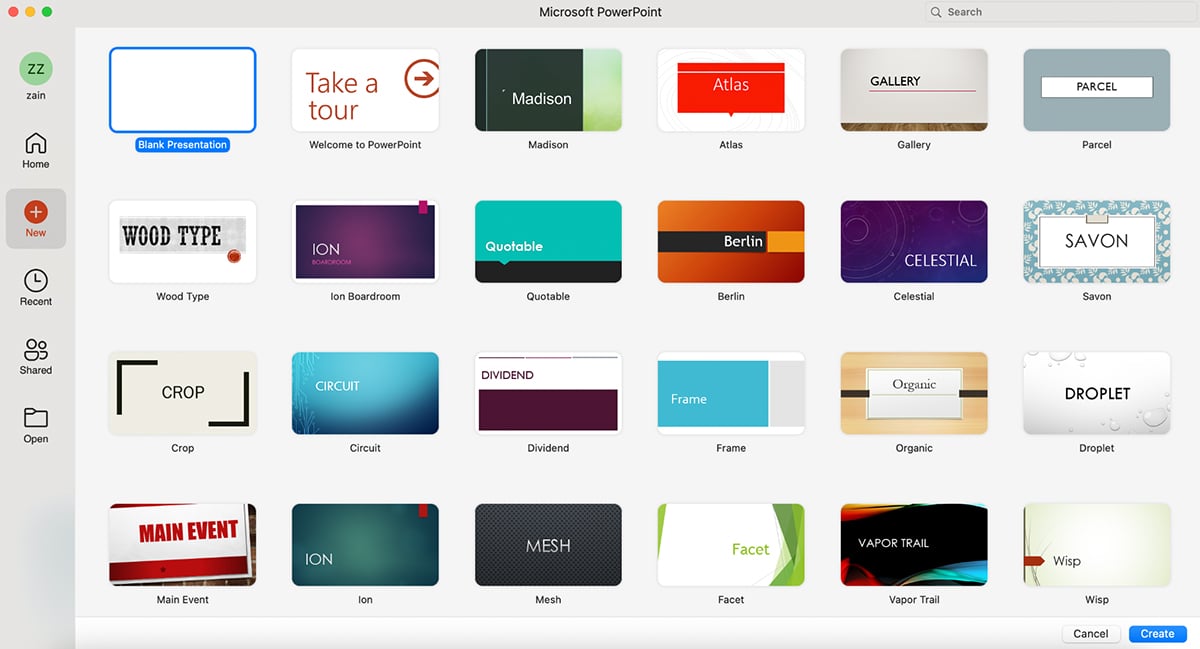
Similar to Google Slides and Apple Keynote, there are tons of third-party websites from where you can purchase PowerPoint templates too.
You can also save any presentation as a custom template (.potx file) to reuse for future projects, making it easy to maintain brand consistency across your organization.
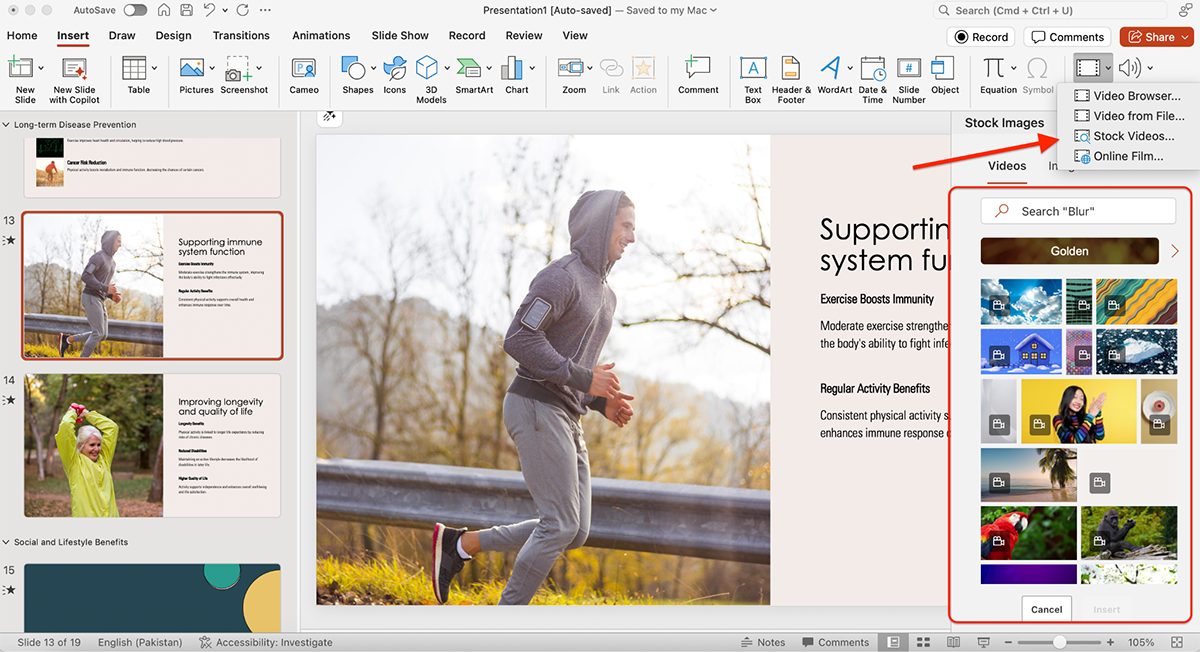
PowerPoint features an extensive built-in media library with thousands of high-resolution stock photos, icons, illustrations and 3D models.
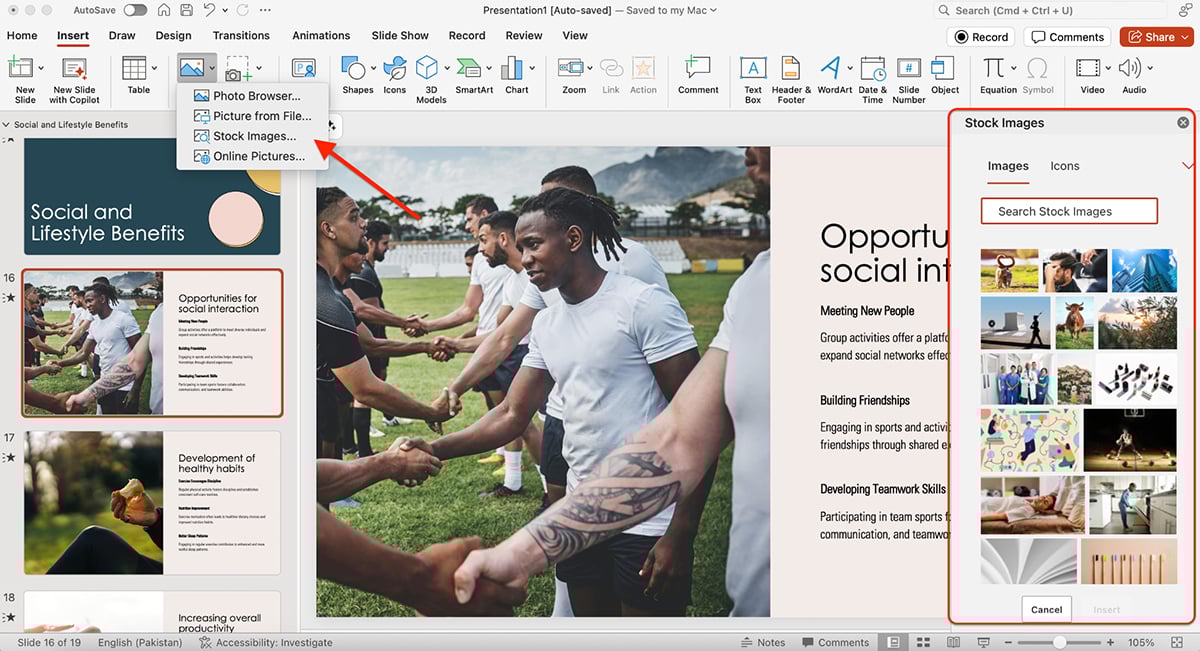
The Insert tab gives you access to shapes, SmartArt graphics (for org charts, process diagrams, cycles and more), charts (bar, line, pie, scatter and more), tables, text boxes and WordArt for creative text effects.
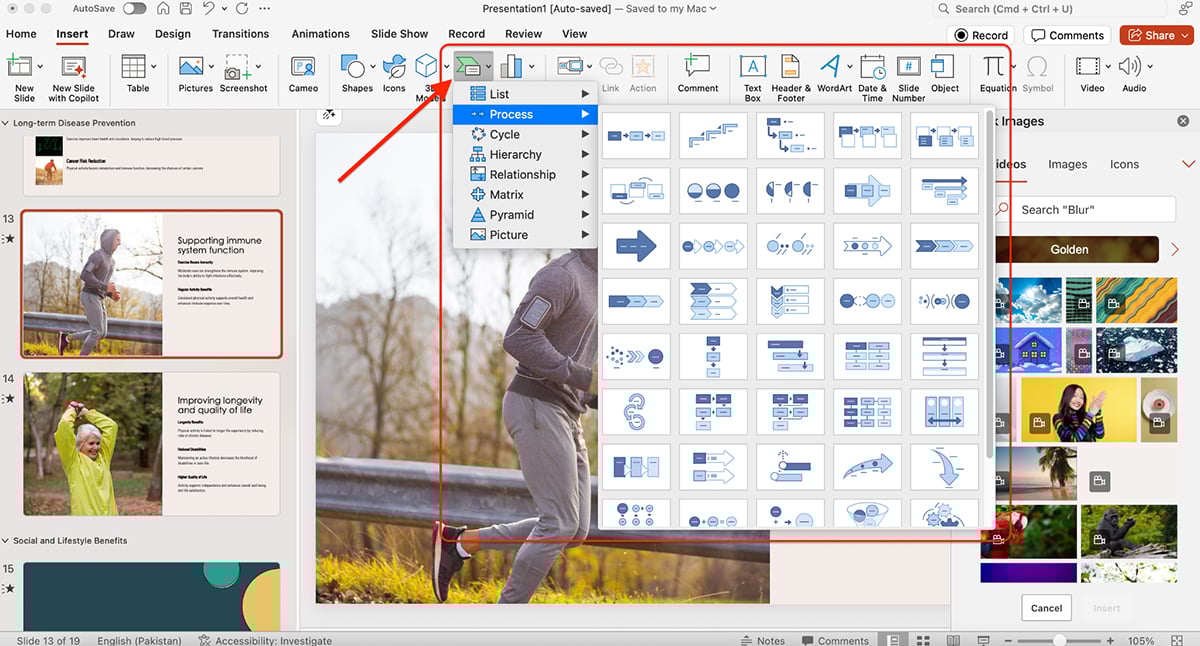
One standout feature: PowerPoint’s 3D model library lets you insert and manipulate 3D objects directly on slides, rotating them 360 degrees for dynamic visual presentations. You can also embed videos (including YouTube videos with improved controls that avoid ads), audio files, screen recordings and live web content.
While PowerPoint doesn’t have a traditional “Brand Kit,” you can save custom themes (.thmx files) with your brand colors, fonts, logo placements and layouts. These themes can be applied across presentations to maintain consistent branding.
For enterprise teams, PowerPoint integrates with SharePoint Organization Asset Libraries (OAL) and Templafy libraries to automatically pull approved brand assets when Copilot generates slides. This way all your presentations are on-brand, every time.
Watch this video by Simon Sez IT to learn how to edit Slide Master in PowerPoint:
PowerPoint’s animation capabilities are really strong. You get smooth, cinematic transitions and precise motion effects that rival professional video editing software.
You can apply animations at three levels:
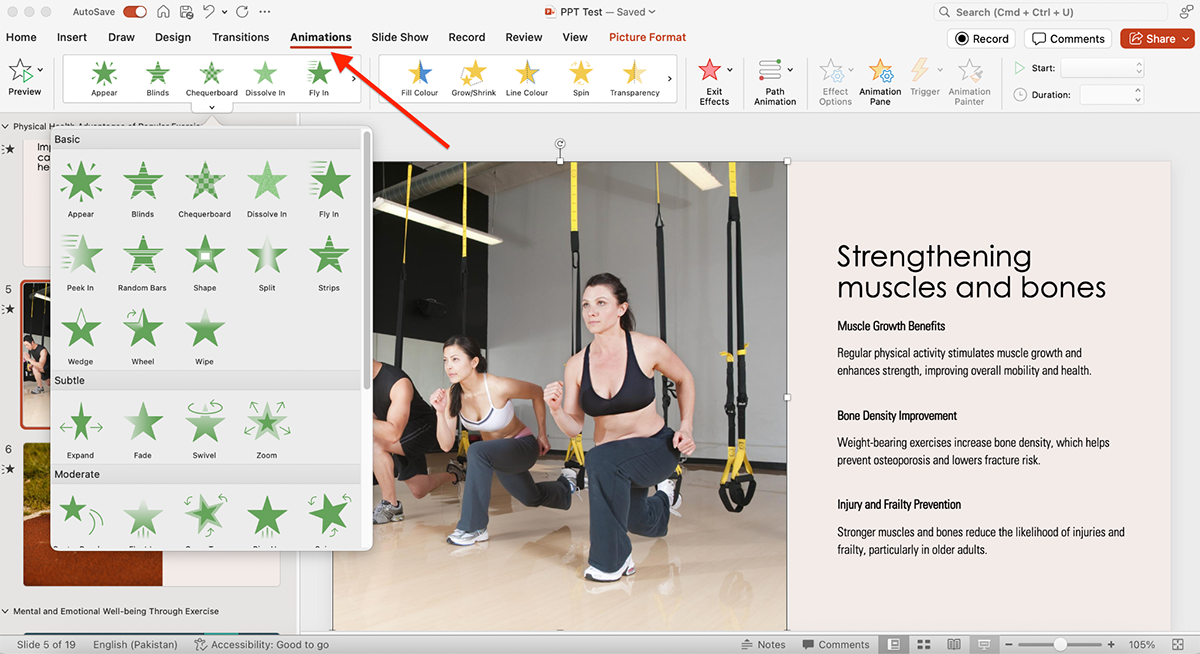
The Animation Pane lets you control exact timing, duration, delays and sequences. You can also create custom sequences and even draw.
PowerPoint also supports:
For educators and trainers, PowerPoint’s trigger-based animations let you create interactive quizzes, games and choose-your-own-adventure style presentations.
PowerPoint’s AI engine is called Copilot. And Copilot's Agent Mode is now the main way to build a deck in PowerPoint.
Generate complete presentations from text prompts or by extracting content from Word documents, Excel spreadsheets, Loop pages or PDF files. Copilot uses its layouts and theme to build the deck. You can control presentation length, narrative tone, slide style and image preferences.
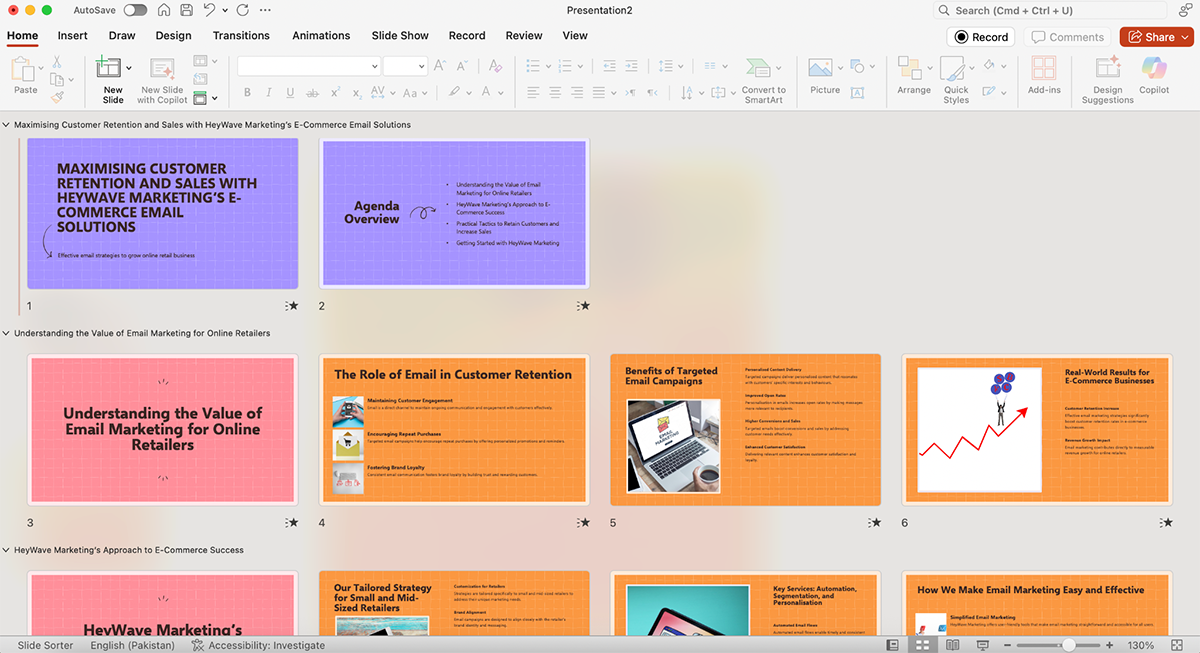
In Agent Mode, you refine the presentation in a back-and-forth chat, so you don't need one detailed prompt up front.
Other AI features include:
Once you’re ready to get your presentation out in the world, you can export it as:
You can also share via OneDrive links, email presentations directly from PowerPoint or present online in real-time via Microsoft Teams or PowerPoint Live.
PowerPoint doesn’t have built-in viewer analytics. However, when presentations are shared via SharePoint or Microsoft Stream, administrators can track views and engagement through those platforms.
PowerPoint supports real-time co-authoring when saved to OneDrive or SharePoint, so several users can edit simultaneously with live cursors and change tracking.
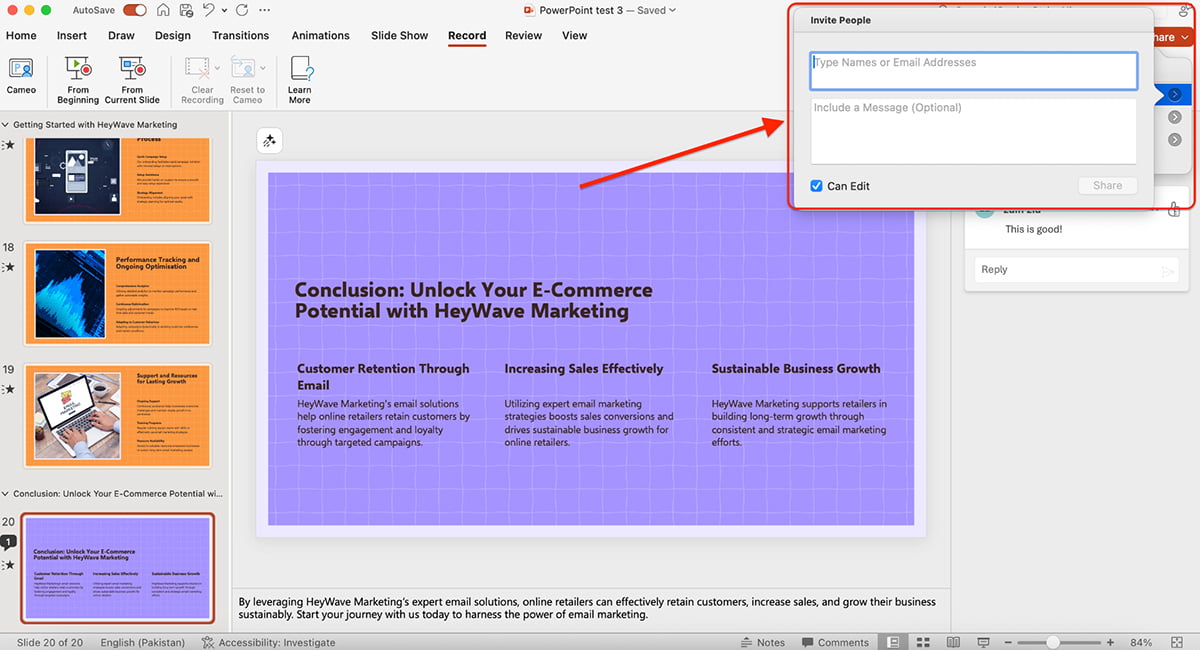
Team members can leave comments on specific slides, @mention colleagues and track who made what changes with version history and Review mode. You can set password protection, expiration dates and download restrictions on shared links.
Microsoft PowerPoint is perfect for business professionals, educators, students and anyone looking for an easy-to-use, versatile presentation software.
You can use the online version of PowerPoint for free. The desktop-based PowerPoint program is part of Microsoft 365 (bundled with Word, Excel, Outlook, OneDrive, OneNote, Publisher), which has different plans:
Personal plans (Copilot included):
Business plans vary greatly depending on if they have Copilot and Microsoft Teams. Here are some of them:
You can also buy a standalone version of PowerPoint for $179.99.
G2 Rating: 4.4/5 (60+ reviews)
Zoho Show is a cloud-based presentation software that’s part of the Zoho Workplace suite. The interface is eerily similar to PowerPoint. So, if you’re comfortable with PowerPoint, you’ll have no issues with Zoho Show.
Let’s look at its features:
Zoho Show includes 80 templates, 50+ themes and 100 prebuilt slides, covering startup pitch decks, sales presentations, business proposals and more. You can customize any of them with the master layout.
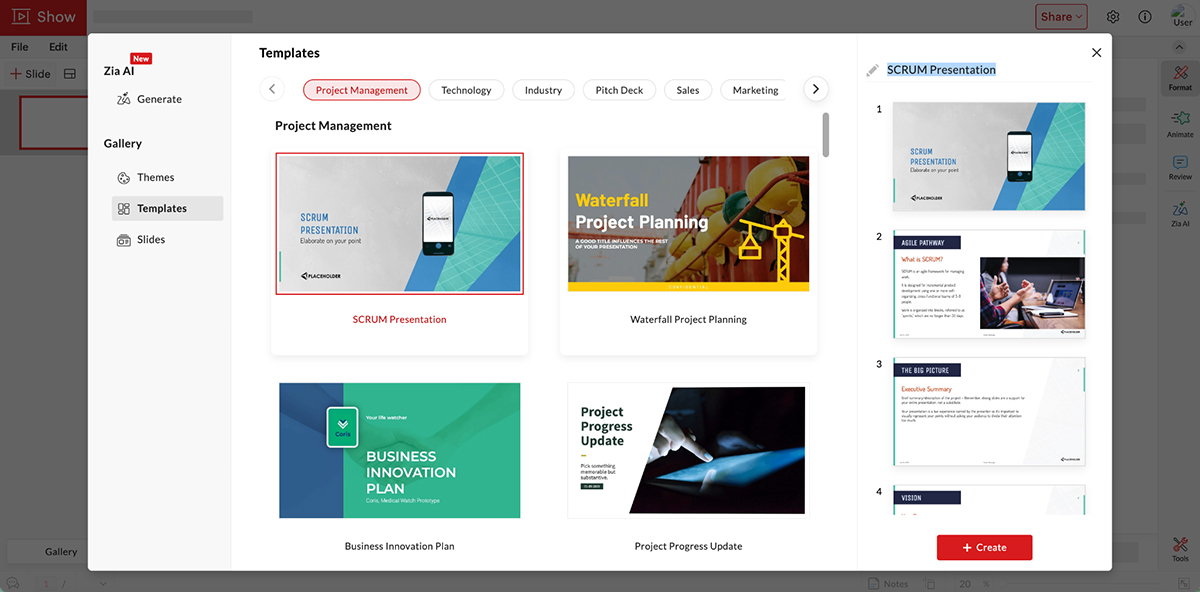
That's a smaller library than Visme's or Canva's, but the templates are high-quality and cover most business needs.
Zoho Show offers a wide range of tools for organizing and enhancing data visually. The built-in asset library includes formatted text boxes, shapes, diagrams, images, themes, videos and GIFs.
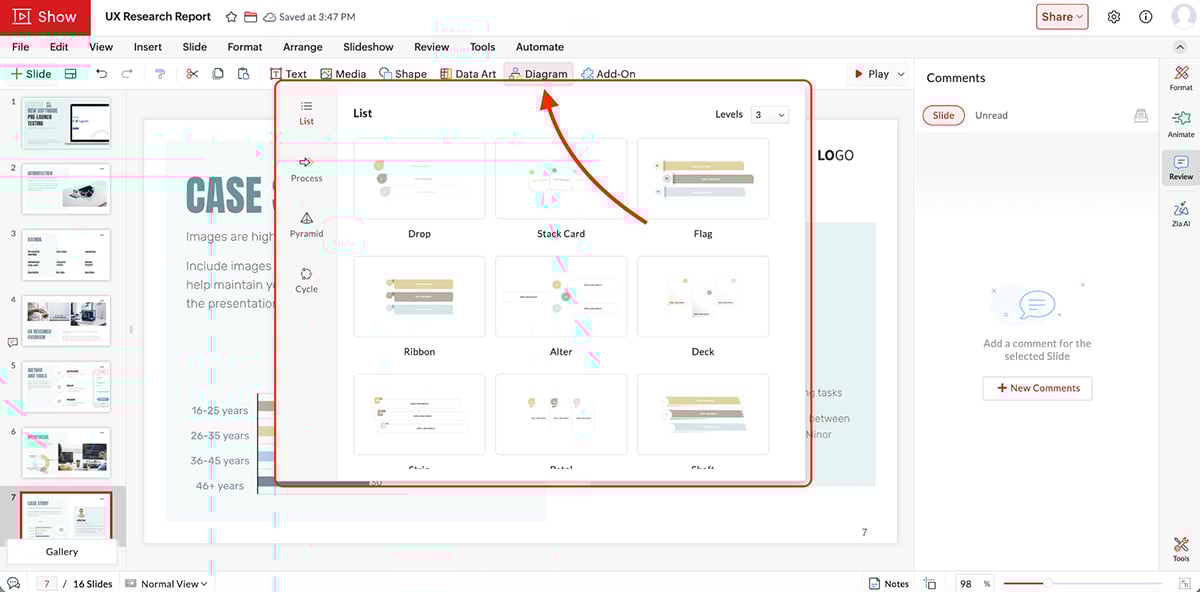
You also get several data visualization options.
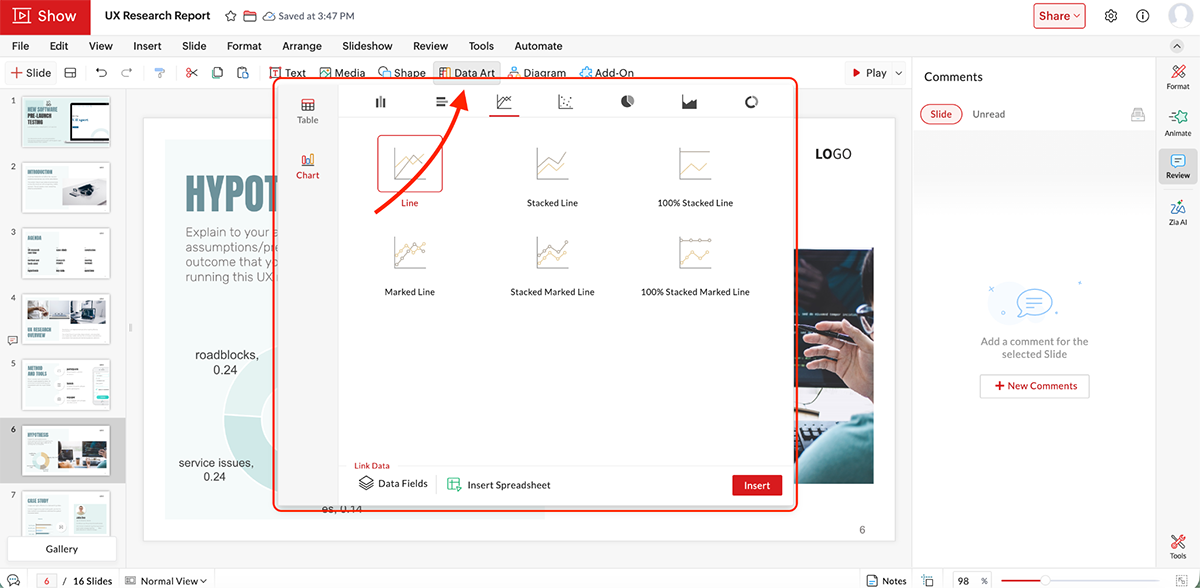
You can also embed multimedia elements like videos and audio clips directly into slides.
Zoho Show lets you maintain brand consistency by customizing presentations with company logos, colors and fonts. You can save custom themes and templates for reuse across your organization.
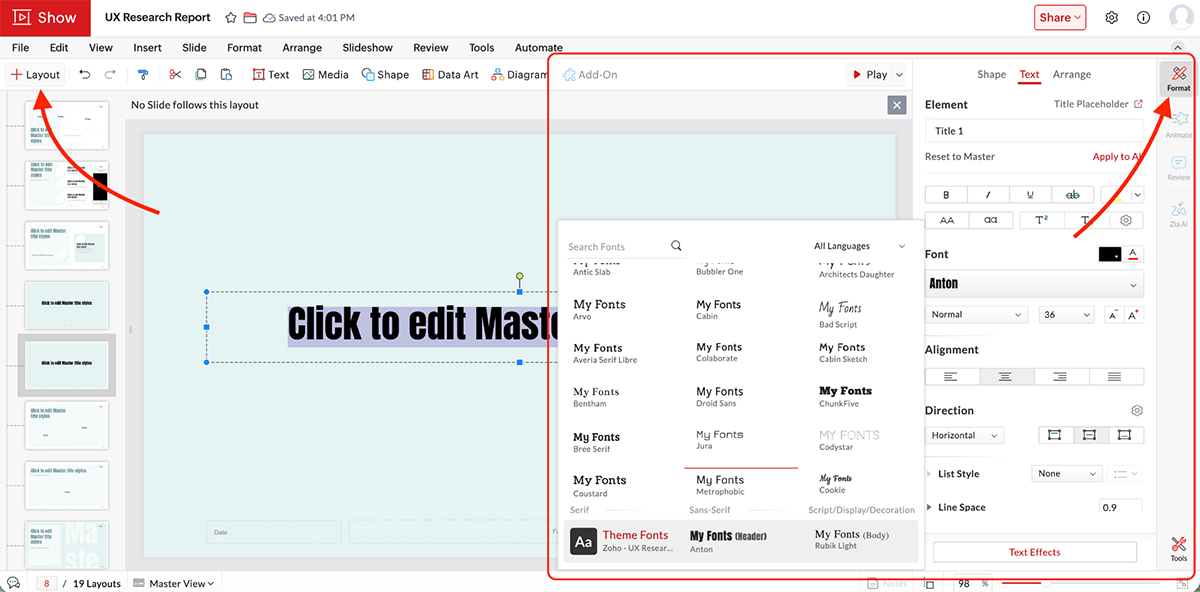
On paid plans, admins can store organization-specific templates, slides and fonts in a shared brand asset library, so team members can reuse pre-approved designs.
Zoho Show also comes with PowerPoint-like animations and transitions. You can apply transitions between slides, animate individual objects (entrance, emphasis and exit effects) and control timing for each animation.
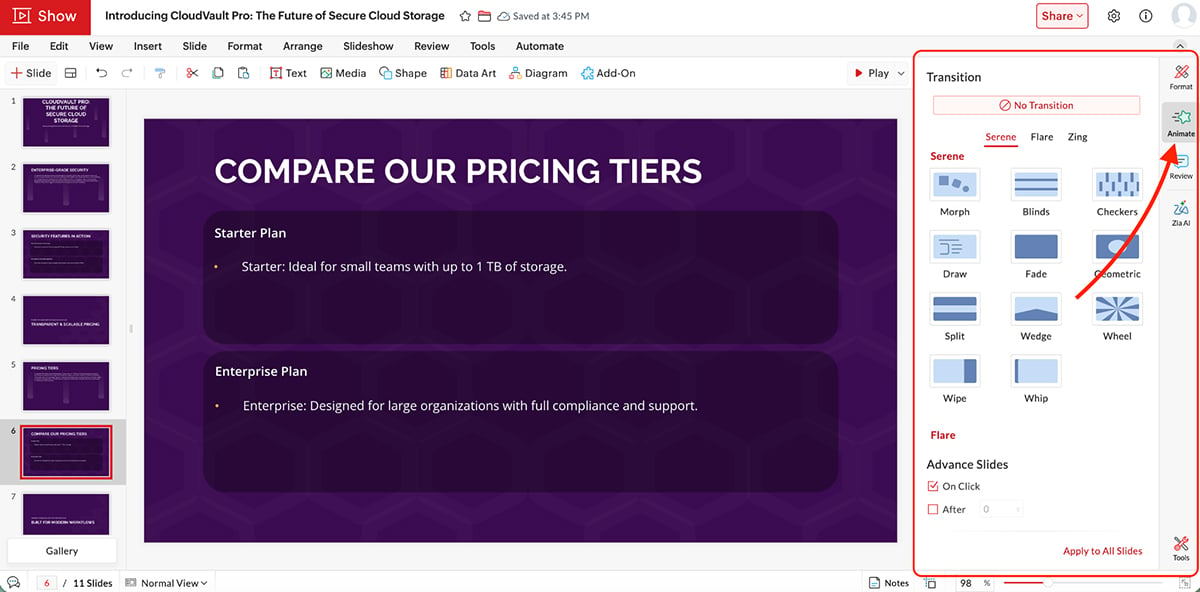
Additional interactive features include audio recording, hyperlinks, text highlighting and custom image cropping.
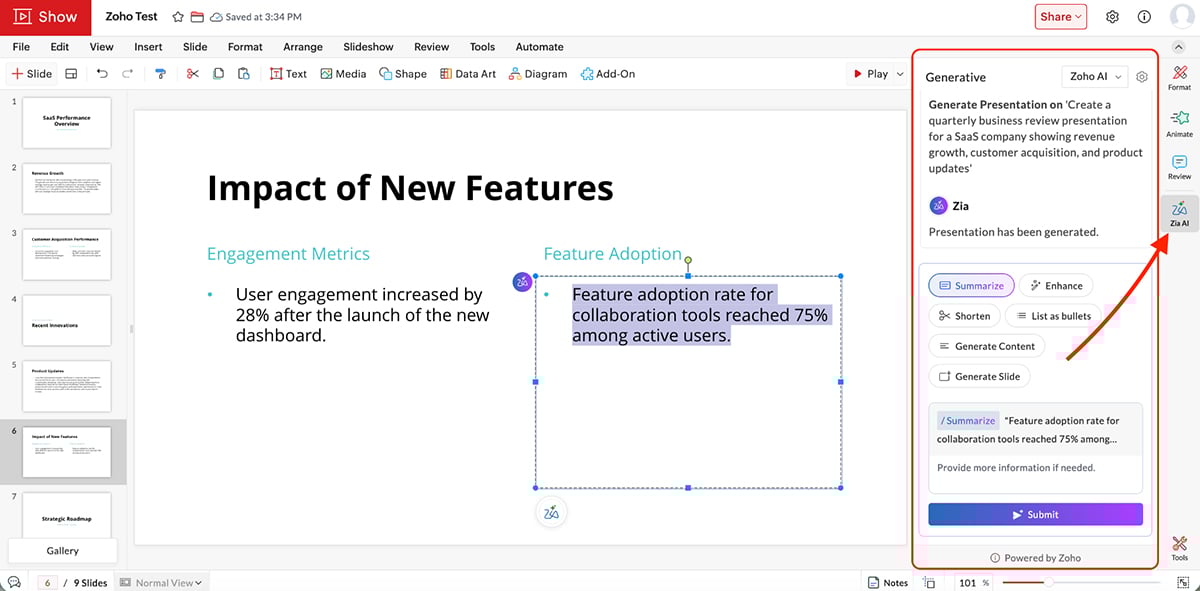
Zoho Show’s AI-powered assistant is called Zia. Let’s see what you can do with it:
Turn a simple idea into a presentation in seconds. I entered a prompt and was given this text-only presentation.
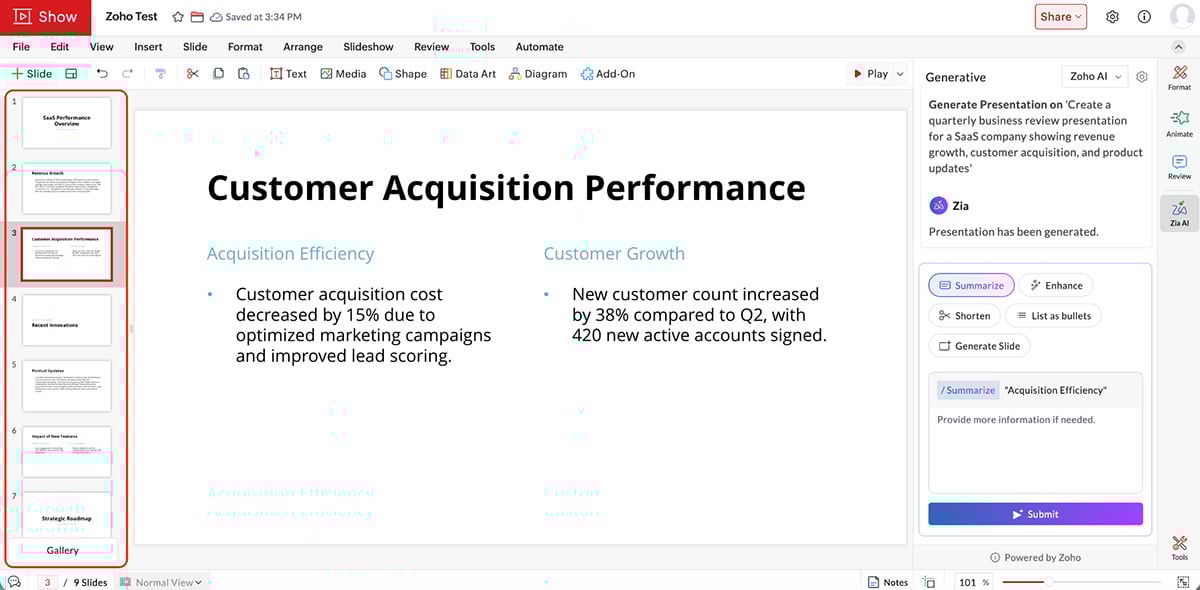
Sure, you can add visuals manually using Zoho, but compared to the level of quality other AI presentation makers are producing, this one was below average.
Other Zia AI Features Include:
Zoho Show lets you export presentations in multiple formats including:
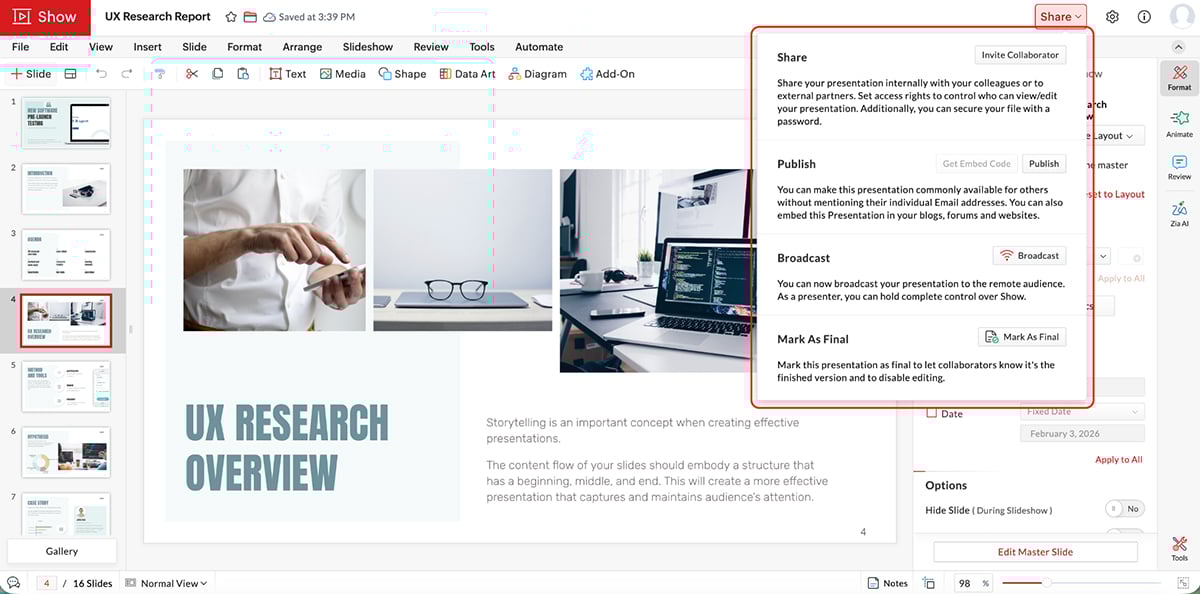
You can also export as images or embed presentations directly on websites and blogs.
Zoho Show does not have built-in viewer analytics. However, when used with Zoho CRM or other Zoho apps, you can track engagement through those platforms’ reporting features.
Zoho Show supports real-time collaboration where multiple team members can co-edit presentations simultaneously with instant syncing.
You can leave comments on specific slides, @mention colleagues and track revision history.
The platform includes secure sharing with access-based permissions and password protection for sensitive presentations.
Perfect for small to medium-sized businesses, freelancers, educators and teams already using Zoho products who need straightforward presentation software.
You can get started with Zoho Show for free. The paid plan is
G2 Rating: 4.6/5 (190+ reviews)
Beautiful.ai is an AI-powered presentation tool that ditches the manual layout work and uses Smart Slides to automatically handle design as you add content.
You type in your content and the slide auto resizes, realigns and adjusts spacing on the fly without you touching a single text box.
Let’s look at the features.
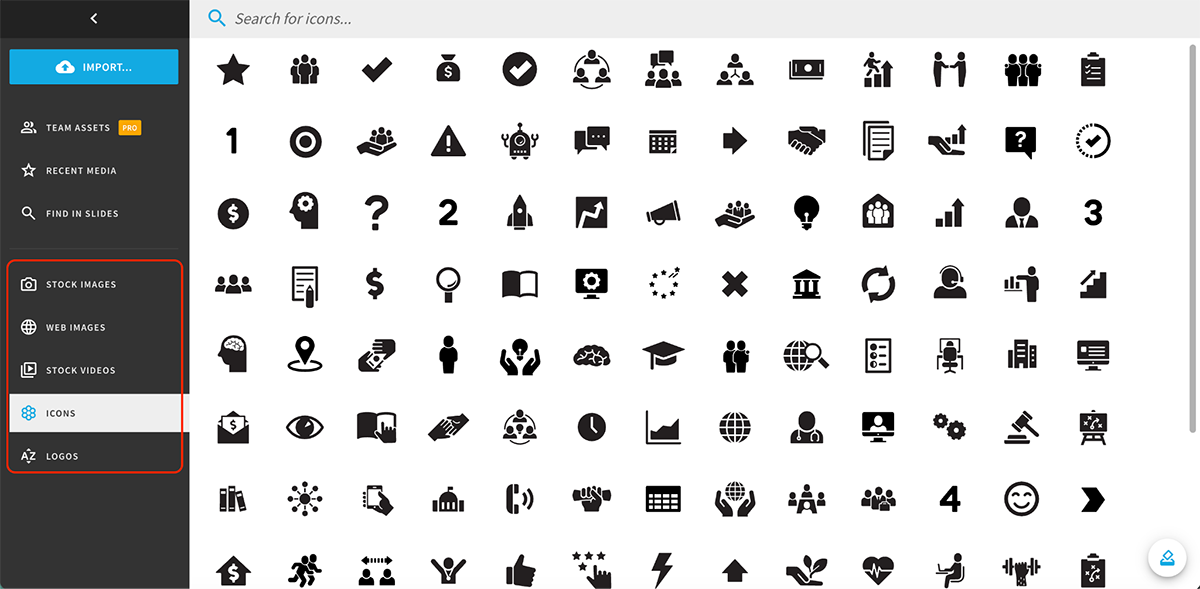
Beautiful.ai offers prebuilt presentation templates and 300+ Smart Slide layouts. The template library is smaller than Visme's or Canva's, but it's enough to get started.
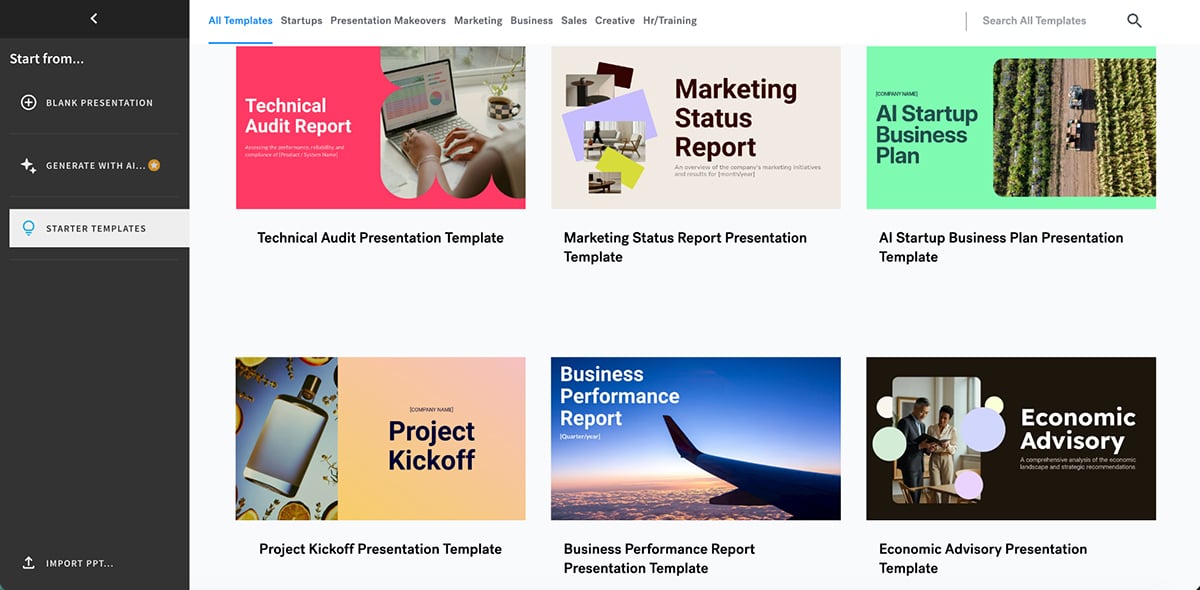
The platform includes millions of free stock photos, icons, illustrations and videos accessible directly within the editor.
You also get built-in slide layouts that let you swap quickly between different formats. There’s also an option to add callouts.
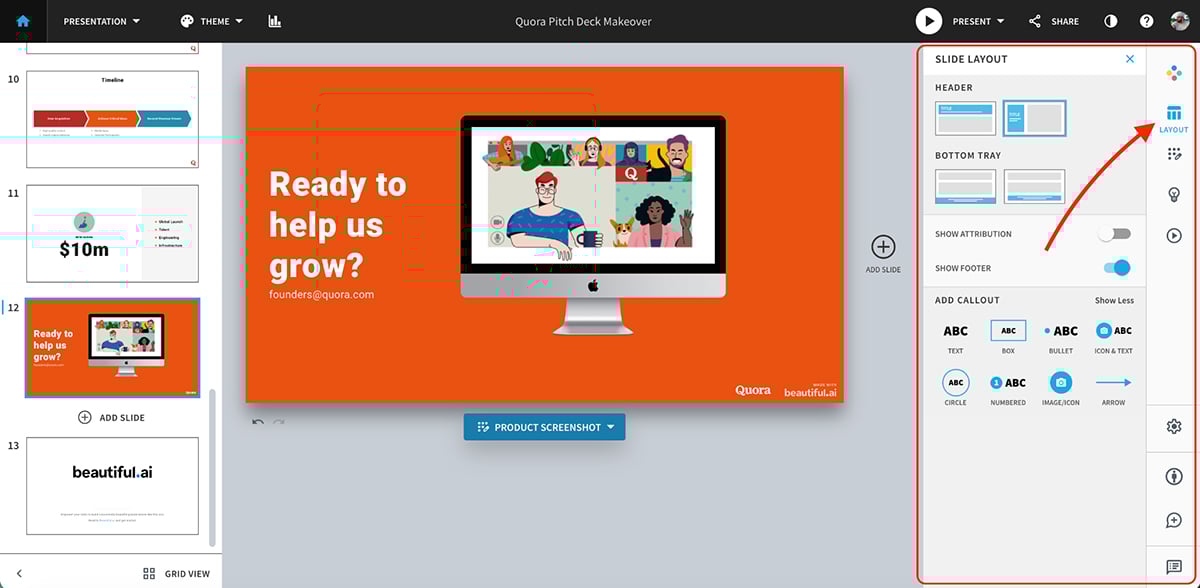
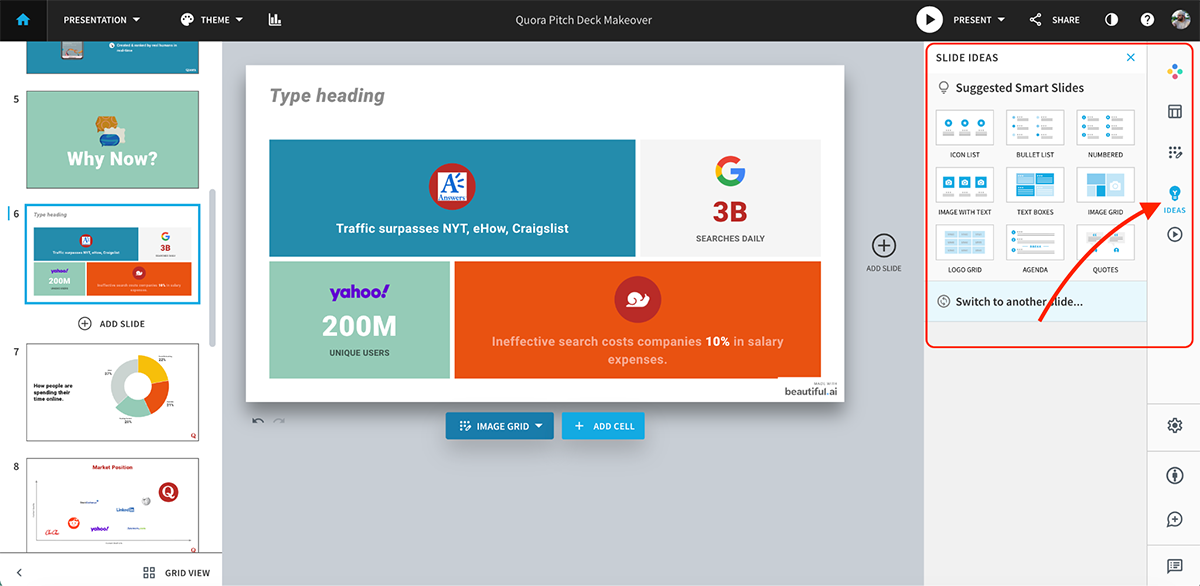
My favorite tool here is the Smart Slide options that automatically handle design as you add content.
The Theme Builder lets you set custom brand colors, fonts, logos, icons and footers across all decks and switch an entire presentation's theme with one click. On the Team plan, you can also lock slides and share a central slide and template library so everyone stays on-brand.
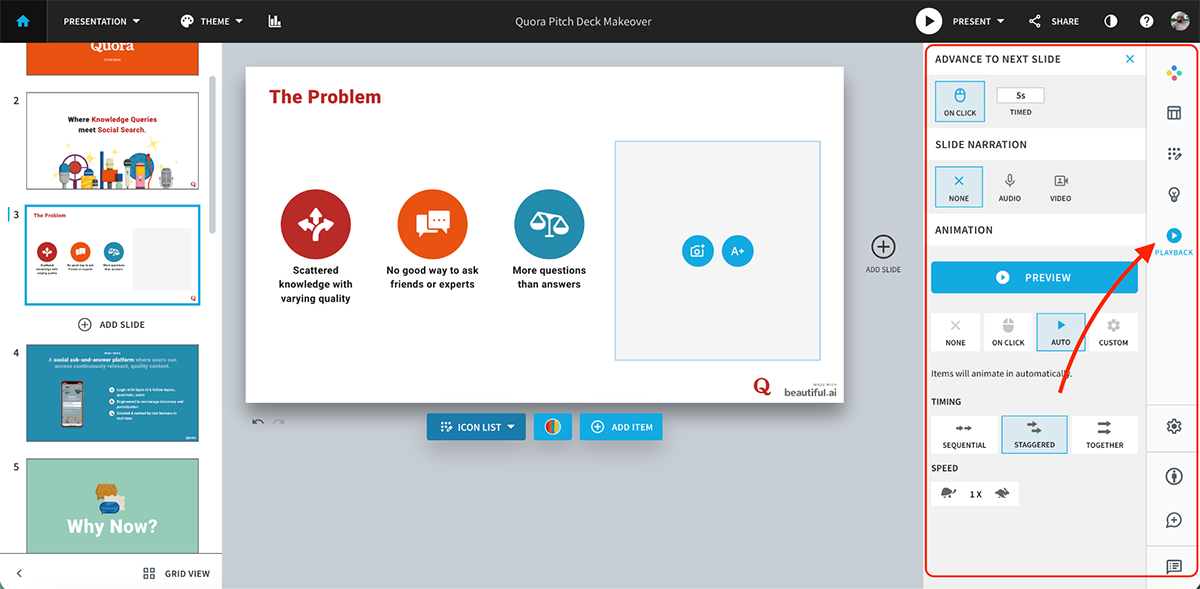
You don’t get advanced animation and interactivity features, but you can add in-slide animations on click, auto or custom. You can set timing for transitions, too.
You can also embed videos and audio directly into slides and even embed entire websites into a slide.
Beautiful.ai was one of the first presentation tools that used AI and they have been improving ever since. This section covers what you can do with it.
Describe your presentation, and Beautiful.ai's AI builds it in stages so you can shape the story and visuals before the full deck is created. Here's what the outline and final stages look like:
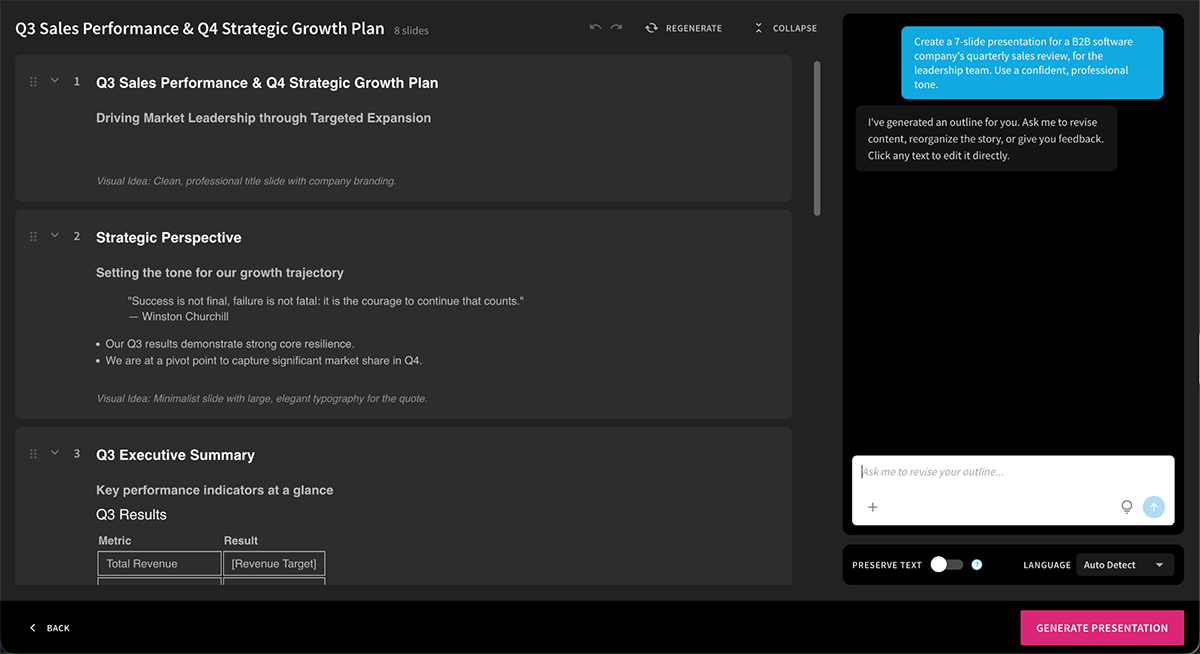
I like the results here. It basically takes care of appropriate text, layouts, photos, icons and design. And I can just go in and make my edits.
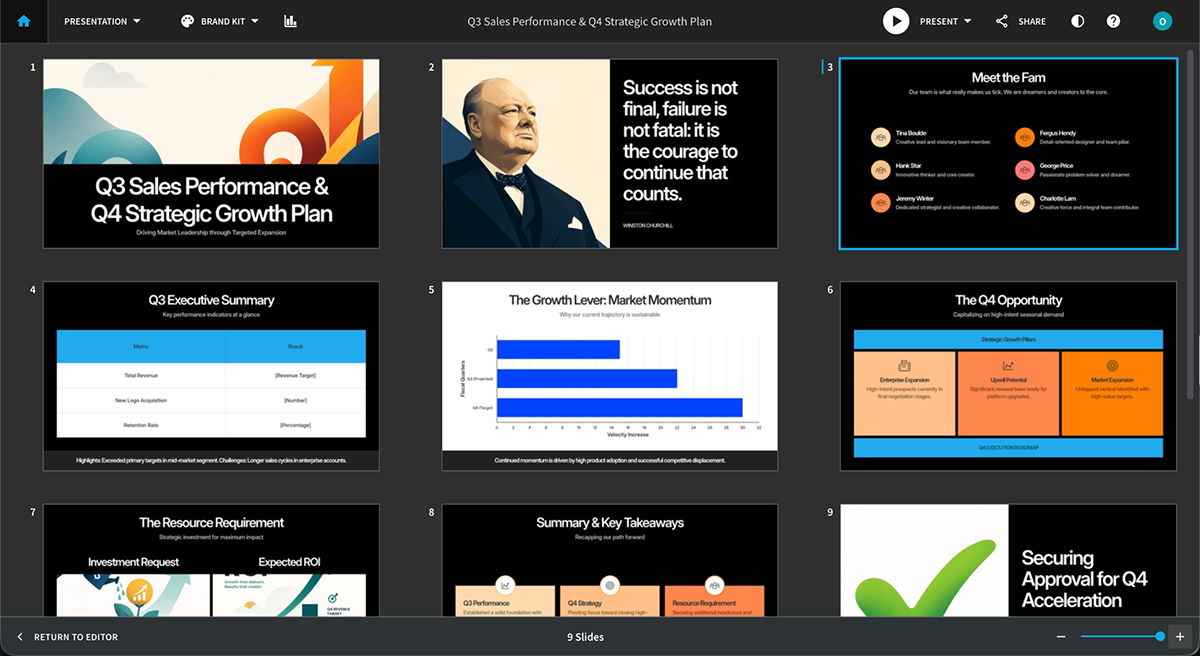
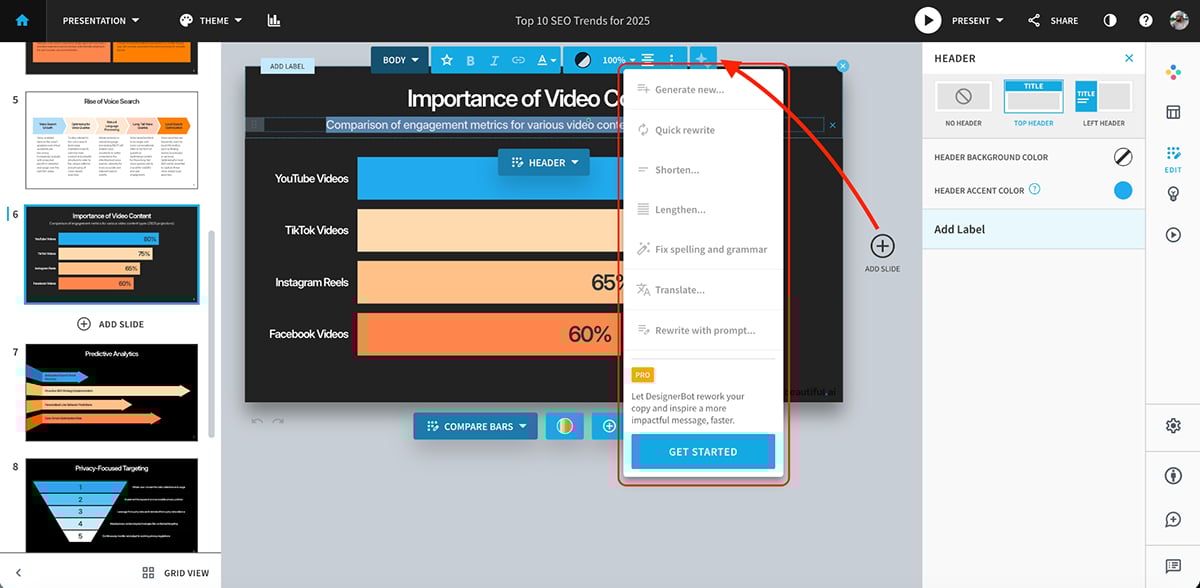
Other AI features include:
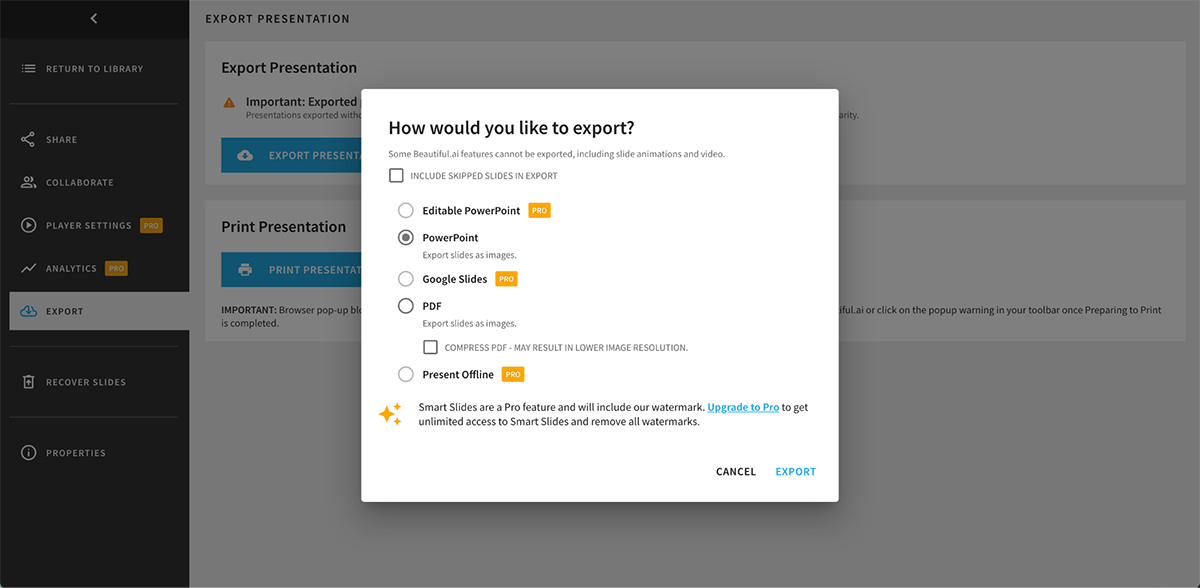
You can export presentations as PDF or PowerPoint (PPTX) or share them via a live web link. There’s also a PowerPoint Add-In and a Simple Offline Player available.
Beautiful.ai also lets you track viewer analytics such as unique viewers, total views, average time per slide, completion rate (percentage viewing full deck), individual slide engagement duration and sharing history.
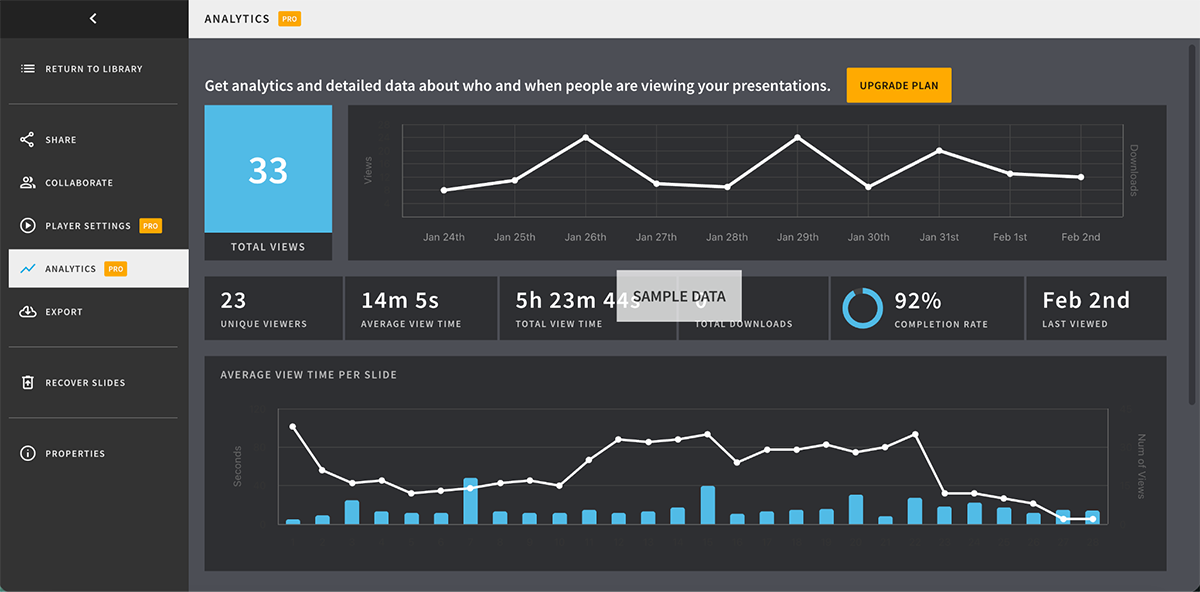
Anonymous viewer tracking captures engagement metrics without requiring a viewer login.
Beautiful.ai's team plan supports real-time co-editing where multiple team members can work on the same deck simultaneously. You can assign slides, leave comments with @mentions and track slide status too.
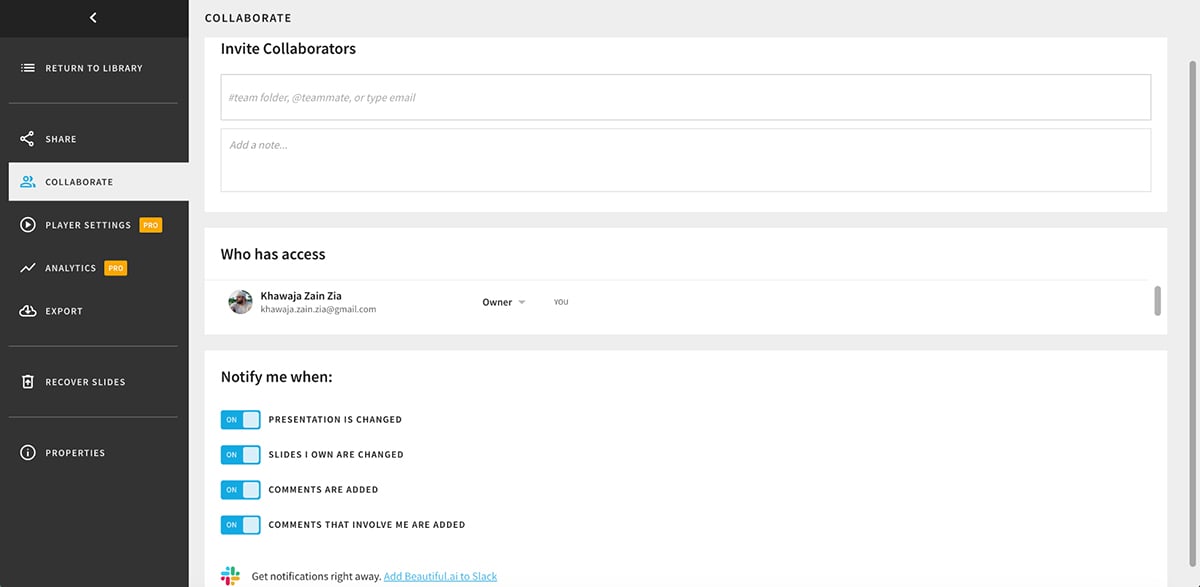
You can also add password protection to your presentations.
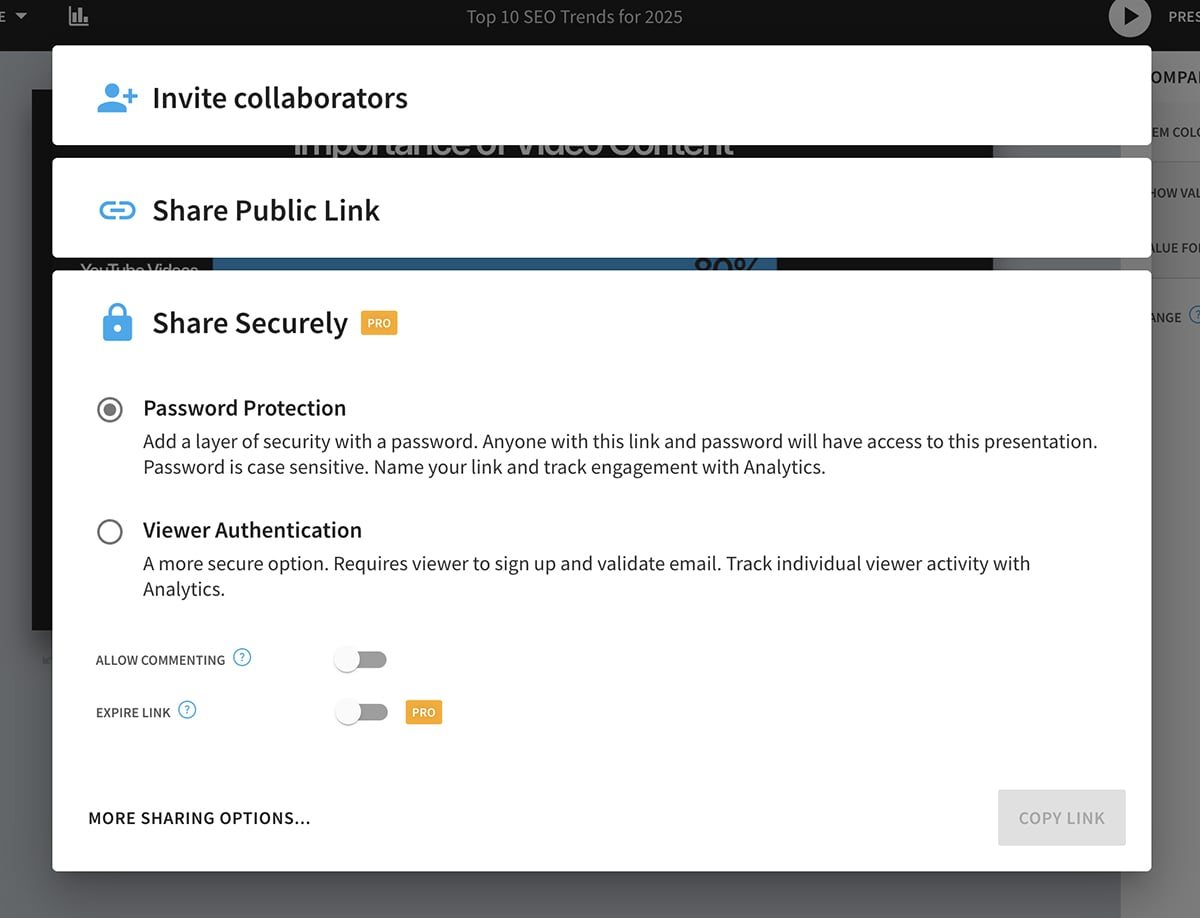
Beautiful.ai is ideal for consultants, agencies and corporate teams who need ‘beautiful’, on-brand presentations quickly. That said, when comparing Beautiful.ai and Visme, you'll find that Visme offers significantly more interactivity, animation depth and customization for teams.
Beautiful.ai offers a 14-day free trial. Their paid plans are as follows:
G2 Rating: 4.7/5 (7700+ reviews)
Canva is a visual design platform that lets you create everything from social media graphics and videos to presentations and websites.
While it’s known primarily as a graphic design tool, its presentation features are surprisingly robust with thousands of templates available in multiple formats.
Let’s look at the features in detail.
Canva’s template library has thousands of professionally made templates for presentations spanning pitch decks, sales proposals, marketing campaigns, training materials and more. You can filter your search by different languages and different styles.
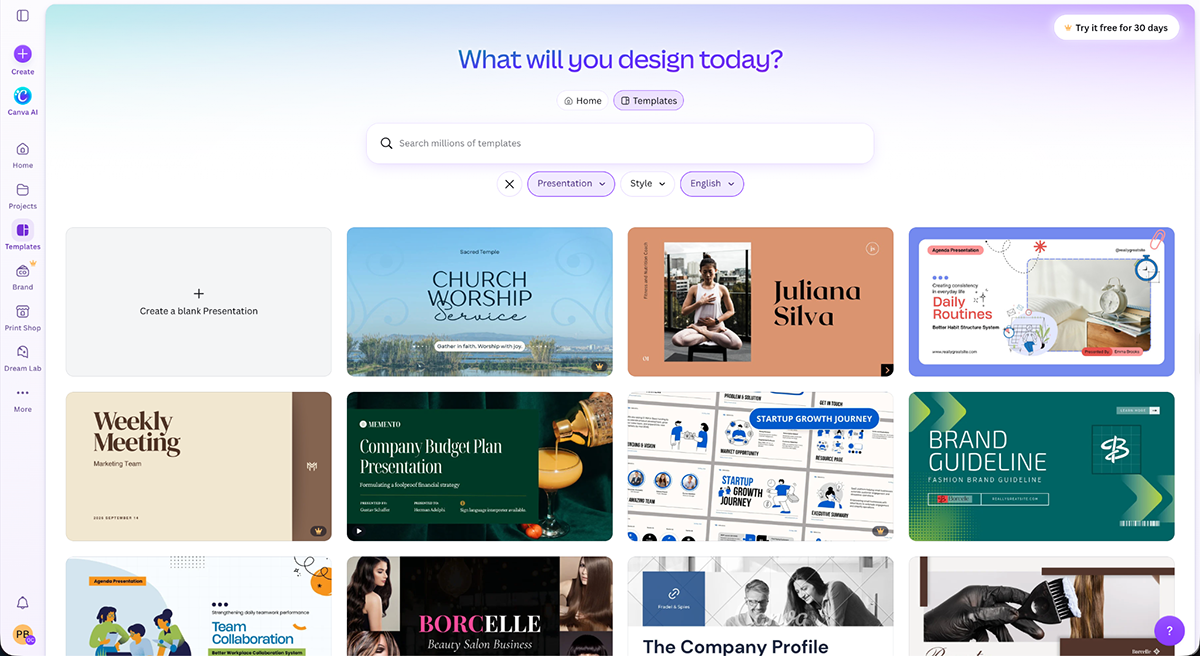
Apart from that, Canva also allows designers and creators to share their own templates on the platform, which means designs are always fresh and trendy.
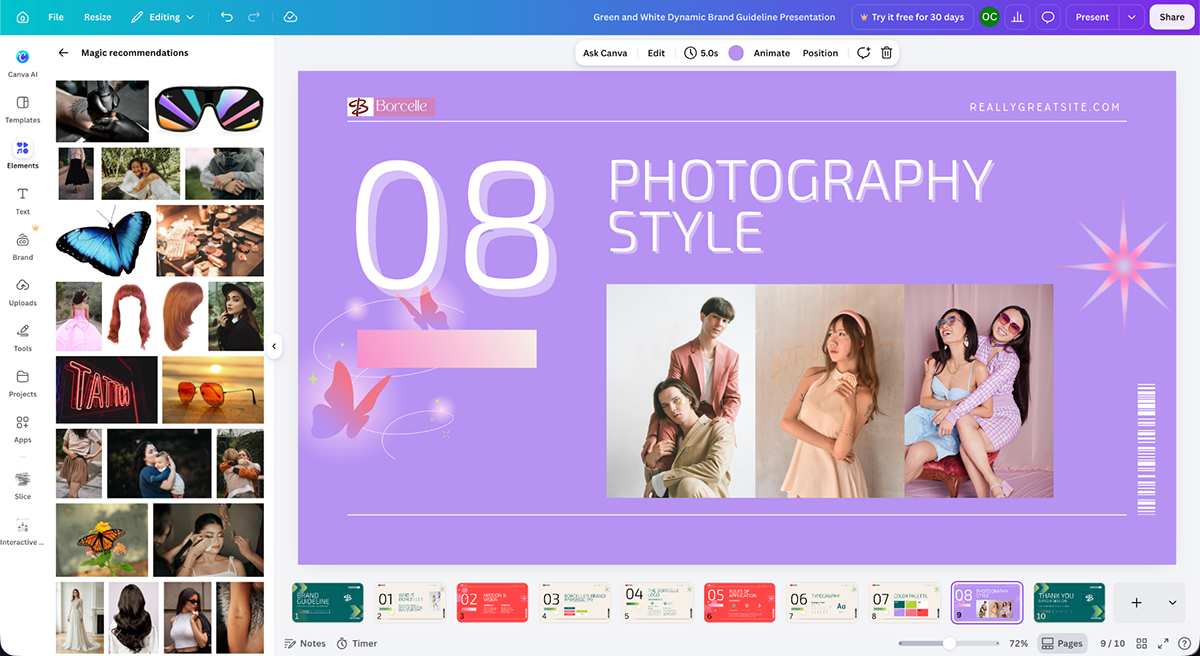
Canva gives you access to millions of icons, shapes and graphics to enhance your presentations. The majority of them include Magic Recommendations, which are AI-powered suggestions that align with your presentation design.
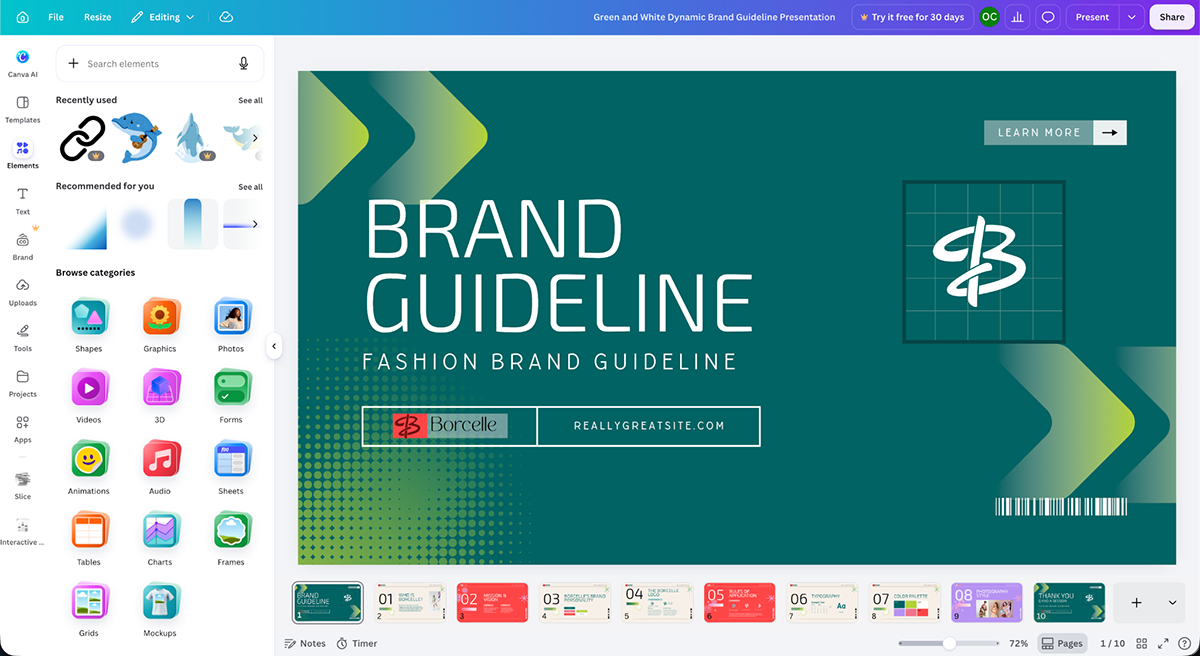
You also get millions of stock photos and videos that you can search and add directly to your slides.
For data visualization, you get multiple chart types, including bar charts, line graphs, pie charts and more.
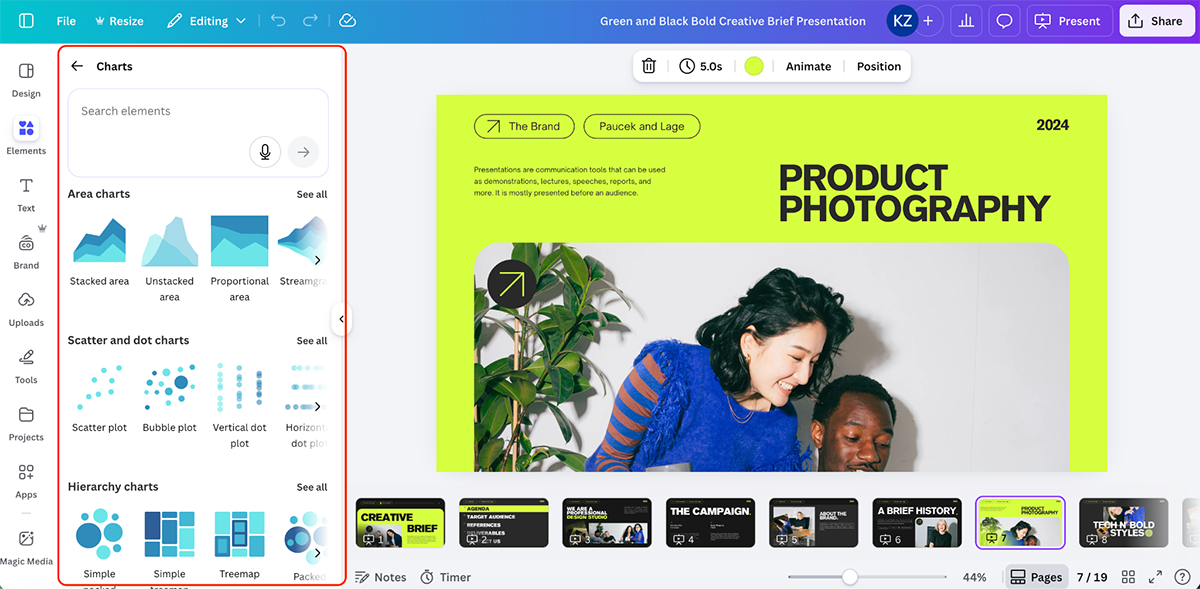
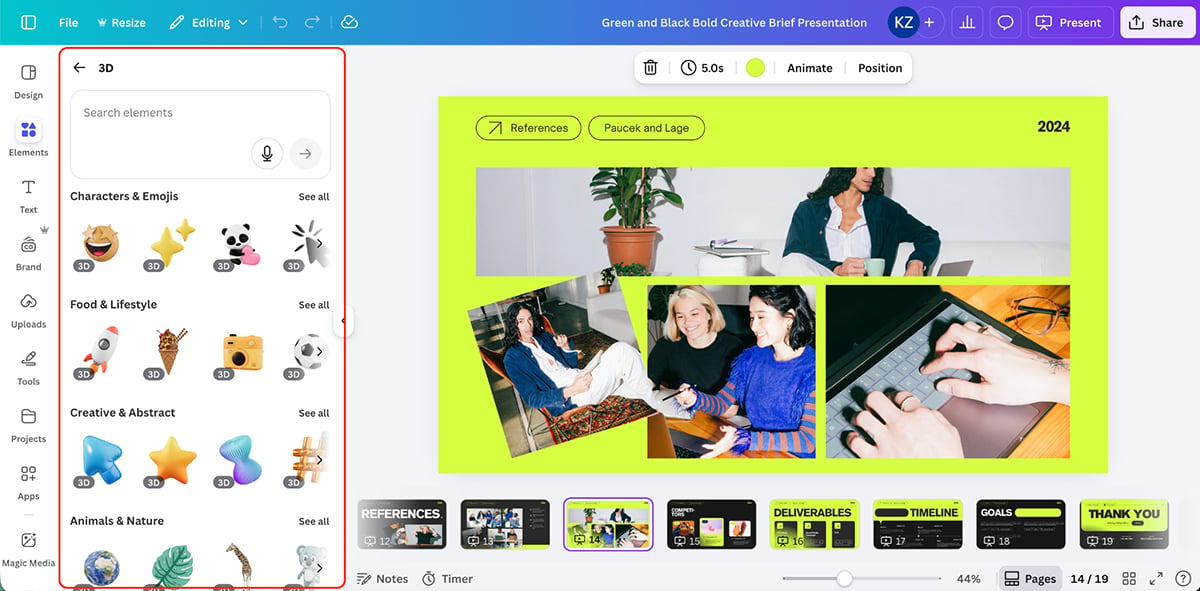
Beyond the basics, you also get forms, 3D elements, sheets, tables and mockups to add depth and functionality to your presentations.
You can store your brand colors, fonts, logos, templates and more inside Canva to keep all your designs consistent across projects.
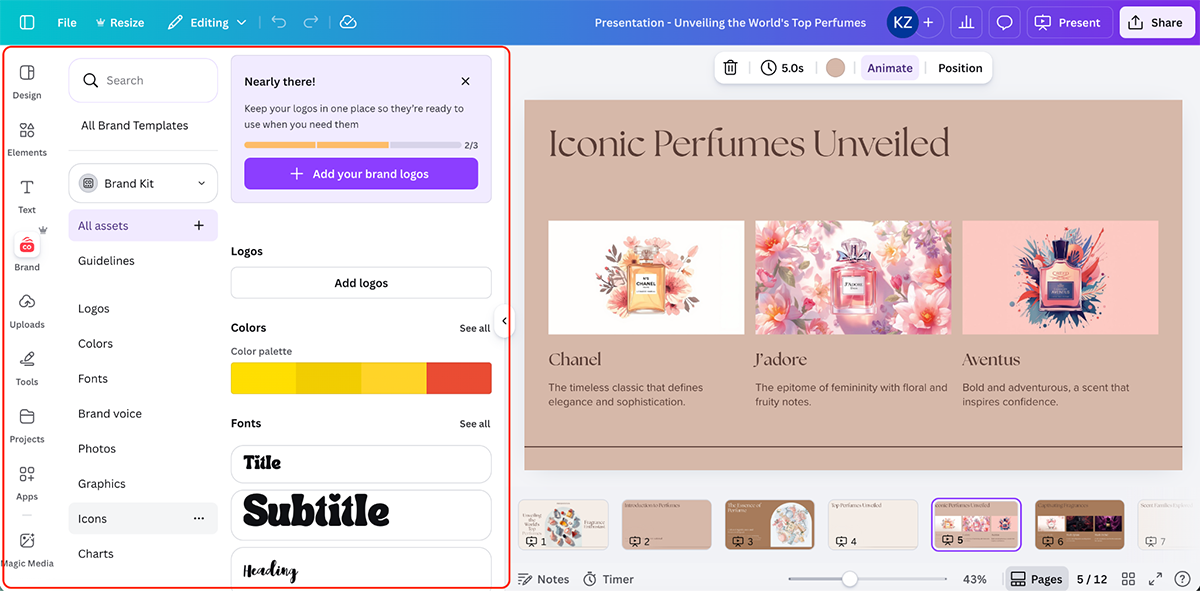
Teams can also lock brand elements and set permissions to control who can create and modify templates.
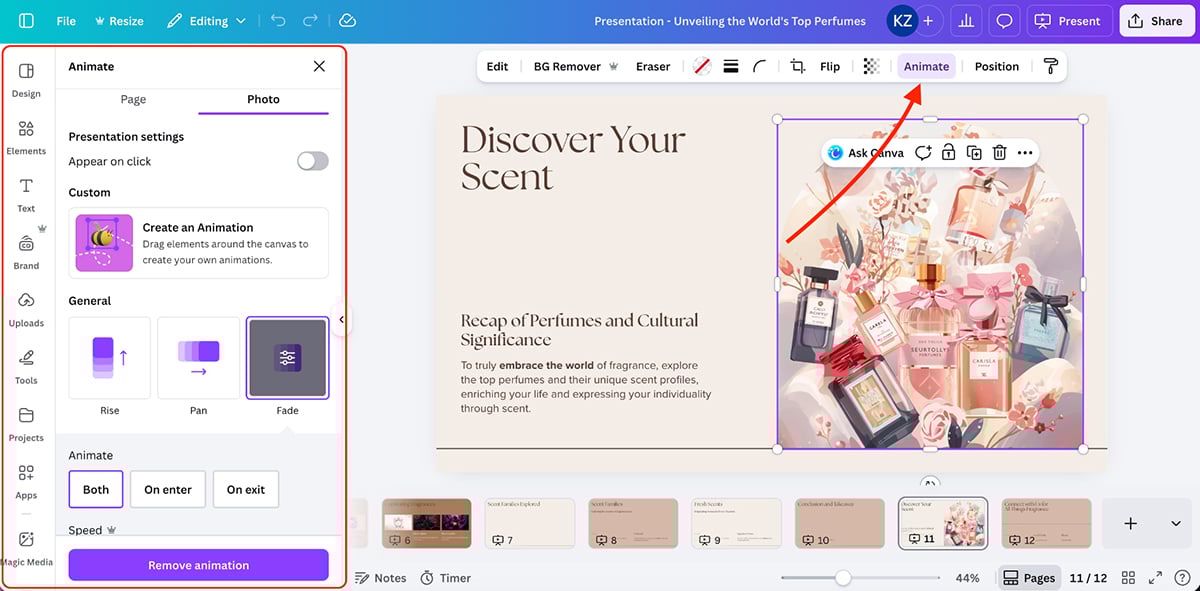
You can set animations to entire pages or to specific objects. Canva lets you apply entrance effects, transitions and motion graphics without needing animation expertise.
You can also create custom animations with full control over timing and effects.
Canva allows you to link slides to each other for non-linear presentations. It also supports embedding videos directly into slides.
Regarding interactivity, Canva has come a long way. For starters, you have the Interactive Slides feature that helps you create polls, surveys, word clouds and more by connecting to a Vivicon account.
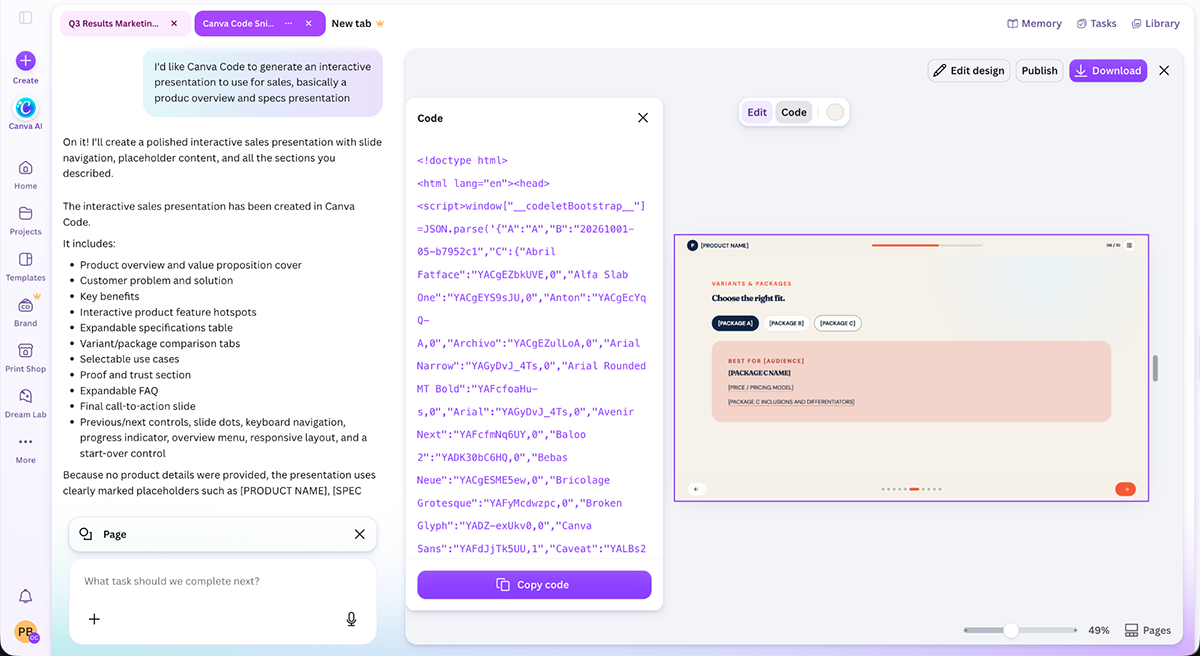
Most impressively, though, is Canva Code, which can generate fully interactive presentations from your prompt. Once generated, you can edit the actual slides, or the code and even copy the code to take it elsewhere.
Canva's AI features now run through Canva AI, which has absorbed most of the Magic Studio tools. Some are still available on their own.
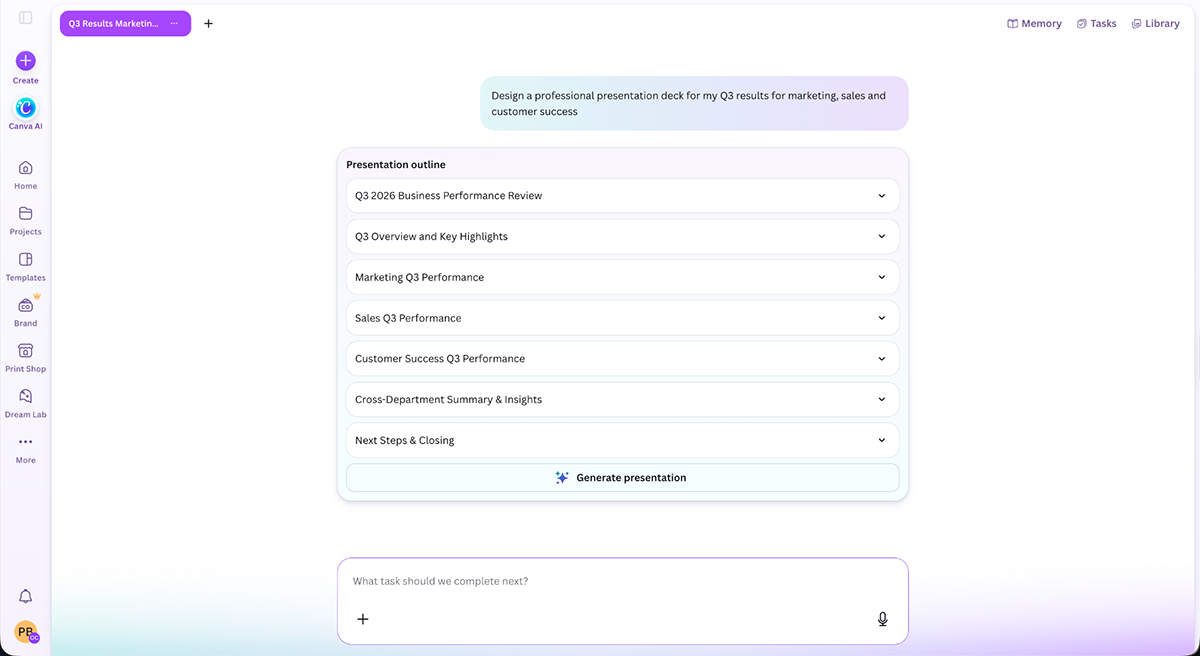
Describe your presentation in the Canva AI chat, and it generates an outline for you to review. Then click Generate to create an editable draft. Here's what the outline step looks like.
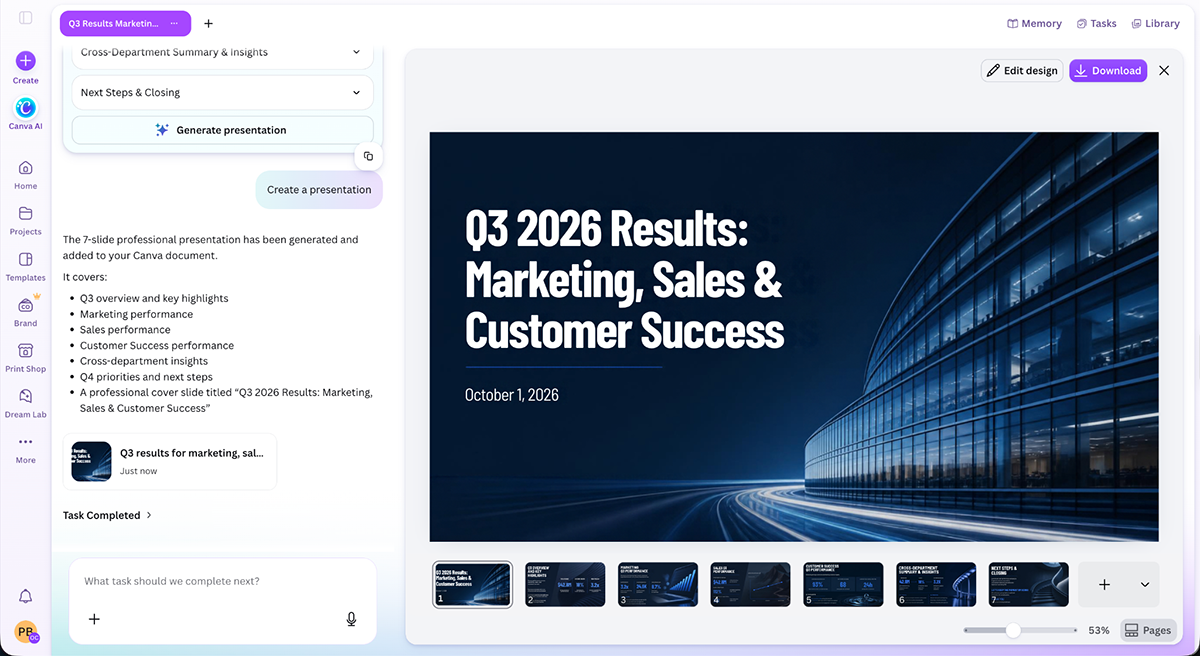
Once generated, Canva AI opened a chat with the generated slides in case I wanted more edits or tasks. Since this is Canva AI, you can ask for it to do pretty much anything that Magic Studio could do. Keep in mind that to continue the conversation, you need a paid plan.
When you click Edit Design, the editor opens with the chat still available for edits.
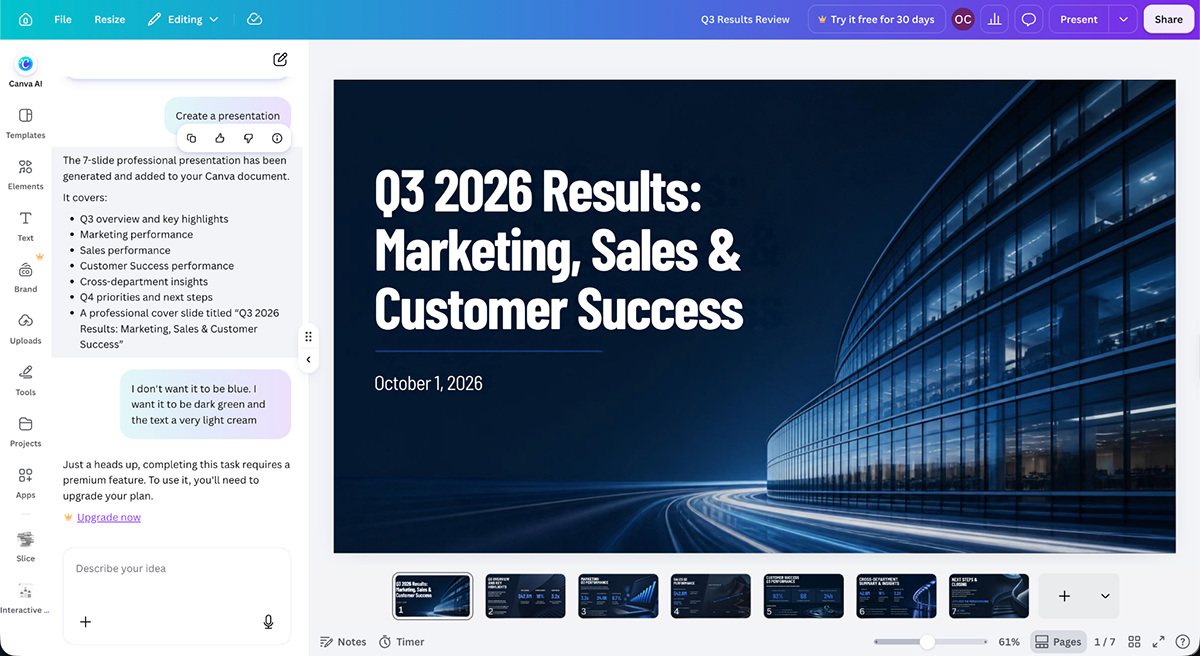
Last time I tested Canva AI, I didn’t like the results. Even though the structure was good, the visuals and copy were subpar. Now, the output is actually impressive. There isn’t much editing needed to the design, only to the copy.
Generate copy for presentation slides tailored to specific audiences and brand voices. You can use Magic Write to rewrite, shorten or adjust tone. Alternatively, use the “Ask Canva” bubble that shows up on any text box to talk to the chat about your text.
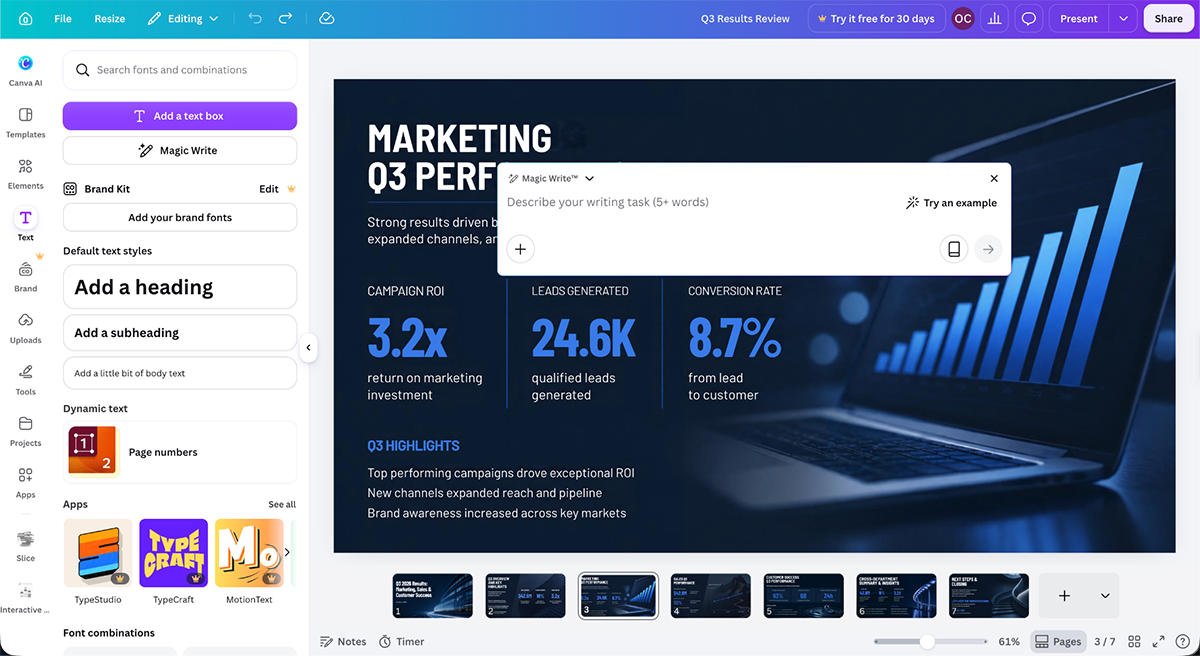
Other AI features include the following and a long list of third-party apps:
You can export presentations in multiple formats, including PDF, PNG, JPEG and PowerPoint (PPTX). You can also share via live web link or present directly from your browser.
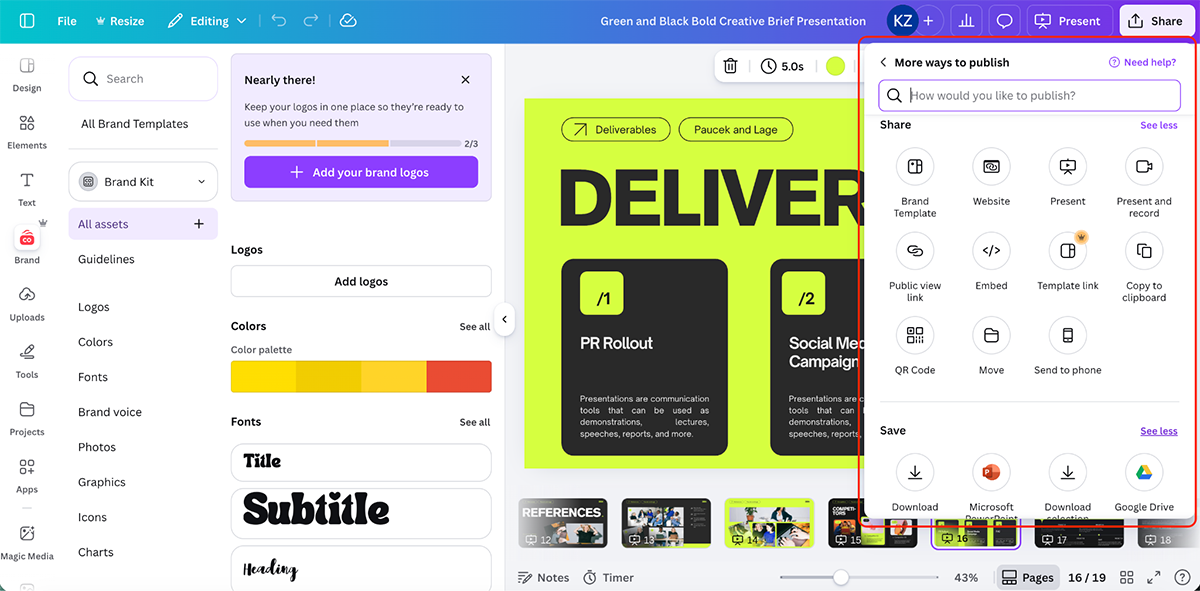
Canva supports integration with Google Drive, Dropbox, Slack and more.
Canva offers built-in analytics for presentations that track total unique visitors, total visits and external traffic sources (public view links, social media, website).
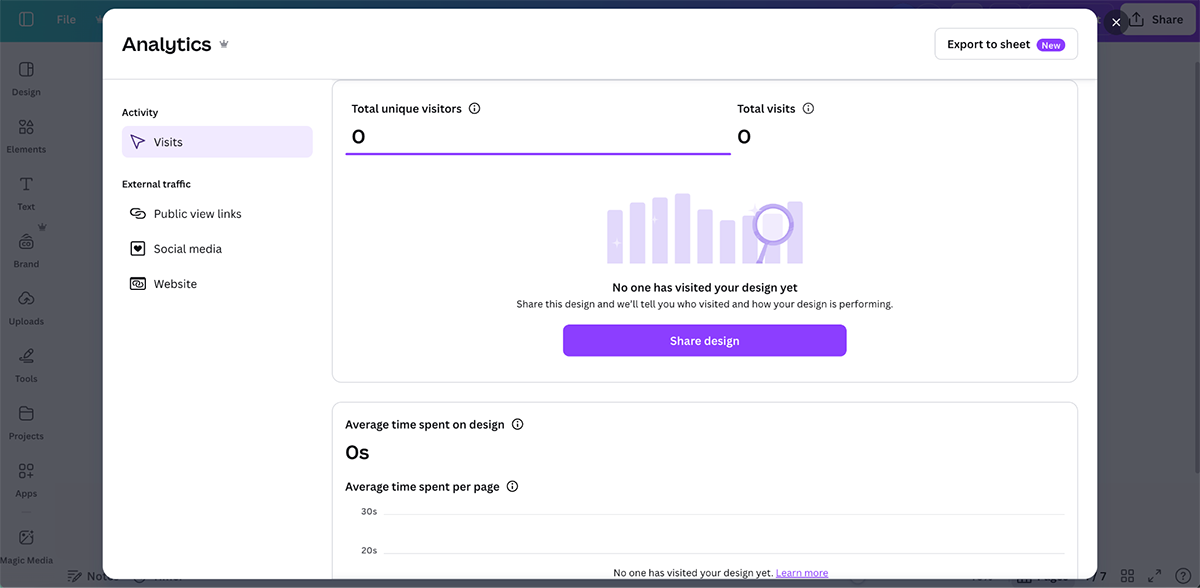
You can see the average time spent on the design and per page. You can also export these analytics to a Canva sheet.
Canva supports real-time collaboration where multiple team members can work simultaneously.
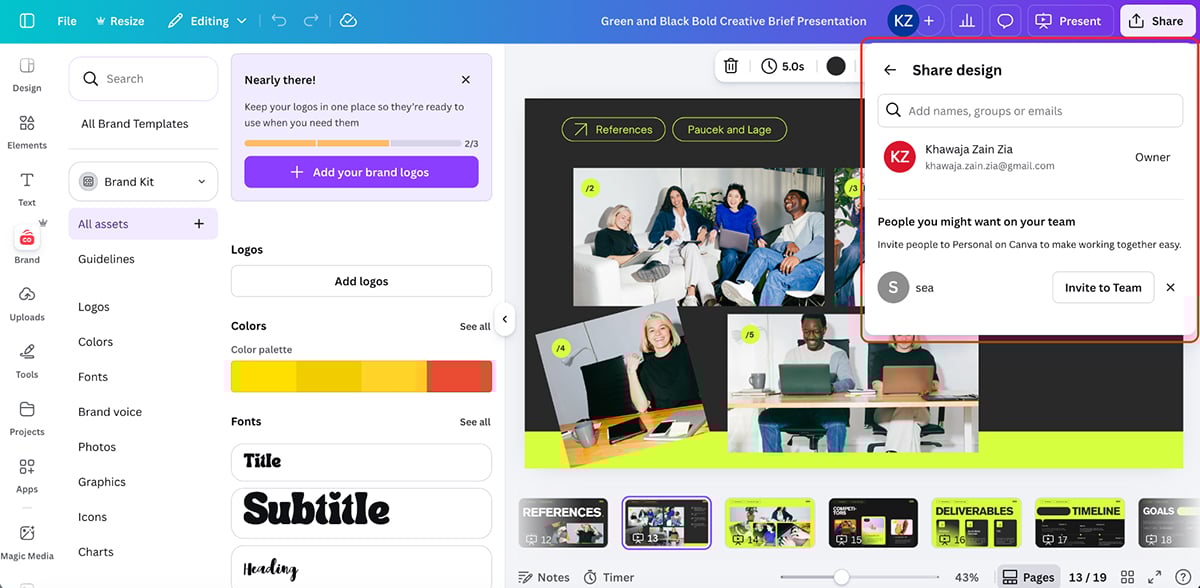
You can share folders, manage permissions and leave comments for team feedback. Version history is available too.
Canva works best for marketers, small business owners, social media managers and content creators. If you’re already using Canva for social graphics and ads, adding presentations to your workflow makes sense.
You can get started with Canva for free. The paid plans are as follows:
G2 Rating: 4.3/5 (60+ reviews)
Pitch is a collaborative presentation platform built for teams that create, share and follow up on decks together. It calls itself an "AI presentation workspace." Several people can edit the same deck at once, and Pitch Agent drafts on-brand slides from yours and Pitch’s templates.
Where Pitch differs from most tools on this list is what happens after you hit share. With pitch rooms, you can put your deck, proposal documents, pricing links, a Calendly booking page and next steps in one branded space for each prospect.
Let's look a bit deeper.
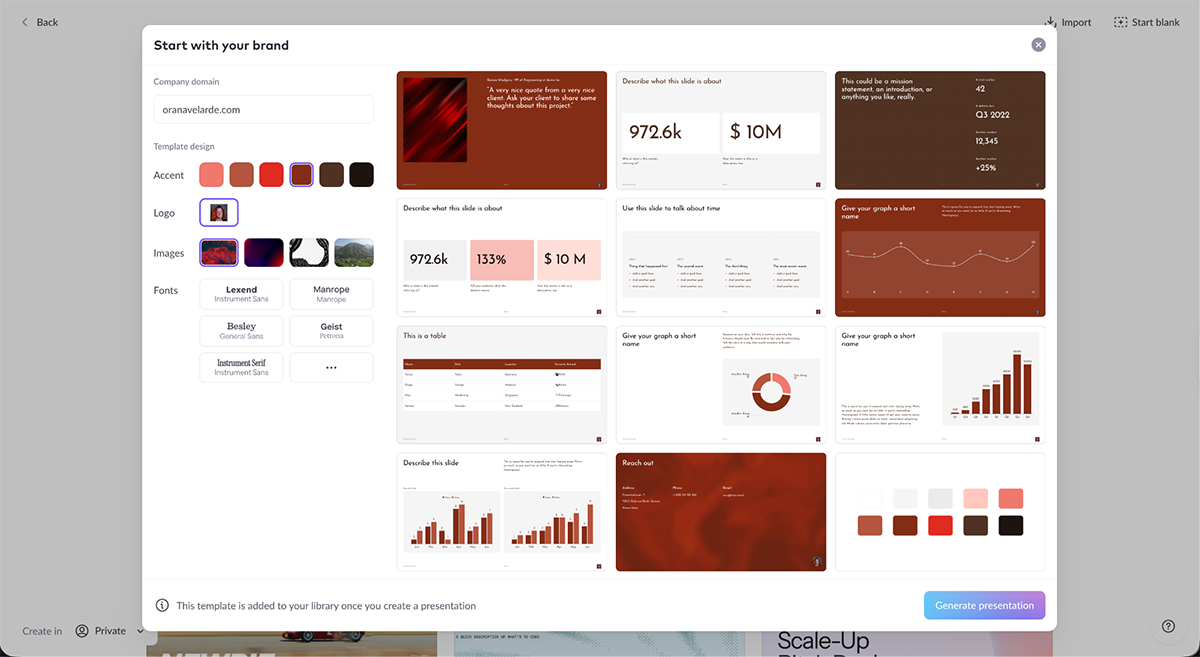
Pitch offers 100+ presentation templates, sorted into categories like pitch deck, marketing, startups, sales, strategy, proposal and report. The newest ones lean modern and editorial, with bold type and full-bleed images.
You can also type a prompt right at the top of the template gallery, import an existing deck or start from a blank canvas.
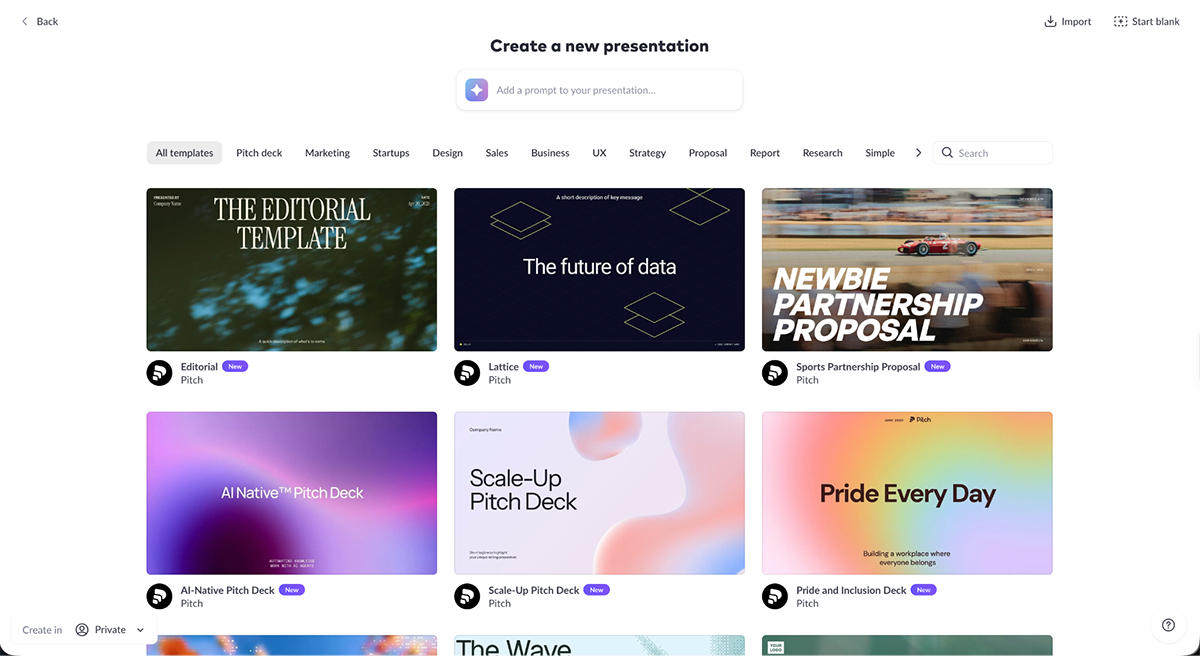
The toolbar in the editor offers these options: text, media, shapes, charts, tables, embeds, recordings and Pitch's "Anything" block. The Anything block works with Pitch Agent and lets you "vibe-design interactive, on-brand slides in seconds." You describe what you need, and AI builds it on the slide.
The shape library goes beyond basic shapes, with sticky notes, buttons and labels, and process diagrams.
For data visualization, Pitch offers column, bar, line, area, pie and donut charts. You can type in data, or import it from a CSV file, Google Sheets or Google Analytics.
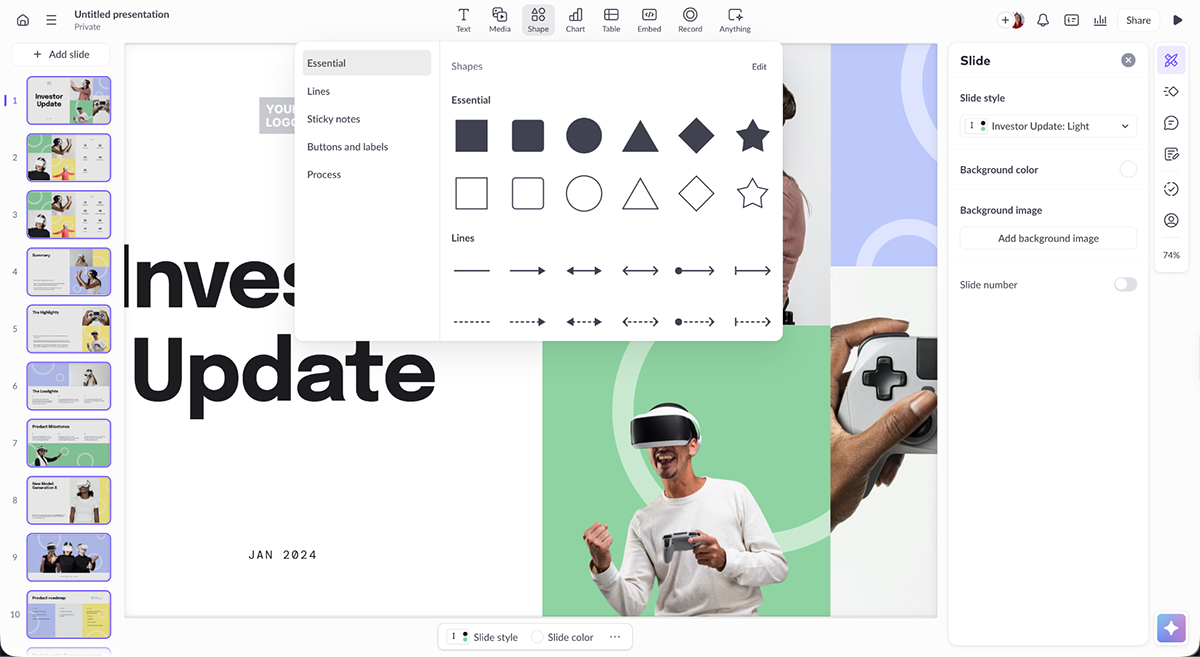
Pitch doesn't have a dedicated Brand Kit, but its brand setup is similar to Visme’s. Enter your company domain, and Pitch pulls your accent colors, logo and images, then previews a full template in your brand. You pick the fonts, and the template saves to your library once you create a presentation.
For teams, slide styles store colors, fonts and backgrounds you can publish to the whole workspace. The Workspace Library holds shared templates, images, videos and custom fonts.
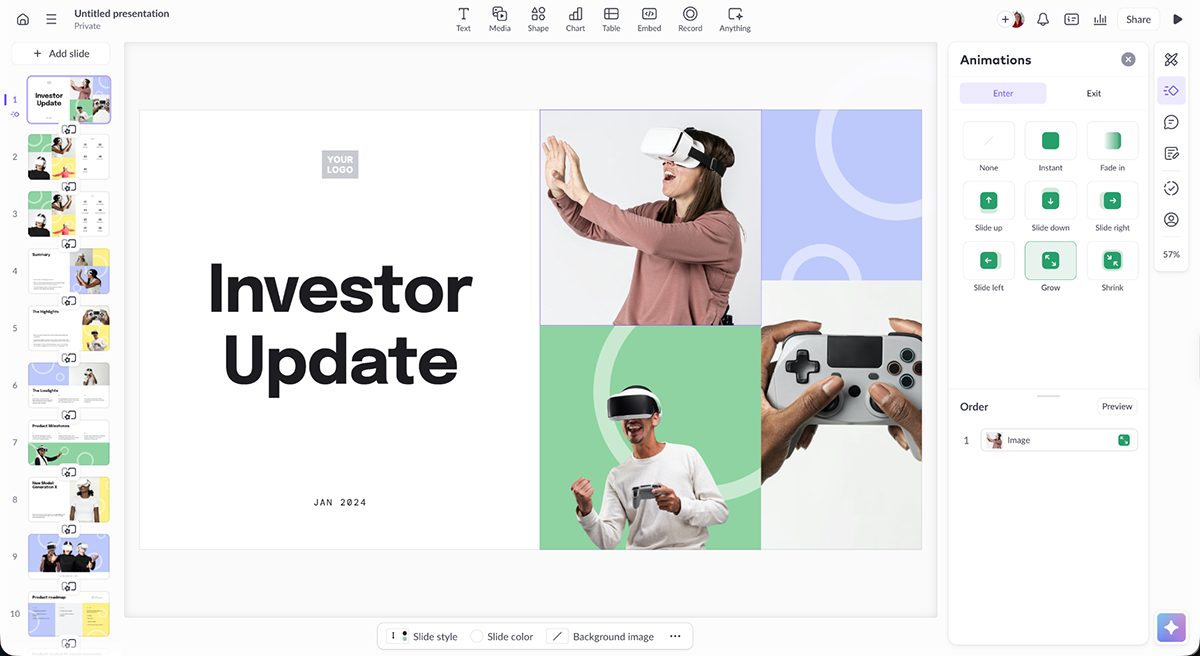
The Animation options are quite limited. There’s not much you can do and there’s no timeline editor to control timing granularly. The panel offers Enter and Exit effects: Instant, Fade in, Slide up, down, left and right, Grow and Shrink. You set the order in a list and preview it before presenting. Pitch also has Continuity, a smart transition that morphs matching blocks from one slide to the next.
There are no hover effects or click-triggered pop-ups. Animations play step by step as you present.
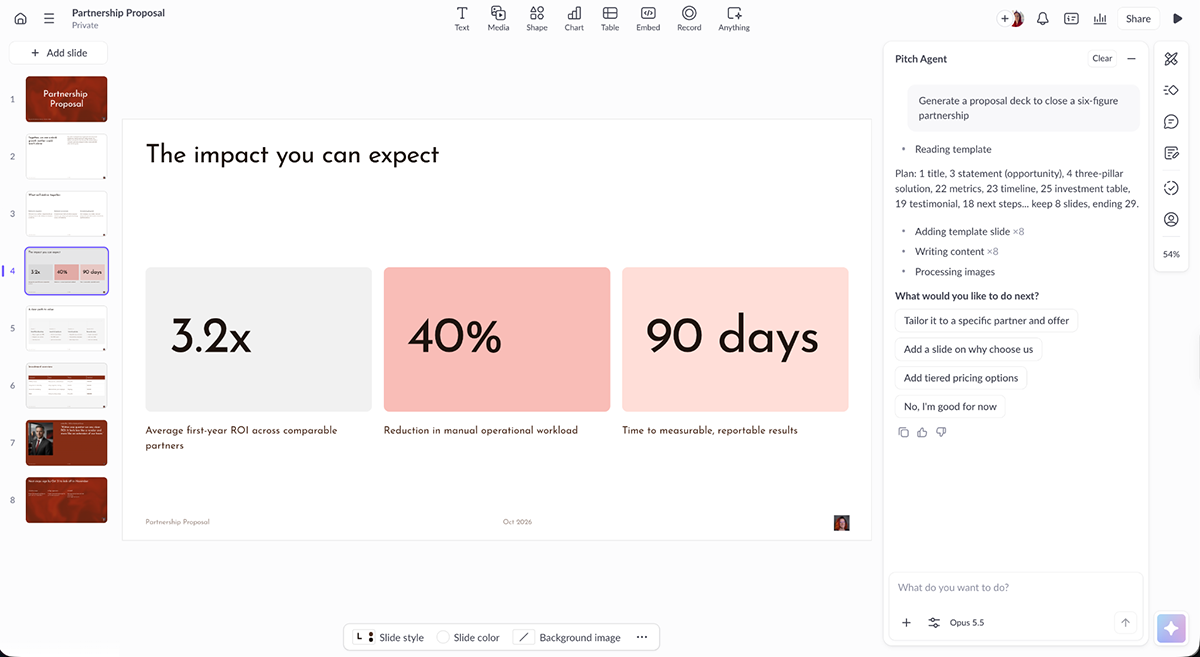
I asked Pitch Agent to "Generate a proposal deck to close a six-figure partnership." Before building the slides, it read the template I built with my brand earlier and shared its plan: which slide types it would use (title, opportunity statement, three-pillar solution, metrics, timeline, investment table, testimonial, next steps) and that it would keep the deck to 8 slides. Then it added the slides, wrote the content and processed the images, step by step in the chat panel.
The result looked polished and on-brand from the first slide. Something interesting I noticed: the Agent filled the metrics slide with figures like "3.2x average first-year ROI" and added a sample testimonial. So it created placeholders for me to swap with what would be my real numbers before sharing the deck.
After generating, the Agent suggests next steps, like tailoring the deck to a specific partner, adding a "why choose us" slide or adding tiered pricing. You can also pick which AI model it uses.
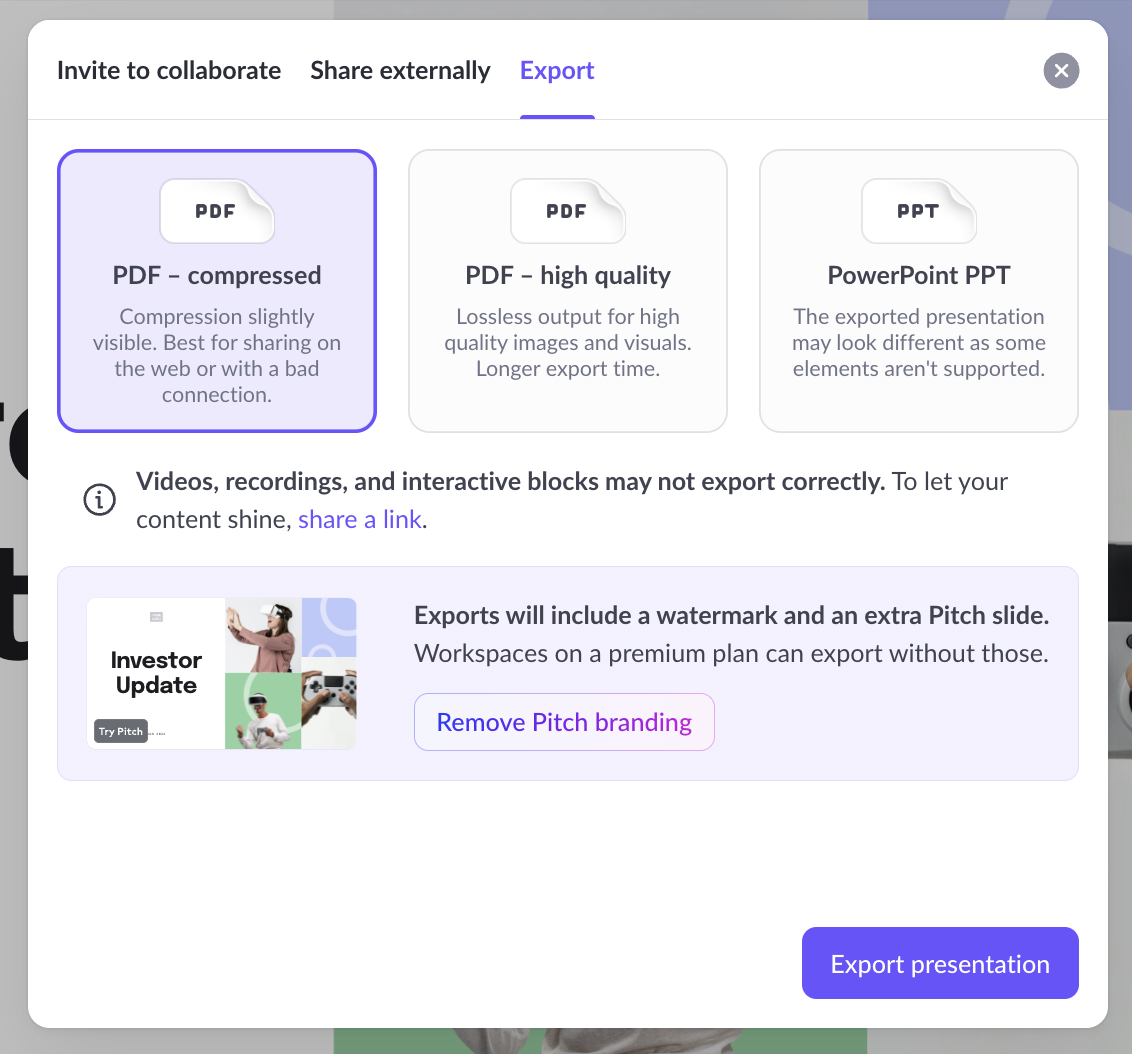
You can share Pitch decks as links, embed them on websites or in tools like Notion and Confluence, or export them. The Export tab offers compressed PDF, high-quality PDF and PowerPoint.
On the free plan, exports include a Pitch watermark and an extra Pitch slide. Pitch also warns that videos, recordings and interactive blocks may not export correctly, and recommends sharing a link instead.
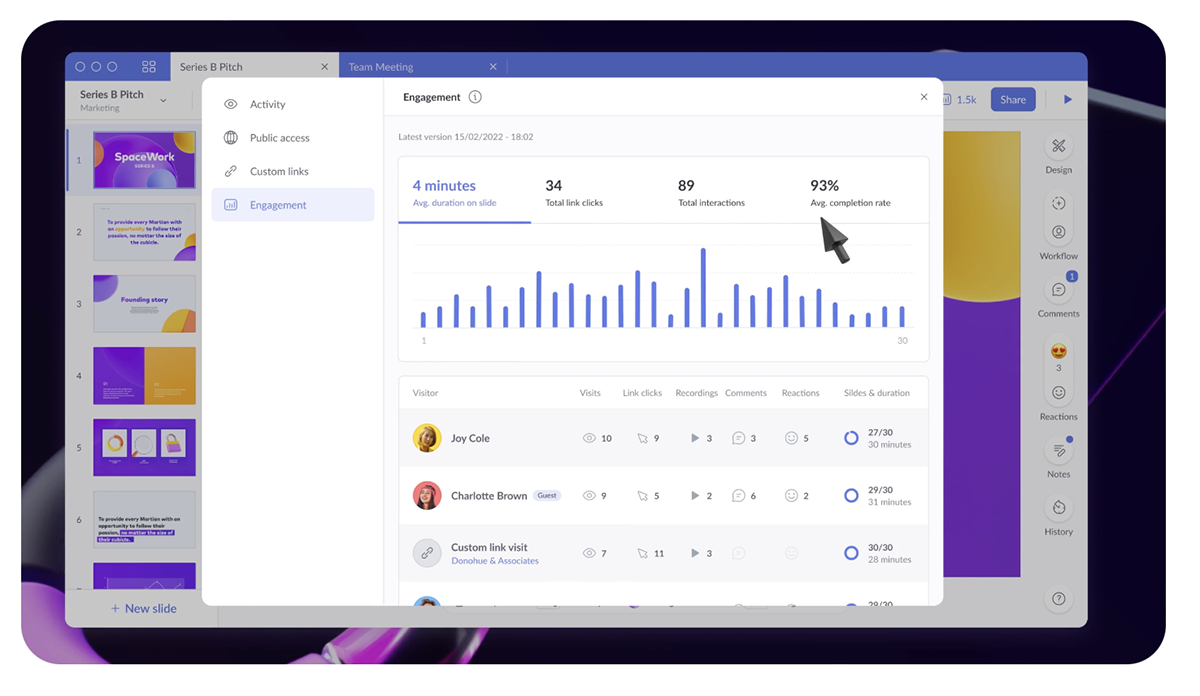
Pitch's engagement dashboard shows average time per slide, link clicks, total interactions and completion rate. For each visitor, it lists visits, link clicks, recordings watched, comments, reactions and how many slides they viewed. Analytics links start on the Team plan.
Pitch rooms bring this tracking to the whole deal. A pitch room is a branded space where you share decks, documents, links, embeds like Calendly or Typeform, action items and your contact details with a prospect, all from one link. Click the analytics icon on any pitch room link to see who viewed what and when. Your links overview page collects every pitch room link in one place, so your team can see which prospects are engaging.
I could not test or see these dashboards since they are behind the paywall, but Pitch’s documentation is comprehensive and explains everything well.
If your decks are mainly for prospects, compare more options in our list of interactive sales presentation software.
Shared links can have a passcode, require visitors to enter their email, and expire on a set date. You can also turn PDF downloads on or off.
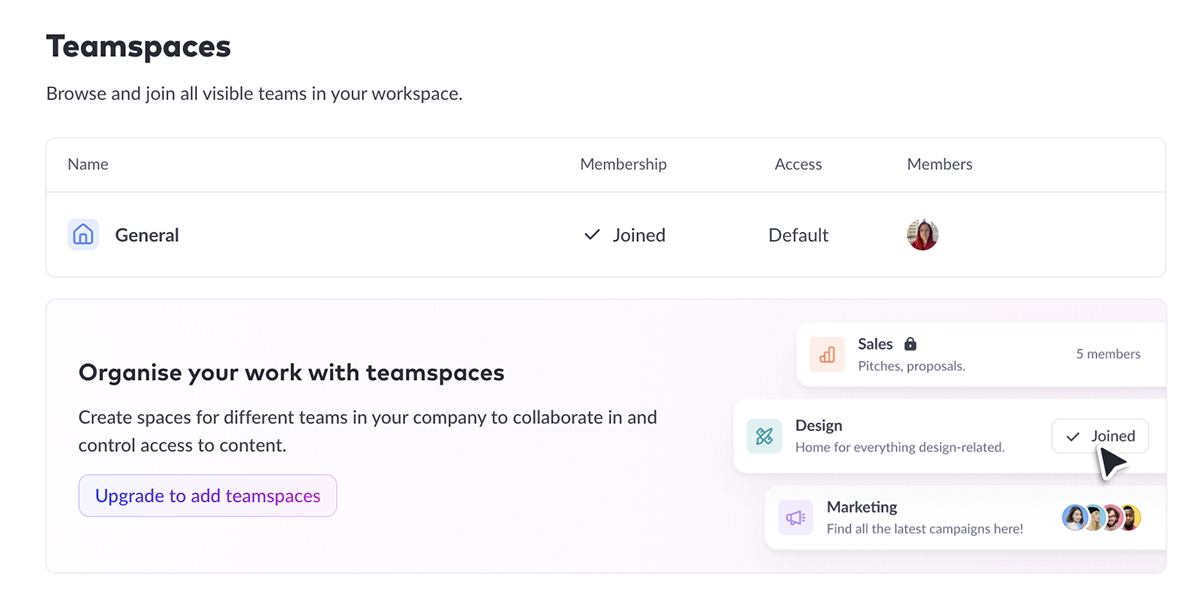
For teamwork, Pitch offers real-time co-editing, comments and slide assignments. Teamspaces, which organize decks by team with their own access settings, need a paid plan.
Pitch works best for startups, sales teams and agencies that build decks together and need to track how prospects engage with them.
You can get started with Pitch for free (up to 5 members). The paid plans are as follows:
G2 Rating: 4.4/5 (8 Reviews)
SlidesAI is an AI-powered presentation maker that started off as an assistant inside Google Slides, Microsoft PowerPoint, and ChatGPT. Through those integrations it takes your existing text, notes, scripts, or even YouTube videos and builds well-designed slides from them.
What I like about the original SlidesAI is that you don’t have to leave the tools you already use. If your team relies on Google Workspace or Microsoft 365, you can generate AI-powered slides in seconds without switching platforms. And if you’re a ChatGPT user, you can simply draft your outline in chat and send it straight to SlidesAI for slide generation.
A new feature available in 2026 is the web version that doesn’t require Google Slides or PPT at all. Now you can use SlidesAI to generate complete presentations, edit them or export them to Google Slides and PPT.
In the Google Slides and PowerPoint add-ons, SlidesAI doesn't have its own standalone template library. Instead, it works with the native templates of Google Slides and PowerPoint. This is actually a strength, because you can apply your company's existing theme or brand templates and let the AI auto-fill the content, keeping everything consistent with your brand.
In the web app, you pick a design theme during generation and can switch the slide style afterward, for example between light and dark.
Because SlidesAI is embedded in Google Slides and PowerPoint, it inherits all their capabilities. That means you can:
Basically, SlidesAI handles the content generation, and you can layer in multimedia just like you normally would.
The web app editor has its own toolbar for inserting elements, media and shapes, plus a Theme menu. Generated decks include editable diagrams, flowcharts, charts, tables and timelines.
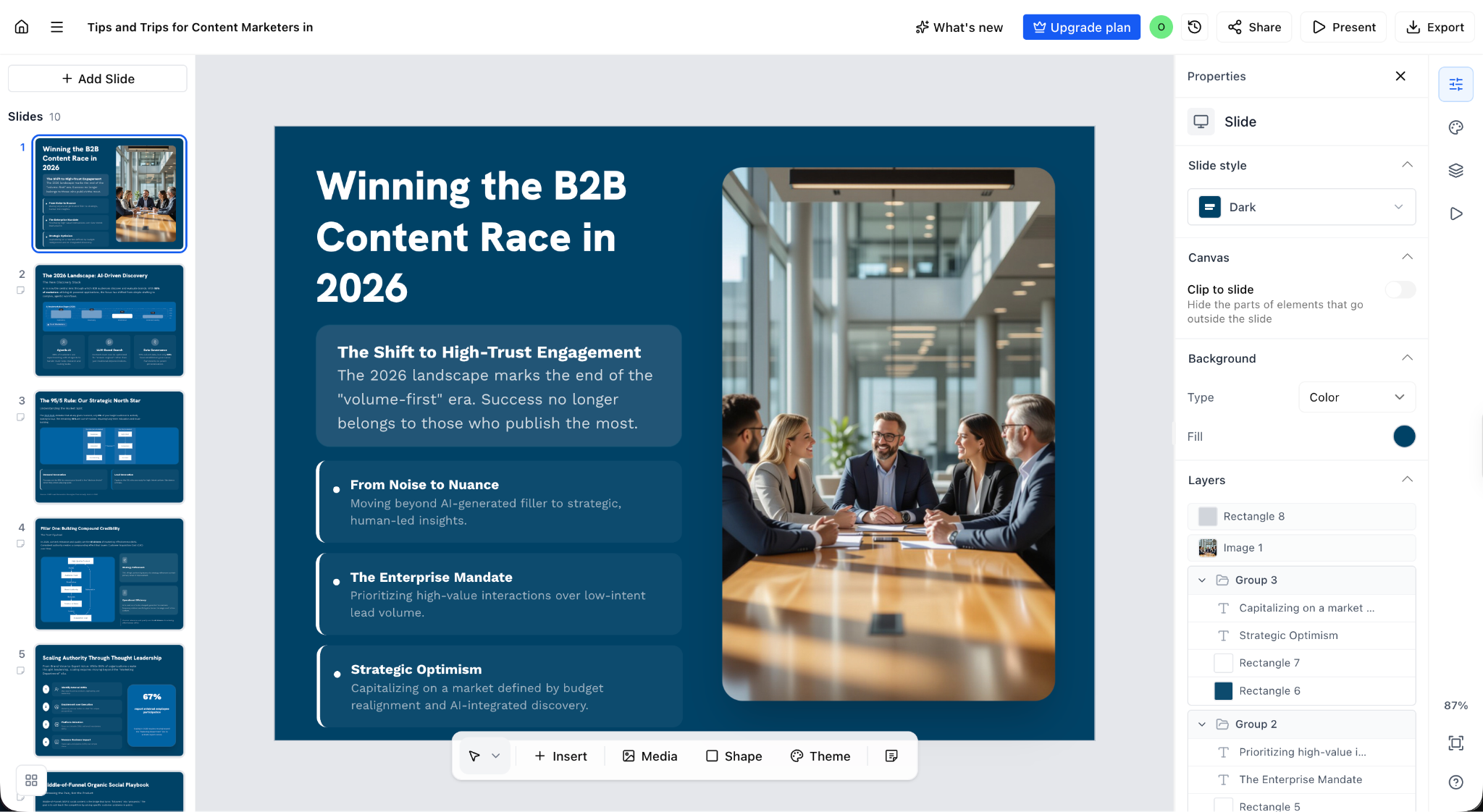
SlidesAI doesn't have a Brand Kit. In the add-ons, branding comes from the Google Slides or PowerPoint theme you apply. In the web app, you can adjust the theme, slide style and background color of each slide.
SlidesAI adds animations and slide transitions automatically when it generates your deck, and you can keep them when you export to PowerPoint. For anything beyond that, use the animation tools in Google Slides or PowerPoint.
I found SlidesAI incredibly simple to use, especially in Google Slides. Once installed, you highlight your notes or paste in content, click "Generate with AI," and within seconds you'll have a polished deck.
In PowerPoint, it works just as smoothly. Add the SlidesAI add-in, paste your text, and the AI breaks it down into slides with layouts and design suggestions.
When used with ChatGPT, the process is even more flexible. You can ask ChatGPT to draft your outline, refine it, and then hand it off to SlidesAI, which formats it into a professional presentation inside Google Slides.
The AI is where SlidesAI shines. You can:
In my tests, the AI did a great job of keeping slides concise and audience-friendly. I especially liked that I could regenerate or tweak slides until I was happy with the result.
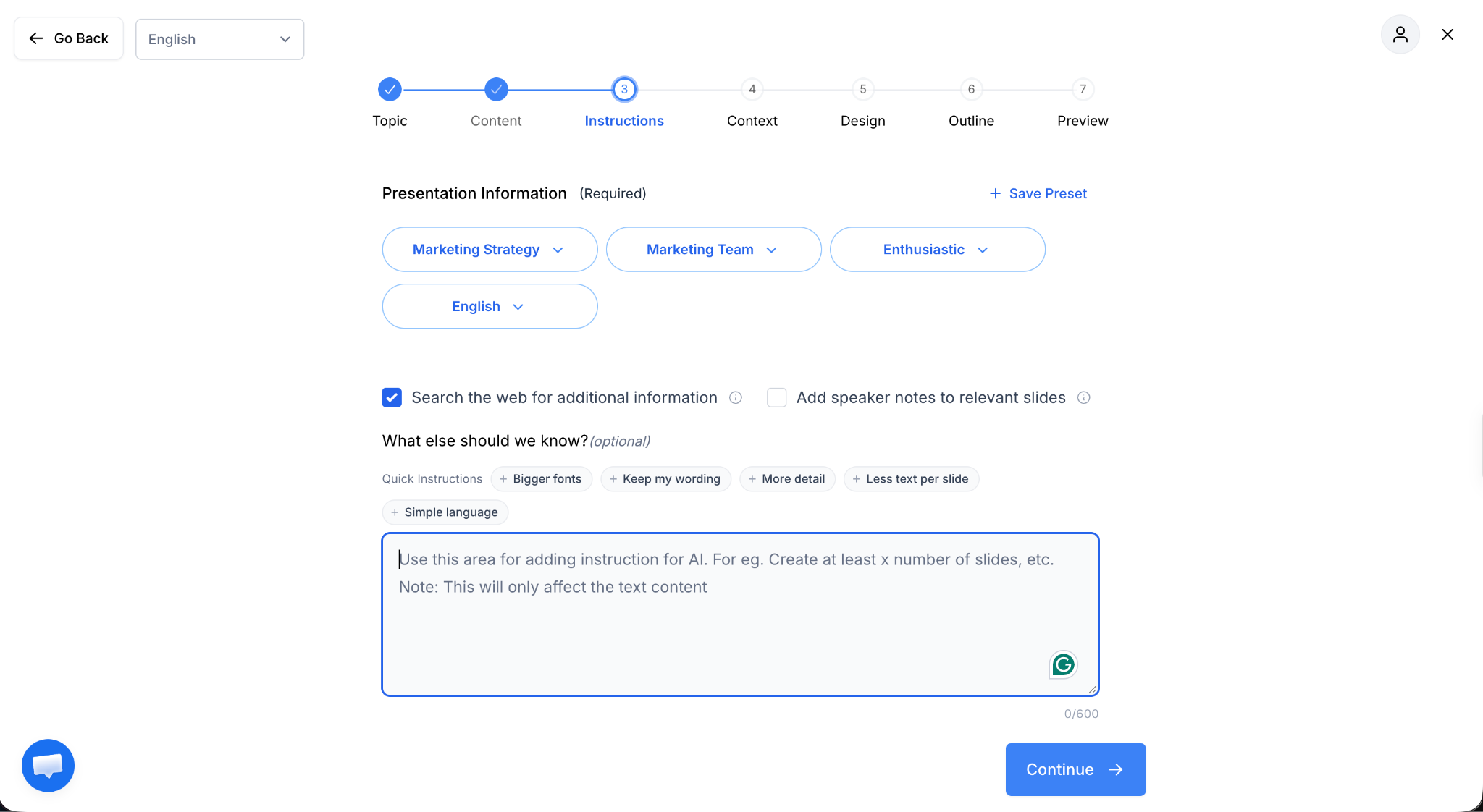
The web app adds more control up front. It walks you through seven steps: topic, content, instructions, context, design, outline and preview. In the instructions step, you set the presentation type, audience, tone and language. You can let it search the web for extra information, add speaker notes, and use quick instructions like "Keep my wording" or "Less text per slide." Once the deck is generated, you edit it by hand, since there's no AI chat for refining slides.
When I tested the web app with a content marketing topic, it built 10 slides with diagrams, data callouts, a comparison table and images. With web search turned on, it also added statistics, so check every number before you present.
Presentations created with the SlidesAI add-ons are just standard PPTX or Google Slides files. That means you can download them as PDFs, PPTs or images and present them offline whenever you need.
From the web app, you can export to PowerPoint, PDF or Google Slides, choosing all slides, the current slide or a custom range. Free exports include a SlidesAI watermark.
SlidesAI doesn't offer viewer analytics.
This is another area where SlidesAI excels. Since it lives in Google Slides and PowerPoint, collaboration feels natural:
The web app has a Share button and version history.
SlidesAI is designed for people who want to save time without compromising on quality. Now that it’s available as a web app, it opens up more opportunities for users that don’t work in PPT or Google Slides.
SlidesAI was one of the fastest ways I tested to go from raw text to a finished deck. The add-ons work without leaving Google Slides or PowerPoint, and the web app lets you set the audience, tone and text density before generating.
Skip SlidesAI if you want to refine slides with AI after generation, or need viewer analytics.
SlidesAI offers a free plan with limited presentations, plus paid tiers with higher usage limits:
Still have questions? We've compiled answers to some of the most frequently asked questions about the best presentation tools available.
Before we get into the tools, let me quickly brief you on what exactly presentation software is. Presentation tools are web, desktop or mobile-based applications that enable users to visually present ideas or share knowledge.
You can typically deliver these presentations as a series of slides (or a slideshow) using a combination of text, images and other graphic elements.
Presentation software is frequently used to pitch an idea to investors, present proposals to clients, introduce new products or services to customers, train staff on new policies or ideas, or teach your students new or complex concepts.
When choosing the right presentation programs for your projects, there are some things to consider: Here are some questions you need to ask yourself:
There are many presentation tools out there but Visme stands out as a top pick and a creative presentation app with a full suite of advanced features tailored to the needs of individual users and businesses. Visme offers real-time collaboration, interactive and animated elements, hyper-customization options, robust data visualization tools and a brand wizard to maintain brand consistency across your presentations.
Visme is often considered a top presentation software and offers several advantages as a PowerPoint alternative. Its intuitive interface and extensive template library make creating visually stunning presentations seamless, even for beginners. The collaboration features are superior, allowing teams to work seamlessly. On top of that, it’s packed with advanced interactive and animated elements to keep your audience hooked.
PowerPoint and Prezi each have strengths and are suited for different presentation styles. PowerPoint is easy to use, has a clear structure, and is widely available, making it suitable for traditional slide decks and formal presentations. On the other hand, Prezi excels at non-linear, visually engaging presentations with its zooming and panning features, making it ideal for creative or storytelling presentations. The best choice depends on your content, audience and desired presentation style.
Visme offers a powerful presentation app that allows you to create, edit and present your slides from anywhere. Its mobile app is designed for on-the-go editing and presenting, ensuring you always have your presentation at your fingertips.
Canva and PowerPoint are tailored to suit the diverse preferences and requirements of different users.
Generally, Canva is known for its drag-and-drop interface, extensive library of design-focused templates and emphasis on visual appeal. It is an excellent choice for those who value aesthetics and want to create content quickly. On the other hand, PowerPoint offers more traditional features and is super flexible. It is often preferred due to its integration and compatibility with other Microsoft Office tools.
Choosing the best presentation program for your business is a great first step towards better and more effective slide deck development. In this guide, you learned about 15 different types of presentation software and we gave you a comparison table to speed up your decision making.
If you're looking for an easy-to-use presentation maker that also comes with unique features that you won't find in most other tools, Visme might be a great option.
You can look for the right pricing plan for your needs and even apply for a discount if you're a nonprofit organization. And if you just want to try out Visme to see if it's a good fit, sign up for a free account and use it for as long as you like — no strings attached.
*All logos, trademarks, and brand names used in this article are the property of their respective organizations. Their inclusion is for identification purposes only and does not imply any endorsement or association with our organization.
Design visual brand experiences for your business whether you are a seasoned designer or a total novice.
Try Visme for free