Employee Onboarding Training: A Complete Guide for HR and L&D Teams

The skills employees need are constantly changing.
New technologies, evolving roles and shifting business priorities mean organizations need to keep developing their people.
Companies are investing heavily in that effort. Research from Josh Bersin shows that corporate learning spending grew by double digits over two years, reaching more than $1,400 per employee annually on average.
But spending more doesn't automatically produce better training. HR and L&D teams still need to identify the right skills gaps, choose suitable training methods, create useful learning content and measure whether employees are actually improving.
This guide covers the entire process. We’ll look at how to identify training needs, create an employee training plan, choose the right methods and delivery formats, develop training materials and measure effectiveness. You’ll also find examples, templates and practical resources you can use to build or improve your own employee training program.
New to employee training? Watch our Employee Training 101 video below for a quick introduction to the fundamentals.
Training and development is the process of building the knowledge, skills and capabilities employees need for their current job and future growth. It sits within the broader Learning and Development (L&D) function, which connects employee learning to company goals.
L&D teams strategize, plan, create, deliver and track training programs. They also support career progression and manage learning technology. L&D contributes to company culture, but leadership, HR and managers shape it together.
Training and development are split into two related but distinct functions, each with its own type of program.
The infographic below summarizes the major differences.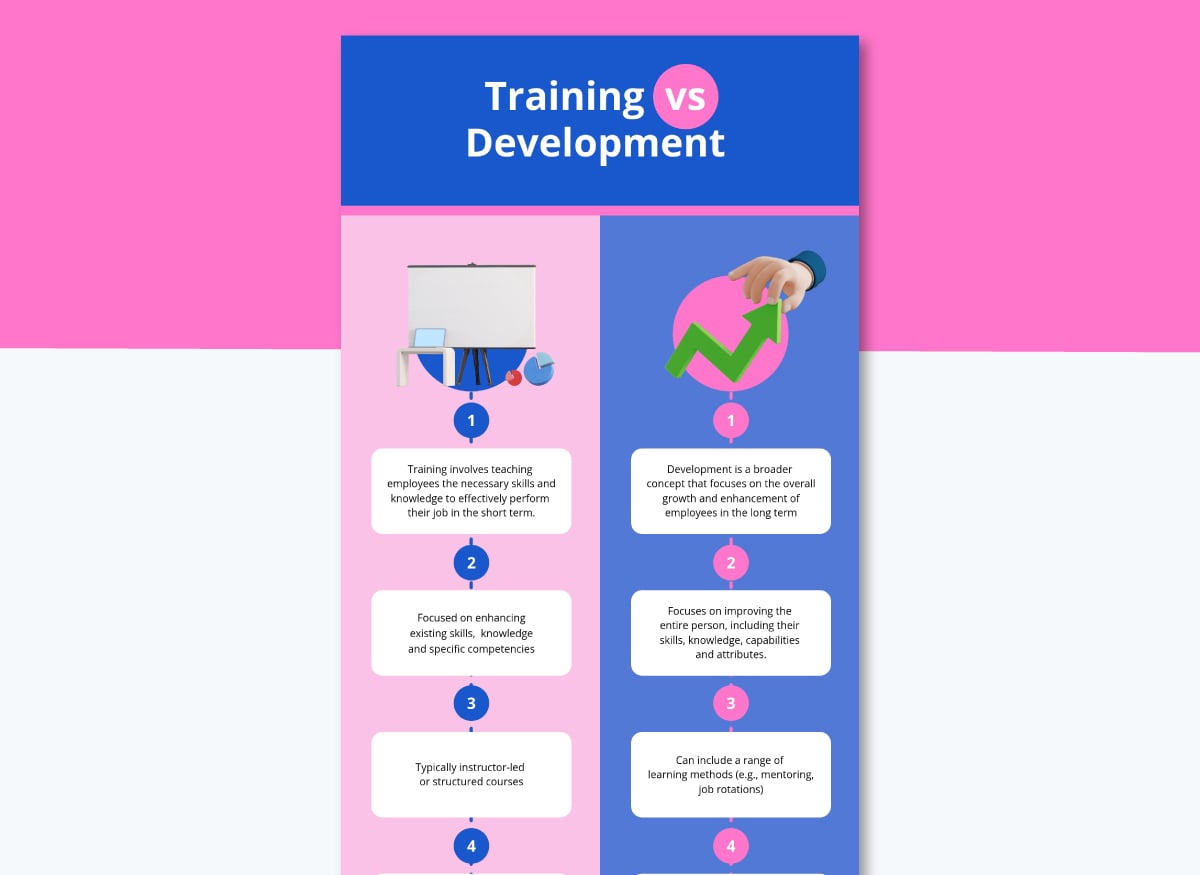
Training and development affect not only the individuals in an organization but also the organization as a whole. Here are five data-backed reasons why training and development are worth your time and budget.
Made with Visme Infographic Maker
Training programs are grouped into categories that align with a particular purpose, like onboarding, compliance or skills development.
Below, we break down seven common types of employee training and what each should cover.
We also suggest methods, materials and delivery formats that tend to fit best for each type. Take these suggestions as a starting point; you can then adjust the details to your team's reality.
Onboarding training covers all the knowledge a new employee needs to do their job. This includes foundational knowledge about their role, information about company policies and the specific skills they’ll need on a day-to-day basis.
This type of training needs to cover a lot of ground, including topics like:
| Examples | |
|---|---|
| Methods | eLearning and self-paced online training, blended learning, on-the-job coaching and buddy systems |
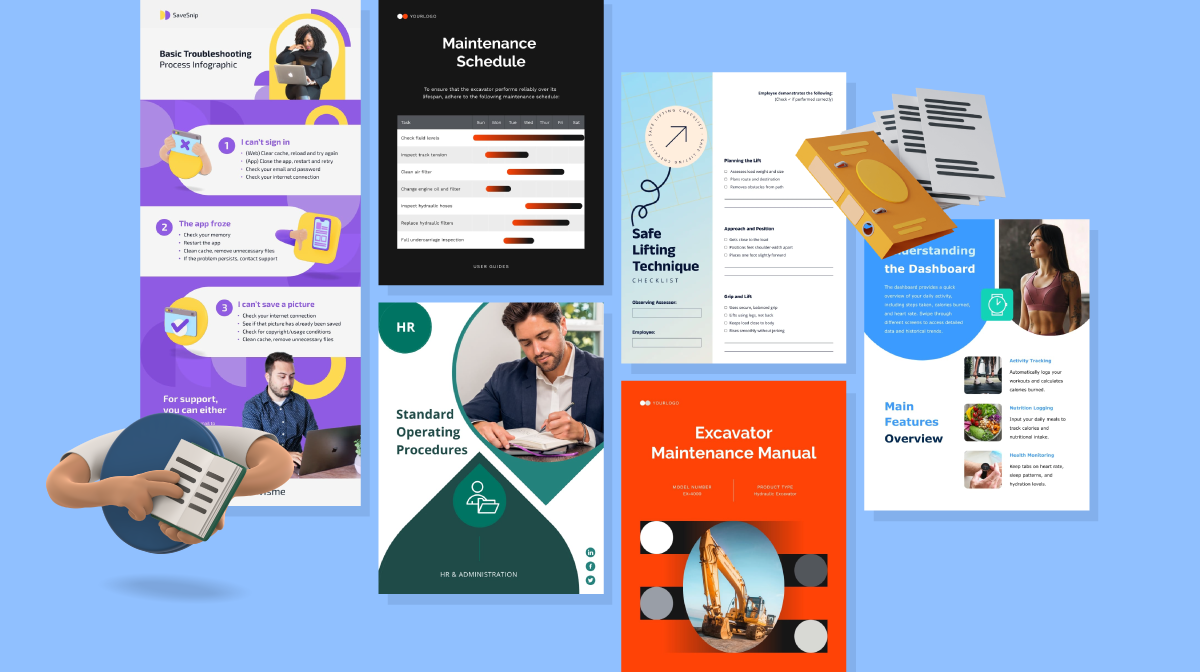
| Materials | Training manuals, onboarding checklists, orientation presentations and explainer videos |
| Delivery Formats | Self-paced pre-work through an LMS, live in-person orientation, hands-on coaching for role-specific tasks and meetings with the team |
Compliance training covers what employees need to know to meet legal, regulatory, policy and risk requirements. The specific topics depend on the nature of the organization, where it's located, what the work entails and any internal policies or contractual obligations tied to the role.
According to SHRM, no single federal law covers every employer. That’s why specific rules kick in based on your industry, location and workforce.
These are some common compliance training topics that are sometimes complete programs or part of others, like onboarding or sensitivity training.
| Examples | |
|---|---|
| Methods | eLearning and self-paced online training for informational knowledge and instructor-led training for judgment-heavy topics like ethics |
| Materials | Training manuals (built from the actual SOP or policy), knowledge checks or quizzes and training checklists |
| Delivery Formats | Self-paced through your LMS and group discussion sessions |
Skills training refers to any program designed to teach a specific skill. Most skills fall into one of three categories:
| Examples | |
|---|---|
| Methods | Blended learning for hard skills, interactive learning for tech walkthroughs or mentorship for soft skills |
| Materials | Interactive modules, worksheets, training videos and personalized assessments |
| Delivery Formats | Self-paced instruction paired with live practice, role-play or shadowing |
Product knowledge training teaches employees the ins and outs of your company's own product: what it does, how it works and how to talk about it. This is internal-facing and built for your team.
It’s different from training on the tools employees use to do their jobs, such as an internal wiki or project management software. That falls under technical skills training.
Most of the product knowledge training is directed at customer-facing teams, but it isn't limited to them:
| Examples | |
|---|---|
| Methods | eLearning and self-paced online training for reference material, instructor-led or virtual instructor-led training for new feature launches |
| Materials | Product training manuals, job aids, comparison infographics and process diagrams |
| Delivery Formats | Self-paced reference material kept centralized, live demo sessions when something new ships and microlearning modules for ongoing reinforcement |
Leadership and management training builds the skills people need to lead others, whether that's a first-time manager learning to run one-on-ones or a senior leader preparing for a bigger role.
Leadership training works alongside succession planning, hiring and performance management to grow people internally. It's how organizations support internal career growth so critical roles don't sit empty when someone leaves. According to DDI's Global Leadership Forecast 2025, only 20% of HR leaders say they have leaders ready to fill their most critical roles, and on average, internal candidates can fill only 49% of critical positions immediately.
| Examples | |
|---|---|
| Methods | Mentorship programs, instructor-led training and cohort-based programs |
| Materials | Workshop presentation decks, management job aids and personal development workbooks |
| Delivery Formats | Live, one-on-one or small group, in person or virtual |
Refresher training is a set of ongoing programs that employees take to refresh the knowledge and skills for their role. In some cases, refresher training programs are required by law, especially in organizations that deal with hazardous materials, patient health information or food safety.
OSHA's Bloodborne Pathogens Standard, for example, requires annual refresher training for anyone with occupational exposure. Other OSHA standards require periodic evaluation instead, which is a different obligation. An evaluation checks whether someone is still performing a task correctly; it doesn't automatically mean retraining, though it can lead to it if a gap shows up.
Another reason for refresher training is when the tools employees are using change or improve. Sometimes refresher training involves unlearning, and that's something you need to consider when building the program.
If someone has done a task the old way for years, muscle memory doesn't just disappear because you handed them a new set of instructions. The training needs to give them room to practice the new way until it replaces the old one.
| Examples | |
|---|---|
| Methods | Microlearning and on-the-job training |
| Materials | Short videos, quick-reference job aids and infographics |
| Delivery Formats | Self-paced, short bursts delivered close to the moment the information is actually needed |
Whether you’re building a corporate training program or a leadership development program, the steps are quite similar. So, for the sake of simplicity, we’ll frame this as a step-by-step tutorial for an employee training program, more specifically, a refresher training for a customer experience team.
Before you begin, decide whether to start with an employee training plan. The answer will depend on your organization's size and whether you need approval from decision-makers to move the project forward. That said, a formal training plan document may not be necessary for every small initiative, but the planning decisions behind it still are.
An employee training plan is a document you put together to organize how the program will be built or to pitch it for approval. Refer to Chapter 1 in this cluster for a detailed guide.
You will notice that a couple of the steps below overlap with the ones in the tutorial for the plan. That is because regardless of whether you choose to use a plan, those steps are non-negotiable.
They are the training needs analysis and the development of a training goal and learning objectives.
If you’d like to watch a video on how to create an employee training program instead, the one below is just what you need.
You should never assume that because employees already have experience in their role or industry, they’re likely to understand the company’s needs and goals as they carry out their tasks. This is a formula for misunderstandings, unmet expectations and poor employee integration.
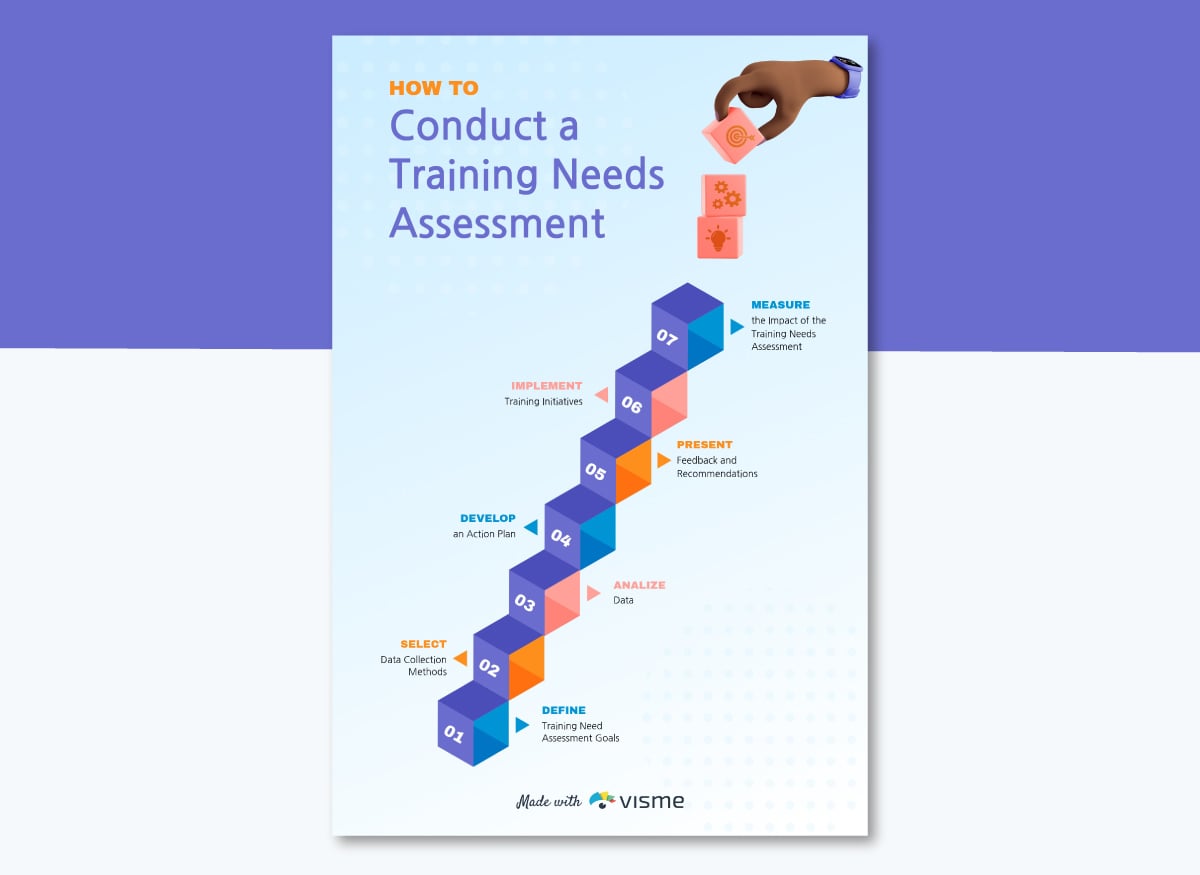
That's why the first step in developing any training program is to conduct a skills gap analysis, a training needs assessment and a performance review. These diagnoses will help you find skill, performance and knowledge gaps.
Once you know what they are, the goal is to determine what is causing the gaps and whether training is the right solution to close them. And if so, it will also tell you what that training needs to cover.
Here are some actions you can take to help you surface those gaps and the reasons behind them. We’ll use the CX team training example to illustrate how these work:
Let’s continue with the example of the CX team refresher training program. You’ve conducted all the analyses to know exactly where the gaps are. Now it’s time to set a training goal for this program and build out the learning objectives.
The analysis turned up that reps are slow because they're not confident navigating the CRM. A training goal could be: Cut average response time by 20% within 8 weeks of completing training.
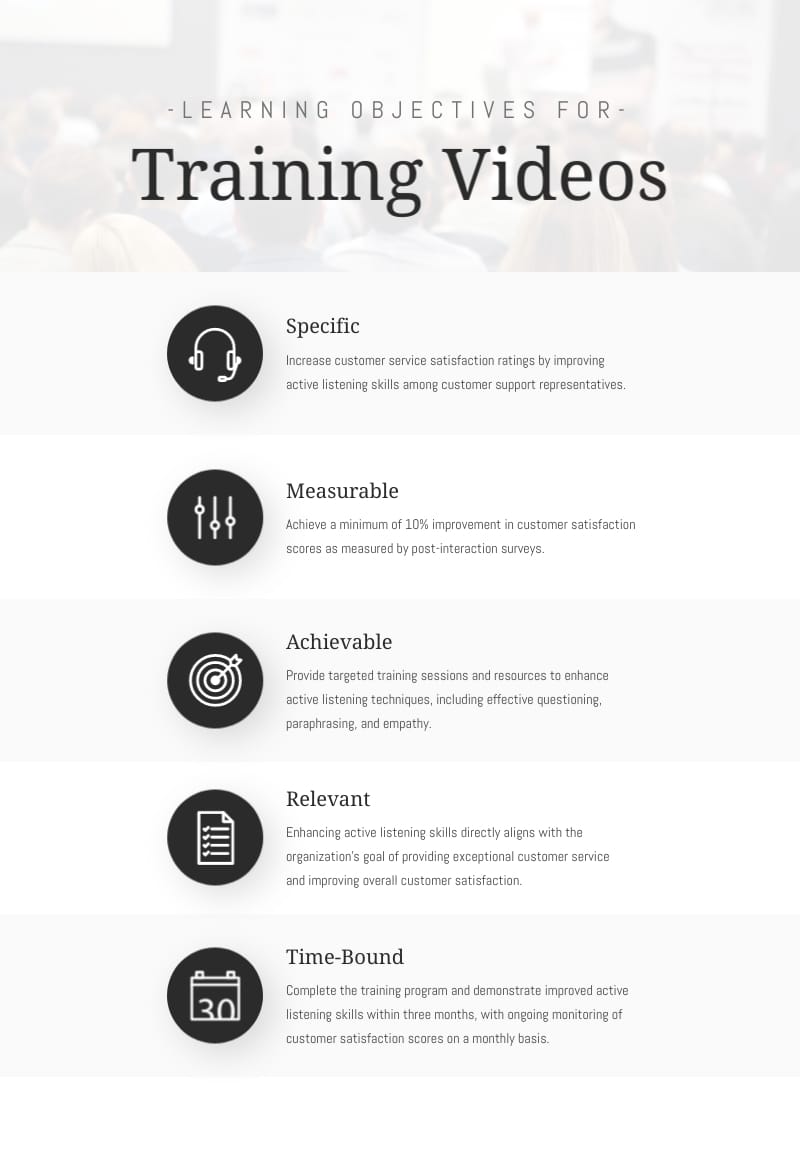
From there, break the goal into learning objectives, which are what a rep should be able to do once training is done:
If you are creating a training plan first, this is an important section to cover because it sets the scene for decision-makers to understand how your program will bring value. If you’re skipping the plan because you don’t need approval to move forward, this step is still important because it lays the groundwork for the training content and materials production.
Keep your goal and objectives on your brainstorming whiteboard, or create a shareable infographic like the one below.
With clear goals and learning objectives in place, it's time to prepare the training content and materials.
First, work on the content: what you're actually teaching. The content is best done in a document so that all edits and reviews can be completed before designing any materials. Once the content is ready, build the training materials.
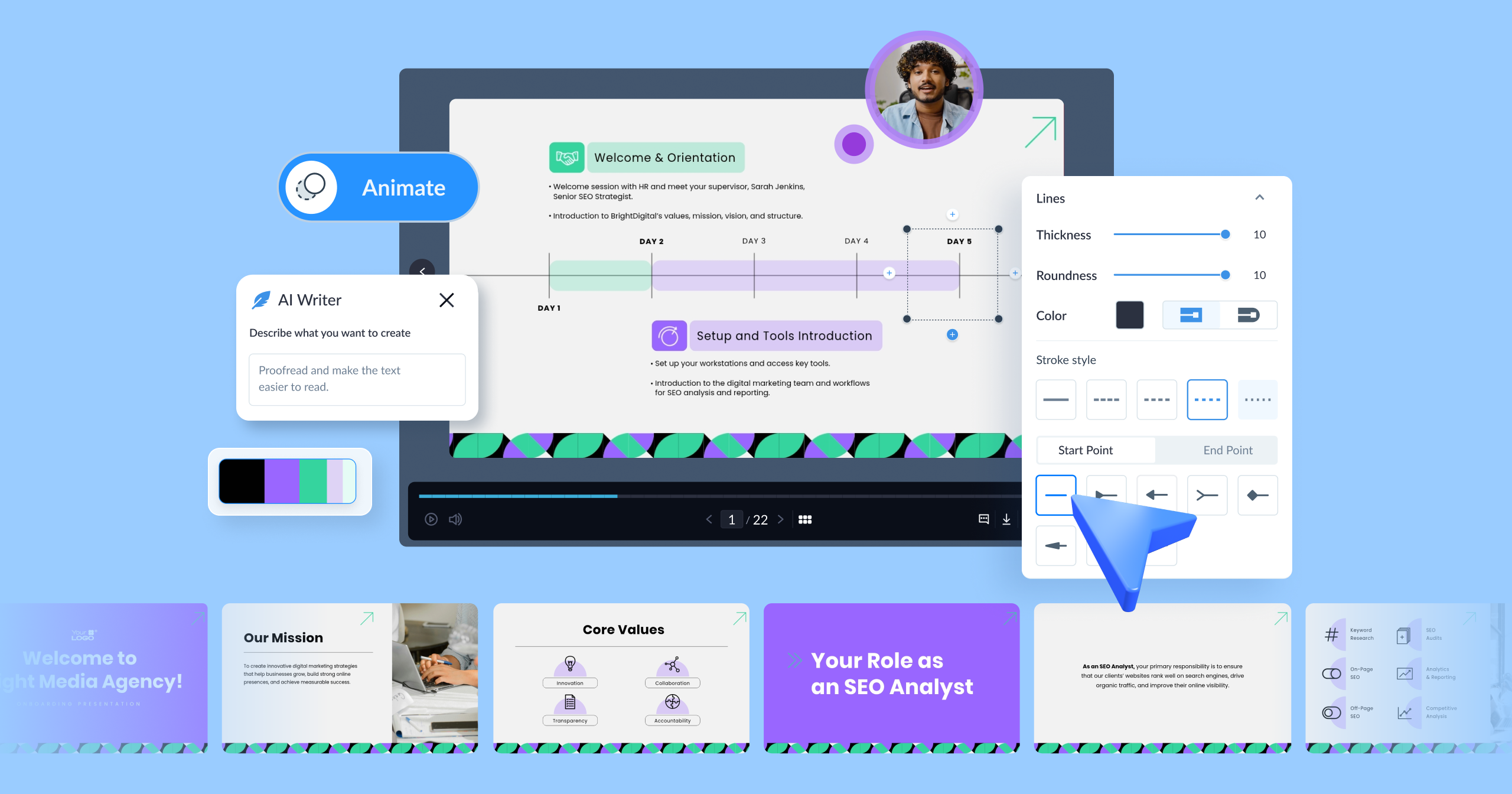
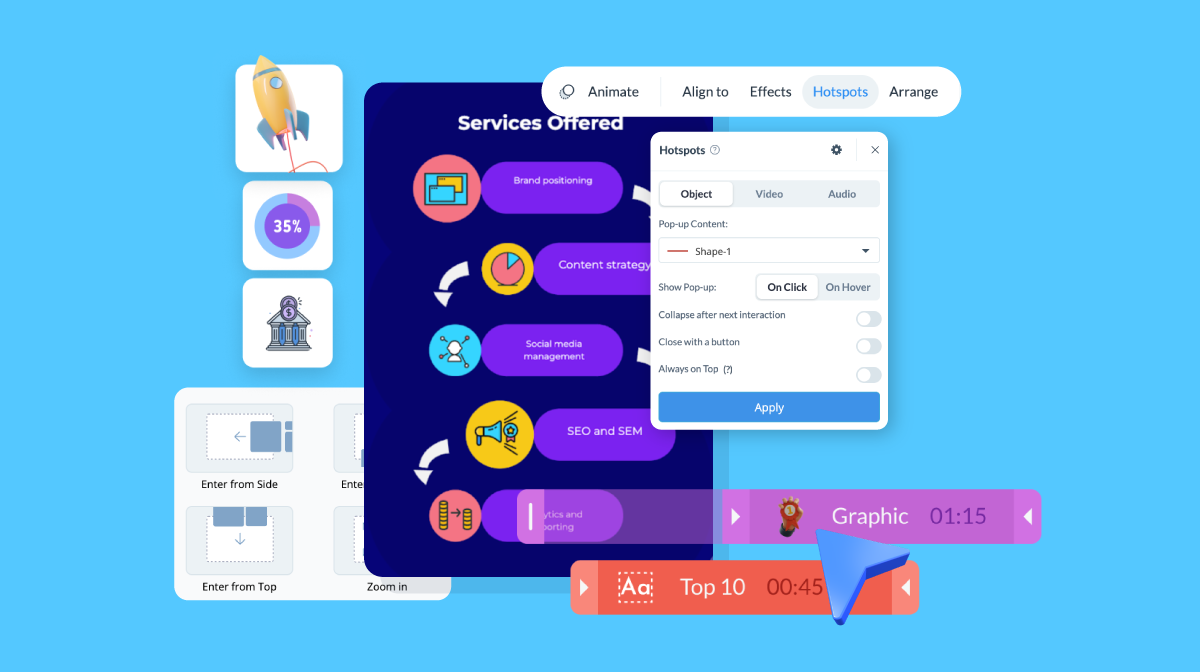
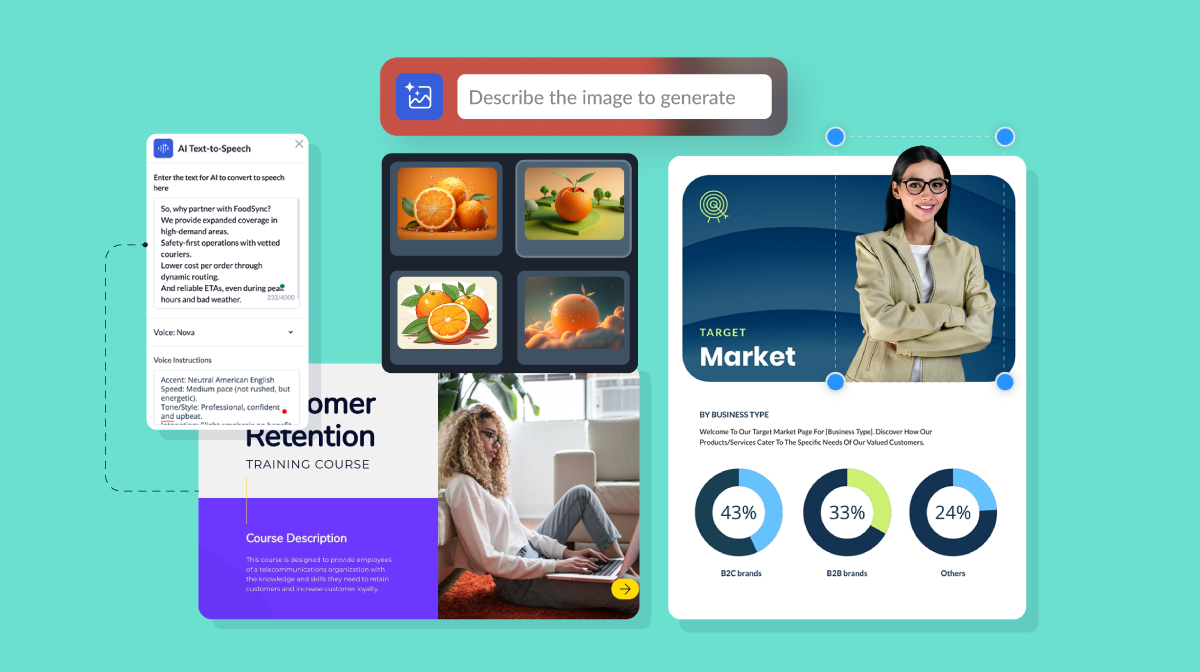
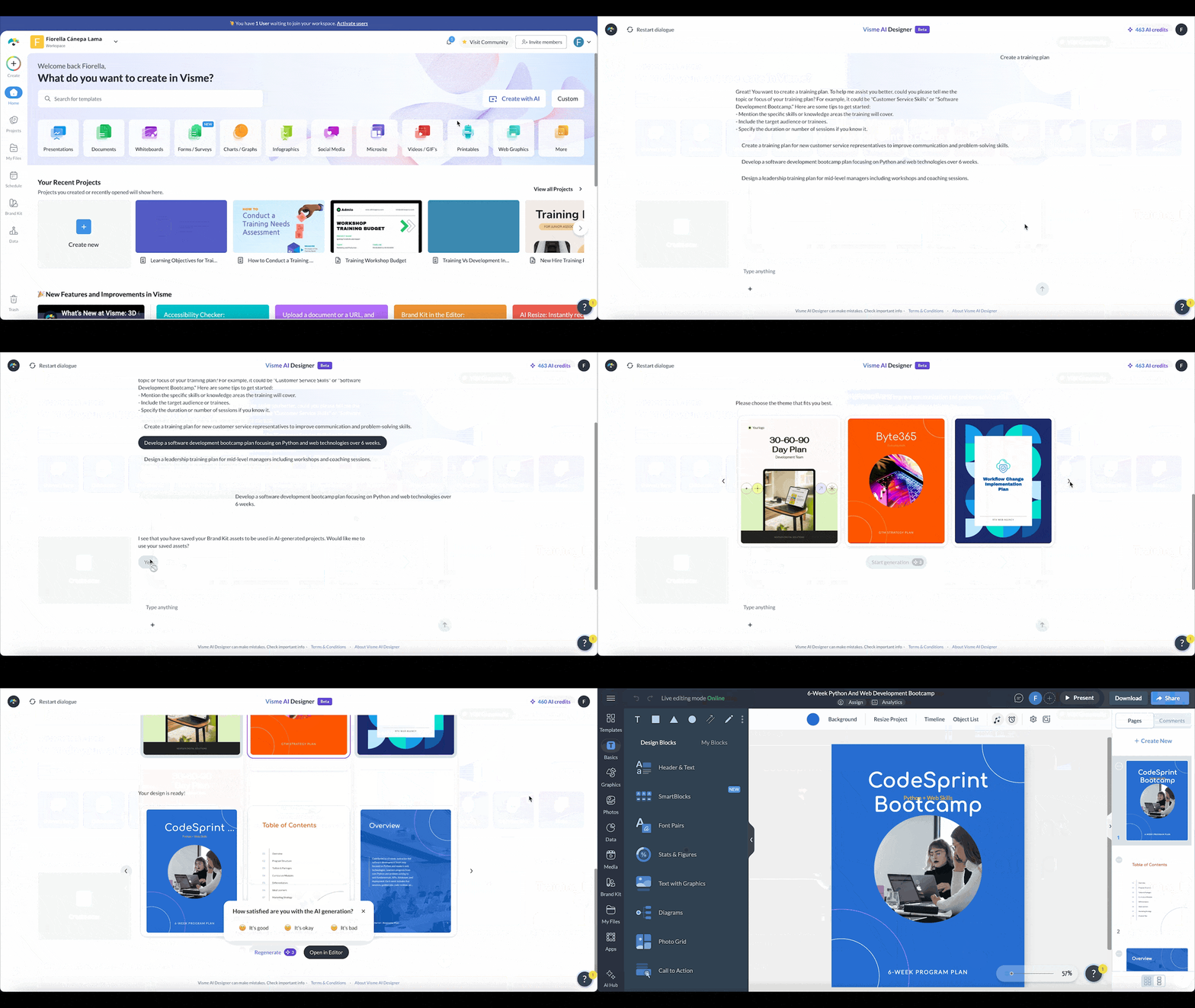
This is where Visme can help. Visme is an AI-powered content creation and management system that turns your training content into finished materials fast. Plus, it provides content management features that will help speed up every training production cycle.
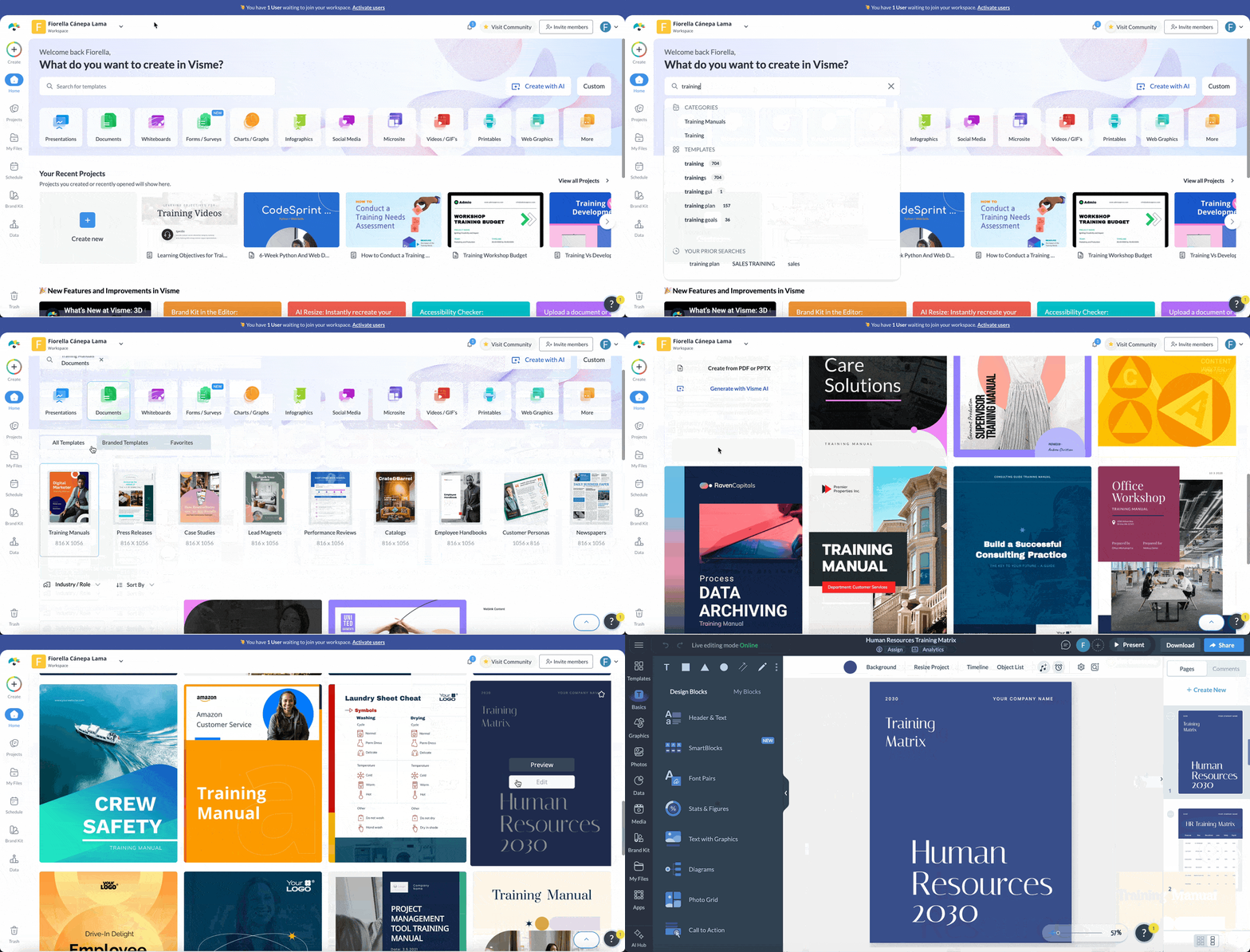
A single document containing content for a training program can be used to create several types of materials. For example, the same content can be used in a presentation, a training manual, microlearning modules, an infographic or even a video.
The material you choose to create will depend on your training method, your employee’s work reality and the timeframe you have to work with. Visme supports over 100 content types, so you’ll be sure to find exactly what you need.
Chapter 2 in this cluster will walk you through the content and material creation process in detail.
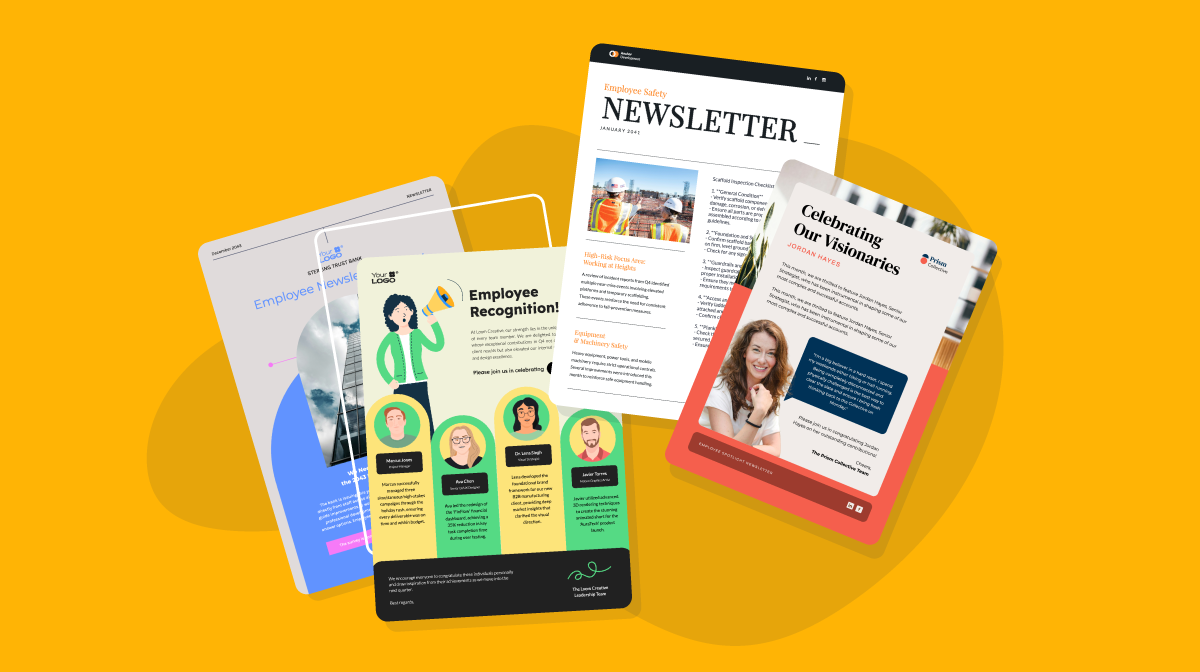
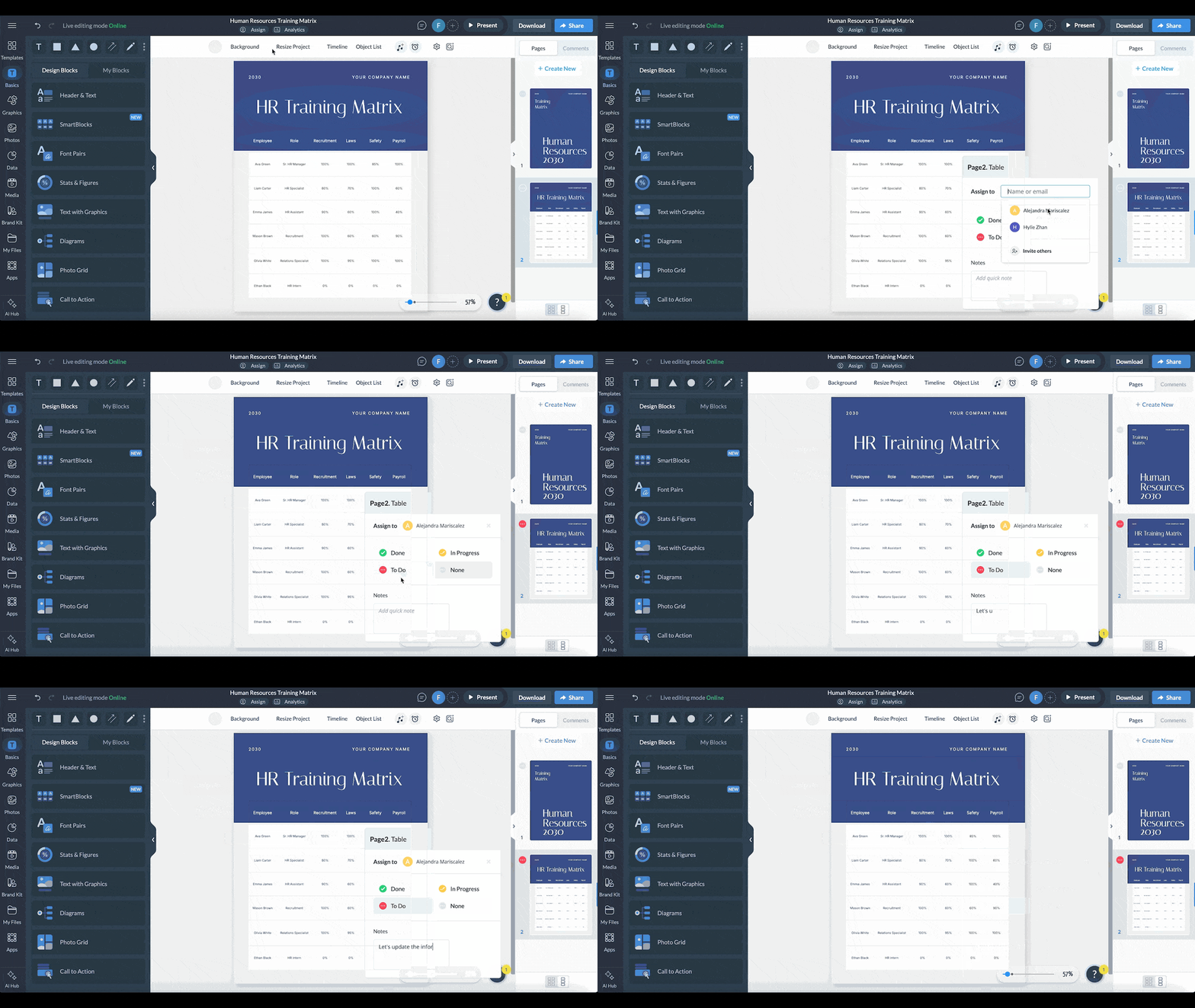
Can’t wait to see how Visme can help? Here’s a quick look at the different ways you can start creating training content with Visme:
Something to consider: You might not need to create the training content and materials yourself. There are plenty of online platforms that offer complete courses for basic skills and safety knowledge. Likewise, you can find local services that send trainers to your workplace or welcome your employees at their facilities.
For customized training tailored to your organization's needs, you can build the content and materials in-house or bring in an instructional designer, agency, consultant or training vendor. Visme is the right tool for building that content, whether your team creates it or an outside partner does.
This step is about choosing your training program’s method and delivery formats. As you might have gathered from the list of training types above, the step about content and materials and this one blend together because they can influence the choices you make. Take that into account when developing your training program. In some cases, you might be better off working on steps 3 and 4 simultaneously.
So, what is a training method, and how does it differ from the delivery format?
Do these directly correlate with the training type your program will use? Not exactly. What they do need to align with is your training goals, learning objectives and your employee’s day-to-day reality.
This table provides a quick overview of how that works. Chapter 3 in the cluster goes into the details.
| Training Method | Delivery Format | Best For |
|---|---|---|
| Blended Learning | Live plus self-paced, spanning all possible delivery formats | Complex skills that combine individual study with hands-on practice |
| Hybrid Learning | Live, in-person and remote at the same time | Sessions that need flexible attendance options |
| Microlearning | Self-paced, short bursts | Quick skill reinforcement and refreshers |
| Interactive Learning | Live or self-paced, requires employee interaction | Interactive presentations, simulations or virtual reality |
| Mentorship Programs | Live, one-on-one | Leadership development, promotion prep and succession planning |
| Instructor-Led Training (ILT) | Live, in person | Content that needs judgment and quick recall under pressure, like ethics or negotiation training |
| Virtual Instructor-Led Training (VILT) | Live, virtual | Remote or distributed teams that still need live discussion |
| eLearning and Self-Paced Online Training | Self-paced, online | Informational content many people need at different times, like onboarding or compliance |
| On-the-Job Training and Coaching | Live, on the job | Skills that only make sense in context, like operating machinery or a cash register |
Once everything is ready to go, it’s time to run the program. Of course, how that’s done will depend on the combination of training materials, methods and formats. But to ensure the roll-out is a success, here are some best practices:
After the training cycle is over, you’ll want to measure the program’s success to know what worked, what didn’t and if the program should run again as is or with changes. The best way to calculate overall success is to compare the data to your original training goal.
How you measure success will depend on the training method and delivery formats you use. And different signals will tell you different things. Here are a few:
Chapter 3 breaks down how to measure each of the nine methods in detail.
To illustrate why this is important, let’s revisit the goal we set earlier for the CX team. It was cutting the average response time by 20% within 8 weeks of training completion. Here’s how the results could have looked:
Eight weeks later, response time was down 14%, short of the 20% goal. Course completion sat at 95% and quiz scores averaged 90%, so the training itself landed well with the reps. Broken down by objective, the reps are faster at logging calls and routing issues, but pulling up customer history has remained slow, improving only slightly.
Before assuming that the training failed, check whether something else is slowing that task down, like a clunky CRM search function, records split across systems or a permissions step that adds extra clicks.
If the tool is the problem, training won't fix it. Flag it to whoever owns the CRM, loop in the rep's manager and note it in the training report so the training isn't blamed for a gap it couldn’t close. If, on the other hand, the tool and process check out, reinforce customer history lookup skills specifically in the next cycle.
Every step of creating and delivering a training or development program requires work. Thankfully, there are tools to help you along the way, making the process faster and more efficient.
Let’s take a look at all the possibilities and how they fit into the flow.
| Category | Type | What It Does | Tool Options |
|---|---|---|---|
| Skills and Competency Management | Skills tracking and mapping | Tracks skill gaps across teams over time, keeping a Training Matrix or Skills Matrix current | 365Talents, Skills Base, TalentGuard |
| Career pathing | Shows employees what skills they need for their next role, tying training to development | Fuel50, Gloat | |
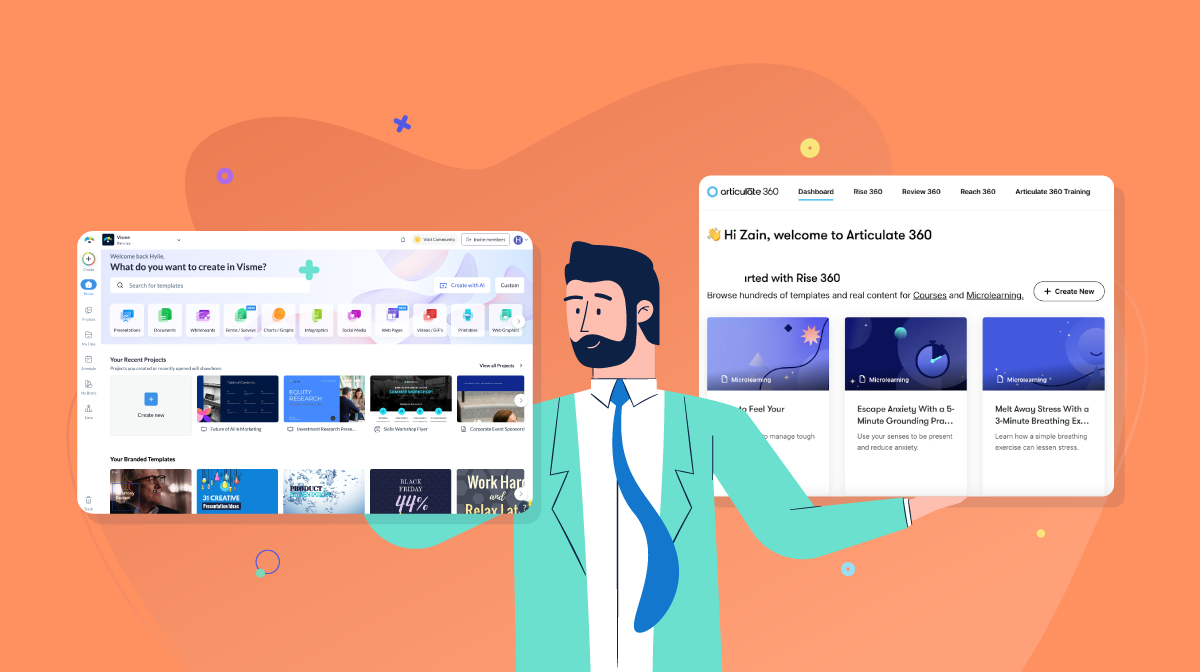
| Content Authoring | General authoring | Builds manuals, presentations, courses and interactive modules | Visme, Articulate 360, iSpring Suite |
| AI-powered generation | Generates a first draft of content or a full design from a prompt | Visme AI, Synthesia, Coursebox AI | |
| Interactive content | Purpose-built for quizzes, branching scenarios and simulations | Articulate Storyline, Elucidat, Genially | |
| Video creation | Covers demos, walkthroughs and recorded sessions | Camtasia, Loom, Vyond | |
| Employee Training Software | LMS | Hosts courses, assigns them and tracks completion | TalentLMS, Docebo, Cornerstone |
| LCMS | Does what an LMS does, plus lets you author and version content directly inside it | Xyleme, dominKnow | |
| LXP | Surfaces content based on what an employee is working on or interested in | Degreed, EdCast | |
| Mentoring and Coaching Platforms | Mentor-matching | Pairs mentors and mentees based on goals or skill gaps | Mentorloop, PushFar |
| Coaching and check-in | Keeps the mentoring relationship anchored to real milestones | Together, BetterUp | |
| Virtual Meeting Software | — | Runs live online sessions, with breakout rooms and Q&A | Zoom, Google Meet, Microsoft Teams |
| Communication and Nudge Tools | — | Delivers microlearning at the right moment, like a reminder before a client call | Slack, WorkRamp |
| Assessment Tools | Quiz and form builders | Handles knowledge checks after a module or session | Visme Forms, Typeform |
| Gamified assessment | Works well for a knowledge check that feels less like a test | Kahoot, Quizizz |
Training content and materials can take many different forms. Picking the right one depends on the task, the audience and how the training gets delivered. The table below breaks down the most common types and how each one works best.
| Content/Material | Best Use | Best Delivery Format | Works Well With |
|---|---|---|---|
| Presentation | Explaining concepts, processes and ideas during structured training | In person, live virtual or recorded | ILT, VILT, hybrid learning |
| Training Manual | Providing detailed instructions and reference information employees can revisit | Digital, printable or LMS-hosted | Onboarding, self-paced learning, on-the-job training |
| Job Aid | Giving employees quick guidance while they perform a task | Digital, printable or embedded in the workflow | On-the-job training, coaching, microlearning |
| Training Video | Demonstrating a process, task, tool or behavior visually | Self-paced, LMS-based or shown during live training | eLearning, microlearning, blended learning |
| Interactive Module | Letting employees explore content, make decisions or work through scenarios | Self-paced online or LMS-based | Interactive learning, eLearning, blended learning |
| Worksheet | Helping learners practice, reflect, solve problems or apply concepts | In person, live virtual or self-paced | ILT, VILT, blended learning |
| Quiz/Knowledge Check | Checking understanding before, during or after training | Online, LMS-based or during live sessions | eLearning, blended learning, ILT, VILT |
| Checklist | Helping employees follow a process or remember required steps | Printable, digital or embedded in workflow | Onboarding, on-the-job training, refresher training |
| Process Diagram/Flowchart | Showing workflows, sequences, decision paths or responsibilities | Digital, printable, presentation or LMS | On-the-job training, technical training, onboarding |
| Infographic | Summarizing information employees need to understand or reference quickly | Digital, printable or embedded in other training content | Microlearning, refresher training, self-paced learning |
| SOP | Documenting the approved way to complete a specific process or task | Digital, printable or knowledge base | On-the-job training, compliance training, technical training |
| Case Study | Helping employees analyze realistic situations and apply concepts | Live session, digital document or LMS | ILT, VILT, leadership training, blended learning |
| Scenario/Simulation | Practicing decisions or skills in a controlled environment | Interactive online, live or in person | Interactive learning, technical training, leadership training |
| Role-Play Exercise | Practicing conversations, responses and interpersonal skills | In person or live virtual | ILT, VILT, coaching, soft skills training |
| Workbook | Combining instruction, exercises, reflection and activities in one resource | Digital, printable or LMS-based | Cohort learning, ILT, VILT, leadership development |
| Flashcards | Reinforcing terminology, facts, procedures or other information that benefits from repeated recall | Digital, mobile or printable | Microlearning, self-paced learning, refresher training |
| FAQ/Quick-Reference Guide | Answering common questions employees may encounter after training | Digital, intranet, knowledge base or printable | Onboarding, product training, on-the-job training |
| Assessment | Measuring knowledge, skills or performance against learning objectives | LMS, online, live or on the job | eLearning, ILT, VILT, blended learning |
| Template | Helping employees apply training consistently to recurring tasks | Digital, downloadable or embedded in workflow | On-the-job training, coaching, skills training |
| Recorded Webinar/Session | Giving employees access to instructor explanations after a live session | On-demand, LMS or internal knowledge base | VILT, hybrid learning, self-paced learning |
Training for employees is any program designed to teach the knowledge or skills needed to do a job well, from a new hire learning company systems to a manager developing leadership skills.
Training and development follow five processes in the following order:
Many existing four-step versions of T&D collapse the usual five phases by combining the design and development. But there is no single standard four-step model.
A training program should include a clear goal aligned with a skill gap analysis, learning objectives tied to that goal, content and materials designed to close a specific skill gap, and a way to check whether it worked.
A refresher course for a customer support team, built around a specific goal such as reducing average response time, is a common example. It would combine a needs analysis, content on the specific gap (like navigating a CRM faster) and a follow-up check on whether response times actually improved.
After training ends, compare the specific metric the training targeted, like response time or error rate, against your original goal. Assess course completion, quiz scores and performance indicators. If there were no positive results despite high completion rates and quiz scores, check for a non-training cause, such as a broken process or an outdated tool.
Otherwise, reassess and reiterate the training content for the next cycle.
It depends on what part of the process you’re solving for. An LMS like TalentLMS or Docebo assigns and tracks courses; a content authoring tool like Visme or Articulate builds the materials; and a quiz or form builder like Visme Forms checks whether training landed. Most teams use at least one tool from each category, since assigning, building and assessing are three separate jobs.
There’s no single employee training method that works best in every situation. The most effective approach depends on what employees need to learn and how they’ll apply it on the job.
For example, topics that involve judgment, such as ethics or negotiation, benefit from live discussion, practice and feedback. Informational topics, such as company policies or product basics, may work well as self-paced learning. Hands-on skills, such as operating equipment or using software, typically require employees to practice the task rather than simply watch how it’s done.
The key is to match the training method to the learning objective and the way employees will use the knowledge or skill at work.
Building a training program takes real work. Turning what employees need to know into something they will learn isn’t a quick task. Amid all those moving parts, Visme fits right in, helping you create content that goes from plan to finished, on-brand deliverable, ready to plug into whatever LMS or delivery method you're using.
It also solves a couple of problems that arise after the content is built. L&D teams build training programs all the time, and managing the materials library as it grows can get a bit messy.
Without templates that incorporate your brand and reasonable guardrails, versions get scattered across drives and inboxes. Visme’s Workspaces, along with their branded template libraries, keep your team's training content in one place.
Every time you create a new piece of training content or material, like an onboarding checklist, a compliance disclaimer or an infographic, turn it into a branded template and let the entire team use it for the next version.
Get your L&D team set up in Visme and see how much faster the next training program comes together.
Design visual brand experiences for your business whether you are a seasoned designer or a total novice.
Try Visme for free