Employee Onboarding Training: A Complete Guide for HR and L&D Teams

![How to Create an Employee Training Plan that Employees Will Love [+ Templates]](https://visme.co/blog/wp-content/uploads/2022/11/How-to-Create-an-Employee-Training-Plan-that-Employees-Will-Love-Header.jpg)
Good employee training starts with a well-structured plan.
Without one, it’s easy to invest in courses and workshops without being clear on what employees need to learn, how training should be delivered, or whether it actually worked.
An employee training plan connects those pieces. It defines the training needs, learning objectives, participants, delivery methods, timeline and measures of success.
And getting those pieces right can have a measurable business impact. Gallup’s 2025 research estimates that doubling the share of employees who feel they have opportunities to learn and grow could lead to 18% higher profit and 14% higher productivity.
In this guide, we’ll show you how to create an employee training plan step by step, with free templates you can customize for your team.
An employee training plan is a document that lays out a detailed training program tailored to a specific role, team or company. It explains your training objectives, methods, and tactics, as well as how you will execute and meet training expectations. This document is a working project that should be updated regularly to meet industry standards or company changes.
An employee training plan covers the skills someone needs for their current role. An employee development plan outlines how that person will grow over the next one to several years, often across multiple roles.
The two work together. A training plan closes the gap for the role someone currently holds. A development plan points to the role after that.
| Training Plan | Development Plan | |
|---|---|---|
| Focus | Skills for the job employees are currently in | Growth toward future roles |
| Timeframe | Weeks to months | Months to years |
| Owned By | Manager or L&D team | Employee, with manager support |
| Example | New hire 30-day ramp-up plan | A leadership-track two-year growth plan |
Watch this video to learn how to create an employee training program your employees will love.
Let’s discuss four things an employee training plan can do that ad hoc training can’t.
Training and development teams regularly conduct skills gap analyses and set up training matrices to identify the skills employees lack to do their jobs at their best. That action gives you information but doesn't tell you what to do about it. That’s why a training plan is so important: to rank those gaps and prioritize what needs to be done to fill them.
Say a diagnosis turns up several issues: outdated software knowledge, inconsistent customer scripts, a safety certification that lapses next quarter, and nine smaller gaps scattered across roles. Training all twelve at once dilutes the effort and could delay the one that carries risk.
You need to make that call, and then build the plan around that choice. AIHR's training needs analysis guide frames it as a short set of factors: urgency, business impact, risk and available resources.
Use the ranking to lay out the priorities, which in turn support the learning objectives and expected outcomes. They also outline the plan’s timeline and the types of content to be created.
A well-structured plan means employees in the same role get the same core learning objectives, standards and required content, even when delivery varies by location, language or accessibility needs.
That scope is harder to pull off at scale, which is exactly why larger companies rely on structure in the first place. The 2024 Employer Skills Survey found that structured and online training is far more common among large employers: 92% among those with 100 or more staff, versus 62% among businesses with 2 to 4 staff. A written plan is what makes that possible without losing the standard along the way.
For example, in a three-person shop, training might look like the owner walking a new hire through the register and the morning checklist. For a chain with several locations, that informal system no longer works. A solid plan will explain how different trainers can run that same walkthrough at each site, maybe in a different language, maybe over video instead of in person.
Effective training plans don’t stop at a task list of what to cover and when. They also define a measurement strategy aligned with the objectives and skill-gap priorities. When your plan lays it all out, the training program starts tracking performance from the start, providing you with valuable data to help you make decisions later.
Brian Blecke and Kelly Smith of Actio Learning go so far as to suggest a strategy before a plan: "A learning strategy is much more than a plan; it is a comprehensive roadmap that outlines an intended future state and measures its own success along the way."
Therefore, if your plan outlines a clear future and a way to measure it, it will be easier to achieve the training program's learning goals. Here's how that looks in context, for a company rolling out a new CRM across its sales team:
Three months in, the program’s results show exactly which teams adopted the system and which are still leaning on spreadsheets. Since the objective hasn’t been reached yet, the training needs reinforcing.
Before a training program starts or goes into production, someone has to sign off on the payment. A scoped request gives decision-makers more information to evaluate the investment.
A plan provides the specifics for a budget conversation to run on: which gaps the program will close, what employees it’s for, and how you'll know it worked.
Here's how a short summary of your plan could look when you’re pitching it:
Below is an overview of the most commonly used employee training plans that address a variety of business needs.
Also known as a new employee training plan, employee onboarding is the training new hires receive when they start work at your company. It ensures they settle in quickly and become a valuable addition to your team. Aside from the content they will learn, it’s also the best opportunity to make a first impression.
Typically, organizations have a general onboarding program and then additional role-specific training. Will your plan cover both or only one? All of that needs to go into the training plan that will standardize the onboarding program for every new hire.
For instance, let’s say that aside from providing company knowledge, you want the onboarding program to foster company talent and ensure employee retention. Your plan will need to lay out how it will achieve that through company culture, knowledge and inspirational material.
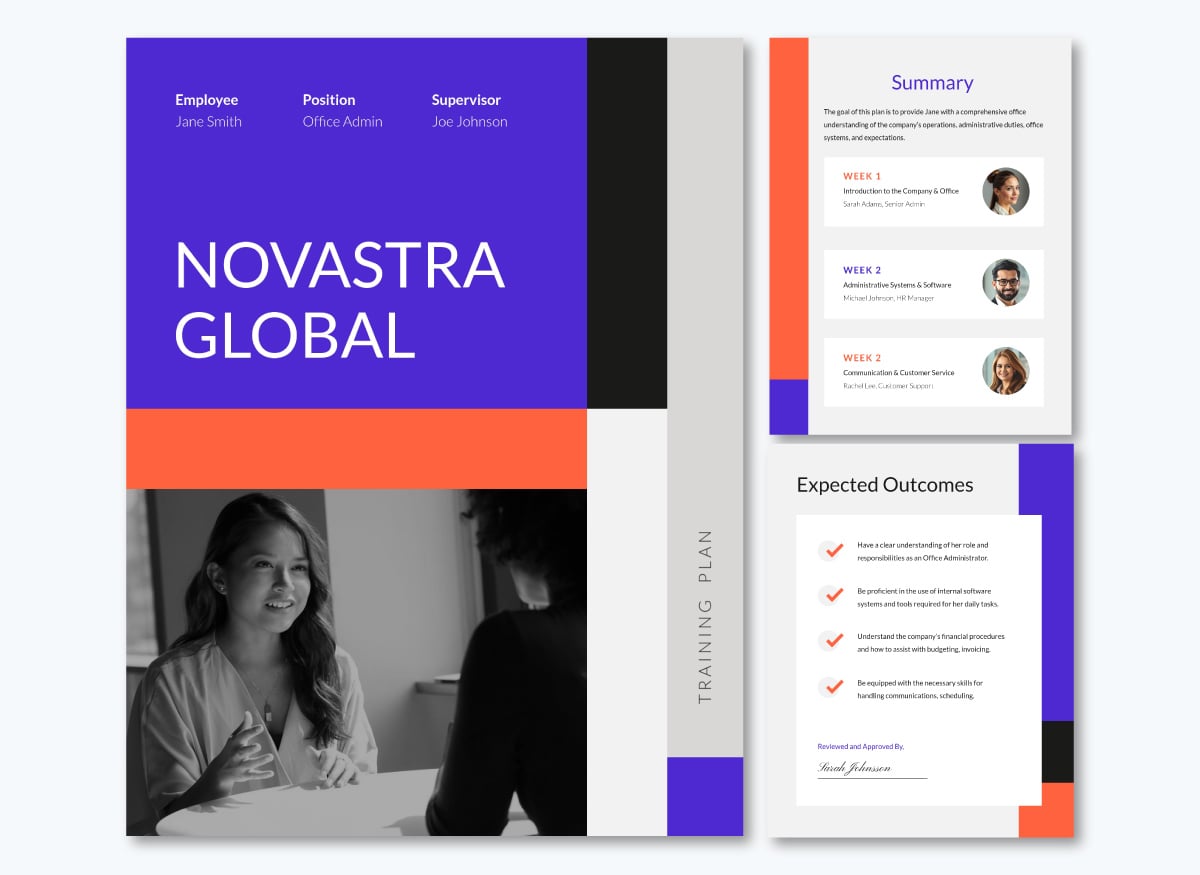
Here’s an onboarding training plan you can use right away.
A product knowledge employee training plan is for any company where employees need to know a product inside and out, whether they're selling it, supporting it or using it daily to do their own job.
The scope depends on which of those it is.
Your plan should name which of these the program will cover and build out the strategy accordingly.
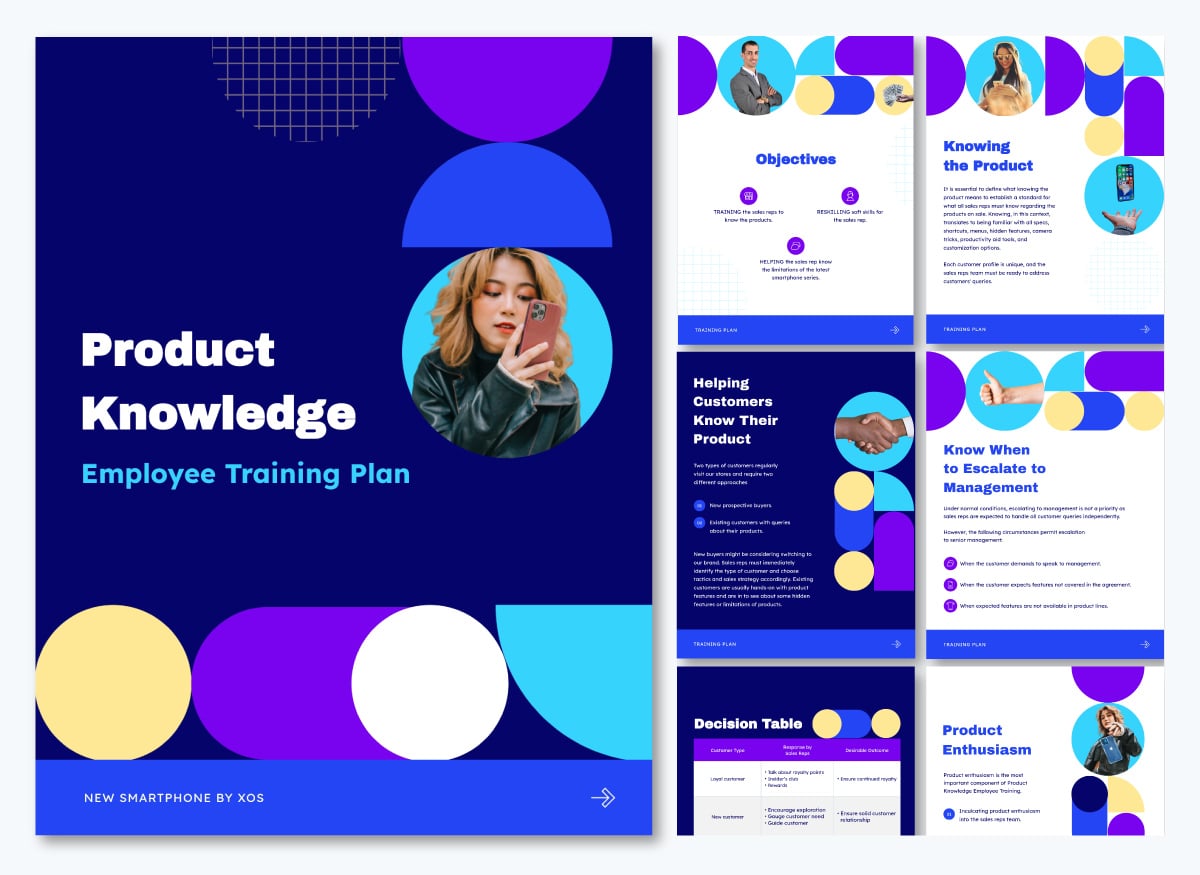
Here's an example of a product knowledge training plan from our template library. The objectives for the proposed training program are training, reskilling and knowing limitations. Everything in the plan aligns with those goals.
Role-specific employee training lays out the skills, tools and processes tied to a single job, not an entire department or company. It's what you'd give to a warehouse supervisor, a sales manager, or anyone in a role where general onboarding doesn't cover enough of what the day-to-day actually requires.
To build the first plan for this type of training program, talk to people already doing the job. Ask which tools they use daily, which parts of the job description are outdated, and where new hires in that role tend to get stuck. That input becomes the basis for the plan's objectives.
Come back to this plan regularly as changes happen, so the plan and the program are always aligned. The plan template below will give you a good idea of how to structure yours.
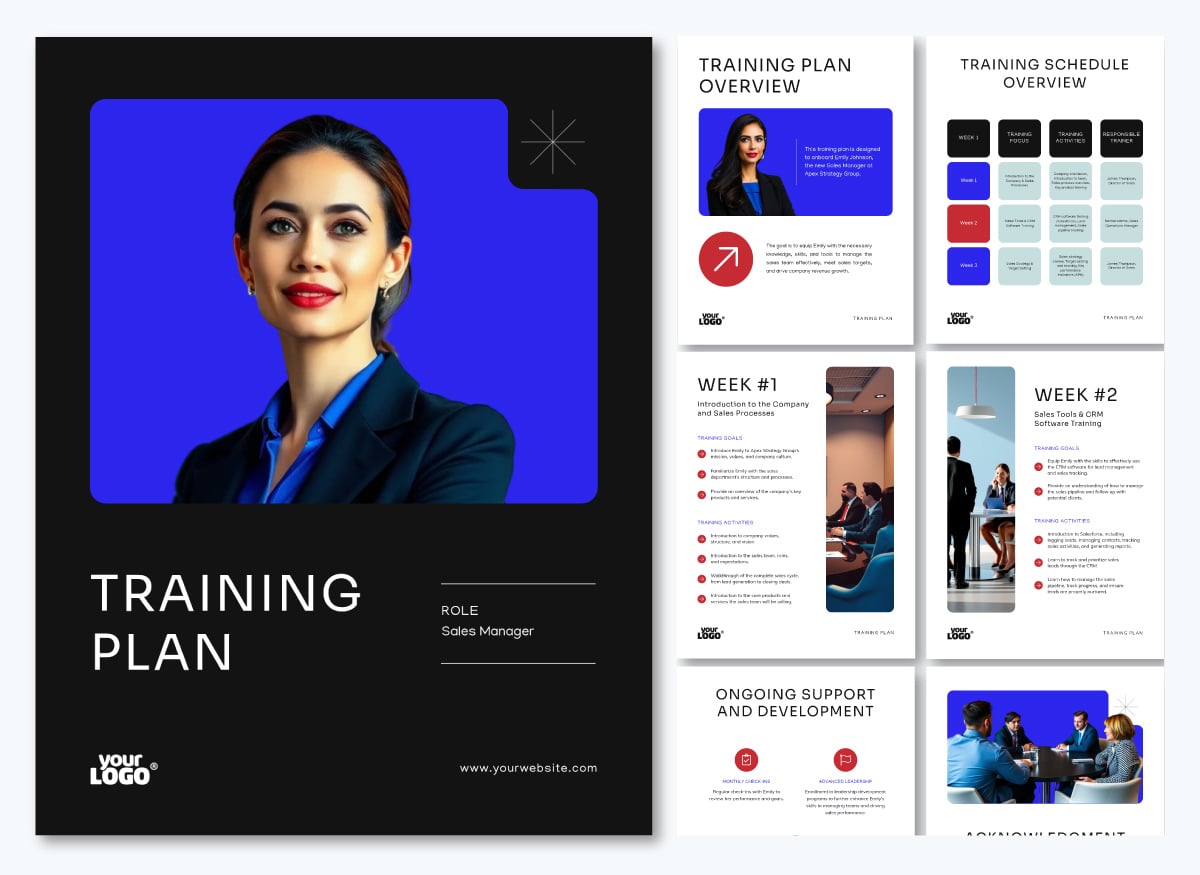 Pro Tip: Use dynamic fields to build one role-specific plan and adjust it by level, instead of starting a new one for each tier. Swap in the role title, team size, decision-making authority and required certifications, and the same template can cover the training plan for an assistant manager, a manager and a general manager with just a few adjustments.
A diversity training plan is typically company-wide and lays out sessions and content on bias, inclusion and fair treatment.
Build the plan around where bias actually shows up in your own company, not a generic list of topics. Pull from hiring and promotion data, exit interview themes and employee resource group feedback if you have it, then write the training objectives around what that input points to.
Part of the diversity training curriculum is unbiased communication. The template below will help you cover that information in your program.
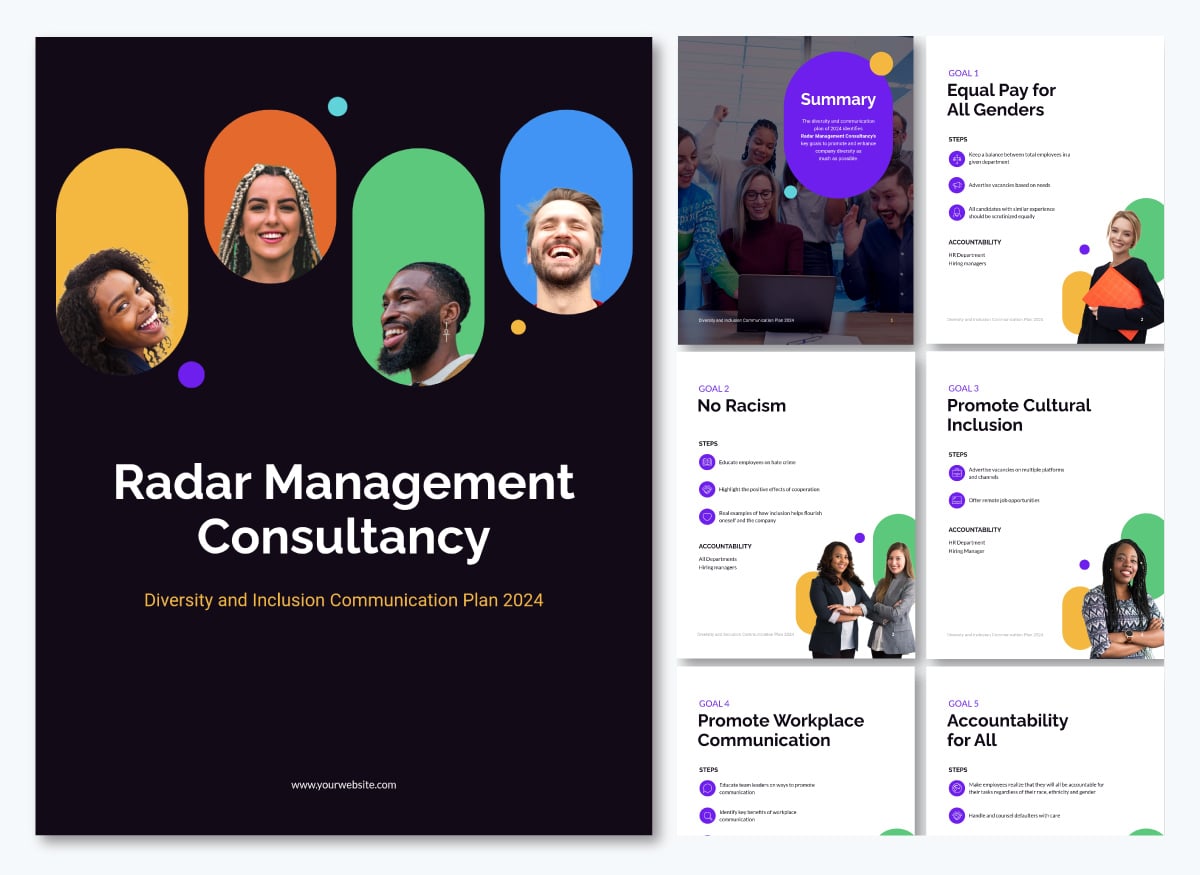
A leadership training plan defines the capabilities managers and senior leaders need to strengthen for their current or future responsibilities
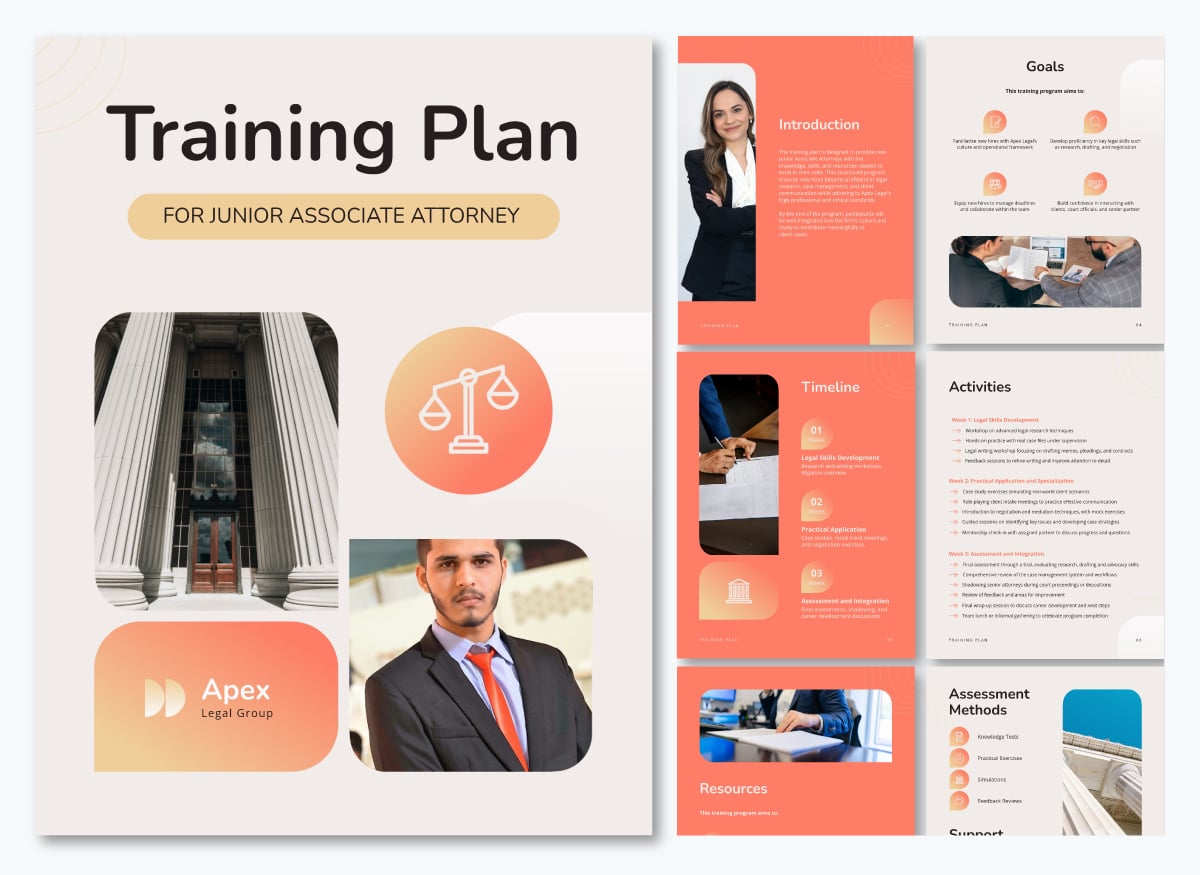
Therefore, an executive or leadership training plan is the document in which you define what senior leaders and managers need to develop next and why.
That decision should come from what's actually happening in the business, such as a leadership team expanding into new markets, a first-time manager cohort that's never run a performance review, or a role with no clear successor ready to step in.
A remote employee training plan outlines the strategy for training remote employees. It can be a broad best practices plan or a role-specific plan, but the idea is that it covers the exact formats, delivery methods and assessment processes that every remote employee will need to receive.
Most importantly, it needs to address how remote-related constraints will be handled. Here's what that could look like for a remote marketing team at a SaaS company rolling out a new CRM:
Our remote onboarding guide provides all the details you need to nail this process.
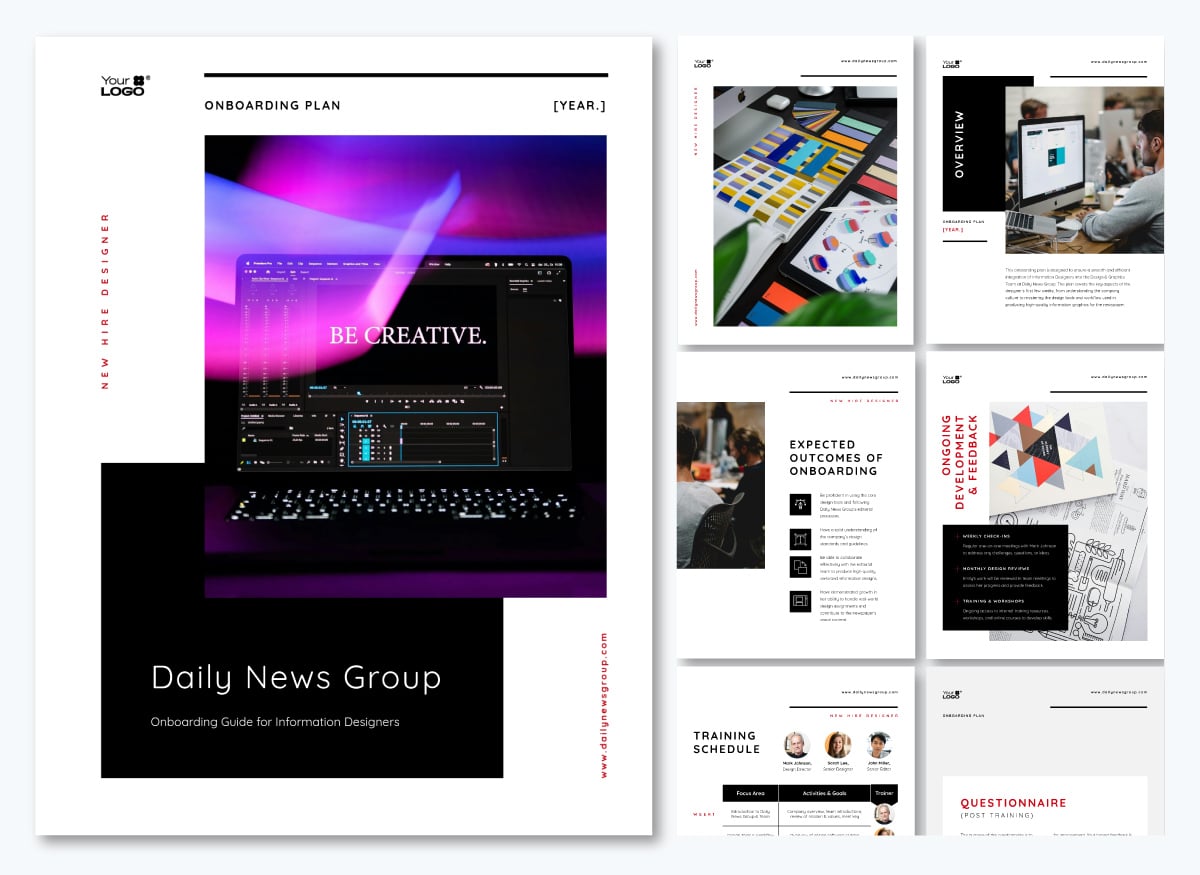
And below is a new hire onboarding plan for a graphic designer that doesn’t specify whether it’s in-office or remote, so you can customize it easily by adding your own plan’s content.
Since safety training can apply to different types of risk, a safety training plan needs to map exactly which category it applies to and for which role. For example:
Next to that you can also teach workers how to properly connect through a secure remote access solution to safeguard internal assets when working from outside the office. And so much more.
Use this training plan to align that mapping with your training goal and learning objectives. For example, the warehouse safety and regulations training plan template highlights that the training will raise awareness of hazards, cover the protocols that prevent them and meet the relevant codes or standards.
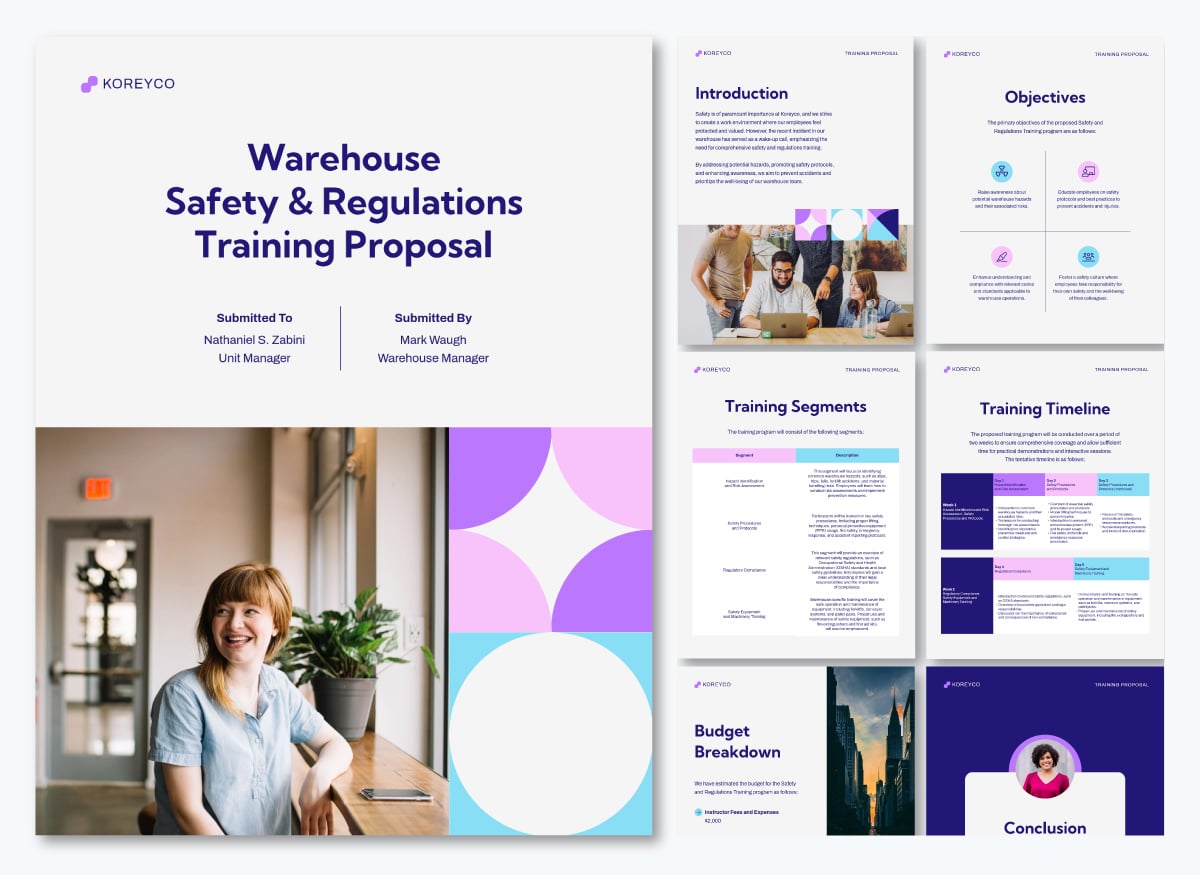
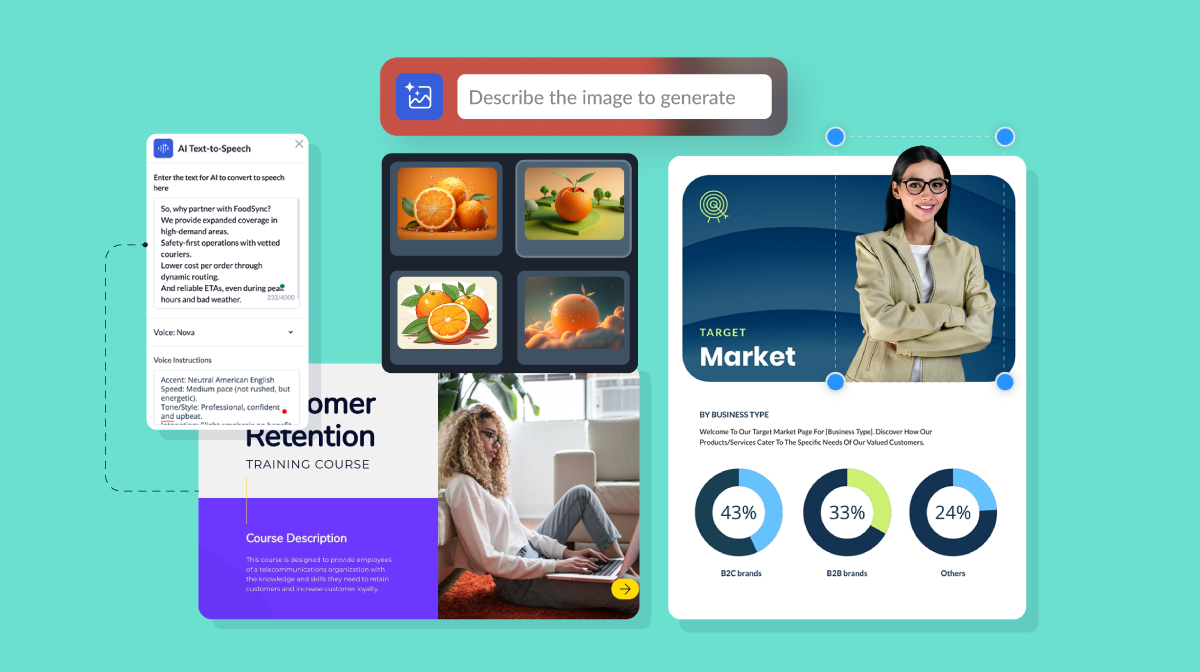
Don’t forget you can edit this and other Visme templates to suit your needs. Swap out existing images with your own, choose from our extensive library of stock images or use Visme’s AI Image Generator to bring your perfect image to life.
An organizational change training plan covers what employees need to learn during a merger, restructuring, new leadership or a major process or systems shift, and on what timeline relative to the change itself.
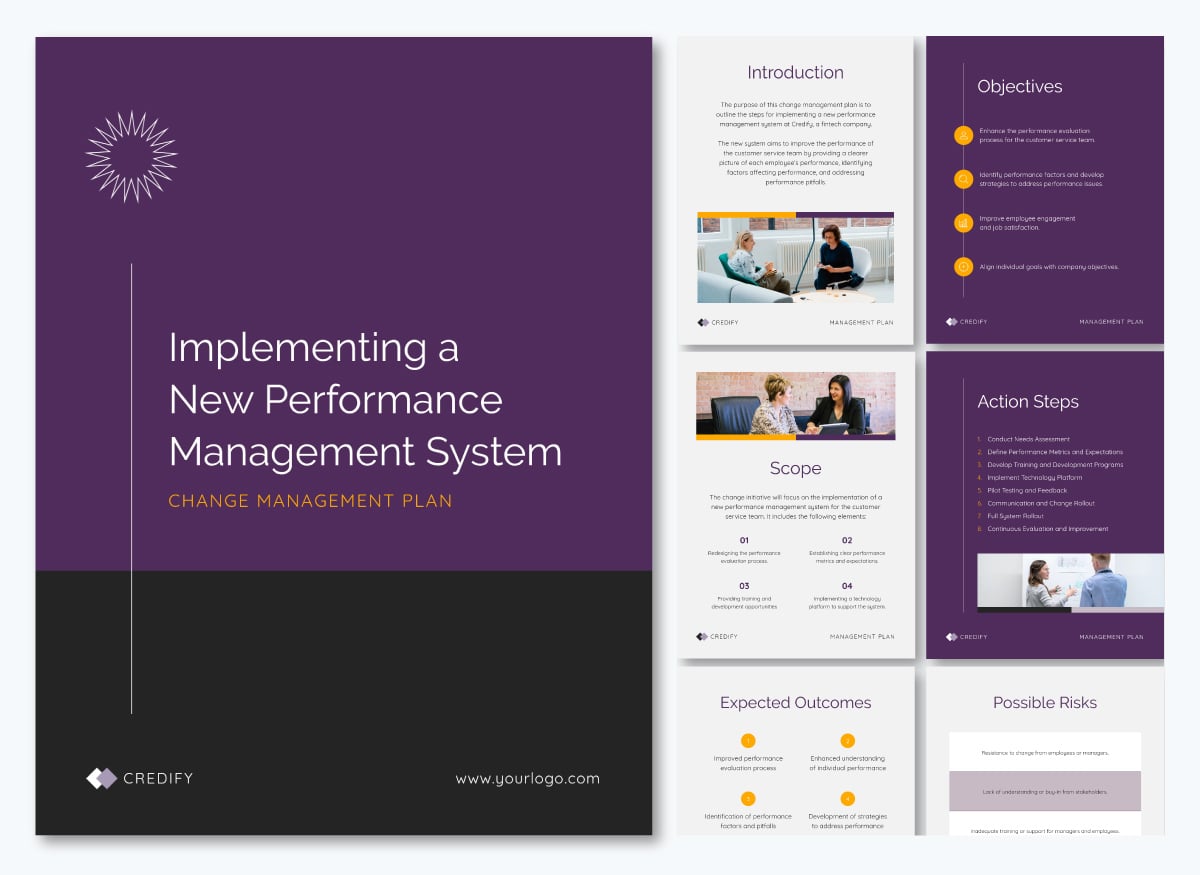
Plan well in advance so that the timing aligns with the rollout. Training too far ahead gets forgotten; training too far behind leaves people improvising through the change. Use the template below to get started.
Before we go into the step-by-step tutorial, let’s review what your employee training plan should include and why.
| Section | What It Is | Why It’s Important | ||
|---|---|---|---|---|
| Training Goals | The business outcome the training is meant to support. | |||
| Connects the training program to a measurable organizational result. | ||||
| Turns the broader goal into concrete outcomes you can build content and assessments around. | ||||
| Ensures the delivery method and materials match what employees need to learn and how they need to apply it. | ||||
| Keeps content development, approvals and delivery on schedule and exposes conflicts early. | ||||
| Employee Assessment & Testing | How you determine whether individual employees learned and can apply the material. | Shows whether employees can demonstrate the required knowledge or skill, not simply whether they completed the training. | ||
| Success Tracking & Review Methods | How you evaluate the effectiveness of the overall training program. | Helps determine whether the program achieved its intended outcome and what should be improved before the next cycle. | ||
| Helps secure approval, control spending and evaluate whether the training investment is justified. |
Creating an employee training plan follows a set of chronological steps. Starting with diagnosing the skill gap and finishes with building the actual training plan document.
Let’s get started.
The training needs analysis step is actually a pre-step. It’s what will give you the data you need to create a complete training strategy and program. Without this step, your plan wouldn’t have any foundation to work from.
Here’s a quick overview, but for a complete walkthrough, read the pillar piece that opens this entire series.
The training goal defines the business or performance change the program is intended to produce. Without a goal, your training plan can be disjointed and inconsistent. Furthermore, measuring the program’s overall success can be challenging.
To pinpoint these goals, use the skills gap analysis plus anything that is changing or has changed in your organization that employees need to know.
Here are some examples using the S.M.A.R.T. goals framework. This method helps you be precise, intentional and mindful about your training goals. They also help with proper performance measurement and tracking.
From the training goal, set up the learning objectives. These are exactly what employees should be able to do after the training. These objectives need to align with the goal.
So let’s say your goal is to certify 90% of the customer support team on the new product line, verified by a scored assessment, at least two weeks before launch.
These are some of the learning objectives your training program could address through training content and materials.
Now, it’s time to highlight what training method and delivery formats you will use for the employee training program.
At this point, you also need to say who will create the content for the materials, what tools you’ll use at every stage from production to delivery, who the trainers will be and where the training will take place. Additionally, If the program materials will be created in Visme and uploaded to an LMS, explain that you will export it toSCORM or xAPI to upload them.
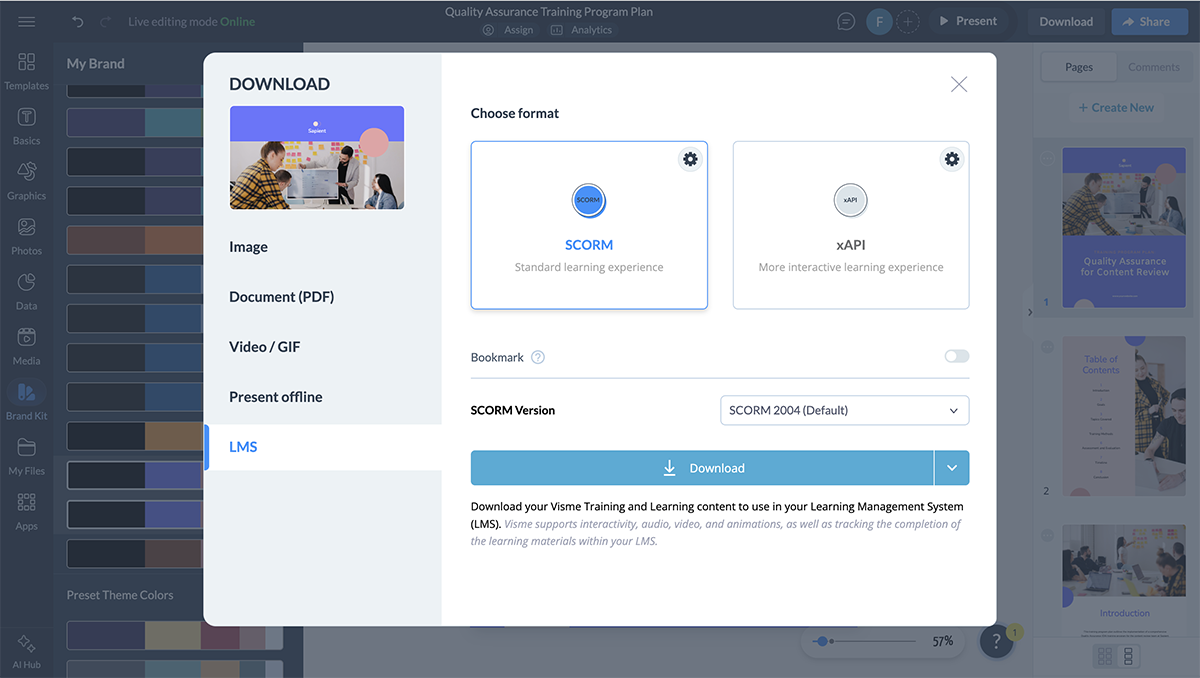
Let’s say you’re creating a training plan for a diversity training program. Your basic outline for this section could look something like this. You’ll need to go into the details on further pages, but showing a summary first helps decision-makers visualize it.
Training Method: Blended Learning
Training Materials and Delivery:
Necessary Resources:
You’ll need to check which resources are already available and which ones you’d have to outsource or hire.
Consider this: You might not need to create the training content and materials yourself. There are plenty of online platforms that offer complete courses for basic skills and safety knowledge, with a scraper API being one option for collecting online resources.
And when you’re ready to create the actual employee training content and materials, refer to our complete guide on how to create training content.
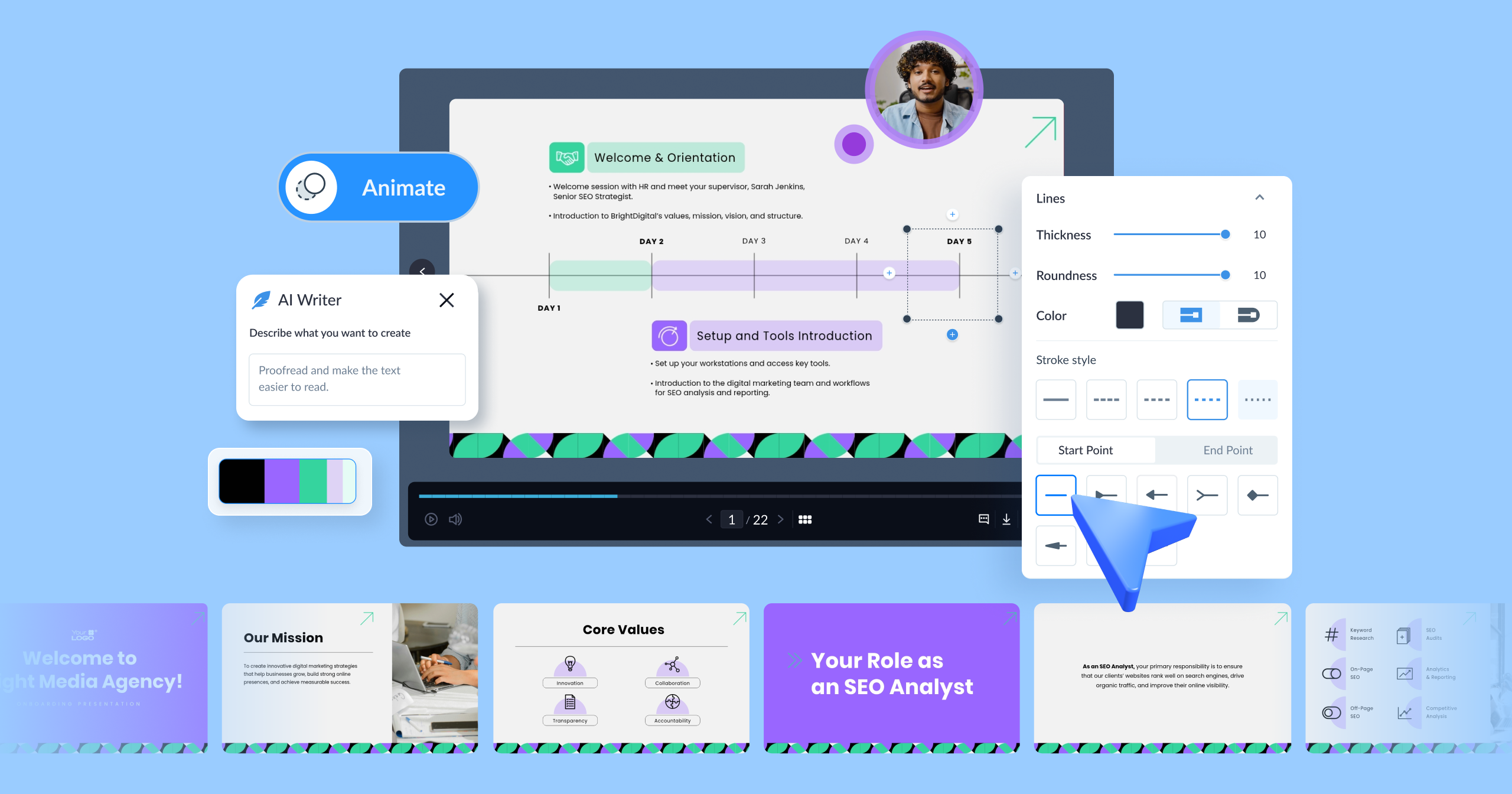
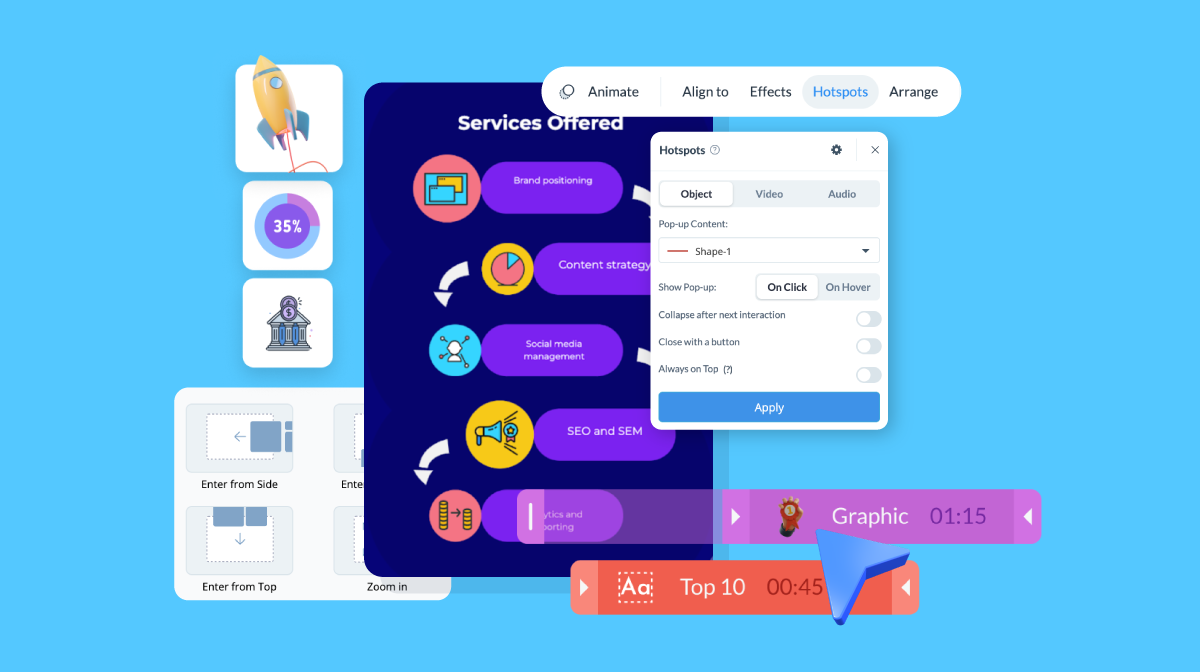
Pro Tip: If you need help drafting the copy for your plan, try Visme’s AI Writer. It can help you refine messaging, check grammar and so much more in a matter of seconds. Use it directly in your Visme editor while editing a training plan template.
Include a training timeline outlining how long it’ll take to complete this training. Break down your timeline into milestones like content production, technical setup, training sessions or into hours and days. Build reasonable contingency time into the schedule for content revisions, approvals or technical delays.
Give every item a start date, an end date and a named owner. A Gantt chart is a great option. If it helps project managers plan, it can also help you plan your training program.
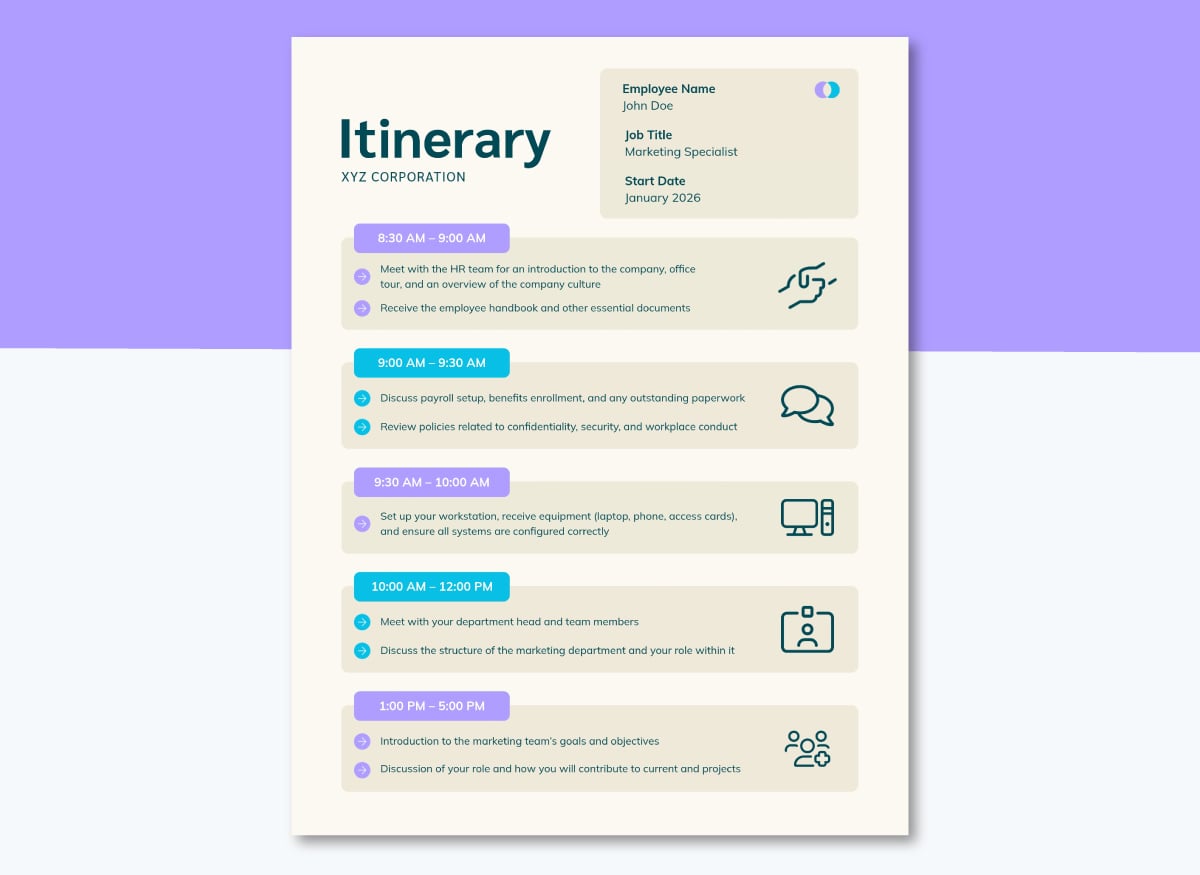
The timeline template below is for a new hire’s first day, so it’s separated into time-based chunks. You can include this in the plan to visualize exactly what the first day of onboarding will be, after a full timeline that covers the whole project.
How will the trainees be tested for knowledge retention and applied skills? Assessment and testing in training can be given in the form of a quiz, project completion, work evaluation or a combination of several techniques.
Lay out all the ways you’ll conduct these assessments and how you will measure the results. It can help to align the assessment to the objectives, like this:
| Learning Objective | Best Way to Measure |
|---|---|
| Explain what the new product does and who it's for, in plain language | Graded call simulation, scored against a rubric for accuracy and clarity |
| Pull up the spec sheet and pricing tiers without asking a lead | Timed lookup drill: given a question, pull the right figure within a set time, no escalation |
| Walk a customer through setup from start to finish | Supervised live run-through, graded pass/fail against the setup checklist |
| Explain how the new product differs from the line it replaces | Scored quiz at the end of the eLearning module |
| Troubleshoot the top five pilot-flagged issues using the internal knowledge base | Scenario test: given a mock ticket, resolve it using the decision tree, graded on diagnosis and resolution path |
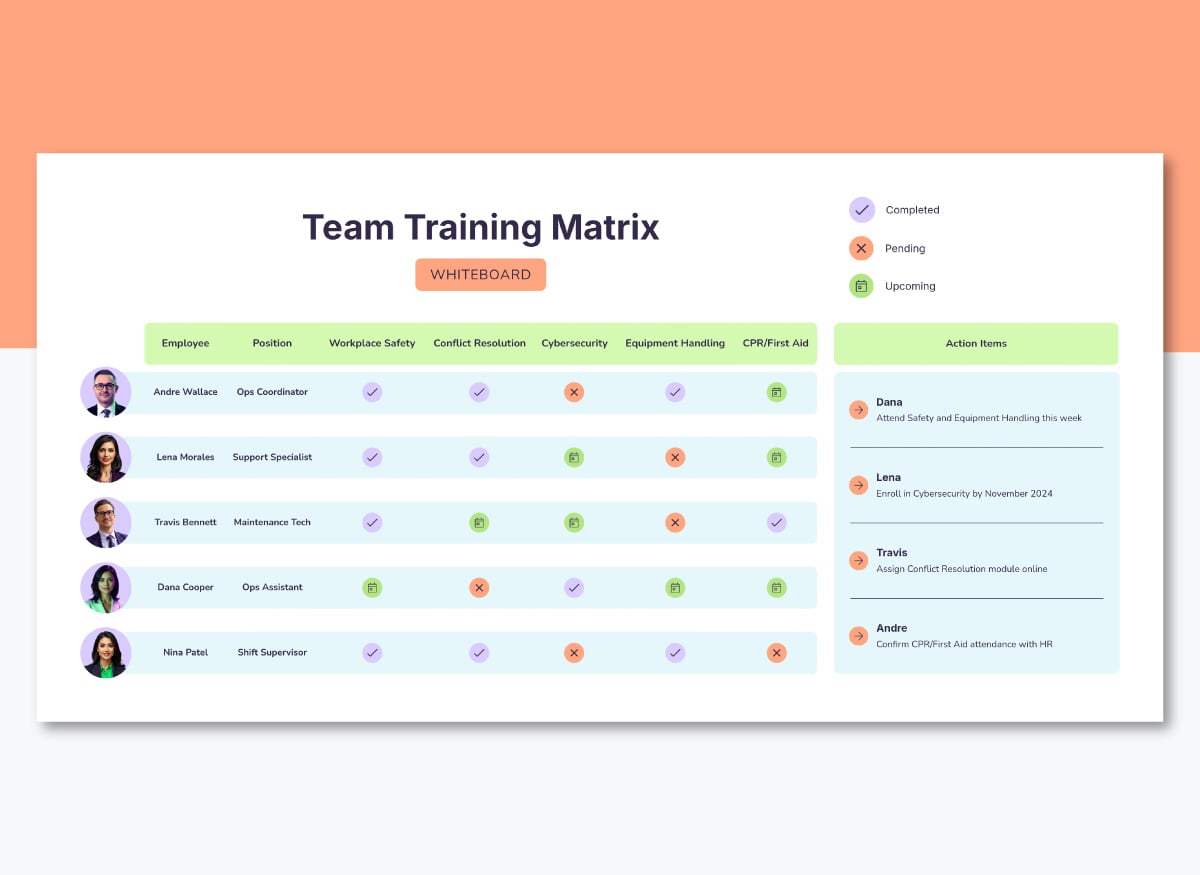
A team training matrix will help you visualize what each employee needs to learn and track completion of each objective. Include this matrix in the plan and explain how it will be used throughout the training program cycle.
Take it a step further and plan to ask the employees in training to share their training goals before the program begins. Then, once training is complete, you can discuss and gather feedback on how well it met their goals.
You'll also need to explain how you'll track the success of the entire training program. This is information your decision-makers and stakeholders will be looking for. They will want to see the results of your plan to determine whether the program should be repeated or whether it's worth investing in a revision.
The baseline is the training goal and learning objectives, so whatever and however you track and measure, it all needs to align. Suggest performance indicators directly related to each objective and write them in the plan. To avoid questions about how all this will be measured, include the tools that will be used.
Training designer Cathy Moore, creator of action mapping, explains why this is the best way:
"The goal is measurable, but it doesn't show how the organization will benefit. It also gets way ahead of itself by assuming that training is the solution."
Let’s return to the goal from before: to certify that 90% of the customer support team is on the new product line before it launches.
This table aligns the objective with a business indicator and how it will be tracked. Even though this example shows one indicator per objective, you can have several, depending on the task's complexity.
| Learning Objective | Business Indicator | Tracked Via |
|---|---|---|
| Explain what the new product does and who it's for, in plain language | First-contact resolution rate on basic product questions | Helpdesk/CRM, tagged by ticket category |
| Pull up the spec sheet and pricing tiers without asking a lead | Rate of pricing questions escalated to a lead | Escalation log; lead time estimate if no formal log exists |
| Walk a customer through setup from start to finish | Rate of setup calls routed to a specialist | Contact-center platform call logs |
| Explain how the new product differs from the line it replaces | Cancellation rate among customers switching to the new line | Billing/subscription data |
| Troubleshoot the top five pilot-flagged issues using the internal knowledge base | First-call resolution rate after launch | Helpdesk/CRM, filtered to those five issue tags |
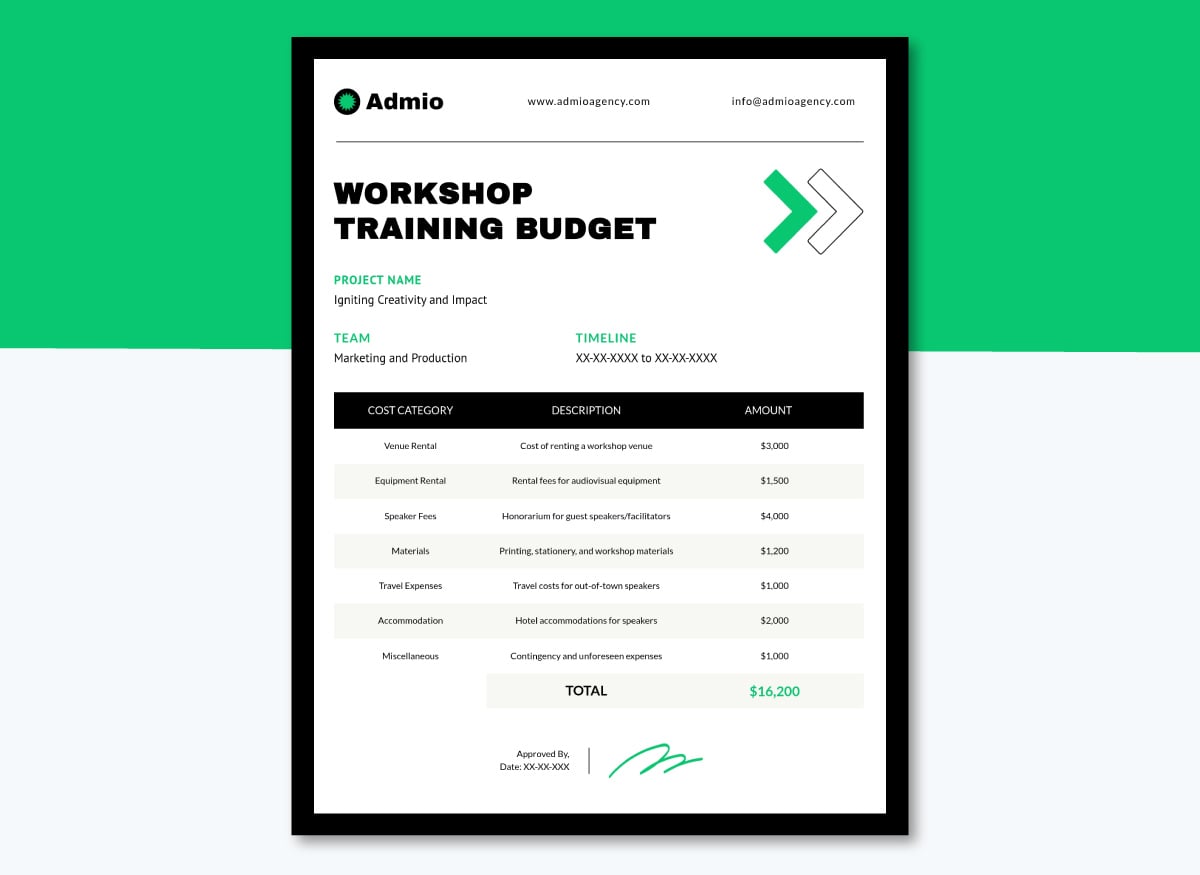
Outline your training budget with the cost of learning materials, trainers and tools you'll need to execute your training successfully. These costs can be recurring or one-time purchases. Training budgets allow you to manage your spending on costs you'll encounter before, during or after training. The aim is to be as detailed as possible to find the best way to allocate company resources.
If you've already been doing employee training, add your ROI (Return on Investment) formula in your training budget section. It'll be helpful for your HR department, supervisor or leadership to see a justification for the training cost.
After all, employee training is an investment. Like any investment, a corporation wants to know how training sessions will pay off in numbers, percentages or dollars.
Draft your training budget proposal and share it with management using this comprehensive template. Include it inside the plan or link it as an attachment.
Now it’s time to put it all together into a document people can read and you can update later. There are three ways to get there, and which one you choose depends on how you prefer to work.
All three paths below lead you to the editor, where you can customize the design as much as you need. Our step-by-step guide on creating action plans will get you to the finish line.
Now, here’s how to begin:
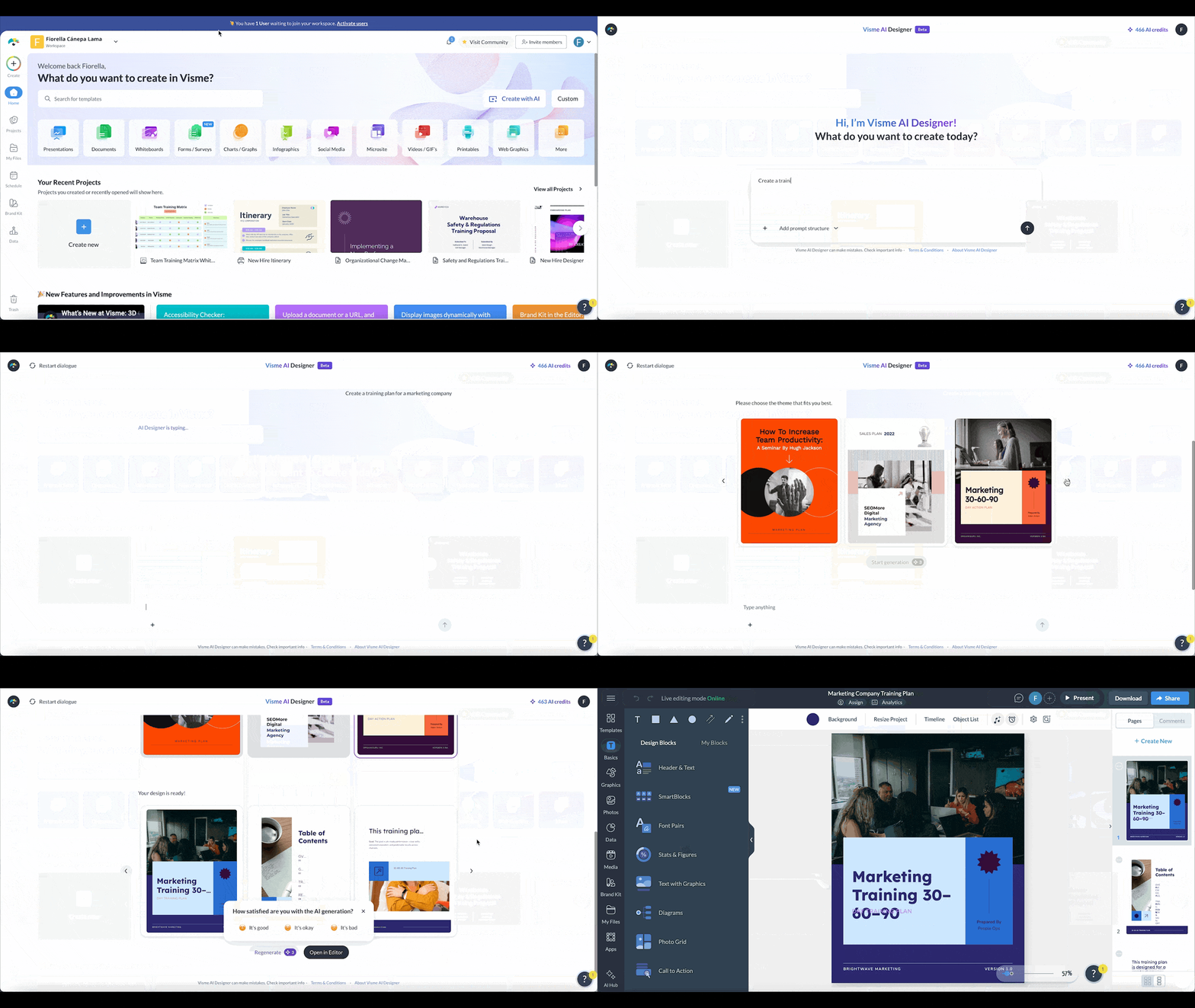
Path 1. Start with AI. Open Visme's AI Document Generator and describe your training plan, or upload the document with everything you already have as the content source. Choose how the AI treats that source:
After answering some questions, the AI will suggest several visual styles in the right panel. If you have a Visme Brand Kit, the AI will apply your company colors and fonts to the output. When it’s finished, click Edit Design to open it in the editor, or Regenerate to get another variation.
Path 2. Start with a template and let AI fill it. Hover over a training plan template and click Preview. Select Edit with AI, answer the questions about your content, then click Generate Design. Preview the result and click Edit This Design to return to the editor, or Regenerate to try again. Take this path when you already know the format you want and only need the copy populated.
Another way to use Edit with AI, is to have the template already open in the editor and navigate to the AI Hub on the left-side toolbar. Click Edit with AI, and the process is the same as above.
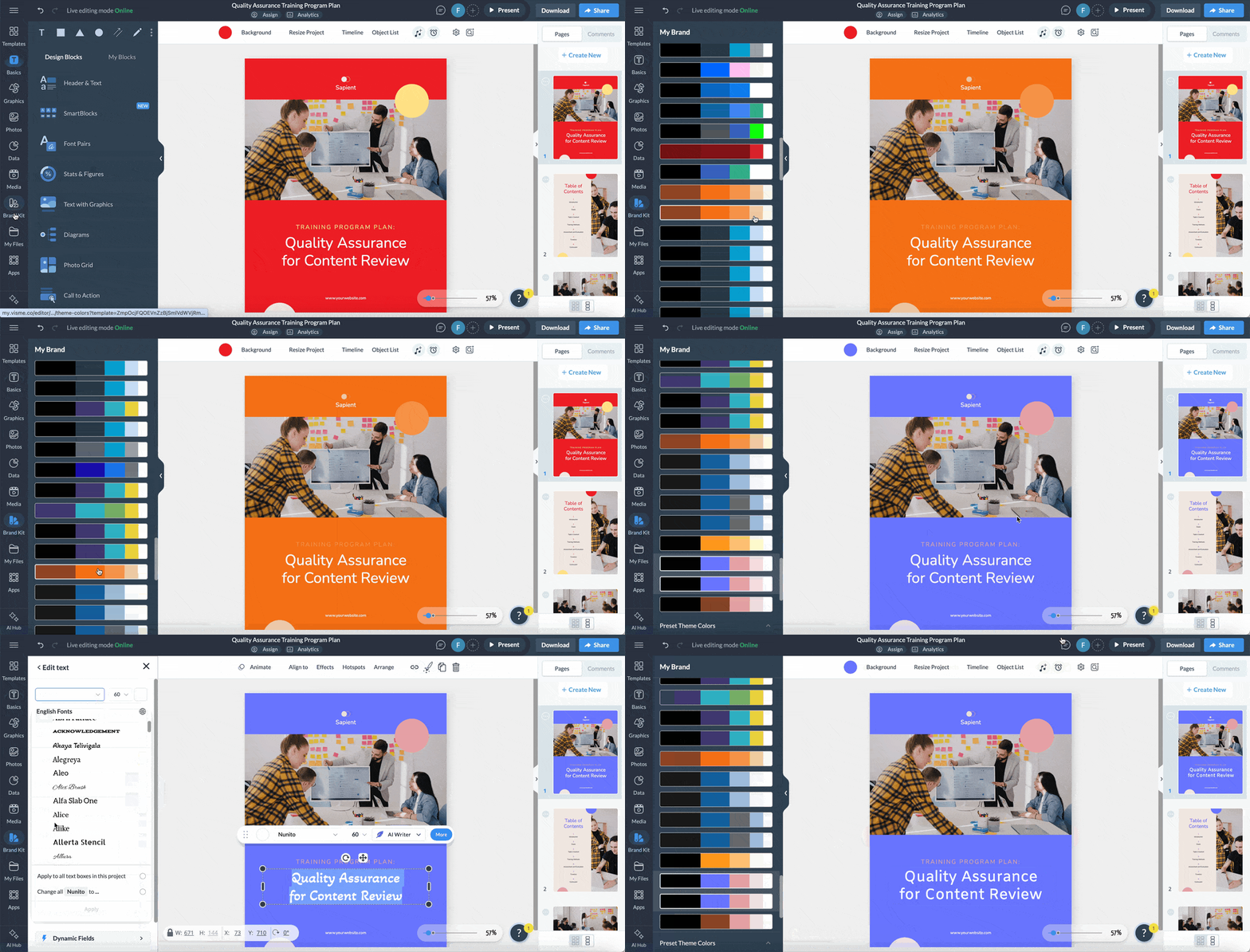
Path 3. Start with a template and build it yourself. Pick a template and edit it directly in the editor. This is the path for a plan that carries approved wording you cannot risk changing, when you’re adapting a document your team already signed off on or if you simply enjoy designing things yourself.
Share the training plan with managers and L&D team members who need to weigh in. Add them to the workspace so they can comment on specific items and resolve them as each one gets handled.
When it's time to pitch the training plan, share a live link before the actual conversation. That gives decision-makers the opportunity to look at your plan first.
Then, during your meeting, you can either use the plan pages as support while you present, or you can simply present while they look at the plan on their devices. That choice will depend on how your team prefers to do things.
And finally, track it. Visme Analytics shows you who opened the plan and how far into it they got.
Completing a training program shouldn't be the end of the process.
Use employee feedback, performance data and training outcomes to evaluate what worked, identify gaps and improve the next training cycle.
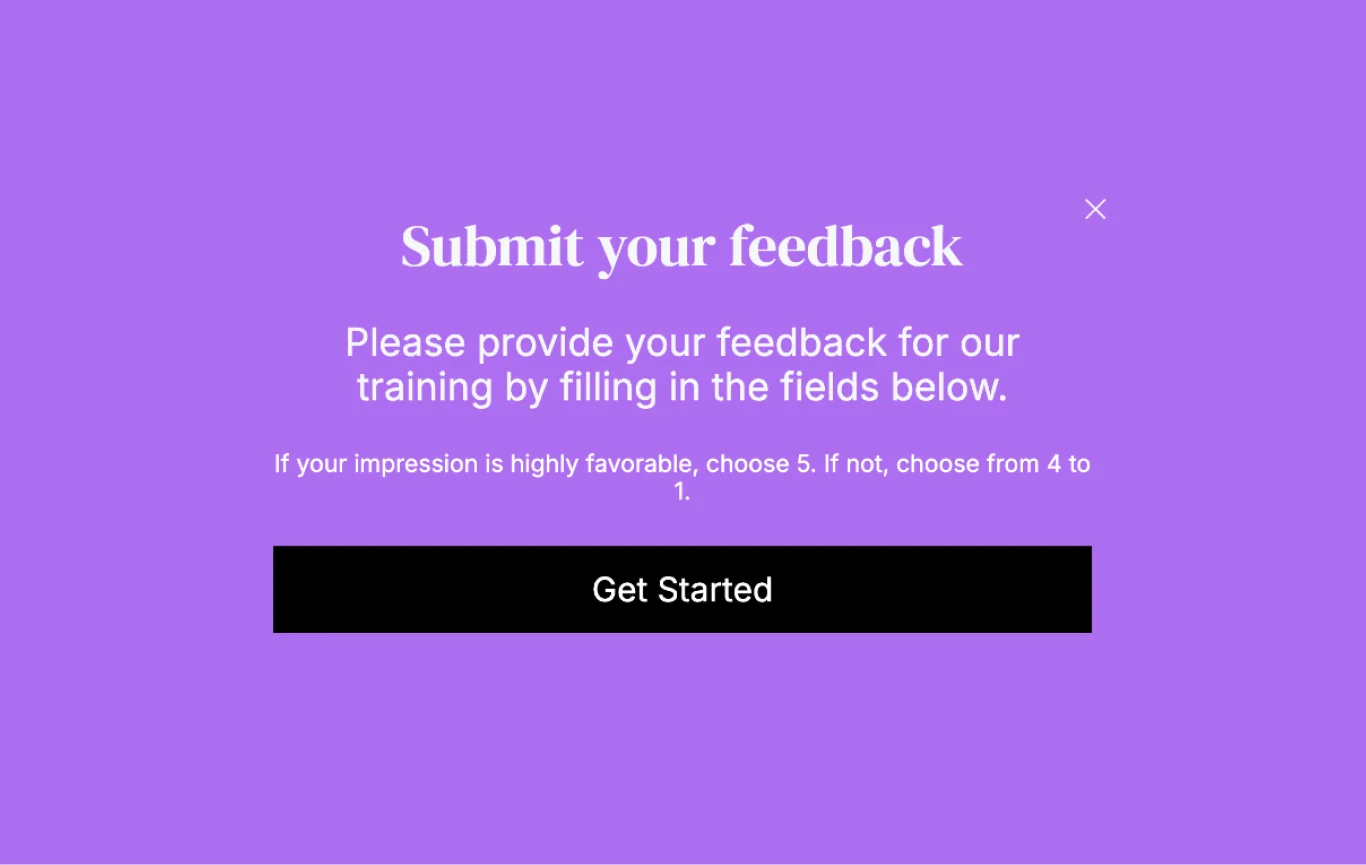
Set aside time to get feedback from everyone involved in your employee training program and give them feedback as well. Provide an environment where no one gets chastised for providing honest feedback. Create a list of actionable items to incorporate into your next training plan based on the input you received.
Try to review your employee training plan as often as possible, or at least as often as your training cycles. This can be done monthly, quarterly or yearly.
Document what changes you’d like to make, what you'd like to see, or what you’d like to keep doing. Revising your training plan doesn’t mean starting it from scratch, but improving it so you never get complacent with your training.
When working with employees or L&D team members on a training plan, Visme makes team work seamless. Beyond adding team members to a single workspace, they can collaborate with each other, leave comments, resolve comments and more.
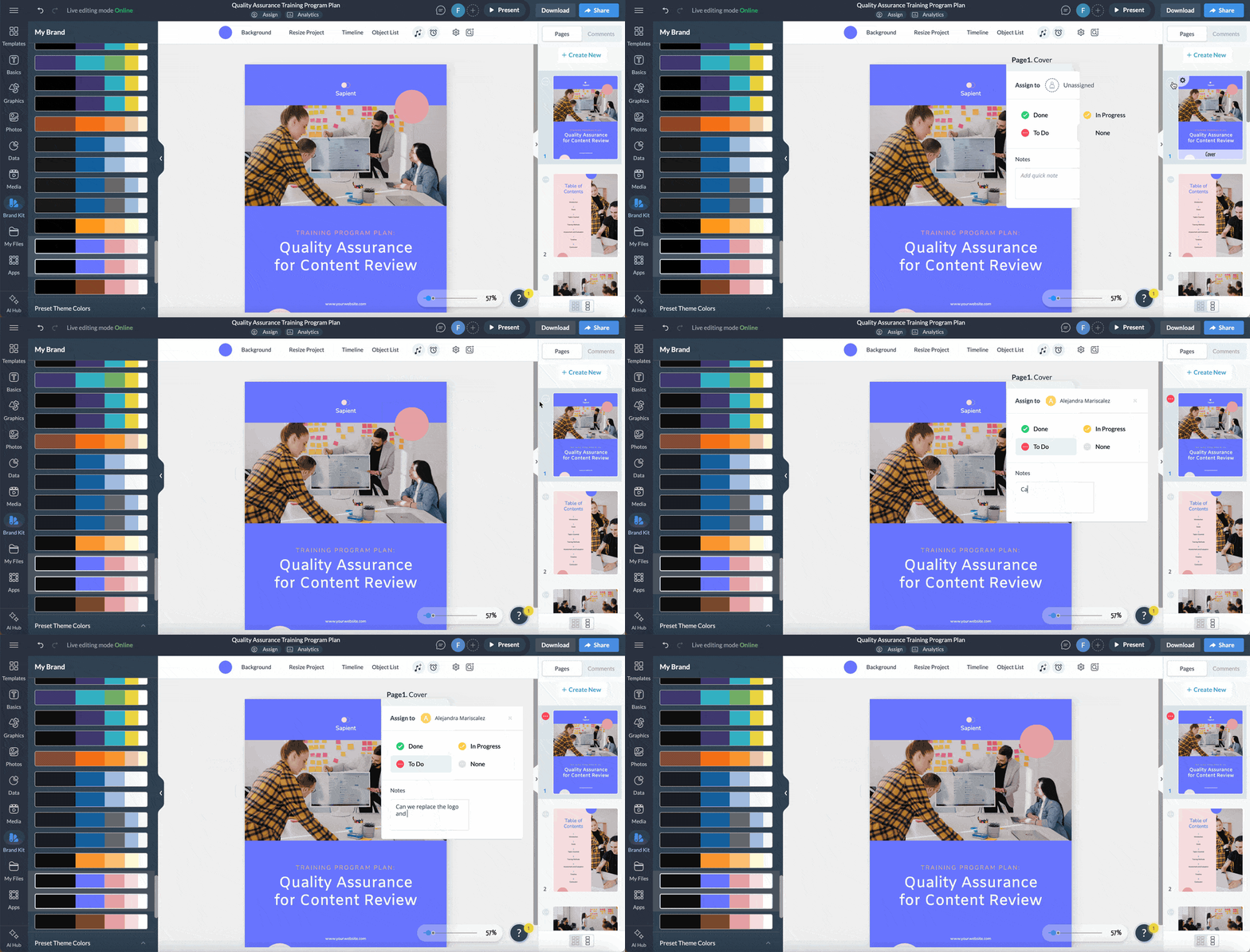
Once employees finish training, check in with them over an extended period to see whether the training program adequately helped them tackle issues and scenarios they might encounter in real-life situations.
It's also a good way of finding any knowledge gaps in their role based on their learning styles. An effective way of following up would be to either:
Another thing you’ll need to do after your training program ends is calculate its ROI. To calculate your training ROI, subtract the cost of training from the total change in profit tied to that training, then divide by the cost of training multiplied by 100 to get a percentage.
(Change in profit − Cost of training) / Cost of training × 100
A result over 100% means the training has more than paid for itself. Below 100% doesn't automatically mean it failed; what counts as an acceptable return depends on your organization's ROI bar, what the training was meant to achieve and how long you're willing to wait to see the return.
First, diagnose the skill gap, then write objectives tied to your goals and expected business outcomes. Define and explain the training format, set a timeline or itinerary, decide how you’ll measure results and then build and share the document. See this article for the step-by-step process and full breakdown.
The biggest mistake is writing an objective that assumes training is the fix before confirming what the problem really is. Other mistakes include not naming the owner for the different training milestones and using attendance or completion as the only proof that the training worked.
The 70-20-10 rule splits employee development into three sources: 70% from on-the-job experience, 20% from coaching and peer learning, and 10% from formal training. It’s a framework for balancing development effort across a whole program, not a template for a single training plan. See our employee training guide for how to apply it.
Every employee training plan needs training goals, an overview of methods and materials, a checklist of skills to cover, a timeline and a way to measure results.
Employee training is delivered through a mix of formats: instructor-led sessions, eLearning, on-the-job coaching, microlearning modules and more.
Most training programs combine two or more methods rather than relying on just one. The right mix will depend on the training objectives and the employees’ unique situations in their roles.
A training plan is a document that lays out all the relevant information for a training program. It lists the goals, methods, timeline, budget, a rollout strategy and measures for a specific training effort. The training program is the actual initiative employees participate in, including the sessions, materials, activities, assessments and follow-up.
Training plans need to be long enough to cover goals, methods, a timeline and how you’ll measure results. If a plan runs too long, consider splitting it by role or phase to keep things organized and on track.
Effectiveness is measured against the goal you set before training started. Pick one observable outcome per objective, such as an error rate, a completed task, or a shorter ramp time, and track it after training ends.
The best format is an accessible, version-controlled living document your team can update as things change. Static or printed files get outdated fast, and nobody notices until someone follows the wrong version. Visme offers an easy way to build and share a plan like this, with a live link you can share via email, DM or Slack thread.
Planning your training pays off in more ways than one. When done right, it benefits the entire company, all the employees and your L&D team.
Writing a training plan requires a clear understanding of what your department, team or company needs. It also requires a formula to provide employees in training with as many resources as possible to assimilate into their roles with ease.
Do you already have that information but need some help putting together your training plan?
Visme can help you at every step of the process, from strategy and whiteboard brainstorming to building and designing pages in the editor. The vast array of traditional and AI-powered design tools offers everything you need to create and share a training plan with decision-makers.
Sign up with Visme to create your training plan first, and then the learning and development content for your training programs.

Design visual brand experiences for your business whether you are a seasoned designer or a total novice.
Try Visme for free