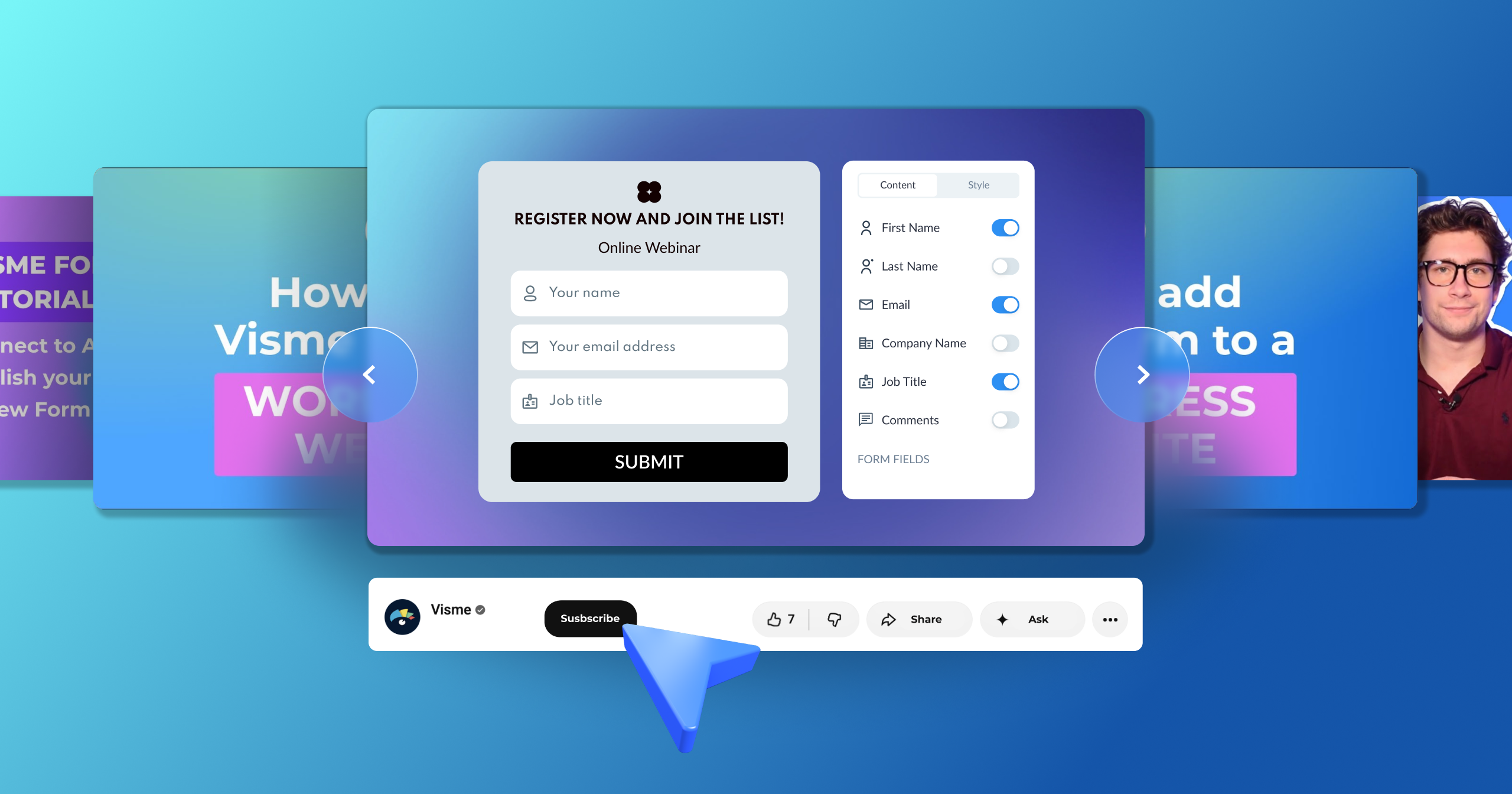


Visme Forms Walkthrough: Build a Form That Routes, Syncs and Converts


As a nonprofit organization, you may have a list of missions waiting to be executed but need more funding. And to secure financing for those generous causes, you'll need to create a compelling case for support.
One of the most effective ways to do this is by creating a nonprofit one-pager that outlines your organization's mission, goals and impact.
But here’s the problem: Communicating your nonprofit's profound stories and missions on a single page can feel like fitting an ocean into a cup.
We understand that it can be difficult. That's why we've compiled this comprehensive guide to writing a nonprofit one-pager.
The article will equip you with the strategies, tools and templates to write a nonprofit one-pager that helps you secure funding and build relationships with potential donors. Plus, you’ll discover real-life non-profit one-pager examples to inspire your own.
Before we dive in, watch this video where Mike shows the secret to one pagers that actually work:
A nonprofit one-pager is a single-page document that contains important information about a nonprofit organization, including its mission, objectives, accomplishments, programs and ways to support its cause. It's designed to promote the organization and encourage donors, volunteers and partners to support its efforts.
Here’s an example of a nonprofit one-pager:
A nonprofit one-pager does more than summarize your work. In the right hands, at the right moment, it becomes one of your most versatile fundraising and communication tools. Here's how it makes a difference.
When you're meeting a potential donor for the first time or submitting materials alongside a grant application, a well-crafted one-pager can do a lot of the heavy lifting. Donors connect to outcomes and stories first and programs second, so leading with impact gives them a reason to believe in your cause.
This matters because 47% of nonprofit professionals cite donor acquisition as their greatest challenge, and a compelling first impression often separates organizations that get funded from those that don't.
Nonprofit designer Olivia Lopez-Wheeler of Acton Circle frames it perfectly:
"A nonprofit one-pager is less about saying it all and more about saying the right things well. Donors and partners don't need every single program detail. They need your main message, why it should matter to them, and a clear next step."
Board members, corporate partners, community leaders and volunteers all need to stay aligned on your mission and progress. A one-pager gives them a consistent, ready-to-share snapshot they can reference between meetings or share with others.
Plus, key stakeholders should have access to your organization's financial information, programs and impact, whether it's presented in a quarterly report or another format. A one-pager fills that gap.
A fundraising one-pager earns its keep most when money is on the line. Whether you're running a year-end giving push, a peer-to-peer campaign or an event sponsorship pitch, it gives donors and prospects something concrete to reference.
Aside from being a clear, visual reminder of your mission and impact, it also gives your volunteers, board members and fundraising team a consistent message to carry into every ask. That way, nothing gets lost in translation when multiple people are representing your cause at once.
For example, imagine your board member heading into a donor lunch with no materials, versus them walking in with a one-pager that shows exactly what last year's gifts achieved and what this year's campaign is funding. The second conversation starts from a very different (and better) place.
Corporate decision-makers field a lot of requests, and as Laine Seaton, CFRE, from Great Grants, notes:
"Just as with individual donors, corporate giving officers are people too. Take the time to get to know them and lead with building a mutually-rewarding collaboration."
A one-pager that speaks directly to what a corporate partner cares about, their values, their employees and their community presence, makes it far easier for them to say yes.
According to Giving USA 2025, corporate giving reached a record $44.40 billion in 2024, a 9.1% increase over the previous year, and organizations that can express their impact while also speaking directly to the givers are best positioned to benefit from that growth.
A one-pager that weaves your mission into a narrative backed by data, gives your potential supporters a good backstory in your organization.
Research from Harvard Business School confirms that people are significantly more likely to recall information wrapped in a story than statistics presented alone, which is why combining a compelling narrative with hard numbers works so well in a single-page format.
Because, as Karen Lee from Instrumentl notes,
"A nonprofit can be doing the most incredible, meaningful work in the world. But without the right communication strategies, no one will know about it. It's up to your organization to tell its story.”
When you start a fundraiser a strong nonprofit one-pager is built around nine core components.
Each one serves a specific purpose, and together they give your reader everything they need to understand your mission and take action.
Keep in mind that these elements are especially relevant for one-pagers focused on fundraising and donor engagement. So, if your one-pager serves a different purpose, like volunteer recruitment or policy advocacy, your mix may look a little different.
Made with Visme Infographic Maker
Here's an easy-to-follow guide on how to create a nonprofit one-pager. It includes everything from structuring the document to designing and sharing it with potential donors and investors.
Before writing the content for your one-pager, you’ll need to clarify your objective and gather all the content to support it. Answer these three questions to get things going.
If you need some structure for this step, a goal-setting worksheet can help you get it all straightened out before moving on. The template below is just what you need.

At this point, your goal is to communicate the mission as concisely and effectively as possible. You can draft the content yourself or use an AI tool like Claude or ChatGPT to help.
Here are a few principles to guide you in finalizing your messaging:
If you're using an AI tool to help, try a prompt like this:
"Write the content for a donor-facing nonprofit one-pager for [your organization name]. Our mission is [mission statement]. We serve [audience]. Last year we [key impact stat]. Our main programs are [programs]. We want the reader to [call to action]. Keep it concise, lead with impact and make it scannable."
With your content drafted, it's time to build your one-pager. Visme gives you two options to get started.
Option 1: Generate it with Visme AI: Open your Visme dashboard and click on the plus icon to create a new project. In the pop-up, scroll down and select "Create with AI." Input a prompt asking for a nonprofit one-pager and describe your organization. Don’t forget to upload the content you wrote in the previous step.
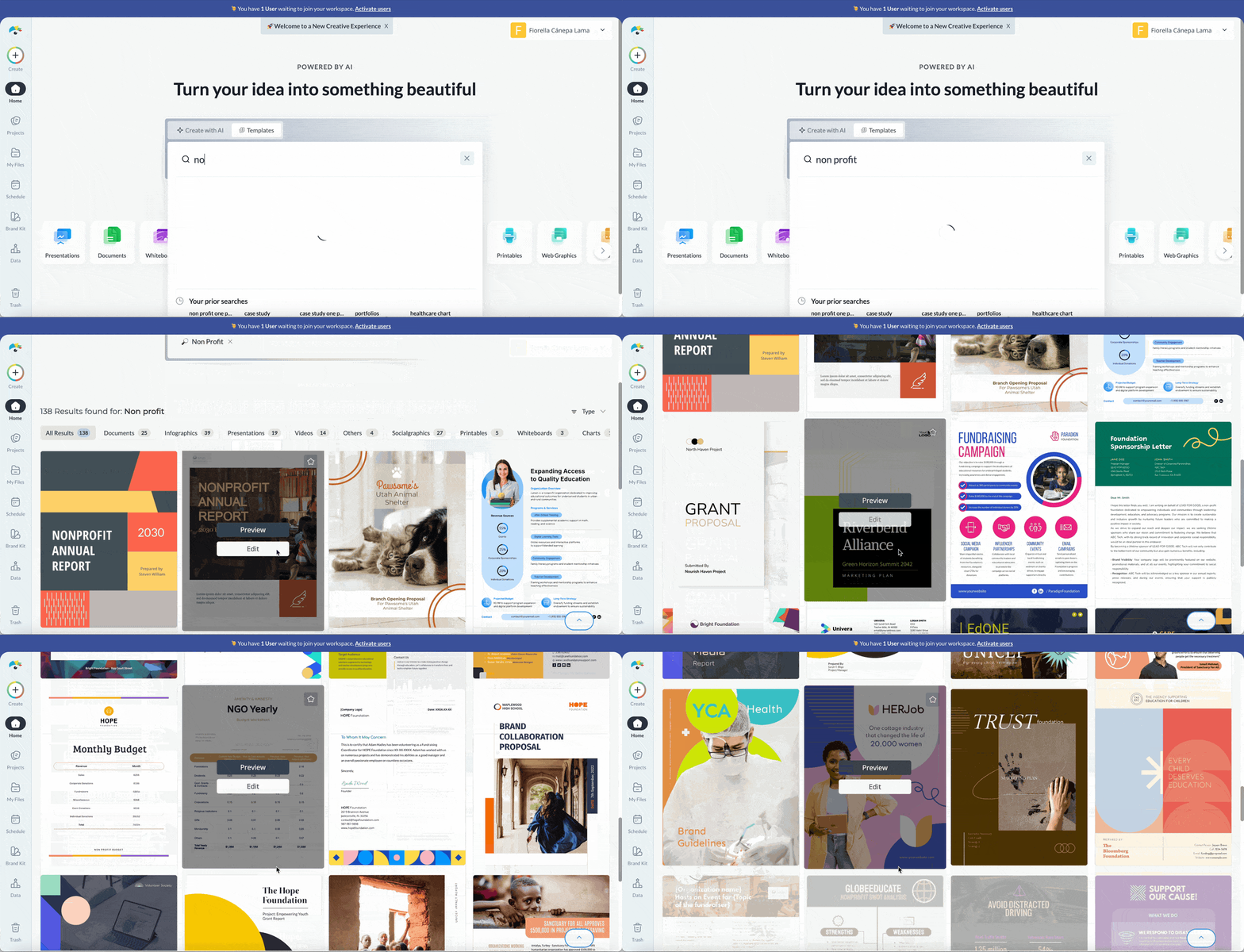
For the prompt, write something along the lines of "create a donor-facing one-pager for a youth mentorship nonprofit focused on at-risk teens in urban communities." After asking you some questions for further details and offering some style options, the AI will produce a complete layout you can edit however you like.
Option 2: Start with a template. If you prefer to start with some structure, browse Visme's library of nonprofit one-pager templates and choose one that aligns with your purpose and vision. You can choose from the templates featured later in this article or explore Visme's full library for more options.
When you’ve chosen a template, you can either customize it manually or use the Edit with AI option. The AI option will open a chatbot and ask specific questions about your project to help you edit it.
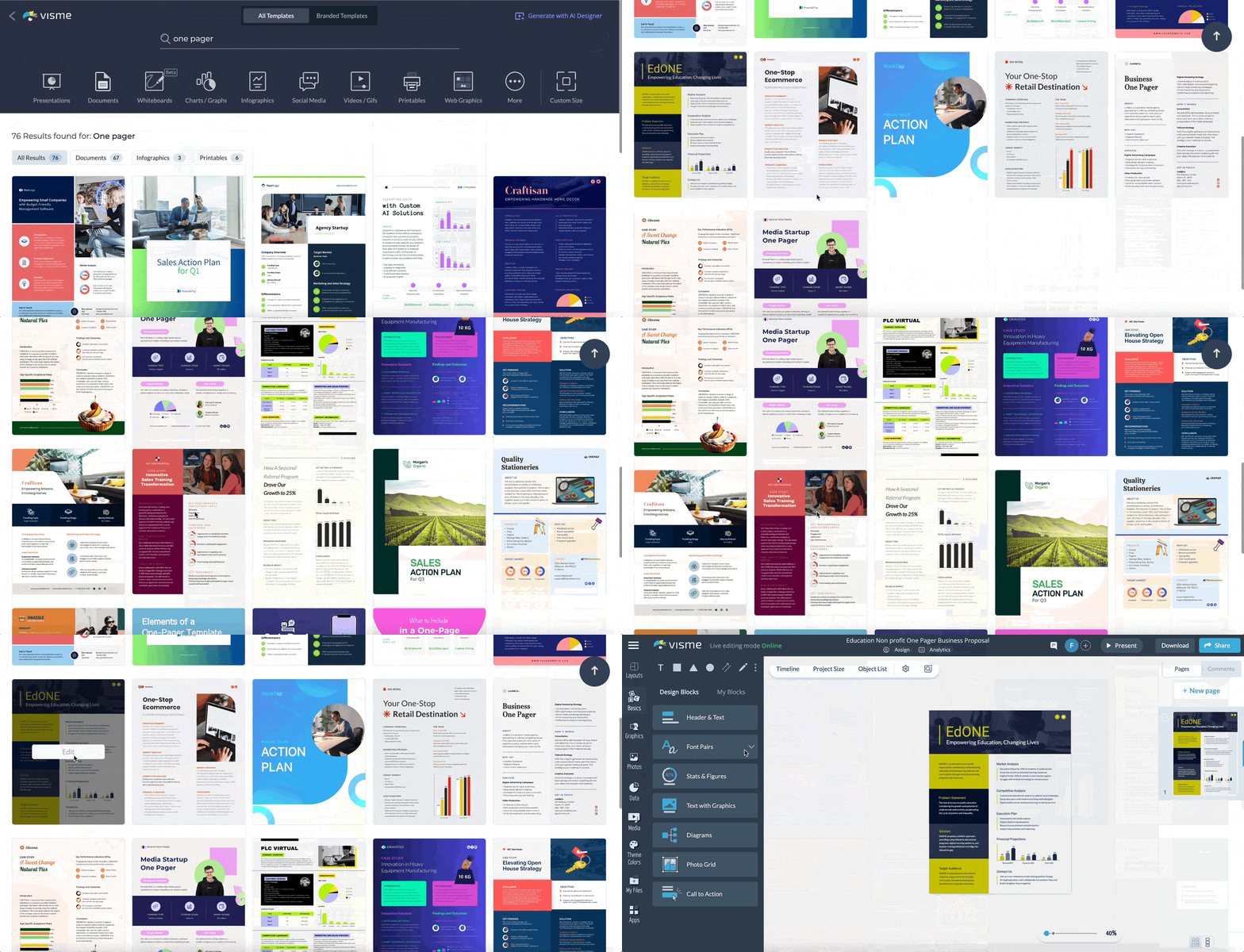
Visme's user-friendly interface makes it easy to customize the one-pager templates.
While there are endless opportunities to customize your templates in Visme, here are the ones you shouldn’t skip.
Visme makes it easy and efficient to adjust the text in your template. Click on any text box and edit its content to effectively articulate your goals and values.
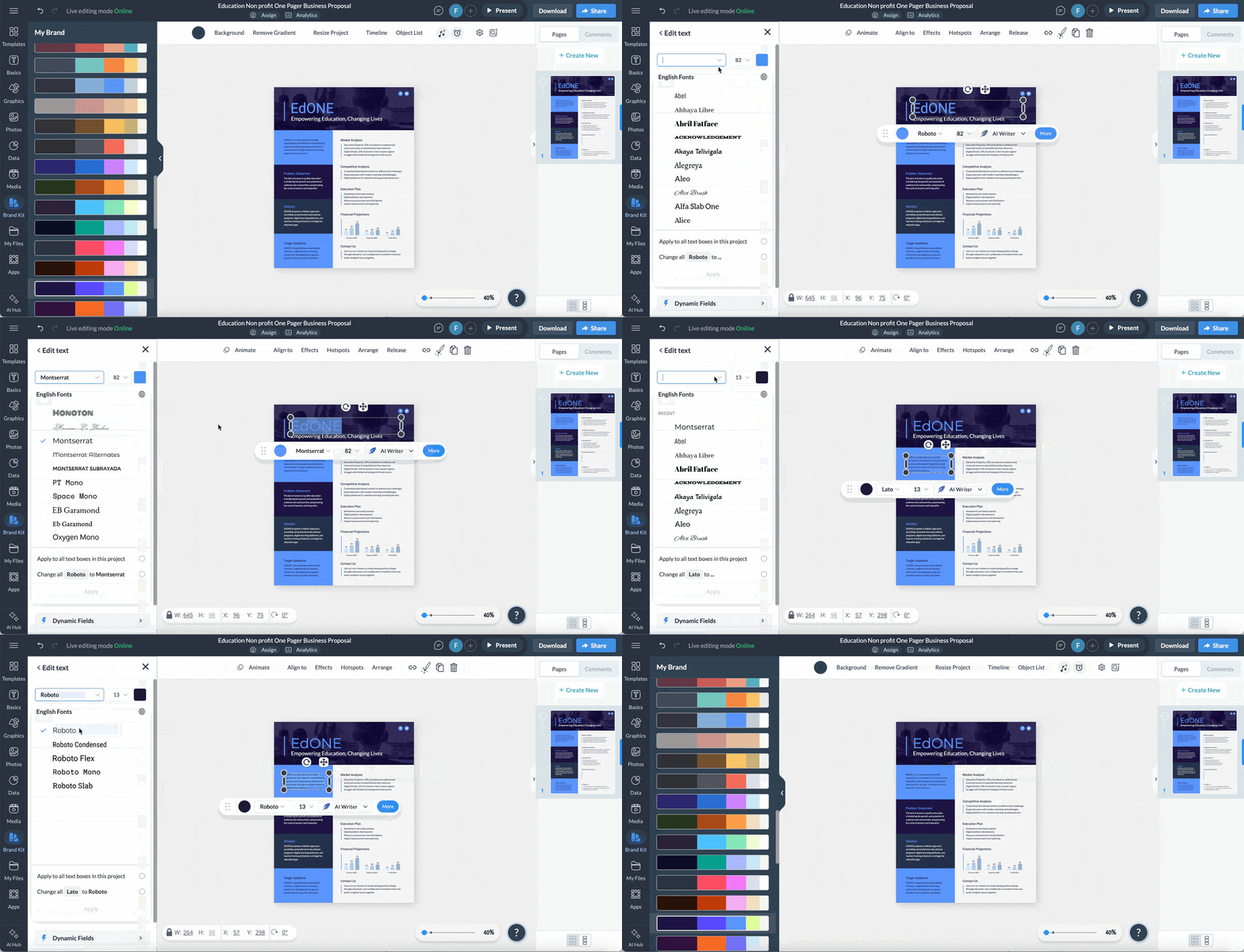
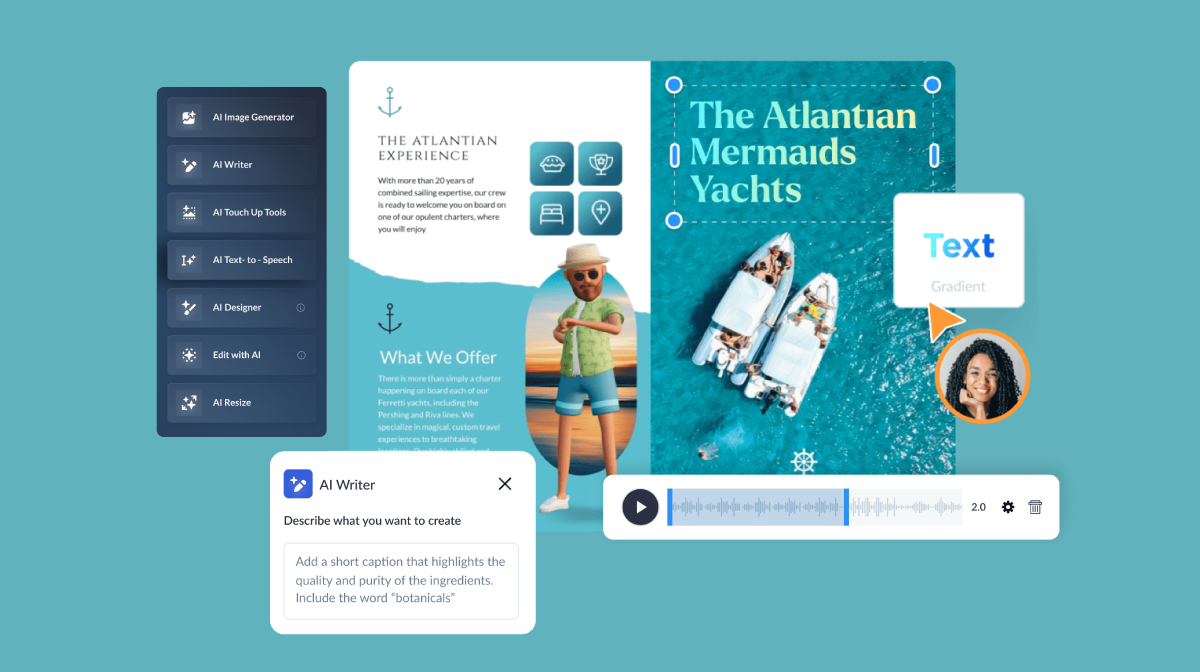
And if you need additional help implementing these strategies, use Visme's AI writer to generate texts, draft content structures and even proofread and edit your proposal. Simply select a text or add a text block, then choose the AI writer to type in your prompt, and your text will be ready in seconds.
To replace the template's images with your own, drag and drop your chosen photograph onto the image placeholder. Use real photos from your programs, your community or the people you serve.
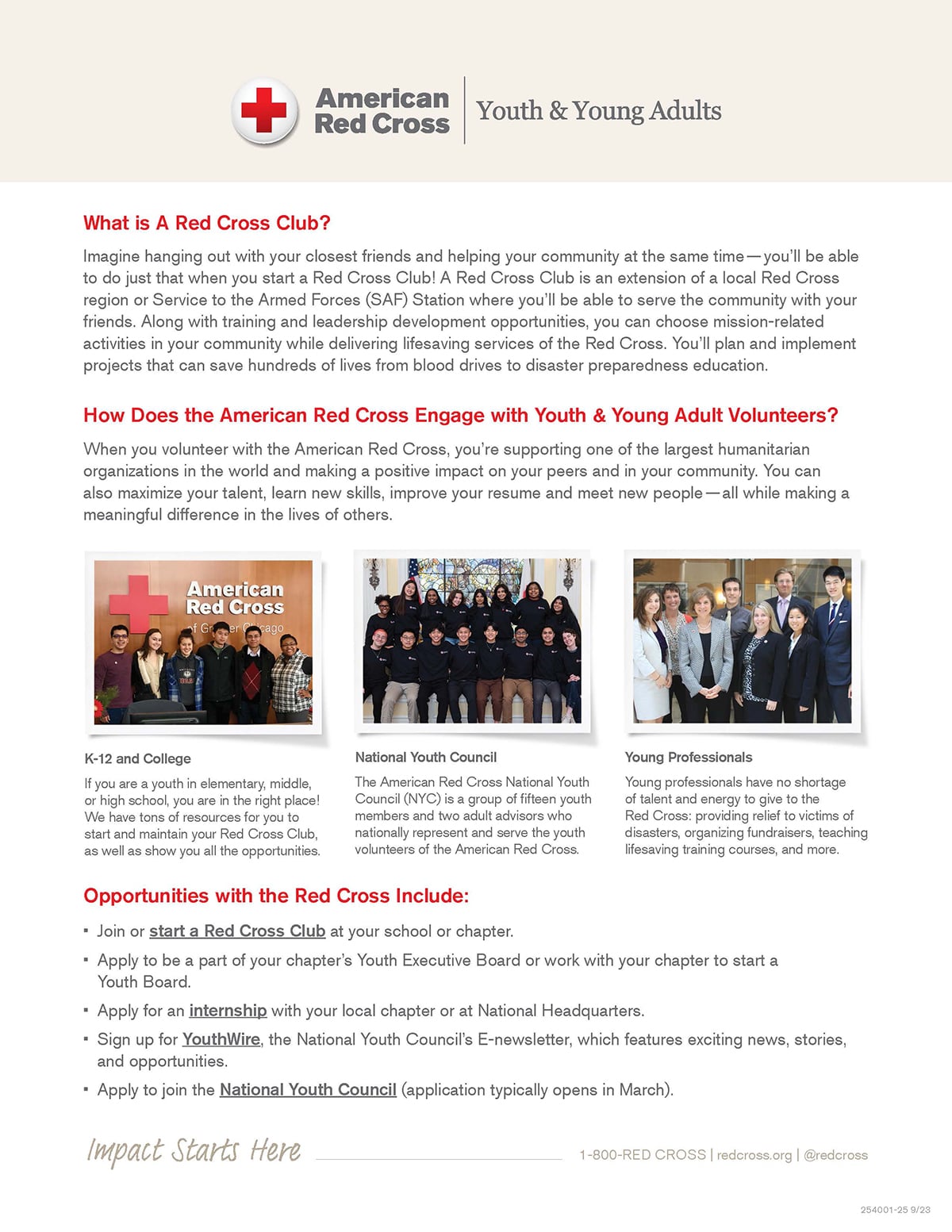
Take a look at this non-profit one pager example. It’s a call for volunteers from the American Red Cross. Notice how they include three real photos from past programs to illustrate and bring the message to the forefront.
If you don't have the right image, Visme's AI Image Generator can help you create custom visuals from a text description.
And if you have existing photos that need a little work, the AI Image Editing Tools let you touch up, unblur or upscale any image directly in the editor.
Give your one-pager a professional touch by incorporating your branding. With our brand design tool, you can upload your logo, set your brand colors and choose your brand fonts, enabling your one-pager to reflect your organization's unique brand identity.
Copy and paste your website URL and the tool will automatically extract the brand elements and save them under the “My Brand” area.
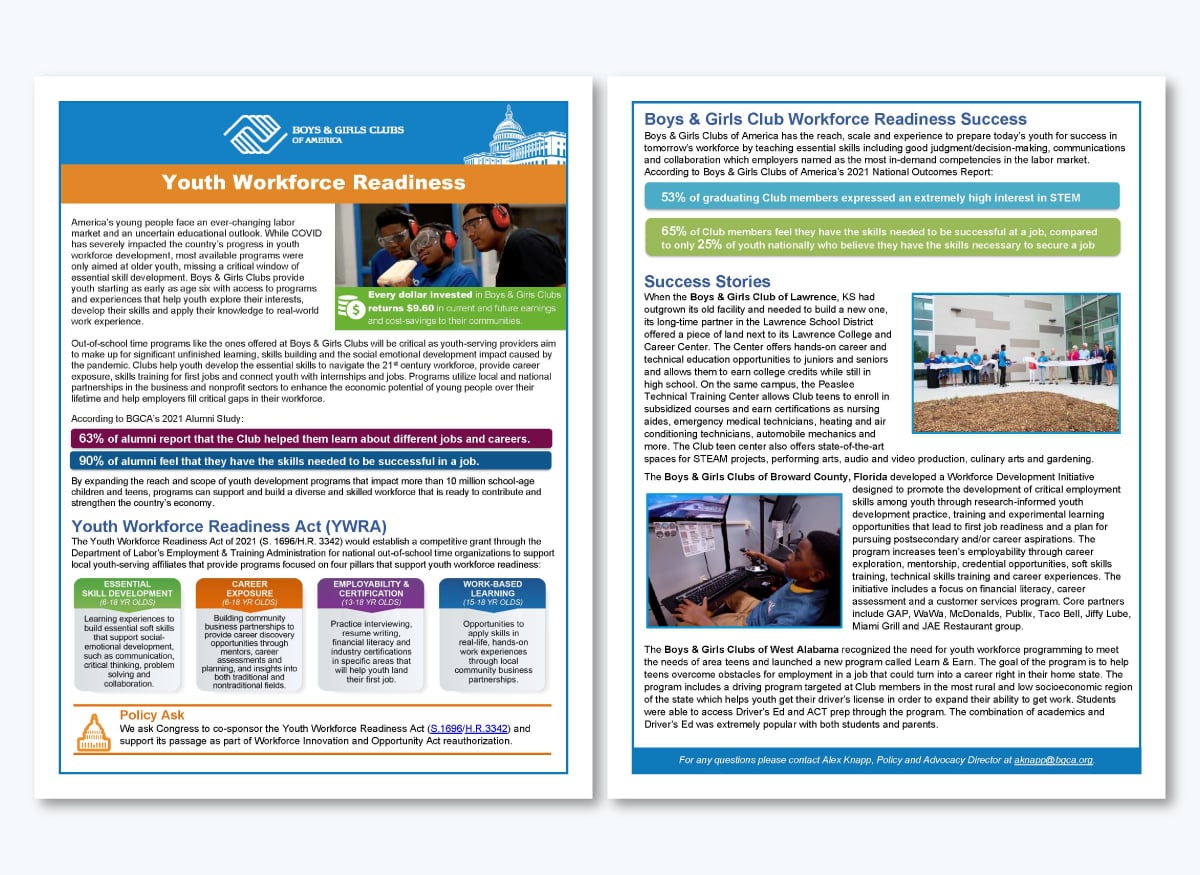
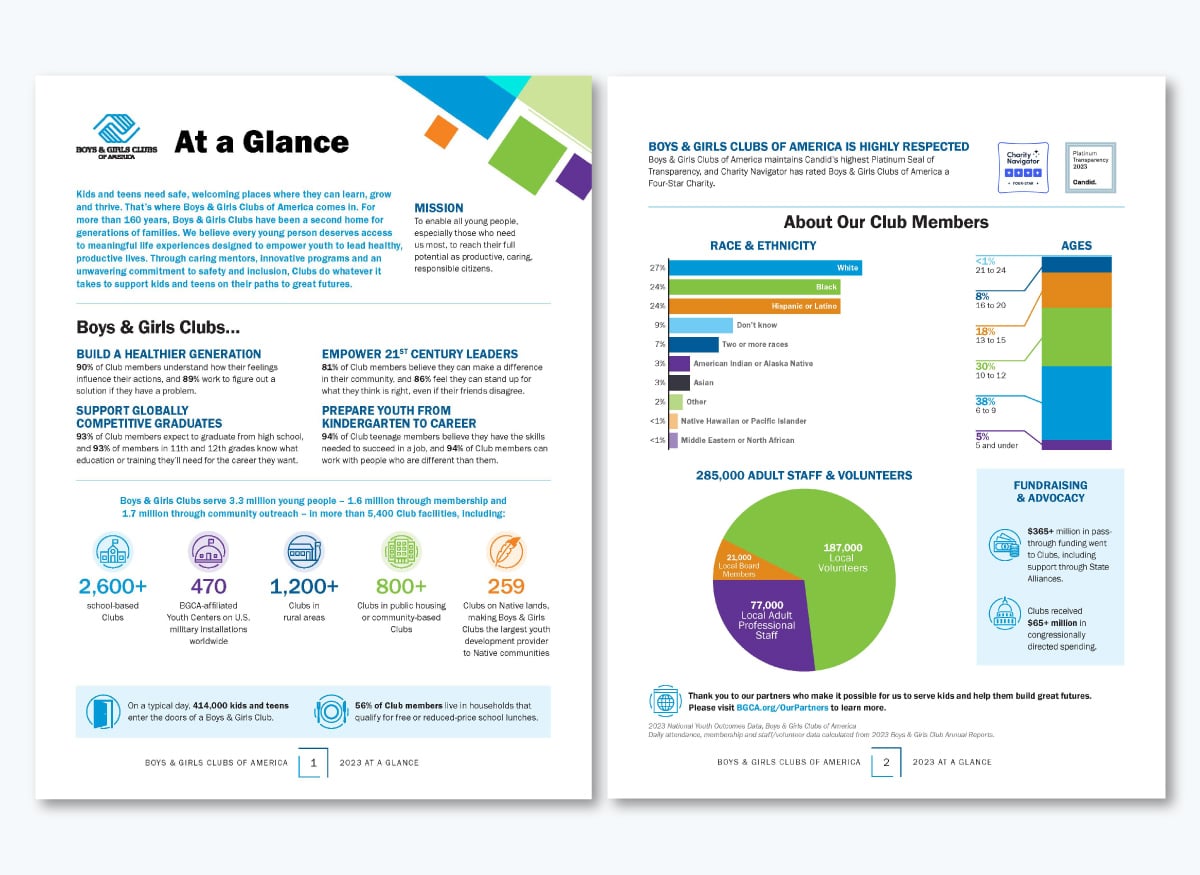
The Boys & Girls Clubs of America Youth Workforce Readiness one pager is a strong example of branding done right. Their color palette supports the design on both the front and back of the document. You can do the same with Visme’s branding tools.
Visme's brand wizard tool has helped numerous nonprofit organizations save valuable time on design work and allocate more resources to their missions.
Melissa Daley, Communication & Marketing Manager of CISCRP, a nonprofit organization that has benefited from Visme's brand wizard tool, shares her experience:
"I have branded templates saved. Once I created the framework and foundation for the social media posts that we create, I can just duplicate them and strip out words, pictures, change things, but the branding remains, so that's really nice."
"My favorite thing about the platform is its ease of use. It's a very intuitive platform. You don't have to be someone with a strong background in visual design to understand how to make Visme work. And if you do have a design background, so much the better."
Read the complete case study about how a nonprofit uses Visme to connect with its audience.
Visme's drag-and-drop interface makes it easy to add, remove, rearrange and customize any element until the layout reflects exactly what your organization needs to say.
Beyond the basics, Visme's library gives you access to icons, 3D elements, illustrations and characters to add personality and visual interest to your design. Use icons to highlight program areas, illustrations to break up text-heavy sections or characters to bring a human element to your story.
If your one-pager is volunteer-focused, you might lead with photos and pull back on stats. If it's a corporate pitch, you might add a sponsorship tiers table or a partner logo section. Use the flexibility to personalize your one-pager to your specific audience and make it unique to your organization.
For layout inspiration to arrange said elements, check out our guide on one-pager layout ideas.
Use Visme's built-in charts, graphs and data widgets to convert complex data into visually appealing, straightforward representations. Showcase your nonprofit's accomplishments and positive impact in a manner that instantly catches your audience's eye and inspires them to endorse your mission.
Choose from 30+ data widgets and 20+ types of charts and graphs, which you can customize to align with your brand’s visual identity and overall onepager design.
The Boys & Girls Clubs of America At a Glance fact sheet shows exactly how this works.
The back page uses a horizontal bar chart to break down member demographics by race and ethnicity, a stacked bar to show age ranges, and a pie chart to visualize the 285,000-strong staff and volunteer workforce. And on the first page, it has simple icon-based callouts for fundraising figures.
If you're sharing your one-pager digitally, take it a step further by adding interactivity. Turn any element into a clickable hotspot that reveals additional information, links to a donation page or plays a short video.
Add hover effects to surface program details, embed links to your website, social media channels or a specific campaign page directly into buttons, images or text.
These features are especially useful for one-pagers shared via email, embedded on your website or distributed through a public link, giving your reader a more immersive experience.
When designing a one-page document for your nonprofit organization, it's essential to involve team members and other stakeholders in the process. This practice will help identify mistakes, incorporate diverse perspectives and strengthen your communication strategy.
With Visme's collaborative design features, you can efficiently work with multiple team members. Invite them via email or by sharing a link and set permissions for live editing, commenting, annotating and more. It will significantly reduce the time and effort spent back and forth before finalizing the design.
Watch the video tutorial to see how the feature works.
Once you finish customizing the one-pager template, it's time to share it with potential donors, investors and volunteers. Visme offers multiple options to share your design:
Visme also provides comprehensive analytics tools that offer in-depth insights into how your digital one-pager performs. Track how many people have viewed it, how much time they've spent and more, so you can see what's resonating and refine over time.
Ready to level up your game with some awesome one pager templates for your nonprofit? We've put together a collection of eight one-pager templates designed to make sharing your story easier and more impactful.
Our templates are fully customizable and cater to different causes, whether global warming or blood cancer awareness. You can choose the ideal template for your cause and personalize it using Visme's intuitive drag-and-drop editor.

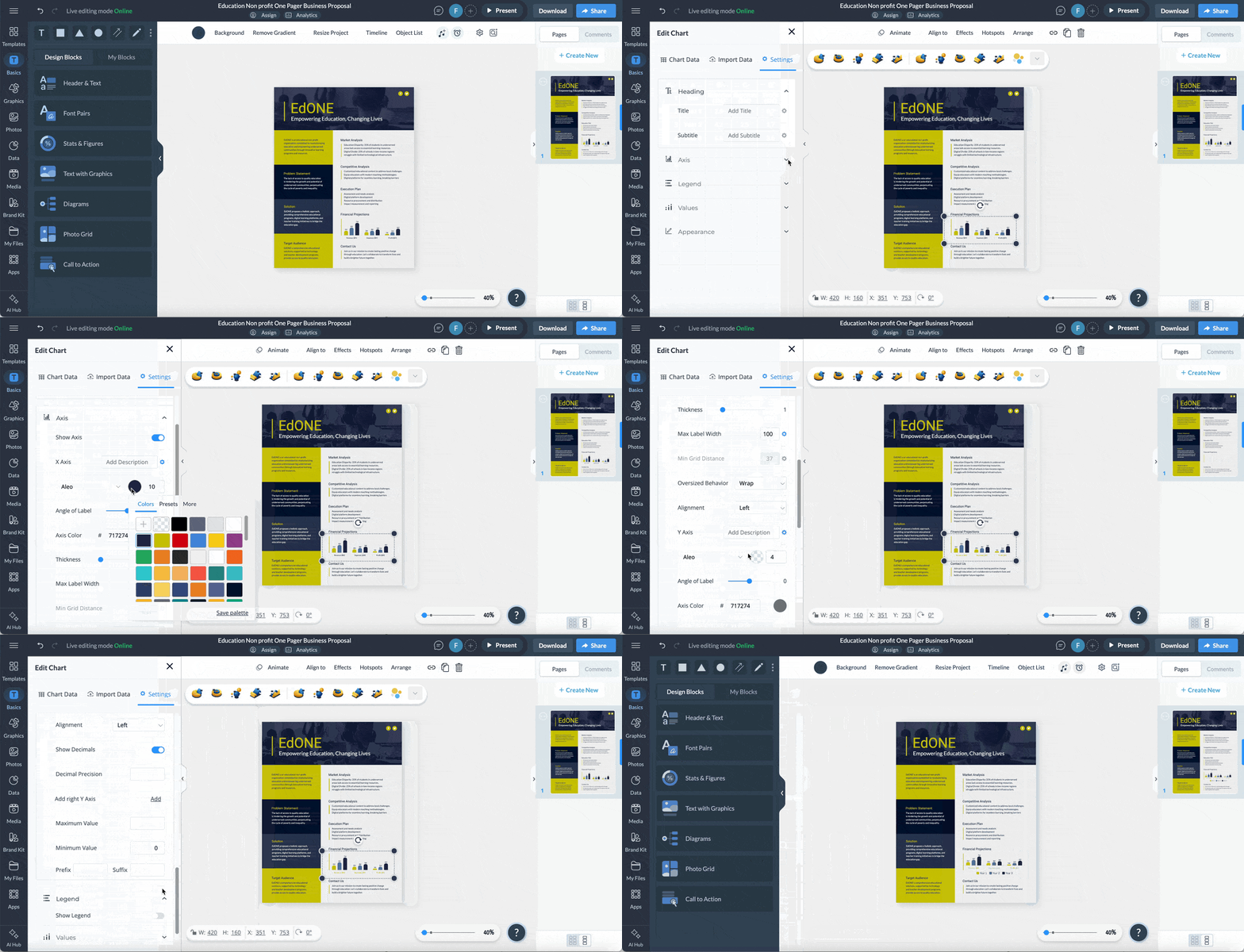
This template’s design is ideal for education-focused nonprofits. It will help you articulate all aspects of your work on a single page, from problem statement and solution to target audience and market analysis. The vertical bar graph visualizes financial projections, ensuring stakeholders understand your revenue, expenses and profit.
When personalizing the content, replace the placeholder financial data with your most recent impact numbers. Click the chart in the layout to open the Settings menu. Select "Edit Data" to enter your figures directly, or connect a Google Sheet for live updates.
Once your education one pager ready, attach it to your next grant application as a visual summary so reviewers have your full story before they open the proposal.

Capture potential sponsors' attention with this event sponsorship request one-pager template. The layout helps you outline your sponsorship objectives and present well-defined sponsorship packages with pricing and benefits.
When personalizing this template, make each sponsorship tier feel worth its price tag. The higher the tier, the more exclusive the benefit should feel; offer things like naming rights, speaking slots or VIP access.
To make it easy for decision-makers to follow up on the spot, add a QR code that links to your sponsorship contact's email or to a dedicated landing page. In Visme, go to the left panel, select "Apps" and choose the QR code element. Enter your link and drop the visual next to the contact section.

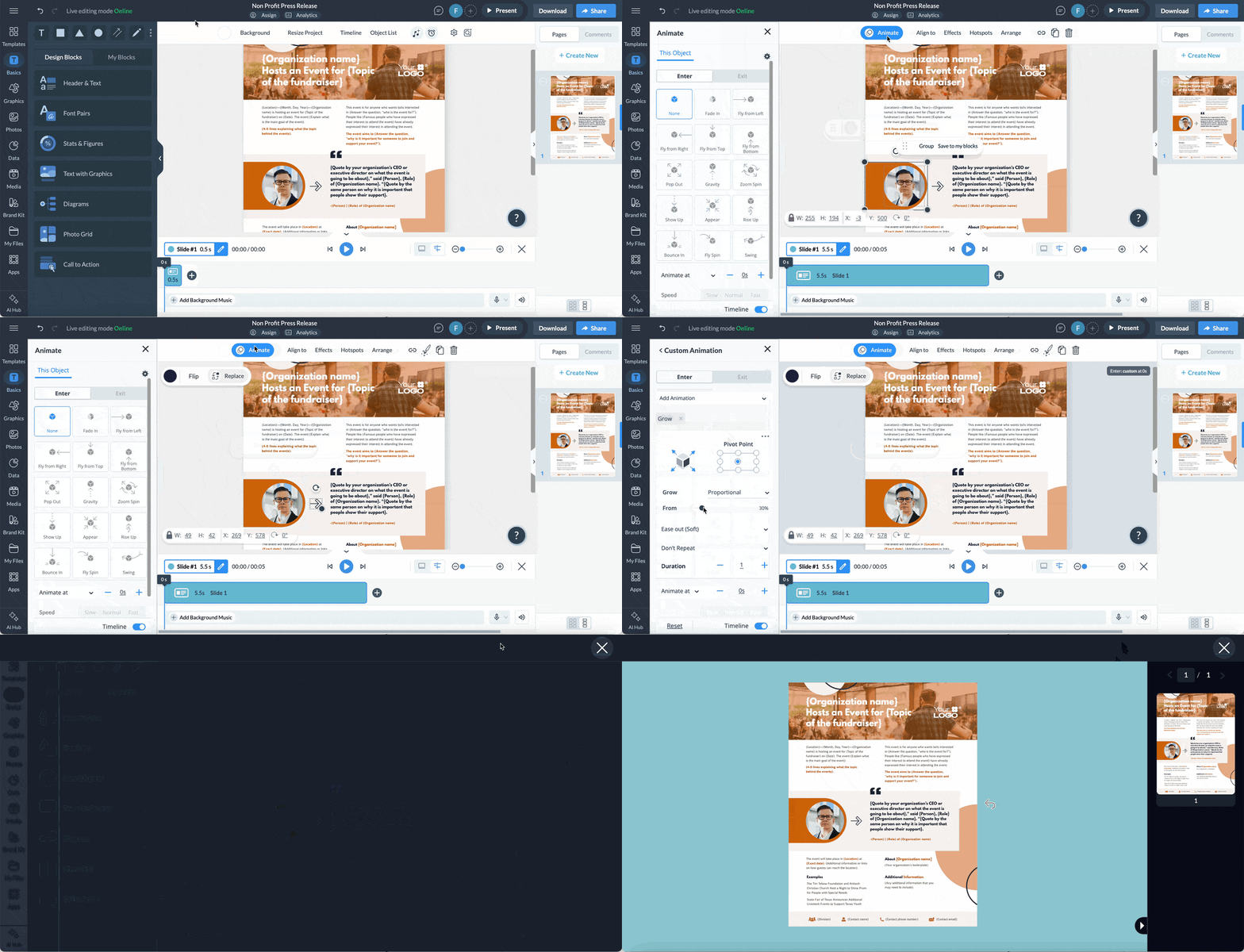
Use this press release template to share your nonprofit's news, be it a fundraising event, a program launch or a campaign milestone, in a format journalists and media contacts can act on immediately.
The layout includes a prominent quote section in the center, giving your executive director or CEO a clear moment to speak directly to why the event matters, plus a contact strip at the bottom. Hence, the right person is always easy to reach.
If you're sending this to multiple media contacts or partners, Visme's Dynamic Fields feature lets you personalize each version without rebuilding the document from scratch. Set up custom fields for the recipient's name, organization or location, and Visme automatically populates them across the layout. One template gives you as many personalized versions as you need.

Use this template to promote your fundraiser event. The two-column layout separates logistics from programming, so attendees can quickly find what they need: when to show up, who's speaking and what's happening. It’ll work great for hospitals, cancer awareness organizations or any nonprofit hosting a large-scale fundraising event.
To personalize it, update the Key Speakers section with your panelists' names and credentials. If you're adding more speakers than the template allows, duplicate a text row and adjust spacing using the alignment guides.
When sharing this as a digital document, activate the social media icons at the bottom of the template by linking each one to your organization's live profile pages.
Click the icon, select "Link" from the toolbar and paste the URL. Donors and attendees who receive this via email or a shared link can then access your channels with one tap, without having to search for your organization separately.

This template is built for community-driven fundraisers, yard sales, donation drives or any education-focused event that needs to recruit volunteers, donors and attendees in one document. The three-icon "How to Participate" section at the bottom spells out exactly how participants can help.
The hero image is intentionally in black and white. It keeps the focus on your cause while also aligning with the color scheme. When you swap in your own image, convert it to grayscale to preserve the style. Select the image, open the "Edit Image" panel, and apply the grayscale filter with a single click.
Concrete numbers give donors a clearer reason to show up. To strengthen the goals section, replace the placeholder bullets with a single, specific, measurable outcome per line. Instead of "raise funds for educational resources," write "fund 200 school supply kits for K–5 students."

This infographic-style one-pager is built for fundraising campaigns. This one, in particular, is for a blood cancer awareness campaign to conduct donor outreach. The design leads with data: diagnosis rates, mortality statistics and a visual breakdown of impact. That structure works well when your goal is to create urgency before asking someone to act (donate).
The template uses icons to convey meaning alongside short text descriptions. The flag signals a U.S.-specific stat. The globe signals global scope. The calendar and clock icons under "This means" reframe abstract numbers into daily and hourly losses.
When you swap in your own statistics, match the icon to the type of data it represents. Open the left panel in the editor, select "Icons" and search by keyword. Every icon is fully customizable: change the color, size and style to stay consistent with your brand and visual identity.

Are you looking for a brochure to promote your organization's environmental stewardship efforts? This example is just what you need.
As a brochure, it's perfect for when you require more space than a single-page layout allows. The three-panel structure helps you separate your mission, programs and call to action into distinct sections, making it easy to skim and take home.
The green color scheme and nature photography signal the cause at first glance. Photos in the template are easy to replace with others from the stock library or your brand folder. If your existing photos need a little finessing, Visme'sAI Image Editing Tools will help you touch up, unblur or upscale any image directly in the editor.
Did you know that a brochure placed at the right location reaches people who are already receptive to your message? So, once you finalize the design, download it as a print-ready PDF and send it to your preferred printing shop.
Then, leave it at nature centers, botanical gardens, community recycling events and university campuses. Those are all high-traffic spots for environmentally minded audiences.
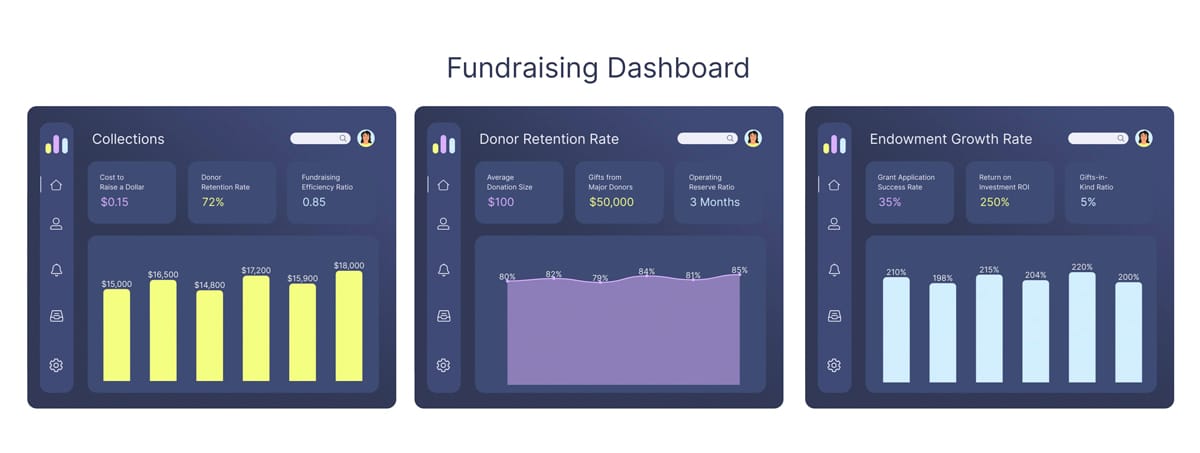
Use our nonprofit financial dashboard template to promote transparency and trust within your organization. It is a powerful tool that helps nonprofits showcase critical financial metrics in a visually appealing way. It makes a great addition to any grant proposal, stakeholder presentation, board meetings or fundraising pitch.
The dashboard layout features data visualizations perfect for highlighting essential metrics such as "Cost to raise a dollar," "Donor retention rate," "Average donation size," "Return on Investment," and more.
To keep your numbers up to date without rebuilding the dashboard each time, connect your charts directly to a live Google Sheet. Any updates you make to the spreadsheet are automatically reflected in the dashboard.
Click the chart, select "Edit Data" from the settings panel and choose the Google Sheets integration to link your source.
A one-pager should include the following information:
A one-pager in fundraising is a concise, single-page document that contains all the critical information about an organization or a specific fundraising campaign. Its primary purpose is to attract potential donors, supporters, and volunteers by highlighting the organization’s mission, goals, achievements and impact.
These are the most important things you need to do when creating a nonprofit one pager:
Yes. A one-pager gives donors a quick, visual summary of your cause and impact. It works especially well as a leave-behind after a meeting, as an attachment to a grant application or as a digital document shared before a campaign launch. The key is leading with future goals and what previous funding has already achieved.
Pick one program or one campaign and build the one-pager around that. Then create other one-pagers with the other programs. If you need to reference additional information, add a pop-up, hyperlinked URL or QR code that directs to a full overview on your website.
A one-pager in fundraising is a concise, single-page document that contains all the critical information about an organization or a specific fundraising campaign. Its primary purpose is to attract potential donors, supporters, and volunteers by highlighting the organization’s mission, goals, achievements and impact.
Creating a one-pager for your nonprofit organization is easier than it may seem. By following the steps outlined and using the templates provided in this article, you can easily create a persuasive nonprofit one-pager to attract potential donors and investors.
And Visme is the best tool to create your nonprofit one-pager. With a rich library of templates, design assets and various advanced design tools, you can create a one-pager that best suits your needs.
Apart from nonprofit one-pagers, Visme provides templates for startup one-pagers, sales one-pagers, marketing one-pagers and product one-pagers.
At Visme, we also understand that to run a nonprofit successfully, you'll need to create various other documents, including presentations, infographics, case studies and social media graphics.
To help you create these crucial documents and graphics, Visme provides an extensive suite of tools and templates specifically designed for nonprofits.
Sign up for a free Visme account and create content to spread the word about your nonprofit.
Design visual brand experiences for your business whether you are a seasoned designer or a total novice.
Try Visme for free