How to Create a Benchmark Report in 2026 (+ Templates)

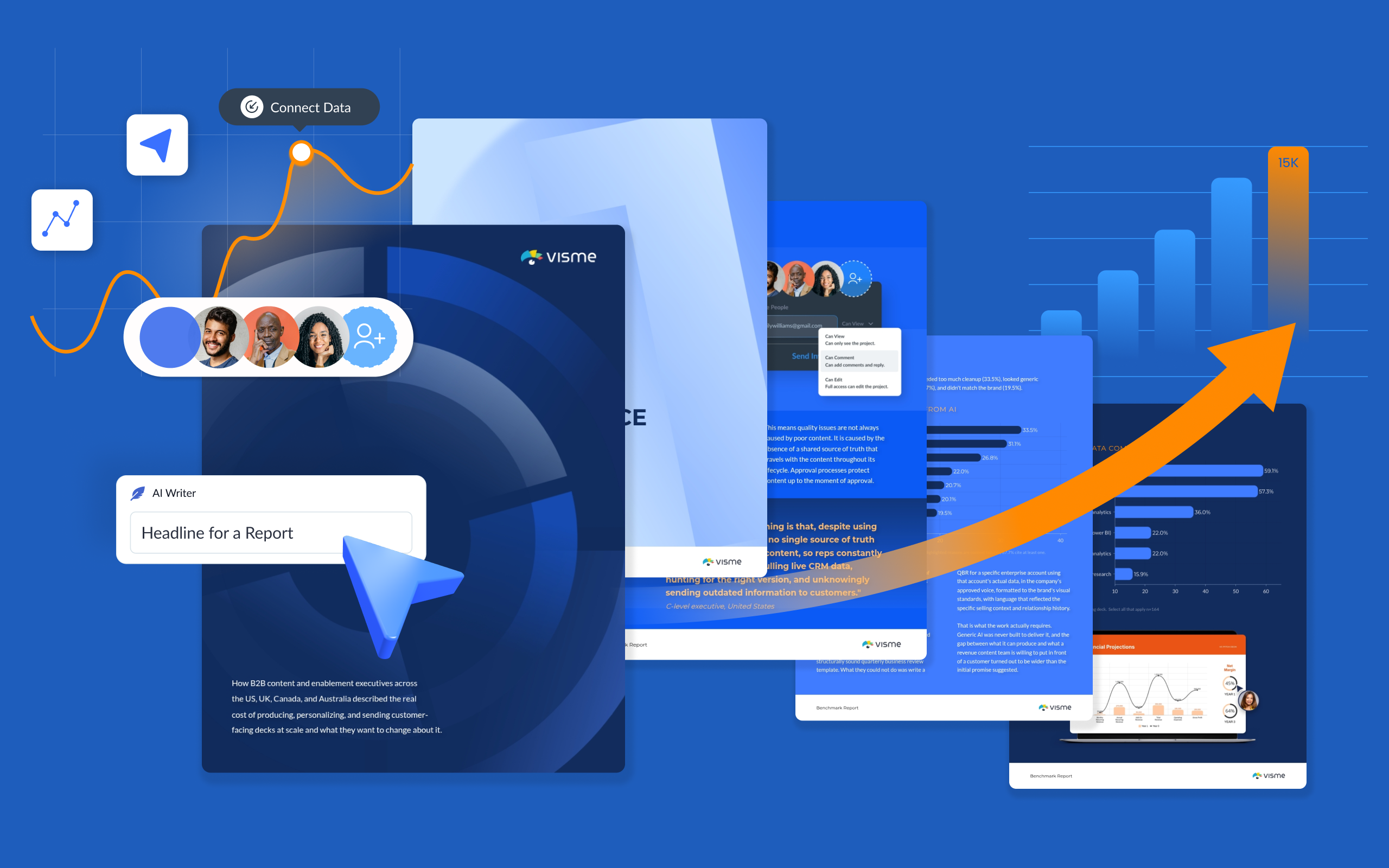
As your organization grows, so does the amount of customer-facing content your sales team ships, sometimes with the same headcount.
Pitch decks, quarterly business reviews, proposals, and renewal decks all need to be accurate, on-brand, and tailored to the account receiving them
But scaling the production of this content often comes with a trade-off: teams either spend more time creating it or move faster at the expense of quality and personalization. Our research with 164 B2B revenue teams shows where that process starts to break down and what more efficient teams do differently.
In this post, we'll unpack those findings to show where sales content production loses time and the practical changes teams can make to speed things up without cutting corners on quality.
Sales content is any material revenue teams use to educate, engage and guide active prospects through the decision stages of the buyer journey.
Most of it is external, built for a buyer to read: pitch decks, proposals, case studies, one-pagers and pricing summaries. Our guide to sales collateral covers the full range.
But also, some of it never leaves the building. Battlecards, objection-handling guides, call scripts and rep onboarding material are also considered sales content, more specifically, sales enablement content.
On the external side, what a buyer needs also changes as the deal moves. This leads to constant personalization that passes through several contributors before the content reaches the buyer or client.
On top of that, existing client accounts need their own content, such as onboarding decks, QBRs and renewal cases.
These high-volume, internal and customer-facing deliverables are typically rebuilt repeatedly by sales teams because they are used so often.
For optimal performance, sales representatives and account executives rely on the smooth combination of sales content production and sales content management.
Sales production is creating new content that sales reps and account execs need. Sales content management is responsible for keeping all created content findable in storage, setting permissions and tracking version history.
Every sales team follows a similar content production workflow, with many people involved at different stages.
When the sales content process runs like a well- oiled machine, there’s hardly any reason for production to break down.
But as an organization grows, production and personalization volumes increase rapidly, especially when there are many sales reps and several accounts to manage.
When things do go wrong, it tends to be one of these issues. Which together compound into a lot of lost time.
Let’s look at how this would affect a QBR deck:
What’s the real cost of this type of scenario? Too many hours spent on rework, fixing outdated information, double-checking and triple-checking data visualizations, ensuring no words are used from the “don’t use list” and much more.
Across the 164 teams surveyed for the Visme B2B Sales Content Benchmark 2026, 85% of respondents said they lose between 10% and 50% of their working week redoing content that was supposedly already finished.
That is up to 2.5 days of rework per week. And the fact that no one is really tracking that lost time simply becomes regular work hours.
The compounding effect is visible throughout the industry. Salesforce found that reps spend 70 % of their time on non-selling tasks, including administrative work and meeting preparation, based on responses from 5,500 sales professionals across four regions. Some of that “administrative work and meeting preparation” is likely time spent reworking content repeatedly.
Getting more out of the content you already have is what separates an effective sales content strategy from one that runs on rebuilds. It comes down to how content is accessed, chosen, transferred, timed and measured.
Let's discuss six habits that will improve your team’s efficiency in producing and updating sales content.
A deal that's moving forward needs the next piece of content to match the right stage of the sales funnel. Matching well means the content answers the questions the buyer is currently considering, which in turn earns you the move towards the next step. A misalignment might cause the deal to stall.
For instance, a pitch deck sent at the negotiation stage reads like a step backward, since the buyer has already moved past that stage of the conversation.
To help your team match content to the buyer's conversation and align with the pipeline, map each asset to a deal stage or sales cycle.
For example:
Most of these assets get sent more than once to different accounts at the same stage. That’s why having branded templates for all of them will help reps match the content they need to the current conversation. More on that in the sections below.
Made with Visme Presentation Maker
Personalization often gets handled as a merge-field task. And yes, dynamic fields are a great resource for this part of the process. But you can’t leave it at that; you have to add deeper personalization.
It helps to think of personalization as having levels, and to know which level a piece of content needs.
How fast a rep can personalize depends on where the account data lives and how it reaches the file. One solution is a direct connection from your content authoring system to your company’s CRM. This removes much of the manual work that takes up valuable time and can lead to mistakes.
Visme's Salesforce integration connects your sales content to CRM records, so data from Salesforce leads, opportunities and contacts populates the deck through Dynamic Fields instead of being copied over by hand. The Setup runs through your Visme account manager and requires an Enterprise account.
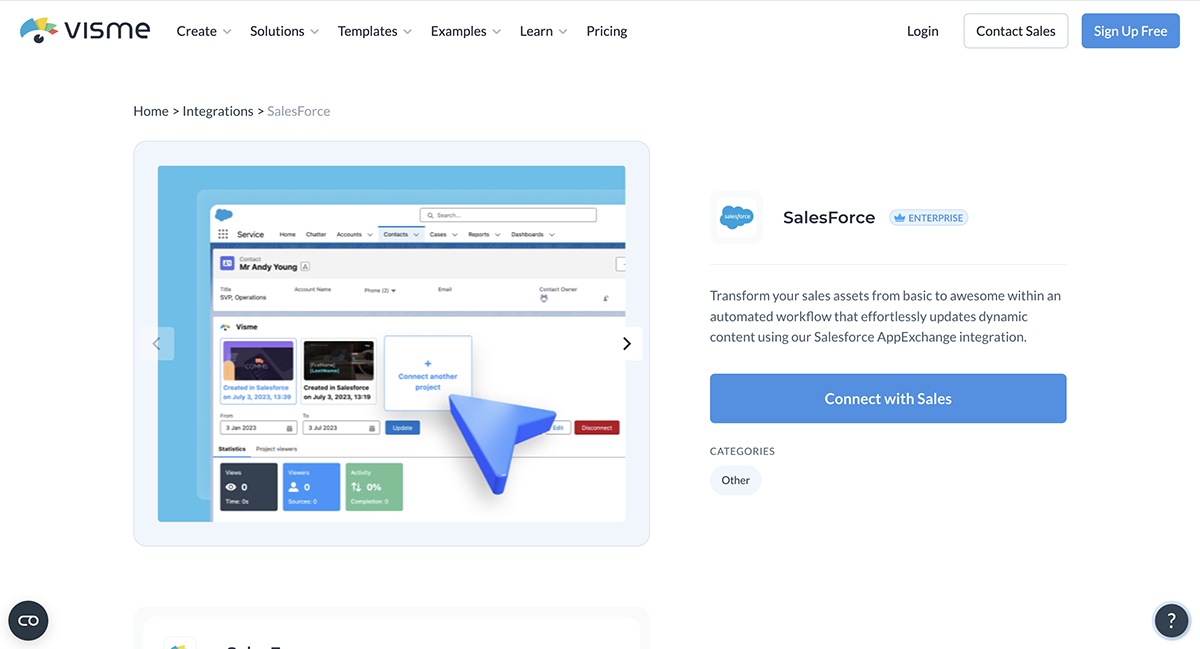
There are also plenty of AI-powered pipeline platforms, such as HubSpot Sales Hub and Salesforce Sales Cloud, with custom solutions and features to help you achieve high levels of personalization across all your client-facing sales content.
When you share content as a live link, your analytics record what happens to it. Everything you learn helps you continue the conversation with the right content and the ideal level of personalization.
Here's how that could play out across one deal.
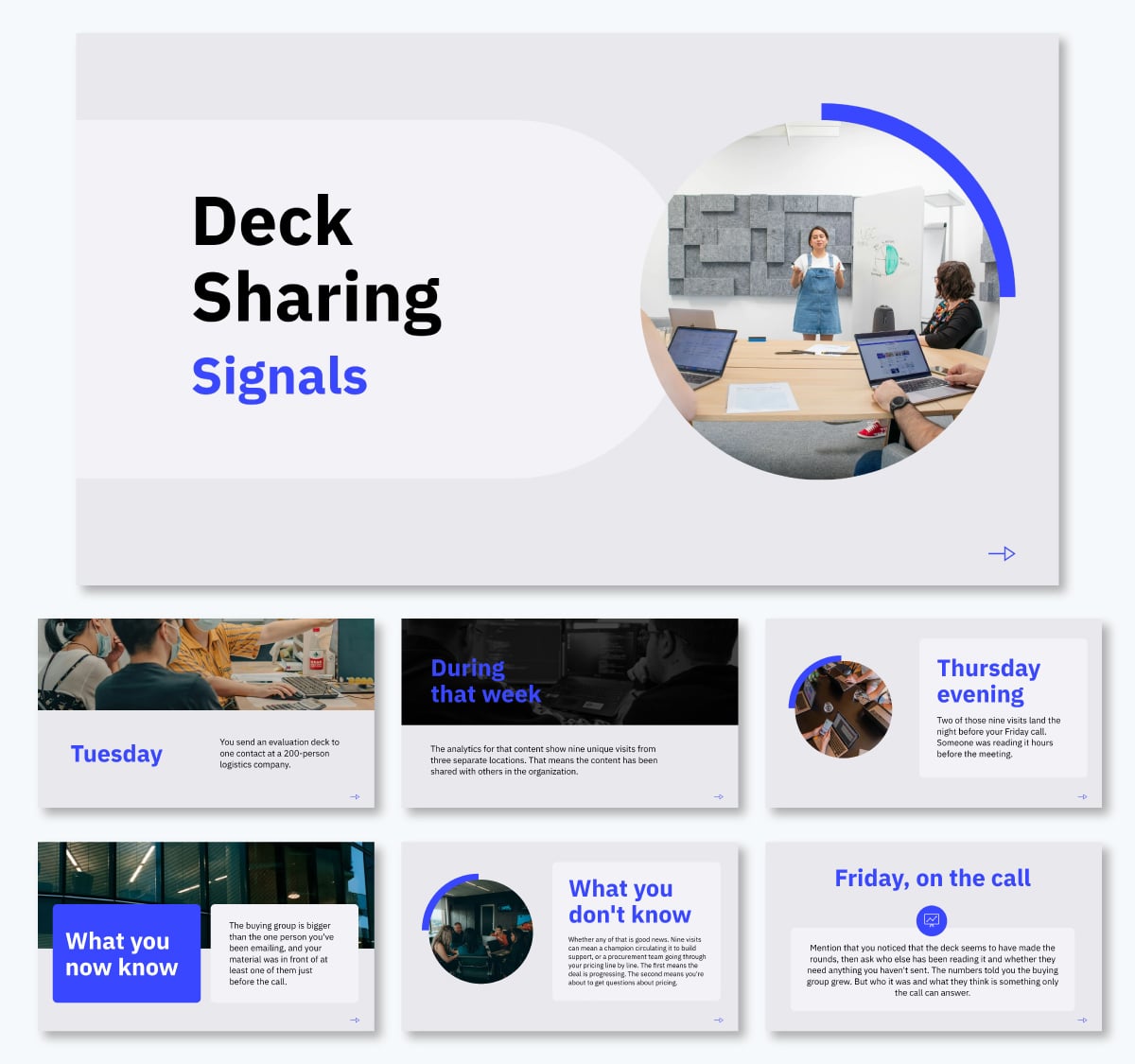
Read that data across every account, not just one, and it tells you which content is worth building more of. Christine Polewarczyk, former Senior VP of Product Marketing and Research at PathFactory, shared the importance of content as data in sales and beyond in an article by Diginomica.
“If we don't have the right insights into our audiences and what content and topics, and formats they prefer at different points in their buyer journey, how can we possibly make smart marketing and content investment decisions? And when you think about the amount of money that we spend in marketing, on paid media, on content syndication, you know, our website content, etc, etc, all of it, to not know what is and isn't working is problematic.”
Pair the common patterns with a next step and save it in your playbook:
In the upcoming section, we’ll discuss how you can track content performance.
Forrester's State of Business Buying 2026 found that the typical buying decision now involves 13 internal stakeholders and nine external influencers.
Your rep speaks to two or three of them. Then, your champion carries the rest of the conversation using whatever you handed over. The chances are that you will not always be in the room when the conversation happens. One solution is a clear summary slide/page or a standalone business case that gives your champion something they can put in front of a CFO or a procurement lead.
Here’s one scenario that happens often. A pitch deck goes out early in the deal, then several conversations happen, and by the time the proposal lands, the scope and the numbers have moved. Your champion is often still circulating that original deck internally.
If that deck had been sent as a live link, the misalignment wouldn’t be an issue. The URL remains the same after every update, so anyone who sees it gets the current version. Forwarding also keeps the project intact, so engagement data continues to report as the deck moves around the account.
One more thing you can do to help your champion move the content effectively inside their organization. If the content is a slide deck, record a walkthrough with Presenter Studio and cover all the details that your champion might forget every time they share the deck.
Remember not to mention any data that might change; leave that for the slide content. That said, you can actually re-record the walkthrough as many times as you need; the live link will always update at the recipient level.
And finally, you can incorporate interactive hotspots to keep the content brief while the supporting details stay one click away. Turn any object into a trigger, and a pop-up appears when a viewer clicks or hovers over it. For example, a pricing figure opens up the details behind it and an architecture diagram uncovers security details.
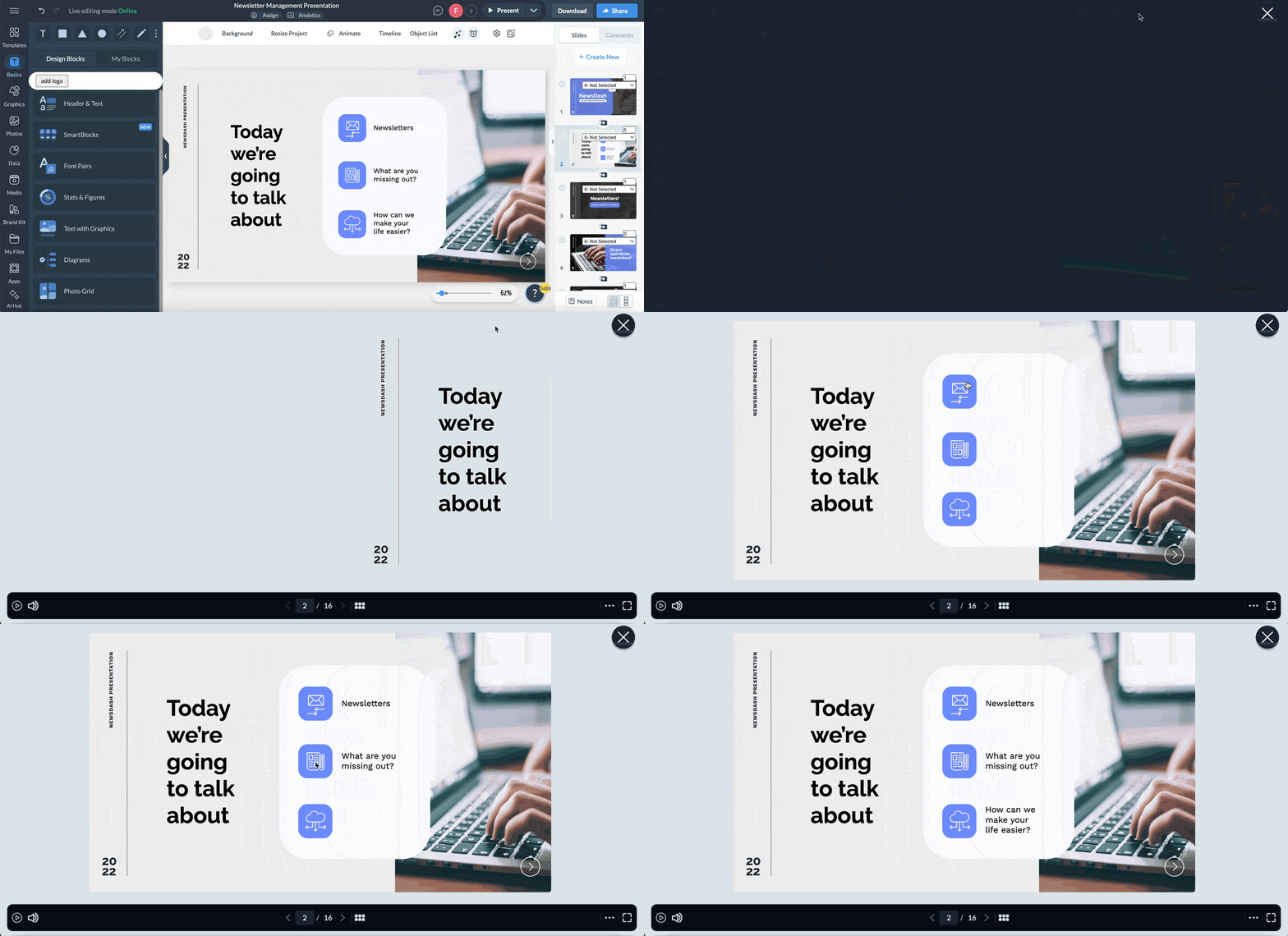
You can also attach a short audio or video recording to an object through the same menu, which is useful for a chart that needs thirty seconds of context.
A sales content library tends to grow fast. But if no one cleans it, at some point reps are choosing between versions nobody has checked in a long time.
This is why sales content management is so valuable. Part of that job is to keep content and assets up to date by retiring content that isn’t performing or is outdated.
Make this action a quarterly event
Start by pulling the numbers from everywhere the deal lives. A single source will only give you a partial answer.
In terms of content production and management, Visme Analytics exports as CSV and filters by date range, and workspace admins can see every project created by every member. Your CRM reports what happened to the deal and your pipeline or engagement tools report what happened in between.
Deciding what to retire takes data from more than one place: your content analytics, your CRM and whatever sits in between. A single source only gives you a partial answer, which is what a proper feedback loop between sending and building is for.
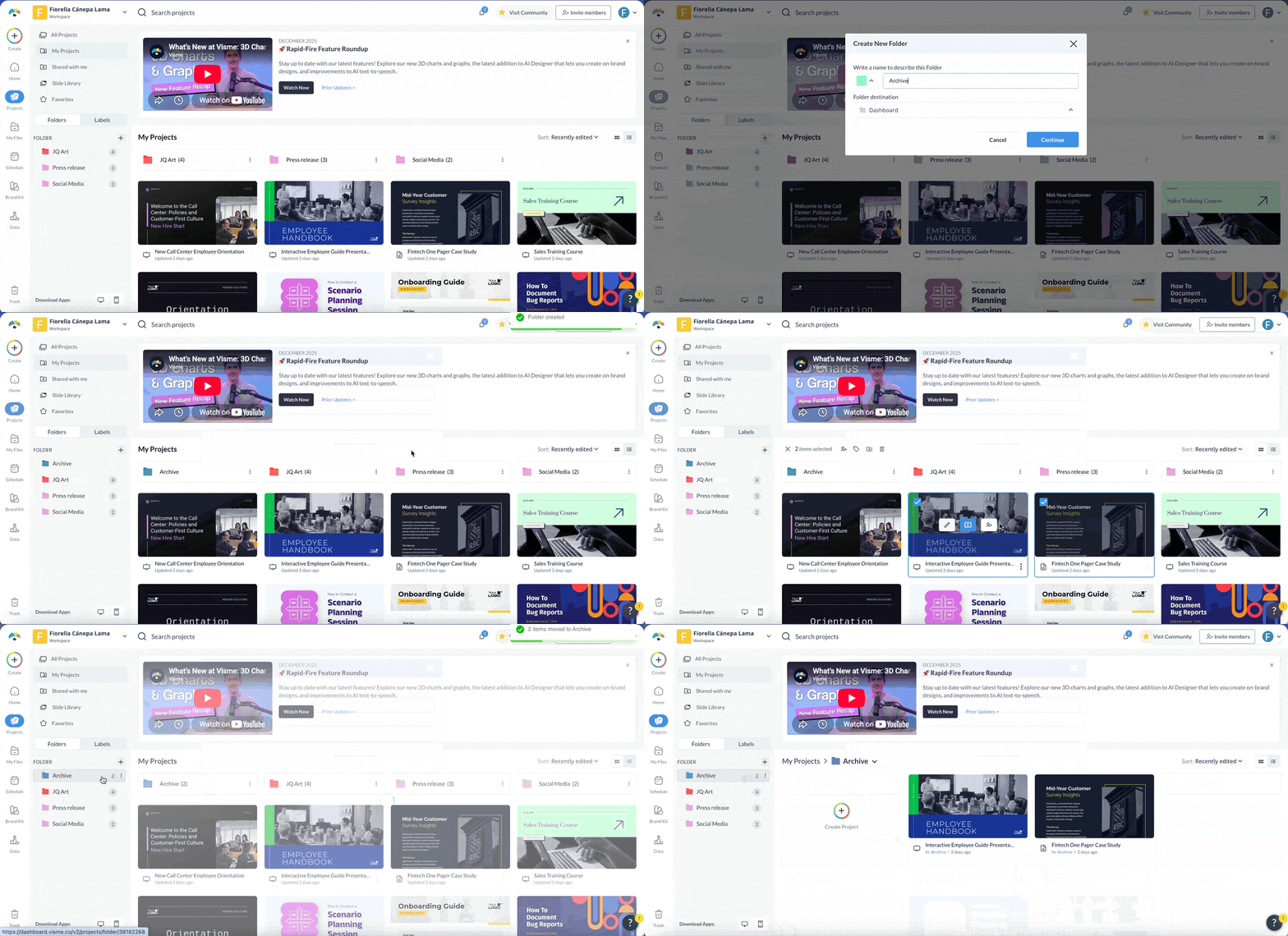
Remember to archive rather than delete. Old links stay live for anyone who still has them, and you keep a record of what was sent to which account and when.
Which decks were in the deals you won? And which ones keep showing up in the deals that went quiet? More importantly, how do you connect these measurements to gain insights on your content’s ROI throughout the pipeline?
Basic analytics will tell you a deck was opened. But whether opening it had anything to do with the deal closing is a separate analysis. To see that connection in detail, you need all sales content linked to sales outcomes.
There are a couple of ways that professionals do it.
For example, digital sales rooms keep deal assets in a single shared space tied to that opportunity, so what was sent and what was opened are already attached to the account.
Sales enablement platforms do something similar by connecting the content you use to the pipeline stage. They suggest five metrics to track:
The point with both options is that neither will work without clear, integrated systems. Research the tools that will work for your team and start tracking content performance so every deal is better than the last one.
Faster production comes from eliminating rework, not from working longer hours.
Here are several actions you can take to speed up your team's content creation, all without losing quality and brand governance.
Once you fix the briefing process, a large share of rework disappears. The gap is surprisingly wide. Only 10% of creative professionals feel they are briefed well, while 80% of marketers believe they already brief well.
Regarding sales content production, you’ll need two separate brief types for optimal efficiency. The process for using these briefs and intake forms, will need to form part of your training material as well.
Let’s take a look at the different paths.
The self-serve brief, for personalizing an existing template. A rep needs a QBR for one account, the template exists, and nothing about the format has to change. They shouldn't be requesting anything at all beyond a review.
What they need is a checklist brief to work through each time:
The brief also has to tell them when to stop and submit a production request instead. That happens when no template covers what they need, when the buyer wants something the layout can't hold.
Likewise, when the change involves a locked element, be clear on who they should contact to make that adjustment.
The intake form, for content that doesn't exist yet. By following their self-serve brief, the rep has established that personalization won't cover it, and the content team needs to build something new.
Catalina Jimenez, Project Manager Lead at Superside, advocates for a set briefing format with a standard structure of questions tailored to the type of work. A clear brief, she says, makes the management process smoother by "reducing back and forth and minimizing any room for confusion."
When building this intake form, these are the questions and answer options to include.
Made with Visme Infographic Maker
Check out what an intake form should look like. We created this one with Visme Forms. You can collect every submission in one place and then sync them straight into a Google Sheet or Airtable.
Look at what your team produced last quarter and a few formats will account for most of it. For many B2B teams, that's pitch decks, proposals, one-pagers, QBRs, onboarding decks and renewal cases.
For all these content types, their structure barely changes between accounts. What really changes is the content. So, why not make the structure into a template your reps and creators can use with more confidence?
The misalignment problem arises when there's no approved starting point for the content. So the rep opens whatever they sent last and works from there.
Put one person in charge of fixing that issue by creating a library of approved, reusable templates. That person could be whoever runs enablement or maybe a content lead with a respectable eye for layout and design. It could even be your in-house designer who builds the initial set and someone on the sales side maintains it.
The goal is to keep these master versions current in visual identity, company pricing, messaging and other important factors that need to always be on point.
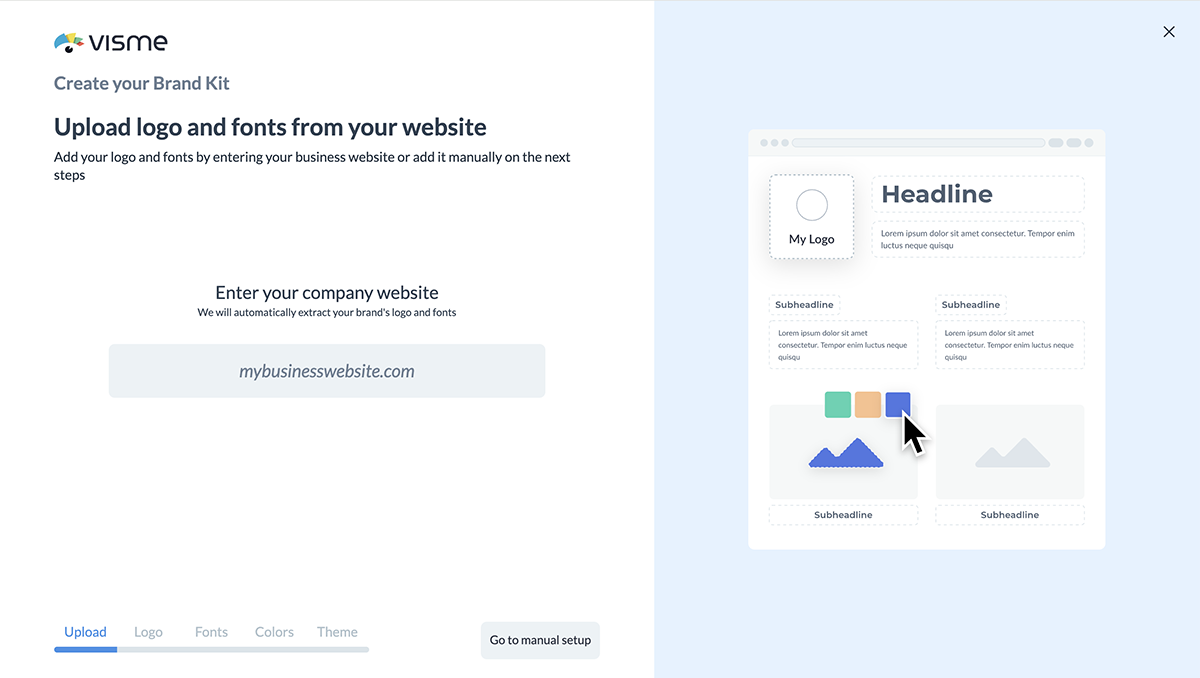
Visme can get the library started for you. Point the Brand Wizard at your website and it pulls your fonts, colors and logo into a set of initial assets, which saves you from building the first templates from a blank canvas. You can customize and personalize from there. You can also use the Brand Wizard and create the templates manually or with AI Designer.
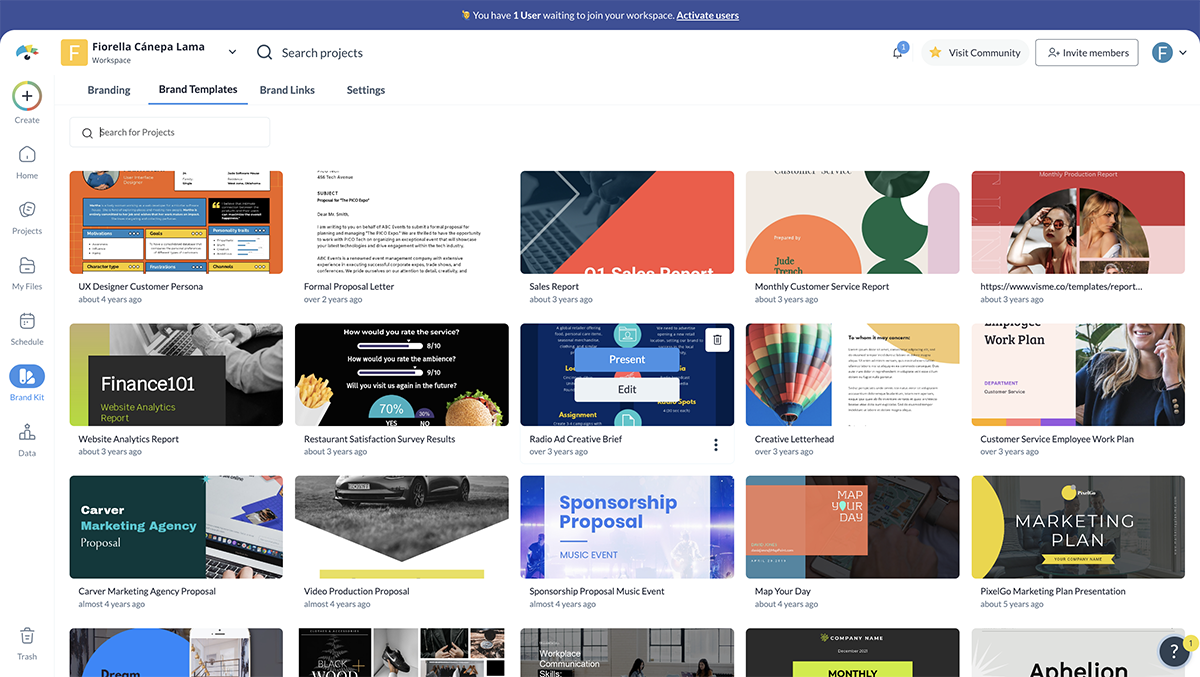
Save the masters as brand templates, and they will be available inside your workspace’s brand area. From then on, those templates are the starting point every time.
LAFC used this exact system for their sales and partnership reps. Giving reps their own deck-building access freed up 5 to 10 hours a week for the designer who had been building every request. The team in charge of this library at LAFC also shared with us that training team members how to use it takes no more than 30 minutes.
Reps are the ones personalizing what goes out, often for several accounts in the same week. But even when starting from the right template, if there are no guardrails on what's safe to change and what isn’t, mistakes will likely happen.
Across the 164 teams surveyed, 53% had sent outdated, off-brand or incorrect content to a customer within the previous month.
Here are three practical ways to avoid that problem when using Visme:
WOW! took this approach with branded templates and a regularly updated brand kit. Their team now produces presentations in 80% less time.
Always aim to pull figures in automatically, rather than transferring them by hand. Manual data entry accounts for a significant share of per-deck work time, and every retyped number is an opportunity to publish outdated content or incorrect data.
There are two kinds of data that can potentially go into your sales content, and they come from different places.
The first group is worth automating because it appears in every deck and changes rarely. When it does change, you want it changing in one place rather than in forty files.
That's what Dynamic Fields are for. Define a value once as a workspace variable, insert it wherever it appears, and updating the variable updates every project using it. Profile Fields work the same way for a rep's own name and contact details.
The second group is worth automating for a different reason. It changes constantly, and it's the group someone is retyping under time pressure before a call.
Text values like company name and contract dates come through your CRM connection. Numeric data comes in the same way, either through the CRM or through live spreadsheets that feed dashboards, charts and tables.
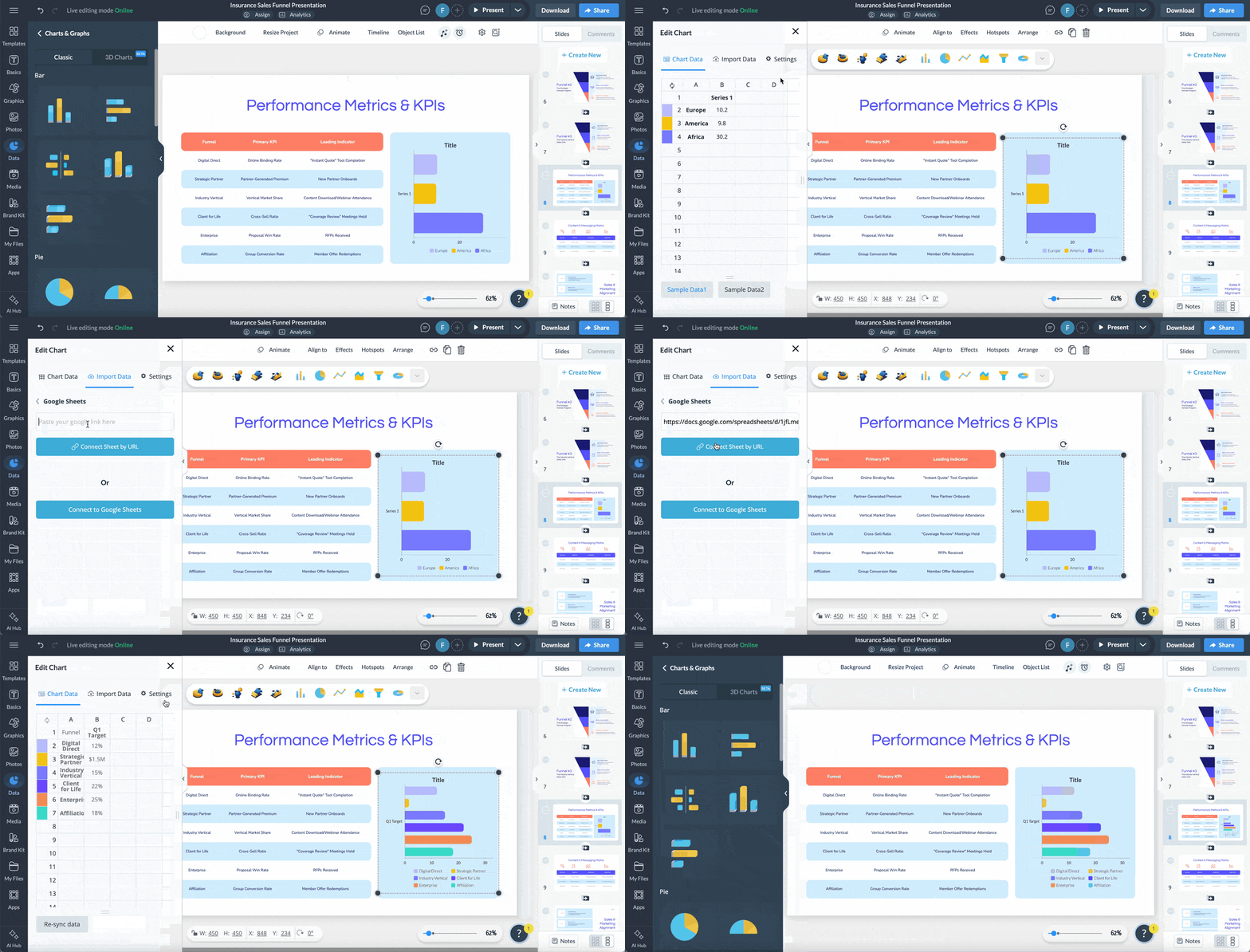
The tricky part is that those account values rarely live in one place. One client's usage figures sit in a product dashboard, another's in a spreadsheet the CSM keeps, and the contract terms in the CRM.
So keep one record of where each source lives, who owns it and how current it is. A whiteboard, a Visme project or a table all work, as long as it is easy to find and somebody is responsible for it.
When live data is connected to a piece of Visme-made sales content and you share it via a live link, it will always show current data. If your client doesn't see the new figures yet, they just have to refresh the browser.
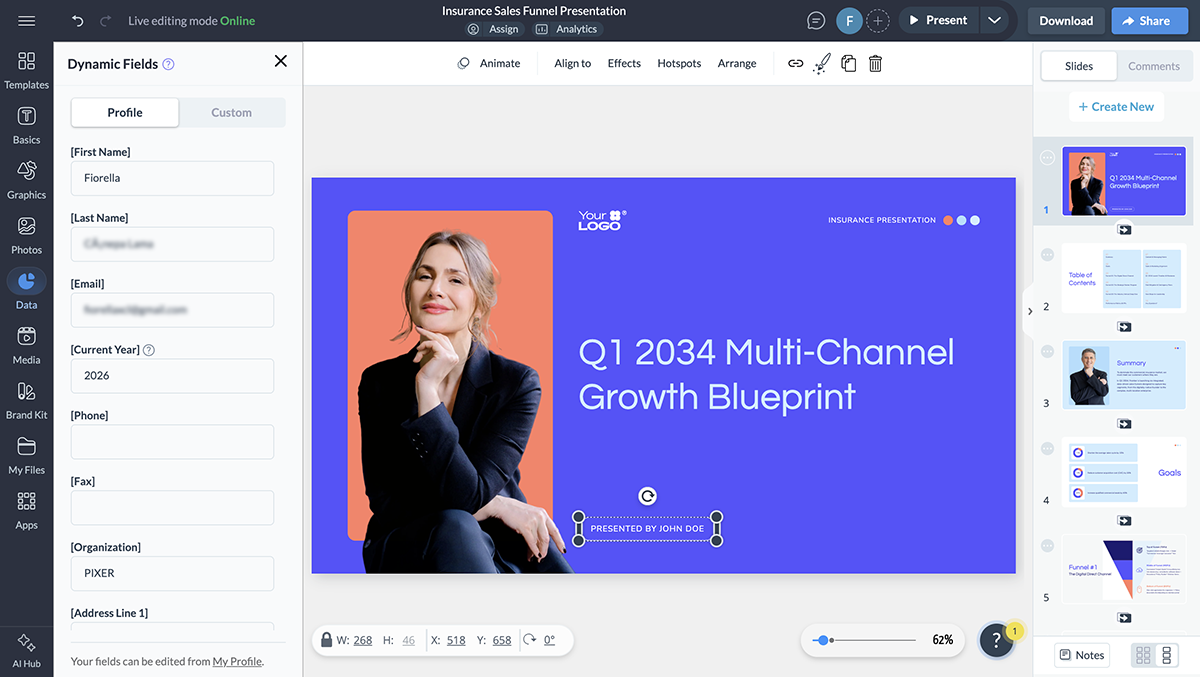
A single source of truth means one authoritative version of something, so when it changes, everyone working from it sees the most recent version.
The phrase suggests one place. In sales content, it's really several, and each of these needs its own:
Where teams go wrong is typically because of unclear access or poorly managed resources. That job belongs to sales content management, and it's ongoing work. For example, when pricing changes, they must promptly update all templates. Ongoing audits are essential for keeping sources of truth current.
Approval Workflows add another safety layer. You can assign one owner, one reviewer and one approved output per deliverable. On Enterprise, an admin can set approval as a permission, so a rep cannot download, share or publish until a reviewer signs off.
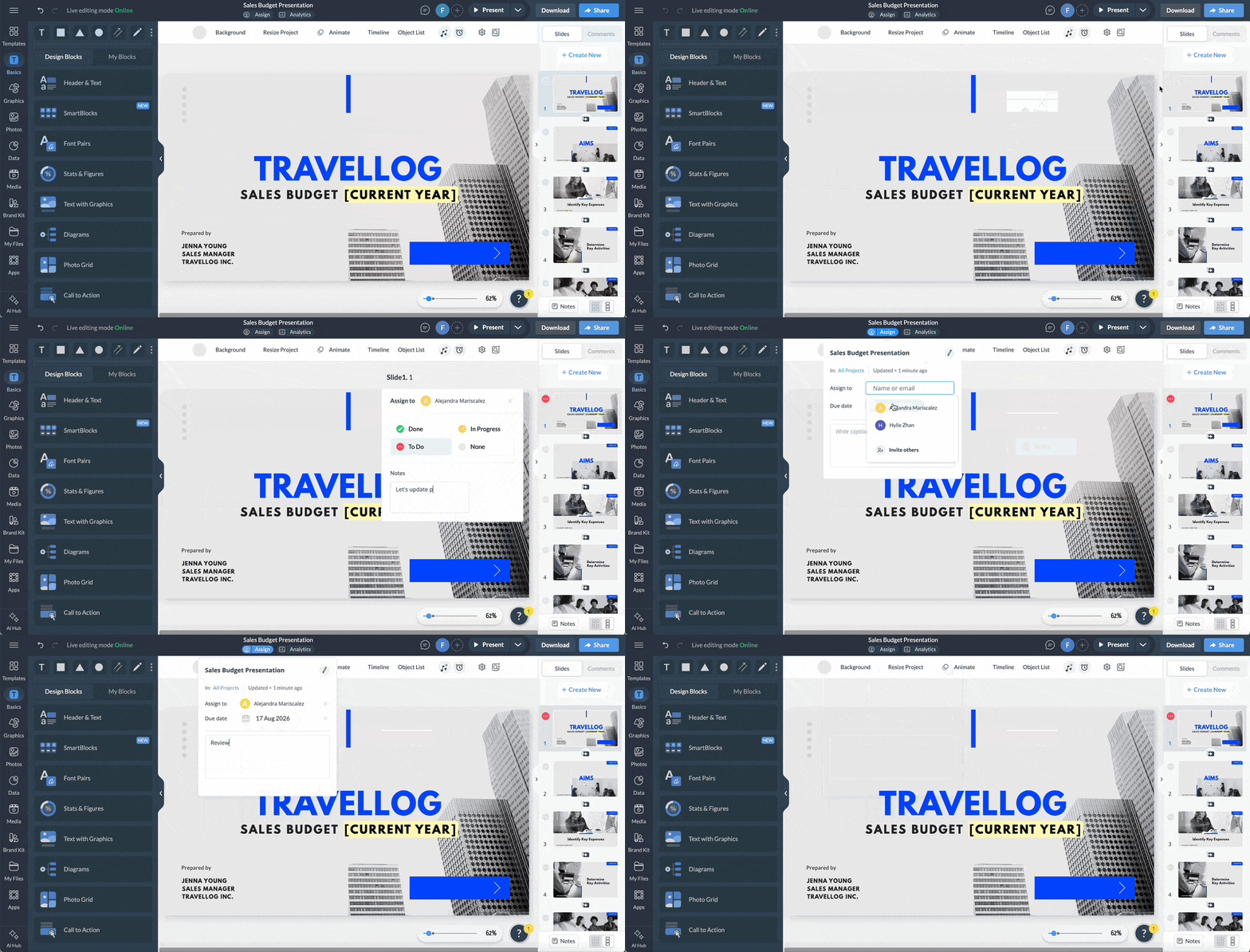
It works best alongside maintenance rather than in place of it. A reviewer checking against current sources catches what the rep might have missed, which is why both parts matter in unison.
Lauren Trudelle, Director of Marketing at Vanguard Truck Centers, built a branded template library across six brands and 39 locations in her first year, and puts the approval step at the center of why it worked: "The biggest difference I see is the approval system." Content turnaround at Vanguard dropped from three or four days to about an hour.
Visual: screenshot of the Workflows approval step with an assigned reviewer.
Most teams have already tried AI on sales content and been disappointed. Across the 164 teams surveyed, 67.7% hit a context problem: generic output, the wrong brand voice and no access to their own data.
Better prompting helps with a lot of that. A detailed prompt carrying examples of your voice, your current pricing and the account's figures will get you much closer than a one-line request.
What it can't supply is judgment. Whether the deck is arranged the way your team usually presents, whether that case study belongs at this stage, or whether the pricing slide works before or after the ROI breakdown. Someone who knows how you sell still has to make those calls.
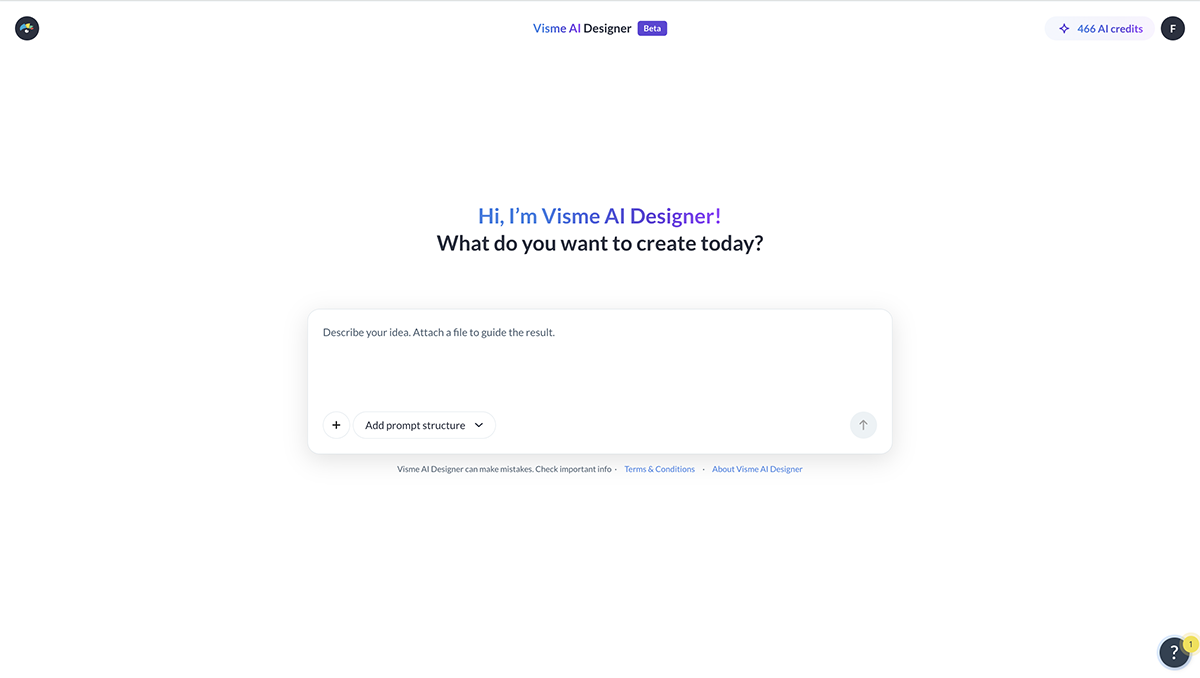
So the setup worth building is one where AI works using your team’s decisions and formats.
Visme's AI Branded Presentation Generator does that on the Enterprise plan. Add a prepared presentation to the Templates area in your Brand Kit, and your team prompts AI to adapt those slides rather than invent new ones. They can upload documents for the system to pull information from and choose how many slides they need and which ones to use.
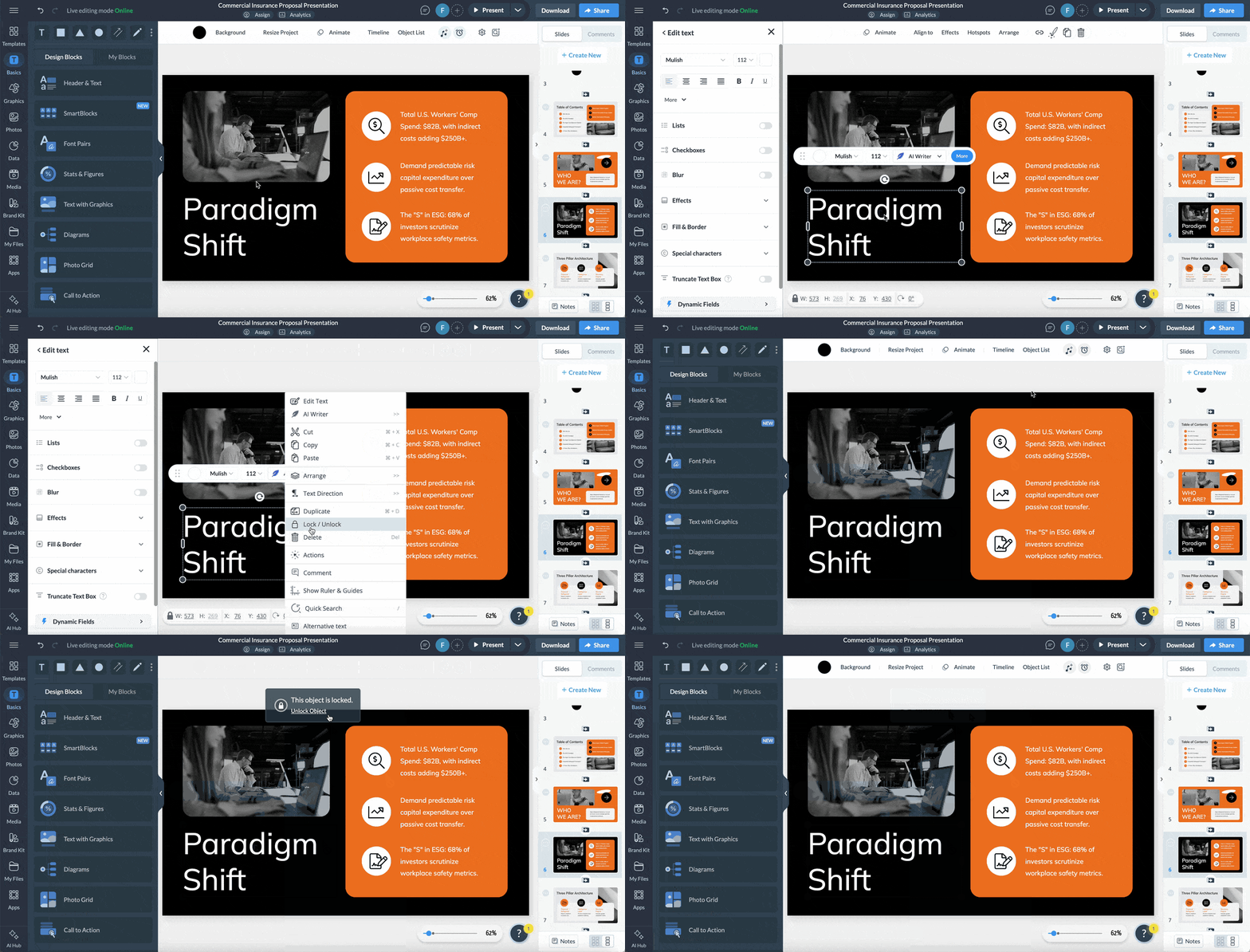
You also set what AI is allowed to touch. Reopen the template and right-click each text box to mark the ones that should be left alone. For example, these can be compliance language, figures that have to match across every deck and positioning statements you don't want reworded.
A structure for keeping sales content aligned, on brand and always current only works if people know it exists and how it works. That’s where regular training comes in.
First, cover the tool in detail. People need time in the editor to feel confident personalizing a template and getting accustomed to the features and the interface. Show them how to start a new content personalization using a branded template and how to save their file so the changes aren’t saved alongside the master templates. Ensure they know where each content format is stored, which fields are editable and which aren’t.
Then cover the system that backs everything up. Not knowing where to get an account's usage figures, which pricing sheet to reference, what to do when the required format doesn't exist, or how long a review takes are scenarios in which people improvise. And improvising is what puts unapproved versions into circulation.
Walk them through the entire system and how it works:
So how does this training differ between new hires and people who have been doing the job for years? In essence, not much, but here are some tips:
Write the documentation before creating the training material for each group. Cover the sources, the request path, the approval path and the ownership.
That way, both training versions are built from the same explanation. Without it, the new-hire and existing-employee materials might drift apart, especially if two different people are building them.
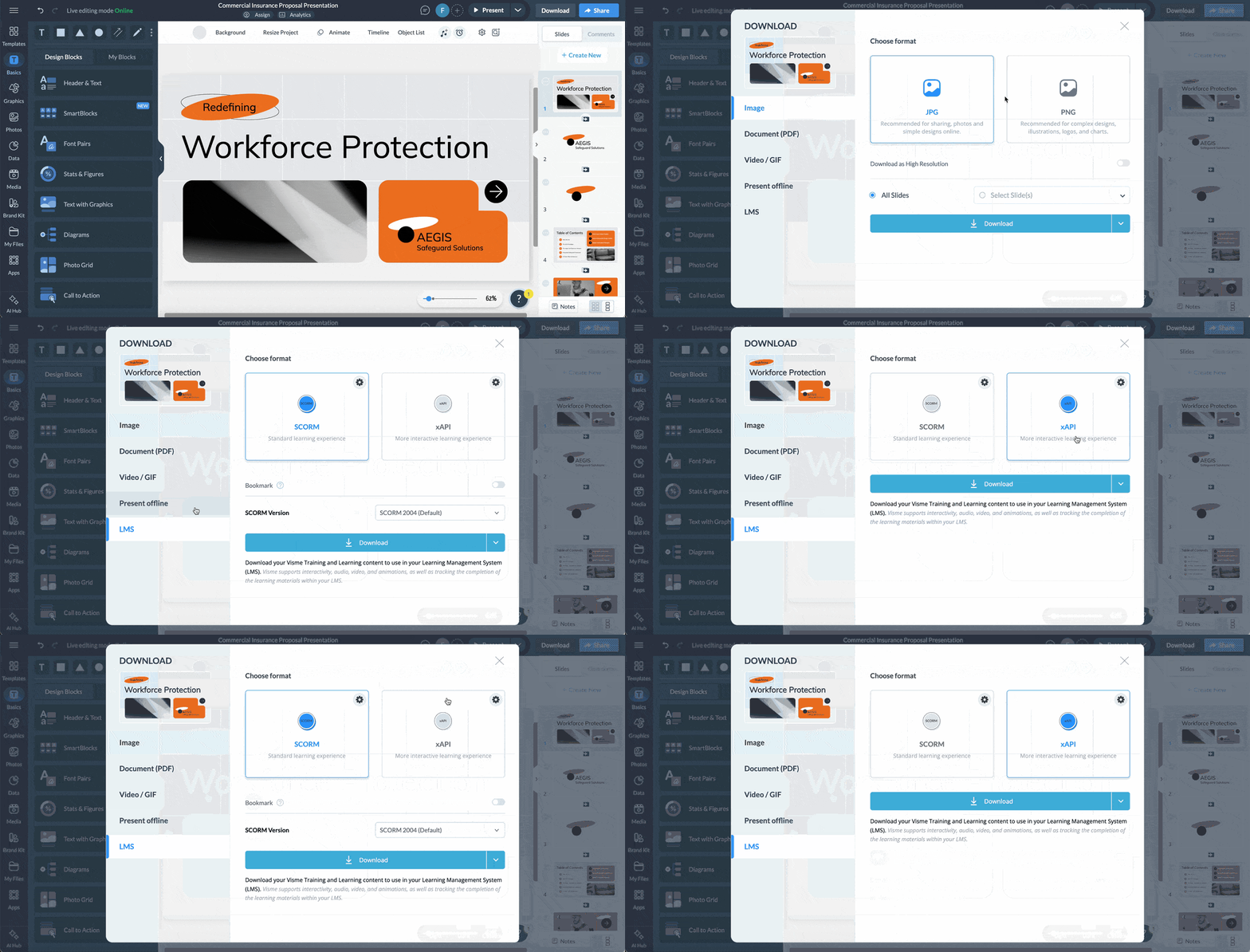
Assigning the job to one person or team and building it all with Visme will help keep everything consistent. When the material is ready, export them to your LMS using SCORM or xAPI. The same walkthrough then runs every time, with completion tracked alongside the rest of onboarding.
Give content creators and reps a reliable way to learn what happened to their content with access to the data that shows what worked and what didn't.
An effective loop follows three stages:
Sending the content as a live link is what makes the data collection possible. Visme Analytics then reports on the project for you to measure and assess:
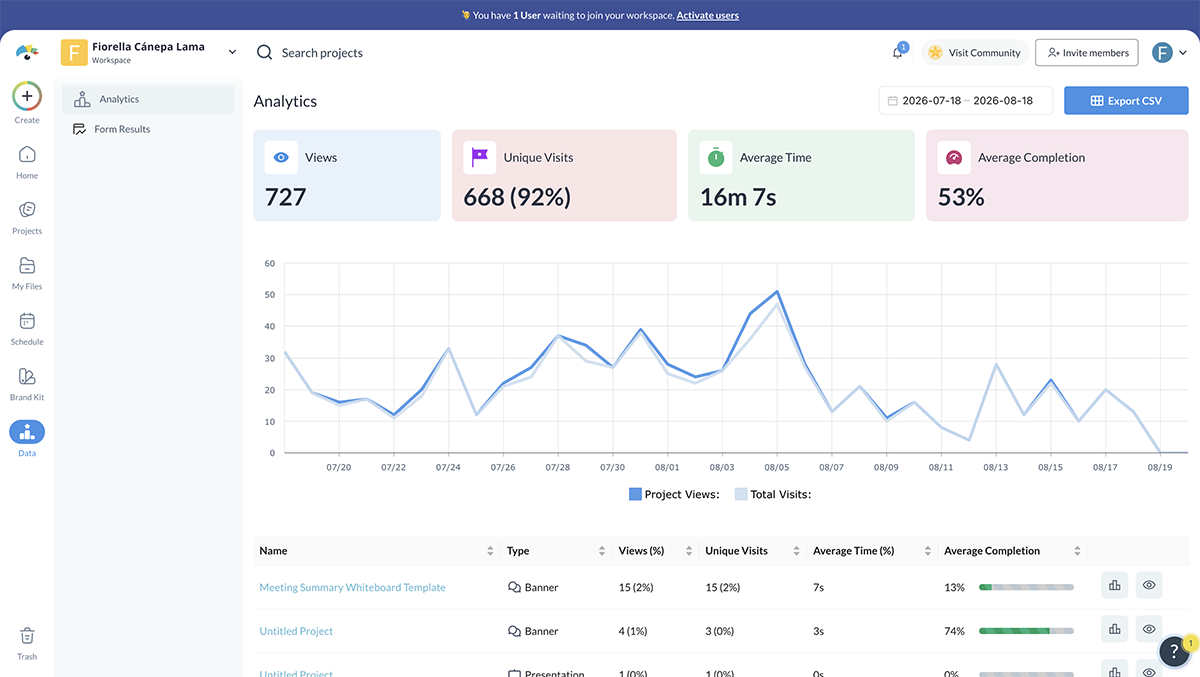
Read these metrics as indications rather than facts about individuals. Several unique visits suggest the file reached more than one person, but they're counted by visitor rather than by name, so the same person on office wifi and a phone can register twice.
As we covered earlier, the engagement data covers what happened to the file, but connecting it to the deal outcome is what tells you if it’s really working.
For your feedback loop, choose the approach that matches your stack and how mature your reporting already is.
Every review should end in one of four calls:
Every one of those calls needs to reach whoever owns the templates, or nothing changes. Turn on commenting and collaboration on the master file so a note about a stale figure or a slide that keeps losing people gets attached directly to the content, not buried in a meeting recap.
Then make the change before the next cycle starts. That's the step that actually closes the loop; skip it, and the review was just a conversation. Do it consistently, and the library keeps improving because it's built on what real deals show, not on what looked good when the template first shipped.
Sales content production is the process of creating customer-facing sales assets, including pitch decks, proposals, and business reviews. It covers intake, drafting, personalization, review, approval, and delivery.
Production creates new assets; sales content management stores, versions, and governs assets that already exist. Both run on the same workflow, and speed depends on getting each one right.
Most B2B teams spend between one hour and one full day on a single customer-facing deck. Templated formats with connected data sources land at the low end of that range.
Sales content management software is a central system where teams store, version and share approved sales assets. A sales content management system covers the same job, whether that is a dedicated platform or a content tool with permissions and version history built in.
Track post-send engagement alongside deal outcomes: which slides hold attention, whether the asset was shared internally, and which assets appear in won deals. Engagement alone does not indicate revenue influence.
None of the actions suggested in this guide require more headcount. What it does require is deciding, deliberately, what a brief must contain, what a template locks, where the data comes from and who signs off.
The part that compounds is measuring what happens after the send. Teams that reuse what performs and retire what does not get faster every quarter. Teams that rebuild without that signal stay at the same output rate indefinitely.
Download the Visme B2B Sales Content Benchmark 2026 to see the full survey of 164 revenue teams and compare your own numbers on rework, quality and post-send visibility.
Ready to change how your team builds customer-facing content? Connect with sales to see it in your workflow.
Design visual brand experiences for your business whether you are a seasoned designer or a total novice.
Try Visme for free
![20 Interactive Presentation Ideas That Will Engage Your Audience [+ Real Life Examples]](https://visme.co/blog/wp-content/uploads/2026/07/BH_Thumb-0726-Interactive-presentation-ideas-and-examples-1-500x280.png)




![20 Interactive Presentation Ideas That Will Engage Your Audience [+ Real Life Examples]](https://visme.co/blog/wp-content/uploads/2026/07/BH_Thumb-0726-Interactive-presentation-ideas-and-examples-1.png)