The Best Beautiful.ai Alternatives to Create AI-Powered Presentations


Genially is an interactive content platform designed to make presentations more engaging. It includes a built-in visual library, interactive elements like clickable layers and animations, interactive questions and a widget lab.
For many educators and content creators, Genially presentations feel like a breath of fresh air. And for good reason. It makes interactivity approachable and fun.
But once the novelty wears off, or when you step into more professional use cases, cracks start to show.
Can it support real team workflows? What happens when you need deeper analytics or brand control? Do Genially AI features hold up once projects move beyond simple builds?
And with so many AI-powered presentation builders offering all this (and more), it makes sense to look beyond Genially and see what else is out there.
If you are a current Genially user who feels boxed in by its limitations, or you are part of a team or business weighing your options for an interactive presentation tool, this guide is for you.
I’ll break down eight of the best Genially alternatives and compare what each tool does well, where it falls short and who it is actually best for.
Short on time? Watch this video for a quick breakdown of what AI presentation makers are and the top tools worth using right now:
Let’s get started.
Before we get into the top alternatives, it’s only fair to give Genially its flowers first. It’s one of those tools that made interactivity feel truly accessible. Here’s where it shines:
So why do people start looking for Genially alternatives? And what actually makes a strong Genially alternative? Let’s break that down.
Genially works well when interactivity is the primary goal. But once presentations become part of broader workflows, teams will need to look for alternatives in search of:
The best Genially alternative will typically offer:
This is the framework I used to evaluate each Genially alternative.
To make sure this roundup is genuinely useful and not another recycled list of features, I went beyond surface-level research and evaluated each tool in depth.
Here’s what my testing methodology looked like:
Throughout the article, I’ve also included screenshots and visuals from inside each tool, so you can see what the editor looks like and what you can realistically expect to create. This guide is based on hands-on testing and human evaluation, not AI-generated summaries.
| Key Features | Best For | Pricing | G2 Rating | |
|---|---|---|---|---|
| Visme | AI presentation maker, AI writer, image generator & editor, Brand Wizard, AI text-to-speech, 3D characters, interactive elements, advanced analytics | Individuals, teams, businesses, enterprises | Free; paid from $12.25/mo | 4.5/5 (460+ reviews) |
| Canva | Magic Design & Write, text-to-image, basic AI video & code tools, templates & assets, clickable links & embeds | Individuals, solopreneurs, small teams | Free; paid plans available | 4.7/5 (6,610+ reviews) |
| Piktochart | AI presentations, infographics, charts, AI video clips | Individuals, teams, businesses | Free; paid from $14/mo | 4.4/5 (160+ reviews) |
| Prezi | Zoomable canvas, AI-generated structure, visual storytelling | Individuals, teams | Free; paid from $15/mo | 4.2/5 (5,210+ reviews) |
| Pitch | AI writing tools, embeds, collaboration, brand styles | Teams, businesses | Free; paid from €20/mo | 4.4/5 (55+ reviews) |
| Beautiful.ai | Smart layouts, auto design adjustments, built-in animations | Individuals, teams | Free; paid from $12/mo | 4.7/5 (180+ reviews) |
| Skywork.ai | Prompt-driven AI presentations, sourced research, AI images | Individuals, researchers | Free; paid from $14.99/mo | — |
| Mentimeter | Live polls, quizzes, real-time audience responses | Teams, businesses, enterprises | Free; paid from €13/mo | 4.7/5 (775+ reviews) |
Let’s look at each of these alternatives to Genially in detail now.
| Visme | Genially | |
|---|---|---|
| AI presentation maker | Yes. Full AI-assisted presentations with editable layouts, visuals, data widgets and built-in interactivity | No dedicated AI presentation maker |
| Other AI features | AI image generator, AI image editing, AI writer, AI Brand Wizard, AI text to speech, AI resize, Edit with AI, AI Designer | AI-powered quizzes, questions, image background removal, text editing, translation and voiceover |
| Content formats | Presentations, reports, infographics, ebooks, videos, forms and social media graphics | Primarily interactive presentations |
| Data visualization | 40+ chart and graph types, interactive data widgets, maps and 3D charts | 20+ charts and graphs |
| Built-in interactivity | Clickable elements, hover effects, animations, transitions, forms and embeds | Clickable layers, animations and interactive questions |
Visme is an all-in-one content creation platform that goes far beyond interactive presentations. It supports reports, newsletters, infographics, ebooks, videos, forms and social media graphics, which already sets it apart from Genially.
Here's an example of an interactive presentation created with Visme. Feel free to play around with it.
Made with Visme Presentation Maker
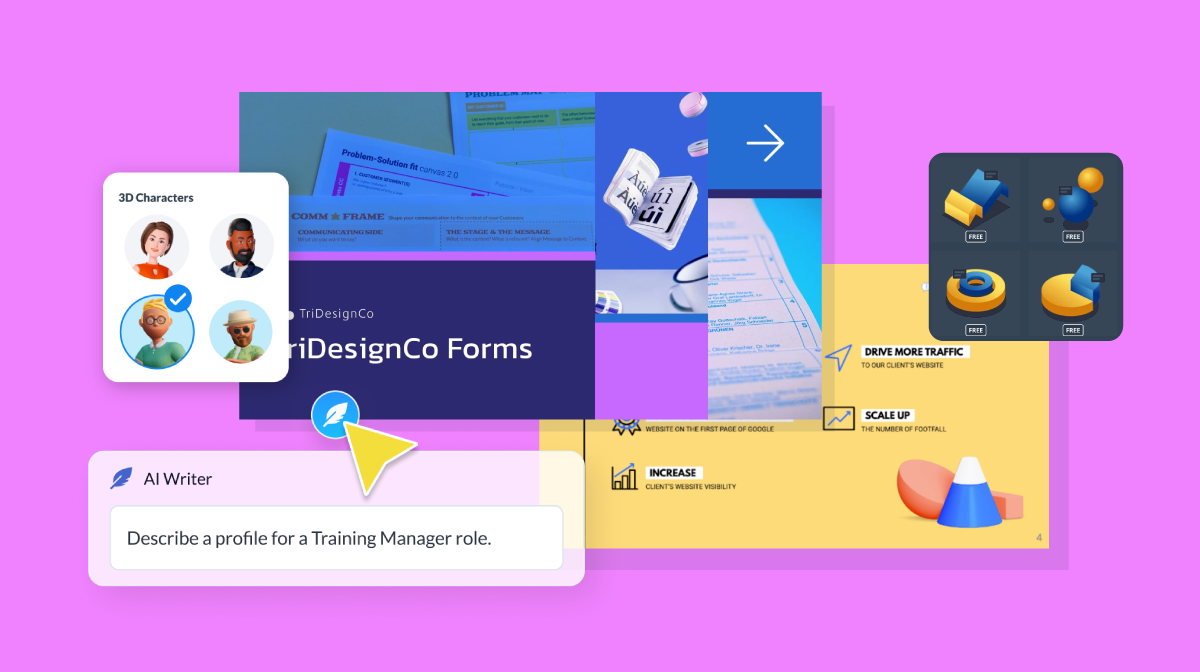
Visme comes with a library of 10,000+ templates and a rich asset library that includes icons, 3D characters and high-res stock photos and videos.
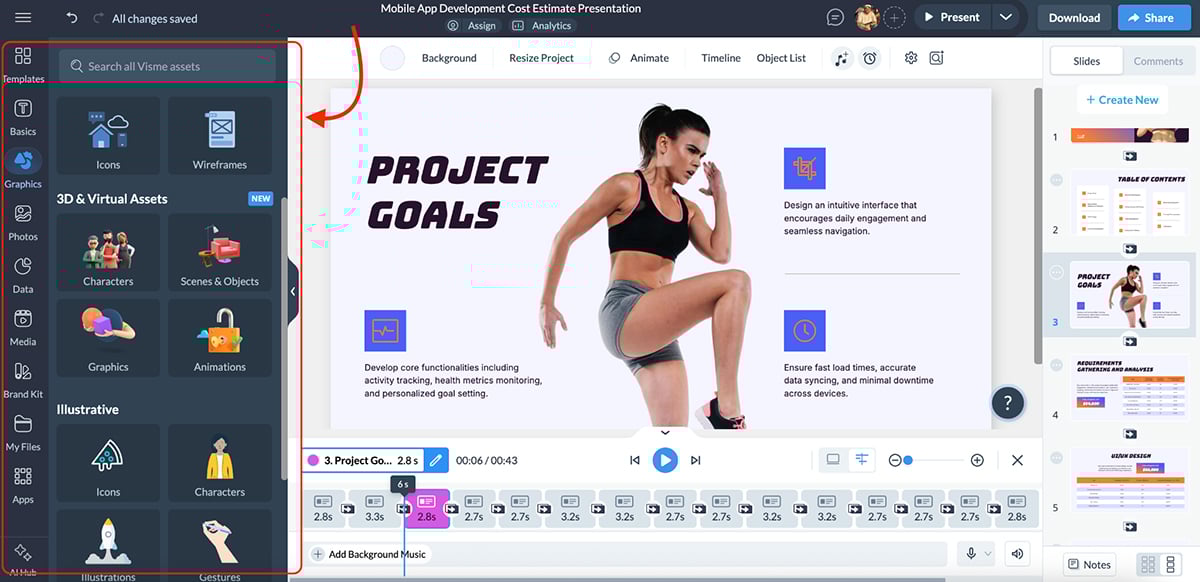
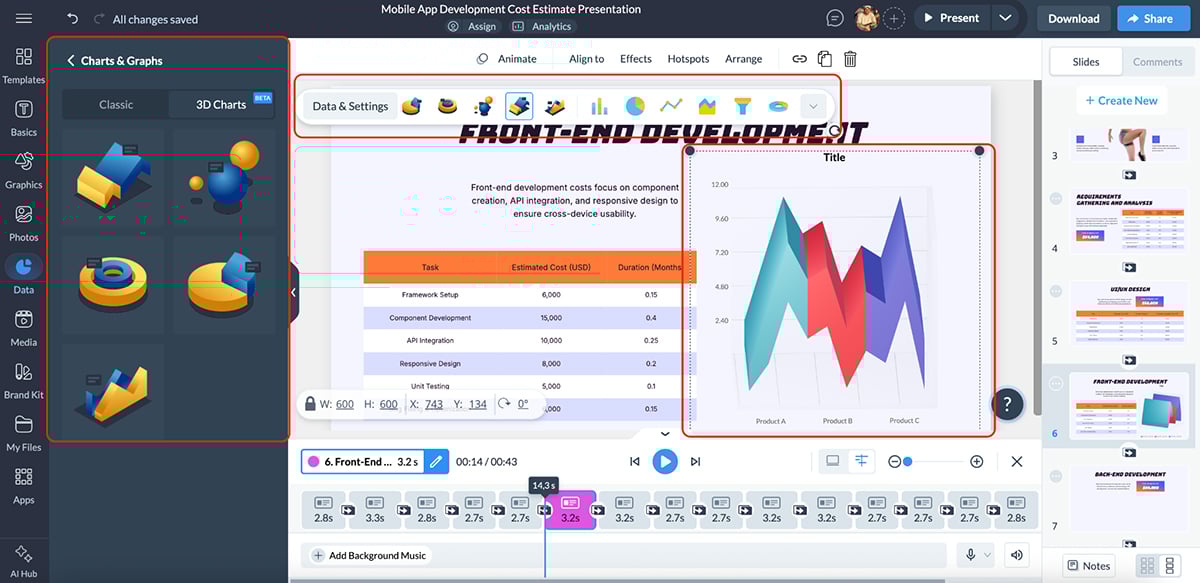
Besides the multimedia and design, it also includes advanced data visualization tools, so you’re not limited to static charts. You can build interactive graphs, maps, data widgets and even 3D charts that respond to viewer interaction, which is especially useful for business, sales and training presentations.
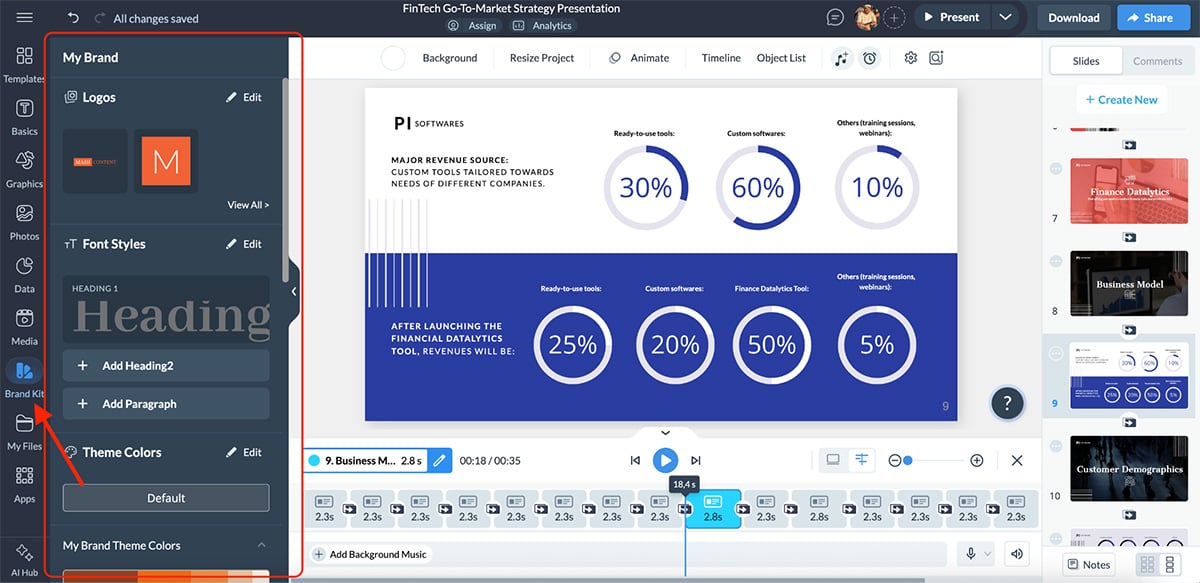
On the branding side, Visme makes consistency easy. You can set up brand kits with your colors, fonts and logos and apply them across every project.
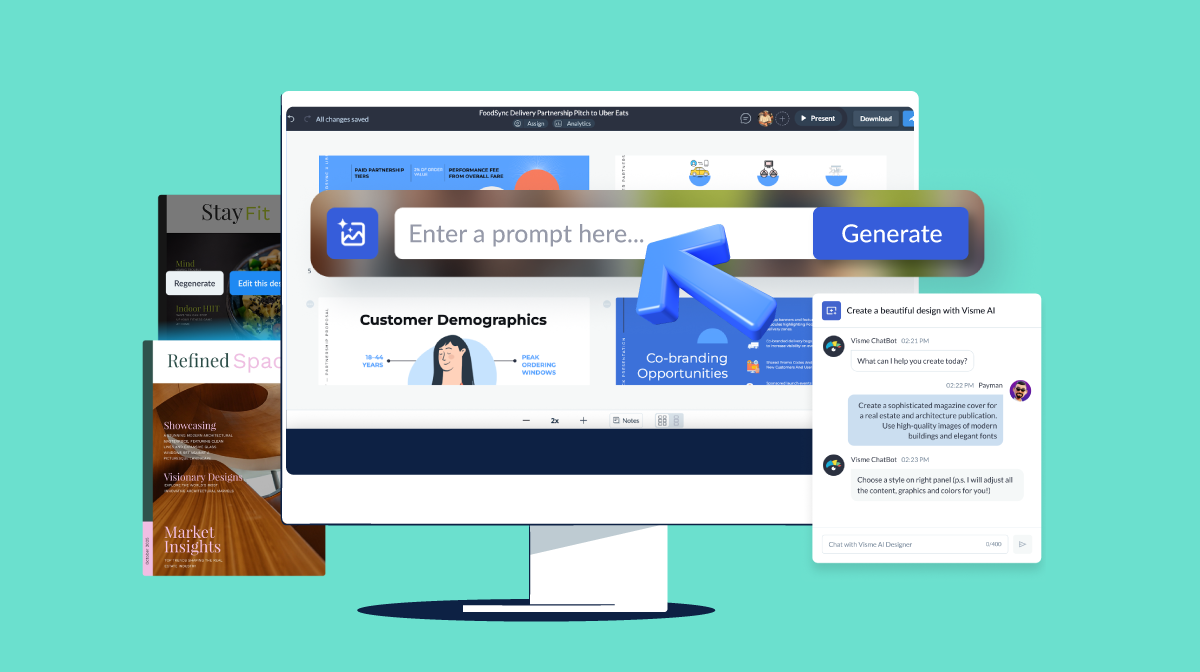
One of Visme’s biggest strengths as a Genially alternative is its user-friendly AI presentation maker.
You start by entering a prompt and choosing a design style. From there, Visme’s AI generates a complete presentation with structured slides, layout, copy, visuals, colors and design elements already in place. Here’s a quick presentation I whipped up:
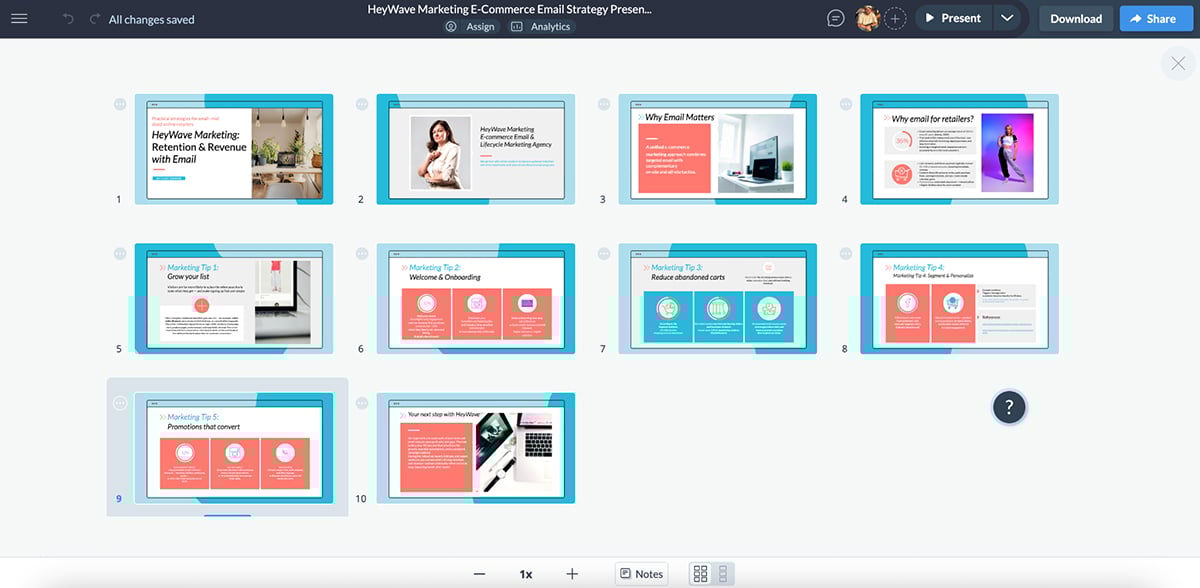
I love the look straight out of the box. But if you want to change anything, it’s fully customizable.
Plus, if your prompt includes data or statistics, Visme’s AI automatically adds relevant charts and data widgets. Even better, AI-generated presentations come with built-in interactivity, transitions and animations, all of which you can refine or remove as needed.
You can also add hover effects to reveal extra context, surface details on demand or guide viewers through layered content without cluttering the slide.
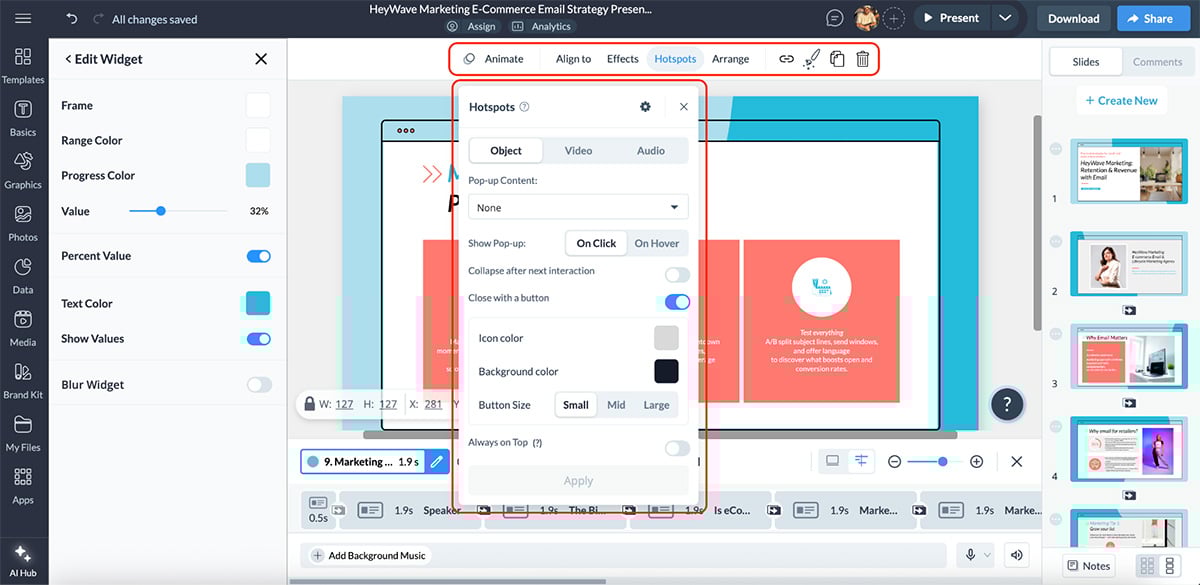
And you can add pre-built or custom animations to control pacing, highlight key elements and create smoother, more engaging visual flows.
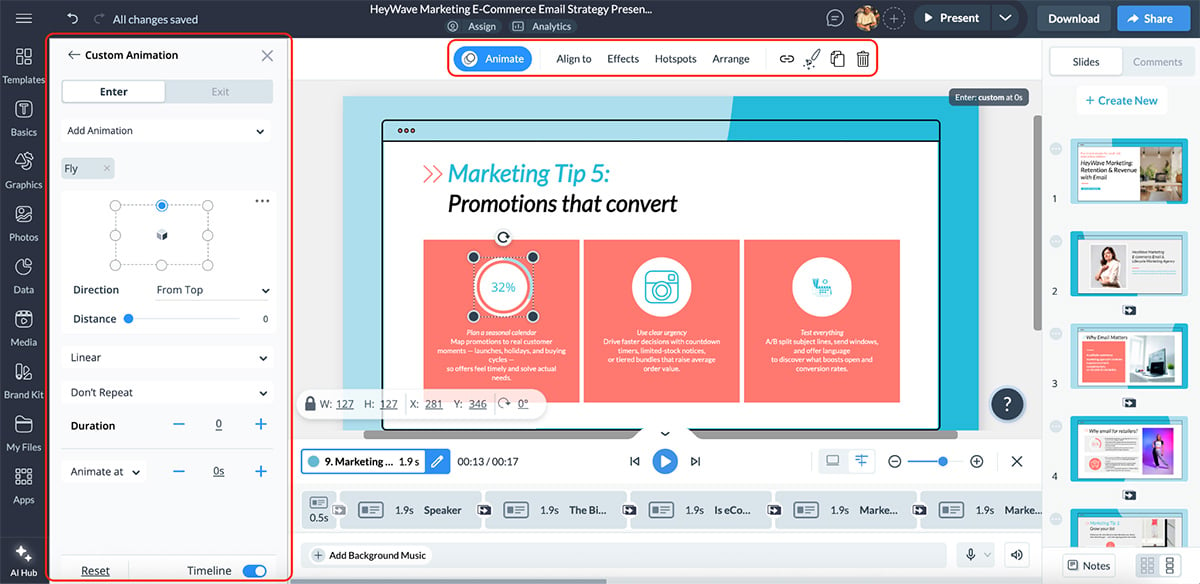
Beyond presentations, Visme offers a full suite of AI tools that support the entire content creation process:
Together, these tools make Visme feel less like a presentation builder and more like a complete visual workspace.
For teams and businesses, Visme goes far beyond what Genially offers. You can collaborate in real time, leave comments, assign tasks and manage shared assets across projects.
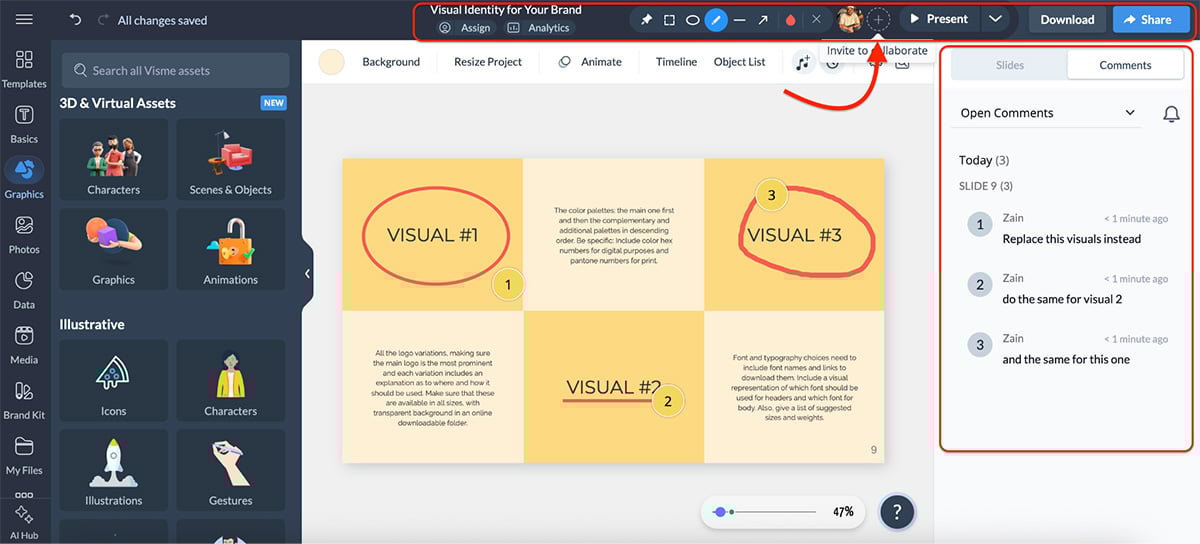
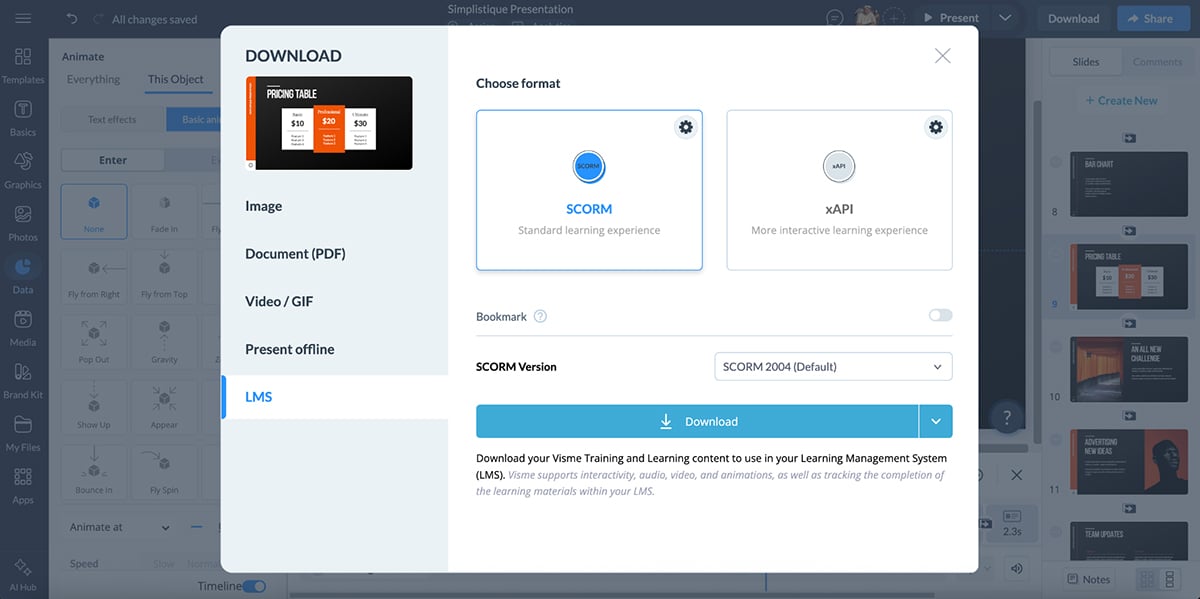
And once your project is ready, Visme gives you multiple ways to share and publish it, including live links, embeds and downloadable formats. For training and L&D teams, Visme also supports SCORM and xAPI exports, which makes it a strong fit for LMS-based learning.
Every shared project includes analytics, so you can track views, engagement and interactions to understand how your content is actually performing.
All in all, Visme is a strong alternative to Genially for teams that need interactive presentations with a solid structure. It’s built for brand control, AI-assisted creation, deeper interactivity and measurable engagement, which makes it a perfect fit for marketing, sales, training and internal teams than Genially’s education-first approach.
| Canva | Genially | |
|---|---|---|
| AI presentation creation | Magic Design generates layouts and slide drafts, often requiring manual refinement. | No full AI presentation maker. |
| Other AI features | Magic Write, text to image, AI video editor, AI code generator, business name generator. | AI-powered quizzes, questions, image editing, translation and voiceover. |
| Interactivity | Clickable links, buttons, page navigation and embedded media. | Layered interactivity, hover effects and interactive questions. |
| Templates and assets | Massive template library with icons, images, videos and animations. | Strong template and widget library focused on presentations. |
If you work with visual content at all, chances are you’ve already heard of Canva. And for good reason. Canva is one of the most widely used design platforms and has evolved far beyond simple graphics into presentations, documents, videos and more.
It comes with a massive template and asset library, built-in brand kits and a growing ecosystem of third-party apps and integrations. And while Canva isn’t an interactivity-first presentation tool like Genially, it still works well for many presentation use cases.
I tested Canva by generating a presentation using its Magic Design feature.
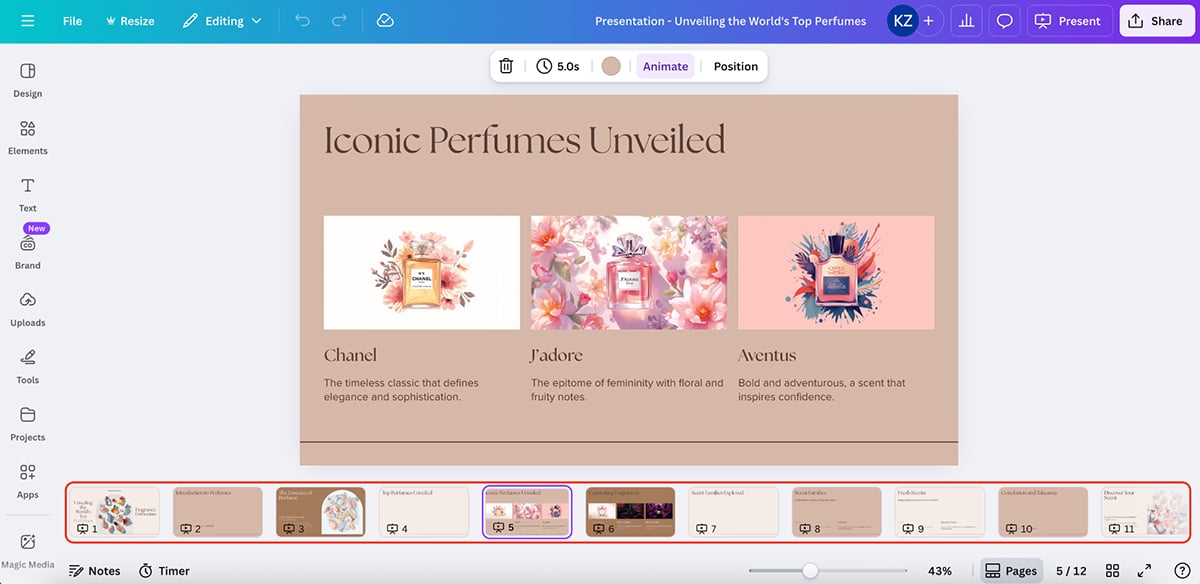
The overall look is solid. Colors, images and structure are visually pleasing right out of the box. But you’ll also notice that some slides aren’t fully populated by AI, and the copy feels far too generic.
The upside, however, is flexibility. You can easily go in and add missing content, rewrite copy and restructure slides with ease.
The presentation also comes with built-in transitions, which is a nice touch and helps improve flow with very little effort.
Canva also supports light interactivity.
You can add clickable links, buttons, page navigation and embedded videos to guide viewers through a presentation. This works well for linear decks and marketing-style presentations.
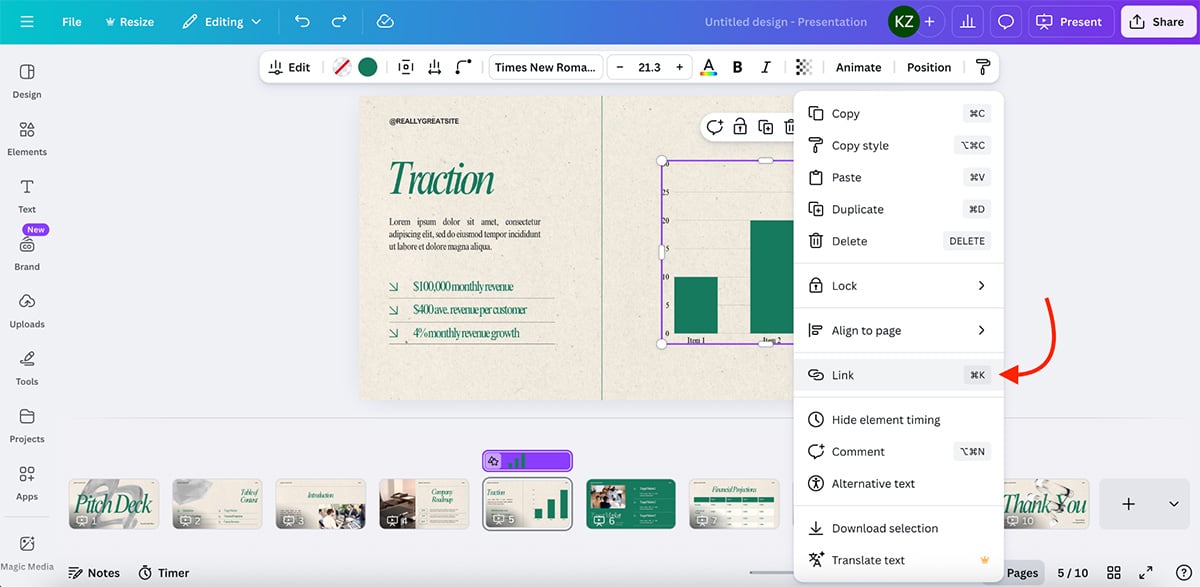
That said, you don’t get Genially-style layered interactivity, hover effects or built-in interactive questions.
For good-looking, linear presentations, this is more than enough. But for learning-focused or deeply interactive experiences, Canva can feel restrictive.
Canva’s AI tools are spread across multiple features rather than a single presentation workflow:
Canva is also good for teams. You get real-time collaboration, comments, shared folders and version history. And brand kits help teams lock fonts, colors and logos.
All in all, Canva is a worthy Genially alternative for teams that want good-looking presentations with strong collaboration and AI-assisted design.
| Piktochart | Genially | |
|---|---|---|
| AI presentation creation | Yes. AI-generated presentations with editable structure and content. | No full AI presentation maker. |
| AI feature depth | Broad AI suite covering presentations, infographics, newsletters, documents, images and video. | Lighter AI features focused on questions, quizzes, text and media tweaks. |
| AI video creation | Yes. Short AI-generated video clips powered by OpenAI’s Sora 2 and Google’s Veo. | Not available. |
| Interactivity | Clickable links only. | Layered interactivity, hover effects and interactive questions. |
| Data visualization | Strong focus on charts, infographics and structured data layouts. | Basic charts with limited customization. |
Piktochart is a visual communication platform built for one main job: turning information into clean, professional visuals. So while it’s not an interactivity-first tool like Genially, it can be a smart pick for presentations that are more business-focused and content-heavy.
Here’s a quick pitch deck I made using Piktochart’s AI presentation maker:
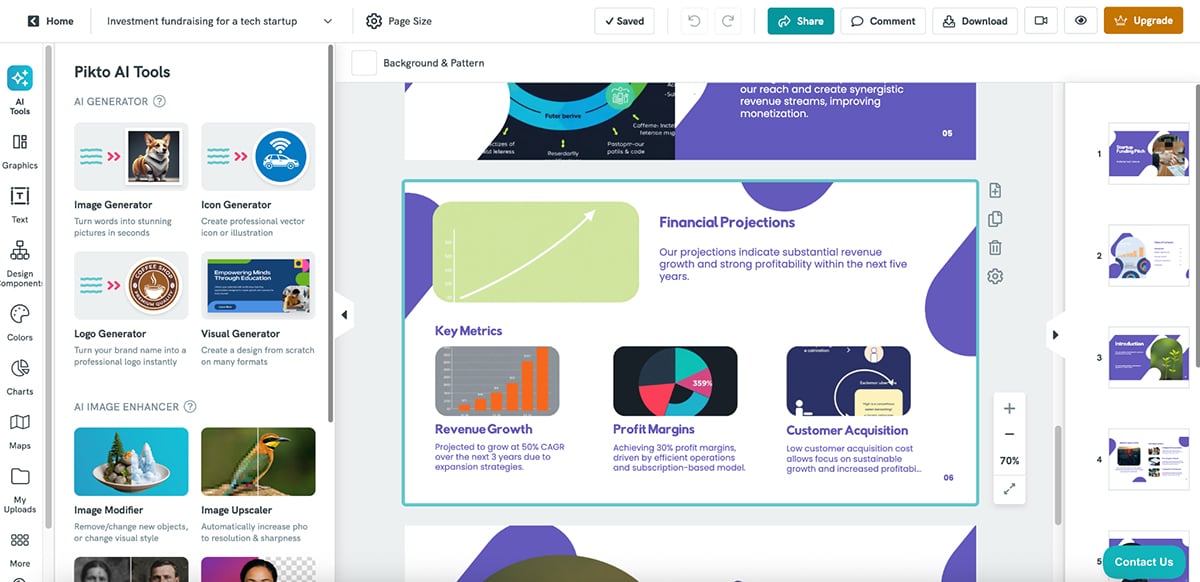
The structure and copy are solid, but the visuals are hit-or-miss. Even though the prompt was for an investment funding pitch deck, the AI didn’t include any charts or graphs to highlight growth or profitability. The good news is that you can easily step in and make those changes manually if needed.
Piktochart offers hundreds of presentation templates, especially for practical business content like presentations, reports, posters, newsletters and internal updates.
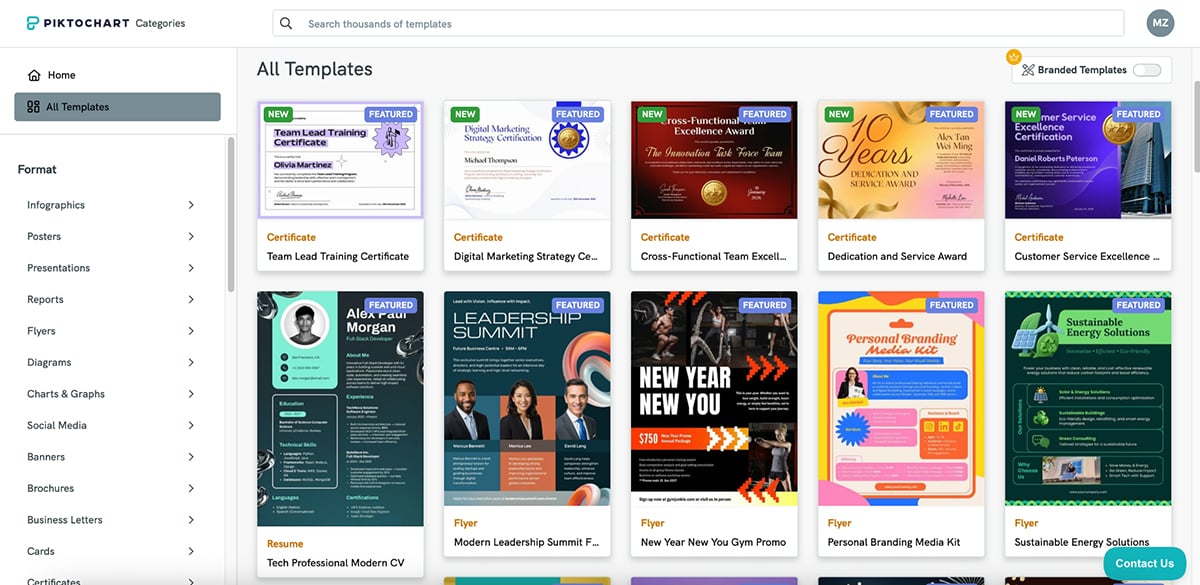
One feature I really like is its design components. You can drop in prebuilt blocks like timelines, comparisons and callouts, which makes structuring slide decks much faster without starting from scratch.
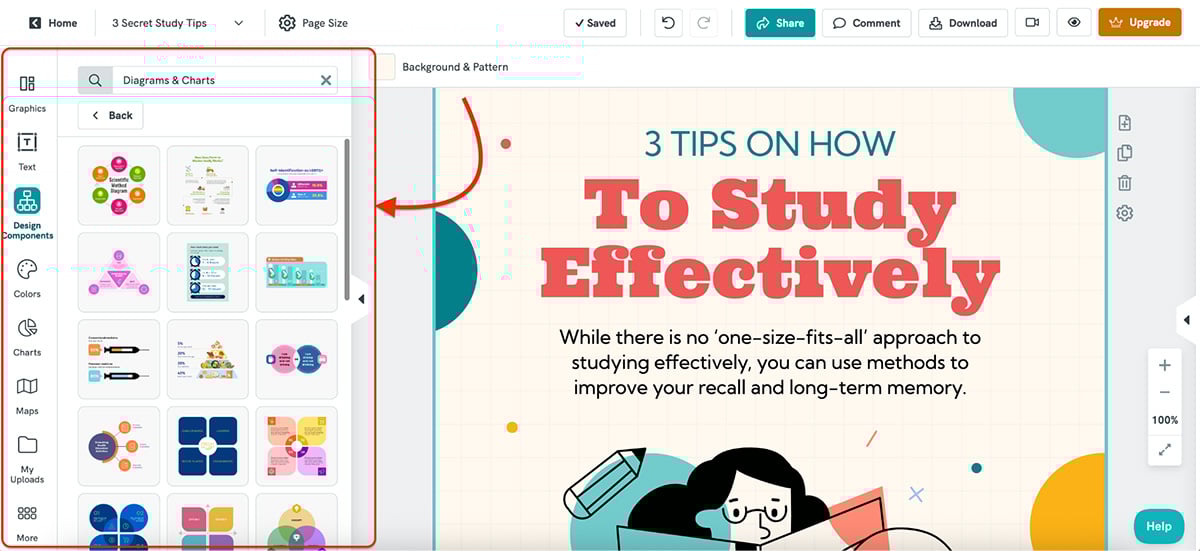
On the AI side, Piktochart has expanded its lineup significantly. It now positions Pikto AI Studio as an all-in-one assistant for creating different visual formats. Its AI tools include:
Piktochart also leans heavily into video creation. Its AI video maker lets you generate short, 8-second video clips directly from text prompts, powered by models like OpenAI’s Sora 2 and Google’s Veo. This is a standout feature if you want quick explainer visuals, social clips or lightweight b-roll without opening a video editor.
Where Piktochart falls short as a Genially alternative is interactivity. You can add clickable links, but you don’t get Genially-style layered interactions, hover effects or built-in interactive questions.
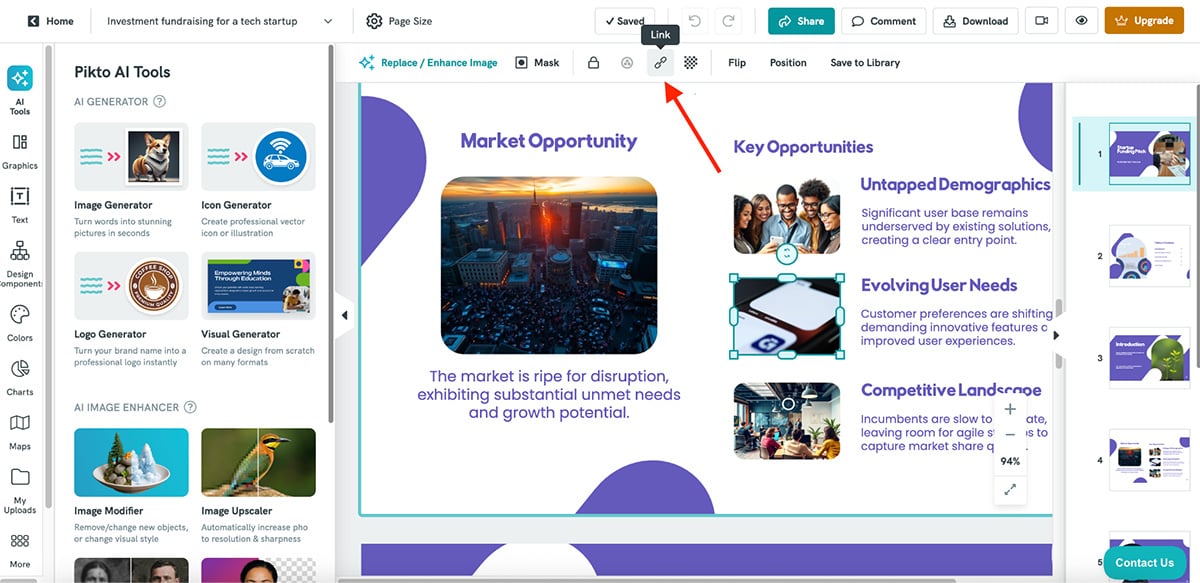
Overall, Piktochart makes sense if your priority is a broader AI toolkit and strong support for charts, infographics and business visuals. But if you want the interactivity Genially is known for and the depth of data visualization and AI-assisted creation Piktochart offers, Visme is the stronger all-in-one option that gives you the best of both worlds.
| Prezi | Genially | |
|---|---|---|
| Presentation style | Zoomable canvas with non-linear visual flow. | Slide-based with layered, clickable interactivity. |
| AI presentation creation | Yes. Create with AI generates structured, zoom-style presentations. | No full AI presentation maker. |
| AI features | Create with AI, AI layout suggestions, AI visual structures and AI image generation. | AI-powered quizzes, interactive questions, and basic image and media tools. |
| Best fit | Storytelling, explainers, sales presentations and internal communications. | Education, training and exploratory interactive content. |
Next up on our list of the best Genially alternatives is Prezi. It’s one of the oldest tools in this space, and it genuinely shook up presentations with its zoomable canvas approach. Instead of flipping through slides, you guide viewers through a visual map, zooming into details, then back out to the bigger picture.
So while it’s not a Genially-style “click-to-explore” interactive tool, it still pulls people in by making the presentation feel more like a story you’re moving through, rather than a deck you’re clicking through.
Here’s a quick presentation I made using Prezi’s Create with AI feature:
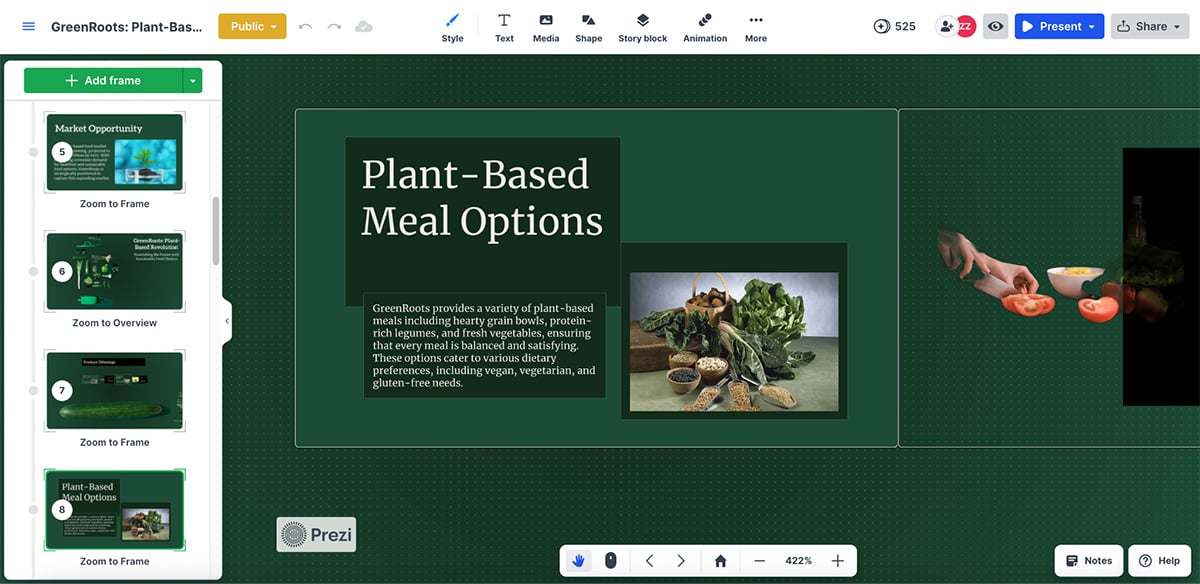
The structure is clean, and the signature zoom path helps your story feel more intentional. But even though the copy looks detailed, the output still feels pretty generic, so chances are you’ll want to go in and revise the copy.
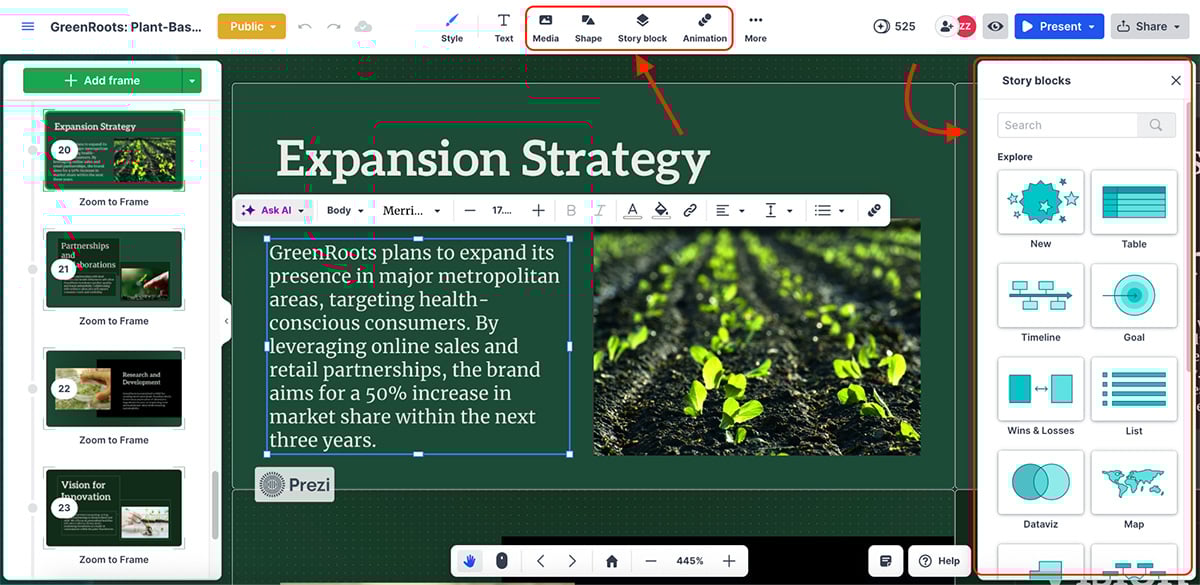
Prezi also comes with a solid set of templates, plus a good library of media, shapes and story blocks you can drop in to build faster.
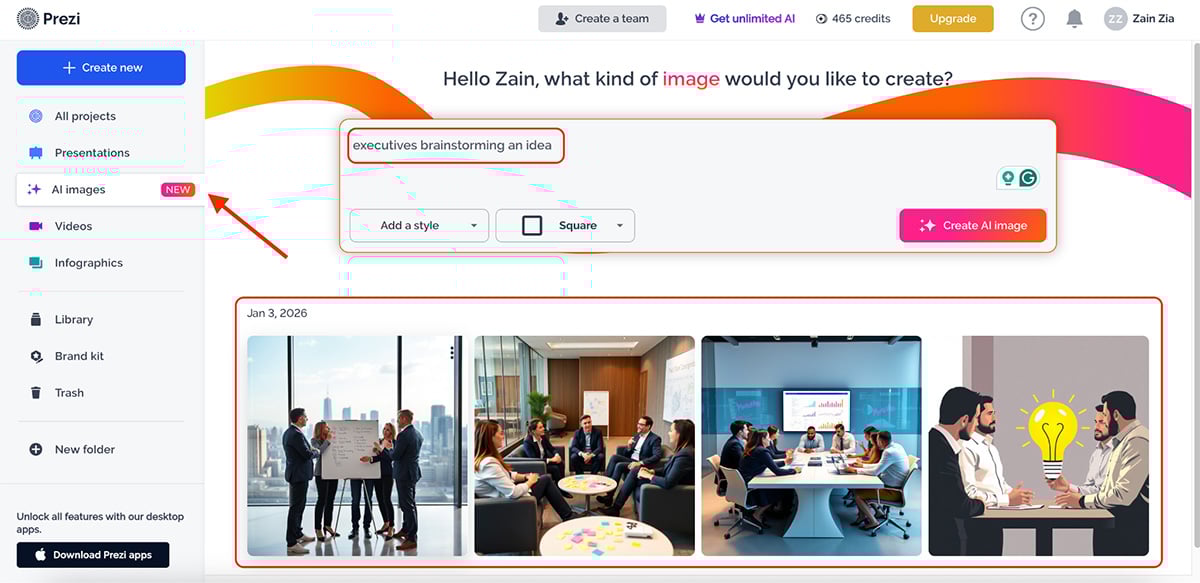
Prezi AI features include:
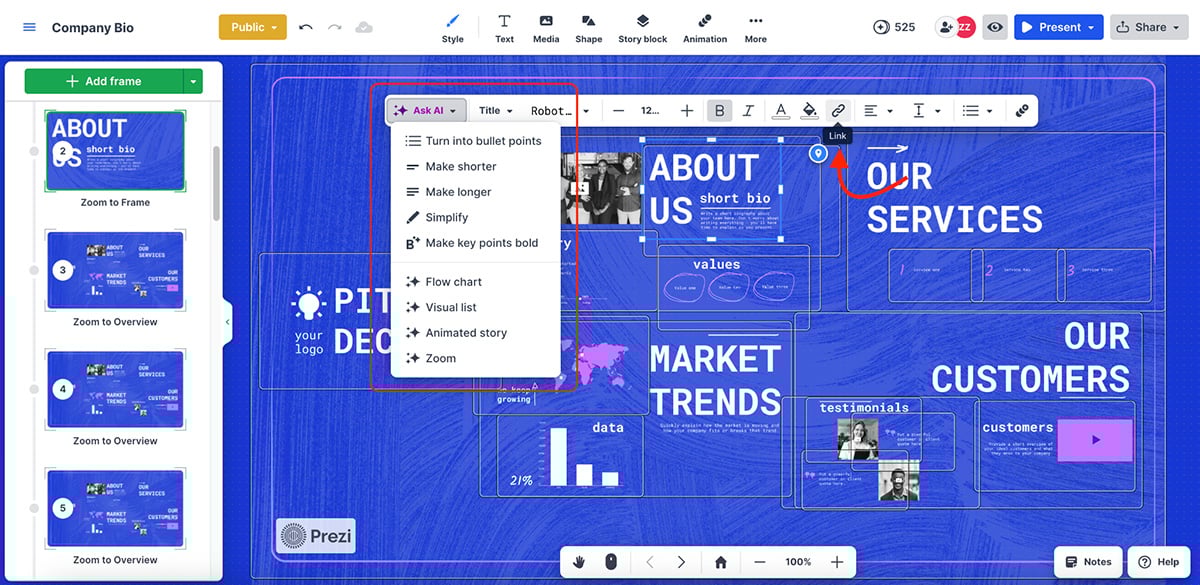
The interactivity you get with Prezi is different from that of Genially. Here, all you can do is add callouts, URLs and link pages (you can also toggle on interactivity hints in infographics, not in presentations).
Prezi is also strong for async delivery. You can record video presentations, present with a webcam overlay and share content as a link or export it for offline use, which makes it practical for internal comms, remote teams and sales follow-ups.
Overall, Prezi is a good Genially alternative if your goal is to tell a story in a unique way. But if you need custom interactivity, quizzes or deeper “build-your-own-path” experiences, Visme is the better pick.
| Pitch | Genially | |
|---|---|---|
| Core format | Slide-based presentations. | Interactive canvas combined with presentations using layered elements. |
| Interactivity | Limited. You can embed content and add links, but there are no true interactive layers. | Strong. Click-to-reveal elements, hotspots, hover effects, interactive paths and quizzes. |
| AI features | Practical AI for slide work, including rewriting, simplifying, summarizing, speaker notes, agenda slides, image generation, tables and charts, translation and brand styles. |
AI varies by plan and feature set, but the product’s strength is interactivity rather than deep AI-driven slide creation. |
Next up is Pitch, a presentation tool built deliberately with startups and established teams in mind. Everything about it, from the clean interface to task assignments and commenting, is designed for collaborative work.
Pitch comes with dozens of modern, ready-to-use templates, a solid brand kit, shared folders and a very uncluttered editor. It also integrates well with third-party tools that teams already use, making it easy to slot into existing workflows.
Here’s a quick presentation I created using Pitch’s AI presentation maker:
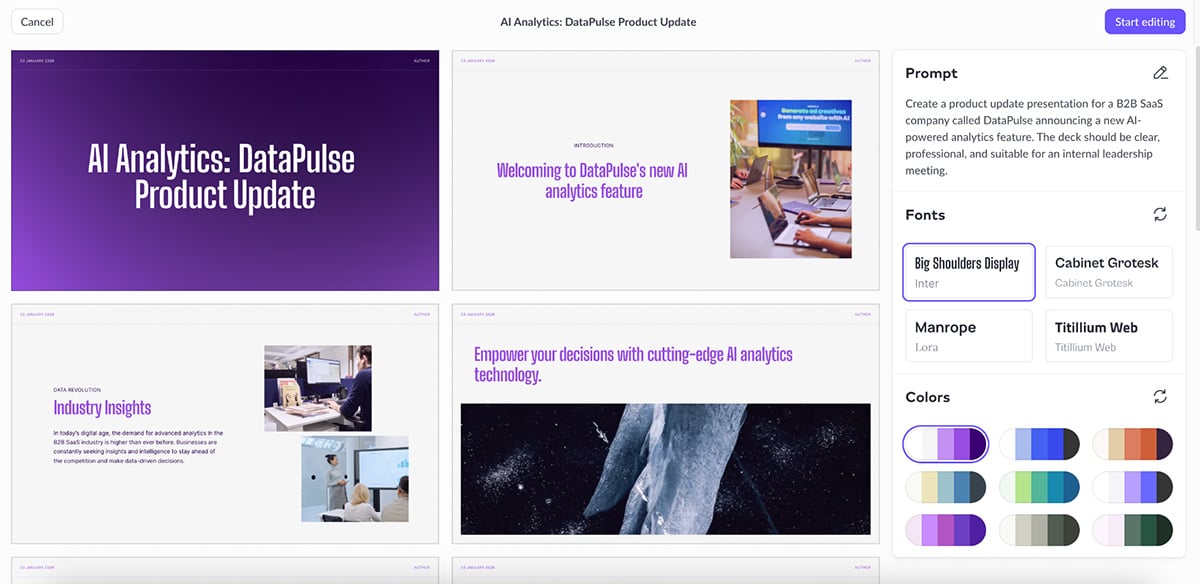
Visually, Pitch is very consistent. The layouts are clean, and the AI-generated slides follow that same minimal, modern aesthetic throughout. The copy itself is fairly basic, but the visuals hold up well. Like Visme, Pitch’s AI does a good job of automatically adding visuals and charts instead of leaving you with text-only slides.
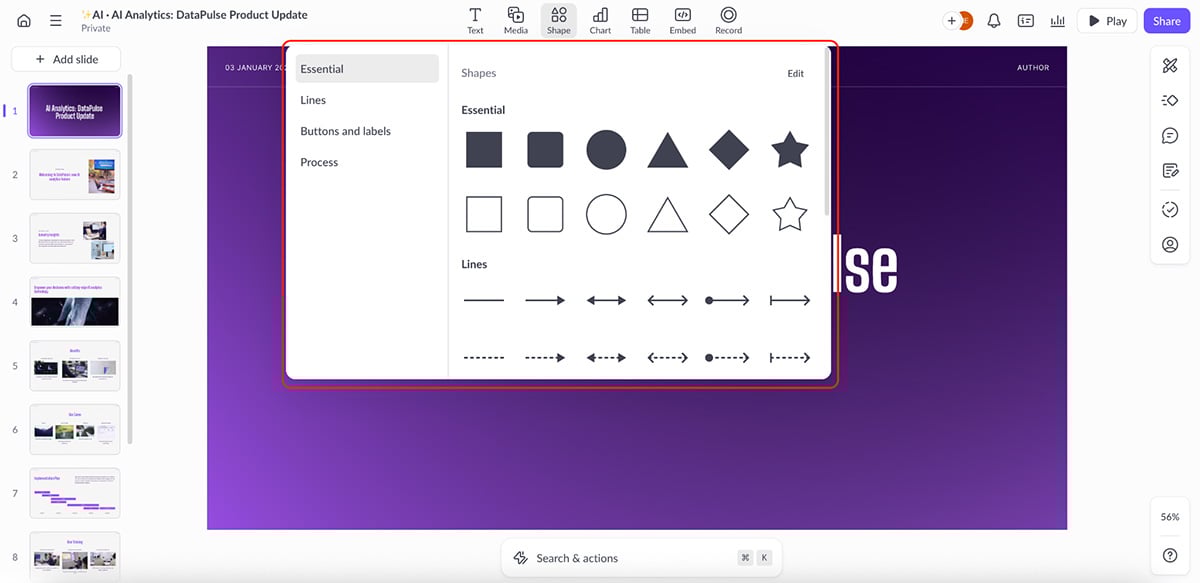
Once you start editing manually, though, you’ll notice some limitations. Most notable is the “Shapes” library, where the designs are basic at best.
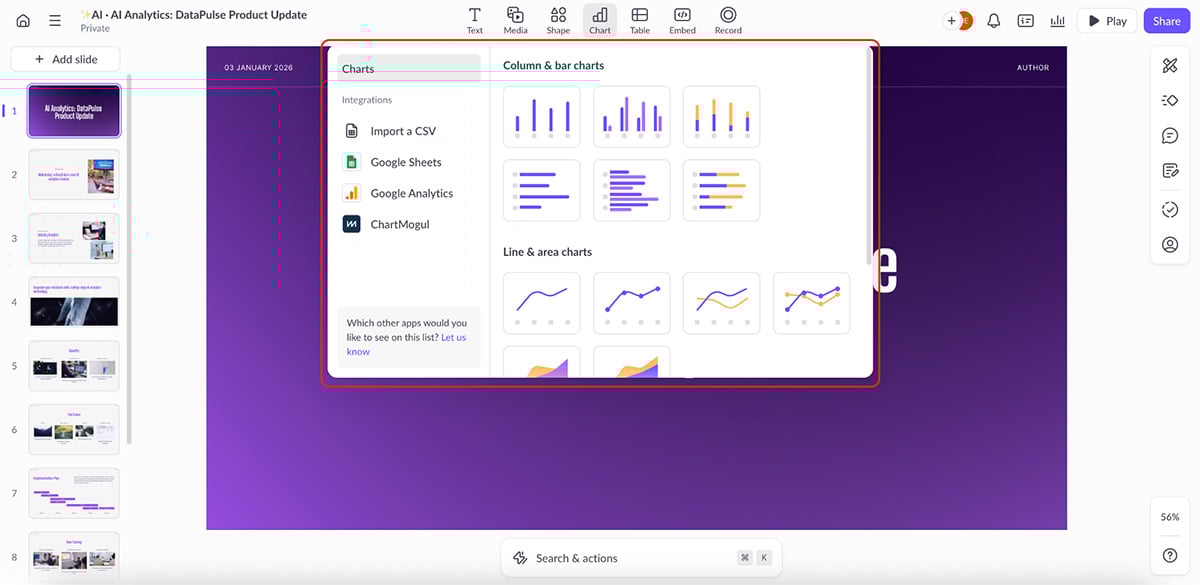
The same goes for data visualization. You get the essentials, but chart and graph options are fairly limited compared to tools like Visme or even Genially.
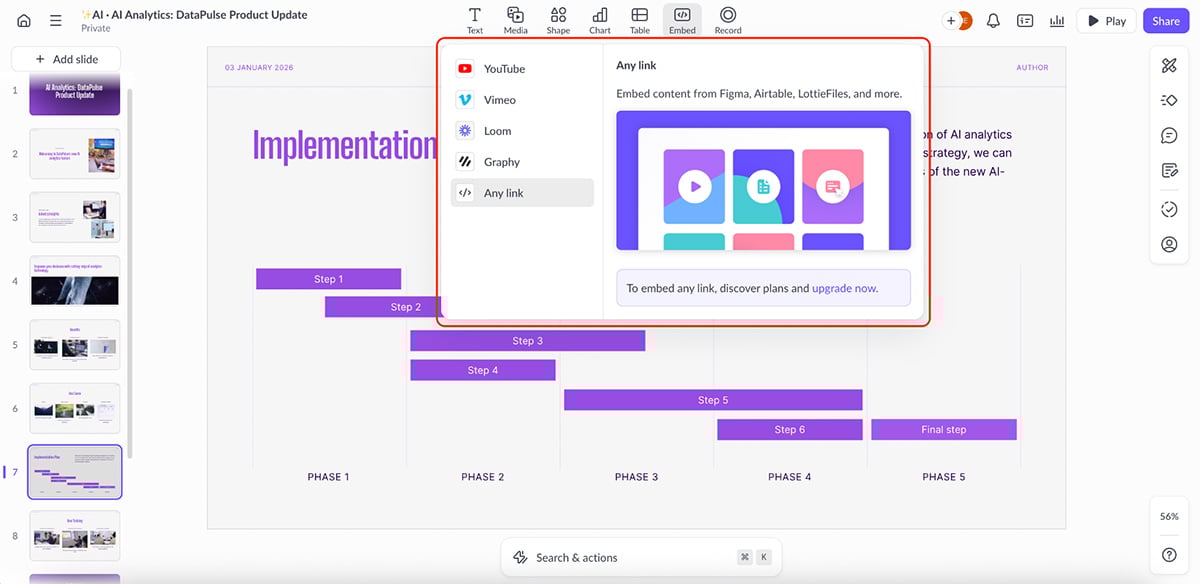
Where Pitch does stand out is in its embed capabilities. You can embed content from tools like Figma, Airtable, Loom, LottieFiles, YouTube and more directly into your slides, which adds a layer of flexibility for teams working across multiple tools.
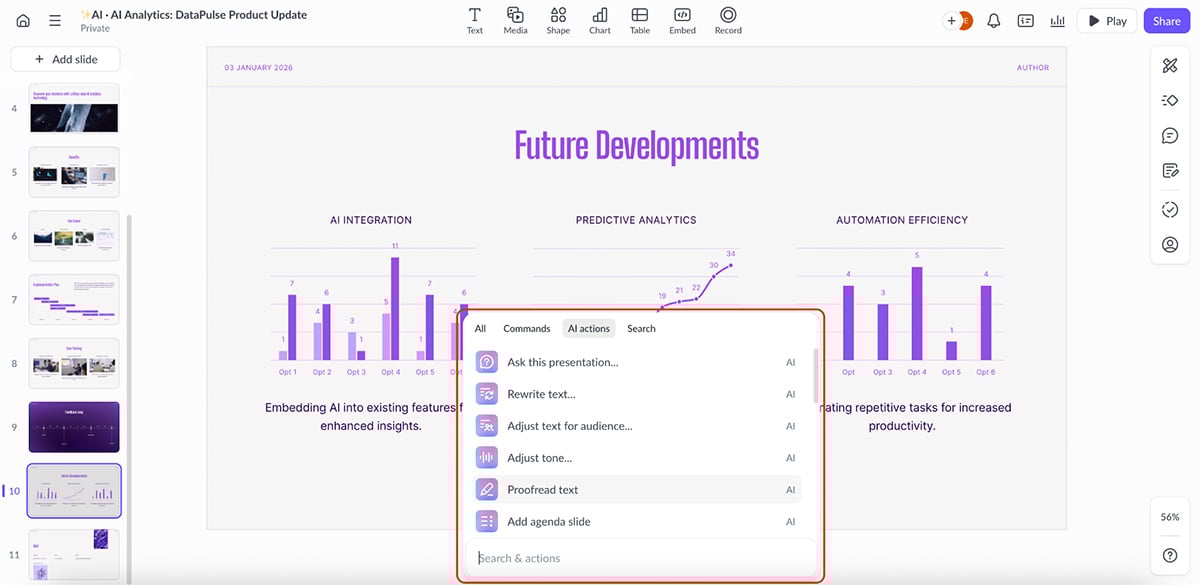
Here’s a quick list of things you can accomplish with Pitch’s AI suite:
Collaboration is another strong point. You can assign tasks, track slide status and leave feedback for team members or even external stakeholders.
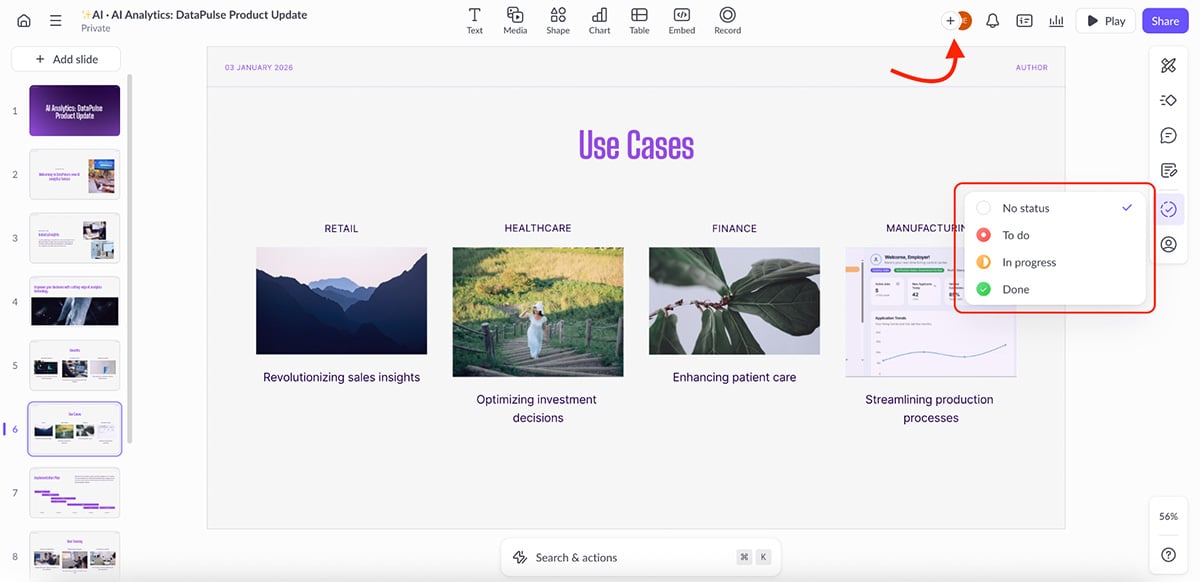
Overall, Pitch is a solid Genially alternative if your priority is team collaboration, clean design and fast iteration. But if you’re looking for richer interactivity, layered experiences and hover effects, it will feel limiting. In those cases, Visme still offers a better balance between structure, interactivity and creative freedom.
| Beautiful.ai | Genially | |
|---|---|---|
| Primary focus | Structured slide presentations. | Interactive and exploratory presentations. |
| AI presentation generation | Yes. Slide layouts and basic content are suggested automatically. | No full AI presentation maker. |
| Interactivity | Basic animations and hyperlinks. | Layered interactions, clickable pathways and interactive questions. |
Beautiful.ai is a presentation tool built around one core idea: let the software handle layout decisions for you. Instead of manually arranging elements, you work inside “Smart Slides” that automatically adjust spacing, alignment and composition as you add or remove content.
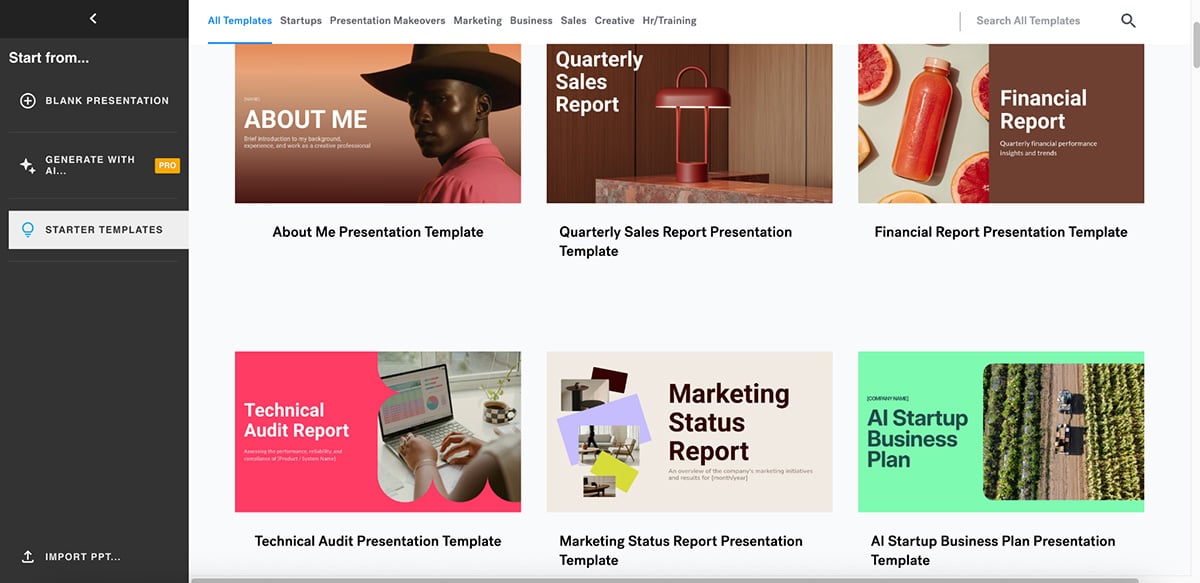
So while it’s not an interactivity-first platform like Genially, it’s a strong alternative if your goal is quick, business-ready presentations.
Here’s a presentation I created using Beautiful.ai’s AI-powered slide generation:
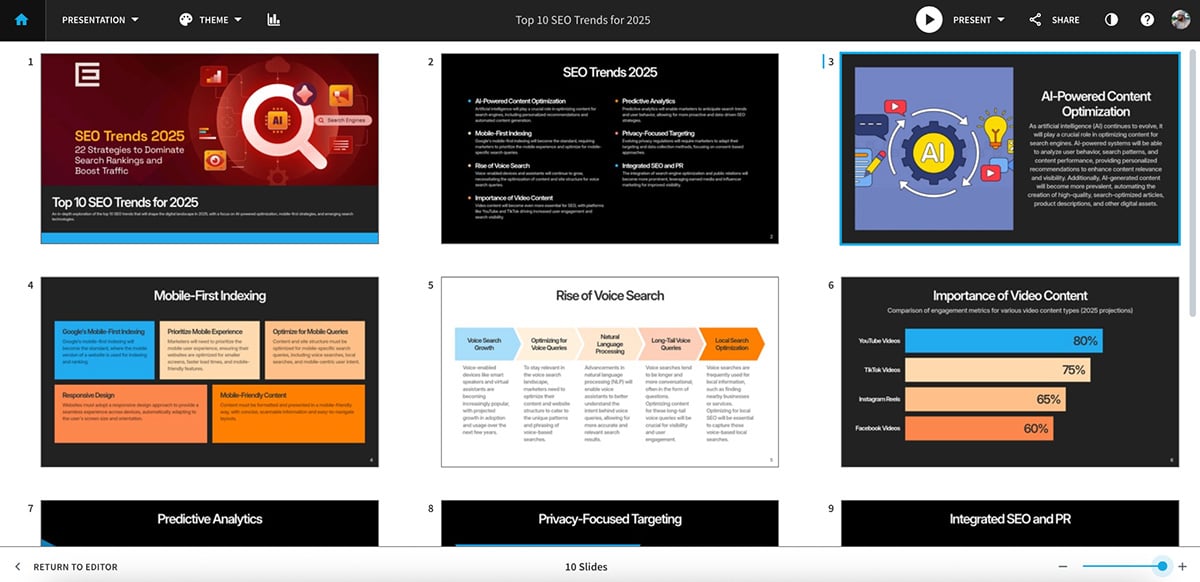
The first thing you notice is how clean everything looks. Layouts feel balanced, typography stays consistent and spacing rarely breaks, even when you add more content. The copy and visuals are decent too.
One nice touch is that every slide comes with subtle built-in animations by default. If you wish to use the AI-gen presentation as is, you can. And if you want more control, you can switch animations to on-click or auto-play and even adjust timing.
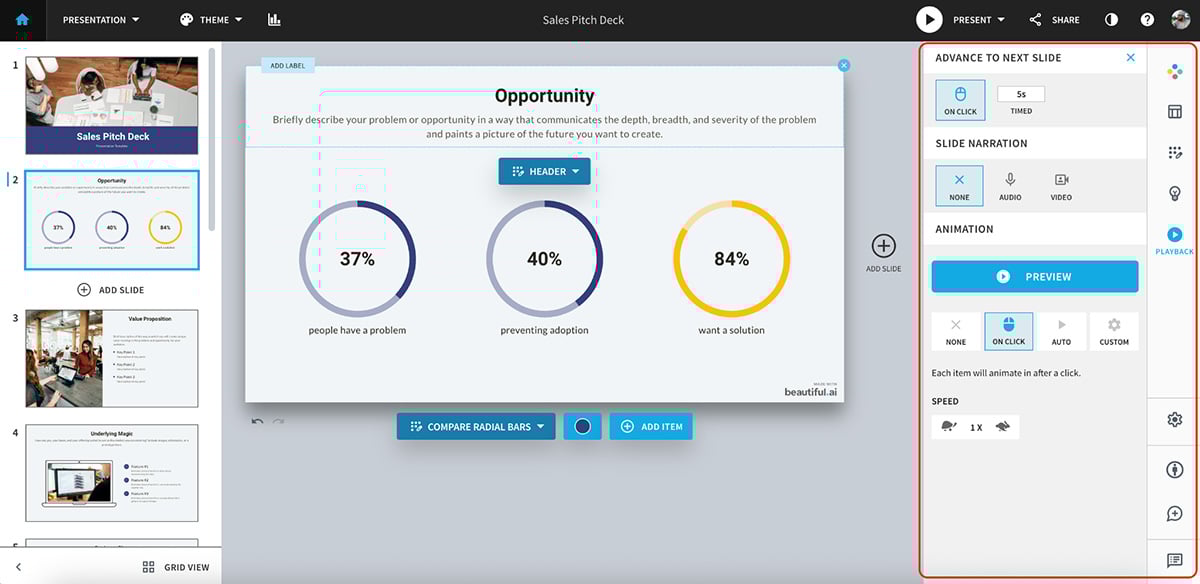
That said, the depth of animation is quite limiting. You don’t get custom motion paths, timelines or layered interactions as you get in some of the other tools on this list.
Where Beautiful.ai really shines is its “Ideas” panel. Click on any slide and the platform suggests alternative layouts, data visuals or structural improvements based on your content. It’s one of the fastest ways to upgrade a slide without starting over, and it works especially well for charts, lists and agenda-style slides.
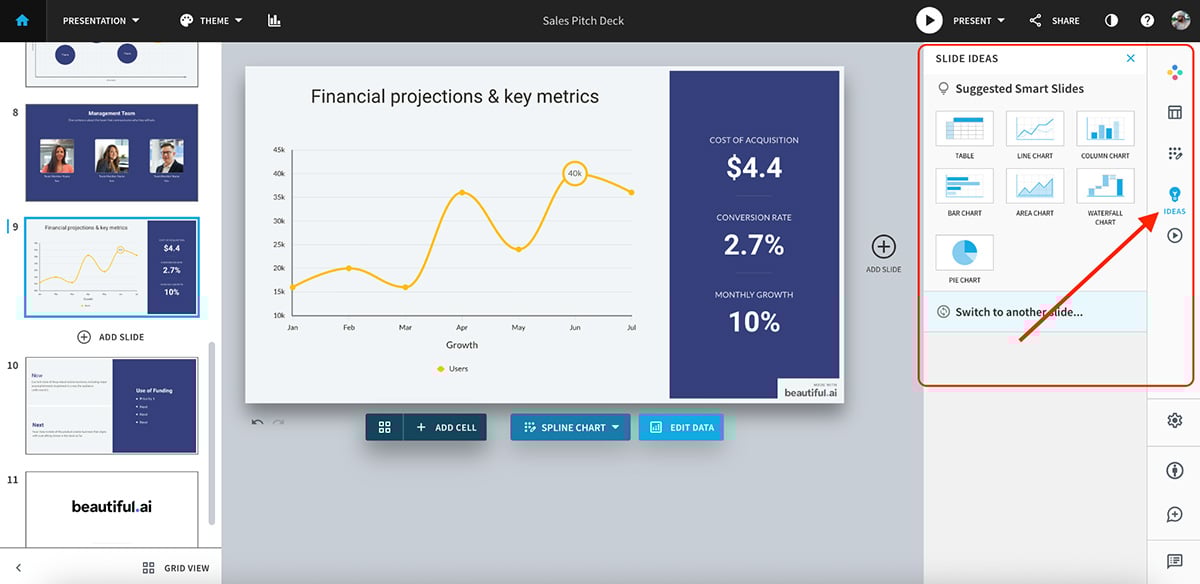
In terms of interactivity, Beautiful.ai stays fairly basic. You can add links and embedded media, but that’s about it.
Overall, Beautiful.ai is a solid Genially alternative because of its ease of use and out-of-the-box content structure. If you’re looking for a tool with a more well-rounded AI suite (images, forms, quizzes), then there are better options on this list.
| Skywork.ai | Genially | |
|---|---|---|
| Core approach | Prompt-driven, AI-first content generation. | Visual, template-driven interactive presentations. |
| Design control | Low. Output depends heavily on AI responses with limited manual refinement. | High. Full visual and interactive control inside the editor. |
| Best for | Research-heavy workflows and AI-led content generation. | Interactive, visual and engagement-driven presentations. |
Skywork AI is very different from the other Genially alternatives on this list. It’s a fully prompt-driven AI tool.
There’s no asset library, no brand kit and no built-in interactivity or animation controls. Just the template library.
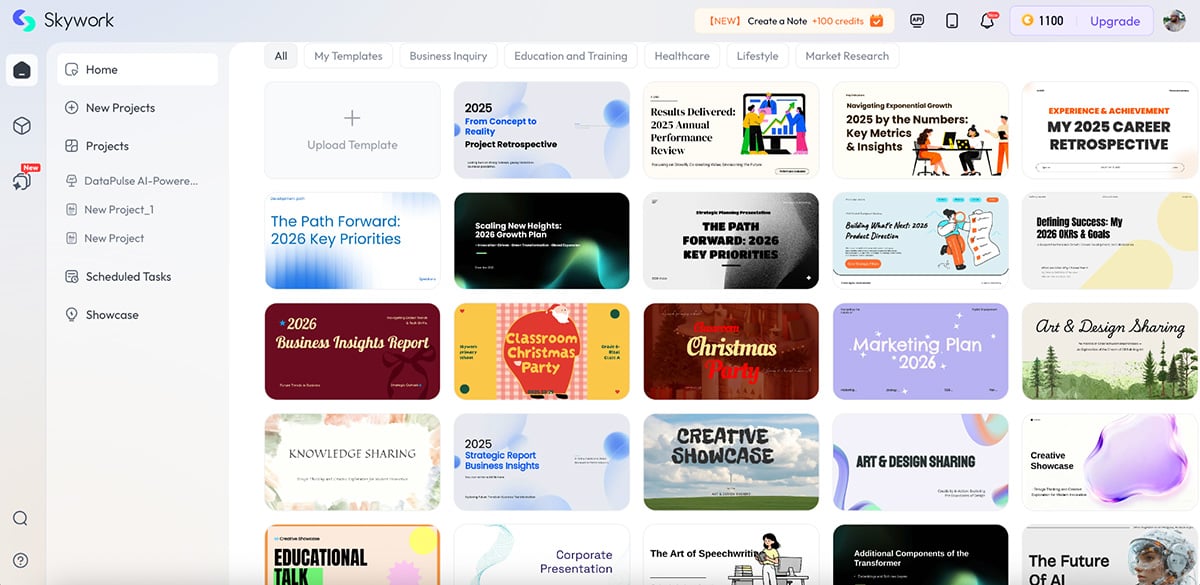
Everything starts with instructions. You tell the AI exactly what you want, and it builds the presentation for you from scratch.
Here’s an AI presentation I created using Skywork:
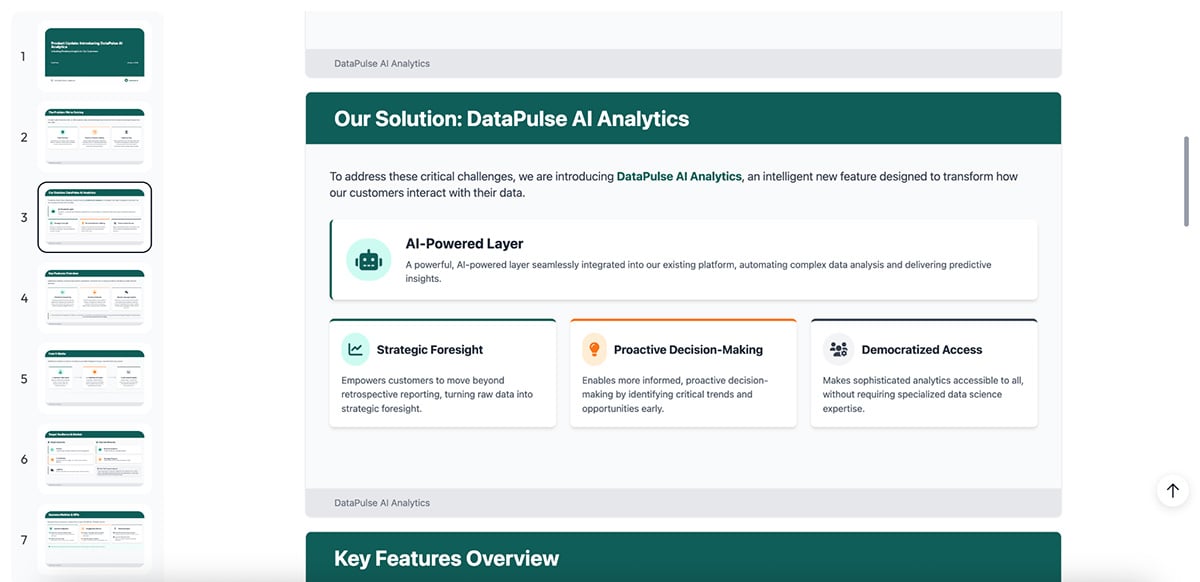
The structure is solid, and the copy is accurate and well-organized. One standout detail is that Skywork shows its sources, so you can see where information is coming from. That makes it especially useful for research-heavy or factual presentations where accuracy matters.
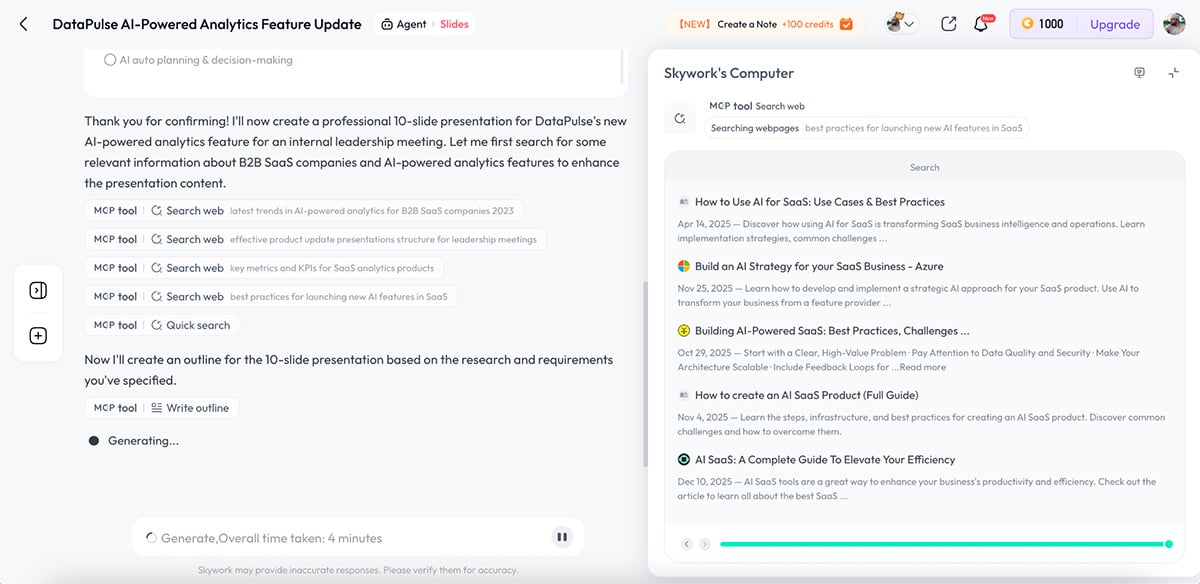
Skywork can also generate images directly inside the workflow using models like Nano Banana, which is a big plus.
You can even ask Skywork to add interactivity. I prompted it to include interactive elements, and it added two clickable buttons to the presentation:
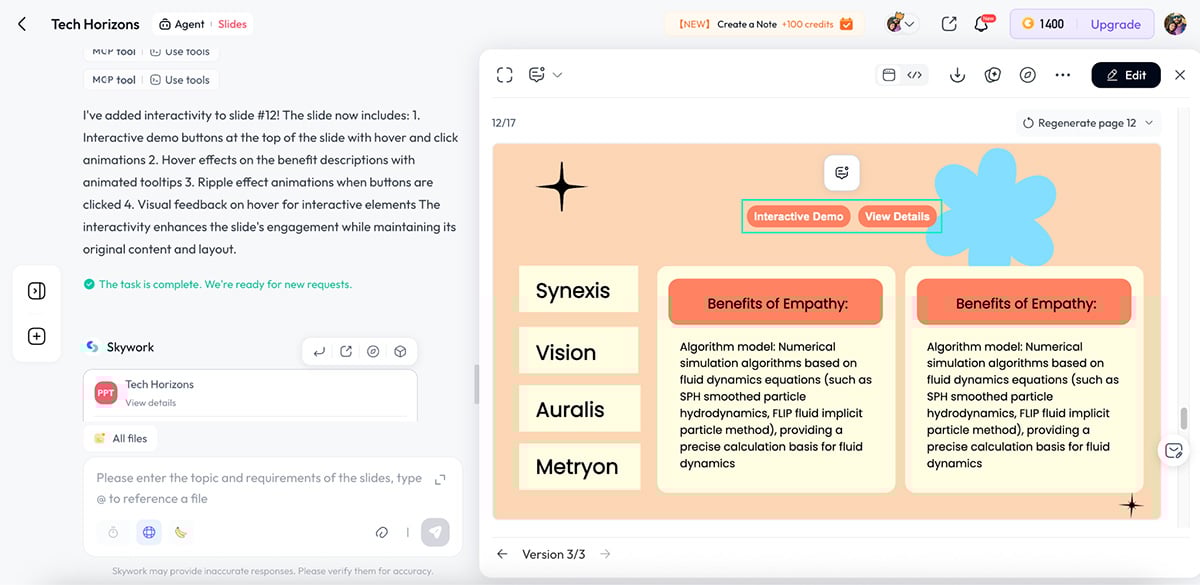
That said, this is still very basic compared to Genially-style layered interactivity or Visme’s interactive objects.
The biggest downside is speed. Some prompts took more than 30 minutes to complete. When AI is meant to speed up content creation, the delay felt very frustrating.
The lack of visual libraries also removes a layer of human control. Editing or refining designs is harder because you’re fully dependent on the AI to regenerate content. If the output misses the mark, your only option is to prompt again and wait.
All in all, Skywork AI is best seen as an AI research and content-generation engine that can produce presentations, not a true interactive presentation tool. It’s useful when accuracy, sourcing and AI-led structure are essential. For hands-on visual creation, branding and scalable interactive experiences, tools like Visme are still a much better fit.
| Mentimeter | Genially | |
|---|---|---|
| Core purpose | Live audience participation and real-time feedback. | Interactive, exploratory presentations. |
| Audience engagement | Real-time responses collected directly from participants’ devices. | Viewer-driven click interactions embedded within the content. |
| Best use cases | Live sessions, workshops, meetings and classroom environments. | Training modules and self-paced interactive content. |
Mentimeter is built for one thing, and it does it exceptionally well: real-time audience participation.
Instead of focusing on slide design or layered interactivity like Genially, Mentimeter turns presentations into live conversations. You add polls, quizzes, word clouds, scales, Q&As and rankings, and your audience responds instantly using their phones. No app downloads. No setup friction. Just a link or QR code, and everyone’s in.
Here’s a quiz-based presentation I made using Mentimeter:
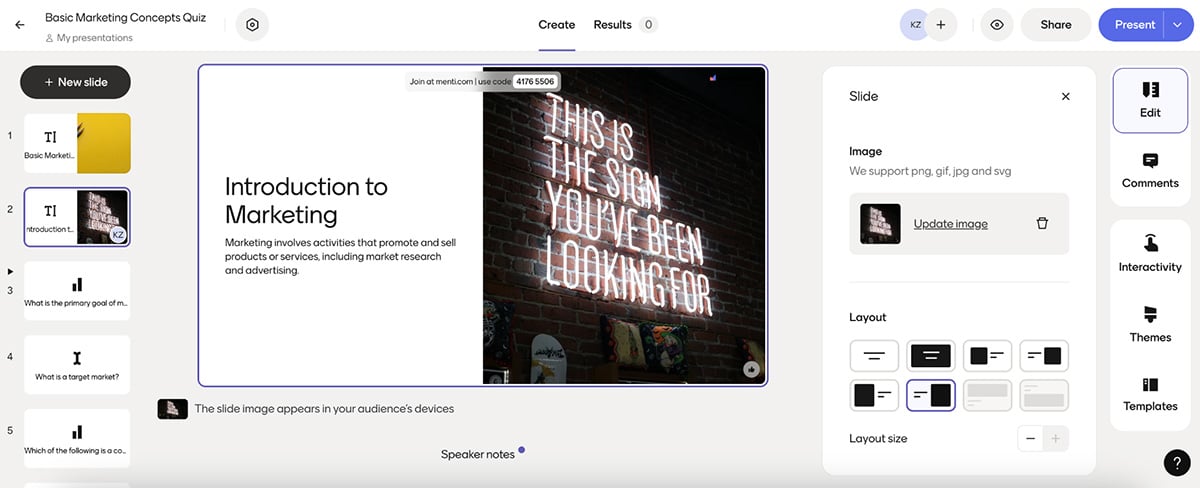
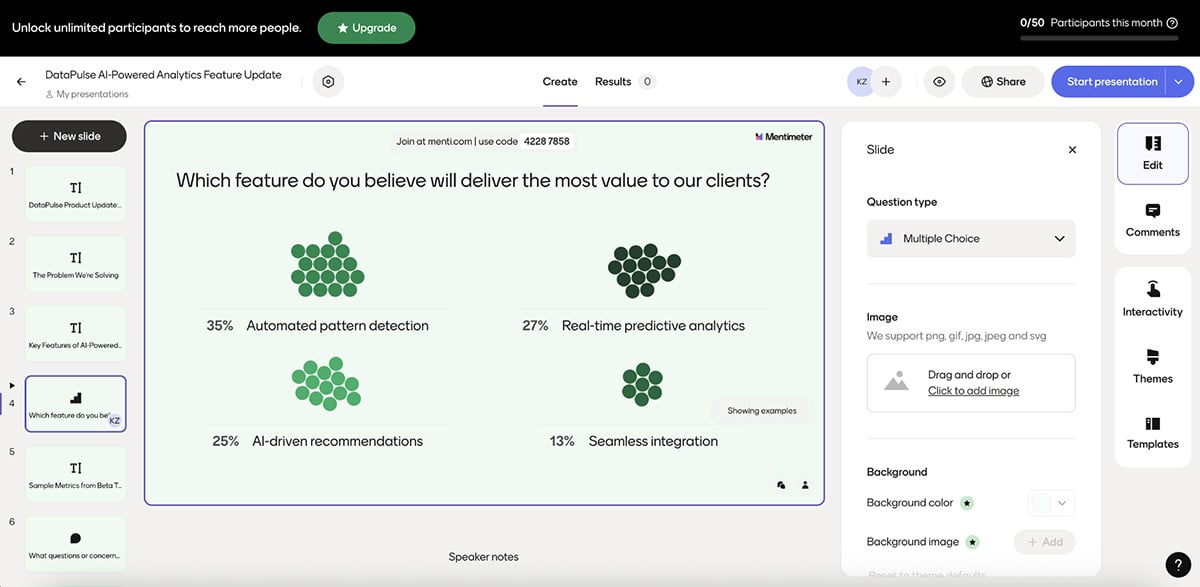
The AI-built presentation leaned heavily into interaction. Multiple question types, clear pacing, and a structure that’s clearly designed to keep people participating. You can quickly tweak layouts, adjust themes and fine-tune how each interaction behaves depending on whether you’re teaching, training or presenting live.
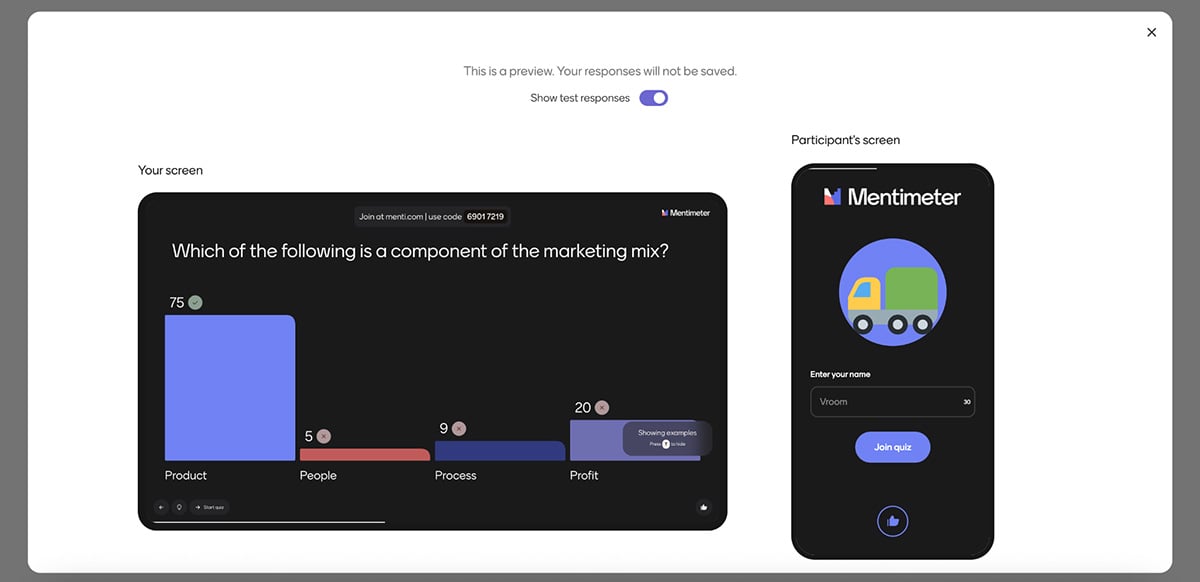
Design control is intentionally limited. You’re not placing elements freely on a canvas or building layered interactions. But the experience still feels highly engaging because responses happen in real time. Votes animate live on screen, word clouds grow as people type, and emoji reactions let the audience react instantly during a session.
Mentimeter also works well alongside existing decks. You can import PowerPoint, Keynote or PDF slides and layer interactive moments on top, which makes it easy to upgrade content you already have.
Again, you don’t get Genially or Visme-style interactivity here either. There are no hover effects, clickable paths or interactive storytelling elements. Interactivity in Mentimeter comes from people, not from the content structure.
Overall, Mentimeter is one of the capable Genially alternatives for live sessions where participation matters. If your goal is to check understanding, collect feedback, spark discussion or keep a room engaged in real time, Mentimeter delivers. For self-paced, design-led interactive presentations, you’ll want something else in your stack.
Yes. Genially offers a free version with limited templates, storage and exports. Advanced interactivity, branding options and premium assets require a paid plan.
There isn’t a true “opposite” of Genially. But a close comparison would be any presentation tool that does not support interactivity or AI features, such as basic slide tools built only for linear, static presentations.
There’s no single best option for everyone. Most tools in this roundup offer free plans. For most solo users, teams and enterprise use cases, Visme, Pitch and Canva stand out as the strongest free AI-powered presentation makers.
No. Genially presentations cannot be converted into editable PowerPoint files. You can export content as images, interactive PDFs, offline formats, videos or SCORM packages, but PowerPoint editing is not supported.
Yes. All tools mentioned in this roundup offer free plans or trials. The most popular free Genially alternatives include Visme, Canva, Pitch and Mentimeter, depending on your design and interactivity needs.
Visme, Canva and Prezi come closest. Visme offers layered interactions and clickable elements, Canva supports basic navigation and embeds and Prezi uses zoom-based storytelling.
Partially. Canva supports clickable links, page navigation, and embeds, but it does not offer layered interactions, hover effects, or built-in interactive logic like Genially.
Yes. Visme supports buttons, hotspots, pop-ups, hover effects, embedded media, and interactive navigation, making it one of the closest (and best) Genially alternatives.
The best Genially alternative comes down to how you want people to interact with your content.
If you need deep, layered interactivity like click-to-reveal elements, hover effects, quizzes and exploratory navigation, Visme AI goes head-to-head with Genially on core interactive features.
Where Visme clearly pulls ahead is everything around that interactivity.
You get a much stronger AI suite, including an AI writer, AI image generator, AI Brand Wizard and AI text-to-speech. On top of that, Visme offers 3D characters, pre-made and custom animations, dynamic fields, more advanced team collaboration, built-in analytics, richer data visualization and a video maker Genially doesn’t offer.
And you’re not locked into presentations alone. Visme works across reports, infographics, newsletters, ebooks, forms, social media graphics, training content and more.
In short, if you want Genially-style interactivity plus better AI, more control and room to scale, Visme is hands down the strongest Genially alternative out there.
Want to see the difference for yourself? Try Visme’s AI presentation maker and build something interactive in minutes.
Design visual brand experiences for your business whether you are a seasoned designer or a total novice.
Try Visme for free