The Best Genially Alternatives to Create Interactive & AI Presentations


Visual content now drives how teams communicate and make decisions. It’s why 82% of business leaders say they’ve used AI-powered tools to generate visual content.
Instead of spending hours formatting slides and choosing design elements, teams want AI assistants to handle repetitive tasks like layout, structure and basic design, so they can focus on prepping the content and delivery.
Beautiful.ai is one solid option built around that idea. Its AI-driven design engine automatically formats slides as you add content, helping users create “beautiful” presentations with minimal effort.
But Beautiful.ai has its limitations. Compared to other tools on the market, the editor looks dated. It lacks custom animations and interactivity, and it doesn’t offer advanced collaboration or workflow features. These gaps become more noticeable as your presentation needs become more advanced.
If you’ve run into these limitations firsthand, or you’re new to AI presentation tools and want to weigh your options before committing to a platform, this article is for you.
I’ve rounded up eight of the best Beautiful.ai alternatives to help you find the right AI-powered presentation tool that can do all this and more.
TL;DR: Watch this video for the best AI presentation makers worth investing in:
Let’s get started.
If you’re a solo creator or a small team that values speed and visual consistency over deep customization, it’s hard to go wrong with Beautiful.ai.
The platform is lightweight and easy to use. You get plenty of pre-made templates to start from, along with an asset library that includes stock photos, videos, icons and logos. You don’t need to think much about design rules because the system handles those decisions for you.
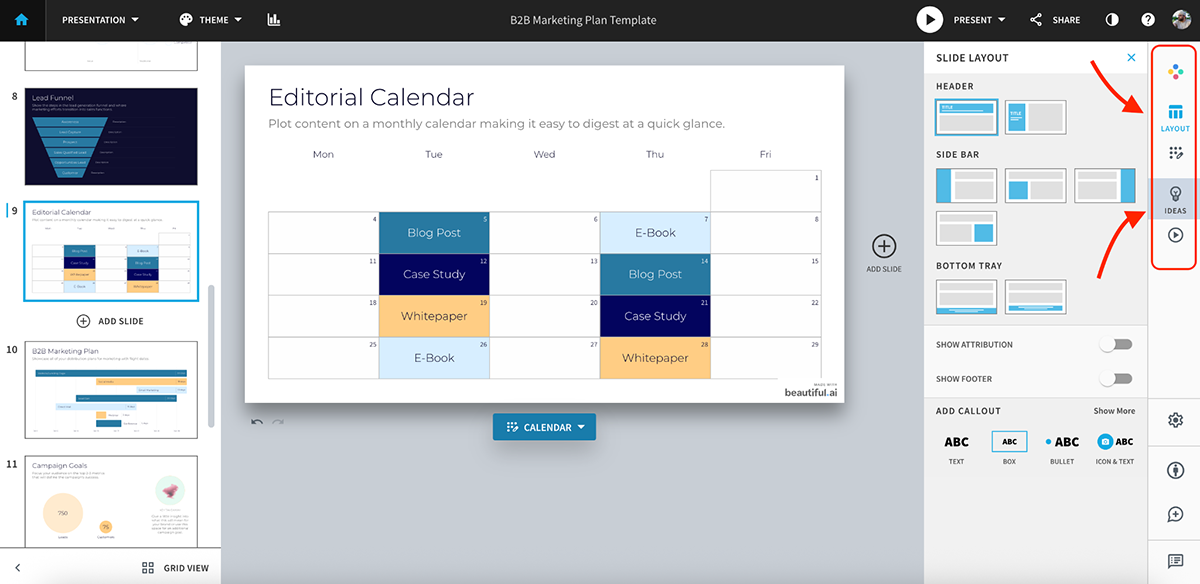
My favorite feature is the quick layout suggestions and the Ideas tab. As you add content, Beautiful.ai automatically suggests layouts that keep slides balanced and readable. It’s a fast way to build a presentable deck without second-guessing spacing or hierarchy.
You can also add light animations through the Playback tab. These are simple transitions rather than fully custom animations, but they’re enough to add a bit of movement without overcomplicating things.
Beautiful.ai also includes dozens of pre-designed slide types for common use cases like agendas, timelines, charts and comparisons. This makes it easy to move quickly when you’re working with familiar presentation formats.
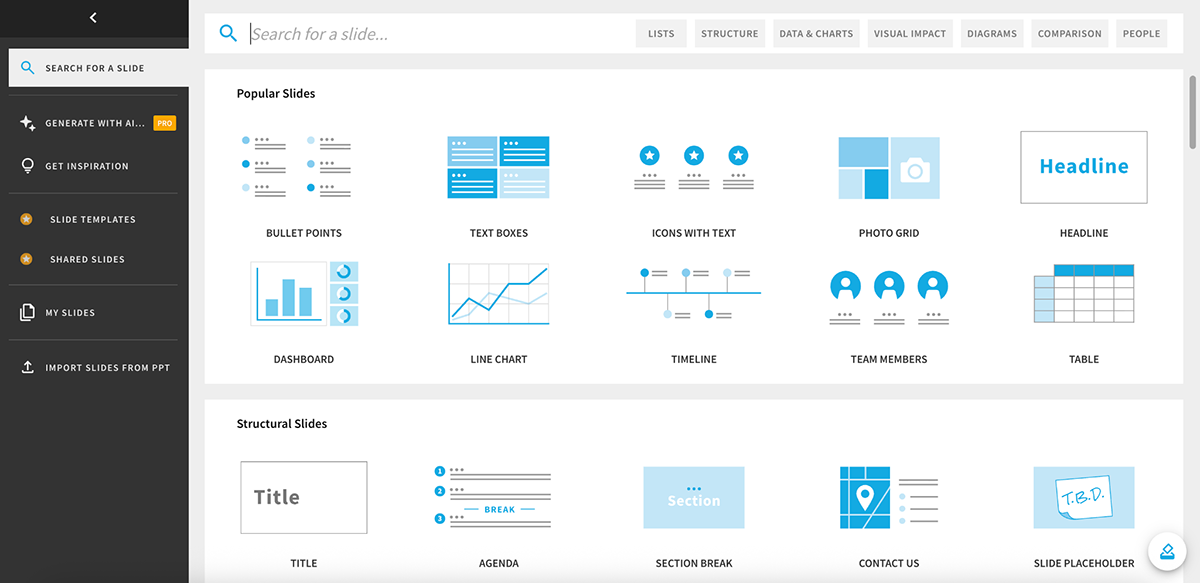
The AI presentation maker is solid for the most part. It does a good job generating layouts, color combinations, basic copy and visuals. That said, you’ll often need to step in and make manual edits to fine-tune messaging, adjust visuals or align slides more closely with your brand.
But if Beautiful.ai works so well, why do people still look for alternatives?
Beautiful.ai is fast, but that speed comes with trade-offs once presentation needs become more advanced.
So, what makes a worthy Beautiful.ai alternative?
Here’s a list of features and capabilities that’ll make a ‘great’ Beautiful.ai alternative:
All in all, the best Beautiful.ai alternative does business presentations really well and offers more, so you don’t have to juggle multiple tools to get work done.
To keep this comparison fair and practical, here’s the testing methodology I used to evaluate each tool.
This article was written by real humans (hi from my editor and me) for real humans, to help you make a better-informed decision.
| Key Features | Best For | Pricing | G2 Rating | |
|---|---|---|---|---|
| Visme | AI presentation maker, AI writer, image generator & editor, Brand Wizard, AI text-to-speech, 3D characters, interactive elements, advanced analytics | Individuals, teams, businesses, enterprises | Free; paid from $12.25/mo | 4.5/5 (460+ reviews) |
| Canva | Magic Design & Write, text-to-image, basic AI video & code tools, massive library of presentation templates + assets, clickable links & embeds | Individuals, solopreneurs, small teams | Free; paid plans available | 4.7/5 (6,610+ reviews) |
| Gamma | AI presentation maker, smart layouts, smart diagrams, AI agent for edits | Individuals, teams | Free; paid from $8/mo | 4/5 (20+ reviews) |
| Prezi | Zoomable canvas, AI-generated structure, visual storytelling | Individuals, teams | Free; paid from $15/mo | 4.2/5 (5,210+ reviews) |
| Pitch | AI writing tools, embeds, collaboration, brand styles | Teams, businesses | Free; paid from €20/mo | 4.4/5 (55+ reviews) |
| PPT AI | AI presentation maker, layout variations per slide, AI text polishing, summarization & translation, PowerPoint-first exports | Individuals | Free; paid from $13.9/mo | N/A |
| Presenti | AI presentation maker, upfront layout selection, basic data visualization, AI writing assistant | Individuals, small teams | Free; paid from $6/mo | 3.5/5 (1 review) |
| Mentimeter | Live polls, quizzes, real-time audience responses | Teams, businesses, enterprises | Free; paid from €13/mo | 4.7/5 (775+ reviews) |
| Visme | Beautiful.ai | |
|---|---|---|
| AI Presentation Maker | Yes; editable layouts, visuals, copy and data integration. | Yes; automated slide layouts. |
| Other AI Features | AI Writer, AI Image Generator, AI edit tools, Brand Wizard, text-to-speech and content repurposing tools. |
AI-driven layout suggestions and slide formatting. |
| Animations & Interactivity | Pre-built and custom animations, hover effects, clickable elements, interactive charts, 3D characters, embedded media and transitions. |
Pre-built animations and smart transitions applied automatically to slides. |
| Data Visualization | Interactive charts, graphs, maps, widgets, data-driven visuals, 3D charts and widgets. |
Standard charts and visual components designed for static data display. |
| Content Types Supported | Presentations, reports, infographics, ebooks, newsletters, social graphics, videos, forms, brochures, one-pagers and more. |
Presentations only. |
| Training & LMS Support | SCORM and xAPI exports for LMS-based learning. | Not supported. |
Visme is a flexible, all-in-one visual content platform that goes far beyond AI-generated presentations.
While Beautiful.ai focuses almost entirely on slides, Visme supports a wide range of visual formats, including reports, newsletters, infographics, ebooks, videos, forms, social media graphics, brochures and one-pagers. That broader scope and functionality immediately makes it a stronger fit for teams that don’t want to rely on multiple tools.
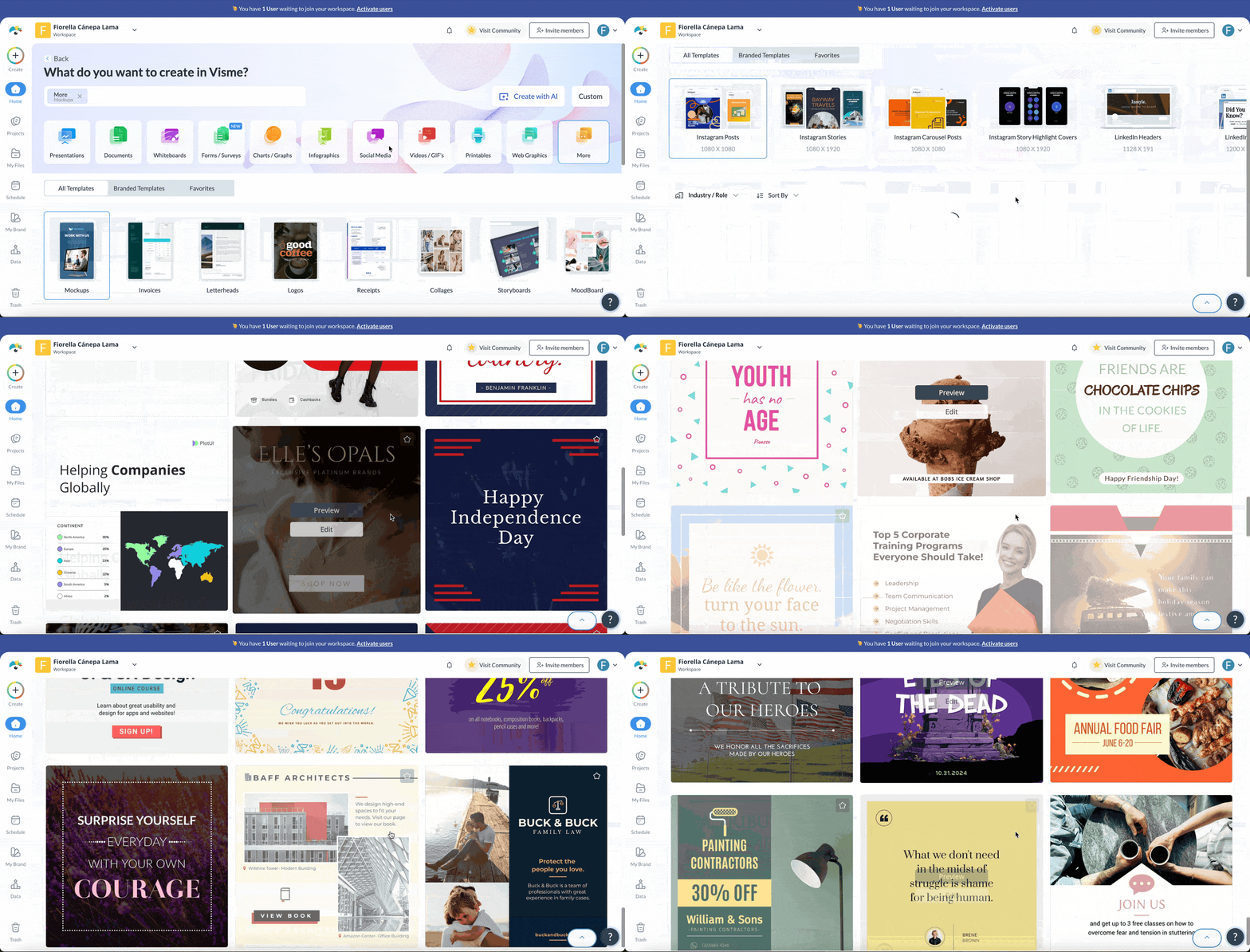
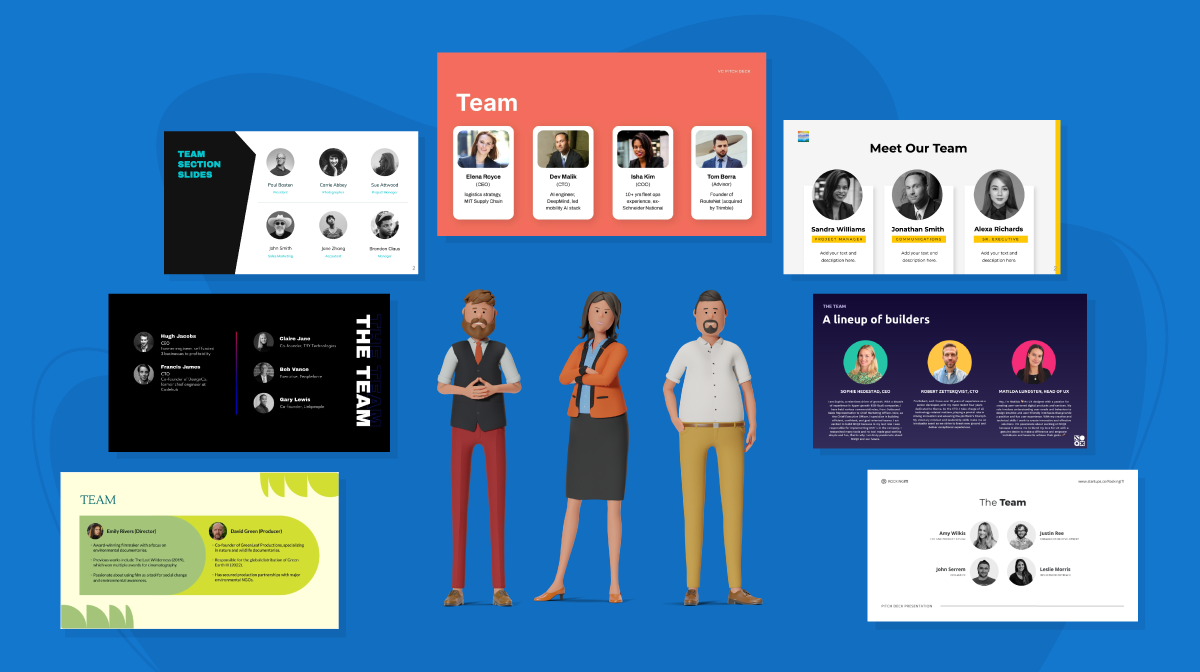
Visme comes with an intuitive drag-and-drop editor, a large presentation template library, and a rich asset collection that includes icons, illustrations, 3D characters, and high-quality stock photos and videos. You’re not locked into rigid layouts either, and everything is fully editable. You can even create your own 3D characters if you want.
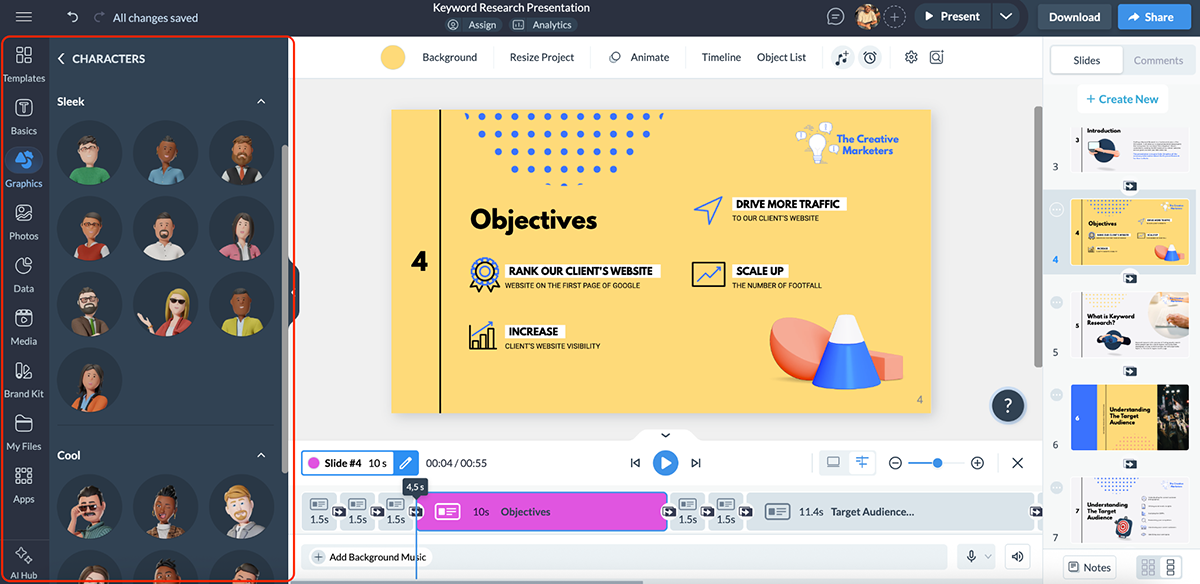
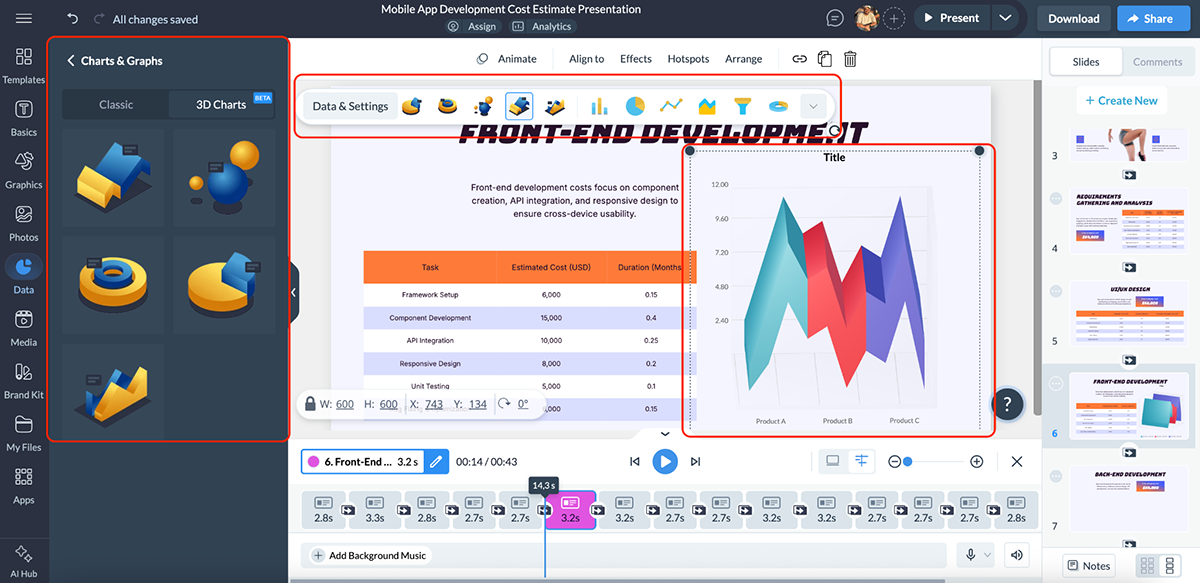
One area where Visme clearly stands out is data visualization. Instead of static charts, you can build interactive graphs, maps and data widgets that respond to viewer interaction. There are even 3D charts to pick from.
Brand consistency is also much easier to manage in Visme. You can set up brand kits with approved colors, fonts and logos, then apply them across every project. You can even share these with your teams so everyone is on the same page.
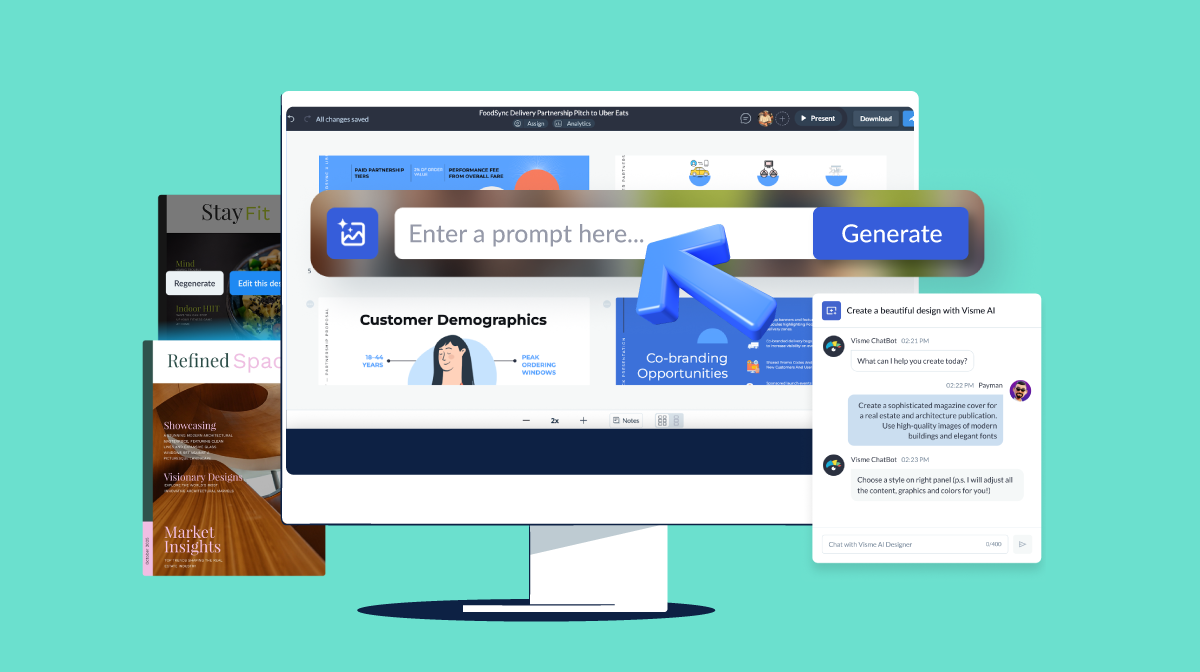
Let’s talk about the Visme AI suite now. Visme is easily one of the best AI presentation makers out there.
Here’s an example of what the AI presentation generator is capable of:
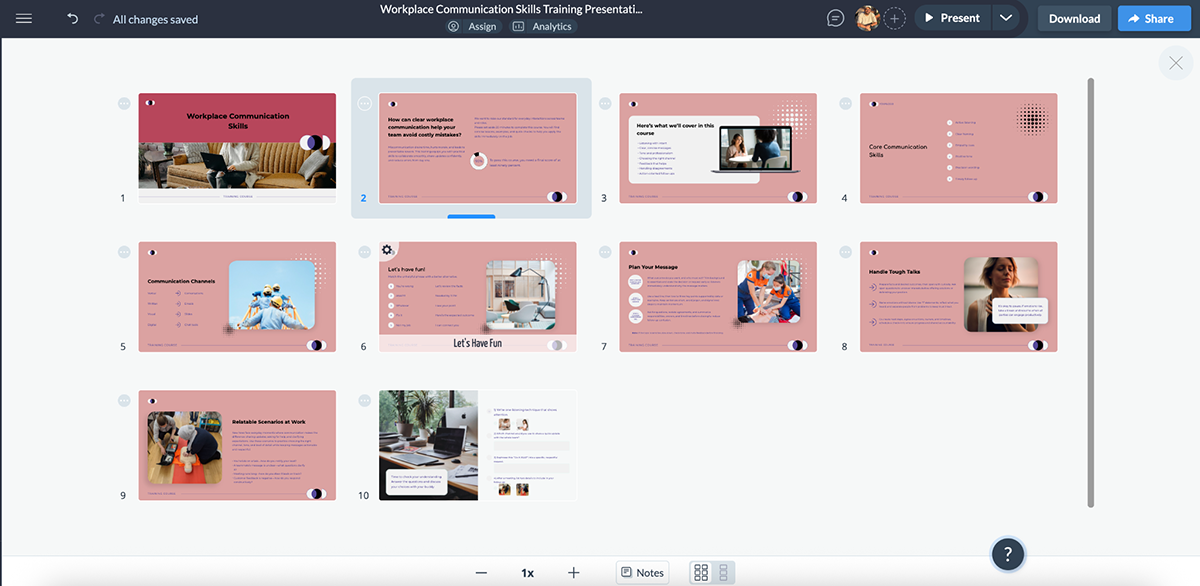
The slide layouts, copy, visuals and color choices are brilliant. With a few tweaks here and there, like font sizes, copy editing and slight object alignment, I was able to easily get it ready to send to my clients.
And the better your AI presentation prompts, the better the results will be. For example, if the prompt includes data or statistics, Visme’s AI automatically adds relevant charts and data widgets.
The AI-generated presentations also include built-in animations and interactivity, which you can refine, remove or expand depending on your needs. You can add hover effects to reveal additional context, guide viewers through layered content or keep slides clean without losing depth.
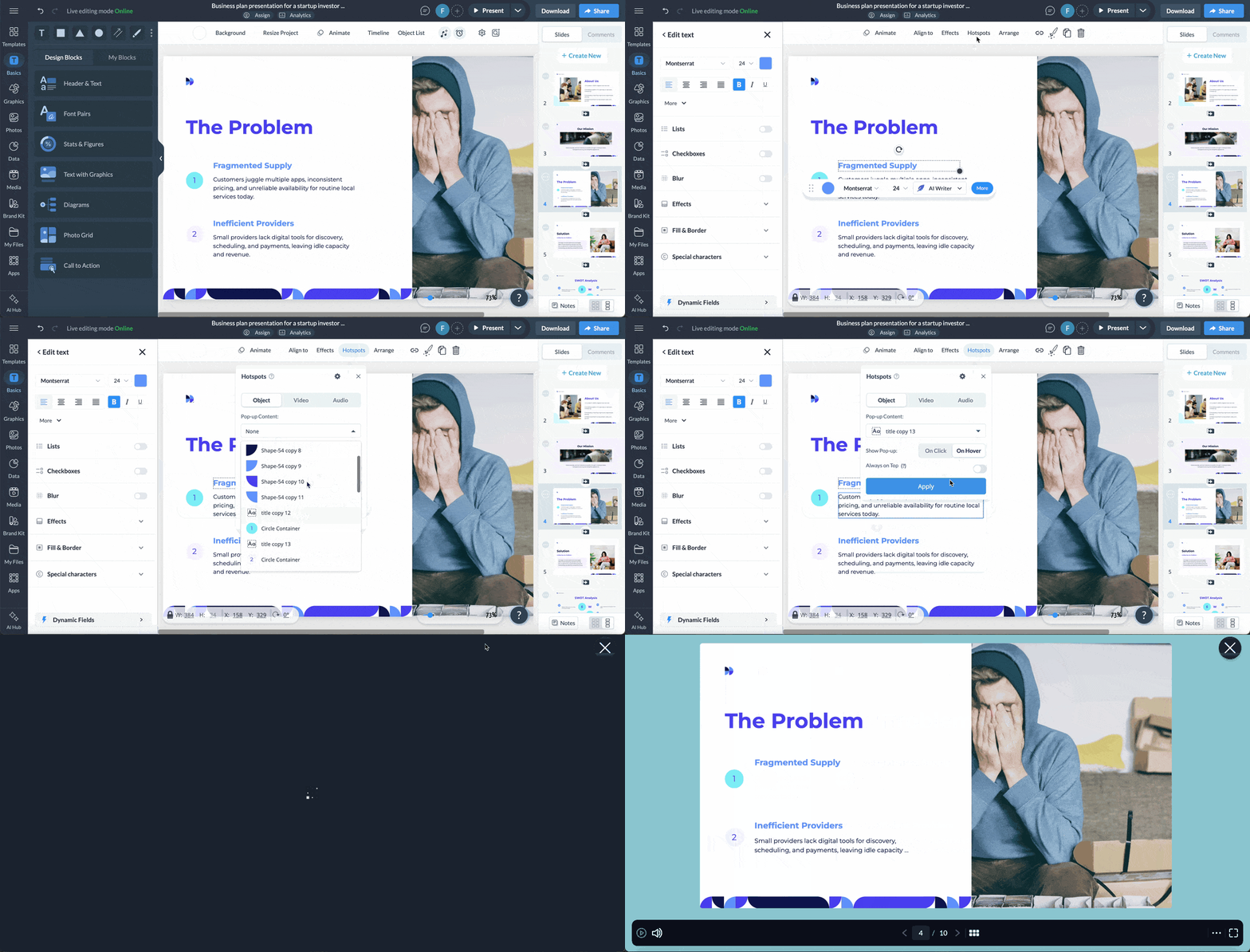
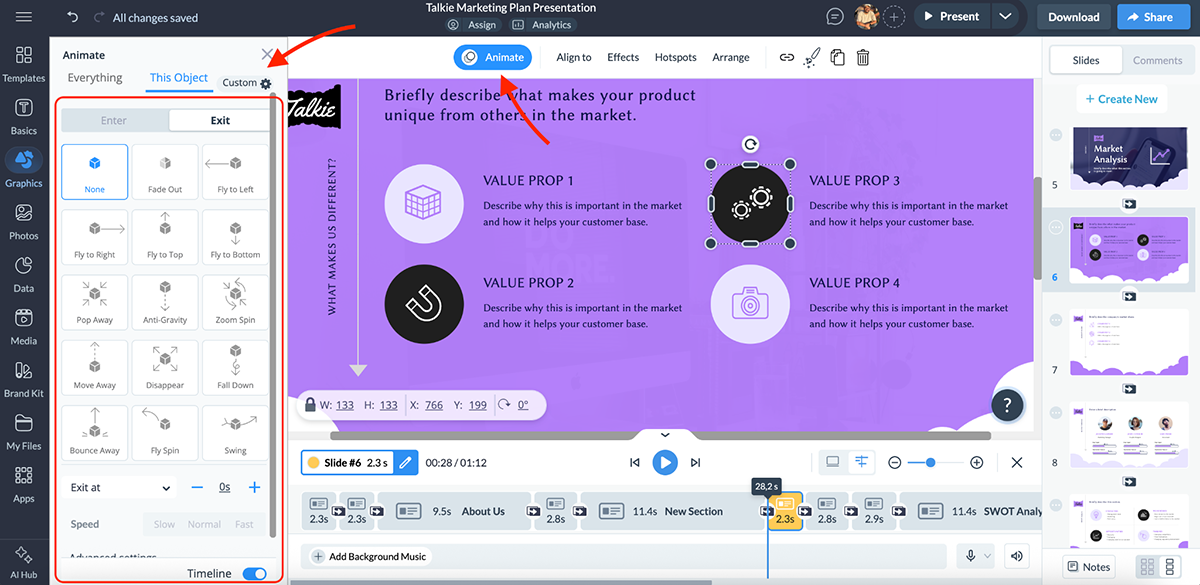
You also get full control over animations. You can use pre-built effects or create custom animations to control pacing, highlight key elements and create smoother visual flows, something Beautiful.ai doesn’t handle nearly as well.
Beyond executive presentations, Visme offers a comprehensive AI toolkit that supports the entire content creation workflow:
Together, these tools make Visme feel less like a slide generator and more like a complete visual workspace.
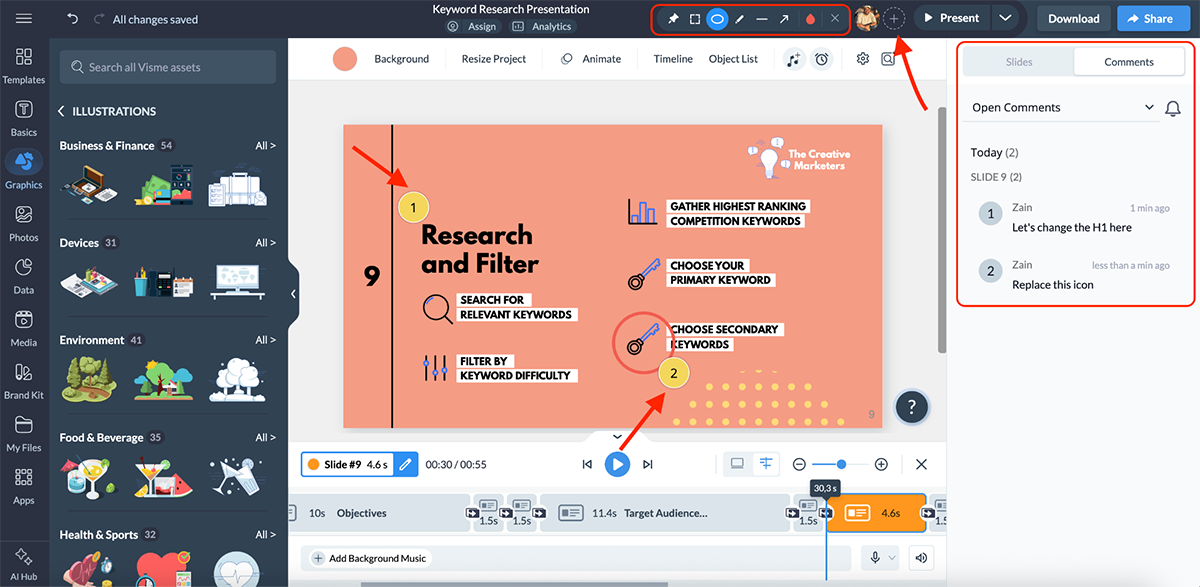
Visme also lets you collaborate in real-time with both your team members and prospects. You can leave and resolve comments, share feedback, create shared folders for better brand asset management (BAM) and much more.
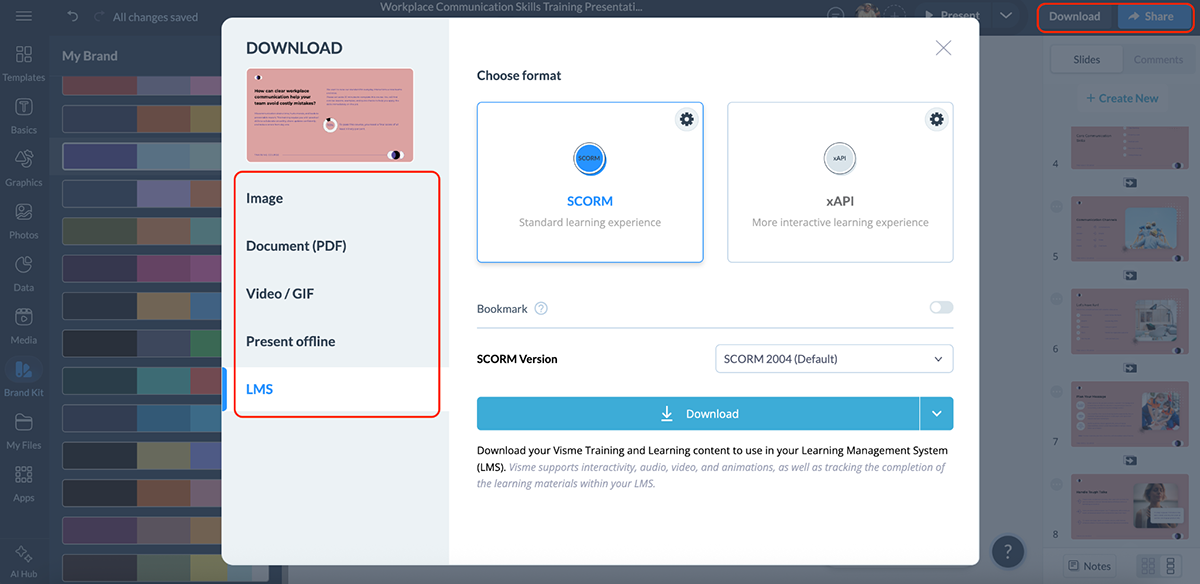
Once a presentation is ready, you can share and publish it via live links, embeds or downloadable formats.
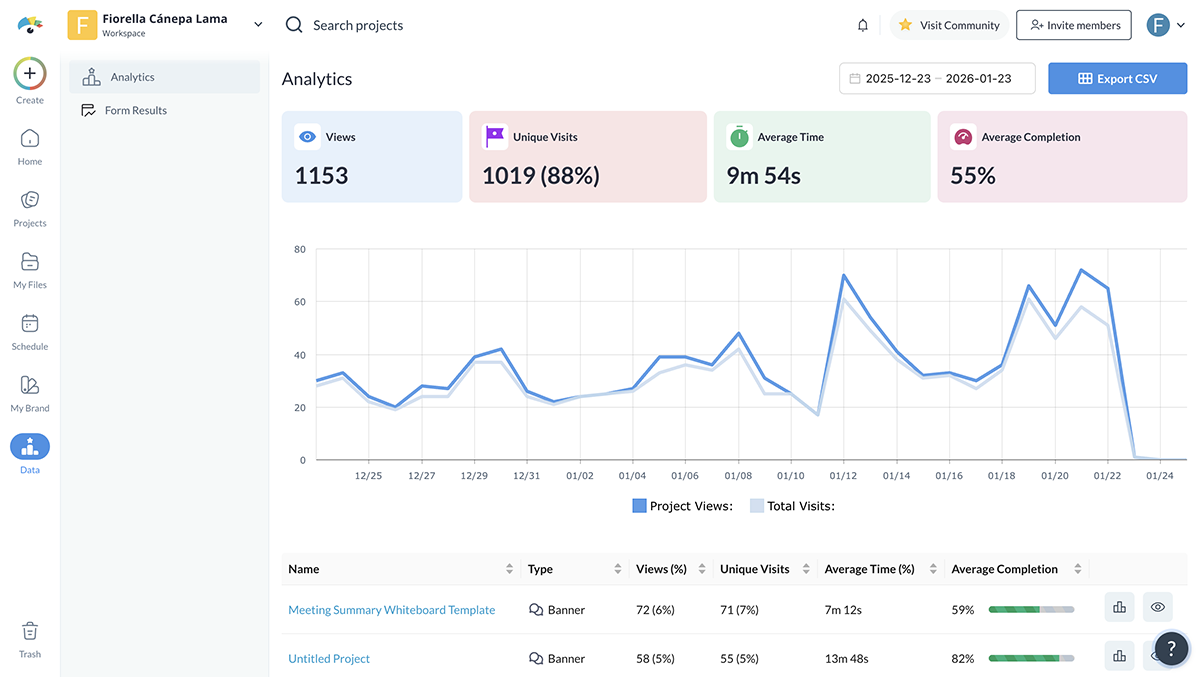
Every shared project includes analytics, so you can track views, engagement and interactions to see how your content performs.
For training and L&D teams, Visme also supports SCORM and xAPI exports, making it suitable for LMS-based learning. That’s a major gap for Beautiful.ai and a deciding factor for many organizations.
All in all, Visme is one of the strongest Beautiful.ai alternatives for teams that want AI-powered presentation design, deeper brand control, richer visuals, better AI support and workflows that extend well beyond slide creation.
| Canva | Beautiful.ai | |
|---|---|---|
| AI Presentation Maker | Yes; generates editable slide layouts and visual structures using Magic Design. | Yes; generates automated slide layouts that adjust as content is added. |
| Other AI Features | Magic Write for copy, text-to-image, AI code generator, AI video editor and branding tools. | AI-driven layout suggestions and automated slide formatting. |
| Content Types Supported | Presentations, social graphics, videos, documents, posters and more. | Presentations only. |
Canva is a massively popular visual creation platform used by millions of teams and individuals. It’s best known for its ease of use, huge template library and broad feature set that goes far beyond presentations.
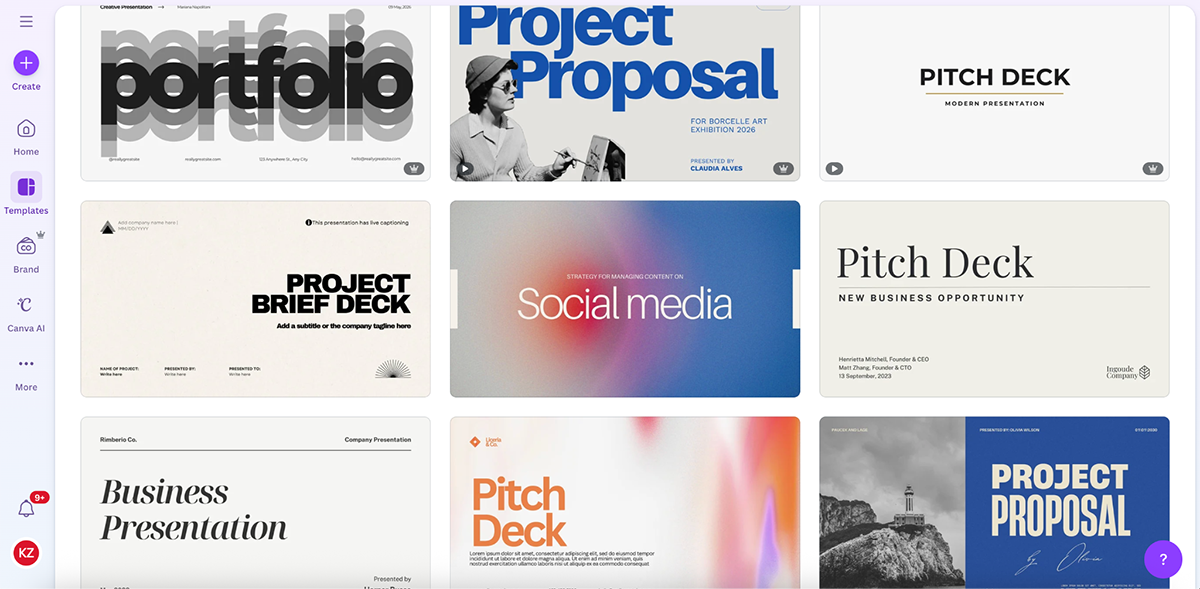
Here’s a quick AI-generated presentation I created using Canva’s Magic Design tool.
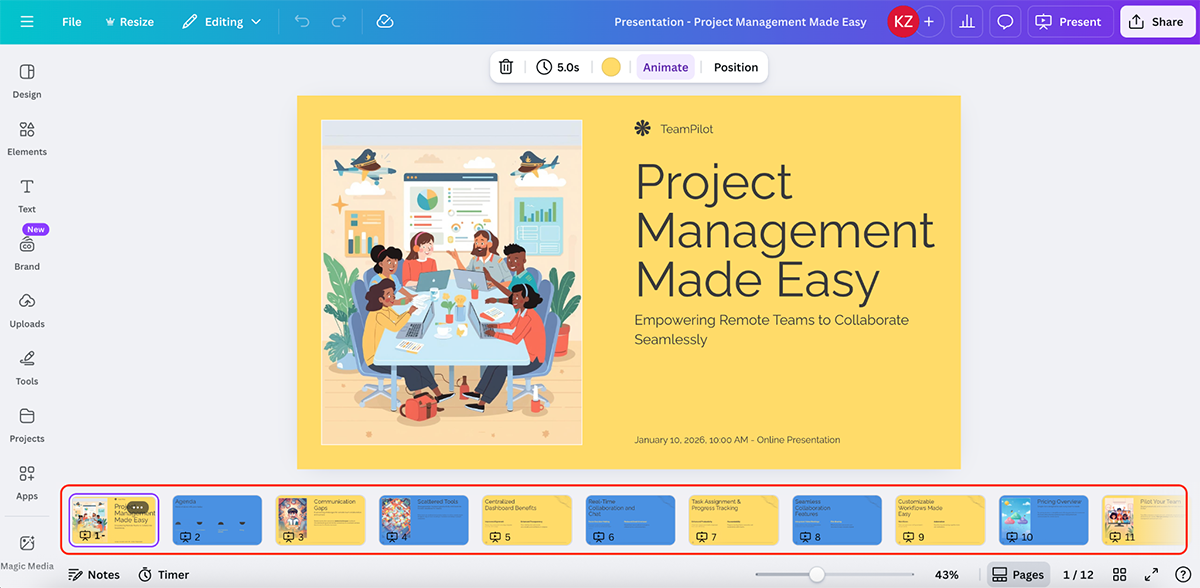
The results are clean. Canva uses plenty of visuals, the color combinations work well and the overall structure feels polished. That said, the copy leaves a lot to be desired. You’ll most definitely need to step in to make edits.
I also noticed that the AI didn’t use tables, charts or icons to add another layer of meaning to the presentation, even though it offers data visualizations. This, however, may be down to the prompt I used.
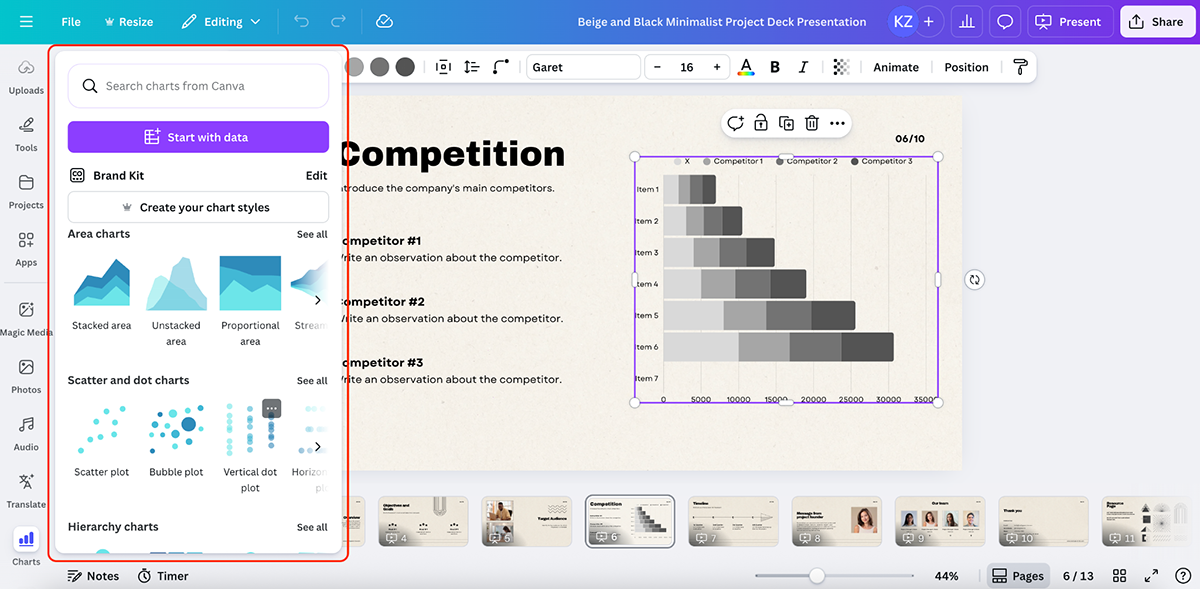
For simple overviews or early-stage ideas, the output is passable. But for enterprise teams or anyone who needs higher accuracy and stronger content structure, other tools do this better.
Canva’s AI tools are spread across multiple features rather than built into a single presentation-first workflow:
Canva also supports real-time collaboration, shared brand kits and commenting. It integrates with stock photo libraries, cloud drives and productivity tools like Slack and Microsoft Teams, which makes it easy to pull assets in and share final decks across tools your team already uses.
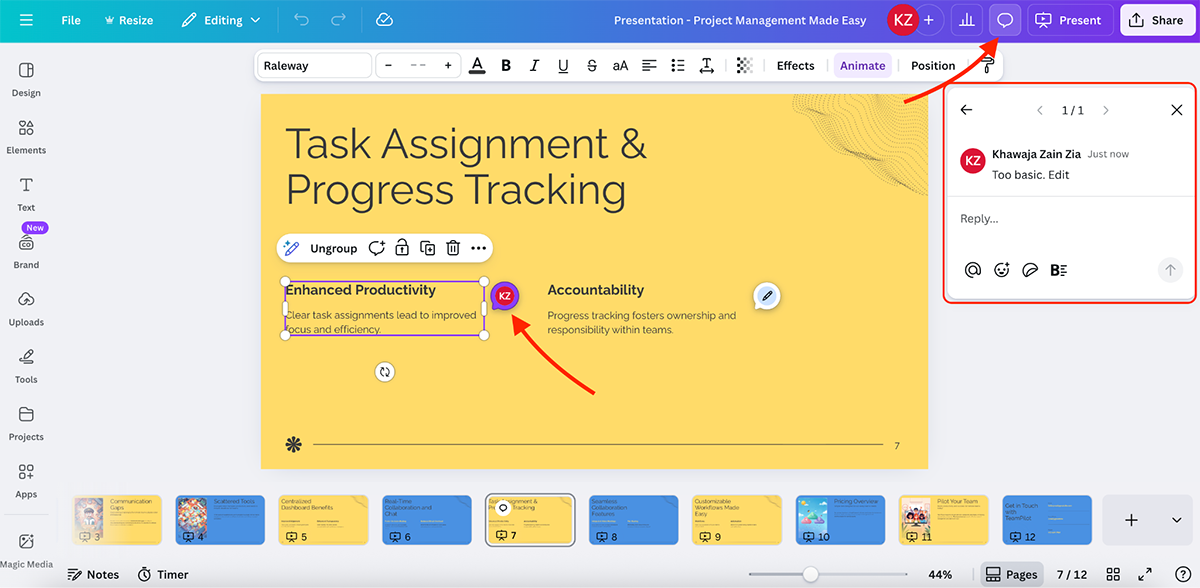
In my opinion, what makes Canva a strong Beautiful.ai alternative is its simplicity. It’s fast, direct and easy to use, with light interactivity and animations built in.
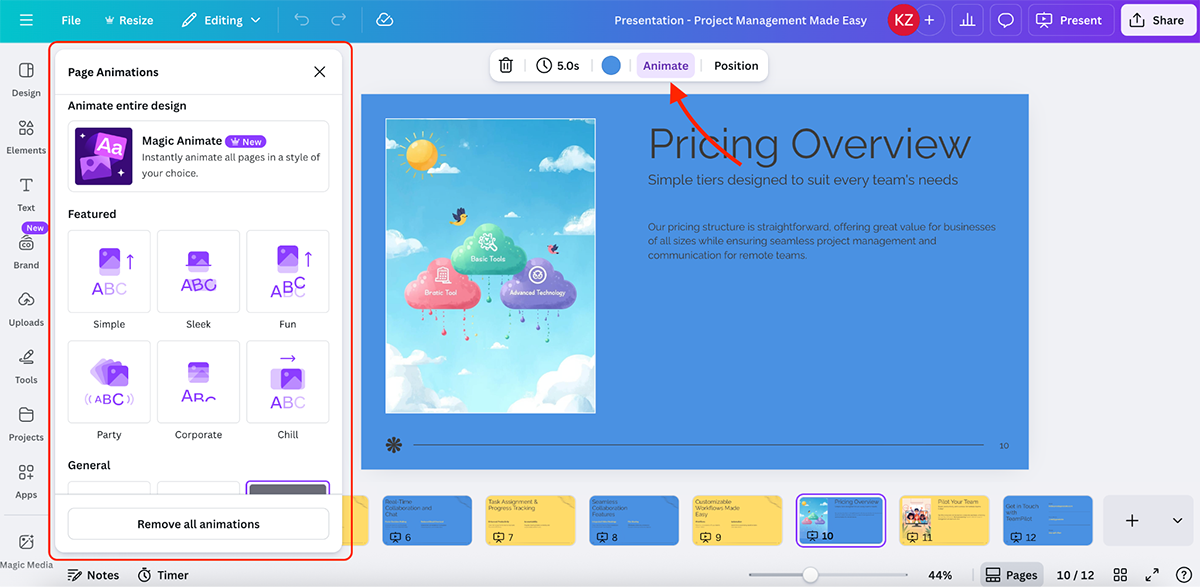
That said, for learning-focused content or deeply interactive presentation experiences, both Canva and Beautiful.ai can feel restrictive. In those cases, you’re better off with a tool like Visme that’s built for richer interactivity and scalability.
| Gamma | Beautiful.ai | |
|---|---|---|
| AI Presentation Maker | Yes. | Yes. |
| Other AI Features | AI agent for slide edits, quick refinements, images, research and content rewrites. | AI-driven layout suggestions and automated slide formatting. |
| Animations & Interactivity | Smart layouts, smart diagrams, embeds, forms, buttons and web-based interactivity. |
Pre-built animations and smart transitions applied automatically. |
Next up on this list of the best Beautiful.ai alternatives is Gamma. I’ve used Gamma before, and there are several things I like about the platform.
Before getting into that, here’s a smart slide I created using Gamma’s AI presentation maker.
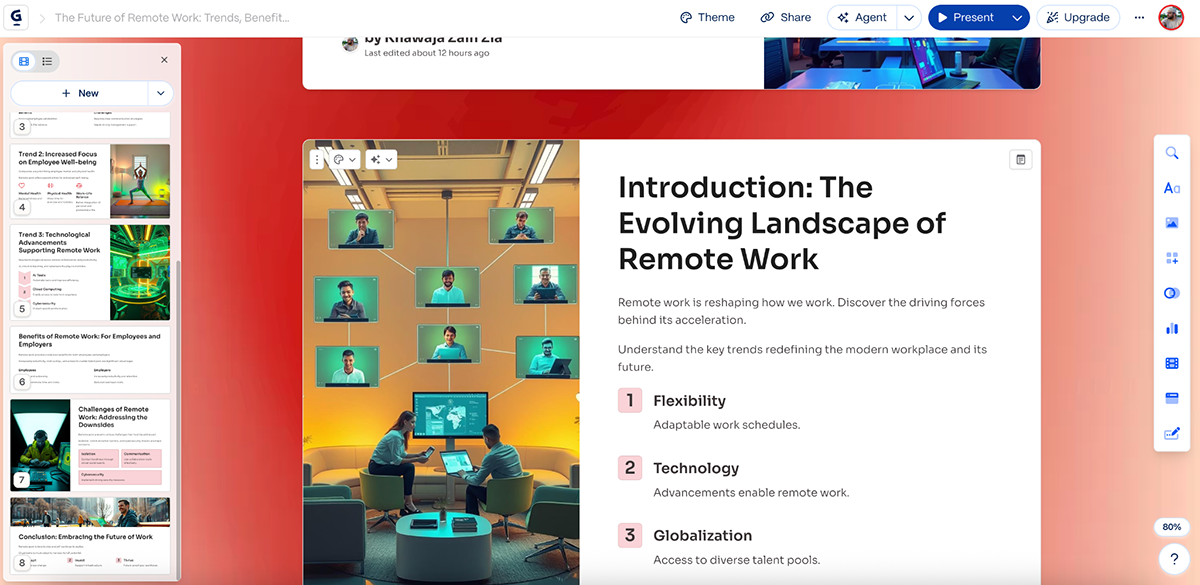
Right out of the gate, the results are solid. The content structure makes sense, the layouts are clean, the color choices work well and the visuals feel modern. The copy could be stronger, but that’s true for most AI presentation tools on this list.
One thing worth calling out is the editor experience. Gamma’s editor feels closer to Beautiful.ai than tools like Canva or Visme. The slide list and content controls live on the left side, which is different from what many people are used to. It’s not a bad thing, but there is a learning curve if you’re coming from a more traditional slide editor.
My favorite Gamma features are its smart layouts and smart diagrams.
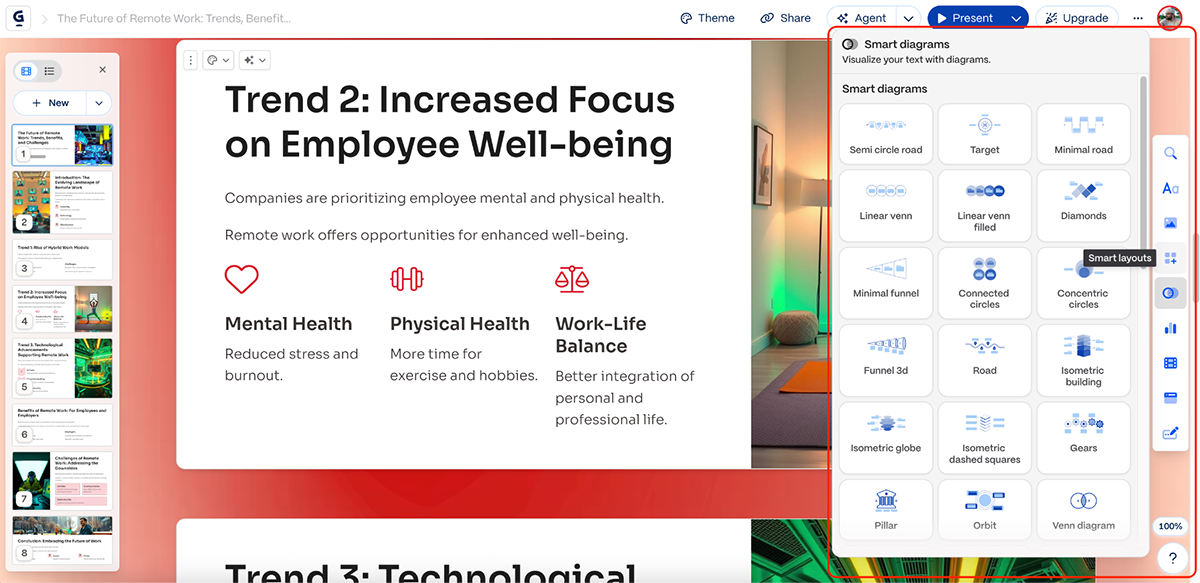
Gamma does a good job of automatically adjusting layouts as content changes, similar to Beautiful.ai, but with more flexibility around structure. The smart diagrams are especially useful for explaining processes, relationships and frameworks without manually building everything from scratch.
You can also embed apps and web pages directly into data presentations and add interactive input elements like forms and buttons.
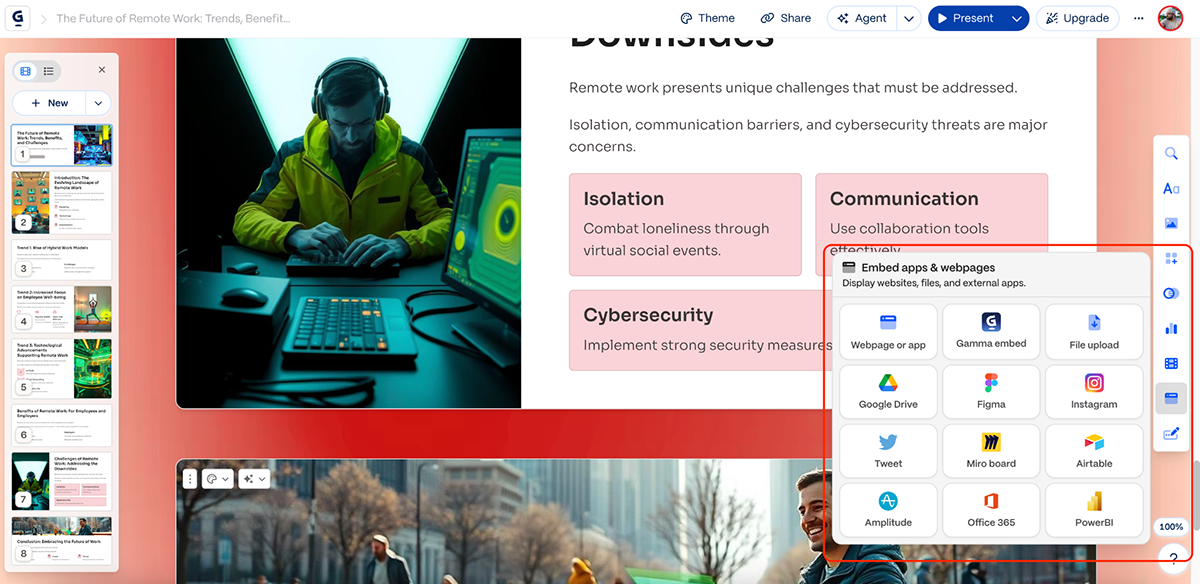
That makes Gamma well-suited for web-first presentations, internal docs and explainer-style decks that are meant to be viewed online rather than downloaded as static files.
Another feature I like is Gamma’s AI agent.
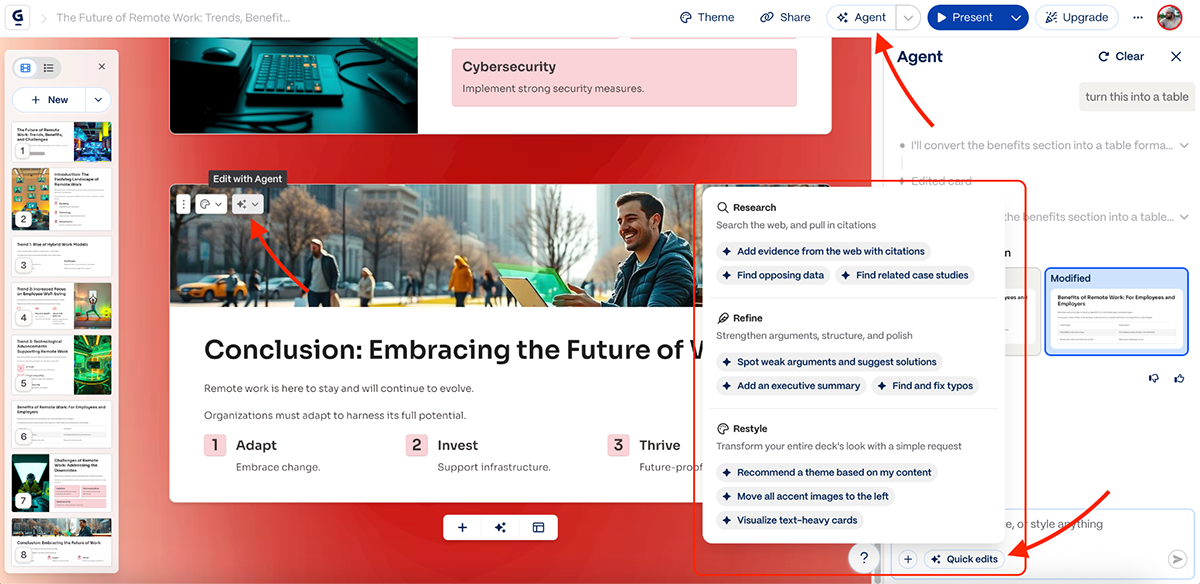
You can ask the agent to edit a specific slide, rewrite content or apply quick changes across the deck. There are also pre-made quick edits that help you refine tone, structure or formatting without manually touching every slide. This makes iteration fast, especially when you’re polishing content rather than redesigning it.
That said, Gamma does have limitations. Data visualization options are fairly limited compared to tools like Visme. You won’t find advanced charts, interactive graphs or data widgets here. Brand control is also basic, and customization options are more constrained than design-forward platforms. There’s also no way to add custom interactivity and animation.
Overall, Gamma is a strong Beautiful.ai alternative for narrative-driven content, but it’s not built for complex visual storytelling, training content or data-heavy presentations.
| Prezi | Beautiful.ai | |
|---|---|---|
| AI Features | AI presentation maker, AI image generator, smart layout suggestions and visual structure tools. | AI presentation maker, AI image generator and automated layout suggestions. |
| Presentation Style | Zoomable canvas with non-linear navigation. | Linear, slide-based presentations. |
| Collaboration & Sharing | Team collaboration, shareable links, live broadcast links, QR codes, video recording and export options. |
Basic collaboration and shareable presentations. |
Prezi has been around for a long time, and it still stands out for one reason: motion-based, non-linear presentations. Instead of going slide by slide like all other tools on this list, Prezi uses a zooming canvas that lets you go in and out of each topic or subtopic.
Here’s a presentation I created using Prezi’s Create with AI feature:
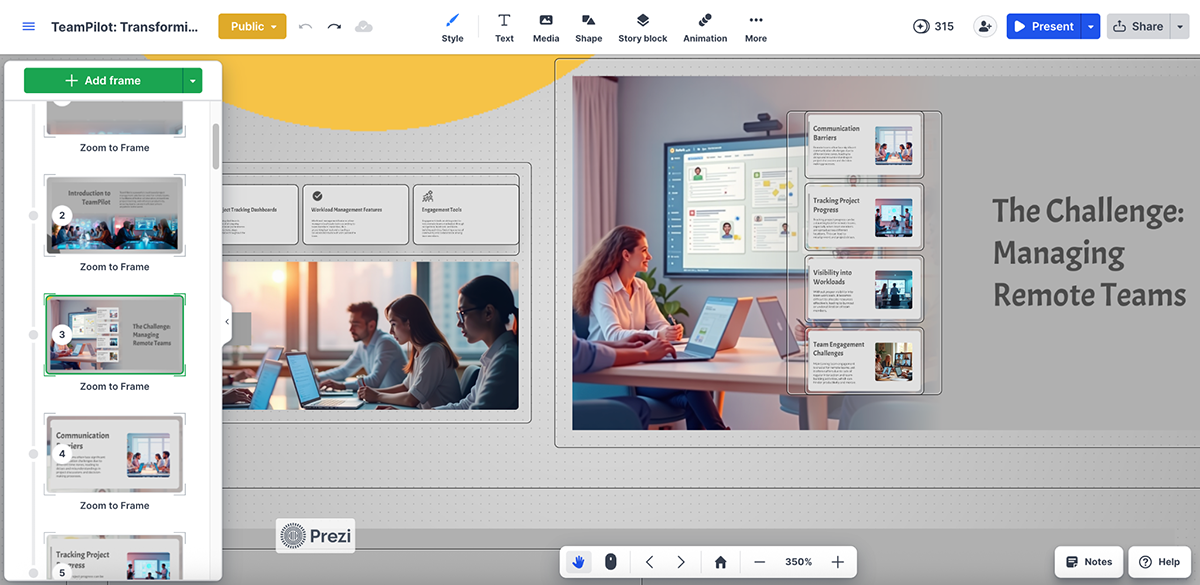
The content structure makes sense, the layouts work well visually and the signature zoom path makes the story feel alive. The copy does feel generic, though, and you’ll need to step in and make manual edits.
Prezi also offers a solid set of templates, along with media, shapes and story blocks you can drop in to speed things up.
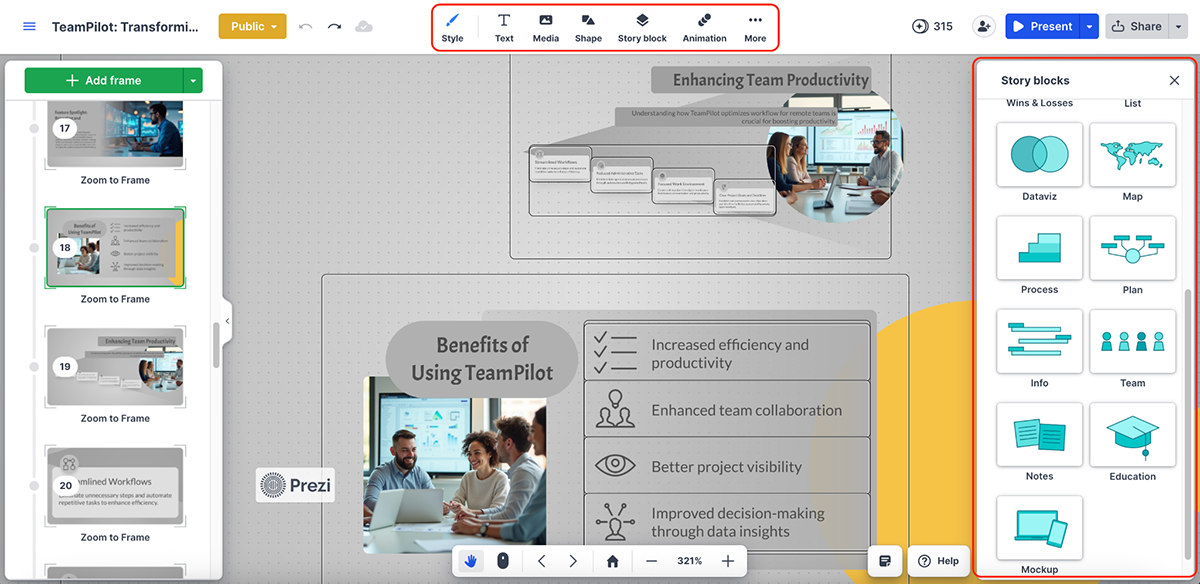
Beyond the AI presentation maker, Prezi offers a small but focused set of AI features:
The depth and quality of AI here isn’t on the same level as tools like Visme or Canva, but it’s more than enough to create a good-looking deck.
There’s also some light interactivity in Prezi. You can add callouts, link to URLs and jump between sections, but that’s about it. Compared to tools like Visme that support custom animated paths, hover effects and deeper user-driven interactions, Prezi’s interactivity is fairly limited.
Prezi lets you record video presentations or present live with a webcam overlay. You can collaborate with teammates, then share your presentation via a link, broadcast it live, add a QR code or export it as a PPTX or PDF for offline use.
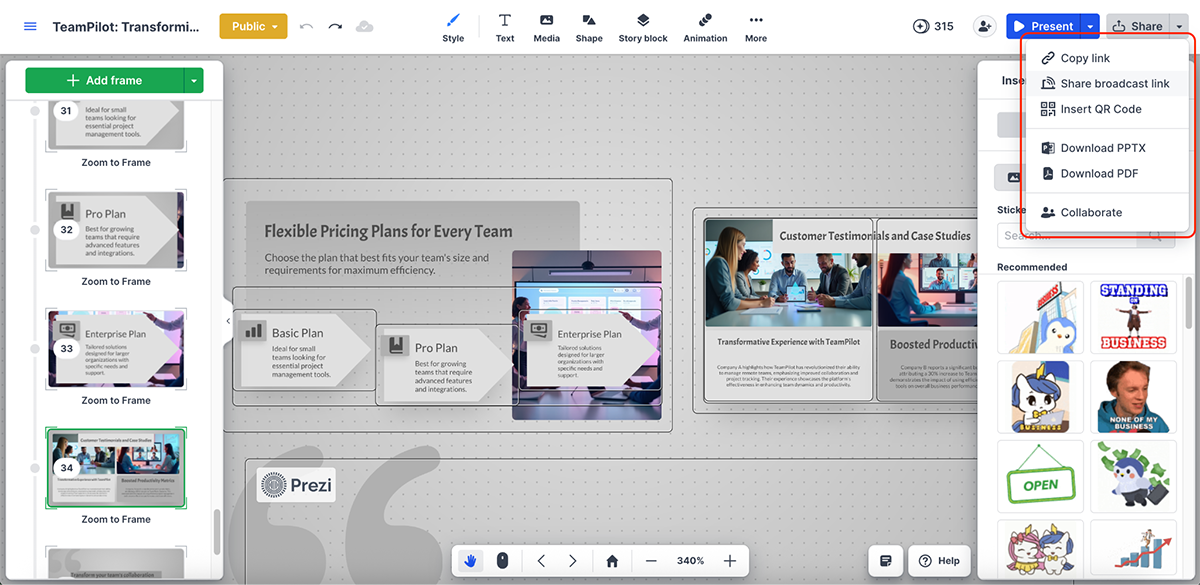
All in all, Prezi is a strong alternative to Beautiful.ai if your goal is to create an out-of-the-ordinary deck that grabs attention. The main drawbacks are the lack of advanced data visualization and deeper interactivity. So if you’re an enterprise team or working with data-heavy presentations, Prezi may feel limiting.
| Pitch | Beautiful.ai | |
|---|---|---|
| AI features | AI presentation maker, image generation, text rewriting, proofreading, summarization, translation and brand style variations. |
AI presentation maker, image generator and automated layout suggestions. |
| Collaboration & workflows | Real-time collaboration, comments, shared workspaces and Pitch Rooms for deal rooms and client portals. |
Basic collaboration and shared access to presentations. |
| Data visualization | Basic charts and tables. | Basic charts and visual components. |
Pitch is another strong Beautiful.ai alternative that’s clearly geared toward teams. You get dozens of professionally designed templates and features like Pitch Rooms, which let you create personalized deal rooms, client portals or content hubs with slide decks, links and files all in one place. From a collaboration standpoint, this is one of Pitch’s biggest strengths.
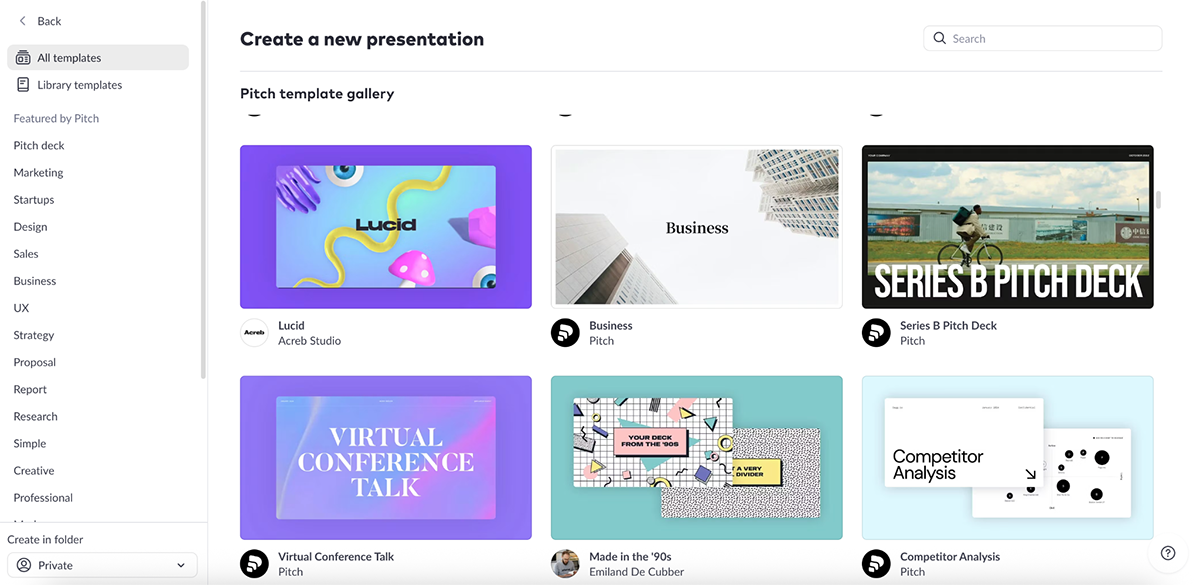
Here’s an AI-generated presentation I created using Pitch:
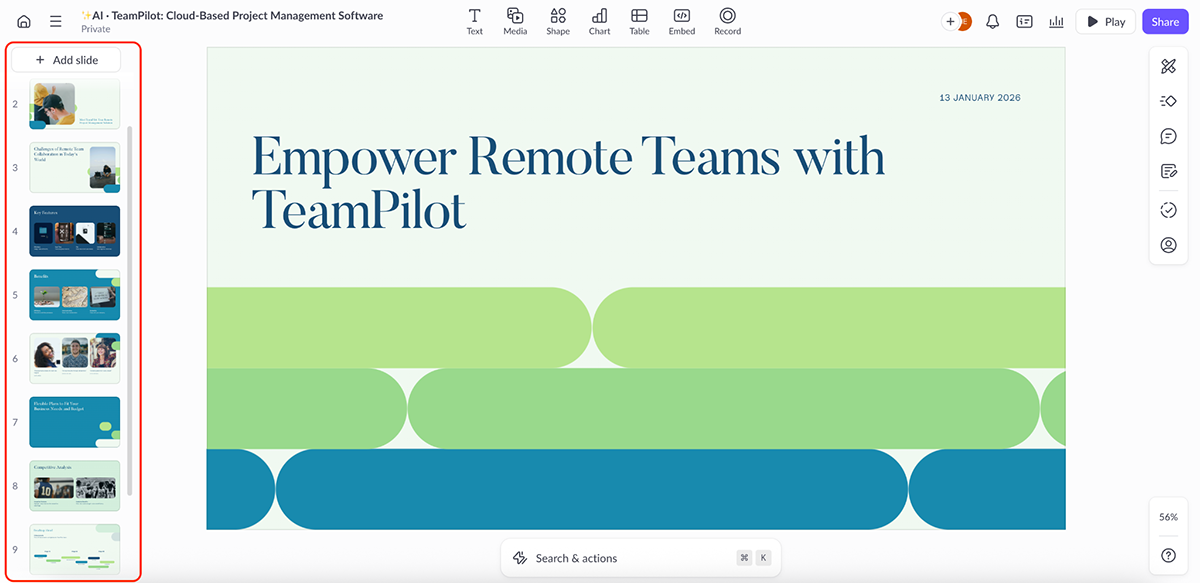
The results look good overall. The layout feels modern, but you’ll notice that some slides are light on visuals or leave a bit too much empty space. That’s not a deal breaker, though, because most AI presentation makers aren’t perfect anyway, and Pitch’s editing experience is simple enough to make up for this.
It comes with an asset library with basic shapes and elements, along with a handful of data visualization options. You won’t find 3D icons, widgets or characters here, but enough to build clean, professional decks.
Like Visme and Prezi, Pitch also supports video recording. You can record presentations directly inside the platform, which is useful for async updates and sales follow-ups.
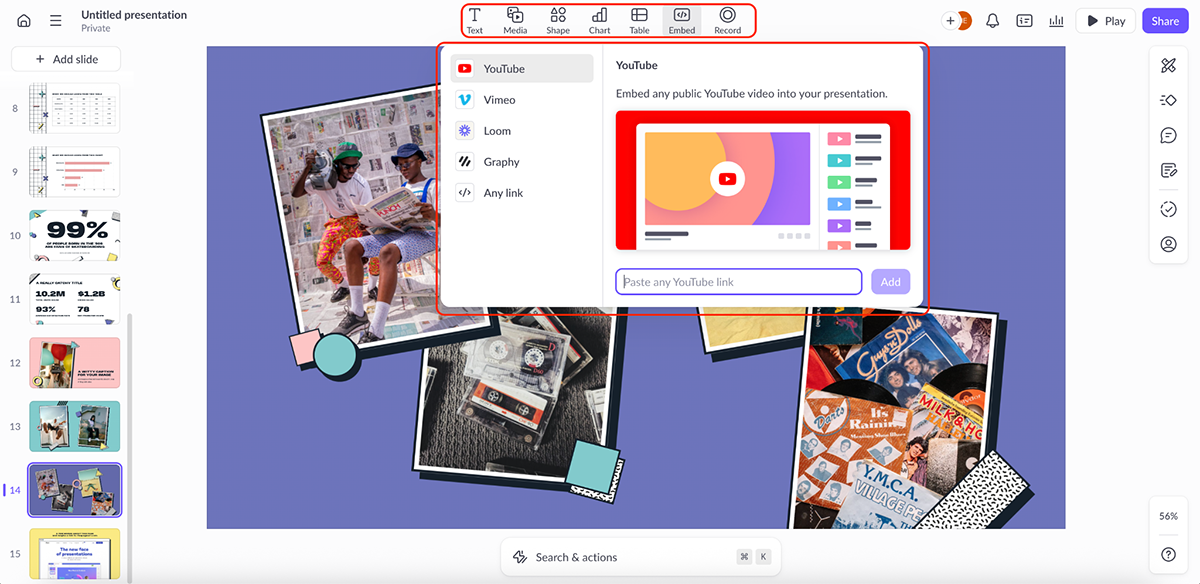
Another area where Pitch shines is embeds. You can pull in content from tools like Figma, Airtable, Loom, LottieFiles and YouTube directly into your slides, which works especially well for product teams and sales enablement workflows.
Then there's the AI. Here’s what you do with it:
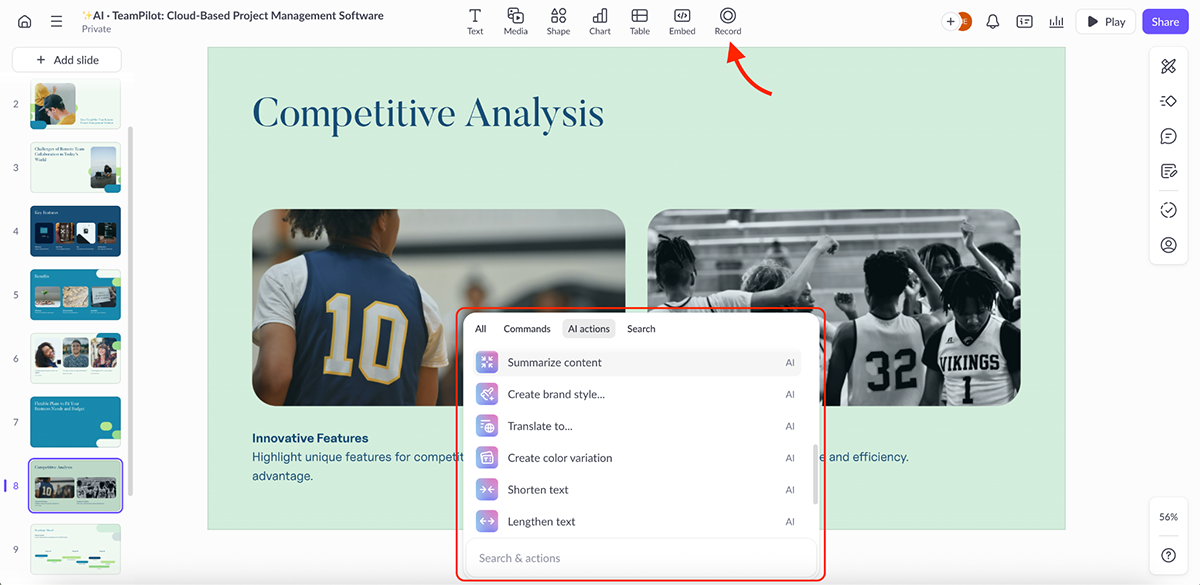
Overall, Pitch is a strong Beautiful.ai alternative for teams that care about collaboration and sales workflows. But if you need advanced interactivity, richer data visualization or a broader range of content types beyond presentations, tools like Visme and Canva are a better pick.
| PPT AI | Beautiful.ai | |
|---|---|---|
| AI features | AI presentation maker, layout variations, text polishing, summarization and translation. |
AI presentation maker, image generator and automated layout suggestions. |
| Data visualization | Not supported. | Basic charts and visual components. |
| Primary output & workflow | Generates editable PPTX files that can be refined in PowerPoint. | Presentations are created inside Beautiful.ai and can be exported as editable PowerPoint files. |
Next on our list is PPT AI. It’s a relatively new tool in the AI presentation space, and this was my first time trying it out.
PPT AI is lightweight and straightforward. It comes with a set of basic pre-made templates and a small asset library that includes icons, shapes, illustrations, stickers and photos.
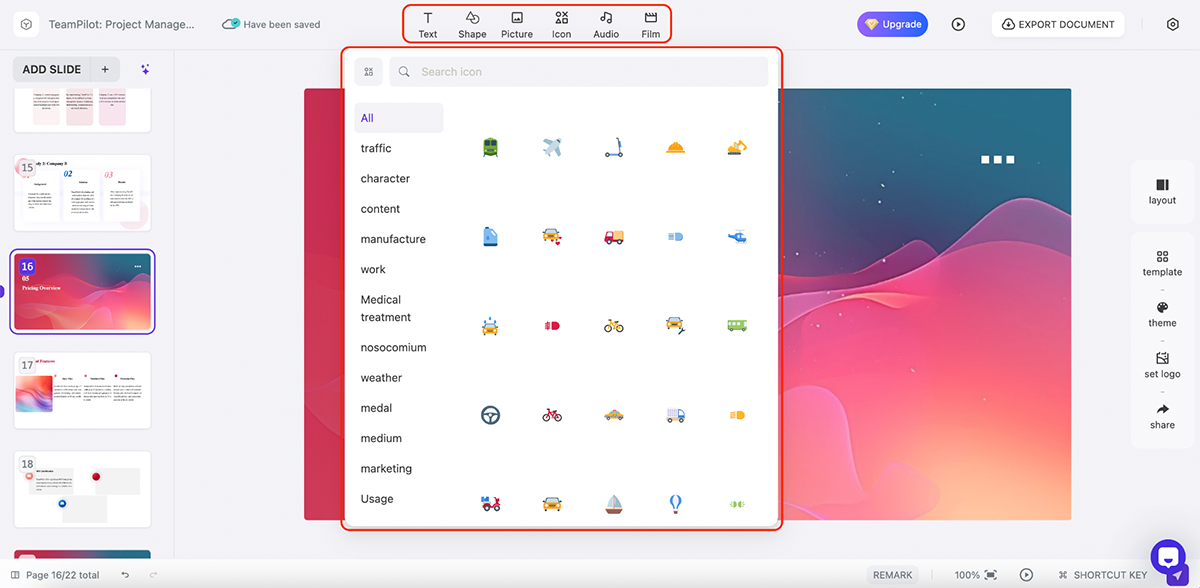
There are no advanced data visualization options, so this tool is clearly geared toward simpler presentations rather than complex or analytical decks.
Here’s a presentation I created using PPT AI’s AI presentation maker:
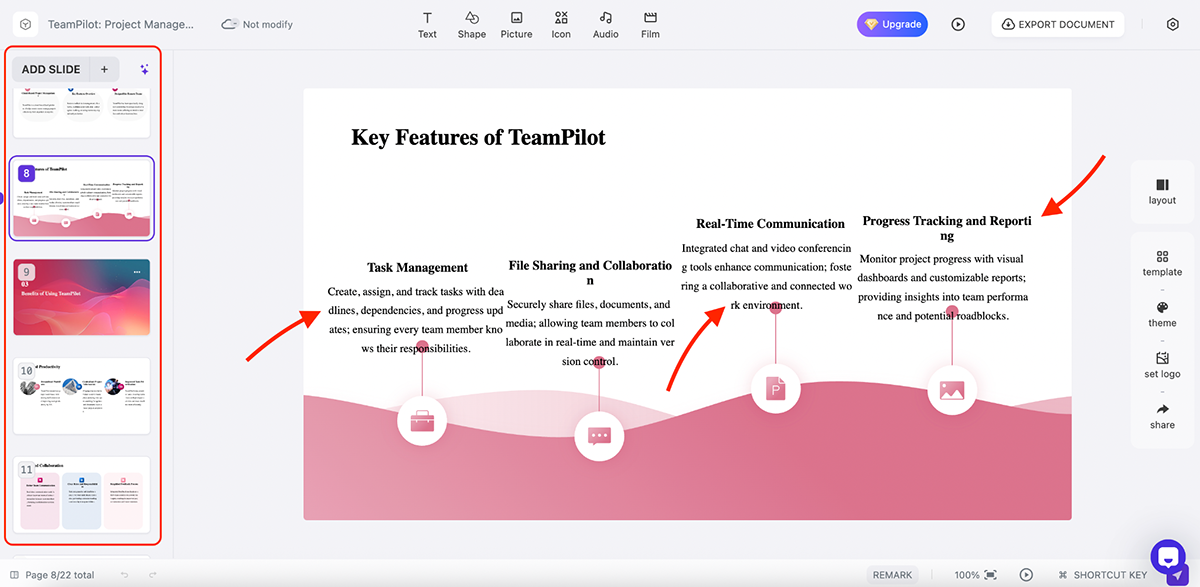
Overall, the results look good. The AI understood the prompt well and did a solid job with both visuals and copy. That said, there’s a noticeable spacing issue. On several slides, text is awkwardly cut off and pushed to the next line.
This isn’t a deal-breaker since it’s easy to fix manually, but given how good AI presentation tools have become, it could be frustrating for users who expect cleaner output.
My favorite PPT AI feature is the layout switching. For each slide, you can quickly swap the AI-generated layout with another style in a single click.
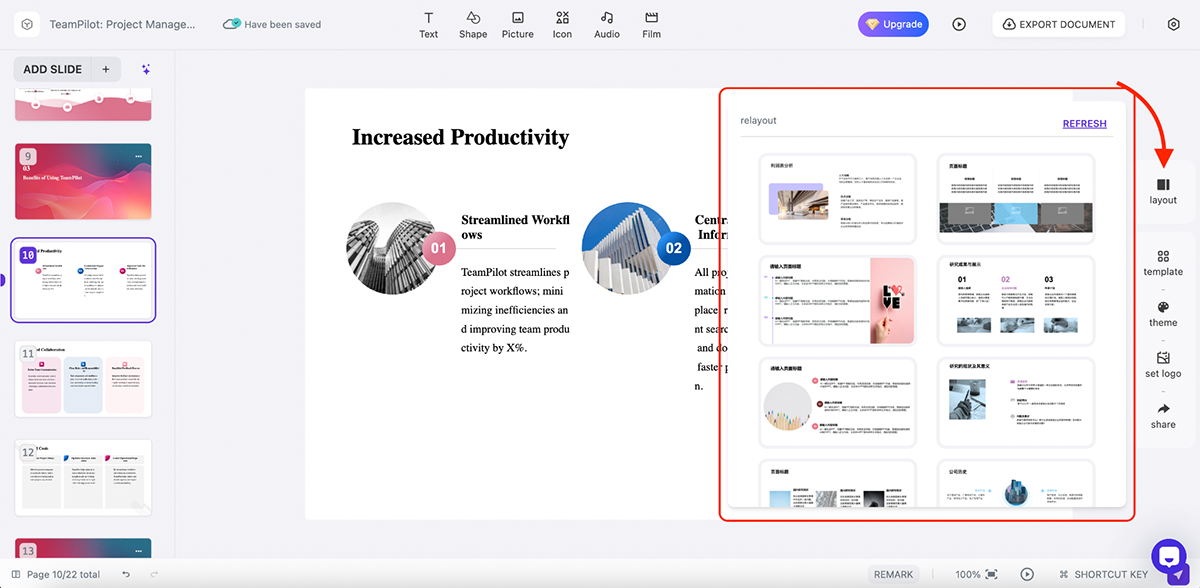
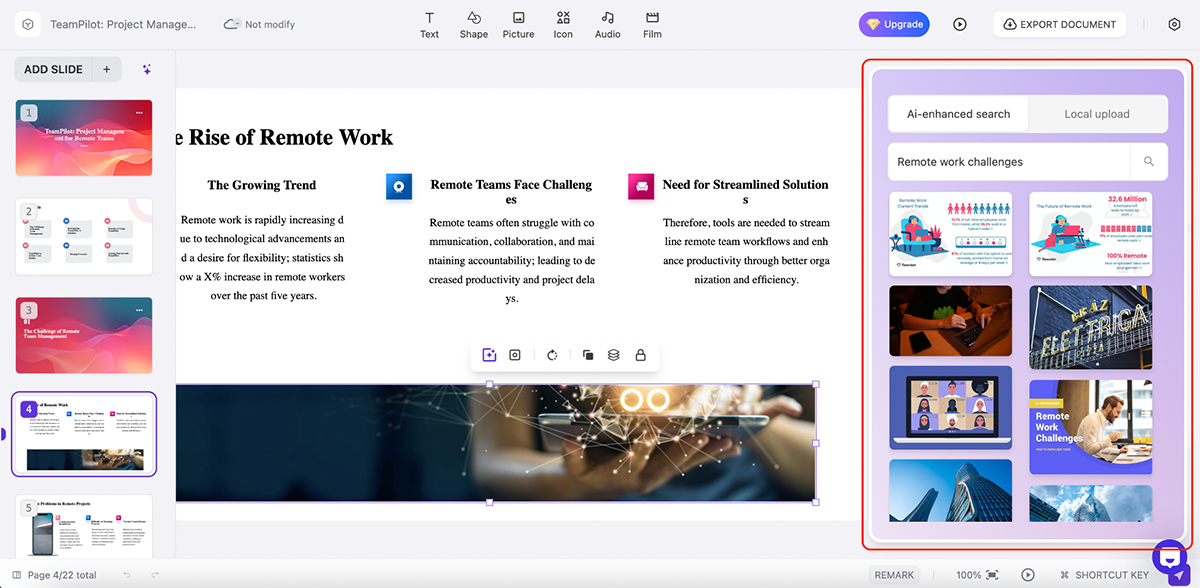
PPT AI doesn’t include an AI image generator. Instead, it offers AI-enhanced image search.
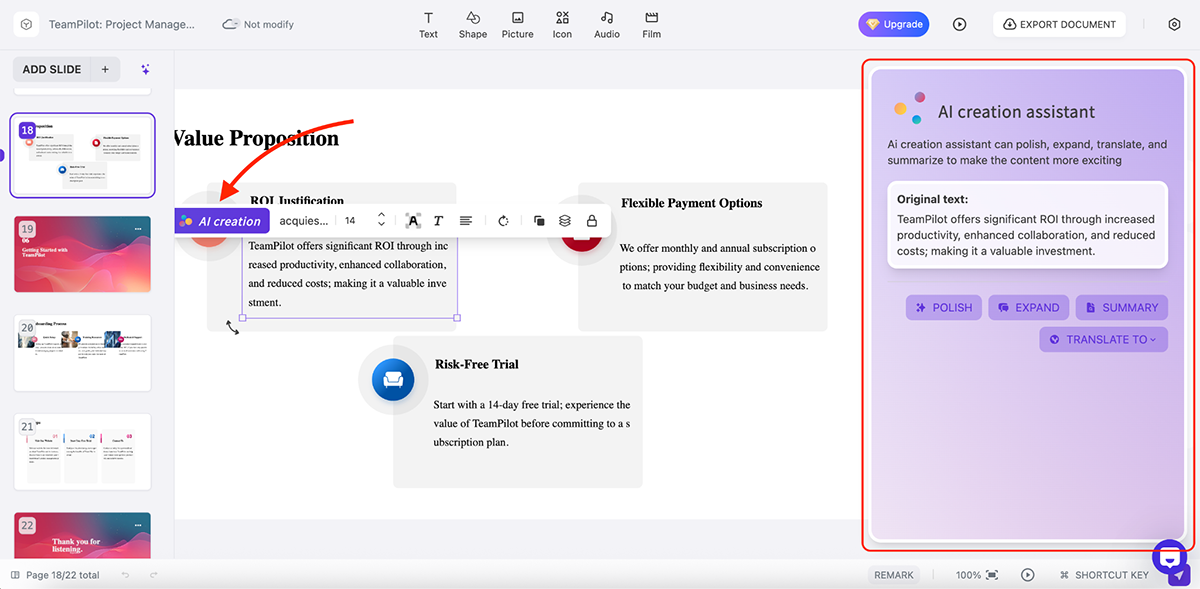
It also has an AI assistant that helps with content generation. And you can also polish, expand, summarize and translate your content using its artificial intelligence capabilities.
Once everything is ready, PPT AI gives you several export options:
You can also share presentations via a public link. Advanced sharing options include hiding the “Made with PPT AI” badge, adding password protection and allowing downloads through the shared link.
PPT AI has limitations. It lacks any sort of interactivity and data visualization capabilities, and it’s not built for team workflows or enterprise-scale collaboration. That said, it does one thing well. It turns text into a PowerPoint-ready presentation quickly.
If your goal is to generate a pitch deck, you plan to refine later in PowerPoint, PPT AI can be a practical alternative to Beautiful.ai.
| Presenti | Beautiful.ai | |
|---|---|---|
| AI features | AI presentation maker, text rewriting, summarization, translation, tone adjustment and content refinement tools. |
AI presentation maker, image generator and automated layout suggestions. |
| Layout control | Choose slide types upfront such as comparisons, timelines, data, SWOT, PEST and mind map-style layouts. |
Layouts are applied automatically based on content. |
| Content types supported | Presentations only. | Presentations only. |
Presenti feels similar to PPT AI in terms of UI, editor experience and overall AI capabilities, but it’s a step up in a few important areas. The platform offers a stronger asset library and, unlike PPT AI, includes basic data visualization features.
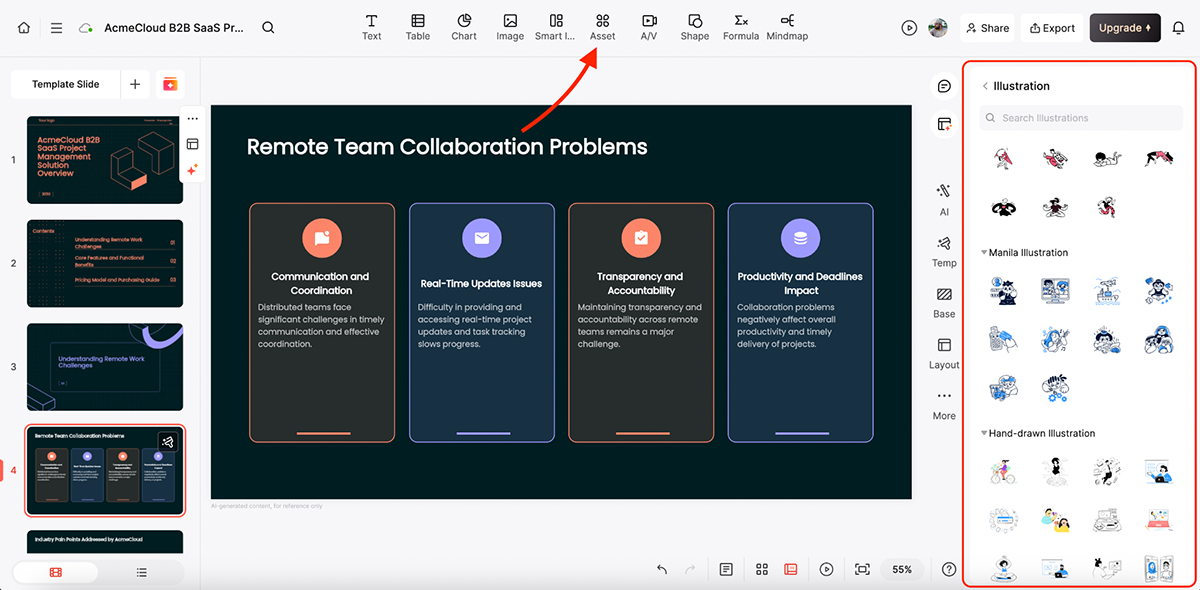
Here’s a presentation I created using Presenti’s AI presentation generator:
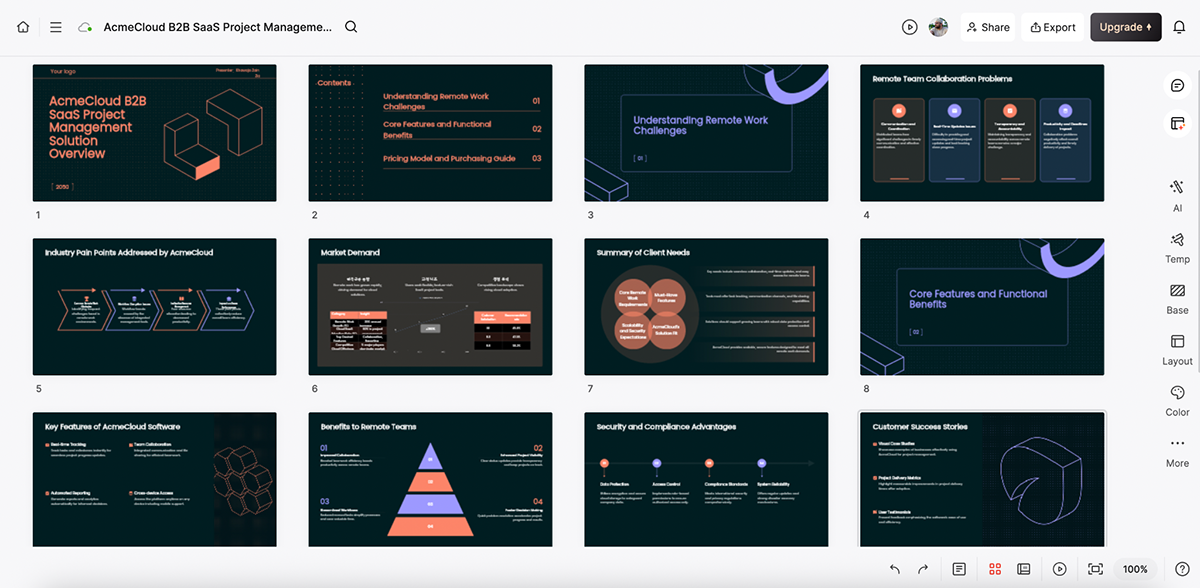
As with most tools on this list, the results look good. The content structure is solid, the copy is usable and the layouts make sense. You’ll still need to make a few manual edits, like adjusting arrow placements or fine-tuning font sizes, but nothing that slows you down significantly.
I also like that Presenti’s AI automatically added a data visualization slide where it made sense. It’s a small detail, but a nice touch nonetheless.
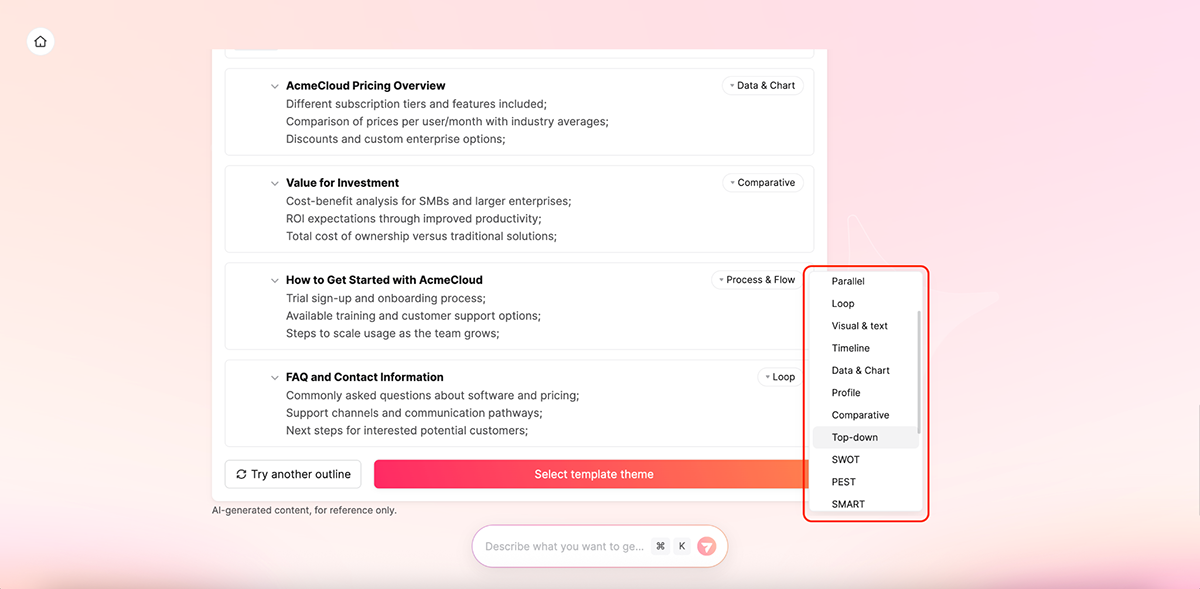
One thing that deserves a mention here is that during the prompting stage, you can choose the type of slide layout you want to generate, such as comparisons, timelines, data and chart slides, SWOT and PEST.
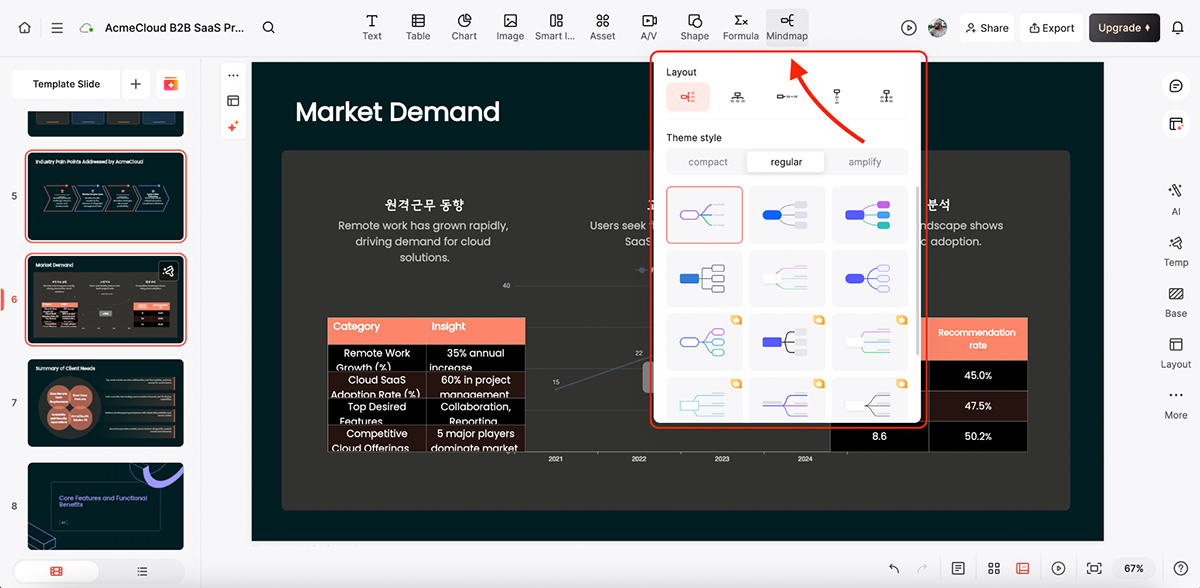
Presenti also includes mind map-style layouts you can apply during slide creation.
Beyond slide generation, Presenti includes a fairly robust AI assistant that helps you refine content:
All in all, Presenti is a good Beautiful.ai alternative for quick, business-ready decks. Sure, it lacks advanced interactivity, animation and collaboration, but for lightweight presentations, it gets the job done.
| Mentimeter | Beautiful.ai | |
|---|---|---|
| Primary focus | Live audience participation and real-time feedback. | Automated slide design and layout consistency. |
| AI presentation maker | Limited. AI assists with question creation and interaction setup, not full decks. |
Yes. AI generates slide layouts and structures. |
| Interactivity | Strong. Live polls, quizzes, word clouds, scales, rankings and Q&A. | Basic. Animations, transitions and hyperlinks. |
Mentimeter is a bit different from the other tools on this list. But considering what it offers as a complete package, it deserves a mention.
Mentimeter is built for live audience participation. Unlike Beautiful.ai, which focuses on automated slide design, Mentimeter turns presentations into interactive, real-time conversations. You can add polls, quizzes, word clouds, scales, Q&As and rankings, and your audience responds instantly using their phones.
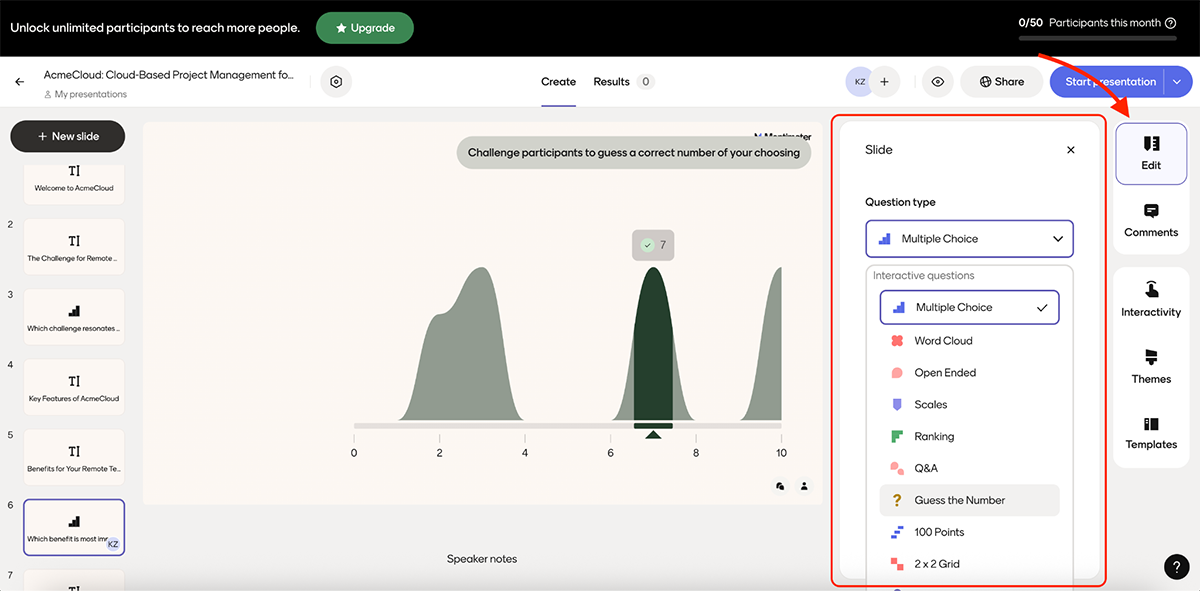
Check out this quiz-based presentation I created using Mentimeter:
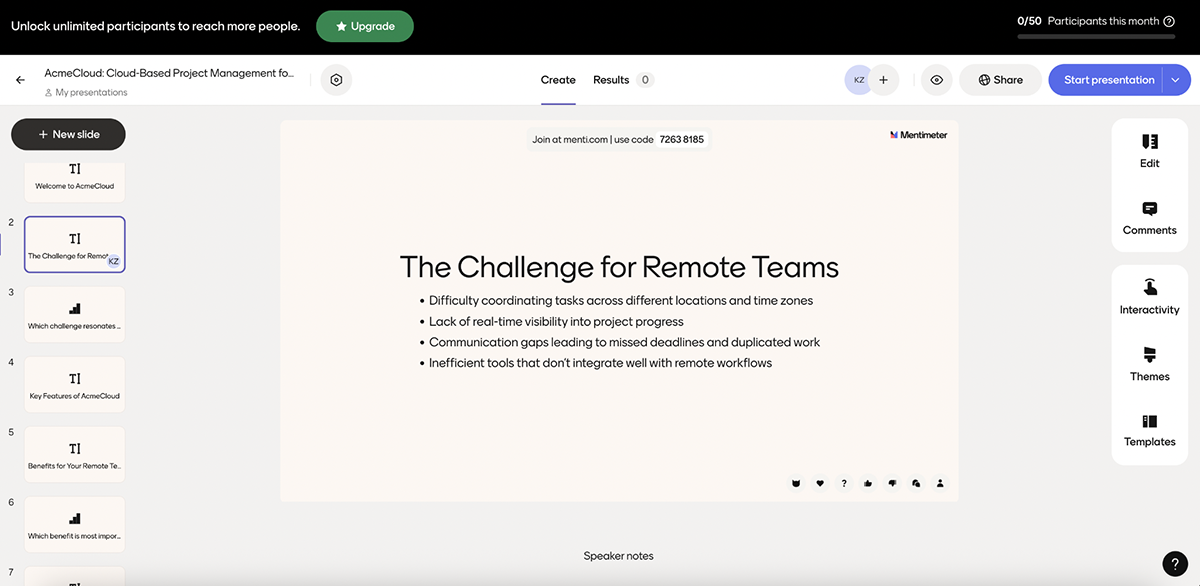
The output looks very different from what you’ve seen with other AI presentation tools. Everything is interaction-first. Slides are structured to keep people responding and reacting throughout the session. Votes animate live, word clouds grow as responses come in and results update in real time.
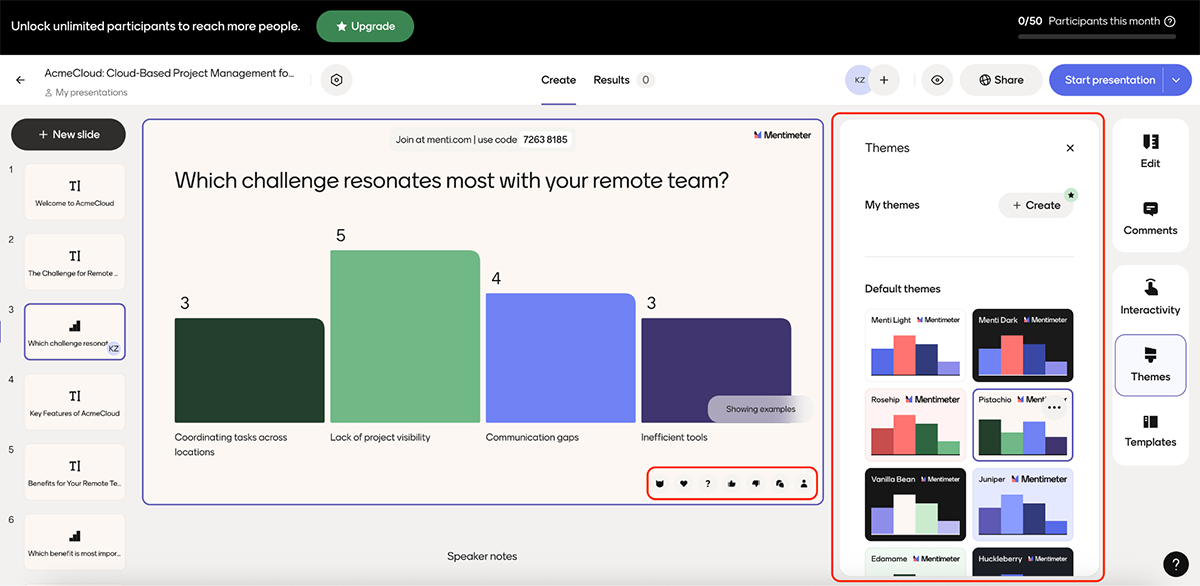
Design control is intentionally limited. You’re not freely placing elements or building layered interactions the way you would in Visme. But for live settings, that simplicity actually works in Mentimeter’s favor.
I also like how well Mentimeter fits alongside existing tools. You can import PowerPoint, Keynote or PDF slides and layer interactive moments on top, which makes it easy to upgrade decks you already have instead of rebuilding everything from scratch.
All in all, Mentimeter is a strong alternative to Beautiful.ai when engagement matters more than layout.
There’s no single “better” tool for everyone. Platforms like Visme, Canva and Pitch are often better than Beautiful.ai if you need more customization, stronger collaboration or support for content beyond presentations.
Beautiful.ai does not offer a fully featured free plan. It provides limited access through trials, but most useful features require a paid subscription.
It depends on your use case. Beautiful.ai is better if you want fast, automatically designed slide layouts. Gamma is a good pick if you want a more comprehensive narrative flow and more editing flexibility.
Prezi is better for story-driven presentations with motion and flow. Beautiful.ai is better if you want quick slide-based presentations where layout consistency matters most.
It depends on how you plan to use it. Beautiful.ai is web-first, collaborative and built around AI-assisted design, which makes it well-suited for modern teams. Microsoft PowerPoint offers AI features through Copilot and far deeper customization, but its editing experience is more traditional and design output can feel dated.
Beautiful.ai plans start at $12/month for individual users. Team plans range from $40/user/month for 2–20 seats, with custom pricing available for enterprise plans. You can also purchase a one-off single presentation for $45 if you don’t need a subscription.
Beautiful.ai does many things right. It’s fast, consistent and removes much of the friction from slide design. For simple, structured presentations, it’s a good choice.
But as you’ve seen from this roundup, there are other tools that either do what Beautiful.ai does with more flexibility, or go further by supporting richer visuals, interactivity and content beyond presentations. Some are better for collaboration, some for storytelling and others for live engagement.
If you want a single platform that ticks all those boxes and more, Visme stands out as one of the strongest Beautiful.ai alternatives. It combines an intuitive editor with a large template and asset library, support for presentations, videos, forms and reports, dynamic fields and a full suite of AI tools to speed up creation.
It also includes workflows for team collaboration and built-in analytics, so you can see how your content actually performs.
Try Visme’s AI Presentation Maker to see the difference in quality and results for yourself.
Design visual brand experiences for your business whether you are a seasoned designer or a total novice.
Try Visme for free