Visme Forms Walkthrough: Build a Form That Routes, Syncs and Converts


Whether you’re pitching your product or service to investors, clients, or partners, a compelling business profile can be the catalyst you need to win their confidence and secure deals.
Creating a company profile is an excellent way to present who you are, what you do and, most importantly, why it matters. It goes beyond showcasing your company; it articulates your brand’s essence.
A crappy company profile can totally ruin your brand. Hence, it's crucial to put your best foot forward when creating one.
To assist you, we'll provide a step-by-step guide to creating a company profile that stands out. We’ve also included some real-life examples of company profiles and descriptions for your inspiration.
We've curated 18 professionally designed company profile templates you can customize right away, in presentation, one-pager, infographic, brochure, white paper and video formats. Pick the one that matches how your audience consumes content.
Let's get to it!
Before we dive in, here's a short selection of 8 easy-to-edit company profile templates you can edit, share and download with Visme. View more templates below:




A company profile is a marketing tool that’s used to introduce and tell the story of a business.
It typically includes information such as the company's history, mission, values, products or services rendered, team members, testimonials, awards, pricing, financial information and more.
Using a company profile template makes it easy for you to create a professional overview of a business or showcase your company's essence and offerings.
A well-designed company profile creates a positive first impression on potential clients, partners, investors and other stakeholders. It is suitable for use in different contexts, such as creating presentations, proposals or marketing materials.
But why create a company profile rather than a pitch deck?
A pitch deck and a company profile are both good ways to tell people about your business.
However, a pitch deck is brief and tailored for selling ideas or seeking funding.
In contrast, a company profile is a marketing tool that tells the bigger story. It gives customers, partners, investors and other stakeholders a clear picture of who you are, what you do, who you serve and why they should trust your business.
And that last part matters. People aren’t only evaluating what you sell. They’re also evaluating the company they’ll be doing business with. According to Edelman's 2025 Brand Trust special report, 80% of consumers across 15 countries say trusting the company behind a brand is either a deal breaker or important to them.
A well-crafted company profile gives them more reasons to trust what they see.
A company profile introduces your business to the outside world, a business plan maps how the business will operate and grow and an About Us page is the web version of your profile built for search engines and online viewing.
All three describe the same company, and each one exists for a different audience.
| Company Profile | Business Plan | About Us Page | |
|---|---|---|---|
| What It Is | A designed document that introduces the business and its offerings | An internal planning document covering strategy, operations and projections | A web page that tells the company's story |
| Primary Audience | Clients, investors, partners, recruits and press | Lenders, investors, leadership and the founding team | Site visitors, job seekers and search engines |
| Typical Length | 1–20 pages | 20–50 pages | One scrolling page |
| Core Content | Story, mission, team, offerings, proof and contact information | Market analysis, operations, financial models and funding needs | Story, values, team and culture |
| Where It Lives | PDF, shareable link, deck or printed leave-behind | Private document shared on request | Public website |
| Main Goal | Build confidence and start a conversation | Secure funding and guide execution | Build trust and improve discoverability |
| Update Cycle | Whenever pricing, team or milestones change | Annually or ahead of a funding round | Continuously |
Creating the perfect profile for your company can be challenging without a template to work with.
Below are the benefits of using a company profile template
Visme’s company profile templates are designed to be adaptable to different purposes and audiences. You can customize the template based on your specific business requirements.
If your team needs to collaborate on a company profile, Visme allows you to do this seamlessly. Our collaboration tool allows teams and organizations of all sizes to work together on projects in real time.
A company profile includes your brand story, mission statement, team, values, history, products or services, pricing, testimonials, awards, financial performance and contact details. Not every profile needs all eleven. Your final combination will depend on your objectives and the final output.
To guide your outline and final content, consider that buyers judge what you can do by how well you explain your business, not by how hard you sell it.
This means that you must write every section below to explain, not to pitch.
Your brand story explains why the company exists and what problem you are trying to fix. It gives your offering meaning and puts recognizable humans behind the brand.
Share the specifics: the passion, the struggle, the setbacks and the values that came out of them. For example, RXBAR tells the story of two friends, Peter Rahal and Jared Smith, who knew each other since first grade, who put $5,000 into a protein bar business in 2012 because every bar on the shelf was full of ingredients nobody could pronounce.
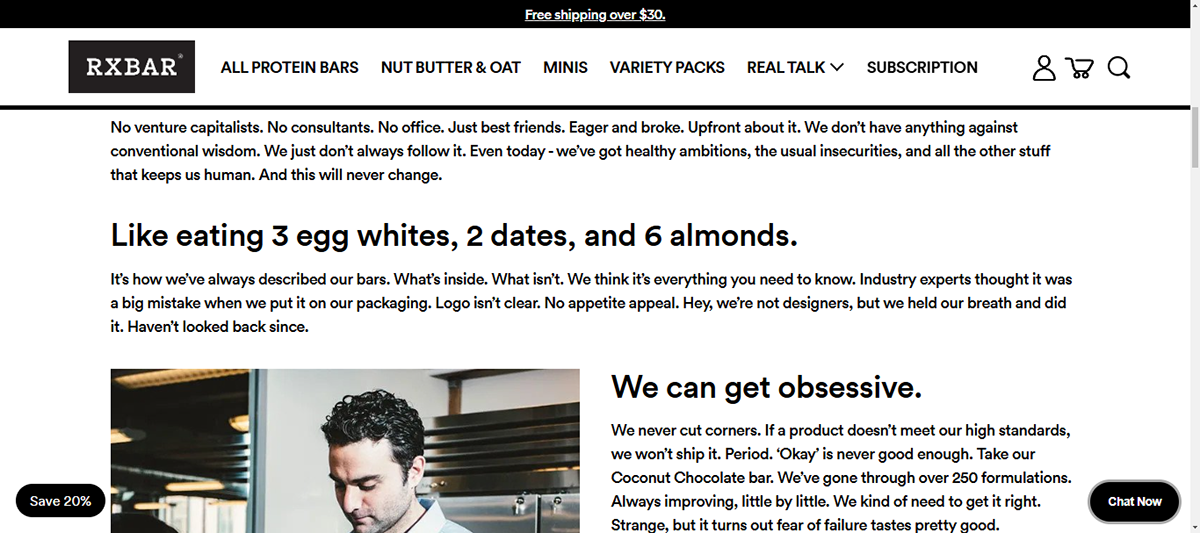
The story keeps all the unglamorous parts, making it more real and relatable: A makeshift kitchen in a basement. A first label designed in PowerPoint, industry advisers calling it a mistake to print "3 egg whites, 2 dates, 6 almonds" on the front of the pack instead of using clear branding.
These real stories are what make a brand story memorable. Their voice is conversational, the details are checkable, and the ingredient decision the experts warned against became an indisputable part of the final product packaging.
Some company stories fail because they are assembled from internal opinion, not real storytelling. Andy Raskin, a strategic narrative consultant who has built narratives for more than 100 companies, pinpoints this mistake in What I Learned Crafting Strategic Narratives for 100+ Companies: "One of the biggest mistakes I made early on was making customer interviews optional."
Following Raskin’s suggestion, answer these questions first, and then talk to your customers!
Are you curious about Visme’s brand story? Check out our About Page to see how our bootstrapped web design agency side project from 2013 became a platform used by 38 million people, including the milestones we achieved and missed, plus who’s in charge!
A mission statement says why your company exists in one or two lines. Keep it clear, short and specific enough so that it can only apply to your business and no one else's.
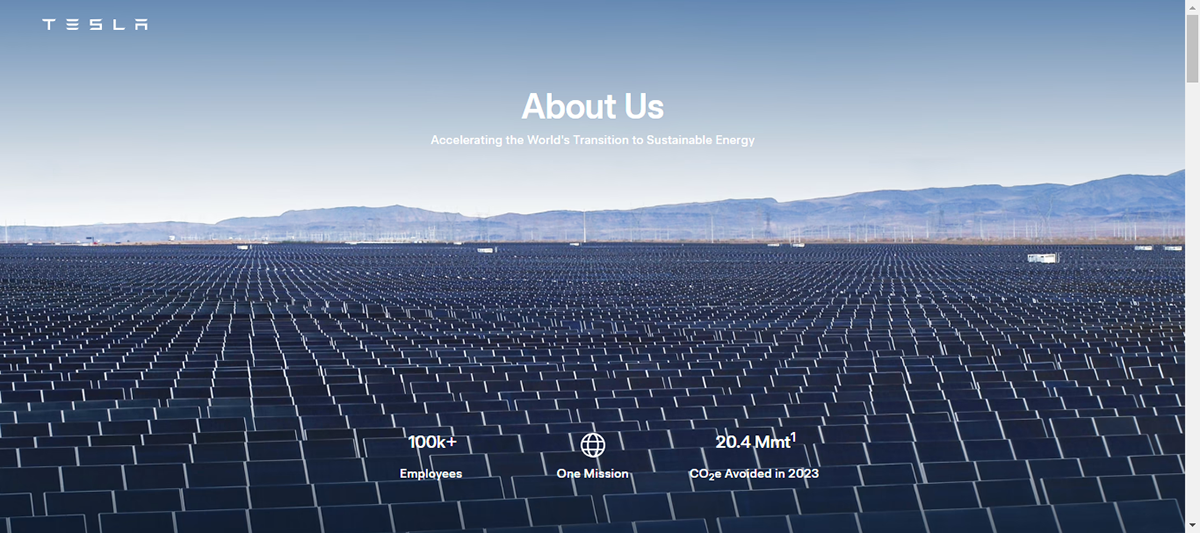
For instance, Tesla's mission statement reads: "Accelerating the world's transition to sustainable energy." Clear, direct and with no extra words.
In a mission statement, vague superlatives won’t do you any favors. Hoa Loranger, former Vice President at Nielsen Norman Group, put it this way in Great Summaries on "About Us" Pages Engage Users and Build Trust: "Steer clear of hollow phrases like 'revolutionary' — at best, they tend to confuse users; at worst, they make them mistrust the site."
Customers want to see who they will be working with. Feature photos of founders and key people, and ideally some varied shots of the workspace or team events.
Kinsta’s About Page combines a single photo of its entire team with informal employee shots that show what it's like to work at the company.
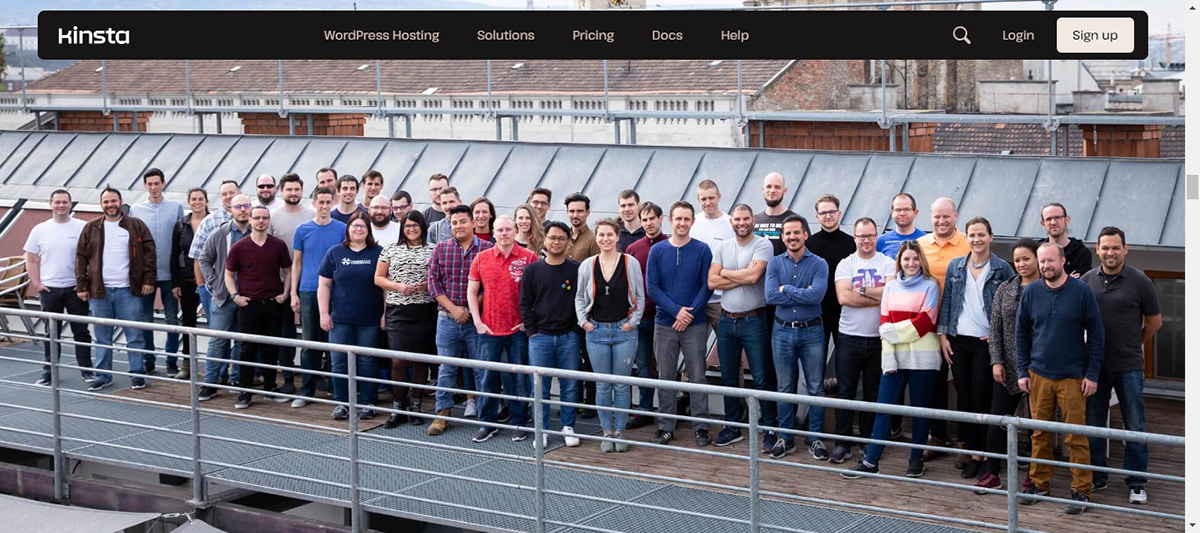
Whichever style you choose for your team photos, stick to it. All photos should feel cohesive and like they belong together,
Your values set the standard for the work you do, and they give employees something to stand behind. State each one, then explain where they appear in the business.
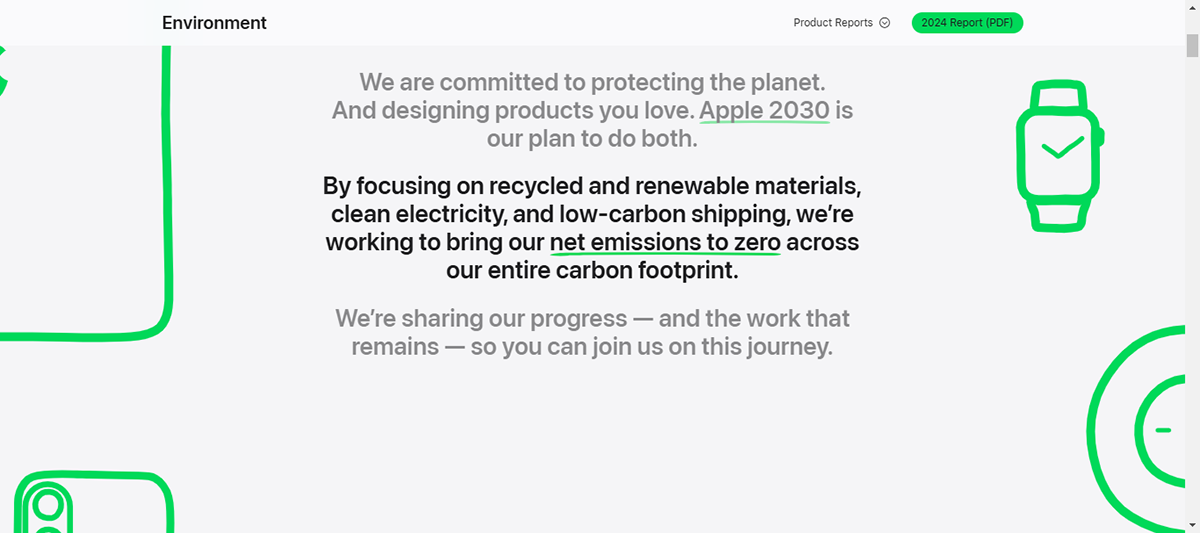
Take, for example, Apple. Their core values page names seven: accessibility, education, environment, inclusion and diversity, privacy, racial equity and justice, and supply chain innovation. Each one gets an image, a short line and a Learn More link to the part of the business that acts on it.
Several go further and attach a published report. Environment links to the Environmental Progress Report, privacy links to the Transparency Report, and supply chain links to the annual progress report and the conflict minerals filing.
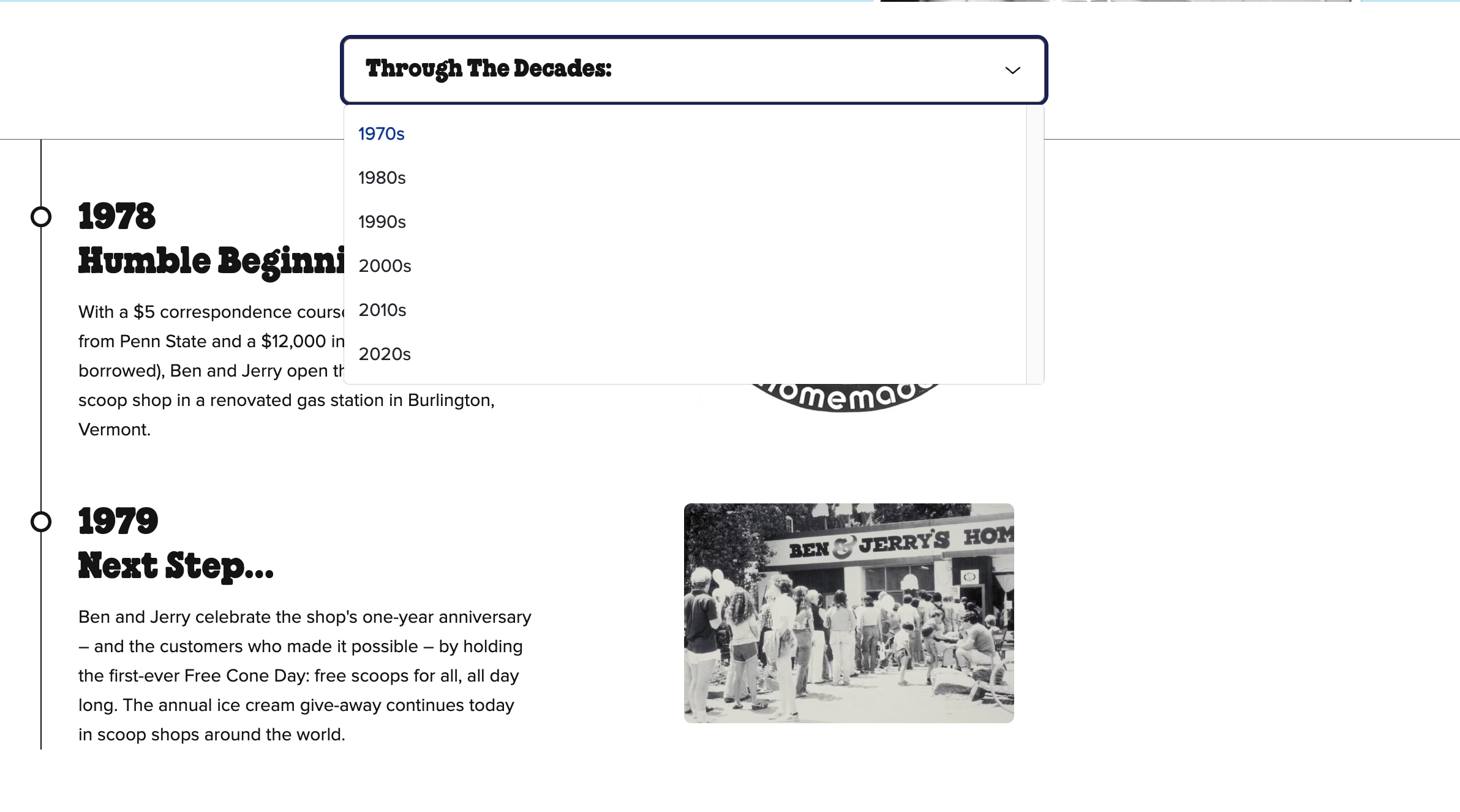
A timeline builds authority if you have been around for a while. It also gives readers a fast way to grasp your organization’s scale and momentum.
Ben & Jerry's is a great example. Their About page splits 45 years into decade tabs, from 1978 to the 2020s. Each entry gets a year, a short title, one or two lines and an image. Using a per-decade filter helps visualize a long history without too much scrolling.
Describe exactly what the reader would be paying for. Cover these three things: what you do, what the customer gets out of it, and why you are the one to do it.
Use real product photography, interactive illustrations of the product in use, or process shots that show how the work gets done.
State your pricing structure for products, services or subscriptions. If you don’t know where to start, remember that a comparison table across plans is easier and faster to read than text paragraphs.
Stating your pricing builds trust with your potential clients. Leaving the number out sends a negative message. Emily Kramer, founder of the B2B marketing advisory MKT1, describes the reaction in Why you need a plans & pricing page on your website: "Prospect experience matters. If you don't list pricing, it personally makes me think you are hiding shady pricing and negotiation practices."
Include noteworthy customer quotes, case studies and results. Social proof carries the claims you shouldn’t really make about yourself without risking overcompensation.
To make sure you’re doing it right, attribute every testimonial with a full name, title and company. You can even design testimonial quote graphics to include in the profile and then repurpose for other situations like social media or pitch decks.
List the awards, certifications and industry recognition you have earned, including a mention of the year each was given. Recent recognition carries more weight than a long historical list, so always look for new opportunities to earn more.
Include financials when your goal is to attract investors, partners or enterprise buyers. In essence, what you show depends on what you are asking for.
For example, Hemsley Charitable Trust publishes financials, balance sheets and assets going back to 2018, because new and current partners return to that section when making decisions.
Always present the numbers so nobody has to ask you for them.
Close with your contact details and one clear next step. Pick a single action: book a call, request pricing, follow the company or subscribe.
Write a company profile by following these nine steps:
Define your audience, gather your material, choose a template or generate a draft with AI, write section by section, apply your branding, add visuals and data, get sign-off, publish in the right format, then track how it performs.
Decide who will receive the profile and what you want them to do next. An investor, a prospective client, a channel partner and a job candidate need different profiles, and trying to serve all four at once might produce a document that lands with none of them.
Write one sentence to guide the positioning before you start: "This profile exists to get [audience] to [action]." That sentence decides what you need to do and how.
Getting this wrong is expensive later. April Dunford, positioning consultant and author of Obviously Awesome, explains the cost in A Quickstart Guide to Positioning:
"Good positioning sets off a set of assumptions about my product that are true. Bad positioning sets off a set of assumptions about my product that aren't true - leaving your sales and marketing teams to do the work of undoing the damage your positioning has already done."
Collect everything the profile needs before you open the editor. Hunting for a headshot mid-design is what turns a two-hour job into a two-day one.
Pull together:
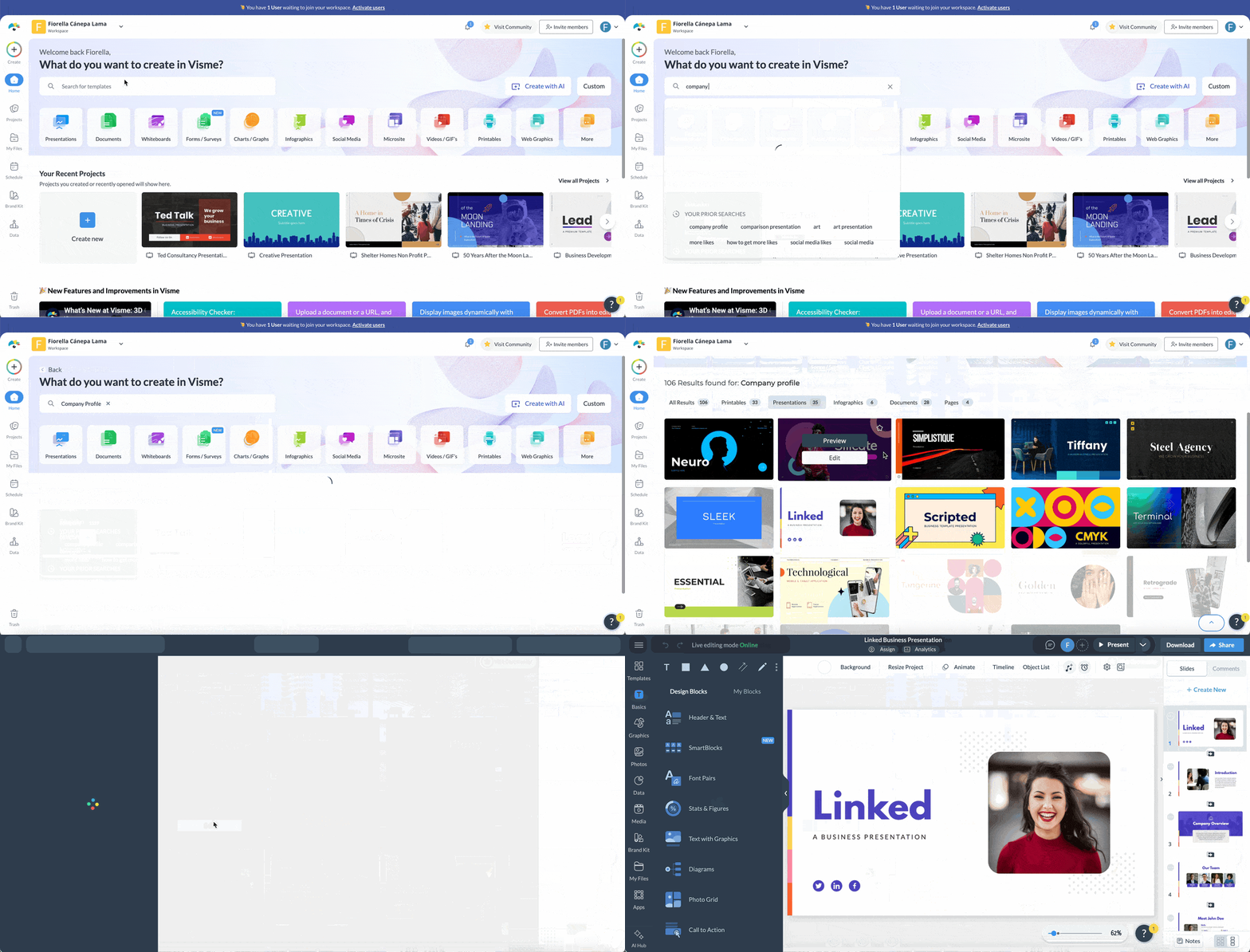
Path 1: Start from a template. Take this route when you know the format you need. Browse the 18 templates below and choose by format rather than looks: a presentation for a live pitch, a one-pager for a leave-behind, a white paper for fundraising or a video for social. Hover over the one you want, click Preview, then Edit Design to start filling it in.
Path 2: Generate it with AI. Choose this when you have raw material but no format decided, or when you are starting from nothing.
Open Visme AI Designer and describe the profile you need, or upload copy as your source material.
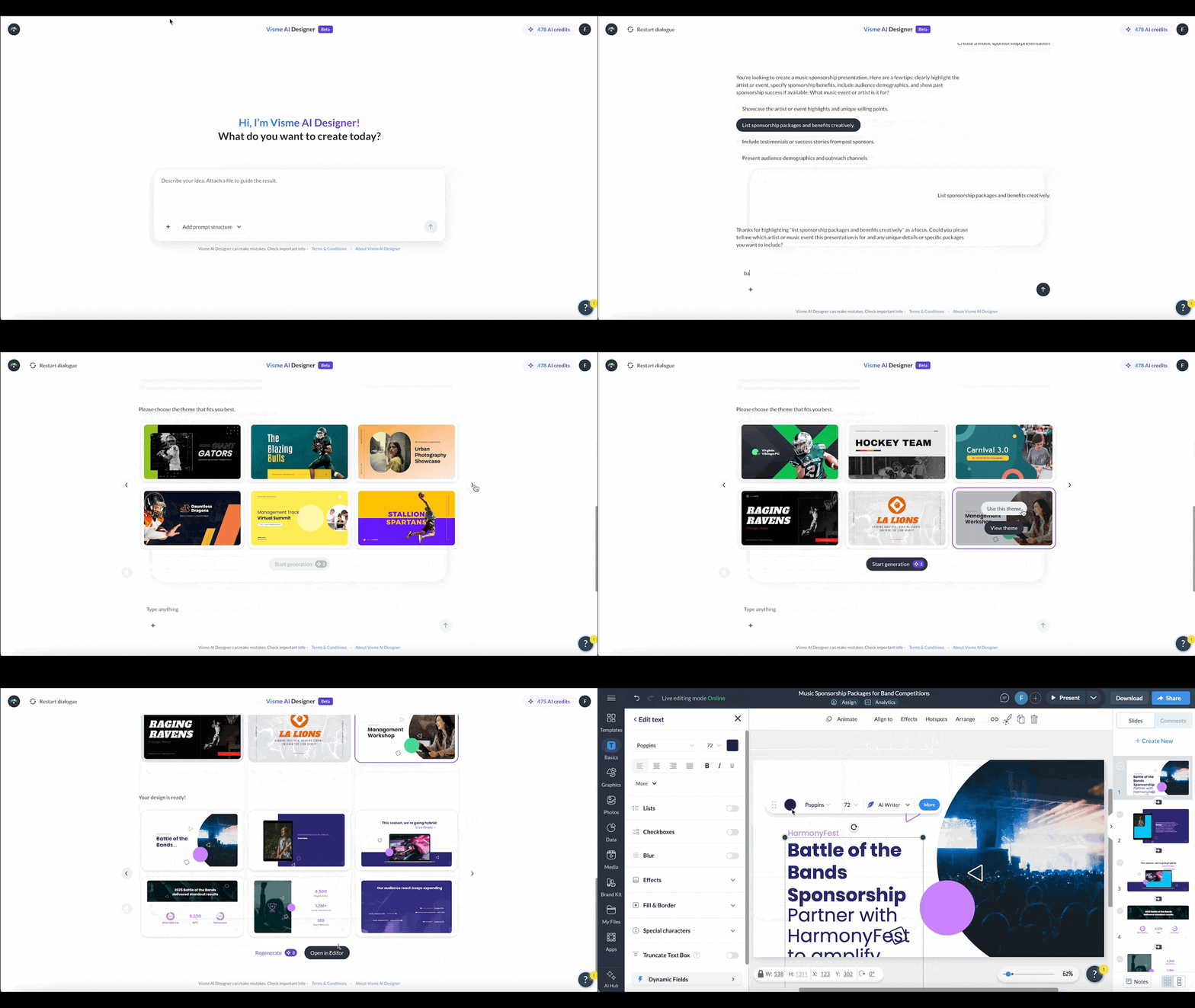
Projects generate up to 10 pages. If your profile needs more, duplicate a generated page and change the content, and the layout will stay consistent with the rest.
AI Designer covers presentations, documents, social graphics and printables. Infographics and video profiles are built from templates or blanck canvases in the editor.
There's also a middle route worth knowing: hover over a template, click Preview, then Edit with AI, and it fills the template's sections from your answers. That gives you the layout you picked with the draft speed of Path 2.
Put three things side by side: the sections from What to Include, the material you gathered in Step 2, and the objective you wrote in Step 1. What clears all three is the foundation for your content.
You can hire a writer or do it yourself, but AI will do it faster. Check the next section for the details on how.
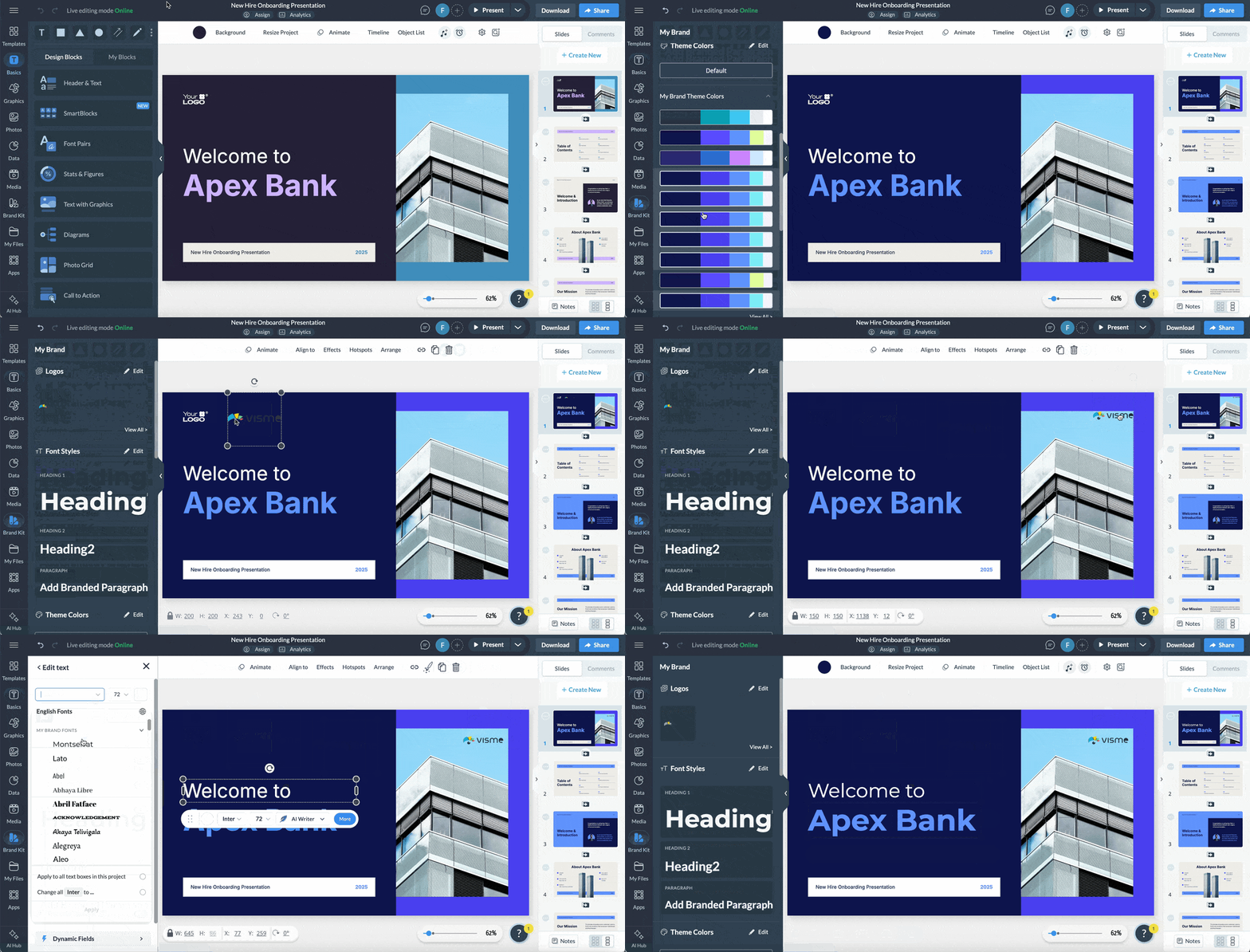
Load your brand assets once into the brand kit and then apply them to your desgn. Restyling each page by hand is where consistency breaks down, and you waste valuable time.
To get all this set up, open the Brand Wizard, enter your company URL, and it will pull your colors, fonts and logo into a brand kit. It also recommends templates that match what it found.
Once the kit is saved, you can easily apply it to any future project, company profile, proposal or pitch deck.
Turn your numbers into visuals and your text boxes into a clear visual structure. Use charts for financials and pricing, icons for services, real photography for the team and a timeline for
One rule for every visual: if it does not support your textual information, it is taking up space. Try different types of visuals until you land on the style that truly aligns with your brand.
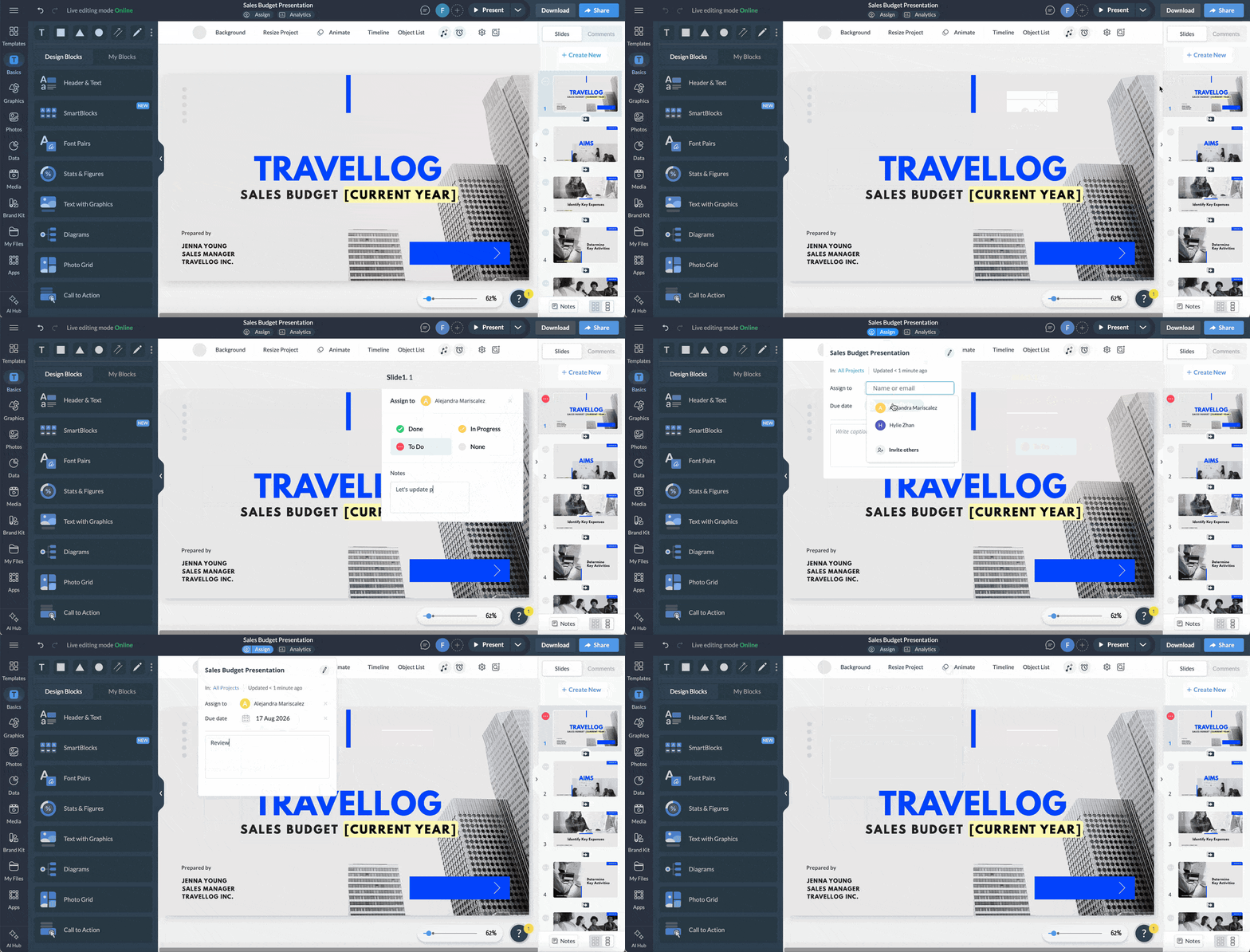
Get the profile in front of everyone who has to approve it before you design the final version. Leadership, sales and legal will always have opinions about a document that speaks for the whole company. It’s your responsibility to gather that feedback and apply it.
Share the project with your team using Visme's collaboration tool, so reviewers can leave comments directly on the company profile project you’re working on. Assign sections, set deadlines and track what has been signed off with the workflow tool.
Match the output to the audience you named in Step 1. Download a PDF for an email follow-up, generate a shareable link for a warm lead, embed the profile on your site, or present it live. Alternatively, share and publish to export as PDF, PPTX, MP4, or HTML5, or to create a private link with access controls for financial details.
Find out whether the profile is actually being read. Open rates and viewing time tell you which sections work and which ones people skip.
Check Visme's analytics for unique visits, average viewing time and completion, then cut or rewrite the sections that lose people.
Revisit the profile whenever pricing changes, the team changes or you hit a milestone worth naming. A profile with last year's headcount and a departed founder does more damage than no profile at all.
Here are 18 company profile templates you can customize right now, across six formats. The first twelve are presentations for pitches and meetings. The last six cover one-pagers for leave-behinds, infographics for quick reads, brochures for print and events, a white paper for investor conversations, and a video profile for social and email.
Customize any of them by swapping sections, editing text and fonts, changing brand colors and replacing visuals. If nothing here fits, describe what you need in Visme's AI Designer and generate a custom design from your prompt.
Read what one of Visme's clients had to say about our templates and features:
Graphic Designer & Business Owner


This company profile template is a perfect framework for providing a comprehensive overview of your tech startup to investors or clients. The presentation features a stylish purple background with white and pink text, ensuring optimal visibility and clarity. It also offers ample space to showcase your business without overcrowding the text.
You can utilize the dedicated sections to highlight your company's history, team, services, unique offerings, pricing and contact details. You can also add a link to website's contact us page if that's you're preferred communication.
Visme’s brand wizard makes it a breeze to turn this template into a document that truly reflects your brand identity. Simply input your company website and the Wizard will collect your colors, fonts, icons and more to generate a cohesive brand kit. It will even recommend templates that align with your branding.


Utilize this vibrant template to present business concepts to clients and investors, introduce project teams, or unveil new products and services.
The template highlights your company's creative essence with captivating shapes, pooping colors and lively themes. Dominated by orange hues, the design effortlessly captures attention.
The sections include an about us page, product showcase, user reach, SWOT analysis, mobile description, pricing details and more.
You can add flair by transforming this company profile example into a captivating page-turner with Visme's flipbook effect. This feature lets your audience virtually flip through pages, providing a document-like experience.


This retro-futuristic presentation template would work exceptionally well for a company targeted at young people or a startup specializing in quirky hardware tech.
It uses moody, neon colors, inspirational graphics and storytelling design to captivate your audience’s attention and keep them reading. The slides incorporate dynamic graphics—reminiscent of vintage neon signs—to create an engaging and visually striking appeal.
Sections covered in this template include about us, mission statement, team members, services offered and business statistics. With Visme's data visualization tools, including charts and widgets, you can present data-driven reasons why potential customers should choose you over competitors.


Enhance your software business presentations and make a strong impact with this sleek terminal template. Whether you want to showcase your business to investors or introduce new offerings to clients, this template is a great choice.
This example of a company profile boasts stylish gradients, clean icons and user-friendly layouts, ensuring a professional and modern impact on your audience. The gradient color scheme captures attention while maintaining readability.
With a detailed presentation of your company overview, innovative strategies, SWOT analysis and financial details , this template helps you to present a compelling presentation.
The best part? This design is entirely customizable, making it adaptable to any product or brand.
If you have trouble crafting content for various sections, utilize Visme's AI writer to generate well-written initial drafts based on your prompts. You can also effortlessly refine, summarize, or edit your content using this AI tool.


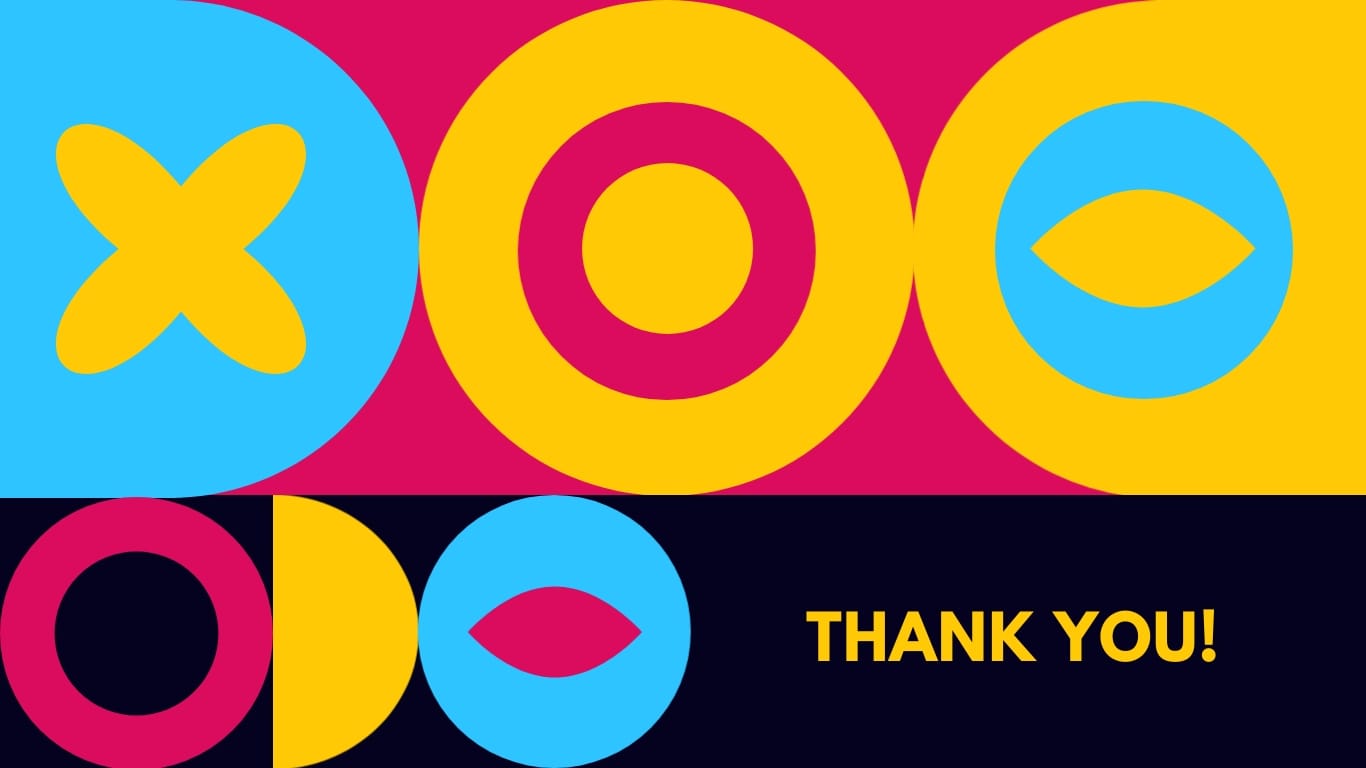
Want to show the artsy, fun side of your business? Build your company profile with this colorful CMYK presentation template.
CMYK stands for cyan, magenta, yellow and key(black) and this presentation template boasts a vibrant and diverse color palette inspired by this color model. The sections in this template cover diverse topics, from company details to project highlights, all presented in a bold and visually cohesive manner.
You can infuse more fun into this presentation by integrating diverse animations, such as stylish text and object transitions, along with animated icons, illustrations, characters and gestures.


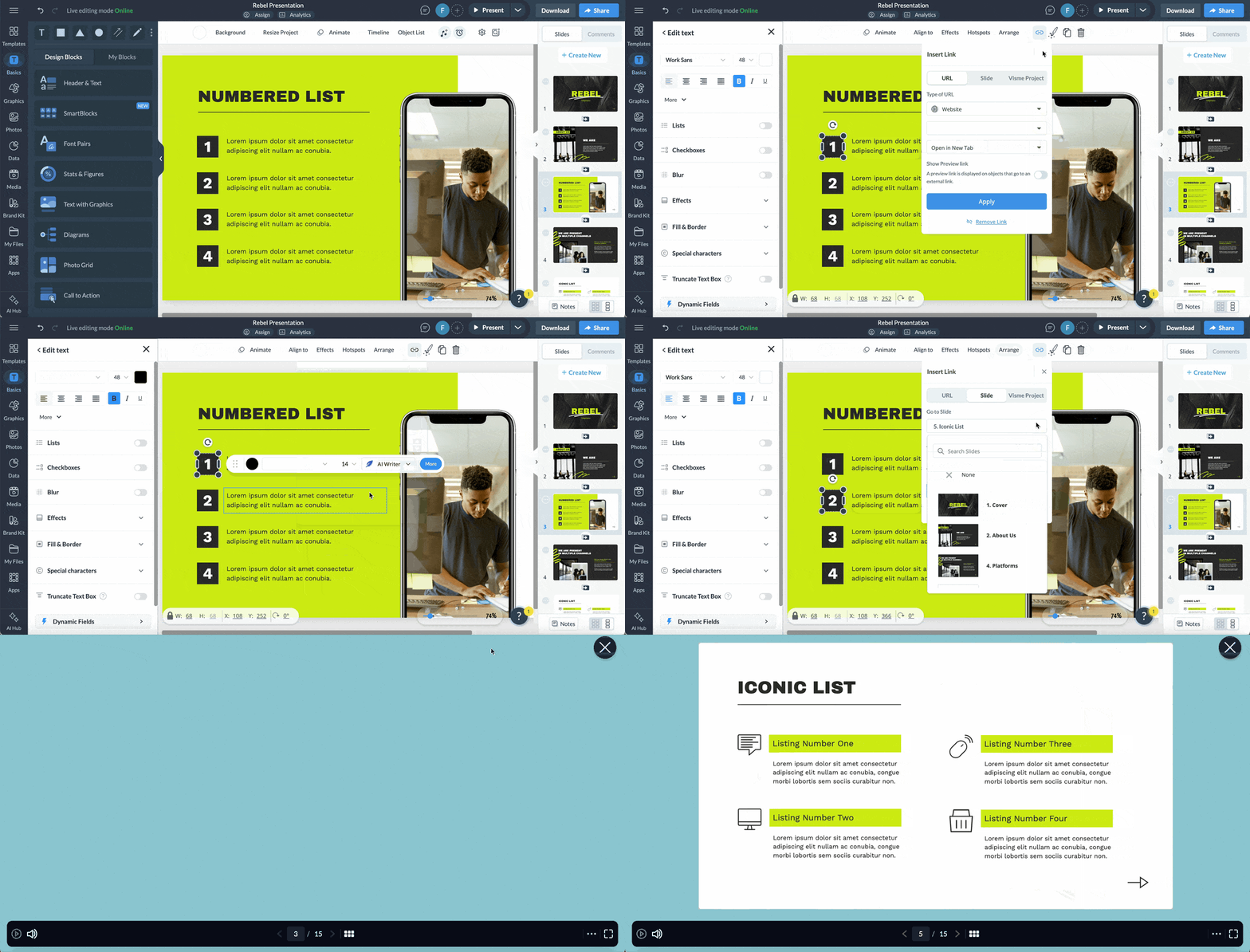
This rebel presentation template is a befitting design for a company looking to break the mold and differentiate itself from the competition. The template features dark, intense hues, conveying a sense of rebellion and nonconformity, as well as striking, greenish-yellow graphics that symbolize freshness.
The sections covered in this template include about us, services offered, Business Channels, relevant quotes, stats and contact details.
Use subtle hover effects or clickable pop-ups to include additional information like testimonials and technical details without cluttering the page. You can also allow seamless navigation by linking contact buttons, social media icons, or websites directly to relevant pages using interactive links.


Looking for a modern, sleek company profile template that can be used to present your startup to customers, clients and investors? This template fits the bill.
The template blends shades of blue, creating a calm and professional aesthetic. It also integrates striking stock photos and icons to enhance visual appeal and reinforce key messages. Utilize its sections to emphasize your company overview, values, mission, team members, services and more.
If you prefer to customize the visuals, explore Visme’s vast library of high-quality icons and stock photos to find the perfect fit for your needs. If you want to give your existing photos a professional look, utilize Visme’s AI Touch Up tool.
Choose the photo you'd like to improve, then click “Edit” on the top left bar to access a range of touch-up options such as upscale, unblur, erase and replace or remove unwanted background. ‘
Though this template was designed for startups, it can easily be customized for established businesses.


Showcase your creative projects in a visually striking manner and make a lasting impression on clients or investors with this elegant template.
The template boasts a contemporary design, crisp layout and refined red color palette that makes a bold statement. Its engaging slides incorporate storytelling, guiding clients or investors on why your solution stands out and outshines alternatives.
Utilize this template to present your company's plans for the future, your services, financial performance, team members and more.
Use Visme’s Presenter Studio to record a custom presentation of your company profile for prospects, investors and busy executives.
Watch this video to learn how to record your presentations using Visme’s presenter studio.


This business profile template is perfect for showcasing tech products, but it can be customized to demonstrate any other product or service your company provides.
Featuring a contrasting blue and white background cream backdrop, the template is stylish and appealing, retaining sufficient space for essential information. Visual aids such as images, icons, charts and graphs help you present your content in an organized and engaging way. While there is a clear focus on style and general appeal, the design is still business-oriented and professional.
To make this company profile even more appealing, put your creativity to good use with Visme’s AI image generator. The wizard turns your text prompts into images in different output styles, such as photos, paintings, pencil drawings, etc.


Share your company narrative detailing your organization's plans and strategies with this compelling presentation template.
This template maximizes visual aids like charts, icons and images to tell your story effectively while maintaining a clean design.
Provide an overview of your company, covering goals, business processes, teams, services, products and more using this versatile presentation template.
With Visme's user-friendly share and publish feature, effortlessly distribute your finalized company profile to your target audience in various formats, such as PDF, PPTX, MP4 and HTML5, or generate a shareable link.
Curious about your presentation's impact on investors or clients? Utilize Visme's analytics to track engagement metrics like unique visits, average viewing time, duration, IP addresses and more.


Whether you're introducing your recently established company, proposing a business concept, or unveiling a new product, feature, or service, this template will help you make an impactful presentation.
Its dynamic blend of blue and white, paired with compelling visuals and bold icons, ensures your presentation captures attention.
The template includes dedicated sections for key elements such as company introduction, team members, SWOT analysis, your process, product samples, clients across locations, timeline, testimonials and more.
Manually entering all this information on multiple company profile pages can quickly become cumbersome. Utilize Visme's dynamic fields tool to easily update data across your company profile.


This sleek and modern presentation template presents your innovative product or service in its best light. It features contrasting colors, captivating visuals and icons that enhance content and engage your audience effortlessly.
The best part of this template apart is its rich utilization of appealing data visualization tools like flowcharts, maps and pie charts, ensuring a clear and concise presentation of key statistics and figures.
Visme's collaboration feature allows team members to contribute to and review the consulting proposal individually or in real-time. The workflow tool enhances task management. You can easily assign tasks, set deadlines, monitor the progress of work and make corrections—all within a unified platform.
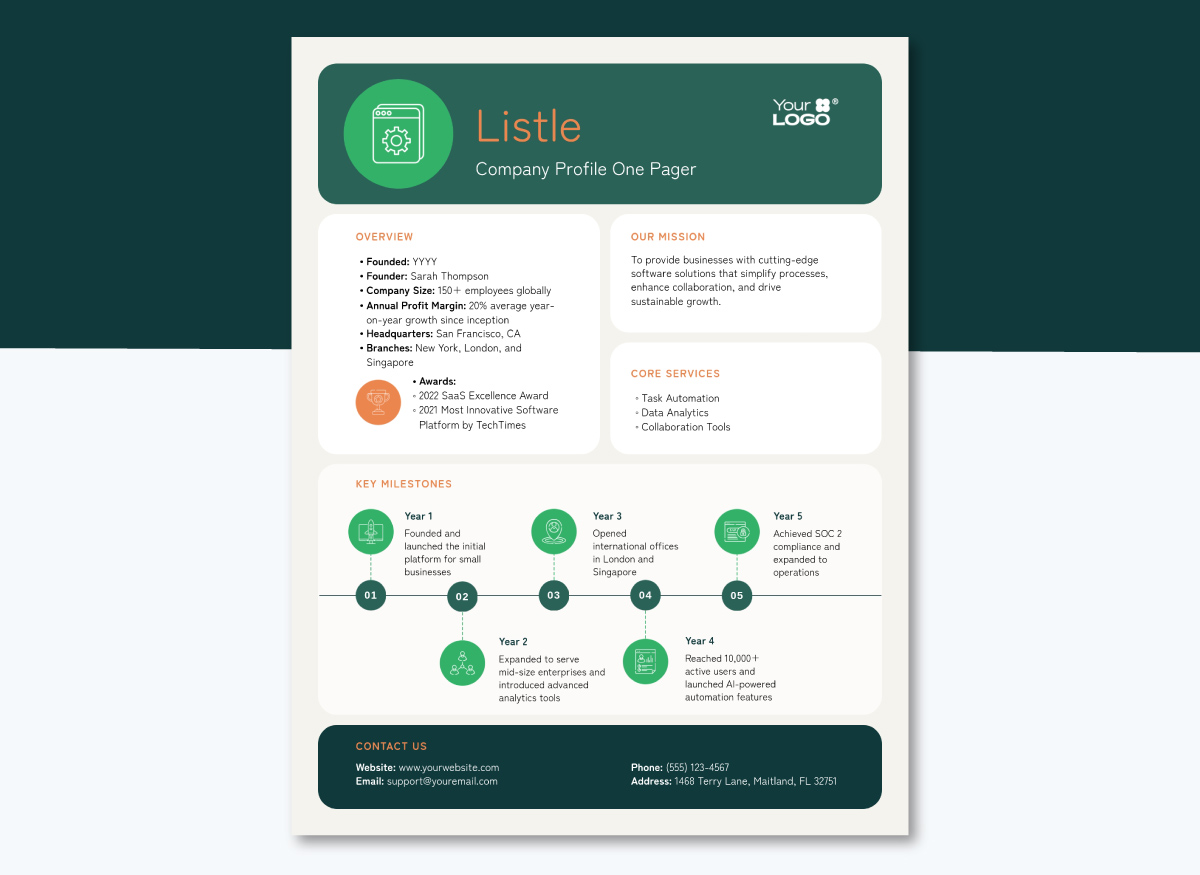
This template is a single-page format for sales teams who need a leave-behind after a meeting or an attachment on a follow-up email.
Fixed blocks cover who you are, what you do, who you serve, your proof and your contact details, so nothing sprawls. Paste your longer profile into the AI Writer and ask for a shorter version of each block.
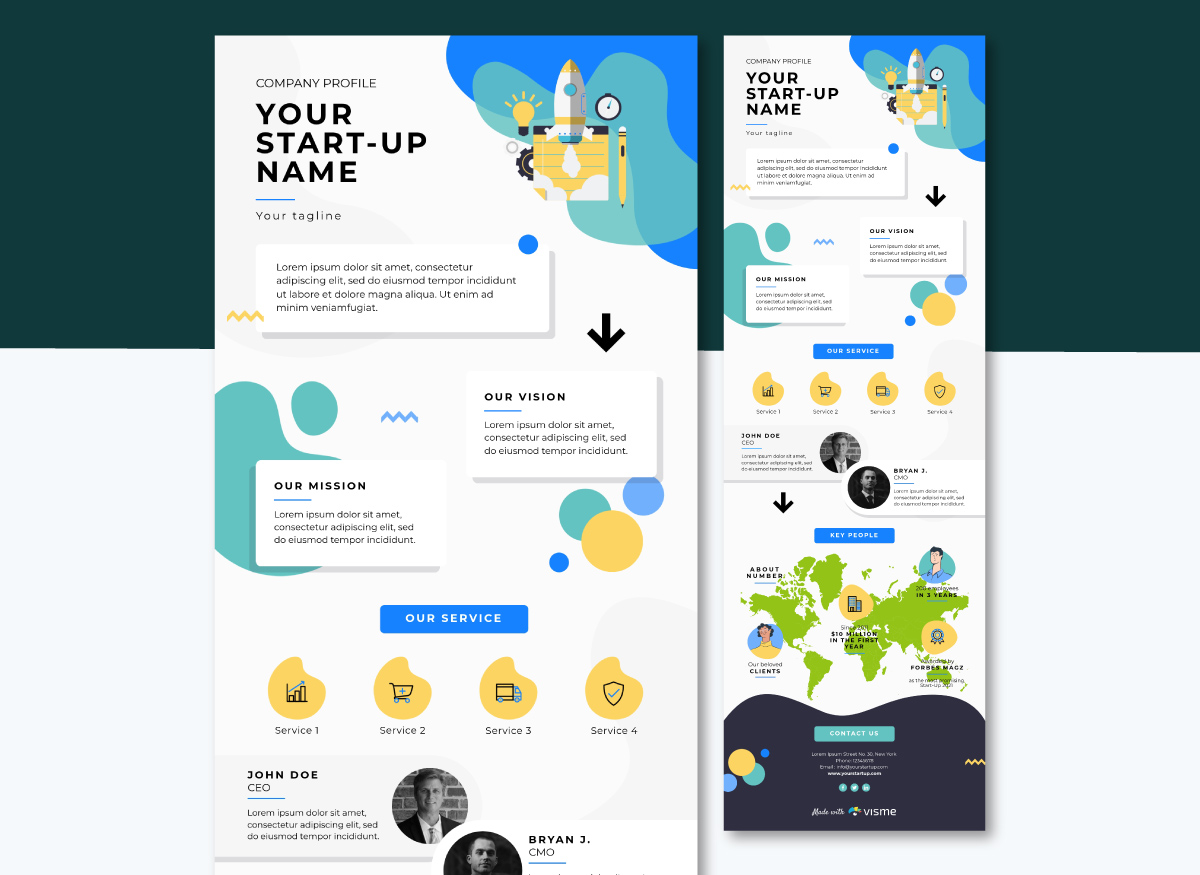
As an infographic, this company profile becomes a scrollable graphic for readers to discover. The layout includes data about your social followers, newsletter subscribers and your team. Further sections cover goals, mission and services. The long, vertical layout is perfect for embedding on your site or sharing via email.
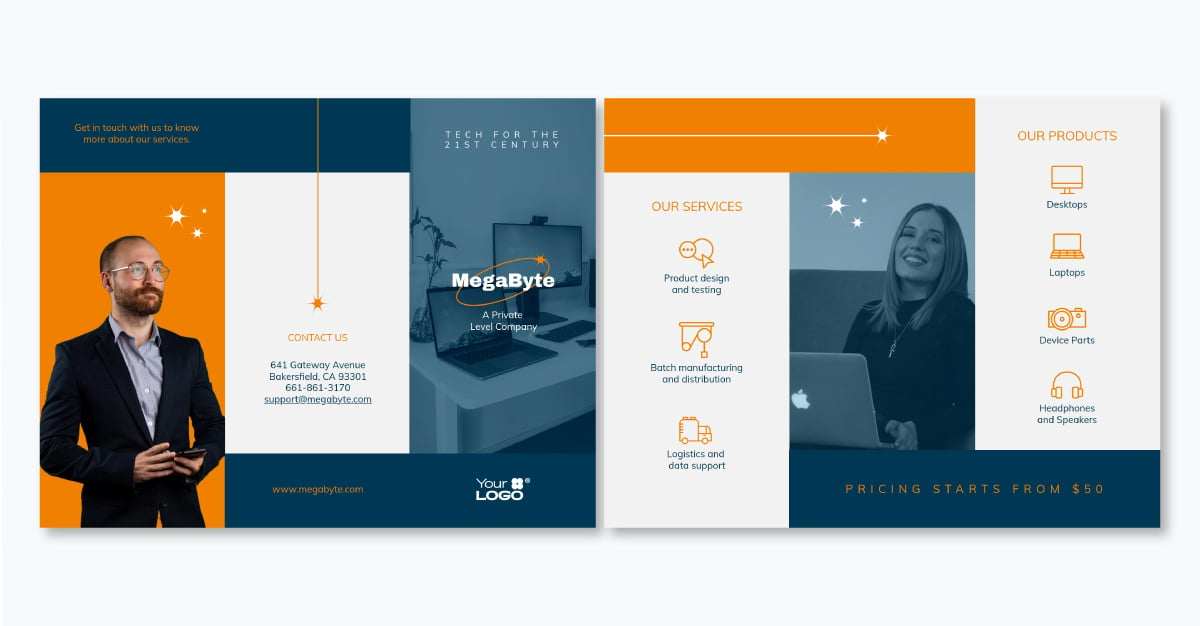
This brochure template is a two-sided, print-ready design for manufacturers, wholesalers and product businesses that wish to share their story with potential buyers. The combination of photography, icons and color blocks makes up the layout, with room for products, services and company details. Even out lighting or temperature in your own shots with Visme's photo retouching features, or use the AI Touch Up tool to remove backgrounds.
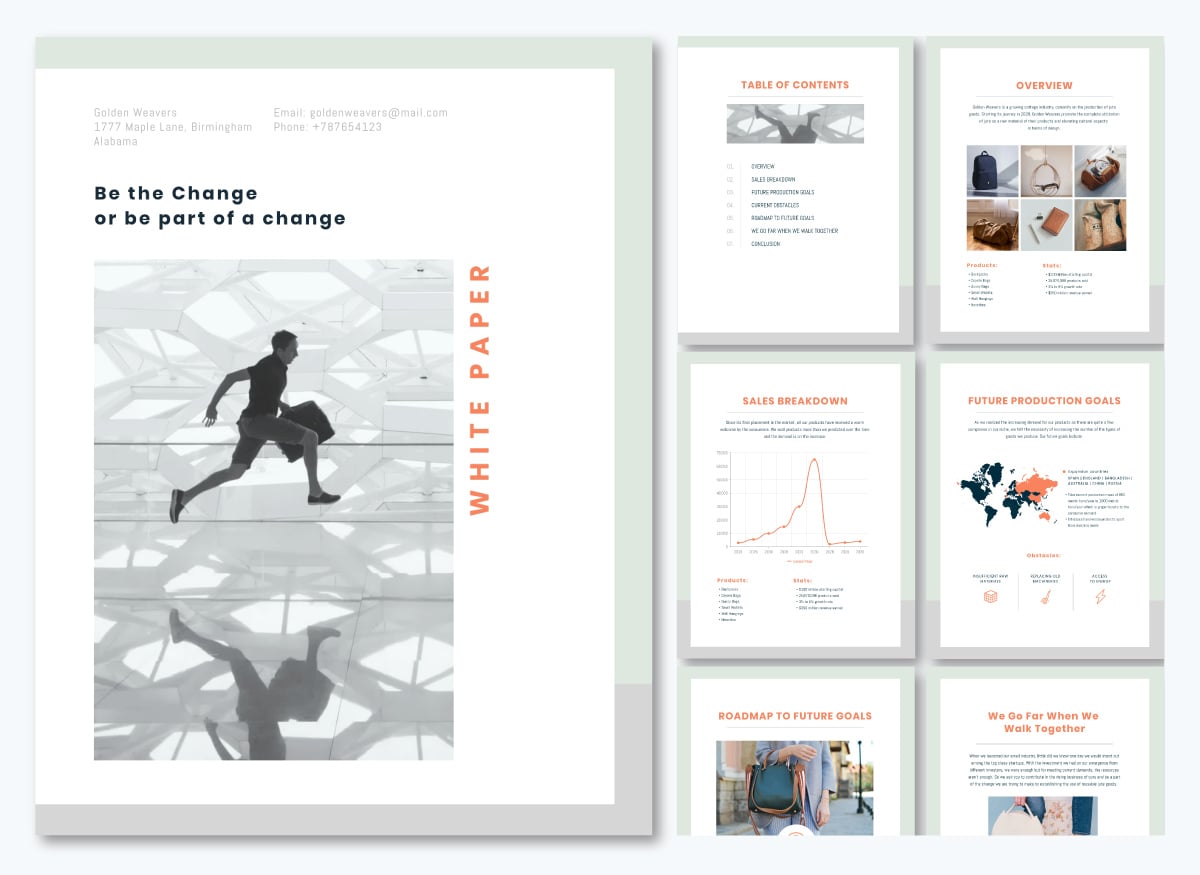
An eight-page print-ready white paper template is just what you need to share about your business. Regardless of your industry, having a document like this helps you share your range at trade shows or in buyer meetings. The layout includes market context and financial details, with charts already in place and ready to customize. Connect them to your spreadsheet using Visme's data visualization tools so the figures update without a redesign.
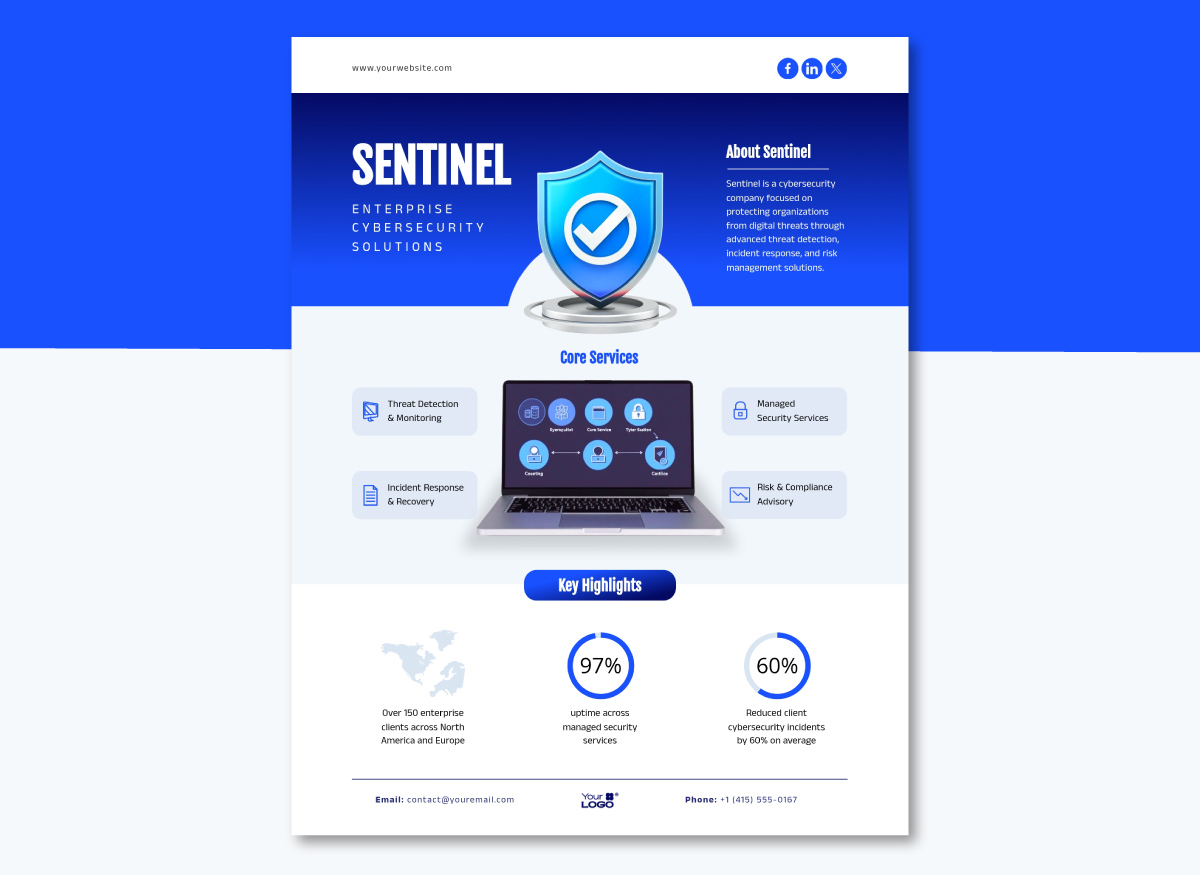
Sometimes all you need is one page. This layout runs a short About paragraph under your company name, four core service blocks around a device mockup, then three key highlights carried by a coverage map and two radial charts, with contact details in the footer. Open the template and choose Edit with AI to help you edit it fast, just by answering a few questions.
Not every audience will open a document; some prefer to watch videos. This five-scene explainer video covers what your company does and who it serves. With the animation and scene timing already built, you can easily replace the text and swap the graphics without disturbing the animations. If you want to add a personal touch, record a voiceover with Presenter Studio, then download an MP4 for LinkedIn, an email campaign, or a screen at your next event.
Here are some impactful company profile examples to inspire you:
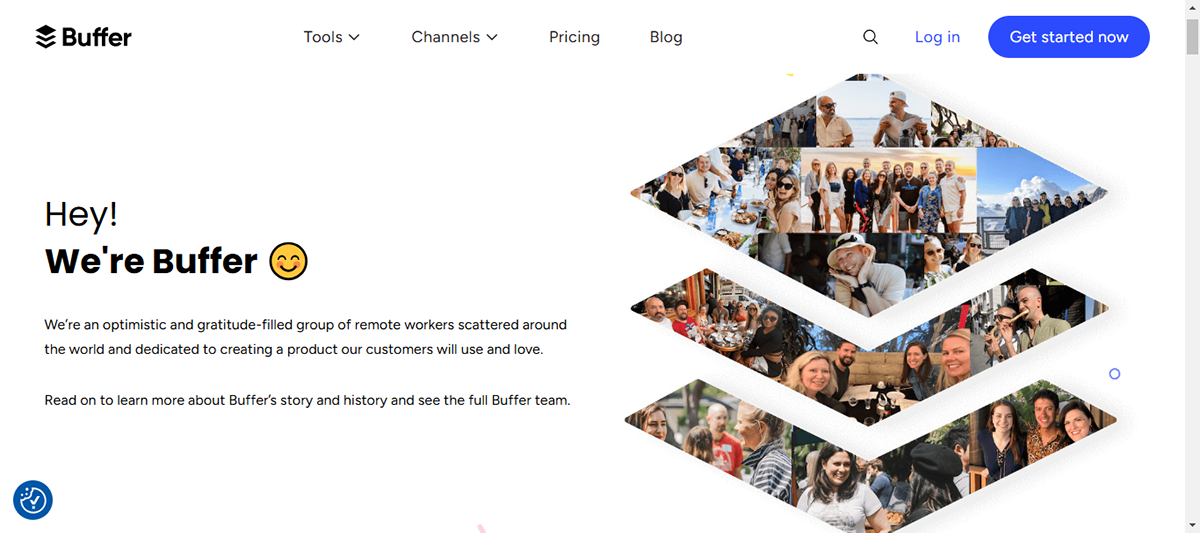
As you open up Buffer’s company’s profile page, you’re greeted by the faces of the team members who bring Buffer to life.
This approach immediately humanizes the brand and makes it relatable.
The page then immediately flows into the company’s backstory.
It all begins with the founder faced with the daunting challenge of automating tweets. Inspired by this need, they set out on a mission to create a groundbreaking “bridge” solution that would revolutionize the way we engage with social media.
Buffer does a great job at sharing its core values with a short explanation of what each value means for the team.
It’s also noteworthy that Buffer goes beyond what is usually found on an About Us page by featuring its timeline of achievement and financial growth, demonstrating authority in the market.
What’s not to love about this page’s design? The captivating design invites the user to keep scrolling down the page.
Overall, Buffer offers a fine example of a company’s description that puts the spotlight on the people driving the company while showcasing authority in the market.
As a Fortune 500 leader, Salesforce offers an excellent example of how a tech global brand can drive a positive impression with its rich history and strong company culture.
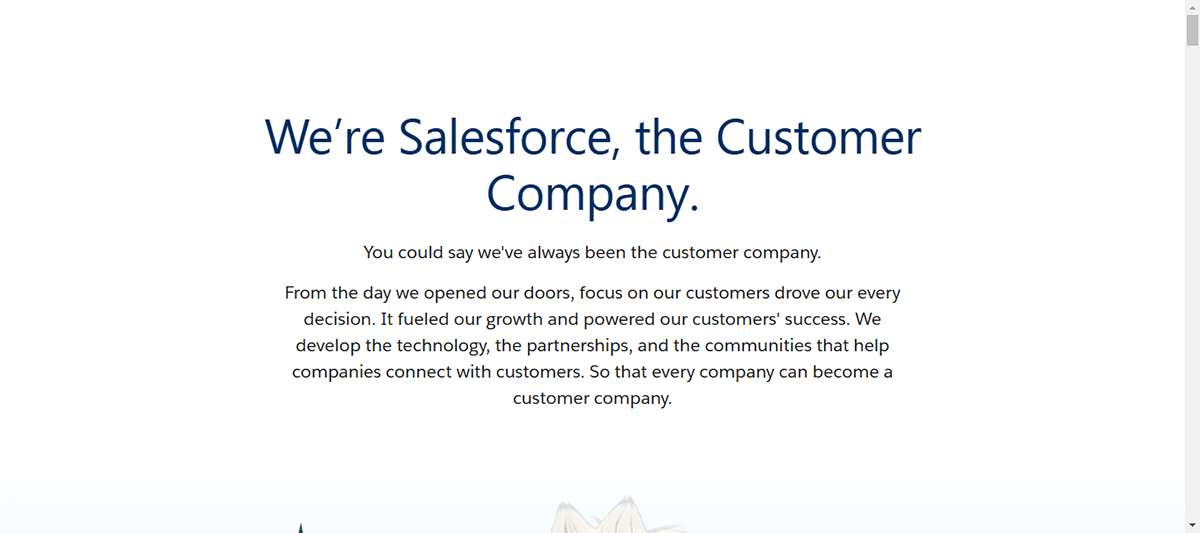
Salesforce’s company profile leads with a headline highlighting its mission, “We’re Salesforce, the customer company. Then it goes ahead to share the brand’s story.
One thing is clear about Salesforce’s story: it not only shares its founder’s story but also turns the spotlight on its audience and how the product made their lives easier and better.
Salesforce's values and culture are front and center in their brand, shown through compelling writing and clean visuals.
The page also links to other web pages, exploring its products, customer stories, awards, company values and more. This is a terrific way to make users stay on their site.
If you’re looking to add a fun, casual vibe to your company’s description while reinforcing credibility among your audience, Zendesk offers a great example.
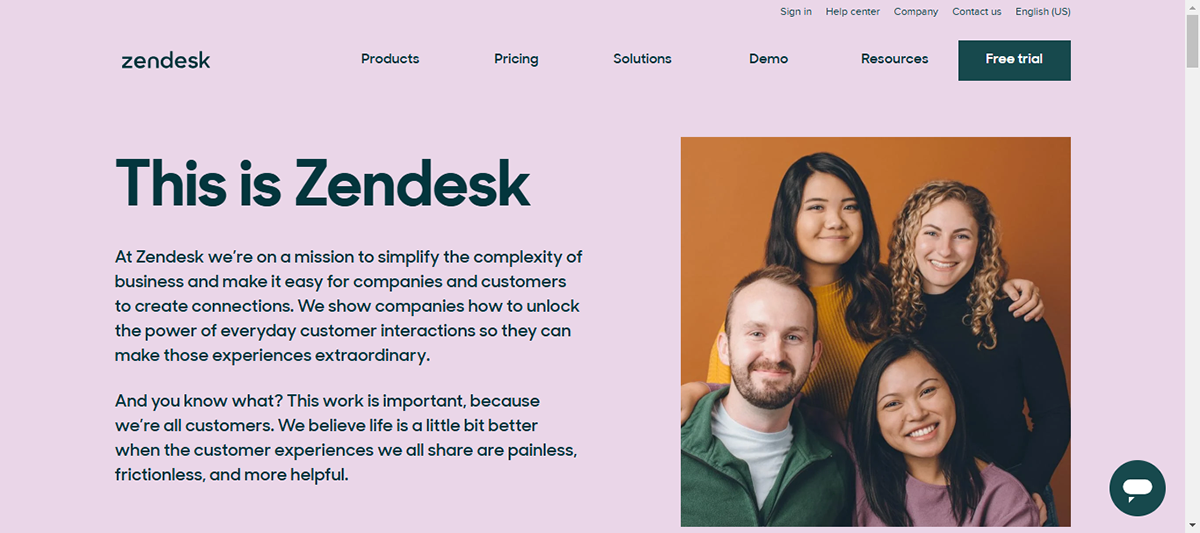
It introduces the brand’s story with a bold photo of some members of the team and a catchy headline, “This is Zendesk.”
They also shared some stats, like how many users and employees they have and where their users are located, giving everyone some solid social proof.
The page also featured the Zendesk Foundation, one of the organization's core values.
The page layout is well-organized with a balance of text and visuals. Besides, the bold typeface and modern design are engaging.
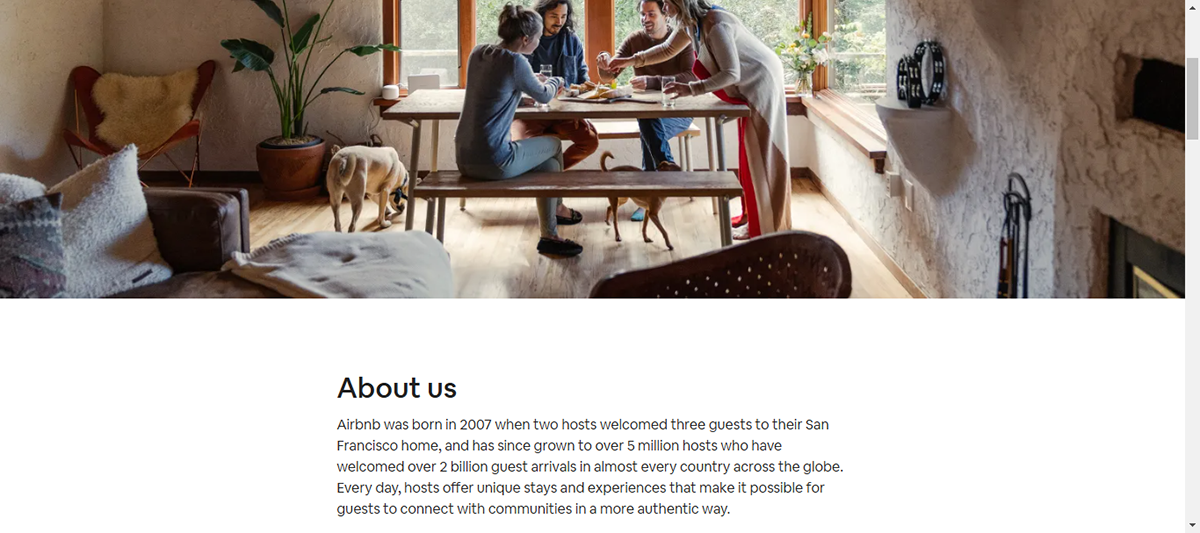
AirBnB’s company profile sets off with an engaging ‘Airbnb Story’ section, which tells the story of how the company was founded. It then proves its results with clear financials and data, showcasing credibility.
AirBnB does a terrific job by featuring its timeline of achievements and impact since they started in October 2007. To make the experience immersive, it uses past and present photo collections.
As regards design, it uses a crisp and engaging design with rich colors. The page covers all bases yet does not feel cluttered or confusing.
Overall, AirBnB offers an excellent example for any brand that wishes to showcase its story and achievements in a trustworthy manner.
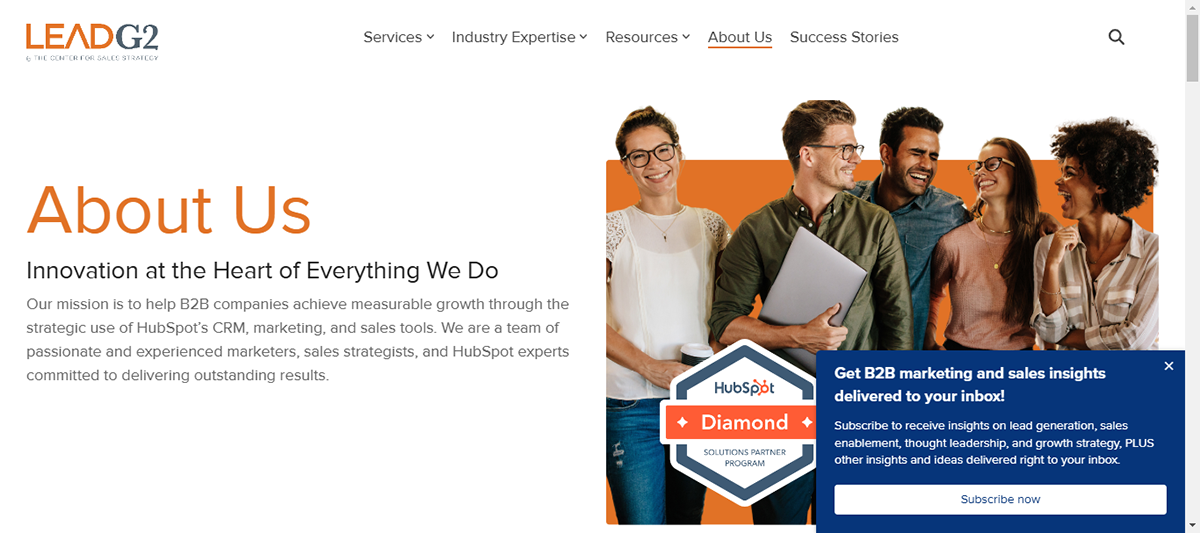
LeadG2 does a great job of not only describing who they are but also focusing on how they stand out from the rest. The summary tells you about the company, its values, and what makes it unique.
LeadG2 walked the talk by showing how they used their own services to drive success.
When you scroll down, you’ll see the excited faces of team members, so their audience can relate to the brand on a more personal level.
Here are some stand-out company descriptions that you can learn from:
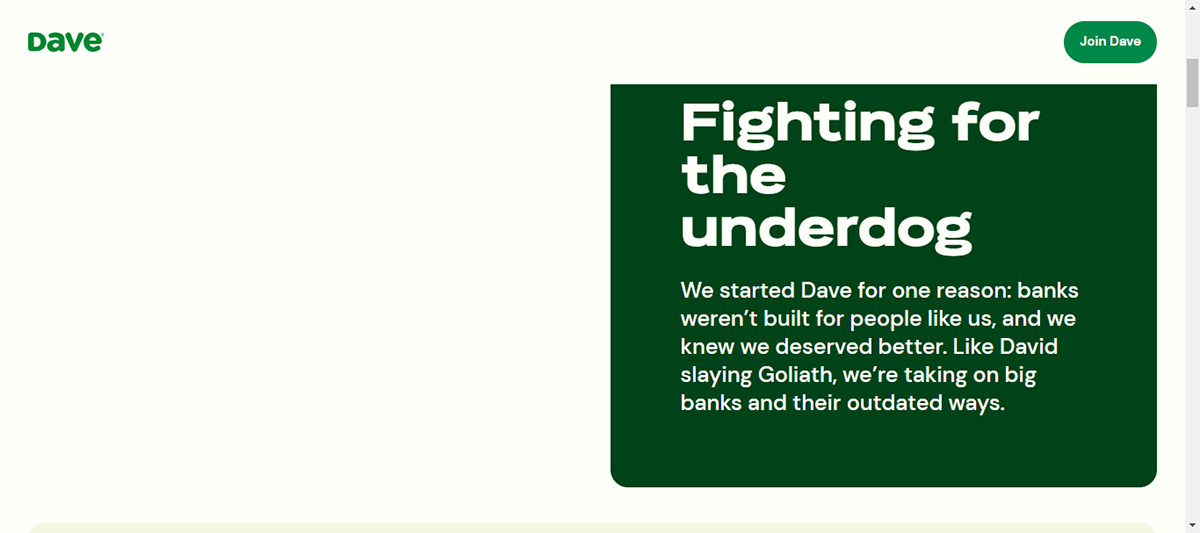
Dave is a company committed to “leveling up the financial playing field for everyday Americans.”
It opens up with a catchy tagline, “Fighting the underdogs,” followed by a brief story that describes the brand's value proposition.
They nailed it with their simple yet sleek writing that makes the company's offering crystal clear.
Each section is designed to captivate readers and hook them to continue reading. It also uses clear headers, concise blurbs, and visuals to break up the text, ensuring the reading experience isn’t overwhelming.
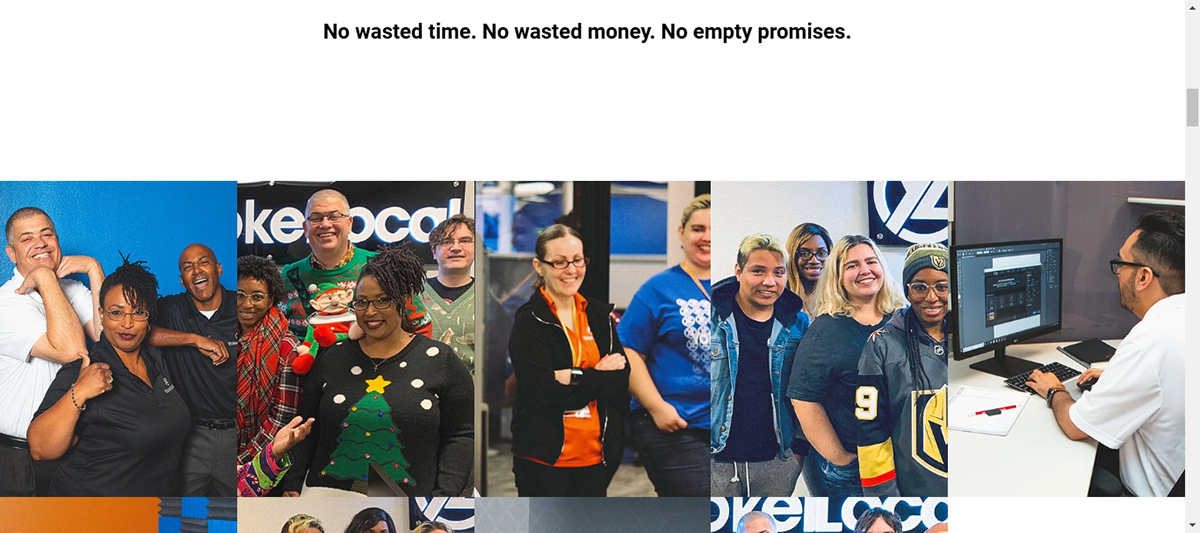
Yokel Local is an example of a brand that showcases personality and fun side with captivating team visuals.
It focuses on its story, culture, mission, clients and the tea behind its success–and does so in a way that quickly demonstrates the value of its solutions.
Yokel Local also builds trust with some serious name-dropping, including awards that strengthen the brand’s credibility.
This page is another great example of breaking up your textual content with visuals.
The colorful and fun images of team members in the works add a nice splash of color to the page.
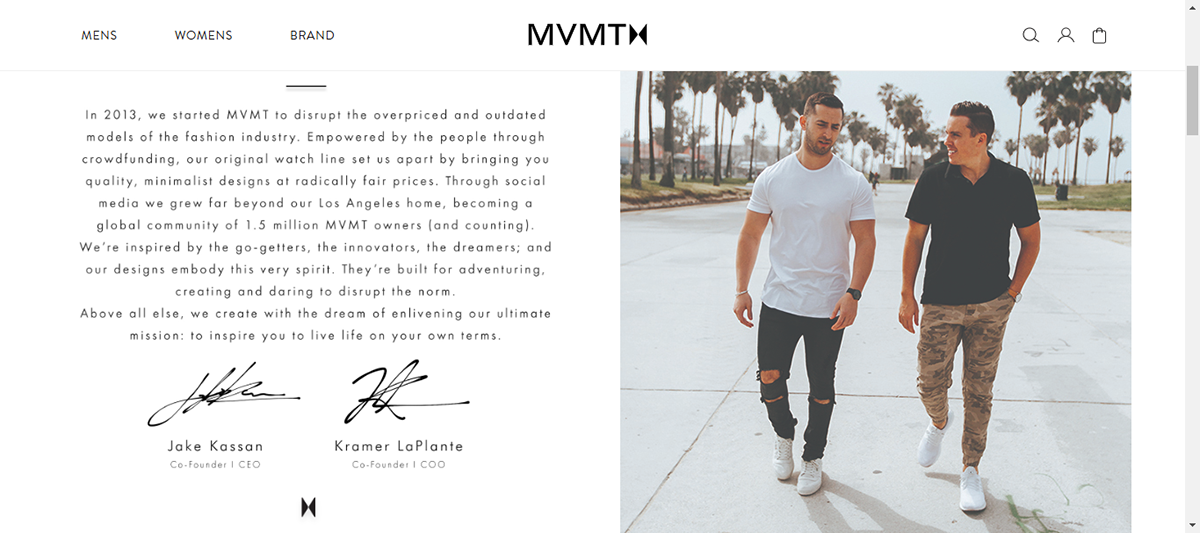
One of the best ways to use your company description is to illustrate your brand’s value proposition.
As a brand that sells quality watches and accessories, MVMT puts radically fair prices at the forefront of what makes it different. It uses this value proposition to tell a compelling story to its audience who need premium accessories but don't want to break the bank.
Leading with photos of the founders establishes a personal touch before getting into their commitment to their product and their company's values.
Overall, MVMT is a prime example of how you can tell your story succinctly, letting readers quickly see who you are and what you do.
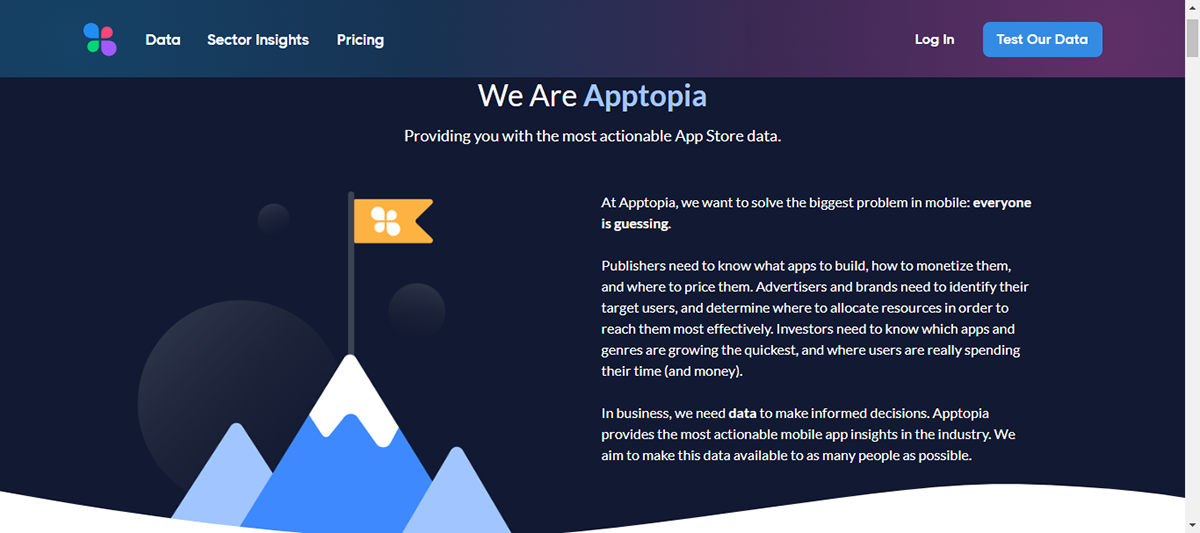
Sometimes simple works best.
Apptopia, a brand dedicated to providing actionable app store data, understands this. Its company’s description opens up with a clear and straightforward approach to what it does, who it does it for and what problem it solves.
It then immediately introduces the founder and team members, clearly describing the expertise they bring to the brand.
Apptopia's company description is a great example of how to keep your About Us page concise and to the point. Instead of going too overboard, concentrate on a few important aspects that give a good overview of your company.
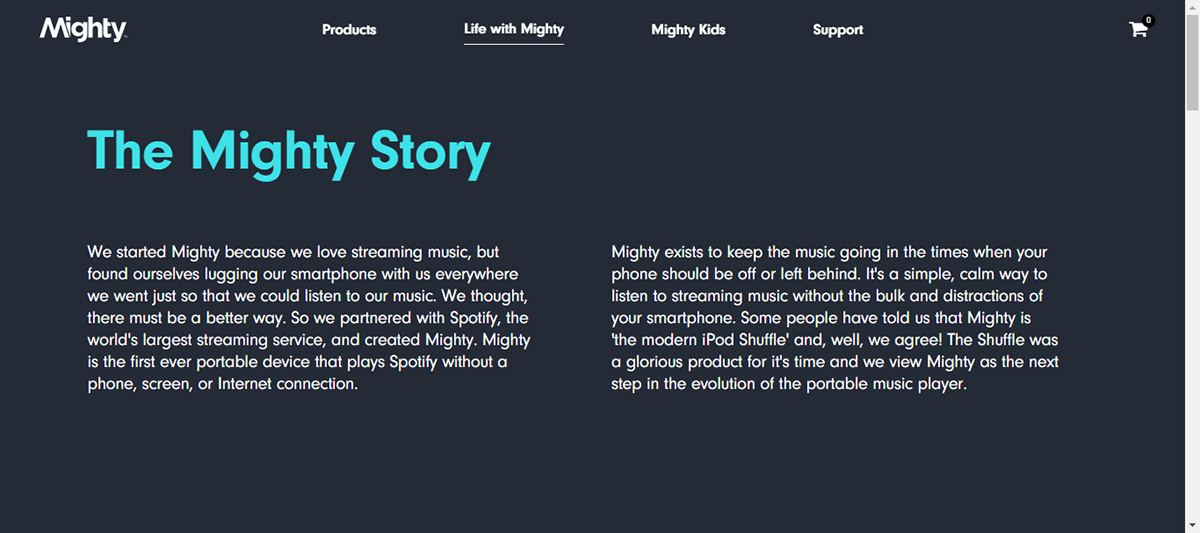
Every good company was founded on an idea — something the current marketplace might not yet offer.
Mighty Audio used this “aha!” moment as a focus point to make their story truly unique. They started with a clear problem many people face—having to carry a smartphone to enjoy streaming music.
They further described how they partnered with Spotify to bring their device to life and how the tool is achieving its purpose.
The page design looks good with a contrast of dark background and light blue header text pops utilized to ensure that the most crucial information stands out.
Don't write a brand story that is more than 500 words long, no matter how enticing it may seem.
Most likely, your audience won't read it all. Instead, keep it brief, sweet and relevant.
For instance, The Mighty Audio uses just 144 words to tell its brand’s story, while MailChimp uses 177 words.
Most readers have short attention spans and can easily find long blocks of text boring.
To better engage your audience, break up your content into smaller sections with headers, images, videos, charts and more.
For example, Airbnb’s page features a sizable graphic timeline of their company history, which is far more engaging than a wall of text.
Your company profile is your opportunity to humanize your brand and allow your audience to see the faces behind the brand. Using stock photos on this page would not be authentic.
Instead, use real-life photos of your team members, either at work, at events or while having fun. This will not only show your brand’s personality but also make you more relatable.
Anna Kaley, Director of Consulting at Nielsen Norman Group, reported this from user research written with Jakob Nielsen: "More than ever, users are skeptical of companies and see right through complex corporate speak, jargon, and stock photography."
So, consider creating brand visuals that no one else has.
Your company profile may be about your brand, but it's actually for your audience.
You want to share your story while also letting your audience know how they can benefit from it. Share your value proposition and explain how your offerings can make their lives better.
Gartner knocks this off the park by shining a spotlight on what’s in it for users. It's not just about them but the benefits of their offerings.
You don't want to leave readers with nothing to do after getting to the bottom of the page.
Make smart use of this section to give them a clear call to action. Whether that’s getting them to sign up for your newsletter, reaching out to you through your contact form, or checking out your products or services, make sure your call to action is very clear.
A good company profile should provide a complete overview of the business. It should offer a written representation of the company and reflect everything it offers. It should include your company’s branding, history, culture and values; team members; products and services; contact information and testimonials. Be sure to include relevant numbers and dates.
The ideal company profile would have the following sections:
To give an estimate, it can take anything from a few hours to several days, depending on the level of planning and coordination.
However, the time needed to write a company profile depends on several factors, such as whether you are starting from scratch or using a template, whether you already have the needed information on hand, the desired length of the profile, the complexity of the business, the level of detail required and the ease of collaboration between the team members involved.
A straightforward profile for a small business may be completed more quickly, while a detailed profile for a large corporation with multiple divisions might take longer.
A company profile is a great way to market your business and communicate your company’s offerings. It is an incredible marketing tool that can help build and reinforce your company's brand identity and reputation.
Visme’s company profile templates are easy to customize and offer access to several built-in design assets to turn your company profile into the storytelling presentation it needs.
You'll also access a comprehensive suite of cutting-edge features, including an intuitive editor, collaboration tool, presenter tool, data visualizations and many more to enhance your creations.
Beyond company profiles, Visme empowers you to create professional business plans, marketing plans, video presentations, training materials and more.
Sign up for Visme to start creating impactful company profiles and business assets.
Design visual brand experiences for your business whether you are a seasoned designer or a total novice.
Try Visme for free