






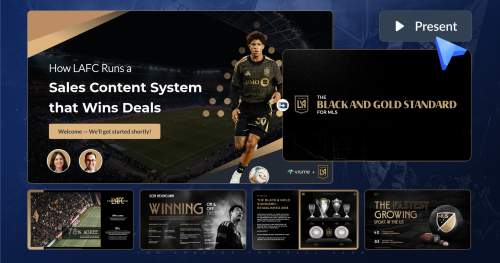
Why LAFC Builds a Personalized Sports Sponsorship Pitch Deck for Every Conversation

A pitch deck is a brief presentation that gives potential investors or clients an overview of your business plan, products, services and growth traction.
As an entrepreneur, you probably know this: your company or idea needs financing.
Oftentimes, this financing will come from external sources (people who aren’t friends or family). This means that you’ll need to communicate your ideas to potential financiers in a way that gets them excited about investing in your business.
In other words, you’ll need a pitch deck. I'll give you a crash course on pitch decks and answer all of your questions about this topic.
I'll also show you how to create winning pitch decks with real-life examples, do's and don'ts and how to create your own in less than 3 minutes.
And if you’re a visual learner like me, I’ve got you covered. This video will show you how to create a high-converting pitch deck that gets you funding fast.
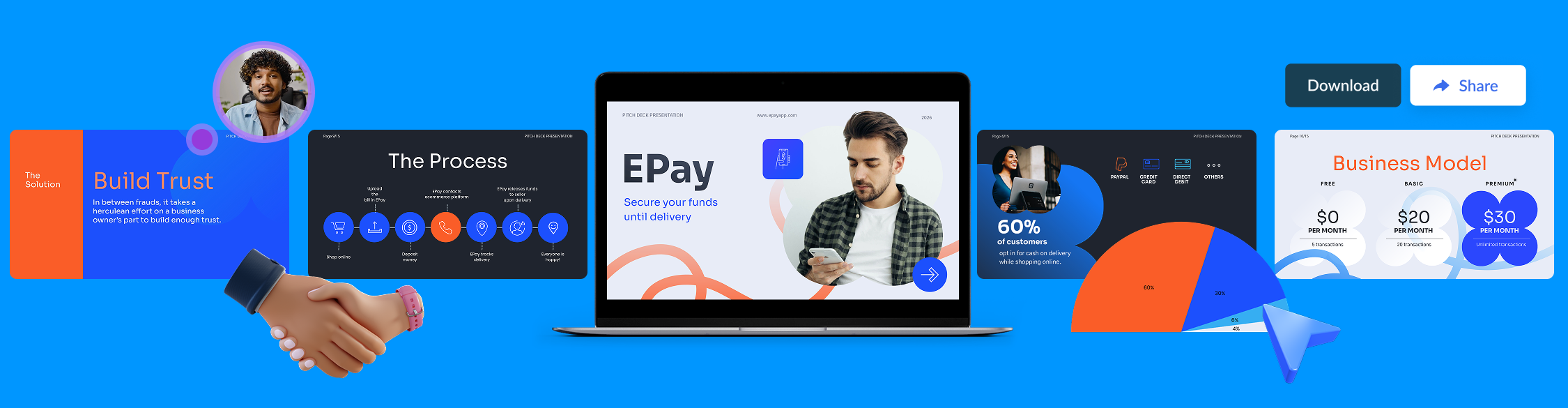
Here’s a short selection of 8 easy-to-edit pitch deck templates you can edit, share and download with Visme. View more templates below:


A pitch deck is a concise, visually engaging presentation designed to showcase a business, product, or idea to stakeholders. It typically includes 10–15 slides focusing on the problem, solution, market opportunity, business model, financials and team.
Effective decks use compelling visuals, clear narratives, and data to align audiences and encourage action.
It's also known as a start-up or investor slides, and it's a presentation that helps potential investors learn more about your business.
As strange as it sounds, it's primary goal is not to secure funding—it’s to make it to the next meeting.
Surprised? Wait, let me explain!
Securing funding is a multi-step process. A good, informative pitch deck is the first rung on the ladder. You’ll want to present investors with an idea that intrigues them and gets them to engage with you.

A pitch deck presentation usually consists of several slides that help you tell a compelling story about your business. You can put one together using a generic software like PowerPoint or use a modern tool like Visme to create an out-of-the-box presentation.
An investor deck is a presentation entrepreneurs prepare when seeking financing rounds from investors. It presents valuable information about the business, which is critical when seeking financing or looking to convince the best investors.
When faced with busy executives who won't sit through a presentation, opt for a startup one pager as an alternative. It'll help you grab their interest faster and secure a meeting where you can share your pitch.
Interested in learning more about creating compelling investor decks? Read this article and take advantage of our professional design templates to get started.
It’s tempting to dump information on investors. As a founder, every part of your business is important to you. But the best pitch decks are ones that are short and easy to follow.
A good rule of thumb is to keep your presentation to 19 slides or fewer. While there are different opinions on what to include, we recommend sticking to 10–12 slides to keep your pitch deck concise and impactful.
When analyzing successful startup decks, we found that most include 10 key slides.
A good alternative is to create a “read-only” pitch deck to present. Or alternatively, a more elaborate take-home deck for investors to review at their own pace.

Your pitch deck should always include the following:
Below, we’ll dive into why they matter and how to fully build them out in your deck.
The first slide is also the most important one. It’s your chance to make a great first impression, so make sure you don’t let this opportunity go.
Keep the introduction slide short and sweet—tell people who you are and why you’re here.
You can also use this slide to communicate the value proposition of your business. Try to articulate it in a single phrase or sentence, like:
“We make video games for doctors.”
“We make Happy Meals for adults.”
Or
“We’re Sephora for pets.”
You get the point.
A good value proposition will make your audience sit up straight and want to listen to the rest of your presentation.
If your business idea doesn’t solve an actual problem, what are you doing?
You should identify a problem your target audience faces, a gap that the market is currently not addressing.
Wondering how to explain your startup’s pain point effectively?
A good problem slide will identify two or three problems your product will tackle without being long-winded. Keep the text focused so investors will have an easy time following.
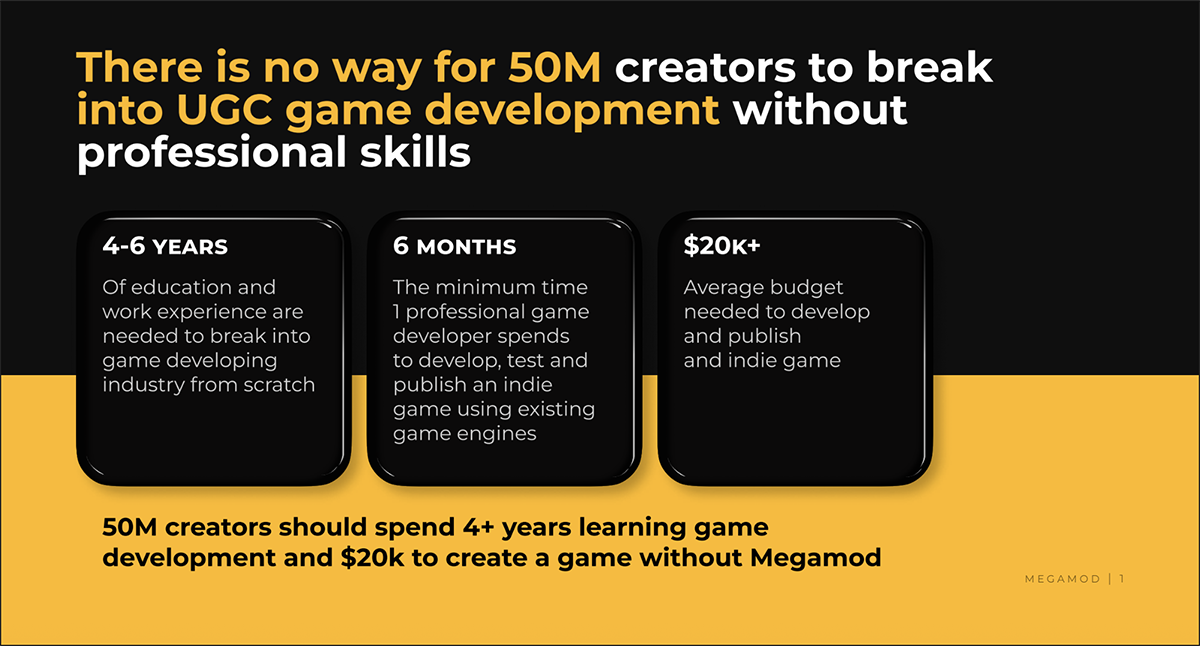
Megamod’s ‘problem slide’ from their pitch deck is a great example. They highlight how creators have no possibilities for game creation without Megamod.
Airbnb’s ‘problem slide’ from their original pitch deck is also another great example.
In this slide, identify a concise and clear solution that investors can easily follow. This is an important slide that makes your product deck captivating.
Airbnb’s solution slide highlights how they aim to solve each of the three problems they pointed out earlier in big and bold letters.
In this slide, identify a concise and clear solution that investors can easily follow.
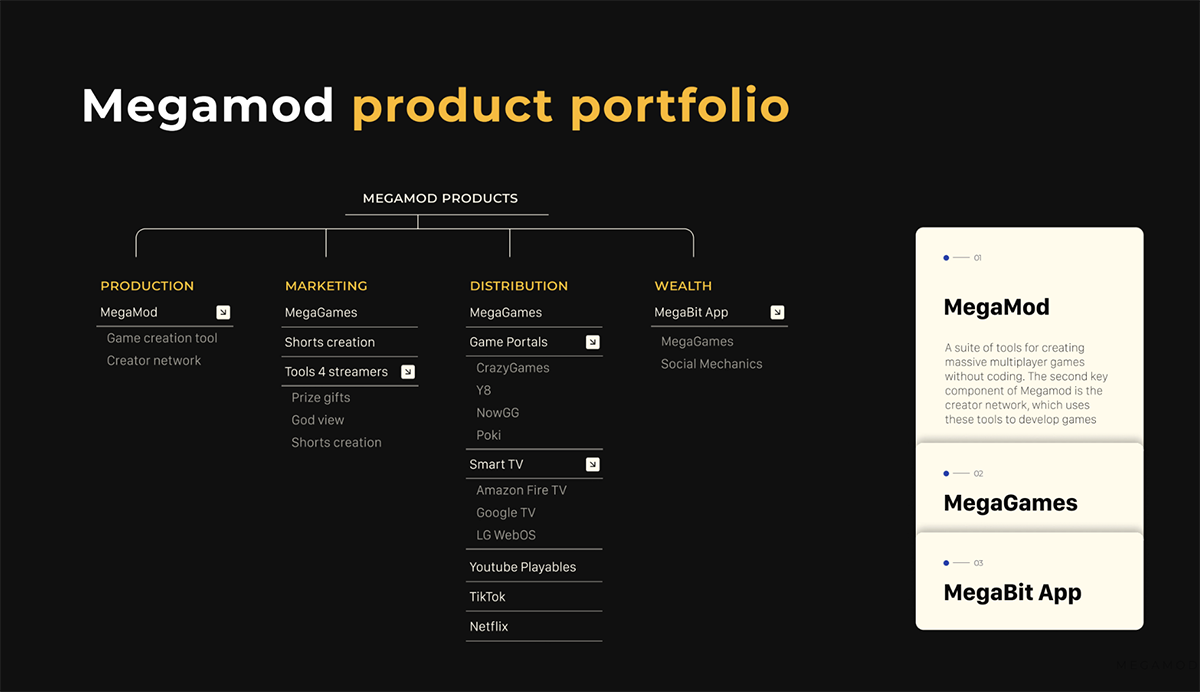
Megamod’s solution slide highlights all the possibilities for solving the problem they pointed out earlier. The slides that follow this one go into detail about each tool.
Airbnb’s solution slide highlights how they aim to solve each of three problems they pointed out earlier in big and bold letters.
Avoid making grand statements like “we are the only ones doing this.” Most people in the room will probably know multiple companies trying to address the problem you’ve identified.
Not sure how to show your product without sounding like a sales pitch?
Another good strategy is to offer multiple possible solutions to the problem presented and then move on to the one you have chosen and why. This shows investors your dedication and research.
Instead of uniqueness, focus your presentation on your research, drive, commitment and capability in solving the problem.
But make sure you don’t put all of that on your slide. Keep it simple and to the point, and let these guidelines shape your entire presentation.
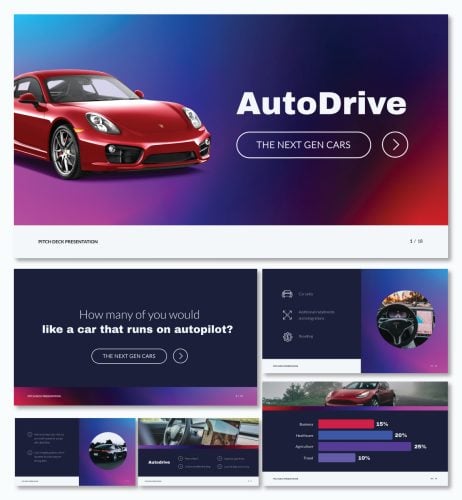
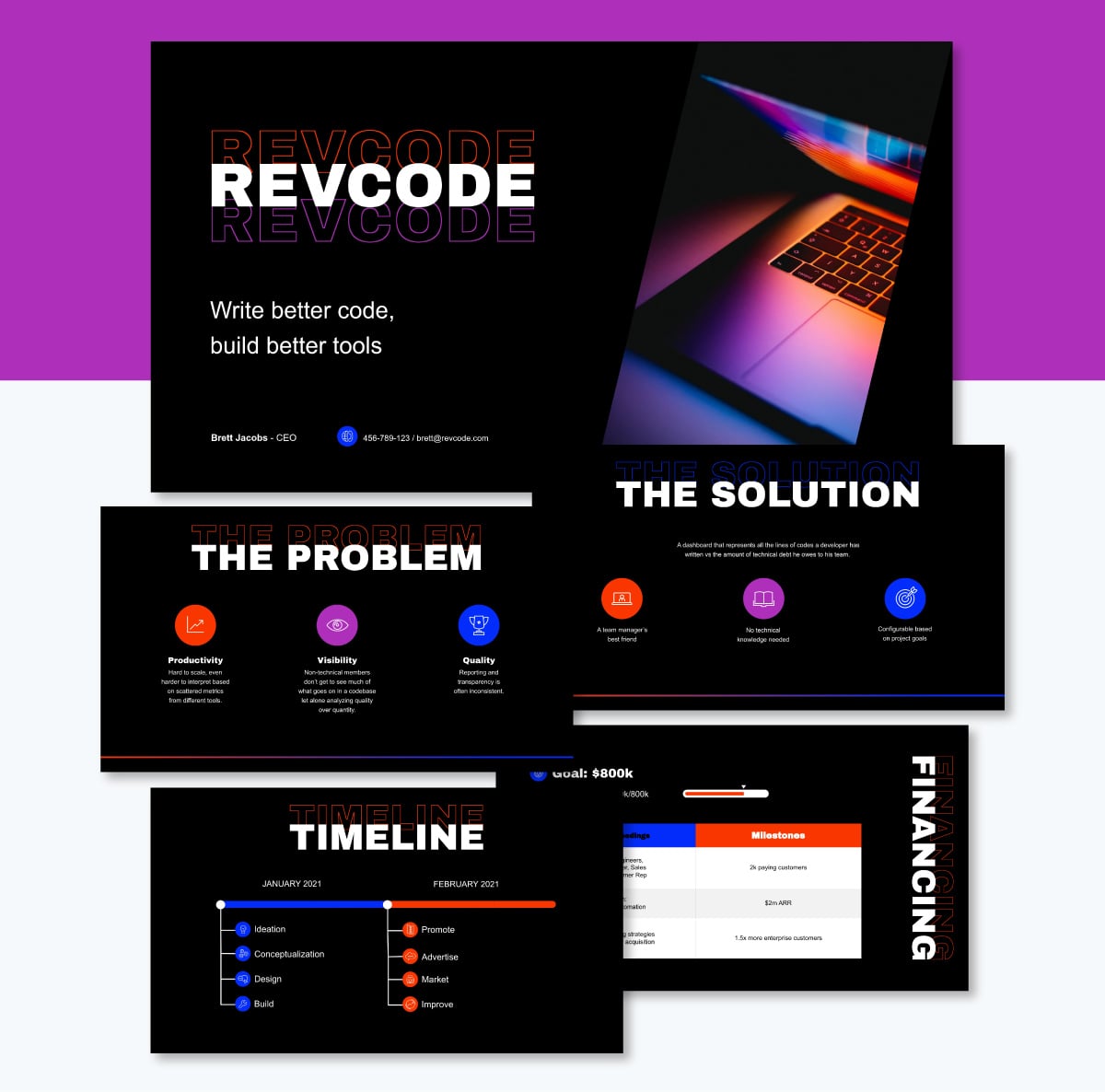
Here's a pitch deck template in a similar style to the Megamod pitch deck mentioned above. The black backgrounds and bright colors make it feel techy and futuristic.
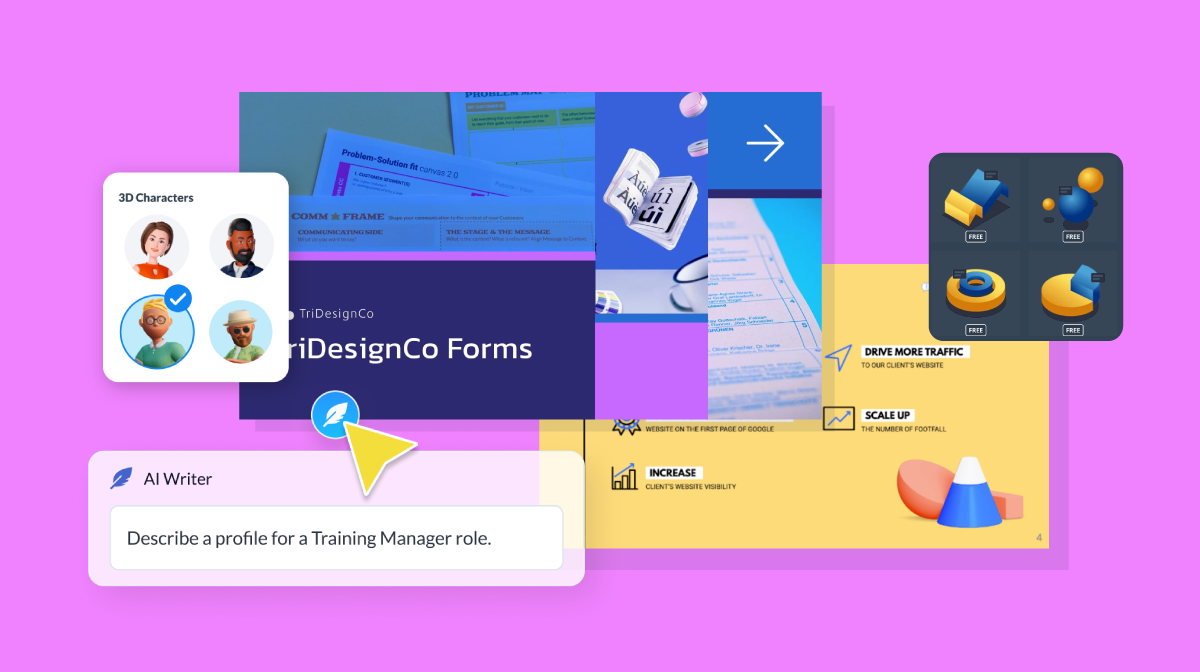
When customizing your slides, Visme's AI Writer will optimize how you create the text. It'll help you craft clear, concise information, making sure your deck impresses every audience. Just explain to the tool what you want to write and it will take care of the rest.
When creating a sales pitch structure, be sure to include a summary of your market research.
The market will determine if you get your funding or not. If you are operating in a small market, investors might find that the potential ROI is too small or too risky to fund you.
A good market slide will show past and expected future market growth so investors can easily see the product’s potential.
A good example of a market size slide is from Lunchbox’s pitch slides.
Notice how the slide clearly shows the market size and identifies the opportunity in measurable numbers.
This is the part where you showcase the actual product or service your business sells.
If it’s a physical product, add professional photos of your product from different angles. You can also include exploded or cutaway views that highlight the materials and features of your product.
If your product is an app, online tool or service, consider adding mockups with screenshots that show off its most unique features.
Dandelion Energy's product slide uses an illustrated graphic and a comprehensive explanation of their product in a simple layout.

:source: Image Source
To take things further, you can also conduct a physical product demo midway through your presentation. Or embed a video or a link in your slide to run a virtual demo.
Here's a template inspired by TouristEye that you can customize for your own startup.
This slide should be all about the growth of your business—the numbers of sales you’ve made, the major goals you’ve achieved till now and the next steps.
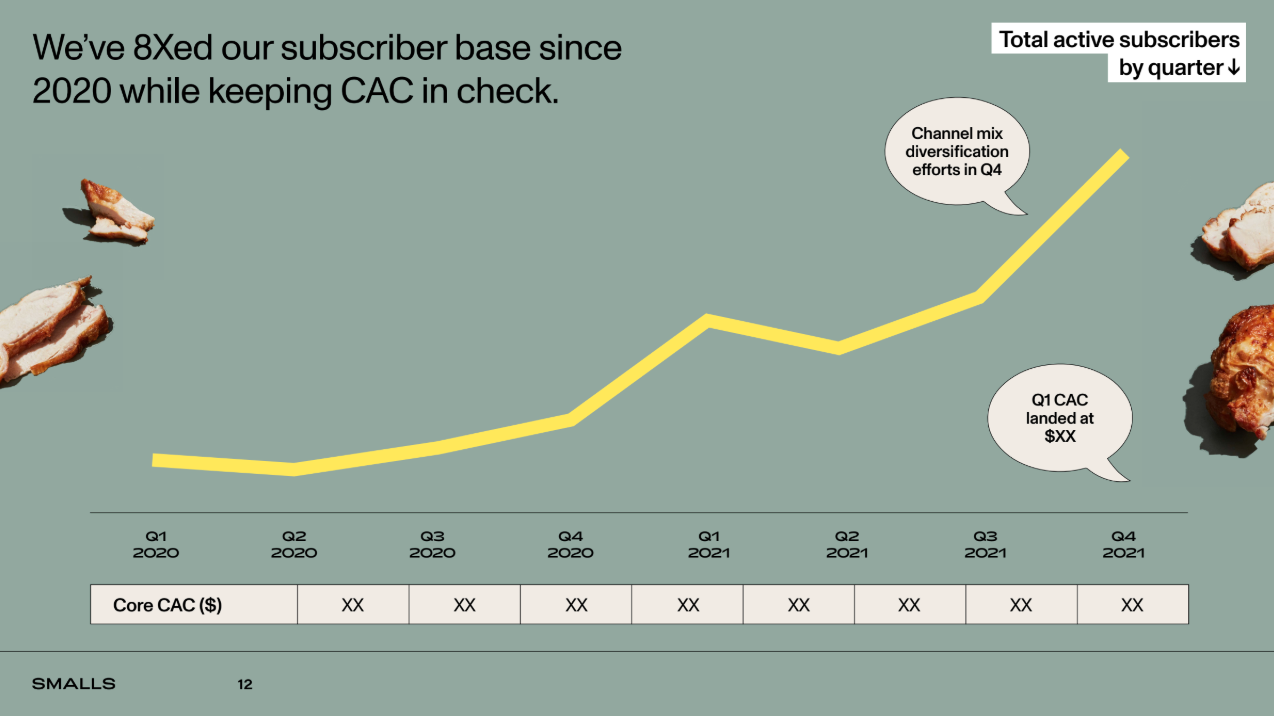
Most startups include a hockey stick growth chart in the traction/performance slide in one of their pitch decks.
This slide in Smalls' pitch deck is a great example of how to showcase your current achievements to investors. Not only did they create the chart using their unique visual aesthetic, but it’s also easy to read and understand at a glance. Plus, the speech bubbles call attention quickly and offer valuable info.
The traction slide plays a crucial role in crafting a compelling narrative for investors as it reduces risk in their eyes. They want to see proof that your business idea or solution has what it takes to be profitable.
Here's a template for an ecommerce site like Smalls, that you can customize for your own startup.
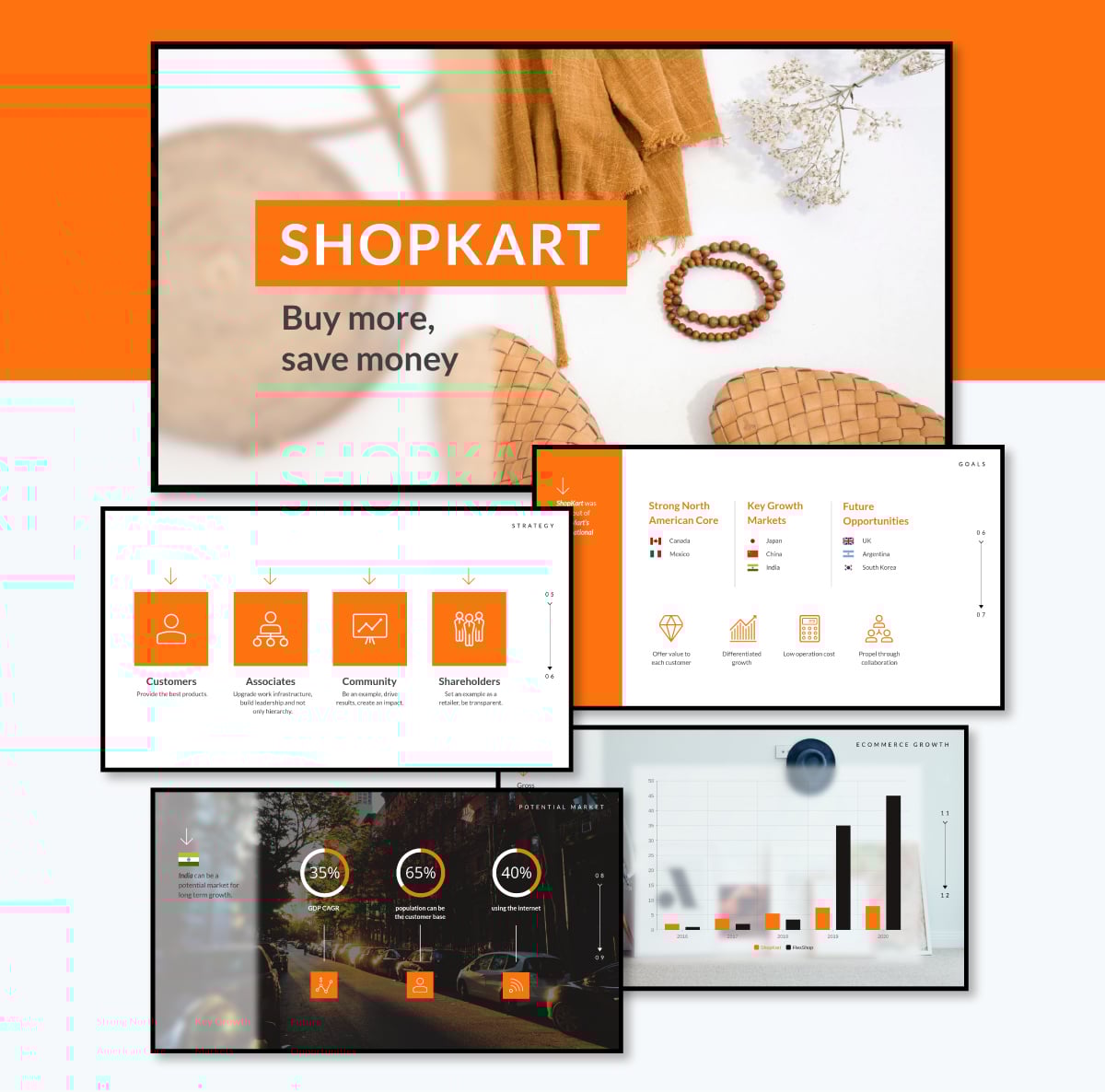
Your pitch deck outline will include your core team members. The investor is interested in the drive of these people and what makes them unique enough to see this project to its success.
Under each core team member, consider including bullets, descriptions or titles that show why they are central to your mission.
Here’s an example of a team slide from Teton AI's pitch deck.
Keep the members here limited to your core team. Advisors need not be included.
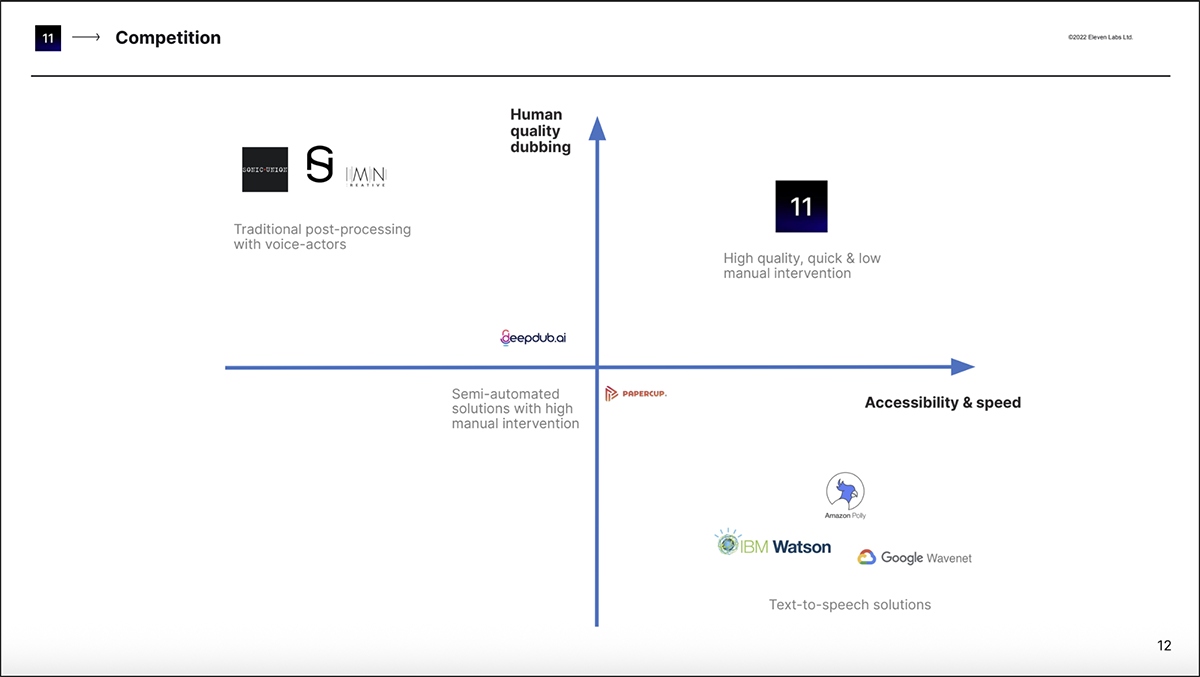
Utilize the competition slide to visually illustrate your competitors and communicate the factors that make your startup special.
Eleven Labs has a great slide in this regard.
Notice how they use human-quality dubbing on one axis and accessibility and speed on the other, setting their business apart from other voice generation tools.
BuzzFeed’s original Series A pitch deck from 2008 also does well by showing how they combine offerings from both media and advertising.
The slide clearly states that Buzzfeed is a tech company that takes the best from media and advertising. Competition will come from firms moving to the center.
When you look back, BuzzFeed had no real competition in 2005, simply because the category didn't exist yet. By mapping out that landscape before anyone else, Peretti wasn't just pitching a company; he was calling an industry into existence.
In 2015, Adweek's David Griner, called the deck's accuracy an accurate prediction for the site and the media landscape, noting that “looking back, you won't find too many surprises, and that's probably what's most impressive." Not surprisingly, the statement still holds true in 2026.
Here's a template inspired by Buzzfeed that you can customize for your own startup.
The financial slide in your deck is the one investors spend the most time reviewing.
Your presentation outline should contain your company’s projected growth over the next three to five years, along with details about your business model and finances.
Enlive’s pitch deck does a good job at showcasing their income statement projection in this slide.
The use of colors and a bar chart makes the financials easier to understand and definitely look more interesting than a boring spreadsheet full of numbers.
A lot of this information is not set in stone. No one can accurately predict where you’ll be in the next three years, but investors expect to see you outline your plan and show that you have the financial knowledge to reach it.
You can also explain your economic plan here. This includes your operating structure and distribution channels as well as your plan to make money.
Upload an Excel file or sync with live data from Google sheets
Choose from 16+ types of charts, from bar and line graphs to pyramid and Mekko charts
Customize anything, from backgrounds and placement of labels to font style and color
Before you wrap up, don’t forget to tell investors what you need from them.
But instead of just asking for a certain amount of funding, also let them know what you plan to do with the money.
When you justify your ask, it helps build trust and shows investors you're serious.
Here’s a no-nonsense investment slide from Intercom’s original pitch deck as an example.
Even though this is an old pitch deck, it’s still relevant for how it translates Intercom’s unique brand style through a handwritten font and bullet points.
Remember to be strategic here. Let your investors know the amount you are asking for, but keep it real. You don’t want to lose out on a big investment simply by aiming too high. Cover your bases.
Here's a template inspired by Intercom that you can customize for your own startup.


While there’s no universal structure for creating pitch decks, make sure your deck outline contains the slides we’ve highlighted.
When it comes to choosing deck dimensions, you can either use the 4:3 aspect ratio or the 16:9 aspect ratio. When emailing your pitch, ensure the file size isn’t larger than 10MB.
Learning from real examples is like getting advice from experts. By looking at what has worked for other businesses, you can better understand how you should design your own pitch slides.
So, here are some good pitch decks and examples that real-life companies have used recently to secure funding.
Finix's deck presents a tailored solution for businesses to manage payments, emphasizing their platform's efficiency and scalability. It effectively visualizes their unique value proposition, revenue model and market opportunity with a sleek and professional design that reflects their purpose well.
Softr's deck uses aesthetic consistency with clear visuals to highlight their no-code platform's functionalities. Their compelling narrative includes discussion on market trends, competitive differentiation and growth plans, capturing the essence of their vision.
Lunchbox is a restaurant technology platform that enhances the customer experience by offering online ordering, loyalty programs, and other digital solutions to streamline operations.
They've cleverly included lots of additional visual elements like icons, illustrations, charts and data visuals in their presentation. Everything in their deck shows how they mix food and technology together.
If you want to elevate your deck's visual appeal using unique and high-quality graphics, like this example, Visme's AI image generator is there to help.
It can help you generate any graphic in different formats, like icons, illustrations, drawings, abstracts and more. Use the tool to generate a high-quality graphic to emphasize your deck's content.
With its sleek, minimalist design, Plum's investor deck establishes its mission to automate wealth management effectively. Their slides are rich with data on target markets, growth strategies and financial projections, reflecting their drive to democratize personal finance. Also, they limited their slides to 9 and still managed to cover enough.
Teton's deck features a clean and professional design, aligning with its focus on cutting-edge AI technology in healthcare. They've used Venn diagrams, charts, shapes and high-quality, relevant images to emphasize their deep learning and computer vision products.
Vue Storefront's deck smartly incorporates its brand color – a refreshing green scheme. This not only aligns with their brand identity but also infuses vibrancy and a distinctive sense of innovation into the design.
They used boxes for text organization to convey clarity and structure, making information easily digestible.
Party Round, with a recent funding of $7 million, is dedicated to simplifying the fundraising process for founders.
This deck is smartly designed with a balanced layout that quietly hints at automation and user-friendliness. The use of big letters boldly captures attention, while adding 3D design elements adds a layer of dynamism, creating a visually engaging presentation that stands out.
The color choice of Dandelion Energy's pitch presentation aligns with the company's focus on sustainable energy, evoking warmth and eco-friendliness. The deck incorporates visual elements such as bar graphs, images, and an illustration to vividly explain how their geothermal product works.
Here are ten easy-to-customize presentation templates you can use to pitch your business, app or project. Click on the button below the template image to open it in the editor.
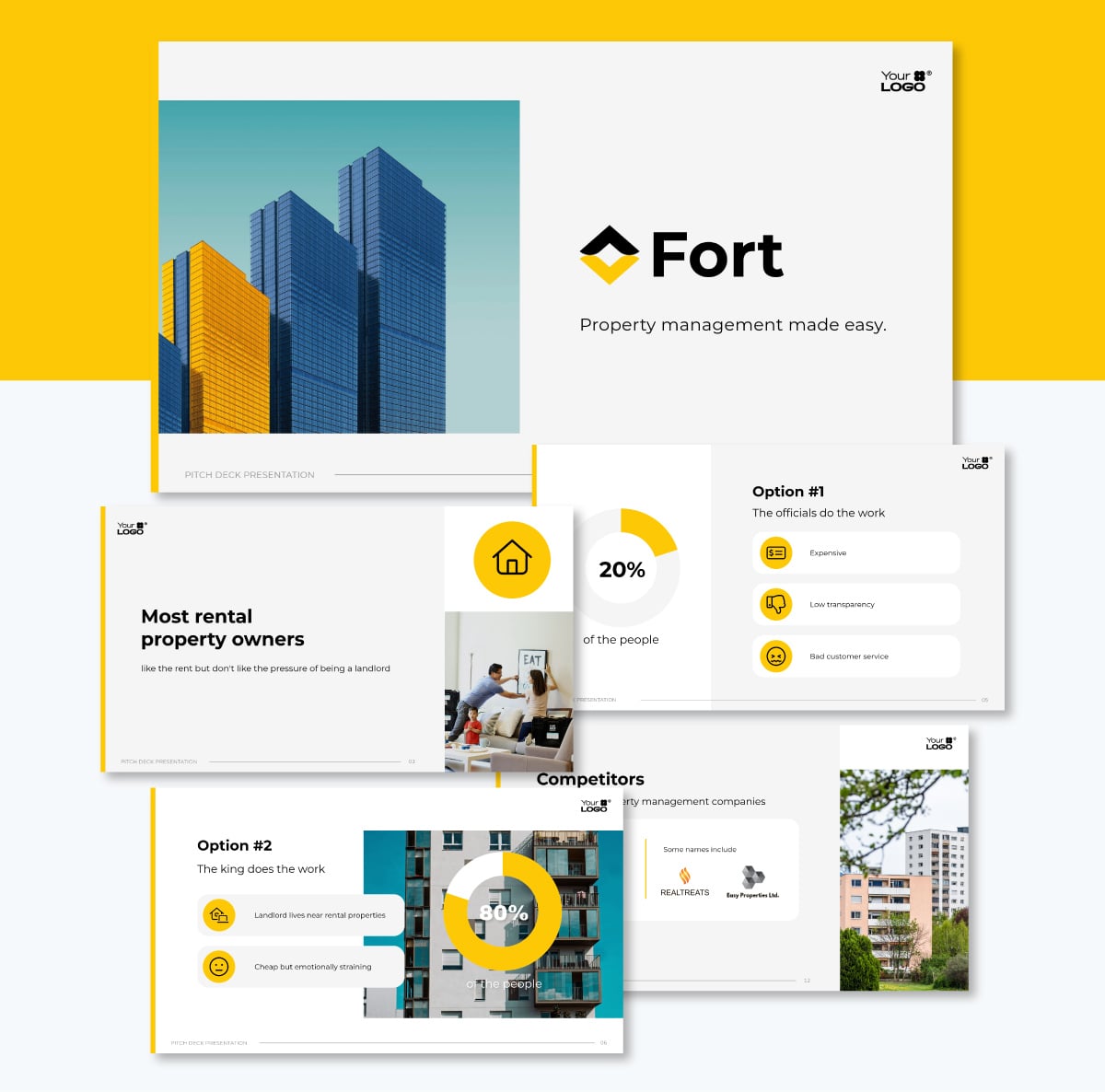
Too much visual clutter can ruin a good pitch. That’s why this layout uses minimalism by pairing architectural photography and profile photo cutouts with lots of empty space.
The yellow, blue and grey palette creates a strong composition with an unassuming font that reads well and doesn’t compete.
If you’re pitching a property management app, this deck will help you showcase device mockups and financial projections with a consistent look and feel. You’ll notice how the bright yellow color blocks, icon circles and bar charts call attention by being super contrasted with the rest of the design.
But if you’d like to use another accent color or match your corporate identity, use Visme's Brand Wizard and Brand Kit. It’ll pull all your colors, fonts and logos and you can then switch them out in seconds.
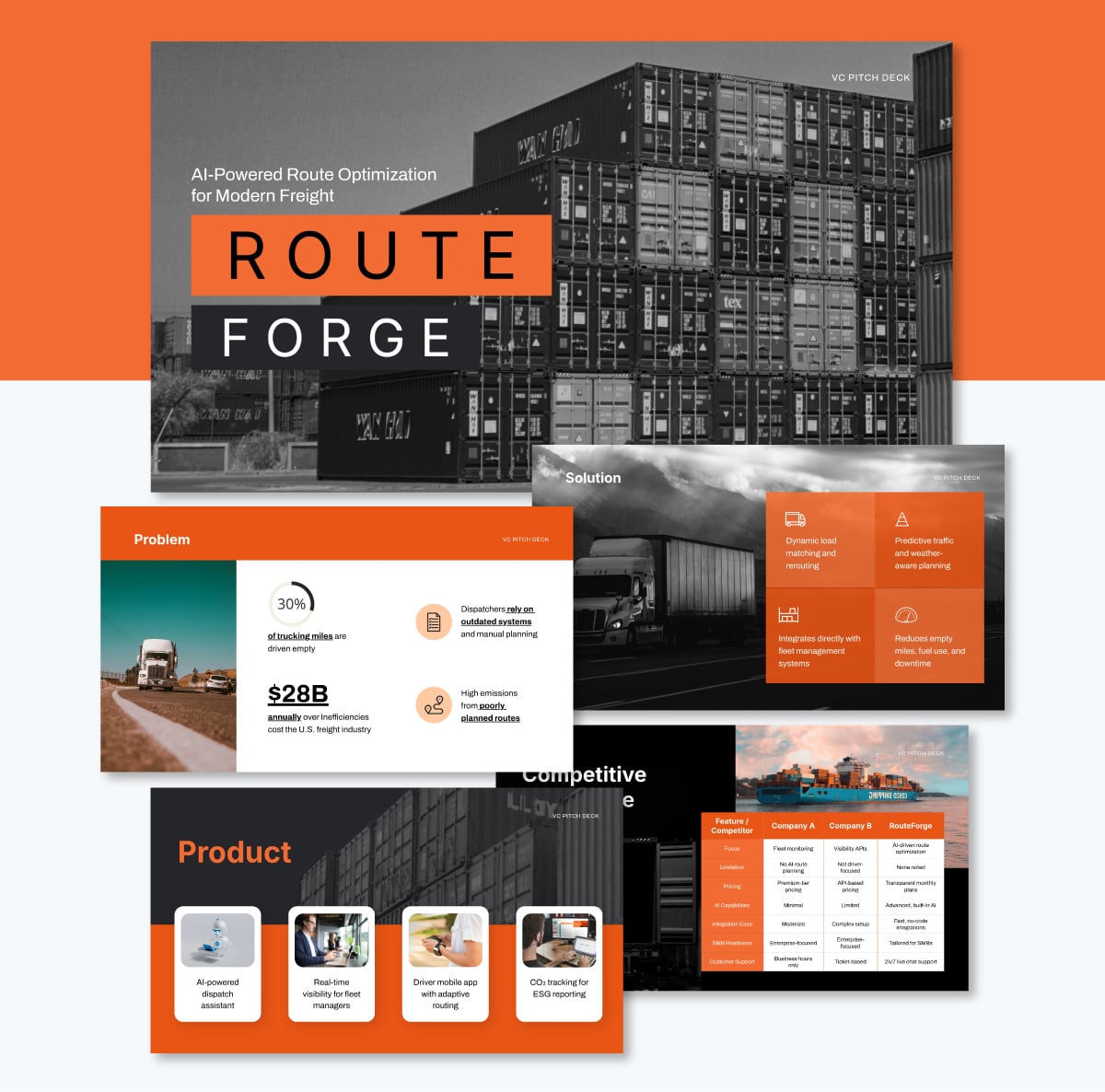
This pitch deck template design stands out with a deep purple background and bright coral accents. The context of this deck is for a route optimization software. So, the inclusion of map pins and arrows suggests movement. It’s an excellent choice for logistics startups or supply chain tech companies.
The inner slides display all the vital information your potential investors want to know: your solution, product, traction, market opportunities, competitive landscape and the team behind the magic.
Every slide features a unique visualization, ranging from tables and charts to infographic layouts and icon cards.
You can go even further and make everything more engaging by incorporating Visme's interactive elements. The interactivity hub offers several features that will help you create an interactive presentation and digital experience where investors can click through pop-ups, watch demo videos and learn as much as possible about your company.
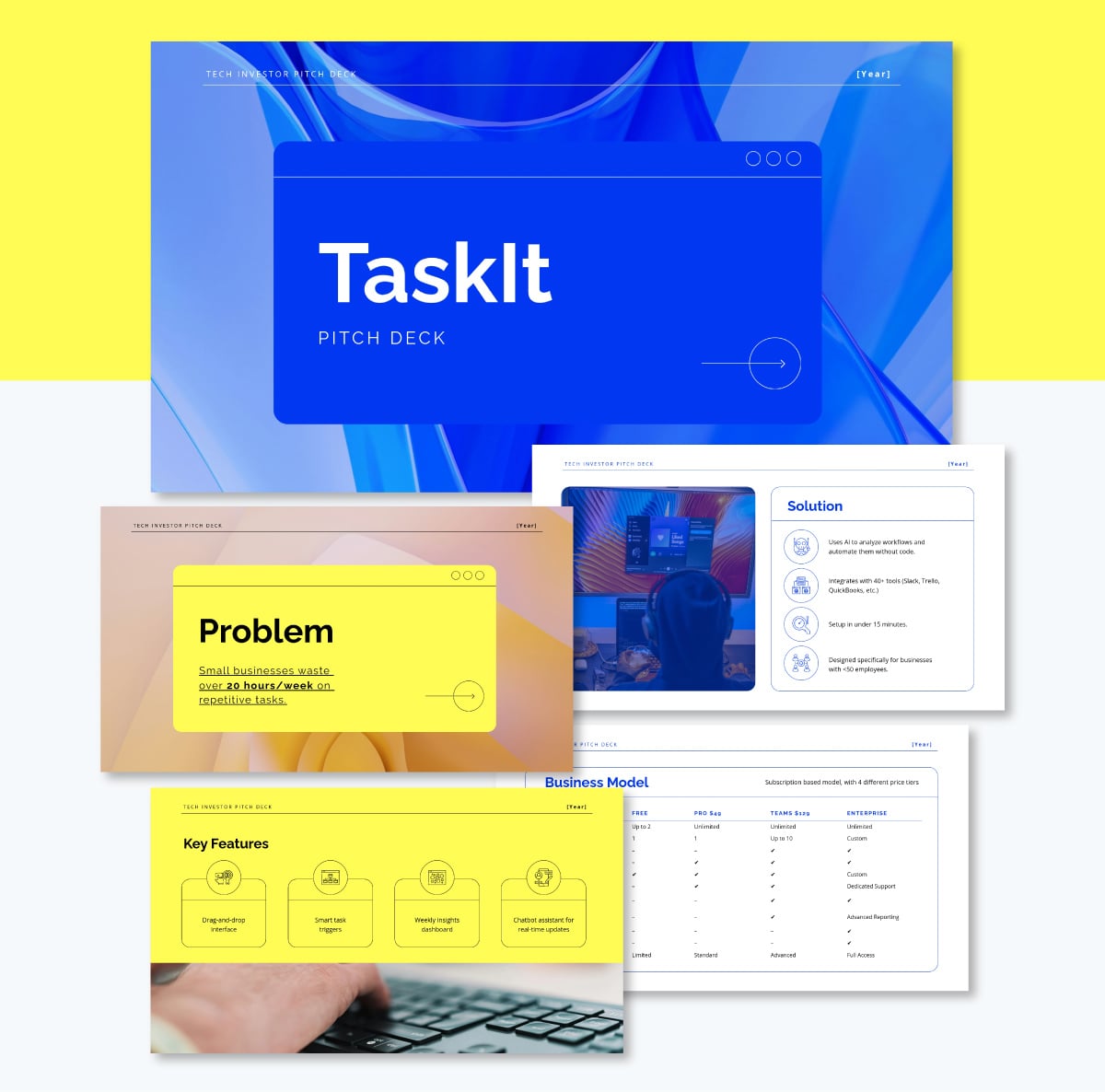
So you’re building a digital platform and need investors? Why not use a UI wireframe or mockup idea to create the slides in your deck? Our designers did just that with this template.
It features fluid blue and purple gradients that make the browser UI mockups look attractive, inviting and yes, even interesting. And if you want to add more slides using the same visual richness, you’ll find plenty of wireframe building blocks in the left-side toolbar.
A SaaS startup pitching a new productivity tool can even add device mockups and drop screenshots directly into them. The mockup will adjust the image automatically to make it look perfect.
If you need to generate custom graphics or refine the text quickly, use the handy AI tools inside the AI Hub. They’ll help you iterate on those details in seconds.
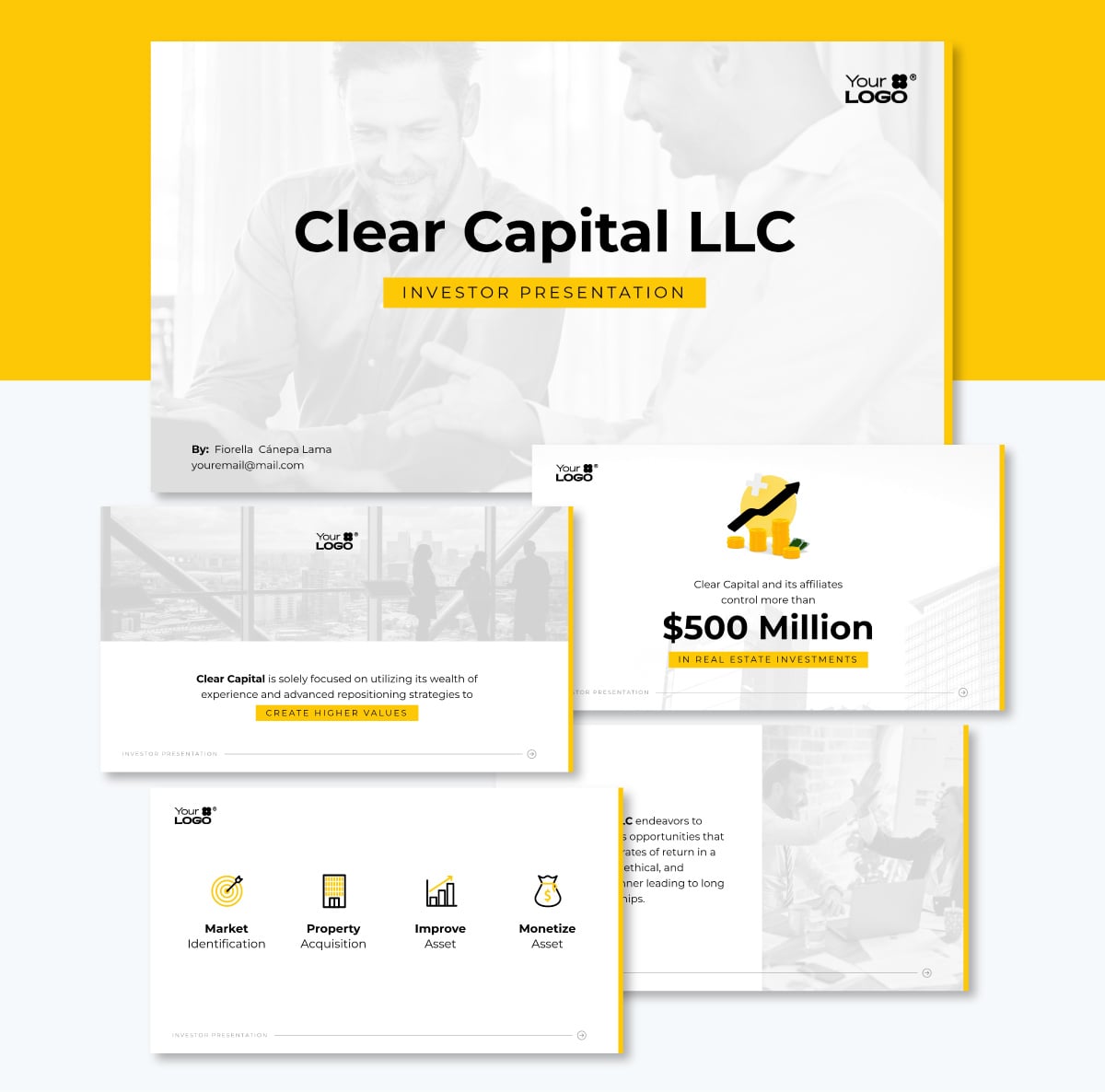
Boutique real estate groups present portfolios of luxury properties to high-net-worth individuals. And their investment presentation must feel as premium as the assets they sell. The minimalist approach and subtle images in this template ensure that the focal point is the value the organization provides.
If you want to take this pitch presentation beyond the norm, add a personalized timeline slide. Since this template is part of the Sleek Pitch Deck Template collection, there are several timeline types to choose from, with or without images, with or without connectors. The choice is yours. Click Create New > More Templates > Sleek > Timelines.
Use the new slide to map out the development phases or investment maturity schedules. This will show investors exactly what to expect.
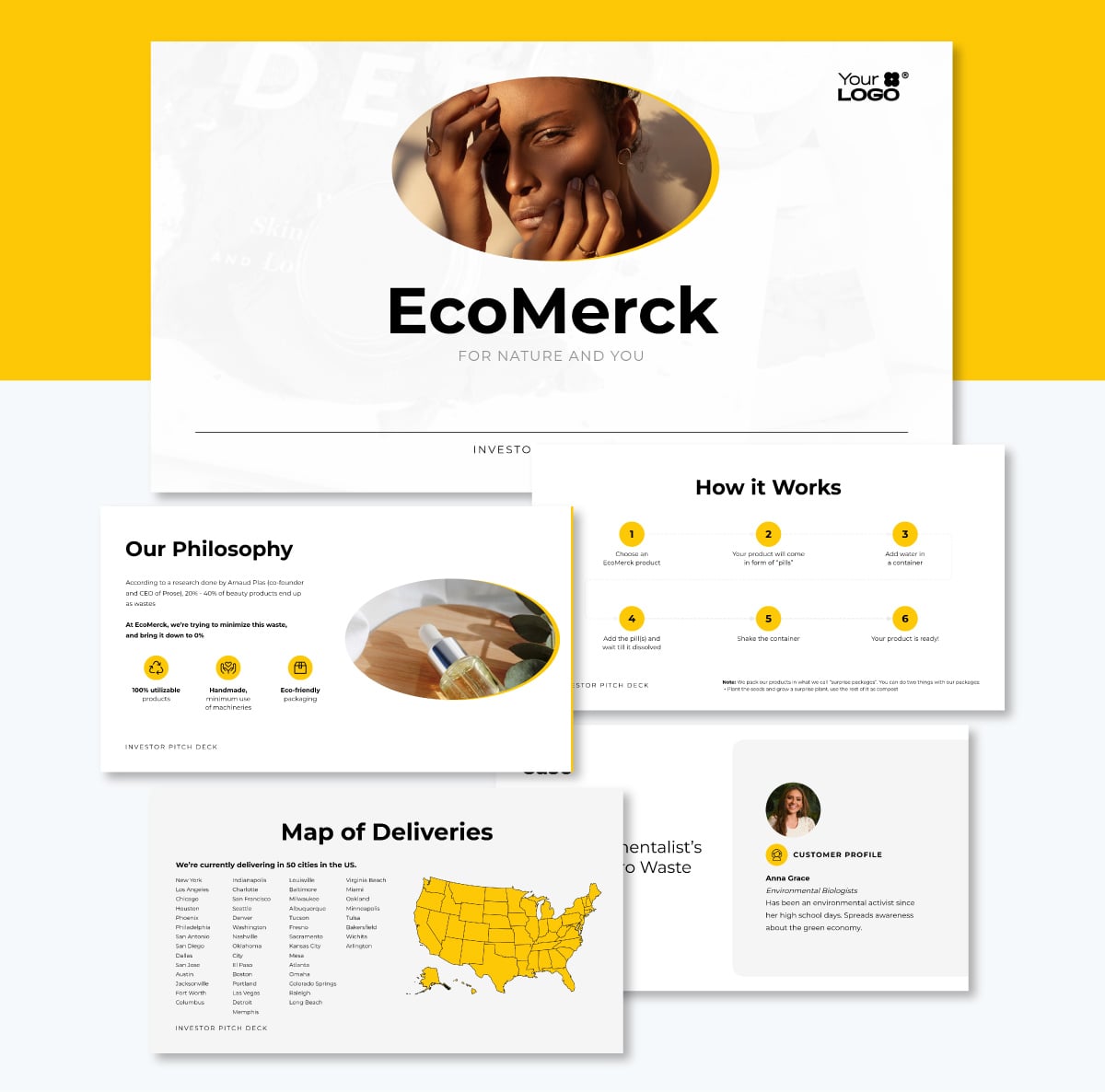
Here’s another minimalist pitch deck with the Sleek aesthetic. This one is primed for interactivity. The circular icons can serve as hotspots that open to short videos, product images or sound bites from happy customers. Now you can even add two hotspots to each element. Let investors discover your brand through a guided flow on the How it Works slide.
This template is perfect for a beauty startup to highlight its environmental approach to business and production. There is plenty of space to add product photos, too, or you can add more slides.
If your product photos need a quick touch-up, use Visme's AI Image Edit Tools to adjust, remove unwanted objects and erase backgrounds. All right inside the editor.
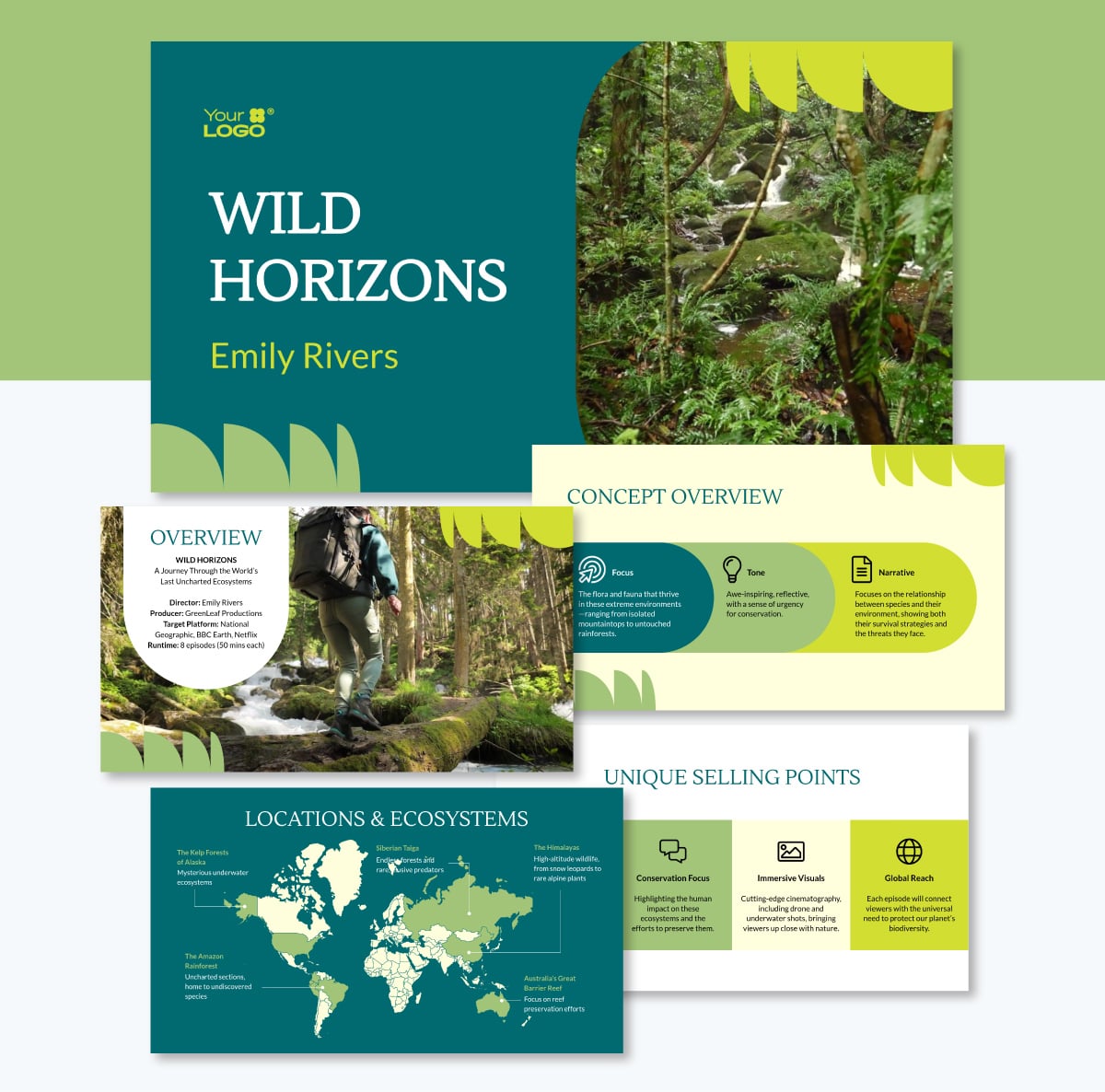
Securing funding for a film requires you to sell a vision before you even shoot a frame. This template balances deep forest greens, bright lime accents and striking nature videos, creating an immersive visual experience.
As a production company pitching a conservation documentary to a streaming network or financial investor, you can use this deck to establish the film's mood and tone across the slides. If you lack specific location shots for your pitch, you can use Visme's AI Image Generator to create concept art that perfectly captures your intended cinematic style.
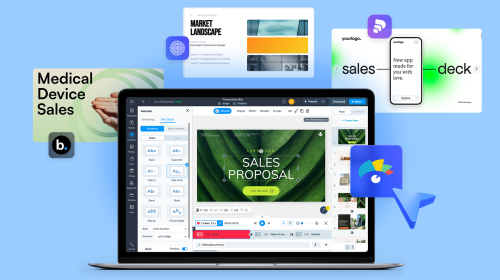
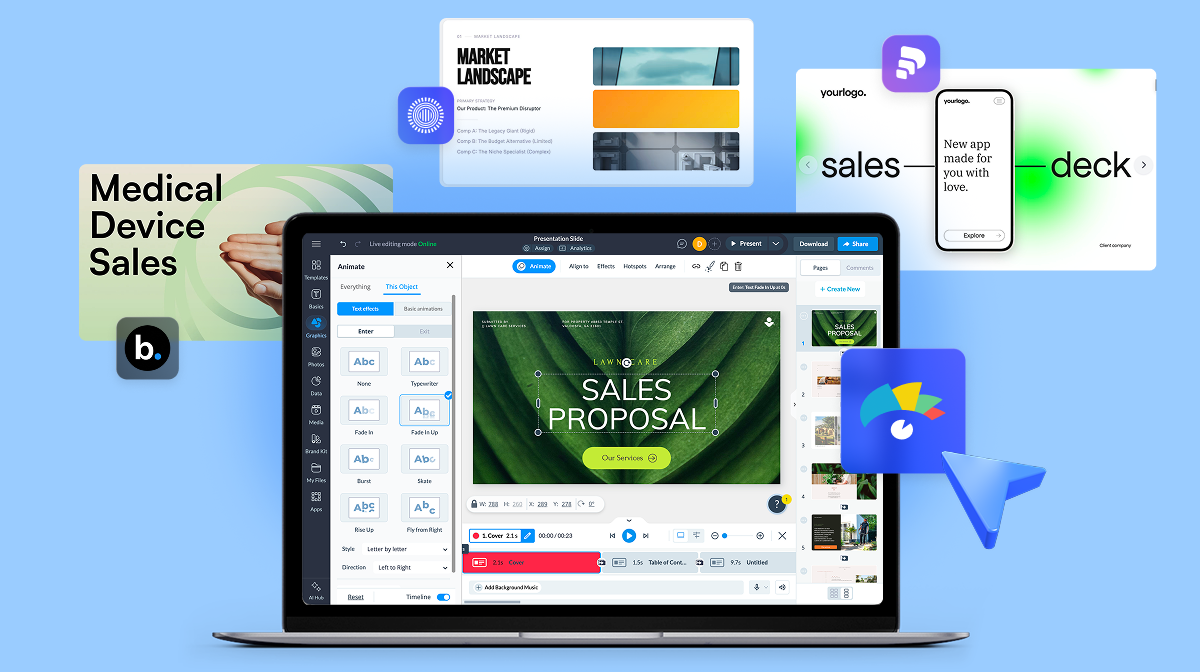
The template also includes animation features, which you can customize however you like. The editor has both animation settings in the toolbar and timeline at the bottom, where you can adjust length by trimming and dragging.
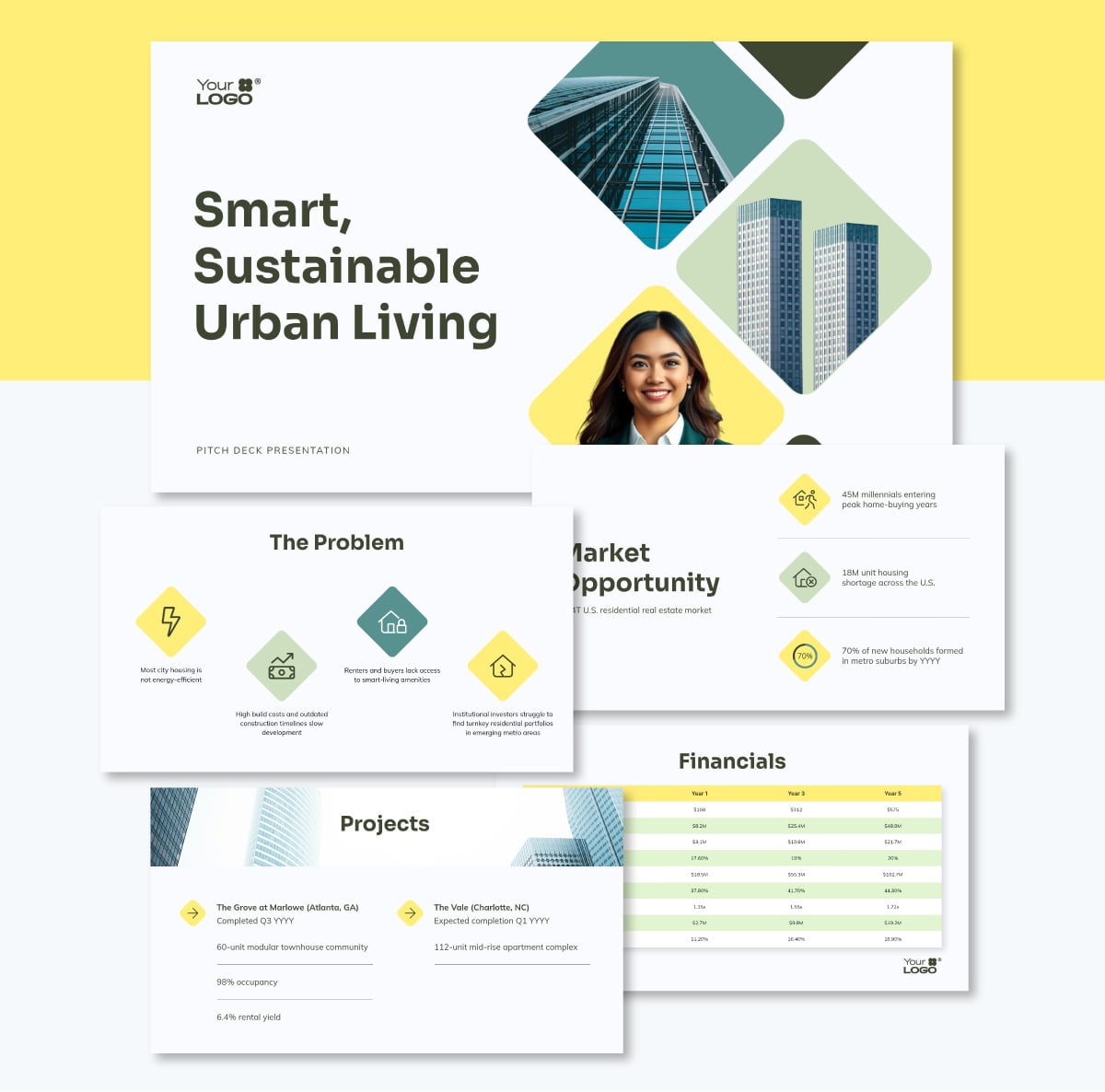
There’s no need to stick to a standard layout; why not use one with interesting visual shapes and composition? The geometric layout in this template, for example, consists of overlapping diamond and triangular shapes in muted greens and yellows, breaking the mold and calling attention to the slides.
Using a deck that flows from beginning to end like this makes potential investors grasp the information more easily. All you need to do is switch out the images in the placeholders for your own and add your content.
Then, to clearly illustrate the complex permitting and construction process, you can add a diagram using Visme's Flowchart Maker, showing investors exactly how you plan to execute the project from ground-breaking to final sale.
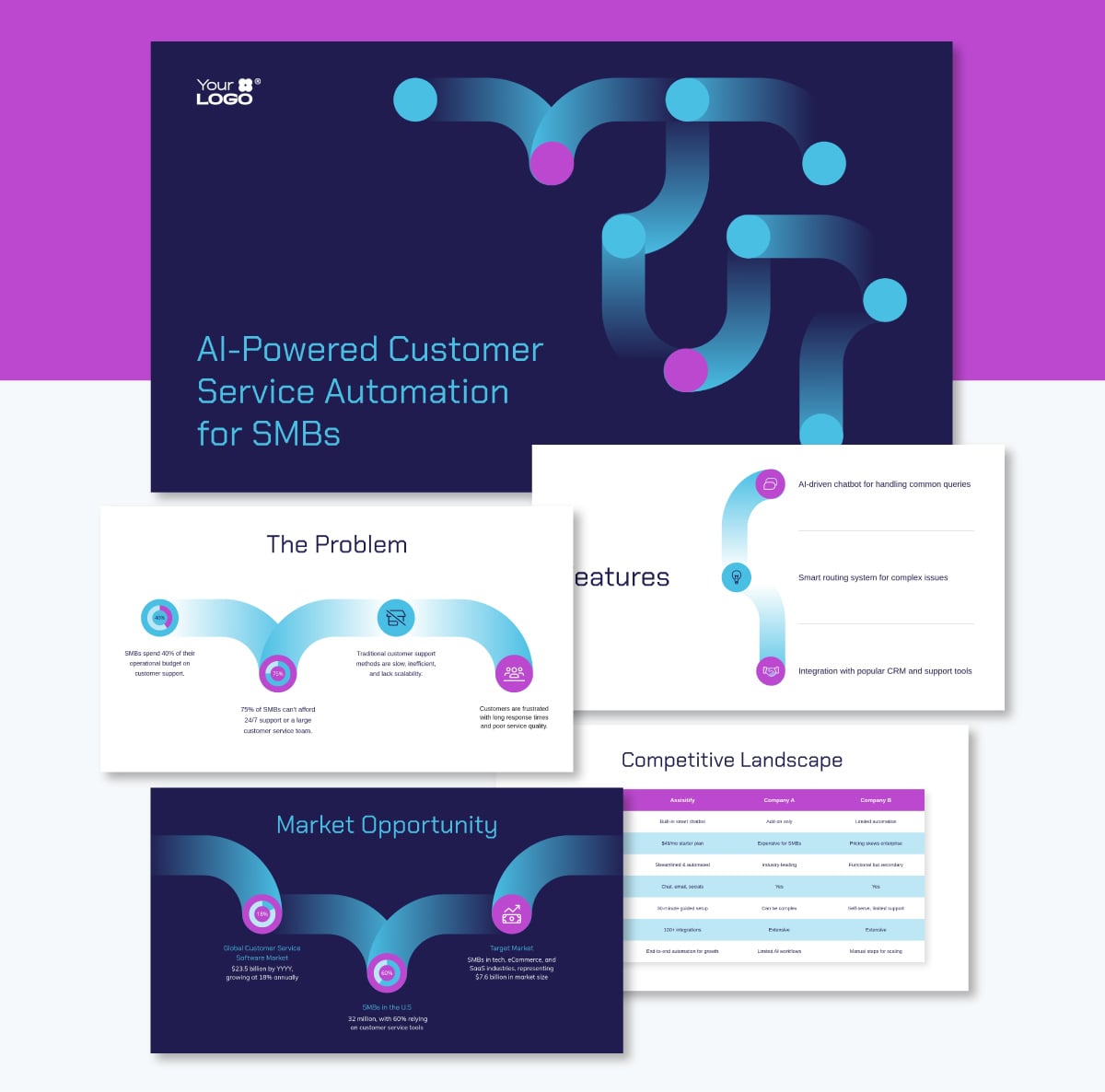
New startups looking to secure their very first round of funding are different than startups at seed, Series A and beyond. They have no historical revenue, so they must focus their potential. With their pitch deck, they have to sell their idea to get the project off the ground. A great way to do that is by ensuring that the pitch deck itself transmits the story visually.
For instance, this dark-mode design uses bright neon blue and purple interconnected graphics to scream "cutting-edge tech." The dark background makes the neon elements pop, perfect for illustrating neural networks or data flow across the inner slides. A startup in the deep tech industry could use this design to let investors know right away what type of tech they’re building.
If you use this deck because it's perfect visually, but still struggle to articulate your complex technical vision into punchy slide copy, Visme's AI Writer can help you draft compelling, concise text that resonates with tech investors.
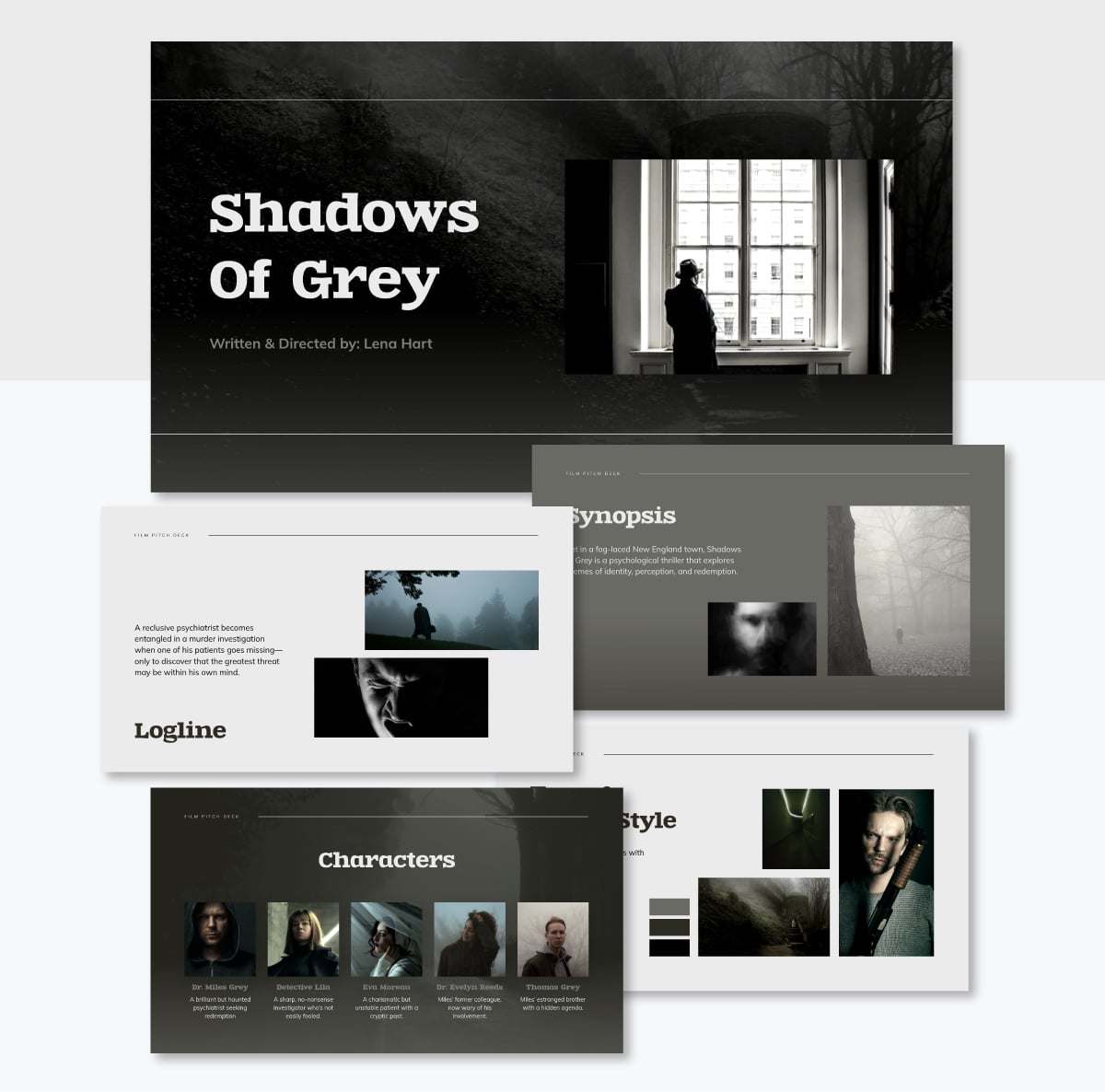
When pitching a creative project, let the visuals do the heavy lifting. This template employs a moody, desaturated color palette and edge-to-edge cinematic image layouts that immediately plunge the viewer into the world of your story.
If you’re a director pitching a gritty thriller to a production studio, you can use these full-bleed slides to showcase mood boards, character references and location scouts. Further elevate the pitch by embedding a teaser trailer video or sizzle reel directly into the deck.
To give any photo the same treatment, regardless of whether it's originally in color, use the image editing tools to reduce saturation, adjust brightness and create a moody version.
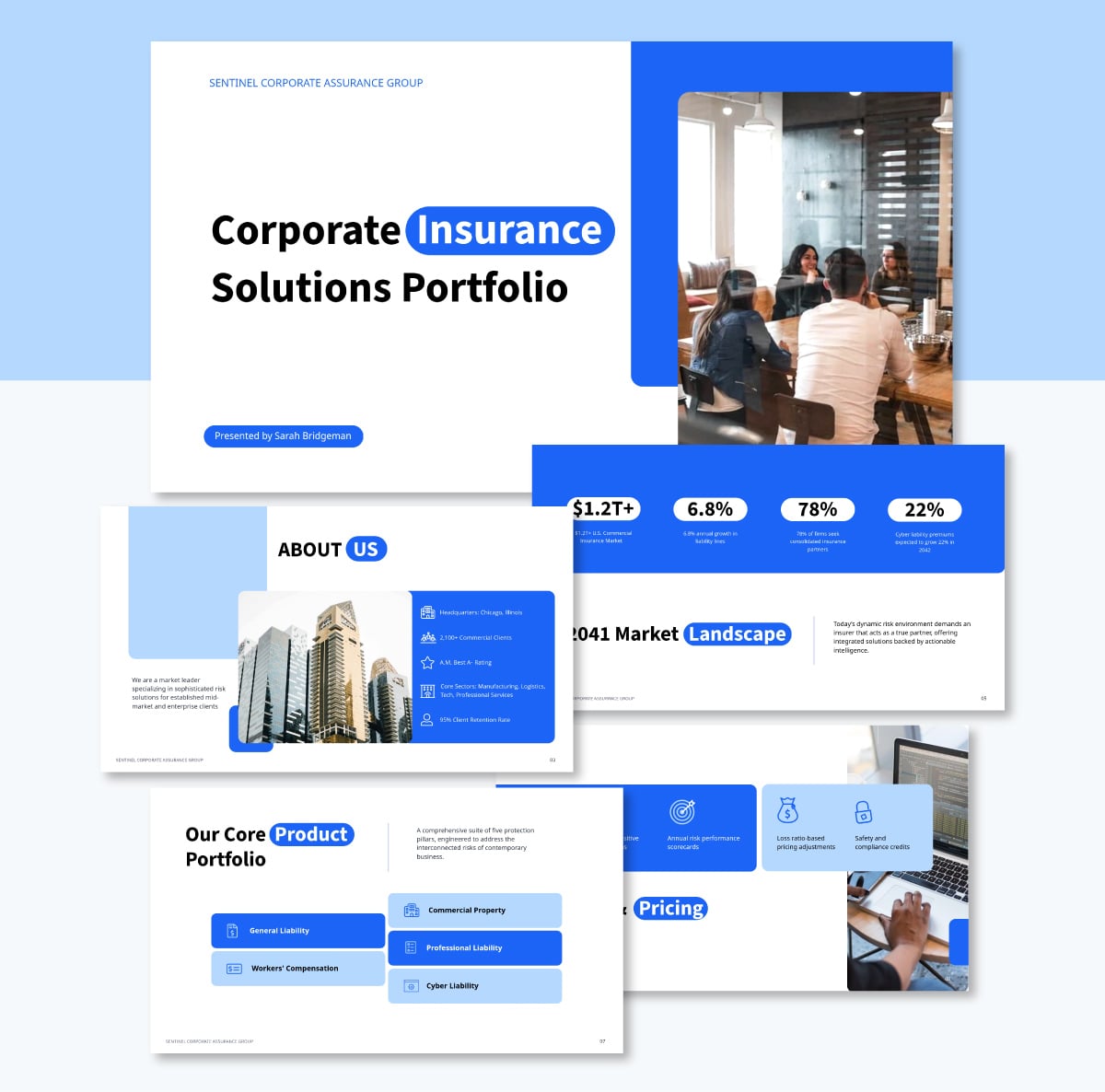
This template balances a structured corporate layout with a dependable blue-and-white color scheme to project stability and competence. The layout provides ample space and placeholders to detail complex coverage plans, liability assessments and historical performance metrics.
Don’t force executives to squint at spreadsheets and use Visme's data visualizations to turn dense actuarial tables into clear, immediate takeaways. Build a stacked bar chart to compare coverage limits across different departments, or drop in a line graph to prove exactly how your proposed risk management plan lowers premium costs over a five-year term.
Now that you’re clear on what a pitch deck is and what a good one contains, let’s take a look at some common dos and don’ts for creating and giving powerful pitch presentations.
But before that, make sure you watch the video below for top pitch deck design tips to create the perfect startup pitch.
Remember that this is a presentation with a short time span. Make your sales pitch deck brief and to the point.
Don’t overwhelm your audience with a lot of text. Explain the things you want to explain in detail but don’t cram them onto your slides.
As you can see from the examples above, it’s best to have bullets, not paragraphs, on slides.
Furthermore, use large font sizes, lots of visuals and a readable color scheme. This will help you put together an engaging and informative presentation.
Make sure you include your contact information at the end of your presentation to let your audience know who to reach out to for queries.
Here is the contact slide from Facebook’s 2004 investor deck.
This slide also allows your business to have a ‘face’ and encourages investors to look this person up.
In your Team slide, stick to core members. Too many executives can overwhelm; your investors want to know who is piloting the ship.
People remember stories 22x more than facts alone (according to cognitive psychologist Jerome Bruner). Why? Because stories make people feel something—and emotions stick.
A great pitch isn’t just about what your business does; it’s about why it matters. Your audience needs to feel the problem you’re solving, not just hear about it. In fact, a Stanford study found that 63% of people remember stories, but only 5% remember stats.
What's one of the best ways to structure your pitch, and how do you make your pitch more engaging?
Try this simple three-act storytelling framework:
Act 1: Setup: Define the Problem
Act 2: Conflict: Introduce Your Solution
Act 3: Resolution: Show the Impact
Investors and decision-makers don’t just invest in ideas—they invest in stories that stick. So ditch the data dump and focus on a narrative that makes them care.
Without a cohesive narrative and a bigger picture dealing with the why of your business and what it will bring to your customers, all your stats sound dry and boring.
Make sure a purposeful narrative runs throughout your presentation, not just at the beginning. The stats are important, especially financial stats, but they aren’t the only important thing.
What is on the slides is important, but so is how you present it.
As you’re speaking, gauge your audience, their interests in the particulars of your business, and what they most care about. Then, tailor your company pitch presentation to their needs.
Tailor your presentation to keep your audience engaged and never just recite what is written on your slides.
Remember, investors can read. The reason this is a presentation and not an email is so you can engage with them.
Creating a pitch deck used to mean hours spent wrestling with formatting and struggling to find the right words. But now, AI tools have completely transformed the process, making it much faster and more intuitive. Especially when you’re not a designer or professional copywriter.
Here is how you can leverage AI to create a winning pitch deck.
For best results, you must do some preparation work first. Use AI tools like ChatGPT and Claude to analyze your market research, customer feedback and financial projections.
AI can quickly summarize dense reports, identify key trends and pull out the most compelling statistics to feature in your deck.
But AI's research capabilities go far beyond summarizing and analyzing what you already have. You can also use these tools to:
Once your data is consolidated, the most powerful way to build your deck is with Visme AI. Instead of manually adjusting layouts until it’s perfect, the easy-to-use AI chatbot will help you generate a structured, visually polished design quickly by following a guided chat experience. And once it’s finished, you’ll have access to further AI tools that'll help you customize the content.
Here is how to use it:
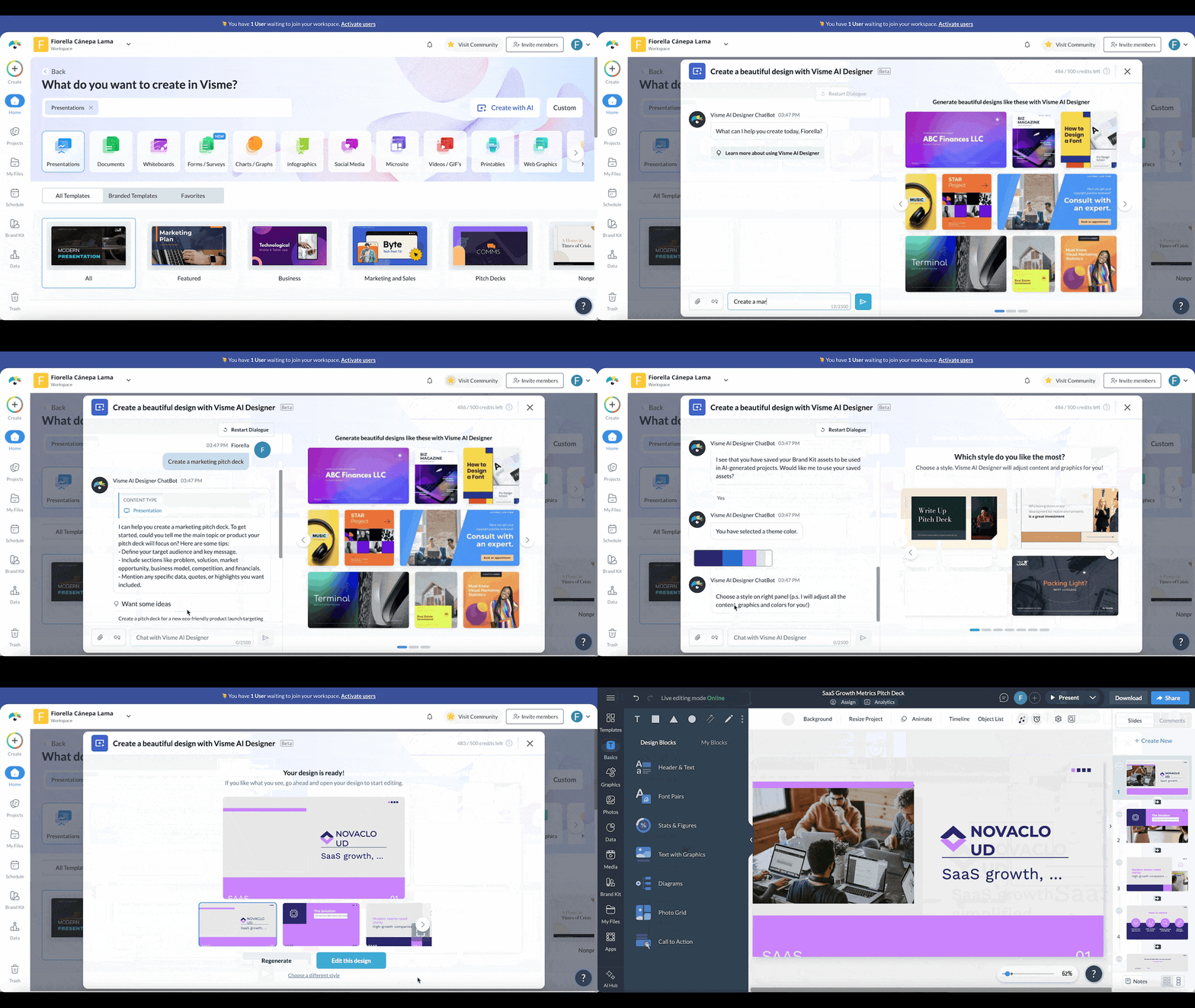
Alternatively, if you see a template in the Visme dashboard that you think is just what you need, click to Edit with AI, and the same process above applies. Just follow the instructions from the chatbot and answer the questions.
There are hundreds of presentation templates in Visme’s library, and they’re all fully customizable.
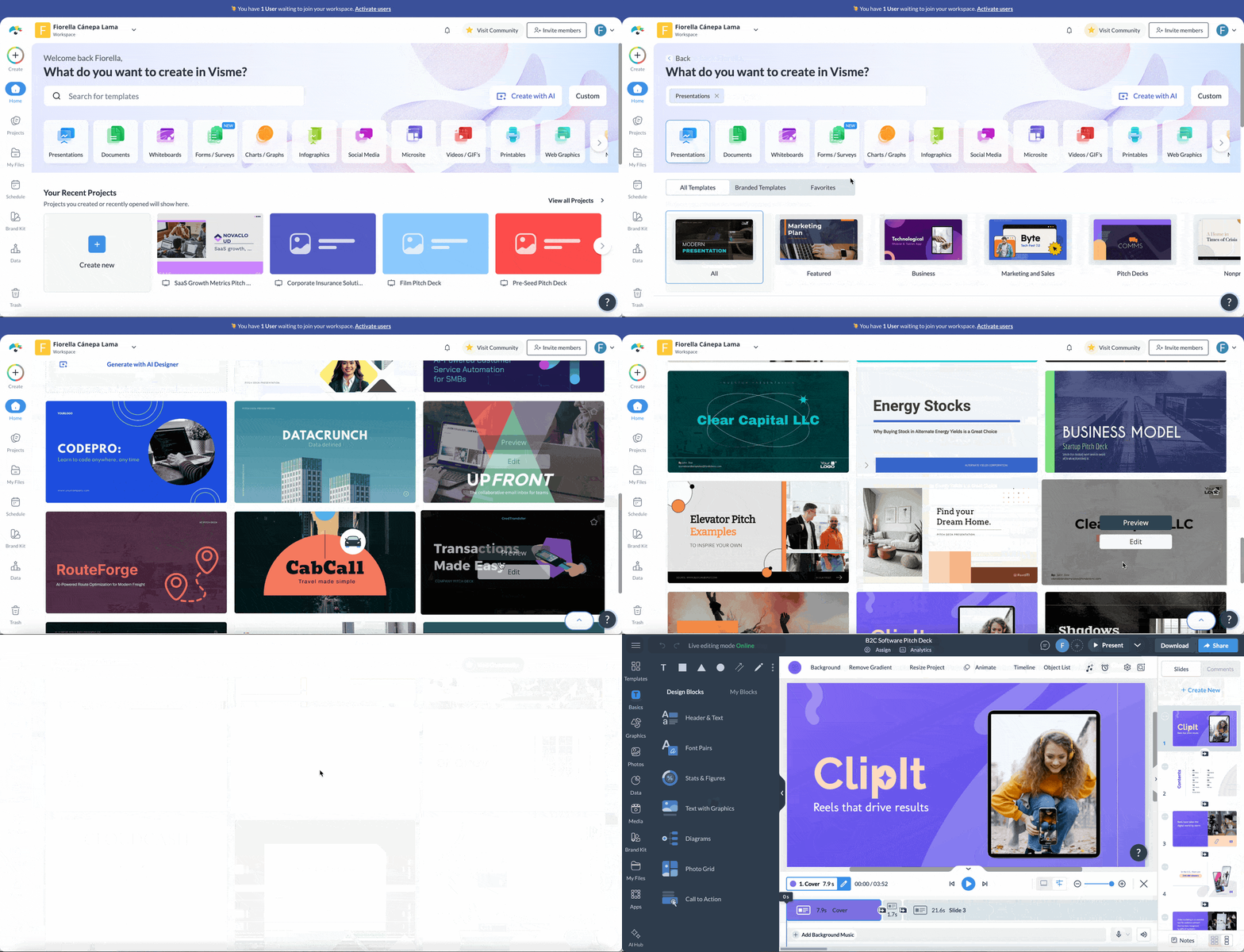
You can also mix and match slides of a similar style using our presentation themes.
When you find a template you like, click on Edit to start customizing it inside the Visme editor.
You can change anything and everything to fit your content needs. The editor is easy-to-use with drag-and-drop functionality. You can use it even without any prior design experience.

Change colors, fonts and images. Swap icons for relevant ones using our free icon library. Add and customize data visualizations to make boring numbers more interesting. Insert animations and links, embed videos, and more.
You can also add, remove or rearrange slides as you see fit. Use Dynamic Fields to keep your personal, company and other key information accurate and consistent throughout your presentation.
The entire customization process will barely take you an hour if you just replace the placeholder content with your own.
Are you stuck on the value proposition or problem statement while refining your generated deck?
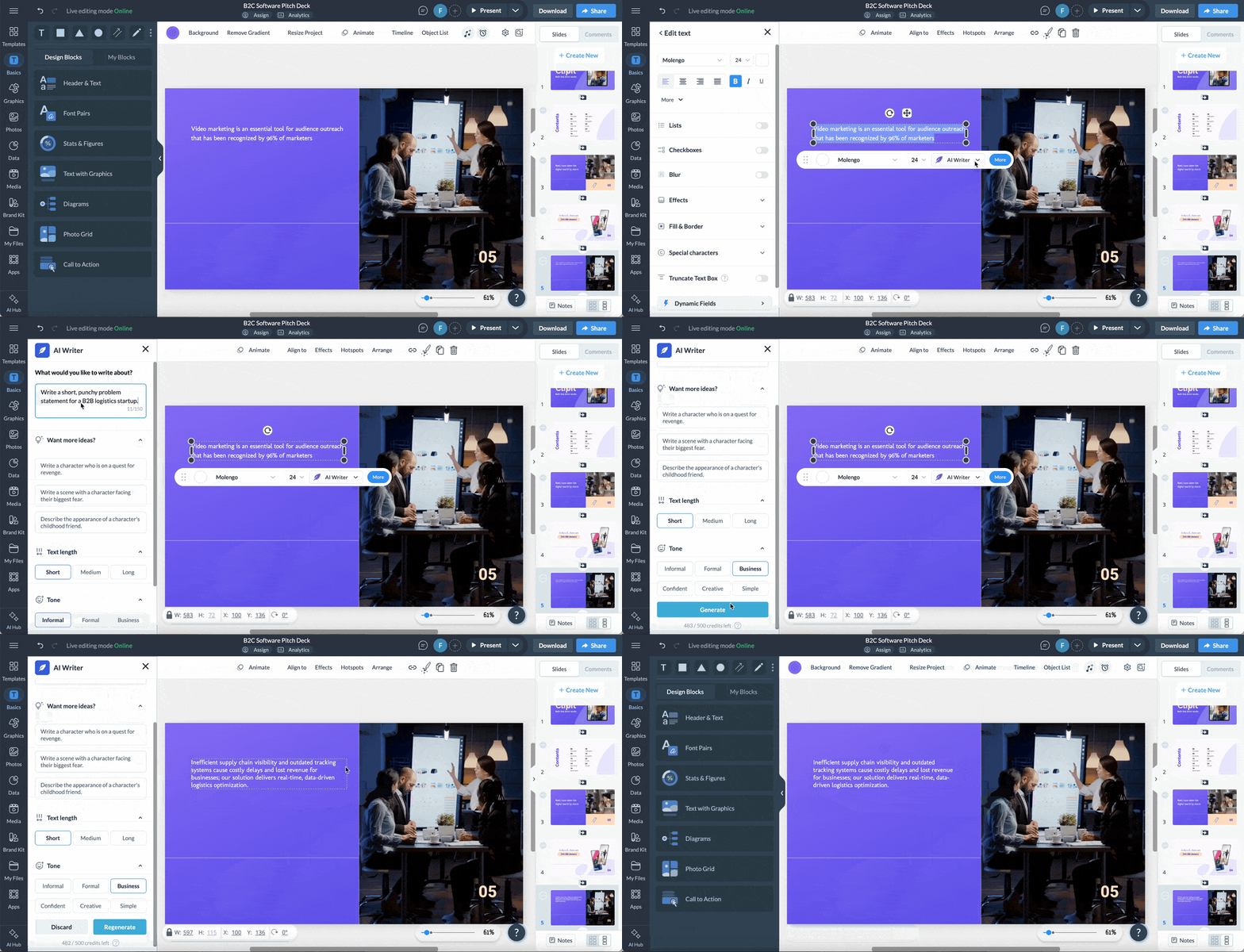
Use Visme’s AI Writer to generate clear, concise copy directly on your slide.
Simply add a text box, click the AI Writer icon at the bottom, and type a prompt like, “Write a short, punchy problem statement for a B2B logistics startup.” The AI will craft text you can use as is or edit to perfection.
As you know, visuals are crucial for keeping your audience engaged, but no one wants to spend hours searching through stock libraries for the ideal image. Instead, use Visme’s AI Image Generator to create unique visuals that align with your identity and story.
Open the tool from inside the photos tab on the left-hand menu and type a detailed prompt, such as
“A photorealistic image of a diverse team collaborating in a modern glass office.” Mention details you’d like to see in the generation to make it match your story better. Try things like, “the team consists of three people, one is wearing blue, the other green and the other black. One has tattoos. There are computers on the while the people in the room are having a discussion.”
Below are two generated examples with that prompt, made with Visme’s AI image generator.

When you’re done customizing your perfect deck, you have the option to either download it to your computer or share it online using a link.
You can download your deck in image or PDF format, or as a PowerPoint file.
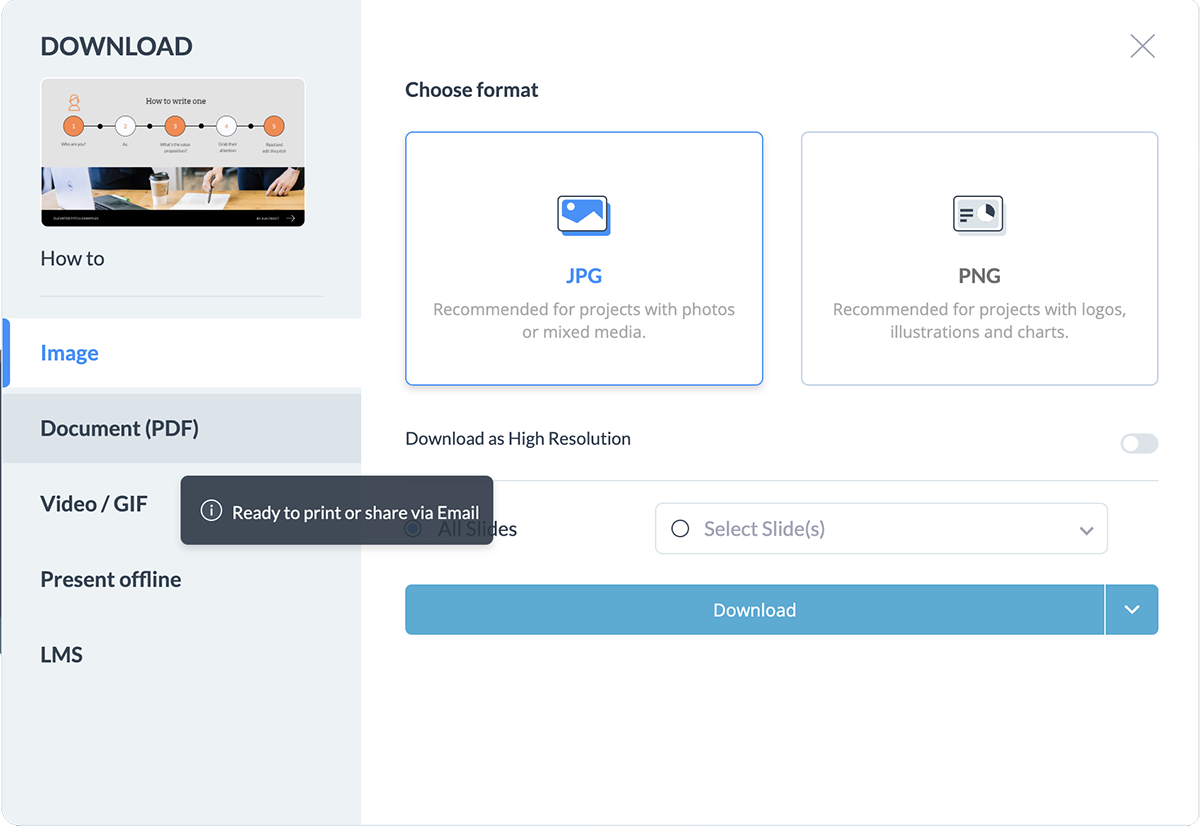
Generate a link to share it privately with specific people, like in an email. You can also publish your presentation on the web so it can show up in search results on Google.
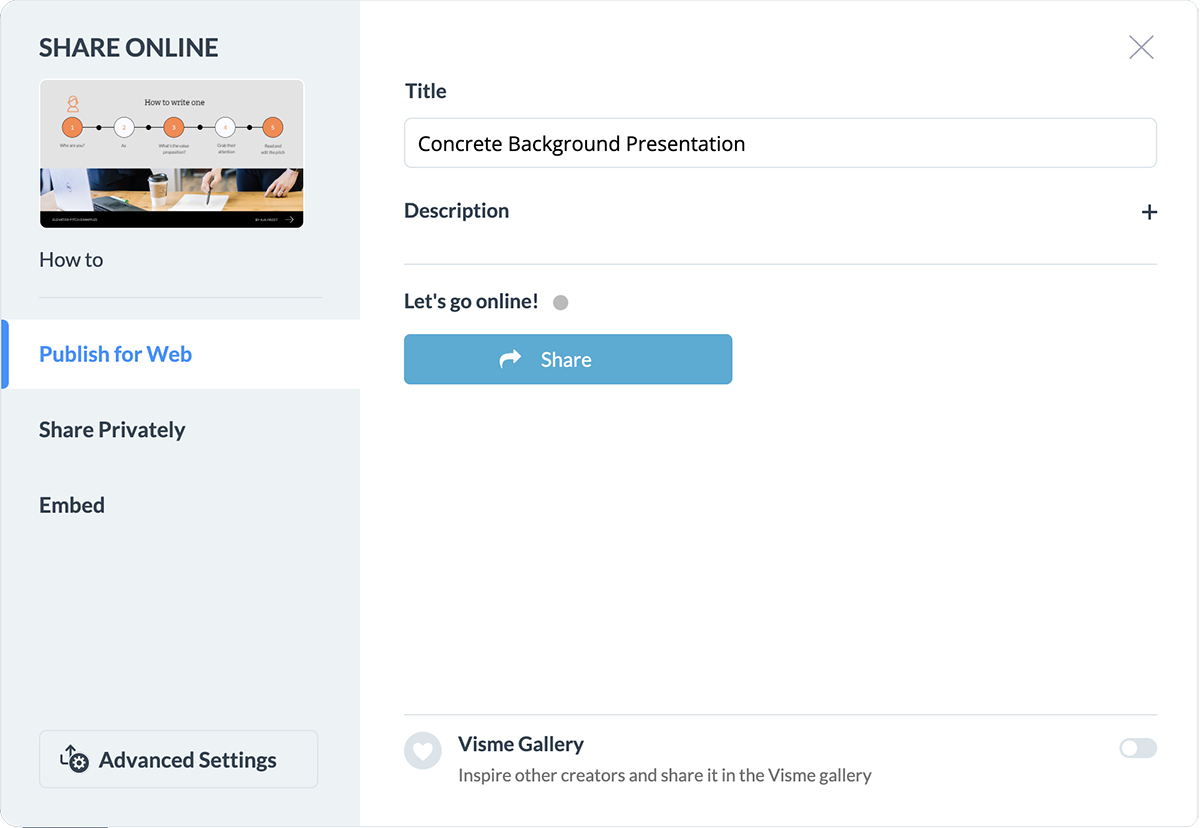
You can also embed the pitch presentation on your company website using a responsive code. Once you’ve shared your deck, you can start tracking analytics to see how many people viewed it or have taken action.
Here are some frequently asked questions that will help you clear any doubts about creating your pitch deck.
When developing a pitch deck, you should take care of several pitfalls to deliver an effective and impactful presentation:
The ideal pitch deck should be about 10 to 15 slides long. Each slide should discuss critical business aspects, like problem statement, market size, solution, business model, etc. However, the number of slides may change based on your business complexity and target audience.
A pitch deck is a brief presentation to give your audience (typically potential investors, partners, or customers) a quick overview of your business plan. It’s generally used during face-to-face or online meetings and should be engaging, concise and to the point.
While a business plan, on the other hand, is a formal document that details the tactics and strategies you intend to employ to start and grow your business. It covers minute aspects such as your business model, detailed market analysis, organizational structure, cash flow projections, etc.
It depends on your business, but you’ll generally want to choose software that blends the ease of use with cutting-edge functionalities. In that case, Visme is the best software for creating a pitch deck with advanced features like data visualization tools, presenter notes, presenter studio, animated graphics and more.
The cost of making a professional pitch deck can vary depending on whether you hire a designer or do it yourself. Hiring a designer to create a custom deck from scratch could cost hundreds or thousands of dollars.
However, tools like Visme allow you to easily create high-quality decks without design experience or costs. Visme offers free online presentation software with hundreds of professionally designed templates for pitch presentations and other types of decks.
There is no universally accepted classification of investment pitch decks into specific types, but they vary based on the nature of the business or the purpose of the pitch.
However, there are a few common types or themes that companies often use:
A pitch deck is a type of presentation designed specifically to propose an idea, product, solution or opportunity to potential clients, investors or partners. A presentation, on the other hand, is a content format composed of slides, and it doesn’t necessarily have to be used for pitching purposes.
A pitch deck should not include irrelevant information, unrealistic financial projections, unverified claims, technical jargon and overly complex data or slides. You should also steer clear of presenting negative information like potential risks or challenges without offering mitigation strategies or solutions.
Common mistakes include overcrowding slides with text, failing to clearly define the problem you’re solving, lacking a clear call to action, and presenting unrealistic financial projections.
Additionally, reading directly from your slides during the presentation is a major misstep that disengages your audience.
ChatGPT can help you outline the structure, draft the content and refine the messaging for your presentation.
But, although it has image-generation capabilities, it can’t produce perfect visual slides.
For a complete, visually appealing deck, you’ll need to pair ChatGPT’s generated outline and text with a design tool like Visme. Our integrated AI presentation maker will support you in that process.
Yes, there are several AI tools designed specifically for this purpose.
Visme’s AI Presentation Maker, for example, allows you to generate a complete, professionally designed startup deck simply by describing your business and goals. It handles both the initial content drafting and the visual layout. You then have complete control over customization and personalization.
The best app depends on your needs, but Visme is highly recommended for its combination of ease of use, professional templates and powerful AI features. It offers drag-and-drop functionality, an extensive data visualization tool and an AI Designer that can generate a complete presentation in seconds.
A powerful pitch deck can help you secure the funding you need to make your business idea a reality. This article will give you the confidence you need to design and present a killer investor pitch deck.
If you want to learn more about pitch decks and giving great presentations, check out some of the resources below.
If you're looking for an easy-to-use, professional presentation software to help your own, Visme can be just what you're looking for.
Each template is customizable, so you can easily plug in your own content, graphics and brand assets, and download it in PowerPoint or PDF format, or publish it online.
Sign up on Visme for a free account and take it for a test drive!
Design visual brand experiences for your business whether you are a seasoned designer or a total novice.
Try Visme for free