

Quarterly Business Review (QBR) Guide: Basics to Best Practices


Brochures are essential marketing materials that explain your services, events and products. Much like pamphlets or flyers, brochures share what's important to your business.
Even in a digital age, print still earns its place in your marketing mix. When USPS paired physical mail with a digital preview email through its Informed Delivery program, those campaigns saw a 56% open rate between April 2024 and March 2025.
But here’s the thing: creating a brochure is a complex task, even for experienced designers. A successful brochure requires careful planning and consideration of design principles, content structure and visual assets.
To make the process easy, we created this comprehensive guide packed with brochure examples and templates to help you create one in a fraction of the time.
Before we get started, just remember that making a brochure is a breeze with Visme's brochure maker or check out our extensive brochure templates library to make one in minutes.
Let’s dive in!
Brochures come in many shapes and sizes, each serving its own purpose. We'll cover four popular brochure styles: Gate-Fold, Bi-Fold, Tri-Fold and Z-Fold, including their use, features, examples and customizable templates.
Bi-fold brochures feature a simple fold down the middle, creating two halves. This brochure format measures 8.5" x 11". This design provides a balanced visual structure, making the content organized and easy to digest. The bi-fold format isn't cluttered and allows the designer to use big images or play with typographic hierarchies to make the information stand out.
Best for: Short overviews about a company or organization, restaurant menus, service descriptions, quick event promotions, mini catalogs and event schedules.
Bi-fold brochure examples: Medical spa treatment lists, photography service descriptions, graphic design project initial pitches, company conference booklets and event handouts.
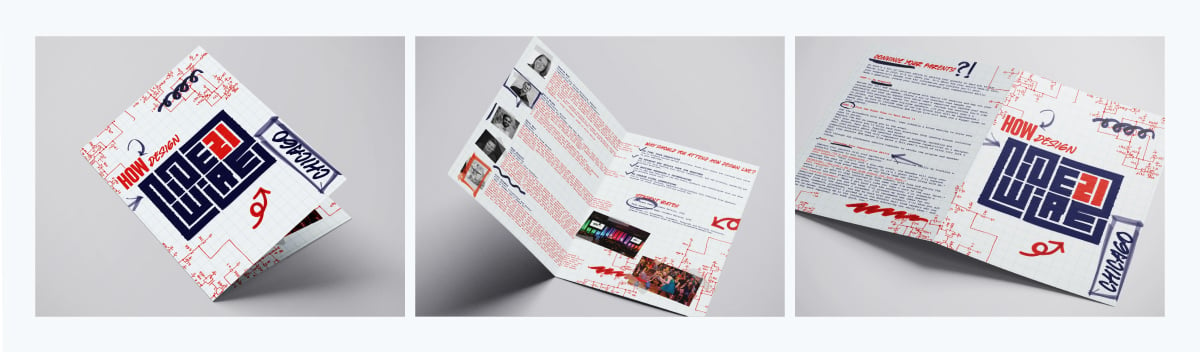
Here’s an example of a bifold brochure from How Design, designed by Shae Taylor, to promote their online courses.
You can customize this bifold brochure in Visme:


Tri-fold brochures divide a page into thirds, with the two endlings folding towards the center. This structure can hold a lot of information without feeling overwhelming, thanks to its segmented layout. As such, tri-fold brochures are often used when lots of details need to be provided without overwhelming the reader.
Tri-fold brochures typically measure 8.5” x 11”, comparable to a standard letter size. Other popular sizes include 8.5” x 14”, 11” x 17” and 11” x 25.5”.
Best for: Detailed company brochures, takeaway menus, city guides and tourist maps, event programs and schedules, informational leaflets and service guidelines, expansive product descriptions and more.
Tri-Fold brochure examples: Corporate event detailed programs, mini catalogs of education or course offerings, health education information, touring company trip detailing and local public transportation maps.
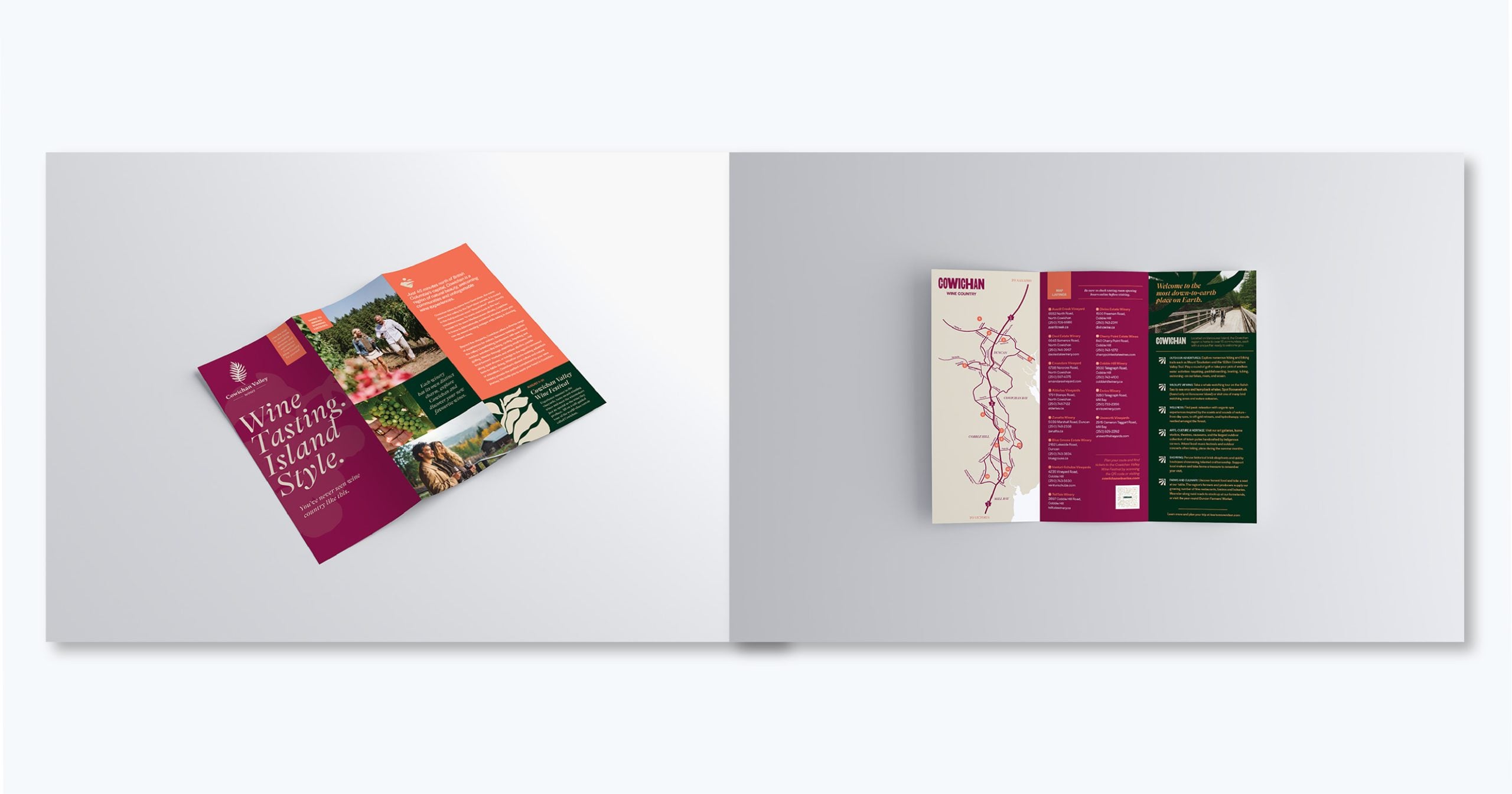
Check out this stunning trifold brochure from Cowichan Wineries. Notice how the back panel has a scannable QR code that takes interested guests to the website to find out more.
Check out this stunning trifold brochure example in Visme.


This type of brochure is also known as a window fold and has a construction similar to a tri-fold booklet. However, in this case, the three panels aren't equal in size. The left and right parts combined should be equal to the central piece.
It’s worth mentioning that there’s a variation called a double gate fold, which is a sheet the same size, but folds internally twice.
This fold style is preferred for high-impact designs since it gives the impression of 'opening' to reveal something exclusive inside.
Gate-fold brochures typically use 8.5″ × 11″ paper.
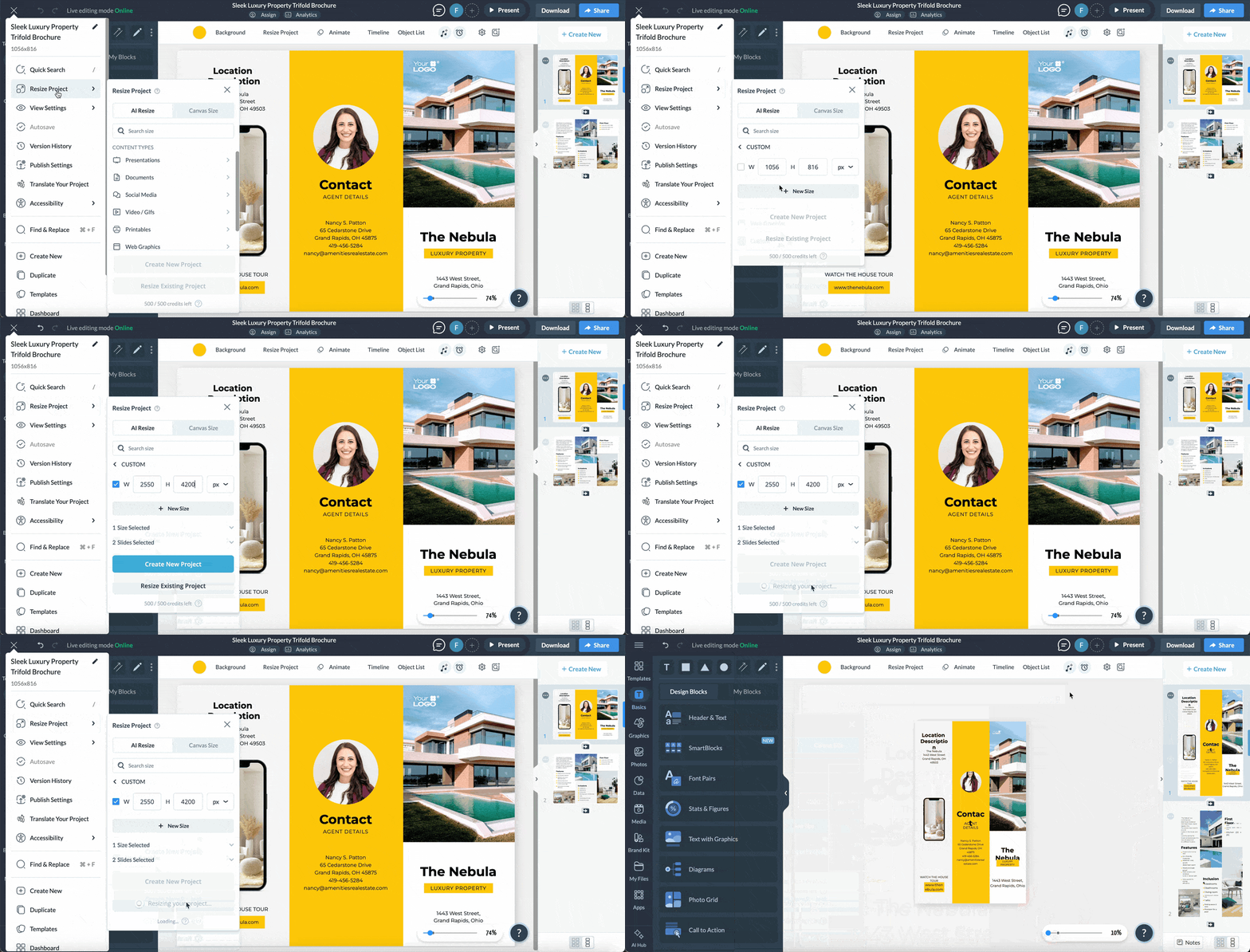
Gate-fold brochures typically use 8.5″ × 11″ paper. But can also be constructed by folding 8.5” x 14”, 11” x 25.5, or 11” x 17” paper. With Visme's brochure maker, you can easily modify the size of your canvas to suit your design needs. The GIF below shows you exactly how.
Best for: Presenting high-end products or services, exclusive offerings and visually appealing designs. It's also ideal for large, detailed graphics and marketing materials that require a dramatic reveal to engage the audience.
Gate-fold brochure examples: Luxury real estate listings, product catalogs, high-end retail goods and photography workshops.
Here’s an example of what a gate fold brochure looks like.
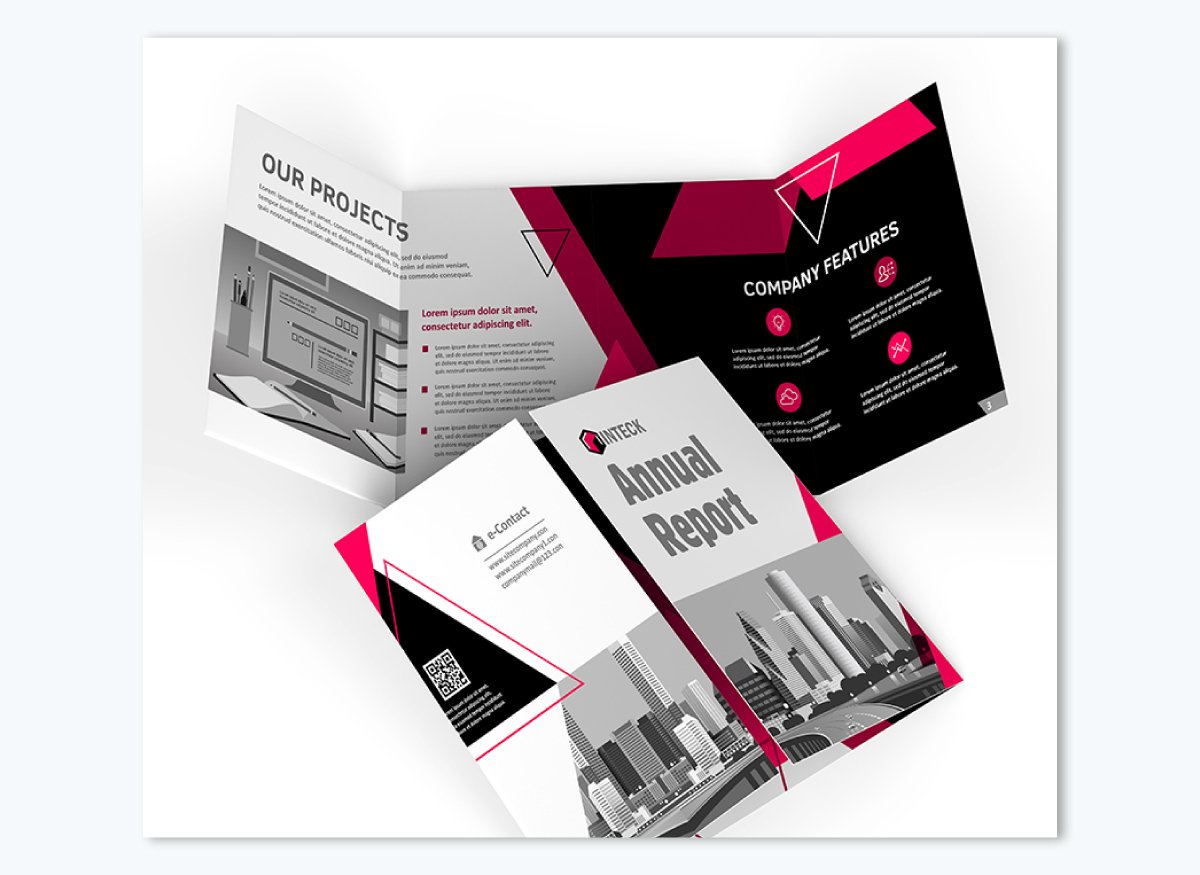
The Z-Fold brochure is another popular brochure type. Similar to the tri-fold, its layout is divided into three sections. It stands out by folding in a zigzag pattern, creating an eye-catching appearance.
A z-fold brochure is made by folding an 8.5” x 11”, 8.5” x 14”, 11” x 17”, or 11” x 25.5” sheet of paper in a “Z” shape.
Best for: Displaying sequential content, step-by-step instructions, event timetables or sequential product lists, short story marketing, comprehensive service details and visual graphics-rich content (infographics).
Z-Fold brochure examples: Technical leaflets or mini manual guides, walking tour city maps, marketing timeline content material, safety procedure overviews, travel agency package details and sequential art portfolios.
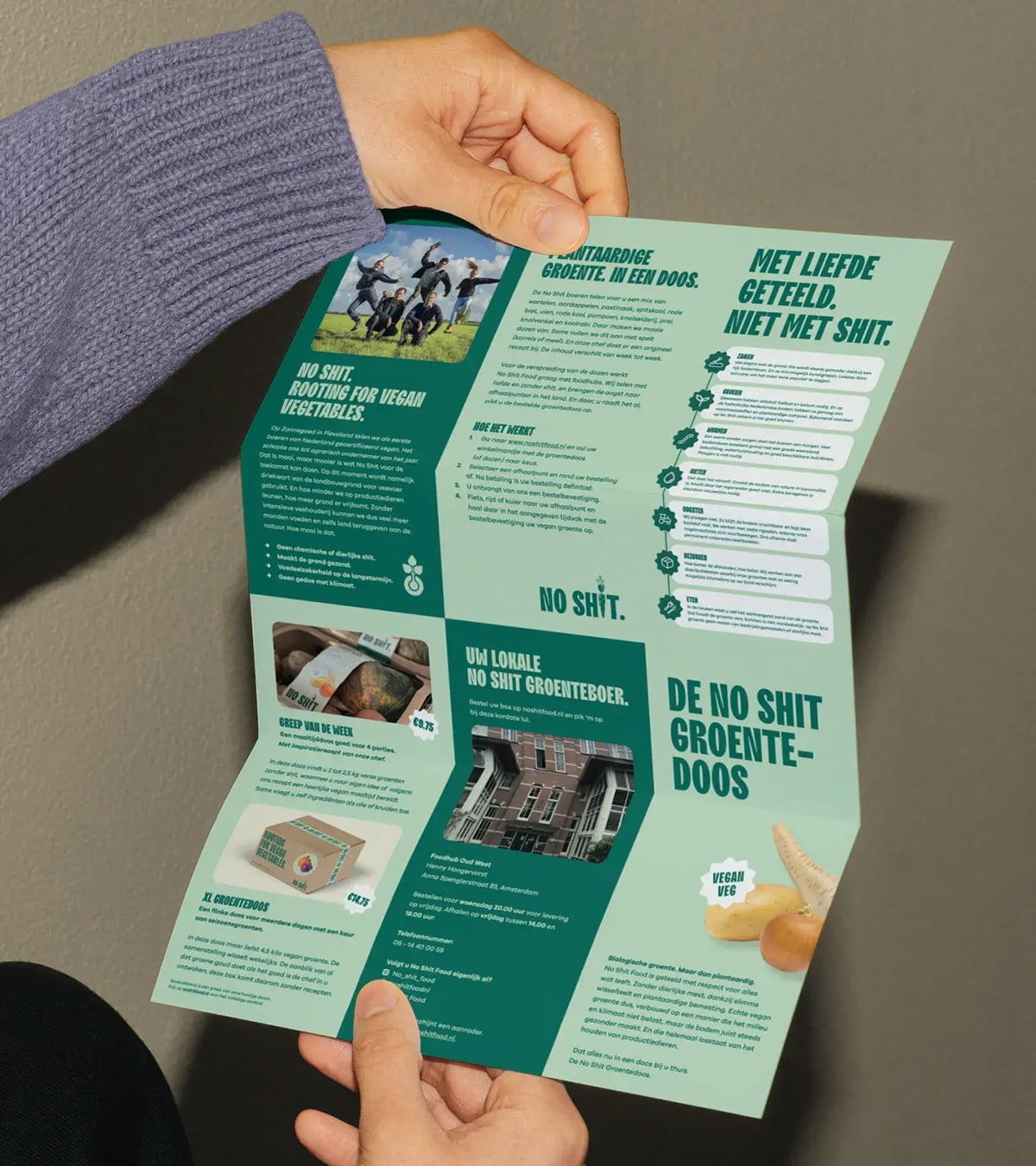
The Z-fold brochure below, from No Shit Food, designed by Studio Morf uses the layout in a creative way, by using the inside panels as one vertical canvas to display the information. What’s really interesting about this brochure is that the panels are laid out for a vertical tri-fold but then it’s set up as a z-fold for a unique approach.

With hundreds of customizable brochure templates by professionals to choose from, Visme's template library is sure to have what you need for any industry or purpose.
With Visme's intuitive editor, you can easily tailor a template to your needs with text, images and other design elements. Project eye-catching design and maximum visual appeal to get the best results for your sales efforts.
If you're pressed for time, Visme's AI brochure maker can help you create a gorgeous brochure in a snap. Simply describe what you want to create, choose your design and watch the tool generate your brochure in seconds.
Let's take a look at the top 20 brochure templates that you can customize to perfection!
Striking in its simplicity and bold color palette, this tech brochure template radiates a modern and clean aesthetic. Its graphic elements are striking yet well-balanced. The three-fold design creates a logical flow of content using six panels in a combination of single- and double-panel layouts. This tech brochure template is ideal for tech startups and innovative companies requiring a modern template to showcase their services or products.
Best for: Tech startups and SaaS companies introducing a product or platform.
Format: Tri-fold.
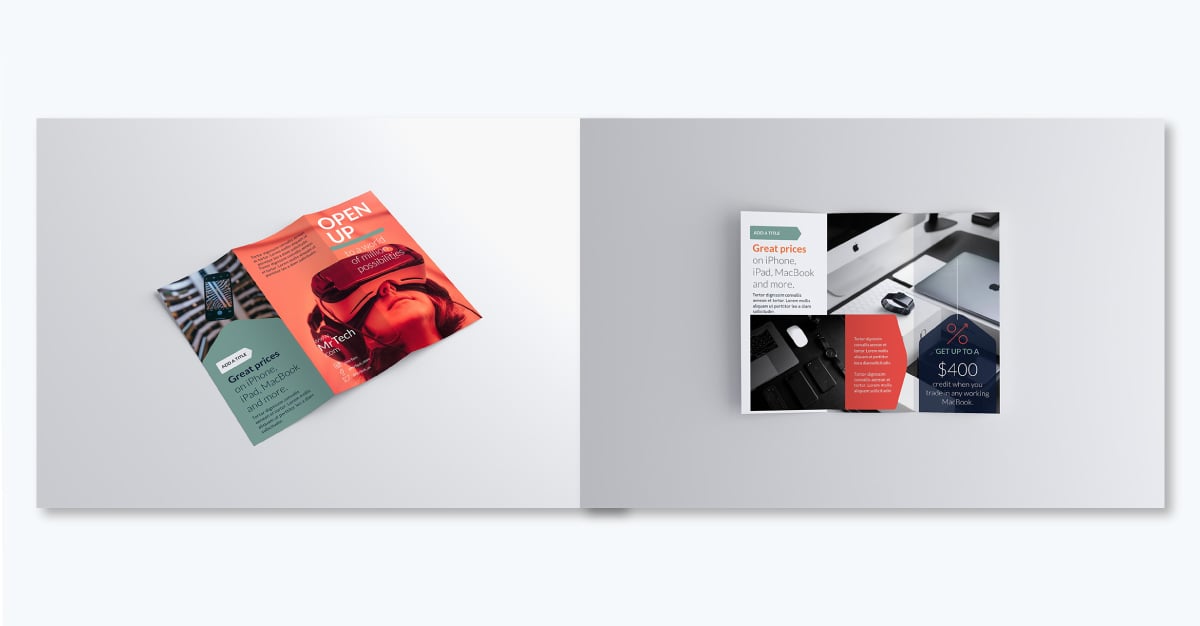
Highlight key features and functionalities in the central panel, combining thoughtful text with attractive visuals. Use testimonials and case studies on the back panel to build credibility and trust with your audience.
Nicholas Godwin, a content strategist and copywriting coach who specializes in creating content assets that garner business equity, recommends showing real outcomes that give your audience confidence.
Chief Solution Bringer at TechContentLabs
End with a powerful call to action and make contact info visible and accessible. Incorporate QR codes into your brochures to help your prospects move further down the marketing funnel.
This travel brochure leans on beautiful photography: large destination shots with catchy captions that grab the viewers’ attention. That image-to-copy ratio fits travel marketing content specifically: a reader is shopping for a feeling before they're shopping for an itinerary, and idyllic locations caught on camera are what inspire them to get in touch.
Make full use of this travel brochure by adding captivating stories for each destination via a scannable QR code on the inside panels. The back panels are useful for outlining details such as packages and services.
Best for: Travel agencies and tour operators promoting specific destinations or packages.
Format: Two-fold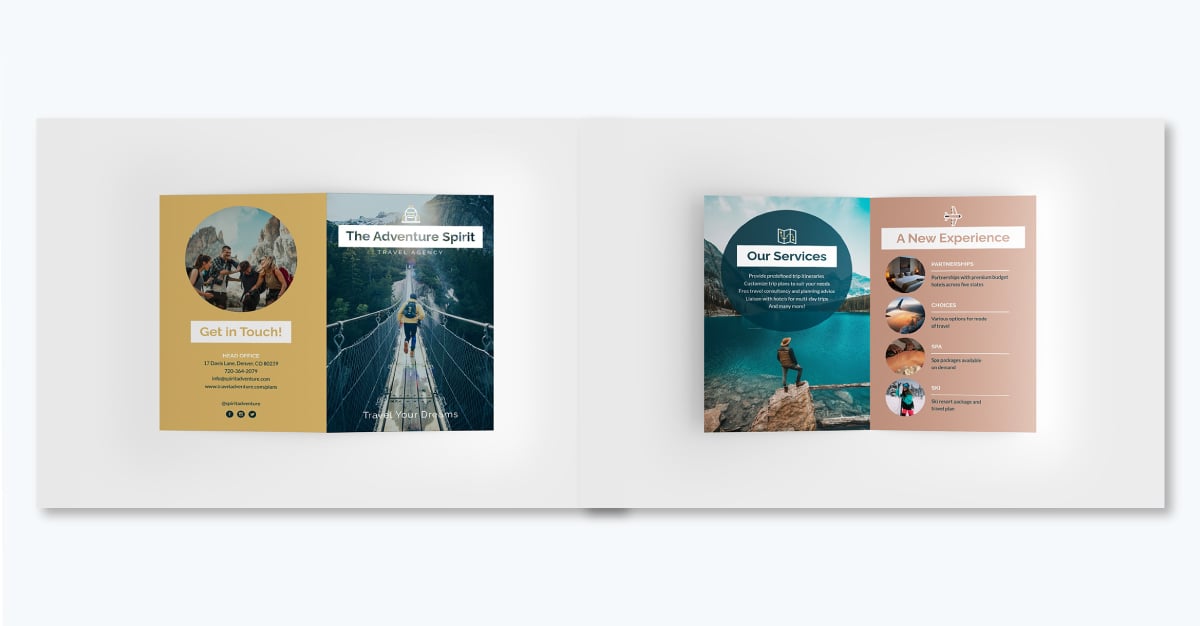 .
.
End the brochure with your contact info and a strong call to action, such as "Book Now!" Mention additional services, such as a tour guide or local cuisine options customers can try. If you’re creating this as a digital brochure, link the CTA to your booking page using Visme's interactive feature.
Check out the travel agency bifold brochure template for more design inspiration.
This professional and attractive template is crafted specifically for the luxury real estate market. High-quality and sleek pictures of the property appear on every panel, including a double panel photo in the back. The text uses different types of color contrast to create different visual styles that align with a balanced color palette.
Best for: Real estate agents and agencies marketing individual listings or properties.
Format: Double gate fold.
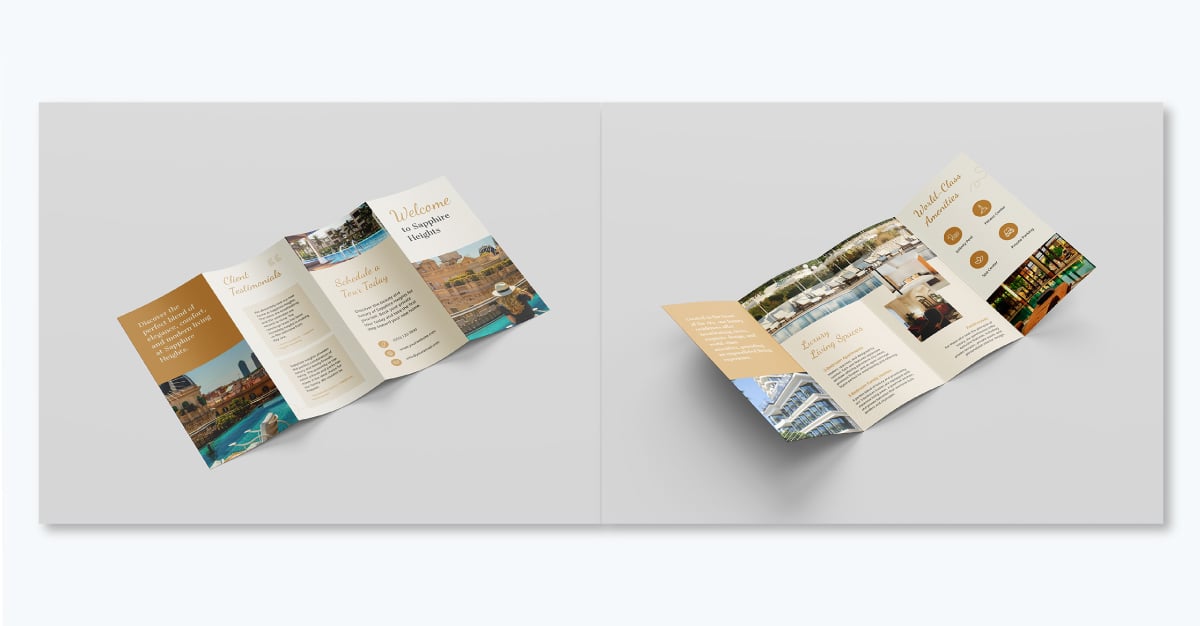
Use the panels on this template to highlight essential details about each property, including the rooms, amenities, location advantages, pricing and contact information. Emphasize the appeal of the neighborhood and potential investment gains.
Touch on the selling points of each property. For example, focus on added benefits and relatable lifestyle content. Add Visme’s icons, stock photos and videos to provide a more immersive and engaging experience for potential buyers.
No matter how you customize the template, take note from Sophia Doyle, a licensed real estate agent and staff writer at The Close, who likes to keep her brochures simple.
"I have found that simple, clean designs, strong visuals, and minimal text consistently perform better."
For more real estate brochure design ideas, check out the real estate software brochure template and the benefits of a real estate investment brochure template.
This gym brochure template is perfect for any fitness facility. The design is based on a greyscale palette and incorporates one focus color, a vibrant red, to draw attention to different areas of the design and help the information flow. The red makes appearances as squares, rectangles, lines and icons. Each panel holds its own unique red element, creating visual unity throughout the brochure.
Use the placeholders to showcase your gym’s special features like classes, personal training, modern equipment and family-friendly services.
Best for: Gyms, studios and fitness facilities promoting memberships or classes.
Format: Trifold.
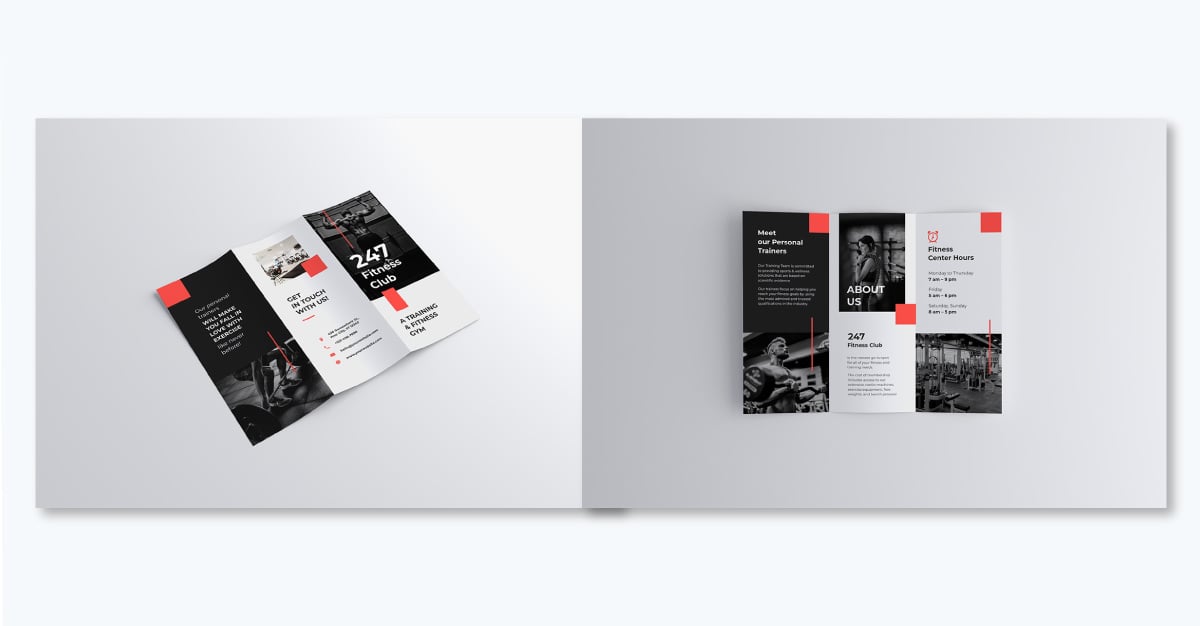
Use the available spaces in the panels to include success stories, customer testimonials, and before-and-after pictures to motivate prospective members. Highlight the health benefits of regular workouts and any specialty services you offer (e.g. yoga, CrossFit, anti-gravity). Try incorporating infographic elements that will help you visualize that information.
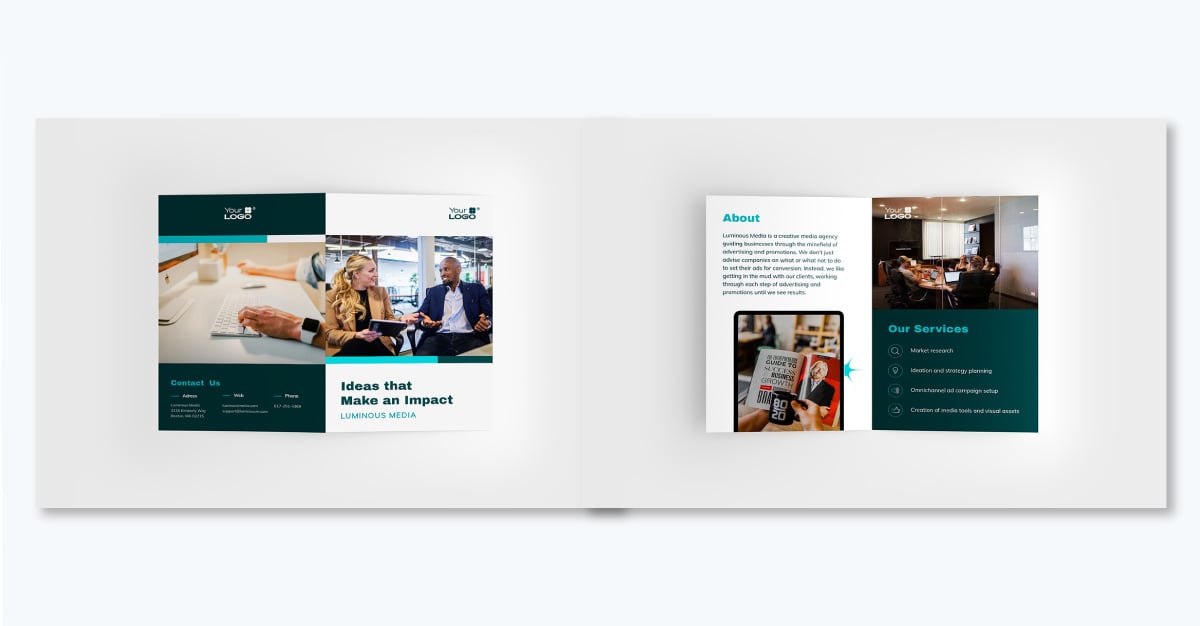
Pro Tip: Briefly introduce your trainers and their qualifications — this personality boost can be a key selling point. Masonry-style infographics can be great for showcasing gym amenities or class schedules. For digital brochures, consider incorporating virtual tour videos of your gym.Showcase your services, successes, or customer testimonials with this eye-catching media agency brochure example. The template’s layout is simple and focused, making it easy to share the most important information about your agency.
The cover page, for example, has a wide image placeholder that captures the attention of your prospects. Replacing the one in the template with one of your own, a stock image, or even an AI-generated graphic is as easy as clicking on “Replace Image” inside the canvas.
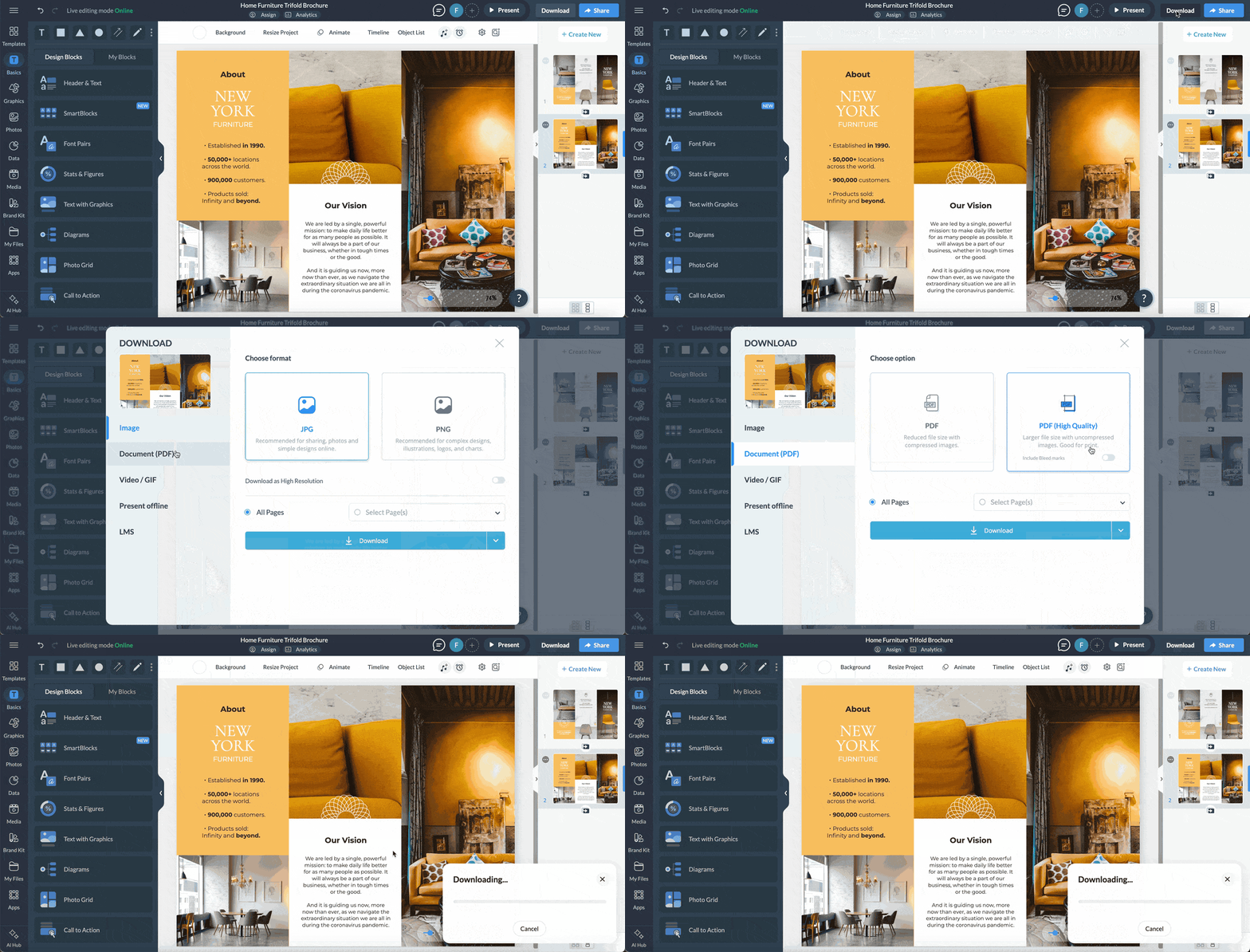
After designing your brochure, you can easily distribute it online or print it for offline use. With Visme, you can share your brochure via a live link or download it in multiple formats, including JPG, PNG, and PDF, for offline use.
Pro Tip: If you plan to print your brochure at home or in your office, choose the PDF format. This will provide you with a high-quality PDF file that is ready for printing. However, if you decide to use a professional printing machine, it is best to use the PDF with Bleed mark option, as it supports professional printing.Entice food lovers with this delightful restaurant brochure example and indulge them with mouthwatering photography of your signature dishes. This brochure example is designed as a bi-fold, but takes creative allowances with the size and placement of the images and text boxes. Instead of aligning everything to the fold, the visuals overflow it, creating a unique design.
Best for: Restaurants and food service businesses promoting their menu or dining experience.
Format: Bifold
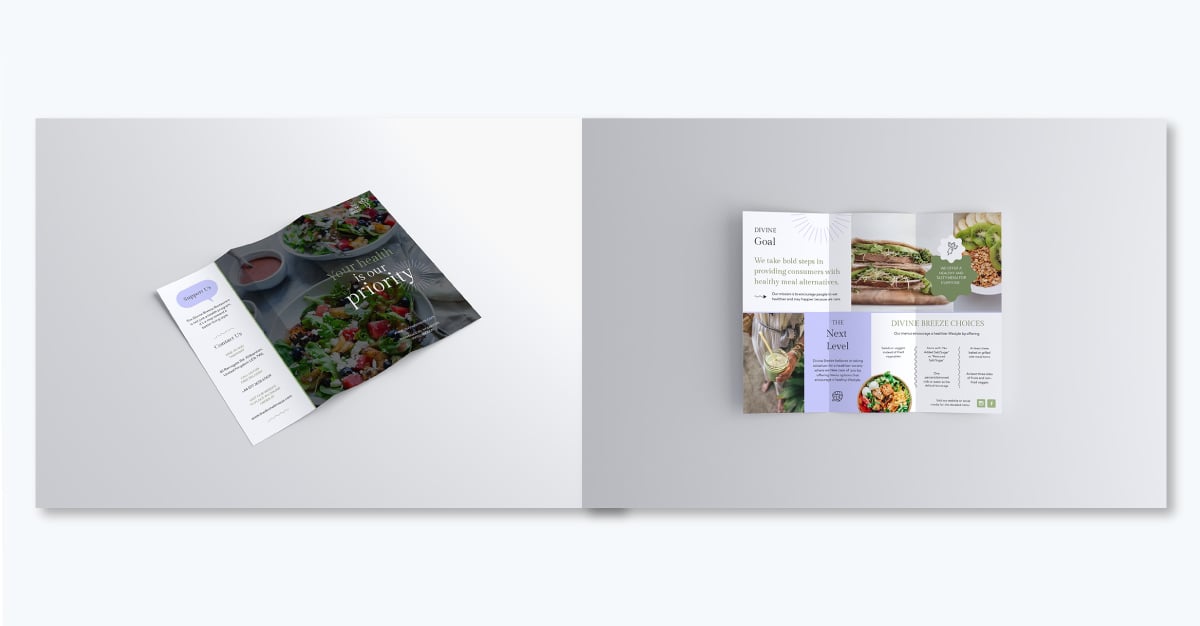
Be sure to structure your menu to feature item descriptions and prices, promotional offers and chef's recommendations. Aside from food photos, you can also give readers a clear view of your dining space and amenities. Then, on the back panel, place all your contact information in a clearly laid out column with center alignment. Start with your address, followed by opening times, phone numbers for delivery and the URL to your website.
Pro Tip: Images by professional photographers can truly showcase your assortment of delights, stoke appetite and elevate your hospitality brand. Contextualize each dish with a small food note and market home delivery options if available.Looking for more food brochure examples? Check out the menu bifold brochure template, catering brochure template and breakfast restaurant brochure template. Whether you own a coffee shop or a donut shop — there’s a template for you.
If you are looking for a creative brochure idea to promote your new app or web platform via email or social media, this is the template for you. The design stands out with its stunning images aligned on curvy borders, descriptive text with visual icons and rotated labels for each section.
Best for: Apps or web platforms promoted digitally, via email or social.
Format: Digital or bifold for print
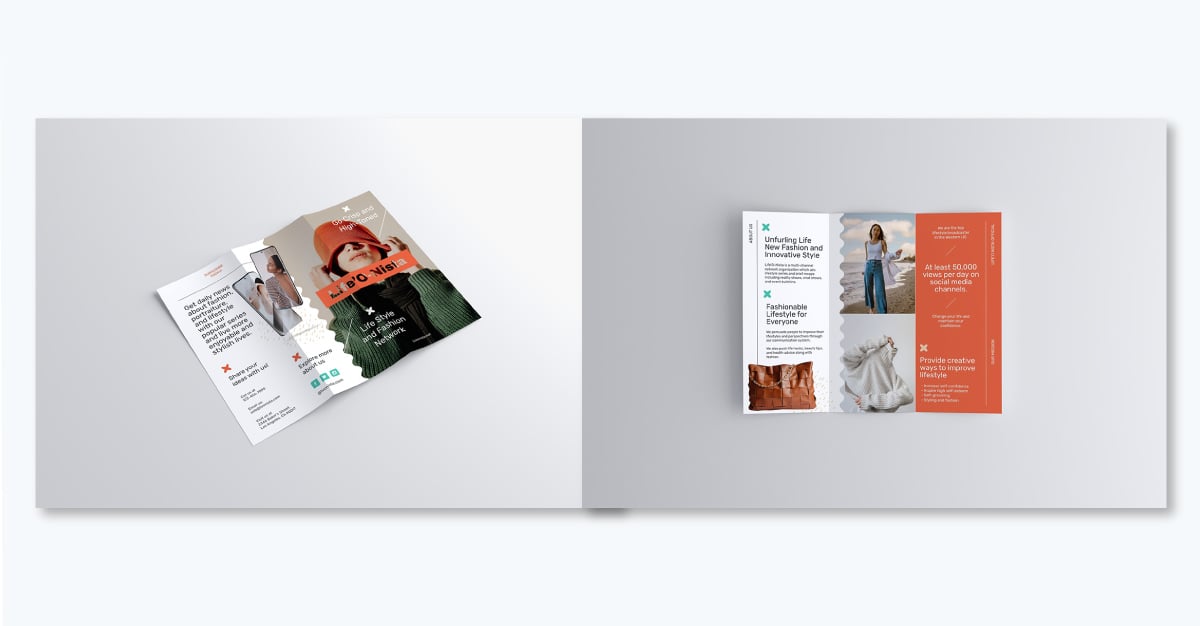
Since this brochure is tailored for promoting apps or websites, your best bet is to share it as a digital brochure. Enhance the panels with Visme’s interactive features, animations, gestures and characters. You can incorporate pop-ups, hover effects, animated icons and special effects to effectively engage your online readers.
Share this brochure using a live Visme link and track visits using Visme's analytics tool.
Showcase your product in style with this sleek brochure template laid out as a bi-fold for print. The design consists of a blue theme in different tonalities and gradient shapes that give the panel backgrounds visual depth. The cover has a cut out of a woman placed neatly over these shapes. This technique is easy to achieve with the background removal tool available inside the editor.
Best for: Product-based businesses showcasing a single item or a small line.
Format: Bifold for print.
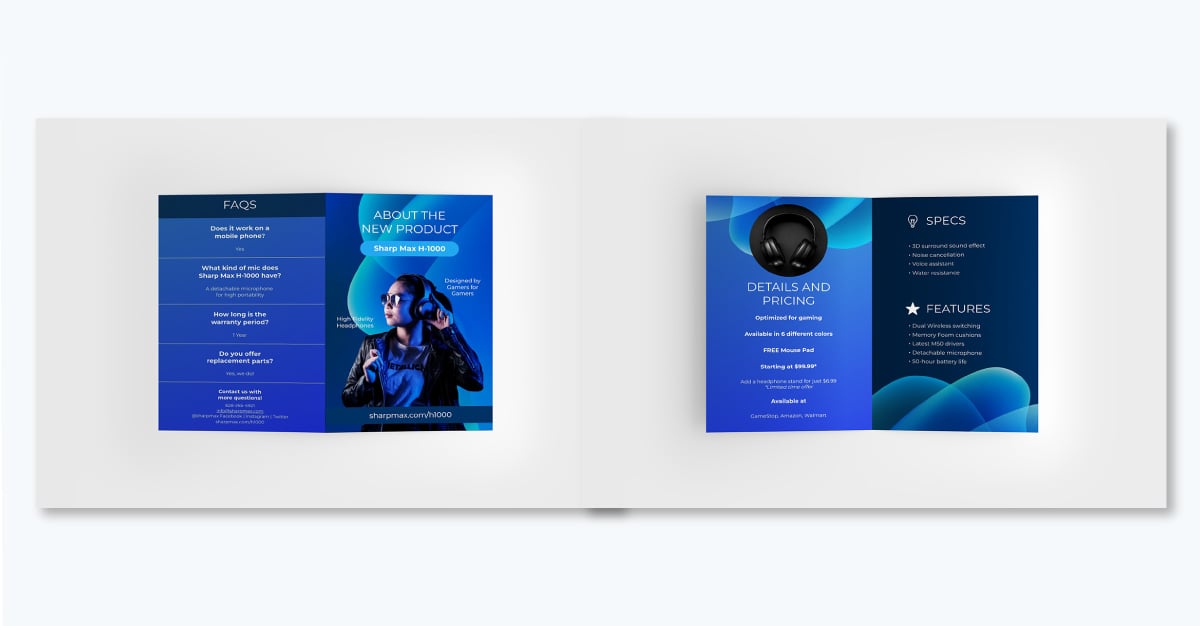
Include informative details such as pricing, descriptions and product specifications. Use simple, easy-to-understand language when describing your product. Show the personal side of your business—tell customers your story. Use simple, easy-to-understand language when describing your product and make sure the color contrast is strong so it's easy to read in any situation.
Need help with content ideas or polishing your copy before sharing it with prospects? Visme's AI writer will help. Not only will it generate high-quality copy but can also serve as a sharp proofreader, ensuring your writing is error-free and compelling. Just describe what you want the tool to do and get results in seconds.
This gate-fold brochure template uses rotated text in all-caps as a spine that runs the full height of the left-center panel. This graphic technique makes the company name, PINNACLE FINANCIAL INSTITUTE, stand out at first glance. Furthermore, the base color palette of the brochure is black and yellow, creating a striking contrast that calls attention fast and strong.
Best for: Financial institutions, consultancies and advisory firms building credibility with a polished, modern look.
Format: Gate fold or double gate fold (would need the panels to be rearranged).
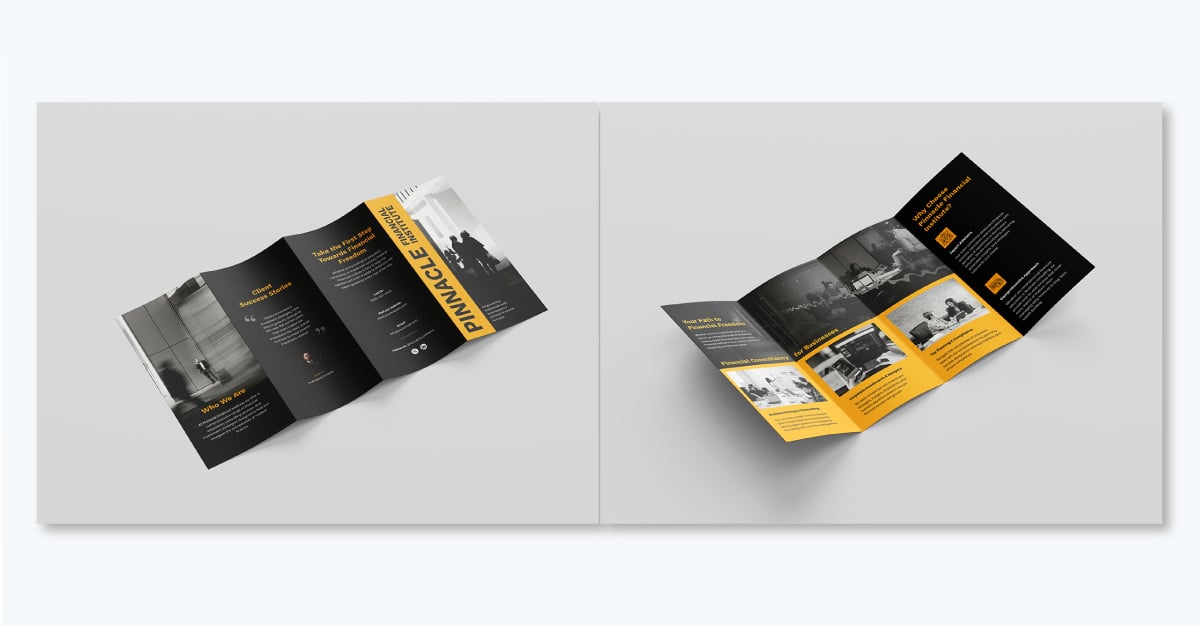
On the back panels, include a real client testimonial with a name, title, and photo; the placeholder, "John D., Individual Investor," already has the right structure. On the inside panels, run your core service lines in the duotone parallel three-column layout: one photo, one heading, and one short description each. This repetitive blurb technique makes it easy for viewers to assess the possibilities.
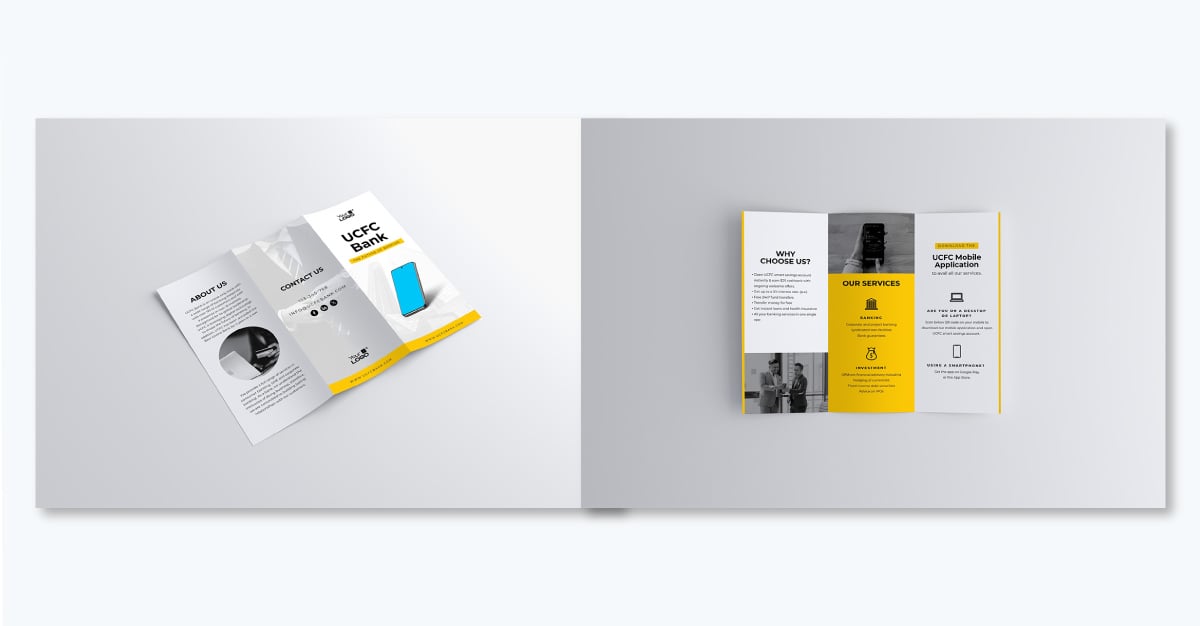
Promote your online bank using this sleek brochure that calls attention with a clean white, gray and yellow color palette. The panel placeholders include information sections, about content, a list of services and the non-negotiable contact information.
You can also include success stories from clients, details on each service provided, and special offers. You could also create different brochure versions for individuals in various stages of their financial journey.
As an organization, your team will likely need to create these brochures together. Thankfully, Visme’s collaboration feature lets you work seamlessly with your team even if they’re remote and around the globe. Team members can leave comments, make edits and track changes all in real time or asynchronously.
A great way to settle on a color palette for your brochure is to pull the colors from a photo or a set of photos you plan to include. This way, the design aligns perfectly with your imagery and makes the viewer experience more attractive.
This template uses that exact technique by incorporating the orange from the utility vests with the blue lights on the factory floor.
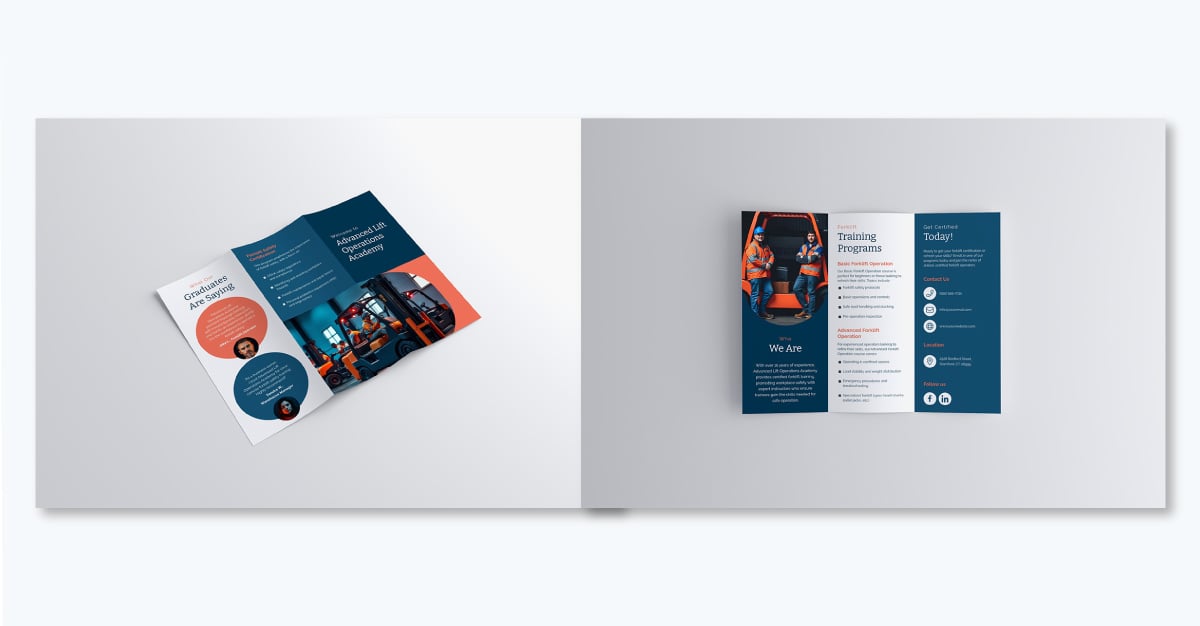
Inside the Visme editor, open the color panel and select the “choose from image” option. Create a color combination that includes two contrasting colors and a couple of other muted or non-impactful tones. Then apply the palette to your design elements.
Another way is to set the colors first and ask Visme’s AI image generator to create visuals using those colors.
No matter the cause or how wide your welfare organization reaches, a well-designed brochure can help you reach more people and get the support you need. The color-blocked panels boast orange and beige tones, creating dedicated sections for the following types of content: About Us, Our Sponsors, Mission, Projects and Contact Us.
Best for: Nonprofits and welfare organizations building awareness or seeking donations.
Format: Trifold
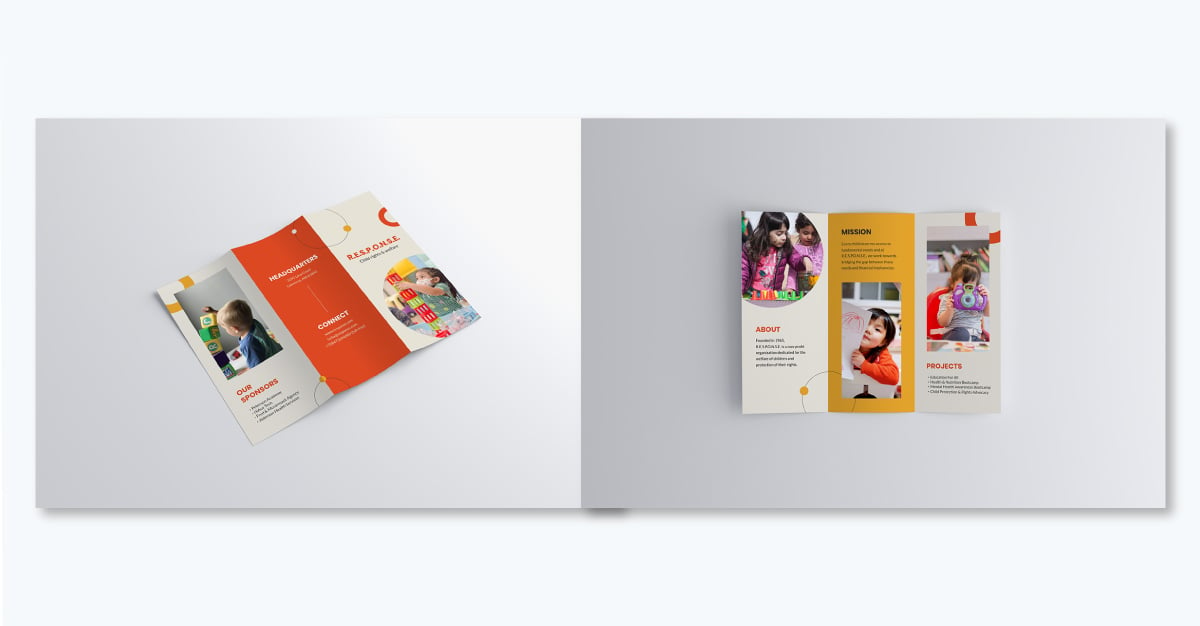
The design in this brochure uses white space strategically to balance the vibrant colors, making the text easy to read and the overall layout stand out. The headings in all-caps add to that visual technique by creating focus points for each text group.
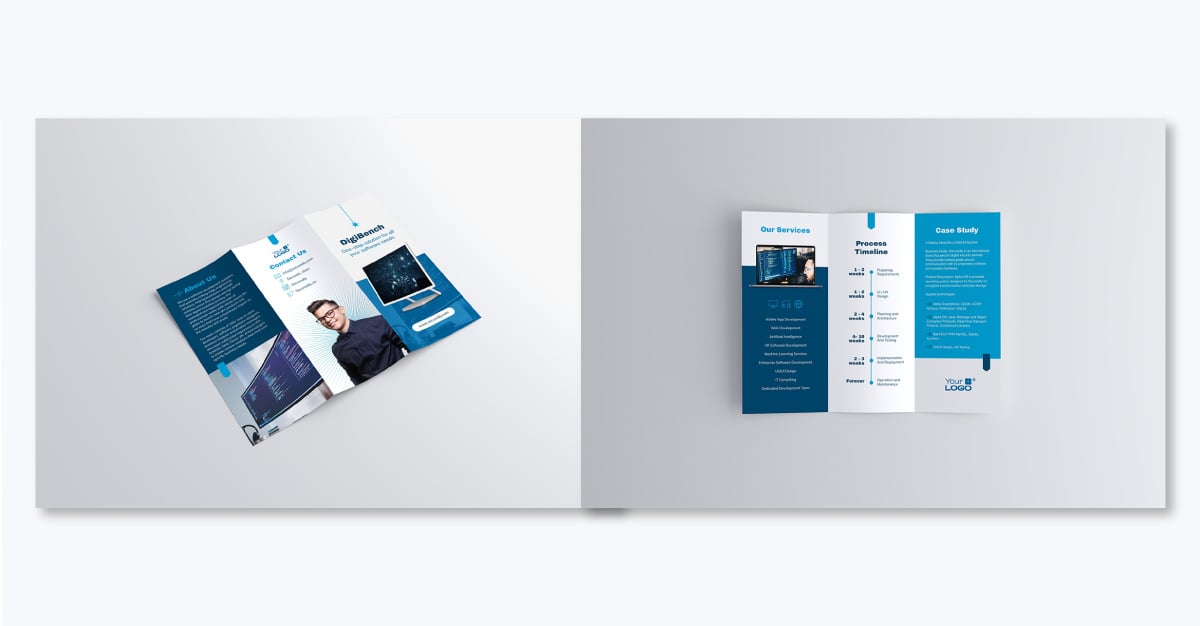
Power your tech venture with this sleek trifold brochure in a blue monochromatic palette that includes a timeline on the back panel. Including a timeline like this shows clients what to expect when they hire your services, making initial conversations smoother for your reps.
The brochure cover uses a device mockup where you can place a screenshot of your web product or any visual that aligns with your messaging and brand voice. To replace the image in the mockup placeholder, simply drag and drop a new one in the mockup when the area turns blue.
With Visme, you don't need to always import your own brand colors, fonts and logos whenever you create a design. With Visme's brand design tool, you can keep your design on brand. Simply enter your URL and the wizard will pull up your assets from your website and add them to your brand kit.
Brochures aren’t just for marketing; they work great as presentation handouts too. A presentation handout brochure a printed piece of content that you give to individuals in an audience. Possible scenarios include a keynote speech, a symposium presentation, or any occasion when you want the audience to easily follow along and take the information with them once they leave.
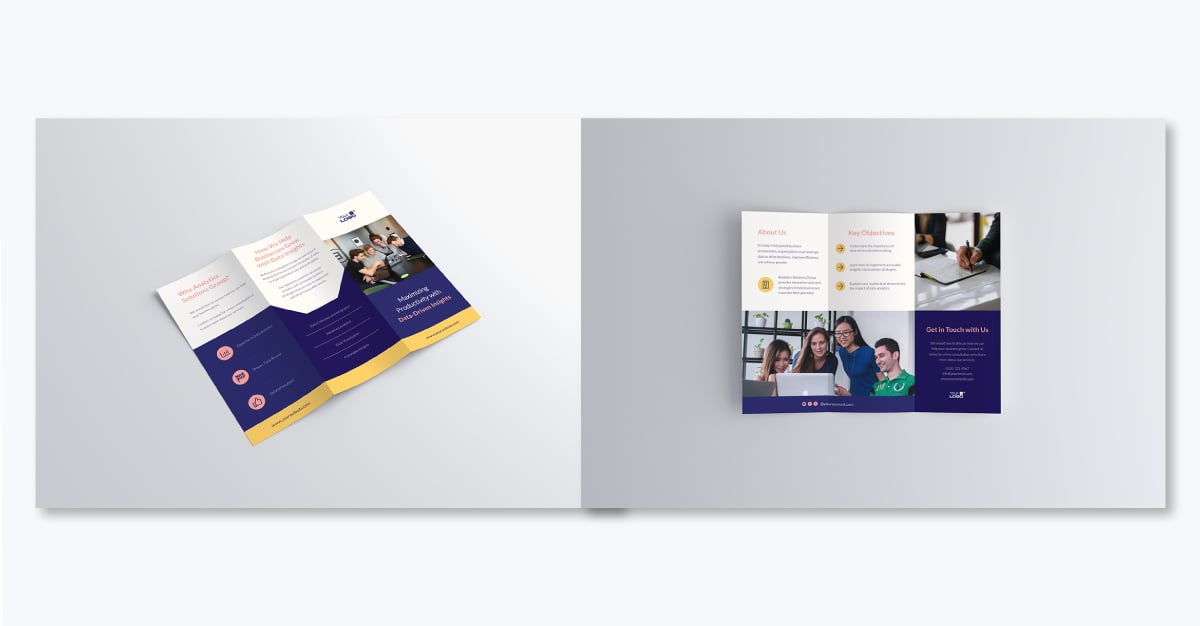
Align the handout brochure to the presentation by using the same visuals, colors and fonts. Mirror the presentation’s flow and content hierarchy in the brochure.
If you want the audience to act after they’ve consumed the content, add a QR code that directs them to a sign-up form, a free resource or a membership site. The possibilities are as vast as tour marketing funnel options.
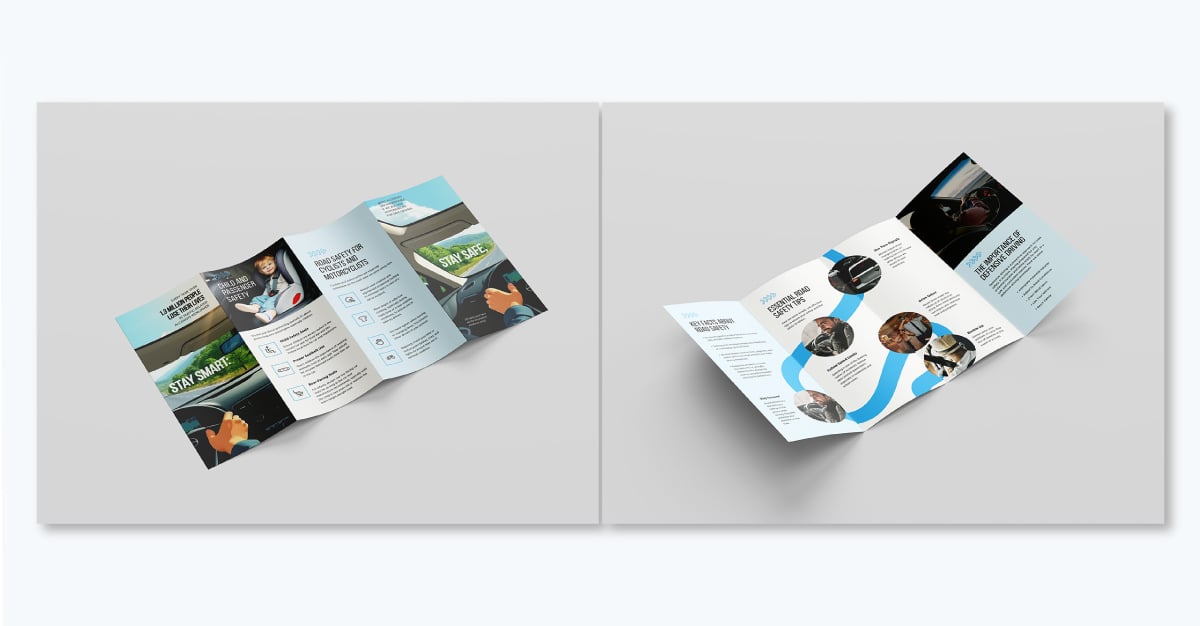
Informational brochures need to share concepts, tips and suggestions in a thoughtful layout. A default design without visual cues or metaphors that align with the content won’t be as memorable. This template about road safety checks all those characteristics.
For starters, it’s a gated brochure. And taking advantage of that fold style, the design has a two-panel cover that spans the width of the windshield viewed from the inside of a car. Then, on the back, a curved blue line resembles a winding road.
Are you creating an informational brochure with your content or marketing team? With Visme's user permissions, you can control who has access to your design template. This includes who can view, edit and comment on your printables when working with multiple people on your team or external clients and stakeholders.
Watch this video to learn how teams can collaborate in Visme
Whether you are a data-driven company looking to present your services or a consultant showcasing your expertise, this data analytics services brochure template will help.
This professional brochure template balances a crisp, calm blue tone with white and red, delivering a clean look that exudes professionalism.
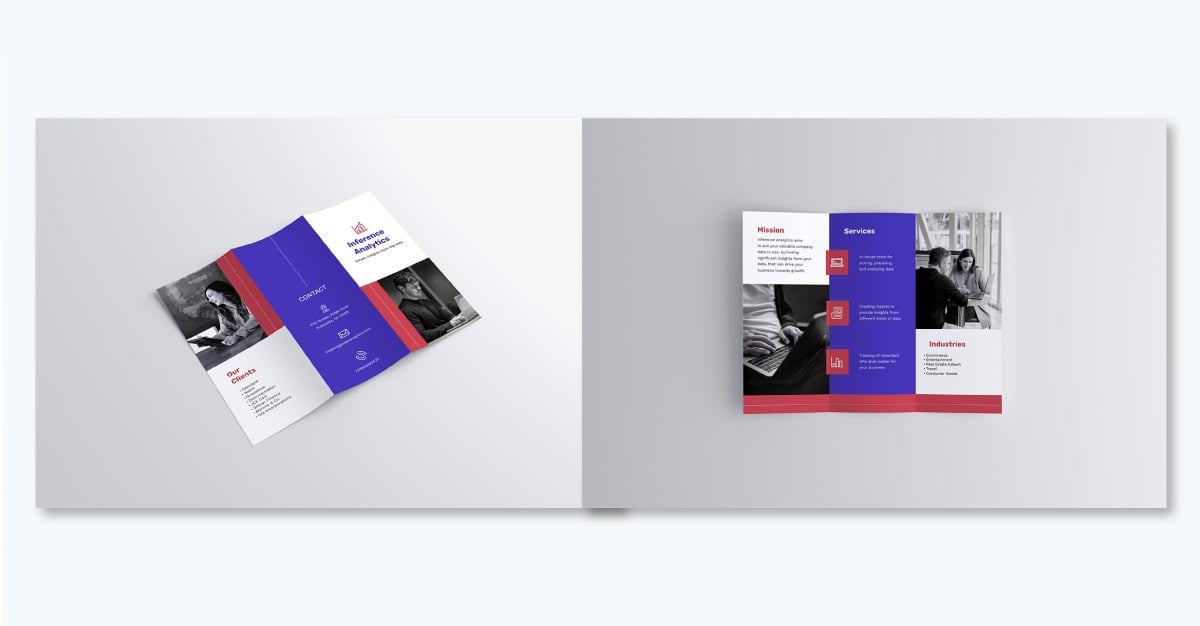
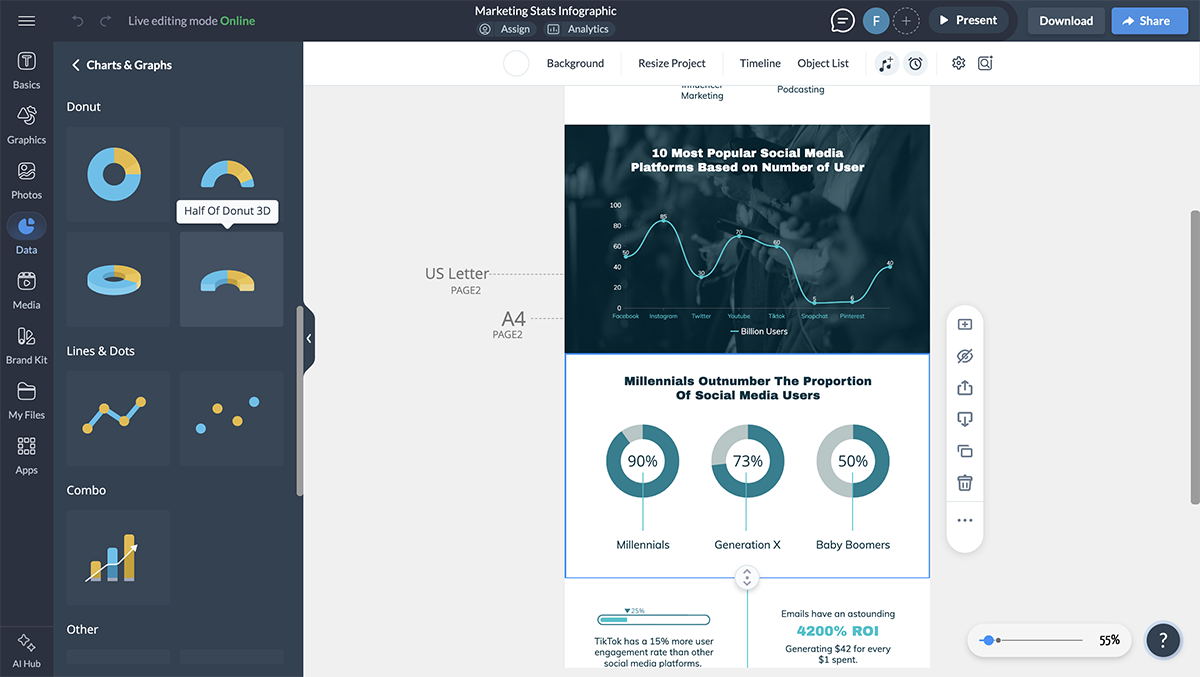
The template includes key sections such as Mission, Services, Contact Details and more. To capture the audience's attention with data, incorporate charts, graphs, widgets and maps using the same color palette as the rest of the design. With Visme's data visualization tool, you can easily create captivating chart designs or import datasets and tables from third-party tools and use them in your brochure.
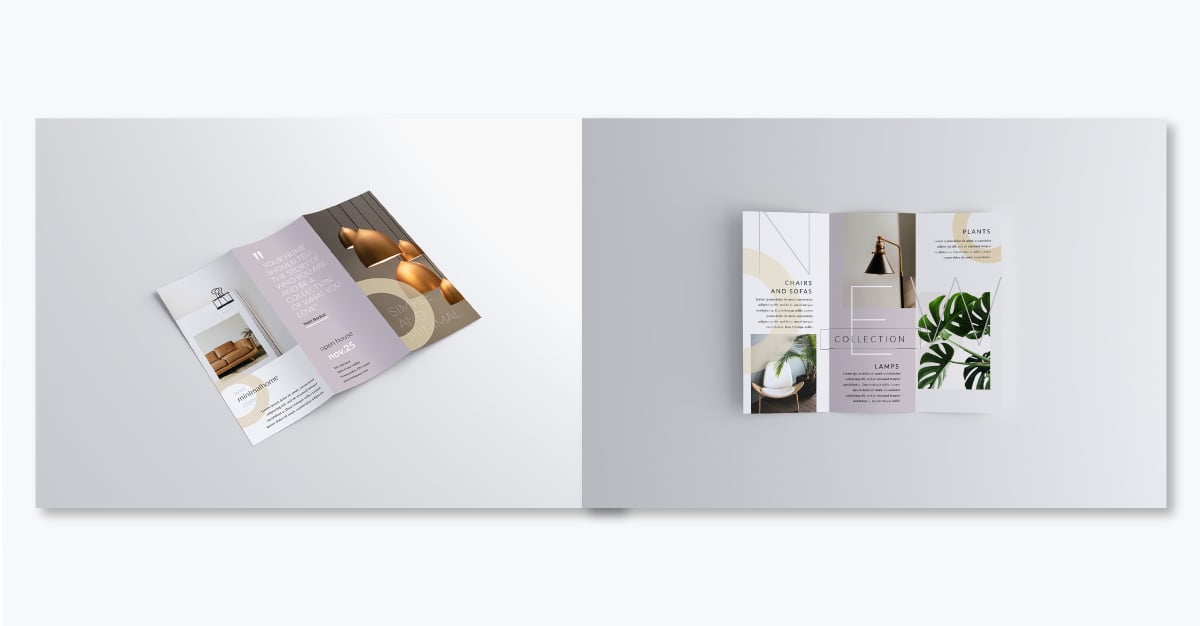
Present your interior design concepts with sophistication and grace using this elegant interior design trifold brochure template.
At the core of this design is simplicity and calm. Each panel has its own full-color background that contrasts with the ones beside it.
This visual technique helps separate content topics so that each one is read individually. Then, on the inside, the pattern breaks with a two-panel horizontal image. The sudden but subtle change keeps viewers interested.
Visme allows you to customize templates for each client or prospect while keeping your brand identity consistent.
Use the dynamic fields feature to create text fields that you’d like to easily swap out in different versions. You can then insert custom details such as titles, client names, contact info and more in each new copy.
What better way to promote your upcoming holiday sale with a trifold brochure that showcases your best products and special deals. You’ll need a template like this one that’s full of image placeholders you can fill with your own product shots.
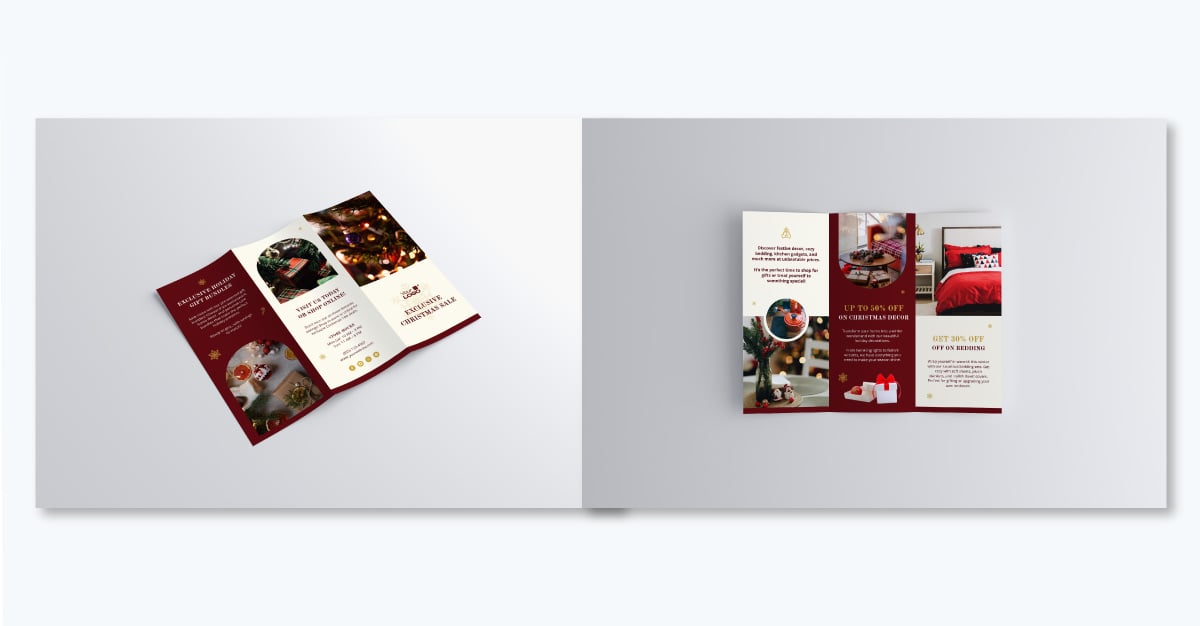
This sales brochure template also has plenty of space to tell your story. Show clients why your brand stands out. In just a few minutes, you’ll have a custom brochure that gets you sales and grows your business.
If your business is in the construction industry, this brochure template will help promote services to your target audience.
It combines a bold yellow-and-black color theme with sleek icons and clean fonts. The stunning images of construction projects and engineers at work add a personal, authentic touch, which is great for building trust with potential clients.
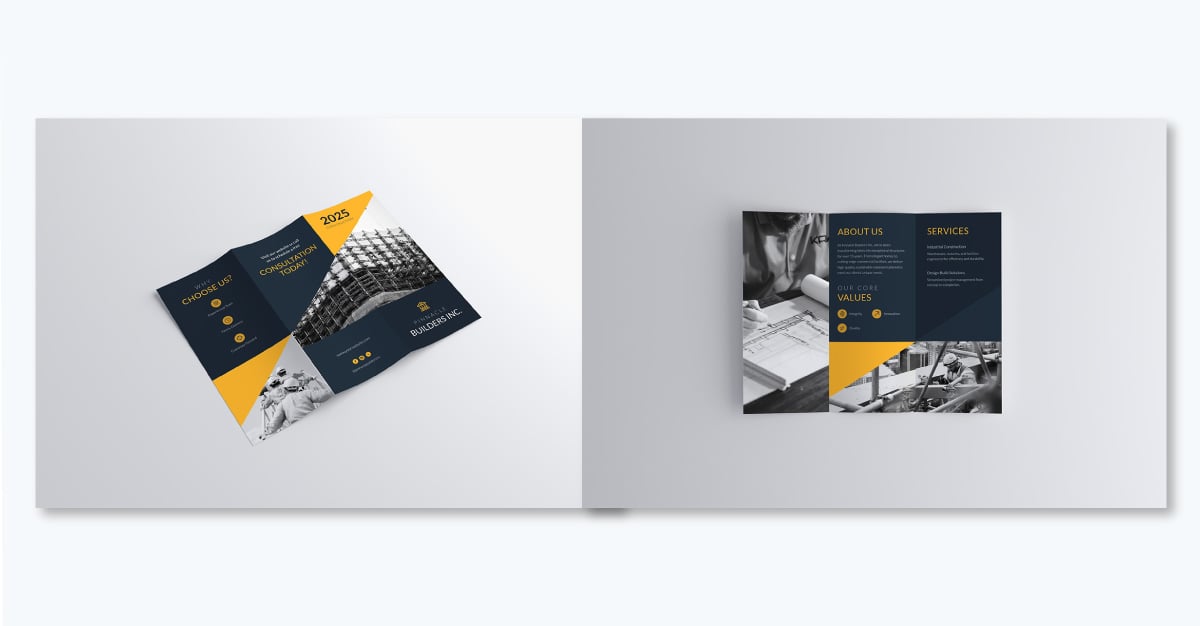
It’s designed to grab attention and leave a lasting impression, whether you’re pitching to clients or showcasing your work. Inside, you’ll find sections like About Us, Services, and Core Values, giving you plenty of space to tell your story and highlight what makes your business stand out.
Want to go the extra mile? Add testimonials, showcase recent projects, or share your safety certifications to build trust. And to keep things clean and clutter-free, add a QR code or include a link to your website so prospects can dive deeper into your services at their own pace.
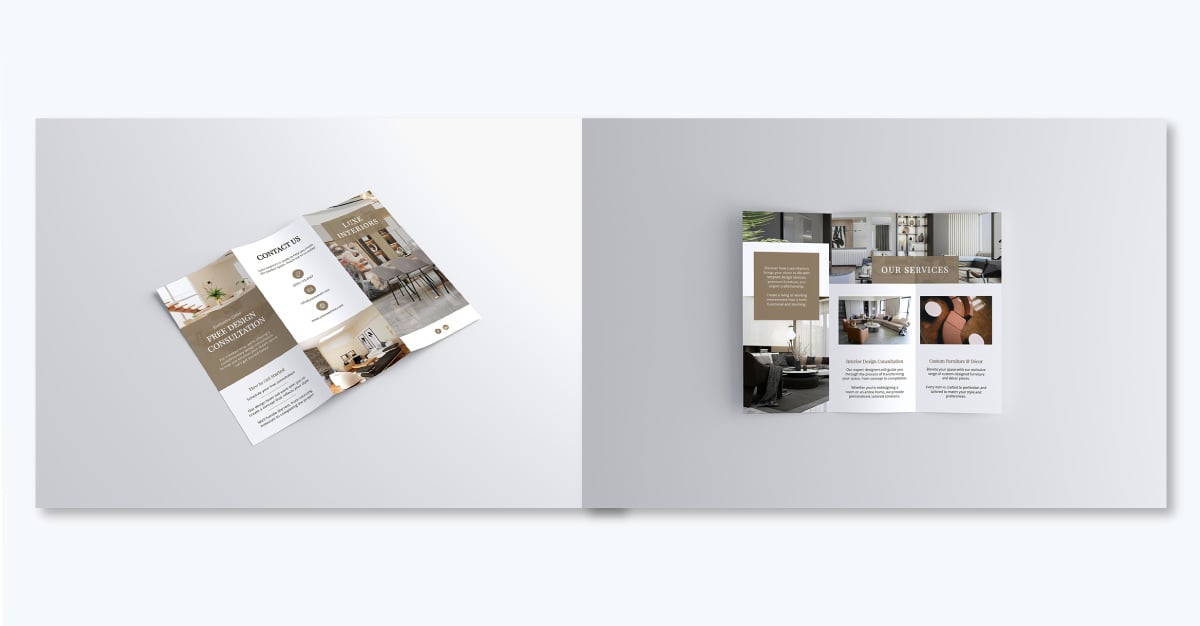
Looking to showcase your interior design expertise? This brochure is designed to do just that elegantly.
With a neutral, earthy color theme, it feels calm and inviting—just like the spaces you create. It’s filled with beautiful images that showcase room transformations, design concepts, and finished spaces. The close-ups of stunning design details, 3D renderings, color palettes, and architectural features gives your audience a real taste of what you can do.
You’ll find everything you need to share what makes your business special: Our Services, Exclusive Offer, How to Get Started, and Contact Us. It’s a great way to guide potential clients through your process and encourage them to reach out.
Throw in some client testimonials, highlight a few past projects, or offer some design tips to add a personal touch and connect with your audience. And this brochure isn’t just for marketing—it’s perfect for meetings, consultations, or even handing out at events.
Anyone can make a brochure. But how do you ensure your brochures actually get read by your audience instead of ending up in the trash? Follow these brochure design and copywriting tips to take your print materials from average to amazing:
Build a clear narrative to guide readers through your brochure and keep them reading. For example, you could start with an attention-grabbing cover and headline, introduce the problem on the first inner panel, present your solution in the middle and end with a strong call-to-action. This structure can keep readers engaged from front to back.
Content Marketing Strategist at Visme
Craft your brochure copy as if speaking directly to your audience. Instead of being overly formal and descriptive, use "you" language to make it personal and short, punchy sentences to keep readers hooked as they flip through the pages.
Your audience wants to see proof that your solution works. Include real results in your brochure to back up your claims—think statistics, testimonials, case studies, or before-and-after visuals. When you highlight tangible outcomes, you make it easier for readers to trust you and take the next step.
Results are the deal-makers. People need to see that your solution delivers what you promise. Whether it’s a jaw-dropping statistic, a glowing testimonial, or a striking before-and-after photo, showing real outcomes gives your audience confidence. It’s the difference between saying you’re great and proving it," says Roman Daneghyan, former SEO/Marketing manager with years of experience in building high-converting marketing assets.
You want readers to have a pleasant experience with your brochure, so make sure to design for it. Select colors that align with your brand and stand out, but limit the palette to 2-3 colors so it doesn’t look cluttered or overwhelming. Similarly, use fonts that are easy to read, with a larger size for headlines and smaller for body text.
Graphic Design Expert
No one likes reading brochures that drone on and on. Aim for a 60/40 ratio of images to text in your brochure layout. Use high-quality photos or illustrations that complement your message. Also, break up text-heavy sections with bullet points, callout boxes and icons to keep things interesting.
Graphic Design Expert
What do you want your audience to do after reading your brochure? That’s what your call-to-action (CTA) is for. Your CTA should be impossible to miss. Use contrasting colors or a button-like design to make it pop. Also, write action-oriented copy that clearly tells readers what to do next, such as "Call now," "Visit our website," or "Schedule a consultation."
Who says brochures can’t be interactive? Place a QR code on your brochure to bridge the print-digital gap. You could link it to a landing page with more detailed information, your social media page, a video tour, a tutorial, a form or a special offer. Position the code where it's easily scannable, like the back panel or near contact information.
Ready to make an impression on your audience with an eye-catching brochure? This section will provide you with design tips and step-by-step instructions for creating a standout brochure using Visme— from choosing the right template to adding refined touches to your designs.
With the easy-to-use brochure design features available on Visme, anyone—design novice or pro—can create an appealing brochure that pops.
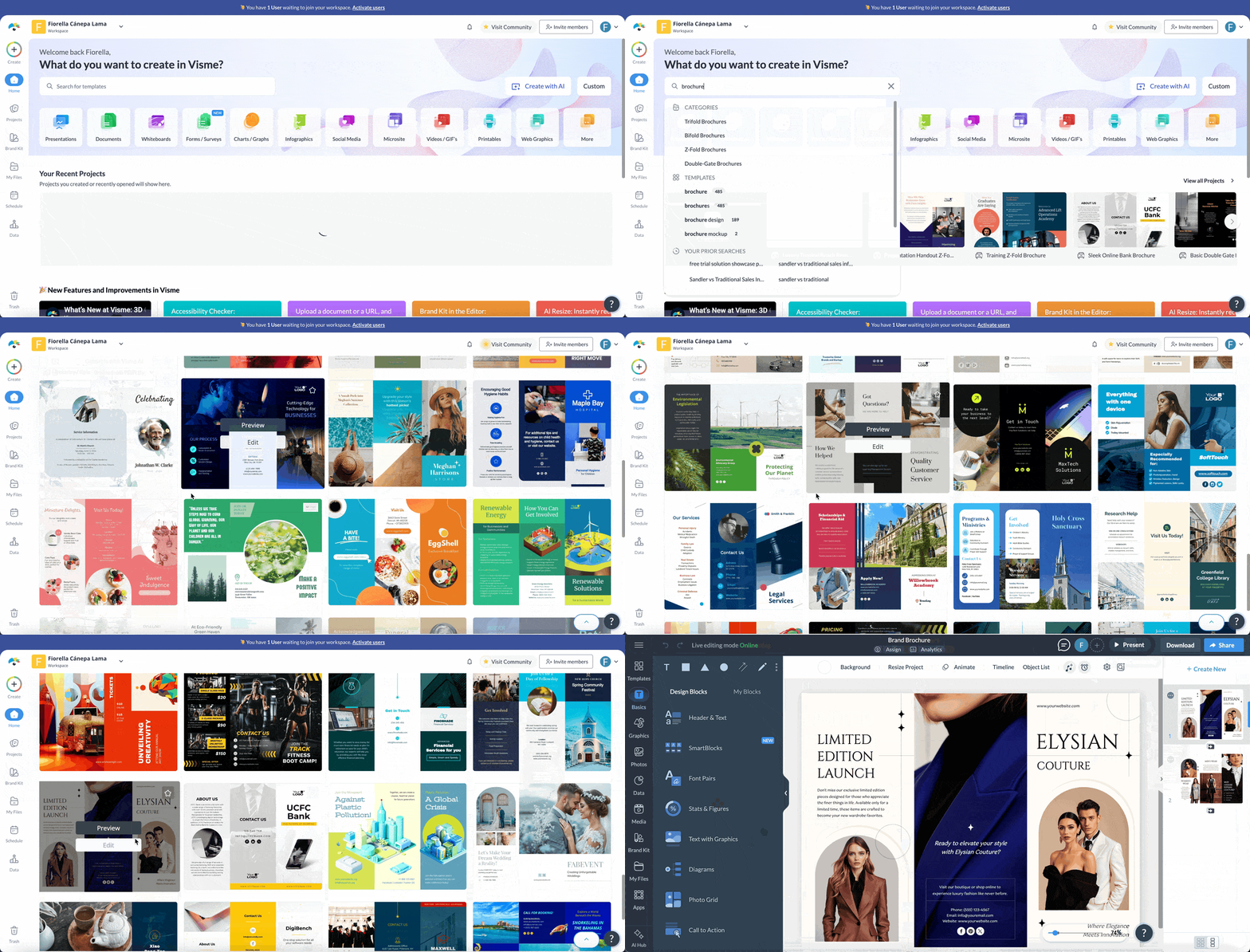
Create a Visme account or log in to your existing one. Once you're in, you'll be redirected to the dashboard. From the Dashboard, select "New Project," then "Brochures."
You have two ways to get started. The first is Visme's template library, which offers a wide range of brochure templates designed by professionals for multiple industries and use cases. Scroll down to browse our marketing brochure examples and select one that fits your needs, or start from a blank canvas to design your own.
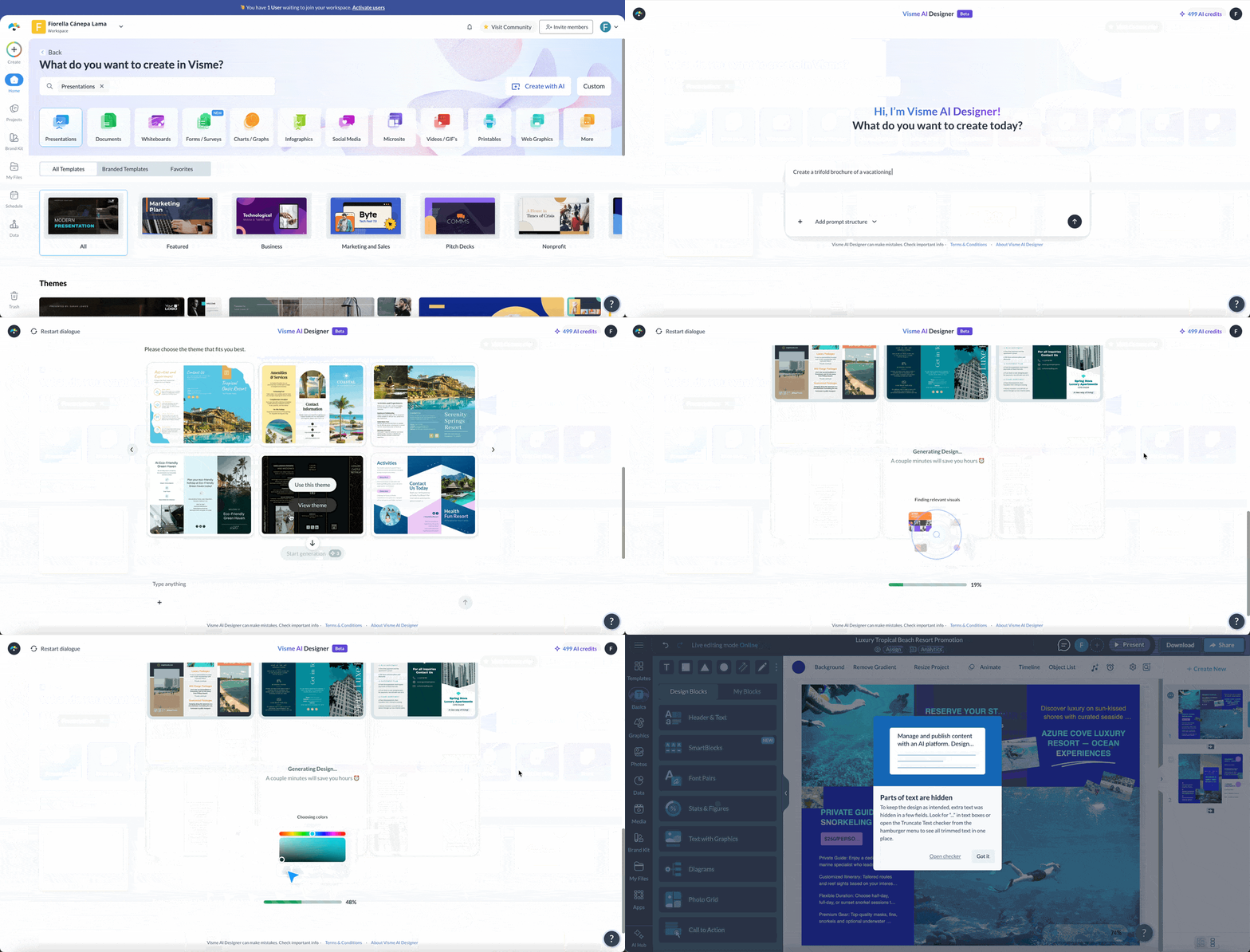
The second is Visme's AI Design Generator. Describe the brochure you need in a short prompt, including its purpose, audience, and key details, then choose a design style from the options provided. Visme generates a ready-to-edit brochure with layout, copy, and visuals, which you can refine in the editor like a template.
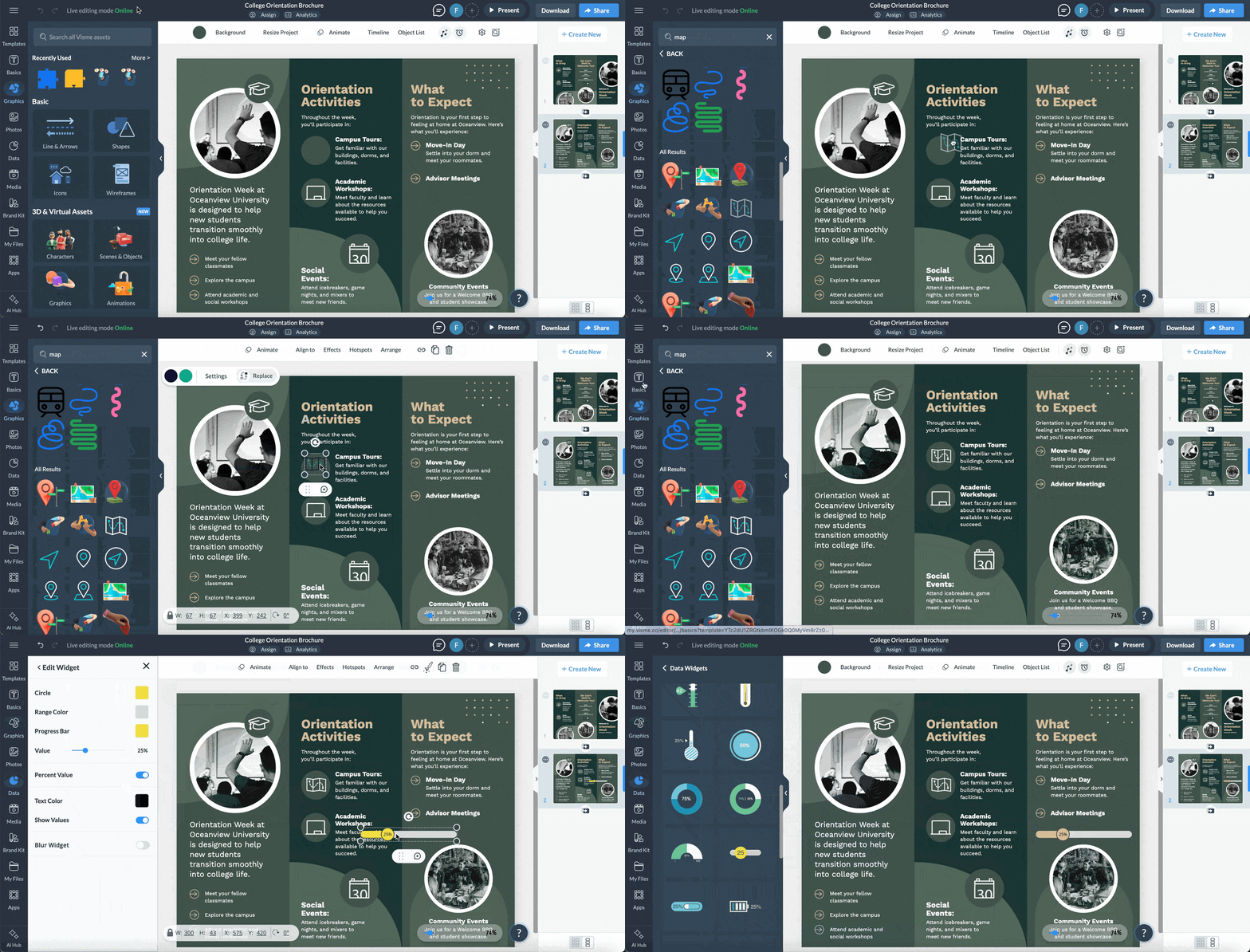
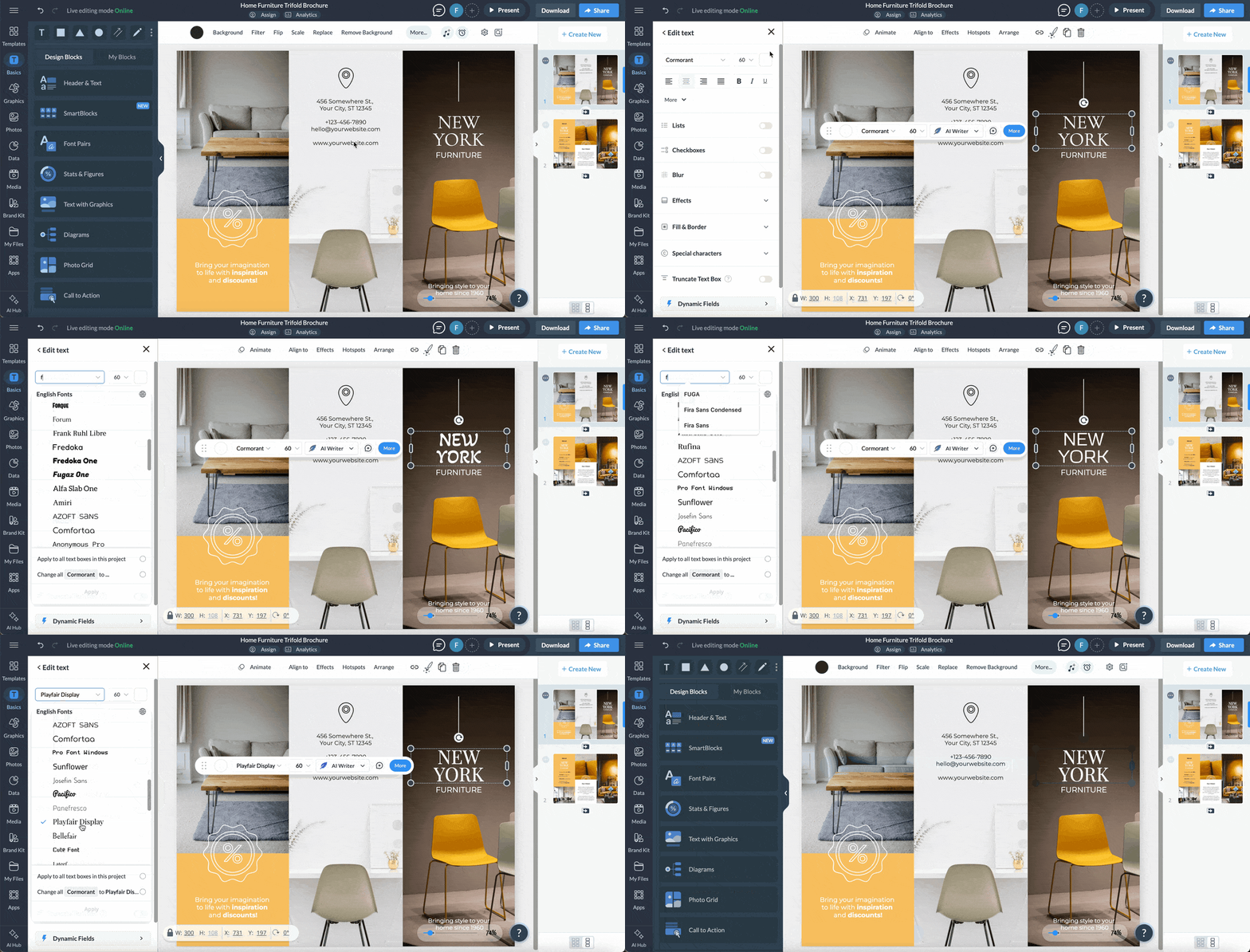
Whether you're editing a template or starting from scratch, you can customize every element of your brochure in the Visme editor, from images and colors to icons and layout.
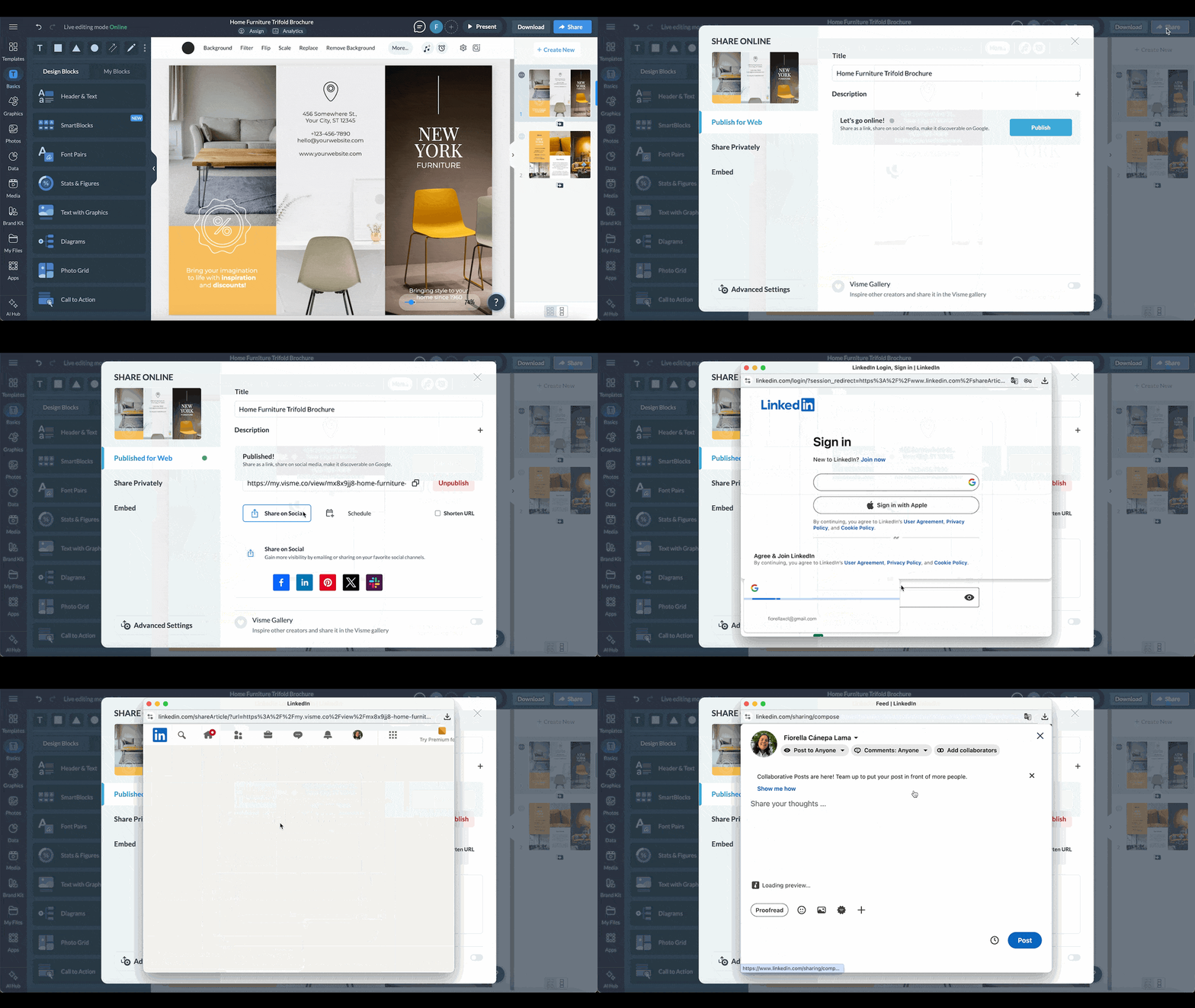
Satisfied with your brochure's design? Then, it's time to share it with your audience! Go to the right-hand corner of the page and hit the 'Share' button. Add a description and click the 'Share' button on the 'Publish for Web' tab.
Either copy the link or click 'Share on Social' to post it on social media. Click the "Share Privately" tab to share your project with others, with permission levels like view, comment, or edit. Or, send an invite. Click "Embed" to generate a code for placing the project on any website or landing page.
Visme offers multiple options for downloading your brochure including PDF, JPEG, PNG, MP4 or GIF formats. Remember, if you're printing your brochure at home or office, select PDF for high-quality results. For professional printing, choosing PDF with bleed marks option is your best bet.
Brochures offer a budget-friendly option for small businesses to promote their products or services to potential customers. Compared to costlier print media ads, brochures are an excellent choice for businesses that need to make the most of their limited budget.
Brochures remain important in our tech-focused world because they add a tactile and personal connection, making customers feel respected and valued. As personalized ads gain traction, brochures are gaining renewed attention in marketing campaigns.
Some examples of brochures include company profile brochures, sales brochure examples, product service brochures, institutional brochures, responsive brochures and mailer brochures. Each type serves unique marketing needs and targets different audiences.
Keep your brochure concise; restrict it to one product/service and no more than 350-450 words. Cut out unnecessary words; edit like a journalist by making sentences and paragraphs brief. Keep white space and images as part of the design.
A well-designed brochure should have these key elements:
Balance these elements for both visually appealing designs and engaging content.
The most common brochure style is the trifold format – a single sheet printed front and back, then folded into thirds. This format is versatile, easy to handle and widely used across diverse industries. It’s also the preferred solution for direct mail campaigns, product demonstrations and informational scenarios.
Make your brochure stand out with a creative design that appeals to your specific audience. Use clear, high-quality images and compelling titles, subtitles and call-to-action phrases. Ensure good-quality paper is used for a professional finish and maximum effectiveness.
There you go: creating a great brochure no longer has to be a daunting task.
Brochures, if done right, can bring impactful results; be it brand awareness, customer engagement, or conversion. Think of your brochure as a map, guiding your potential customers to understand, connect with and engage with your product or service.
If you are looking for a powerful, feature-rich brochure maker, give Visme a spin. With Visme, you get access to a wide range of professionally designed templates and intuitive features, including animations, interactive elements, and a vast collection of icons, stock images and videos to make your content captivating. You can also gain access to tools for content authoring, visual design, design collaboration and more.
Visme also offers templates for one-pagers, presentations, infographics, social media graphics, data visualizations and sales marketing materials to help boost your marketing efforts and drive sales,
Sign up to create attention-grabbing brochures in minutes with Visme’s brochure maker.

Design visual brand experiences for your business whether you are a seasoned designer or a total novice.
Try Visme for free