Proven Product Specification Examples That Give You Clear Decisions


Winning over clients is tough work. You're going to need cold, hard proof and real-world results to prove the value of your solution.
One of the best ways to show your product or solution works is by using compelling case studies. According to a Content Marketing Institute report, 69% of B2B marketers believe in the persuasive power of case studies and use them for marketing.
Case studies weave captivating stories about the positive results and experiences previous clients have had with your solution. When done right, a professional presentation around your case study can help you market your brand, win over new customers and increase sales.
Not sure how to create or deliver top-notch case study presentations? You've come to the right place.
In this article, we'll show you how to create winning case study presentations, how to present a case study, plus templates you can use right away.
And if you're buzzing to start creating your case study presentation quickly, Visme can help whip up something amazing. Our extensive range of professionally designed templates are an absolute beauty, plus there are tons of other amazing tools to make your design shine.
Here’s a short selection of 6 easy-to-edit case study presentation templates you can edit, share and download with Visme. View more templates below:





A case study is an in-depth examination of a subject, group, event, or entity within a real-world context. The goal is to better understand key functionalities, outcomes and successes.
When used for educational purposes, they are effective teaching tools. They are engaging and enable students to:
When it comes to marketing, case studies are stories that highlight the effectiveness of your solution and your success in solving client problems.
Case study presentations help you tell these compelling stories using written content, visuals, charts, graphs and other tools. This type of sales and marketing presentation can come in handy during sales pitches, trade shows, workshops, conferences, networking events and more. You can either pre-record it, present it virtually, or opt for an in-person presentation.
No matter the type of business you're doing, case studies can be invaluable for sales and marketing.
If you're still in doubt about the potency of case studies, check out these compelling statistics.

According to the Content Marketing Institute, 80% of tech content marketers use case studies in their marketing strategy.
There's often a misconception that case studies are just marketing content meant to stroke your company's ego. The truth, however, is that case studies are more about making customers understand how your company can help them.
When pitching your solution, case studies add a layer of social proof. Rather than focusing solely on your product or its features, your case study should spotlight real-world results and the impact of your solution on customers, industry and society.
There are various scenarios for developing case studies, including:

Before we show you how to present your case study, let's discuss what should go in a case study. A well-written case study design should include the following sections:
This section provides a brief overview of the entire case study. Readers should be able to scan it and get the hang of everything you want to discuss.
This section should detail the goals and purpose of your case study.
You should highlight the problem you've identified that your study is looking to solve or questions you intend to answer through your case study. What are the main issues that led to the case study and what will your audience learn?
This case study slide forms the core of your case study. Here you want to explain how you solved the problem.
Discuss how other clients found you, what solutions they chose, why they chose them and how you implemented them.
This section should detail the journey to helping the client achieve the results.
You want to touch on the planning, processes, risks, metrics, KPI and factors you need to get an even better result. Describe the issues you faced during execution and how you mitigated them.
Here, you need to explain the positive impact or benefits of your solution on the client's project or business.
It could be financial results, growth results, improvements, or increases in productivity. Be sure to provide clear evidence like images, videos, statistical data and numbers.
Share reviews, quotes, testimonials and recommendations from existing customers about your solution.
When including these elements of a case study presentation, remember to back them up with visuals that engage your audience through storytelling and real-life examples.
Here’s an example of a case study we created for the Florida Panthers, a professional NHL hockey team.
Problem: The Florida Panthers’ marketing team needed a way to produce engaging content that could scale. They were struggling with workflows that relied heavily on designers, slowing down their ability to create presentations, seasonal recaps, and partner materials quickly enough to keep up with demand.
Solution: By using Visme, the Florida Panthers are able to design and share professional, on-brand content across departments without depending on a single design resource. Their team uses Visme to create interactive presentations, marketing recaps, sponsorship decks, and other branded visuals that communicate value to stakeholders and new partners.
Results: The Panthers streamlined their workflow, saving time and resources while enhancing collaboration across teams. With Visme, they not only produce content faster but also elevate the quality of their presentations, helping them impress stakeholders and win new clients.
Sign up to receive weekly tips in your inbox that help you learn more about Visme and all of the content you can create.

To help you weave a captivating narrative about the effectiveness of your solution, we've put together stunning case study templates for creating your case study. These case study presentation examples cut across various use cases and industries.
This generic case study template is a powerful marketing tool for businesses of any size.
You can use it to elaborate on projects or solutions provided to satisfied clients—from the problem that led them to use your tool to your approach to the outcomes or results they've seen. Each section tells a compelling story, offers social proof and spotlights your biggest achievements.
In addition to its rich and bright color combination, this template is interactive. You can liven up your presentations by embedding images, videos and animations. Make this template work for you by editing content and inserting your logo, fonts, images and other design assets.


Whether you're doing an in-person or virtual case study presentation, this template has everything you need to impress your audience. You can present a compelling business case that wins over your prospective clients and partners.
Visme has an extensive repository of customizable assets, including icons, charts, shapes, backgrounds, animated assets, stock photos and videos. Customizing this template takes only a few minutes, thanks to our intuitive and easy-to-use drag and drop template.


This presentation template is ideal for drawing attention to rare clinical cases. It provides details about the patient's medical history, medications, results and follow-up. The template heavily relies on bright colors, icons, shapes and visuals to make important data stand out.
There's no limit to what you can achieve with Visme's presentation software. You can use charts and graphs to show compelling figures, patterns and relationships and leave important clues for your audience. The tool supports collaboration across teams. It lets you work with your team on your presentation and get feedback in real-time.


Showcase your past clients' impressive results after working with your company using this stunning case study template. The cover page features a unique style, layout and color theme that blends with the rest of the document.
Notice how the template chronicles the customer's journey, starting with the problem. It elaborates on the approach to solving the problem and the measurable outcomes.
This template makes good use of shapes, images and icons to present the results in a captivating way. You can customize this template for different niches in which you've found notable success.
Use our intuitive editor to add or remove slides and swap your content, images, fonts and other assets to suit your taste.


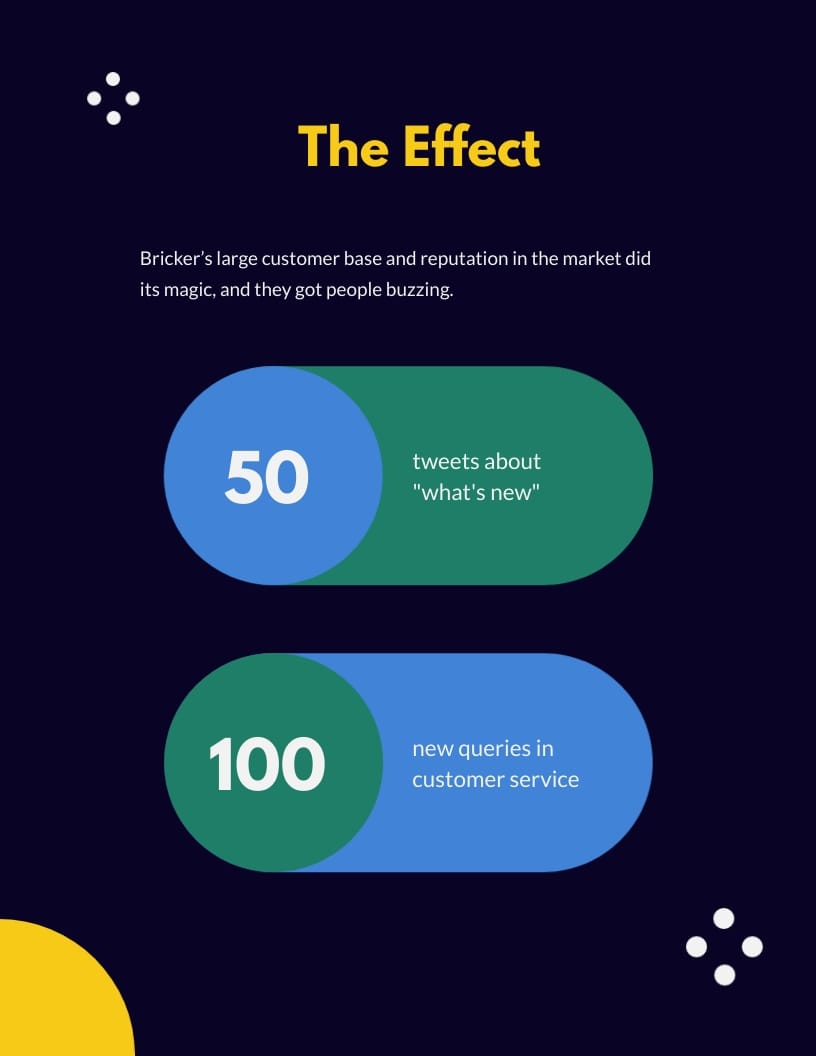
This case study examines the importance of using demos to increase sales. With this case study format, you can position your brand as a topical authority in your niche.
The template introduces the subject in the case study, their approach to ramping up sales and the effect. It highlights the results and key takeaways from the case study.
Here's what makes this template stand out. The template has a dark blue background while using bright-colored fonts and charts to maintain a strong visual contrast.
Go ahead and customize this template to reflect your brand image and content. Once done, you can embed it on your site using a snippet of code, download it in PDF or PPTX format or share it online with a public or private link.


If you're looking to entice prospects with the success stories of your previous clients, this case study template is a perfect fit. In it, you'll find real-world examples of how your product or service addressed a client's challenge and impressive results backed by data.
The cover page has a bold headline and summary of the results that catches the eye. At a glance, the reader gets a sneak peek of your notable accomplishments and the type of results they can expect from your brand.
Create your ideal case study presentation by adding new design elements like elegant fonts and icons, high-resolution images, videos and animations.


Below are some helpful tips for designing and presenting your case study to clients, prospects, investors and key stakeholders.
This is the first step to designing your case study. What are you looking to achieve, or what message do you want to convey in your case study?
We get it. Case studies are created to demonstrate the value of your solution to customers. However, we recommend aligning your objectives with the value (solution and results) you want your customers to see.
For example, depending on your client's pain points, your objective may be to show your solution helped other clients to:
Once you have outlined what your case study is set to achieve, you need to pick a suitable case study.
We recommend having an arsenal of case studies at your disposal. This will give you the variety you need to whip out and present the best and most relevant case study for each prospect.
Stand-out case studies boost credibility and drive prospects' interest in your solution. For example, you should prioritize case studies featuring reputable brands.
Another top choice is case studies of clients who had complicated problems or clients who left your competitors to work with you. These case study examples typically provide a more compelling story and outcomes.
Case studies riddled with design and visual flaws can put off prospects. Using templates keeps your presentation structure organized and visually appealing. Beautiful case study templates like the ones above make your job much easier. It allows you to spend your time on content rather than aesthetics.
When preparing your presentation, use quality visual aids to break up the text and keep your audience engaged.
You don't want to bore your audience with large walls of irrelevant text and vague statements. Instead, use more numbers and visual aids like charts, graphs, images and videos to show compelling proof of success. They make your message clear and lend credence to your arguments.
Did you help your clients increase sales? If yes, show the percentage increase in numbers and charts or graphs to show a spike.
Notice how the case study template highlights compelling figures using graphs and charts.
You've already put in a lot of effort to create a solid professional case study. However, even the best-written case study will fail to deliver without a winning delivery.
So, how do you get your clients to buy into your case study during the critical presentation phase? How do you present your case study in a simple, clear and persuasive way?
Keep reading.
When presenting case studies, deploy storytelling—it works.
Think of storytelling as a hook that draws your audience into your presentation. Your story could clearly describe the problem a similar client faced, the solution you implemented and what they're currently enjoying.
It's not enough to use facts and figures alone. Injecting an emotional appeal into your narrative will make your case study memorable and impactful.
One way to create a human connection is by painting a clear picture your audience can relate to. You want to visualize their journey to success based on your results with existing clients.
Remember that the case study is not about you or your salesperson. Companies that focus more on themselves often come off as self-centered.
You should research your prospects and focus on their needs and challenges. Not only will your presentation be relatable, but it will have an emotional appeal and motivate your clients to take action.
So dig deep to find out these things:
The more you can align your presentation with the client's needs and clearly articulate them, the faster you can secure their buy-in. Otherwise, your case study will sound like a thinly disguised sales pitch.
Do you want to avoid situations where your audience zones off or nods off to sleep during your presentations?
Make your presentation a two-way dialogue. The more you can engage your audience, the more impactful your presentation will be.
Here are some effective ways to engage your audience.
You can also use Visme's interactive presentation tool to wow your audience by zooming into a key point in your presentation.
No matter how much time you're allotted, keep your presentation brief.
Why does it matter? Humans have short attention spans. So, to avoid losing audience attention, spend more time on slides that drive home your points.
In the middle of the presentation, you may be asked to dive deeper into a particular aspect or answer other questions.
Whatever happens, be prepared to answer questions in the middle of your presentations. You can create appendix slides to expand on some aspects of your case study.
So there you have it. We've discussed everything you need to know about creating and delivering a stunning case study presentation.
Case studies can be an effective sales and marketing tool for convincing and converting prospects into paying customers. However, to deliver a smashing presentation that wows your audience, we recommend using Visme's case study templates. You'll find templates for every niche and use case.
Visme offers a wide array of design assets, visual aids, images, videos and animations to make your presentation pop. After tweaking your template, you can embed your case study on your blog or website. Also, you can share it online using a link or download it for offline use in multiple formats, like PDF and HTML5.

Design visual brand experiences for your business whether you are a seasoned designer or a total novice.
Try Visme for free