Proven Product Specification Examples That Give You Clear Decisions

![12 Best Canva Alternatives in 2026 [Free & Paid]](https://visme.co/blog/wp-content/uploads/2020/10/Header-2.png)
If you're looking for a strong Canva alternative, you're in the right place.
I've worked with visual design tools for years, creating content for social media, presentations and marketing campaigns.
Canva was one of the first platforms that really made design accessible to everyone. I still think it's great for quick graphics; it's simple, fast, and has templates for just about everything.
But as I started tilting toward creating interactive and experiential content, I kept running into its limits. Canva's animation features are pretty basic, and when you want content that actually moves and engages beyond static posts, you need something with more power under the hood.
So I did what most curious creators do: I started testing alternatives. In this guide, I've narrowed it down to the 12 best Canva alternatives (both paid and free) that I've actually used, covering everything from visual content and presentations to infographics and marketing design tools.
The tools I tested include Visme, Fotor, Animoto, Adobe Express, Piktochart, Easil, Snappa, VistaCreate, Stencil, PicMonkey, Pixlr Designer and Pixazo.
Let's examine each of these tools and see what the best design solution is for you.
Prefer watching a video? Check out our video version of the best Canva alternatives.
Canva makes design simple. You can jump in and start creating a variety of visual content that looks good without professional design experience.
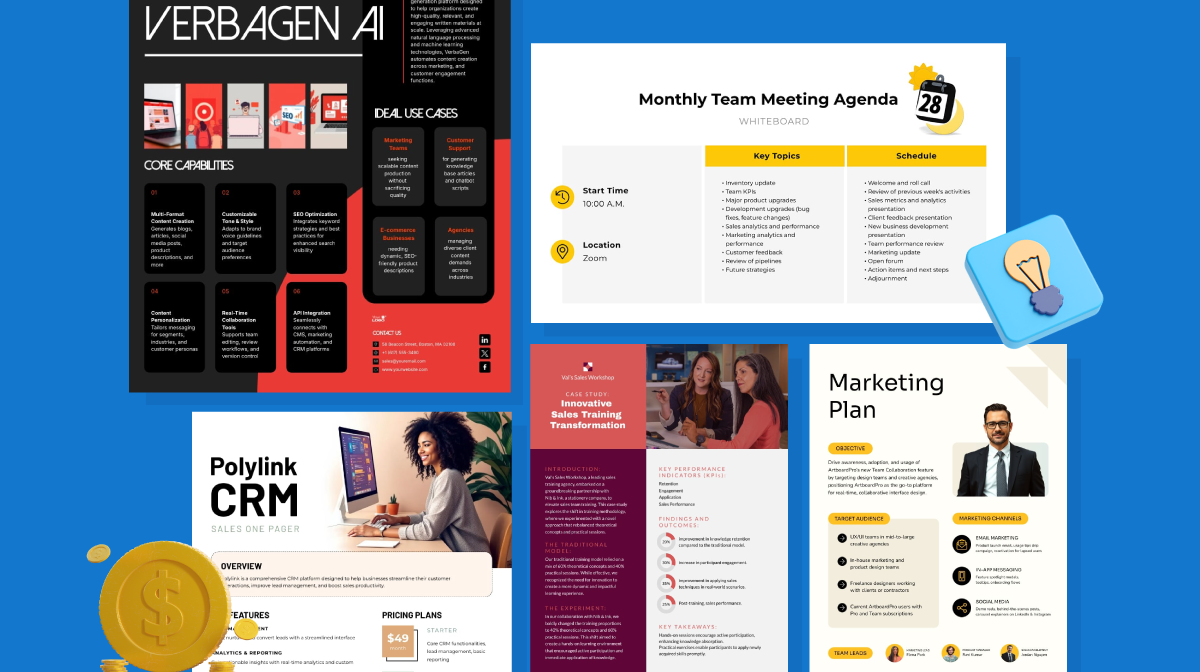
The template library is massive with thousands of pre-made designs for presentations, social media graphics, reports, documents and more.
The drag-and-drop interface, along with an asset library that includes stock photos, videos, icons and logos, just makes customizing your design easy. Honestly, that explains why so many people love it.
Like most tools I’ve reviewed in this article, Canva also has a wide range of AI-powered features. You’ll find the AI design tool, text-to-image generator and AI writing assistant. Plus, you can also automatically remove backgrounds and create natural-sounding voiceovers with their AI Voice Generator.
While Canva is a popular design app, it isn't the only option available, and it’s not the one I personally use. Although it's a solid choice for many, there are valid reasons to explore other tools.
If you're creating anything for professional print, you're going to run into problems. Print shops have a love-hate relationship with Canva files.
One printer said they've never—not once—received a Canva file with proper bleed and crop marks. People export 72 dpi PNGs when you need 300 dpi for print. They don't know about RGB vs CMYK. They don't set up bleeds correctly.
Another print shop worker put it this way: "Canva is always a nightmare to deal with from a prepress perspective. 99% of the time, we use their layout as a template to completely rebuild it in Illustrator." They're basically starting from scratch because the file is unusable.
This would pretty much apply to most of the tools on this list.
Beyond print issues, there’s limited control over the typography tools, and the data visualization is pretty bare-bones compared to professional design software. Plus, you can't work with RAW photo files or do serious photo editing.
The animation features are super basic, too. You get a few preset effects—fade in, slide, bounce—but that's about it. If you want custom animations with precise timing or complex transitions, forget it. The video editing is similarly bare-bones. You can splice clips together and add some text, but it's nowhere near what you'd get with actual video editing software.
When it comes to interactive content, you can add clickable links to presentations. But if you’re looking to create immersive, interactive experiences like quizzes, calculators, and clickable charts, your options in Canva are limited.
The free version locks away most of the good stuff, so you're nudged toward paid plans pretty quickly. For example, some of the templates are only accessible with a paid plan.
To give you an idea of how I tested these tools, here’s a quick overview of my process:
This is an article written by a human for humans; no robots were harmed in the making of this article 😀.
*Disclaimer: The comparisons and competitor ratings presented in this article are based on features available as of February 5, 2026. We conduct thorough research and draw on both first-hand experience and reputable sources to provide reliable insights. However, as tools and technologies evolve, we recommend readers verify details and consider additional research to ensure the information meets their specific needs.
| Software | Key Features | Pricing | Best for | Core Uses | G2 Rating |
|---|---|---|---|---|---|
| Visme | Advanced data visualization, customizable templates, infinite canvas, photo & video editing, animation, AI tools, collaboration, analytics | Free; paid plans from $12.25/month | Businesses, startups, teams | Presentations, infographics, interactive content, short-form video | 4.5/5 (450+ reviews) |
| Fotor | Photo editing, templates, AI photo and video tools | Free; paid plans from $3.33/month | Graphic designers | Photo editing, collages, social media graphics | 4.2/5 (300+ reviews) |
| Adobe Express | Templates, branded content, animations, generative AI tools | From $9.99/month | Social media content creators | Graphics, short videos, web content | 4.5/5 (400+ reviews) |
| Piktochart | Infographic & report templates, AI generator, charts, drag-and-drop editor | Free; Pro $14/member/month; Business $24/member/month | Marketers, educators, business professionals | Infographics, reports, dashboards, presentations | 4.4/5 (160+ reviews) |
| Easil | Social media templates, brand kits, shape masks, illustrations | Free; paid plans from $6.25/user/month | Social media managers, influencers | Social graphics, presentations, marketing materials | 4.0/5 (10+ reviews) |
| Molypix.ai | AI design tools, brand kit, templates for marketing visuals | Free (6 credits/day); paid plans from $8/month | Marketers, creators, business owners | Posters, ads, presentations, social graphics | 4.5/5 (1+ review) |
| Snappa | Drag-and-drop editor, social templates, fast resizing | Free; paid plans from $10/month | Marketers, small businesses | Social graphics, ads, presentations | 4.6/5 (30+ reviews) |
| VistaCreate | Templates, animation tools, AI image editing, stock assets | Free; paid plans from $10/month | Social media managers | Social graphics, ads, presentations | 4.5/5 (170+ reviews) |
| Stencil | Quick design tools, templates, image resizing | Free; paid plans from $9/month | Bloggers, social media managers | Blog images, social graphics | 4.5/5 (20+ reviews) |
| PicMonkey | Photo editing, templates, design tools | From $7.99/month | Photographers, designers | Photo editing, social media graphics | 4.4/5 (400+ reviews) |
| Pixlr X | AI photo editing, filters, overlays | Free; paid plans from $1.49/month | Photographers, influencers | Photo editing, creative projects | 4.4/5 (700+ reviews) |
| Animoto | Video templates, drag-and-drop editor, music library, slideshow creation | Free tools; paid plans from $9/month | Marketing teams, small businesses | Video presentations, slideshows, marketing videos | 4.3/5 (90+ reviews) |

| Feature | Visme | Canva |
|---|---|---|
| Data Visualization | 40+ chart and graph types, interactive data widgets, maps, 3D charts, live data connections | 30+ mostly static charts and graphs |
| Interactivity | Clickable elements, hover effects, animations, transitions, forms, embeds, 3D character creator | Basic entry and exit animations with limited presets |
| Content Blocks | Reusable content blocks across projects | No native content block system |
| Collaboration Tools | Commenting, annotations, version control, workflow management | Team collaboration with lighter workflow controls |
| Templates | Hundreds of highly customizable templates | Thousands of customizable templates |
| AI Tools | AI Design Generator, AI Writer, AI Image Generator & Editing, AI Brand Wizard, AI Resize, AI Presentation Maker | Magic Design, Magic Write, Code Generator, AI Image Editing, Clip Maker, Voice Generator, Magic Resize |
G2 Rating: 4.5/5 (450+ reviews)
Visme is a graphic design tool that goes beyond what you’d expect from a regular tool. The drag-and-drop editor is intuitive, easy to use and packed with features.
It’s a versatile tool that caters to the needs of both individuals and large businesses. However, it is specifically designed for businesses and offers a range of innovative features to help you create engaging graphics.
With more than 10 AI-powered tools, it makes your workflow more efficient. Furthermore, the charts, graphs and 30+ data widgets help you bring your numbers to life, while the advanced interactive graphics keep your audience engaged.
These features make the design process faster and more accessible.
Watch the explainer video below to find out more.
Here are some features that make Visme stand out from other Canva alternatives:
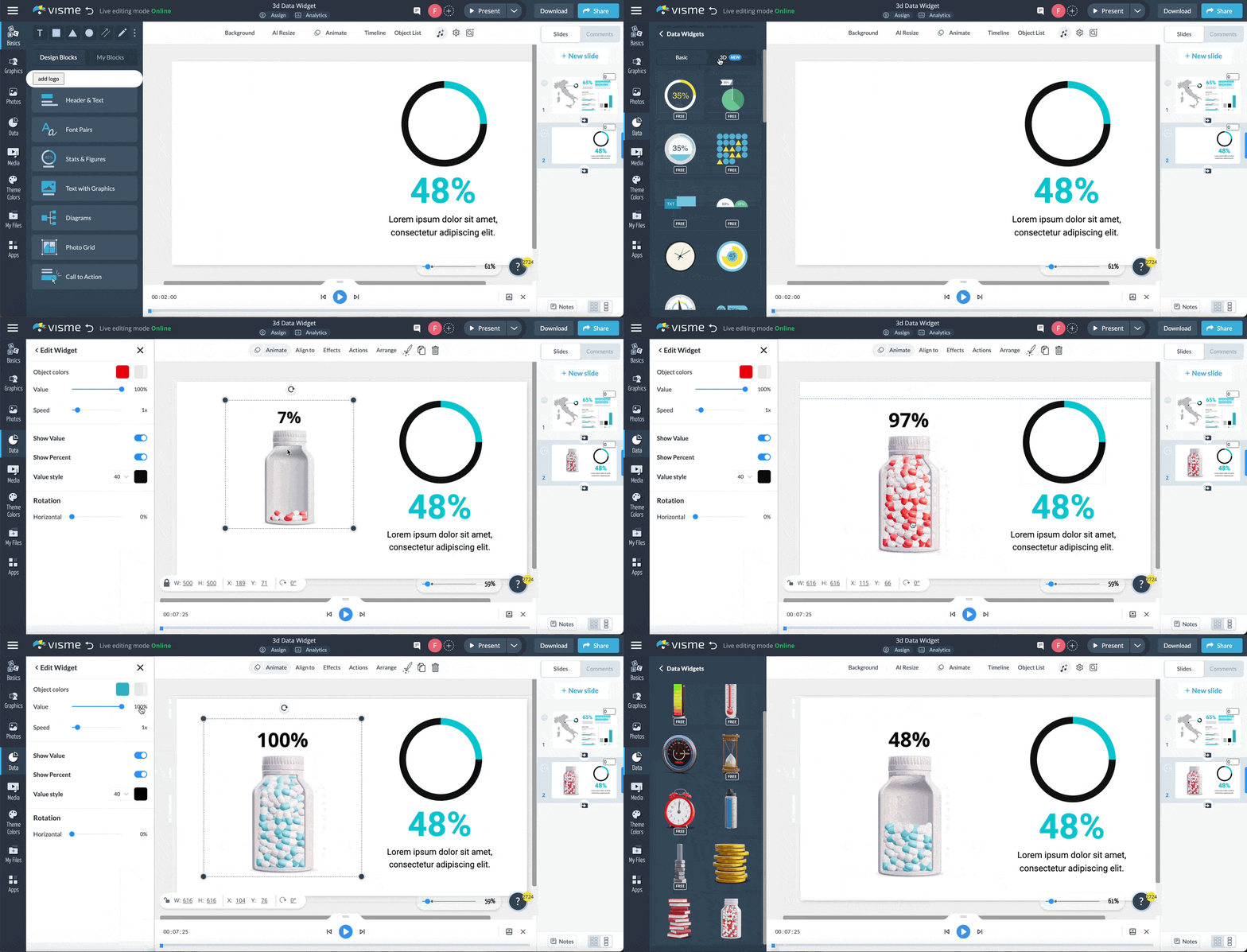
Whether you’re looking to visualize complex data or effectively communicate insights, Visme's data visualization tool has got it. It’s packed with 40+ charts and graphs, customizable flowcharts and plenty of customizable 2D and 3D data widgets, including progress bars, radial gauges, population arrays, watches and more.
But that’s not all! You can also use our 3D animated data widgets, which add a new level of depth to your presentations, reports, infographics and any document you create with this tool.
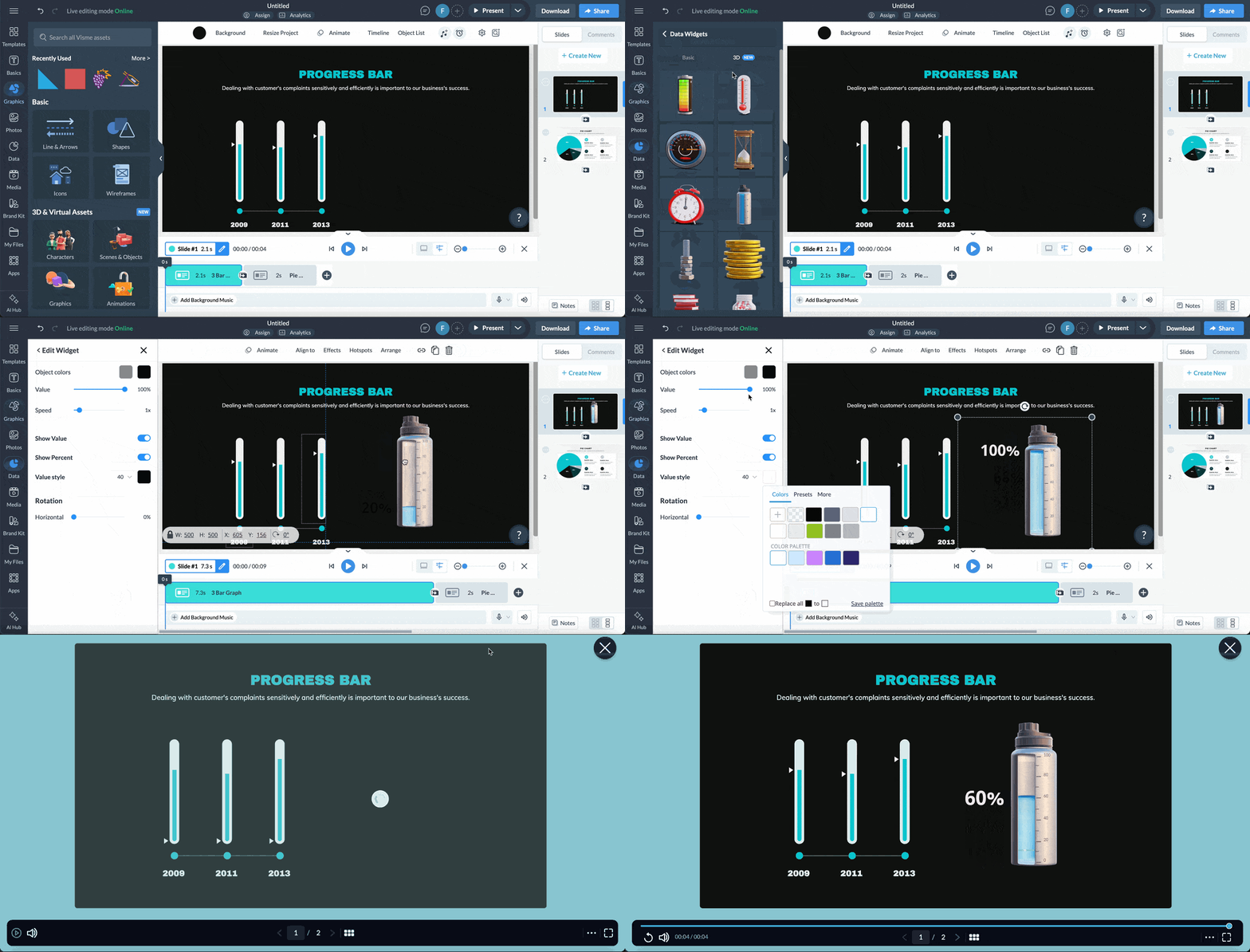
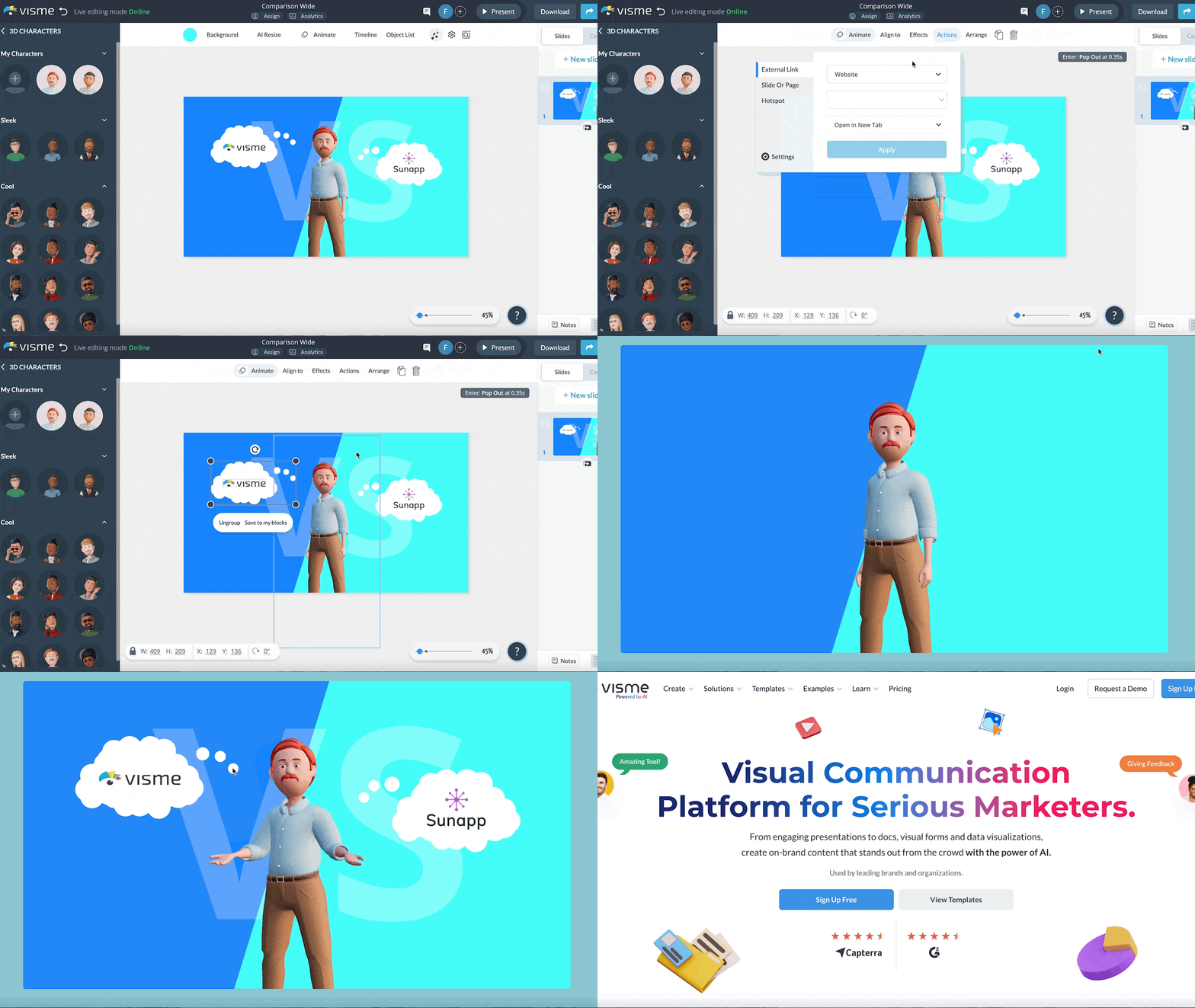
Visme offers a robust suite of animation and interactive features, such as exclusive animated illustrations, popups, hover effects, and links to other slides or external websites.
Amp up your content and drive audience engagement using next-level 2D and 3D animated icons, clickable popups, illustrations, special effects, enter and exit effects and much more. To make your content more interactive, you can embed videos, polls, surveys, and quizzes, as well as connect to other third-party integrations.
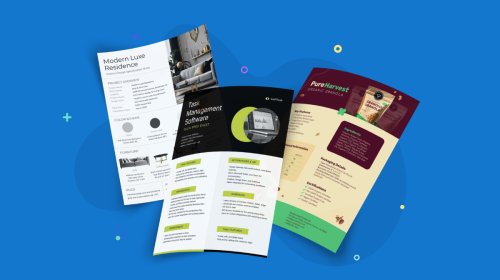
Visme also has a curated library of professionally designed templates created by an in-house team of designers, with the needs of business users in mind.
Unlike generic template collections, each Visme template is unique and designed to help you achieve specific goals. The library spans over 140+ categories tailored for essential business use cases.
Regardless of your skill level, you can create top-level infographics, web and social media graphics, flyers, interactive projects, presentations, whiteboards, wireframes, logos, charts, magazines and other multi-page documents that can be printed or embedded on your site.
Create videos and GIFs for social media, as well as animated slides for pitch decks, business marketing or even HR-related projects. There are templates for hundreds of business, training, education and other professional use cases.
With Visme’s easy-to-use editor, all of these templates can be fully customized. You can edit content, add or subtract pages, swap image(s), apply custom colors and much more.
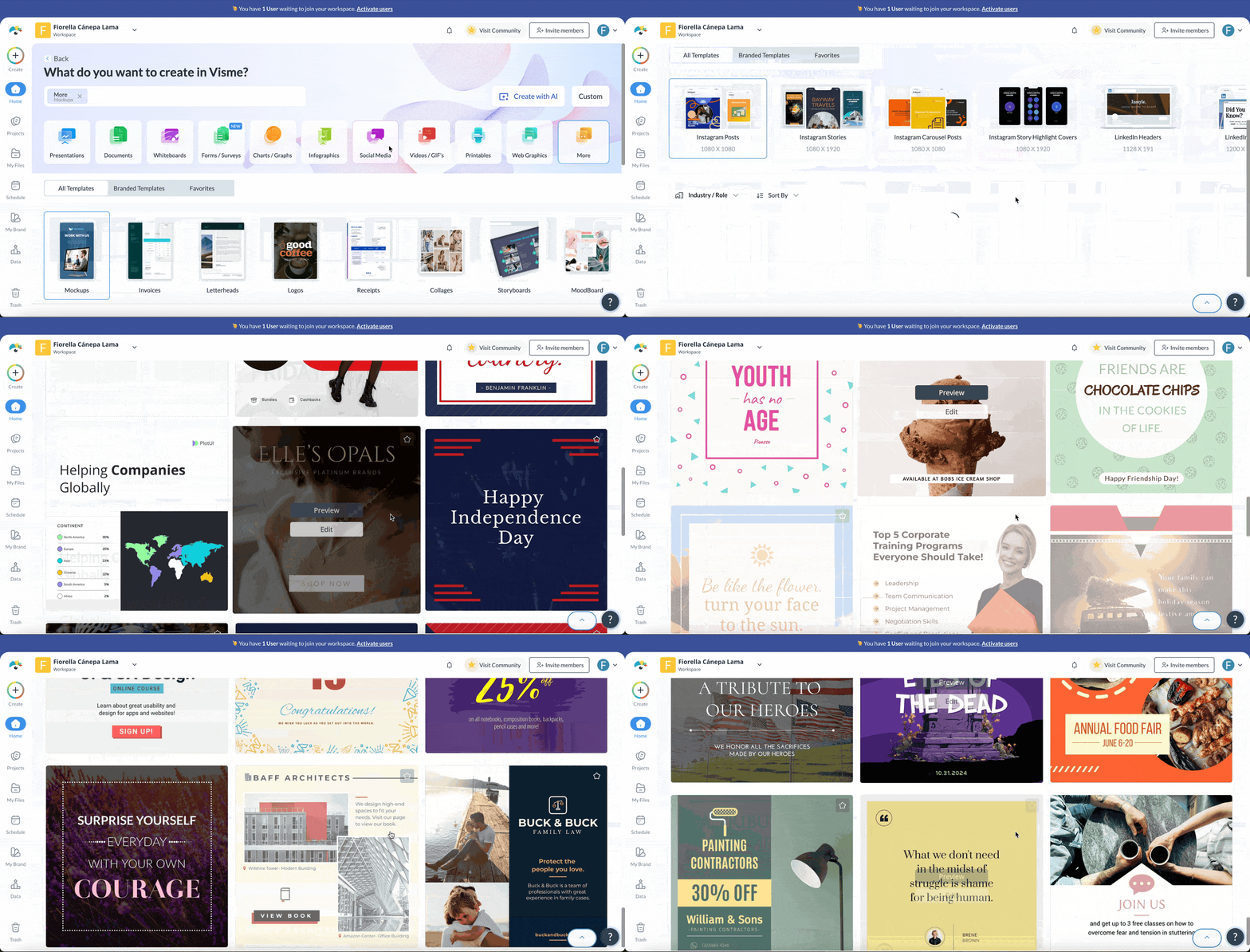
If you're running your own business or a creator managing multiple brands at the same time, you’ll love the practicality and simplicity of Visme’s Brand Wizard. It’s definitely a game changer and I’m surprised not more tools offer this.
With Visme's brand wizard, you can apply brand identity to your designs with just one click. Copy and paste your website URL, and the tool will automatically extract your brand colors, brand fonts and company logo and save them for future use.
You can also create a set of branded templates specifically for your business. These templates come pre-populated with your brand elements, like brand colors and logos, making it easier than ever to create on-brand content.
The level of customization Visme offers makes it one of the best Canva alternatives for graphic design. It enables teams to create visually stunning graphics and documents while maintaining complete control over the entire design process.
You can adjust the style and technicalities of charts and graphs, tailor interactive elements and provide specific analytics data that matters most to your business.
With Visme, you can easily assign specific roles and permissions to each team member, ensuring that everyone has the appropriate level of access to projects. This includes the ability to lock down specific elements, such as slides or templates, to prevent errors or unintended changes.
Visme's Slide Library and My Blocks feature allow you to save and reuse frequently used elements and slides, ensuring consistency in your brand's visuals.
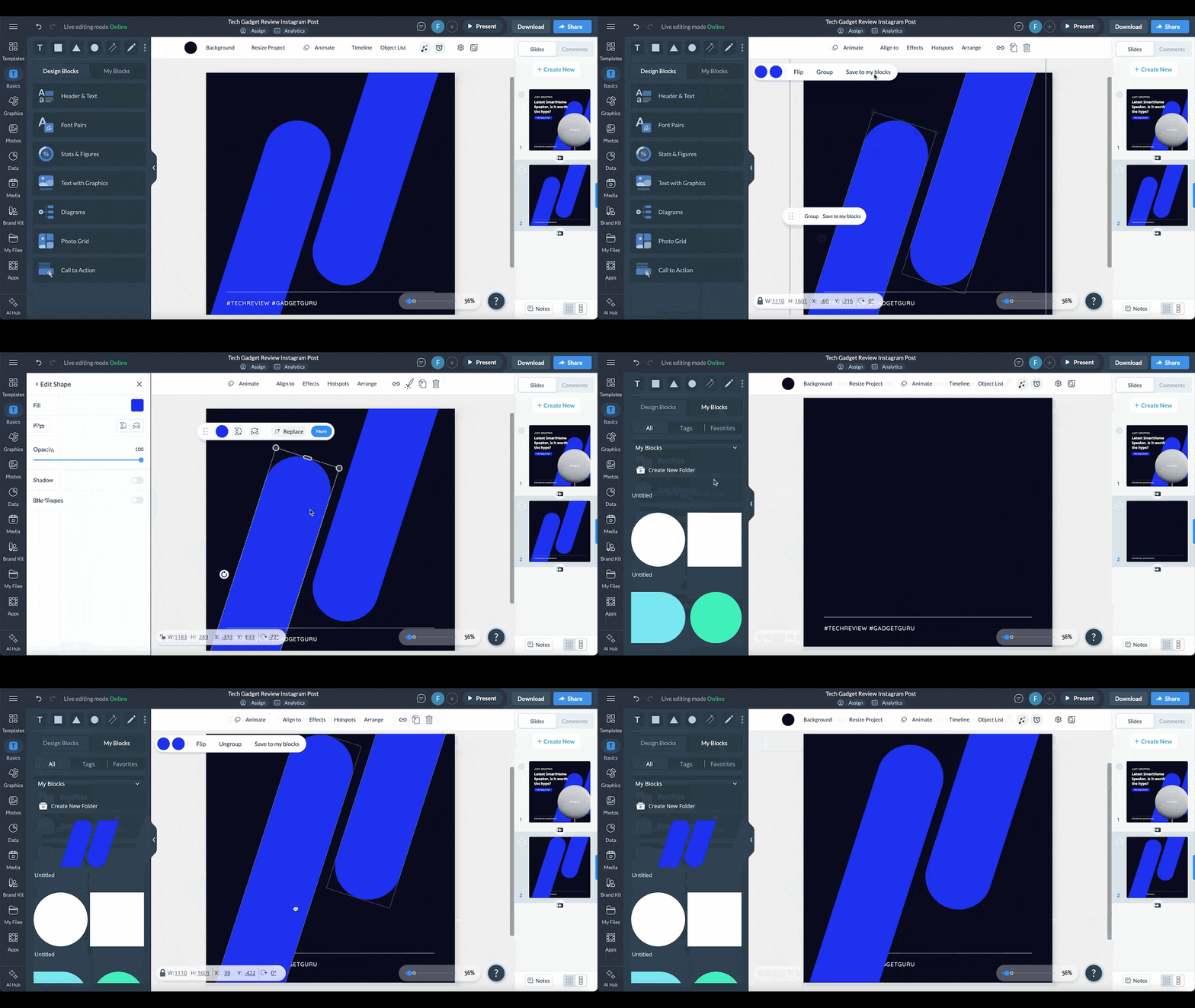
Also, to save you more design time, Visme comes with a Dynamic Fields feature that allows you to update information across multiple projects simultaneously. Simply save your information by creating the fields, and whenever you insert them anywhere in the documents, they automatically populate the information.
If you have an Enterprise plan, you can customize Visme even further by turning features on or off as needed, tailoring the platform to your team's unique workflow and requirements.
Team plans have collaboration features to help teams work on projects together both synchronously and asynchronously. You can set user roles and permission levels (such as Can View or Can Comment), add and remove users, assign user roles, edit and deactivate users.
This is particularly useful for managers, designers, marketers and content creators because they can work together to create the best visual graphics for the company.
It includes dedicated workflow management features to streamline the entire design process. Manage roles, tasks, deadlines and progress right within the platform. This eliminates endless email threads and scattered messages, ensuring everyone is on the same page—LOVE THIS!

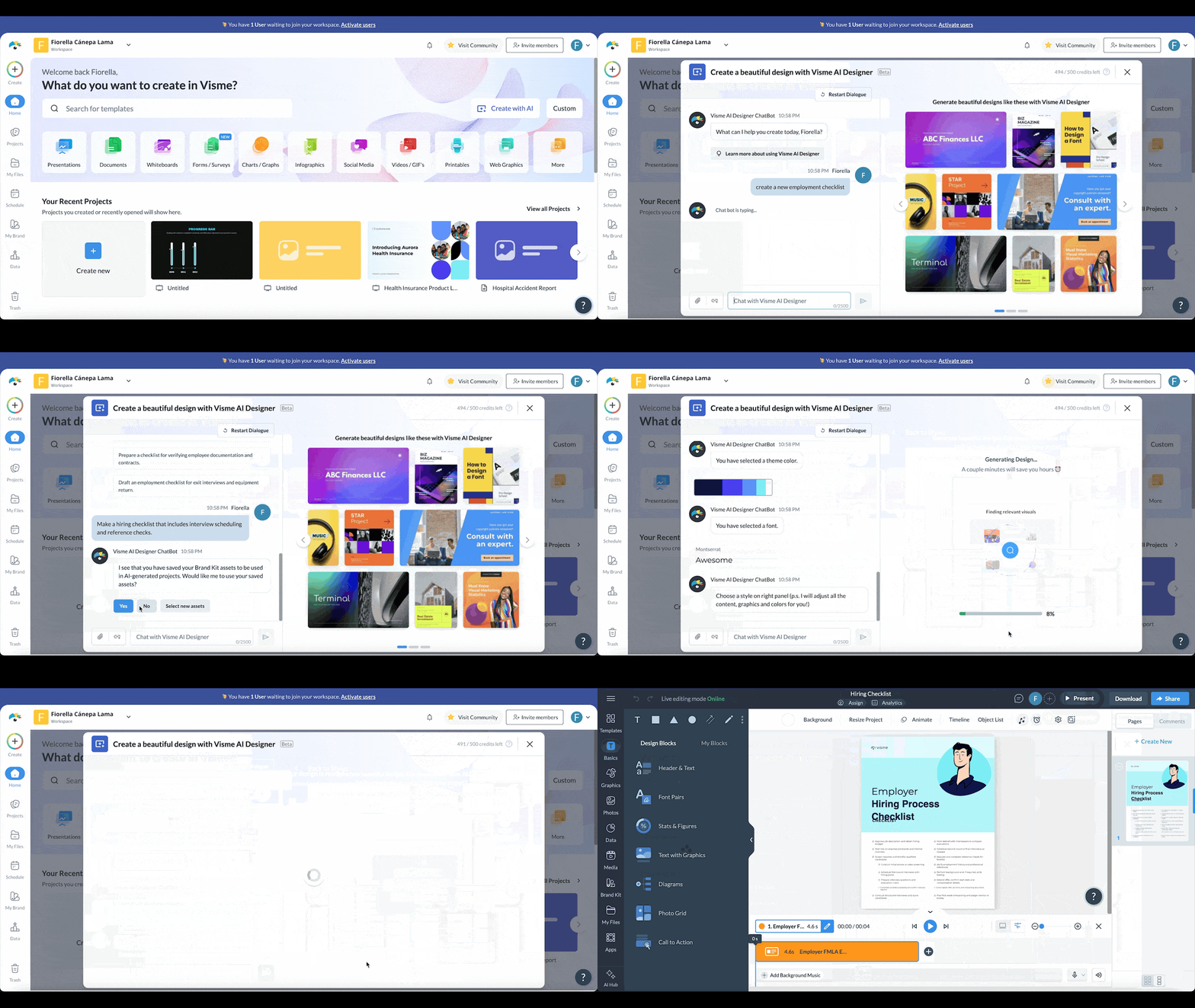
Visme has a full suite of AI-powered tools to help you take your visual content design to the next level. Compared to other features, Visme has a more extensive library of AI tools.
Here are my absolute favorites:
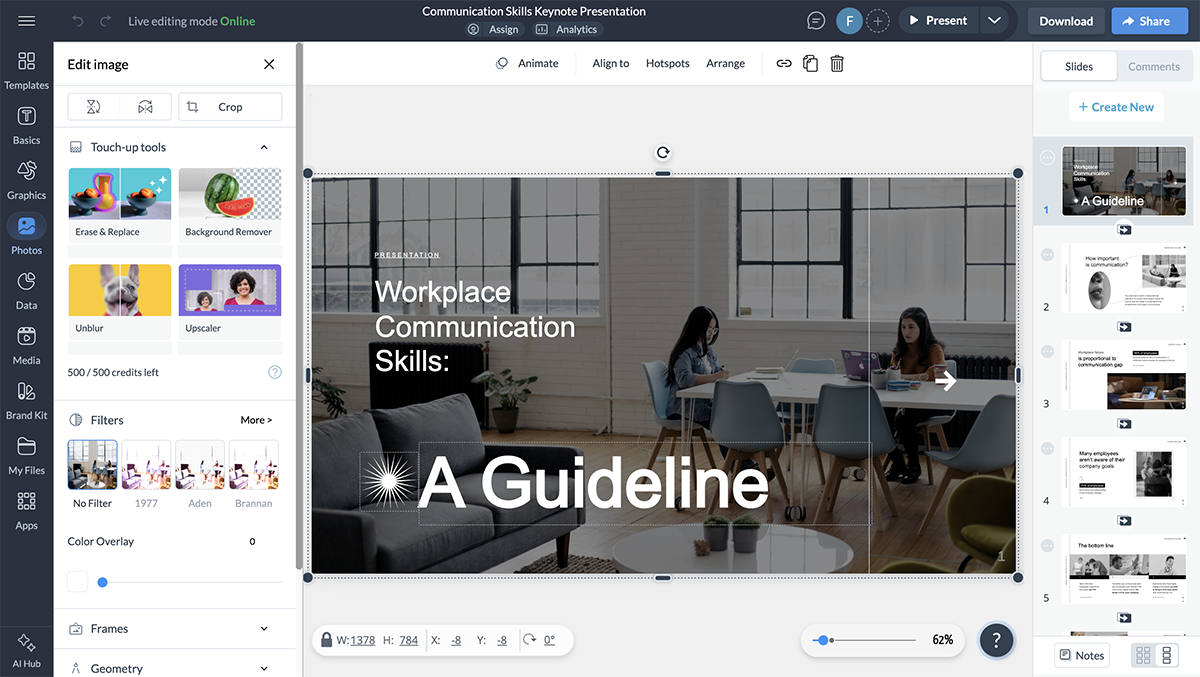
Visme also has a built-in photo editor that lets you enhance your images right inside your browser. You don't have to use a separate tool to add filters and overlays, resize, crop or rotate your photos.
Did you know you can upload photos to your project using a URL or directly from your laptop camera? Yes, you heard that right.
Visme’s photo editing tool also lets you drag-and-drop royalty-free stock photos or upload your own images, add text on top and even add creative cutout frames to your images.
Visme offers teams and enterprises the ability to track views and generate leads with live projects. You can design any type of project, publish it to the web and will host it for you.
Gain valuable insights into your audience engagement and content performance through analytics tools. Track crucial metrics like:
Another one of my favorite features is that it offers several ways to share your content online and offline. You can download your designs in high-quality PDF, PNG, JPG, GIF and HTML5 formats, or publish your visuals online and generate a private or public link.
Visme is an all-in-one business and visual design tool for companies of all sizes. It makes work easier for startups, corporations, enterprises, teams and agencies.
Plus, it's collaborative and design features are great for sales and marketing teams, project and product teams, L&D teams, HR teams, IT teams, designers and visual content teams.
This tool integrates with HubSpot, Salesforce, Zapier, Slack, YouTube, Dropbox, Google Analytics, and Livestorm to name a few. Learn more about Visme's integrations here.
It has a free plan that you can use for as long as you want. It's a great way to test out the tool and get a feel for all that it has to offer.
Note: Visme offers discounted pricing plans for students, educators and nonprofits.
If you're considering other platforms like Adobe Express, don’t miss our Canva vs Adobe Express vs Visme comparison guide.

| Feature | Fotor | Canva |
|---|---|---|
| Photo Editing | Advanced photo editing and retouching tools, HDR support, batch processing | Basic photo editing capabilities |
| AI Tools | AI image and video tools including image generator, enhancer, remover, sharpener, and upscaler | Limited to image generation, background removal, and Magic Eraser |
| Collage Layouts | Dedicated collage maker with flexible layout controls | Template-based collage layouts |
| RAW Support | Supports RAW image formats | No RAW format support |
| Design Templates | Limited design templates | Significantly larger template library |
| Collaboration | No built-in collaboration features | Real-time team collaboration |
G2 Rating: 4.2/5 (300+ reviews)
Fotor is another exciting Canva alternative I tested. It’s a versatile online photo editor that offers a wide range of tools and features for editing and enhancing digital images.
It has a user-friendly interface, making it accessible to users of all skill levels, and the AI-powered features like image generator, photo editor, headshot maker, photo enhancer and background and object remover make it a strong Canva alternative.
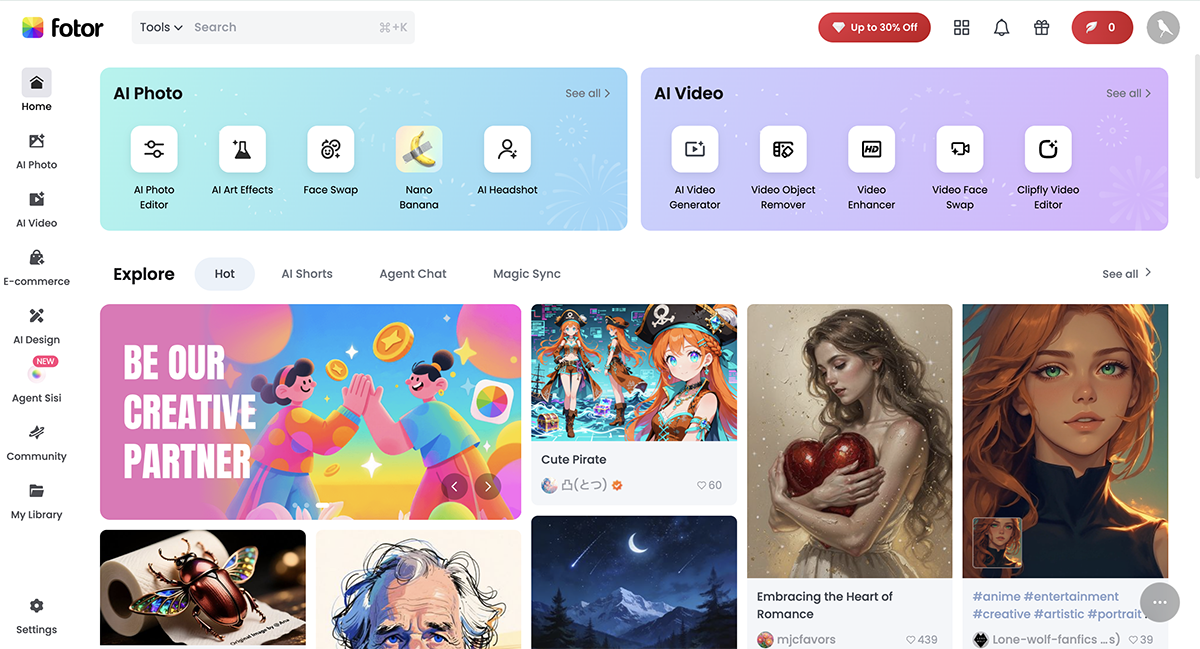
To create content for your social media and business, you’ll have to go into the “Graphic Designer”. Apart from the Designer’s aesthetic, I liked how easy it was to access everything. They have a dedicated button for AI image generation, but I couldn’t try it firsthand as it isn’t available to users of the free version. They also offer basic data visualization tools like bar charts, pie charts and line charts.
The photo and icon library is great, pre-built text effects are decent and it also offers online storage and sharing capabilities, making it a convenient option for those who want to access and share their edited images from anywhere.
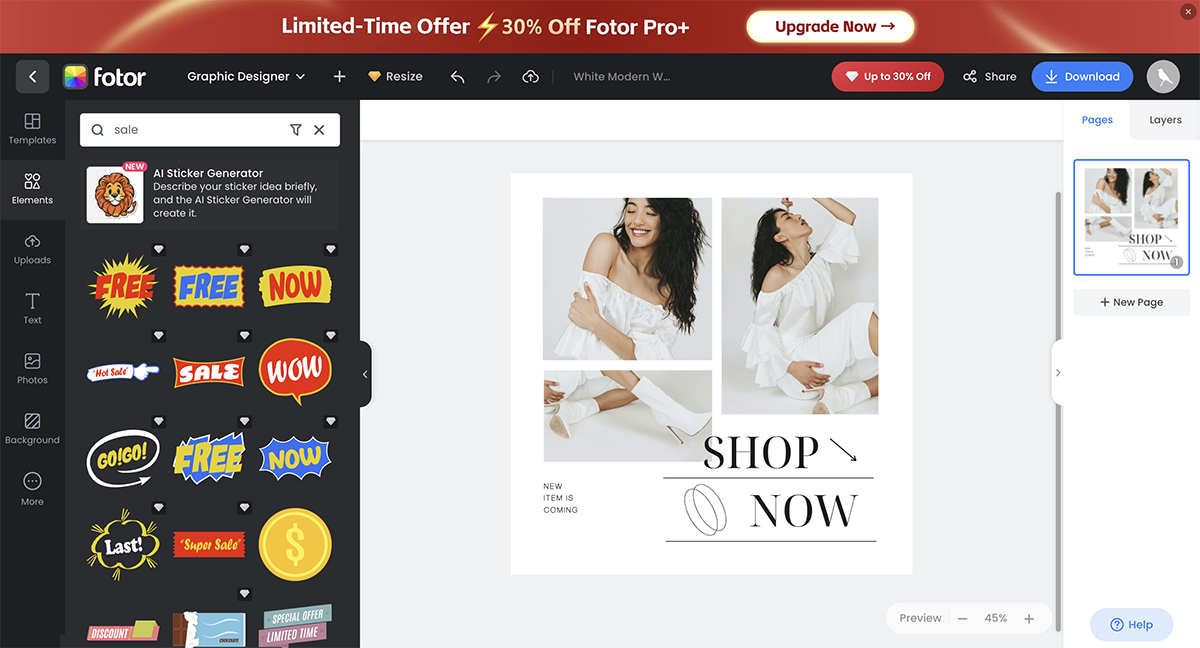
Fotor also has an option to edit videos. But you’ll be directed to a different tool—Clipfly—to do it, and you’ll have to sign up for it separately.
Fotor is a versatile platform catering to photographers, designers, bloggers, small businesses, students, social media users and anyone seeking an easy way to edit photos, create graphics and design visual content.
Similar to Pixlr, Fotor has an API that allows apps to be integrated with it but only a few.
Fotor has three pricing plans.

| Feature | Piktochart | Canva |
|---|---|---|
| Infographic Focus | Purpose-built infographic templates with strong data storytelling emphasis | General-purpose templates across many design types |
| Chart Customization | 15+ chart types with live data support, but no interactive or dynamic widgets | 30+ mostly static charts and graphs |
| Map Visualizations | Interactive maps with regional and location-based data | Limited map templates with minimal customization |
G2 Rating: 4.4/5 (160+ reviews)
If you need to turn ideas or data into professional visuals without spending hours on layout and design, Piktochart is one of the best AI graphic design tools out there.
Piktochart has been a favorite for years for building infographics, reports, and presentations. The large template library is still one of their biggest strengths. You can choose from hundreds of ready-made templates, from marketing dashboards to annual reports. The easy-to-use drag and drop editor lets you customize them with your own text, data, colors and branding.
Their AI visual generator makes things even faster. First, you pick your format: infographic, print (flyers, posters, brochures), social media, presentation or document.
Then, you enter a simple prompt. For example, I tried it out with this prompt:
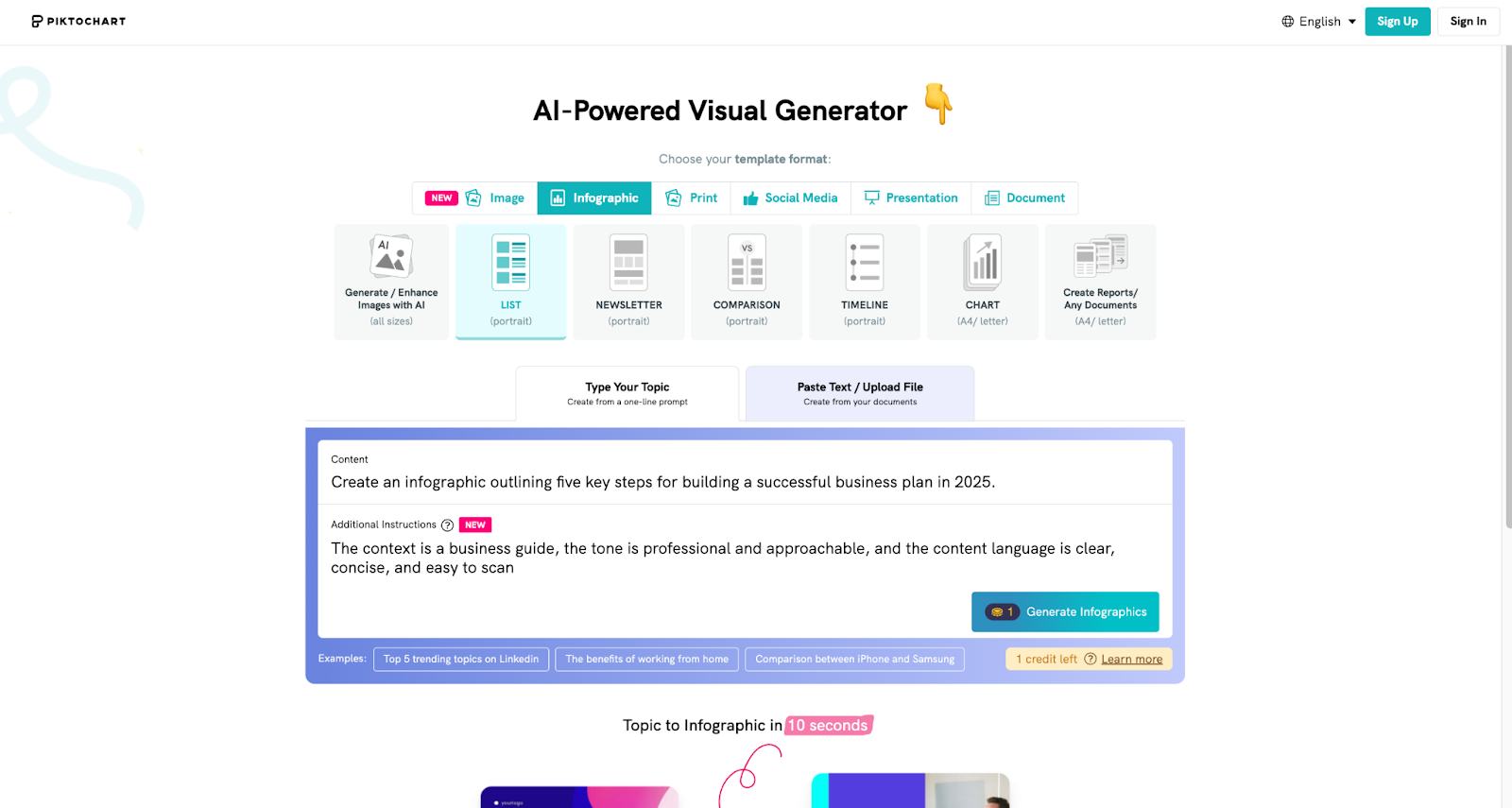
“Create an infographic outlining five key steps for building a successful business plan in 2026.”
Here’s the result.
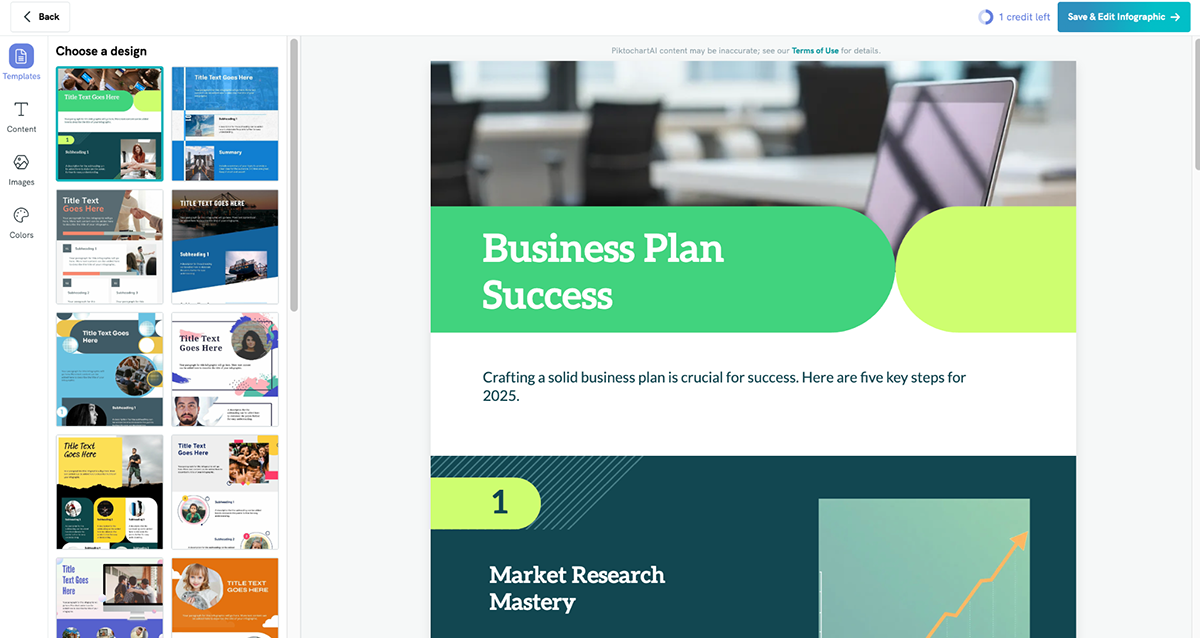
The AI generated several clean and well-structured infographic options. The copy wasn’t perfect, but it was easy to edit. I quickly swapped out icons, changed colors, and adjusted images to match my brand style all within minutes.
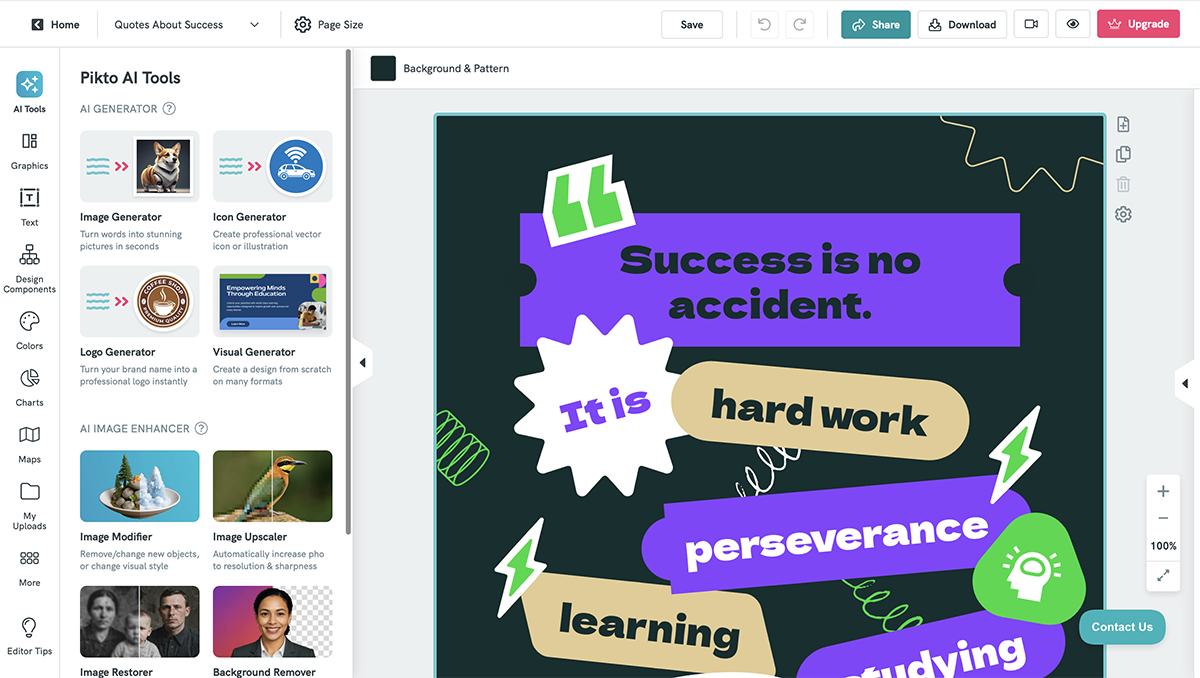
Piktochart is perfect for marketers, educators, and business professionals who need to visualize data, simplify complex ideas, or create polished reports quickly. It’s particularly valuable if you create a lot of infographics, dashboards, or internal presentations.
Exports to PDF, PNG, or PowerPoint. Can embed charts and graphics into websites or share via direct link.
Interested in learning more about what Piktochart can do? Read our Visme vs. Piktochart guide or check our list of Piktochart alternatives to see other tools you can try.

| Feature | Easil | Canva |
|---|---|---|
| Template Variety | Smaller, more curated template library | Significantly larger and more diverse template library |
| Collaboration Tools | Collaborative editing with built-in design approval workflows | Real-time collaboration with approval features |
| AI Tools | Basic AI background remover only | Magic Design, Magic Write, Code Generator, AI image editing, Clip Maker, Voice Generator, Magic Resize |
| Design Assets | Limited library of design elements and assets | Extensive asset library including photos, icons, illustrations, and video |
| Data Visualization | No built-in data visualization tools | Built-in charts and graphs for basic data visualization |
G2 Rating: 4.0/5 (10+ reviews)
Another Canva alternative that I’ve used and like is Easil.It has a clean user interface, plenty of fresh and vibrant templates, creative design elements like stickers, QR codes and illustrations and advanced collaboration features that allow multiple team members to work on a single project simultaneously.
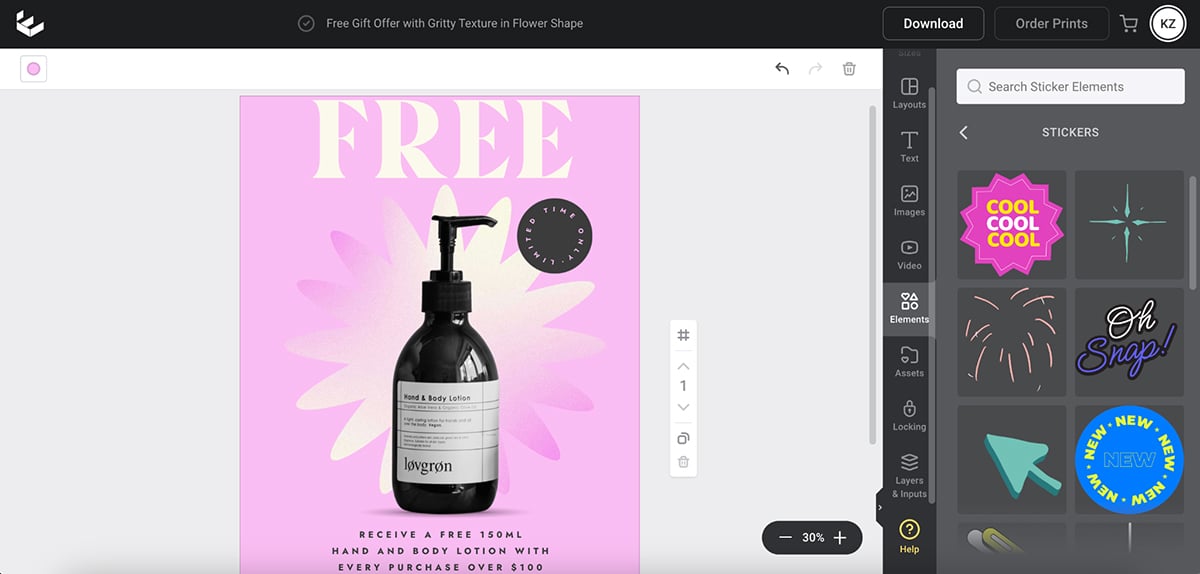
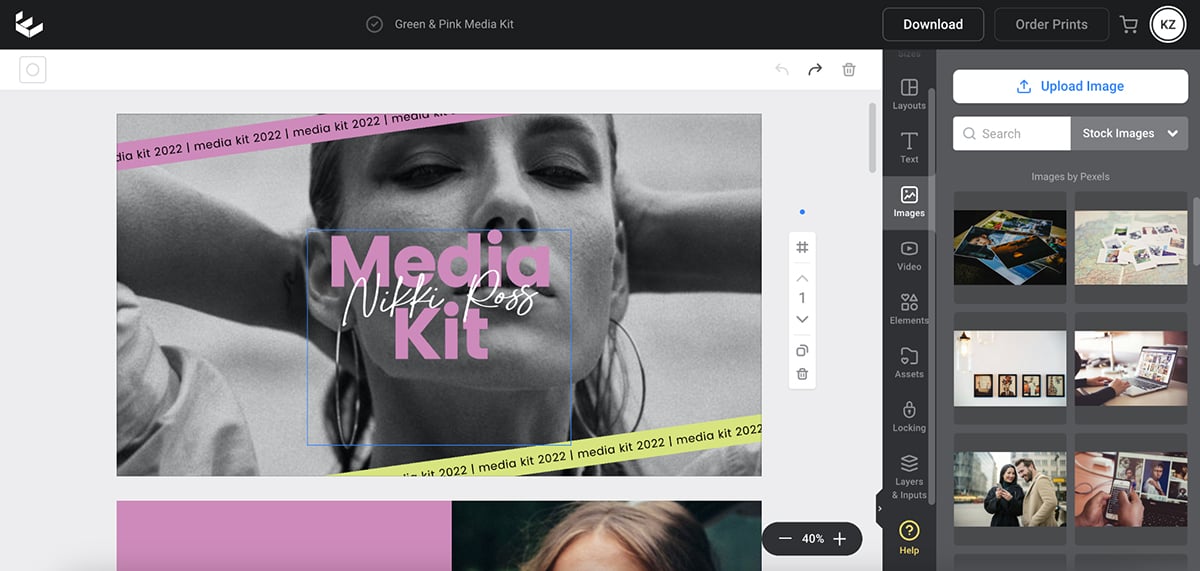
While signing up for the platform, I was automatically given a 30-day free trial of Easil Plus, where I could truly appreciate all it has to offer. This includes its content-locking features, layers drag-and-drop and a well-organized photo and video library that makes it super easy for beginners and designers to sift through assets and create amazing designs. You also have the ability to create animated GIFs in this design tool.
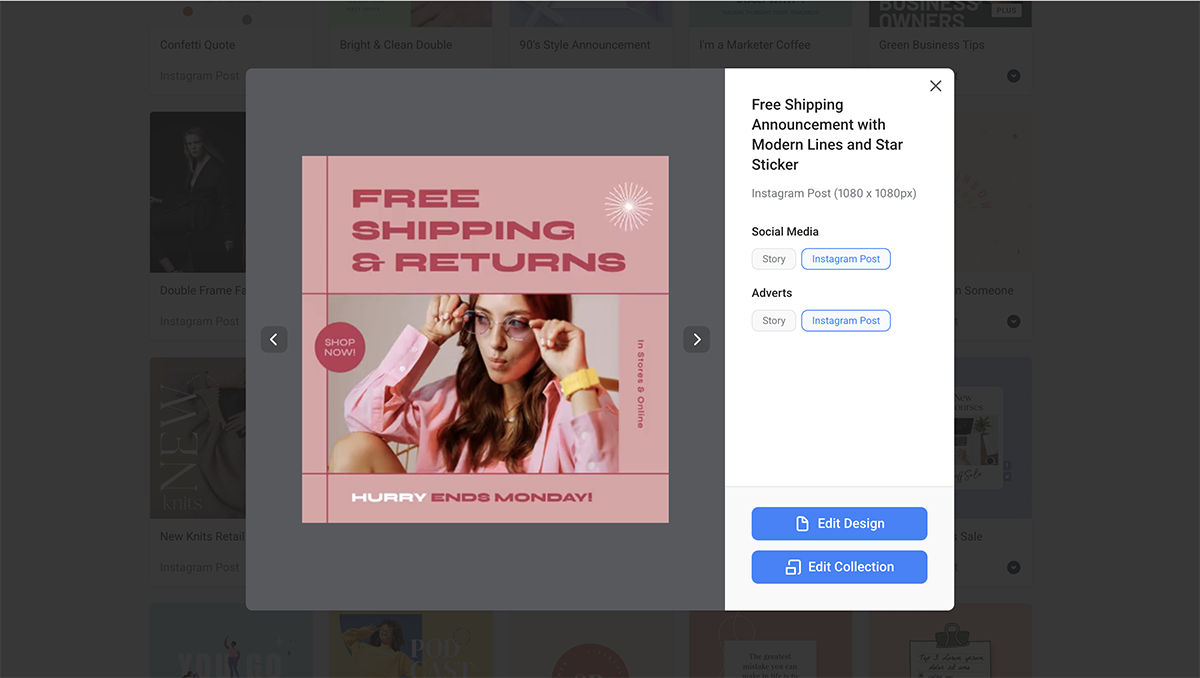
Once you choose a template style and size to work on, Easil rounds up multiple platforms for which you can repurpose that design. So, instead of tweaking the size of the design one by one, you can simply click on the “Edit Collection” button to design it all in one go. This is particularly useful for creators and small business owners building a presence on multiple social platforms.
There’s also a dedicated tutorial section on Easil’s dashboard to help you make the most of the tool, and there are a bunch of tutorial videos on their YouTube channel as well to help you achieve the same.
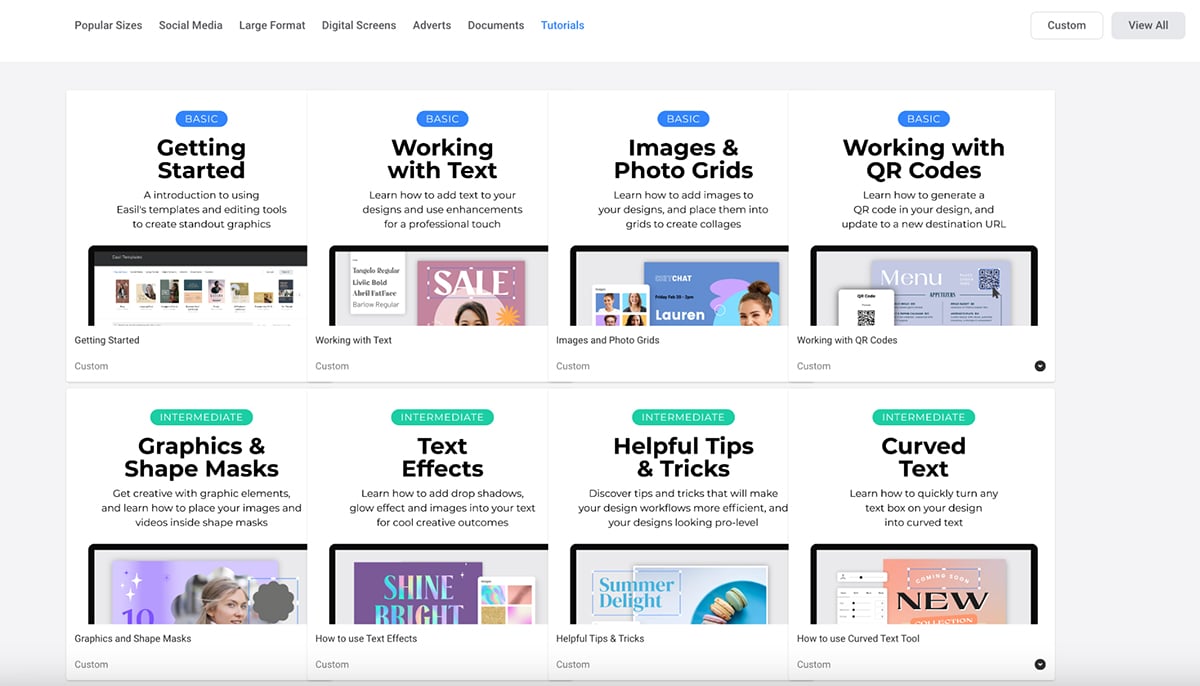
Easil is for anyone who needs to design social media visuals and blog-related graphics. With 1,000+ social media templates and drag-and-drop features, it’s a worthy Canva alternative.
It isn’t suited for the corporate space as most, if not all, designs are trendy. And it’s particularly not for anyone looking for AI-powered capabilities like the brand wizard, presentation or document maker and image or text generator. Easil is more for bloggers and creative entrepreneurs.
While researching this tool, I wasn't able to find anything specific about official integrations to this tool. It's recommended based on their support page to contact the app directly.
You can use Easil’s basic plan for free, which comes with plenty of free templates and design elements. To access advanced features, consider subscribing to one of Easil’s paid plans:

| Feature | Snappa | Canva |
|---|---|---|
| Template Library | Smaller collection of templates | Significantly larger template library (10× more) |
| Video Editing | No video creation or editing features | Built-in video creation and basic editing tools |
| Brand Management | Basic brand and team collaboration features | Advanced brand kits and comprehensive team collaboration |
| AI Tools | No native AI tools | AI design tools, Magic Write, AI photo editor, background removal |
| Data Visualization | No data visualization features | Ready-made charts and graphs for basic data visualization |
| Animation | No animation features | Basic entry and exit animation effects |
G2 Rating: 4.6/5 (30+ reviews)
Snappa also makes the list of best Canva alternatives thanks to its ability to design eye-catching blog graphics and a long list of social media templates covering almost all social platforms like Facebook, Instagram, X, LinkedIn, Pinterest, YouTube, Twitch, SoundCloud and Zoom.
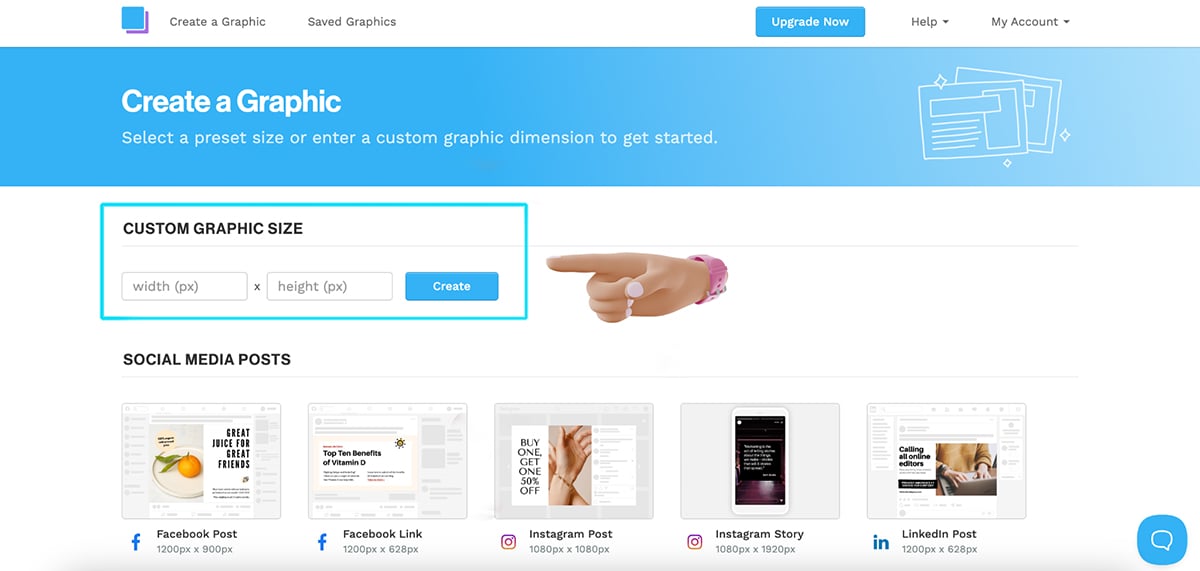
Once inside the dashboard, users can either enter the custom graphic size or choose one of the pre-built templates to get started. There are more than 6,000 templates to choose from, so you’ll easily find something that matches your aesthetic.
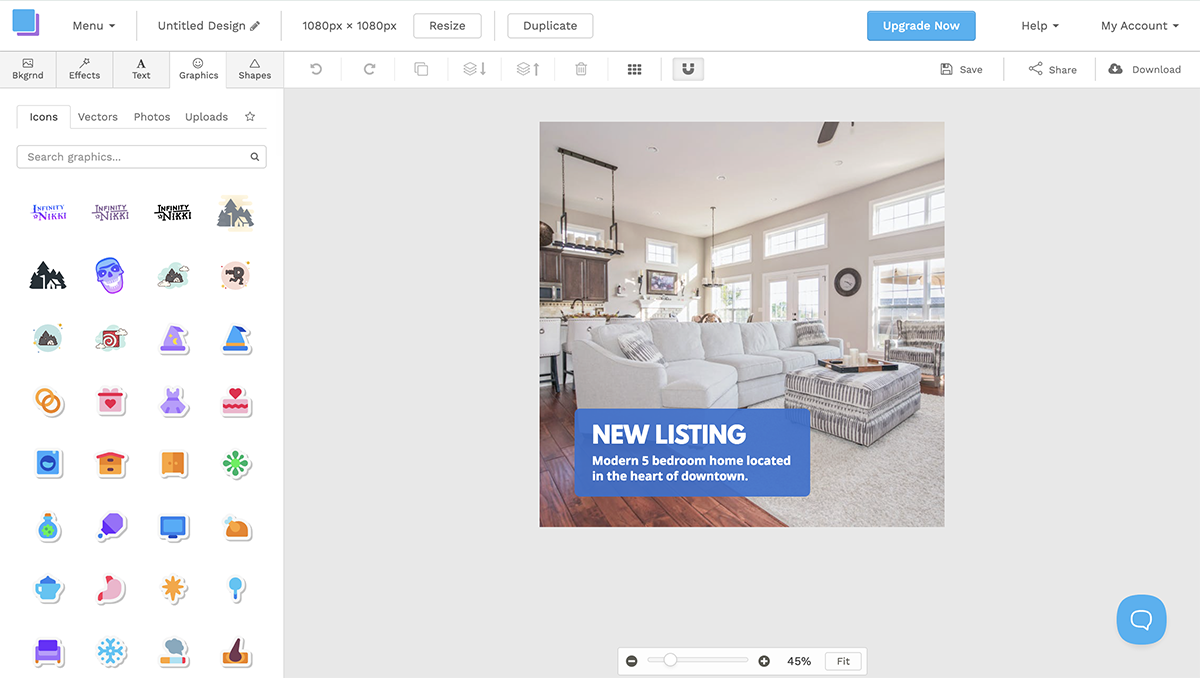
I found the Snappa editor to be clean and simple. Everything is well organized and easy to access. You can choose photos, colors and patterns as backgrounds, add text and effects and design elements like icons, vectors, photos and shapes to create unique designs. The vectors are displayed in all black and can be color-customized. However, there are no animation features and you can’t create GIFs.
Snappa also doesn’t have any AI capabilities that most design tools like Visme, Canva and Adobe offer. It also doesn’t come with any business-related templates like documents, presentations, newsletters, brochures and eBooks. But for its ability to design engaging social media graphics, Snappa is a great alternative to Canva.
Snappa is mostly directed at social media marketers, small businesses and bloggers, and the pre-built template designs and sizes offered by the tool reflect that. And the Buffer integration for social media scheduling in the paid versions is a big pull for that market.
It doesn’t come with any presentation or newsletter designs and doesn’t offer any data visualization tools either. This makes it unsuitable for businesses or academics. Overall, I’d say, Snappa is for casual design with a purpose.
Based on what's available on Snappa's support page, it seems to only integrate with Buffer, YouTube, Facebook and Twitter.
You can get started with Snappa for free using the Starter version. For access to more advanced features like social media integrations, custom font uploads, image background removal and team collaboration features, consider subscribing to one of the paid plans:

| Feature | VistaCreate | Canva |
|---|---|---|
| Animations | 85K+ animated design objects and motion elements | Fewer animated assets with basic animation effects |
| Data Visualization | No built-in data visualization tools | 30+ built-in charts and graphs |
| AI Tools | AI writer, image generator, background remover, object remover | Magic Studio: Magic Design, Magic Write, Code Generator, AI image editing, Clip Maker, Voice Generator, Magic Resize |
| Template Library | 200K+ professionally designed templates | Much larger overall template collection |
G2 Rating: 4.5/5 (170+ reviews)
VistaCreate (ex-Crello) is another powerful Canva contender that comes with a variety of brilliantly designed templates in different styles and formats. It can help you create social media and blog graphics, short-form videos and high-quality print and marketing assets with ease.
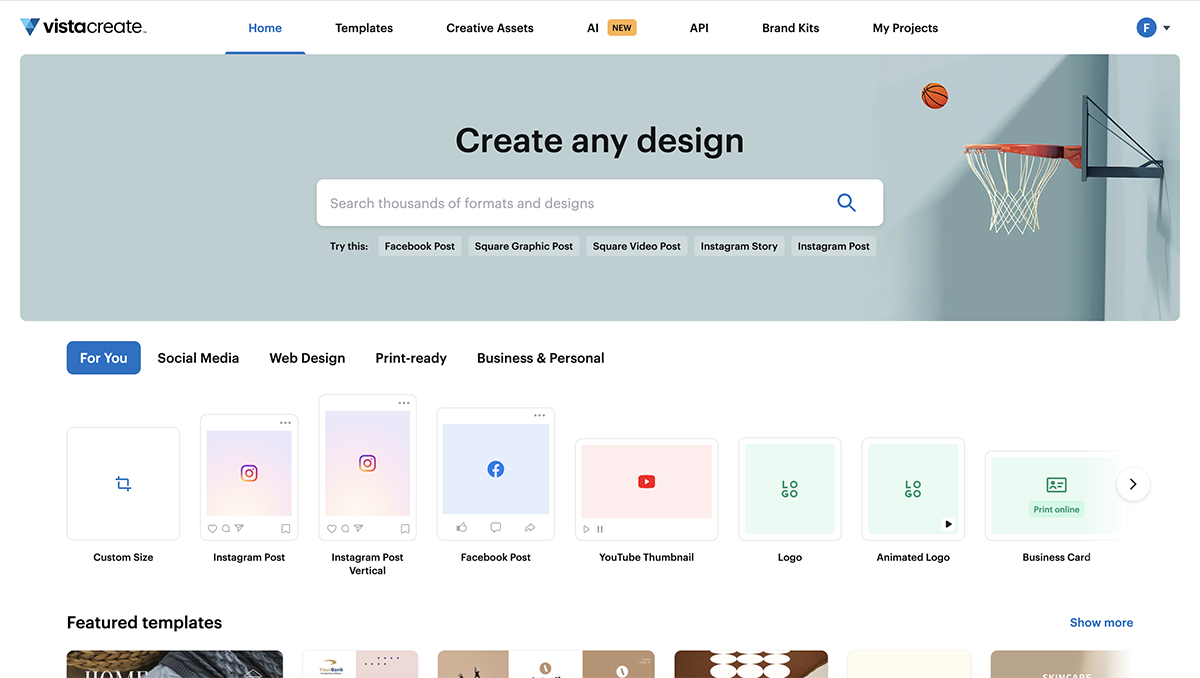
The editor includes a large library of animated illustrations, image, video and music library, pre-designed font styles and background options that are suitable for most design needs. You can even upload your own brand assets and share it among your teams for a smooth workflow.
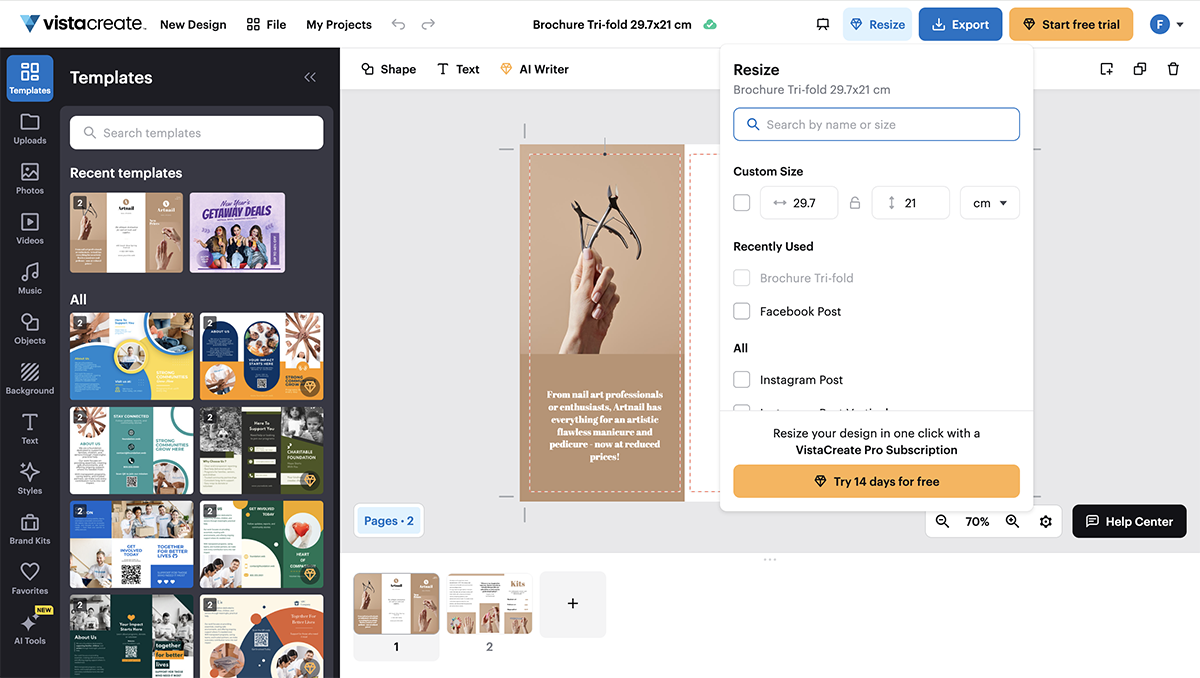
I like the number of download options offered by VistaCreate, plus the endless resize options to repurpose existing content. Even though I haven’t tried out the sticker maker feature and background removal option since it's blocked by a paywall, they’re certainly a nice option to have while designing content.
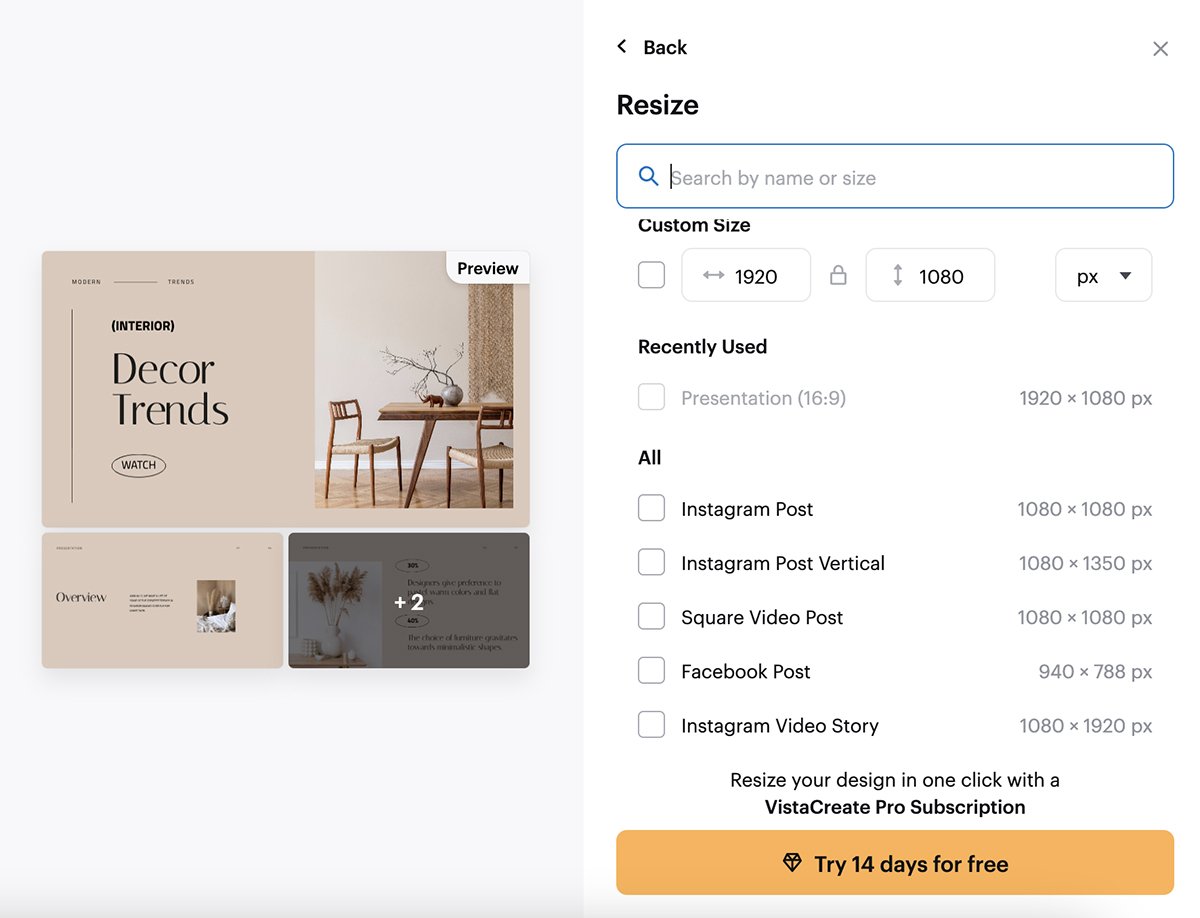
VistaCreate is for anyone who has been using Canva and wants a bit of a change. The images are different because they are from a different provider. The pre-built text effects are similar to Canva, and the stickers are a lot like Instagram stories so it’s easy to create those faster.
After testing out the tool, I noticed that even though VistaCreate does include some business-related templates, the design tools are more fun than professional. There’s a limit to how professional you can get with VistaCreate. This might be a reason not to buy, depending on if you're using it for personal or professional projects.
So, in my opinion, VistaCreate isn’t for people who need to visualize data. It’s more for bloggers and small businesses that need to create visuals for social media.
I wasn't able to find anything on the official site, but a source from Sourceforge shares that VisatCreate only integrates with Shift, YouTube, CloudSocial, Visaprint and Hello Woofy.
You can get started with VistaCreate for free with their Starter plan that offers plenty of pre-designed templates, assets and direct social media sharing. But to access the advanced features like premium templates and assets, background remover, infinite brand kits and sticker maker, you’ll have to purchase the Pro plan for $10/month.

| Feature | Stencil | Canva |
|---|---|---|
| Browser Extension | Chrome extension for quick image creation | No native browser extension |
| Template Variety | 1,350+ customizable templates | Vastly larger template collection |
| Asset Library | 5M+ stock photos, 3.1M icons and graphics | 141M+ premium photos, videos, graphics, and audio assets |
| Collaboration | No collaboration or team features | Advanced team collaboration and sharing features |
| AI Tools | No native AI tools | Multiple AI tools for design, writing, and image editing |
| Animation / Interactivity | No animation or interactive features | Basic animation and transition effects |
G2 Rating: 4.5/5 (20+ reviews)
Stencil is another interesting Canva alternative I’ve tested that can be used to create unique social media and blog graphics. It’s a simple and easy-to-use design tool that comes with an extensive library of photos and icons and has over 1,350 pre-built templates to help you design engaging content.

Stencil lets you upload your own images and logos for use in projects, and once you’re done tweaking your designs, you can save them for future use. Share your saved projects directly from Stencil to your favorite social platforms.
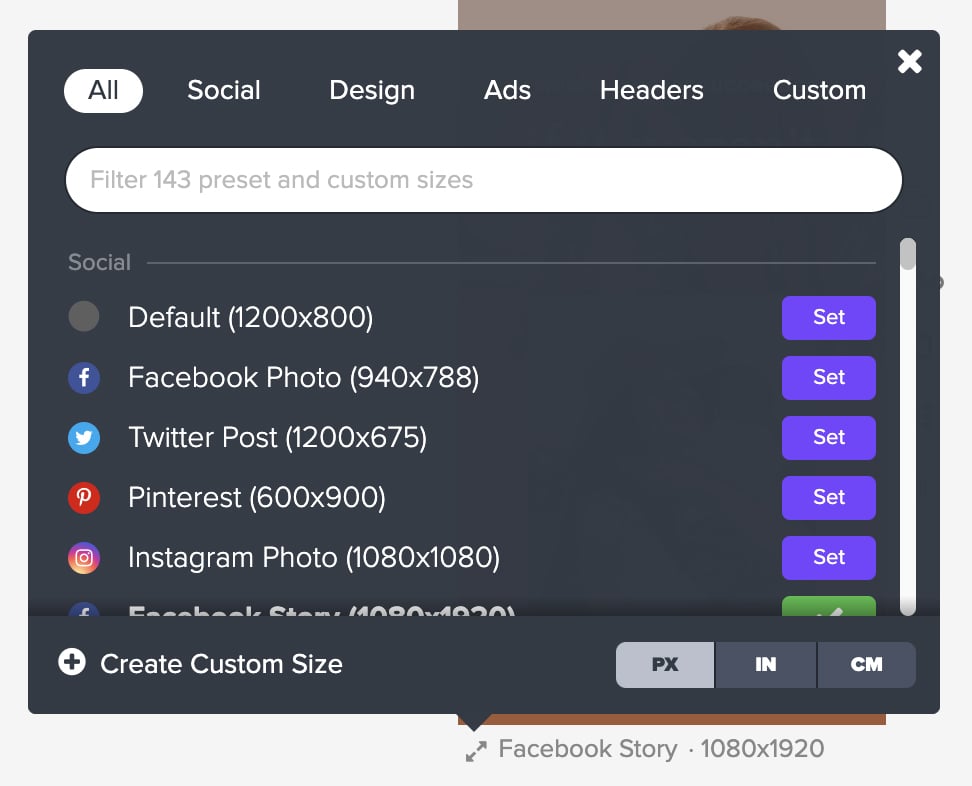
I also found it super convenient to change the canvas size in Stencil—all you have to do is click on the tiny button under your project image and you’ll be able to choose the social platform that concerns you. They’ve got sizes for most blog graphics and social platforms like Facebook, X, Pinterest, WhatsApp, Snapchat, Tumblr, VK, Twitch, Spotify and Etsy. There are a total of 143 presets to choose from.
Unfortunately, though, Stencil falls behind in several areas compared to other tools on our list. It doesn’t have AI capabilities, animation or interactivity features, team collaboration features or video background support. Overall, I like how organized and simple everything is in Stencil.
I would recommend Stencil to anyone looking to create content quickly without any need of advanced tools. It’s a great pick for content creators who make quotes regularly as Stencil has plenty of pre-designed templates to choose from, which a good reason to buy.
It can also be used by small business owners and designers selling digital or physical products on Amazon and Etsy as preset canvas sizes support these selling platforms too.
Stencil comes with 14 app integrations, some of which include Buffer, Facebook, Dropbox, Instagram, Google Drive, Twitter and Unsplash.
Stencil has a free account with a limited number of images a month and other similar limits. To access more advanced features like an extensive photo and asset library, premium support and branded templates, you’ll have to subscribe to one of the paid plans:

Create your own free Visme account and start creating stunning visual content that your audience will love.

| Feature | PicMonkey | Canva |
|---|---|---|
| Design Assets | 9,000+ vector graphics, fonts, stock photos, and videos | 141M+ premium photos, videos, graphics, and audio |
| Template Range | Thousands of customizable templates | Around 5× more templates overall |
| Data Visualization | No built-in charts or graphs | 30+ built-in graph and chart types |
| AI Features | No native AI design tools | AI design tools including text-to-design, image generation, background removal, Magic Resize |
| Animation & Interactivity | No animation or interactive elements | Animations, basic interactivity, and page transitions |
| Photo Editing Depth | Advanced retouching, touch-up tools, and photo effects | Basic to moderate photo editing capabilities |
G2 Rating: 4.4/5 (400+ reviews)
PicMonkey is another brilliant Canva alternative with powerful features. It has professionally designed templates on multiple topics and use cases, including social media, blog, corporate and non-profit.
I found it easy to edit the templates, and it was equally straightforward to start a project from scratch. But what I found most convenient was how easy it was to change the layers of the project.
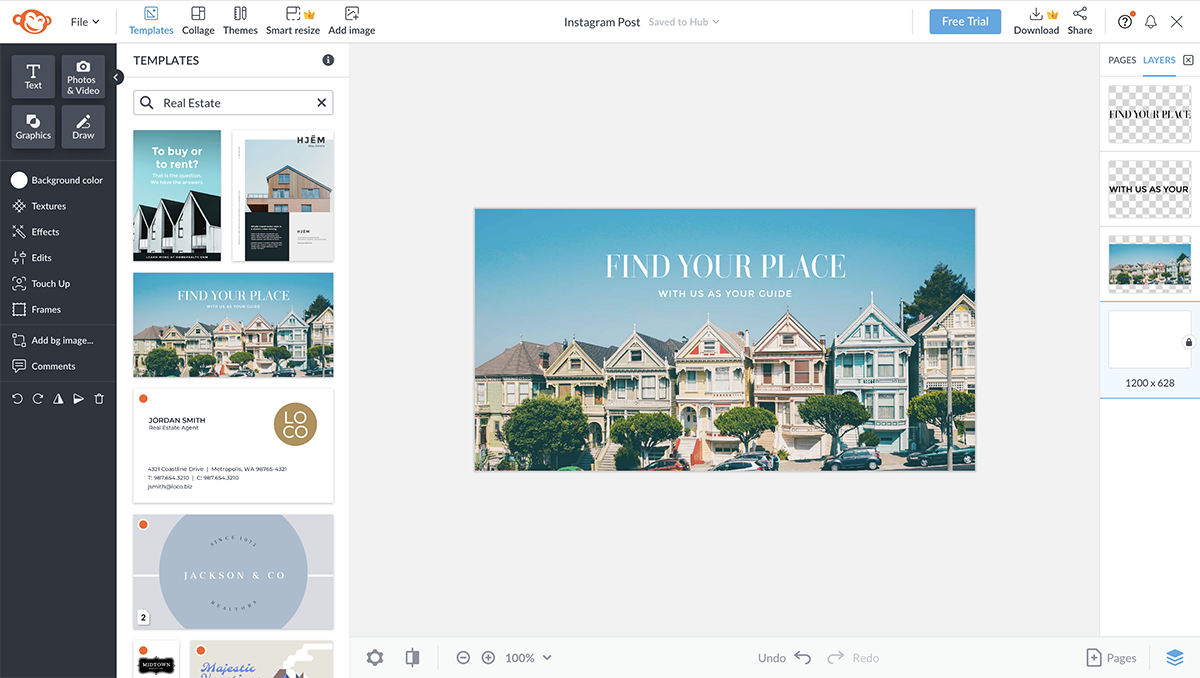
The editor offers a large selection of design tools to work with. The most notable of all the editing features is the photo touch-up. It does a lot of what Photoshop can do, but is easier to use.

Another feature I adore is the pattern and effects tools, which can be applied not only to the background but also to shapes in the design. You can also tweak the theme of your designs with a single click—another nice addition.
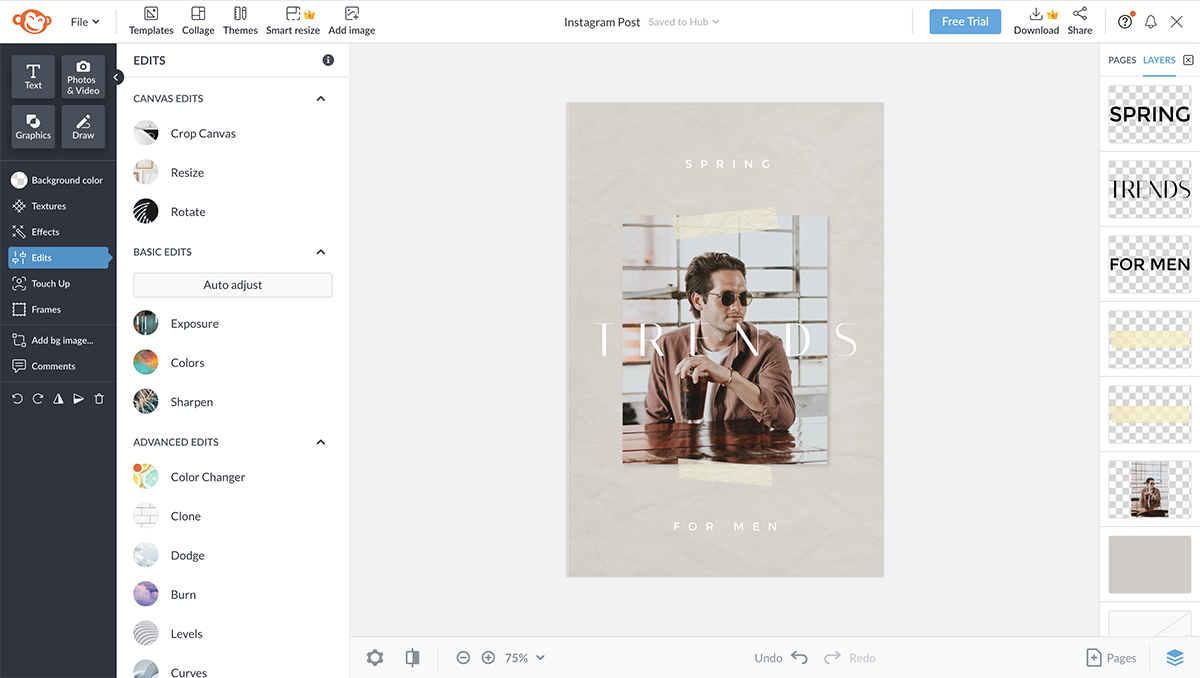
There are several tools like animations, pro effects and smart resize that I couldn’t access as they required the PicMonkey Pro subscription. But from what I have read online, they work great too.
Once you're finished editing your project, you can download your designs or export them directly to social media platforms. However, these options are only available for the Pro versions of the tool.
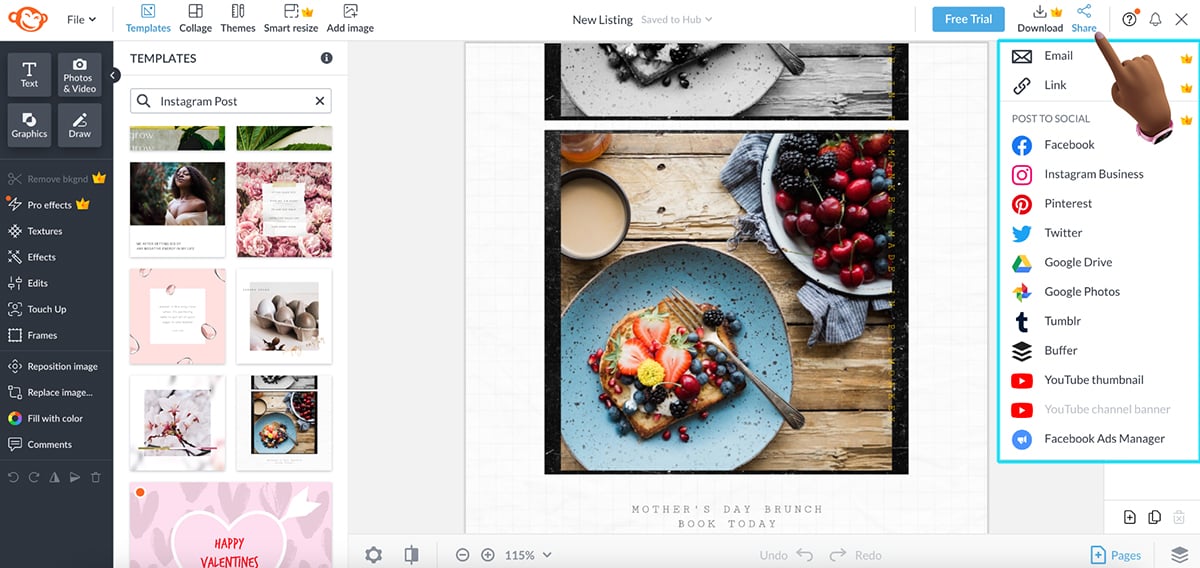
PicMonkey is suitable for a vast audience, very similar to Visme and Adobe on this list. It’s great for creating professional-looking visual graphics for any purpose.
It’s also especially suited for users who need photo retouching features as well as graphic design tools.
Overall, in my opinion, PicMonkey is for creative entrepreneurs, bloggers, small business owners and startups. However, it isn’t for data visualization users or academics.
I wasn't able to find information on PicMonkey's page on integration, but a source from Slashdot shares that it integrates with Shift, Desktop.com and YouTube.
You can try out PicMonkey with a free trial for 7-days, after which you’ll need to subscribe to one of their paid plans:

| Feature | Pixlr X | Canva |
|---|---|---|
| Design Assets | Limited stock photos, overlays, and effects | 141M+ premium photos, videos, graphics, and audio assets |
| Template Range | Very limited, image-focused templates | Roughly 5× more templates across multiple formats |
| Data Visualization | No built-in charts or graphs | 30+ built-in graph and chart types |
| AI Features | AI background remover, AI photo editor, image generator, video generator, face swap | AI design assistance including Magic Design, Magic Resize, background removal, text-to-image |
| Animation & Interactivity | No animation or interactive elements | Animations, transitions, and basic interactivity |
| Photo Editing Depth | Advanced, layer-based photo editing | Basic to moderate photo editing tools |
| Layer Control | Full layer system with blend modes and masking | Very limited layer control |
| Selection & Masking | Advanced selections, cutouts, and refinements | Basic background removal |
| Brand Management | No brand management features | Brand Kits for logos, colors, and fonts |
| Collaboration | No collaboration or team features | Real-time collaboration and commenting |
G2 Rating: 4.4/5 (700+ reviews)
I also tried out Pixlr as a potential Canva alternative. It’s essentially a suite of powerful and versatile AI design tools that can help you create amazing visual content. They have a pro-level photo editor in Pixlr Editor, a quick and easy-to-use AI editor in Pixlr Express and Pixlr Designer where you can animate your content and access 50,000+ pre-designed templates.
For this review, I’ll be focusing primarily on Pixlr Designer as it’s the closest Canva alternative Pixlr offers.
The tool has an accessible, clean user interface with intuitive controls and a rich library of photos, pre-designed fonts and creative design elements like stickers, icons and overlays. I like how everything is nicely tucked away on the side with just 4 interactive buttons; design, text, media and animate.
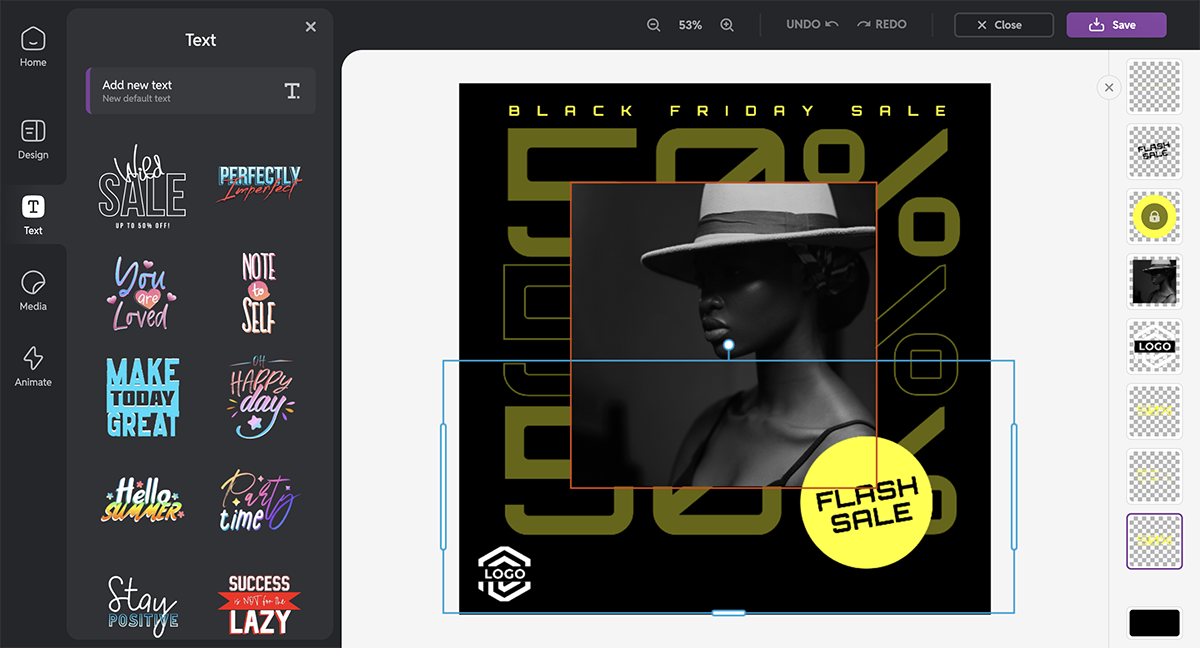
You can also use Designer to create photo collages. And I love the Product Shot feature that lets you create AI-powered product images. Simply upload your product photo and play around with the background and effects and hit save.
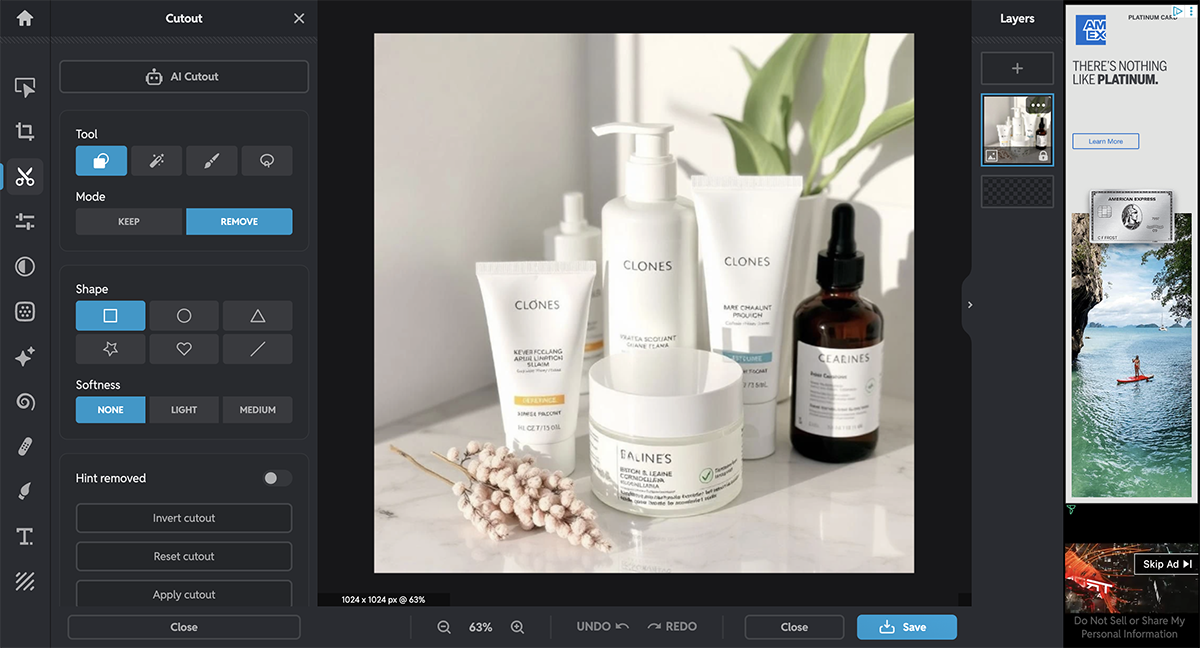
Pixlr Designer also lets you add page and layer animations to your content. You can then press the play button on the bottom left to see how the design looks—simple and works like a charm.
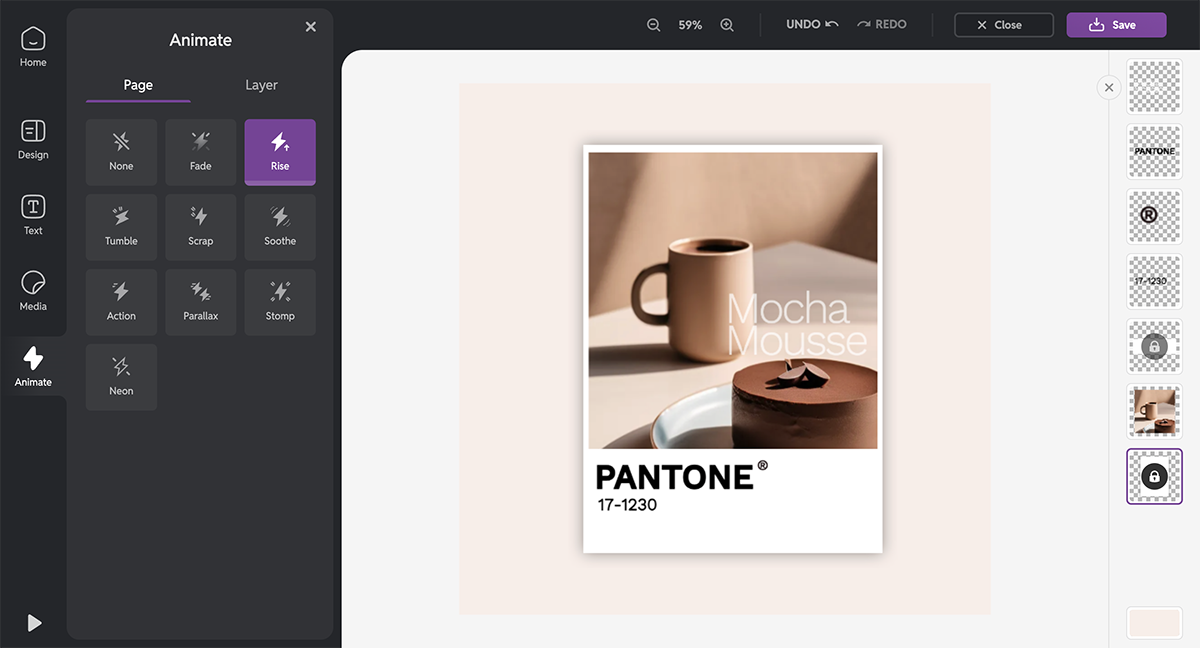
Pixlr has other AI-powered tools as well including the AI image generator, face swap, background and object removal, AI generative fill, photo touch-up, image resize and more. But you can’t use any of those features in the Designer itself, you’ll have to open multiple tabs to get this done.
Pixlr is suitable for several use cases. It has an online photo editor that’s suitable for casual photographers and content creators. They have an advanced photo tool that’s geared toward people looking for Photoshop-level quality and capabilities.
Designer is for small business owners, amateur designers, web developers and social media managers looking for a quick and easy way to design graphic content. It offers user-friendly tools for basic to intermediate editing tasks.
Pixlr only offers integration through its Developer API, enabling third-party developers to embed Pixlr's editing features with specific applications like Google Drive and Gmail.
Pixlr has a free plan. The paid plans are as follows:

| Feature | Adobe Express | Canva |
|---|---|---|
| Design Assets | Access to thousands of Adobe Stock assets (paid tier) and Adobe Fonts | 141M+ premium photos, videos, graphics, and audio assets |
| Template Range | 350,000+ professionally designed templates | Millions of templates across virtually every design format |
| Data Visualization | Limited chart and graph options | 30+ built-in graph and chart types |
| AI Features | AI background remover, video caption generator, logo generator, clip generator, text effects, template generator | Magic Design, text-to-image, Magic Resize, background removal, and more |
| Animation & Interactivity | Basic animation presets | Basic animations, transitions, and light interactivity |
| Collaboration | Real-time collaboration with version control | Real-time collaboration, comments, and version history |
G2 Rating: 4.5/5 (400+ reviews)
Adobe Express (Formerly Adobe Spark) is an online Adobe tool for quick graphic design. It’s definitely not Adobe Photoshop or Illustrator, but it does the job quite well and is one of the best alternatives to Canva.
I found the tool’s interface clean and simple, and love how the onboarding process for new projects is so streamlined. It lets you create social media graphics in most common sizes, including Instagram, Facebook, LinkedIn, Pinterest, X, TikTok, YouTube and Twitch.
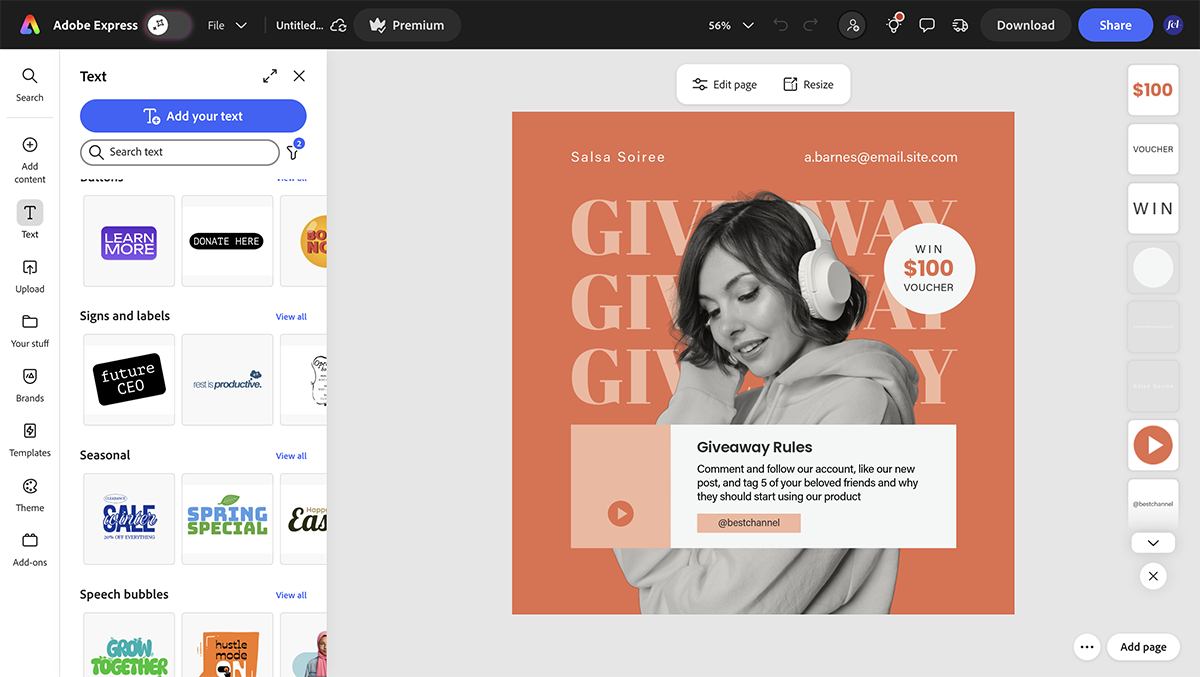
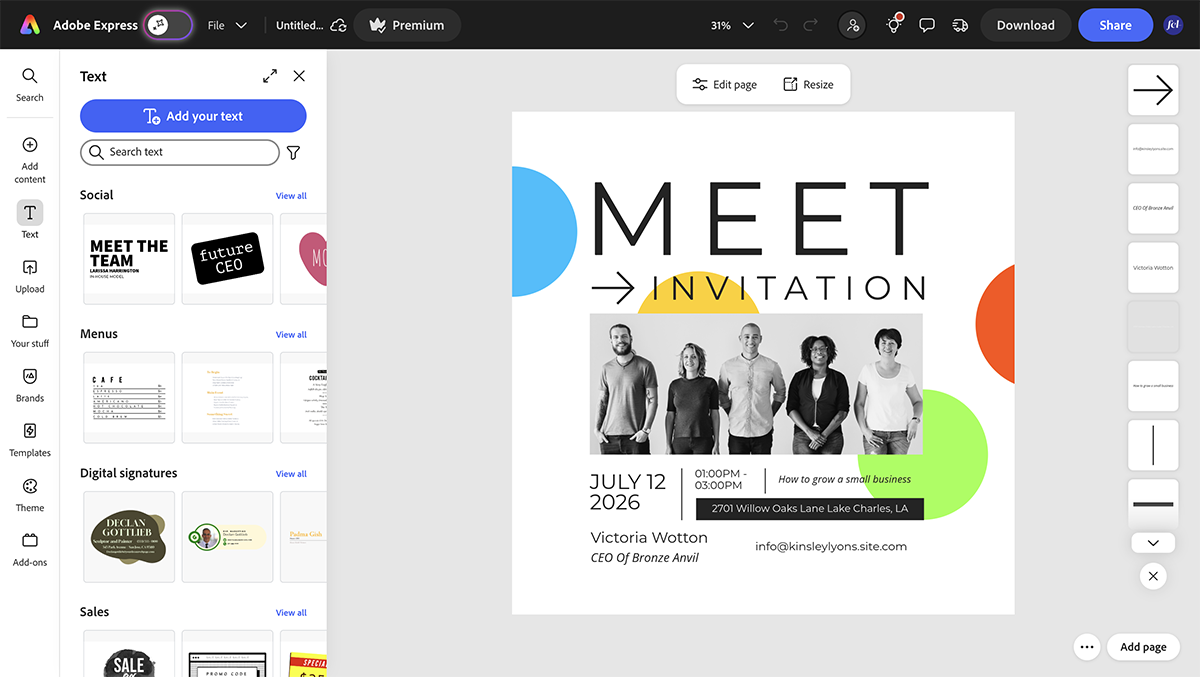
You can also design unique and engaging presentations, reports, resumes, infographics and newsletters using the tool.
Adobe Express also helps you create simple, responsive websites and short animated videos. The design tools inside the editor look simple at first but are actually quite good under the surface. There's curved text, interesting animation effects, clean icons and images from Adobe Stock.
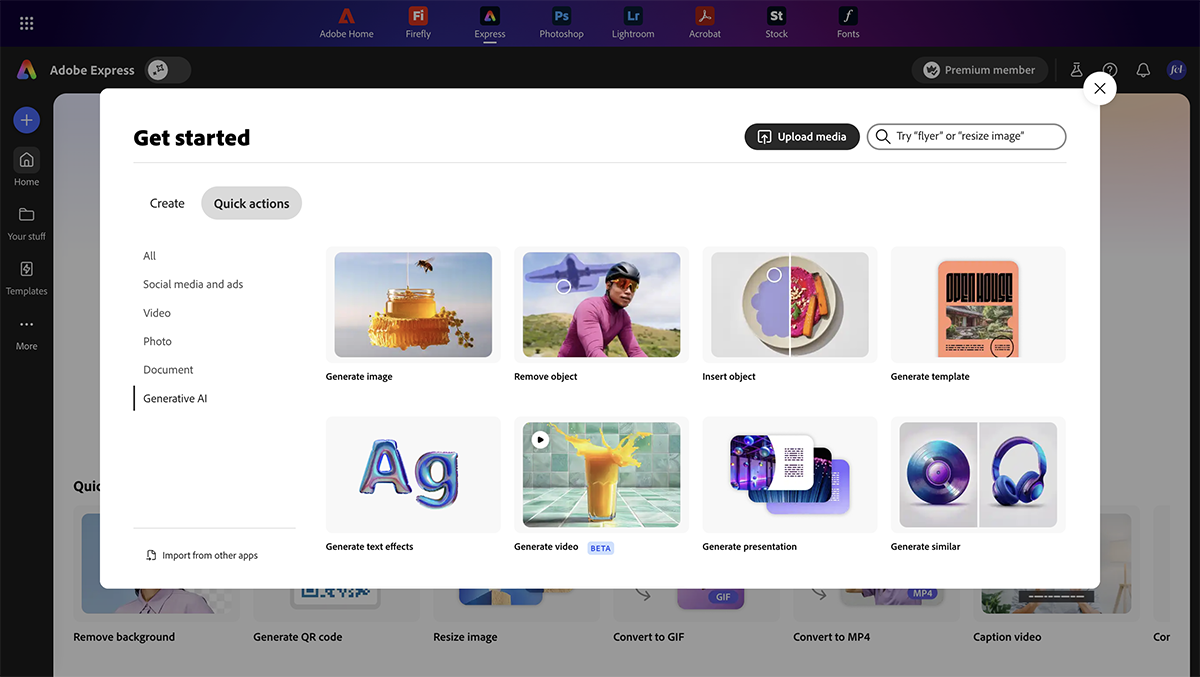
The tool also has several AI capabilities. You can create unique images, remove/add objects with a simple prompt, and generate never-before-seen-before text effects and templates.
But what I love most about Adobe Express is its branded stories feature. You add your main brand assets, like logos, fonts and colors, and the tool creates a simple template collection just for your brand.
Adobe Express is best for people who want to create social media content easily and fast. Anyone with a Creative Cloud subscription can use Adobe Express. There’s also a standalone subscription for individual users.
This is not a tool for non-designers who need everything on hand at all times. It’s more for someone who can manage with the bare necessities but also has a bit of a designer background.
Adobe has been known to mainly integrate with its own suite of Adobe tools, like Adobe Creative Cloud, Firefly, Acrobat, and Adobe Stock and a handful of external apps like Canvas LMS, Microsoft and HubSpot.
Adobe Express has a free plan. The paid plans include:
Individuals and Teams
Enterprises
| Feature | Animoto | Canva |
|---|---|---|
| Design Assets | 100M+ premium licensed photos and videos from Getty Images | 141M+ premium photos, videos, graphics, and audio assets |
| Template Range | Video-first templates designed for storytelling | ~5× more templates across all content formats |
| Data Visualization | No built-in charts or graphs | 30+ built-in graph and chart types |
| AI Features | AI video maker and script generator | Magic Design, text-to-image, Magic Resize, and other AI design tools |
| Animation & Interactivity | Timeline-based transitions and motion presets | Richer animations, transitions, and basic interactive features |
| Video Editing | Strong video-focused workflow with timeline editing, music sync, and storytelling tools | Video editing included, but less advanced |
| Brand Management | Shared team workspace with saved brands and templates | Full Brand Kits for logos, colors, and fonts |
| Collaboration | User and role management | Real-time collaboration and commenting |
| Block-Based Editing | Yes | No native block-based system |
| Video Hosting & Landing Pages | Yes, with custom landing pages | Not available |

G2 Rating: 4.3/5 (90+ reviews)
Canva isn’t really built as a dedicated video editor, but it still offers a huge library of templates, drag-and-drop functionality, an extensive asset library, music library and more. It’s perfectly fine for quick, lightweight projects.
That said, if video creation is your main focus, Animoto has an edge.
Canva treats video as just another design format, so you’re still working inside a general-purpose editor. But Animoto is designed specifically for video, and you can see that as soon as you open the dashboard.
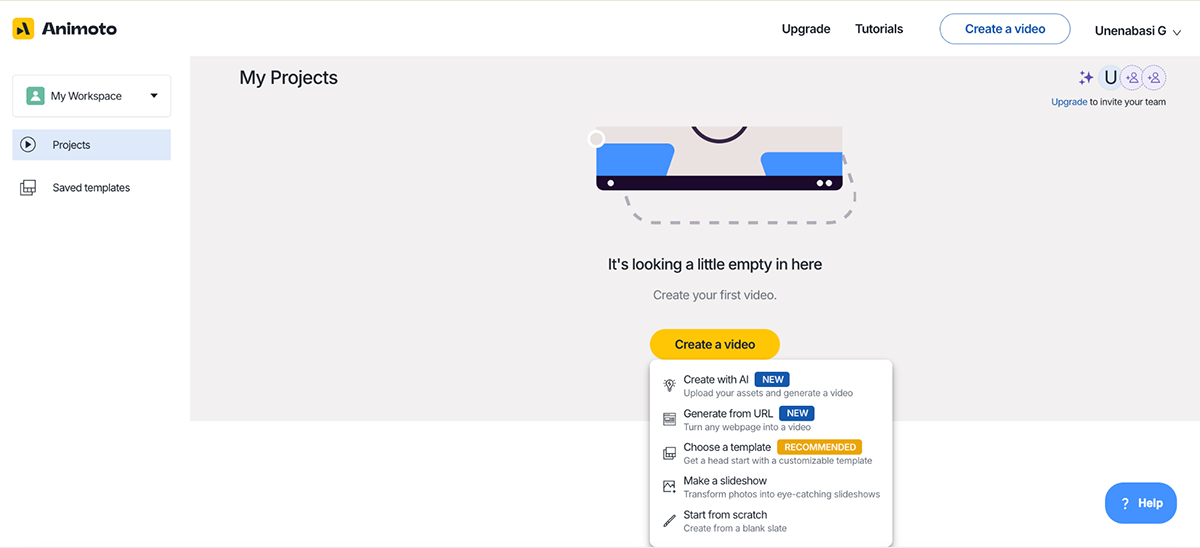
First off, you have different options for video creation:
Naturally, I went with the easiest (and most recommended) option: templates. From there, you’re taken into a clean, intuitive interface where your video is broken down into “scenes.” Each scene works like a block or slide. You can drop in your clips or images, edit the text, and rearrange everything using simple drag-and-drop controls.
From there, the workflow is very straightforward. You add media, reorder scenes, pick a music track from Animoto’s built-in library, and the platform automatically handles transitions and pacing. It’s very much a “fill in the pieces and polish” experience, which makes it easy to go from raw assets to a finished video in just a few minutes.
Animoto also has a free plan that’s good enough for testing the tool and getting familiar with the workflow, although it includes branding. Once you upgrade, you unlock HD exports, more visual styles, premium music, and brand kits. All in all, it’s a solid option for creating professional-looking marketing videos.
Animoto is ideal for anyone who wants to leverage video marketing without spending hours learning complex editing tools, including:
Animoto supports integration with tools like Google Drive, Dropbox, OneDrive and Box

| Feature | Pixazo | Canva |
|---|---|---|
| Design Assets | Limited built-in stock; relies heavily on AI-generated visuals | 141M+ premium photos, videos, graphics, and audio assets |
| Template Range | AI-generated layouts created on demand | Thousands of pre-built templates across all design formats |
| Data Visualization | No built-in charts or graphs | 30+ built-in graph and chart types |
| AI Capabilities | AI design generator, background remover, logo maker, image & video generator, image-to-video, video-to-animation, AI image editor, AI 3D model generator | Magic Design, text-to-image, background remover, Magic Resize, AI writing and layout assistance |
| Animation & Interactivity | AI-powered motion and video effects | Animations, transitions, and basic interactive elements |
| Image Editing Depth | AI-powered creative editing and visual enhancement tools | Basic to moderate image editing capabilities |
| Video Creation | Fully AI-automated video generation workflows | Full video creation and manual editing tools |
| Brand Management | AI-suggested logos, styles, and visual directions | Full Brand Kits for logos, fonts, and color palettes |
| Collaboration | No collaboration or team workflows | Real-time collaboration, comments, and shared editing |
G2 Rating: 4.7/5 (1350+ reviews)
Pixazo is a solid Canva alternative for social media design. It's pretty easy to use and has some decent AI features built in for creating social media graphics and business visuals in different sizes and formats.
Full disclosure—I haven't actually tested this one myself since there's no free version to play around with. But based on what I've seen from other users, the AI Art Generator seems to work well for creating eye-catching social media content that gets more engagement.
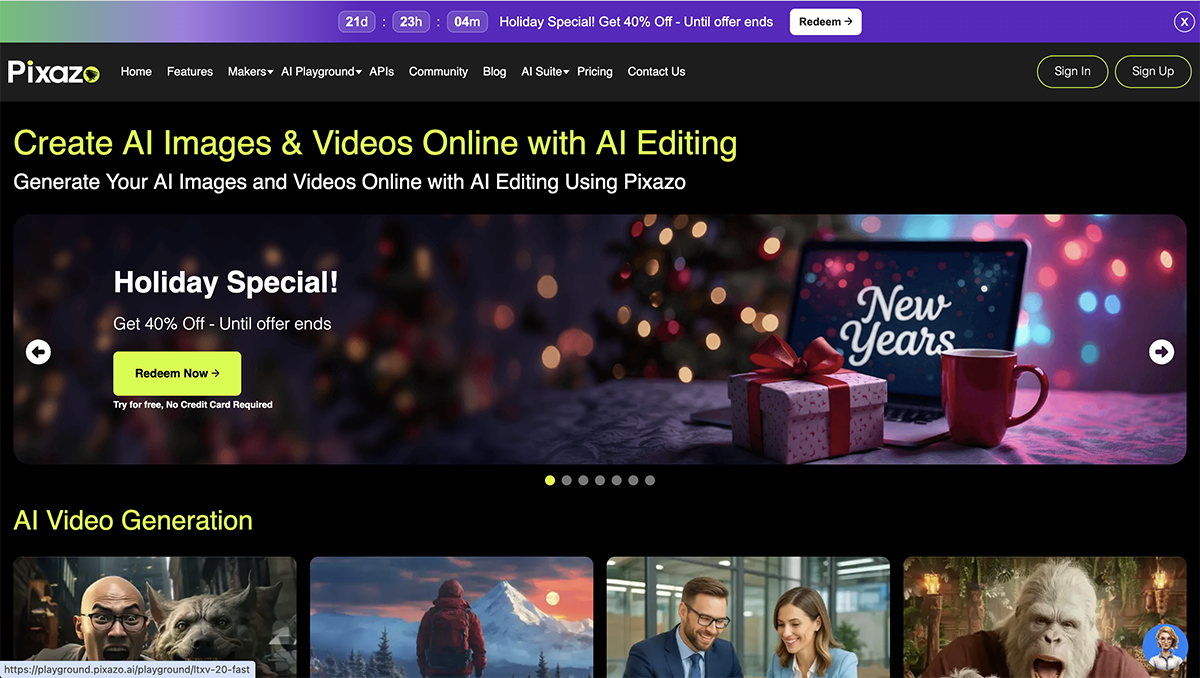
The AI can turn text prompts into all kinds of visuals: logos, banners, flyers, cover photos, you name it. You basically describe what you want, and it generates something that matches your idea. Pretty straightforward.
Beyond the AI tools, Pixazo has the usual design essentials: a clean interface, stock photos, icons, elements, and ready-made templates. Nothing groundbreaking, but all the basics are there.
In my opinion, Pixazo is for anyone looking to create engaging social media content, whether a beginner or an experienced user. It eliminates creative roadblocks and empowers you to design truly eye-catching social media content that stands out.
Pixazo integrates with over 450+ apps. These include MailChimp, LinkedIn, Asana, Shopify, WhatsApp Business, and more.
Pixazo offers only one paid plan, which costs $84/year (or $ 8/month). They also provide a 7-day free trial to test the design tool’s capabilities.
Canva is a popular design tool that lets you create engaging social media and blog graphics, presentations, infographics and other visual content using an intuitive drag-and-drop interface. It comes with powerful AI capabilities, pre-made templates and a packed library of visual assets like images, fonts, shapes, icons and more.
When choosing a presentation software, consider the following questions—whether you plan to test it yourself or rely on online reviews:
The best Canva alternatives should nail the basics. It should have an intuitive drag-and-drop editor, plenty of professionally designed, customizable templates and a solid stock photo and video library. They should also have features like team collaboration, brand kit tools and advanced animation tools to bring designs to life. Some top Canva alternatives include Visme, Movavi Video Editor, Adobe Express, Design Wizard, Easil, Snappa, VistaCreate, Stencil, PicMonkey, Pixlr Designer, Fotor and Pixazo.
Yes, there are several graphic design websites like Canva, including Visme, Adobe Express, Design Wizard, Stencil, Snappa, Vista Create, and PicMonkey.
Overall, Visme is a great Canva alternative due to its advanced features, better customization options, greater flexibility, improved collaboration capabilities, and superior customer support.
Visme’s commitment to innovation and improving the user experience means users continue to access new tools and features that help them do their best work. Beyond graphic design capabilities, Visme offers SCORM, xAPI and HTML5 export for visual e-learning content and learning management systems (LMS).
But that’s just the tip of the iceberg. With Visme Forms, marketers and salespeople can create immersive and interactive forms that delight users and increase conversion rates by up to 207%.
Visme and Canva are both graphic design platforms that provide a wide range of templates, design tools, and assets for creating visual content.
Visme and Prezi are both digital design platforms, but Visme offers more comprehensive features and benefits.
Visme provides a wider range of customizable templates, design assets, and advanced features such as animation, customization and collaboration tools.
Users also get access to AI-powered tools like an AI image generator, an AI text-to-image writer, AI image edit and touchup tools and intuitive video editing tools.
The software’s user-friendly interface and drag-and-drop editor make it accessible to both beginners and professionals, allowing them to create high-quality visual content quickly and easily.
Additionally, Visme is suitable for various industries and use cases, making it a great choice for most users.
On the other hand, Prezi’s unique selling point is its signature zooming effect, which can be limiting for some users. While it does offer some customization options, its template selection is limited. Overall, Visme is the best option for those looking for a versatile design platform that offers a wide range of features and templates, ease of use, and affordability.
While Canva is easy to use and has a huge library of templates, it does have a few limitations:
Yes, there are other tools that are better than Canva if you want to create professionally designed assets. For instance, Visme is better for creating animated or interactive professional visual assets, especially when you need content that explains, persuades, or supports real business decisions.
In recent months, many users have noticed that Canva’s pricing seems to be going up. According to a TechCrunch report, a company spokesperson said one of the main reasons for the price increase is the expansion of its suite of generative AI tools. As Canva adds more advanced features powered by AI, like Magic Write, AI design generators, and other automation tools, the company has adjusted its pricing to reflect the higher cost of developing and supporting those capabilities.
Most professional designers do not use Canva because it is built for speed and simplicity, not for deep creative control. Canva relies heavily on templates and preset layouts, which makes it harder to create unique, brand-specific designs. It also lacks the advanced typography, color management, file formats and production tools that designers need for print, web, and large-scale branding projects.
Canva works well for quick graphics and everyday content, but professional designers usually choose tools that give them more flexibility, precision, and control over the final result.
Yes, there are free open-source alternatives to Canva. They include GIMP, Inkspace, Penpot, Diagram.net, Krita and Scenify.
Prezi’s unique selling point is its signature zooming effect, which is very distinct but can feel restrictive for some users. The tool’s template library is also quite limited.
Canva, on the other hand, is a powerful design platform with an extensive library of templates and tools. However, it falls short when it comes to creating interactive, animated, data-driven and professional-grade designs. Many users have also recently raised concerns about its video editing limitations and the low quality of printed assets.
Visme is the best option because it bridges the gap left by both Prezi and Canva perfectly. Unlike Prezi, which relies heavily on its zooming presentation style, Visme supports a more versatile range of visual presentation formats.
And while Canva does a great job at simplicity and template volume, Visme takes it a notch higher with professional-grade templates and features. Its intuitive design and AI tools make it easier to produce polished visuals that meet higher business standards even if you’re not a designer.
Canva’s biggest competitor is Visme. Both platforms help people create graphics, presentations, and marketing content, but Visme is built more for professional, business-grade use. It offers a wide range of traditional design and AI tools for creating presentations, data visualization, interactivity, branding, and client-ready documents like reports and proposals. Other notable Canva competitors include Adobe Express, Figma, Piktochart and Venngage.
If you're looking for a good Canva alternative that offers more features and value, we recommend taking giving the tools that stand out to you for a test drive.
If you consider using Visme, not only will you be able to do everything that you could do with Canva, but you'll also have access to advanced features like data visualization tools, professional templates, animation and interactivity, a personalized Brand Kit, AI image generator, AI writer and AI TouchUp Tools and more.
Ready to give it it a try? Sign up for a free account today .
*All logos, trademarks, and brand names used in this article are the property of their respective organizations. Their inclusion is for identification purposes only and does not imply any endorsement or association with our organization.
Design visual brand experiences for your business whether you are a seasoned designer or a total novice.
Try Visme for free