The Best Beautiful.ai Alternatives to Create AI-Powered Presentations


Did you know that globally, around 50 million new startups are launched every year?
If you’re one of those aspiring entrepreneurs, or already running a small business, you’ll need every advantage you can get across lead generation and marketing, content creation, customer support, sales, administration, HR and finance.
And with how good AI has gotten over the last several months, it's perfectly capable of giving you that edge.
In fact, 66% of organizations report saving $500-$2,000 per month after implementing AI tools, and AI users save between 20 and 120 hours per employee per year simply by automating repetitive tasks.
So yes, AI has become a practical way to get more done without expanding your team.
In this article, I’ve rounded up nine of the best AI tools for small business owners. Each one solves an actual problem and has the potential to become a core part of your workflow.
Let’s dive in.
A quick Google search will show you that there are dozens, if not hundreds, of AI tools out there. And it’s completely normal to feel overwhelmed by long feature lists, flashy landing pages and big promises that all sound the same.
Here’s exactly what you need to do to find the right AI tool for your small business.
Start by identifying the exact issue you want help with. Do you need support with:
Once you know the problem, you instantly narrow down your search to tools that actually matter.
Small business owners don’t have time for complicated setups. Choose AI tools that are simple, intuitive and ready to use without a long learning curve. You shouldn’t need to hire an expert or bring in another team member just to make the tool work.
Instead of relying on marketing pages, look at how other small businesses are using the tool. Pay attention to patterns like speed improvements, ease of use, customer support, pricing fairness and whether the tool genuinely solves the problems it claims to.
The best AI solutions for small businesses should naturally integrate with your current stack. You shouldn’t have to shake up your workflow or rebuild everything just to make them work.
Whether it’s your CRM, email platform, ecommerce app or project management tool, integrations prevent extra admin work and keep your systems running smoothly.
Pricing models vary. Some tools charge per seat, others per credit and some offer unlimited access. Make sure the pricing structure makes sense for your team size and usage so you’re not surprised by sudden jumps in cost.
An AI tool should start solving problems within 60 to 90 days. If it doesn’t meaningfully reduce workload, simplify a process or improve output, don’t hold on just because you’ve already set it up. Cancel it before it digs a deeper hole in your budget. There will always be better options that fit your workflow and grow with your business needs.
Check out this video to learn about some of the best AI tools you can use for your business:
| Name | Top Features | Best For | Pricing | G2 Rating |
|---|---|---|---|---|
| HubSpot Marketing Hub | AI content & automation, lead scoring, analytics & insights | Small businesses & marketers who need an all-in-one marketing CRM | Free; paid starts at $9/mo | 4.5/5 (14,200+ reviews) |
| Visme | AI presentation maker, AI image generation, AI brand wizard, AI writer, AI Designer, AI text to speech | Teams of all sizes that need graphics, presentations & visual content | Free; paid starts at $12.25/mo | 4.5/5 (460 reviews) |
| Fin by Intercom | AI support agent, live chat & multi-channel replies, analytics | Customer support teams and small business help desks | $0.99 per resolution + $29/helpdesk seat/mo (with Intercom) | 4.5/5 (3,680+ reviews) |
| Pipedrive | AI sales assistant, email generation & summaries, deal insights | Small sales teams, service businesses | Paid starts at $14/mo | 4.3/5 (2,810+ reviews) |
| Motion | AI auto-scheduling, meeting notes, smart task planning | Founders & operators | Paid starts at $19/mo | 4.2/5 (135+ reviews) |
| QuickBooks | Automated bookkeeping, reconciliation, financial summaries | Small business accounting & finance | Paid starts at $19/mo | 4.0/5 (3,600+ reviews) |
| Workable | AI candidate sourcing, resume screening, hiring assist tools | Teams hiring frequently | Paid starts at $299/mo | 4.5/5 (680+ reviews) |
| VidCruiter | AI-assisted structured video interviews, automated scheduling, interview guides, built-in note-taking | Businesses hiring frequently or scaling teams | Custom quote (based on usage) | 4.8/5 (240 reviews) |
| Zapier | AI workflow builder, AI agents | Any business needing automation | Free; paid starts at $19.99/mo | 4.5/5 (1,720 reviews) |
Here are the eight best AI tools that solve everyday problems for small businesses:
If you want a user-friendly AI tool that improves your marketing without adding more manual work, HubSpot Marketing Hub is the safest bet for small businesses. It’s built for non-technical teams, but it comes packed with AI features that help you attract leads, automate follow-ups and understand what’s working.
I tested it by setting up my own agency, Mash Content, inside HubSpot, and the AI onboarding assistant handled almost everything for me.
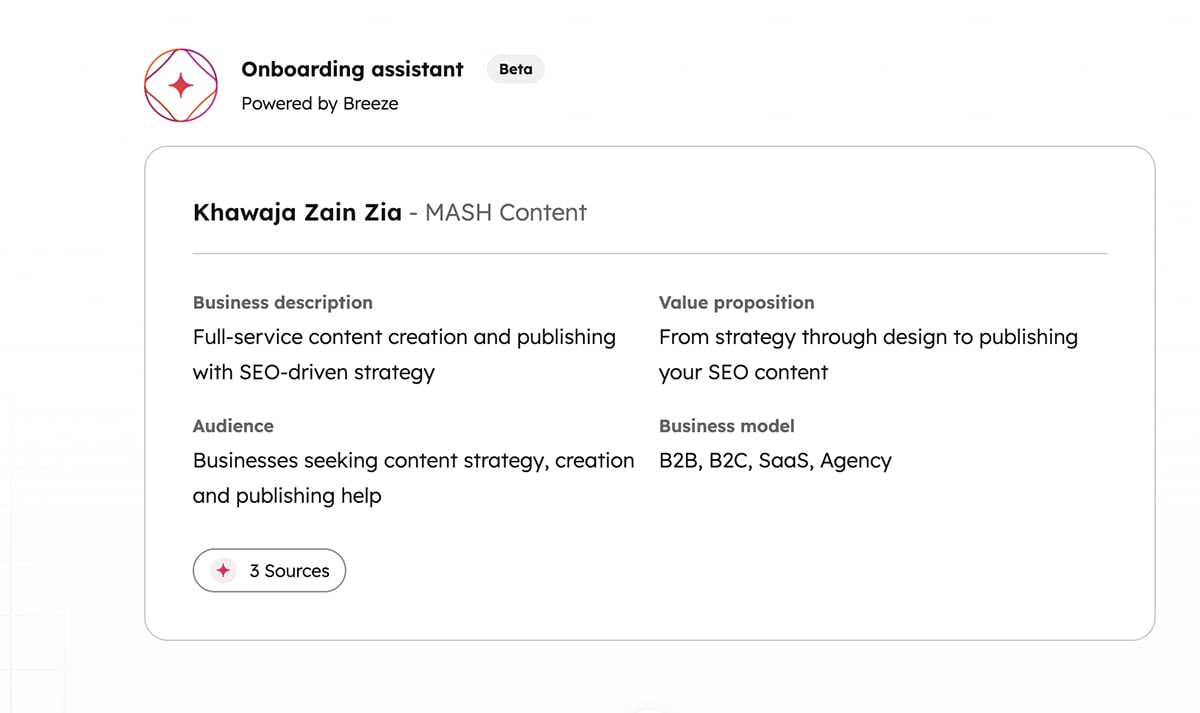
Here’s what that looked like:
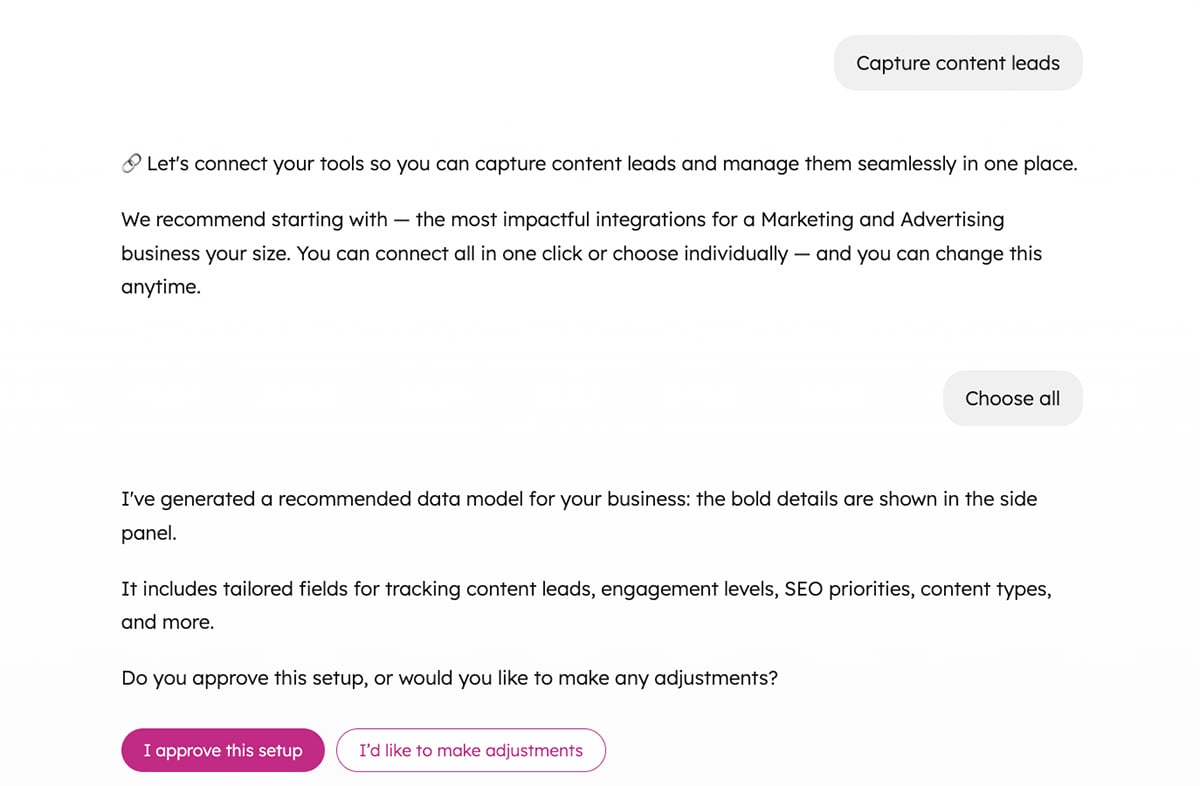
So, what does this mean for small business owners?
You get a fully functioning marketing system without hiring a specialist or spending hours figuring out complicated tools. HubSpot centralizes everything, including forms, emails, ads, segmentation and analytics, inside one Smart CRM. You can:
Want a deeper HubSpot Marketing Hub walkthrough before committing? This tutorial by Angel Zheng is a great place to start:
According to studies, 55% of small enterprises already use AI to produce content. This shows just how quickly AI is becoming a core part of how small businesses communicate and market themselves.
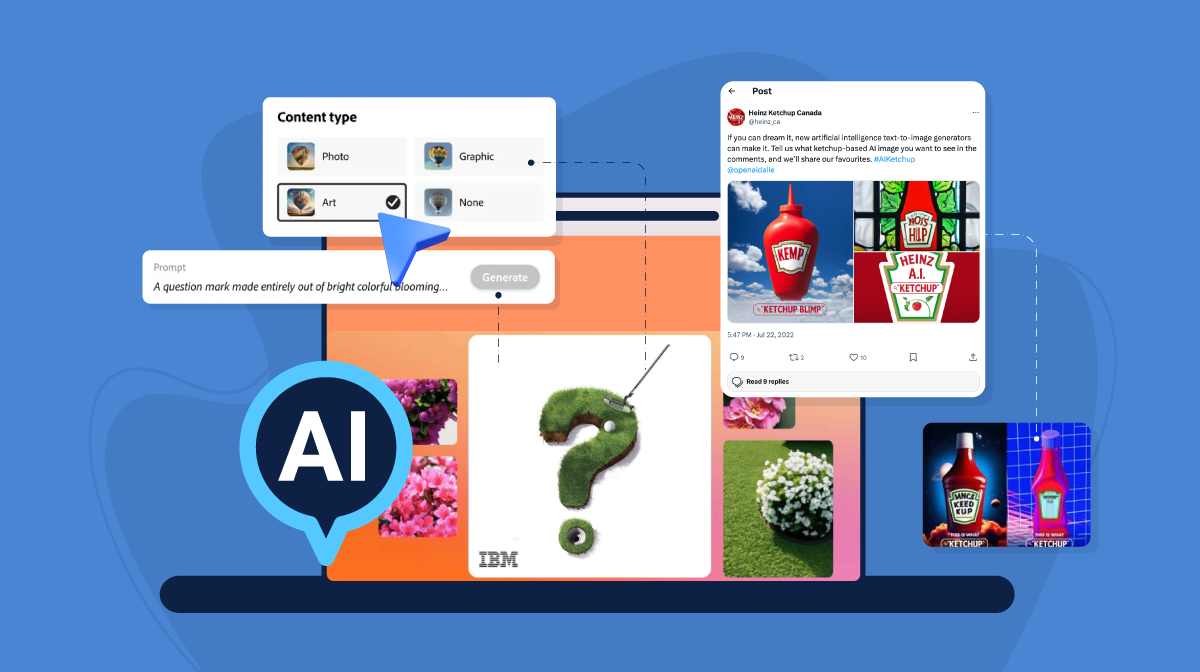
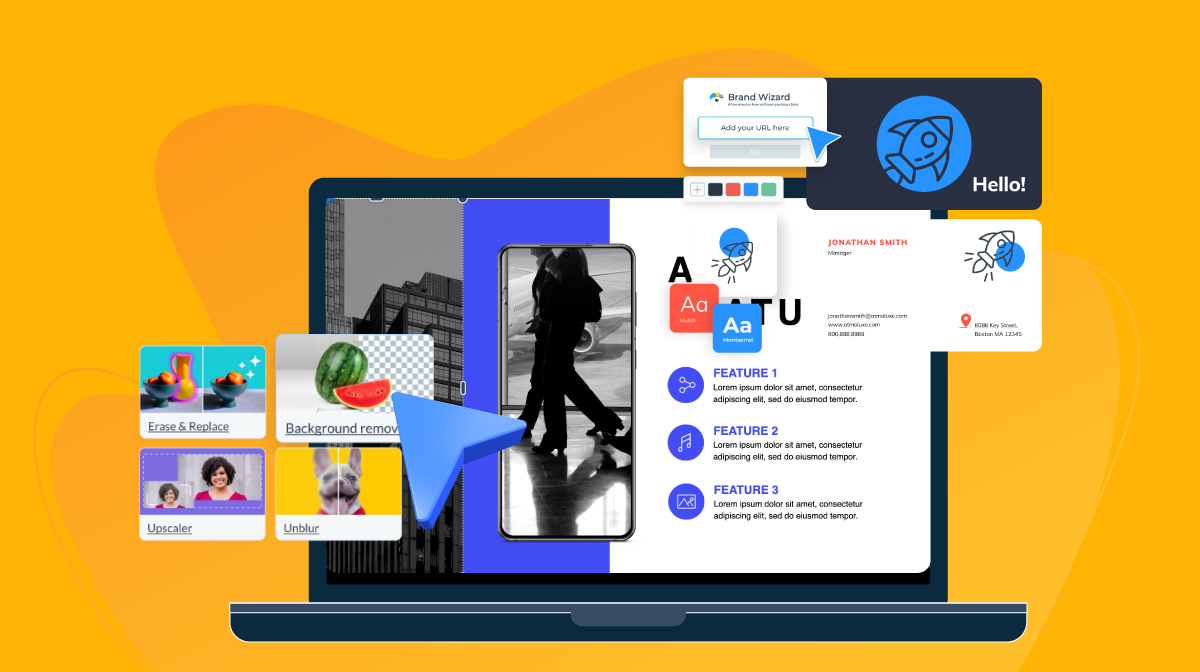
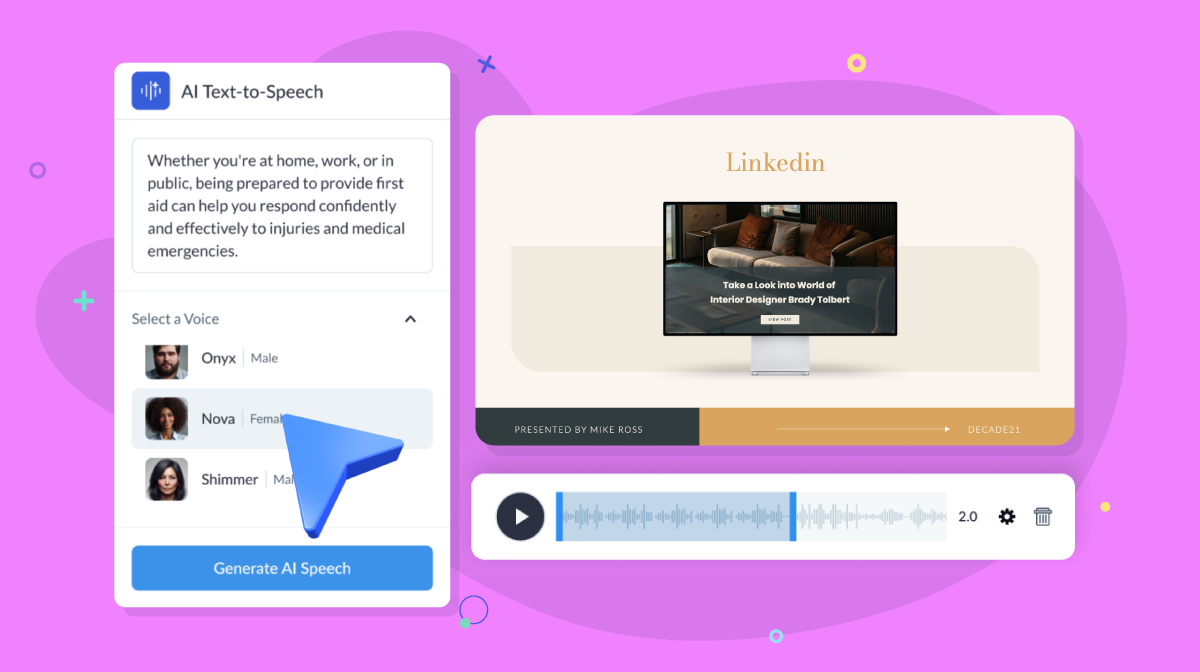
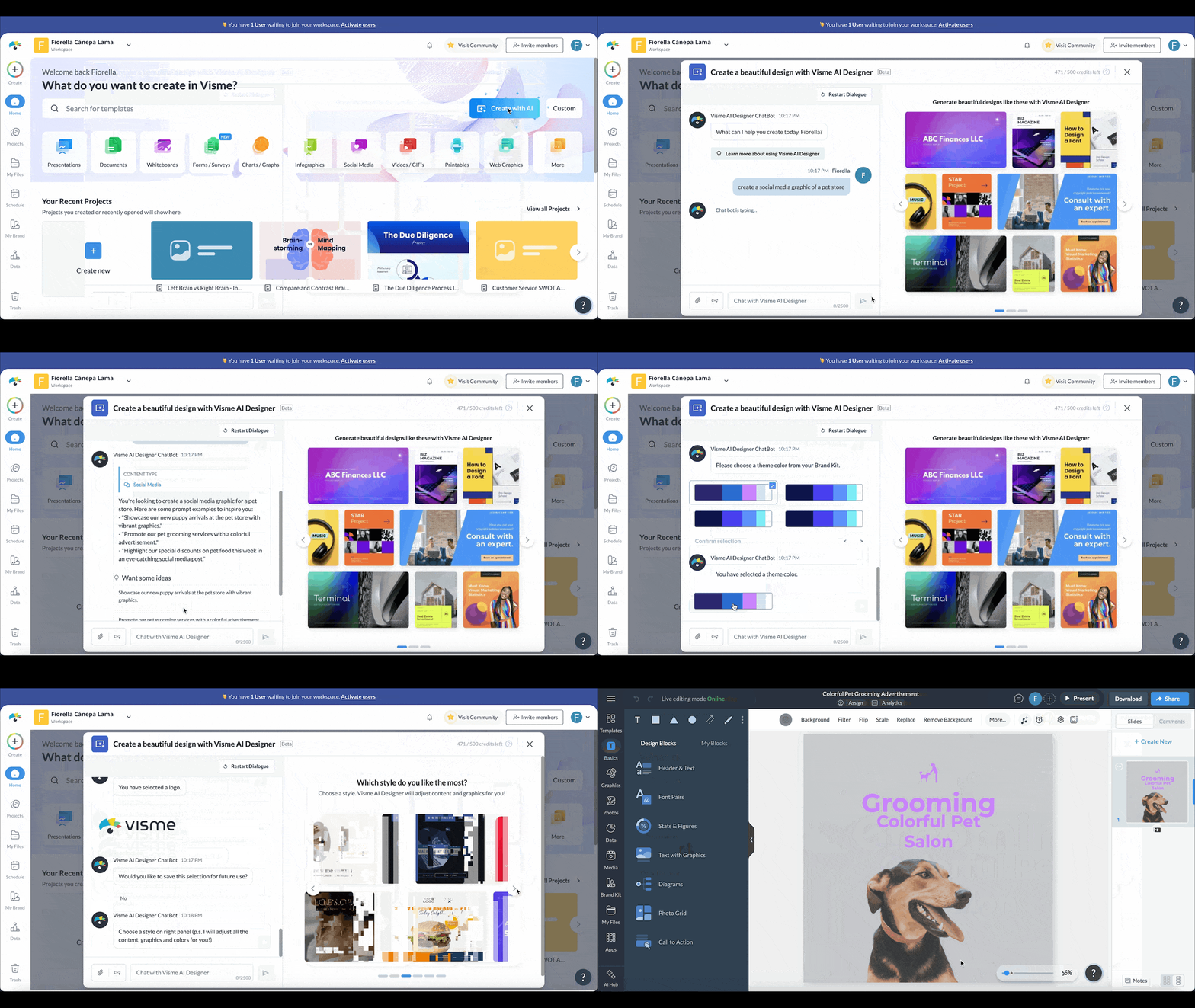
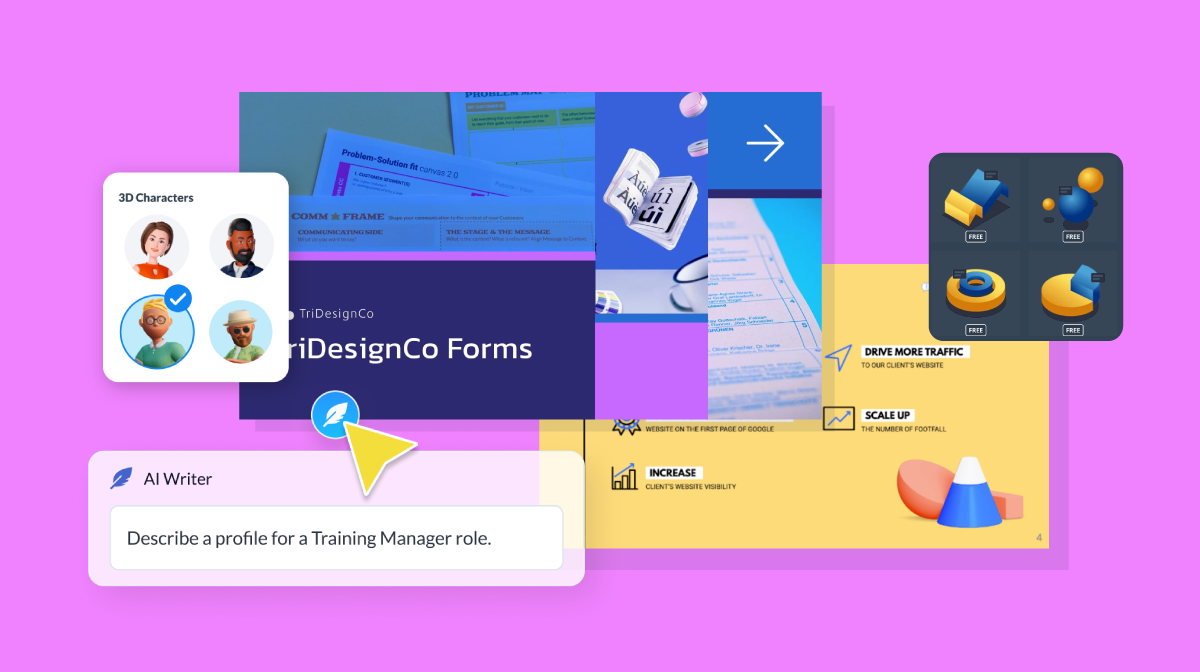
If you’re looking for an AI tool that handles both high-quality content creation and visual design like presentations, infographics, social media graphics, newsletters, branding kits, reports and more, Visme AI is one of the strongest picks.
It comes with 10,000+ professionally built templates, advanced animation and interactivity, dynamic fields, data visualization tools, a form builder, a video maker and a full suite of AI tools that help you move from idea to finished content fast.
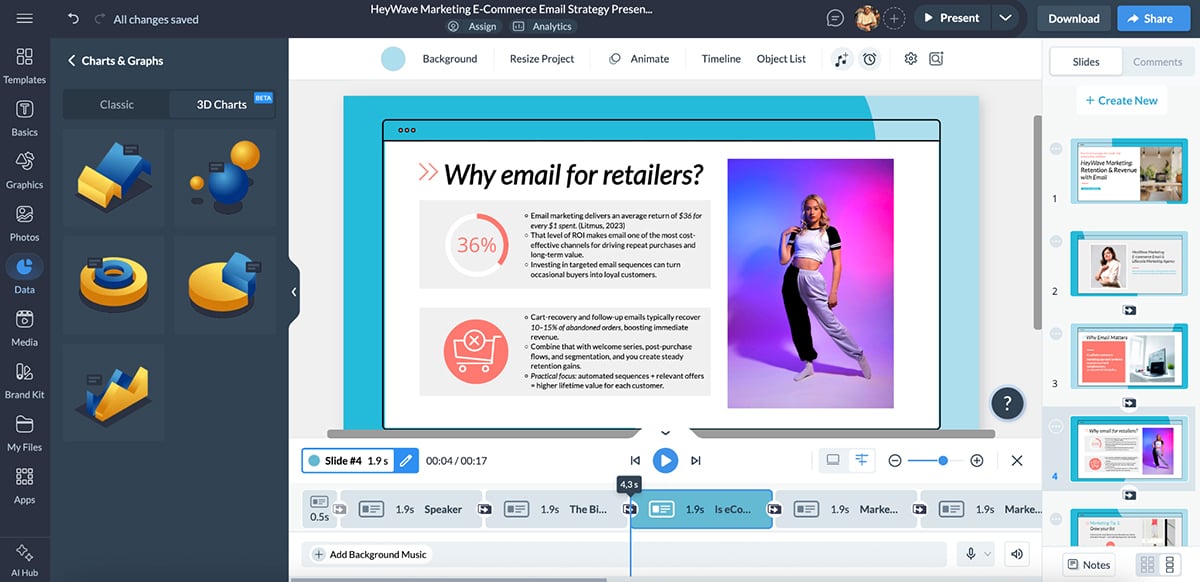
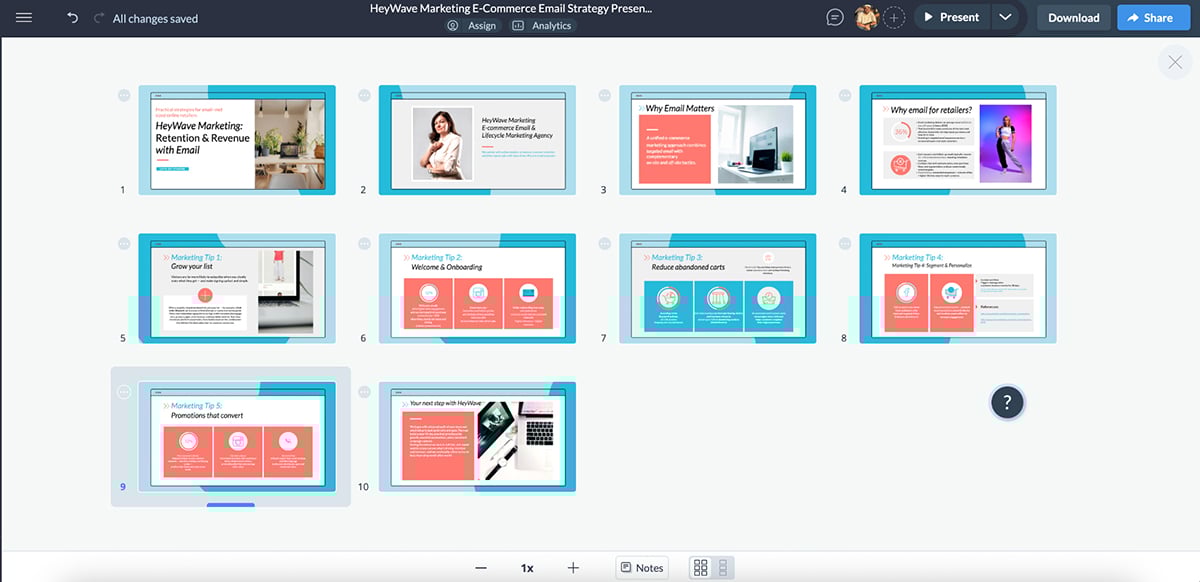
I use Visme for client work all the time, especially the AI Presentation Maker. I love how quickly (and accurately) it turns my ideas into something so engaging.
 z
z
The AI-generated slides come with animations, transitions, relevant icons, photos and videos. I’d say it gets me about 70% of the way there, and I just add final touches before sharing it with a client.
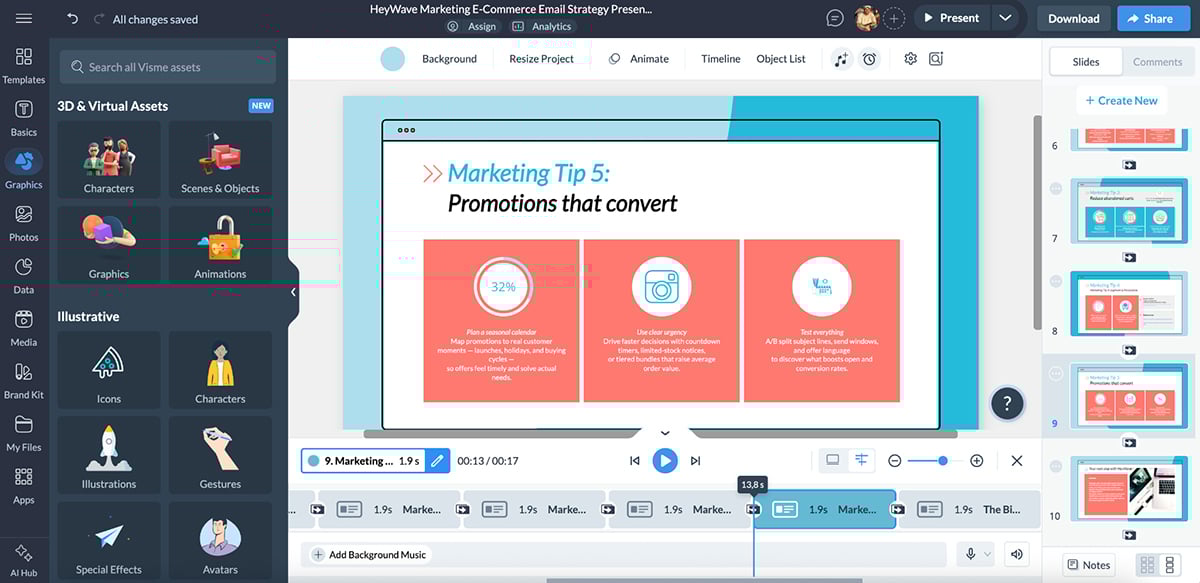
All of these tools matter because they save small business owners from spending hundreds of dollars on individual apps: one for writing, one for design, one for video, one for branding, etc.
Instead, Visme gives you everything under one roof with a simple workflow your team can actually keep up with.
Visme also offers brainstorming, collaboration and workflow features, multiple sharing and publishing options and built-in analytics to track how your content performs.
There’s even an AI Business Plan Generator that helps small business owners create investor-ready business plans in minutes, complete with market analysis, goals, timelines and visual layouts.
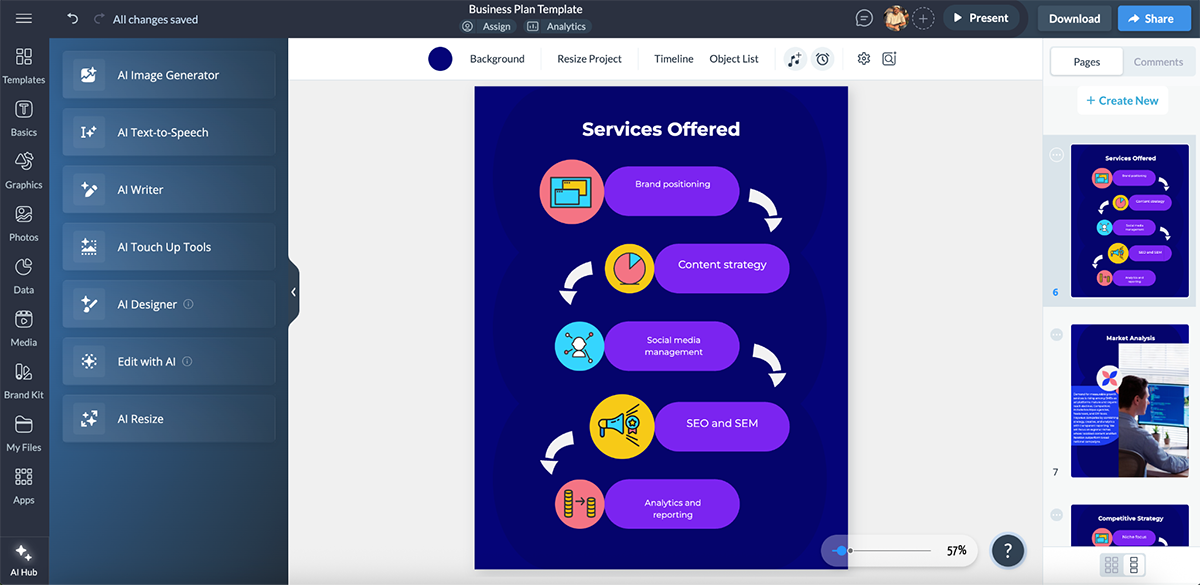
All in all, Visme AI helps you produce quality content at scale without needing extra hires, extra tools or extra time.
Customer service is one of the easiest places to win or lose customers. And with 69% of organizations saying generative AI can help humanize digital interactions, it makes sense to bring AI into that experience instead of leaving customers on hold or waiting for email replies.
There are plenty of customer support tools that can do this, but Fin by Intercom is the one I keep hearing about from fast-growing teams.
Fin is an AI support agent that sits on top of your existing help center, website, documents and product guides. It understands the question, pulls the right answer from your content and replies in a natural, conversational way. When it’s not confident, it hands the conversation to a human instead of guessing.
Watch this video to learn the top ten ways to optimize customer experience with Fin 2 and get better results from your AI support agent:
What makes Fin especially strong is how configurable it is. You can adjust tone, escalation rules and response style, and even pull in data from tools like Stripe or Shopify to deliver personalized answers. And because it’s built to work across chat, email, WhatsApp, SMS, Instagram and more, your support stays consistent no matter where customers reach out.
There’s Fin Voice too. See it in action here:
Fin’s AI engine is purpose-built for customer service and has resolved 66% of customer queries across more than 6,000 customers. And that was Fin 2 (the previous model).
So, what does this mean for small business owners?
Fin also automatically summarizes conversations for agents so they can jump in quickly. It learns over time, so your accuracy improves as your help center grows.
And since most small businesses don’t have a budget for a full support team, let alone around-the-clock coverage, Fin becomes your always-available first-line support rep.
According to Forbes, 46% of business owners use AI inside their CRM to streamline operations and improve decision-making. And it makes complete sense. AI inside a CRM removes guesswork, helps you prioritize the right deals and keeps your pipeline moving even when you’re juggling a dozen other responsibilities.
If you want that same advantage without a complicated enterprise setup, Pipedrive is a solid pick. It’s a sales-first CRM with built-in AI that helps you focus on the right deals, send better emails and keep your pipeline moving.
What I like most is that Pipedrive’s AI doesn’t sit on the sidelines as an add-on. It shows up exactly where you spend your time: inside your pipeline, inbox, activities and reports. That means the AI is always analyzing your deals, spotting patterns and nudging you toward the actions that increase your chances of closing.
The AI Sales Assistant is the standout feature. It evaluates your open deals, your past wins and your daily activity, then tells you exactly what needs attention. It can even identify better opportunities by comparing your current deals to the attributes of past successful ones, so high-value leads don’t slip through the cracks.
Watch this video to learn more about Pipedrive’s AI Sales Assistant:
And because emailing is a huge part of selling, Pipedrive brings AI there too.
You can generate emails from a short prompt, rewrite your message in a different tone and instantly summarize long email threads so you know exactly where a conversation stands. It even analyzes sentiment to help you gauge who’s actually ready to buy.
All of this lives inside a CRM that’s easy to use. You can import contacts, build your pipeline and start getting actionable AI insights on the same day. For small business owners who wear multiple hats, this simplicity is everything.
Check out this video by Patrik Walsh for a quick tutorial of Pipedrive CRM:
Pipedrive essentially gives you a virtual sales analyst and assistant running in the background, making sure no deal is forgotten and every opportunity feels manageable.
Juggling meetings, deadlines and to-dos is basically the default setting for most small business owners. And when you’re already wearing five hats, “admin work” quietly derails the work that actually makes you money.
Motion is an AI productivity tool that brings your calendar, tasks, projects, docs and meeting notes into one place. Then it uses AI scheduling to automatically plan your day around what matters most.
At the center of Motion is its AI-optimized calendar. You add a task with a duration and due date, and Motion scans your schedule and time-blocks it for you. If a new meeting lands in the middle of that focus block, Motion automatically reshuffles your tasks to keep you on track.

It also supports project planning with views such as list, Kanban and Gantt, plus task dependencies and recurring tasks; super useful for both ongoing business operations and deadline-driven work.
Motion also comes with an AI meeting notetaker. It can join Zoom, Google Meet or Microsoft Teams meetings, take real-time notes, summarize what happened, pull out action items and suggest tasks. It can then push those tasks into your calendar and task list right after the meeting ends (with your approval).
Watch this video to see Motion’s AI notetaker in action:
There’s also an AI Docs feature, which lets you paste rough notes and turn them into summaries and actionable tasks, without switching tabs or rewriting everything.
Check out this tutorial by Steven Warren from Healthnews for a quick walkthrough of Motion’s core features:
So, what does all of this mean for small business owners?
In plain terms, Motion helps you run your week like you have an assistant in the background.
A study by Intuit revealed that 46% of small business owners feel they aren’t knowledgeable about accounting and finance. The repercussions of this can be massive.
When you don’t fully understand your numbers, it’s easy to miss cash flow issues, make poor pricing decisions, delay tax prep or realize too late that expenses are creeping out of control.
One practical step to better manage business expenses is evaluating business credit cards for mid-sized businesses that offer expense tracking, rewards on purchases, and simplified reconciliation.
Another way, is allowing an AI tool to do the heavy lifting for you.
QuickBooks is one of the most widely used small business accounting platforms, and its newer AI-powered agents are designed to reduce manual work and surface insights small business owners would otherwise miss.
Instead of treating AI as a standalone add-on, QuickBooks embeds it directly into the workflows business owners already rely on: bookkeeping, invoicing, payments, reporting and customer management.
At the foundation is the Accounting Agent. Traditionally, categorizing transactions and reconciling accounts can take hours each month. With QuickBooks AI, incoming transactions are automatically categorized based on patterns learned from millions of real-world entries.
It also uses AI to assist with reconciliation. You upload a bank statement, and the system extracts balances and dates, compares them against your books and highlights mismatches. And when something doesn’t line up, the AI explains why and can even suggest or add missing transactions for you to review.
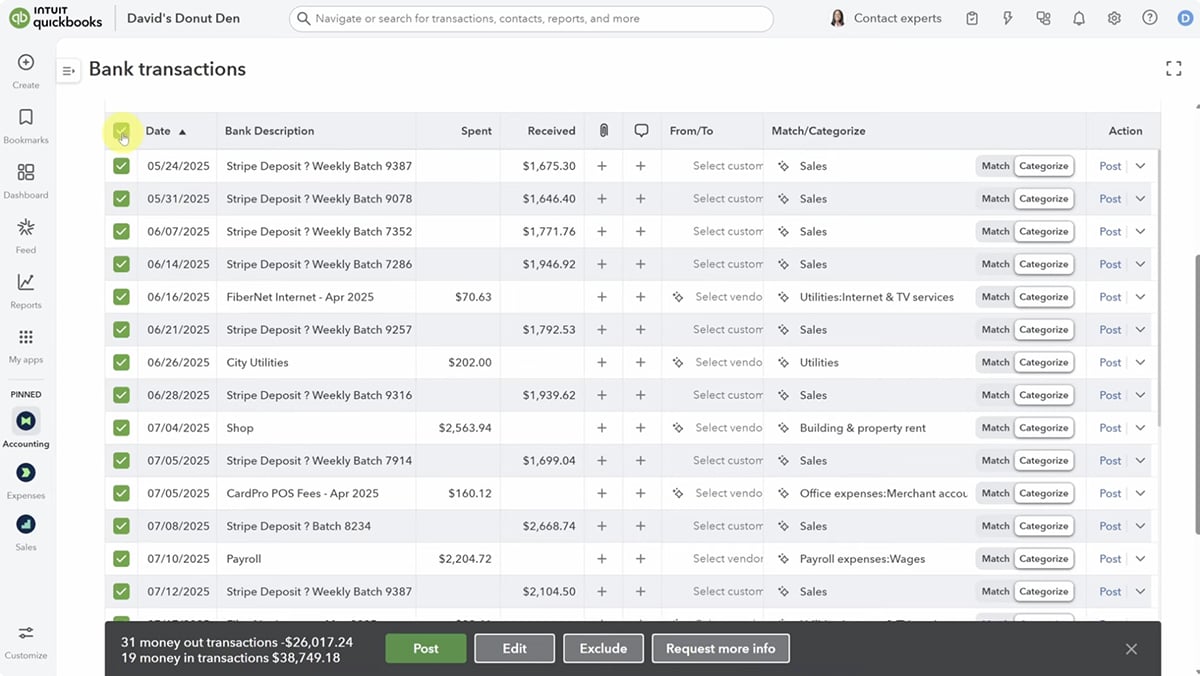
Next, there’s the Payments Agent, which focuses on helping you get paid faster. You can upload notes, emails, contracts or even photos, and QuickBooks turns them into structured invoices. It also uses customer payment history to suggest payment terms, late fees and reminders.
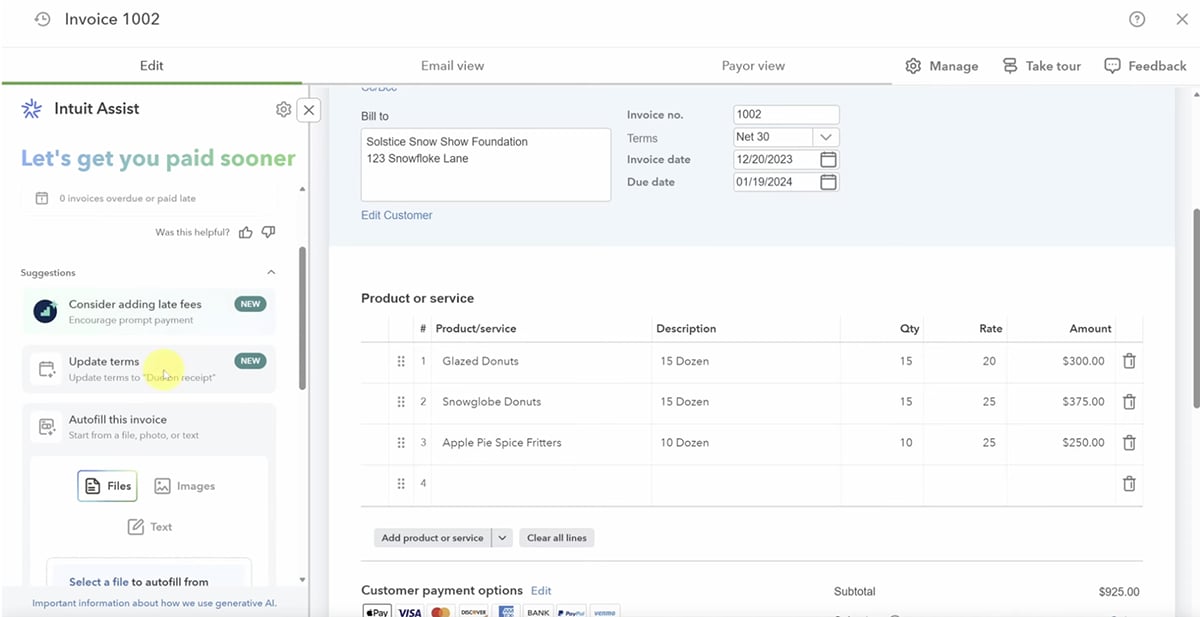
And for small business owners who want a clearer big-picture view, the Finance Agent generates executive-style summaries at the end of each month, quarter or year. So, instead of staring at dense reports, you get AI-generated insights that explain changes in income, expenses, cash flow and profitability.
So, what does this mean for small business owners?
Watch this video by David DeWinter to see QuickBooks AI agents in action:
All in all, QuickBooks won’t turn you into an accountant or replace professional advice. But it does remove enough friction from day-to-day finance work that you can stay in control of your numbers with confidence.
Hiring is one of the most time-consuming and high-risk tasks for small business owners. One bad hire can slow a team down for months, while spending weeks screening resumes and coordinating interviews pulls you away from actually running the business.
And when you factor in the fact that 89% of employers say candidate ghosting is a problem, the entire process starts to feel stacked against you.
Workable is built to take that pressure off.
It’s an AI-powered hiring and HR platform that helps small and growing teams find candidates faster, screen them more efficiently and move from job post to signed offer without the usual chaos.
Instead of juggling job boards, inboxes, calendars and spreadsheets, Workable brings everything into one system and uses AI to handle the busywork in the background.
The hiring flow starts with sourcing. With one click, you can post a role to 200+ job boards, including LinkedIn and Indeed, while Workable’s AI recruiter simultaneously searches a database of 400M+ profiles to surface candidates that match your job’s requirements.
Once applications start coming in, Workable’s AI-assisted screening tools help you prioritize candidates based on experience, skills and job fit. Resumes are parsed automatically, candidates are ranked and you can quickly see who deserves attention instead of reading every application line by line.
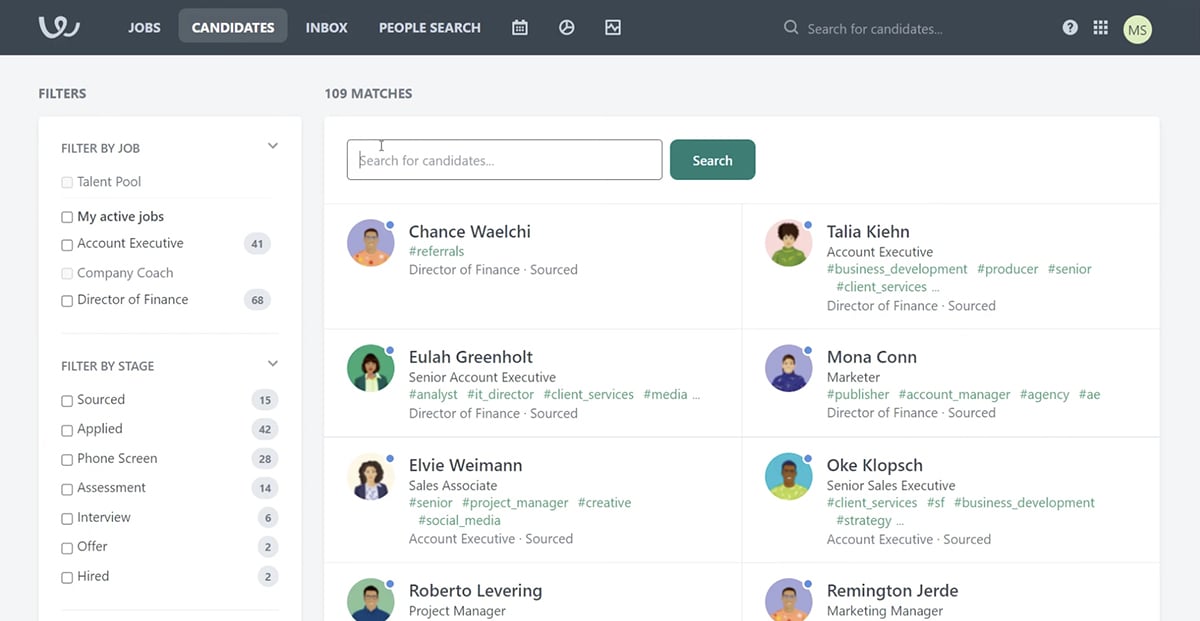
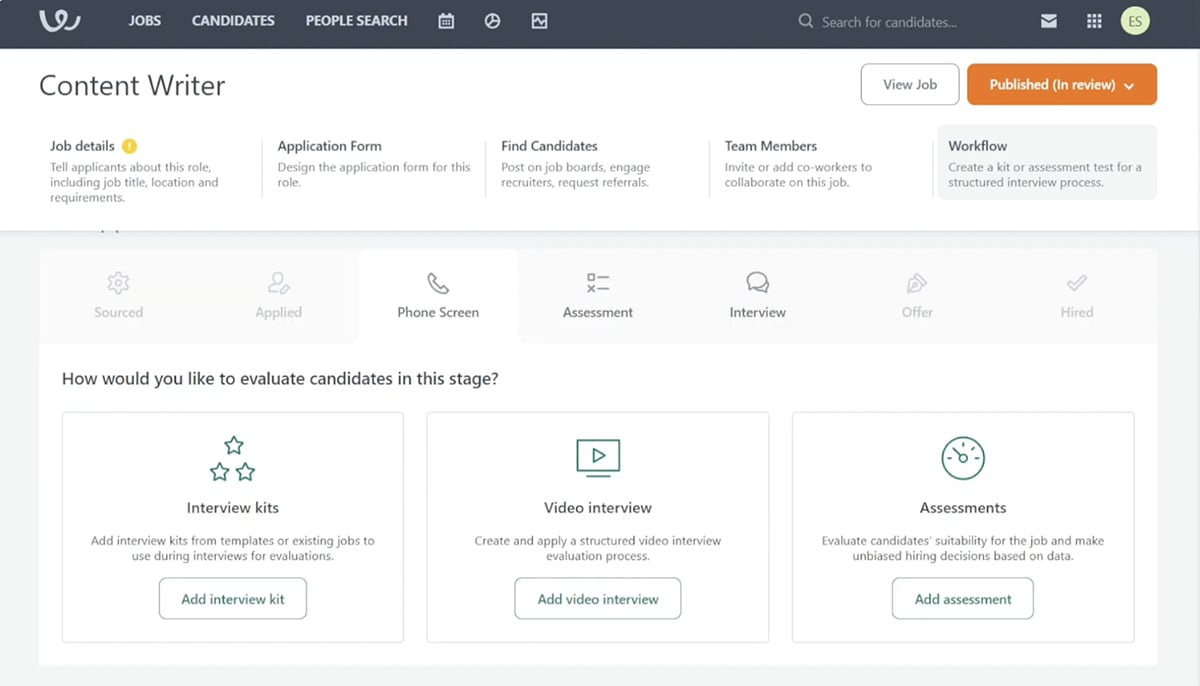
From there, Workable keeps things moving. Candidates can self-schedule interviews, calendars sync automatically and all communication stays in one place. Structured interview kits, scorecards, assessments and one-way video interviews help you evaluate candidates even if you’re hiring remotely or across time zones.
Artificial intelligence also shows up in the details that slow teams down the most. Workable can draft job descriptions, suggest salary ranges based on market data, generate interview questions and even help write outreach emails to passive candidates.
When it’s time to make an offer, Workable handles offer letters, approvals, e-signatures and background checks too.
And hiring doesn’t stop at “you’re hired.” Workable also includes onboarding workflows, employee records, performance reviews, time-off tracking and payroll reporting integrations, making it a strong, long-term HR system..
Check out this product walkthrough to learn everything you need to know about Workable:
As a small business owner, you can stack a dozen tools and still feel behind. Why? Because your tools aren’t talking to each other, so you’re stuck doing the handoffs manually.
Leads come in through forms, invoices live in accounting software, deals sit in a CRM, support tickets land somewhere else and updates get lost in inboxes or Slack threads.
Zapier fixes this. It’s a no-code automation platform that integrates with 8,000+ apps, so your tools can work like one unified system.
And its AI layer makes it much easier to set up and maintain those workflows, even if you’ve never built automation before.
Instead of building every workflow step by step, you can describe what you want in plain English and let Zapier propose the automation, then tweak it. Zapier also goes beyond “AI that suggests” into AI that acts with Agents.
That means you can give an agent access to your tools (Sheets, Gmail, CRM, Slack, and more), so it can follow multi-step instructions and take actions inside your apps.
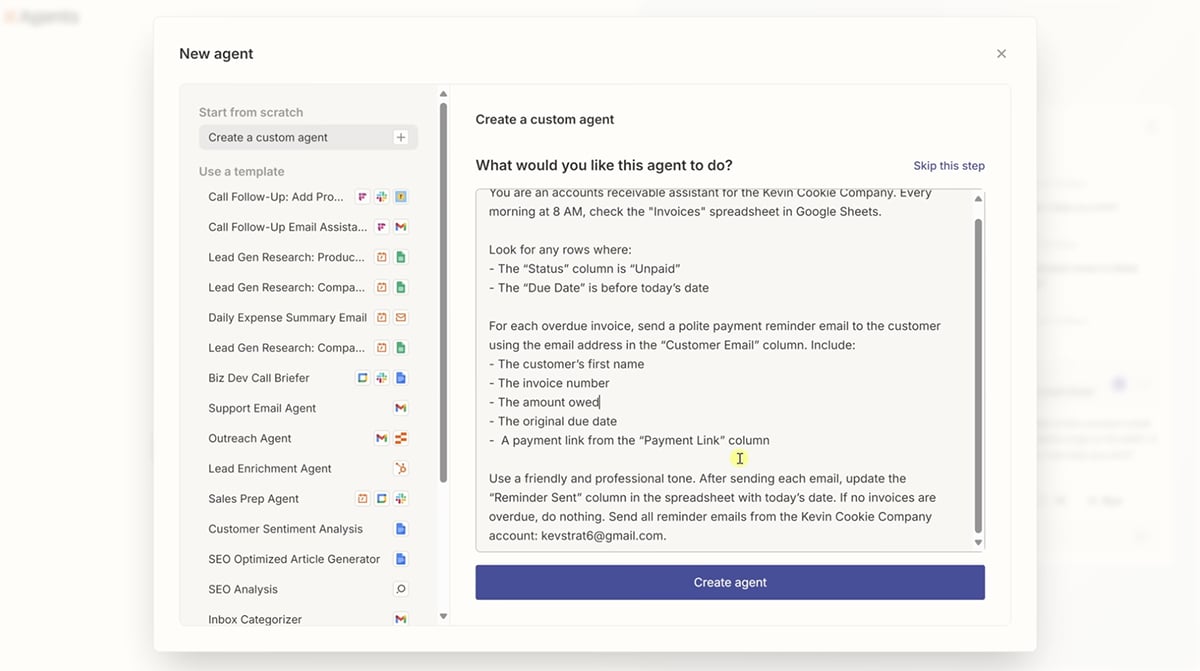
Want a practical walkthrough? Check out this step-by-step Zapier tutorial:
And if you want to plan bigger systems, there’s Zapier Canvas, which lets you map and design workflows visually, so you can see how your Zaps, apps, and data connect before you build. Pretty cool.
So, what does this mean for small business owners?
Zapier essentially turns your existing software stack into a coordinated system that runs in the background, so your time goes into running the business, not stitching tools together.
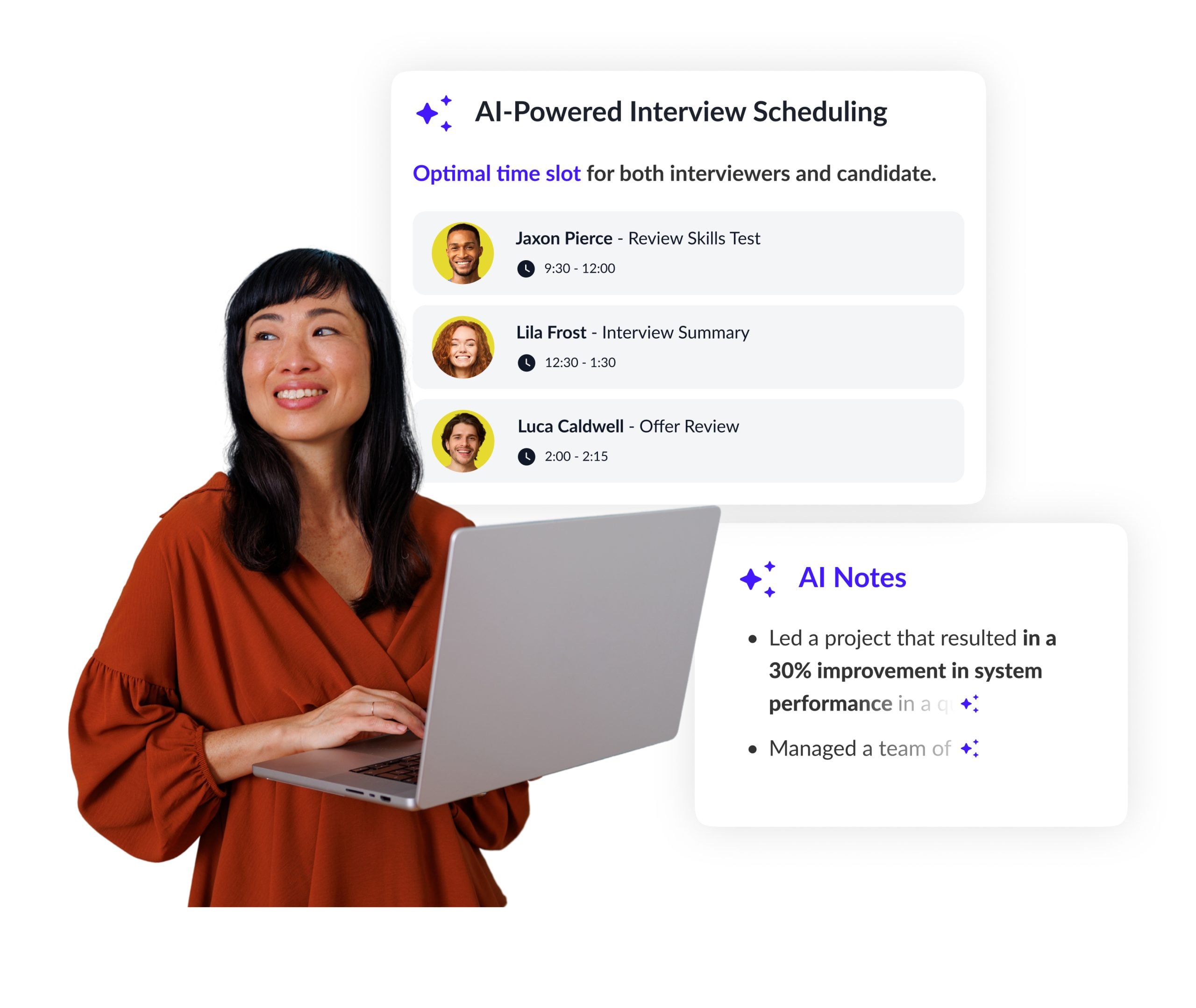
Hiring is time-consuming and high-stakes, especially for small teams. VidCruiter streamlines the process with AI-assisted hiring workflows that emphasize structured video interviews and fair evaluation.
Instead of juggling calendars, emails, and notes, VidCruiter also centralizes scheduling, interview guides, scorecards, and note-taking.
Candidates can self-schedule, interviews can be live or one-way, and AI helps track evaluations consistently, reducing unconscious bias and making hiring more ethical and efficient.
Using AI in your business comes with responsibilities around data, accuracy and decision-making. Here’s how to use AI tools safely and ethically in your small business:
AI can do a lot of things, but it can’t take responsibility when something goes wrong.
This matters most in areas like hiring, customer communication and decision-making. If an AI tool makes a biased recommendation or produces a harmful response, the accountability doesn’t sit with the software; it sits with you.
As John Beaver, Founder of Desky, explains:
“Before using AI in marketing, hiring or customer service, make sure that the output is free from any biases. Responsibility remains entirely with the user because AI cannot be held accountable for mistakes. That's one of the reasons why we never upload or share other people’s data without their permission and we avoid using AI for sensitive decisions without human oversight. Ethical use also means being transparent with customers and staff when AI is involved to make sure that decisions are fair, and part of that process means constantly testing outputs to identify errors or assumptions that could cause harm and loss of trust.”
One of the biggest risks for small businesses is publishing or acting on AI-generated output without review. AI is fast, but it’s not fact-checked, context-aware or brand-sensitive by default.
Emails, marketing copy, reports and AI chatbot replies still need a human eye to verify accuracy, tone and intent.
A good rule of thumb: AI creates the draft, humans approve the final version. As Kevin Heimlich, CEO of The Ad Firm, puts it:
“Never publish any AI-created content until it has been reviewed by a human, we treat AI-generated content as "rough drafts" that need to be verified for factual accuracy, checked for tone and adjusted for originality. A common misconception by businesses when considering the ethics of using AI is that simply using it does not require disclosure or transparency. If your business is going to use AI to interact with your customers, you must inform them that you are doing so; at my agency, we have disclosed the use of AI in chatbots and automated response messages.”
Not every task should be automated. For example, AI is best used for support work like drafting content, summarizing information, prioritizing tasks, spotting patterns and automating repetitive workflows. This is where it saves the most time with the least risk.
And for high-impact decisions like hiring, financial judgment or sensitive customer issues, AI should assist, not decide. If the outcome could meaningfully affect a person or your business, a human needs to stay in the loop.
Some AI tools require access to emails, documents, CRM records or customer data. That doesn’t mean everything should be uploaded or shared freely.
Ethical AI use means:
Trust is easy to lose and hard to rebuild. Clear disclosure and responsible data handling go a long way in protecting it.
AI tools that automate scheduling, content creation, email responses, customer interactions, data analysis, bookkeeping and hiring workflows save the most time by removing repetitive admin work. Many of these tools leverage machine learning to adapt to your patterns and improve over time.
Many AI tools offer free plans or starter tiers under $50/month, making them cost-effective and accessible to small businesses and startups. For example, Visme has a free plan, with paid plans starting at $12.25/month.
Some of the best free AI tools are the ones that offer tangible value before you upgrade. Tools like Visme, HubSpot, and QuickBooks all offer free trials or limited free plans that let you test AI features in real workflows.
Beyond that, widely used free options include ChatGPT (free version) which uses natural language processing for writing and ideation, and Google’s built-in AI features across Docs, Gmail and Sheets for everyday productivity.
AI helps small businesses grow by freeing up time, improving decision-making, reducing errors and allowing teams to scale operations without adding headcount.
There’s no fixed number. It depends on which parts of your business you’re automating. You can start with $0 using free plans and trials, but most startups eventually subscribe to paid versions.
Realistically, AI tools typically cost $50-$500/month combined, depending on team size, use cases and how many tools you rely on.
Yes, as long as each tool solves a major problem. Overwhelm usually comes from tool overlap, not tool count. The best approach is to use platforms that cover an entire category. For example, Visme can handle presentations, videos, forms, content drafts, AI images, transcription and voiceovers in one place.
No. Most modern AI tools are designed for non-technical users, with no-code setups, templates and guided onboarding.
It depends on the tool and the problem it’s solving. Creative and productivity tools often show results within days. For example, with Visme, you can set up your brand kit, create a project and deliver client-ready assets in a short time. In contrast, accounting or finance tools usually take longer, since their value compounds over weeks or months.
Most reputable AI tools offer enterprise-grade security, encryption and compliance features, but startups should still avoid uploading sensitive data without safeguards.
Yes. Most AI tools integrate with common software like CRMs, accounting platforms, email tools and project management apps.
Free versions usually have usage limits or fewer features, while paid plans unlock advanced AI capabilities, higher limits and better support.
Return on investment isn’t always immediate or purely financial. As a rule of thumb, measure AI ROI through time saved, reduced costs, faster turnaround, higher output and improved revenue or conversion rates.
If an AI tool consistently frees up hours or helps you deliver better work faster, it’s creating business value.
Whether we like it or not, AI is here to stay. It is already changing how small businesses get work done. When used deliberately, with the right strategy and human oversight, AI can speed execution, reduce friction and support real business growth.
Visme AI is an all-in-one content creation platform built for exactly that. It helps small businesses create engaging, interactive presentations, documents, visuals and multimedia content that actually land, whether you are pitching investors, onboarding customers, training teams or sharing ideas internally.
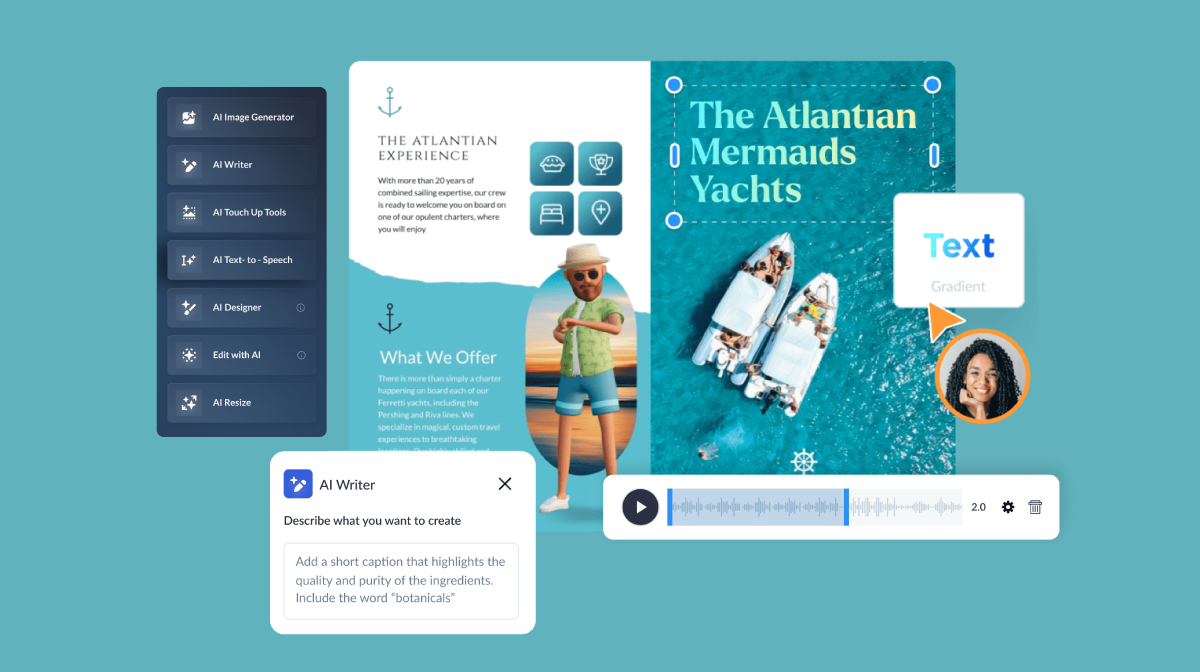
With AI-powered tools like an AI presentation maker, AI designer, AI writer and AI image generator, Visme helps you create better content faster.
For small businesses that want to look polished, move quickly and communicate clearly at every stage of growth, Visme’s AI tools are a smart, practical investment.
Supercharge your content creation and designs in minutes with the power of the AI Designer.
Try for Free
![AI Design Trends 2026 [According to the Experts]](https://visme.co/blog/wp-content/uploads/2025/10/AI-Design-Trends-2026-According-to-the-Experts-Thumbnail-500x280.png)



![AI Design Trends 2026 [According to the Experts]](https://visme.co/blog/wp-content/uploads/2025/10/AI-Design-Trends-2026-According-to-the-Experts-Thumbnail.png)