Employee Training: The Introductory Guide for Modern Teams

Hiring someone gets them through the door. Onboarding training gets them ready to do the job.
A new employee has a lot to learn: how their role works, which systems and tools to use, what processes to follow, who to work with and what good performance looks like. And they need to learn it without being overwhelmed with everything in their first few days.
That’s why solid employee onboarding training is critical. Unlike the administrative side of onboarding, such as completing paperwork, setting up payroll and enrolling in benefits, onboarding training focuses on the knowledge and skills employees need to become confident and productive in their roles.
In this guide, you’ll learn what employee onboarding training should include, the five stages of the process and how to build a program that takes new hires from their first day to working independently.
This is Chapter 5 in Visme's complete guide to employee training.
Employee onboarding training is the structured instruction a new hire receives to learn how to do their job effectively. It covers the tools, systems, processes, skills and workplace expectations they need to get started and gradually work more independently.
It sits inside the larger onboarding process, alongside administrative activities such as HR paperwork, benefits enrollment, compliance, information and IT setup.
New hire training usually covers a mix of:
Structured onboarding training gives new hires a clearer path from learning the basics to performing their role independently.
Without that structure, employees are more likely to rely on coworkers for information, misunderstand priorities or spend longer figuring out processes that could have been taught upfront.
| With Structured Onboarding Training | Without Structured Onboarding | |
|---|---|---|
| Role Clarity | New hires know what's expected from day one | New hires guess at priorities and rework tasks after the fact |
| Time to Proficiency | People find answers in the handbooks, guides and SOPs they're directed to | People wait on a coworker every time they hit a gap |
| Early Performance | New hires take on real tasks sooner, with fewer mistakes | Mistakes and hesitation carry into the first weeks |
When training is lacking substance, managers absorb the gap. They have to field more repeat questions, correct more errors and spend more time coaching than a documented program would require. That’s time that should go toward the new hire's actual work.
Aside from the work-related benefits of good onboarding, it also affects how employees feel about their new role. According to a2026 BambooHR and TalentLMS report, 39% of employees have second thoughts about their new job during onboarding, and a third walk away disappointed.
Amy Hirsh Robinson, Principal at Interchange Consulting Group, frames onboarding as a retention moment more than a paperwork step. In an SHRM interview, she said:
"Onboarding is a magic moment when new employees decide to stay engaged or become disengaged."
Training is one part of creating an onboarding experience that helps new hires feel prepared and supported.
Employee onboarding training happens in five stages, starting before a new hire's first day and continuing well past their first week. We like using the following terms to remember and always touch on every stage when creating a new onboarding training program: Prepare, Orient, Teach, Practice and Reinforce.
So when does onboarding training end? Many onboarding programs use the first 90 days as a structured ramp-up period, but the right timeline depends on the role's complexity and how long employees typically need to reach proficiency.
Talya N. Bauer, PhD, Cameron Professor of Management at Portland State University and author of the SHRM Foundation's onboarding guide, argues that these stages are highly beneficial; therefore, your content, materials and methods should aim for this goal.
"The faster new hires feel welcome and prepared for their jobs, the faster they will be able to successfully contribute to the firm's mission."
The first installment of the complete guide to employee training covers the process of creating a training program. But each type of training program has its own unique characteristics, even if the mechanics are essentially the same.
An onboarding program, for example, must align with the stages we mentioned earlier. The content and materials have to map to a new hire's first days, weeks and months, as well as the needs of their specific role.
Let’s get going.
Every onboarding training program has the same main objective: to welcome, train and set up a new employee for success in their role. Then, each stage in the process also has a specific objective:
Looking one layer further in, your objectives must align with the specific role you’ll be training for. Let’s say you’re building a training program for frontline workers. Your objectives would look like this:
And if your onboarding program is for remote call center workers, those five objectives would look more like this:
There isn’t a set rule for building an onboarding timeline. Especially since you can create them either for internal use or for the employee to follow. Likewise, you can have a comprehensive timeline that shows everything, or several timelines that concentrate on specific objectives.
For the sake of this discussion, let’s say you’re creating an internal overview timeline for the remote call center workers we mentioned above.
Using the 5 stages as the base, build your onboarding timeline with the expected time frame each one should ideally span. Add the 30-60-90 framework to plan assessments in advance. You can build the timelines however you want, but a Gantt chart is a great option because you can see how different actions overlap and also how long each one is.
Here’s an example of what yours could look like.
Made with Visme Infographic Maker
Now that you have a clear bird's-eye view of your onboarding training program, it’s time to get into the details.
For example, you’ll need to create or source content for developing materials that align with the objectives of each stage. Each of those items will also need an owner. Furthermore, material delivery formats must be clarified and completion signals explained.
Build an outline or table that lays everything out. This will help you identify which resources you already have on hand and which you'll need to gather.
This table is a high-level example of what yours should look like.
| Stage | Employee Needs To… | Training Needed | Owner | Format | Completion Signal |
|---|---|---|---|---|---|
| Preboarding | Know what to expect | Welcome + logistics | HR | Email/video | Viewed |
| Orientation | Understand company basics | Policy/culture | HR/L&D | Presentation | Quiz/completion |
| Role Training | Perform core workflows | Process/tool training | Manager/SME | Demo/course | Assessment |
| Applied | Perform with support | Guided practice | Manager/buddy | OJT | Observation |
| Ongoing | Close remaining gaps | Coaching/refresher | Manager/L&D | Mixed |
As you likely noticed during the planning step before this one, each stage calls for a different mix of materials and delivery formats.
All those materials will need content. But before you create anything new, check whether you already have any available in the company files. If you don't, you’ll need to write it from scratch, task subject matter experts to do it or hire a service or writer.
As for the materials, you also have several options: doing it in-house with an all-in-one content and design platform like Visme, hiring an instructional designer or having your design team take care of it.
Here is a table you can use as a starting point; then check the templates section further below for the full breakdown of each one.
| Onboarding Stage | What the Content Covers | Materials to Prepare |
|---|---|---|
| Pre-boarding | Getting a new hire ready before day one | Onboarding timeline, onboarding presentation |
| Orientation | Company-wide policies, culture and compliance | Employee handbook, company policy handbook, orientation guide |
| Role-Specific | The tools, workflows and procedures tied to the actual job | Role-specific training guide, SOP documents, training videos |
| Applied, On-the-Job | Practicing the role with real tasks and real oversight | SOP documents, training videos, onboarding checklist |
| Ongoing | Refreshing skills and filling gaps after the initial ramp-up | Interactive courses, 30-60-90-day plan, evaluation and check-in forms |
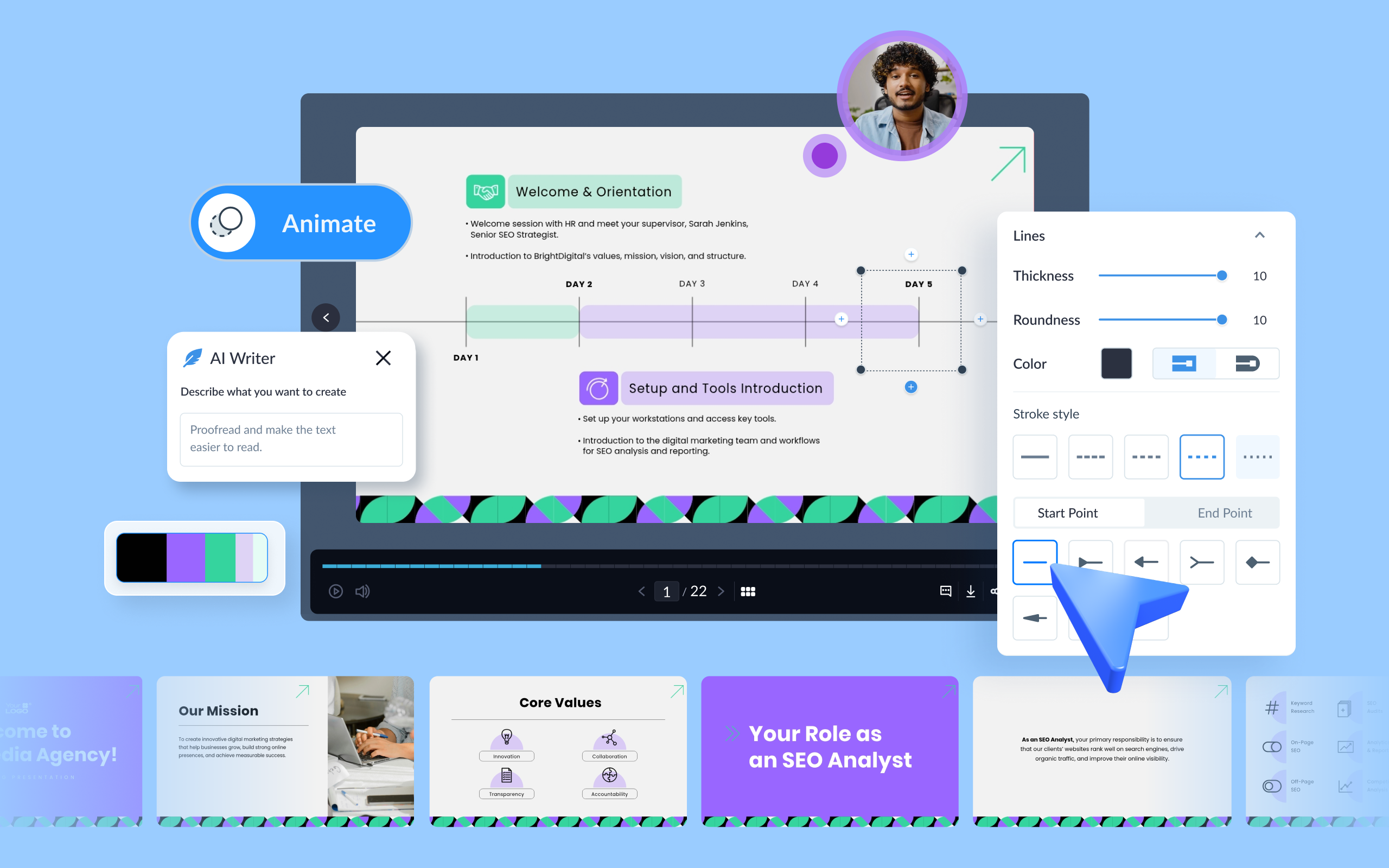
If you choose to use Visme’s cloud-based platform to create your onboarding training materials, the AI Design Generator can help you get started fast. Let’s say you need to make an onboarding presentation for a new hire in the customer support team. Since you likely already have the written content in a document, upload it to the AI along with your prompt.
Follow all the steps the AI leads you through and at the end you’ll have a complete and branded onboarding presentation ready to customize inside the drag-and-drop editor. Once the slides are finalized, export them in the type of file you need to deliver them to trainees.
Day-to-day operations of an employee training program align with each stage that covers the new hire's first weeks and months. Delivery has to keep pace with that timeline. The timeline will help everyone stick to set time frames and the length of all stages. But knowing that isn’t enough; you also need to keep things moving.
A good way to maintain momentum and prevent drift is to ensure that the right department or team owns relevant parts of the onboarding process and that they’re mentioned in the timeline and materials. A complete onboarding training program is cross-functional and so there are several layers. Here’s a table to help you visualize how it could potentially work.
Having all this laid out will help both your teams behind the training and the new hires being onboarded. The owners can keep track of what they’re responsible for, and the trainee will know who to contact if they run into an obstacle or need more information.
| Department/Role | What They Cover | When Would a Trainee Contact Them |
|---|---|---|
| HR | Employment process, policies and the overall onboarding structure | A new hire has a question about benefits enrollment or PTO policy |
| L&D | Learning architecture, content, facilitation and assessment | A new hire is stuck on a course module or needs to retake an assessment |
| Manager | Role expectations, coaching and proficiency | A new hire isn't sure if their work is meeting expectations |
| IT | Systems, access and tool readiness | A new hire can't log into the CRM or their laptop wasn't set up |
| Buddy or Peer | Contextual, informal support | A new hire doesn't know where to find a shared file or what an acronym means |
As the employee onboarding training program runs the course, you’ll have to assess how the new hire is progressing and feeling in their new role.
Assessments like course completion, quizzes, check-ins and performance reviews each tell you something different, so don't treat them as interchangeable. Here’s a rundown of everything you need to check. A 30-60-90-day plan helps bring it all together. Use it to plan, schedule and expect when each of these will happen:
Here’s how each of those assessment signals looks for different workforce types.
| Signal | Frontline | Remote | Hybrid | In-Office | Factory Floor |
|---|---|---|---|---|---|
| Completion | Shift sign-off or badge scan | LMS completion tracking | LMS completion tracking | LMS completion tracking | Sign-off sheet at training session |
| Knowledge | Short quiz on tablet or POS | LMS quiz | LMS quiz | LMS quiz or in-person test | Verbal or written safety quiz |
| Application | Supervisor observes a live shift | Trainer reviews live calls or submitted work | Manager observes on in-office days | Manager observes daily work directly | Supervisor watches them perform the task on the line |
| Experience | Quick check-in during or after shift | Chat or video check-in | Mix of in-person and virtual check-ins | Face-to-face check-in | Floor walk-through conversation |
| Performance | Sales or service metrics | Call metrics, ticket resolution rates | Same metrics as in-office, tracked across both settings | Standard performance review | Output, quality and safety metrics |
| Satisfaction | Self-evaluation form on a shared tablet | Self-evaluation online form | Self-evaluation form, online or on paper | Self-evaluation form or a one-on-one conversation | Self-evaluation form on paper or tablet |
Every employee onboarding program includes content and materials that give new hires the knowledge and skills they need. But your specific combination will depend on the job they do and what is expected of them.
That said, every onboarding program needs a set of training content and materials. The list below provides an overview. They’re grouped into sections:
Before you start, see how to optimize your onboarding process with Visme. And for a broader look beyond onboarding, see our guides on employee training content examples and training materials and templates.
An onboarding portal is optional but helps keep everything organized in one place. It’s essentially the digital version of what an onboarding binder used to be. The portal holds links to documents to review, handbooks to read, courses to take, videos to watch and more.
Aside from training content and materials, an onboarding portal can also direct users to signed contracts and other HR paperwork for easy reference.
For building an onboarding portal, Visme’s microsite builder can help. Choose a template and customize it, or add your stored brand assets to a blank template and build a portal from scratch.
As you build it, add descriptive modules or text that links to the specific material. The onboarding portal below welcomes a new hire and offers all the relevant information they need, grouped into relevant sections.
Looking for customer onboarding instead? Our guides on customer onboarding and client onboarding checklists can help.
Made with Visme
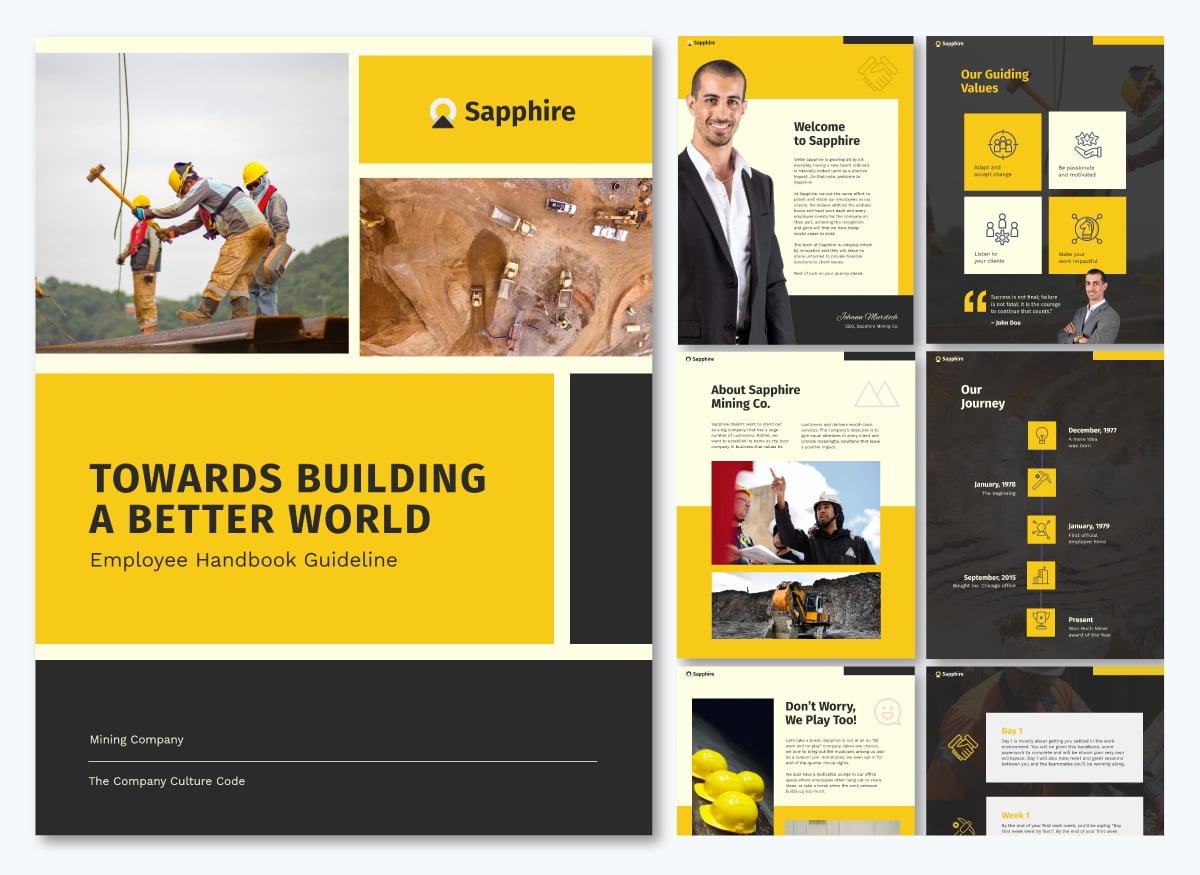
Employee handbooks cover what every new hire needs regardless of role: company mission and values, org structure, PTO and leave policies, and how performance gets reviewed. They're usually the first document a new hire receives, often before day one, so they double as an introduction to how the company operates.
Since the handbook is referenced regularly, structure it with an interactive table of contents and short, scannable sections that include instructions on how to find more information if necessary. Browse more employee handbook examples for more ideas on structure and content.
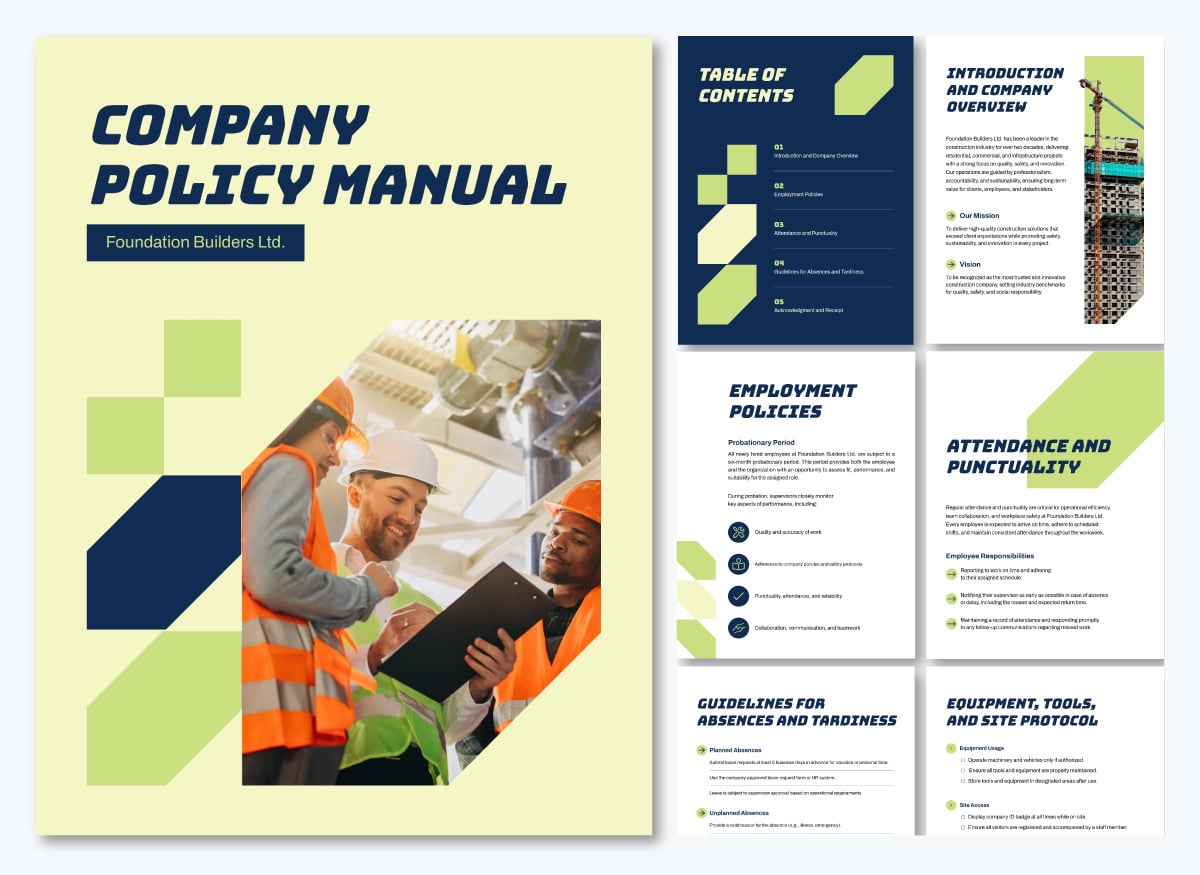
Where employee handbooks cover the basics, policy handbooks go into the specific rules new hires are expected to follow: attendance, expense reporting, remote work, data handling and anything with legal weight.
Departments often need slightly different versions, so keep one master copy and adjust only what varies, rather than starting over for each team.
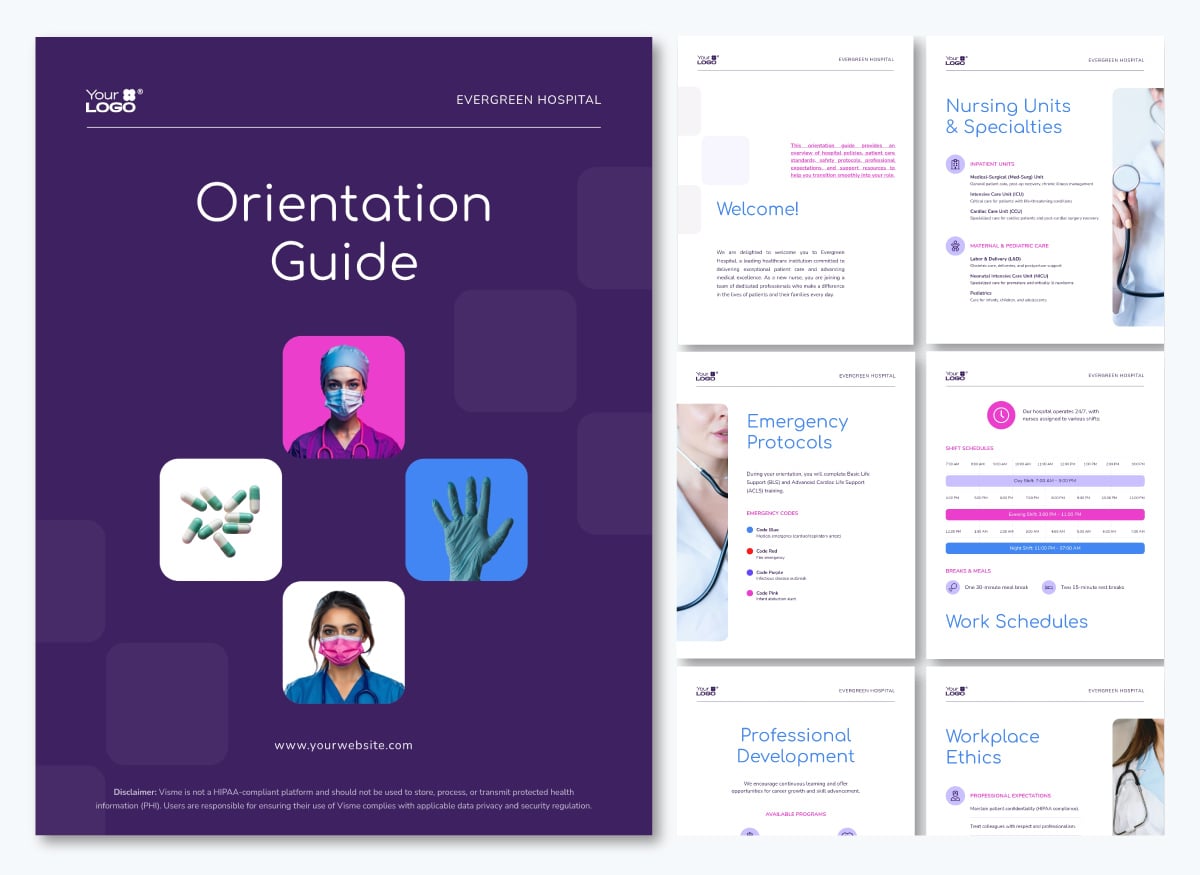
Orientation guides orient new employees to their environment. These materials cover a department's structure and specialties, protocols specific to the physical space (like a hospital or restaurant), detailed maps if it's a large building or compound, shift or work schedules, growth paths such as certifications or mentorship programs, code of conduct expectations and who to contact when something comes up.
While the employee handbook covers the whole company and the onboarding manual maps the ramp-up timeline, the orientation guide answers a narrower question: how does my team or unit run day to day?
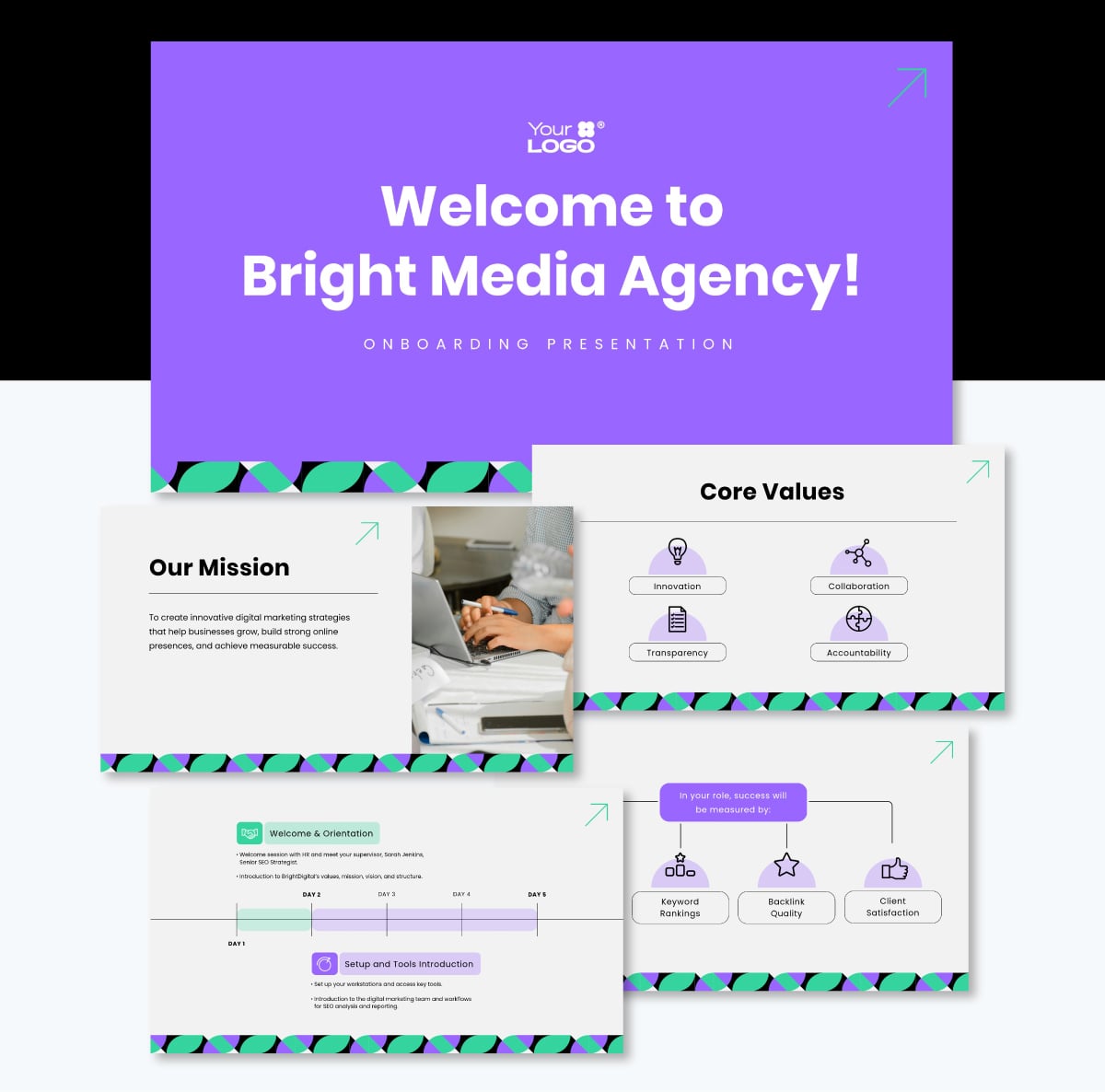
Onboarding presentations introduce the company to the new hire and share an overview of what will happen in the next 90 days. Topics may overlap with the employee handbook, so take the opportunity to explore some of the content in greater depth.
One option for the opener is a short welcome message from a senior leader that introduces the company and provides context for the new hire's role. This doesn't need to come from the CEO, and it isn't necessary for every company. Any leader close enough to the new hire's part of the business to speak to that context works just as well.
Then, if the company has a physical office or campus, add a short video or photo tour of the space and departments so that remote and in-person hires alike get a sense of where things happen.
Companies that sell a product or service can use this moment to introduce it: what it is, who it's for, and how the new hire's role connects to it. After setting the scene, present who they will be working with and what the different departments are. Include the org chart here for a visual reference.
Then, share an overview of how the onboarding process will continue in the coming days and weeks. Mention the timeline, the 30-60-90 day plan and who their in-person trainers will be.
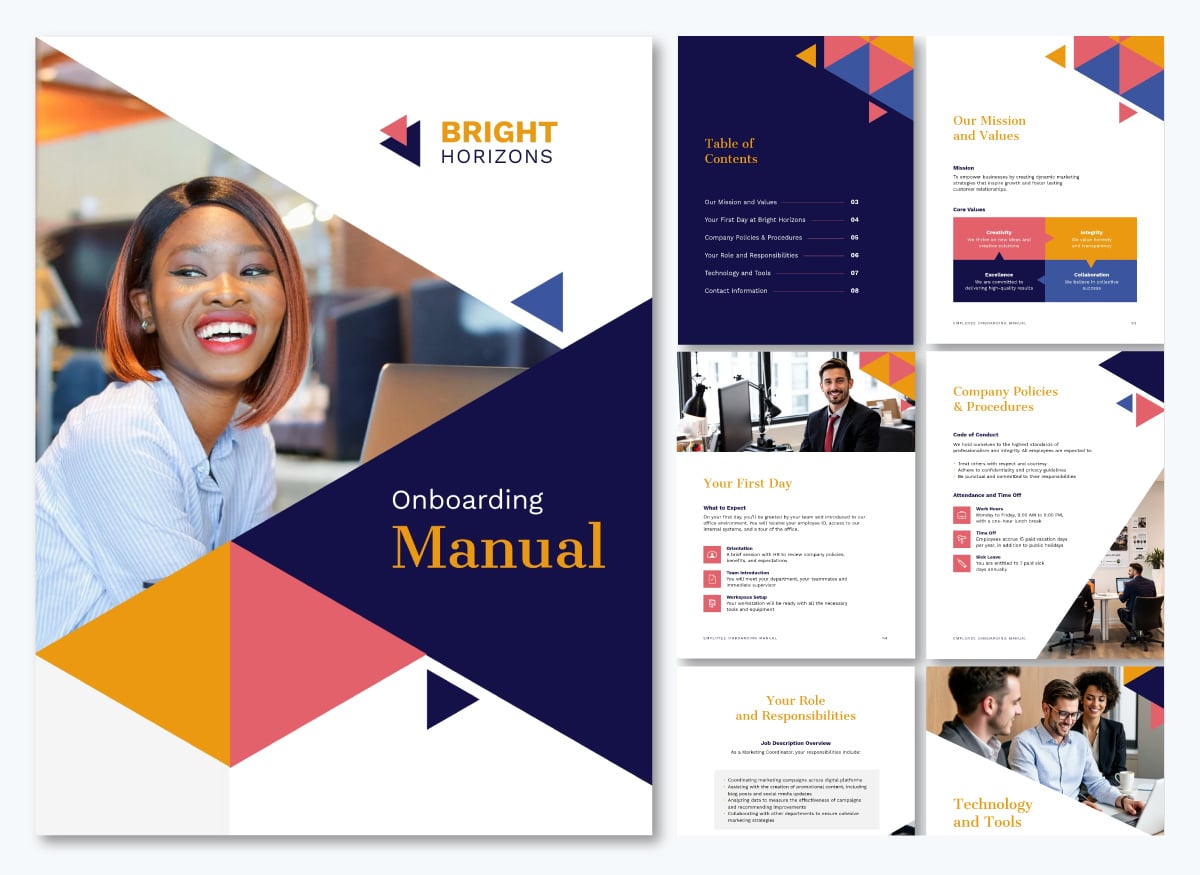
Onboarding manuals work as a new employee's roadmap through their first few months. It doesn’t go into as much detail as the employee handbook or the policy manual. What it does is pull together the pieces a new hire needs right now: who's who on the team, what their role covers, which systems they'll touch first, and a link back to the full handbook or policy doc if they want to dig deeper.
While a handbook covers the same information for everyone indefinitely, an onboarding manual is scoped to the ramp-up period and can be retired once someone's fully settled in. Organize the sections chronologically and align them to the onboarding stages, so it reads like a guide through the first 90 days. See more training manual examples for formatting ideas.
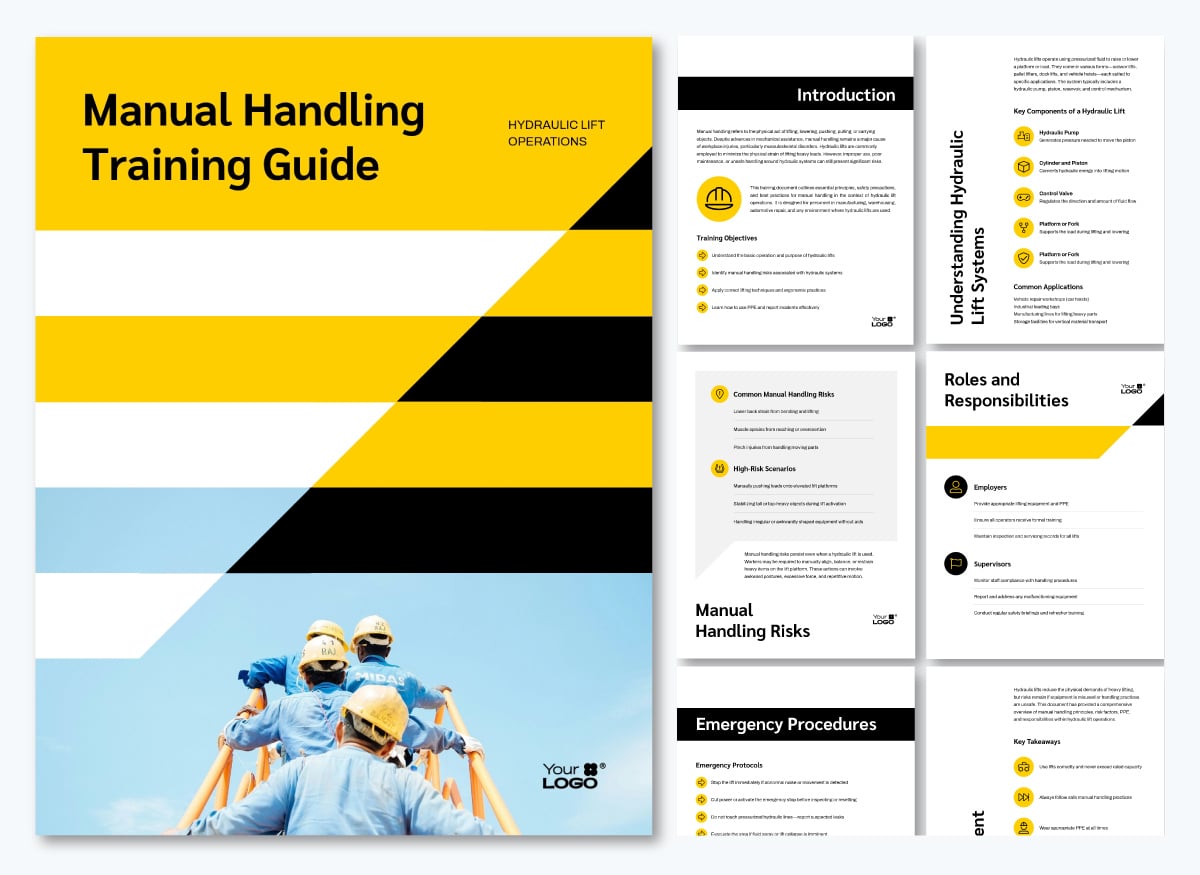
Role-specific training materials teach someone the actual work: the workflows, tools and decisions tied to their specific role, not general company knowledge. They come into play after the first onboarding steps, like orientation and enrolling in benefits, once a new hire is ready to learn how to do the job itself.
Good role-specific material covers the real workflow, not just a description of it: the tools the person will use, the decisions they'll need to make, worked examples of the task done correctly, and a chance to practice before doing it unsupervised.
A role might have dozens of trainees, like in a fast-food chain, or just a couple in a small office, so the format should match: a short quiz for a handful of concepts, a multi-module LMS course for something complex, a series of explainer videos, or an in-person workshop.
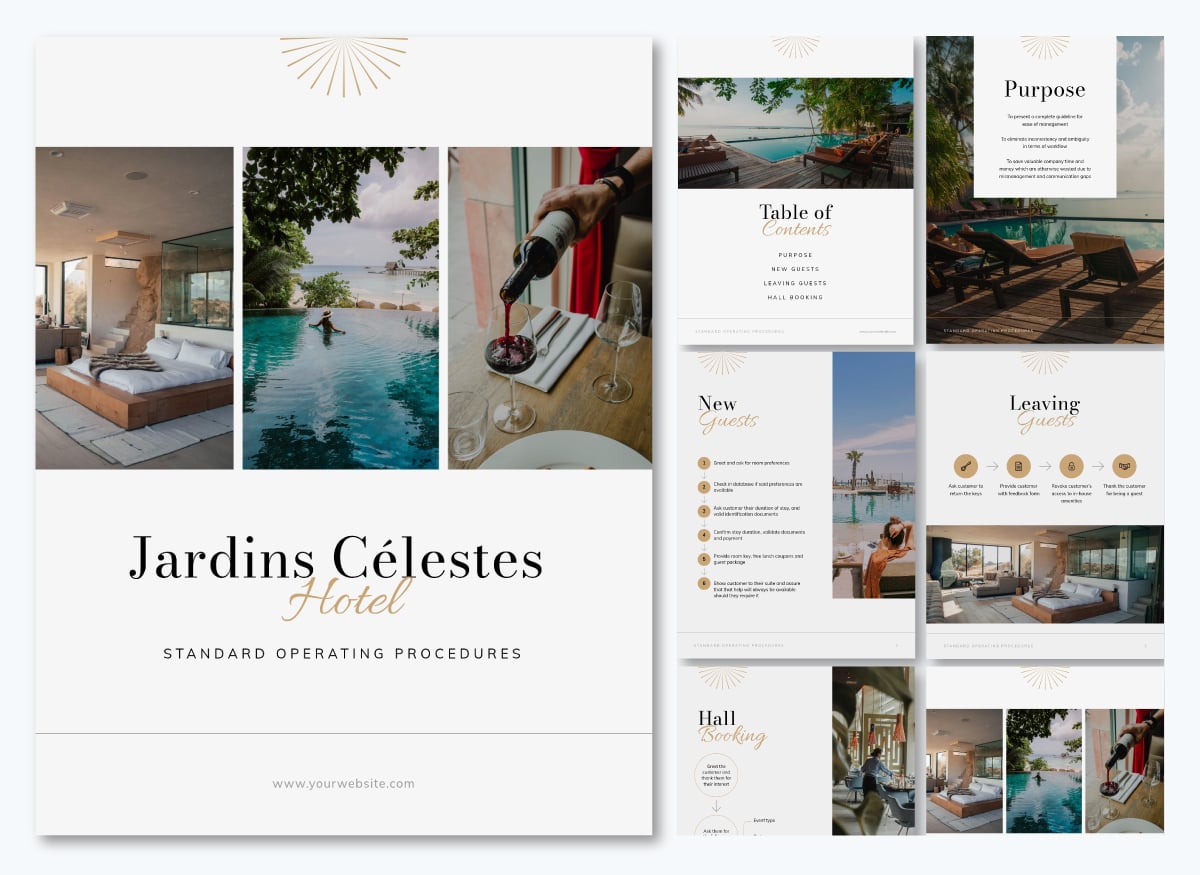
This template is an example of a manual handling training guide, role-specific material for hydraulic lift operators.
SOP documents explain exactly how a task should be done, the same way, every time: a hotel checkout sequence, a shift change on a factory floor, an equipment shutdown, or the script for contacting customers about product feedback.
Steps in an SOP are numbered and spelled out precisely, and if several people are involved or one step depends on another, that dependency gets documented too. This content is technically a process walkthrough and can be visualized as numbered steps, a flowchart, a decision tree, screenshots or a process diagram.
New hires lean on SOPs for tasks that must be handled exactly right, often keeping them on hand until the steps become muscle memory.
In regulated or audit-heavy industries, the SOP can carry compliance weight, so it's important that employees do it exactly the same way, every time.
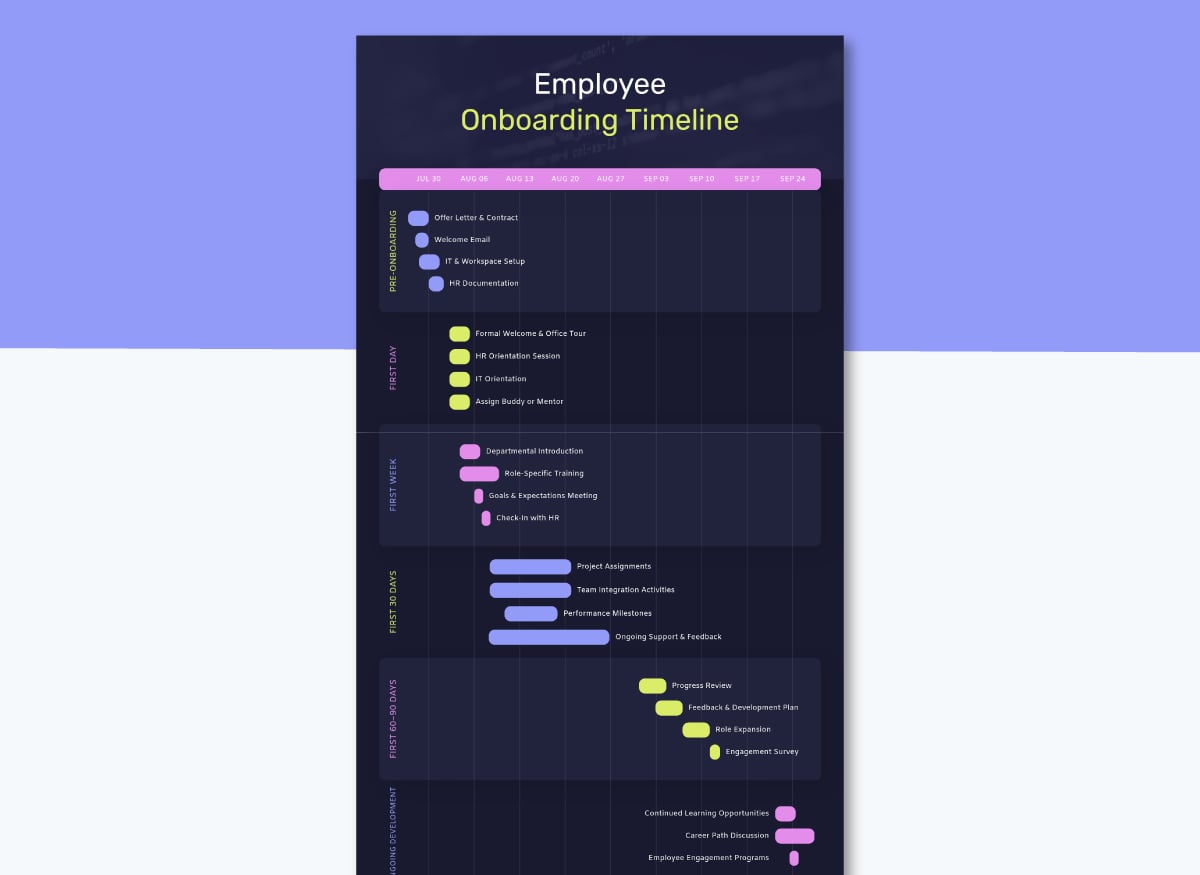
Onboarding timelines give new hires a visual snapshot of their ramp-up: what happens before day one, what's covered in week one, and what gets introduced over the following weeks and months. They serve as companions to the fuller documents and can be created as infographics, tables or a Gantt chart like the template below.
An optional use of the onboarding timeline is to place it at the top of the onboarding portal, before the links to the material.
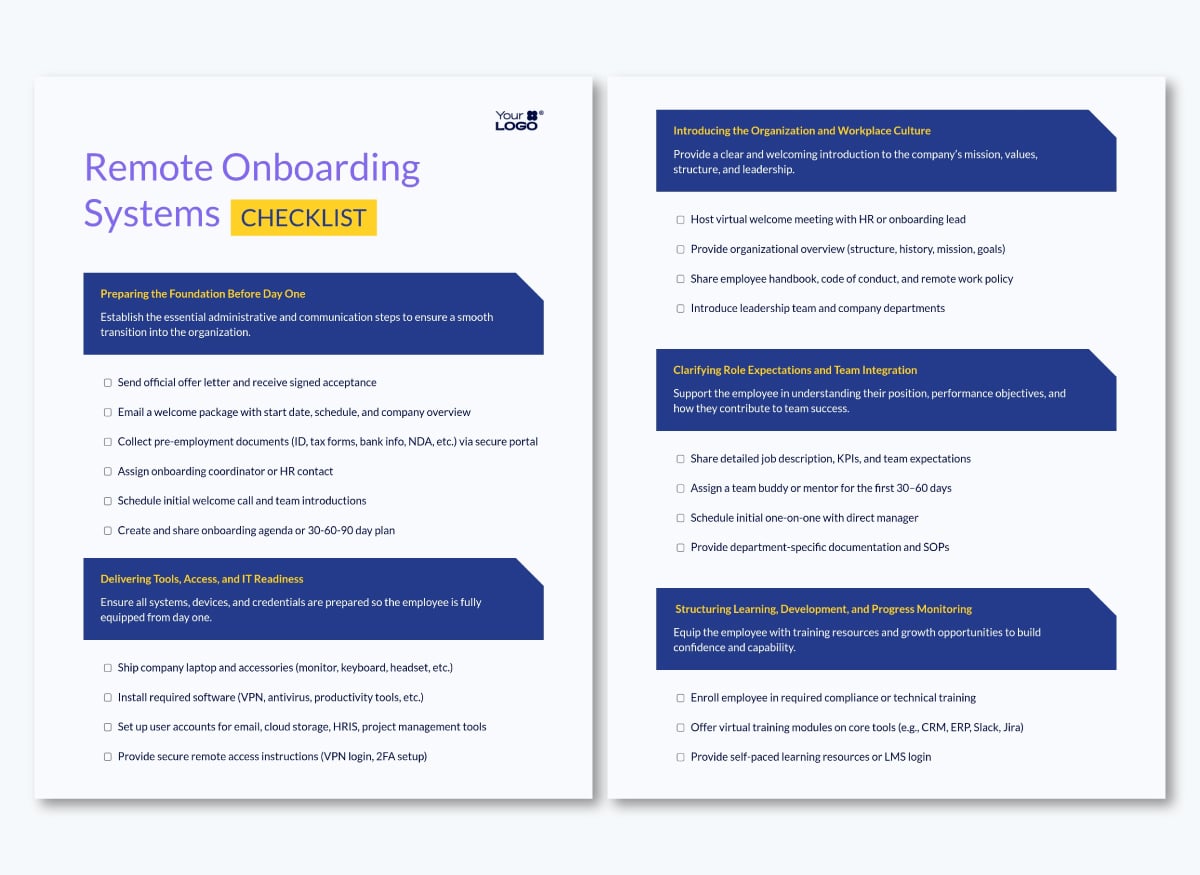
The onboarding checklist can serve three different functions:
The template below is an example of an employee onboarding checklist for HR. See our full onboarding checklist guide for more examples.
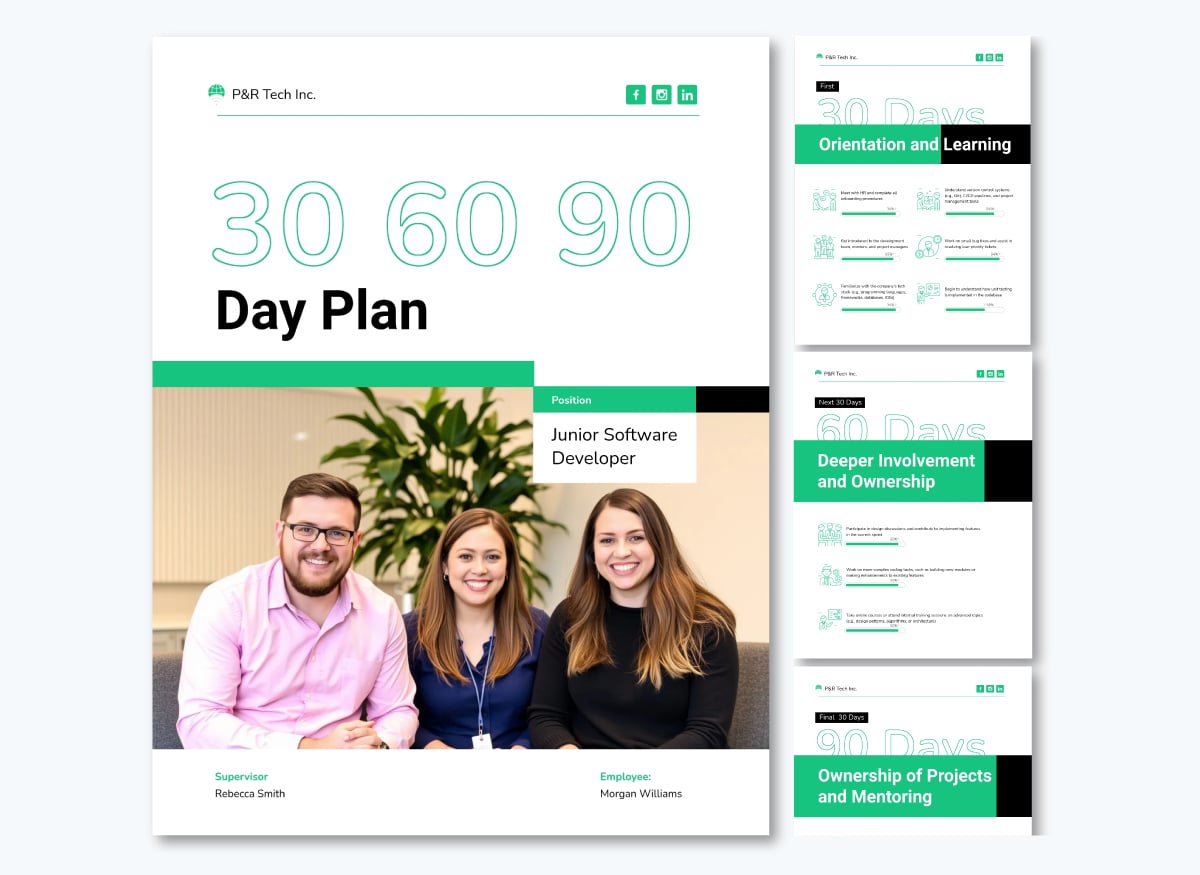
30-60-90-day plans set concrete, time-bound expectations for a new hire's first quarter: what they should understand by day 30, what they should handle independently by day 60, and what full contribution looks like by day 90.
They offer both the employee and their manager a shared reference point for check-ins, where milestone conversations have something specific to measure against. Introduce the plan in the onboarding presentation and then explain the details in the onboarding manual. Pair this with a new hire checklist to track progress against each milestone.
Evaluation, assessment and check-in materials measure whether the onboarding was successful, how the new hire feels about it and what they have achieved so far. We looked at the different signals to look out for in a section above.
Regarding the actual material, it might be a self-evaluation form where the trainee rates their own confidence, a short knowledge assessment testing what they retained, a performance review or check-in conversation with their manager at a set milestone, such as the 30-60-90-day mark, the end of orientation or the close of a specific module.
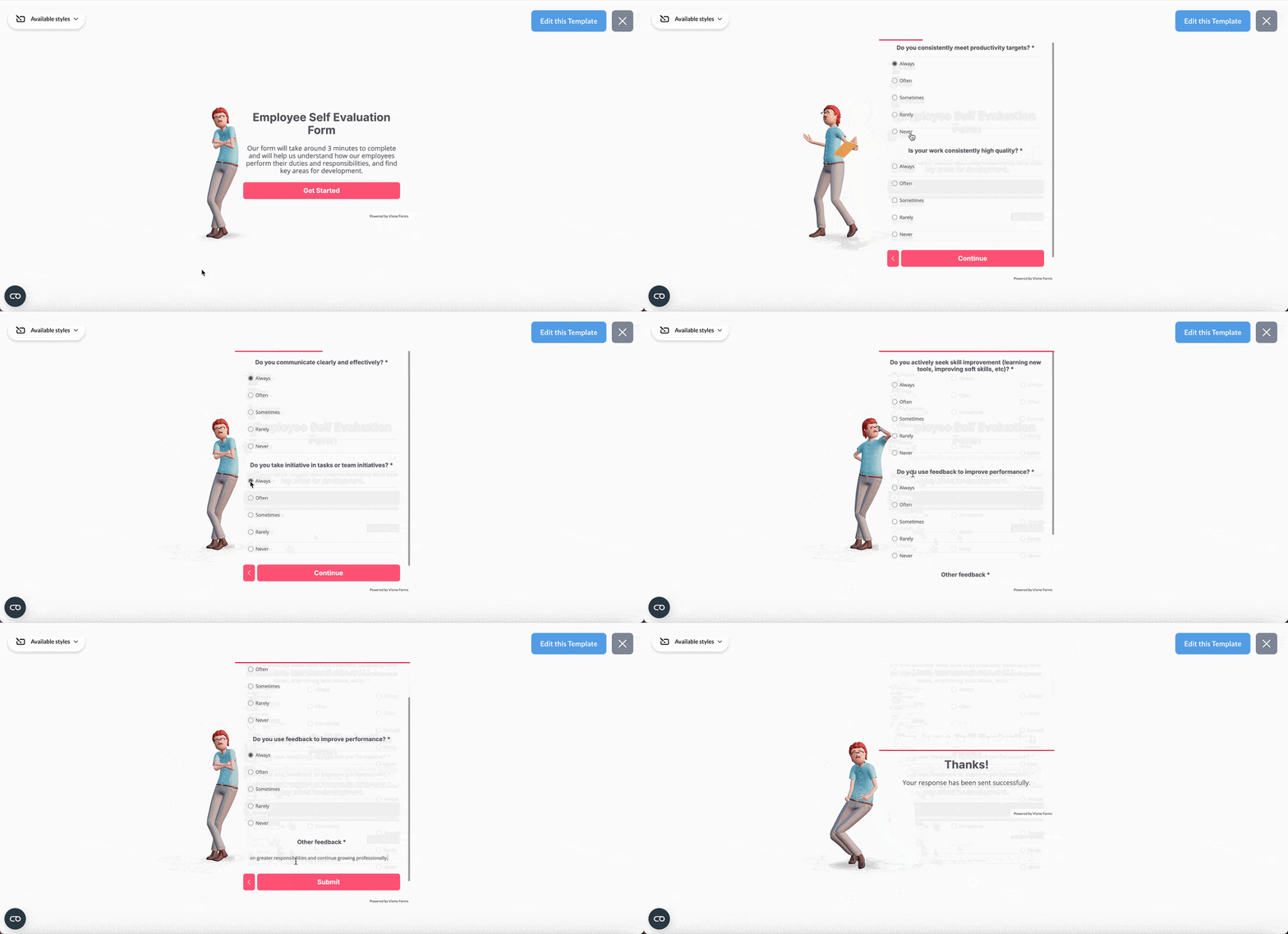
Where the checklist tracks completion, these tools track understanding, so the two work together rather than duplicate each other. The form below is an employee self-evaluation that can help you gauge how the new hire is feeling about their position.
Regardless of company size or industry, the most successful onboarding training programs follow these seven best practices.
The best practices above apply to all types of onboarding training programs, but remote and hybrid onboarding needs a few adjustments beyond the standard.
The 4 Cs of onboarding, a framework from Talya Bauer’s SHRM Foundation research, are:
Employee onboarding training should cover the knowledge and skills a new hire needs to perform their role.
This typically includes:
The five stages of employee onboarding training are:
The exact timing of each stage depends on the role and how long employees typically need to reach proficiency.
The 30-60-90-day framework divides a new hire’s first three months into three milestones. The first 30 days typically focus on learning and orientation, the next 30 on applying that knowledge with support, and the final 30 on taking greater ownership of the role.
Managers can use each milestone to review progress, identify gaps and adjust the employee’s training or support as needed.
There is no single ideal length for employee onboarding training.
Many programs use the first 90 days as a structured ramp-up period, but the right timeline depends on the complexity of the role, the employee’s prior experience and how long they need to reach proficiency.
Some roles may also require ongoing or refresher training after formal onboarding ends.
Orientation is one stage of the broader onboarding process. It typically introduces new hires to the company, workplace, policies, team and basic expectations.
Onboarding covers a longer period and includes orientation as well as role-specific training, supervised practice, check-ins and other activities that help a new hire become confident and productive in their role.
Getting onboarding training right pays off fast: new hires ramp up sooner, ask fewer repeat questions, and are less likely to walk away in their first few months.
That payoff comes from treating onboarding as a progressive program. Each stage builds on the last, moving a new hire from watching to doing to working independently. Skipping that structure often leaves people stuck asking the same questions months in.
Building that program takes having the right materials in place before new hires need them, not scrambling to create things as questions come up. Visme can help you turn that program into finished materials, from presentations and handbooks to checklists, videos and check-in forms, using customizable templates and built-in brand tools.
Sign up with Visme to start building your onboarding training materials.

Design visual brand experiences for your business whether you are a seasoned designer or a total novice.
Try Visme for free