



Visme Forms Walkthrough: Build a Form That Routes, Syncs and Converts


Employee newsletters tend to fall into one of two categories: the kind people skim once and forget or the kind that quietly becomes part of the team's routine.
You can tell the difference when you see it.
One feels like mandatory reading—bland updates, corporate jargon, another email to get through.
The other one is that Monday morning read that everyone looks forward to. The one that makes them smile, keeps them in the loop and sparks conversations around the (virtual) water cooler.
That's what a great employee newsletter does. It brings your team closer together, celebrates the wins, shares what matters and creates a little moment of connection in everyone's busy week.
In this article, I’m going to share some of my favorite real-world examples of employee newsletters and their designs. I’ll point out what makes them awesome and give you practical ideas you can borrow for your own newsletter.
We'll also cover everything you need to create an employee newsletter your team will appreciate, along with step-by-step instructions and templates to get you started.
Ready to see what great looks like? Let's dive in.
An employee newsletter is a regular internal communication sent to employees to keep them informed, appreciated and connected to what’s happening across the company.
Instead of hunting through the employee handbook, Slack threads or scattered announcements, remote and in-office employees get one centralized digest of everything they should know (at the same time).
And because they usually include space for feedback or ideas, they create a loop where employees feel heard instead of being talked at always.
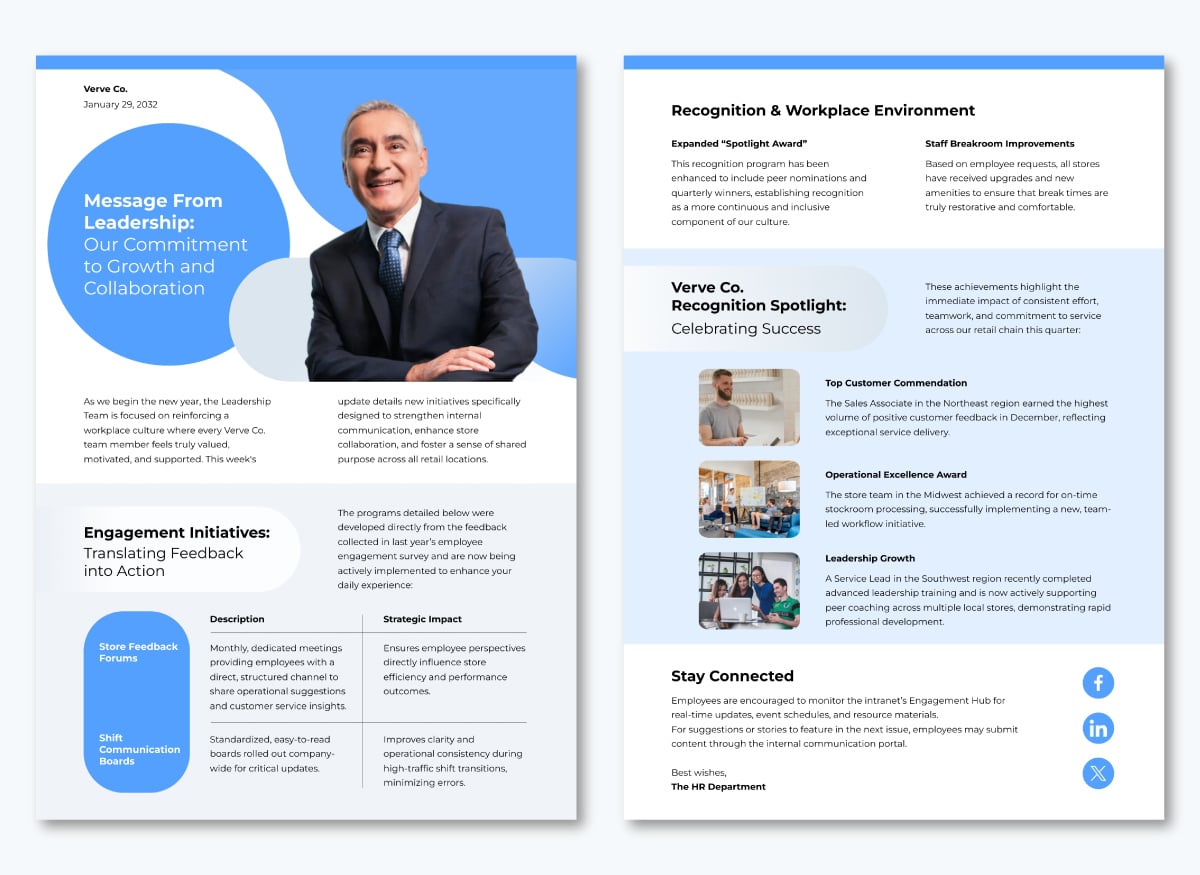
This is an example of an internal employee newsletter that shares company updates on leadership direction, employee engagement initiatives, recognitions and workplace improvements.
These newsletters are typically emailed or shared on internal platforms like Slack. In some rare cases, companies also print and distribute them for on-site teams. We’ll share more of these templates later in this article.
Every company newsletter has an area of focus. But here are a few core sections you’ll find in most HR newsletter examples.
A short, friendly introduction that sets the tone for the issue and explains what employees will find inside.
A section that shares a quick view of what is happening or evolving across the company.
This can include policy changes, leadership messages, new projects, product releases or organizational announcements.
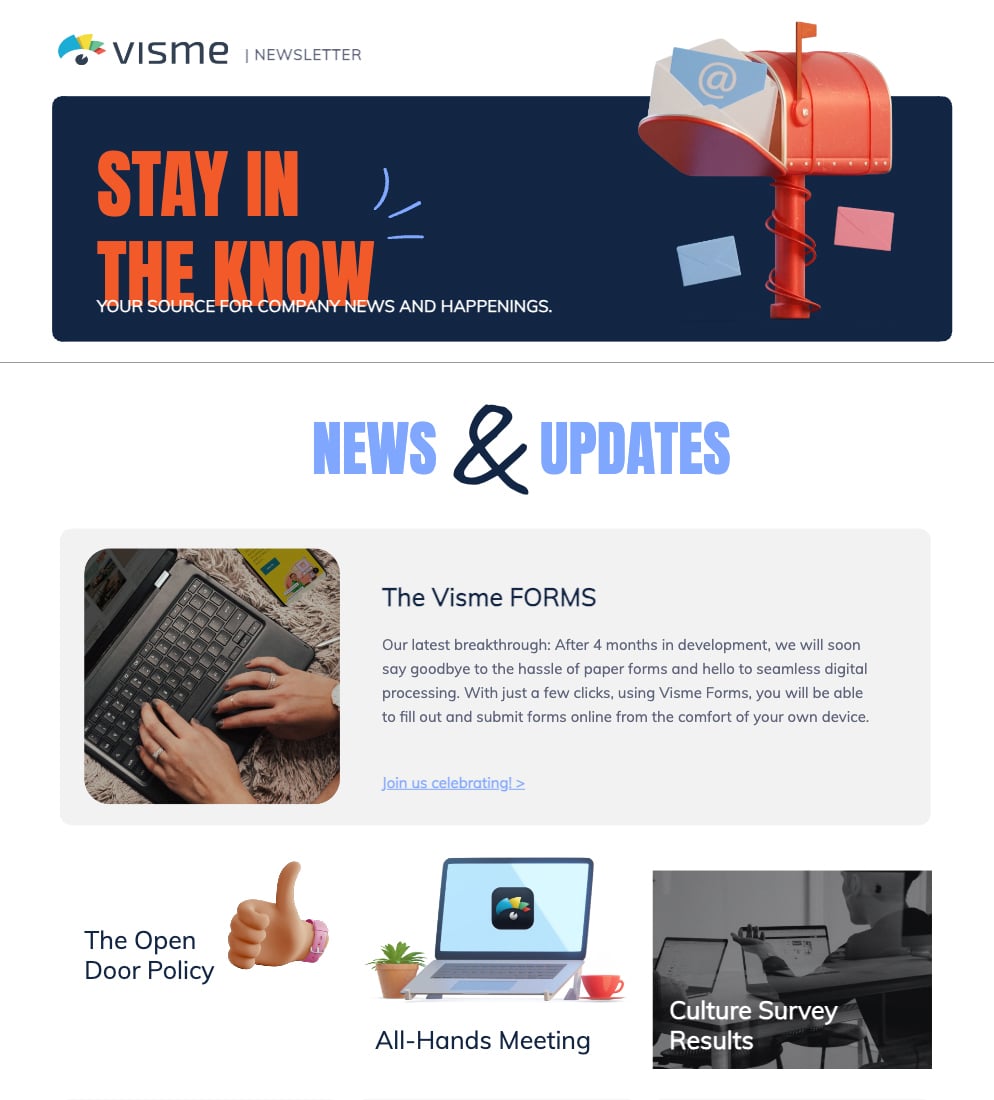
A section that allows teams to share progress, wins, challenges or upcoming work. This helps employees understand what is happening in other departments and reduces information silos.
A universal section that celebrates people. You can include promotions, anniversaries, birthdays, shoutouts and personal or team achievements.
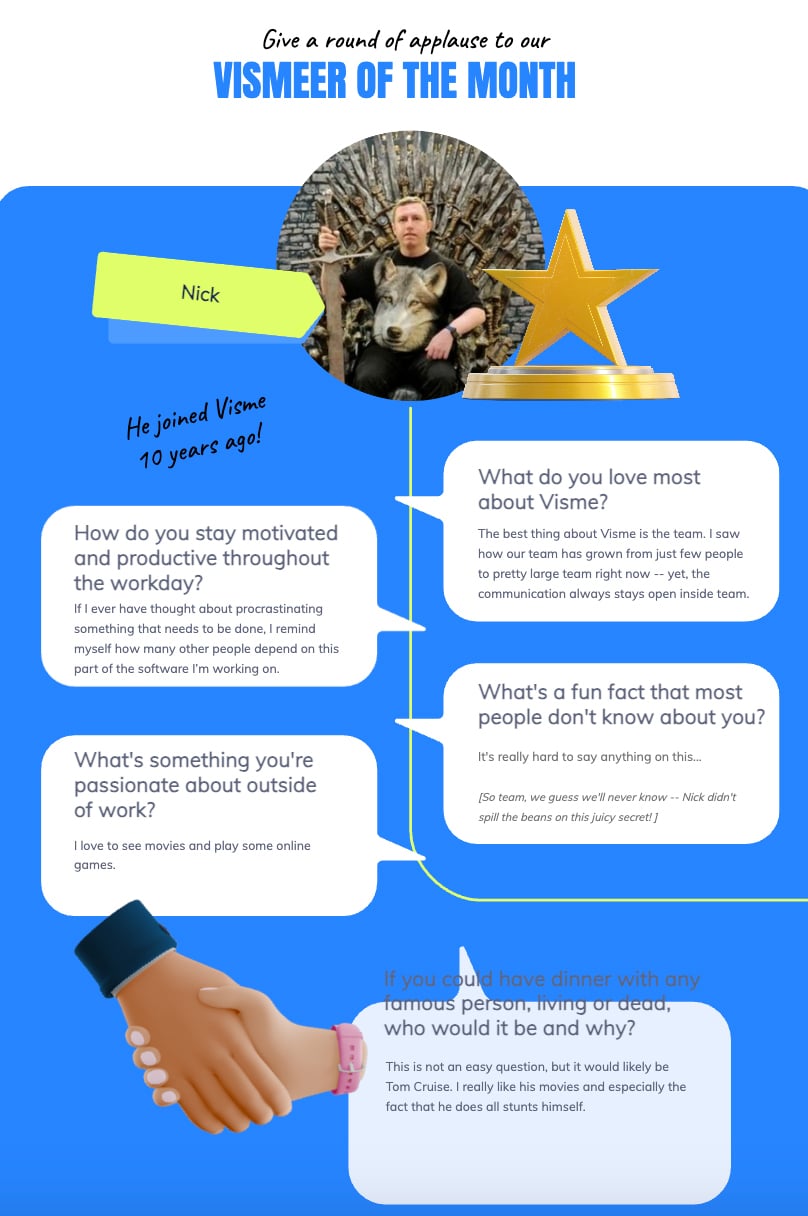
A place to share workshops, webinars, certifications, internal job openings, mentorship programs or new resources that support professional development.
A list of upcoming activities that employees should be aware of. This section can include town halls, team gatherings, program deadlines or community events.
Practical content that supports employees in their daily work. This could be productivity tips, HR reminders, wellbeing resources, quick guides or links to tools that make work easier.
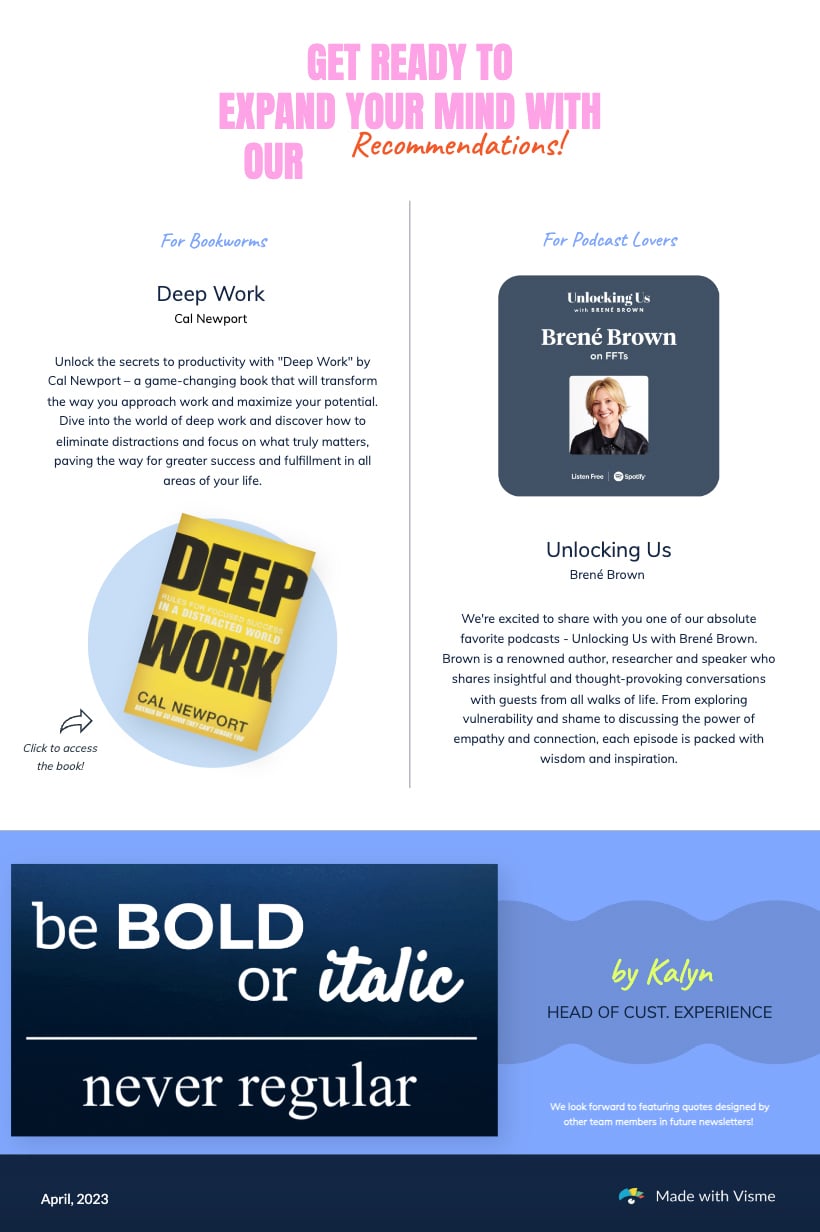
A closing section that invites employees to share their opinions. This can be a short poll, a question of the month or a request for suggestions.
If you want to create an engaging employee newsletter that people actually look forward to reading, there are a few key elements you need to get right.
And this is where Visme’s interactive feedback form builder really comes in handy. Build interactive, engaging feedback forms proven to drive conversions by up to 207%.
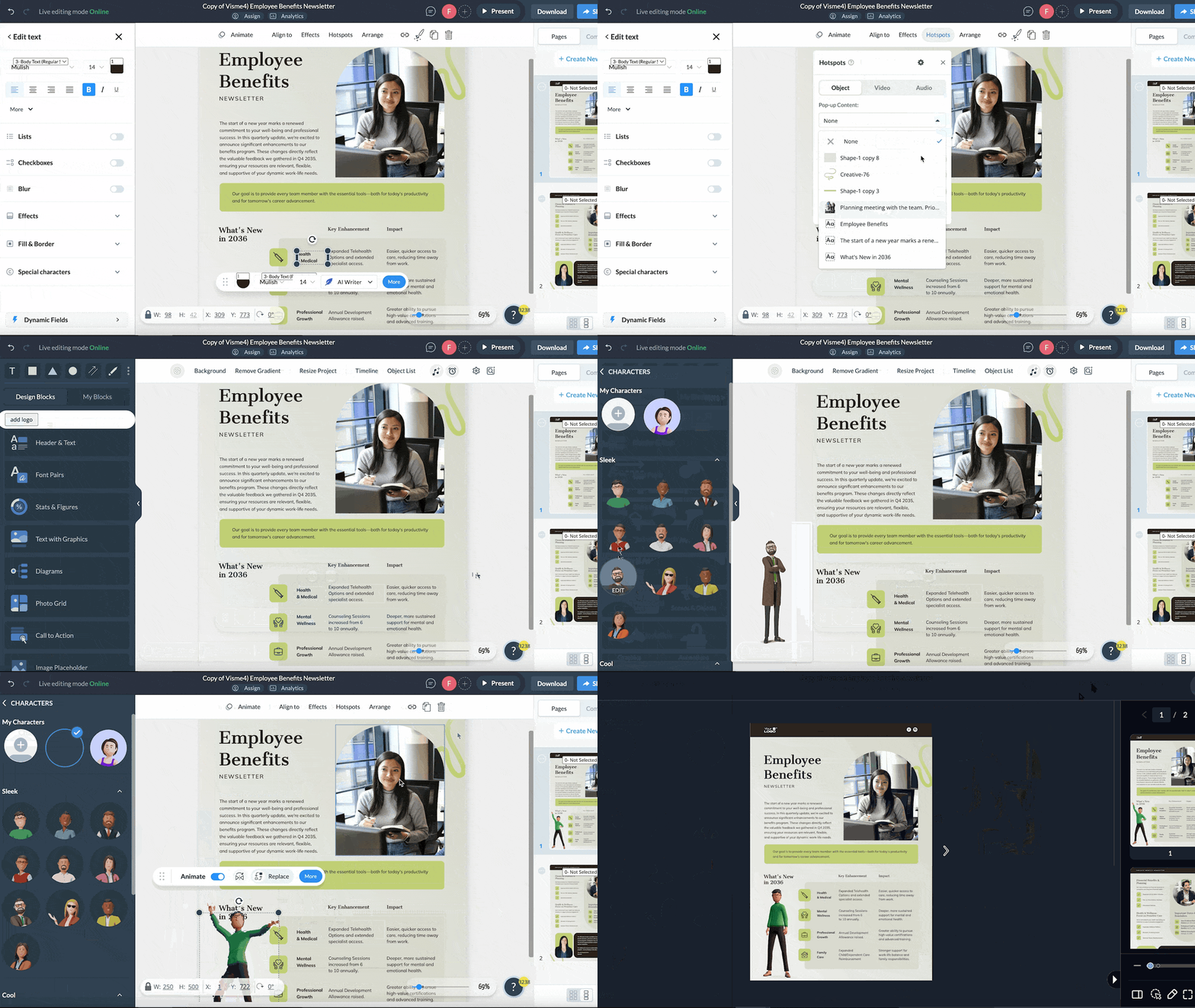
Everything about the form is customizable, from the background and fonts to the colors that match your brand. You can even add animated characters and control how they enter, wait and exit, which makes giving feedback feel a little less formal and a lot more inviting.
To get more specific responses and valuable information, add conditional logic. Once your form is ready, sharing it is easy. You can place the auto-generated HTML anywhere on your website, embed it in internal pages or include it directly in your newsletter. You can also publish the form as a link or QR code.
Employee newsletters come in many forms, but the ones that work all have something in common: great design, good layout and engaging content that resonates.
To give you a sense of what this looks like in practice, here are great employee newsletter examples, along with takeaways you can adapt for your own internal comms.
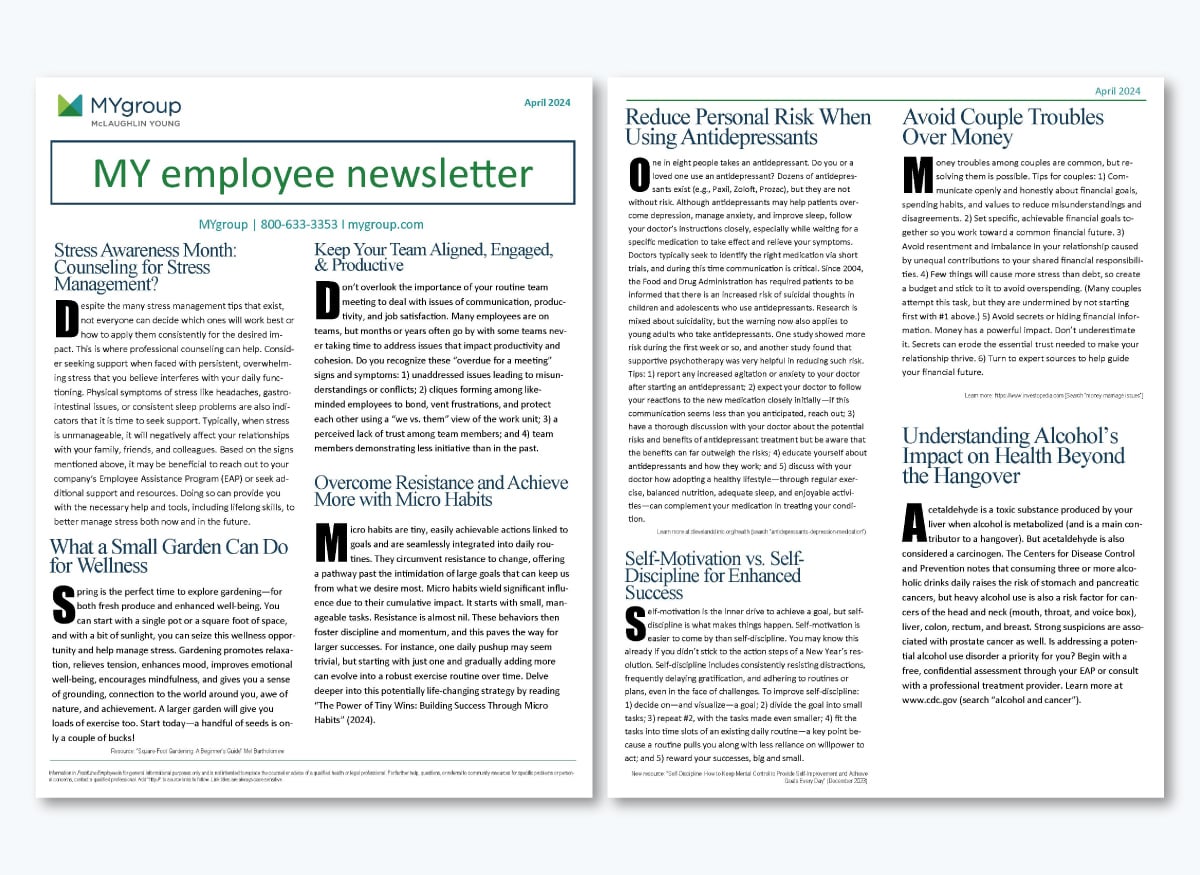
This MYgroup newsletter is the classic employee wellness digest—the kind that shows up in your inbox and quietly becomes your monthly reality check.
The content mix reads like a friendly nudge to take better care of yourself, stay grounded and pay attention to the habits that make work and life feel easier.
When you look through it, you can immediately tell the focus. Stress support. Micro habits. Team alignment. Gardening for wellbeing. Financial communication. Mental health reminders. It’s a gentle blend of personal growth, workplace connection and practical advice that makes employees feel appreciated and supported.
They share genuinely helpful content that applies to almost everyone. Stress tips, relationship advice, wellbeing ideas and tiny habit shifts are universally relatable and easy to act on. The structure is clean and predictable, with headers and readable fonts that make scanning effortless. The tone is warm and educational, and each section offers readers a concrete action they can take as soon as they close the email newsletter.
Keep the content practical and relatable. Employees engage more when topics help them improve their everyday lives, not just at work. Keep the design simple, the sections clear, and the ideas actionable. If someone can try it today, you’ve done a great job.
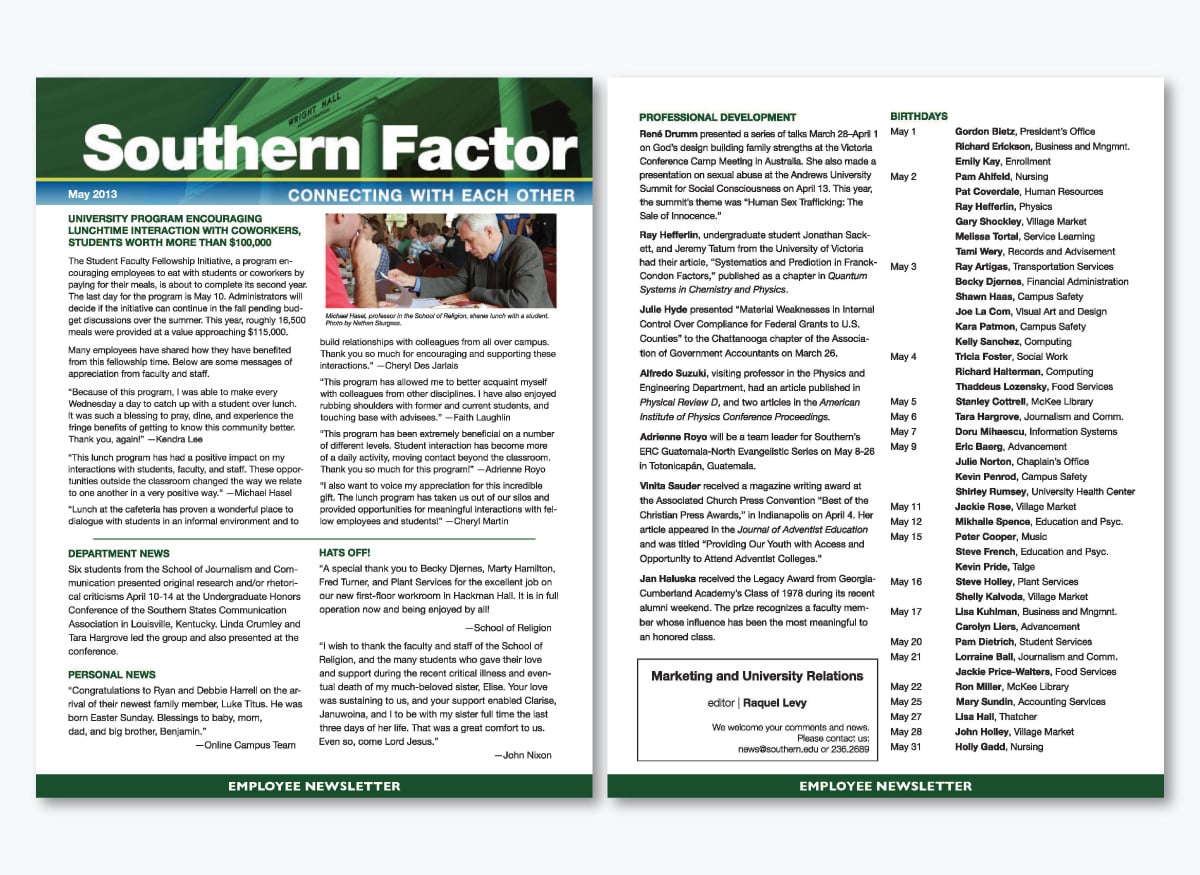
The Southern Factor newsletter feels like stepping into a close-knit campus community where everyone knows each other by name. It has that small-town energy filled with personal stories, heartfelt appreciation and updates that remind employees they are part of a shared community.
It's packed with program highlights, department news, personal shoutouts, celebrations, professional development opportunities, wins and thoughtful reflections of gratitude. I also love the fact that it’s warm, people-centered and clearly aligned with the culture it represents.
They kick things off with meaningful stories—real voices, direct quotes and emotional impact that pull readers in. The employee communication newsletter highlights both personal and professional milestones, from department wins to new babies, birthdays and published research.
The tone is authentic and warm and gratitude is woven into nearly every section. The layout uses clear headings and column-style formatting that keep the reading experience smooth and scannable.
Spotlight real people and their voices. Nothing builds community like sharing genuine stories from your team. Mix professional achievements with personal milestones to show you value the whole person.
Keep it genuine; warm, relatable messaging beats any corporate jargon. And don’t forget to celebrate often—it lifts everyone’s spirits and strengthens the culture.
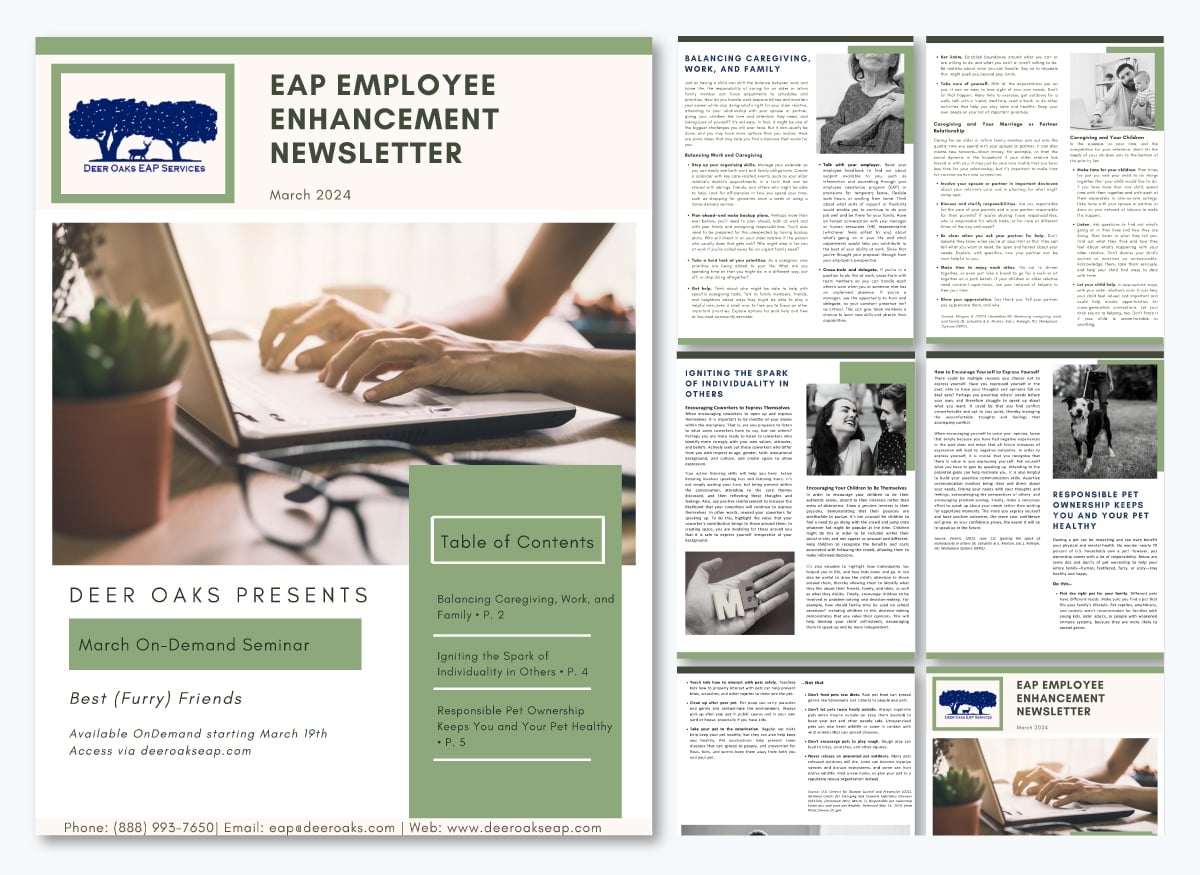
The Deer Oaks Employee Enhancement Newsletter takes a very different approach from the first two internal newsletter examples. Instead of a single page or a short summary, this one stretches across six full pages.
You might expect a long newsletter like this to feel heavy, but they’ve designed it in a way that eases you into the content rather than overwhelming you.
It’s loaded with practical topics like caregiving, individuality, pet ownership and work-life balance, all framed in a supportive tone that makes employees feel guided rather than lectured. This edition reads like a resource you would keep around instead of something to read and toss aside
Visuals are worth the mention as well. Images can be a double-edged sword because they can either distract or draw readers in. Deer Oaks knows how to use images well. They choose warm, soft photography and calming color palettes that reinforce the emotional tone of the content without pulling attention away from the message.
The images feel purposeful and support the theme of each section. Even with six pages of content, the spacing, column structure and color blocks keep everything readable. Each topic gets space to dive into practical advice, examples and actionable steps. The writing respects the reader's experience and offers help without judgment, while clear headings and section dividers make it easy to skim.
Use visuals that match the emotional tone instead of competing with the content. Don't be afraid of longer newsletters if the content is meaningful and well-structured. Present heavy topics with warmth—employees engage more when the tone feels supportive. Break long content into distinct sections so readers can move through comfortably.
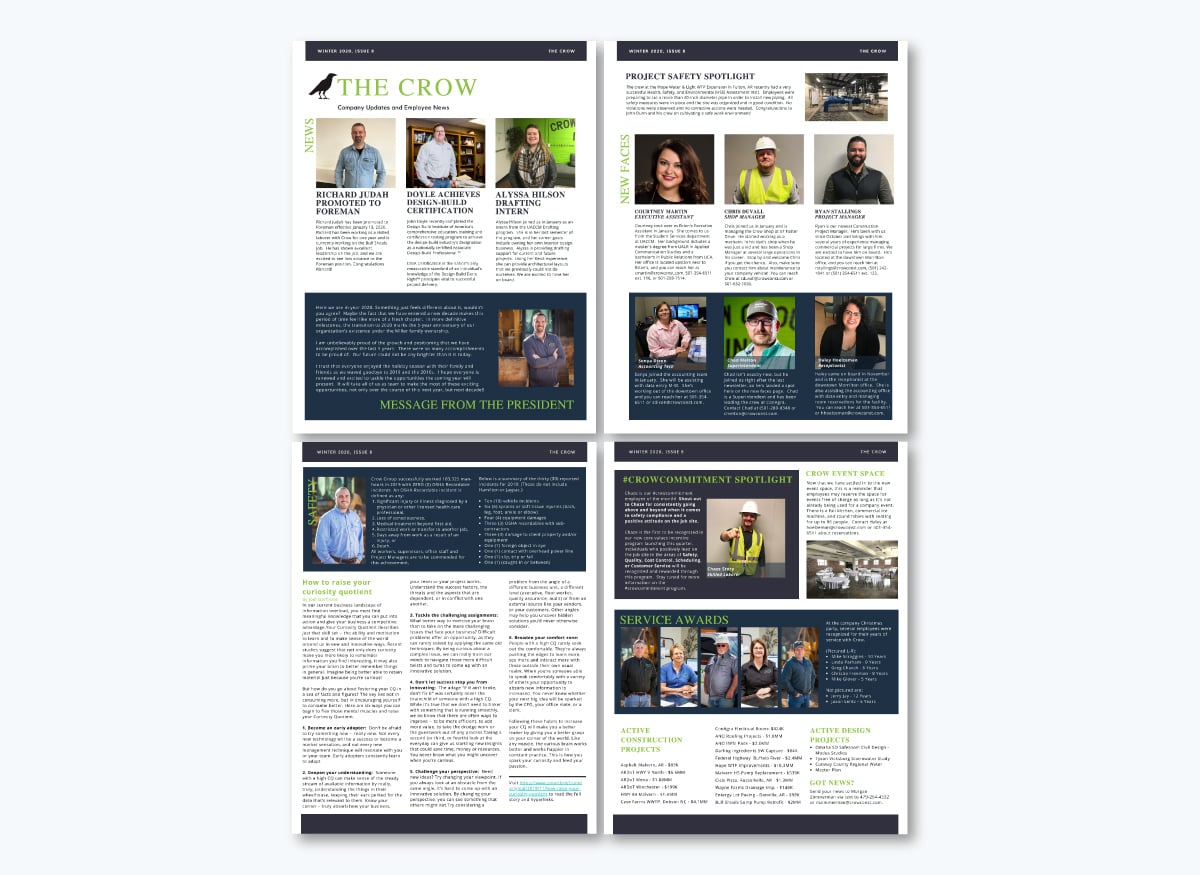
The Crow newsletter has a strong “people-first” vibe. From the moment you open it, you’re greeted with promotions, certifications, new hires, safety wins and a steady stream of company progress. It reads like a snapshot of everything happening across the organization in one lively issue.
There’s a lot packed into these four pages, yet nothing competes for attention. The bold photos help anchor each story, the section headers keep things organized, and the balance of visuals and text makes the content easy to move through.
They celebrate people at every level—promotions, new hires, interns, shop managers, receptionists. The photography does much of the heavy lifting here, capturing employees in real moments on the job and giving the newsletter a genuine, lived-in feel. There’s also a short “Message from the President” that provides some direction and context, plus recurring sections like New Faces, Service Awards and Active Projects create a rhythm readers quickly get used to.
All of that adds up to a newsletter that’s easy to follow and surprisingly engaging.
Shine a light on your people—recognition builds pride and strengthens community. Use authentic photos strategically to transform a newsletter into a story people feel part of. Give leadership a voice with a short message that provides direction and motivation.
And organize content into familiar sections so readers know they’re in for a treat. Then mix work updates with human moments to keep it interesting.
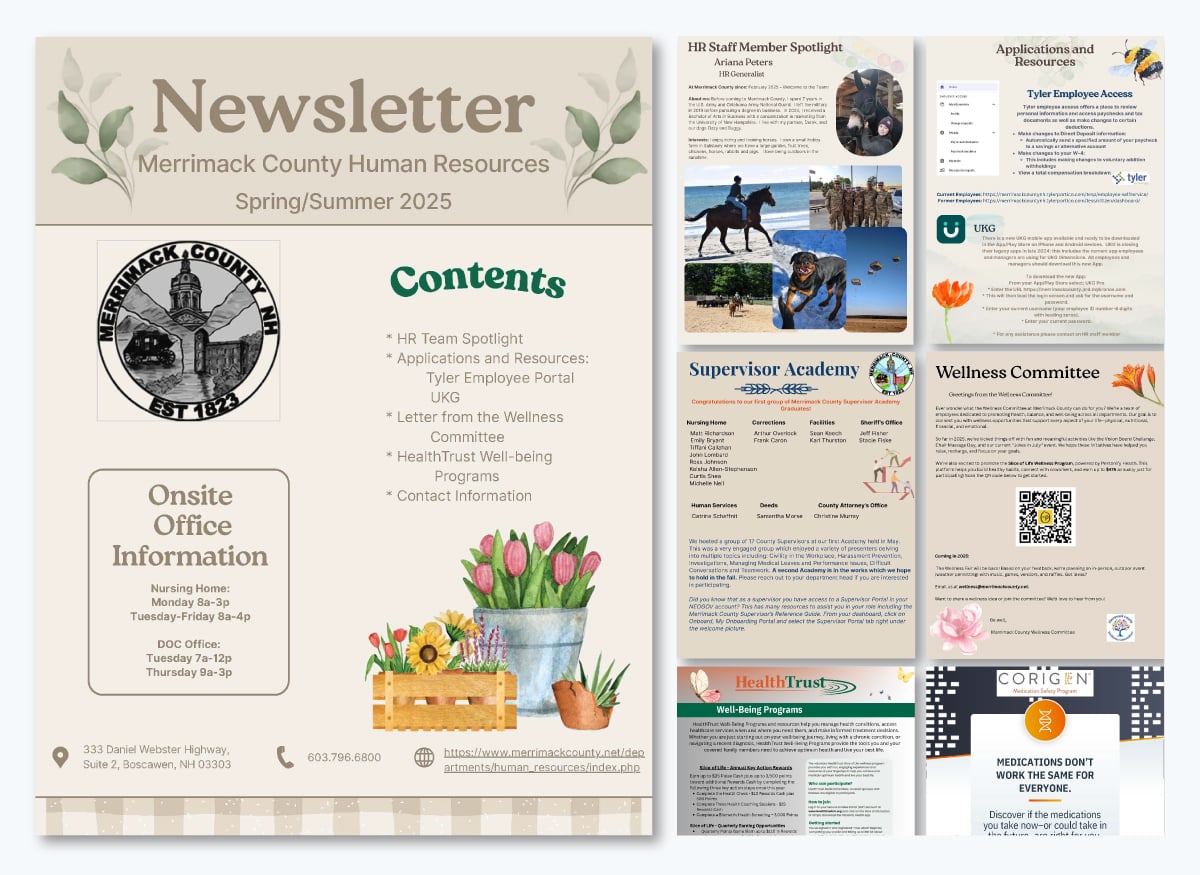
Even with eight full pages, the pacing of the Merrimack County HR newsletter is gentle. The soft colors, floral designs and friendly illustrations make the whole issue feel super warm and inviting.
You’re guided through HR updates, wellness resources, staff spotlights and useful tools without ever feeling overloaded.
It’s a big newsletter, but the design choices are next level. Each page zooms in on a specific topic and the visuals are really well thought out. The content covers everything employees care about—like benefits, apps, office hours, training and wellness programs. It's packed full of info but presented in a really friendly way for employees.
The employee spotlight is the heart of the newsletter—it lets you meet Ariana as a full person with her background, interests and story. Each page has its own theme, keeping the flow organized and predictable. The soft visuals add personality without distraction.
Wellness programs like chair massages and challenges are introduced with clear instructions to keep everyone engaged. Plus, the resources about Tyler Employee Access and UKG are broken into simple steps.
Spotlights and human stories build trust and make newsletters worth opening. Use warm colors and friendly visuals to create an inviting feel. Keep each section focused so readers stay engaged from start to finish.
Break down resources into simple steps so they’re super easy to follow. And balance it all by blending human resource team updates with wellness, recognition and useful tools.
Now, let's get to the employee newsletter templates. These are all professionally designed and ready to use. All you have to do is pick one that fits your needs, customize it with your content and you're good to go.
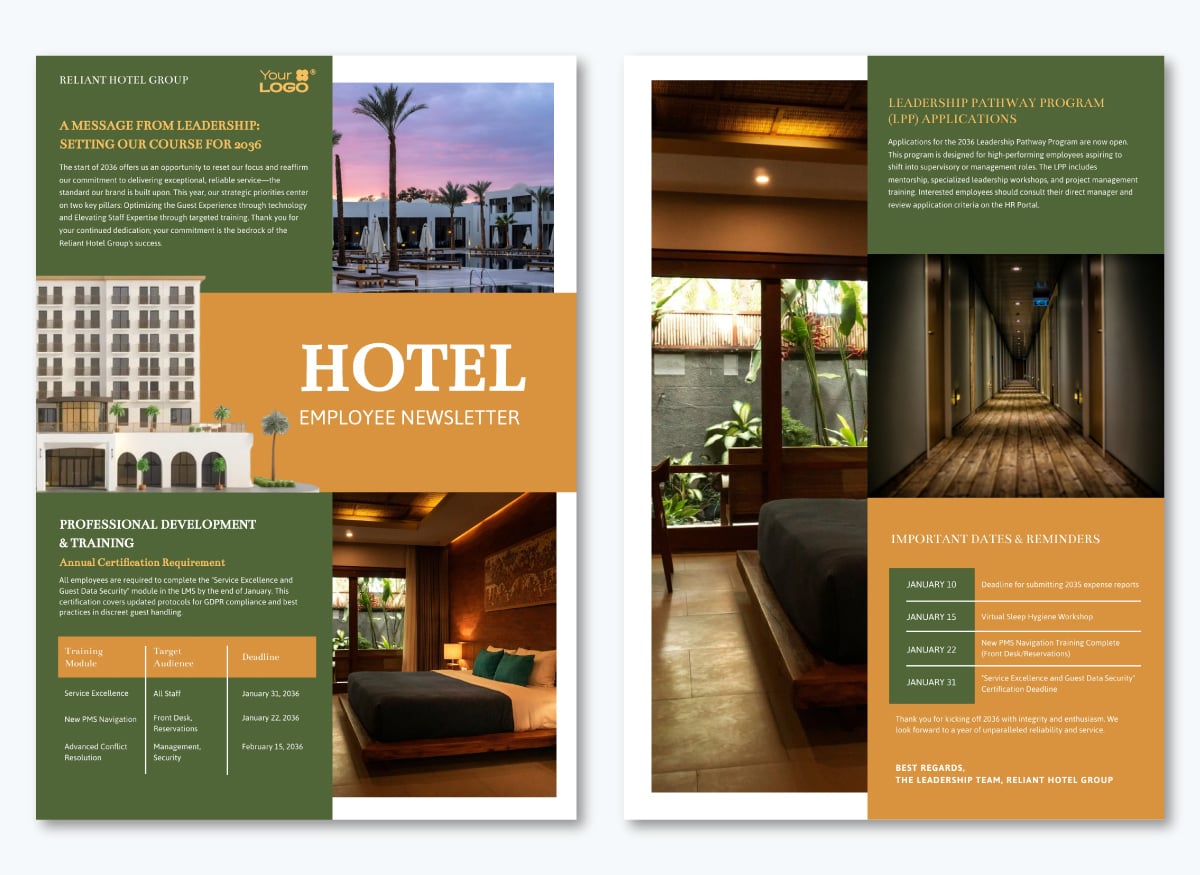
Hotel teams are always on the move. Between guest check-ins, shift changes, training sessions and back-of-house coordination, there's not much time to sit down and read through long updates.
This hotel employee newsletter template gets to what matters in a clean, visual format that's easy to scan during a break or between tasks. You’ll find brief sections for leadership updates, training reminders and key dates.
Tables, image sections and color blocks do much of the visual heavy lifting. And the headings keep things organized so people can find what they need quickly. With Visme's Brand Wizard, you can apply your company’s branding across both pages in minutes, so every newsletter looks recognizable when it hits the team's inbox.
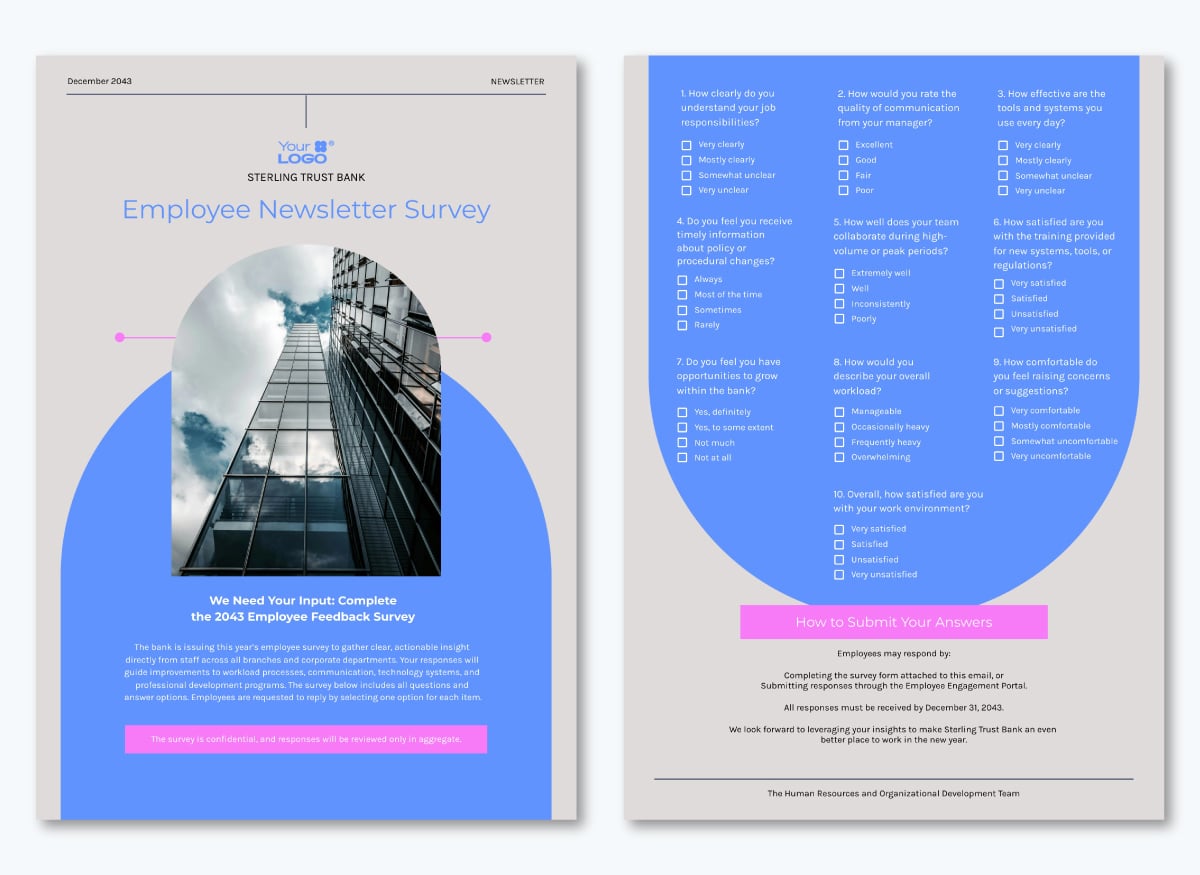
If you want employees to stay engaged, you need to ask for their input. A quick employee survey can do the trick. It shows people their opinions matter and gives them a reason to pay attention to the next issue instead of mentally filing it away with every other internal email.
This template makes collecting employee feedback effortless. You can tweak everything to match your brand—swap out the images, adjust the colors, drop in your logo and use your own fonts. It works well as a standalone survey or as a link inside your newsletter.
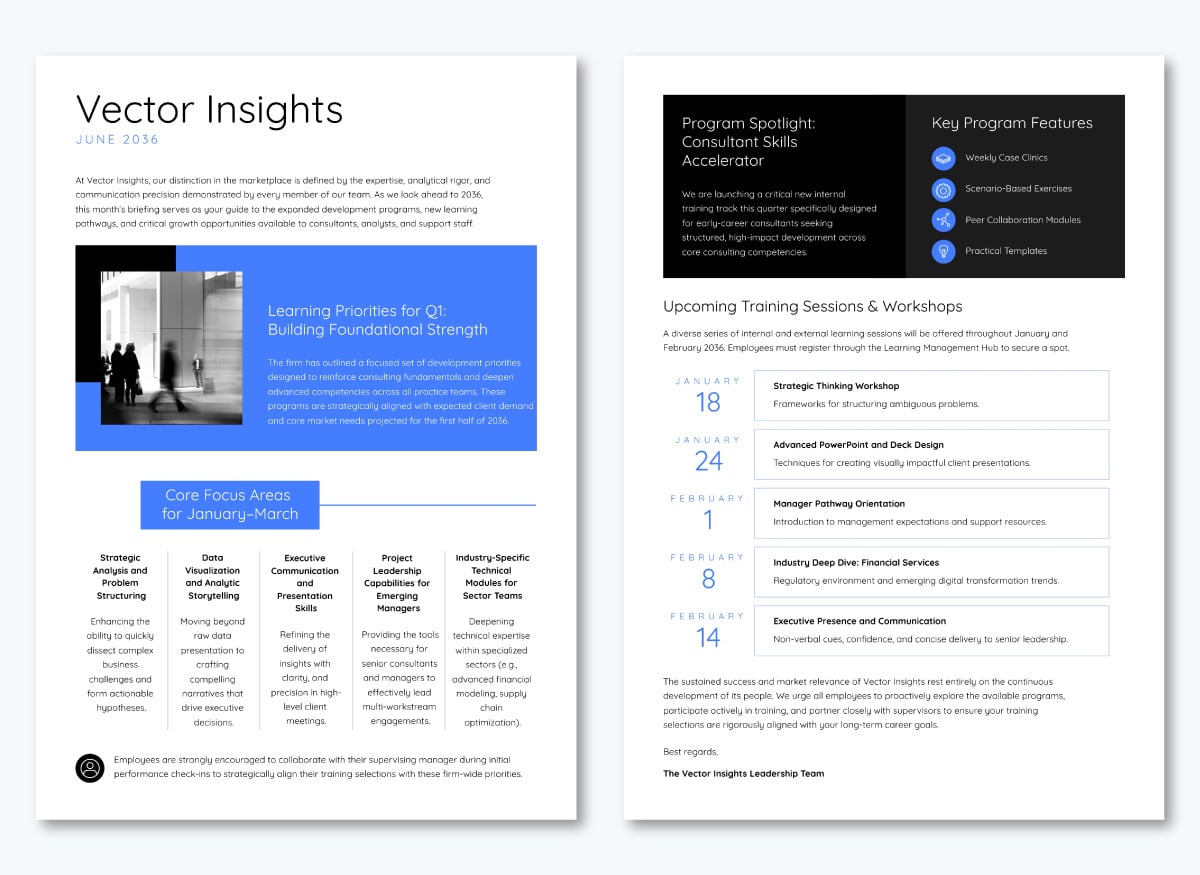
This HR newsletter example prioritizes clarity over fancy design or visual distraction. It uses minimal images and plenty of white space, so training schedules and program details are easy to scan. I'd recommend it for consulting firms, corporate teams or any workplace where employees just want the information without extra flair.
The layout keeps things organized. There’s a dark header that spotlights featured programs with simple icons. Right below that, training sessions are listed by date in clean typography. Blue blocks highlight learning priorities and focus areas. Everything else stays neutral and easy to read.
With Visme’s design collaboration feature, multiple team members work on the newsletter together. HR can update training dates while leadership adds their message, all in real time. You can reuse the same layout each month while keeping the content fresh.
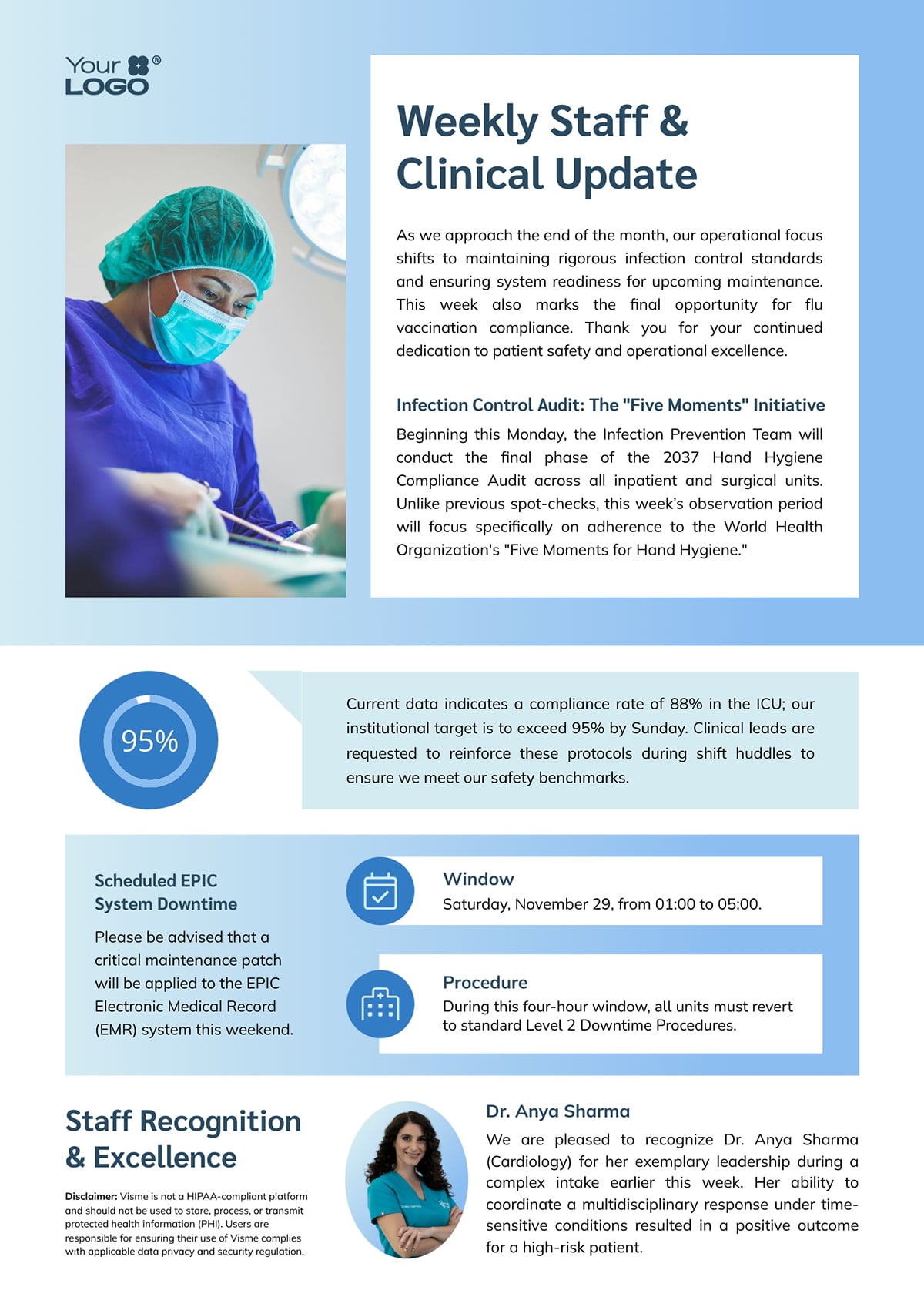
Healthcare newsletters have to walk a tricky line. You're updating people on compliance audits and system downtimes while also trying to celebrate the humans doing the work. This template actually pulls that off.
What stands out here is how it uses visuals to break up dense information. I love how the big 95% compliance stat jumps off the page. The scheduled system downtime gets its own clearly marked section with icons, so nobody misses it during a rushed break-room scroll. And then there's the staff spotlight at the bottom—a real person, a real photo, actual recognition without feeling forced.
The soft blue palette and medical imagery keep things professional without feeling sterile. It's calm, organized and easy to read even when you're juggling between a dozen other things during your shift.
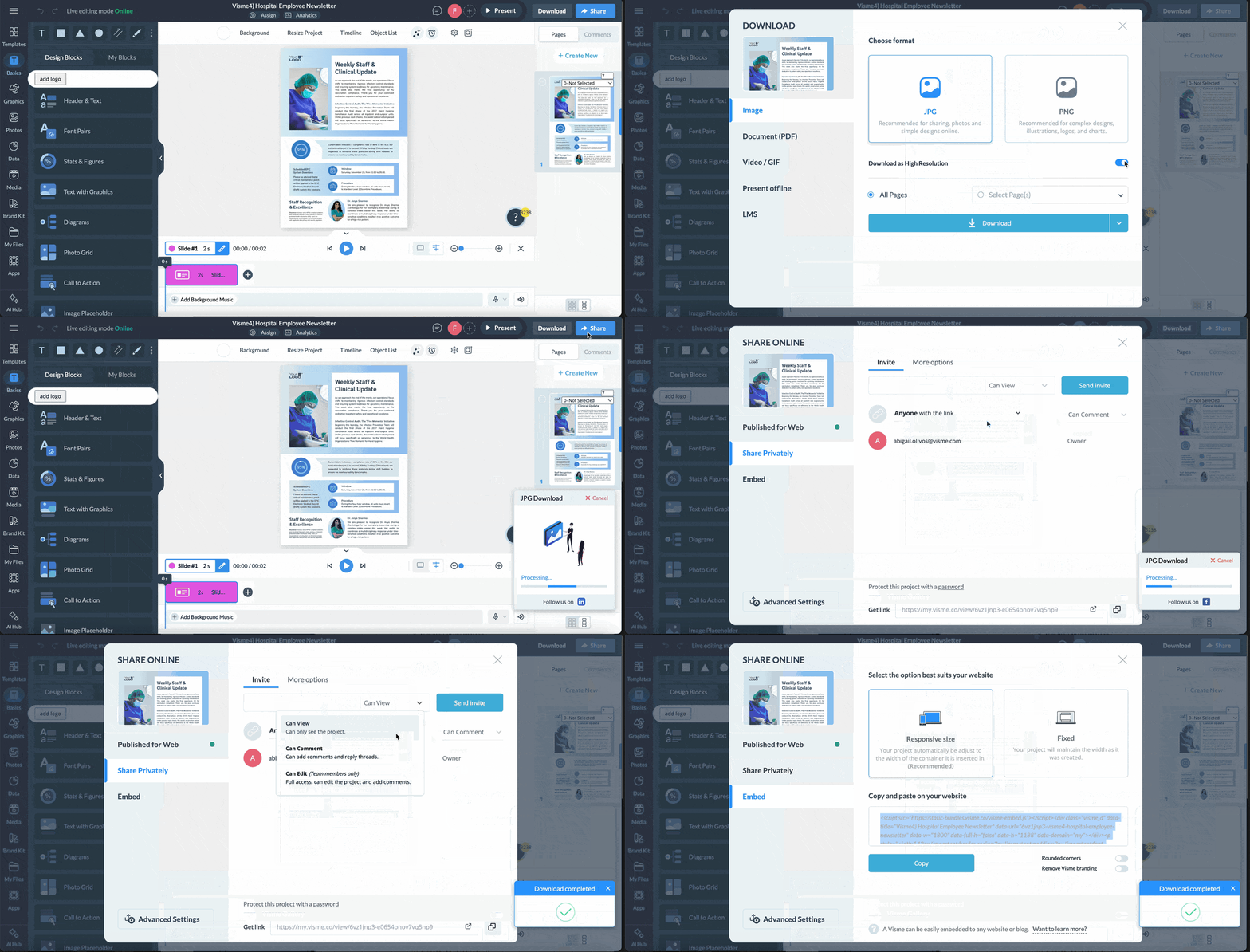
Once you've finished customizing this in Visme, you have several sharing options:
Download it as a PDF and attach it to an email. Generate a link and post it on your intranet. Embed it directly into your communication tool. Or schedule it to send automatically to social media so it goes out on time, every time, without you having to remember. Whatever works for how your staff actually checks updates.
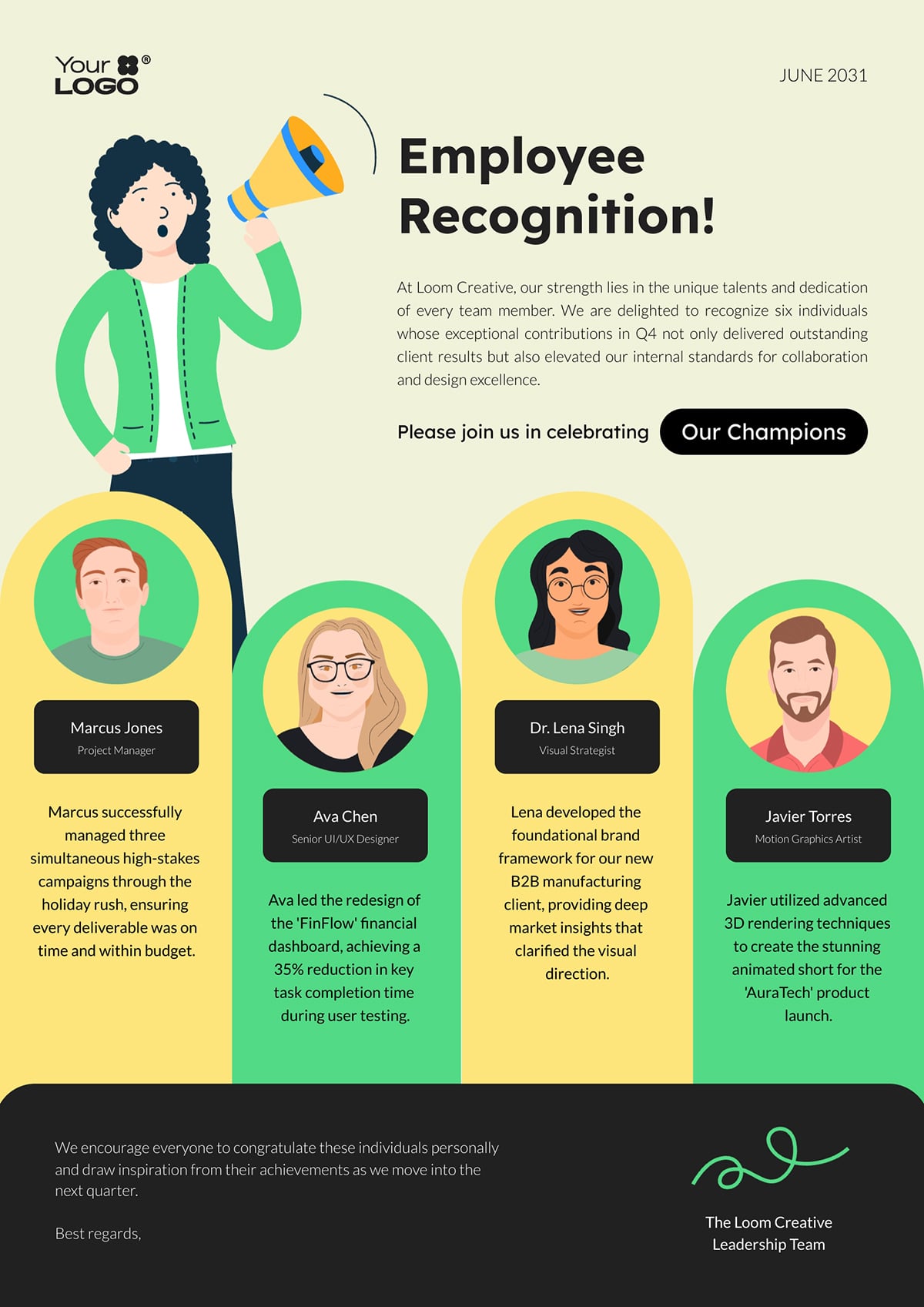
Some newsletters whisper. This one doesn't.
The bold illustrations, bright colors and the megaphone graphic at the top show this isn't the typical corporate newsletter. It's designed to celebrate people loudly and that energy comes through immediately. If your company has a playful culture or you want recognition to feel like an actual event, this template nails that tone.
The layout spotlights four team members at once, each with their own circular portrait and achievement callout. It's visual, it's personal and it gives everyone equal weight on the page. Plus, the "Our Champions" button at the top adds a nice touch. You can link to a fuller list of past winners, turning recognition into an ongoing story instead of a one-time mention.
Once you share this newsletter, our analytics tool lets you track who's actually opening it and how long they're engaging with it. If recognition emails aren't getting the attention you hoped for, the data will tell you. Maybe it's the subject line or timing. Either way, you'll know what's working and what needs tweaking instead of just guessing.
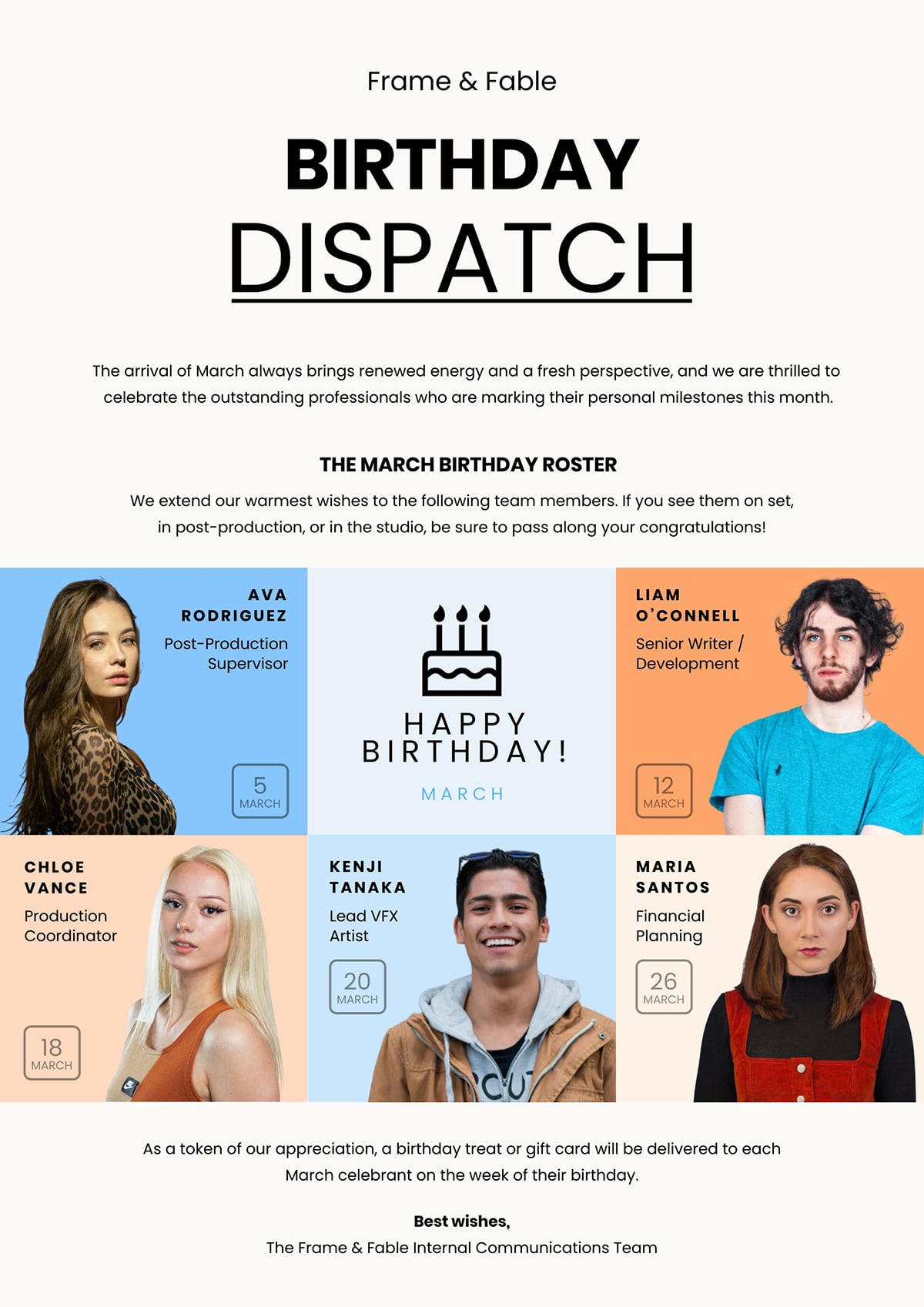
Birthdays are one of those things that either get lost in the shuffle or become a genuine moment of connection. This template makes sure it's the latter.
The design is clean and celebratory without going overboard. Six team members get featured with their photos, names, roles and birth dates laid out in a grid that's easy to scan. The cake icon in the center ties it together visually, and the intro message sets a warm, appreciative tone. It feels thoughtful, like someone actually invested time into this, not just auto-generated it from HR software.
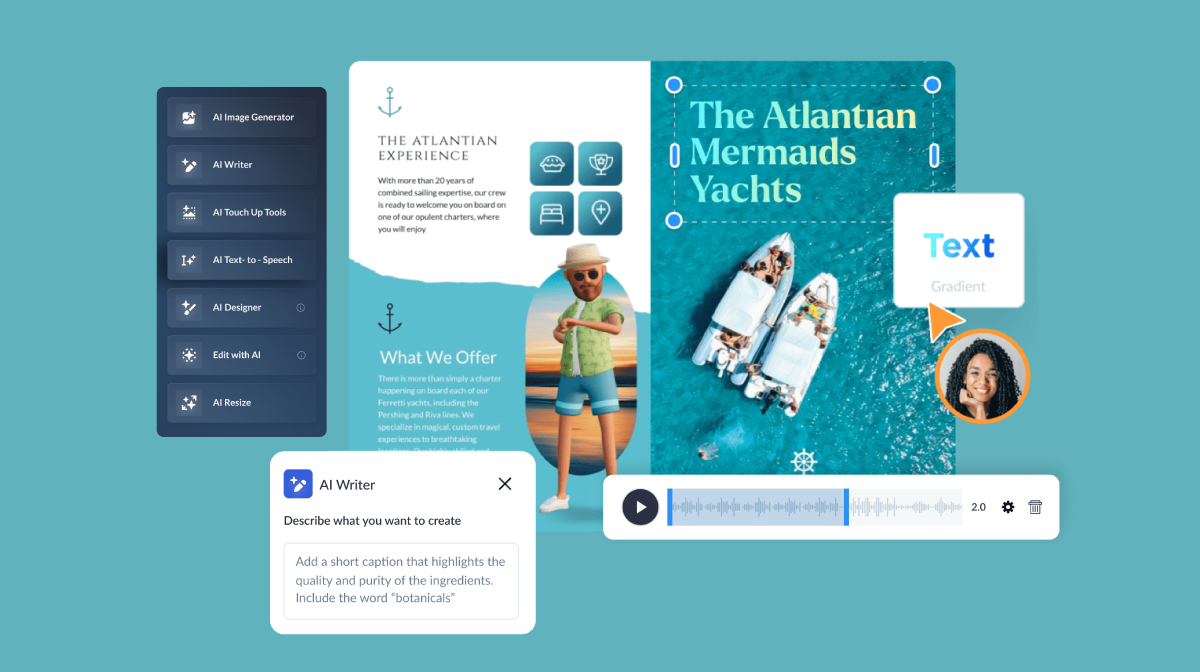
Here's what makes this template especially practical: you can swap those stock photos for real pictures of your team. And if those photos need finessing—maybe someone's headshot has a messy background or the lighting's off—Visme's AI editing tools can help.
Use Background Remover to clean up distracting elements, Unblur to sharpen up older photos, Upscaler to improve resolution, or Erase and Replace to fix small imperfections. You don't need to jump into Photoshop or hunt down better images. Just drop in what you have and polish it on the spot.
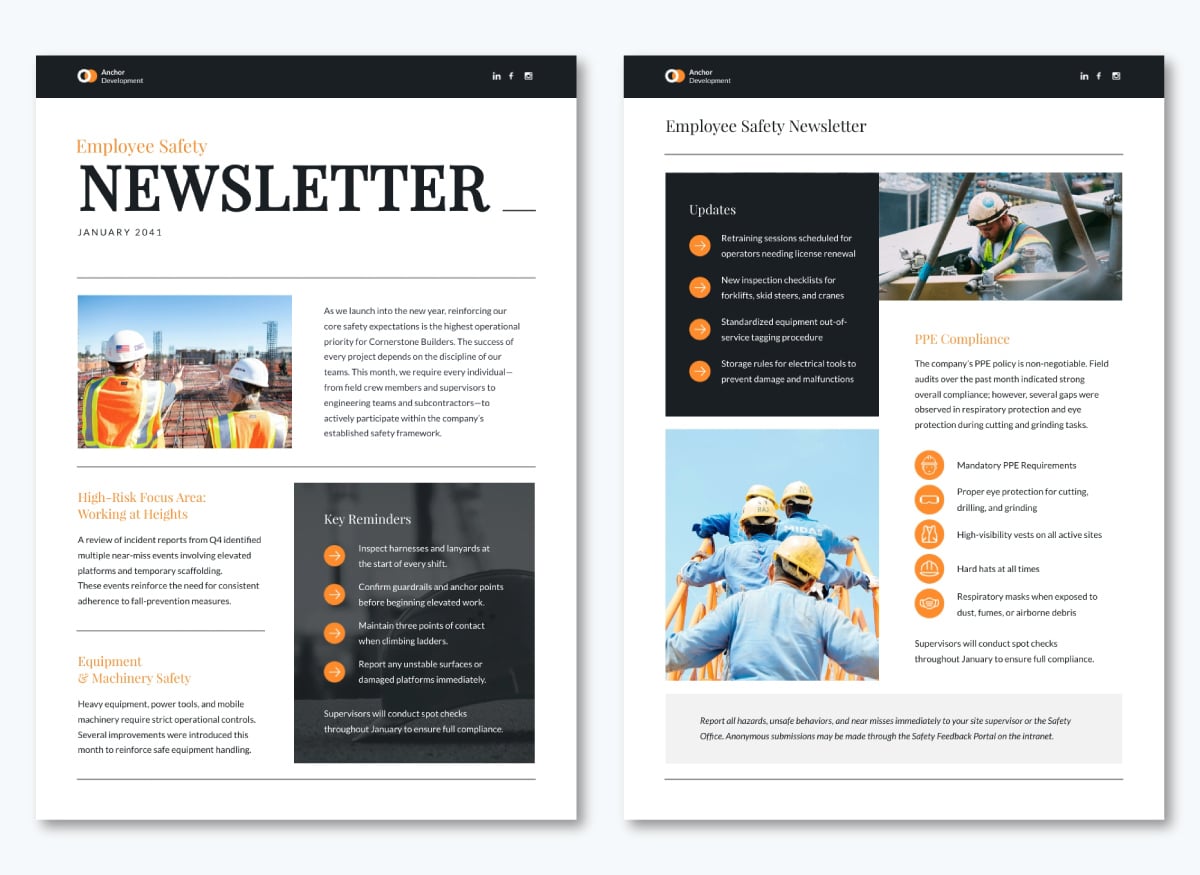
Safety newsletters can feel preachy or overwhelming if you're not careful. This one avoids both traps by being visual, organized and direct. It's the kind of newsletter people can actually process during a toolbox talk or lunch break.
The two-page layout gives serious topics the space they deserve. You’ll find construction site imagery, color-coded sections and orange accents. These elements draw attention to critical points without screaming at you. I like how the structure guides you through information logically—major updates first, then PPE compliance details, then key reminders. Nothing feels buried or glossed over.
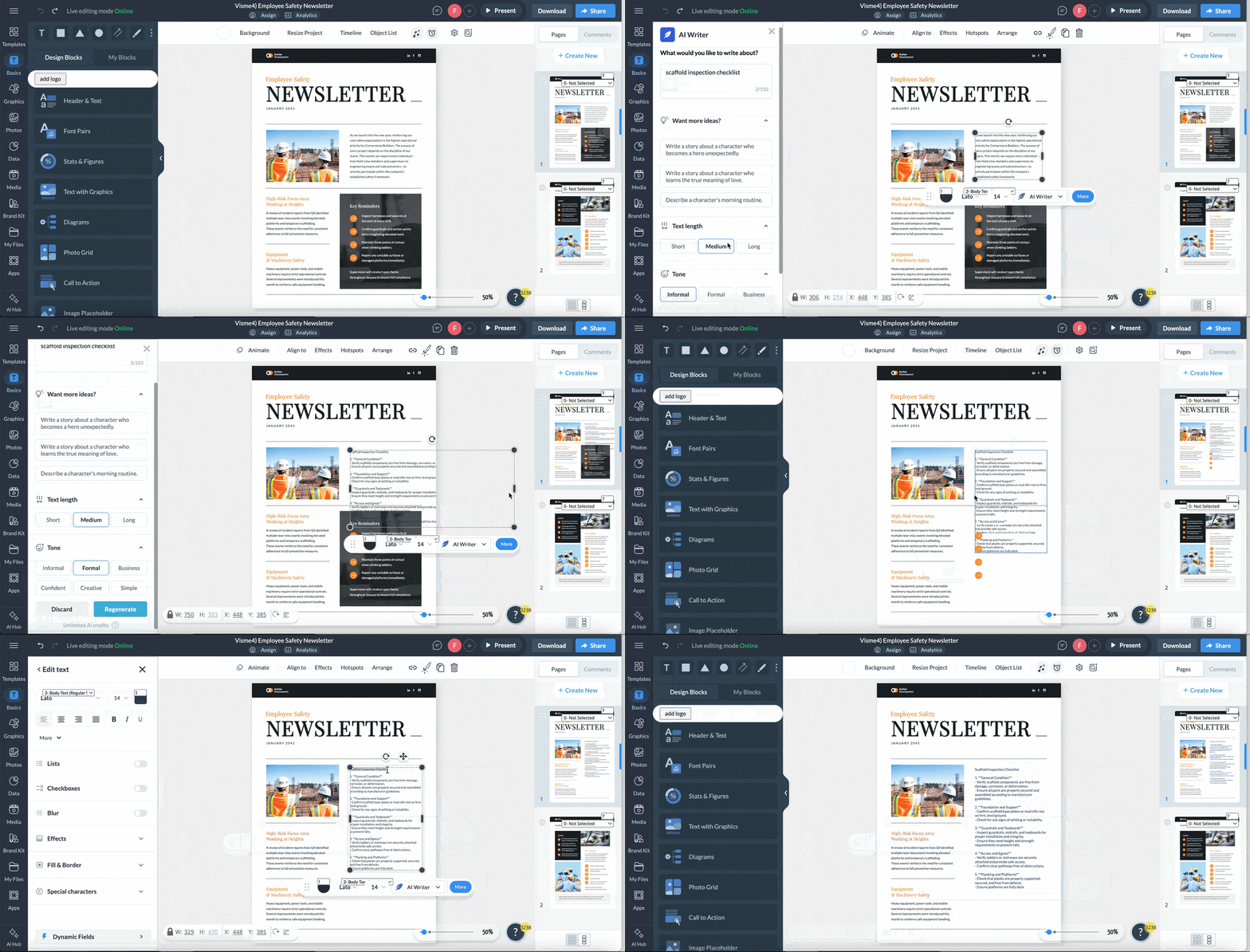
If you're starting from scratch or struggling with what to say, Visme's AI Writer can help you draft safety updates, compliance reminders or incident summaries in seconds. Feed it a topic like "scaffold inspection checklist" or "heat safety protocols," and it generates content you can edit and refine right in the template.
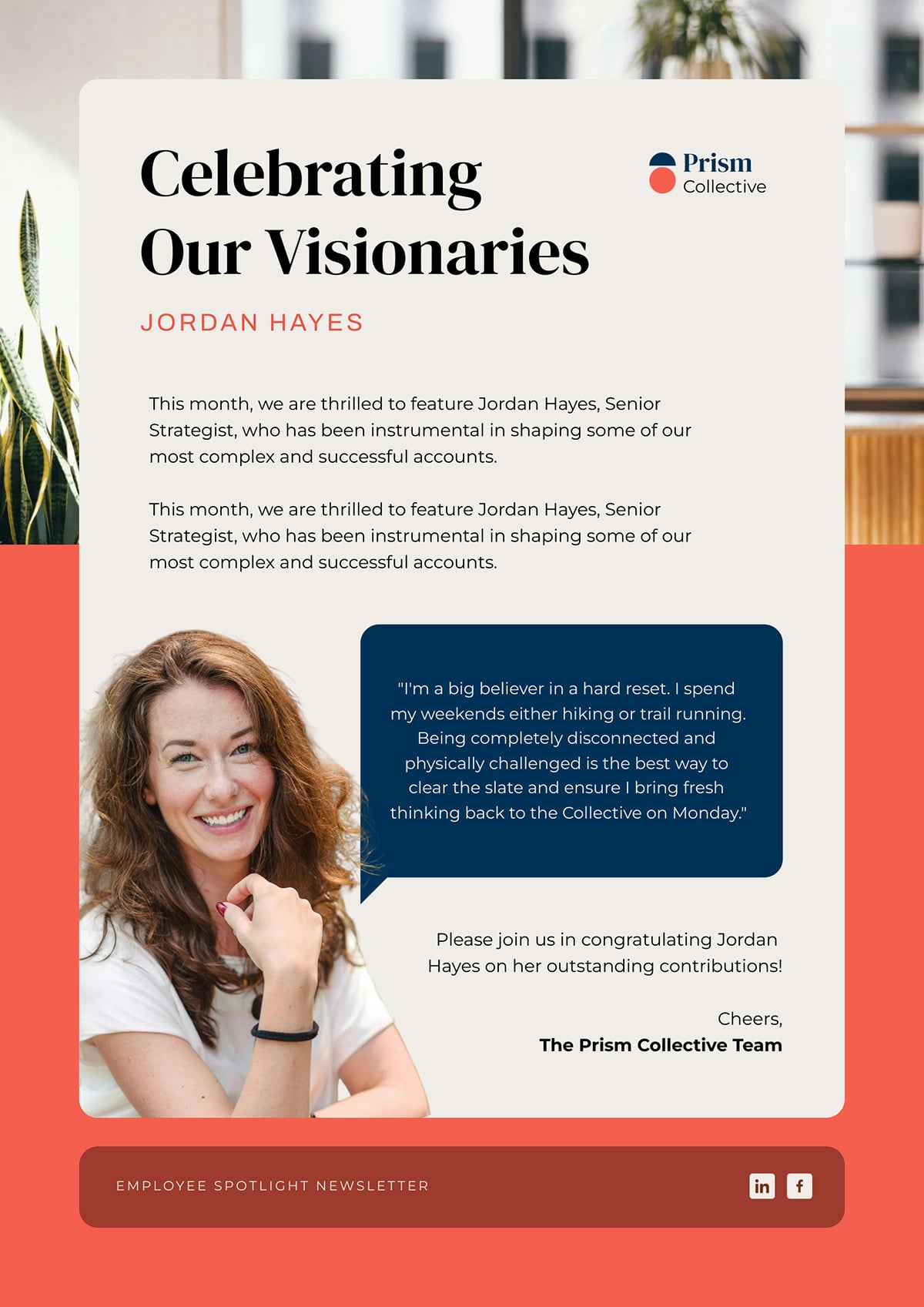
This template does one thing really well: it makes the featured person feel the star of the show.
The bold headline, the large photo and that pull quote in the blue box all work together to put the spotlight exactly where it should be. There's breathing room around the content, so it doesn't feel cluttered or rushed. The coral accent color adds warmth without being distracting.
Instead of manually updating the name, title, quote and photo every time you feature a new employee, you can set up dynamic fields that automatically pull in data. Change the data once and the entire newsletter updates instantly. If you're spotlighting multiple people throughout the year, this saves you from having to rebuild the same layout repeatedly.
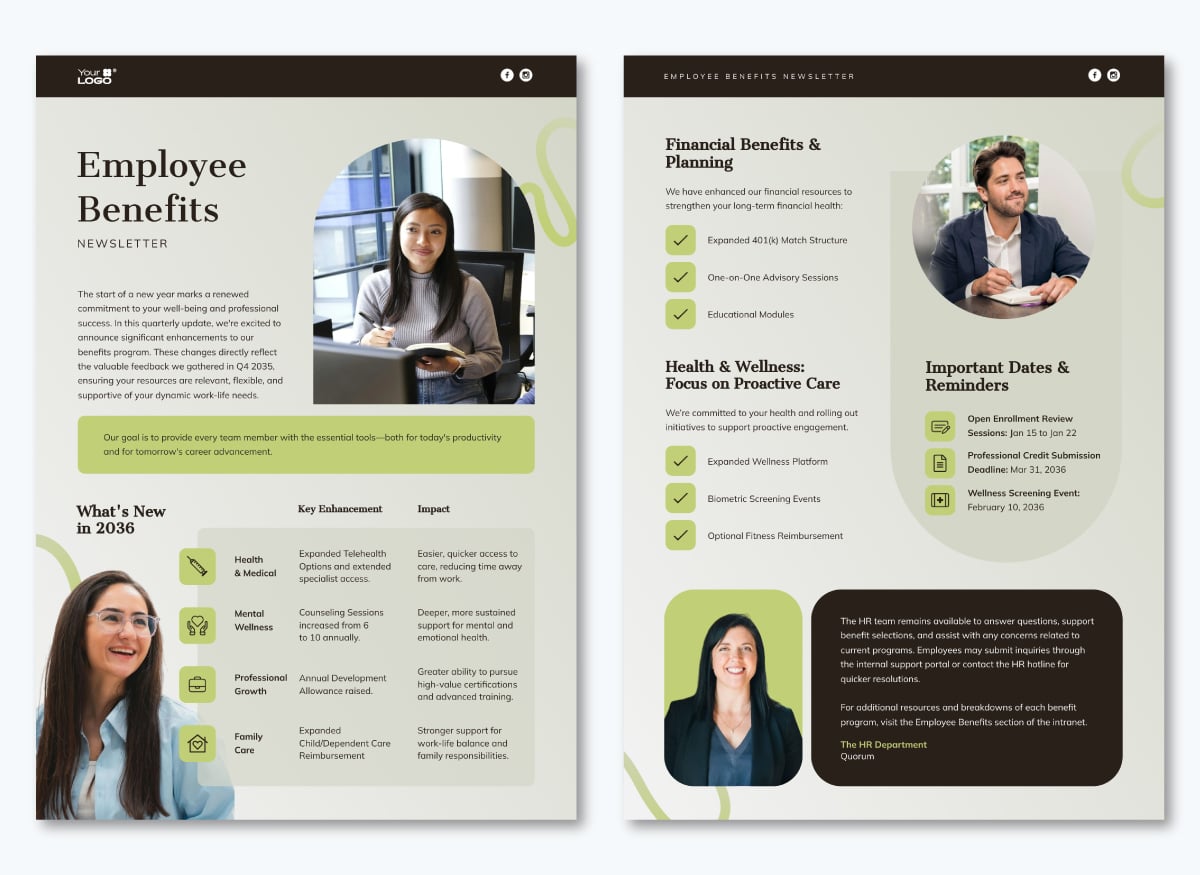
Benefits newsletters are notoriously hard to make interesting. But when people actually need the information—open enrollment deadlines, new wellness programs, retirement plan changes—you want to make sure they actually notice it.
This template makes all that heavy information digestible. The two-page layout uses icons, checkmarks and clean sections to break everything into bite-sized pieces. You’ll find everything from financial benefits to wellness resources and important dates all laid out nicely, so employees can quickly spot what’s relevant to them.
If creating benefits updates every quarter feels tedious, Visme's AI Newsletter Generator can speed things up. Tell it what you need and it generates a structured draft that you can customize.
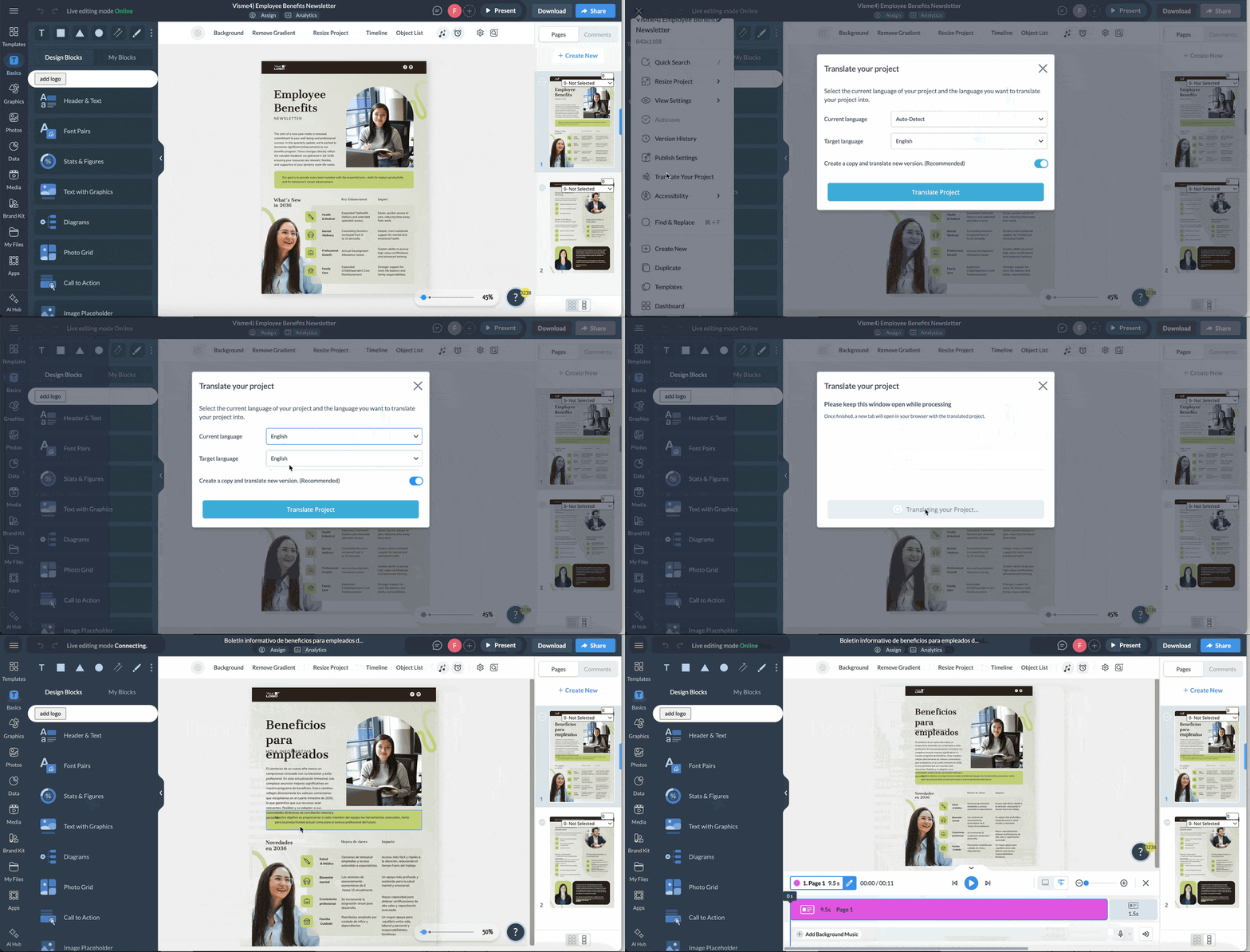
And if you have employees who speak different languages, Visme's document translator lets you translate the entire newsletter in minutes. Just select your text, choose your target language and you're done—no copying and pasting into separate tools.
Here’s how to go from a blank page to a polished newsletter your employees actually want to read.
Before you start drafting, sketch out a simple outline.
This keeps the newsletter on track and helps you avoid those last-minute scrambles for content.
Begin by mapping out the core sections you want to include that month — updates, people stories, events, reminders and whatever fits your theme.
Then, reach out to department leads or team reps for their contributions. A quick form, shared doc or even a Slack channel can make this easier.
Ask for short, clear updates instead of full paragraphs so you can weave the final narrative smoothly. Once all updates are in, organize them into a sequence that flows naturally. Think of the outline as the backbone that supports the entire issue.
This approach works and Jason Vaught, Director of Content & Marketing at SmashBrand, shares how his team does it:
"In the case of internal communication, my group releases a weekly newsletter, The Winsheet, which is a mix of brief updates and visual snapshots of the products launched, the success of our clients and experiments of our team. Issues that feature quantifiable results, such as more customer interaction following a campaign, have over 85 percent open rates and much in-house discussion. Employees react to brief and results-focused narratives, demonstrating their relevance, which strengthens alignment, motivation and company culture."
Okay, so you've got your outline. Now it's time to make it look good.
First things first: decide on the actual format. Will this be an email-style scroll, a multi-page PDF or a slide deck that you can share as images??
The right format depends on how your employees take in information and where you'll be sharing it. (Hint: If most people check emails on their phones during their commute, a mobile-friendly email format is probably your best bet.)
Once you've decided on the format, it's time to think about layout. Your design should make the newsletter easy to scan. Because let's be real, your employees are busy and probably checking this between meetings or while their coffee's brewing.
I recommend picking a template or design structure that you can use consistently.
This could be a simple single-column layout for text-heavy content or a multi-column grid if you're mixing images, stats and different content types.
Whatever you choose, commit to it. When employees know where to find their favorite sections each time, they'll spend less brain power figuring out the layout and more time actually reading.
Prioritize readability by creating a visual hierarchy that guides the eye: a clear header, strong section titles, consistent spacing and predictable block patterns. You want readers to know exactly where they're going without having to work for it.
Here's the thing: A good layout shouldn’t steal the spotlight. It should simply make the newsletter enjoyable to read. Avoid layouts that crowd information or force employees to hunt for what they need. And whatever you do, make sure it works across devices—most people will read this on their phones, so test it before you hit send!
Look, unless you're a design pro with hours of free time, you don't need to build your newsletter from scratch every single time. That's where templates come in clutch.
Visme's extensive template library has got you covered. Whether you need something sleek and minimal or colorful and dynamic, there's a template that matches your brand and vibe. We’ve also shared some of the best employee newsletter examples to inspire you.
And here's the best part: Visme's intuitive editor makes the editing process an absolute breeze. You don't even need prior design experience to create a newsletter that looks like it was designed by a professional design team.
You can swap out images, adjust color blocks, add or remove sections—all without messing up the overall design.
Here's what I’d recommend. Once you find a template that works, stick with it for a while. Tweak it as needed, but don't reinvent the wheel every month.
Your team will appreciate having something they recognize (remember: less brain processing power = more time for reading).
Now comes the fun part—filling your newsletter with content
Start by pulling from the outline you created in step one. Drop your updates, stories and announcements into their designated sections.
But don't just copy-paste those bullet points from department leads and call it a day. Put some creativity into it!
Turn those boring updates into engaging stories. Add context and make it conversational.
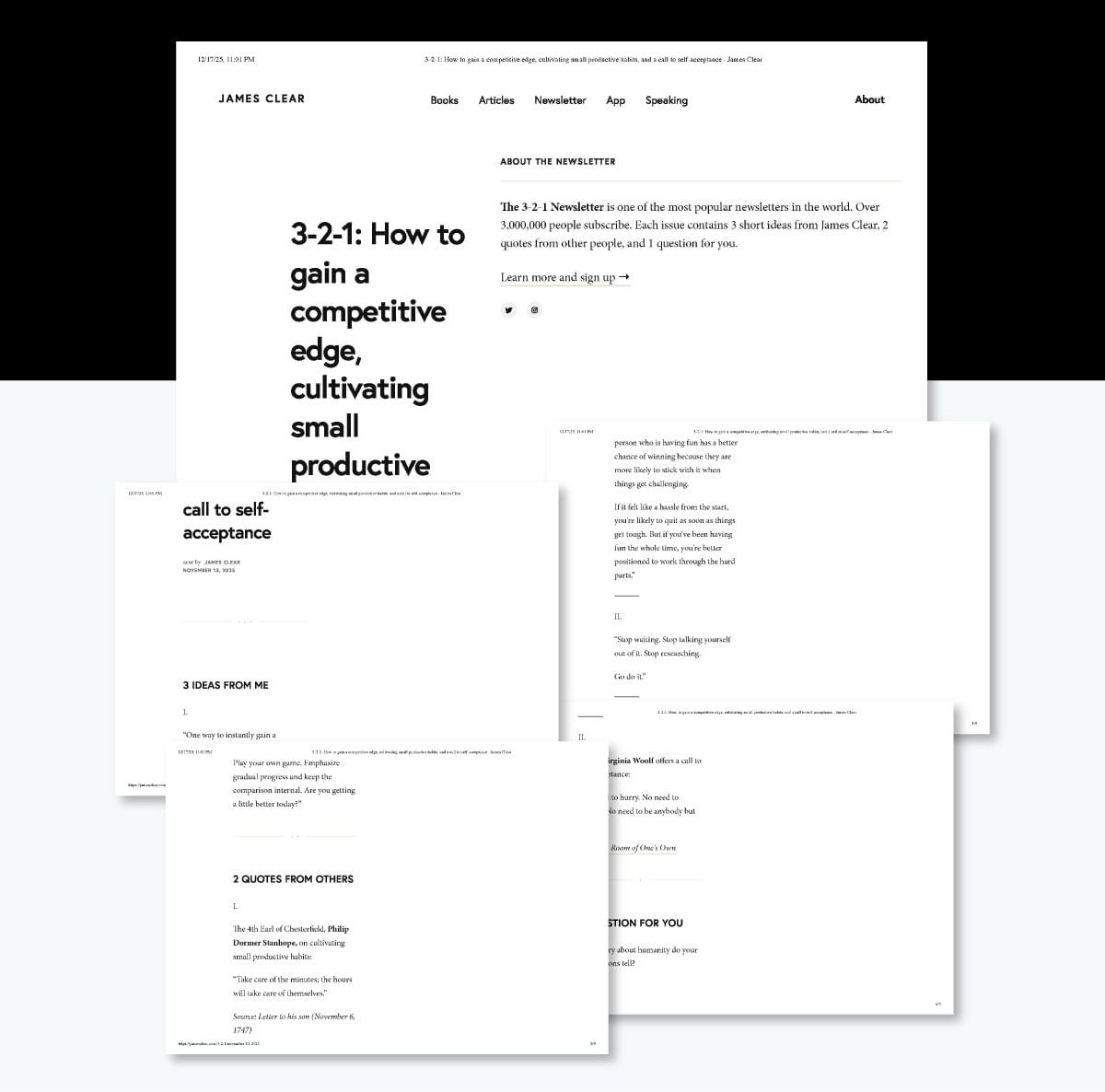
James Clear's 3-2-1 Thursday Newsletter does this exceptionally well. He knows the writing is what pulls the reader in, and the format is just the cherry on top. Their copy is unreal, with an uncanny ability to make you stop and think for a second.
That’s the energy you want in your workplace newsletter content.
Your content should feel like you're chatting with employees over coffee, not reading them a corporate memo (nobody wants that).
Mix up your content types to keep things interesting. Throw in employee spotlights, quick wins, upcoming events, helpful resources and maybe even a fun poll or quote.
People consume information differently—some love video content, others prefer a quick infographic and others just want the text. By including variety, you'll make sure there's something for everyone.
Keep it snackable. Break up long paragraphs into shorter, digestible chunks. Use subheaders to help readers scan and find what matters to them. And for the love of all that is good, don't make people wade through pages and pages of text. You can be certain nobody has time for that!
Pro Tip: Start with your most important or exciting content. Hook readers right at the top so they're compelled to keep scrolling. Save the "mandatory but boring" stuff (like policy reminders) for later in the newsletter, after you've already got them engaged.
You could have the wittiest writing and most important updates ever, but if your newsletter looks like a boring Word document from the early 2000s, nobody's sticking around to read it.
Your newsletter design should create an immersive experience that keeps readers hooked.
Emily Demirdonder, Director at Proximity Plumbing, shares how her team approaches this:
"Regarding our newsletter, I create my employee update by having a visual-heavy layout as our plumbers are visual learners and they also spend their entire day working on physical problems. We call it the 'Weekly Win' and it is primarily oriented around the photos of our top pipe relining and roof repair jobs from the previous week. I pull these images directly from our job management system, so all team members immediately get to see their work highlighted through photographs."
With Visme, you have access to a massive library of graphics, icons, photos, illustrations, etc. You’ll also find dozens of data visualizations like charts, graphs and maps in 2D and 3D formats.
Make to choose visuals that actually support what you're saying—not just random stock photos of people pointing at laptops.
Animations and interactivity are other ways to spice up your newsletter. Why settle for a static newsletter when you can make it dynamic?
With Visme, you can:
Notice how Robinhood's Snacks newsletter uses just a splash of color for links and important info. That's strategic design at work.
Or how Niice's Review newsletter excellently uses different layouts and whitespace throughout the design to keep readers engaged and moving through. Each block draws your eyes downward, urging you to read more.
That's the kind of visual flow you want to create. And you can achieve the same balance in Visme without a design degree.
Stick to your brand fonts and palette and use color to highlight important information, separate sections or draw attention to CTAs. Choose 2-3 brand colors and stick to them. Don't go wild with every color in the rainbow; you want it to look cohesive, not like a kindergarten craft project.
But before you hit that send button and blast it out to the entire company, pump the brakes for a second to review it.
First pass: Read through the entire thing out loud. (yes, really—you'll catch awkward phrasing and run-on sentences you'd miss otherwise).
Next, check your design elements. Do all the images load properly? Are your links working? Is everything aligned the way it should be or is that one text box doing its own rebellious thing off to the side? Click through every button, video embed and interactive element.
Now, here's the important part: test it across different devices and email clients. Your newsletter might look gorgeous on your desktop, but what about on mobile? What about in Gmail vs. Outlook? Visme makes it easy to preview how your newsletter will look on different screen sizes, so take advantage of that.
Finally, get a second pair of eyes on it. Ask a colleague— ideally someone from HR or Comms and someone who represents your general employee audience — to review it before you send.
They'll catch typos you've read past a hundred times, spot confusing sections, and tell you if that joke you thought was hilarious actually is or... isn't.
Employee newsletters usually have the standard sections everyone expects.
But you can inject fresh energy into them with these creative out-of-the-box staff newsletter ideas to keep employees hooked.
Made with Visme Infographic Maker
There’s no magic number here. What matters most is finding a rhythm your team can rely on. For most companies, a monthly newsletter hits the sweet spot. It gives you enough time to gather meaningful updates without overwhelming people’s inboxes.
Some fast-moving teams prefer a bi-weekly cadence, especially if there’s a lot happening across departments. Weekly newsletters can work too, but only if you consistently have valuable content to share. Otherwise, they quickly become emails people stop opening.
If you’re unsure, start monthly. You can always increase frequency once you know people are reading and engaging.
The best format is the one that fits naturally into how your employees already consume information.
When in doubt, keep it mobile-friendly and easy to access.
Engagement doesn’t come from doing more. It comes from doing things a little more thoughtfully, especially how the newsletter design.
As we wrap this up, here’s the big takeaway: a great employee newsletter can quietly transform how your team stays connected.
Think of it as that reliable Monday-morning coffee — familiar, energizing and surprisingly effective at setting the tone for the week.
When your newsletter feels thoughtful, personal and a little fun, something shifts.
It stops being “just another internal email they scroll past and becomes something people actually look forward to.
With Visme, creating that kind of newsletter consistently doesn’t require design experience or hours of work. You get unlimited access to an extensive library of professionally designed newsletter templates, an intuitive drag-and-drop editor, design assets, animations, interactive features, collaboration tools, workflow management, AI capabilities and more.
So experiment with Visme’s newsletter maker, have fun with it, and let your creativity shine. I bet your team will love it, and maybe even look forward to the next issue.

Design visual brand experiences for your business whether you are a seasoned designer or a total novice.
Try Visme for free