

Proven Product Specification Examples That Give You Clear Decisions


Have you ever wondered why some teams run like clockwork while others barely get by under chaos? It comes down to how well they document their processes.
Writing procedure content is the backbone of consistent, efficient operations.
When it's missing, teams default to memory, personal preference and tribal knowledge.
That’s when things start to fall apart. Results vary depending on who’s doing the work; quality becomes unpredictable, and productivity drops the moment the “expert” isn’t available to guide everyone else.
If you want your processes to run smoothly, scale reliably and deliver the same level of quality every time, you need well-documented procedure content.
In this guide, we’ll break down how to write a procedure content that lays the foundation for dependable, repeatable workflows across your organization. You’ll also find real-life procedure content examples and customizable templates to help you start strong.
Procedure content is any information or set of instructions that tells someone how to complete a task or process. This includes the sequential steps, warnings, prerequisites, tools and any supporting information needed to successfully perform the procedure.
Procedure content can take many forms, including written documents, checklists, user manual, visual guides, flowcharts and digital workflows.
It can be used internally as training content or onboarding material or externally as a user guide.
A good procedure document provides enough detail so that someone with the appropriate skill level can complete the task correctly, every time, even without prior experience with that specific procedure.
Keep in mind that procedure content is not a replacement for a training manual, company handbook or detailed process document.
Rather, it skips the theory or other possible facts and goes straight to the steps.
Here’s the easiest way to think about it: If you can follow it like a recipe, it’s procedure content.
But if you need to read it to understand, interpret or have prior background knowledge, it’s not procedure content.
Here’s a table that compares “Procedure vs a Process vs a Policy” and the best time/place to use these.
| Type | What It Is | Best Used When | Example | Context |
|---|---|---|---|---|
| Procedure | Step-by-step instructions for completing a specific task. | Someone needs to know exactly how to do something right now. | "How to Process a Refund Request" | It lists the exact steps for processing a refund:
Log into the system → Locate the order → Verify eligibility → Click refund → Enter amount → Confirm. |
| Process | The overall workflow or sequence of related activities that produce an outcome. | You need to show how multiple tasks or roles connect to achieve a goal. | "The Customer Service Resolution Process" | Shows the big picture of how customer resolution works:
Customer contacts support → Issue is logged and assessed → Resolved or escalated → Resolution confirmed → Follow-up completed. |
| Policy | Rules, guidelines or principles that govern decisions and behavior. | You need to set boundaries, quality standards or explain what's allowed or required. | "All Refunds Must Be Approved Within 24 Hours" | Defines the rule about timing and who can approve a refund.
It does not explain the steps to process the refund or how the approval workflow operates. |
The structure and content of procedure documents will generally be different on what industry you're in or how complicated the job is.
But you’ll generally find these common sections or themes:
Made with Visme Infographic Maker
As I mentioned before, not every procedure needs all of these components. But every strong policy and procedure content will always include both the "what to do" (the actions) and the "how to do it" (the specific methods, tools or techniques).
Procedure content comes in different forms depending on what needs to be accomplished and who's using it.
I’ll share the most common types and procedure documentation examples you can learn from.
Standard Operating Procedures are the most comprehensive form of procedure content.
They include detailed, formal instructions for routine tasks that need to be done the same way every time.
An SOP typically includes the purpose of the procedure, who is responsible for each action, the tools or materials required, the exact steps and sequence to follow, and how to record or verify the work once it’s completed.
You'll see these most often in regulated industries like healthcare, manufacturing or food service, where consistency is mandatory.
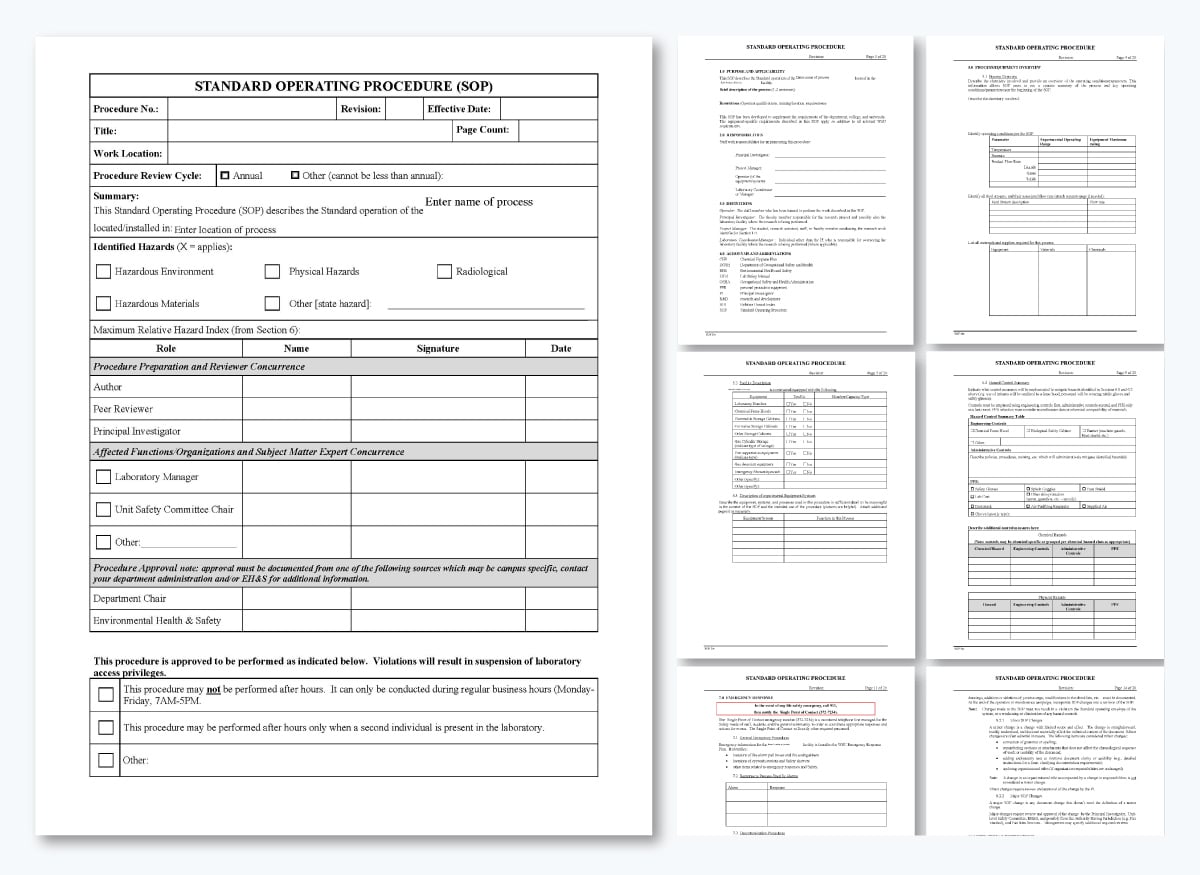
A good step-by-step procedure example is this SOP from Sheffield Health Partnership University NHS Foundation Trust. It outlines the processes for the creation, maintenance and management of personal files.
Standard operating procedure content like this helps ensure staff follow the same standards across the organization. I’ve covered more of these examples in my article on 12 Real-Life SOP Examples + Templates to Standardize Workflows.
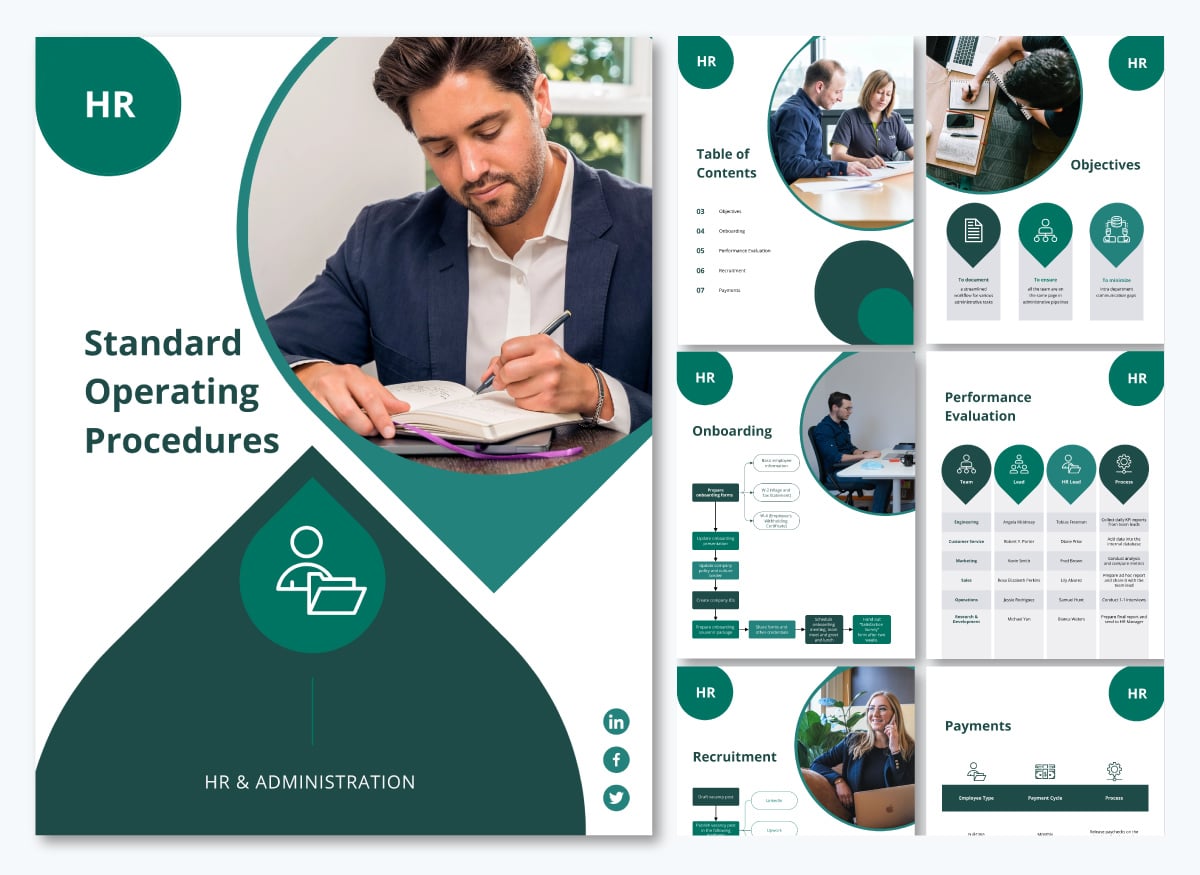
Here’s an SOP template to help you streamline your onboarding process and other HR operations.
Checklists are a great way to simplify a detailed procedure into easy, repeatable steps. They’re super helpful for tasks that happen frequently or when skipping just one step could be catastrophic.
Unlike detailed guides, checklists assume the user already knows what to do. They’re just there to help ensure you don’t miss anything, especially when you’re under a lot of pressure or rushing through regular tasks.
For instance, pilots use pre-flight checklists before every takeoff to make sure everything from equipment to fuel levels and communication systems is in good shape.
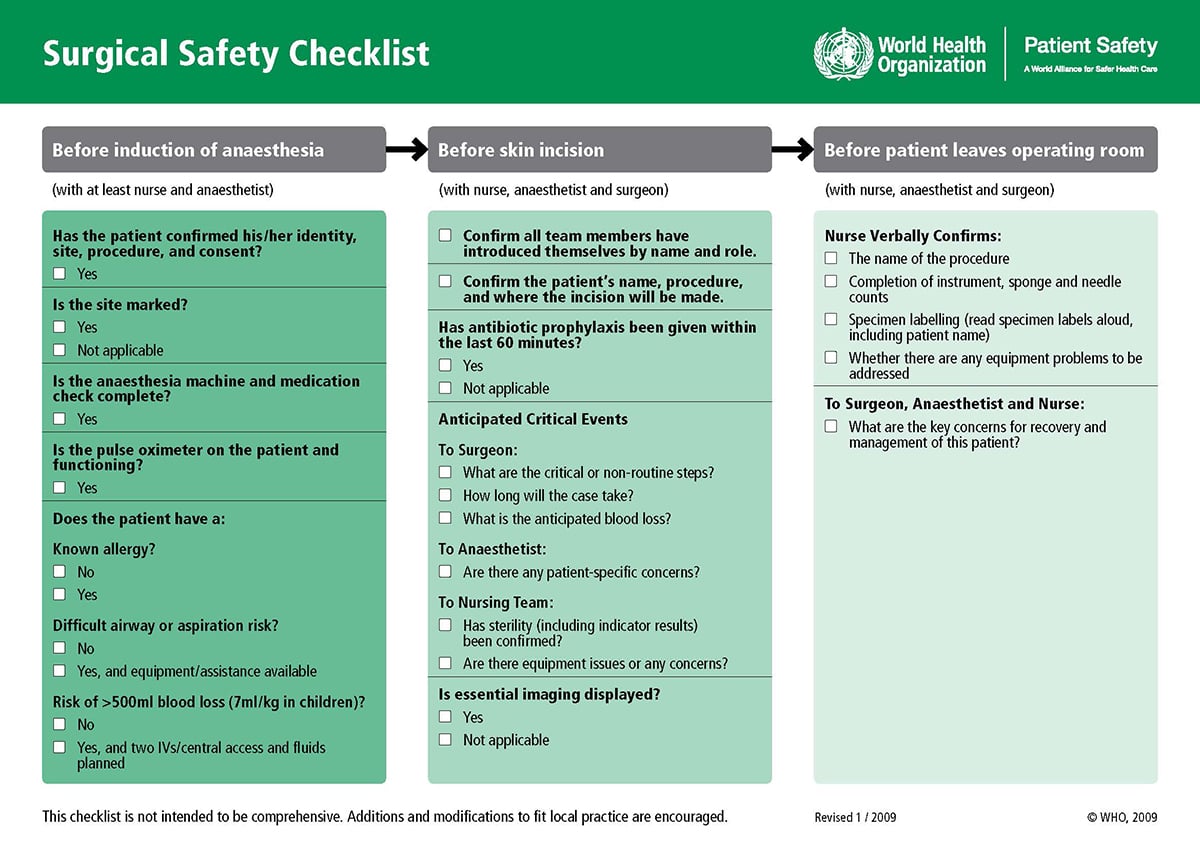
The WHO's surgical safety checklist is another solid example. It prompts the surgical team to take a moment and double-check important items at three key times: before putting the patient under anesthesia, before making the incision and before the patient leaves the operating room.
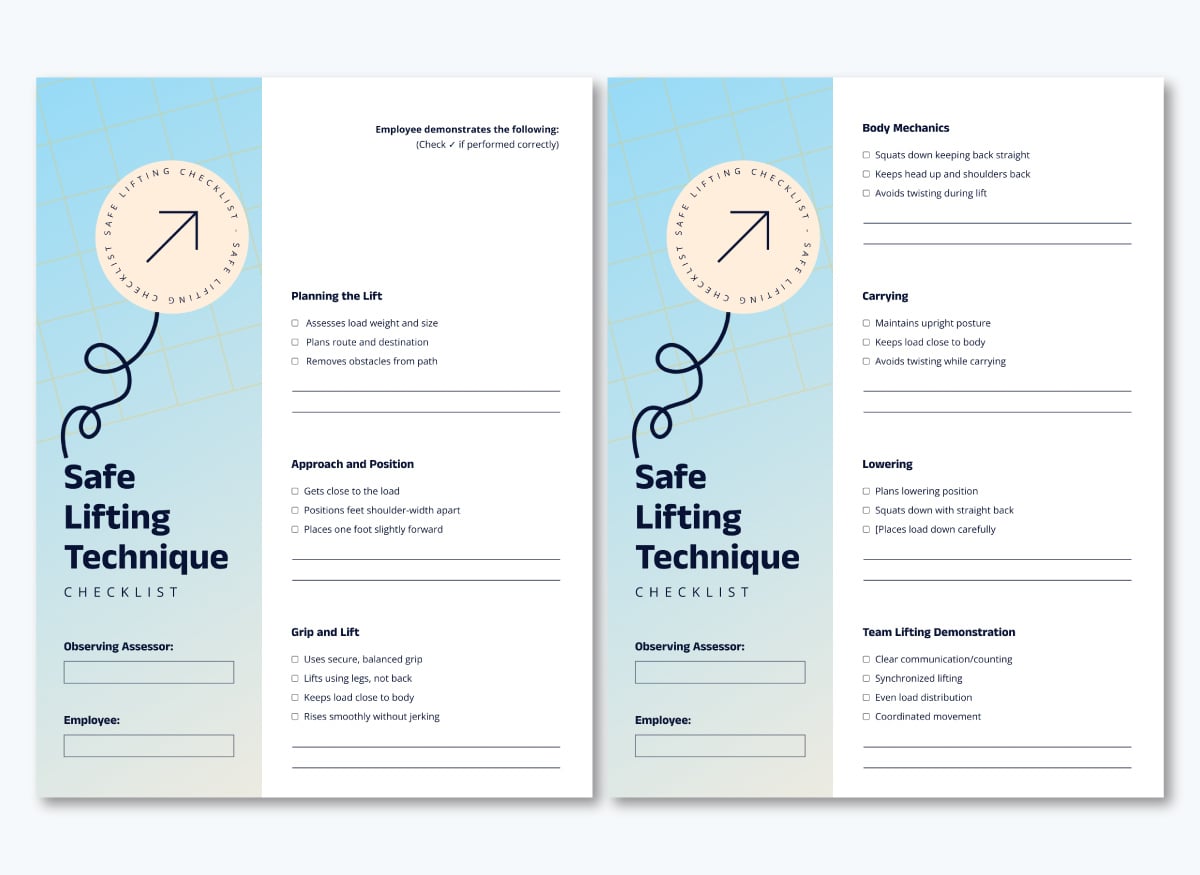
If you want to build your own, start by customizing this procedure checklist template below. It’s already structured to help teams complete tasks safely and consistently.
Work instructions provide specific, granular steps for completing a single task, usually at the operator or technician level.
Compared to other job aids, they are more tactical than SOPs and focus on the exact physical actions required to complete hands-on work.
Work instructions spell out precisely what to do:
They include measurements, visual aids and quality checkpoints so there's no guessing involved.
You'll find work instructions in manufacturing plants, labs, field service and other industries. They're designed to be used in the moment, not read ahead of time and memorized.
Different people can pick up the same work instruction across different shifts and produce the same quality result because everything they need to know is right there on the page.
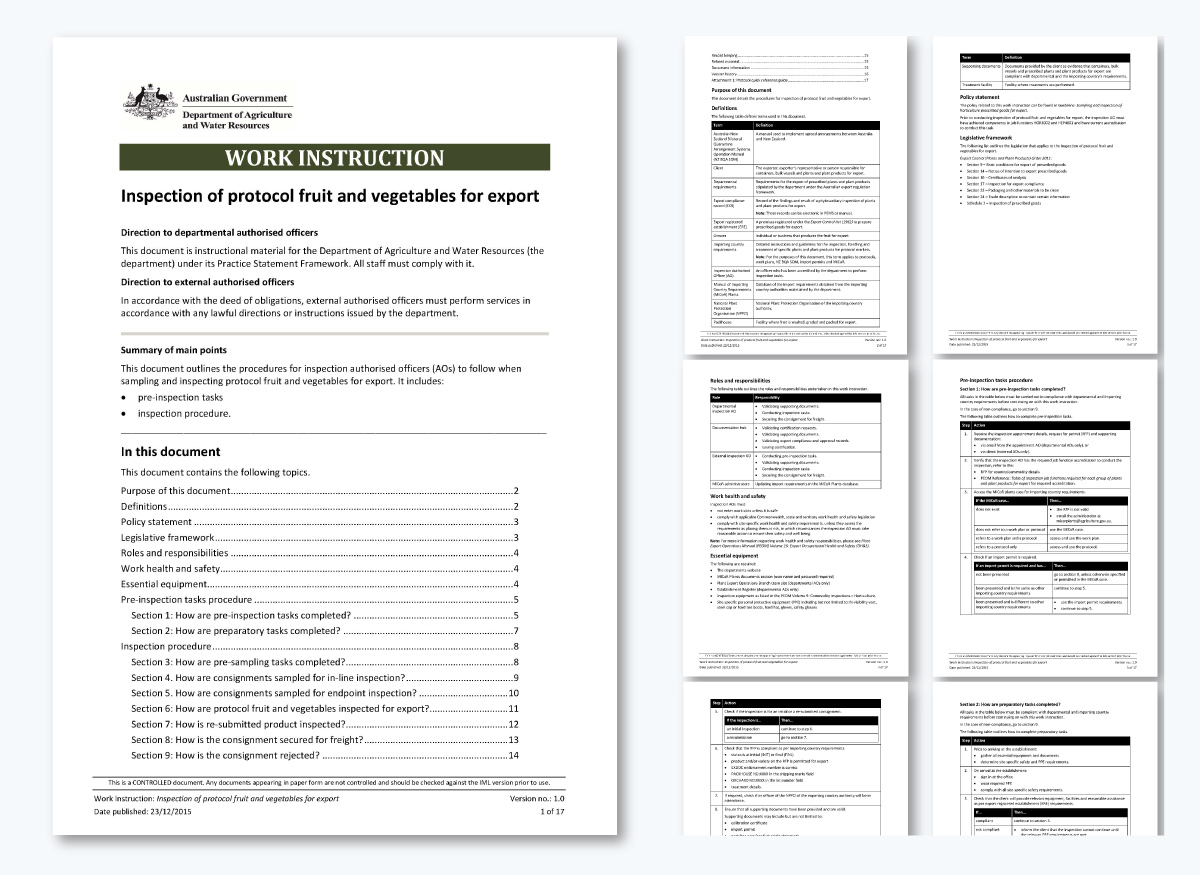
For example, this work instruction outlines the procedures for inspection authorized officers (AOs) to follow when sampling and inspecting protocol fruit and vegetables for export.
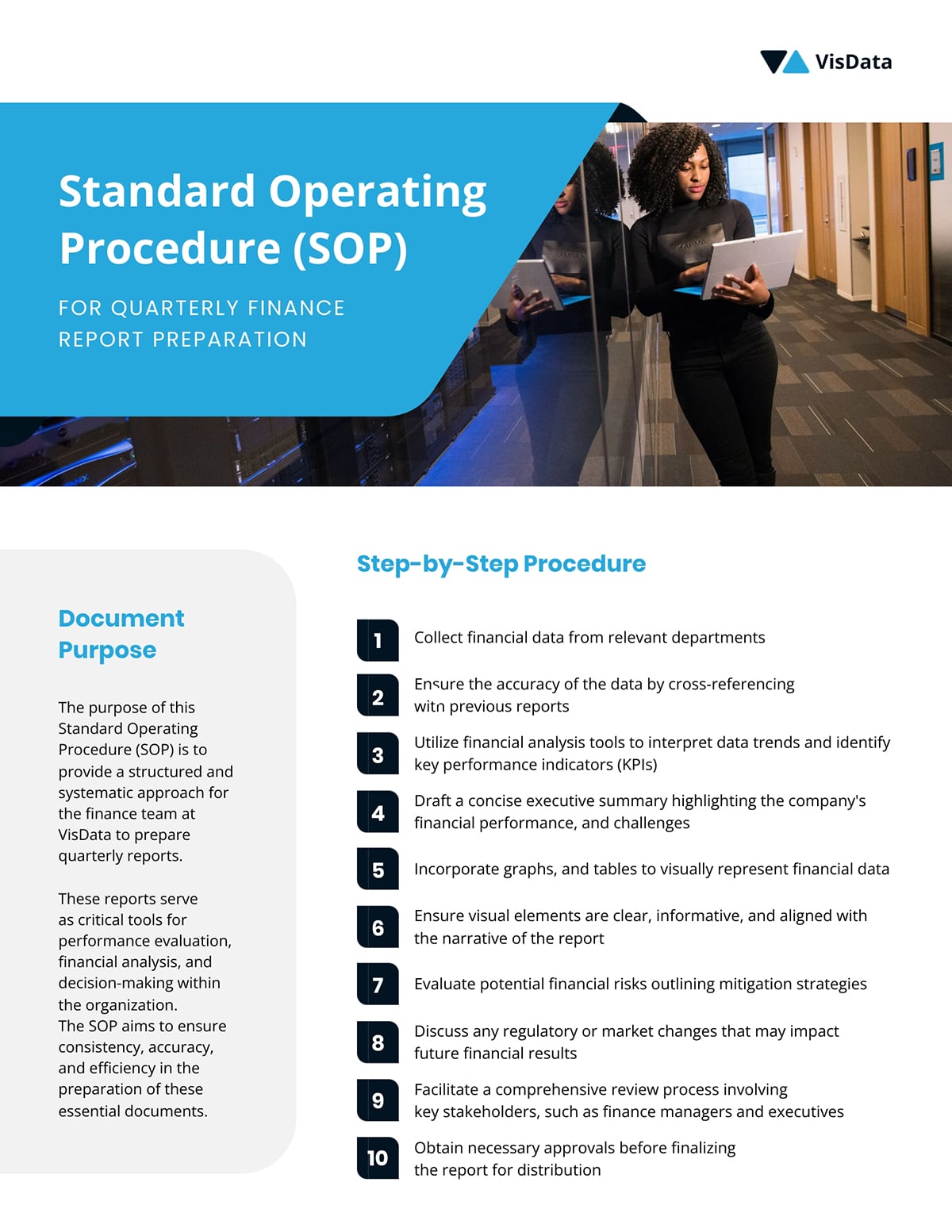
Use this template to create a simple work instruction for any type of procedure in your company.
Troubleshooting guides help users diagnose and resolve issues when something goes wrong. Instead of outlining routine or detailed steps, these guides focus on symptoms, possible causes and the corrective actions needed to fix a problem. They help reduce downtime and empower users to solve issues independently without escalating everything to support or technical teams.
A troubleshooting guide usually starts with the problem (“The device won’t turn on,” “The report isn’t generating,” “The equipment is overheating”).
Then, it walks the user through a structured investigation. This may include checks, resets, inspections or alternative steps to isolate the cause. Each action is clear and outcome-based: If X is true, do Y.
Troubleshooting guides also include indicators that confirm whether the problem has been resolved or if escalation is required.
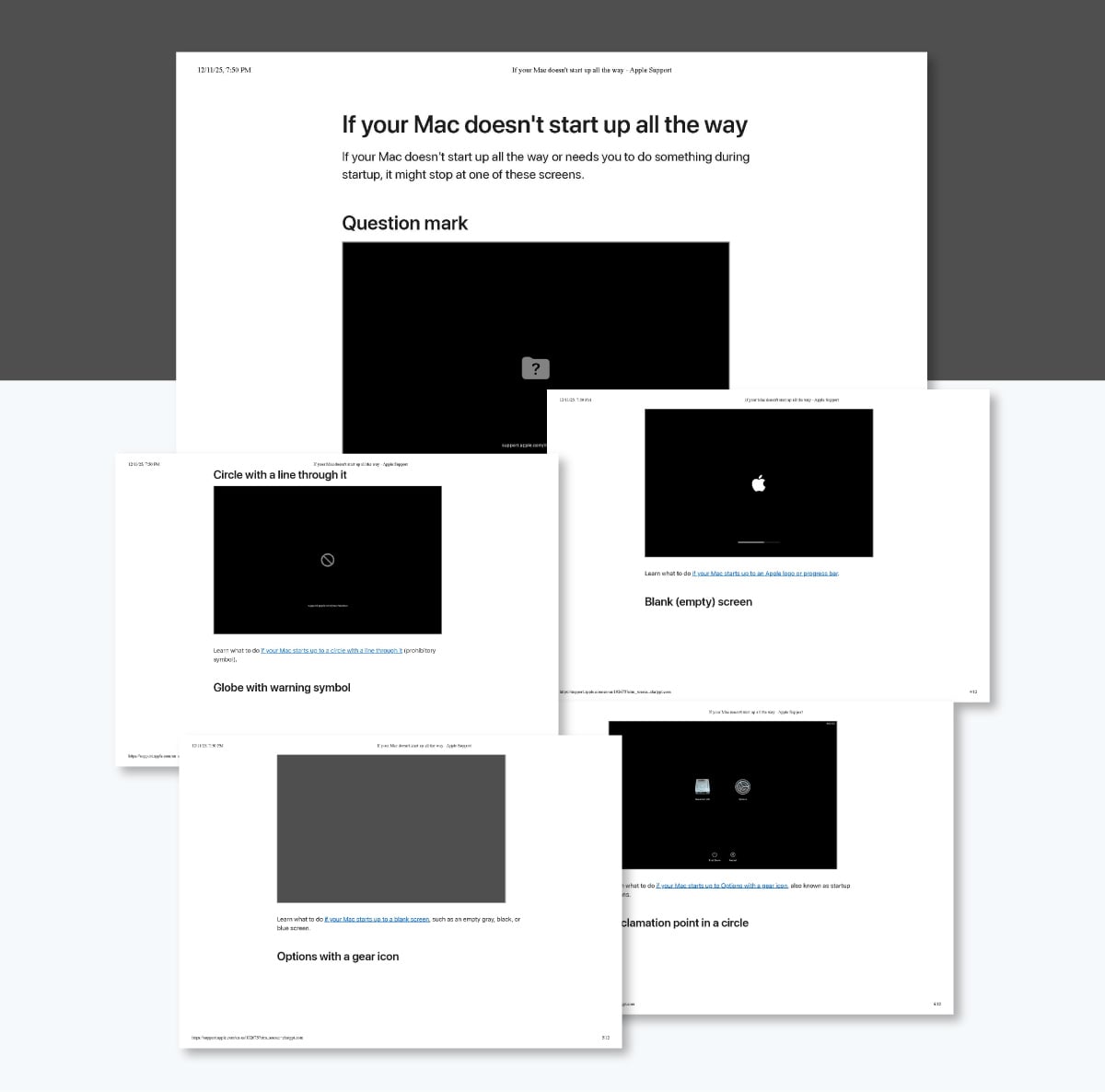
For example, Apple’s support site includes troubleshooting guides for issues such as a Mac not powering on.
Users have to follow a sequence such as checking the power source, resetting the SMC, attempting safe mode or confirming startup sounds — each step helping narrow down the root issue.
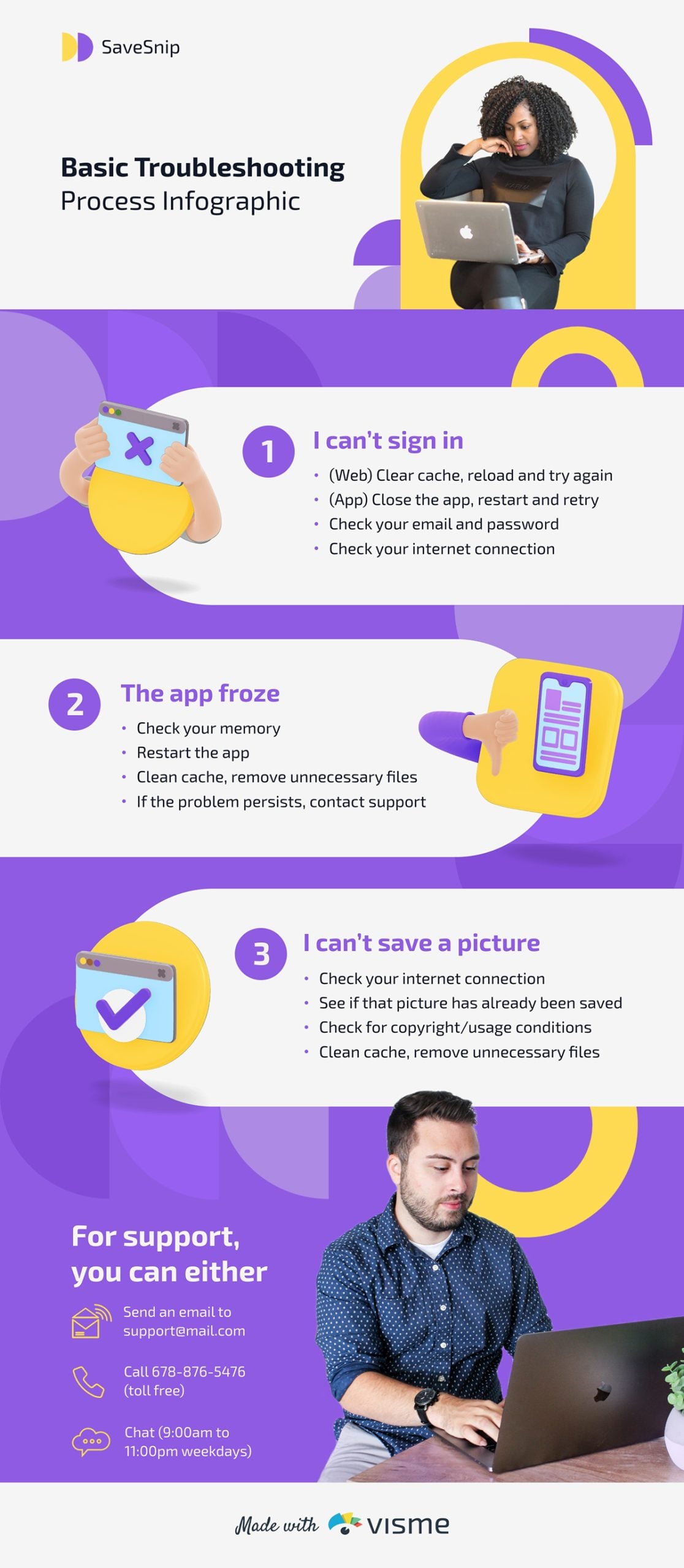
Break down the key troubleshooting activities, such as testing, verifying and implementing solutions, with the help of this terrific process infographic template.
You can also study troubleshooting layouts in more detailed documents.
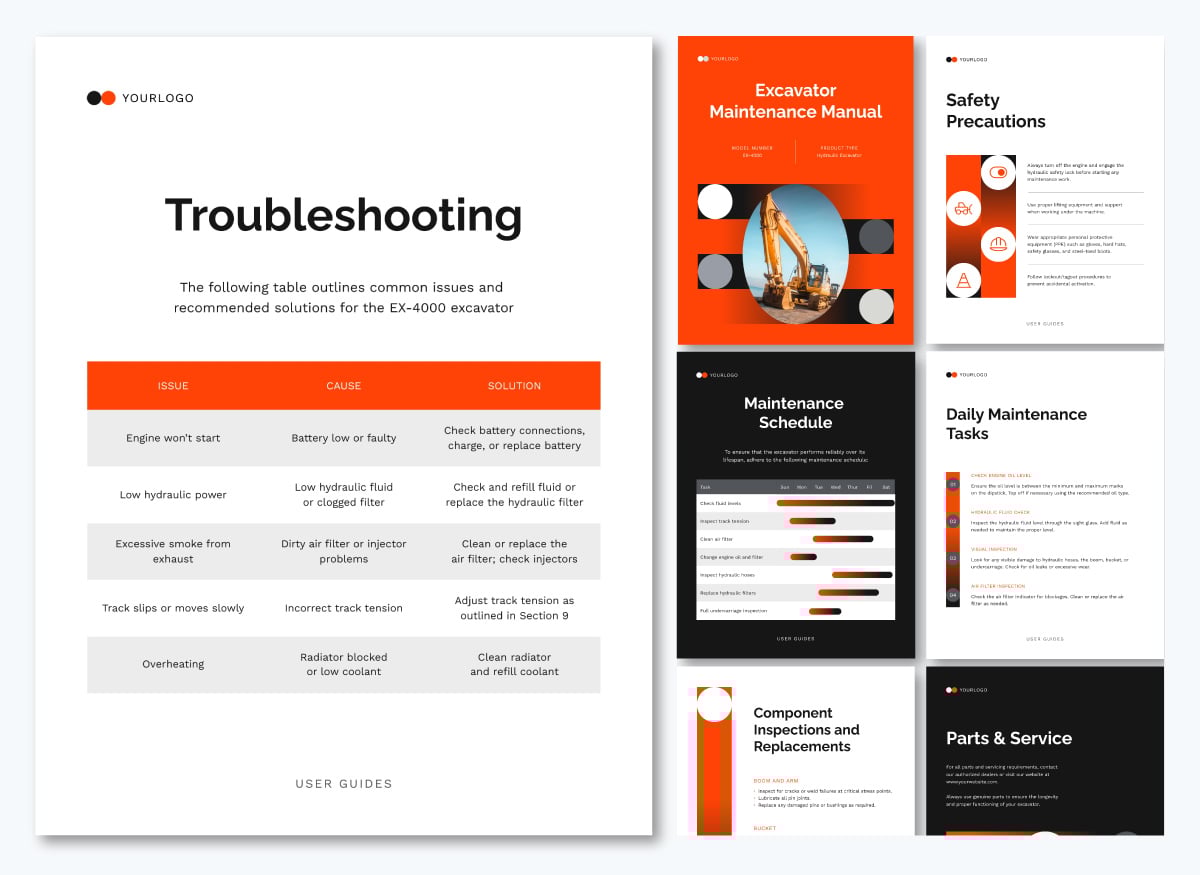
For instance, this training manual template includes a dedicated troubleshooting section with safety precautions, maintenance tasks and schedule and corrective actions you can repurpose for your own procedures.
Quick reference guides are the cheat sheets for tasks you don’t perform every day but need to complete quickly when they arise. These guides strip out all explanation and context and present only the essential steps, codes or decision cues needed in the moment.
Reference guides are intentionally short — usually one page or less — and placed where workers can access them instantly: taped to a workstation, clipped inside a binder, attached to machinery or displayed on a dashboard. They are not there to teach you the task but to help recall it accurately under pressure or time constraints.
For example:
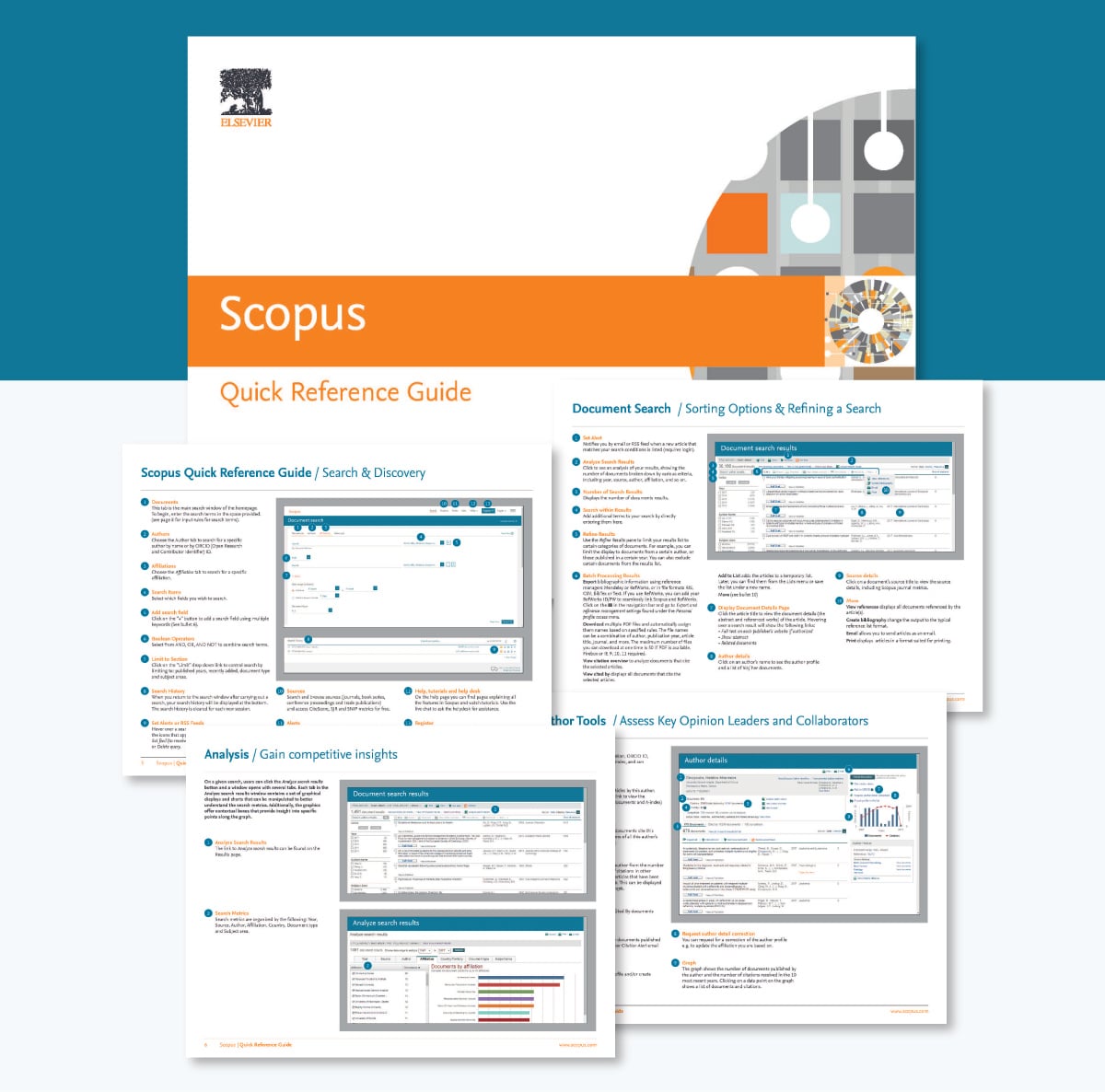
Here’s an example of a quick reference guide for Scopus search: a powerful tool to find scholarly articles, track research trends and analyze publication metrics across various fields.
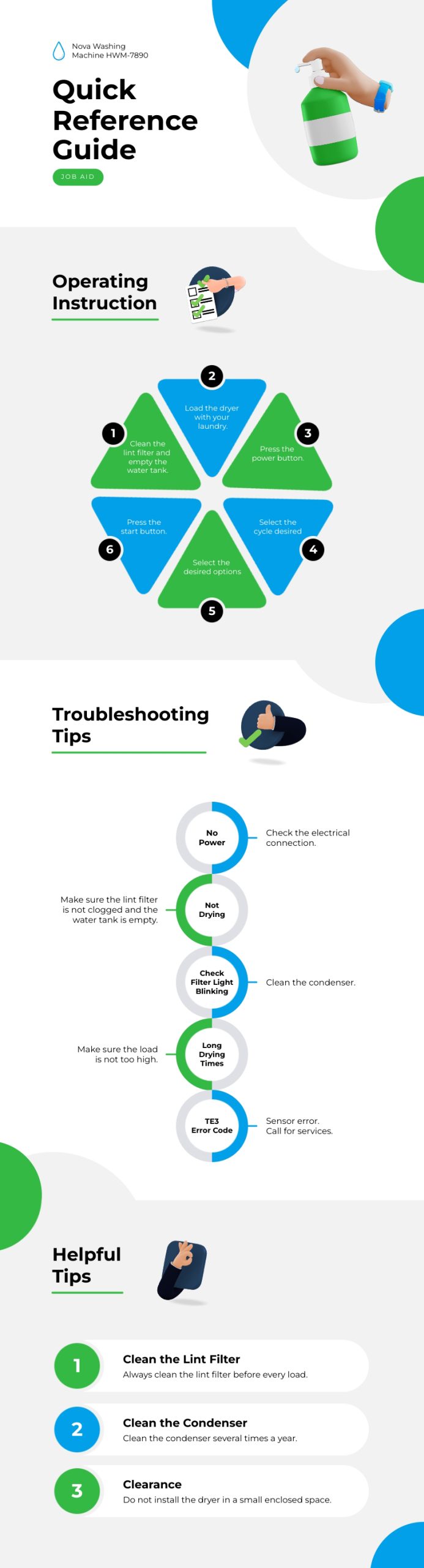
Repurpose this reference guide template for your unique workflow. It has room for operating instructions and troubleshooting tips.
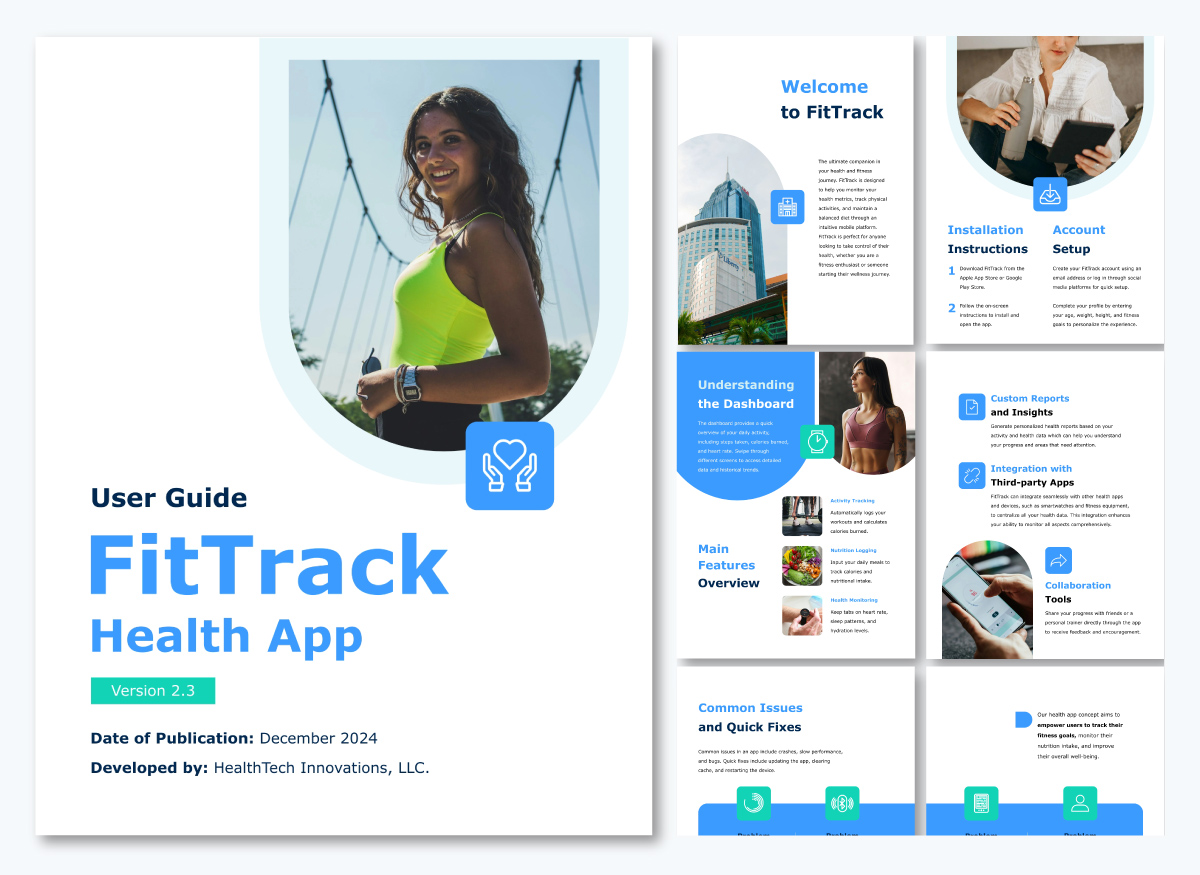
You can also format your quick reference sheets as downloadable PDF guides using the template below so teams can print, save or access them offline whenever they need a quick reminder.
Safety procedures outline the mandatory steps workers must follow to prevent accidents, reduce risk and comply with regulatory or organizational safety standards.
Unlike standard work instructions, safety procedures include hazard warnings, required protective gear, restricted actions, emergency stops and conditions that must be met before work can begin.
They are common in industries where hazards are part of daily operations, such as construction, manufacturing, laboratories, logistics, mining, energy and even healthcare. Because safety procedures often intersect with legal requirements, they must be followed exactly, documented properly and reviewed regularly.
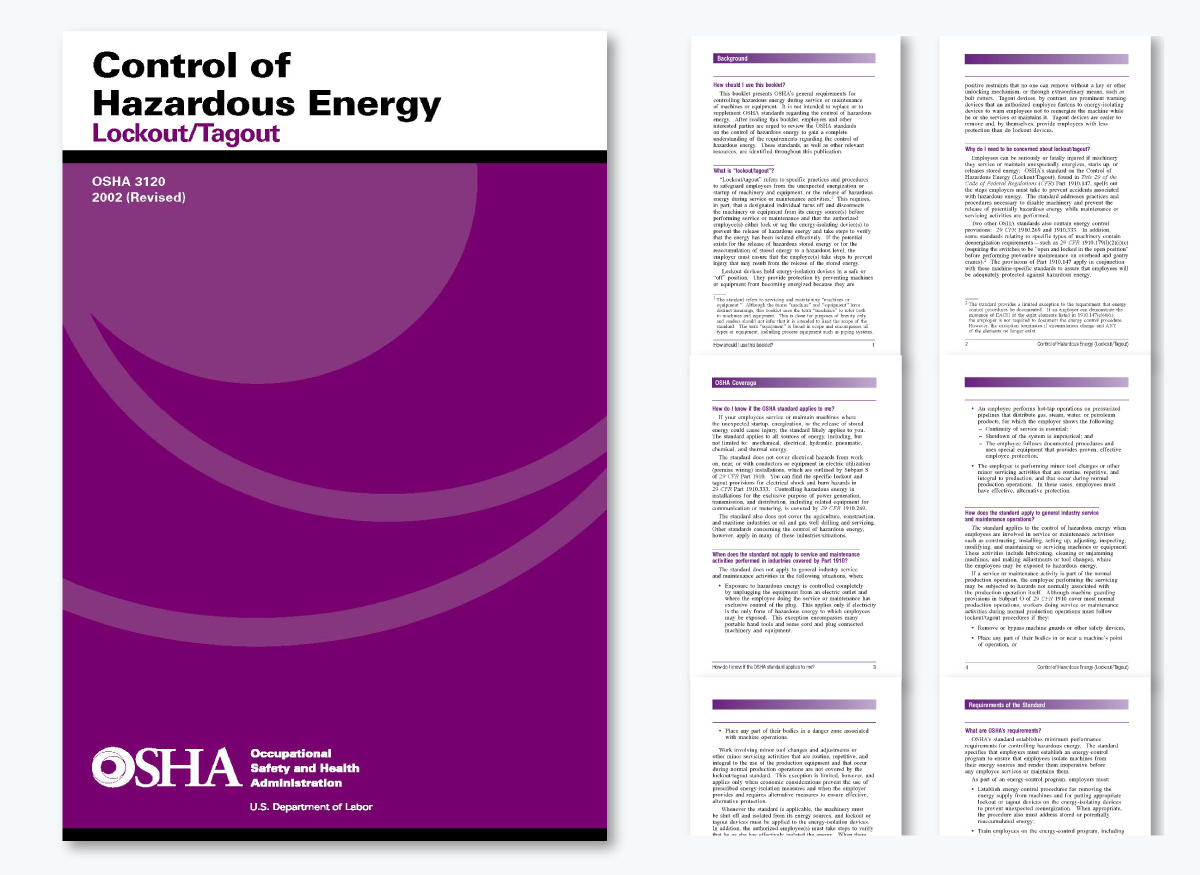
For example, OSHA’s Lockout/Tagout Procedure (LOTO) outlines the exact steps maintenance workers must follow to de-energize and secure machinery before servicing. This prevents accidental machine startup, one of the leading causes of workplace injuries.
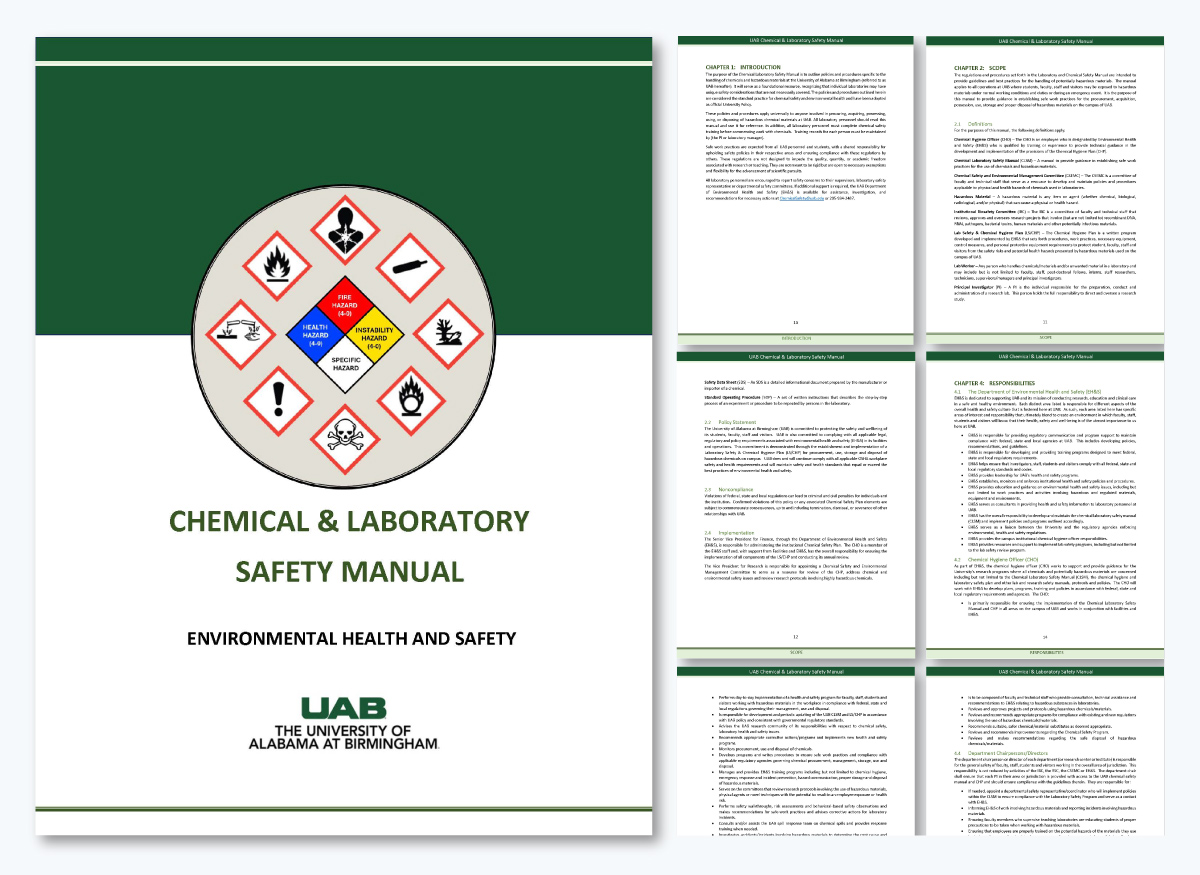
This laboratory safety manual from the University of Notre Dame includes a chemical hygiene plan.
Different sections of this policy and procedure content specify the correct gloves, fume hoods, waste containers, and mixing order to prevent burns, toxic exposure or chemical reactions.
Document your company’s safety procedures using the procedure template below.
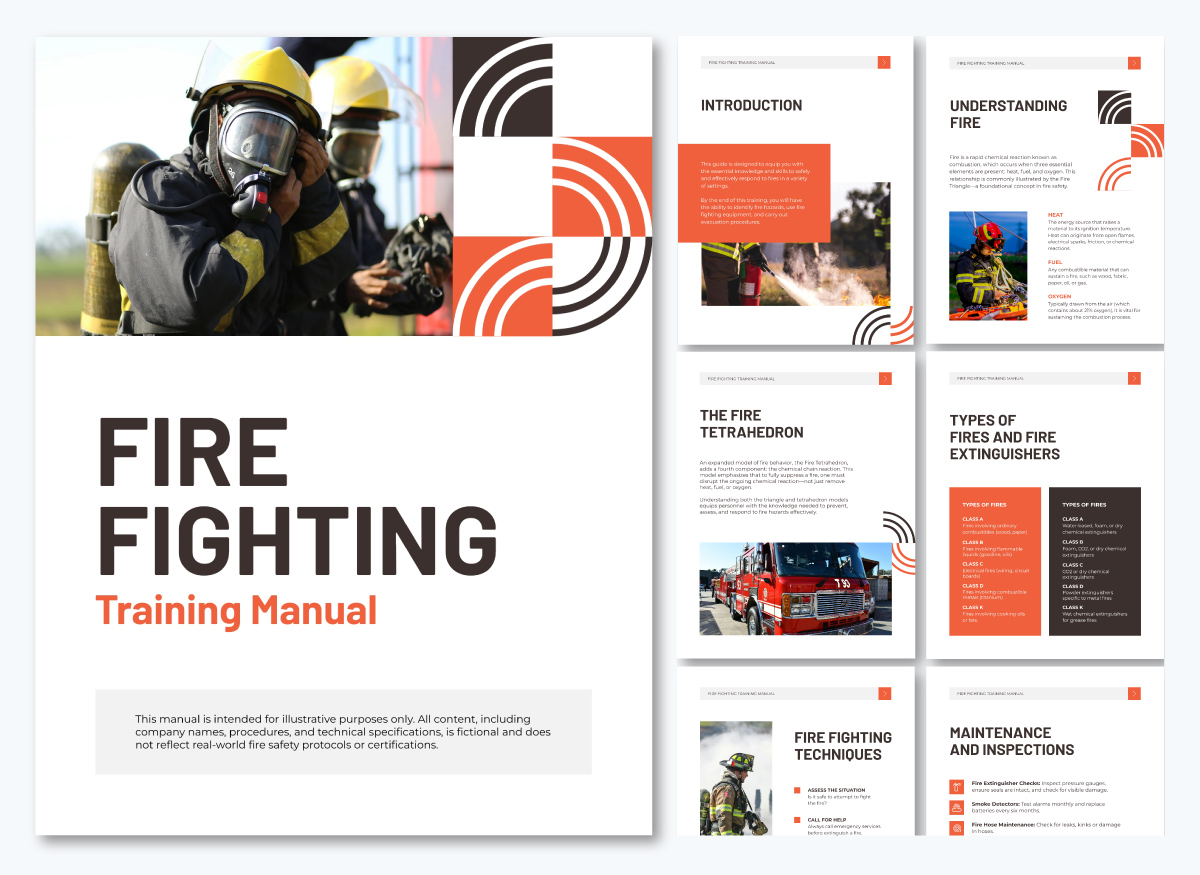
Emergency procedures outline the immediate steps people must take when something dangerous, unexpected or time-sensitive occurs.
These procedures skip long explanations and focus on who should do what, in what order, using what information. These guides often have bold warnings or key decision points to help you stay focused, even when things are chaotic or stressful.
Since emergencies can come in all shapes and sizes, like fires, chemical spills, equipment failures, medical issues, natural disasters or security threats, these procedures usually cover specific situations.
You’ll typically find them posted in public areas, included in safety manuals and lab handbooks, displayed on building signs or included in onboarding materials for employees.
The main goal is straightforward: to help people react quickly and minimize harm.
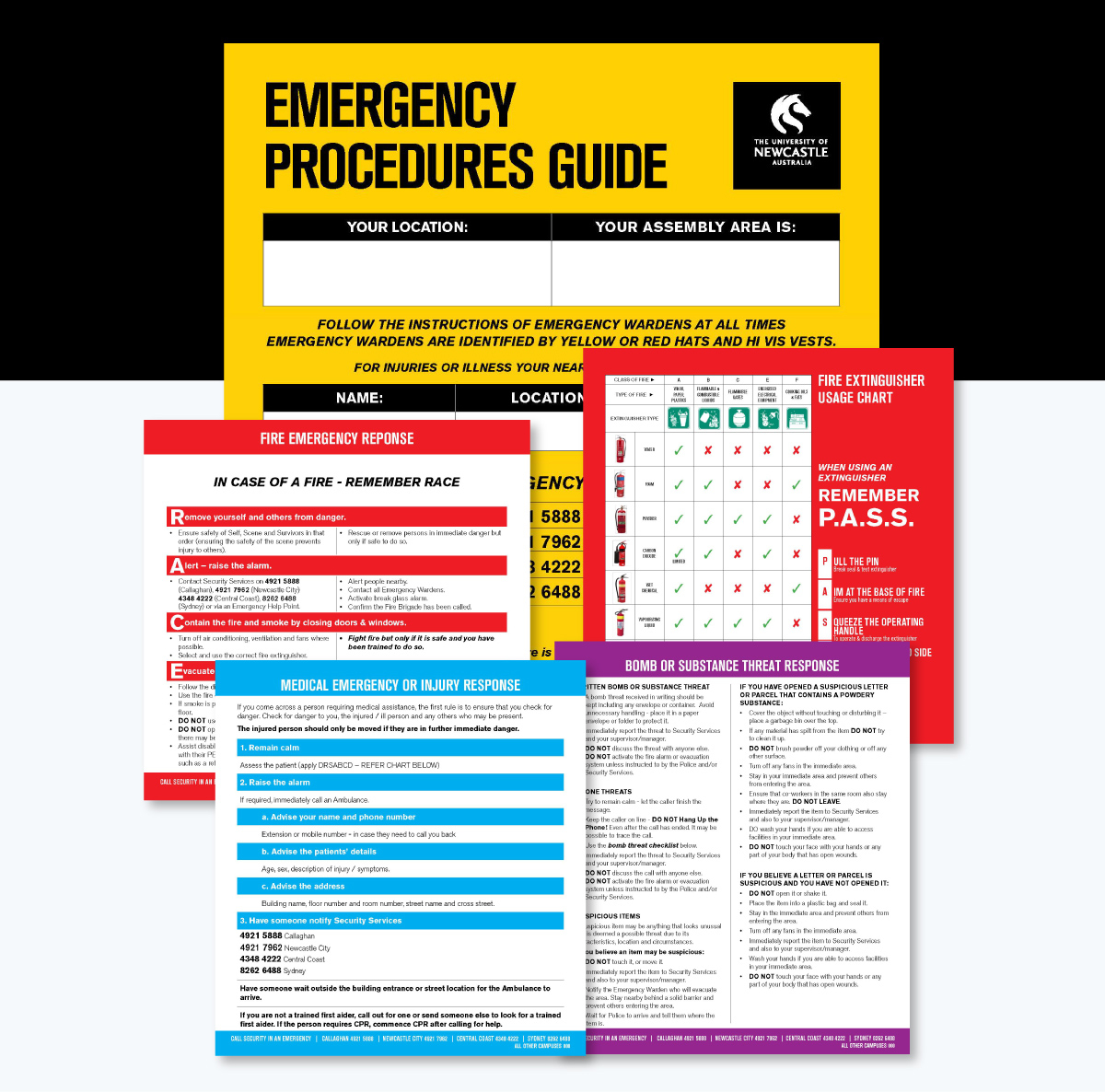
A good example is this 12-page Emergency Response Procedure Guide from the University of Newcastle. It outlines what to do in situations like fires, medical emergencies, hazardous spills, evacuations and security threats.
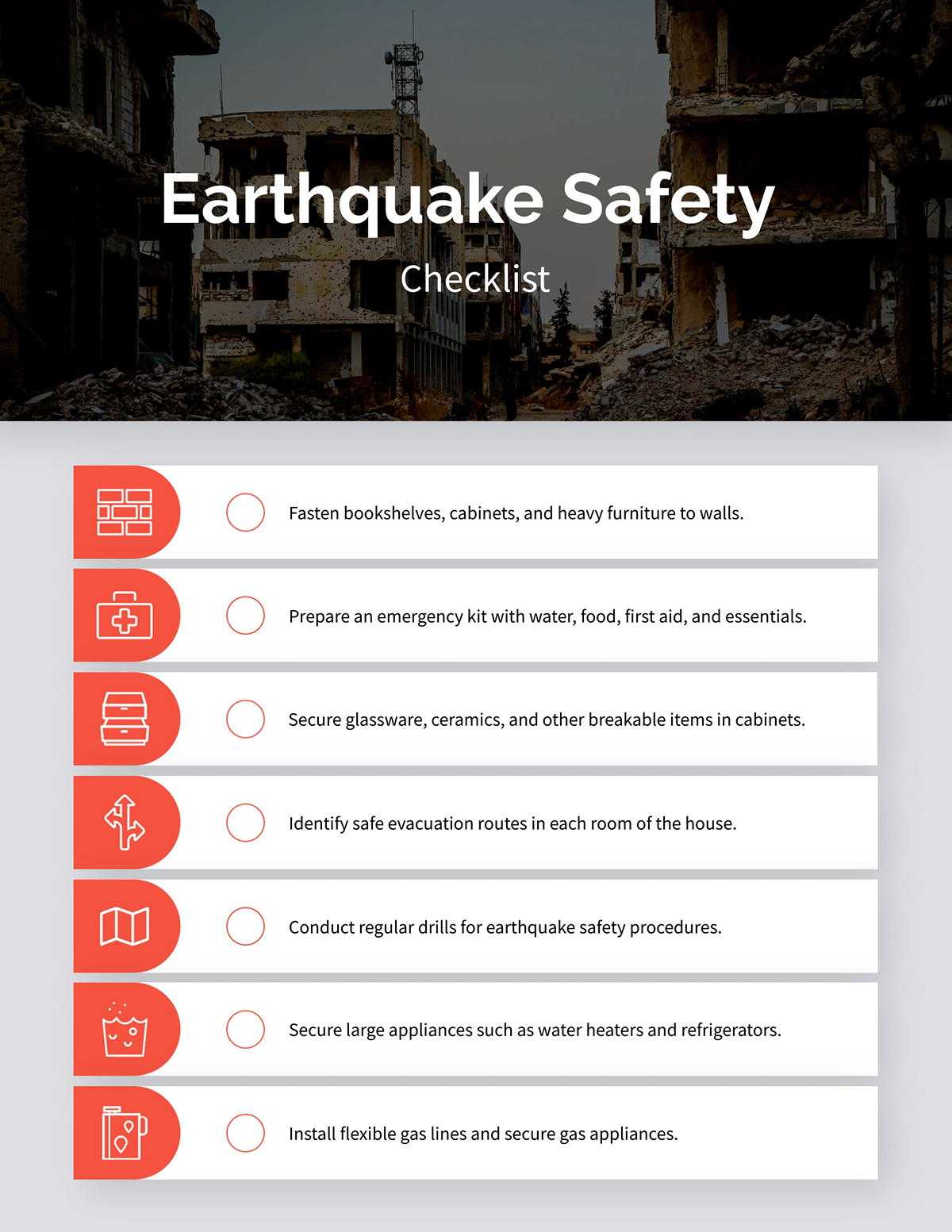
And if you need a simple way to teach or reinforce emergency steps, you can adapt a template like this Earthquake Safety Checklist into your own emergency-response materials.
Now, let’s walk through the process of writing procedure content.
The first step in creating great procedure content is getting crystal clear on what you’re documenting.
Every procedure should focus on one task or business process.
When you try to combine multiple tasks simply because they seem related, you end up with a confusing document that’s hard to follow and even harder to use.
Ask yourself: What is the one thing someone needs to accomplish? Who will be doing it? What's their skill level?
Once you understand the task and the user, it’s much easier to decide which type of procedure content is the best fit.
Some tasks require a full SOP because they involve context, compliance or multiple responsibilities.
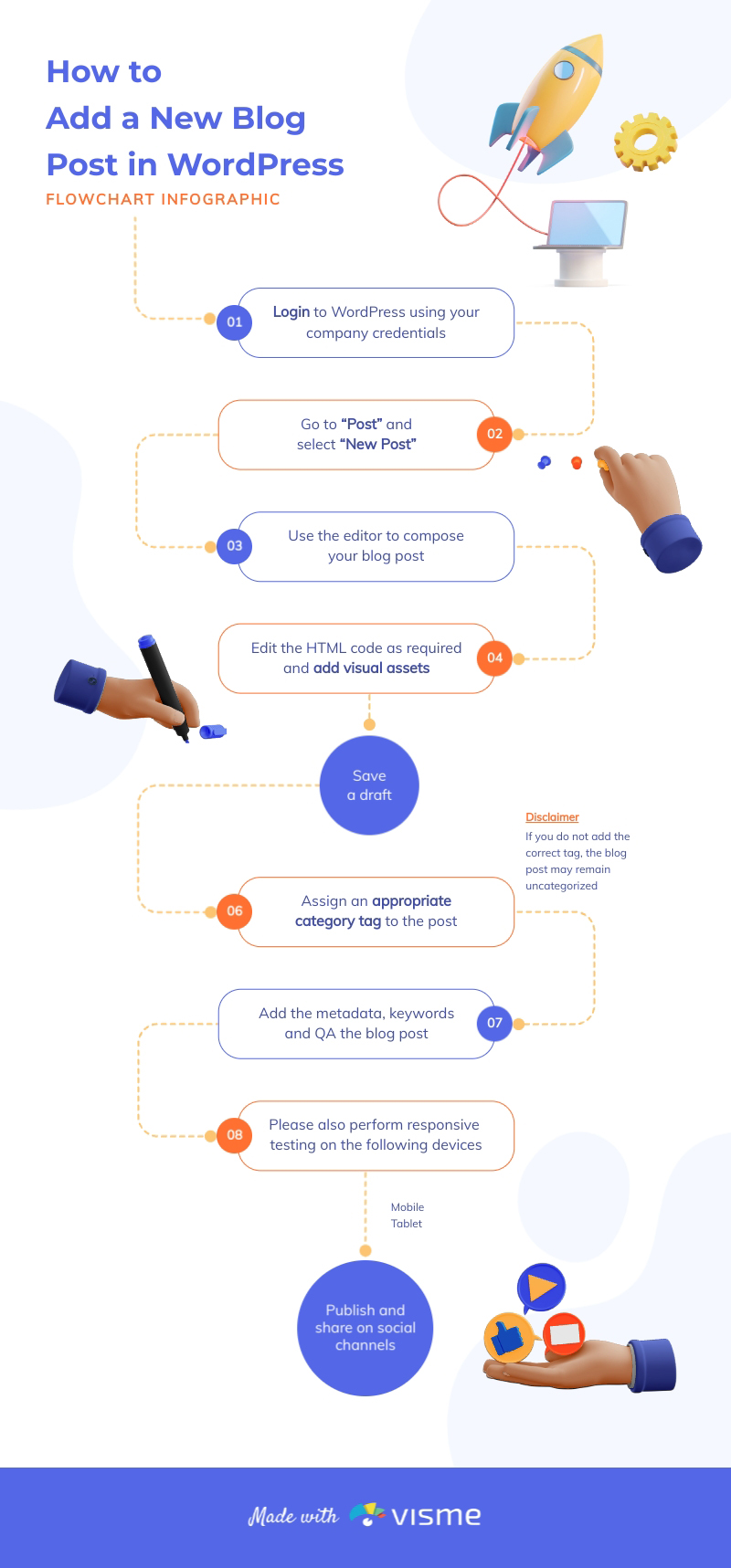
Others are straightforward and work better as a checklist or a simple flowchart like the one below.
When decision-making is involved or when responsibilities switch between teams, a swimlane diagram or decision tree becomes more useful.
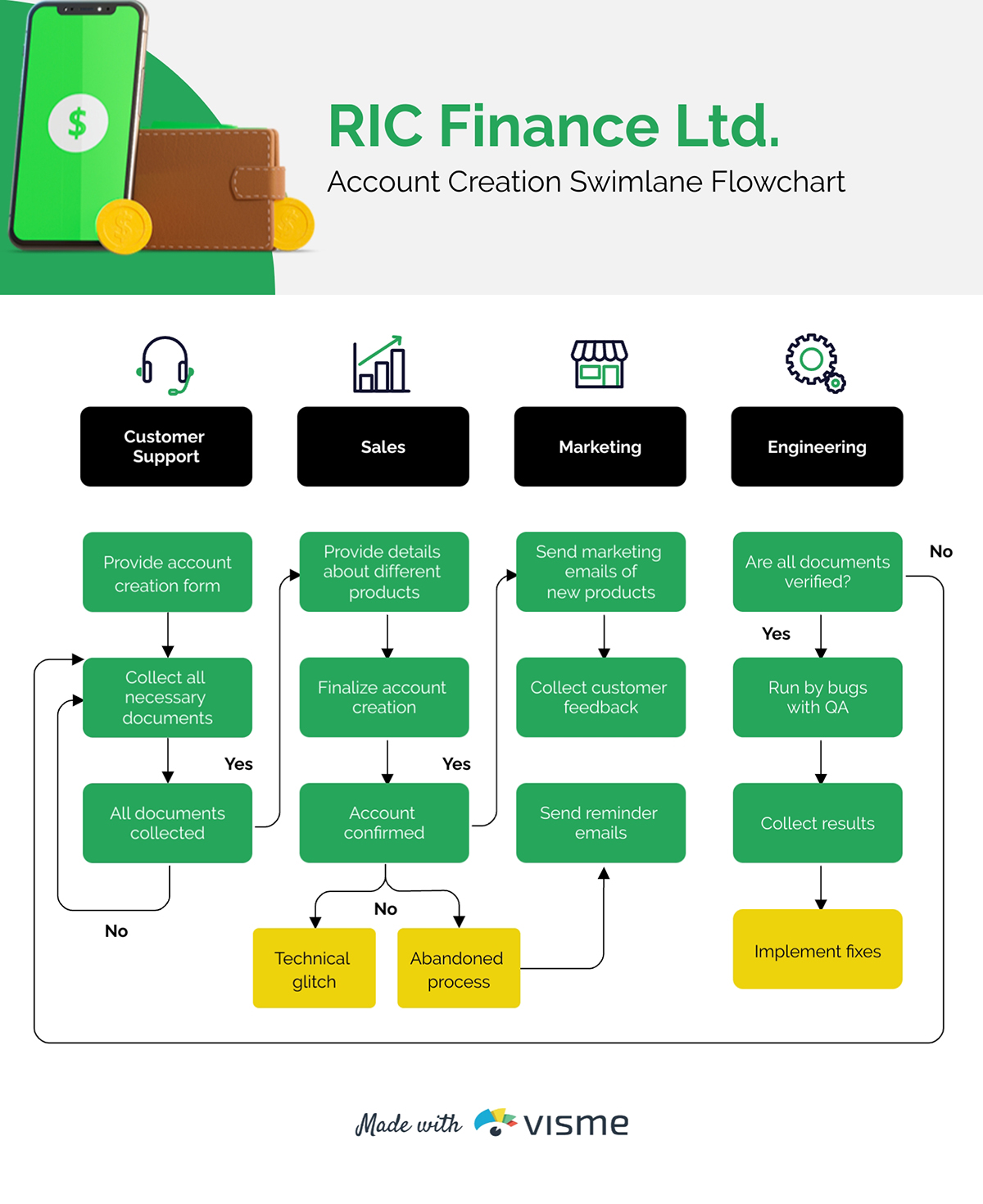
These formats provide clear direction. Users immediately see who does what, when handoffs happen and which conditions trigger a different path.
And when the purpose is to help someone solve a problem, a troubleshooting guide will be more effective than a step-by-step procedure.
Shanna Bradford, CEO of Grow Out Oils Clinical Aromatherapy Product Company, prefers to use a step-by-step protocol and easy-to-follow visual references, including before-and-after pictures, when creating clinical procedures and patient aesthetic treatments.
“This provides direct, informative instructions on the products needed to perform the procedure or treatment, along with product usage, duration time, patient interaction, and the post-care treatment plan for after the procedure and follow-up.- Shanna Bynes Bradford LME, MA, CR, MUA.
It is important that the procedure protocol aligns with both learning and practice compliance guidelines so the instructions remain clear, consistent, and easy to understand for all treatment applications. This also helps the technician avoid unwanted contraindications during the procedure and treatment process, says Shanna.
Before you write anything, sketch a simple outline that organizes the flow of your procedure.
This should include the major sections you’ll have in the document and the order.
Your outline doesn’t have to be long or overly detailed. A set of bullet points, a simple flow diagram or a rough sketch on a canvas is enough. It gives you a solid roadmap to help you write confidently and avoid missing key steps once you begin drafting.
You can draft this using a Google Doc. And if you prefer a visual approach, you can use Visme’s flowcharts or process diagrams to outline your procedure in a more intuitive way.
Here’s what a rough sketch for an outline would look like:
Made with Visme
Your goal here is simple: understand the task exactly as it happens in real life.
Here are a few ways you can gather information on procedures:
The first place to start is to go straight to the people who perform the work every day. They know where the bottlenecks are, which steps feel natural, which ones are confusing and what details truly matter.
This is where you uncover the "tribal knowledge"—the tips, shortcuts and watch-outs that everyone knows but nobody's ever written down.
Branka Nesterović Haining explains this idea better:
“A process doesn’t live on paper. It lives in people. And if people don’t get the context, the purpose, or the intention then even the world’s best workflow becomes a polite suggestion. Sometimes the best way to fix a process is not to redesign it. It’s to talk to the people who actually run it.” - Branka Nesterović Haining, Principal Digital Business Consultant, IBM iX DACH
Interview the experts. Talk to long-time staff members, technical specialists and subject matter experts—both inside and outside your organization. Or better yet, watch them complete the task from beginning to end. Ask them to slow down and explain each action so you can see the nuance behind their decisions.
Encourage them to share what they wish someone had told them when they first learned the task. Their answers often reveal the missing context or hidden steps that make a procedure usable.
Another technique that works well is shadowing. What tools they’re using and where they have to make decisions or solve problems. If it’s a digital workflow, record your screen as they walk you through it.
For physical processes, take photos so you can later translate those visuals into helpful diagrams or screenshots in Visme.
If you talk to several people and they all do the task differently, pay close attention. That's a big hint that your procedure needs to decide the best way and standardize it. Getting input from multiple people ensures you're documenting reality, not just one person's version.
Find up-to-date laws, regulations, industry standards and accreditation requirements that apply to your task. Your procedure needs to comply with these and they often dictate specific steps, documentation or safety measures you must include.
Now to the meaty part: writing the procedure. You have two different ways to approach this step:
If you prefer starting with structure, a procedure content template gives you an immediate head start.
It shows you how the content will flow visually, how each section connects and where your steps, prerequisites and warnings should go.
The layout is already optimized for clarity, hierarchy and readability, so you’re not guessing where anything belongs.
You have the choice to either:
Visme offers an AI-printable maker, dozens of SOPs, training manual templates, checklist layouts and instruction-guide frameworks you can adapt in minutes.
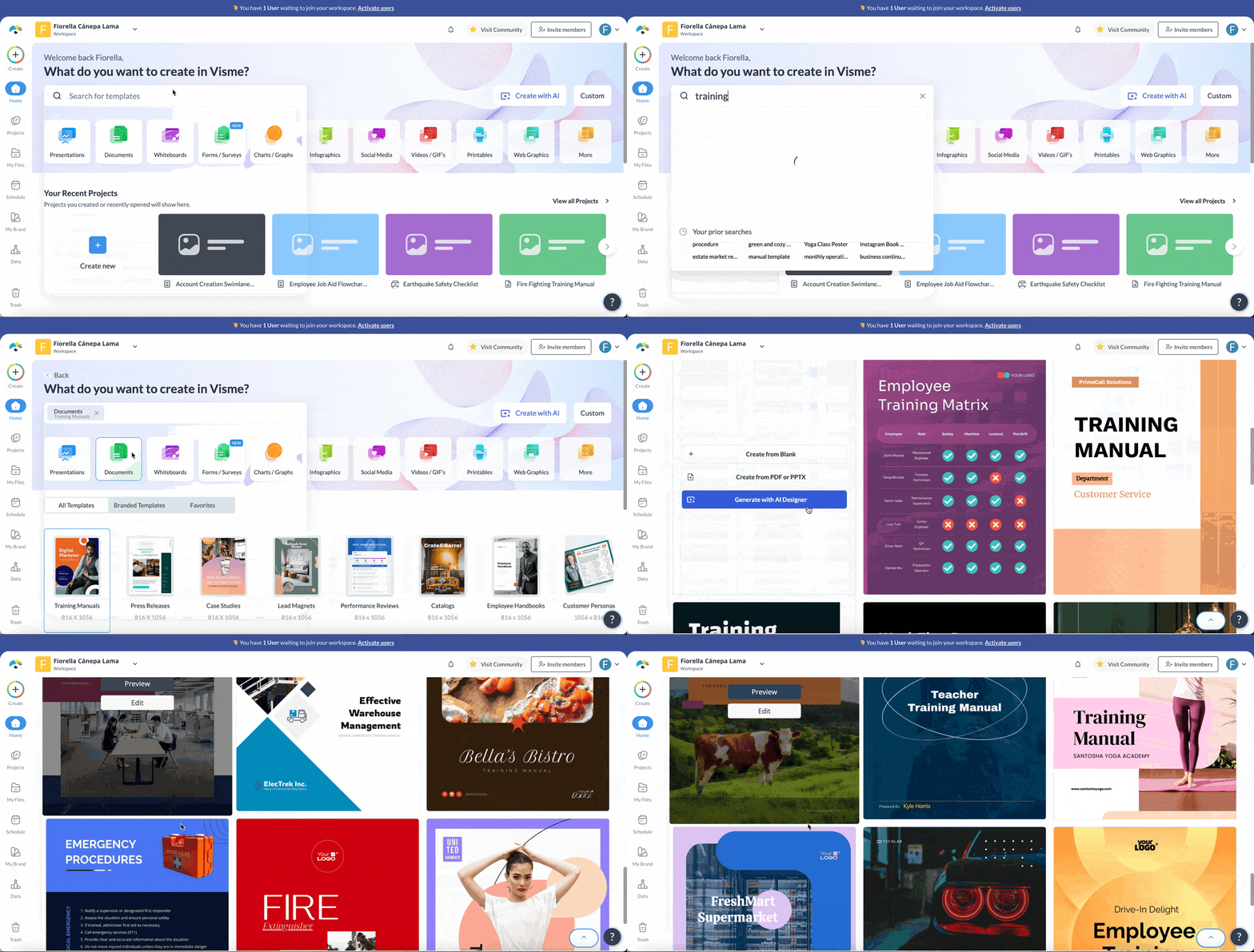
Keep the visual style consistent throughout your procedure content by using Visme’s Brand Design Tool.
If you want more creative control or your procedure doesn’t fit a standard template, building from scratch gives you full flexibility.
Start with a blank canvas in Visme and add the elements your procedure needs: headings, numbered steps, callout boxes, warning icons, diagrams, screenshots or verification sections.
Visme’s drag-and-drop editor makes content authoring a walk in the park. You can use labeled shapes for step numbers, add icons to highlight critical notes or bring in diagraming tools to map decision points.
Whichever option you choose, each step should tell someone exactly what to do:
Once your main steps are in place, add the details that help someone perform the task correctly.
Use supporting elements such as:
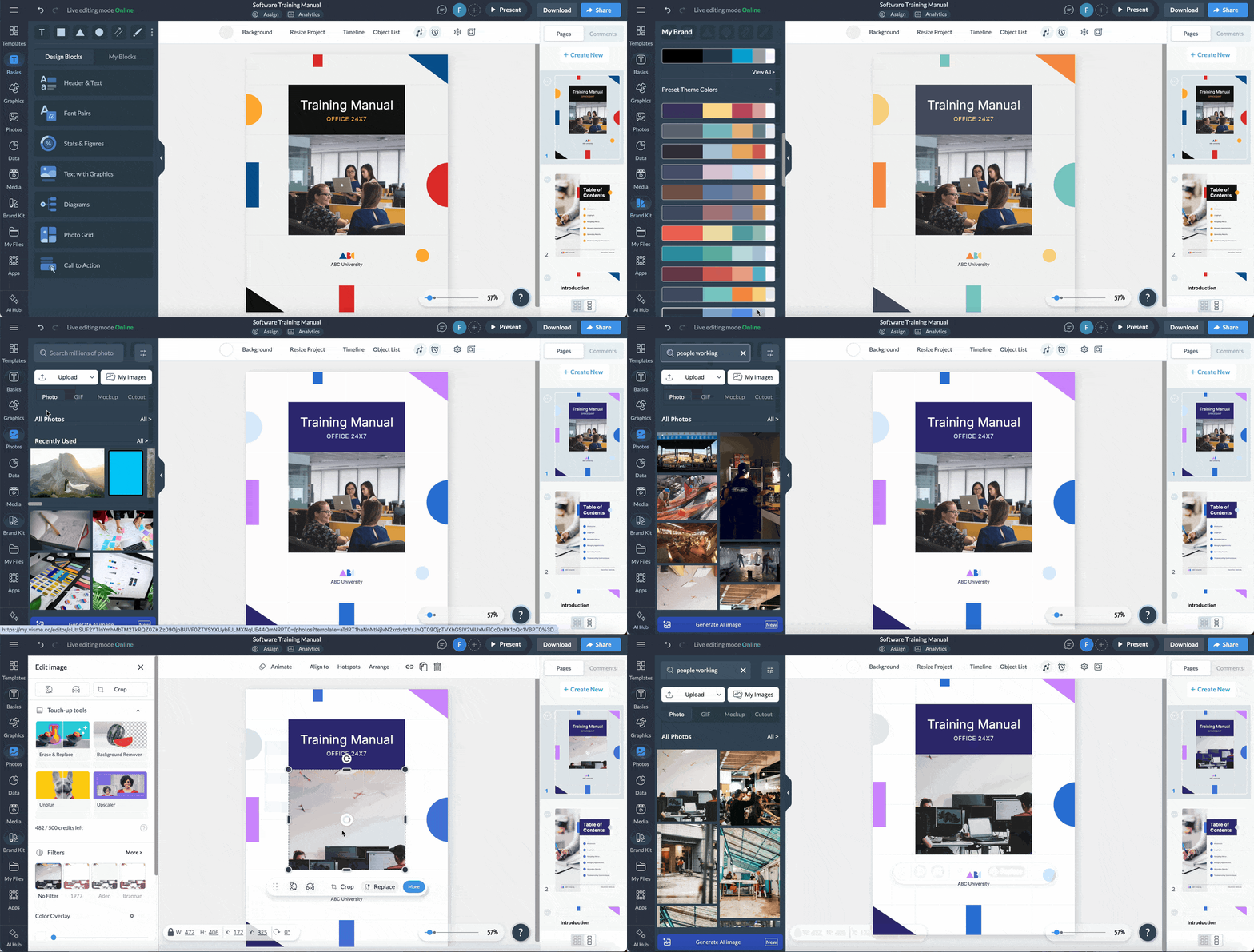
Visme gives you everything you need to elevate your procedure visually. Instead of hunting for assets, you can pull from a massive built-in library of shapes, labels, arrows, icons, illustrations and even 2D and 3D characters to clarify each step.
You also have access to millions of stock images and different types of data visualization tools like charts, graphs, maps etc.
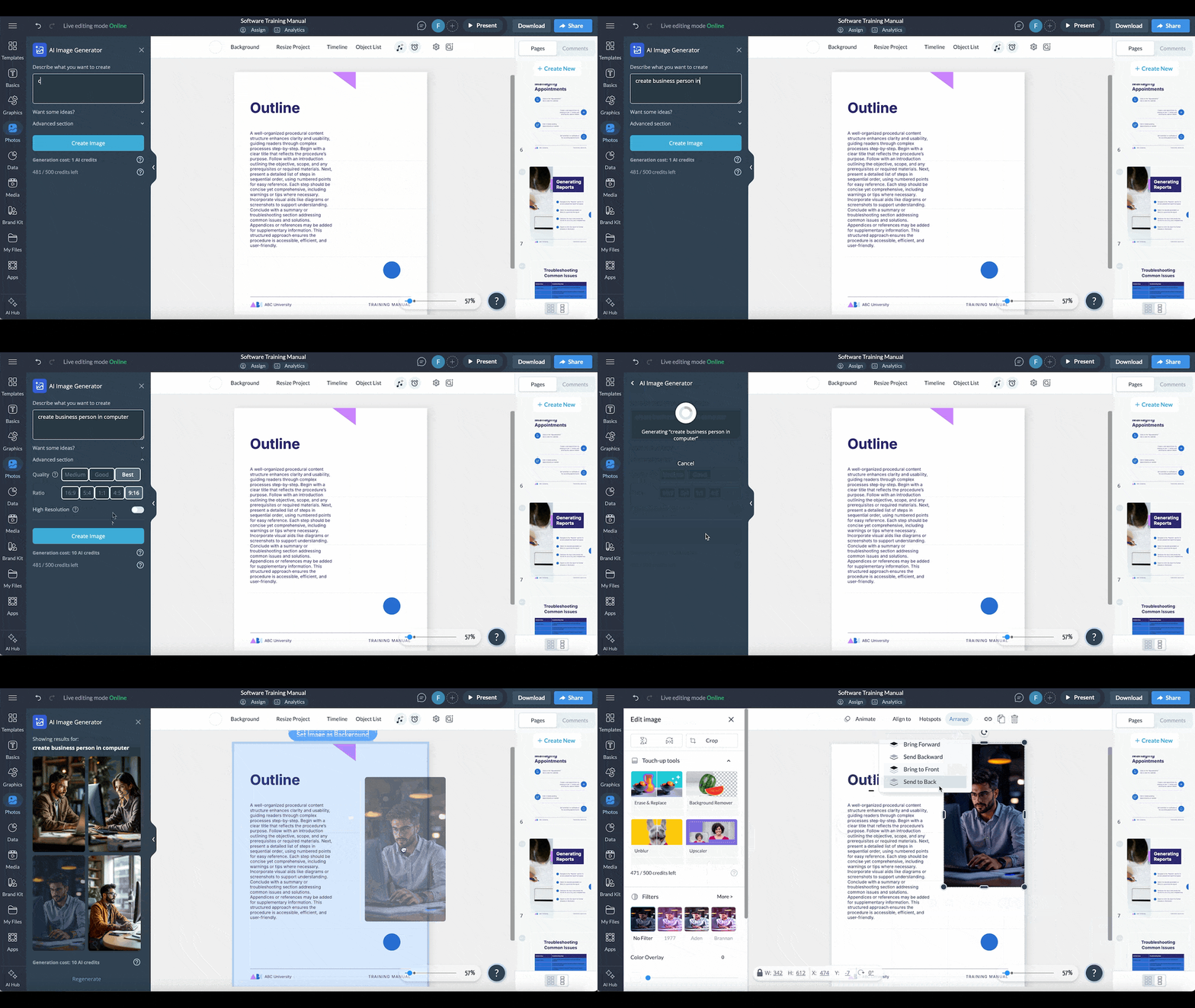
Plus, there’s an AI image generator just in case you need visuals that are custom or specific.
For steps that are easier to show than explain, you can embed short videos or create quick demos using Visme’s video maker.
If your procedure will be used digitally, enhance the experience with our interactive features.
For instance, you can

You can also embed short videos and add GIFs for motion cues. Or include quizzes and checkpoints to help make the material easier to understand.
Watch this video to discover how to turn your training content into an immersive interactive experience.
Once your draft is complete, run it through a simple usability test.
Hand it to someone who knows how to do the task but hasn't yet seen your procedure. If the environment allows it, record with screen capture or video. This makes it easier to analyze patterns later and to share findings with your team.
Watch them try to follow the procedure without your help.
Then test it with someone who's never done the task before (if that's your target audience).
This is the most honest way to uncover blind spots. If a new user cannot complete the process as intended, the instructions are unclear. This means the sequence may need restructuring or supporting visuals may be missing.
Based on the feedback you’ve received, go ahead and edit the procedure document. Visme makes the feedback collection and collaboration process a breeze.
Instead of juggling feedback across emails or screenshots, you can manage the entire review cycle inside one workspace:
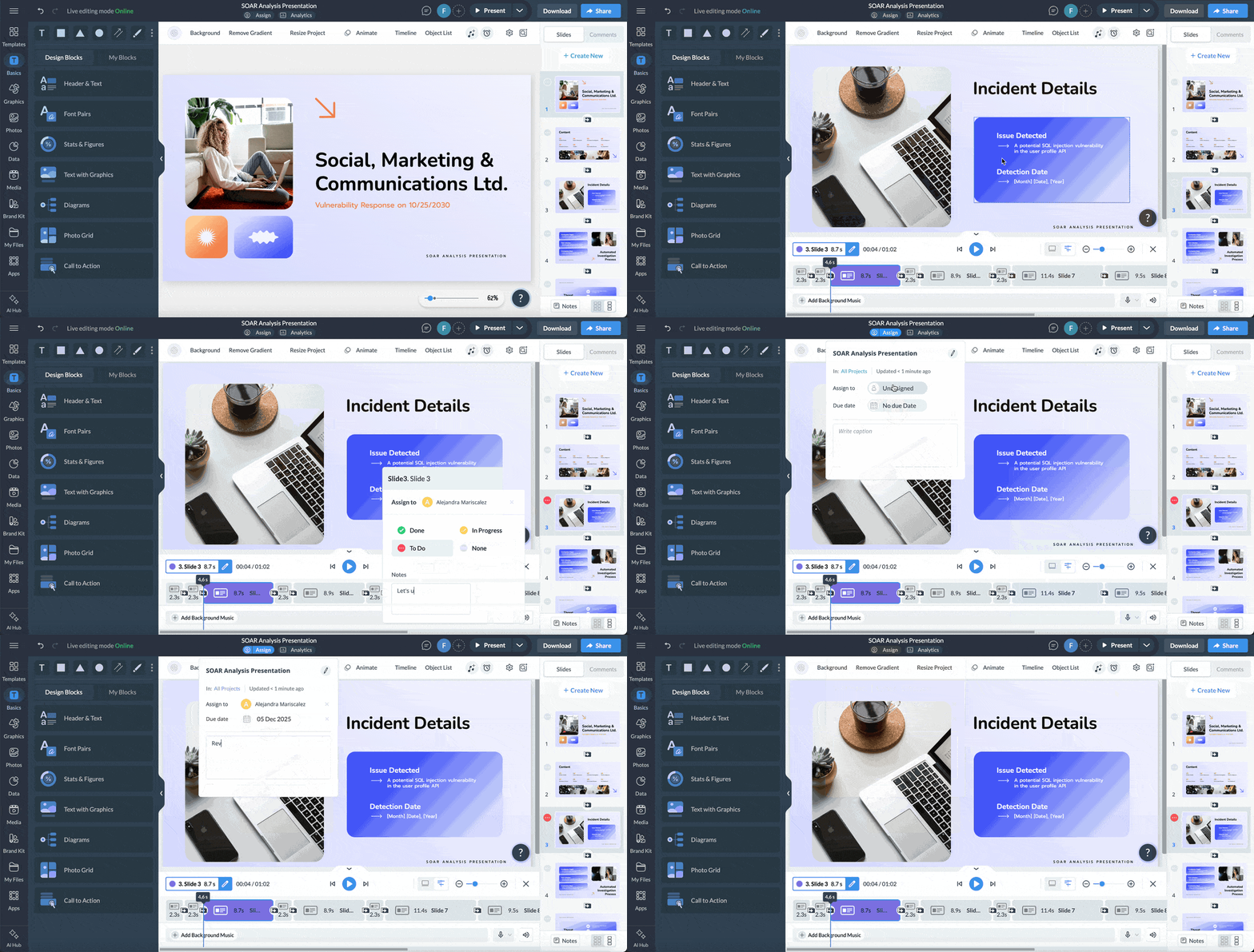
If you're revising a large procedure or multiple SOPs, embed a Visme feedback form so users can report unclear steps or suggest improvements as they work.
Once you've written, tested and revised your procedure, it needs to go through a final review and approval process.
Share it with stakeholders—managers, compliance officers, safety leads or department heads—to verify that the procedure meets organizational standards, complies with regulations and aligns with company policies.
You have the option to:
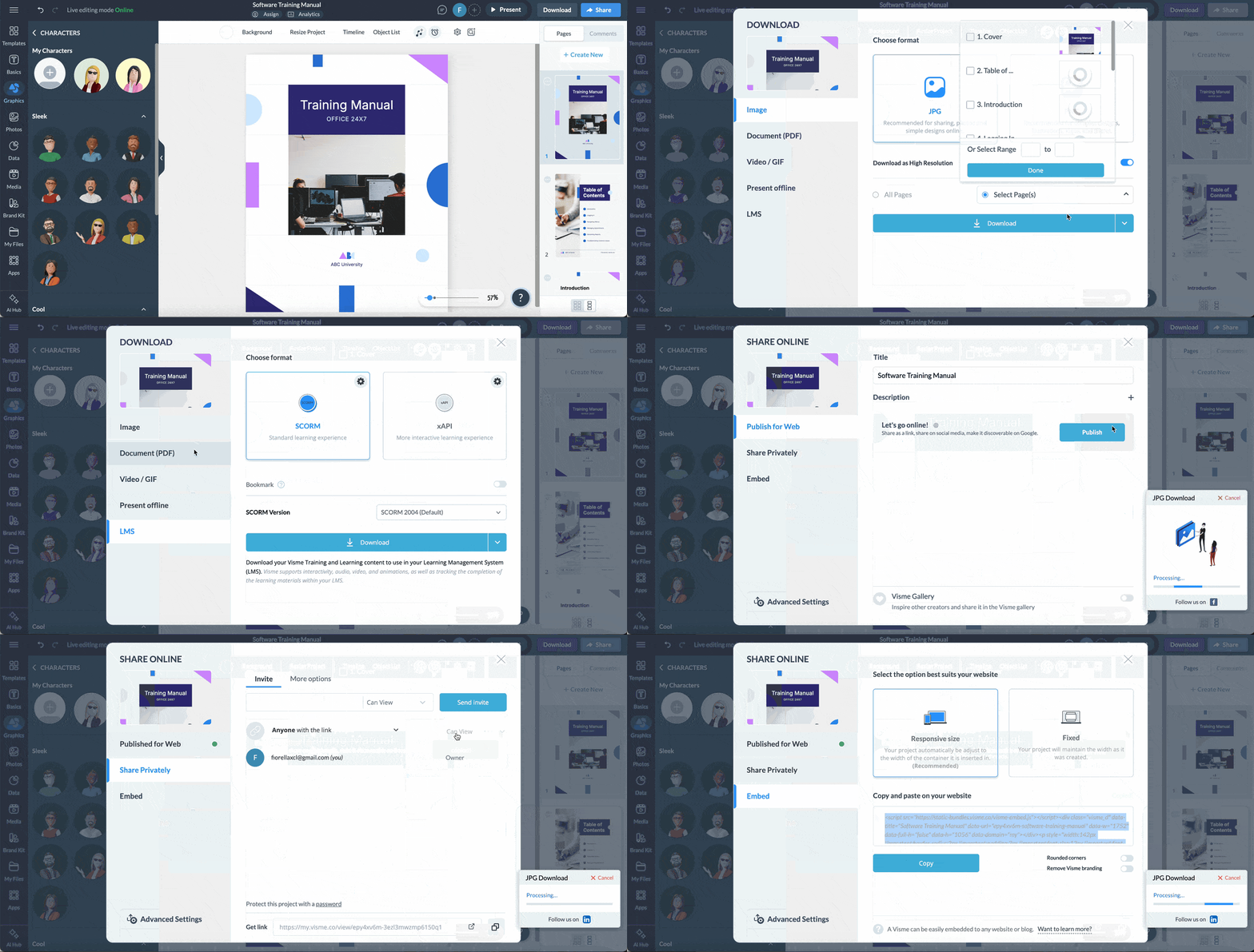
Once approved, let your team know the new procedure is official, where to find it, when it takes effect and who to contact with questions.
When you're ready to share, publish your procedure online, export it in multiple formats or embed it right into your intranet or knowledge base.
Monitor Visme Analytics to see who viewed your procedure, how long they engaged with it, and which sections got the most attention.
Procedure content can appear in many formats.
Here's a breakdown of the most common procedure content formats and when to use them:
| Format | What It Is | Best Used For | Example Use Case |
|---|---|---|---|
| Numbered Step-by-Step Instructions | Sequential steps written as a list, each numbered in order. | Linear tasks with a clear start and finish. | “How to submit a purchase request” |
| Checklists | A list of items or actions to verify, often with checkboxes. | Tasks users already know but must complete consistently without skipping steps. | Pre-shift checks, equipment startup checks, safety checks. |
| Annotated Screenshots | Images with labels, arrows or callouts showing what to click or do. | Software procedures, digital workflows, UI navigation. | Showing which button to press when exporting a report. |
| Flowcharts | A visual map showing steps and branching paths based on conditions. | Procedures with decision points or multiple possible outcomes. | Customer escalation workflow or troubleshooting pathways. |
| Swimlane Diagrams | A flowchart organized into “lanes” that show roles or departments responsible for each step. | Cross-functional processes involving handoffs between teams. | Onboarding workflows, procurement processes, multi-team approvals. |
| Decision Trees | A yes/no or condition-based branching diagram guiding users to the right action. | Troubleshooting, error handling, or risk-assessment workflows. | “If the device won’t power on, do X → If not resolved, do Y.” |
| Quick Reference Cards | One-page summaries with shortcuts, critical steps or key data. | In-the-moment tasks requiring speed and memory support. | POS key combinations; emergency codes. |
| Job Aids | Small visual or text tools that support performance at the moment of need. | When users need reminders rather than full instructions. | Dose calculators; call center prompts; tool-setting charts. |
| Interactive Tutorials / Walkthroughs | Click-through modules or on-screen prompts guiding users step-by-step. | Software onboarding, training, complex systems. | A guided setup wizard inside a SaaS platform. |
| Downloadable Guides / PDFs | Full documents combining steps, visuals and reference info. | Procedures that need to be stored, shared, printed or used offline. | SOPs, compliance documents, assembly instructions. |
| Video Instructions | Short recordings showing how to complete a task visually. | Physical tasks, hands-on processes, or anything easier demonstrated than written. | “How to package fragile shipments.” |
RELATED: 12 Best Interactive Training Software for Clients & Employees
AI can speed up the documentation process, help you structure procedures and even spot gaps you might overlook.
But using it in a corporate environment requires care and appropriate safeguards.
Shumin Chen explains this well in her article Why AI Makes Bad Documentation Worse (And What to Do About It):
"This is the new reality: AI doesn't solve documentation problems. It amplifies them. Whatever ambiguity and chaos exist in your current process, AI will systematise it, accelerate it, and distribute it across every document it touches." - Shumin Chen, Head of ASD-STE100 Simplified Technical English training & implementation, Shufrans TechDocs
In other words, if your documentation process is messy, AI will make it even messier but even just faster.
Here are a few practical ways teams can use AI effectively without compromising security, quality or compliance:
AI tools are great for drafting and brainstorming. But they should never receive confidential inputs. Don't paste proprietary data, customer information, trade secrets, financial details or anything covered by confidentiality agreements into public AI tools. This includes:
If you need help refining content, abstract the task rather than pasting in sensitive details. Or use placeholder text when working with AI.
For example, write "Log into [SYSTEM NAME]" or "Enter the client's [ACCOUNT NUMBER]" in your AI prompt, then fill in the actual details afterward in your secure environment.
If your organizations use enterprise AI tools with built-in privacy protections, stick to those environments when creating or editing any type of content.
AI doesn't know your actual process. It's mostly great at making educated guesses based on patterns in its training data. This means it can:
I recommended treating the AI output as a first draft, not the final procedure. Just follow the information-gathering and the usability test protocols I shared earlier. It will help you avoid discrepancies that could hurt your operations or reputation.
AI works best when you use it to refine content you've already gathered, not to generate procedures from scratch.
Once your verified steps are in place, you can feed it into the AI to put finishing touches on the aesthetics and grammar.
For example, while designing your training manual in Visme, you can prompt the AI Writer to:
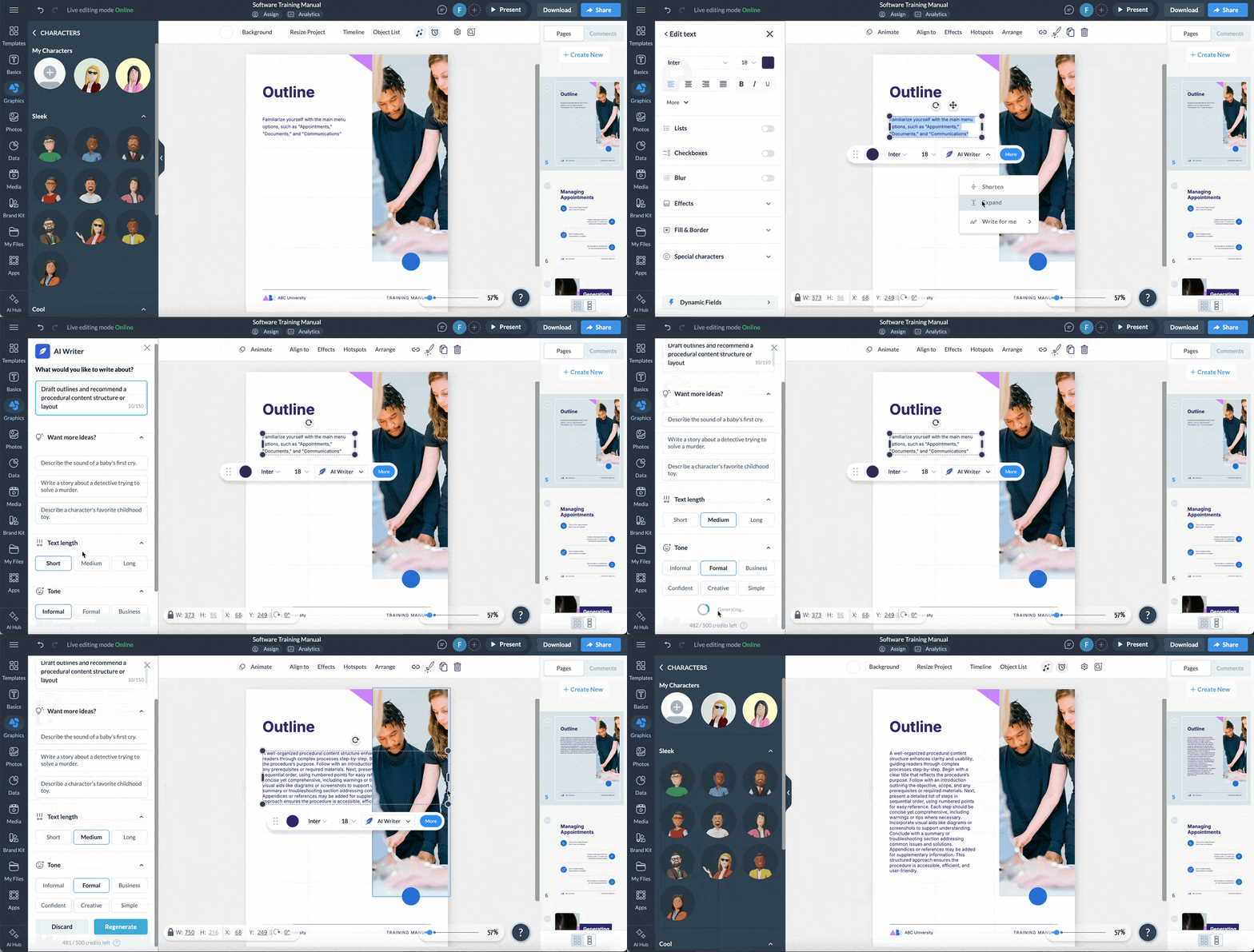
Prompt Visme’s AI image generator and edit tools to create professional-looking visuals that make your content stand out without revealing sensitive data.
You’ll also find a suite of other AI tools to enrich your procedure content, all while keeping internal operations secure.
The 4 C’s of documentation refer to the qualities every good document should have: Clear, Concise, Complete and Correct.
If a procedure fails even one of these, it will confuse users or lead to inconsistent results.
A procedural checklist is a simple list of tasks or items that someone must complete or verify before, during or after a procedure. It doesn’t explain how to do the task in detail but it does help ensure no critical step is missed. You’ll often come across procedural checklists in aviation, healthcare, manufacturing, customer support, software deployment and even event management.
A good procedure is easy to follow, action-oriented and impossible to misinterpret. It:
If two people can read a procedure and complete the task differently, it needs work.
Visual procedures are more effective because people process images faster than text. Visuals reduce cognitive load, eliminate ambiguity and help the user immediately see what to do.
Screenshots, diagrams, flowcharts, arrows and callouts make it easier to:
Visual procedures are especially powerful for training, onboarding and tasks with multiple decision points or user-interface steps.
A well-written procedure is one of the most underrated tools for operational excellence.
When you document your processes clearly, you reduce guesswork, eliminate avoidable mistakes, accelerate training and build a foundation that scales as your team grows.
But creating effective procedures from scratch can feel overwhelming, especially when you’re juggling complex workflows, multiple contributors and a mix of visuals, diagrams and documentation needs.
Visme gives you everything you need to build visual, user-friendly step-by-step guides and procedure content.
Start with customizable procedure content templates, turn complicated workflows into flowcharts or embed screenshots or videos.
Use AI-powered tools to streamline your writing and design and collaborate with your team in real time—no design experience required.
Sign up for free to discover how Visme can transform the way you document and share your processes.

Design visual brand experiences for your business whether you are a seasoned designer or a total novice.
Try Visme for free