Proven Product Specification Examples That Give You Clear Decisions


If you’re looking for an eLearning authoring tool, you might have heard of Articulate 360. It’s one of the top platforms for building interactive online courses.
However, Articulate might not suit everyone’s needs or budget. Some may find its interface overwhelming or complex, while others may prefer a more affordable or straightforward solution.
If you're looking for an alternative to Articulate, whether it's due to pricing, ease of use or specific features, you're in the right place. In this article, we'll explore a list of the best Articulate alternatives, including both paid and free tools.
Read on to find the perfect authoring tool that aligns with your needs and lets you create engaging training materials quickly and easily.
*Disclaimer: The comparisons and competitor ratings presented in this article are based on features available as of Feb 19, 2026. We conduct thorough research and draw on both first-hand experience and reputable sources to provide reliable insights. However, as tools and technologies evolve, we recommend readers verify details and consider additional research to ensure the information meets their specific needs.
| Name | Key Features | Best For | Pricing | G2 Rating |
|---|---|---|---|---|
| Visme | SCORM/xAPI export, AI tools suite, brand governance, 40+ data visualization options, real-time collaboration, interactive templates, video editing | Solopreneurs, SMEs and enterprise businesses | Free; paid from $12.25/mo | 4.5/5 (460+ reviews) |
| iSpring Suite | PowerPoint add-in, 90,000+ asset library, dialogue simulations, custom character builder, text-to-speech, AI translation | PowerPoint-heavy teams | Free trial; paid from $540/year | 4.6/5 (760+ reviews) |
| Adobe Captivate | Simulation modes, widget library, VR/360° authoring, AI narration, talking avatars with lip-sync, PowerPoint import | Advanced eLearning developers | Free trial; paid from $33.99/mo | 3.9/5 (200+ reviews) |
| Genially | Templates, hotspots, branching navigation, gamification widgets, live session tools, Dynamic SCORM, LTI support | Educators and training designers | Free; paid from $10/mo | 4.6/5 (60+ reviews) |
| Easygenerator | Block-based editor, AI assistant, real-time co-authoring, translation in 75+ languages, built-in stock library | SMEs and small L&D teams | Free trial; paid from $116/mo | 4.8/5 (110+ reviews) |
| Mindsmith | AI-native editor, 20+ interactive elements, AI grading, Dynamic SCORM, multi-language SCORM, comment-based review | Speed-focused L&D teams | Free; paid from $31/mo | – |
| Elucidat | Learning Accelerator, brand theming, collaborative authoring, auto-translation, built-in analytics | Enterprise L&D teams | Free trial; paid from $1,650/year | 4.4/5 (180+ reviews) |
| Lectora | Conditional branching, custom HTML/CSS/JS, WCAG 2.2 & Section 508 compliance, VR & game integrations, ReviewLink | Seasoned instructional designers | Free trial; paid from $129/mo | 4.1/5 (55+ reviews) |
| 360Learning | AI course builder, AI question generator, SME co-authoring, learning paths, AI forum moderation, automated translations | Organizations with internal SMEs | Free trial; paid from $8/mo | 4.6/5 (550+ reviews) |
| SC Training | Card-based mobile lessons, course library, gamification, AI translation in 100+ languages, AI voice narration | Frontline and deskless teams | Free; paid from $5/mo | 4.7/5 (220+ reviews) |
| LearnWorlds | Interactive video editor, no-code site builder, AI insights, eCommerce tools, payment integrations | Solopreneurs and course sellers | Free trial; paid from $24/mo | 4.7/5 (375+ reviews) |

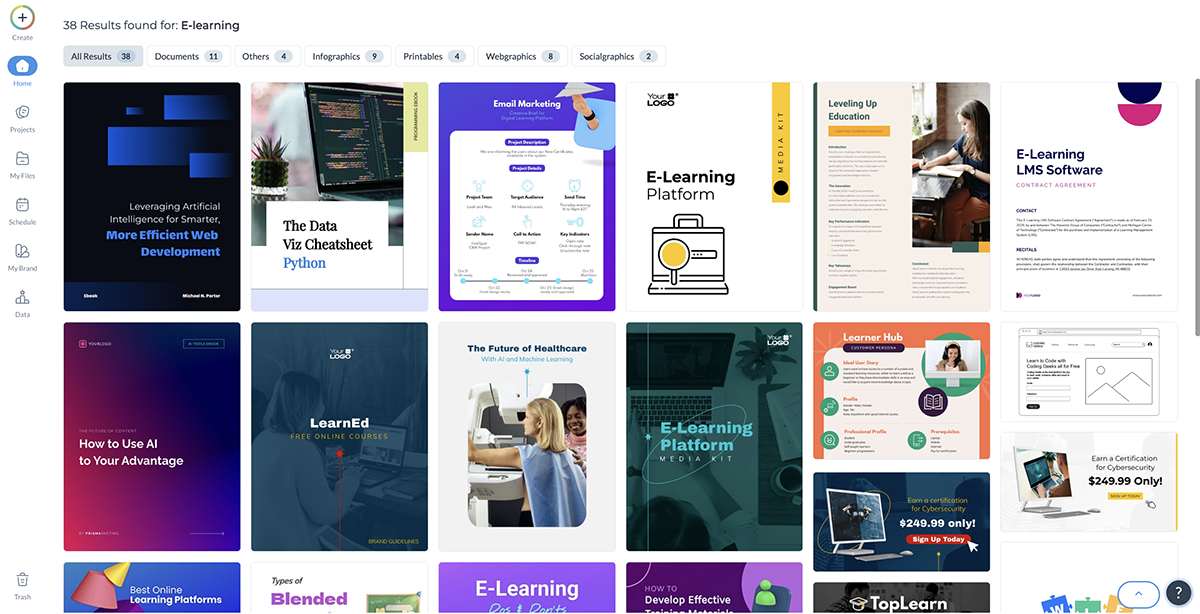
If you're looking for a top-notch Articulate alternative, Visme is worth checking out. This AI-powered content creation software comes packed with features to help you build engaging training materials at a fraction of the time and cost.
Customize hundreds of training and eLearning templates, and access a massive library of stock photos and videos, audio clips, icons, shapes and illustrations to create content that's dynamic and visually stunning.
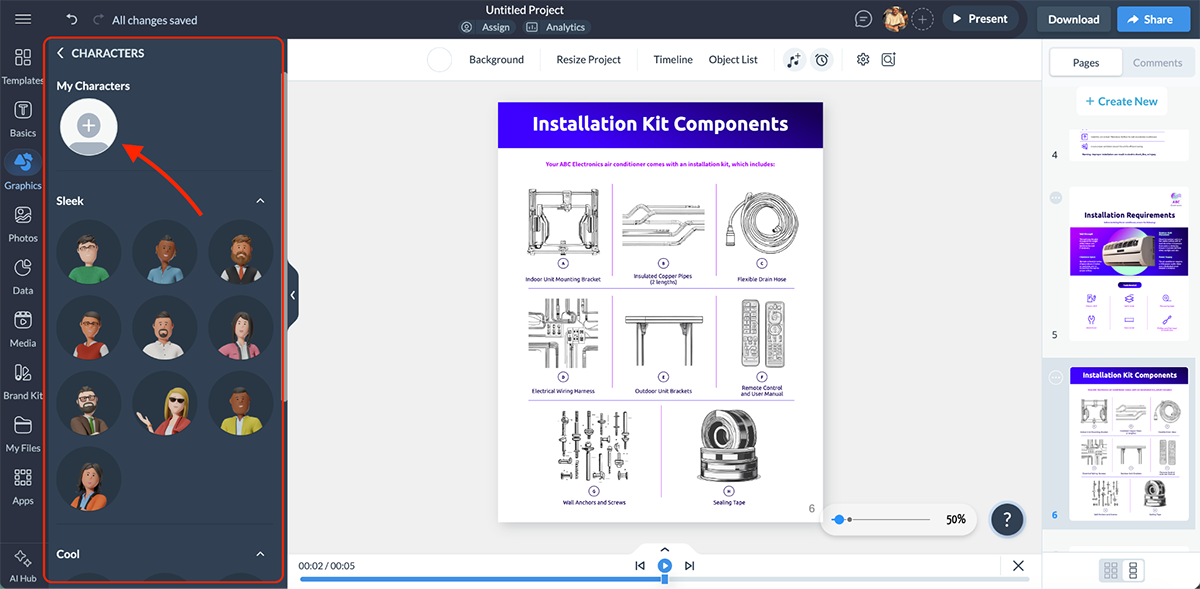
You can even add 3D characters to bring your courses to life. Or better yet, create your own using Visme’s 3D character creator. Choose between styles, customize the gender, hair, clothes and more, then animate them with pre-designed animations. It’s a ridiculously fun way to make your training content feel more human and relatable.
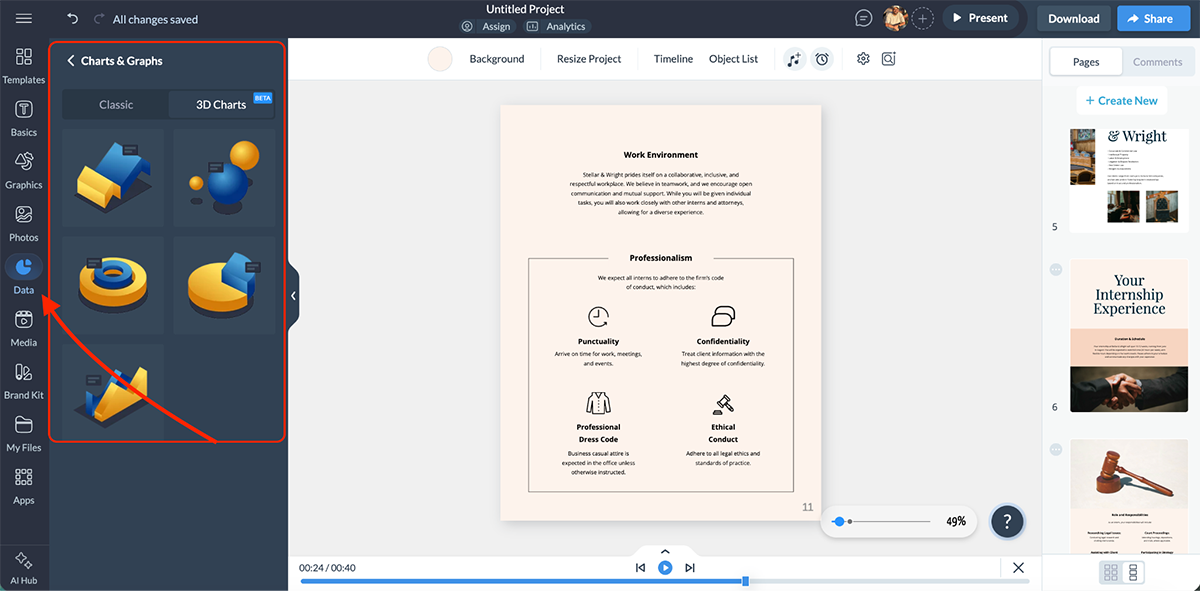
Visme also gives you access to powerful data visualization tools with 40+ chart and graph options to break down complex information into easily digestible content. You also get 3D charts that can further enhance the learning experience.
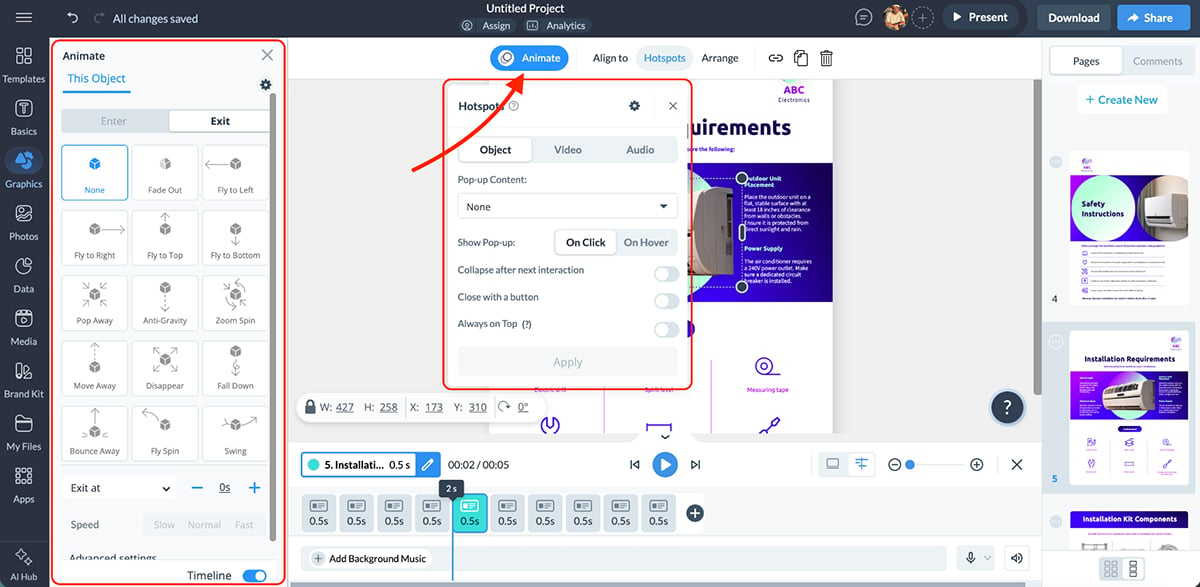
And that’s not all. You can add interactivity and animation to your charts and graphs to create a truly immersive experience for your learners. This includes hover effects that reveal extra information, clickable pop-ups, flipbook effects that simulate turning real pages and smooth on-click animations, basically everything you need to keep learners engaged and exploring.
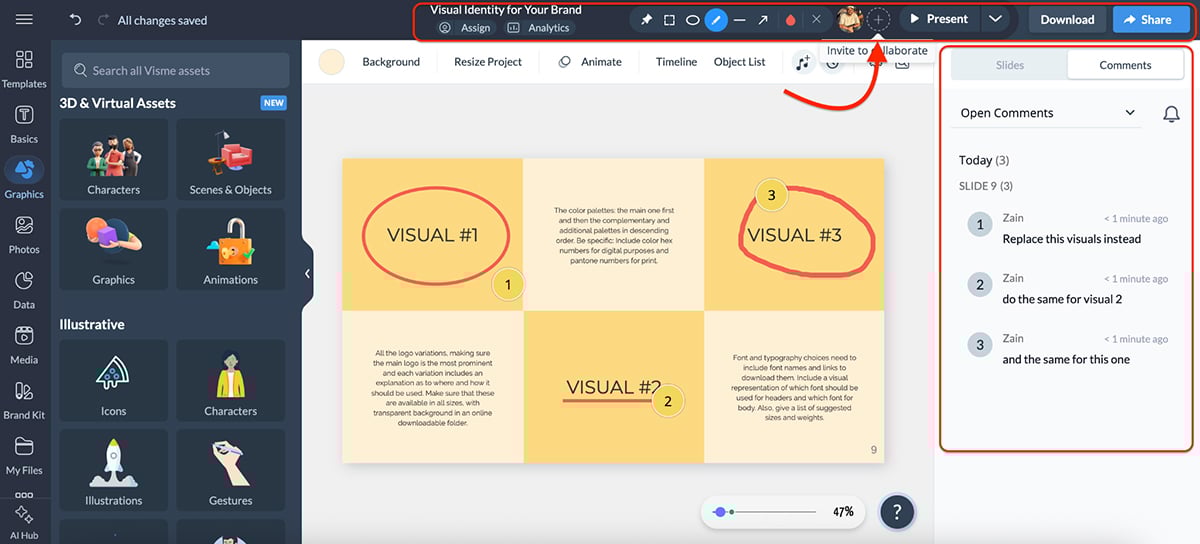
To perfect your e-learning authoring, you can have relevant team members comment and edit it simultaneously through real-time collaboration.
You also get advanced workflow features where you can assign specific slides to team members, set due dates, open discussions, track progress and resolve comments, all from one centralized workspace.
Here’s what it offers:
Visme also offers a full-fledged video maker that lets you build videos slide by slide with built-in animation and transitions.
There’s also a form builder, so you can create interactive quizzes, surveys and assessments. This is great for testing learner knowledge or collecting feedback right inside your employee training program.
Check out this video to learn everything you need to know about employee training:
Once you’re done, use Visme’s SCORM and xAPI export capabilities to easily deliver training and track learner progress by integrating with your chosen Learning Management System (LMS).
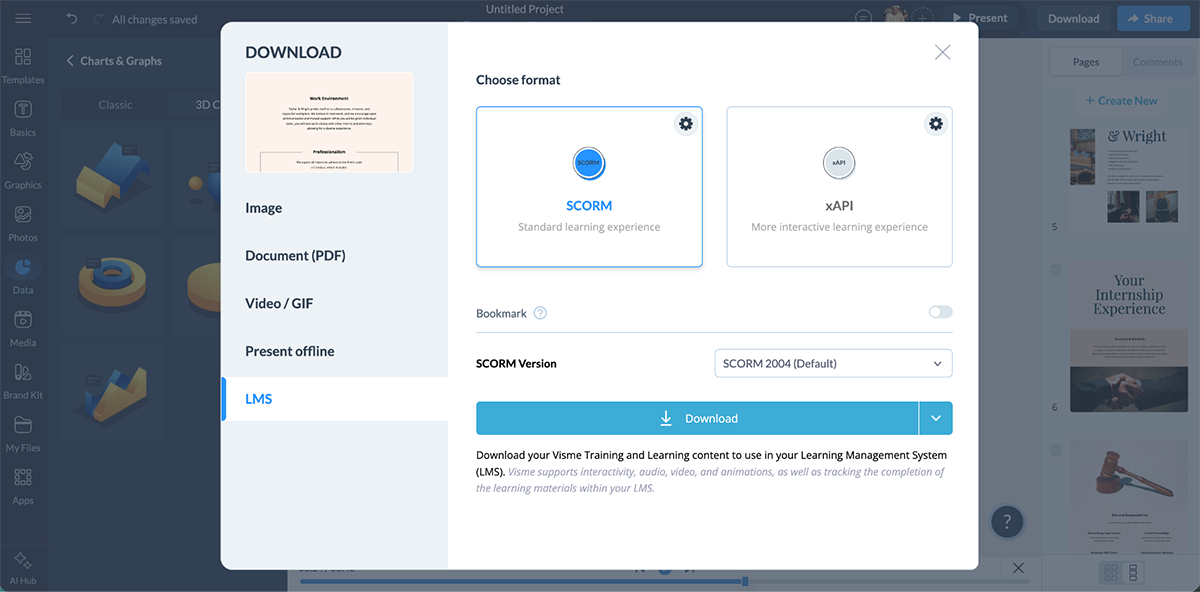
Alternatively, you can also export your projects as PDF, HTML5, MP4, GIF, JPEG, PNG or even PowerPoint. And if you want to skip the download altogether, just share via a direct link or embed it on your website.
All in all, Visme is an impeccable Articulate alternative that goes way beyond basic course creation. Whether you need interactive training modules, data-driven presentations, branded content or AI-powered shortcuts that save you hours of work, it’s all packed into one platform.
Visme offers a free basic plan. You can upgrade to a paid plan to unlock advanced features, premium templates and download options:

If your team already lives in PowerPoint and you’re looking for an Articulate alternative that doesn’t require learning a completely new tool, iSpring Suite should be right at the top of your list.
It’s an eLearning authoring tool that works as a PowerPoint add-in, which means you can turn your existing slides into interactive, SCORM-compliant courses without ever leaving the PowerPoint environment.
And if you’ve got a library of PPT, PDF or DOCX files collecting dust, iSpring’s built-in converter lets you transform them into polished, mobile-ready training in minutes.
Once you sign up, you can directly download the desktop version (Windows only) or use iSpring Page, their cloud-based authoring tool for building responsive, scrollable courses.
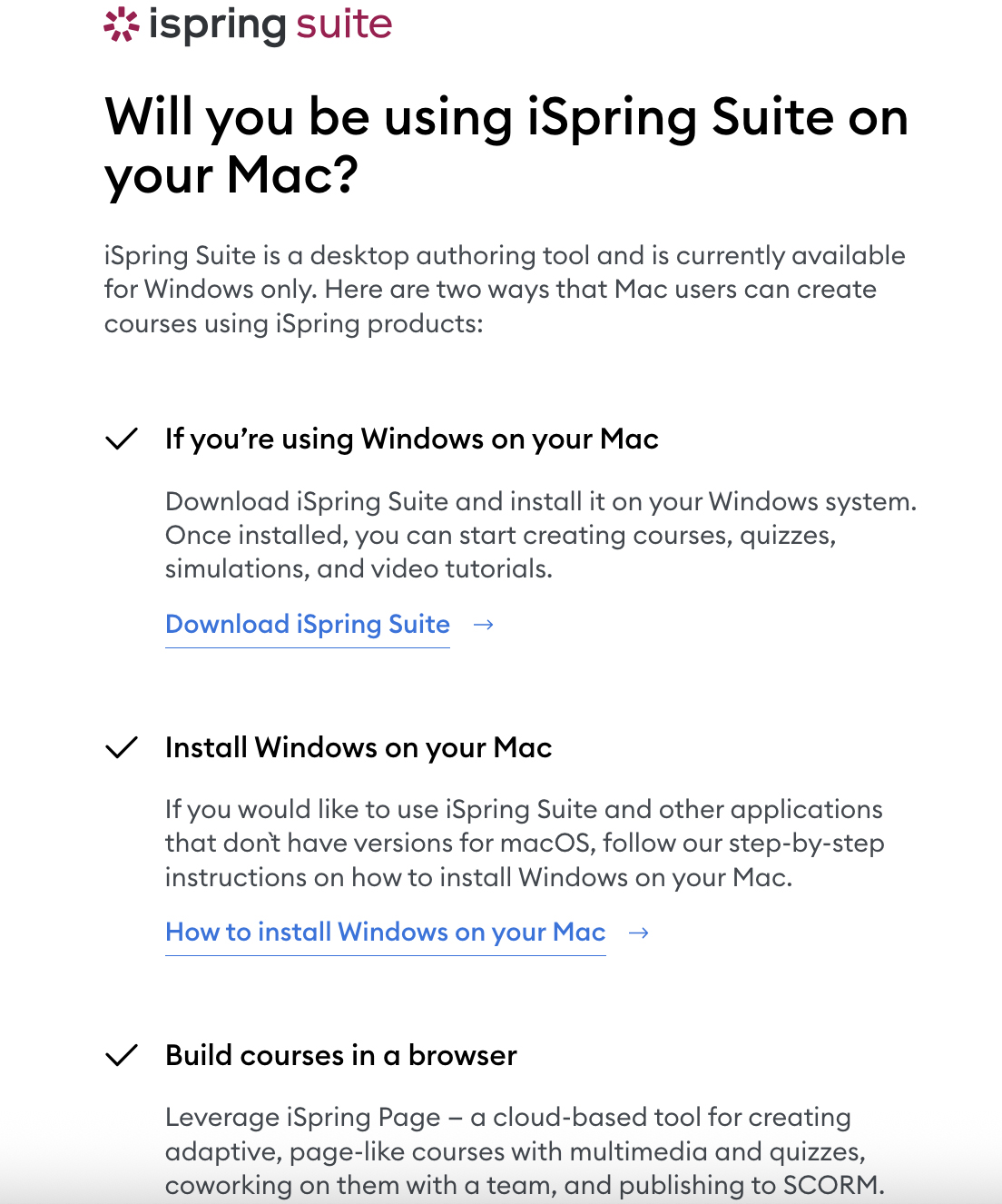
Since iSpring Suite sits right inside PowerPoint, there’s almost no learning curve if you already know your way around slides.
You get access to a content library with 90,000+ ready-made templates and assets, including slide templates, characters, icons, backgrounds and locations.
Here’s what you can do inside the platform:
iSpring also comes with an AI assistant that can generate course outlines, draft text, summarize content and even create quiz questions.
Where iSpring really impresses, though, is with its text-to-speech engine. You get hundreds of voices across 50+ languages, and the level of control is remarkable.
You can adjust intonation, tweak timbre, insert pauses, control reading speed and even specify pronunciation for tricky words. If you’re building multilingual training, this is a massive time-saver.
Speaking of multilingual, iSpring also offers AI-powered translation that can localize your entire course into 70+ languages in minutes. For global teams, this alone could be a dealbreaker feature.
Check out this video by Sharon Smith to see iSpring Suite in action:
Once your course is ready, iSpring gives you plenty of flexibility on the export side. You can publish to SCORM 1.2, SCORM 2004, xAPI, cmi5 and AICC, so it plays nicely with virtually any LMS out there. You can also export as HTML5 for web embedding or MP4 for video-based delivery.
Compared to Articulate Storyline, the visual customization options are limited in iSpring, and you won’t find advanced variables, triggers or states for building highly complex interactions.
If you need that level of granularity, Storyline still has the edge. But if you want speed, simplicity and a familiar environment, iSpring delivers.
iSpring Suite offers a 14-day free trial with no credit card requirements. Once that’s over, you can switch to one of their paid plans:
Business
Individual
Adobe Captivate has been a staple in the eLearning space for years, and it’s still one of the more powerful authoring tools out there for creating responsive courses, software simulations and scenario-based training.
The latest version (Captivate 13) brings a modernized interface, gen-AI features and improved PowerPoint import, which makes Adobe Captivate vs Articulate 360 a very close competition.
You get a slide-based editor with a solid widget library that includes flip cards, carousels, timelines, accordions, drag-and-drop interactions, hotspots and interactive tables. If you need to build complex, layered interactions, Captivate gives you the building blocks.
Here’s what else you can do:
Watch this video by Paul Wilson's eLearning Tutorials to learn about the software simulation features in Adobe Captivate:
On the AI front, Captivate has introduced some genuinely useful features. You get:
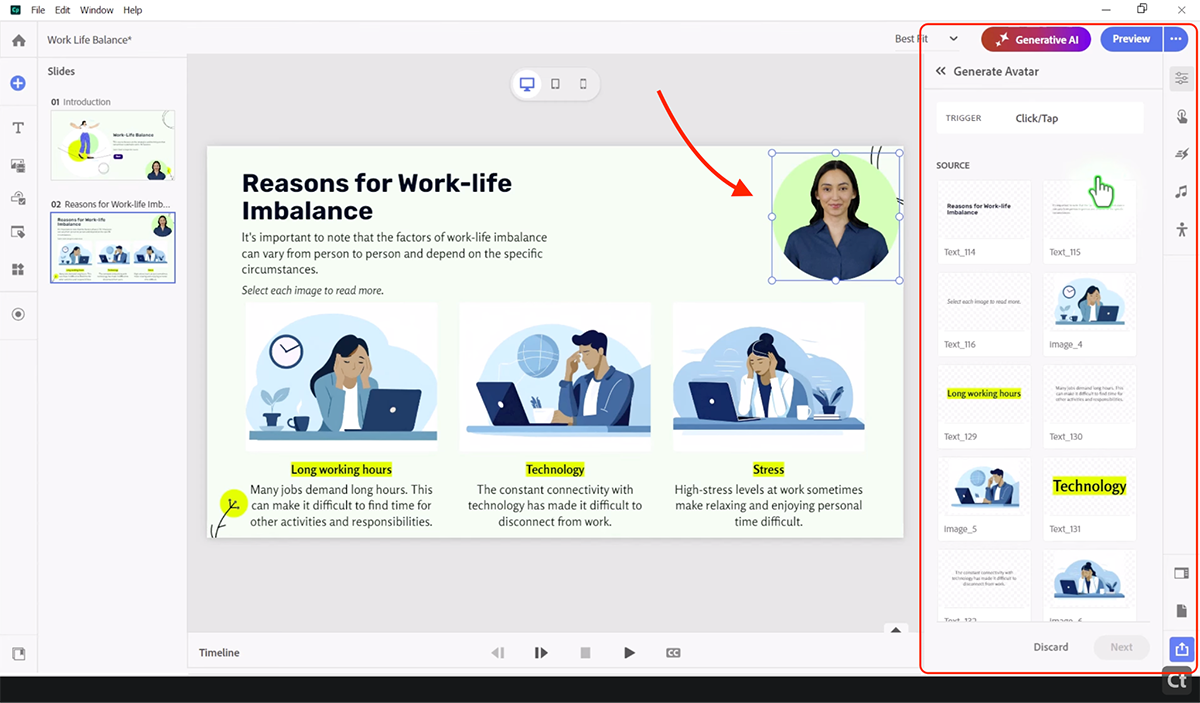
Once your course is ready, you can export to SCORM 1.2, SCORM 2004, xAPI authoring and AICC, or publish as HTML5 for responsive web delivery.
Overall, if you’re comfortable with a learning curve and need advanced features like VR/360 support, software simulations or deep responsive design, Captivate is a strong alternative to Articulate.
Adobe Captivate offers a 30-day free trial with no credit card requirements.
Their paid plans include:
If interactivity and visual engagement are your top priorities, Genially is an Articulate alternative that punches well above its weight in that department.
It’s a no-code, cloud-based platform you can use to create truly interactive presentations, eLearning modules, gamified experiences, infographics and more.
The drag-and-drop editor is intuitive, and you get access to 1,500+ professionally designed templates to get started quickly.
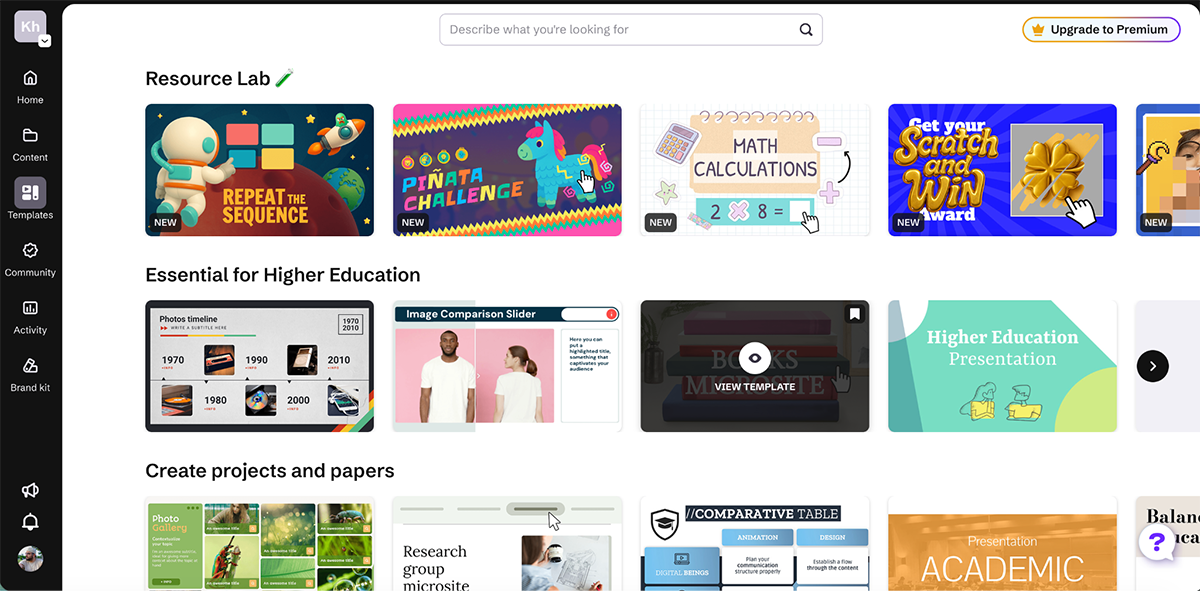
Interactivity is where Genially earns its reputation. You can attach hotspots, tooltips, pop-ups, clickable buttons and branching navigation to almost any element on the page. Pair that with animation controls (entry effects, hover states and continuous motion) and you can turn otherwise flat training content into something that genuinely holds attention.
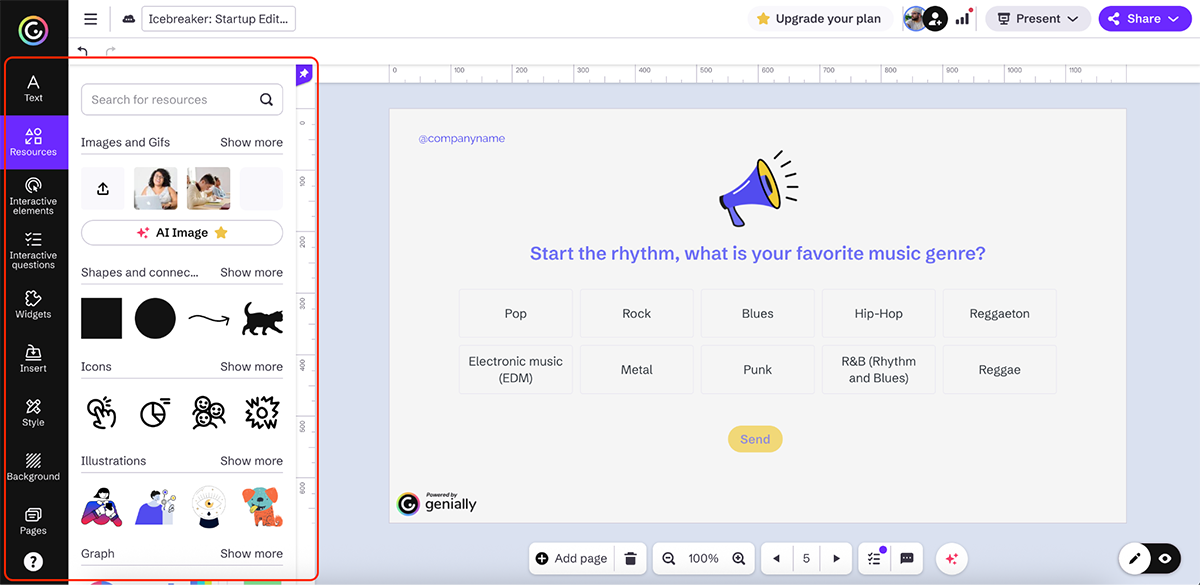
You get gamification too. You can add timers, leaderboards and challenge-style widgets, and there are live session tools for running polls, quizzes and Q&A in real time. This can come in handy for instructor-led or workshop-style training.
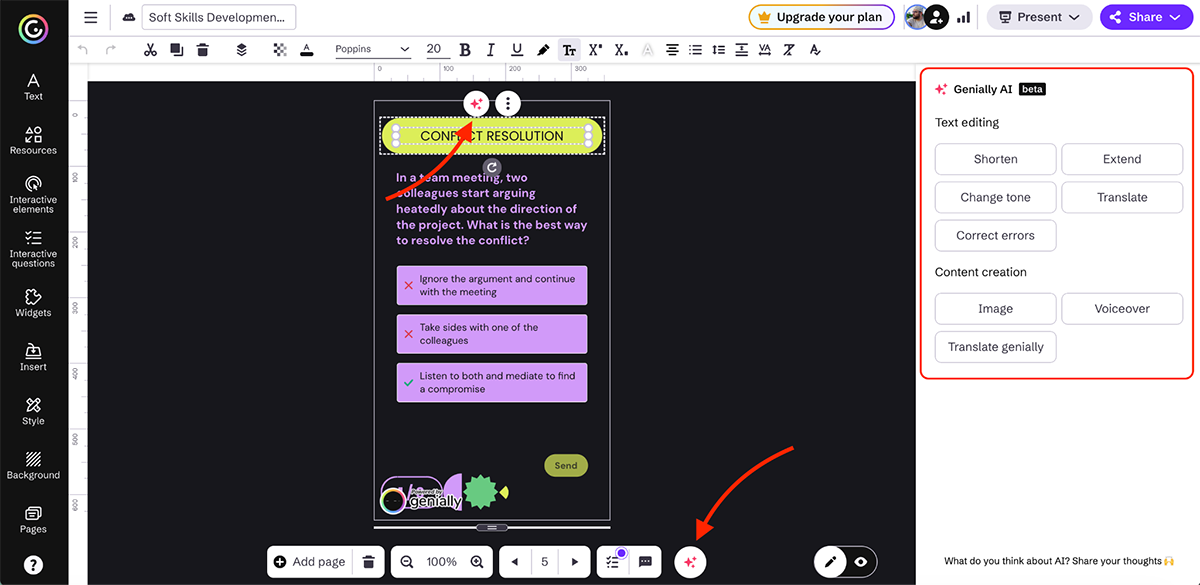
On the AI side, the platform offers voiceover generation, automatic translation, image creation from text prompts, quiz generation and in-editor text rewriting. Every plan includes AI credits, though the amount and feature access depend on your tier.
For LMS delivery, Genially supports SCORM, Dynamic SCORM (so you can push content updates without re-uploading packages) and LTI integration. There’s also built-in analytics to monitor views, clicks and learner engagement.
The trade-off, however, is depth. Genially excels at visual interactivity, but it’s not a full-featured authoring tool like most other tools on our list. So, teams needing proper course creation, data visualization or brand governance tools will find the platform a bit limited.
You can get started with Genially for free. Once you’re ready for a long term commitment, you can subscribe to one of the paid plans:
If you want a no-fuss, cloud-based authoring tool, Easygenerator is a solid Articulate alternative worth considering.
It comes with an intuitive, block-based drag-and-drop editor that makes course creation feel approachable from the start.
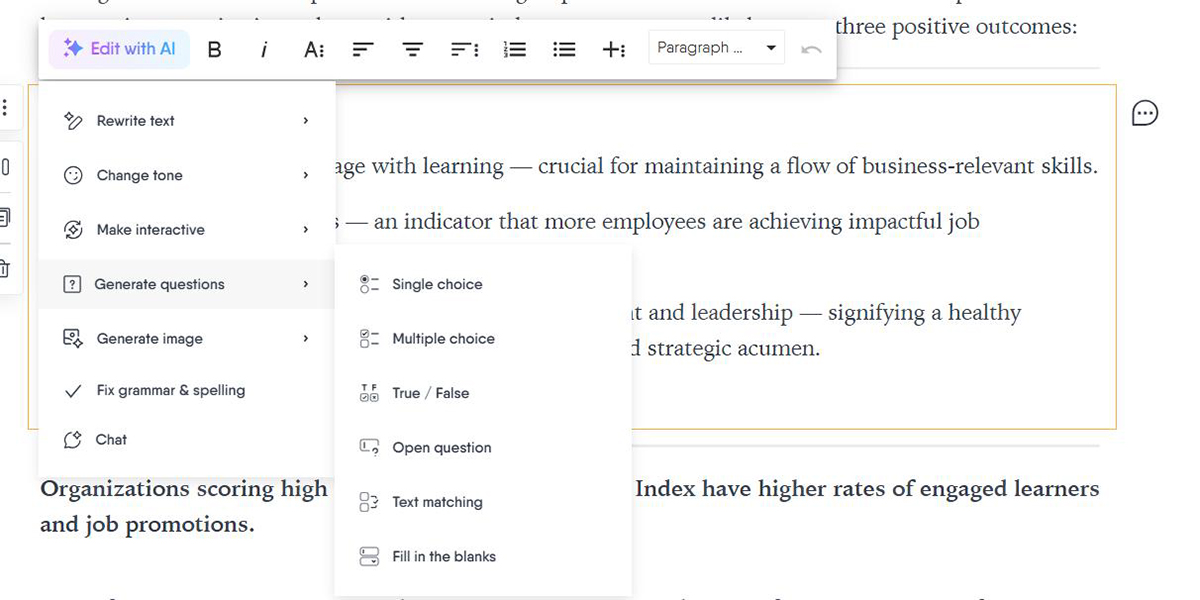
You get access to dozens of pre-built course templates, a built-in stock image and video library and interactive content blocks like quizzes, assessments and flashcards, enough to put together clean, functional training without starting from zero.
Easygenerator also has a built-in AI assistant, so you can generate lesson outlines, refine copy and create quiz questions from your existing content. For trainers, SMEs and L&D teams working on tight timelines, this is a real time-saver.
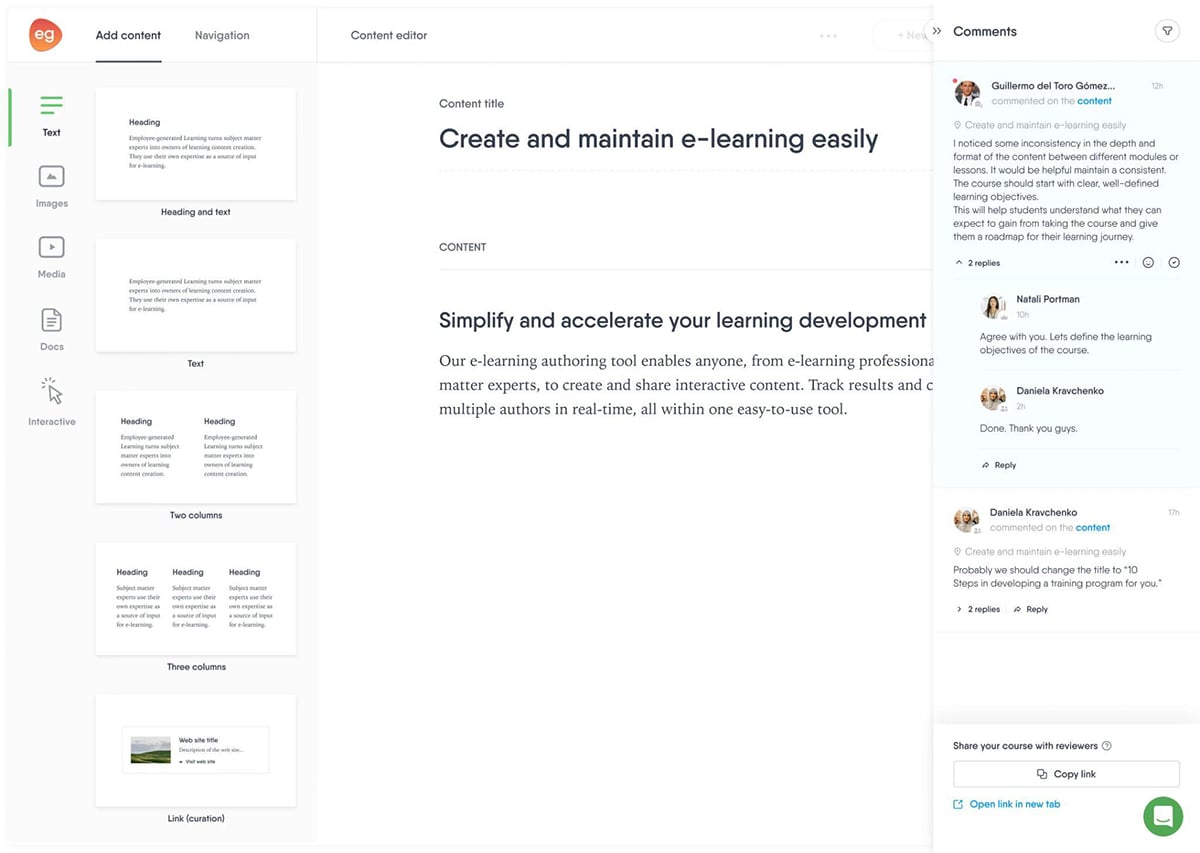
Where it really shines, though, is collaboration and localization. Multiple authors can co-edit courses in real time, leave comments and manage feedback directly inside the editor.
And with AWS-powered auto-translation across 75+ languages, scaling training for global teams becomes significantly less painful.
That said, if you want consistency in your branded content and heavy visual customization, then Easygenerator can feel limiting. There’s not a lot of flexibility to fine-tune layouts or enforce brand standards across projects.
Easygenerator offers a 14-day free trial. Their paid plans include:
Mindsmith positions itself as an AI-native authoring tool, meaning AI is embedded into every step of the course creation process. So if speed is your biggest bottleneck, you’ll love this alternate to Articulate.
The platform is entirely cloud-based with a clean, modern drag-and-drop editor. You can start a course from scratch, feed it a text prompt with your learning objectives and audience details, or upload existing documents like SOPs, handbooks or presentations and let the AI transform them into structured, interactive lessons.
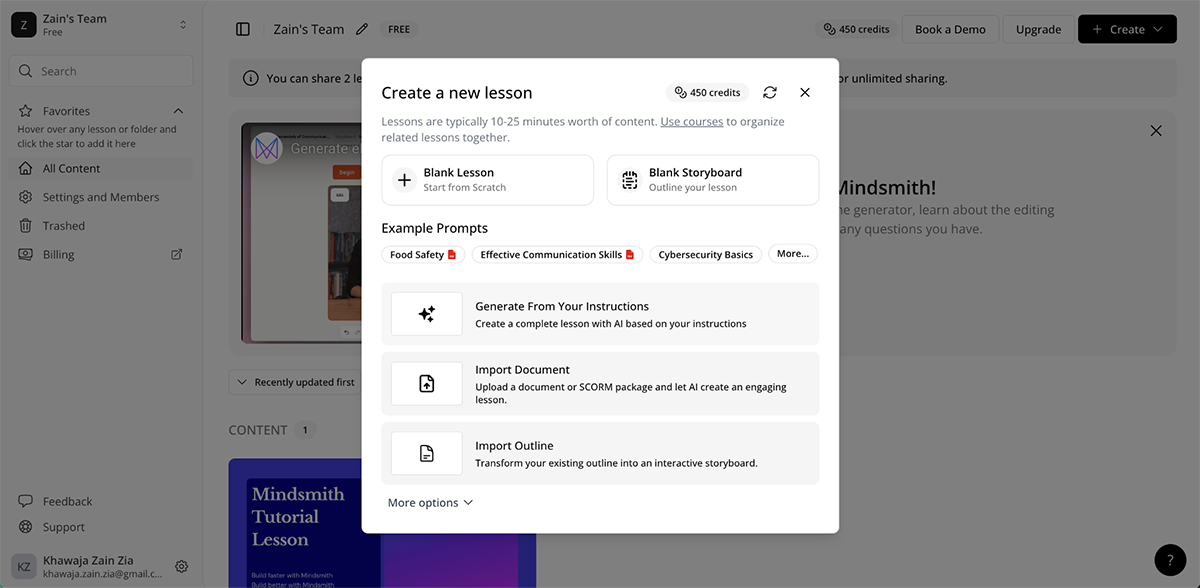
From there, you work alongside an AI assistant that operates at every level of the course, from full structural suggestions down to individual content blocks (or tiles).
You can guide it with specific instructions, adjust tone, add assessment questions or let it follow source material closely. It’s actually a pretty collaborative workflow that gives you solid control over the final output.
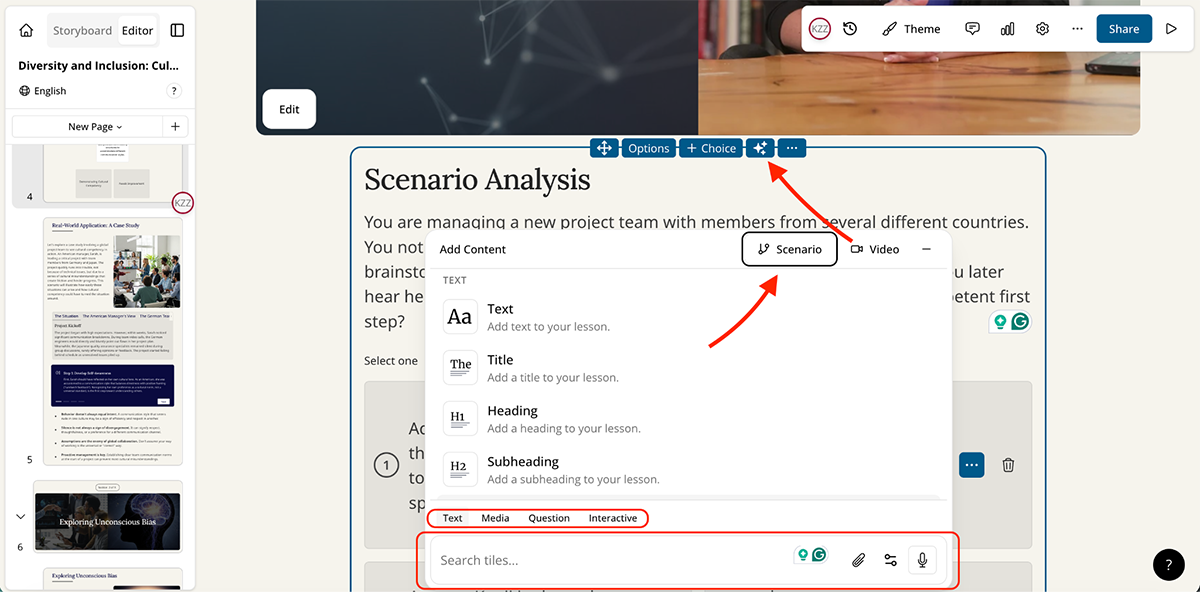
Mindsmith also offers over 20 interactive content elements including accordions, sorting activities, multiple choice, short answer with AI grading and conditional logic for granular learner feedback. Real-time collaboration lets teams co-author and review content together, and reviewers can leave comments without even needing an account.
One feature worth highlighting is Dynamic SCORM. When you update a lesson in Mindsmith, those changes automatically push to your LMS, so you don’t need to re-upload the package. The platform also supports hosting multiple language versions within a single SCORM file, which detects the learner’s device language and serves the matching version.
That said, Mindsmith is still a relatively young platform and doesn’t offer the visual design depth, data visualization tools or brand governance capabilities you'd find in other more established tools on this list.
You can get started with Mindsmith for free. To unlock advanced features, you’ll need to subscribe to one of their paid plans:
If you’re part of an enterprise L&D team that needs to produce consistent, on-brand training at scale, Elucidat is an Articulate alternative built specifically for that use case.
It’s a cloud-based authoring platform with a library of professionally designed templates and interactive content blocks like quizzes, branching scenarios, carousels and sliders.
You also get brand theming tools that keep every course visually aligned without needing a designer on standby.
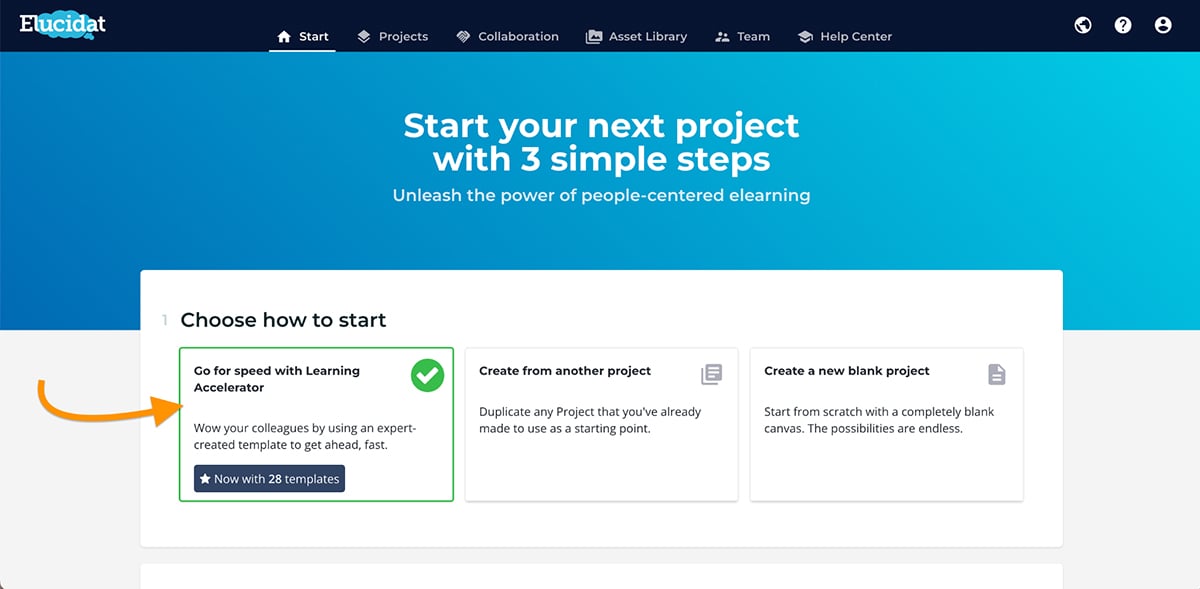
One standout Elucidat feature is the Learning Accelerator, a built-in workflow that recommends layouts and interactions based on your training goals. It’s essentially guided course creation, similar to what some of the other tools on this list offer too.
Elucidat also supports auto-translation in 75+ languages and collaborative authoring, so your team can co-edit courses, leave feedback, manage roles and resolve comments all within the platform. For global organizations rolling out multilingual training, this is really helpful.
You can even track how learners interact with your courses through built-in analytics. This gives L&D teams real visibility into what’s working, where learners are dropping off and which modules need improvement.
On the flip side, however, Elucidat doesn’t offer a self-serve free trial, and the pricing is geared toward enterprise budgets. Smaller teams or individual creators may find it out of reach.
Elucidat offers a 14-day free trial. After that, you can switch to one of their paid plans:
If you need an Articulate alternative that gives you complete design control, Lectora by ELB Learning is hard to overlook. It’s been around for years and remains one of the more powerful authoring tools in the eLearning space.
Unlike other tools on this list, Lectora isn’t as intuitive out of the box and is better suited for experienced instructional designers and L&D professionals who are comfortable with a steeper learning curve. But once you get comfortable, the level of control you get is hard to match.
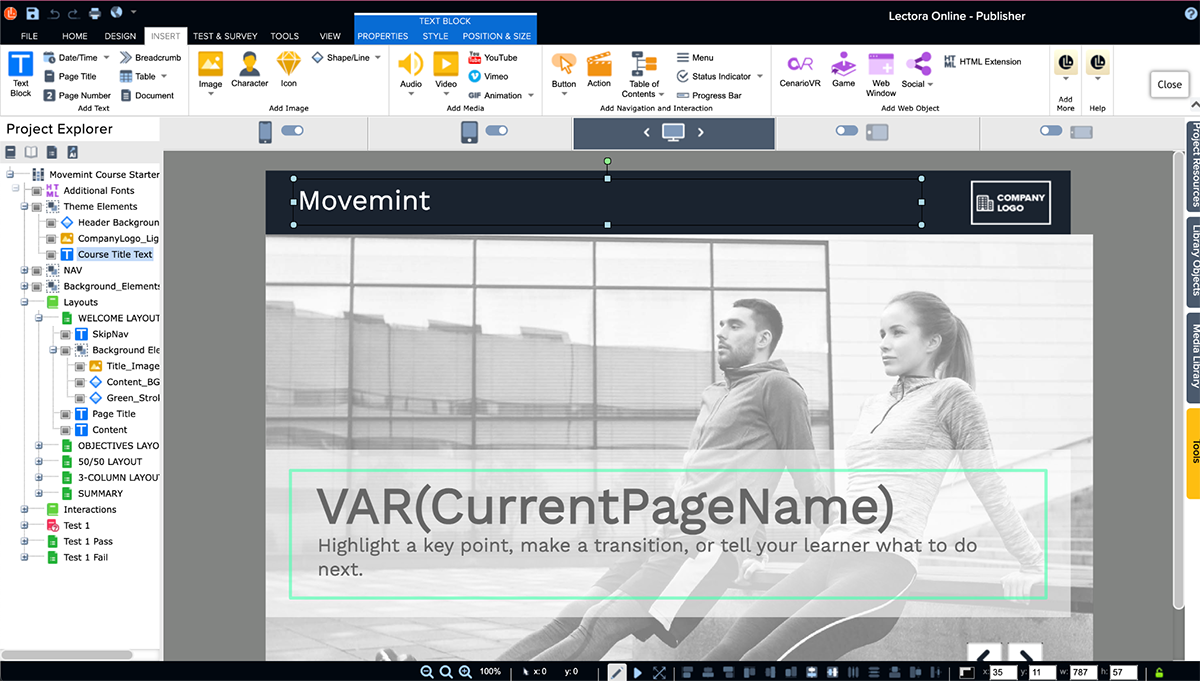
Lectora is available both as a cloud-based platform and a Windows desktop application, which makes it one of the more versatile options on this list.
You can build complex interactions using conditional branching, variables, triggers and sequenced events. There’s an AI Course Wizard for generating course structures quickly, plus support for custom HTML, CSS and JavaScript if you want to go beyond what the visual editor offers.
Lectora also connects to the broader ELB Learning ecosystem, which includes virtual reality tools, interactive game builders and an extensive asset library packed with templates, cutouts, icons, audio clips and stock footage.
Where Lectora really differentiates itself, though, is accessibility. It’s purpose-built to meet WCAG 2.2 and Section 508 standards, so if compliance is a necessity in your organization you’ll really appreciate Lectora.
Team collaboration happens through ReviewLink, a built-in review system with commenting and automated version tracking. It’s functional, but you won’t get the real-time co-authoring experience you’d find with some of the other tools on this list.
Lectora offers a 30-day free trial. After that, you can switch to one of the following paid plans:
Most authoring tools on this list focus on content creation first. 360Learning takes a different approach. It sits somewhere between an LMS and an LXP, with a strong emphasis on collaborative, peer-driven learning. This makes it a unique Articulate alternative for teams that rely heavily on internal expertise.
The platform comes with an AI-powered course builder that lets you generate full course structures, complete with lessons, activities and quizzes, in just a few minutes.
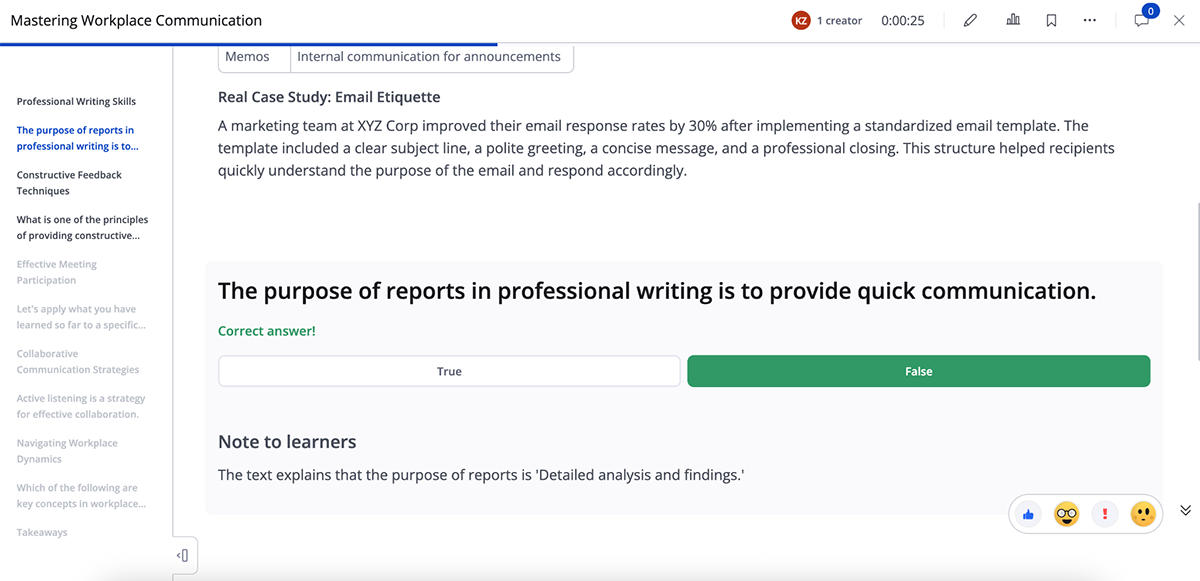
You can either start from scratch using AI or upload an existing document and convert it into a course. Everything is editable after generation, so it’s more of a fast first draft than a finished product.
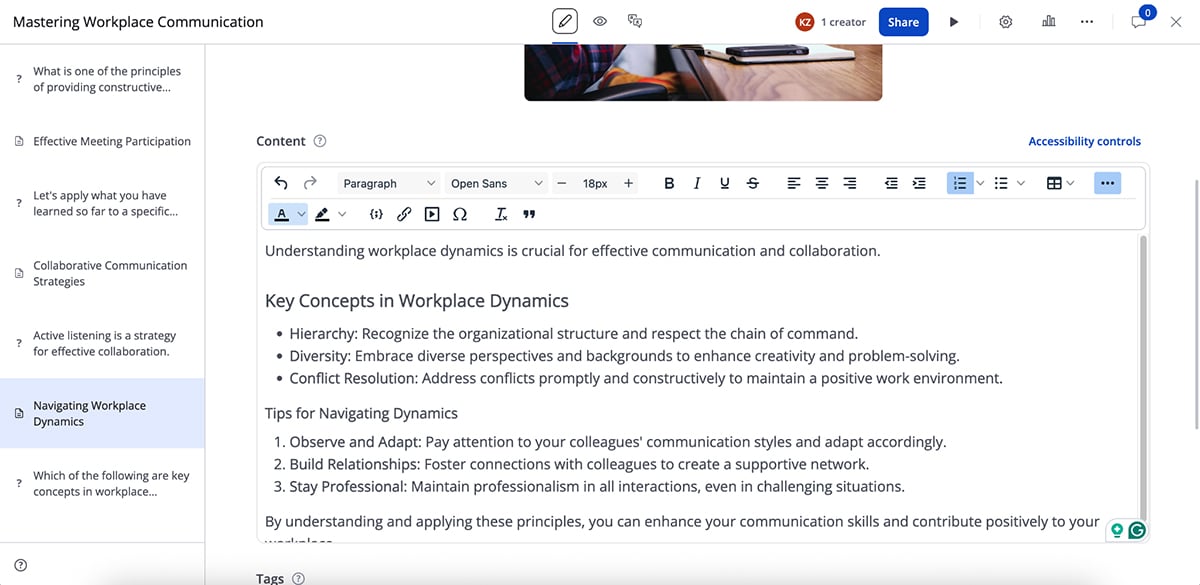
Where 360Learning really stands apart is collaboration. Subject matter experts can contribute directly to courses, leave feedback, respond to learner questions and co-author content.
There’s also an AI question generator that scans your course content and creates relevant assessment questions automatically, which is a real time-saver for longer training programs.
Other AI-driven features include smart content review, outline refinement, automated translations for multilingual teams and AI-powered forum moderation to manage discussions at scale.
That said, 360Learning isn’t a design-first platform. You won’t find advanced animations, rich visual customization or a large built-in asset library here. If on-brand visual content is a priority for your training programs, you’ll likely want to pair it with a dedicated content creation tool like Visme.
360Learning offers a 30-day free trial. Their paid plans include:
If your training needs to reach frontline or mobile-first teams, SC Training is an Articulate alternative designed around that exact use case. It’s a microlearning platform that breaks training into short, interactive lessons learners can complete using their phones.
The platform comes with an AI-powered course builder that can generate a full course structure, including lessons, quizzes and activities, in just a few steps.
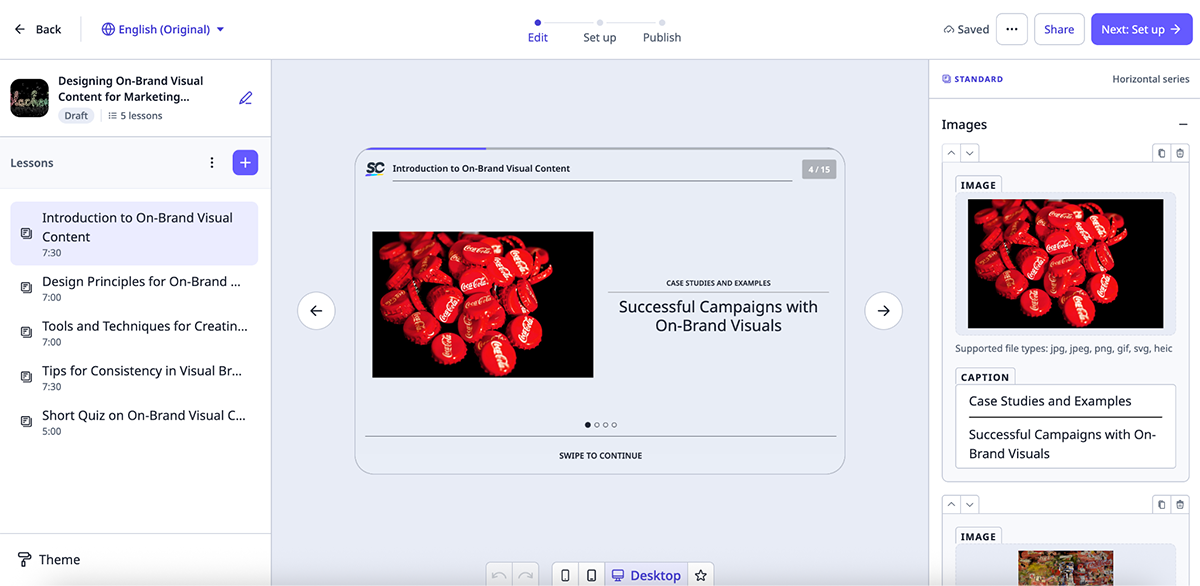
You can also upload existing documents or PowerPoint files and convert them into mobile-friendly modules.
Everything is editable through a clean drag-and-drop interface, and you get access to a library of 1,000+ pre-built, customizable courses covering topics like compliance, onboarding and skill development.
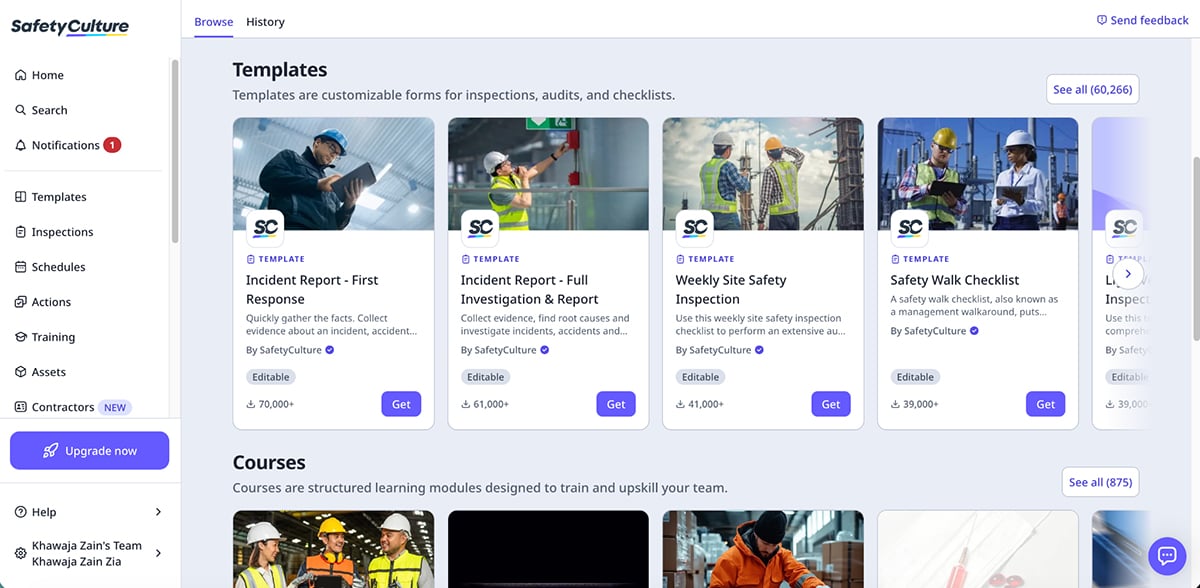
One of SC Training’s biggest strengths is how well it handles mobile delivery. Lessons are designed as swipeable, card-based interactions that feel native to a smartphone, not like a desktop course squeezed onto a smaller screen.
You can even toggle between device views while editing to make sure the experience holds up across screen sizes.
The platform also includes gamification elements like leaderboards and achievements, AI-powered translation into 100+ languages, built-in analytics for tracking completions and performance and discussion tools for peer-to-peer engagement.
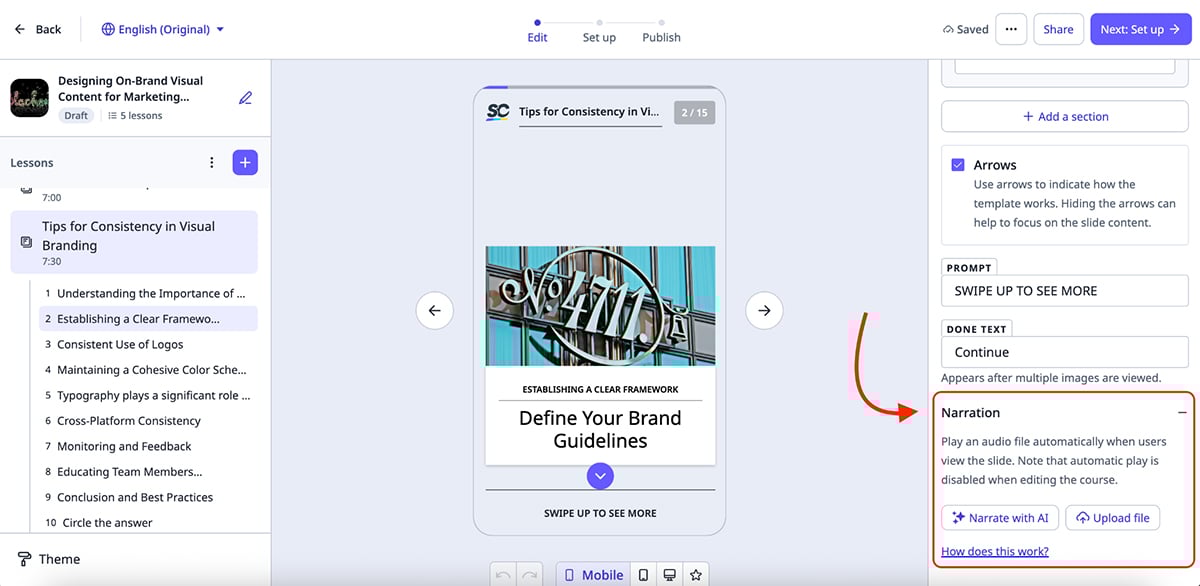
Important to note here that SC Training prioritizes speed and simplicity over advanced visual customization, so if your team needs on-brand training with advanced design elements, you’ll find the options here fairly limited.
SC Training offers a 30-day free trial to all its users. They also offer a free-forever plan so you can test out the tool before committing longer term. Paid plans are as follows:
LearnWorlds is a bit different from the other tools on this list. Rather than focusing purely on course authoring, it’s a full platform that lets you create, host, sell and manage online learning, all from one place.
That makes it a strong Articulate alternative for coaches, educators and businesses that want to monetize their training or build branded learning academies without stitching together multiple tools.
The platform comes with an AI-powered course builder that generates complete course structures based on your inputs, including difficulty level, tone, number of sections and the types of learning activities you want. The output gives you a solid starting point that you can refine using AI or edit manually from there.
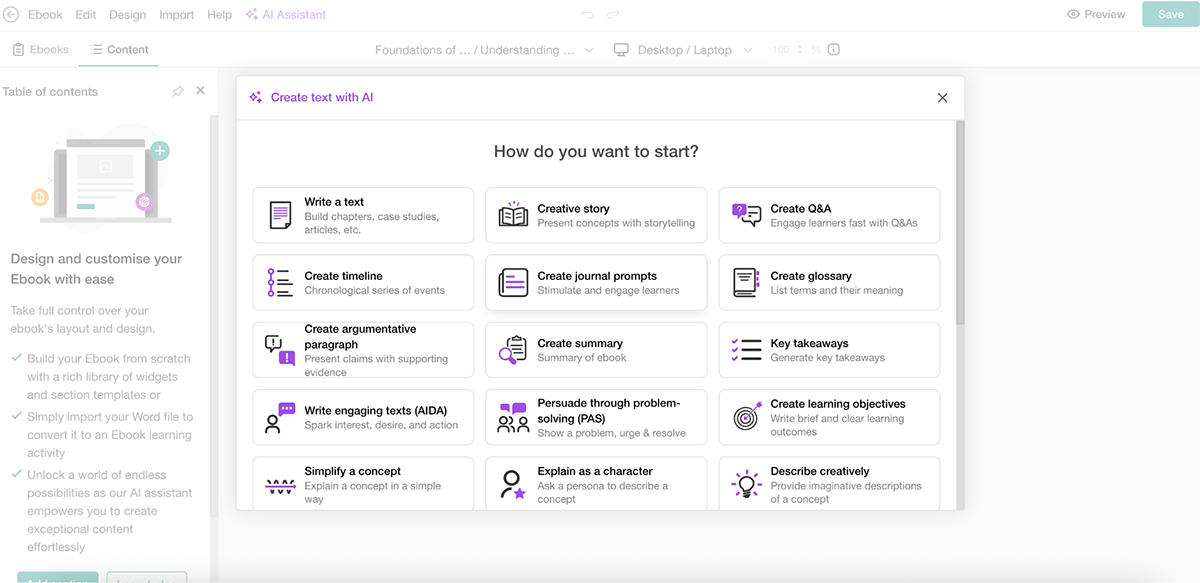
One of LearnWorlds’ standout features is its interactive video editor.
You can embed questions, clickable buttons and overlay elements directly into videos, which works especially well for product walkthroughs, scenario-based learning and self-paced training.
There’s also a no-code website and landing page builder with modern templates, so you can spin up branded training portals, certification hubs or onboarding sites.
On top of that, you get built-in marketing and eCommerce tools like subscriptions, bundles, upsells and payment gateway integrations.
Analytics is another highlight. LearnWorlds offers AI-powered course insights that surface engagement patterns, flag drop-off points and help you identify which sections need reworking, useful for L&D teams that want data behind their training decisions.
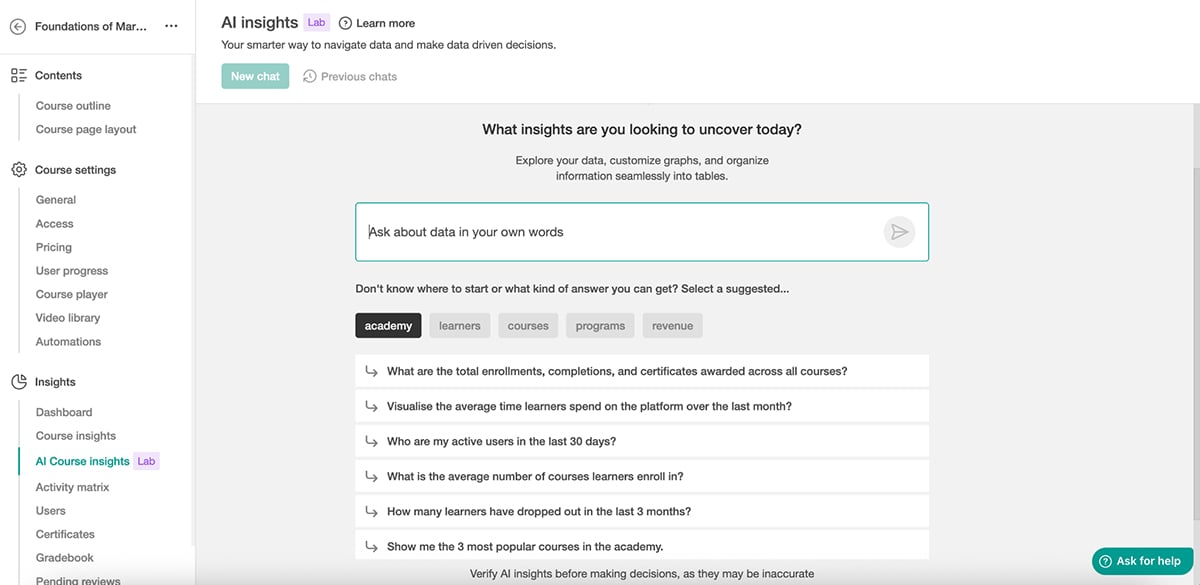
That said, if you’re using LearnWorlds purely for internal training, the heavy eCommerce focus can feel unnecessary. And the most useful features, like interactive video and white-labeling, are locked behind the higher-tier plans.
LearnWorlds offers a 30-day free trial. Their paid plans are as follows:
Some popular alternatives to Articulate include Visme, iSpring Suite, Adobe Captivate, Elucidat, Easygenerator and Lectora. Each tool offers unique features to help you create interactive eLearning content.
No, Articulate does not have a free version of its software. But it does offer a 30-day free trial with no credit card requirements.
No, Adobe Captivate and Articulate are completely different eLearning authoring tools with unique interfaces, capabilities and pricing models.
Whether Articulate is worth the investment depends on your specific needs and budget. While the platform is known for its simplified course creation, extensive template options and powerful integration capabilities, it comes at a premium price point as compared to its alternatives.
Adobe Captivate is popular for creating eLearning courses, but several alternatives offer similar or enhanced functionalities. Visme is a powerful alternative that offers an intuitive design interface, AI capabilities, an extensive template library and real-time collaboration features.
Yes, Articulate has its own LMS known as Reach 360. It’s designed to distribute training content quickly and easily without the need for a lengthy implementation process.
Yes, you can use Articulate without an LMS, and share courses via a web server. The downside of this method is that you may lose out on certain features such as tracking learner progress, centralized user management and advanced reporting capabilities that an LMS typically provides.
While Articulate 360 is a popular and powerful eLearning authoring tool, it may not be the best fit for everyone's needs and budgets. Fortunately, there are dozens of alternatives available, each with its own unique features.
Visme stands out as one of the top Articulate alternatives, especially if you’re looking for an AI-powered tool that’s easy to use, versatile and feature-rich. It’s ideal for all business sizes and comes with stunning, interactive templates you can customize extensively.
Create engaging eLearning and training content using built-in stock photos, videos, audio clips, illustrations, icons and animations, and add interactive elements like links, hover effects, multimedia hotspots and video embeds to take your materials to the next level.
Moreover, visualize data with 40+ charts and widgets, enable progression controls, track analytics like views and time spent, share and publish your courses online, or export them in SCORM and xAPI to integrate with your LMS.
Finally, Visme is more than just an online course software; it's an all-in-one solution that can help streamline various tasks and processes across your organization. Beyond training and development, use Visme to create compelling content for both customers and employees.
Design visual brand experiences for your business whether you are a seasoned designer or a total novice.
Try Visme for free