Proven Product Specification Examples That Give You Clear Decisions


Looking for the right Miro alternative? You’re in the right place.
Miro is one of the most popular online whiteboard tools out there—and for good reason. It’s powerful, flexible, and packed with features that help teams brainstorm, plan, and collaborate visually in real time. For many teams, it’s the default choice.
But popularity doesn’t always mean it’s the best fit for everyone. As Miro has grown, so has its complexity, pricing, and learning curve. Some teams need something simpler and faster. Others want better design tools, clearer structure, or more affordable plans that don’t lock core features behind paywalls.
That’s exactly why I tested alternatives.
As a productivity enthusiast, I dug into hands-on testing, pored over real user reviews, and spent time inside a wide range of whiteboard tools. In this article, I break down the best Miro alternatives, including their standout features, pricing, and ideal use cases, so you can find the tool that actually helps your team ideate, brainstorm, and collaborate visually without friction.
*Disclaimer: The comparisons and competitor ratings presented in this article are based on features available as of February 11, 2026. We conduct thorough research and draw on both first-hand experience and reputable sources to provide reliable insights. However, as tools and technologies evolve, we recommend readers verify details and consider additional research to ensure the information meets their specific needs.
To keep this comparison honest (and actually useful), I didn’t just skim feature lists or repeat marketing claims. I spent time inside each tool, using it the way a real team would.
Here’s what the testing process looked like:
No demo shortcuts, no surface-level impressions; just hands-on testing. And yes, this article was written by humans, over more cups of coffee than we’d like to admit.
| Software | Key Features | Pricing | Best For | Core Uses | G2 Rating |
|---|---|---|---|---|---|
| Visme | Visual-first whiteboards, diagrams, flowcharts, templates, real-time collaboration, version history, smart blocks, workflow management, extensive asset library, 3D character creator, AI tools | Free; Paid plans from $12.25/month | Teams wanting whiteboarding plus polished visual output | Brainstorming, visual planning, diagrams, presentations, content creation | 4.5/5 (460+ reviews) |
| Mural | Infinite canvas, facilitation tools, voting, timers, frameworks, integrations, collaboration tools | Free; Paid from $9.99/user/month | Facilitated workshops and strategy sessions | Ideation, workshops, retrospectives, brainstorming | 4.6/5 (1,400+ reviews) |
| FigJam | Hand-drawn style, stamps, audio chat, Figma integration, AI tools, templates, real-time collaboration | Free (up to 3 files); Paid from $3/user/month | Design teams using Figma | Brainstorming, wireframes, design workflows | 4.6/5 (450+ reviews) |
| Excalidraw | Hand-drawn diagrams, lightweight canvas, collaboration, text-to-diagram AI, voice hangouts | Free; Paid $6/user/month | Informal sketching and open-source whiteboarding | Wireframes, rough diagrams, quick ideation | 4.4/5 (20+ reviews) |
| Draw.io (diagrams.net) | Technical diagrams, UML, offline mode, cloud integrations, AI diagram tools | Free; Advanced plan $37/month (up to 10 users) | Engineering and technical teams | System diagrams, org charts, process maps | 4.4/5 (440+ reviews) |
| ConceptBoard | Visual collaboration, commenting, task linking, enterprise security | Free trial; Paid from €5/user/month | Remote teams and project planning | Alignment, brainstorming, collaboration | 4.6/5 (100+ reviews) |
| ZiteBoard | Simple whiteboard, drawing tools, graph plotter, session recording, white-label branding | Free; Paid from $9/user/month | Tutors and small teams | Teaching, math collaboration, live sessions | 4.4/5 (4 reviews) |
| LiveBoard | Whiteboard with video calls, attention tracker, STEM tools, quizzes, chat | Free; Paid from $9.99/user/month | Education and tutoring | Lessons, collaborative learning | 5.0/5 (2 reviews) |
| Stormboard | Structured boards, voting, reporting, Agile integrations, magnetic sections | Free; Paid from $8.33/user/month | Enterprise Agile teams | Sprint planning, retrospectives | 4.5/5 (70+ reviews) |
| ClickUp | Whiteboards tied to tasks, docs, goals, workflows, AI tools | Free; Paid from $7/user/month | Teams wanting whiteboards inside PM software | Planning, task mapping, workflow design | 4.7/5 (11,000+ reviews) |
| Lucidchart | Advanced diagramming, data-linked visuals, AI diagram generation, presentation mode | Free; Paid from $9/user/month | Professional diagramming | Flowcharts, org charts, process maps | 4.5/5 (7,950+ reviews) |
| Microsoft Whiteboard | Infinite canvas, Microsoft 365 integration, basic collaboration | Free with Microsoft 365 | Microsoft-centric teams | Brainstorming, lightweight collaboration | 4.5/5 (45+ reviews) |
G2 rating: 4.5/5 (460+ reviews)
Best for: Teams that need an intuitive, all-in-one tool for brainstorming and creating visual content.

Visme stands out as one of the top Miro alternatives I’ve personally tested. And yes, I write for Visme, so I’ve spent more time inside the platform than most. But that also means I’m very clear on what it does well and where its limits are.
The workspace is clean and super intuitive. Everything's drag-and-drop, which means even people on your team who aren't design-savvy can jump in and contribute. I’ve used it for workflows, roadmaps, wireframes, mind maps—you name it—and the learning curve is refreshingly short.
You can start with a blank canvas but I prefer to kick things off with the easier options: professional whiteboard templates. You’ll find dozens of templates across multiple categories such as Flows, Wireframes, Agenda & Meeting Notes, Agile Workflows, Strategy and Planning, Product & Marketing.
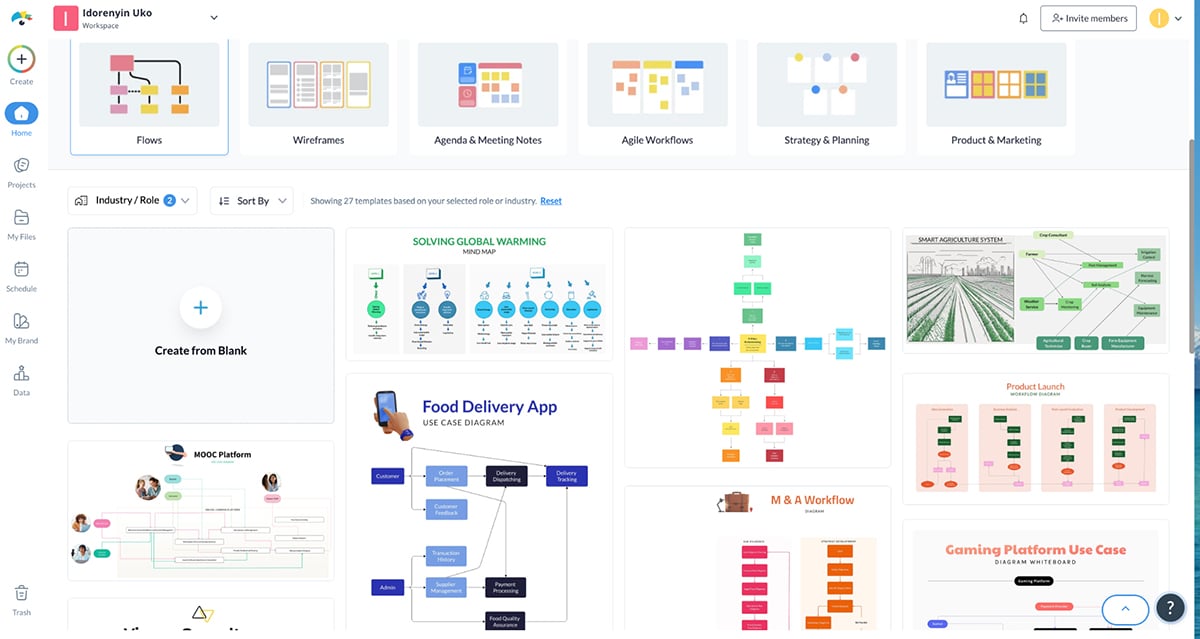
The team whiteboard canvas comes packed with an extensive library of templates and diagramming features, shapes, icons, arrows, colorful sticky notes, workshop cards, images, animations, emojis and illustrations to help you visualize your ideas.
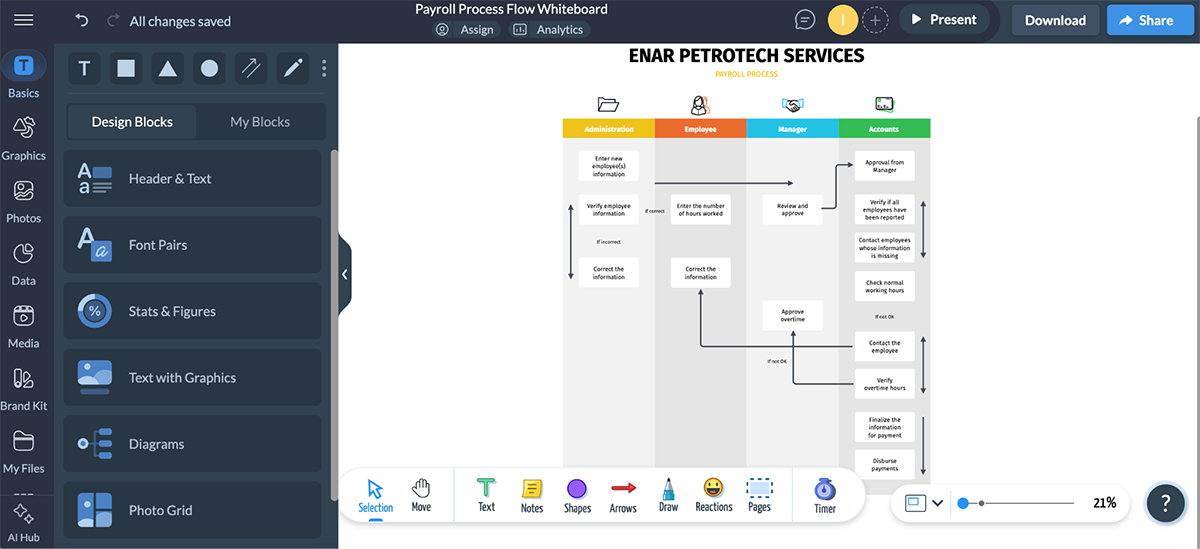
Visme’s real-time collaboration features work really well. You and your team members can jot down ideas, create sketches and diagrams, leave feedback in sticky notes, draw annotations, follow each other's actions with live cursors, vote on ideas, chat and more.
At the same time, it handles async collaboration well, so teammates can jump in when they’re available without disrupting the flow.
And here's the icing on the cake: After you’ve brainstormed, you can easily create a plan and assign tasks to different team members right there on the board with the workflow management tool. During the presentation, there’s a built-in timer to keep the session on track.
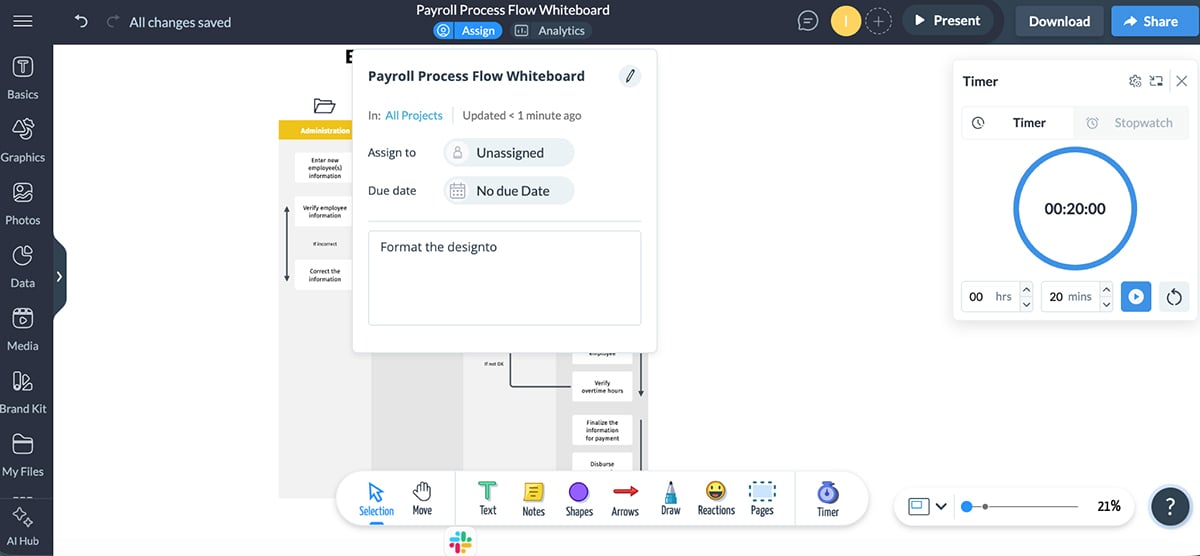
Another thing that sets Visme apart is that it's not just a whiteboard—it's a unified content-creation platform. You get all the collaboration features you'd expect from Miro, but you can also create marketing materials, forms, sales plans, business proposals, reports, white papers, eBooks, presentations, one-pagers and more. All in one tool.
Let’s take a look at some of Visme’s key features:
Note: Visme offers discounted pricing plans for students, educators and nonprofits.
G2 Rating: 4.6/5 (1400+ reviews)
Best for: Teams that require an interactive whiteboard for complex workflows.

After Visme, Mural was the next closest competitor to Miro among the apps I tested.
One thing I really appreciated about Mural is its straightforward layout—it's genuinely beginner-friendly. You can jump into a canvas alone or with your team and start creating right away without feeling overwhelmed.
Like Visme, Mural offers templates across different use cases: Strategize, Plan, Research, Brainstorm, etc.. There are over 400 templates in the library, so you've got plenty of starting points depending on what you're working on.
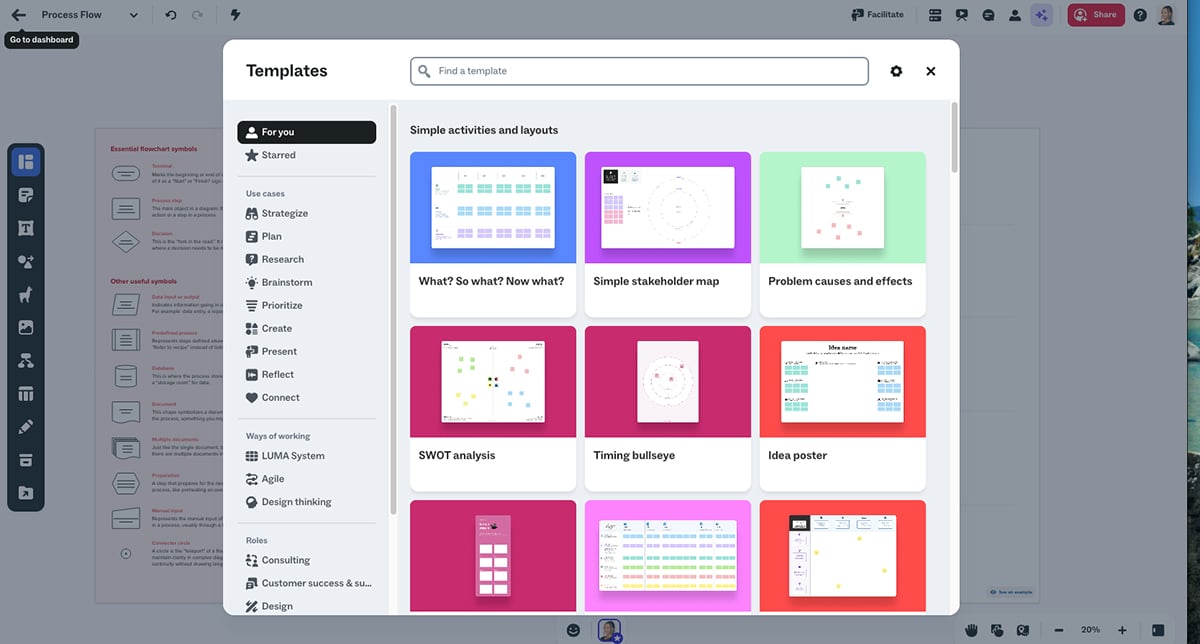
Once you pick a template, collaboration is pretty smooth. All the tools and assets are neatly arranged along the sides and top of your canvas, so you can quickly grab what you need—text editing, shapes and connectors, sticky notes, icons, emojis and images. Team members can tag each other on the canvas and leave comments, which keeps feedback organized.
There's also an AI tool built in that can help you create diagrams, summarize content, or even generate ideas when you're stuck.
What I found really useful were Mural's facilitation features. They've got a present mode, timer, voting tools, and even a laser pointer, which is super handy when you're running brainstorming sessions or workshops.
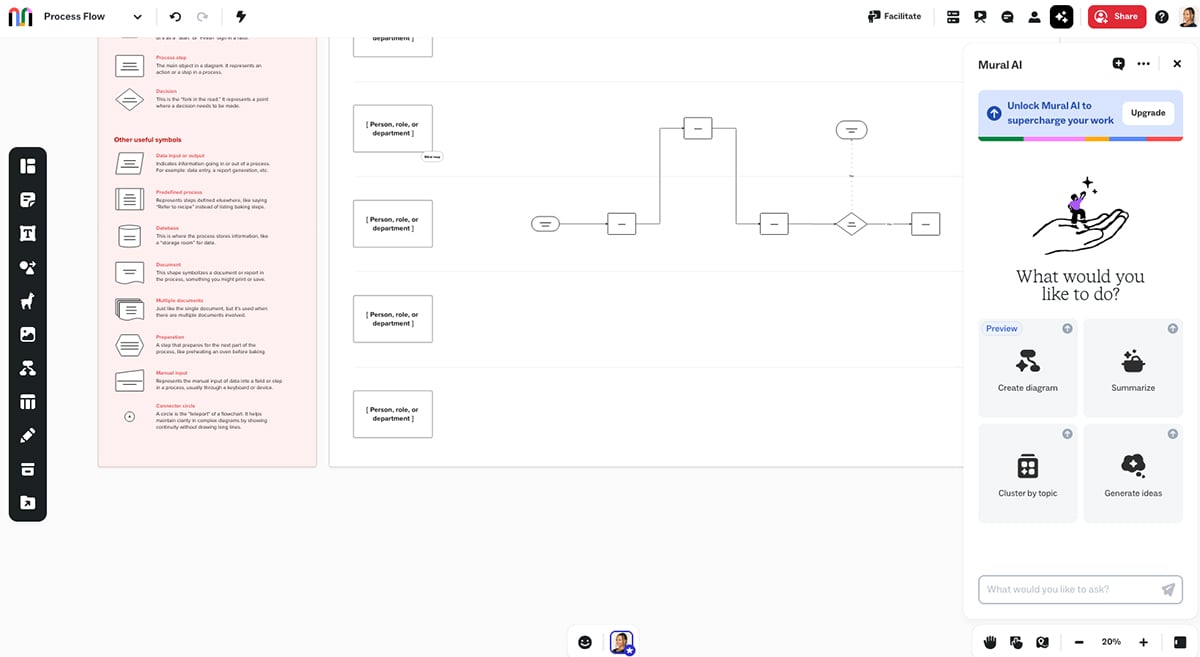
As a Miro alternative, Mural holds up well. It has all the cursor tracking, sticky notes, voting and emojis you'd expect. But one thing it's missing is the built-in video conferencing tools you'd find in Miro. You'll need to use Zoom or another platform alongside it for video calls during collaboration sessions.
G2 rating: 4.6/5 (450+ reviews)
Best for: Design teams and product teams already using Figma who need a collaborative whiteboard for brainstorming, ideation, and design workflows.

FigJam is Figma's collaborative whiteboard tool, and I tested it as part of this roundup. If you're already using Figma for design work, FigJam feels like a natural extension of that ecosystem.
The interface is super clean and minimal—very much in line with Figma's design philosophy. You get all the whiteboard basics: sticky notes, shapes, connectors, stamps, drawing tools, and a decent library of templates. If you're familiar with Figma, you'll feel right at home immediately.
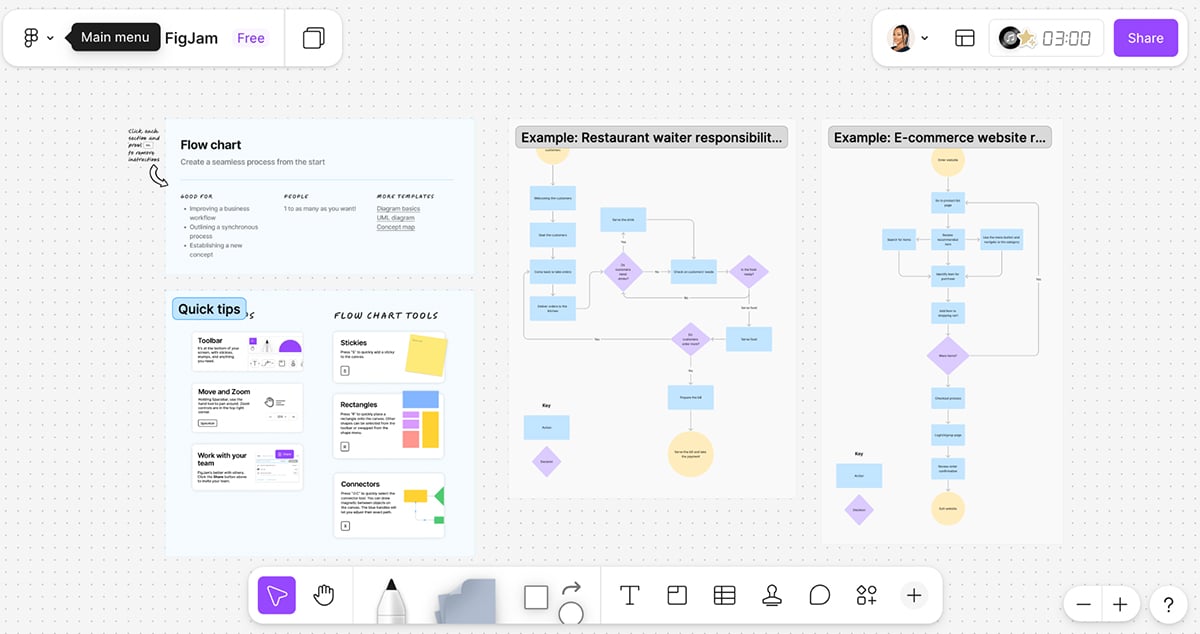
Collaboration is smooth and top-notch. You can see everyone's cursors in real-time, talk things out with audio and live chat, or use comments to give feedback on the go.
The integration with Figma is seamless too—you can pull in design files directly from Figma, which is huge if you're running design critiques or working through prototypes with your team.
There's also a Spotlight mode that helps guide meeting participants to focus on the content that matters most. This feature is really handy when you're facilitating larger sessions and need everyone on the same page.
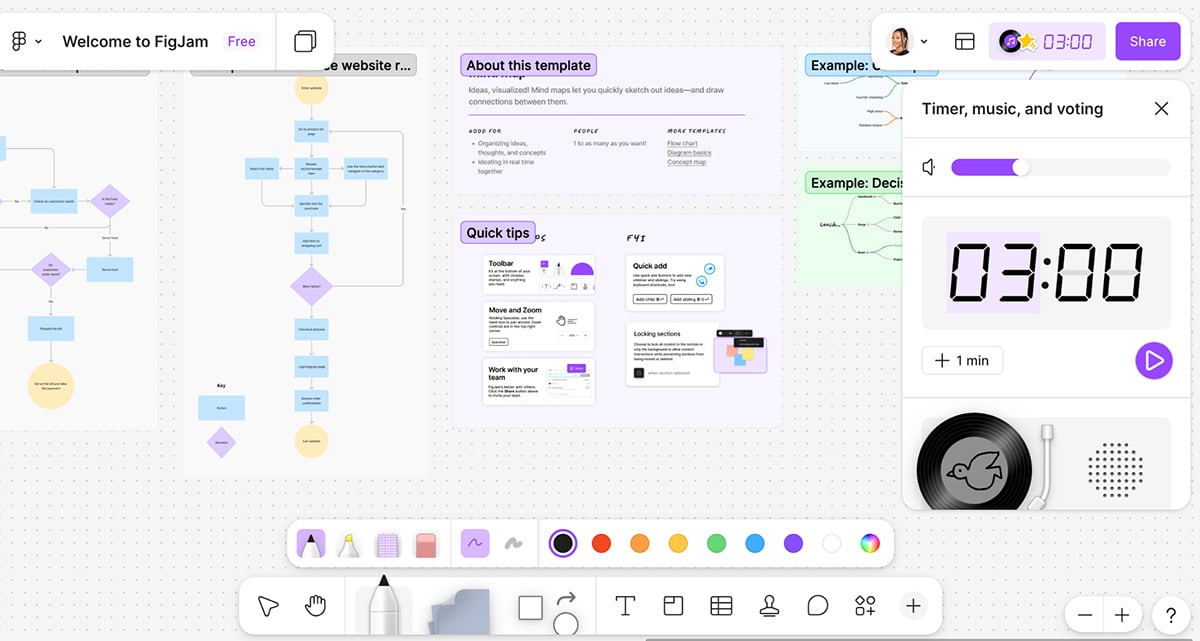
FigJam has some solid AI features. With a simple prompt, you can create meeting templates, visualize timelines, and more. You can add specificity as you go to get exactly what you need in seconds. The AI can also instantly sort sticky notes into themes to help you focus on what matters, or summarize your team's output into clear action items with a single click.
One feature I found pretty clever is the ChatGPT integration. You can basically transform conversations, photos, PDFs and more into editable diagrams you can share with your team.
Here's where things get interesting when you compare it to Miro. FigJam is really built for designers and design teams. If that's your world, it's fantastic. The templates lean heavily toward design workflows—user flows, wireframes, journey maps and design sprints.
But Miro is broader and works better for mixed teams: designers, project managers, marketers, strategists, you name it. The learning curve is shorter for non-designers. Miro also has more robust AI capabilities that can automate multi-step processes and create more complex outputs, whereas FigJam's AI, while useful, is more focused on specific tasks like sorting stickies and generating templates.
So if you're a design team already in the Figma ecosystem, FigJam makes total sense. But if you need a whiteboard tool that works across different departments and skill levels, Miro's versatility gives it an edge.
G2 rating: 4.4/5 (20+ reviews)
Best for: Teams that need a fast, minimalist whiteboard for sketching ideas and flows.

Excalidraw is an open-source Miro alternative I tested, and it has a really unique vibe. The whole thing is built around creating hand-drawn-style diagrams—it literally looks like you sketched something on paper, which gives it a casual, approachable feel.
What I liked right away is how easy it is to get started. There's no sign-up required unless you want the paid features. You just open it up and start drawing. Everything you create gets saved to the cloud automatically, so you don't have to worry about losing your work.
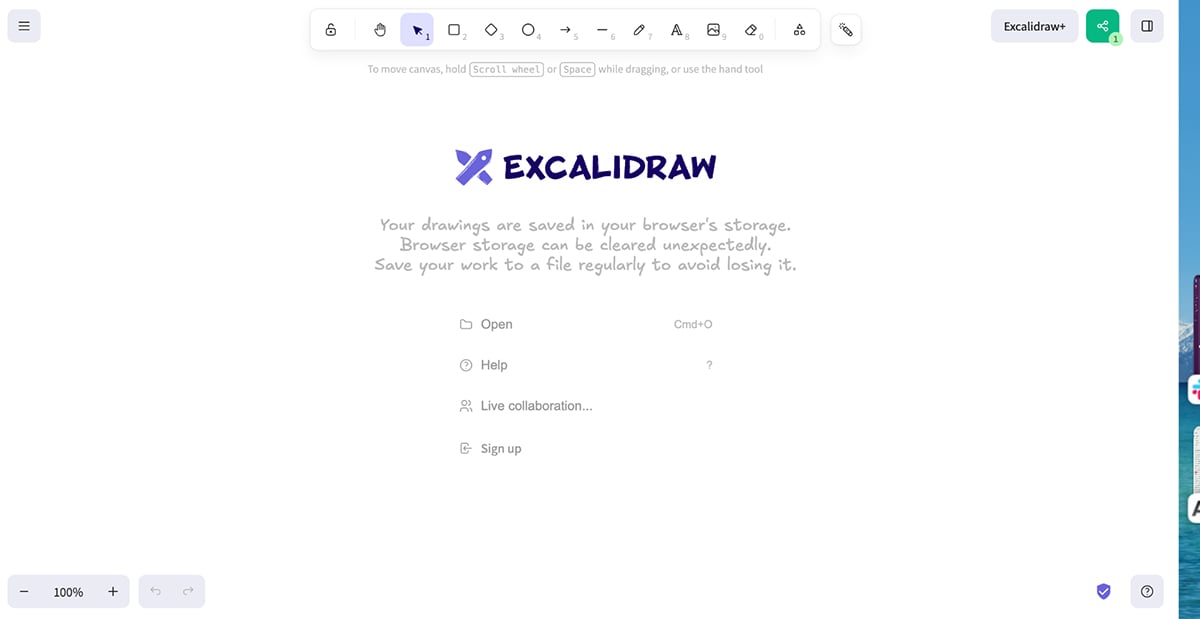
The text-to-diagram feature is pretty cool too. You can type out a description of what you need, and it'll generate a matching chart or graphic. It's not perfect every time, but it's a solid starting point when you're stuck or want to move fast.
Collaboration works well enough. You get real-time editing, live cursor tracking, chat, and comments. There's even built-in voice hangouts and screen sharing on the paid plan, which is handy if you don't want to juggle another tool during meetings.
The canvas is infinite, and you've got all the basics: lines, arrows, shapes, icons, colors, layer organization. You can upload images, charts, videos, and audio into your boards too. There's also zoom and panning support, which helps when you're presenting.
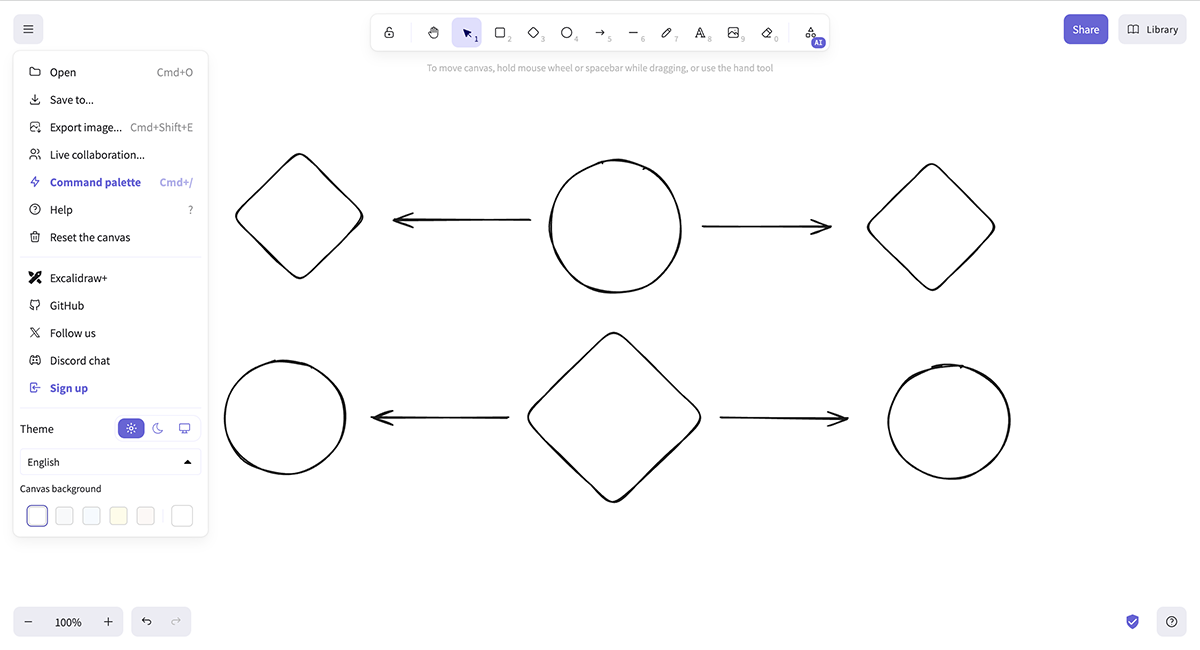
But here's where Excalidraw falls short. There are no templates. At all. Every other tool on this list gives you some kind of starting point, but with Excalidraw, you're always building from scratch. That's fine if you like total creative freedom, but it slows you down when you just need to run a quick brainstorm or workshop.
The integrations are also pretty limited compared to Miro or Mural. You're not getting deep connections with project management tools, Slack, or most of the apps teams rely on daily. It's more of a standalone tool.
So if you want that hand-drawn aesthetic and don't mind starting from a blank canvas every time, Excalidraw is a solid pick, especially since the free version is genuinely usable. But if you need templates or robust integrations, you'll probably want something else.
G2 rating: 4.4/5 (440+ reviews)
Best for: Users who require an open-source whiteboard for advanced diagramming needs.

Draw.io is another free tool I tested that's solid for diagramming. If you need to create network diagrams, circuit diagrams, UML diagrams, or flowcharts, this Miro alternative gives you a straightforward interface to get it done.
One thing I really appreciated is the context-based actions. They make the drawing process way faster. For example, when you're building network diagrams, there are quick buttons to adjust alignment or flip layouts from vertical to horizontal without fumbling through menus.
The template library is pretty extensive too—hundreds of professionally designed templates across 12 categories, including flowcharts, mind maps, mockups, networking diagrams, and wireframes. It's a solid head start if you don't want to build everything from scratch.
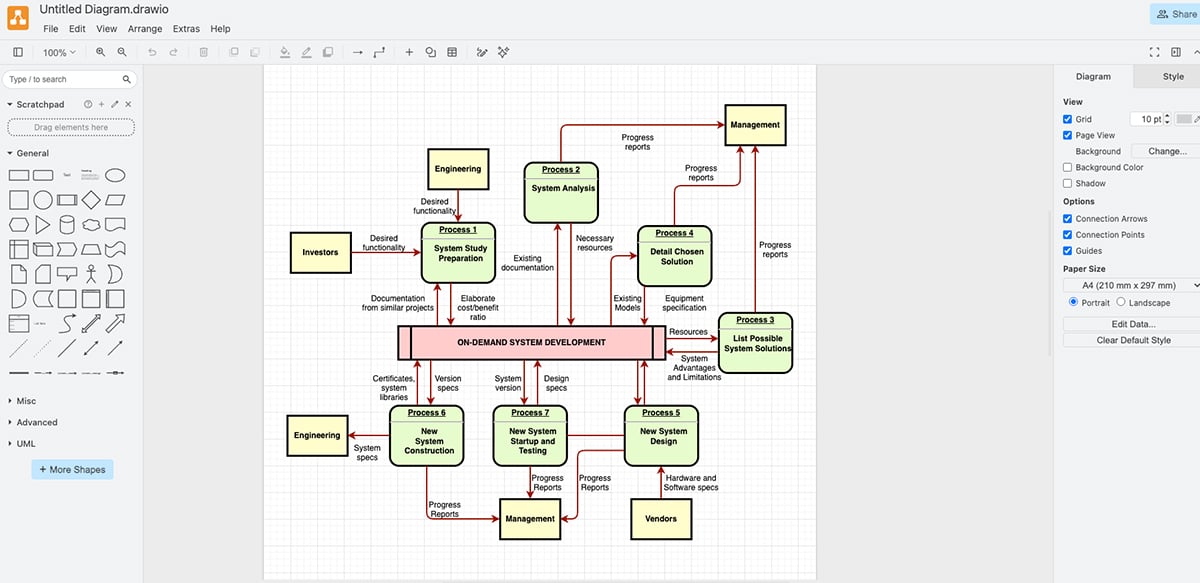
Draw.io does have an AI feature for generating diagrams from text prompts, but honestly, it's pretty hit-or-miss. Most of the time, the output wasn't what I actually requested.
Sometimes the generated diagram would be in a foreign language, or it would just completely misinterpret what I asked for. I found myself re-prompting the tool multiple times just to get something remotely close to what I needed. It's there if you want to experiment with it, but I wouldn't rely on it for anything serious.
That said, the interface looks dated. It's got that old-school, Excel-era vibe that feels clunky compared to modern tools. It's functional, but it's not pretty, and if aesthetics matter to you, it might feel like a step backward.
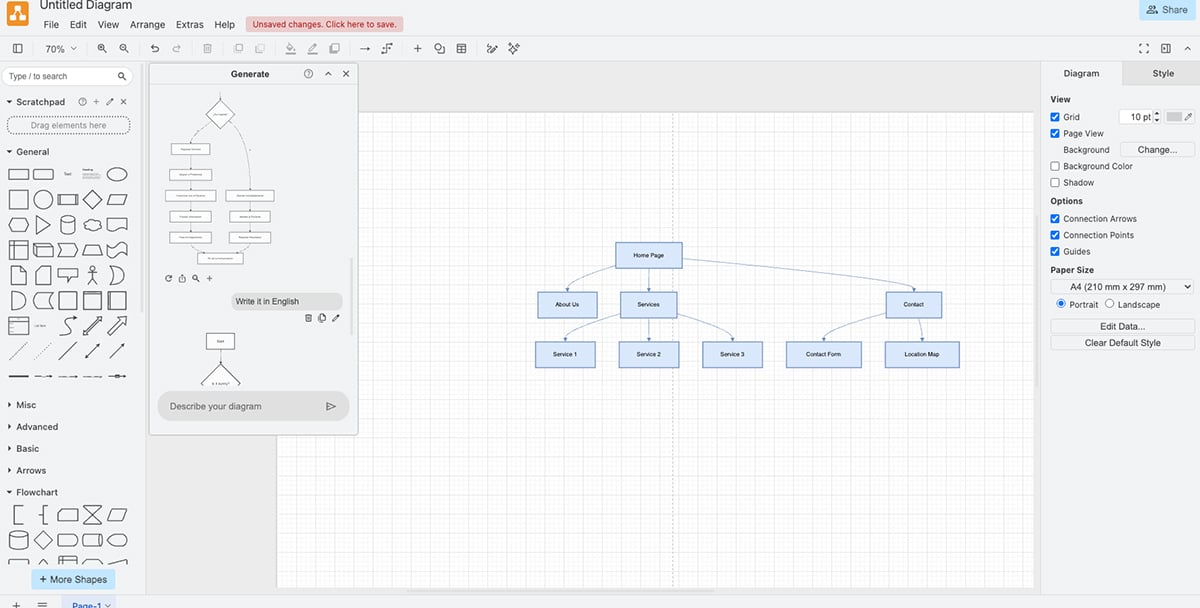
Editing is straightforward enough. You can drag and drop shapes, symbols, charts, connectors, and other elements onto your canvas. For more precise control, there are advanced tools like rulers, grid snapping, alignment guides, and layers.
Where Draw.io falls short is in collaboration. There's no built-in real-time editing as you'd get with Miro or FigJam. Instead, you have to integrate it with third-party apps like Google Drive, Microsoft OneDrive, GitHub, Dropbox, or Confluence. Once you do that, collaborators can see moving cursors and make edits in real-time, but it's an extra step and not as seamless as native collaboration features
G2 rating: 4.6/5 (100+ reviews)
Best for: Teams that need a straightforward virtual collaboration tool.

ConceptBoard offers an intuitive visual collaboration tool for remote teams to brainstorm, organize design sprints, collaborate and manage projects effectively.
Since there’s no free plan, I had to sign up for a free trial to test the tool. But when you get in, the setup is pretty straightforward. You can start with a blank canvas or drag and drop templates onto your board. You can even use multiple templates on a single board, which is handy when you're working on different sections.
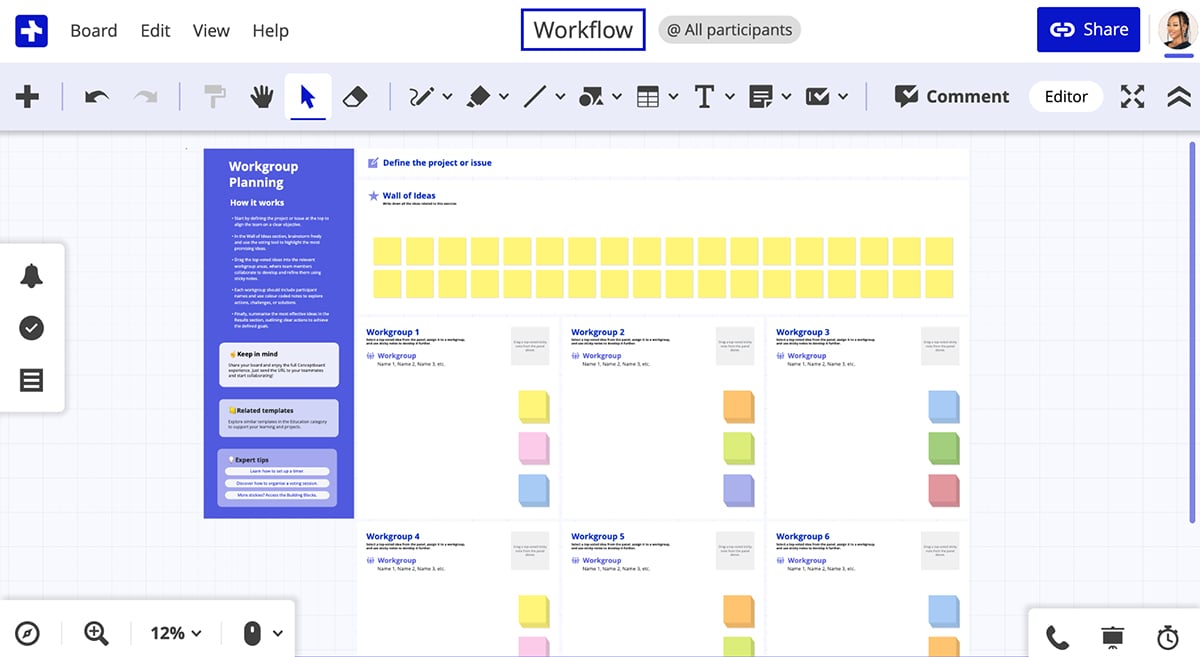
One feature I found really interesting is the moderator mode. Click "Start Moderating" in the bottom right, and everyone on the board can follow the moderator's screen. It's a great way to guide people through what you're discussing during a call without needing to share your screen separately.
The workspace is unlimited, so you've got room for as many ideas as you need. You can upload files directly to the board, use drawing tools to sketch and mark up, and drop comments and sticky notes for feedback. There's also a "freeze" function that locks focus on specific content when you need everyone's attention.
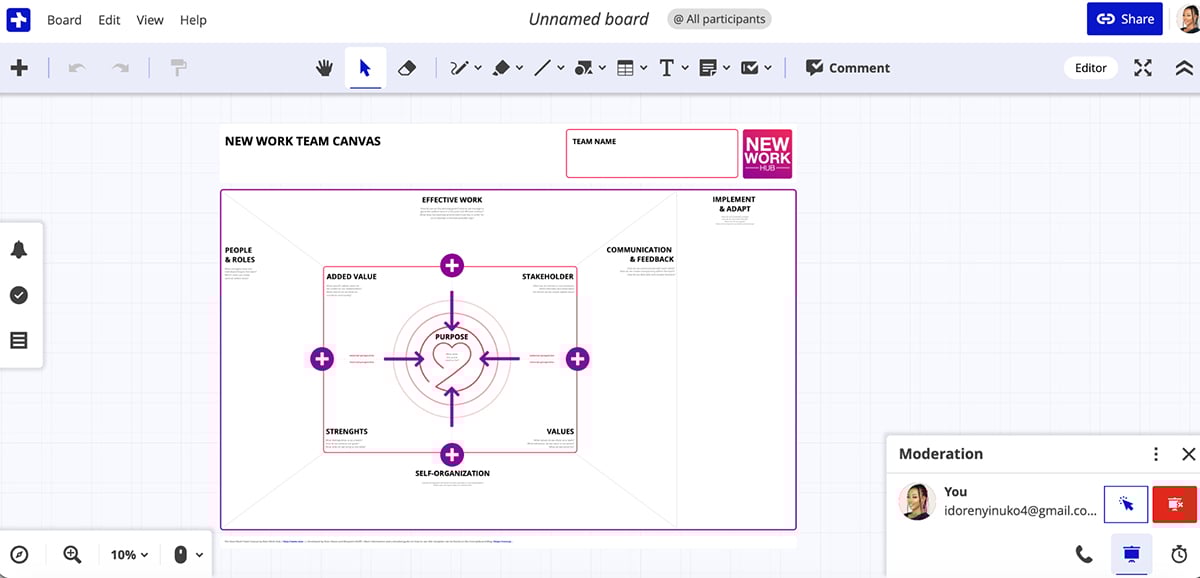
Access management is solid—you control who can view or edit boards. You can organize everything into project folders to keep things tidy, and sharing boards with your team or external partners is quick and easy.
ConceptBoard also has task management features built in, so you can assign tasks and track progress right from the boards. That makes it easier to move from brainstorming to actually getting things done.
But here's a drawback I ran into: ConceptBoard doesn't let you import data for charts and graphs onto the whiteboard. That's a pretty big limitation if you're working with data visualizations. Other tools like Visme let you import data from existing tables and create charts and graphs directly on the whiteboard.
ConceptBoard integrates with Google Drive, Dropbox, Trello, and other platforms, so it fits into most workflows. It also has video conferencing, screen sharing, board history, and multi-layered encryption for security.
G2 rating:4.4/5 (4 reviews)
Best for: Facilitators or tutors that need an easy-to-use whiteboard tool.

ZiteBoard is a Miro alternative that works really well for educators and tutoring. It's built for creating layouts, workflows, wireframes, presentations, math graphs, and sketches.
Just like Excalidraw, I didn't have to create an account to use the platform's features. You can start creating as soon as you visit the website, as you are immediately directed to the whiteboard.
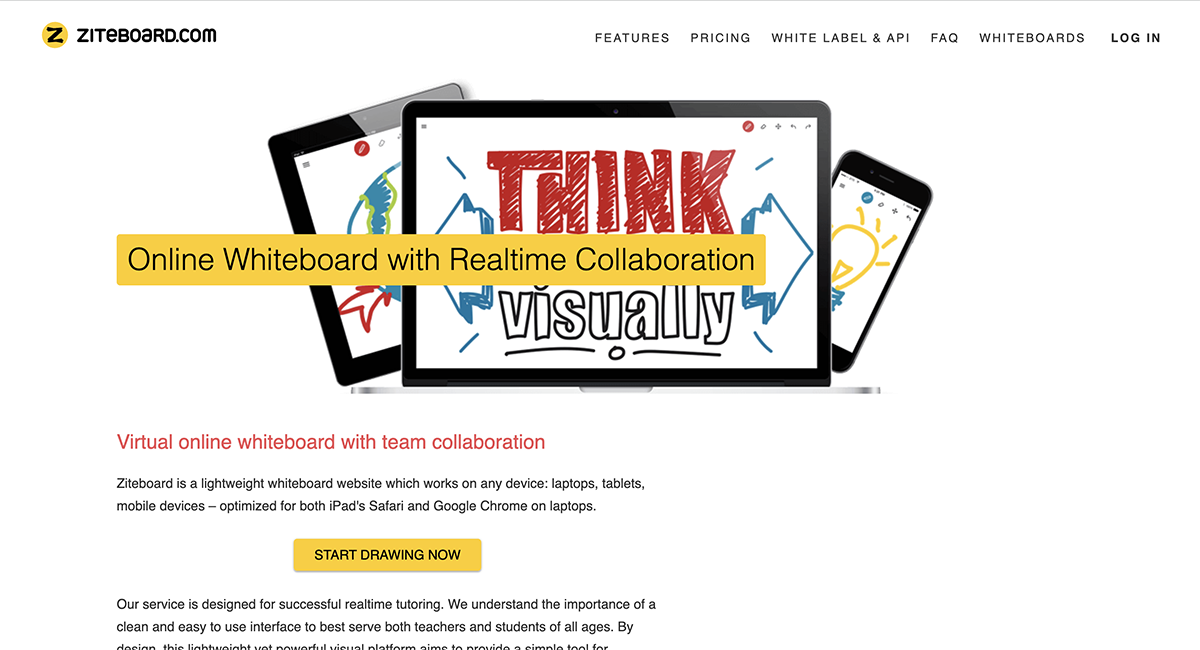
The graph-plotter add-on is what sets ZiteBoard apart for teaching. It's got a graphing calculator built in that lets you plot and sync graphs in real-time during sessions. If you teach math or anything involving graphing, this is a big deal.
Session recording is another useful feature. You can replay recorded sessions instantly, and you can export your whiteboard as a PDF or high-resolution image so students can reference it later. Pretty straightforward, but effective.
ZiteBoard also offers white-label branding, so schools or companies can customize the boards to match their branding. That's a useful feature if you're using it at scale.
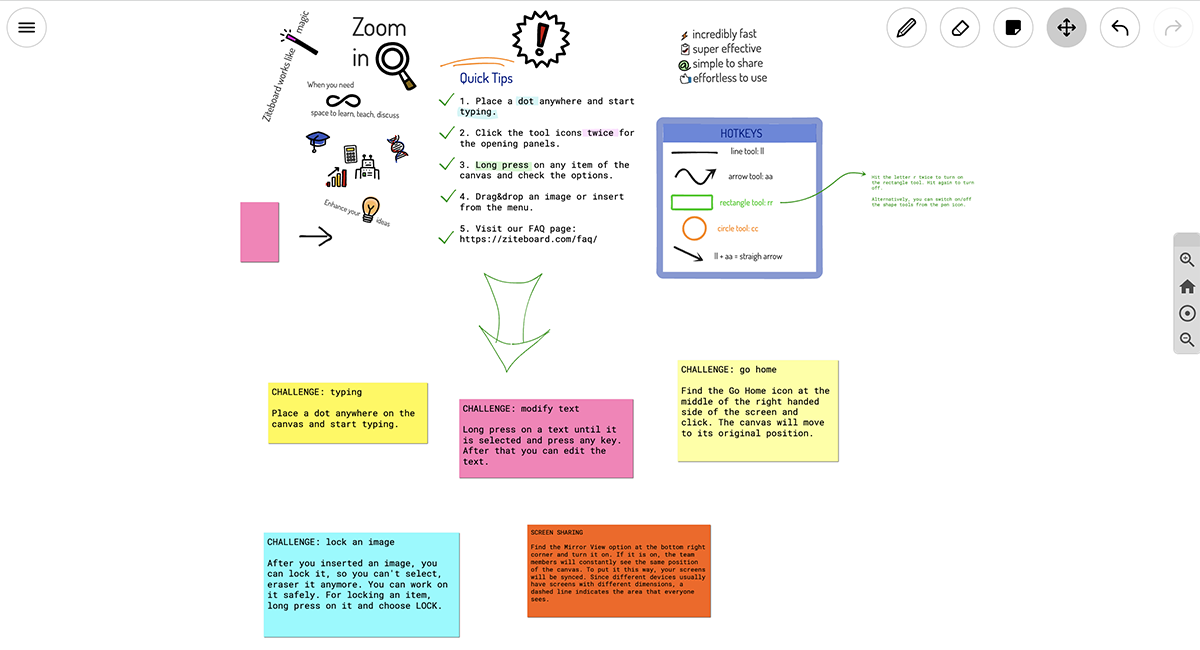
However, ZiteBoard doesn't offer templates like Visme, Figjam, ClickUp and many other options on this list. So you’d end up starting from scratch. For some use cases that's fine, but it does slow things down when you just need to run a quick brainstorming session or workshop.
G2 rating: 5/5 (2 reviews)
Best for: Online tutoring businesses and educational institutions that offer eLearning services.

LiveBoard is another whiteboard tool I tested that's built specifically for educators. Unlike Miro, which is designed for general collaboration across teams and industries, LiveBoard is specialized for online teaching, tutoring, and real-time classroom engagement.
One feature that really caught my attention is the Attention Tracker. It monitors students' attention levels during sessions. If a student leaves the class, a yellow circle appears around their picture and shows how long they've been gone. It's a small thing, but super useful for keeping tabs on engagement, especially with larger groups.
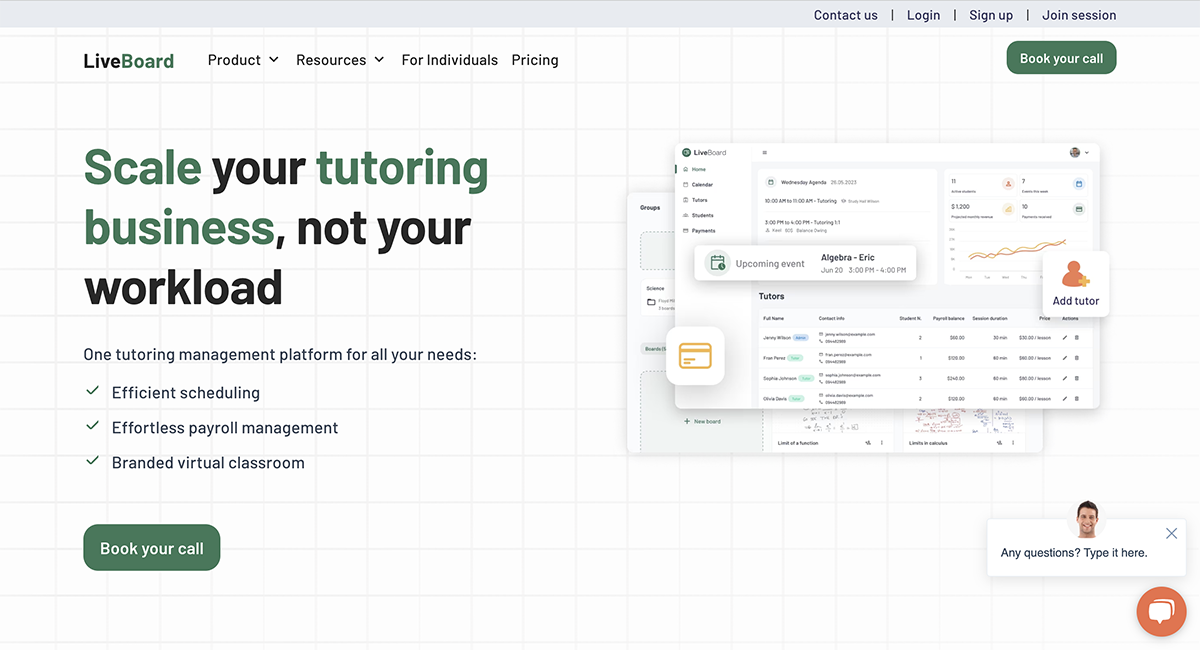
LiveBoard has built-in video conferencing, voice, and chat tools. You can start a video call directly from the board with unlimited students and no time limits. The host just starts the call and everyone in the session joins automatically—no links, no extra apps. That said, the video feature comes at an extra cost, unlike Visme, where collaboration tools are baked in.
There are also interactive widgets like polls, quizzes, and timers, plus STEM-specific tools like a graph editor and LaTeX editor for complex equations. These make it easy to create engaging, interactive lessons without juggling multiple apps.
The session recording feature lets you record and share lessons with students afterward so they can revisit concepts. You can also export sessions as PDFs and share them on professional platforms or save them for reuse.
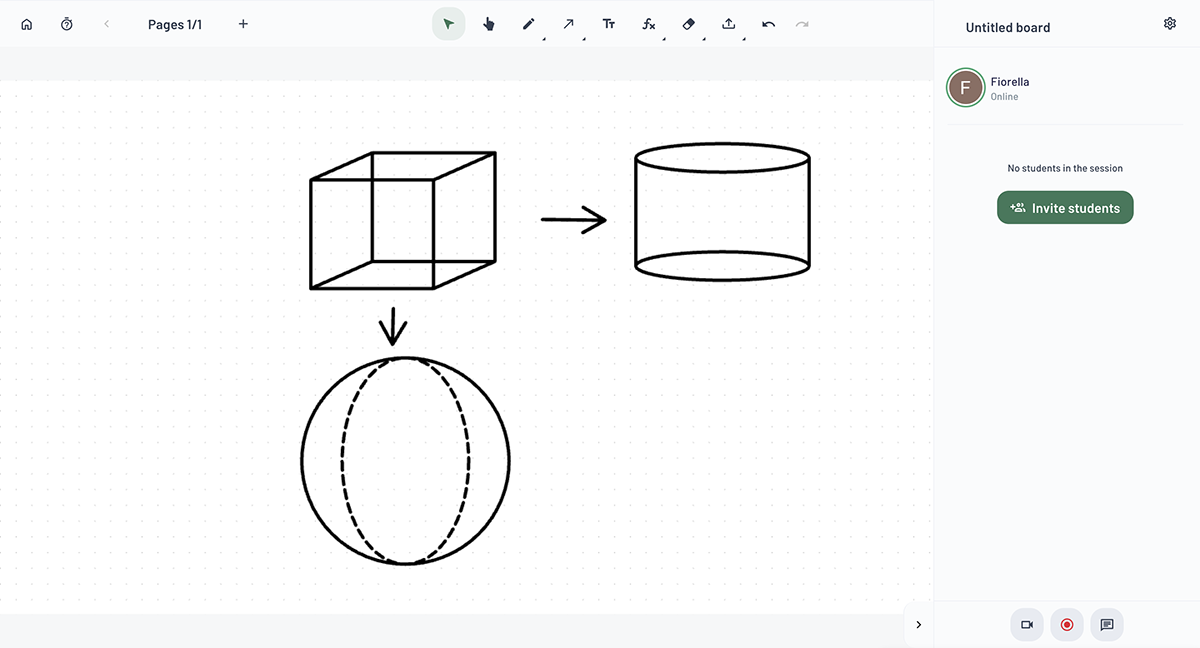
Collaboration is pretty seamless. Students can join sessions with one click—no sign-up, no credentials, no installation. You can set up online classrooms, manage groups, and share folders with specific students so they can access sessions, recordings, and assignments all in one place.
The canvas is infinite, and you've got all the usual whiteboarding tools—pens, shapes, text boxes, sticky notes. You can upload images, videos, and documents, and there are customizable templates to get you started faster.
LiveBoard integrates well with popular LMS platforms, so it fits into existing course management workflows without friction.
The only downside is that it’s really focused on education. If you're not teaching or tutoring, most of these features won't be relevant. And the video conferencing being a paid add-on is a bit of a letdown when other tools include it for free.
G2 rating: 4.5/5 (70+ reviews)
Best for: Ideal for users looking for design and development teams of any size.

Stormboard is an agile-centric Miro alternative I tested that's built for brainstorming, concept clustering, organizing sprints, affinity mapping, and conducting retrospectives.
Once you sign up, you can access over 250 templates to jumpstart your sessions. The templates cover Agile workflows, remote meetings, brainstorming, calendars, and matrices. 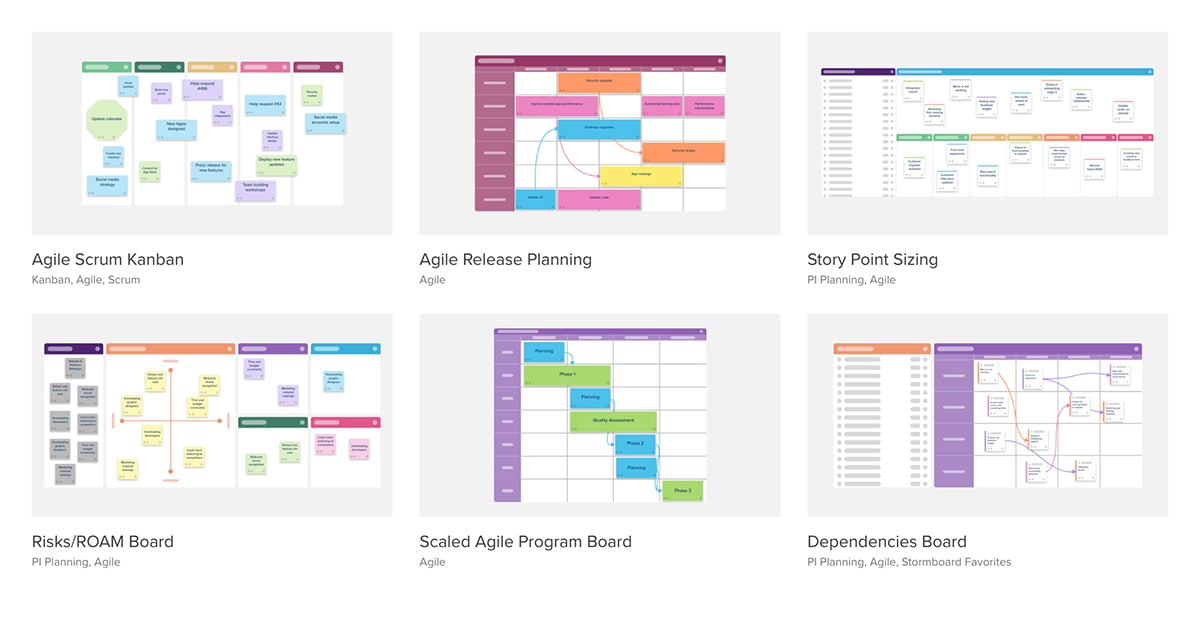
Like GroupMap, Stormboard's idea grouping and voting features let team members organize and extract the most value from their ideas. The magnetic sections automatically organize sticky notes into grids, which keeps things clean.
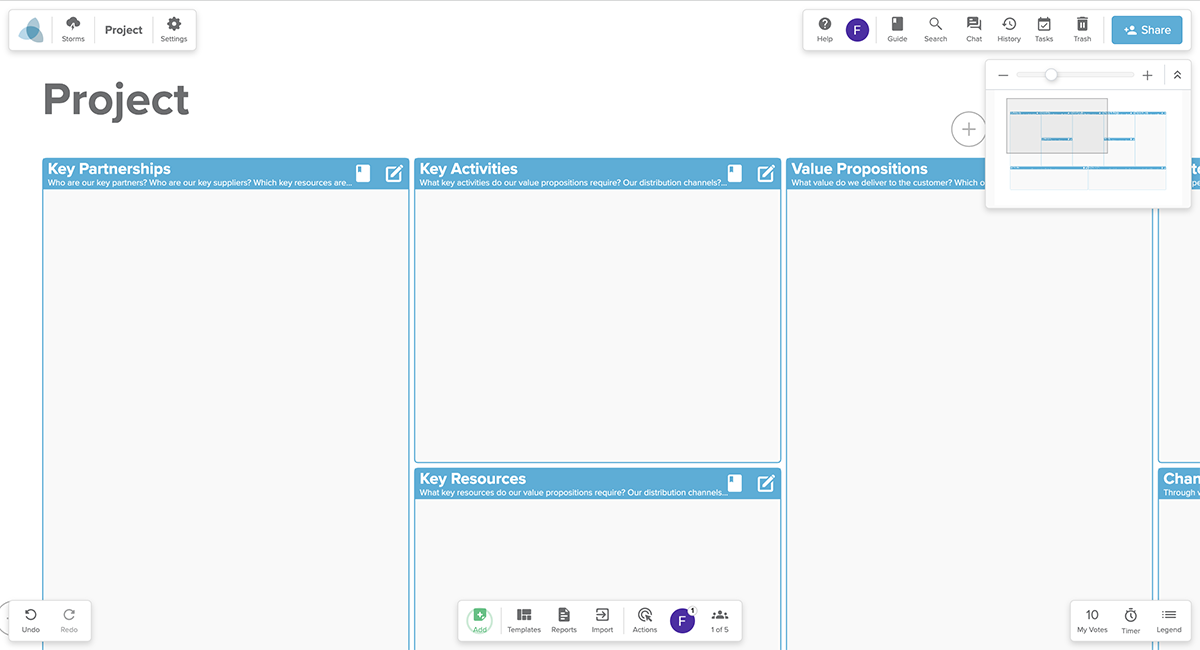
Where Stormboard really stands out is its robust reporting feature. The report includes sections like Top Ideas, Favorite Ideas, and Vote Summary by User. If you're on a paid plan, you can export data to Microsoft Excel and choose exactly what you want in your report—Storm data (ideas and index cards), votes, comments, even chat content. You can also download the report as a PDF or convert it to PowerPoint, Word, CSV, XML, and more.
The platform's native AI tool, StormAI, enhances brainstorming, idea generation, and action planning. You can even create custom templates tailored to your workspace's specific needs and goals.
For Agile teams, Stormboard integrates directly with Jira, Rally, and Azure DevOps. You can pull in backlogs and sync changes both ways, which is a big deal if you're already running sprints. It also connects with Microsoft Office, Google Workspace, Trello, Slack, and more.
The Spotlight feature (available on Business and Enterprise plans) keeps meetings focused by highlighting specific sections and directing everyone's cursors to the same spot. Simple, but effective.
G2 rating: 4.7/5 (11,000+ reviews)
Best for: Project management teams that need a versatile collaboration whiteboard.

If you're looking for a Miro alternative that combines project management with whiteboarding, ClickUp checks the right boxes.
I tested ClickUp and the interface is clean and modern. The whiteboard itself looks polished—colorful shapes, smooth connectors, easy drag-and-drop. But navigating the broader platform can get complex, especially if you're new to it. There's a lot packed in.
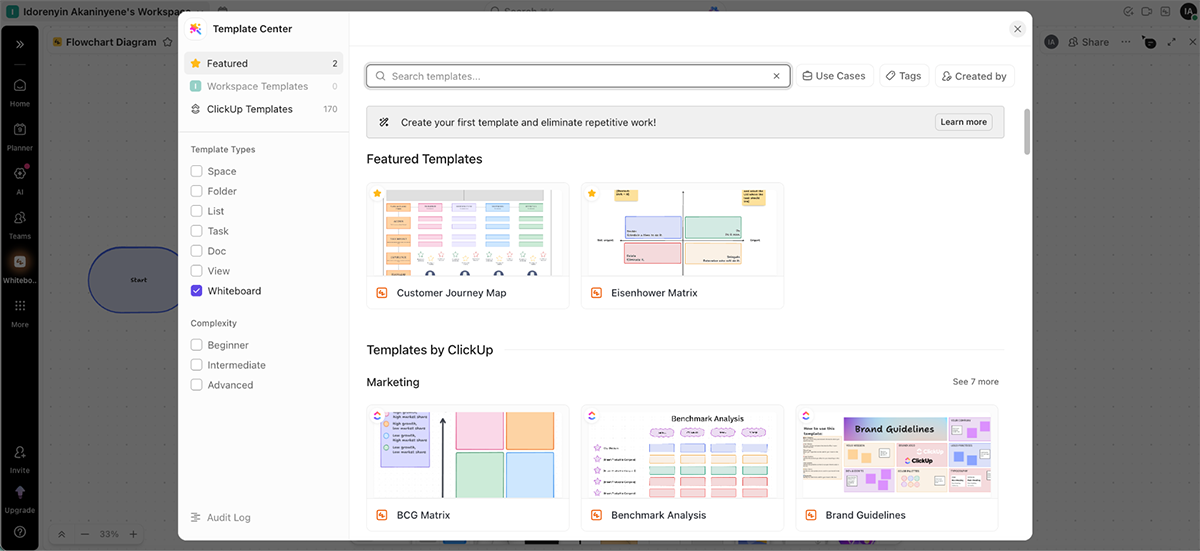
ClickUp's whiteboard feature is pretty solid. You get templates, drawing tools, shapes, sticky notes, text, and connectors. There's even an AI image generator built in, which is a nice touch for quickly adding visuals. Teams can develop detailed workflows and roadmaps that can be managed, tracked, and automated directly within the same platform. That's the big sell; everything lives in one place.
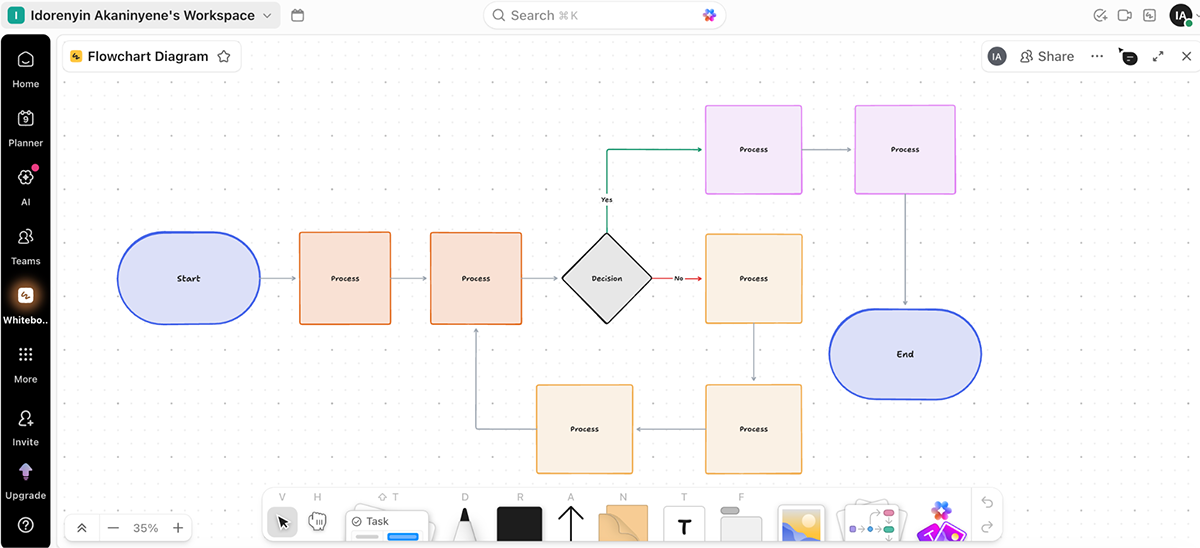
You can create multiple boards within a single project, collaborate in real-time, and switch to presentation mode. ClickUp also supports customizable views for managing tasks, including lists, Gantt charts, Kanban-like boards, calendars, and mind maps for workflow visualization.
But here's where ClickUp falls short compared to Miro. There are no facilitator features like voting, timers, or built-in video conferencing. Those are staples in Miro for running workshops and brainstorming sessions, and ClickUp just doesn't have them. You'll need to bring in external tools for that.
And fundamentally, ClickUp is a project management tool, not a pure whiteboard. In Miro or Visme, every brainstorm, strategy, and plan bursts into life in vivid color. Creativity isn't confined to lists or cards. It's free to grow, connect, and evolve. ClickUp's structured nature doesn't quite allow for that. It's more rigid, more task-focused. If you want true creative freedom on a whiteboard, ClickUp feels limiting.
That said, if you need a tool that combines whiteboards with task management, automations, time tracking, and reporting all in one platform, ClickUp delivers. It's just not as freeing or collaborative as a dedicated whiteboard tool.
G2 rating: 4.5/5 (7950+ reviews)
Best for: For UX teams that need to collaborate on complex workflows and design layouts.

Lucidchart offers an intuitive platform for creating diagram-driven workflows like process maps, mind maps, flowcharts, and technical diagrams. Its advanced diagramming features make it a solid Miro alternative for teams that need to visualize complex ideas and map out processes collaboratively.
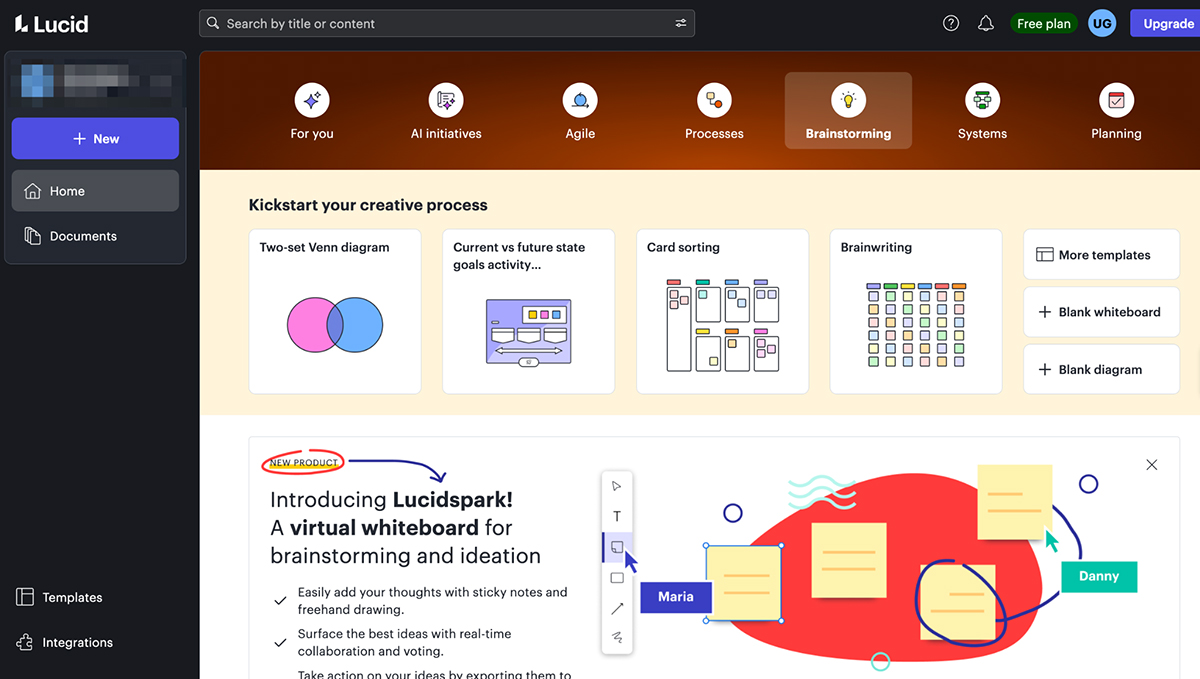
I tested Lucidchart and found the diagramming tools really well-built. Team members can create diagrams together in real-time, and there's a huge library of shapes, connectors, pens, and images to work with.
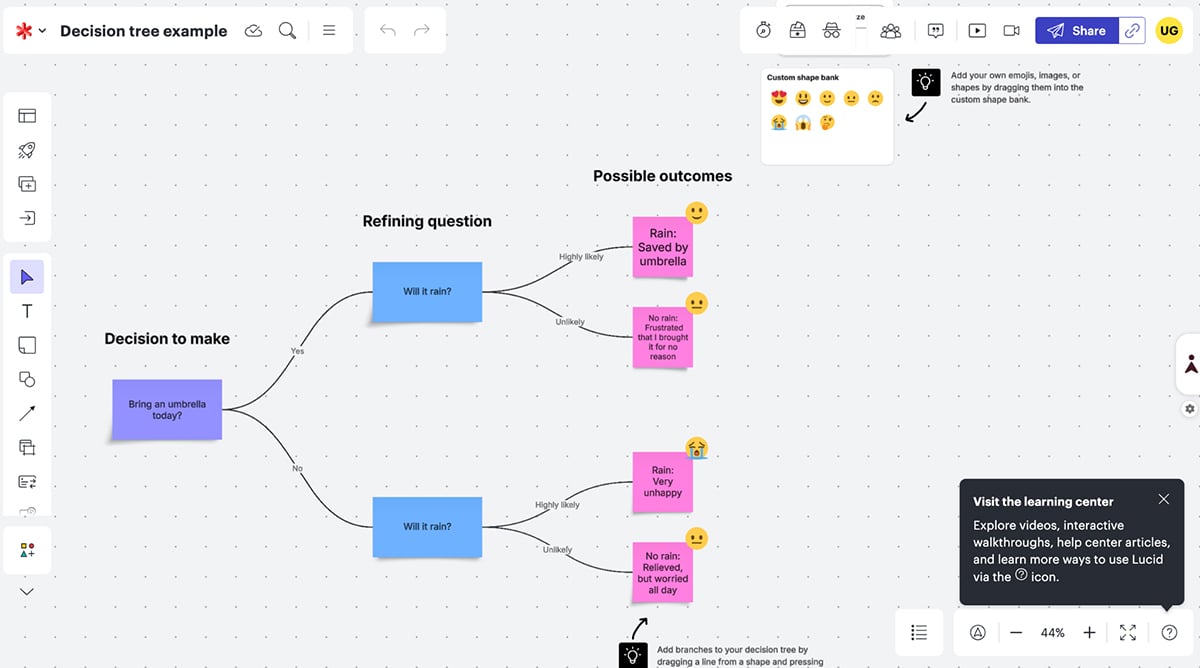
One feature I particularly liked is the automatic diagram recommendation. It suggests certain shapes and connectors based on the type of diagram you're creating, which speeds things up. Instead of hunting through menus, the tool just offers what you probably need.
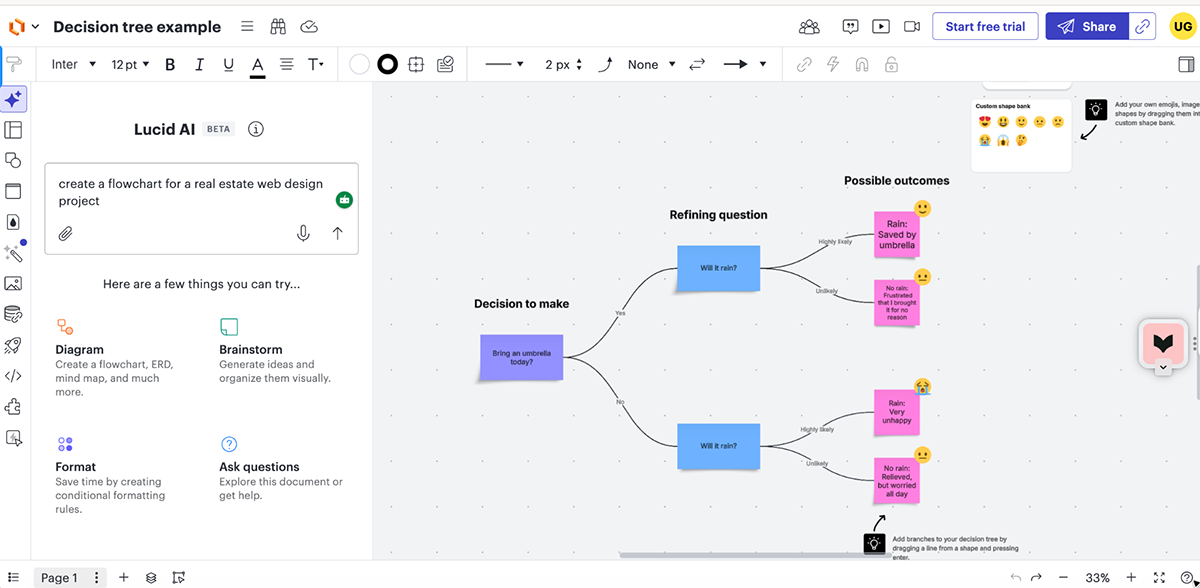
Lucidchart also has an AI tool that can generate diagrams or ideas from a text prompt. You describe what you need, and it builds out a starting point for you. It's handy when you need to move fast or you're stuck on how to structure something.
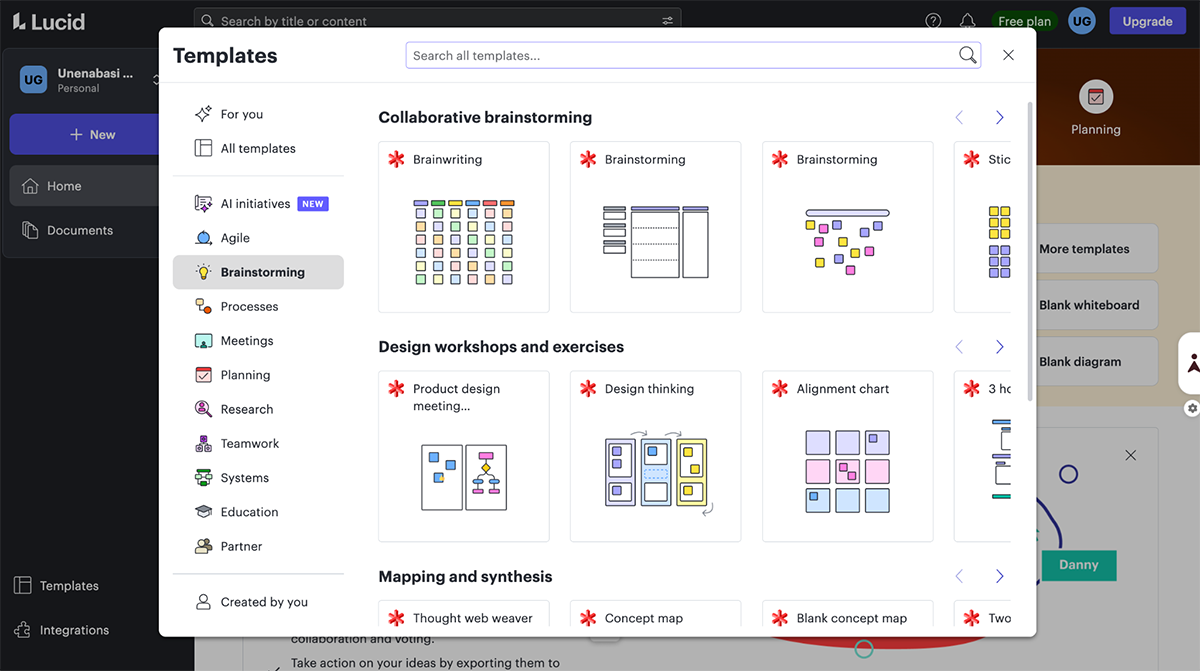
The template library is solid too—hundreds of customizable options to jump-start your sessions. You also get advanced features like importing/exporting org charts, conditional formatting, and overlaying data from spreadsheets or databases.
Within the interface, you can build a presentation in different slide sizes, present directly, send to Google Slides, or download as a PowerPoint deck. There's also a timer, voting, and video recorder feature—useful for running workshops.
Where Lucidchart falls short compared to Miro is in the breadth of AI tools. Miro has a more robust set of AI features like AI shortcuts, AI sidekicks, catch-up summaries, and comment summaries. Lucidchart's AI is useful for generating diagrams and recommendations, but it's not as comprehensive across the board.
Beyond that, Lucidchart is pretty much on par with Miro in terms of features. It integrates seamlessly with Slack, Microsoft Teams, Asana, Airtable, Google Meet, and Google Drive, so it fits into most workflows smoothly.
G2 reviews: 4.5/5 (45+ reviews)
Best for: Users who appreciate Microsoft products and need an easy-to-use whiteboard tool.

Microsoft Whiteboard is a free Miro alternative that is popular among Microsoft users. The touch-sensitive and pen-based interface of the whiteboard replicates ink writing. I love this experience because I could write, draw and doodle as naturally as I would with ink.
It's fairly easy to get started with the tool and you have access to 60 templates to help you organize your ideas and speed up the ideation process.
In terms of mind-mapping and drawing tools, Microsoft Whiteboard appears quite basic. So it may not be the best choice for creating advanced diagrams, workflows, flowcharts and more.
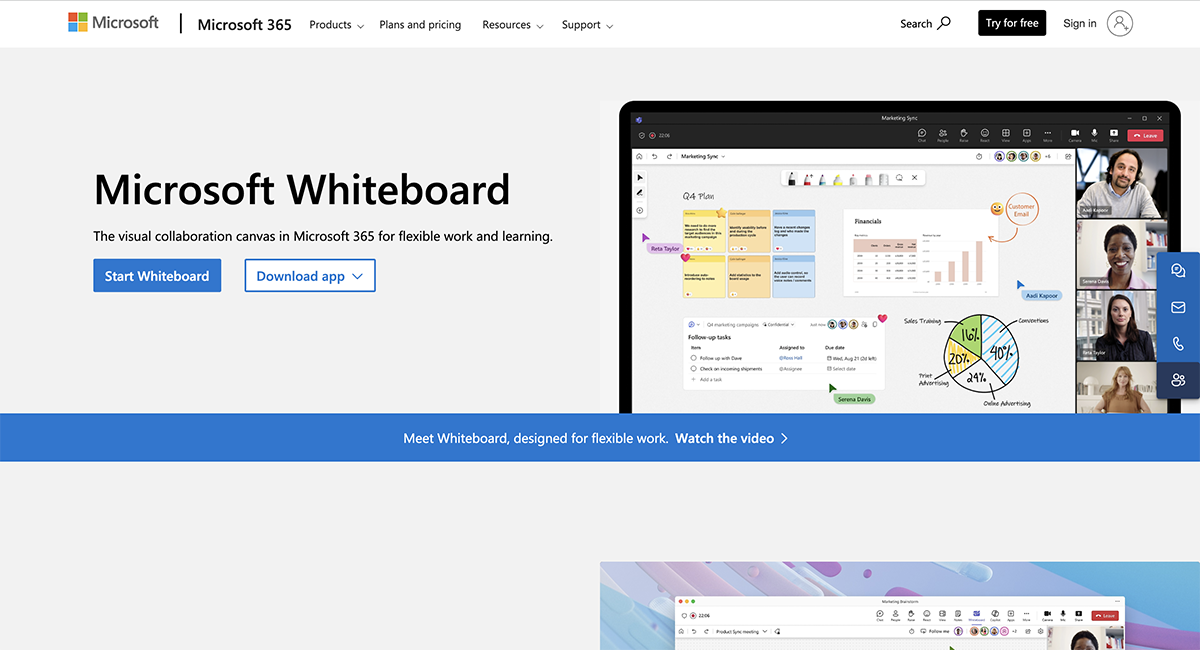
The whiteboard integrates seamlessly with tools within the Microsoft 365 ecosystem, such as Outlook, OneNote and Microsoft Teams. Another drawback I noticed is that it does not support integration with apps outside of this ecosystem.
Microsoft Whiteboard is free to use.
Visme is a great alternative to the feature-rich but complex Miro software. It significantly outperforms Miro in terms of simplicity and user-friendliness.
Non-technical teams that feel overwhelmed by Miro’s complexity will find Visme simple and efficient for brainstorming and collaboration sessions.
Yes, Google’s Miro alternative is JamBoard.
Yes, Visme is a free Miro alternative. You can access a wide range of easily customizable whiteboard templates on Visme’s free plan.
Visme is the most competitive and cost-effective in this list of Miro alternatives.
The best option between Miro and Lucidspark depends on your needs.
While Miro is one of the best Lucidchart alternatives, I’d choose Lucidchart when it comes to ease of use, advanced diagramming features, and customization.
But Miro Board offers even more useful project management features like shared Kanban boards, customizable fields, and automation for collaboration on a larger scale.
The best option depends on your team’s needs.
Jamboard is great for early-stage ideation and those who want a more natural writing experience. Non-technical users will also find it very easy to use.
The Miro whiteboard software, on the other hand, comes with broader productivity features like voting, mapping content relationships and task management grids that JamBoard lacks.
Honestly, there’s no one tool that’s automatically “better” than Miro. It really depends on what you need it for.
If you want whiteboarding that connects directly to project management, ClickUp might be your best bet. You can brainstorm and turn those ideas straight into tasks without jumping between apps.
If you need whiteboarding plus the ability to create polished, professional content, Visme is hard to beat. You can brainstorm and then build presentations, reports, or diagrams all in the same place.
Running a lot of workshops? Mural’s probably a better fit. It’s built around facilitation with features like voting, timers, and presentation modes that actually work.
And if you’re already using Figma for design, FigJam does lightweight ideation really well and costs way less than Miro.
If you need technical diagrams, Lucidchart is often the better choice.
Bottom line: Miro does a lot of things pretty well, but specialized tools usually do specific things better.
Miro’s not really “buggy” in the traditional sense; it just doesn’t handle scale well.
You’ll start seeing problems when your boards get huge and cluttered, when you’ve got tons of high-res images or PDFs loaded in, when multiple people are editing at once, or if you’re working on a device with less RAM (tablets and iPads especially struggle).
And since there’s no offline mode, any internet hiccup means you’re stuck staring at “Syncing… Please wait.”
For small boards and quick sessions, Miro runs fine. But when things get big and messy, the lag and freezing can get pretty frustrating.
Yeah, but it’s not quite the same.
Microsoft Whiteboard is the closest thing. It’s included with Microsoft 365 and works right inside Teams, so it’s convenient for quick brainstorms during meetings. But it’s way more basic than Miro; no real template library, no advanced features, not much customization.
There’s also Microsoft Visio, but that’s for formal diagramming like process maps and technical documentation. It’s not really meant for collaborative brainstorming.
So if you just need something lightweight in Teams, Microsoft Whiteboard will do. But if you want Miro-level collaboration, you’re better off with an actual Miro alternative.
FigJam can replace Miro for some design teams, but not for everyone.
It works great if your team already uses Figma, you’re mainly doing lightweight brainstorming or wireframes, and you want something simpler and cheaper.
But it’s not ideal if you need to run structured workshops, work with people outside the design team, or need deep integrations with project management tools.
FigJam is built for design teams. Miro works for pretty much anyone.
No. Canva Whiteboard is not a full Miro replacement.
It’s fine for simple brainstorming, small teams, or visual planning that ties into design work. But it doesn’t have the collaboration and facilitator tools, video conferencing features, workflow features, or integrations you’d expect from a serious whiteboard tool.
Miro gives you things like voting, timers, presentation mode, built-in video calls, sticky note clustering, and deep integrations with tools like Jira, Slack, and Microsoft Teams. Canva’s whiteboard has none of that.
Here’s the difference: Canva is a design tool that tacked on some collaboration features. Miro is a collaboration tool built from the ground up for teamwork. If you’re running workshops, managing workflows, or working across departments, Miro wins hands down.
The most common complaints:
None of these kill the tool entirely, but together they’re why a lot of teams start looking around.
Neither is “better” than the other;they’re just built for different things.
Milanote is better if you’re a creative (designer, writer, marketer), you need moodboards and visual inspiration, and you mostly work solo or with a small team.
Miro is better if you’re working across departments, running real-time workshops or sprints, and need integrations with your other tools.
Milanote feels like a beautifully organized creative desk. Miro feels like a virtual collaboration room.
We've checked out 12 top Miro alternatives with their unique strengths and offerings. With this guide, we believe you’re well-equipped to choose the best whiteboard that suits your needs.
If you're in the market for a feature-rich and reasonably-priced alternative to Miro, we recommend you take Visme for a spin. It's perfect for companies of all sizes and offers customizable templates for different use cases.
With robust features, design elements and visual assets, Visme offers an interactive and immersive experience to spark innovative ideas. Moreover, Visme's AI text generator and AI report writer can really speed up and simplify your brainstorming sessions.
The best part is that Visme isn't just a whiteboard software; it's a comprehensive solution that can assist you in creating engaging and professional visual content for your business needs.
Sign up today to take your team's interactive whiteboarding experience to another level.

Design visual brand experiences for your business whether you are a seasoned designer or a total novice.
Try Visme for free