Proven Product Specification Examples That Give You Clear Decisions

![How to Remove Something From a Picture [+ 5 Tools to Use]](https://visme.co/blog/wp-content/uploads/2023/11/How-to-Remove-Something-From-a-Picture-5-Tools-to-Use-Header.jpg)
Finding the perfect image for your content isn’t always easy. It’s extremely common to have almost perfect photos with a bit of unwanted text or objects in the background.
You don’t have to worry about that anymore. Now, you can remove unwanted items from photos thanks to AI technology.
In this article, we share five tools you can use to erase those unwanted items from your images. Plus, we give you an easy-to-follow guide for removing background or foreground objects from photos with Visme.
In this section, we’ve rounded up the five best options for removing objects from images.

Visme is a cloud-based, online content-authoring tool that helps you remove objects from images easily. Thanks to the integrated photo editor and AI image editing features, you can replace things, remove backgrounds, or unblur and upscale your images.
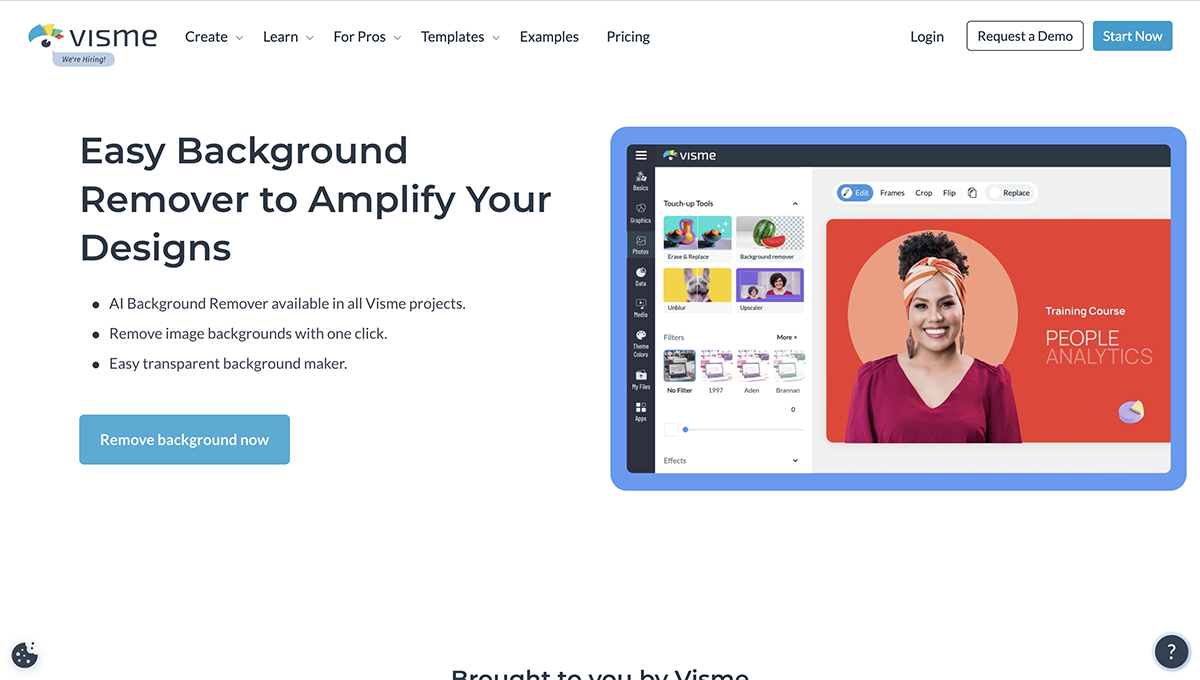
This tool enables you to remove objects, text and people from photos. The best part about the AI image editing tools in Visme is that they’re all available in the Visme editor. This means you can access it no matter what project you’re working on.
Use this tool to remove the background of any photo. The background remover lets you create cut-outs of objects and items and place them on another background or color backdrop.
The image upscaler lets you enlarge an image up to four times without losing image quality.
With the image sharpener you can unblur any fuzzy and pixelated images.
Aside from making beautiful images in Visme, you can create
The free plan has limited features. Paid plans start at $12.25/month per user, billed annually.

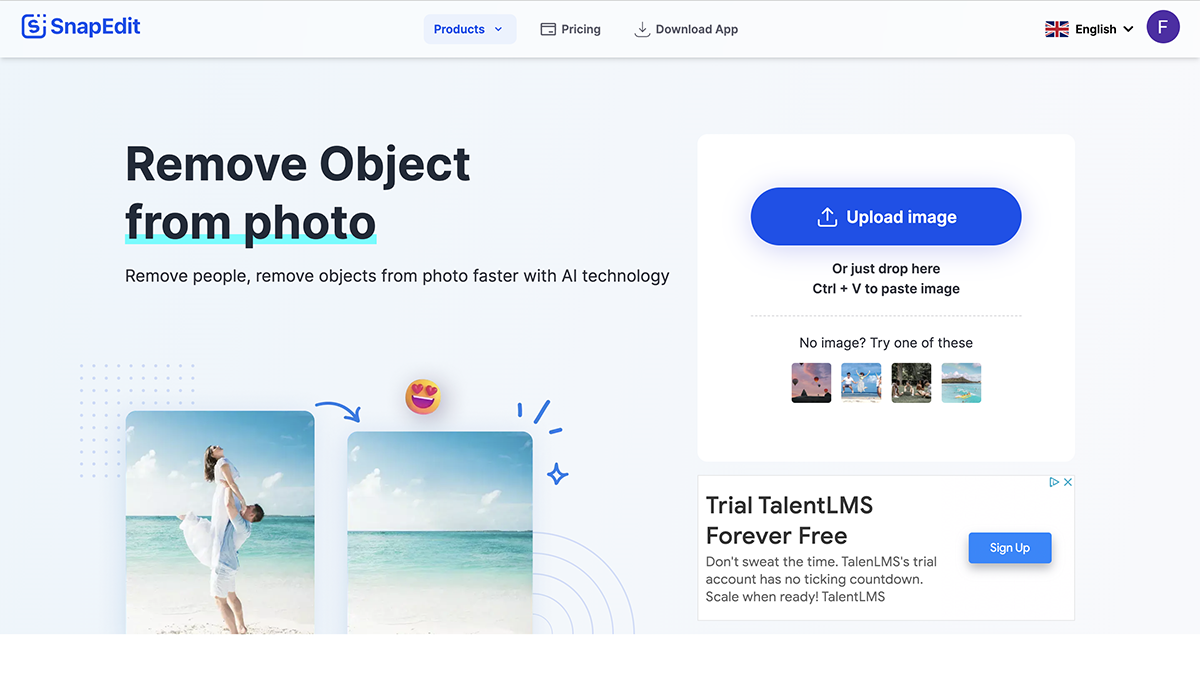
SnapEdit is a web, iOS and Android app that helps remove objects, text and people from photos using AI technology. Users can easily upload an image to the app and clean it up.

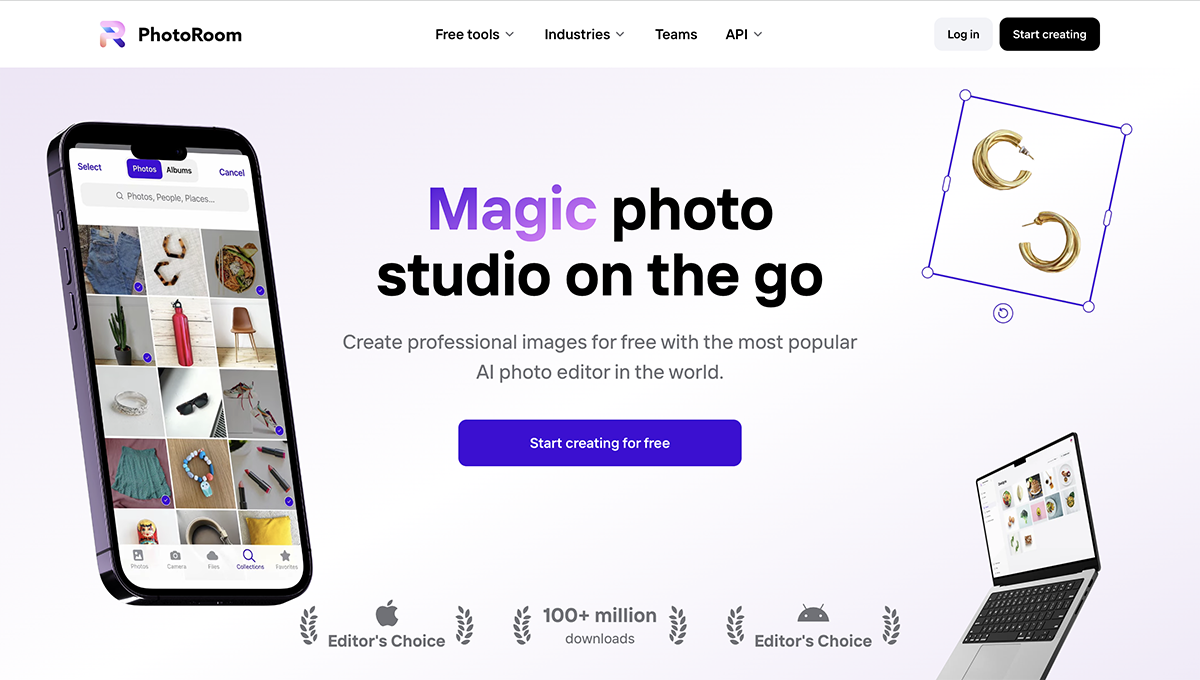
PhotoRoom is another web, iOS and Android app that helps edit photos quickly in several ways. With many options available in this app, users can create clean and professional images in no time.

Adobe Photoshop Express is an Adobe Cloud app that helps you edit photos quickly on a mobile device and desktop computer. It’s a simpler version of Adobe Photoshop and is free to download and use.

TouchRetouch is an app from ADVA Soft that helps remove blemishes, lines and unwanted objects from images. The app is available on iOS, Android and Mac computers.
The app is free to download but offers in-app purchases.
Using AI technology, Visme’s Erase & Replace feature helps you clean up pictures, remove objects, erase blemishes, get rid of text and take people out of your photos.
Here’s how to do it.
First, you must log in to your Visme account using Google or Facebook. From the dashboard, navigate to an existing project or create a new one. Upload the image you wish to edit or choose from the gallery of free stock images.
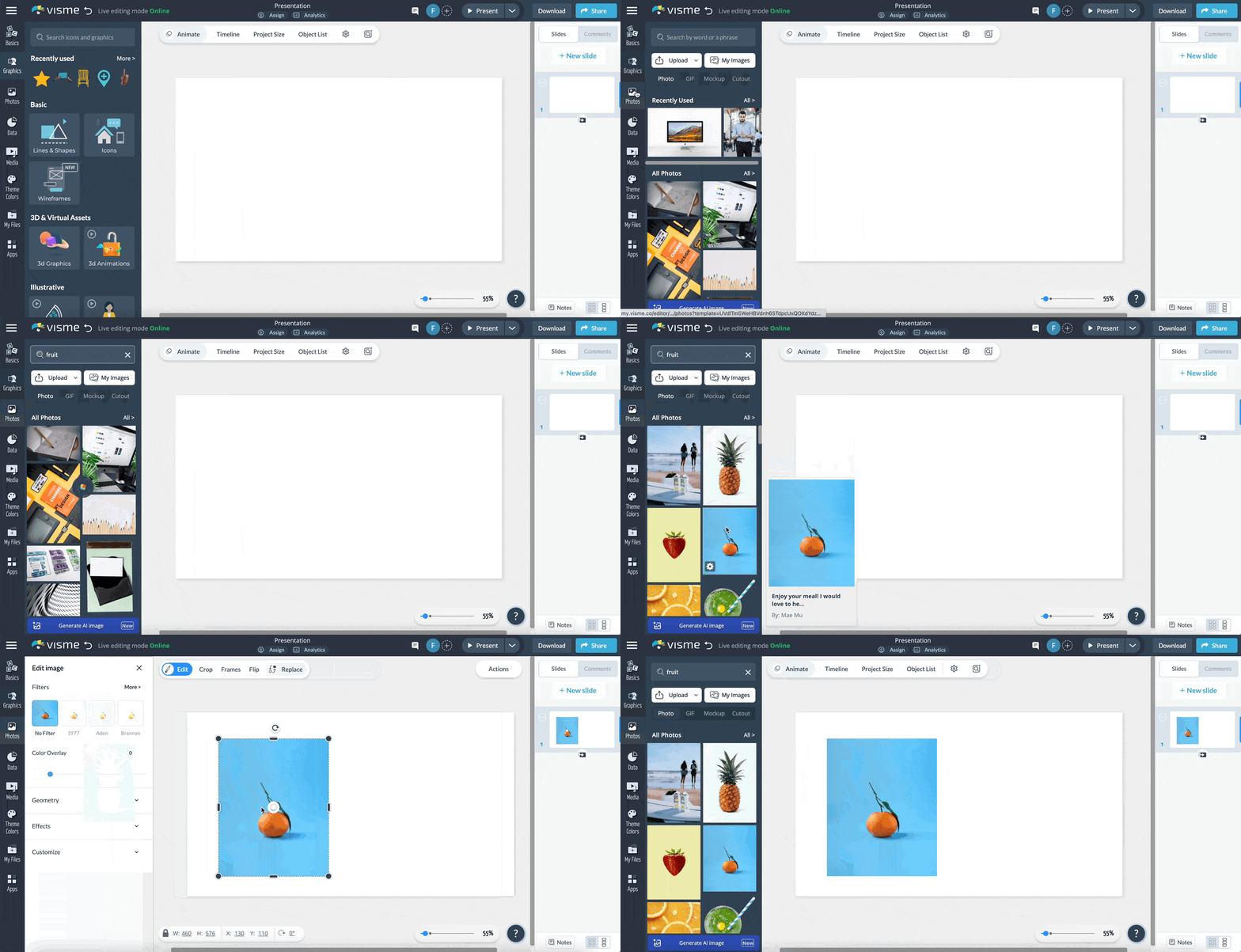
Click on the image to select it, then click the Edit button on the top left corner of the editor. In the dialog with the edit options, choose Erase & Replace
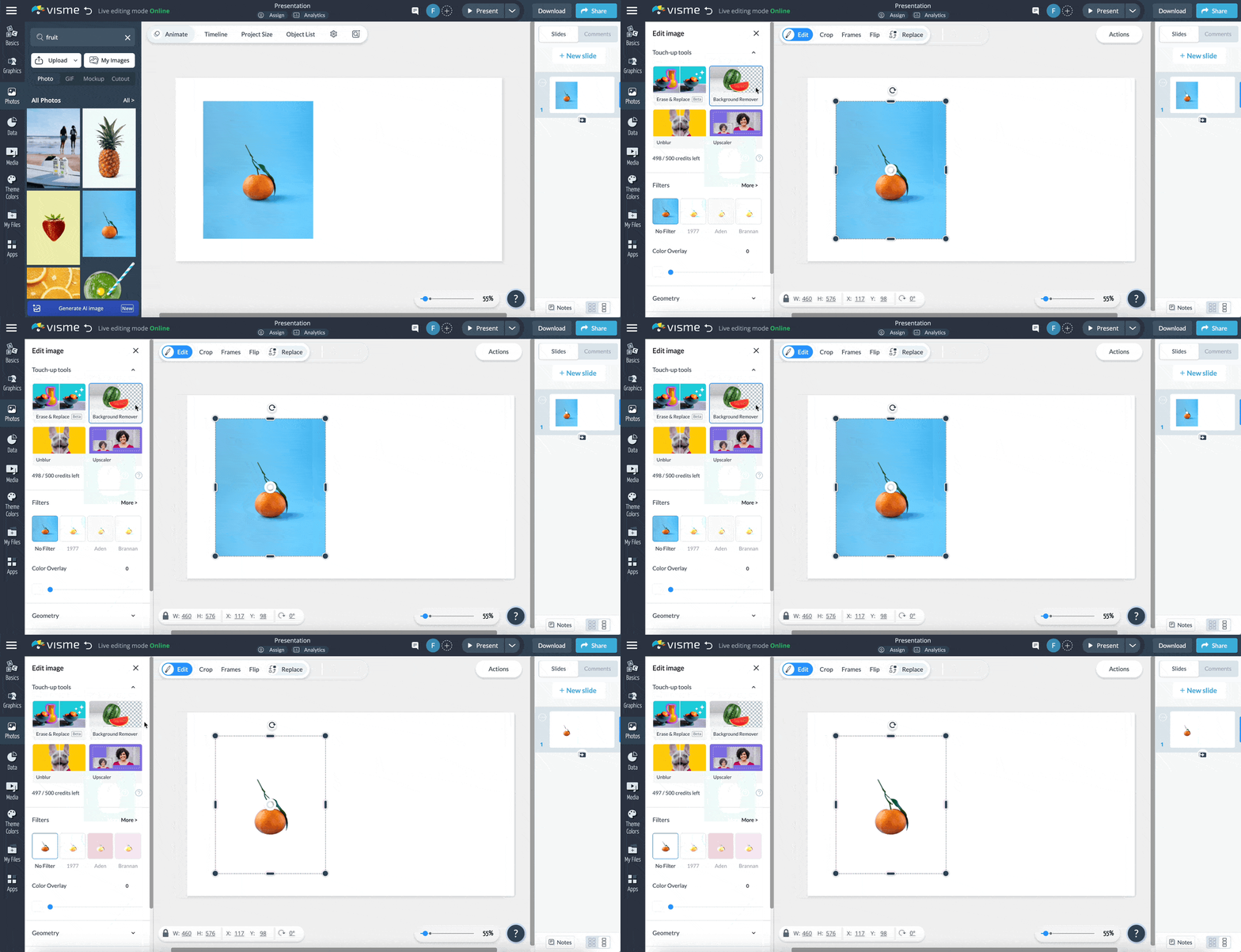
You have two choices for object selection: brush or tap; pick the one you want and select the unwanted object in the photo. In the dialog, choose Eraser and watch the unwanted object or item disappear.
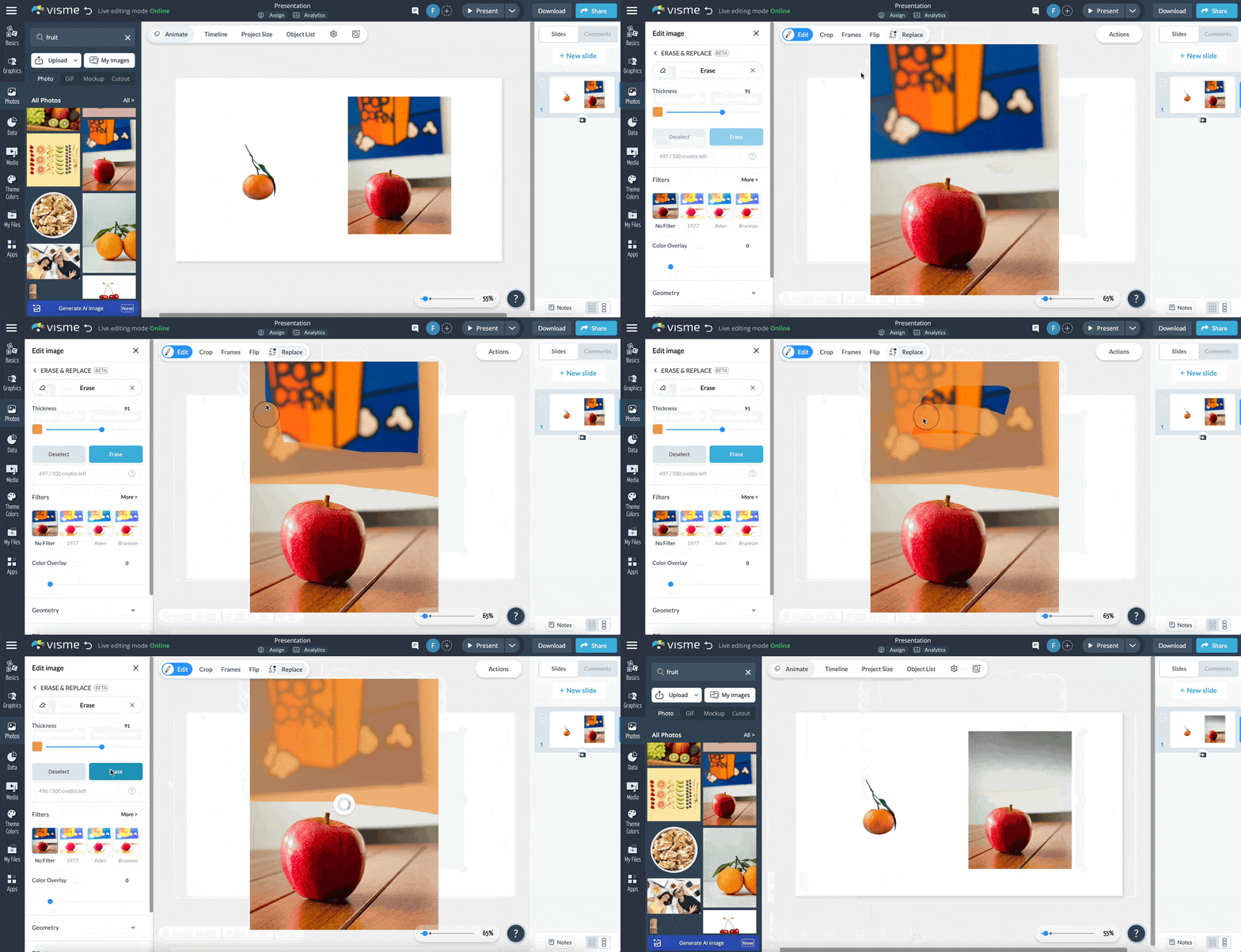
Ready to download your image? Click Download at the top right of the screen and you'll find multiple download options, including:

To share your project online, click on Share at the top right of your screen. Click on the “Copy” button to copy the shareable link. Or click the "Share on social” button to share your project on social media.
Never discard an image again because of a flaw or unwanted item. Thanks to Visme's photo editor, AI image edit tool and the Erase & Replace feature, you can use that image after you get rid of whatever it is that shouldn’t be there.
You can also replace the wrong object with another one by writing what you need in the prompt window. Other tools in the same group let you remove background from images, plus sharpen and upscale your photos.
Get started with Visme today and take advantage of all the AI image editing tools at your fingertips.

Design visual brand experiences for your business whether you are a seasoned designer or a total novice.
Try Visme for free